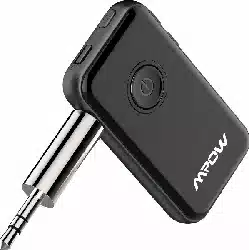

NPOW
DIIAIMXPLOIIHNSPII
WI
RHESS
RECEIVER
AND
TRAN
SM
ITIER
MroWWIREI.E&<lAUDIO
USER
MANUAL

•
EN
An:/
issues during usage. please
contact
support@
xmpovv.com
to
get
professional
services.
•
DE
Wenn Sie irgendwelche Fragen hatten.
wenden
Sie
sich
bitte
an
um
einen
professionellen service zu erhalten.
•
FR
Si
vous rencontrez
des
problemes
lors
de
!'utilisation.
contactez
pour
obtenir
des
services
professionnels.
•
ES
Cualquier
problema
durante
el
uso.
p6ngase
en
contacto
con
para
obtener
servicios profesionales.
• IT
B.entuali
problemi
durante
l'utilizzo,
si
prega
di
contattare [email protected] per ottenere
servizi
professionali.
•
JP
fll,/ll<!Jt.lA,OJr•llll~t;,
1.:.:'."'in&
l,,~---

English
06-19
Deutsch
20-34
Franr;:ais
35-48
Espanol
49-62
Italiano
63-76
Japanese
77-89

®)
~
~
. .
•l •l
~-,~,
~
~~
F'-""
\_Y,1
•l
/01

lfii'CI\N
-
0
0
/02

Im
DIACiRAM
1.
i::>ovverON
/OFF;
multi-function
button:
Pause/
play.
Answer/
Hang
up
2.
Indicator
Light
3.
Next
track
/Volume
Up
4.
Previous
track/Volume
Down
5.
Microphone
6.
USB Charging
port
7.
TX/
RX,
Bluetooth
Receiller
mode(RX)/
BluetDoth
Transmitter
mode(TX)Switch
B.
Bluet:ooth Pairing
button
9.Audio
Input/Output
port
Im
DIACiRAMM
1.
ON
/OFF-Taste:mehrfunktionale Taste;
Spiel/
Pause-Taste:Ant\l\oOrten
/ auflegen
2.
LED-Anzeige
3. Vorherige
Musik/
Lauter
4. NBchste
Musik/
Leise
5.
Mikrofon
6.
USB
Spannungsversorgung
7.
TX/ll,'-BluetDoth-Empliingem,odus(RX)
Bluet:ooth-5endermodus(TX) SChalter
VYE!Chseln
8.
Blue1Doth-Kopplungstaste
9.
Audioeingang
und
-ausgang
/03

Im
DIAGRAMME
1.
Marche / arret:
bouton
multifonction:
pause/
lecture. reponse / raccrochage
2 voyant lumineux
3.
Piste
suivante
/ augmentation
du
wlume
4.
Piste precedente /Volume bas
5. microphone
6.
Port
de
charge USB
7.
n<
/RX,
Mode
nlcepteur Bluetooth
Mode
(RX)/
Transmetteur Bluetooth
(TX)
Commutateur
a
Bouton
d'appariement
Bluet:ooth
9.
Port d'entree /
sortie
audio
ID
DIAGRAMA
1.
Encendido/apagado:
bot6n
multifunci6n:
pausa / reproducci6n. respuesta / cuelgue
2.
Luz indicadora
3. Siguiente pista /
Subir
volumen
4.
Pist.a
anterior/
Ba
jar
volumen
5.
Micr6fono
6.
Puerto
de
carga USB
7.
n<
/
RXc
modo
de
receptor Bluetooth (RX)/
modo
de
transmisor Bluetooth
(TX)
interruptor
8.
Bot6n
de
emparejamiento
de
Bluetooth
9.
Puerto
de
entrada / salida
de
audio
/04

Iii DIAORAMMA
1 .
.A.ccensione
/ Spegnimento: tasto multifunzione:
Pausa / Riproduzione. Rispondere / Riattaccare
2.
lndicatore Luminoso
3.
Traccia
Successiva /Volume Su
4. Traccia Precedents
/Volume
Gill
5.
Microfono
6.
Porta di
Ricarica
USB
7.
TX/
RX
Modalita
Ricevitore
Bluetooth {RX)/
lnterrut
tore Modalitt:i Trasmissione Bluetooth
(TX)
8.
Tasto di .Accoppiamento Bluetooth
9.
Porta
di
lngresso / Uscita
Audio
II
Mlla>=SM
1.
:M~'f, Bluetooth llllffll>K~::,:
7-t,,Jl:1
/ i'i'g;,
il!la!i't\!!f
~,m..,
2.
IIUM>::)'J-~-
3 .
il!llls~
/
ff!l!l'~:1
4.
il!l!i:t,/!i
■
9':1::,
5.
'(-{'J
6.
'(-{'JD
U5B1flll,"1l-~
7.
TX
I
RX
: Bluetooth !Mi'E-
~
/ Bluetooth
llsii!'E
-~m~M-~>
8.
~J'IJ~,K~::,
9.
AUX>il-~
(AUX7-'ri,;tJ,,t.J/tllt.J;i(-e)
/05

1.
IMPORTANT
NOTICE
For
·no
lip
sync
delay"
when
watching
lV.
movie
or
playing
games.
Make
sure
you
use
a Bluetooth device
supporting
aptX
Lovv
Latency {aptX
LL).
since
most
audio
receiwr devices
(Bluetooth
headphone,
Bluetooth
speaker)
don't
support
this technology.
If
your
Bluetooth
headphone/
Bluetooth
speaker
supports
apt)(
Low
Latency (aptX
LI_\
you
can
enjcy
better
experience
which
is
synchronized
beb.Yeen
the
sound
and
video
screen
If
your
Bluetooth
headphone/
Bluetooth
speaker
doesn't
support
aptX LoN
Latency
(aptX
LLl
you
may
feel
the
lip
sync
delay
betvv'een
the
sound
and
video screen.
apt)(
Low
Latency (aptX
LI_)
certified products,
https//w,,,,.aptx.com/zh-hans/products
Codec
of
one connected davice
Your
Headphone
the
final transmission Theaudio
supports
Codec will be
delay
will
be
aptXHD aptXHD
I
aptX
Lovv
Latency
apt)(
Low
Latency
<-40ms
apt)( apt)(
<-130ms
SBC SBC
<-220ms
/06

COdec
oftv.<>
connected
d<Nlces
Your First Your Second The final The
audio
Headphone Headphone transmission delay
supports supports
COdecwillbe will be
apt)(Low apt)(Low
apt)(
<-l3Dms
Latency Latency
apt)( apt)( apt)(
<-l30ms
aptX,SBC
aptX
LaN'
SBC
<-220ms
Latency
aptXLow
Latency/
apt)(
SBC
<-220ms
SBC
aptXlDN
Latency/
SBC
SBC
<-220ms
apt)(
2.
ABOUT
APrX/
APD<
LON
LATENCY
aptX
can
gi\e
)OU
consistent
high-quality
audio
O'l.er
Bluetooth
device.
aptX
Law
Latency ensures
}'OUr
Bluet:ooth wireless
enabled
device
can
deli\er
sound
in
sync
with
visual
media.
With apt.X
lDN
Latency)OU
can
enjay
the
freedom
of
wireless
for
applications
such
as
gaming
and
watching
videos.
3.
SPECIFICATIONS
Product name
BH045
Connection
technology
Bluet:ooth
Frequency
range
2.402 GHz-2.480
GHz
Bluetooth protocol HFP/HSP/A2DP/AVRCP
Battery capacity
lBOmAh
Working currency
•lSmA
Charging
wltage
DCS.OV
Temperature range 0-45"C
/32-113
"F
/07

4.CHARCINC
BH045 has a built-in battery,
which
can be charged
with
a 5 V standard charger.
If
a non-standard charger is used
to
charge,
BH045
will
trigger
self-protection
and
Vv'On't
charge
battery.
When
a 5 V standard
charger
is used
again, BH045
will resume charging.When charging.
the
red
indicator
light
will
remain
on:
When
fully charged,
the red
indicator
light
will
go
off automatically.
S.
POWER
ON/
OFF
•
~~g
press~@-button for 3 seconds
to
tum
on
BH045.
In RX
mode.
Blue
indicator
light
will flash quickly. In TX
mode.
Green
indicator
light
will
flash
quickly
if
without
pairing information:
and
will flash slawly for
30
seconds
and
then
flash
quickly
if
with
pairing information.
•
~~
press"(@-button
for
3 seconds.
6.
CHOOSE A BWETOOTH MODE
• Tl<,
Tum
the
switch
to
,x-
to
enter
Bluetooth
transmitter
mode .
• RX,
Tum
the
switch to
-RX"
to
enter
Bluetooth receiver
mcx:le.
7.
INSTRUCTIONS
ON
BLUEroOTH
RECEIVER/
TRANSMITTER
MODE
7.1
can
I hear
the
video
sound
from
the
Non-
BluelDoth TV via
the
Bluetcoth
headphone?
Yes.
p.,
can. BH045
Bluetooth
1X
mode support,.
Tum
the
switch
to
iX"
side to
enter
Bluetooth
Transmitter
mode.
Connect
BH045
to
a
Non-Bluetooth
1V
(computer)
with
a cable. Then.
pair
BH045
to
a
Bluetooth
headphone
(Bluetooth speaker) via Bluetooth. Then. you
can
hear
the
audio
from
the
Non-Bluetooth
1V
(computer) via a
Bluetooth
headphone
(Bluet:ooth speaker).
For
more
details. refer to
the
following instructions
in
a
/08

• 7 2
can
I play music via a Non-Bluetooth in-
car speaker from a smartphone?
BH045
Bluetooth
RX
mode
supports.
Tum
the
switch
to
-RX"
side
to
enter
Bluetooth
RX
mode.
Connect
BH045
to
the
Non-Bluetooth
in-car speaker
(an old-style
Non-Bluetooth
speaker
or
headphone)
with
a cable. Pair BH045
to
a
smartphone
(iPad) via Bluetooth.
Then.
)OU
can
listen
to
music
from
the
smartphone
(iPad)
via
the
Non-Bluetooth
in-car speaker (Non-Bluetooth
old-style speaker
or
headphonet
For
more
details. refer
to
the
following
instructions
in
9.
□
=,
~
o,rJ
non-Bluetooth non-Bluetooth
speaker headset
Computer Guitar Plano
a
BLUETOOTI-1
lX
MODE
1X
J~
~
C~Tt~~:rs
ii
~ ~'::
orspeaker
-
■
□
CDPlayers
Wireless Kindle or
Transmittng e-Book
Readers
/09

Connect BH045
to
a Non-Bluetooth
multimedia
audio
device (such
as
1V.
PC)
with
a
35
mm
audio
cable. RCA
cable. Then. pair BH045
to
a Bluetooth
headphone/
Bluetooth speaker.
In
this way, BH045 can
transmit
music
from
a Non-Bluet:ooth
multimedia
audio
device (such
as
1V,
PC)
to
a Bluetooth
headphone/
Bluetooth speaker
etx:.
8.1
Pair
with One Bluetaoth Headphone
•
Stepl,
Connect BH045
to
the
Audio
output
port
of a Non-
Bluetooth
multimedia
audio
device (such
as
1V.
PC)
with
a
35
mm
audio
cable
or
RCA cable.
•Step:Z,
[:§]
Select a mode:
tum
the
switch
to
iX"
to
enter Bluet:ooth
lX
mode.
TX
• =,;
on
BH045 by long pressing
·@)·
button
fbr 3
seconds
with
Green indicator
light
flashing quickly.
•
Stap4,
Pair.
When
the
Green indicator
light
flashes quickly,
BH045
will
enter
Bluetooth pairing
mode
(Short
press·~-
button
to
enter paring
modei
•
StapS,
Enable Bluetooth
on
Bluetooth
headphone/
Bluet:ooth
speaker. Get
it
close
to
BH045
within
1 meter.
It
takes
5-30 seconds
to
complete
the
automatic
connection
to
the
Bluetooth headphone/ Bluetooth speaker.
•
Stap6,
Play music
/video
on
your
computer
or
television.
Then.you can
enjoyyourtime.
After
the
successful pairing. BH045 Green indicator
light
will
remain
on.And
the
codecs
of
BH045will
change
according
to
the
Bluetooth
headphone
as
below.
Codec
of
one
connectad
device
Your Headphone
the
final transmission
lheaudio
supports
Codec will
be
delaywill be
aptXHD
aptXHD
I
apt)(
Low
Latency
aptX
Low
Latency
<-40ms
apt)( apt)(
<-130ms
SBC SBC
<-220ms
/70

1
82
connect
with
llNo
Bluetooth
Headphones
•
Stapl:
Complete
the
connection
to
the
first Bluet.oath
headphone/
Bluetooth
speaker.
•
:~~
2
~ress
·(@)-
button
to
enter
Bluetooth
pairing
mode
with Green
indicator
light
flashing quickly.
•
Step3:
Enable Bluetnoth
on
the
second Bluetooth
headphone
or
Bluet:ooth speaker etc.
Get
it
close
to
BH045
within
l meter.
It
takes
about
5-30
seconds
to
complete
the
automatic
connection
to
BH045.
After
the
successful connection. Green indicator light
remains on. 1he codecs
of
BH045
will
change
according
to
thetvl<) Bluetooth headphones
as
below.
Codec
ofbtw
connectad
d&Yices
Your
First
YourSeoond lhefinal The audio
Headphone Headphone
transmission delay
supports supports
Codecwillbe will be
aptXLow aptXLow
apt)(
<--130ms
Latency Latency
apt)( apt)( apt)(
<N130ms
aptX/SBC
aptXLow
SBC
<N220ms
l.atBncy
aptX
Lavv
Latency/
apt)(
SBC
<N220ms
SBC
aptXLow
Latency/
SBC
SBC
<N220ms
apt)(
8.3
Play
Music
Play/ Mula: Short press•@)- txJtton.
Volume up: Long
press
or short press·+·
button
(MAX
volume
without
a sound
prompt).
Volume
down:
Long press
or
short
press·-·
button
(MIN
volume
without
a sound
prompt).
/77

9. BLUET0011-I RECEIVER
MODE
RX 0
Sma
g
ones
~:
~
~
orTablets
BH045
~
:.:
~
Receiving
~
9.1
Connect with
One
Smartphone
•
Step
1:
Wired
Headphones
Home
Stereo
Car
Stereo
Connect
BH045
to
a Non-Bluet:ooth in-car speaker,
speaker
or
headphone
with
a
35
mm
audio cable
or
RCA cable.
•
Step2:
Select a mode. Tum
the
switch
to
·RX' side
to
enter
Bluetooth receiver
mcx::le.
•
=~~n.
LDng
press·@ · button
for
3 seoonds
to
po.Yer
on
with
Blue indicator
light
flashing quickly.
• Step4:
Pair.
When
the
Blue
indicator
light
flashes quickly,
::~:~~~~~:~~~f
(Short prt3S
"©)"
• Step5:
Enable
Bluetooth
on
your
smartphone.
Search "BH04.S-
and
click
to
connect
If
needed,
input
the
paSSVloOl'd
"OCXX)".
After
the
connection, Blue indicator light
will
remain
on. The codecs will be shawn according to
the
smartphone.
lfthe
smartphone
codec
is
"APTX".
the
codec
ofBH045
is
"APTX"
.
•
Step&:
Play
music
on
your
smartphone
and
begin
to
listen
to
music.
/72

1
92
Connect
with
Two Smartphones
•
Step
1,
After
the
connection
to
the
first
smartphone. short
press·(@·
button
to
enter
Bluetooth paring state with
Blue
indicator light
flashing
quickly.
•
Step
2,
Enable Bluetooth
on
the
seoond
smartphone.
Search
·eH04.S-
and
click
to
connect
If
needed.
input
the
passw,rd
·oooo·.
•
Step3'
After
the
connection.
the
Blue indicator
light
remains
on. Then.
tvvo smartphones will
connect
to BH045
simultaneously. The codec will be
same
as
that
of
the
smartphone
playing music.
If
the
smartphone
playing
music
is
of
APTX
mode,
the
codec
of
BH045
will
be
"APTX".
9.3
Handsfree
can
Function
• Ans\Yer a call: Short
press·@·
button.
•
Hang
up
a
can,
Short press"@) "button.
• Reject a
can,
Long
press·
w·
button
lbr l second.
• Redial a Call:
1.
Double
press·@·
button
to
redial
the
last
phone
number
dialed
on
the
first
smartphone.
2.
Double
press
·©J
·
button
to
redial
the
last
phone
number
dialed
on
the
second smartphone.
• SWltch the
call,
During
the
call. long
press·
W·
button
lbr l
second
1X>
charge
the device betv\een
the
srnartphone
and
BH045.
• A call is
incoming
during
the
call:
1.
Short press·@)·
button
to
hang
up
the
current
call
and
anSV'v'er
an incoming
call.
2.
Long
press·@)·
button
to
answer
an
incoming
call
and
put
the
current call
on
hold.
• eetvveen
the
1wo
calls:
l.
Short
press·@)·
button
to
hang
up
the
current
call
and
switch
to
the
other
call.
2.
Long press
·@I·
button
1X>
switch
between
two
smartphones.
/13

9.4
Voice
dialing
Long
press·@)·
button
for
about
1 second.
and
release
the
button
when
you hear
the
sound
prompt
to enable
or
disable \Oice dialing function.
9.5
Play
Music
• Play/ Pause,
Short
press ·@l· button.
• Next
track:
Short
press·+· button.
• Previous track:
Short
press·-· button.
•
Volume
up:
Long press·+·
button
(MAX
volume
with
a sound
prompt;
•
Volume
dawn:
Long press·-·
button
(MIN
volume
with
a sound
prompt).
10. ENTER PAIRING MODE
1.
If
only
one
Bluetooth
device is
connected
to BH045.
short press·
(@tbutton
to enter pairing
mode
(RX
or
TX indicator light
will
flash quickly).
2 Long press
"(@t
button
for 3
seconds
to disconnect
from
the
current
devices. Blue
indicator
light
(RX)
or
Green
indicator
light
CTX)
will
flash
quickly
to
enter
pairing mode.
11.
RECONNECTION
1. RX
Mode
Reconnection
Reconnection after pov,.er on: Enable
Bluetooth
on
your
smartphone. Then,
tum
on
BH045
with
Blue i
ndicator
light
flashing quickly. Then. BH045 will
reconnect
to
the
last connected Bluetooth device.
The reconnection lasts
30
seconds.
If
the
device fails
to
reconnect
within
30
seconds. Click "BH045"
on
your
smartphone
manually
to
connect
Exceeding
Bluetooth
distance:
If
the
device exceeds
Bluetooth
distance.
the
Blue!Doth
will be disconnected
And
BH045
will
reconnect
with
Blue
indicator
light
flashing slowly.
If
no
device is
connected
in
20
minutes.
BH045will
povveroffautomatically.
/74

•
2.
TX
Mode Reconnection
Reconnection after
pc,,,ver
on:
With
)Our Bluetooth
headphone
pc,,,vering
on
first.
tum
on
BH045
and
its
Green indicator
light
will
flash slowly. Then, BH045
will reconnect
to
the
last connected device. The
reconnection lasts
30
s.
After
30
seconds.
it
enters
pairing
mode
with
Green indicator light flashes quickly.
Exceeding Bluetooth distance:
If
the
device exceeds
the
Bluetooth distance,
the
Bluetooth
will
be
disconnected.
And
BH045 will reconnect automatically
with
Green indicator
light
flashing slowly.
If
no
device
is
connected in 10 minutes.
BH045will
pc:M1eroff
automatically.
12.
ERASE
BWETOOlH
PAIRINC
INFORMA110N
•
=r-on
state.
long
press"@"button
for
8
seconds
until
the
Red indicator
light
comes
out
twice. BH045 will erase
the
paired devices
and
enter
Bluetooth pairing mode. Blue
or
Green indicator
light
will flash
quickly
.
• Step:Z,
Please erase
the
Bluetooth pairing information
simultaneously (Please refer
to
the
instructions
on
how
to
erase pairing information
on
your
smartphone
or
Bluetooth headphone1
13.
IDW
BATTERY
WARN INC
When
the
battery
is
below
3.3
V,
BH045 will alarm
automatically. The Red indicator
light
will
flash
quickly
£Nery
tVIIO
minutes.
With
battery used up. BH045
will
povver
off
automatically.
14.
AUTO-SHUT
OFF
l.
If
there
is
no
Bluetooth de.lice
oonnect:ec:I
after BH045
pc:M1ers
on,
it
will
pc,,,ver
off automatically after l 0
minutes.
2
lfthe
connected device exceeds
the
effective
Bluetooth distance for
about
20
minutes. BH045
will
pc:Mler
off
automatically
if
no
Bluetooth device
is
oonnected (In Bluetooth
TX
mode,
BH045
will
pc,,,ver
off
after
lo
minut.es).
/75

15.WARNINC
The
product
contains battery.
During
the
operation.
please
pay
attention
to
the
following
information:
l.
Acceptable
operating
temperature
range
0-45't
/
32-113'F.
2 Please avoid using
or
charging
it
in
high
temperature.
lc:w
temperature
or
static
environment
(such
as
cars
exposed to direct
sunshine
in
hot
weather. fire.surface
with
high
temperature
or
extreme
cold environment).
Otherwise.
it
may
influence
the
performance or
lifespan of
the
battery.
3.
Charge it
via
a
STANDARD
5 V charger.
4.
Put
it
in
a shade
when
not
in
use.
Any
issues during usage, please
oontact
to
get
professional
services.
16.
TROUBLESHOOTINC
• Why
BH=
can't
be
charged?
Step
1:
Check whether you are using a standard 5 V
charger.
Step
2:
Check
whether
tVtlO
ends
of
the
USB charging
cable
have
been
connected
firmly.
Step
3:
Try another
pa..,ver
outlet or USB charging cable.
• Why can't
BH=
be
turned on?
Step
1:
Check
whether
BH045
has
pa,.,ver.
Ensure
that
BH045 has povwr.
try
charging
again
and
po.iveronagain.
Step
2:
Check
whether
BH045 has been
turned
on
(Long press"@)"button
for
3 seconds).
•
Whycan'tBH-bepai-
Step
1:
Please
ensure
that
BH045 has
been
turned on.
Step
2:
Please
check
whether
}'OU've
selected a
proper
Bluetooth
mode.
Tum
the
swit.ch
to
7X-
side
and
the
Green
indicator
light
flashes quickly;
Turn
the
swit.ch
to
·RX_·
side
and
the
Blue
indicator
light
flashes quickly.
/76

I
Step
3:
Check
whether
BH045
is
in
pairing
mode
(Green
or
Blue
indicator
light
flashes
quickly).
Short
press·(@)"button
to
enter
pairing
mode.
Step
4: In RX
mode,
check
whether
}Our
smartphone
can search
the
Bluetooth
name.
If
not.
disable
and
enable
Bluetooth
on
your
smartphone.
In
lX
mode,
check
whether
:your
Bluetooth
headphone
is
in
pairing
mode.
If
not
set
the
Bluetooth
headphone
to pairing
mode
according
to
its instructions.
Step
5:
Long press"(@l"for 8 seconds
to
clear
the
paring
information
on
BH045
and
try pairing again.
Clear
the
Bluet:ooth pairing list
on
the
smartphone
and
Bluetooth headphone cy'
the
instructions
of
the
smartphone
or
Bluetooth
headphone.
Take Bose QC
35
II
for
example,
turn
the
switch
to
the
Bluetooth
icon. Long press for 1
Os
until
you
hear
"Bluetooth
device
list cleared"
{Bluetooth
pairing list
have
been
erased)
and
the
Bluetooth indicator light
flashes
in
blue.
•
Why
is the music
qualil;y
poor?
Step
l:
Ensure tvvo ends of
the
3.5
mm
cable are firmly
connected.
Step
2,
Check
whether
the
AUX
cable
is fully
plugged
in.
Step
3:
Change
a
35
mm
audio
cable.
Step
4: Try
another
Non-Bluetooth
device.
•
Why
is
the
connection short-distanced and
intermittent?
Bluetooth
is a short-distanced wireless technology.
When
too
much
obstructions
are
nearby.
such
as
Bluetooth
devices. wireless signals. walls.
they
will
disturb
the
transmission.
Step
1:
Maybe
the
device
exceeds the
Bluetooth
distance.
Come
back
to
the
effective distance.
Maybe
it's
obstructed
by
the
wall. please use
BH045
in
a
spare place.
Step
2:
The wireless signal
will
disturb
the
Bluetooth
connection.
Please use the
BH045
in
an
environment
without
strong
obstruction.
/77

•
Whyisthevolumeso
lowwhen
listaningto
music?
Step
1:
Confirm
whether
tvllO
ends
of
the
audio
cable are
firmly
connected.
Step
2:
Increase
the
volume
on
BH045.
smartphone
and
speaker etc.
Step
3:
Change
another
compatible
device.
• VVhythere
is
no sound aftl!r the successful connection?
Step
1:
Check
whether
the
volume
of
your
computer,
lV,
or
Bluetooth
headphone
and
BH045 is
high
enough.
Step
2:
Check
whether
the
cable is
firmly
connected.
Step
3:
Check
whether
the
audio
cable
is
complete.
Step
4:
In TX
mode.
check
whether
the
1V
has
sound
with
a
wired
headphone.
If
not
adjust
the
audio
output
to
·headphone·
for
the
television.
Step
5:
Change
an
audio
cable
and
check
whether
it
has
sound.
• Why
can't
BH04S be
connected
to
my
te18"ision
In
Bluetooth
lX
mode?
Confirm
whether
your
television
has
an
audio
output
Connect
the
audio
cable
or
RCA cable
to
the
audio
output
port
of
the
television.
FCC
STATEMENT
Operation is
subject
to
the
follcming
three
conditions:
(1) This device
may
not
cause
harmful
interference.
and
(2) This device
must
accept
any
interference received.
including
interference
that
may
cause undesired
operation.
(3) This device has
been
evaluated
to
meet
general
RF
exposure
requirement
The device can be
used
in
portable exposure
condition
without
restriction.
/78

•
N-
lhis
equipment
has
been tested and found
to
comply
with
the
limits for a Class B digital device,
pursuant
to
part
15
of
the
FCC
Rules.
These
limits are designed
to
pl"Olide reasonable protection against harmful
interference in a residential installation.
This
equipment
generates. uses and can radiate
radio
frequency energy
and.
if
not
installed
and
used
in
accordance with
the
instructions.
may
cause
harmful interference
to
radio
communications.
Ho.vever.
there
is
no
guarantee that
interference will
not
oocur in a partirular installation.
If
this
equipment
does cause
harmful
interference
to
radio
or
telE'Vision
reception, which can be determined by
tu
ming
the
equipment
off
and
on.
the
user
is
encouraged
to
try
to
correct
the
interference by
one
or
more
of
the
fbllowing
mea5U"'5c
• Reorient
or
relocate
the
receMng
antenna
•
Increase
the separation
betvl.een
the equipment and
recei'loer.
• Connect
the
equipment
into an outlet
on
a circuit
different from
that
to
which
the
receiwr
is
connected.
• Consult
the
dealer or an experienced
radio/TV
technician
for
help.
CORRECT
DISPOSAL
OF
THIS PRODUCT
~
(Wasts Electrical& Electronic Equipment)
A
This
Marking shown
on
the
product or its literature.
- indicate
that
it
should
not
be
disposed with
other
household wastes
at
the end of its
Vl<lrl<ing
life.
To
prevent possible
harm
to
the
environment
or
human
health from uncontrolled waste disposal. please separate
this from
other
types of wastes
and
recycle
it
responsibly
to
promote
the
sustainable reuse of material resources.
Household user should
contact
either
the
retailer
where
they purchased this
product
or
their
local
government
office.
for
details
of
where
and
how
threy
can
take this
item
for
el'Tllironmentally safe recycling.
Business users should contact their supplier
and
check
the
teITT1S
and
conditions of
the
purchase
contact
This
product should
not
be
mixed with
other
commercial
wastes for
disposal.
/79

1.
WICHITCE
HINWEISE
Besmtigen Sie bitt:e zuerst, dass
Sie
ein Bluetooth-Gerat
verwenden,
das
apt.X
Lovv'
Latency
{apt.X
LL)
unterstOtzt,
da
die
meist:en Audioempfangergerat:e (Bluet.ooth-
KopfhOrer, Bluetooth-Lautsprecher) diese Technologie
nicht unterstOtzen.
Vl/enn
1hr
Bluetooth-KoplhOrer / Bluetooth-Lautsprecher
apt.X
Low
Latency
(apt.X
LL)
unterstUtzt. konnen
Sie
ein
besseres
Er1ebnis
genieBen, das zwischen
dem
Ton-
und
Videobildschirm
synchronisiert wird.
Vl/enn
1hr
Bluetooth-KoplhOrer / Bluetooth-Lautsprecher
apt.X
Low
Latency
(apt.X
LL)
nicht unterstOtzt. filhlen Sie
mOQlicherweise
die
Verz6gerung
der
Uppensynchronis-
ierung zwischen
dem
Ton-
und
dem
Videobildschimi.
apt.X
Low
Latency
(apt.X
LL)
zertifizierte Produkt:e:
http,,J;,,,,,,.aptx.com/zh-hans/products'?
Codec
eines
angeschlossenen
Caerits
1hr
Kopfhorer
Der
endgUltige
Sende
Die
Audio-
unterstiitzt Codecwird
1/erzogerung
wird sein
aptXHD aptXHD
I
aptX
Lovv'
Latency apt.X Lem Latency
<-40ms
apt)( apt)( <Hl30ms
SBC SBC
<H220ms
/20

I
COdec
"°"
zwel
angeschlossenen Cieriten
lhrerstar'
lhrzweitsr
Der
endgUltige
Die Audio-
Kopfhorer Kopfhorer
SendeCOdec Vel'ZOgerung
unterstiitzt unterstiitzt
wird wird
sein
apt)(
Low
apt)(
Low
apt)( <-130ms
Latency Latency
aptX aptX
apt)( <-130ms
aptX,SBC
apt)(
Low
SBC
<-220ms
Latency
aptX
Low
Latency/
aptX
SBC
<-220ms
SBC
apt)(
Low
Latency/
SBC SBC
<-220ms
aptX
2.
UBER
APTX/
APTX
LON
LATENCY
apt)(:
Mit
aptX
konnen
Sie Ober Bluetooth-Gerate
konsistent:e, qualitativ
hochwertige
.ti.udiodaten erzeugen.
aptX
Low Latency:
aptX
Lovv
Latency stellt sicher. dass
1hr
kabelloses Bluetooth-Gerat
den
Ton synchron
mit
visuellen
Medien
liefert
Mit
aptX
Lovv
Latency
konnen
Sie
die
Kabellos-Freiheit
fOr
AnY.endungen
wie
Spiele
und
Videos genieBen.
3.
TECHNISCHE
OATEN
Produktbezeichnung
BH045
Anschlusstechnik Bluetxioth
Frequenzbereich
2402
GHz-2480
GHz
Bluetooth-Protokoll
HFP/HSP/A2DP/AVRCP
Akkukapazitat
lBOmAh
Arbeitsstrom
•lSmA
Betriebsspannung /
Strom
DCS.OV
Betriebstemperaturbereich
0-45'C
/32-113
'F
/21

4.NETZTEIL
Der
BH045
verfugt
Uber
eine
eingebaut:e Lithiumbatt:erie.
Bitte
laden
Sie sie
mit
einem
SV-Standardladegel'Bt
auf.
Wenn
Sie
eine
nicht
standardmBBigen
L..adegerat
vervvenden. ist
das
BH045
automatisch
geschUtzt
und
kann
nicht
aufgeladen
\!Verden.
Wenn
Sie
noch
mal
das SV-Standardladegerat
wrvvendet
setzt BH045
den
Ladevorgang automatisch fort Das rote Licht
leuchtet
beimladen.
Wenn
der
Akku \OIi ist wird das rote Licht automatisch
ausgeschaltet
S.
EIN-
/
AUSSCHALTEN
• Einschalten: DrOcken Sie
der
Multifunktionstaste
® ·
3s
zum
Einschalten.
RX-Modus
blinkt
die blaue licht schnell.
TX-Modus.
\J\lel1n
keine Verbindungsaufzeichnung
vorhanden ist
blinkt
die
grQne Licht
beim
Einschalten
schnell:
Wenn
es
eine
Verbindungsaufzeichnung
gibt
blinkt
die
gl'Une LED
beim
Einschalt:en
30
Sekunden
langsam
und
blinkt
dann
schnell.
• Ausschalten: Halten Sie
die
Multifunktionstaste
·@·
3 Sekunden lang
gedruckt
6.
AUSWAHL DES BWETOOTH-MODUS
•
lX,
Drehen
Sie
die
Taste .TX-RX" aufTX.
n8hmlich
den
Bluetooth-Obertragungsmodus.
• RX,
Drehen Sie
die
Taste .lX-RX"
auf
RX.
nBhmlich
den
Bluetooth-Emplangsmodus.
7.=~~~~5~:~~~~~~-
7.1
Kann
man
Video-sound
ohne
Bluetooth-lV
mil Bluetooth-Headset horen?
Bitte
verwenden
Sie
den
Bluetooth-Sendemicx:::lus
des
BH045.
/22

Drehen Sie
die
RX-TX-Taste auf"TX"
und
WBhlen
Sie
den
Bluetooth-Sendermodus
des
BH045. Verbinden
Sie
das
BH045 Ober
ein
Kabel
mit
einem
Femsehgerat
(Computer) ohne Bluetooth .
I
Das BH045
und
das BluelXloth-Headset (Bluetooth-
Laut:sprecher)
konnen
mit
Bluetooth
gekoppelt
vverden,
um
Musik/Video
'I/On
einem
Bluetooth-freien Femseher
(Computer) uber ein Bluetooth-Headset (Bluetooth-
Laut:sprecher) zu horen.
Siehe
8.
fur
detaillierte Bedienschritte.
7.2
Kann
der
Autolautsprecher
ohne
Bluetooth
die
Muslk
des
Mobiltelefbns
gesplelt
warden?
Bitte
vervvenden Sie
den
Bluetooth-Empfangsmcx:lus
des
BH045.
Drehen
Sie
die
RX-TX-Taste aur«RX-
und
Wcihlen
Sie
den
Bluetooth-Empfangsmcx:lus
des
BH045.
Verbinden
Sie
das
BH045
mit
einem
Bluetooth-freien
Autolautsprecher
(ein
altmodischer
Lautsprecher
ohne
Bluetooth.
ein
Bluetooth-freies
Headsetl
und
der
BH045
und
das
Mobiltelefon
[IPad)
konnen
Ober Bluetoot:h
gekoppelt
'vvel"den.
Dann
konnen
Sle
Musik
auf
lhrem
Telefon
OPad)
durch
der
Bluetooth-freie
Autolautsprecher
(ohne
Bluetooth.
Kein Bluetooth-Headset) H6ren.
Siehe
9.
fur
detaillierte Arbeitsschritte.
Q
:::;,
~
o,(71
non-Bluetooth
non-Bluetooth
speaker
headset
Computer
Guitar Piano
/Z3

a
BWETOOTH-SENDERMODUS
TI<
~~~
~
C~Tt~::rs
¥.
~ ~
::::
orspeaker
-
■
□
CDPlayers
Wireless
Kindle or
Transmittng e-Book Readers
Verbinden
Sie
das
BH045
durch
ein
3.5-mm-Audiokabel
oder
ein
RCA-Kabel
mit
einem
Bluetooth-freien
Multimedia-Quellgerat
(z.
B.
lV.
PC usw.).
und
verbinden
Sie
das
BH045 mit
dem
Bluetooth-Headset /
Bluetooth-Lautsprecher
durch
Bluetooth.
BH045
tragen
die
Musik
von
Bluetooth-freiem
Multimedia
auf
das
Bluetooth-Headset / Bluetooth-
Lautsprecher Uber.
a 1
Verbindung
mit einem Bluetaoth-Kopfhorer
eSChrlttl,
\ebinden
Sie den BH045
durch
ein
3.5-mm-Audiokabel
oder ein RCA-Kabel
mit
dem
Audio-Ausgang eines
Bluetooth-freien Multimedia-Audiogerats
(z.
B.
lV,
PC1
•Schritt2:
Stellen Sie
den
Schalter
.RX-TX'
auf
.TX",
um
den
Bluetooth-Sendungmcx::lus
zu
starten.
[:§]
•
~=~
Sie
die
Multifunktionst:as1:e"@)"3
Sekunden
lang
gedrOckt,
um
das
Cerat
einzuschalten. Das gl'Une
Licht
blinkt
schnell.
•SChrltt4'
Pairing:
Wenn
die
grOne Kontrollleucht:e schnell
blinkt.
wechselt
der
BH045 in
den
Bluetooth-Pairing-Modus
(DrOcken Sie kurz
die
Taste·(~t.
um
den
Pairing-
Modus aufzun.Jfeni
/24

•SchrittS:
Einshcalten Sie
die
Bluetooth-Funktion des Bluetooth-
Headsets / Bluetooth-Lautsprechers
in
der
NB
he
van
BH045
(innerhalb van 1 m). Warten Sie
5-30
Sekunc:len.
I
Das BH045 wird
automatisch
mit
dem
Bluetooth-
Headset/
Bluetooth-Lautsprecher verbunden.
•Schritt6:
Spielen Sie
Musik/Video
van
lhrem
Computer
oder
Fernsehgerat
ab
und
genieBen Sie
die
schOne .A.udiozeit
Nach
Erfolg
derVerbindung
leuchtet
die
grOne
Lampe
des BH045
immer.
Das BH045
entspricht
dem
Kodierungsfonnat
des
Bluetooth-Headsets:
Codec eines angeschlossenen Cerits
1hr
Kopfhorer
Der
endgiiltige
5ende
DieAudio-
unterst!ltzt
COdecwlrd
verzogerung
wlrd
seln
aptXHD aptXHD
I
apt)(
Low
Latency apt)(
Low
Latency <-40ms
apt)( apt)(
<Nl30ms
SBC SBC
<N220ms
8.2
Verbinden
mit
zwei
Bluetooth-Kopfhiirern
•
Schrittl:
Stellen Sie
die
Verbindung
zum
ersten
Bluetooth-
KopfhOrer / Bluetooth-Lautsprecher
her
.
•
Schritt2:
DrOcken Sie kurz
die
Taste·~·.
und
BH045 V\leChselt
in
den
Verbindung-Modus.
•
Schritt3:
Aktivieren Sie Bluet:ooth
fur
den
zweiten
Bluet:ooth-
KopfhOrer,
den
Bluet:ooth-Lautsprecher usw. Bringen
Sie das
BH045
innertialb
van 1
Meter
in
die
NB
he.
Es
dauert
etwa 5-30 Sekunden. bis BH045
die
Verbindung
abgeschlossen
hat
•
Schritt4:
Aktivieren Sie
Bluetooth
lur
den
zweiten Bluetooth-
KopfhOrer.
den
Bluetooth-Lautsprecher usw. Bringen
Sie
das
BH045
innerhalb
van 1 Meter
in
die
Nalhe.
Es
dauert
etwa
5-30
Sekunc:len. bis BH045
die
Verbindung
abgeschlossen
hat
/25

Nach Erfolg
der
Verbindung leuchtet
die
grOne Lampe
des BH045 immer.
Das
BH045 entspricht
dem
Koclierungsfbrmat
Z\11/ei
Bluetooth-Headsets:
Codec
wn
Z\/1/ei
angeschlossenen
Cel'Bt:en
lhrerster
lhrzweiter
Der endgUltige Die
Audio-
Koplhorer Koplhorer
5endeCOdec
\/en6gerung
unterstiltzt unterstiltzt wfrd wfrdseln
aptXL.ow apt)(
Low
apt)(
<-130ms
Latency Latency
apt)( apt)( apt)(
<-130ms
aptX/SBC
apt)(
Low
SBC
<-220ms
Latency
apt)(
Low
Latency/ apt)( SBC
<-220ms
SBC
apt)(
Low
Latency/ SBC SBC
<-220ms
aptX
8.3
Musik
spielen
Spiel/
Stummschaltung:
DrOcken Sie kurz
die
Taste@.
Lauter:
L.anges
Dl'Ucken
oder
kurzes Dl'Ucken
der
Taste
·+· (MAX-L.autst:arke
ohne
Tonaufforderung)
Leiser:
L.anges
Dl'Ucken
oder
kurzes DrOcken
der
Taste
·-· (MIN-L.autstarke
ohne
Tonaufforderungt
9.
BWETOOTH-EMPFANC.ERMODUS
RX
□
fo
□
0 0
Sman
Phones
~
I
or
Tablets
BH045
■-
~
Wire.le.5s
O
@
Rece1v1ng
Wi"ed
Headphones
Home
Stereo
Car
Stereo
/26

9.1
Mit
einem Smartphone verbinden
• SChrittl,
verbinden
Sie
den
BH045 Uber ein 3.5-mm-Audiokabel
I
oder
ein RCA-Kabel
mit
einem
Bluetoothfreien-Auto-
Audio, Lautsprecher
oder
Kopfhorer .
• Schritt2:
Vll'ahlen Sie einen
Mcx::lus
aus. Drehen Sie
den
Schalter
auf"RX",
um
den
Bluetooth-Emplangermodus aufzurulen.
•
=~t..n.
Halren Sie
die
Taste
·@)·
3 Sekunden
lang
gedn1ckt
dann
blinkt
blaue Anzeigeleuchte schnell.
SChritt'i<
• Koppeln.
Wenn
die
blaue Kontmllleuchte schnell
blinkt
wechselt
der
BH045
in
den
Pairing-Mcx::lus (Taste •
(!Qt
kurz
dnkken,
um
den
Pairing-Mcx::lus aurzurureni
• 5chritt5:
AktMeren
Sie
Bluetooth
auf
lhrem
Smartphone.
Suchen Sie nach .BH045"
und
klicken
Sie.
um
eine
verbindung
herzustellen. Geben Sie bei Bedarf das
Passvvort "0000" ein.
Nach
der
verbindung
bleibt
die
blaue
Kontrollleuchte
an. Die Codecs
werden
entsprechend
dem
Smartphone
angezeigt
Wenn
der
Smartphone-Codec
"APTX"
ist
ist
der
Codec von
BH045
"APTX
.
• 5chritt6o
Spielen Sie Musik
auf
lhrem
Smartphone
ab
und
h6ren
Sie
Musik
92
Verbinden
mit
zwei Smartphones
• Schrittl:
Nachdem
das erste
Smartphone
erfolgreich
verbunden
wurde.
dn1cken Sie kurz
die
Bluetooth-
Taste"(@".
Die
blaue
Licht
blinkt
schnel
und
das Ger6t
wechselt
im
Pairing-Status.
• 5chritt2'
Aktivieren Sie Bluetooth
auf
dem
zweiten Smartphone.
suchen Sie
das
Gerat .BH045"
und
klicken Sie.
um
eine
verbindung
herzustellen.
Geben
Sie bei
Bedarf
das
Passvvort "0000"
ein
.
• 5chritt3'
Nach
der
erfolgreichen
verbindung
leuchtet
die
blaue
Licht
Dann
verbinden
sich
zvvei
Smartphones
/27

gleichzeitig
mit
dem
BH045. Der angezeigte
Ccx::lec
ist
derselbe
wie
das Smartphone. das Musik abspielt:
'vVenn
sich das Mobiltelefon
im
APTX-Modus
befindet
ist
das
codec
BH045
APTX
9.3
Freisprechen
•
Anruf
annehmen: DrOcken
Sie
kurz die
Multifunktionstaste
·@)·
• H6rer
auflegen:
Drue ken
Sie
kurz die
Multifunktionstaste
·@)·
• Anrufatr.wlsen: Multifunktionstaste 1 Sekunde lang
drucken"@)"
•
RUckruf.
1.
Doppelklicken Sie
auf
die
Multifunktionstaste·@)
••
um
den
letzten
Anruf
des ersten Mobiltelefons
zuf'Uckzurufen.
2 Doppelklicken
Sie
auf
die Bluetooth-Painng-Taste"~'.
um
den
letztenAnrufdeszweitenTelelbnszuriickzurulert
•
Anrufumschaltung,
Hatten
Sie
wahrend eines Anrufs
die
Multifunktionstaste
·@)
• eine Sekunde lang gedrOckt
um
Anrufe zwischen
dem
Mobiltelefon
und
dem
BH045 umzuschalten.
•
fh~~~;:t
i~~~funktionstaste·@)·.um
den
aktuellen
Anruf
zu
beenden
und
den
neuen
Anruf
anzunehmen.
2.
Halten
Sie
die Multifunktionstaste "@)"lang gedrOckt
um
den neuen Anruf anzunehmen. Der aktuelleAnruf
wartet
•
~.
~:O~~"s~rz
die Multifunktionstaste·@ ·,
um
den
aktuellen
Anrufzu
beenden
und
zu einem
2
~~:~~i!~f!°~~~~~~-@-1ang
gedrOckt
um
die
Anrufe
Z\11/eier
Mobiltelefone untereinander
umzuschalten.
9.4 Sprachassistent
Halten Sie
die
Taste·@)- etwa 1 Sekunde lang gedf'Uckt.
und
lassen
Sie
sie
las,
vvenn Sie eine Tonaufforderung
hOren,
um
die Sprachwahlfunktion
zu
aktMeren
oder
zu
deaktivieren.
/28

9.5
Musik
abspielen
•
Absplelen
/
Pause
kurzes
Drucken
der
·@I·
Taste.
•
Nichstes
Lied:
DrOcken Sie kurz
die
Taste·+·
.
I
•
Vorherigesliedl:DrOckenSiekurzdieTaste·-·.
• Lauter: DrOcken Sie lange
die
Taste·+"(
MAX
Lautstarke
mit
einer Tonansagei
•
Lautstarke
leiser:
Dn)cken
Sie
lange die
Taste
•
-·
(MIN-Lautstarke
mit
einer
Tonansaget
10.
AKTMEREN
SIE
DEN
PAIRING-MODUS
l.
DrOcken Sie bei angeschlossenem Bluetooth-Cel'Bt
kurz die Taste·(§)·.
um
den
Verbindungsstatus
aufzurufen.
Dann
blinkt
die
RX-
oder
TX-Kontrollleuchte
schnell.
2 DrOcken
Sie
die
Taste-~-
fOr
3 Sekunden lang,
trennen
dann
BH045
mit
der
Verbindung
zu
den
verbundenen
Bluetooth-Ceraten.
Danach
blinkt
die
blaue
Kontrollleuchte
(RX}-
oder
die
grQne
Kontrollleuchte
CTX)
schnell
und
BH054
Aktiviert
den
Suchkopplungsmodus
11.
WIEDERVERBINDUNQ
1.
RX-Modus
Wlederverbindung
Wieder..erbindung
nach
dem
Einschalten:Aktivieren
Sie Bluet.oath
auf
lhrem
Smartphone,
schalten Sie
dann
BH045
ein,
blaue
Anzeigeleuchte
blinkt.
Nach
dem
Einschlaten
stellt
BH045
die
Verbindung
zum
zuletzt
verbundenen
Bluetooth-Cerat
wieder
her. Die
Wiederverbindung
dauert
30
Sekunc:len Klicken Sie
auf
lhrem
Smartphone
manuell
aurBH045".
um
eine
Verbinc:lung herzustellen.
Oberschreitung
der
Bluetooth-Distan2: VVenn
das
Cerat
die
Bluetooth-Distanz
Oberschreitet
wird
die
Bluetooth-Verbindung
getrennt
und
die
blaue
Anzeigeleuchte
blinkt
sich langsam.
BH045
wird
automatisch
wieder
verbinden.
Wenn
innerhalb
von
20
Minuten
kein Cel'at angeschlossen
ist
schaltet
sich
der
BH045
automatisch
aus.
/29

2.
TX
Modus
Wiederwrbindung
Wiederverbindung nach
dem
Einschalten: Einschalten
Sie
den
Bluetooth-KopfhOrer zuerst,
dann
schalten
Sie BH045 ein,
und
die
grOne Kontrollleuchte
blinkt
langsam. Nach
dem
Einschlaten stellt BH045
die
Verbindung
zum
zuletzt verbundenen Bluetooth-Gerat
wieder
her. Die Wiederverbindung
dauert
30
Sekunden
und
wechselt nach
30
Sekunden
in
den
Verbindungsmodus. Die grQne Anzeige
blinkt
schnell.
Oberschreitung
der
Bluetooth-Distan2: Wenn
das
Gerat
die
Bluetooth-Distanz Oberschreitet wird
die
Bluetooth-Verbindung
getrennt
Die grQne
Anzeigeleuchte
blinkt
langsam. BH045 wird
automatisch
wieder
verbinden.
Wenn
innerhalb
von
l O
Minuten
kein Gercit angeschlossen ist schaltet sich
BH045 automatisch ab.
12.
I.OSCHEN
SIE
DIE
BLUElOOTH-PAIRINC-
INFORMATlONEN
•
SChrlttl:
Halt:en Sie
die
Taste·(@)· 8
Sekunden
lang
gedrQckt,
bis
die
rote Kontrollleuchte zvveimal
ausgeht
BH045
IOSCht
die
gekoppelten
Cerate
und
vi.echselt
in
den
Bluetooth-Kopplungsmodus. Die blaue
oder
grOne
Kontrollleuchte
blinkt
schnell .
•
5chrltt2:
Bitte
IOSChen
Sie gleichzeitig
die
Bluetooth-Pairing-
lnformationen.
(Bitte sehen Sie
den
Kopier1isten-Betriebsmodus fur
das Telefon
und
das Bluetooth-Headset)
13.
NIEDRICE
BATTERIEWARNUNC
Wenn
der
Akku
unter
3.3 V liegt.
ertont
BH045
automatisch ein Alarm. Die
rote Kontrollleuchte
blinkt
alle zwei
Minuten
schnell auf. Wenn
der
Akku leer ist
wird
er
automatisch ausschalten.
14.
AUTOMATlSCHES
EINSCHALTEN
1.
Wenn nach
dem
Einschalten keine Bluetooth-
Verbindung
besteht
wird das Gerat nach l O
Minuten
automatisch ausschalten.
2 Bluetooth-VerbindungsstatuS: Wenn
die
Verbindung
der
Bluetooth-Distanz fur
20
Minuten
Oberschreiten
wird (Bei
5endungsmodus
ist
10
Minuten
nach
dem
Trennen
derVerbindung)
und
es
keine Bluetooth-
Verbinc:lung gibt.
wird das Gerat autnmatisch ausschlten.
/30

15.WARNUNC
Bitte beachten
Sie
WBihrend
der Operation folgende
lnforrnat:ionen:
l.
annehmbarer
Betriebstemperaturbereich:
I
D-45'C/32-113 'F.
2.
Bitle vem,eiden Sie
die
Vervi.endung in
Umgebungen
mit
hoherTemperatur, niedriger Temperatur
cx:ler
statischer Umgebung
(z
B.
Autos,
die
direktem
Sonnenschein bei heiBem \l'\ietter"
ausgesetzt
sind, Feuer,
OberflBChe
mit
hohen Temperaturen oderectremer Kaltei
Andemral~ kann die Leistung beeintrachtigt werden.
3.
Laden
Sie
es
mit
einem SfAN[ltt.RD 5 V-Ladegelat
auf.
4.
Bringen
Sie
es
in einen Schatten,
\l\lenn
Sie
es
nicht
verwenden.
\Nenn
Sie
irgendv-..elche
Fragen
hatten. Vl81den
Sie
sich
bitte
an
support@xmp:m.com
um
einen professionellen
Service zu erhaltan.
Vwnn
Sie
WBhrend
des Gebrauchs Probleme hatten,
UberprOfen
Sie
nach
dem
fblgenden
zunachst
HinVweis:
\Nenn
Sie
es
immer noch nicht
16sen
konnen,
y,,.enden
Sie
sich
bitt.e
an Kundenservice: supporl@xmpow.
rom
(Bitte bitten
Sie
auch lhre
Frage
in die E-Mail-/tdresse
und
so
viele lnlbrmationen
wie
moglich
an,
wie
beispielsv,,,.eise
das Bluetooth-Markenmodell. damit
wir
das
Problem so schnell wie m6glich losen konnten
).
16.
FEHLERBEHEBUNC
•
warum
kann BH045 nicht berechnet
werden?
Schritt
1:
Pl'Ufen
Sie.
ob
Sie
ein Standard-5-V-Ladegerat
verwenden.
Schritt
2:
PrOfen
Sie.
ob
ZVV'ei
Enden des USB-Ladekabels
fest angeschlossen sind.
Schlitt
3:
Versuchen Sie
es
mit
einer anderen Steckdose
oder einem USB-Ladekabel.
•
warum
kann
BH045
nicht eingeschaltat: warden?
Schlitt
1:
PrOfen
Sie.
ob
der BH045 Strom
hat
Stellen
Sie
sic
her.
dass
der
BH045
mit
Strom versorgt wird.
laden
Sie
das Ladegerat erneut
und
schalten
Sie
es
wieder ein.
Schlitt
2:
~~:~~:=~:~~~~!:truckeni
/37

• wan.1m
kann
BH045
nicht
gekoppelt
warden?
Schritt
l:
Bitte stellen Sie sicher, dass BH045
eingeschaltet
ist
Schritt
2:
Pn)fen
Sie,
ob
Sie einen korrekten Modus haben.
Stellen Sie
den
Schalter
auf-rx-
bei Bluetooth-
Senderrnodus,
und
die
grOne Kontrollleuchte
blinkt
schnell. Drehen Sie
den
Schalter
auf
die
·RX"
-Seite bei Bluetooth-Empfangermodus.
und
die
blaue Kontrollleuchte
blinktschnell.
Schritt 3: Pn)fen
Sie,
ob
sich
der
BH045
im
Pairing-
Modus
befindet (gn)ne oder blaue Kontrollleuchte
blinkt
schnell). DrOcken Sie kurz
die
Taste,
um
den
Pairing-Modus aufzurufen.
Schritt
4:
PrOfen
Sie
im
RX-Modus. o
eut
auf
lhrem
Smartphone.
PrOfen
Sie
im
lX-Modus.
ob
sich
1hr
Bluetooth-Kopfh6rer
im
Pairing-Modus
befindet
Vl/enn
nicht
stellen Sie
den
Bluetooth-Kopfh6rer
gerll8B
den
Ar11Neisungen
in
den
Pairing-Modus.
Schritt
5:
Halten Sie
die
BH045-Bluetooth-Funktionstaste
8s lang
gedn)ckt,
um
die
lnformationen
zum
BH045 zu I6schen,
und
versuchen Sie
emeut
das Pairing durchzufQhren.
L6schen Sie
die
Bluetooth-Kopplungsliste
auf
dem
Smartphone
und
dem
Bluetooth-Kopfh6rer
gemaB
den
Ar"lv,Jeisungen
des
Smartphones
oder
des Bluetooth-
Kopfhorers.
Nehmen
Sie
zum
Beispiel Bose QC
35
II.
und
stellen Sie
den
Schalter
auf
das Bluetooth-Symbol. Halten Sie l 0
Sekunden lang gedn)ckt. bis Sie .Bluetooth-Gel'ateliste
gelOSC:ht'
hOren (Bluetooth-Kopplungsliste
wurde
gelOSC:ht)
und
die
Bluetooth-Anzeigeleuchte blau
blinkt
• wan.1m
ist
die
Musikqualitit
schlecht?
Schritt
1.
Stellen Sie sicher, dass
Z'll\lei
Enden des
3,5-mm-
Kabels sicher angeschlossen
sinc:I.
Schritt
2.
Pn)fen
Sie,
ob
das AUX-Kabel vollstandig
angeschlossen
ist
Schritt 3. Tauschen Sie ein 3.S-mm-Audiokabel
aus.
Schritt
4.
Probieren Sie ein
anc:leres
Bluetoothfreie-Cerat
aus.
/32

•
warum
ist
die
Verbindung
kurz/
intannittierand?
Bluetooth ist eine drahtlose Technologie
mit
kurzer
Reict'M.eite. V\,enn sich zu viele Hindernisse
in
der
NBhe
I
befinden, 2
B.
vie!~ Bluetooth-Cerate, Funksignale
oder
\/Vande. wird
die
Ubertragung gestort.
Schritt
l:
die
Verbindung
ist kurz:
M6glichel'Vv'E!ise
Uberschreitet das
Gerat
die
Bluetooth-Entfemung.
Kehre
zur
effektiwn
Entfemung
zul'Uck.
MOQlichenrveise ist es
auch
durch
die
Wand
blockiert. Bitte
verwenden
Sie BH045 bei
einer
Offenen
Umgebung.
Schritt
2:
Das drahtlose Signal stort
die
Bluetooth-
Verbindung. Bitte
verwenden
Sie das BH045
in
einer
Umgebung
ohne
starke Behinderung.
•
warum
ist
die
Lautstarka
beim
Musikhoran
so
niedrig?
Schritt
l:
Oberpn)fen
Sie,
ob
Z\11/ei
Enden des Audiokabels
richtig angeschlossen sind.
Schritt
2:
ErhOhen Sie
die
Lautstarke
an
BH045.
Smartphone
und
Lautsprecher usw.
Schritt
3:
A.ndern Sie ein anderes kompatibles
Gerat
•
warum
ertmt
nach
erlblgrelcher
Yerblndung kaln
Ton?
Schritt
l:
Prufen Sie.
ob
die
Lautstarke lhres Computers.
FemsehgerBts
oder
Bluetooth-KopfhOrers
und
des BH045
hoch
genug
ist
Schritt
2:
Prufen Sie.
ob
das Kabel fest angeschlossen
ist
Schritt 3: Prufen Sie.
ob
das Audiokabel \Ollstanclig ist
Schritt
4:
Bei
dem
Sendungsmodus
wrbinden
Sie ein
kabelgebundenes Headset
mit
1V,
um
zu
sehen,
ob
Ton \Orhanden
ist
Schritt
5:
Wechseln Sie ein anderes Audiokabel
und
prQfen
Sie,
ob
es
Ton
hat
•
warum
kann
das
BH045
Im
Bluetooth-5endemodus
nlcht
an
main
Femsehgeriit
angeschlossen \YSrden?
Oberprufen
Sie.
ob
lhrlV
Uber einen Audioausgang
wrfilgt
SchlieBen Sie das Audiokabel
oder
das Cinch-Kabel
an
den
.ALldioausgang
des
Femsehgercits an.
/33

RICHTICE
ENTSORCUNC
DIESES
PRODUKTS
~
(Elektro-
und
Elektronik-Altgel'Bte)
A
Diese
Markierung, die auf
dem
Produkt oder seiner
- Uteratur
gezeigt
wirt:I,
deut.et
darauf
hin,
dass
es
nicht
mit
anderen Haushaltsabfallen
am
Ende seiner
Nutzungsdauer entsorgt
werden
sollte.
Um
die
UIT1V\lelt
oder die menschliche Gesundheit vor
unkontrollierter Abfallentsorgung zu
sc:hCrtzen,
trennen
Sie
dies bitte von anderen Abfallarten
und
reqceln
sie
wrantv...ortul'lQS\dl,
um
die nachhaltige Wieden.erv,,,endurg
van materiellen
Ressourcen
zu
fordem.
Der Haushaltbenutzer sollte sich entvveder
mit
dem
HBndler in Verbindung setzen, in
dem
sie
dieses
Produkt
cx::ler
ihre ortliche Behorde gekauft haben, fur Details
dal'Uber, wo
und
wie
sie
diesen Artikel fur
UIT1\l\leltfreundliches
Recycling nehmen konnen.
Ge.Aoerbliche
Nutzer sollten sich an ihren Ueferanten
und
gehen nach
den
Bedingungen des Kaufkontakt Dieses
Produkt sollte nicht
mit
anderem
GevoierbemOII
entsorgt
werden.
/34

1.
AVIS
IMPORTANT
Pour
·pas
de
d81ai
de
synchronisation labia le· lorsque
vous regardez la television,
un
film
oujouez
~
unjeu.
Assurez-vous
que
wus
utilisez
un
peripherique
Bluetooth
prenant
en
charge
la
faible latence (apt)(
Lil
car
la
plupart
des
periph8riques
nkepteurs
audio
(casque Bluet:ooth,
haut-par1eurs Bluetooth)
ne
prennent
pas
en
charge
cette
technologie.
Si
votre
casque / haut-par1eur Bluetooth prend en charge
I
le logiciel Low Latency
aptX
(LL
aptXl vous pourrez
en
profiter davantage.
Si
\oUl:re
casque / haut-par1eur Blue-
~h
=~:i:~~~f
:e
;,,~~~enl::~~
j~~
entre
l'eC'.ran
audio
et
video.
Produits certifies aptX
a faible latence
(apt.X
LL):
https//ww,,Bptx.com/zh·hans/products?
Codec
d\ln
appareil connact:e
lh>trecasque
la
transmission finale Ledelai
prend
en charge
Codecsera
audio
sera
aptXHD aptXHD
I
apt.X
faible Latency apt.X faible Latency
<-40ms
apt)( apt)(
<-730rns
SBC
SBC
<-220ms
Codec \'011 zwei angeschlossenen Ceriiten
VOIie
premier
~re
deuxleme
Le
codec de
L.edelal
Headphone
Headphone
transmission audlosera
suppolt
support
flnalesera
aptXfaible
apt.X
faible
apt)(
<-130ms
latence latence
apt)( apt)( apt)(
<-730ms
aptX/SBC
aptXfaible
SBC
<-220ms
latence
apt.X faible
apt)(
SBC
<-220ms
Latency/
SBC
/35

aptXlaible I
Latency/
apt)(
SBC
SBC
I
<·220ms
Z.
APROPOS
D'APTX/
APTX
LOW
LATENCY
aptX
peut
vous
foumir
un
son coherent
et
de
haute
qualite
sur
un
peripherique Bluetooth.
Avec
aptX
l..ovv
Latency,
\Otre
appareil
compatible
Bluetooth
sans
fil
peut
fbumir
un
son
synchronise avec
les
medias visuels
Avec.
aptX
Lc:w
Latency. vous pouvez
profiter
de
la
liberte
du
sans fil pour
des
applications
telles
que
les
jeux
et
la
lecture
de
videos.
3.
CARACTERISTIQUES
Norn
du
produit
BH045
Technologie de connexion Bluetoot:h
Gamme
de
frequence 2.402 GHz-2.480 GHz
Protocole Bluetooth HFP/HSP/A2DP/AVRCP
Capacite
de
la
batterie
180rnAh
Devise
de
travail
•lSmA
Tension
de
charge
ocs.ov
Plage
de
temperature
0-45'C/32-113
'F
4.CHARc.E
BH045
a
une
batterie
integree,
qui
peut
et:re
chargee
avec
un
chargeur
standard
SV.
Si
un
chargeur
non
standard est utilise
pour
charger. le BH045
se
de<:lenchera
et
se
protegera
automatiquement
Lorsqu'un chargeur standard 5
Vest
utilise a nouveau. le
BH045 reprendra la charge. Pendant le
chargement
le
\cyant
rouge reste allume. Lorsqu'il est completement
charge, le
wyant
rouge s'eteindra
automatiquement
/36

5.
ALIMENTATION
ON/
OFF
•
ON:
Appuyez
longuement
sur
le
bouton·@l
"pendant
3 secondes
pour
allumer
le BH045. En
mode
RX.
le
voyant bleu clignotera
rapidement
En
mode
TX.
le
voyant vert clignotera
rapidement
s'il
n'a pas
d'informations de
couplage:
et
clignotera lentement
pendant
30
secondes. puis
rapidement
si
\OLIS
ENe2. les
informations
de
pairage.
• OFF:
Appuyez
longuement
sur
le
bouton·
@
·pendant
3secondes.
1
6.
CHOISISSEZ
UN
MODE
BLUEroOTH
en<,
Toumez le
commutateur
sur
-rx-
pour
passer
en
mode
emetteur
Bluetooth
.
• RX,
Toumez
le
c:ommutateur
sur
"R>r
pour
passer
en
mode
recepteur Bluetnoth.
,.1~I~~~Ro:L~l~¥~MHMODE
RECEPTEUR/
7.1
Puis-je
entendre
le son
de
la video
du
televiseur
non
Bluetcoth via le
casque
Bluetooth?
Cui. \OLIS pouvez. BH045
Le
mode
d'elTlission Bluetooth
prend
en
charge. Toumez le
commutateur
sur
le cote«
1X»
pour
passer
en
mcx::le
emetteur
Bluetooth.
Connectez le BH045 a
un
televiseur (ordinateur)
non
Bluetooth
aYeC
un
cable. Ensuite. associez
le
BH045 a
un
casque
Bluetooth
(haut-parleur Bluetooth) via Bluetooth.
Ensuite.
\OUS
pouwz
entendre
le son
du
televiseur
non
Bluetooth
(ordinateur)via
un
casque
Bluetooth
(haut-
parleur Bluetooth1
!=>our
plus
de
details. reportez-wus aux instructions
suivantes dans
8.
72.
Puis-je
BCOUter
de
la
musique
via
un
haut-
parleur
de
witure
autre
que
Bluellooth a partir
d'un
smartphone?
/37

BH045 Prise
en
charge
du
mode
Bluetooth
RX.
Toumez
le
commutateur
sur le cote ·RX· pour passer
en
mcx::le
Bluetooth
RX.
Connectez le BH045 au haut-parleur
de
voiture autre
que
Bluetooth (haut-parleur
ou
casque a
l'ancienne.
non
Bluetooth) a l'aide d'un
dble.
Associez le
BH045 a
un
smartphone (iPad)
via
Bluetooth. Ensuite.
vous pouvez ecouter
de
la musique a partir
du
smartphone
OPad)
via
le haut-parleur
de
voiture autre
que
Bluetooth (haut-parleur ou casque a l'ancienne
non
Bluetooth)
Pour plus
de
details. reportez-vous aux instructions
suivantes dans
la
section
9.
non-Bluetooth
speaker
non-Bluetooth
headset
Computer
Guitar Plano
8.
MODE
1X
BLUETOOTH
TX0
rel
~~;
~
~'/:~~~rs
~
OJ
LJ
Bluetoo1h
Bluetooth
BH04
[QI
TV
Headphones
5
~
MP3/MP4/
orspeaker
-
■
□
CDPlayers
Wireless
Kindle or
Transmittng
e-Book
Readers
/38

Connectez le BH045 a
un
periphE!rique
audio
multimedia
non
Bluetooth
{tel
qu·un
televiseur,
un
ordinateur)
B11eC
un
dible
audio
3.S
mm,
un
dible
RCA
Ensuite, associez
le BH045
a
un
casque /
haut-parleur
Bluetooth.
De
cette
maniere, le BH045
peut
transmettre
de
la
musique
d'un
periphE!rique
audio
multimedia
non
Bluetooth
{tel
que
lV, PC) a
un
casque
Bluetooth
/
un
haut-parleur Bluetooth. etc.
8.1
Paire
""""
un casque
BluetDoth
Connectez le BH045 au
port
de
sortie
audio
d'un
peripherique
audio
multimedia
non
Bluetooth {tel
qu'un
televiseur au
un
ordinateur) a l'aide
d'un
CBble
audio
de
3.S
mm
ou
d'un
cable RCA
I
•Etapel:
•
aape2:
Selectionnez
un
mcxte: placez le c:ommutateur sur
«"TX»
pour
passer
en
mode
Bluetooth
TX.
•
a,,pe3,
~
Mettez le BH045 sous tension
en
appuyant
onguement
sur le
bouton·@tpendant
3 secondes
B11eC
le \Ofclnt
vert clignotant
rapidement
•
aape~
paire. Lorsque le
\Ofclntwrt
clignote
rapidement
le
BH045
passe
en
mcxte
de
c:ouplage Bluetooth {appuyez
briewrner1tsur
le bouton·(!§i)·pourpasseren mcx:le
coup'-l
•
aapes,
Acti\.ez Bluetooth sur
un
casque /haut-parieur Bluetooth.
Rapprcx:hez-wus
de
BH045 dans
un
ra)On
de
1
metre.
La
connexion
automatique
au
casque / haut-parleur
Bluetooth prend de 5 a
30
secondes
• ~tape
6:
Ecoutez
de
la
musique
ou
des
vidE!OS
sur
\Otre
ordinateur
ou
votre television. Ensuite, vous
pouvez profiter
de
votre
temps
Une
fois
l'appariement
reussi, le
wyant
...ert BH045 reste
allume. Et les codecs
de
BH045
changeront
en
fonction
du
casque
Bluetooth
c:omme ci-dessous.
/39

COdec
d'un
apparel!
c:onnecbl
Votra casque la bansmlsslon
finale
L.ed"81
prend en charge Codecsera audio
sera
aptXHD
aptXHD
I
apt)(
raible Latency
apt)(
raible Latency
<-40ms
apt)(
apt)(
<-130ms
SBC SBC
<-220ms
8.2 Connexion avec deux 8COuteurs Bluetooth
• Etapal,
Etablissez
la
connexion au premier
casque
/ haut-
parleur
Bluetooth Bluetooth
.
•
Etapa:Z,
Appuyez
brieYement sur
le
bouton·©)·pour
passer
en
mode
de
jumelage
Bluetooth
avec le vcyant vert
clignotant
rapidement
• Etapa3,
.Aci:ivez
Bluetooth sur
le
second casque Bluetooth.
le
haut-parleur Bluetooth. etc. Rapprochez--wus
de
BH045
a l
metre
au
maximum.
La
connexion
automatique
a
BH045
prend
environ s a
30
secondes.
Une
fois
la
connexion etablie.
le
\cyclnt
vert reste allume.
Les
codecs
de
BH045 changeront
en
function
des
deux
l!couteurs Bluetooth
comme
ci-dessous.
COdec
von
zwei angeschlossenen c.eriten
\A:ltnlpremler votre
deuxleme
L.ecxxlecde
L.ed61al
Headphone
Headphone
transmission audiosera
support
support
finalesera
aptXfaible aptXfaible
apt)(
<-130ms
l""'nce
latence
aptX
apt)( apt)(
<-130ms
aptX,SBC
aptXfaible
SBC
<-220ms
latenc:e
apt)(
raible
apt)(
SBC
<-220ms
Latency/
SBC
/40

aptXfaible I
IBrercy/
aplX
SBC
8.3 Eccuter
de
la
musique
SBC I
<·220ms
Play/
Mute:
pression
courte
sur
le
bouton-®-
.
Augmentation
du
W>luma:
appui
long
ou
bref
sur
la
touche
"+"
{'volume
maximum
sans invite sonorei
Volume bas:
appu1
long au
appu1
brefsur le bouton ·-·
I
(\,olume
MIN
sans ~
rMt:e
sonorei
9. MODE DE RECEPTEUR
BLUETOOTI-1
~
□
~f g
.,:,;~i~
•••
Smart
Phones
~
r~~
orTablets
BH045
~
;.:
~
stC:r!o
Receiving
9.1
Se connecter"""" un smartphone
•
aBpel,
Connectez
le
BH045
a
un
haut-parleur.
un
haut-parleur
ou
un
casque
de
witure
autre
que
Bluetooth
a l'aide
d'un cable audio
de
3.5
mm
ou
d'un
dible
RCA
• aBpe:Z,
Selectionnez
un
mode.
Toumez
le
c::ommutateur
sur
«RX'
pour
passer
en
mode
recepteur Bluetooth.
•
aBpe3,
Mettez
sous tension. Ap!Jll)eZ
longuement
sur
le
bouton"@)"
pendant
3 secondes
pour
allumer
avec le
'licyant
bleu
clignotant
rapidement.
/47

• l!tape~
pa
ire.
Lorsque le
\,Qt'8nt
bleu clignote rapidement le
BH045 passe
en
mode
de
oouplage {appuyez bri""""""11
sur le
bouton·~-
pour
passer
en
modedecouplagel
e l!tape&
acti\ez Bluetooth
surwtre
smartphone. Recherchez
cBH045•
et
cliquez
pourvous
connecter.
Si
necessaire.
entrez le
mot
de
passe
«OOCIOa.
Apre5
la
connexion,
le
~nt
bleu reste allume.
Les
codecs
seront
affiches
en
fonction
du
smartphone.
Si
le
codec
du
smartphone
est-.AP'TX>,
le codec
de
BH045
est
«APTX».
e l!tape&
Ecoutez
de
la
musique
sunotre
smartphone
et
commenc:ez a
ecx>uter
de
la
musique.
92
Se
connecb!r avec
deW<
smartphones
e
l!tapel,
Apre5
la
connexion au
premier
smartphone. appuyez
briMment
sur
le·@·
bouton pour passer a
retat
d'association Bluetooth
a...ec
le
voyant bleu clignotant
rapidement
• i!tape2'
activez Bluetooth sur le deuxiE!me smartphone.
Recherchez «BH045•
et
cliquez pour vous connecter.
Si
necessaire.
entrez le mot
de
passe «0000•.
e
l!tape3,
Apre5
la
connexion. le voyant bleu reste allume.
Ensuite.
deux
smartphones
se
connecteront
simultallement
au BH045.
Le
codec sera le
meme
que
celui
du
smartphone lisant
de
la musique.
Si
le
smartphone
jouant
de
la
musique est en
mode
APTX.
le codec de
BH045
sera
trAPTX•.
9.3
Fonction d"appel mains libres
• Rtipondra a
un
appal:
appuyez
briewement
sur
le
bouton
"@)"
• Raccrocher
un
appel:
appui
court
sur
le
bouton·@·.
•
Rejeter
un
appal:
appuyez
longuement
sur
le
bouton
"@)
•
pendant
l seconde.
•
==J~~~~tr
la
touctie·@)·
pour
recomposer le
demier
numero
de
telephone
compose
sur
le premier
smartphone.
/42

9.3 Fonction d'appel mains libres
•
Repondre
ii
un
appe~
appuyez brievement sur
le
bouton
"@)"
•
Raccrocher
un appel:
appui
court sur le
bouton·@·.
•
Rejet.er
un
appel:
appuyez
longuement
sur
le
bouton
"@j)"
pendant
1 seoonde.
•
~=e~
:~r
la
touche·@)· pour
recomposer le
demier
numero
de
telE!phone
I
compose
sur le premier smartphone.
2.
Appuyez deux
fois
sur le
bouton·~
• pour
recomposer le
demier
numero
de
telephone
oompose
sur le
second
smartphone.
•
Basculer
rappel,
Pendant
l'appel. apPLI)ez
longuement
sur le
bouton
·@·
pendant
1 .seconde pour
permuter
l'appareil
entre le
smartphone
et
le BH045.
•
Un
appel est entrant pendant rappel,
1.
Appuyez
briE'vement
sur
le
bouton·@)· pour
raccrocher l'appel
en
cours
et
l'epondre a
un
appel
entrant
2.Appuyez
longuementsur
le
bouton·@)·
pour
repondre a
un
appel entrant
et
mettre
l'appel en
cours
en
attente.
•
~~~e:~surle
bouton·@· pour
raccrocher l'appel
en
cours
et
passer a l'autre appel.
2.
Appuyez
longuement
sur le
bouton
·@)
•
pour
basculer
entre
deux
smartphones.
9.4 Composition wx:ale
Appuyez
longuement
sur le
boutxm·@·
pendant
environ
1 seconde, puis relElchez-le lorsque vous
entendez
une
invite sonore
pour
activer
au
de5activer
la
fonction
de
numE!rotation vocale.
95
Eccuter
de
la musique
• Lecture /Pause:
Appu}ez
brieYement sur le
bouton
·@)·.
/43

• Pists
suivanta:
ApPIJ}eZ
briMment
sur
le
bouton
-+·.
•
Piste
praoklente: Appuyez
brie.ernent
sur le bouton c-».
• Augmentation
du
volume:
appuyez
longuement
sur
le
bouton
c+»
(volume
maximal
avec invite sonore).
•
Volume
bas:
appuyez
longuement
sur le
bouton
c-»
(volume MIN avec
une
invite sonore).
10.
ENTRER
EN
MODE
COUPLAGE
1.
Si
un
seul
peripherique
Bluetooth
est
connecte
au
BH045. appuyez brie\lement sur le bouton-(@)·
pour
passer
en
mode
de
oouplage (le voyant
RX
ou
TX
clignotera rapidement).
2
Appuyez
longuement
sur le bouton-@i)·
pendant
3 second es
pour
\OJS
deconnecter
des
peripheriques
actuels.
Le
voyant bleu
(RX)
ou
le voyant vert
CTX)
clignotent
rapidement
pour
passer
en
mode
de
couplage.
11.
RECONNEXION
1.
Reconnexlon
en
mode
RX
Reconnexion a pres
mise
sous tension: activez
Bluetooth
sur votre
smartphone.
Ensuite,
allumez
le
BH045 avec
le
voyant bleu
clignotant
rapidement
Ensuite, BH045
se
reconnectera
au
demier
periphE!rique
Bluetooth connects.
La
reconnexion
dure
30
secondes.
Si
le periphE!rique
ne
se
reconnecte pas
dans
les
30
secondes. Cliquez
sur
c8H045» sur votre
smartphone
manuellement
pour
vous connecter.
Depassement
de
la
distance Bluetooth:
Si
le
periphE!rique dE!passe
la
distance Bluetooth, le
Bluetooth
sera
deconnecte. Et le BH045
se
reconnectera
avec le voyant bleu
clignotant
lentement
Si
aucun
appareil n'est
connecte
au
bout
de
20
minutes.
le
BH045 s'E!teindra
automatiquement
z.
Reconnexlon
en
mode
lX
Reconnexion a pres
mise
sous tension: lorsque votre
casque
Bluetooth
est
active,
allumez
le BH045
et
son
voyant
vert
clignot:era
lentement
Ensuite, BH045 se
reconnectera au
demier
appareil oonnect:e.
La
reconnexion
dure
30
s.
AJ
bout
de
30
second
es,
ii
entre
en
mode
d'appairage
et
le voyant
vert
clignot:e
rapidement
/44

Depassement
de
la distance Bluetooth:
Si
le
periphE!rique dE!passe
la
distance Bluet:ooth, le
Bluet:ooth sera deconnecte. Et BH045
se
reconnectera
automatiquement
avec
le
voyant vert
clignotant
lentement
Si
aucun
appareil n'est
connecte
au
bout
de
1 O minutes. le BH045 s'eteindra
automatiquement
12.
EFFACER
LES
INFORMA110NS DE
COUPL.Ac;E
BWETOOTH
•
Etape
1:
En
etat
de
mare
he, appuyez
longuement
sur le
bouton
I
~~r
pendant
8 secondesjusqu·a
ce
que
le voyant
rouge s'eteigne
deux
fois.
BH045
effacera les appareils
jumele5
et
passera
en
mode
de
jumelage
Bluet:ooth.
Le
voyant bleu
ou
vert clignotera
rapidement
• B:ape:Z,
Veuillez
supprimer
les informations
de
couplage
Bluetooth
simultanement
(Veuillez
\OLIS
reporter
aux
instructions
pour
sa\Oir
comment
effacer les
informations
de
couplage
sur votre
smartphone
ou
votre
casque
Bluetoothl
13.
AVERTISSEMENT
DE
BATTERIE
FAIBLE
Lor.;que
la
batterie est inferieure a 3.3
V,
BH045 dOClenche
une
alarme
automatique.
Le
voyant rouge clignotera
rapidement
toutes les
deux
minutes. Lor.;que
la
batterie
est epui5ee. le
BH045
s'eteint
automatiquement
14.
ARRET AlJTOMATIQUE
1.
Si
aucun
~ripherique
Bluet:ooth n'est connect:e apres
la mise sous tension
du
BH04S.
ii
s'eteindra
automatiquement
au
bout
de
1 o minutes.
2.
Si
le
~ripherique
connecte
depasse
la
distance
effective
de
Bluetrx:rth
pendant
environ
20
minutes.
BH045
s'eteindra
automatiquement
si
aucun
peripherique
Bluetooth
n'est
connecte
{en
mode
d'emission Bluetooth, BH045 s'eteindra
au
bout
de
1 O
minutesi
1S.
ATTENTION
Le
produit
contient
une
batterie. Pendant l'operation,
wuillez
faire attention
aux
informations suivantes:
1.
Plage
de
temperab.lre
de
fbnctionnement
acceptable: O
a45/32a113113_
/45

2 Veuillez E'lliter
de
rutiliser
ou
de
le
charger
dans
des
erMronnements
a
haute
temperature, a basse
temperature
au
statiques {tels
que
les \iOitures
e,cposees
au soleil
direct
par
temps
chaud.
par
le feu, a la surface
par
une
temperature
eie..ee
ou
dans
un
environnement
extremement
froidl
Sinon.
c:ela
pourrait influencer les
performances
ou
la
duree
de
vie de la batterie.
3. Chargez-le via
un
chargeur
STANDARD 5
V.
4.
Mettez-le
ii
rombre
lorsqu'il n'est pas utilise.
Si
\iOUS rencontrez
des
problemes
lors
de
!'utilisation.
contactez support@xmpo.,v.com
pour
obtenir
des
services
professionnels
16.
DEPANNAGE
•
Pourquol
BH045
ne
part
pas
itre
charg6?
Etape
l:
Veritiez
si
\iOUS
utilisez
un
chargeur
5 V standard.
Etape
2:
Veritiez
si
les
deux
extr'emites
du
cable
de
chargement
USB
sont
correctement
connectees.
Etape
3: essayez
une
autre
prise
de
courant
ou
un
autre
cable
de
chargement
USB.
• Pourquoi
le
BH045
ne
peut-il
pas etre active?
Etape
l:
Verifiez
si
le BH045 est alimente. Assurez-\0.JSque
le BH045
est alimente.
ESxl)eZ
a
llOUWaU
de
charger
et
de rallumer.
Etape 2 \eifiezsi leBH045a eteactM!
(app.J)<!Z
iorgJement
sur
le
bauton·@·
pendant3secordes)
• Pourquoi
le
BH045
ne
peut-il pas etre
jumele?
Etape
l:
Assurez-vous
que
BH045
a ete active.
Etape
2:
Verifiezsi
\iOl.15
a.Jf!Z. 5electionne le
mode
Bluetooth
approprie. Toumez le
commutateur
sur
le
cote
,x·
et
le
\cyant
wrt
clignote rapidement: Tournez
le
commutateur
sur
le
cote
·RX"
et
le
\cyant
bleu
clignote
rapidement
Etape
3:
Verifiez
si
le
BH045
est
en
mode
de
couplage
(le
"'}'antwrt
ou bleu clignote rapidement)ApplJ)eZ
briE!Vement
sur
le
bouton
·©)
•
pour
passer
en
mode
de
jumelage.
Etape
4:
en
mode
RX.
Yerifiez
si
\Otre
smartphone
peut
rechercher
le
nom
Bluetooth. Sinon, desclctivez
et
activez
Bluetooth
sur
\Otre
smartphone.
En
/46

mcx::le
TX.
VE!rifiez
si
votte casque Bluet:ooth est
en
mcx::le
de
c:ouplage. Sinon. configurez
le
casque
Bluetooth
en
mode
de
couplage confbm,E!ment
a
ses
instructions.
E:tape
5:
Appuyez
·@·
1onguement
pendant
8 secondes
pour
effacer les infbrmations
de
couplage sur le
BH045, puis rees58)ez
Effac:ez
la
lisle
de
couplage Bluetnoth sur le
smartphone
et
le
casque Bluet:ooth
en
suivant les instructions
du
smartphone
ou
du
casque Bluetooth.
I
Prenez Bose QC
35
II
par exemple. positionnez le
commutateur
sur l'icOne Bluet:ooth.
App~
longuement
pendant
la
secondesjusqu·a
ce
que
vous entendiez
.Lisle
de
pE!riphE!riques
Bluetooth
effacee•
(la
lisle
de
jumelage
Bluet:ooth a ete effacee)
et
le i,cyant Bluet:ooth
clignote
en
bleu.
• Pourquoi la
qualite
de
la
musique
est-el le mauvaise?
Etape
l:
Assurez-vous
que
les
deux
extl'emites
du
cable
de
35
mm
sont
bien
connectees.
Etape
2.
Verifiez
si
le
cable
AUX
est
complE!tement
branchEI.
~tape 3. Changez
un
cable
audio
de
3,5
mm.
Etape
4.
Essa}ez
un
autre
pE!riphE!rique
non
Bluetooth.
• Pourquoi la
CD1nmcion
est-elle distanta
et
intermittente?
Bluet:ooth
est
une
technologie
sans fil a c:ourte distance.
Lorsque
trop
d'obstacles se
trouvent
a
proximita
tels
que
des
pE!ripheriques Bluet:ooth,
des
signaux sans fil, des
murs, ils
perturberont
la transmission.
Etape
l:
L'appareil dl!passe peut-et:re
la
distance
Bluetooth. Re.enez a
la
distance effecti\e.
Peut-etre est-ce
obstrue
par
le mur, veuillez
utiliser
BH045
dans
un
endroit
libre.
Etape
2:
Le signal sans fil perturbera
la
connexion
Bluetooth. Veuillez utiliser
le
BH045
dans
un
environnement
sans
obstruction
importante.
• Pourquoi le
volume
est-ii si bas lors de
recout.e
demusique?
Etape
l:
Verifiez
si
les
deux
extremites
du
cable
audio
sont
correctement
connectees.
/47

Etape
2:
Augmentez
le
volume
sur
le
BH045. le
smartphone
et
le haut-parleur. etc.
~tape
3:
Changez
un
autre
appareil
compatible.
•
Pourquoi
ii
rfy a pas de
son
apris
la
mnnaxion
reussie?
~tape
1:
Verifiez
si
le
volume
de
\Otte
ordinateur.
de
\Otre
televiseur
ou
de
vos ecouteurs
Bluetooth
et
BH045
est
suffisamment
E!leYe.
Etape
2:
Verifiez
si
le CBble
est
fermement
connecte.
Etape
3:
Verifiez
si
le CBble
audio
est
oomplet
Etape
4:
en mode lX.
Yerifiez
si
le
televiseur
a du
son
a'tleC
un
casque
filaire.
Sinon.
reQlez
la
sortie audio
sur
«casque:.
pour le IEleJiseur.
Etape
5:
Changez
un
CBble
audio
et
Yerifiez
s'il
contient
du
son.
•
Pourquoi
le
BH04S
ne peut-il pas litre
c:onnecb!
II
mon
_,
en
mode
TX
Bluetooth?
Confirmez
si
\Otre
telE!Viseur
dispose d'une sortie audio.
Connectez
le
dlble
audio
ou
le
cable
RCA
au
port
de
sortie
audio
du
televiseur.
ELIMINATION CORRECTE
DE
CE
PRODUIT
't;r
(Dechets d'equipernents electriques
et
electroniques)
.A
Cette
marque
figurant
sur
le
produit
ou
sa
-documentation
indique qu'il ne
doit
pas etre
jete
avec d'autres
dechets
menagers
en
fin
de
vie.
Afin
de
privenir
d'e.entuels
dommages
a rerMronnement
cu
a
la
sante
humaine causes par !'elimination
inc::ontl'Olee
des
dechets. wuillez
le
5eparer
des
autres types
de
d9Chets
et
le
reqcler
de
maniE!re responsable afin
de
promou\Oir
la
raltilisation durable
des
ressources materielles.
L'utilisateur
du
menage
doit contacter
le
det:aillant
oU
ii
a
achete
ce
produit
ou
le
bureau
de
son
gouvernement
local pour sawir
OU
et
comment
ii
peut
prendre cet article
pour
le
reqclage
sans
danger
pour l'environnement
Les
utilisateurs professionnels doivent contacter leur
foumisseur
et
verifier les
termes
et
conditions
du
contrat
d'achat
Ce produit
ne
doit pas
etre
melange
avec
d'autres d9Chets commerciaux pour 1·elimination
/48

1.
AVISO
IMPORTANTE
Para
·no
demorar
la sincronizaci6n
de
labios" al
wr
t:elevisi6n,
-.er
pelf cu
las
o jugar juegos.
AsegUrese
de
utilizar
un
disposit:ivo Bluetooth
compatible
con
aptX
de
baja latencia (aptX LL\
ya
que
la mayorfa
de
las dispositMlS rec:eptores
de
audio
(auriculares Bluetooth,
altavoces
Bluetooth)
no
son
compatibles
con
esta
t:ecnologia.
Si
su
auricular
Bluetooth
/ altavoz
Bluetooth
es
compatible
con
aptX
de
baja latencia (aptX
LL),
puede
disfrutar
de
una
mejor
experiencia
que
se sincroniza
entre
la
pantalla
de
sonido
y video.
Si
su
alta\oo.Z
Bluetooth
para auriculares /
Bluetooth
no
es
compatible
oon
aptX
de
baja latencia (aptX Lll es posible
que
sienta la
demora
de
sincronizaci6n
de
la
bias entre
la
pantalla de sonido yvideo.
Product:os certiticados
aptX
de
baja latencia (aptX LL}
I
https/,\MMN.apbtcom/zh-hans/products?
Codec
de
un
dispositivo conectado
.
Su
auricular
Su
auricular El retardo
de
soporta
es
mmpatible
con
la
audiosera
transmisi6n final
aptXHD aptXHD
I
aptX
Lo.N
Latency
aptX
Lem Latency
<-40ms
aptX aptX
<-730ms
SBC SBC
<-220ms
Codec
of
two
oonnectad
d&Yices
Susprimeros Susegundo Latransmisi6n
El
retardo
auriculares
son
auricular
es final
sera
de
compatibles compatible
Codec
audioseni
aptX
Lem
aptX
Lem
aptX
<-130ms
latence latence
aptX
aptX
aptX
<-130ms
aptX,SBC
aptX
Lem
SBC
<-220ms
latence
aptX
Lem
aptX
SBC
<-220ms
Latency/
SBC
/49

aptXl.cNV
Latency/
apt)(
SBC
SBC I
<·220ms
2.
SOBRE APTIT\JD BAJA
DE
APTX/
AJTTX
aptX
puede
brindar1e
audio
de
alta calidad consistente a
traves
de
un
dispositi'vo Bluetooth.
aptX Low
Latency
garantiza
que
su
disposit:M:l
con
capacidad inal8mbrica Bluetooth pueda ofrecer sonido
sincronizado con medias
visuales.
Con
apt.X
Low Latency
puede
disfrutar
de
la
libertad
de
la
tecnologia inaleimbrica
para aplicaciones
como
juegos
y
mirar
videos.
3.
PRESUPUES10
Nombre
del
producto
BH045
Tecnologia
de
conexi6n Bluetxioth
Rango
de
frecuencia
2402
GHz~2480 GHz
Protocolo Bluetxioth HFP/HSP/A2DP/AVRCP
capacidad
de
la
bateria
lBOmAh
Moneda
de
ttabajo
•lSmA
Voltaje
de
carga DCS.OV
Rango
de
temperatura
0-45'1: I
32-
113
'F
4.CARCAR
BH045 tiene una bateria inc:orporada que
se
puede cargar
con un cargador estandar de 5
V.
Si
se
utiliza un cargador
no estandar
para
cargar.
BH045
activarci
la
autoprotecci6n
y
no
cargarci
la
bateria.
Cuando
se
usa
nuevamente
un
cargador estandar
de
5
V.
BH045 reanudara
la
carga.
Durante
la
carga.
la
luz indicadora
roja
permanecera
encendida;
Cuando
est:e
completamente
cargada,
la
luz
indicadora roja se apagara
automaticamente.
/50

5.
POWER
ON/
OFF
•
~~~=:~ionado
el
bot6n-@durante3
segundas
para
encender
BH045.
En
el
modo
RX.
la
luz indicadora
azul parpadeara rcipidamente.
En
el
modo
TX.
la
luz
indicadora verde
parpadeara rc.ipidamente
si
no hay
infbrrnaci6n de emparfliamiento; y destellara
lentamente
durante
30
segundos
y
luego
destellal'B
l'Bpidamente
si
contiene
infom,aci6n
de
emparejamiento.
•
=-pre!iionado
el
bot.on·~
durante 3 segundos.
6.
ELIJA
UN
MODO
BWETOOTH
en<,
gire
el
interruptor
a
,x-
para ingresar al
modo
de
transmisor
Bluetooth.
I
• :
el
interrupter a
·RX"
para
ingresar
al
modo
de
receptor Bluetoott\
7. INSTRUCCIONES EN EL
MODO
RECEPTOR/
TRANSMISOR
BLUEltlOTH
7.1
i}'Uedoescucharel
sonidodel
video del televisor
no
BluelDolh a tr.Nes
de
las auriculares BluelDalh?
Si
tu
puedes. BH045 soporta el
modo
Bluetooth
lX. Gire
el
interruptor
hacia
el
lado
,x-
para ingresar
al
modo
de
Transmisor
Bluetooth.
Conecte
el
BH045 a un televisor que no
sea
Bluetooth
(computadora) con un
cable.
Luego.
vincule BH045 a un
auricular Bluetooth
(altct.oz.
Bluetooth) a
trct.Es
de Bluetooth.
Luego. puede escuchar
el
audio del televisor no Bluetooth
(computadora) a
traves
de un auricular Bluetooth
(altcM:>z
Bluetooth).Para mas detalles. oonsulte
las
siguientes
instrucciones en
a
72
;.PUedo n,pra:lucir musica a
tr.Nesde
un
albM>z
para aulxlrn6vil
que
no
sea BluelDolh desde
un
telelbno inll!ligenle?
BH045
admite
el
modo
Bluetooth
RX.
Gire el
interruptor
hacia
el
lado ·RX"
para
ingresar
al
modo
Bluetooth
RX.
/51

Conecte
el
BH045
al altavoz para
automO,il
que
no
sea
Bluetooth
(un
alta\,OZ
o
un
auricular sin
Bluetooth
de
estilo
antiguo)
con
un
cable.
Empareje
BH045
a
un
telefbno
inteligente
OPad)
a traves
de
Bluetooth. Luego,
puede
escuchar
mUSica
desde
el
telefbno
inteligente
(iPad) a
traves
del
altavoz para
autom6vil
que
no
es
Bluetooth
(altavoz o auriculares
de
estilo
antiguo
sin
Bluetootht
Para
mas
detalles. consulte
las
siguientE!s
instrucdones
en
9.
Connect
non-Bluetooth non-Bluetooth
~
-
~f~
Computer Guitar Piano
a
MODO
BWETOOTH TX
TX
~
~
~
~
c~~~~:rs
M~
'~
:::
orspeaker
-
■
□
CDPlayers
Wireless
Kindle or
Transmittng
e-Book
Readers
Conecte
BH045
a
un
dispositivo
de
audio
multimedia
que
no
sea
Bluetooth
(coma
1V.
PC)
con
un
cable
de
audio
de
35
mm,
un
cable
RCA
Luego. vincule BH045 a
un
auricular Bluetooth / alta\.oz Bluetooth. De esta manera.
BH045
puede
transmitir
mUSica
desde
un
dispositivo
de
audio
multimedia
no
Bluetooth
(coma
1V. PC) a
un
auricular
Bluetooth
/ altavoz Bluetooth. etc.
/52

a 1
par
con un
auricular
Bluetaoth
•
Pasol:
conecte BH045 al puerto
de
salida
de
audio
de
un
dispositM>
de
audio
multimedia
no
Bluetooth {coma
lV,
PC)
con
un
cable
de
audio
de
3.5
mm
o
un
cable RCA
•
=::cfoneun
moda:gireel
~
interrupter a IX" para ingresar
al
modo
Bluetooth TX
TX
•
Paso3,
Encienda BH045 presionando el
baton·@·
durante
3 segundos
con
la
luz indicadora verde parpadeando
rclpidamente .
•
Paso~
Pareja. CUando la luz indicadora verde parpadea
I
rclpidamente. BH045 ingresara
en
el
modo
de
emparejamiento
de
Bluetooth {presione brevemente
el
bot6n·(@)·
para
ingresaral
mododeemparejamientoi
•
Paso&
habilitar Bluetooth
en
el auricular Bluetooth / altavoz
Bluetooth. .ticercalo a BH045 en 1 metro. Se tarda 5-30
segundas para
completar
la conexi6n automatica al
auricular Bluetooth / altavoz Bluetooth .
• Paso&,
Reproduce
mUSica
/video
en
tu
computadora
o
televisor. Entnnces,
pod las disfrutar
de
tu
tiempo.
Despue.5
del
emparejamiento
exitoso. la luz indicadora
verde BH045 pem,anecera encendida. Y las codecs
de
BH045 cambial"an
de
acuerdo
con
las auriculares
Bluetooth
coma
se
muestra a continuaci6n.
Codec de un dispositivo conectado
SU
auricular
SU
auricular
El
retardo de
soporta
es cx,mpatible
a,n
la
audlosera
transmlsl6n
final.
aptxHD
aptxHD
I
aptx
l.c>N
Latency
aptx
l.c>N
Latency <-40ms
aptx
aptx
<-130ms
SBC SBC
<-220ms
/53

8.2 Conectar con
dos
auriculares
bluetooth
•
Pasol:
complete
la
conexi6n al
primer
auricular Bluetooth /
alla\lOZ
Bluetooth.
•
=o~
brevemente
el
bot6n"
~-
para
ingresar
al
modo
de
emparejamiento
Bluetooth con
la
luz
indicadora
wrde
parpadeando l'apidamente .
•
Paso3,
habilite Bluetooth
en
el segundo auricular Bluetooth o
altavoz Bluetooth.
etc. .bcerquese a BH045 a 1 metro.
Se tarda unos 5-30 segundos para
completar
la
conexi6n automatica a BH045.
Despues
de
la conexi6n exitosa, la luz indicadora verde
permanece encendida.
Los c6decs
de
BH045 cambiaran
de
acuerdo oon los dos auriculares Bluetooth
que
se
detallan a oontinuaci6n.
Codec
of
l'M> connected deula!s
Susprirraos
Susegundo
La
transmisi6n
El
ratardo
uriculares son auricular es
finalseni
de
oompatibles
compatible
Codec
audioseni
aptXLow aptXLow
aptX
<-l30ms
latenc::e
latence
aptX aptX aptX
<--l30ms
aptX,SBC
aptXLow
SBC
<-220ms
latence
aptX Low
aptX
SBC
<-22Dms
Latency/
SBC
aptXLow
Latency/
SBC SBC
<-22Dms
aptX
/54
-
~
m

8.3 Reproducir musica
Reproducir
/ Silendo: Presione
bre.emente
el boton·@)·.
Subir
volumen:
mantenga
presionado o presione
brewmente
el bot6n ·+· (\olumen MAX sin
un
aviso
sonoro).
Bajar
wlumen:
mantenga
presionado o presione
brevemente el
bot6n
·-·
(\olumen
MiNIMO sin aviso
de
sonido).
9. MOOO DE RECEPlOR BLUElOOTH
RX
□
r®l:
l:
o
~~i~nes
I
Smart
Phones
LJ
~
Home
orTablets
BH045
~
Stereo
■-
fl_
Car
~r:/~s~
9
~
Stereo
9.1
Conectar
con
un
telefcno inteligente
•
Pasol:
conecte
el
BH045
a un
alt:a\oz.
aim.oz o auricular
para
automCMI
que no
sea
Bluetooth
con
un cable
de
audio
de
35
mm
o
un
cable RCA
• Paso2:
Seleccione un modo.
Gire
el
interrupter
hacia
el
lade
"RX"
para ingresar
al
modo
de
receptor Bluetooth.
•
=er.
Mantenga presionado el bot6n·@·durante 3
segundos
para
enc:ender
con
la luz indicadora azul
parpadeando rapidamente.
•
Paso~
Pareja.
CUando
la
luz
inc:lic:adora
azul
parpadea lapida-
mente. BH045 enbala en el
mod_g
de
emparejamiento
(presione
b~nte
el
bot6n" Q
"para
ingresar
al
modo
de emparejamiento).
/55

• Paso&
Habilita Bluetooth
en
tu
telefono inteligente. Busque
·eH045.
y haga clic
para
oonectar.;e,
Si
es
necesario.
ingrese
la
contraselia
·ooocr.
Despue5
de
la conexi6n, la
luz
indicadora azul
permaneceril
encendida
Los ax::lecs se mastrariln segUn
el telefono inteligente.
Si
el
c:6dec
del telefono inteligente
es
·APTX".
el
c:6dec
de BH045
es
·APTX"
.
• Paso&
reproduce
mUSica
en
tu
telefbno inteligente y comienza
a escuchar
music:a
9.2
Conectar
con
dos
telef'onos
inteligentes
• Paso
1:
Despue.
de
la
conexi6n al
primer
telefono inteligente,
presione
brevemente
el
boton·@i-
para ingresar al
estado
de
sincronizaci6n
de
Bluetooth
con
la
luz
indicadora azul parpadeando
rilpidamente
.
•
PasoZ:
Habilitar
Bluetooth
en
el
segundo
t.elefono
inteligente.
Busque
·sH04s·
y
haga
clic
para conectarse. Si es
necesario,
ingrese
la
contraseria
·0000".
•
Paso3:
Despues
de
la conexi6n, la
luz
indicadora
azul
permanece encendida. Luego, dos telefonos
inteligentes
se
conectanin a
BH045
simultaneamente.
El
c6dec sera el
mismo
que
el del telefono inteligente
que
reproduce
mUsica.
Si
el
telefono
inteligente
que
reproduce
mUsica esta
en
modo
APTX.
el
codec
de
BH045
sera
"APlX".
9.3
Funci6n
de
Hamada
manas
libres
•
~
una
llamada,
~lse
brel<!mente
el
bob5n·@)·.
•
CUOlgue
una
llamada,
~lse
brel.emente
el
bob5n·@·.
•
Rechazar
una
Hamada:
Mantenga presionado
el
bot6n
·@)
"durante 1 segundo.
•
\k>lvera
marcaruna
Hamada:
1.
Presione dos wees
el
bot6n~@)"para wlver a marcar
el
Ultimo
nUmero
de telefono
marcado
en
el
primer
telefono inteligente.
2 Presione
dos wees
el
bot6n~@para
'vOlver
a marcar el
Ultimo
nUrnero
de telefono marcado en
el
segundo
telefono inteligente.
/56

cambiar
la llamada:
durante
la
Hamada,
mantenga presionado
el
bot6n·@)·
durante 1 segundo
para
cambiar
el
dispositi\,o entre el
telelbno inteligente y
BH045.
Una
llamada es
enbanla
duranla
la Hamada:
1.
Presione
brewmente
el
bot6n·@tpara
colgar
la
llamada acb.lal y contester una llamada entrante.
2 Mantenga presionado
el
bot6n·@para
contestar una
llamada entrante y retener
la
llamada actual.
• ~~r!':r!=e1 bot6n-@)·paracolgarla
Hamada actual
ycambiar
a
la
otra
llamada
2 Presione prolongadamente
el
bot6n"@)·para cambiar
entre
dos telefbnos inteligentes.
9.4
Marcaci6n
par
wz
I
Mantenga presionado el
baton·
@tdurante
aproximadamente
1 segundo y suelte el
bot6n
cuando
escuche el aviso
de
sonido para habilitar o deshabilitar la
funci6n
de
marcaci6n
por
voz.
9.5
Reproducir
muslca
• Repnxluclr /
Pausa:
Presione b......,,,ente el bottin·@·.
•
Siguiente
pista: Presione brevemente el
bot6n
·+·.
• Pista anterior. Presione
brewmenteel
baton·-·.
•
SUbirvolumen:
Mantenga presionado el
boron·+·
(\,olumen MAX
con
un
indicador
de
sonidoi
•
Bajarvalumen:
Mantenga presionado el
bot6n
·-·
(\,olumen MiN
con
un
indicador
de
sonidoi
10.
ENTRAR
EN
MOOO
DE
EMPAREJAMIENTO
1.
Si
solo
un
dispositivo Bluetooth
esta
conectado a
BH045, presione brewment:e el
bot6n·~
·para
ingresar al
modo
de
emparejamiento
Oa
luz indicadora
de
RX
o
TX
parpadeal'B l'Bpidamentei
2.
Mantenga presionado el boton"
©tdurante
3 segundos
para desoonectarse
de
los dispositivos actuales.
La
luz
indicadora azul
{RX)
o
la
luz indicadora
\erde
(TX)
destellal'Bn l'Bpidament:e para ingresar al
modo
de
emparejamiento.
/57

11.
RECONEXION
1.
RX
Modo
de
rea>nexion
Reconexi6n despue5
del
encendida:
active
Bluetooth
en
su
telefbno
inteligente. Luego. encienc:la
BH045
con
la luz
indicadora
azul
parpadeando
l"apidamente.
Luego.
BH045
se
volwra
a
conectar
al
Ultimo
dispositM:>
Bluetooth conectado.
La
reconexi6n dura
30
segundos.
Si
el
dispositivo
nose
vuelve a
conectar
dentro
de
30
segundos.
Haga
clic
en
·sH04S
en
su
te18fono
i
nteligente
manualmente
para conectarse.
Exceder la distancia
de
Bluetooth:
si
el
dispositivo
excede
la
distancia
de
Bluetooth. el Bluetooth
se
desconectara. Y
BH045
se
wlvel'a
a
conectar
oon la
luz indicadora azul parpadeando lentamente.
Si
nose
conecta
ning(m
dispositivo
en
20
minutos,
BH045
se
apagara
automeiticament:e.
2.
Reconexi6n
en modo TX
Reconexi6n despues del enc:endida: con
las
auriculares
Bluetooth
encendidos
primero.
encienda
BH045
y su
luz
indicadora
verde
parpadeal'a
lentamente.
Luego.
BH045
se
volvet'a
a conectar al
Ultimo
dispositivo
conectado.
La
reconexi6n
dura
30
s.
Despues
de
30
segundos. entra
en
modo
de
emparejamiento con
la
luz
indicadora
verde
parpadea
J'apidamente.
Exceder la distancia
de
Bluetooth:
si
el
dispositivo
excede la distancia
de
Bluetooth. el
Bluetooth
se
desconectara. Y
BH045
se volvel'a a
conectar
automaticamente
con
la
luz
indicadora
verde
parpadeando
lentamente.
Si
nose
conecta
ningUn
dispositivo
en
lo
minutes.
BH045
se apagara
automaticamente.
12.
BORRAR INFORMACION DE
EMPAREJAMIENro DE
BWEroOTH
•
Pasol:
En
el
estado
de
encendido.
mantenga
presionado el
boton·~
·durante
8
segundos
hasta
que
la luz
indicadora
roja se
apague
dos
veces.
BH045
borrara
los dispositivos
emparejados
e ingresara
en
el
modo
de
emparejamiento
Bluetooth.
/58

•
Paso2:
barre
la
informaci6n
de
emparejamiento
de
Bluetooth
de
forma simultanea (consulte las instrucciones sabre
c:6mo borrar
la
inforrnaci6n
de
emparejamiento
en
su
telefono inteligente o auriculares Bluetooth).
13.
ADVERTENCIA
DE
BATERiA
BAJA
Cuando
la
bateria
esta
par
debajo
de
3.3
V.
BH045
emitira una alarma automaticamente.
La
luz indicadora
roja parpadeara l"apidamente cada dos minutes. Con
la
bateria
agotada
BH045
se
apagara automclticamente.
14.Af'fJ,ljAOO
AUTOMATICO
l.
Si
no
hay ningUn disposith.o Bluetooth conectado
despue5
de
que
se enc:iende el BH045, se apagara
automclticamente despues
de
l O minutes.
1
2.
Si
el dispositi\oU conectado supera
la
dist.ancia efectiva
de
Bluetooth
durante
unos
20
minutes. BH045 se
apagara
automaticamente
si
no
hay
un
dispositi'vo
Bluetooth conectado (en el
modo
Bluetooth
TX.
BH045 se apagara despues
de
lo
minutos).
15.
ADVERTENCIA
El
producto
contiene bateria Durante
la
operaci6n.
preste atenci6n a
la
siguiente informaci6n:
1.
Range
de
temperatura
de
funcionamiento
ac:eptable:
0-45
"C/32-113"
F.
2.
Evite usarlo o cargar1o en altas temperaturas. bajas
temperaturas o
entomos
estaticos (coma las
autom6viles expuestos a la luz solar directa
en
climas
cilidos. incendios. superficies con altas temperaturas o
entornos
extremadamente
frfos).
De
la
bateria.
3.Carguelo a traves
de
un
cargador ESTANDAR
de
5
V.
4. P6ngalo
en
una sombra
cuando
no
est:e
en
uso.
Cualquier problema durante el uso. p6ngase en contacto
con
support:@Xmpow.com para
obtener
servicios
profesionales.
/59

16.
SOLUCION
DE
PROBLEMAS
•
e,Por
qu6
BH045
nose
puede
cargar?
Paso
1:
compruebe
si
esta
utilizando
un
cargador
estandar
de
5
V.
Paso
2:
compruebe
si
se han conectado
dos
extremos
del cable
de
carga USB
Paso 3: Pruebe
con
otra
toma
de
corriente o cable
de
carga USB.
• i,Por qu6 nose
puede
actlvar BH045?
Paso
l:
compruebe
si
BH045 tiene alimentaci6n.
AsegUrese
de
que
BH045
tiene
alimentaci6n,
intente
cargar
de
nuevo
yvuelva
a encenderlo.
Paso
2:
verifique
si
BH045
se
ha
activado
(mantenga
presionado
elbot6n·
@p
·durante
3
segunc:1osi
•
,i.Por
qi.le
nose
puede
emparejar
BH045?
Paso
1:
AsegLlrese
de
que
BH045
se
haya
encenc:lido.
Paso
2:
compruebe
si
ha seleccionado
un
modo
Bluet.oath adecuado. Gire el
interrupter
hacia el
lado
IX'
y
la
luz
indicadora verde parpadea
t'apidamente;
gire
el
interrupter
hacia el
lado
·RX"
y
la
luz
indicadora azul parpadeal'a l'apidamente.
Paso 3: verifique
si
BH045 esta
en
modo
de
emparejamiento
(la
luz
indicadora verde o azul
parpadea
l'apidamente]. Presione
brevemente
el
bot6n·
(@)
• para ingresar al
modo
de
empareJamiento.
Paso 4: En el
modo
RX.
wrifique
si
su
telefono inteligente
puede
buscar el
nombre
de
Bluetooth.
Si
no,
deshabilite
y habilite
Bluetooth
en
su
telefono
inteligente. En el
modo
lX. verifique
si
sus
auriculares
Bluetooth
estan
en
modo
de
emparejamiento.
Si
no,
configure
los auriculares
Bluetooth
en
Modo
de
emparejamiento
segUn
sus instrucciones.
Paso
5:
Mantenga presionado
·@)
•
durante
8 segundos
para borrar la
informaci6n
de
emparejamiento
en BH045 e intenteel emparejamiento rue,arnente.
/60

Borre
la
lista
de
empal\:liamiento
de
BIUE!loolh
en
el
telefbno
inteligentey
las auricularescon Bluetooth siguiendo
las
instrucciones del telelbno inteligente o
la;
auriculares
con
Bluetooth.
Tome Bose
QC35
IL
por~emplo.
gire el interruptor al ioono
de
BluelDolh. Mantenga presionado durante l Os hasla
que
escuche
que
"la
lista
de
empa~amientode
Bluetooth se ha
bonackf
y
la
luz
irdicadora de Bluetooth parpadea
en
azul
• ;po,
qua
la
calidad
de
la
musica
es
pobre?
Paso 1.
AsegL'..irese
de
que
los
dos
extremos
del
cable
de
35
mm
esten
bien
oonectados.
Paso
2.
Comprueba
si
el
cable
AUX
esta
oompletamente
enchufado.
Paso 3.
Cambia
un
cable
de
audio
de
35
mm
Paso 4. Prueba
con
otro dispositivo
que
no
sea
Bluetooth.
I
•
,i.Por qi.le la
a,nexion
es
de
mrta
distancia e
intennitente?
Bluetooth
es
una
tecnologia
inaleimbrica
de
oorta
distancia. CUando
hay
demasiadas
obstrucciones cerca,
como
dispositivos Bluetooth, seriales inalilmbricas, muros.
pueden
interrumpir
la transmisi6n.
Paso
l:
Tai vez el dispositi\O exceda la distancia
de
Bluetooth.
Vuelva a la distancia efectiva. Tai vez
este
obstruido
por
la pared, use
BH045
en
un
lugar
de
repuesto.
Paso
2:
la serial inaleimbrica
intenumpil'B
la
conexi6n
Bluetooth.
Utilice el
BH045
en
un
entomo
sin
obstrucciones fuertes.
• ,i.Por
qu6
el
valumen
es
tan
bajo
al
escuchar
ITIWiica?
Paso
l:
Confirme
si
dos
extremes
del
cable
de
audio
estan conectados.
Paso
2:
aumentar
el
-.olumen
en
BH045.
telefono
inteligente
y
altavoz
etc.
Paso 3:
Cambiar
otro dispositivo
compatible.
/61

• e,Por
qu6
no
hay
sonido
despu6s
de
la
conexi6n
axitosa?
Paso
l:
veritique
si
el
volumen
de
su
computadora
televisor o auricular
Bluetooth
y BH045 es
lo
suticient:emente alto.
Paso
2:
Compruebe
si
el cable esta
autentiticado
conectado.
Paso
3:
Compruebe
si
el cable
de
audio
esta
complete.
Paso
4:
en
el
modo
TX
verifique
si
el telatisor tiene sonido
con
un
auricular
con
cable.
Si
no. ajuste
la
salida
de
audio
a ·auriculares· para el televisor.
Paso
5:
Cambie
un
cable
de
audio
yverifique
si
tiene
sonido.
•
,i.Por
qi.le
no
puedo
conectar
BH045
a
mi
televisor
en
el
modo
Bluelioolh
TX?
Confim,e
si
su televisor
tiene
una
salida
de
audio.
Conecte
el cable
de
audio
o el cable RCA al
puerto
de
salida
de
audio
del
televisor.
~
(Residues
de
aparatos electricos y electr6nicos)
A Esta marca aparece
en
el
producto
o su literatura,
- indican
que
no
deben
eliminarsecon otros residuos
dornetioos
al final
de
su
vida lltil.
Para
EYitar los posibles darios para el
media
ambient:e o
la
salud
humana
de
la
eliminaci6n incontrolada
de
residuos. separe este
producto
de
otros tipos
de
residuos
yrecrclelo correctament:e para
prom01,1Sr
la
reutilizaci6n
sostenible
de
recursos materiales.
Usuario
domestico
debe
p6ngase
en
contacto
con
el
minorista
donde
compr6
el producto. o
las
autoridades
locales pertinentes. para
obtener
mas
informaci6n
sabre
c6mo
y
d6nde
pueden
llevarlo para el reciclaje ecol6gico
yseguro.
Los
usuarios
de
negocios
deben
p6ngase
en
contacto
con
su
pl'CM:!edory
comprobar
los
temiinos
y condiciones
de
compra
contactn. Este
producto
no
debe
mezclarse
con
otros residues comerciales para
su
eliminaci6n.
/62

1.AWISO
IMPORTANTE
Per ·nessun ritardo di sincronizzazione labia le· durante
la
visione
di
TV,
film
o giochi,
assicurarsi di utilizzare un dispositivo Bluetooth
che
supporti
aptX
Low
Latency {aptX
LL).
poiche
la
maggior
parte dei dispositivi
di
ric:ezione audio (cuffie Bluetooth,
altoparlanti Bluetnoth)
non
supportano
questa tecnologia.
Se le
tue
cuffie
Bluet.ooth / altoparlante
Bluetooth
supporta
aptX
bassa latenza (aptX
Lll
puoi
goderti
un'esperienza migliore sincronizzata tra lo schermo audio
e
video. Se le
b.Je
cuffie Bluetooth / altopar1ante Bluetooth
non
supporta
apt){ Low Latency {apt){ LLl potresti sentire
ii
ritardo di sincronizzazione labiale tra lo
schermo
audio
evideo.
Prodotti certificati
apt){
Low
Latency {apt){
LL)
ht.tfJS'.//w,,,,.aptx.com/zh-hans/products?
Codec di un dispositivo connesso
Le
tue
cuffie
la
trasmissione finale
II
ritardo
supporta
~
saril
/ LED verril audiosaril
visualizzata
aptXHD aptXHD
I
aptX
Lo.N Latency
aptX
Low Latency
<-40ms
apt){ apt){
<-130ms
SBC SBC
<-220ms
l
~
--
COdec
di
due
dlsposltM
connessl
L.etueprime Letue
la
trasmissione
II
ritardo
cuffie seconde
finale
codec
audiosaril
supporta cuffie
supporta
sari,/11L.ED
...
,_,.
visualizzeril
latenc:e
aptXLow
aptX
<-l30ms
latence
apt){ apt){ apt){
<-130ms
aptX,SBC
aptXLow
SBC
<-220ms
latence
apt){ Low
aptX
SBC
<-22Dms
Latency/
SBC
/63

•ptXLaN
I
Latency/
aptX
SBC
SBC
I
<-220ms
2. INFORMAZIONI
SU
AfTTX/
APTX
LOW
LATENCY/ APTX
HD
apt)(:
aptX
puO fomire
audio
oostant:e e
di
alta
qualita
su
dispositivo Bluetooth.
apt)(
LaN
Latency:
apt)(
LaN Latency garantisce
che
ii
dispositivo
abilitato
alla tecnologia wireless Bluet:ooth
possa
fomire
audio
in
sincronia oon i
supporti
visivi. Con
aptX
LoN Latency
puoi
goderti
la
liberta
del
wireless
per
le applicazioni,
come
i
giochi
e
la
visione
di
video.
3. SPECIFICAZIONI
Nome
del
Podotto
BH045
Tecnologia
di
Connessione Bluetooth
lntervallo
di
Frequenza
2402
GHzR2480 GHz
Protocollo
Bluetooth
HFP/HSP/A2DP/AVRCP
capacit:a
di Batteria
lBOmAh
Working
currency
•lSmA
Tensione
di
Ricarica
ocs.ov
lntervallo
di
temperatura
0-4S'C /
32-
113
'F
4.RICARICA
Se
si
carica
un
caricatore
non
standard. BH045 attivel'a
l'auto-protezione e
non
carichera
la
batteria.
Quando
viene utilizzato di
nuCl'l/0
un
caricabatterie standard
da
SV.
BH045 riprendera
la
carica. Durante
la
ricarica.
la
spia
rossa
rimana
accesa:
Quando e completamente
ricarica.
la
spia rossa
si
spegne
automaticamente.
/64

5.
ACCENSIONE/
SPECNIMENTO
•
:~ere
a lungo
ii
tasto·@)·per 3 secondi per
accendere BH045. In
modalita
RX.
la
spia
blu
lampeggia
rapidamente. In
modalita
TX
spia
wrde
lampeggia rapidamente
se
senza
informazioni di
accoppiamento; e lampeggera
lentamente
per
30
• secondi e poi lampeggera rapidamente se
con
le
informazioni
di aocoppiamento.
~~ere
a lungo
ii
tasto·@·per
3 secondi.
6.
SCECUERE
UNA MODALITA BWETOOTH
•
TX:
Ruotare l'interruttore su
"TX"
per entrare
in
modalita
trasmettitore Bluetooth.
•
RX:
Ruotare l'interruttore
su
"RX'
per entrare
in
modalita
ria:Mtore
Bluetooth
7.
ISTRUZIONI
SUUA
MODAUTA.
RICEVITORE/
TRASMETTITORE
BWETOOTH
7.1
Posso
ascoltare l'audio del video
dal
1V
non
I
Bluelx>olh IJamitl! la cuffia Bluelx>olh?
Si.
puoi. Supporta
la
modalita 1X Bluetooth
BH045.
Cirare
l'interruttore
sul
lato
"TX"
per
acx:edere
alla modalita
trasmettitore Bluetooth.
Collegare BH045 a
una
1V
non
Bluetooth (computer)
con
un
ca\iO. E
poi.
accoppiare BH045 a
una
cuffie Bluetooth
(altoparlante Bluetooth) tramite Bluetooth. E poi. e possibile
ascoltare raudio
dal
1V
non Bluetooth (computer) tramite
una
cuffie
Bluetooth (altoparlante Bluetoothl
Per ulteriori dettagli.
fare
riferimento alle seguenti istruzioni
ina
7.2
Posso
riprodune
la musica di cellullare tJamitl!
un
altoparlantl! da
auto
non
Bluetooth?
BH045 modalita Bluetooth
RX
supporta
Gira
re
11nterruttore
sul
latn ·RX· per
ac:cedere
alla modaliti:I
RX
Bluetnoth.
/65

Collegare BH045 all'altopar1ante
per
auto
non
Bluetooth
(un altopar1ante o cuffia
non
Bluetooth wc:chio stile)
con
un
cavo . .bccoppiare BH045 a
un
telefbno
OPad)
tramite
Bluetooth. E poi. e possibile ascoltare la musica
dallo
smartphone
OPad)
tramite
l'altopar1ante dell'auto
non
Bluetooth (altopanante o cuffia vecchio stile
non
Bluetoothl
Per maggiori dettagli, fare riferimento alle seguenti
istruzioni
in
9.
Computer
Guitar
Piano
8.
MODAUTA BWETOOTH
TX
TX
~
~~
~
r7
c~~~•r
2-
~
'~
::::
or
speaker
-
■
□
CD
Players
Wireless
Kindle or
Transmittng e-Book
Readers
Collegare BH045 a
un
dispositMJ
audio
multimediale
non
Bluetooth
(come
1V.
PC)
con
un
cavo
audio
da
35
mm.
cavo
RCA
Quindi. accoppiare BH045 a
una
cuffia
Bluetooth
/ altopar1ante Bluetooth.
In
questo
modo.
BH045
puO
trasmettere musica
da
un
disposit:i\O
audio
multimediale
non
Bluetooth
(come
1V.
PC)
a
un
altopar1ante
Bluetooth
/ cuffia
Bluetooth
ecc.
/66

8.1
Aa:oppiare con una cuff,a Bluetooth
•
Passol:
collegare BH045 alla porta
di
uscita
audio
di
un
dispositivo
audio
multimediale
non
Bluetooth
(come
lV,
PC)
con
un
3.5mm
cavo
audio
o
un
cavo
RCA
•Passo:Z,
~
Selezionare
una
modalita: ruotare
~r:~:~
~u~~
accedere alla
TX
•
Passo3'
Ao::endere
BH045 premendo a lungo
ii
tasto·
@I
"per 3
secondi
con
la
spia verde lampeggiante rapidamente .
•
Passo~
coppia.
Quando
la
luce dell'indicatore
verde
lampeggia
rapidamente. BH045 entrera
in
modalita di
accopRiamento Bluetooth (premere brevemente
ii
tasto·
i@)
·per
entrare
in
modalita paring\
• PassoS,
abilitare
ii
Bluetooth sulla cuffia Bluetooth / altoparlante
Bluetooth. Prendilo vicino a BH045
entro
1 metro. Sona
=~-;~a~~~l=~r~:1:~:r:n~=
riprodurre musica /
video
sul
computer
o sulla
televisione. Puoi
goderti
ii
tuo
tempo.
I
.
Passo&
Dotx>
l'ao::oppiamento
riuscito.
la
spia
BH045 verde rimarra
accesa.
E i ax:tec
di
BH045
cambieranno
in
base
alle
cuffie
Bluetooth
come
sotto.
Codec di un dlspositiw> connesso
L.eb.lecuffie
la
trasmissione
finale
II
ritardo
supporta
Codec
sara
/
LED
verra audiosaril
visualizzata
aptXHD aptXHD
I
apt)(
l.cMI
Latency apt)(
l.cMI
Latency
<-40ms
apt)( apt)(
<-130ms
SBC SBC
<-220ms
/67

82
Collegare ccn
due
cuffie Bluetooth
•
Passol:
completa
la
connessione
alla
prima cuffie Bluetooth /
Bluetooth
altopar1ante.
•
=e~
a
breve
ii
tastp·(@-.
e
BH262
per accedere
alla
modalita di accoppiamento Bluetooth
con
la
spia
verde lampeggiante rapidamente .
• Pasao3:
Abilitare
ii
Bluetooth
sulla seconda
cuffia
Bluetooth
o
altopar1ante
Bluetooth
ecc.
Awicinala a
BH045
entro l
metro.
Occonono
circa
5-30
secondi
per
completare
la
connessione automatica a BH045.
Dopo
la
connessione riuscita.
la
spia bianca di
TX
e B
rimane accesa. I codec
di
BH045 cambieranno in base
alle
due
cuffie
Bluetooth
come
sotto.
Codec
di
due
dispositivi connessi
Letueprime
Letue
atrasmissione
II
ritardo
cuffie seconde
finale
codec
audiosaril
supporta cuflle supporta
sarMI
LED
vlsuallzmra
aptXL.aw aptX
Law
apt)(
<-130ms
latence latenoe
apt)( apt)( apt)(
<-130ms
aptX/SBC
apt)(
Law
SBC
<-220ms
latenoe
apt)( Law
apt)( SBC
<-220ms
Latency/
SBC
apt)(
Law
Latency/ SBC SBC
<-220ms
apt)(
8.3
Riprodure
Musica
Riproduzione / Muto: premere a breve
ii
tasto
•@)•
.
Volume
su:
premere
a
lunge
o
premere
bre.emente
ii
tasto ·+· (volume MAX senza
un
segnale acustico).
/68

Volume
gir..:
premere
a
lunge
o
premere
bre.emente
ii
tasto
·-• (volume MIN senza
un
segnale acustico).
9. BWETOOTH
MOllAUTA
RICEVITORE
RX Q
D
~;
o~8
° Smart
Phones
· I
orTablets
BH045
·-
~
Wireless
O
@
ReceMng
9.1
COllegare
ccn
un
cellullare
• Passo
1:
Wired
Headphones
Home
Stereo
Car
Stereo
oollegare
BH045 a
un
aitopanante.
aitopanante
o
cuff,a
in-car
non Bluetooth oon
OM)
audio
da
3.5
mm
o
OM)
RCA.
• Passo2:
selezionare una
modalita
Portare nnterruttoresul late
"RX"
I
per
accedere
alla
mcx:lalita
ncevitore
Biuetooth.
•
~
Premerea
lurgo
ii
pulsante"®• per3secondi
per accendersi oon
la
spia blu lampeggiante rapidamente.
• Passo4:
.Aa:oppiare.
Quando
la
spia dell1ndicatore blu lampeggia
rapidamente. BH045 entra
in
modalita
di
abbinarnento
(premere bl'Slernente
ii
pulsante·l@l • per ao::edere alla
modalit:a
di
associazionet
•
PassoSo
Abilitare
ii
Bluetooth sullo smartphone.
Cerca
"BH045" e
fai
die
per connettersi.
Se
necessario.
inserire
la
password
·oooc.r.
Dopa
la
oonnessione.
la
spia dell1ndicatore blu rimalla
accesa.
I oodec verranno
visualizzati
in base allo
smartphone.
Se
ii
codec dello smartphone e
"APTX".
ii
cocec
di
BH045
~
"APTX"
.
• Passoli
Riproduci
la
musica sul
tuo
smartphone e inizia ad
ascoltare
la
musica.
/69

92
Collegare
a,n
Due Telefoni
•
Passol,
Dopo
la
connessione al primo
smartphone.
premere
brwemente
ii
pulsante·
(@}J"
per
accedere
allo stato di
parto
Bluetooth con
la
spia
blu lampeggiante
rapidamente.
·-
attivare
ii
Bluetooth sul
secondo
smartphone.
Cercare
"BH04S
e
fai
die
per
oonnettersi. 5e necessario. inserire
la
pa=rd
"()()()()",
•
Passo3'
Dopo
la
connessione.
la
spia
blu
rimane
acx:esa
E
poi.
due smartphone
si
c:ollegheranno
contemporaneamente
a BH045.
II
codec
sara
uguale
a
quello
dello
smartphone
che
riproduce la musica. Se
lo
smartphone
che
riprocluce
la
musica e in
mcx:talit:a
APTX.
ii
ccx::lec
di
BH045
sara
"APTX".
9.3 Funzione
Chiamata
Vnravoce
• Rispondere a una chiamat.a: premere brevemente
ii
• pulsante"@)" .
• Riatla:ara
una
chiamata: premere brevemente
ii
• pulsante"@)" .
Rifiutara
una
chiamata:
premere
a lungo
ii
pulsantit@) • •
per l seoondo.
Rlc:omporre
una
chiamata
1.
Premere
due
-.olte
ii pulsante·@)·per
riselezionare
!'ultimo
numero
chiamato
sul
primo
smartphone.
• 2 Premere
due
\Olte
ii
pulsante"(@)"per riselezionare
!'ultimo
numero
chiamato
sul secondo smartphone.
camblare la chlamata:
durante
la
chiamata,
premi a
lungo
ii
pulsante"@)"per l
seoondo
per
cambiare
ii
disposiM
tra
lo
smartphone
e
BH045.
i...cliamata
6
lnariwdinnte
lacliamata:
1.
Premere
ii
pulsanb:f@n:>er
terminare
la
chiamata
oorrente e rispondere a
una
chiamata
in
arri\O.
2 Premere a
lungo
ii
pulsante·@tper
rispondere a
una
chiamata
in
arri\O e
mettere
in attesa la
chiamata
oonente.
/70

•
Tra
le
due
chlamate:
l.
Premere
ii
tasto"(@"
per
terminare
la
chiamata
rorrent:e e
passare
all'altra
chiamat.a.
2.
Premere
ii
puoante·@t
per pa,aare tra duesrnartphone.
9.4
Chlamata
V0Cale
Premere
a
lungo
ii
pulsante®·
per
circa l
secondo
e
rilasciare
ii
pulsante
quando
si
sent:e
ii
messaggio
audio
per
abilitare o disabilitare
la
funzione
di
chiamata
\iOCale.
9.5
Riprodure
Musica
• Riproduzione / Pausa:
premere
a breve
ii
tast:o"@t
.
• Tlaccia
SUC:cessiva:
premere a bre..e ii tasto
·+·.
• Traccia Prec:edente:
premere
a breve
ii
taste •
-·.
•
Volume
su:
premere
a
lungo
o
premere
brevemente
ii
tasto
"+"
(volume
MAX
senza
un
segnale acustico).
•
Volume
giU:
premere
a
lungo
o
premere
brevemente
ii
tasto • -· (volume MIN senza
un
segnale acustico).
10.
ACCEDERE
ALIA
MODALITA
DI
ACCOPPIAMENTO
1
1. Se un
solo
dispositivo
Bluetooth
E!
collegato
a BH045.
premere brevemente
ii
pulsant:e"
(@)·
per
accedere
alla
modalita
di
abbinamento
(la spia
luminosa
RX o
lX
lampeggia rapidamente).
2.
Premere a
lungo
ii
pulsante·©}·
per
3 secondi
per
disconnettersi dai dispositM correnti. L'indicatore
luminoso
blu
{RX) o l'indicatnre
luminoso
verde
(TX)
lampeggeranno
rapidament:e
per
entrare
in
modalita
accoppiamento.
11.
RICONNESSIONE
1.
Modalita
RX
Riconnessione
Riconnessione
dopo
l'accensione:
Abilitare
ii
Bluetooth
sullo
smartphone.
Quindi.
accendere
BH045
con
la
spia
blu
lampeggiante
rapidamente.
Quindi.
BH045
si
ricolleghera
all'ultimo
dispositivo
Bluetooth
connesso.
La
ric:onnessione
dura
30
secondi. Se
ii
dispositivo
non
riesce a ric:onnettersi
entro
30
secondi.
Fai
clic
su
·sH045.
sullo
smartphone
manualment:e
per
c:onnetterti.
/77

Superamento della distanza Bluetooth: se ii dispositivo
supera
la
distanza Bluetooth,
ii
Bluetooth vena
diSCX>nnesso.
E BH045
si
ricolleghel'a con
la
spia
blu
che
lampeggia lentamente. Se nessun dispositivo e
collegato in
20
minuti. BH045
si
spegnera
automaticamente.
2.
M-llti
TIC
Rlconnesslone
Ricollegamento
dopa
l'aocensione:
con
l'aocensione
della
prima
cuffia Bluetooth, aocendere BH045 e
la
relativa spia verde iniziera a lampeggiare lentamente.
Quindi, BH045
si
riconnettera all'ultimo dispositMJ
connesso.
La
riconnessione dura
30
s.
Dopa
30
secondi,
entra in
modalita
di
associazione con
la
spia
dell'indicatore verde
che
lampeggia rapidamente.
Superamento della distanza Bluetooth: se
ii dispositivo
supera
la
distanza Bluetooth, ii Bluetooth vena
disconnesso. E BH045
si
riconnettera automatic:amente
con
l'indicatore luminoso verde
che
lampeggia
lentamente. Se nessun dispositi'vo
e collegato in 1 0
minuti. BH045
si
spegnera automaticamente.
12.
CANCEUARE
INFORMAZIONI DI
ACCOPPIAMENlO
BWElOOTH
•
Passol:
In state
di
aocensione. premere a
lungo
ii
pulsante·~·
per 8 secondi fino a
quando
la
spia
rossa
si spegne
due
volte. BH045 cancella i dispositivi associati e attiva
la
modalitl:I
di
accoppiamento
Bluetooth.
La
spia
blu
o
verde lampeggera rapidamente .
• Passagglo 2.
cancellare
contemparaneamente
le informazioni
di
abbinamento
Bluetooth {fare riferimento alle istruzioni
su
come
c:ancellare le infom,azioni
di
accoppiamento
sullo
smartphone
o sulla cuffia
Bluetoothi
13.
AWISO
BATTERIA SCARICA
Quando
la
batteria e
sotto
3.3
V,
BH045
si
swglia
automaticamente.
La
spia
rossa
lampeggera rapidamente
ogni
due
minuti.
Con
la
batteria utilizzata. BH045 si
spegne automaticamente.
/72

14.
SPECNIMENTO AUTOMATICO
l.
Se non
c·e·
alcun dispositivo Bluet:ooth collegato
dopo
BH045 accende,
si
spegne
automaticamente
dopa
lo
minuti.
2.
Se
ii
dispositi'IK>
collegato supera
la
distanza Bluetooth
effettiva
per
circa
20
minuti,
BH045
si
spegne
automaticamente
se
non
ecol
legato alcun disposith.o
Bluetooth
On
modalita Bluetooth
TX.
BH045
si
spegne
dopa
1 O minuti).
15.
AWERTIMENTO
II
prodotto contiene batterie. Durante l'operazione,
si
prega di prestare att:enzione alle seguenti infomiazioni:
1.
lntervallo
di
temperatura
di
esercizio accettabile:
0-45
"C
/32-
113
'F.
2.
Si
prega
di
evitare
di
utilizzarlo in
ambienti
a
temperatura elatata. a
basse
temperature o statici
(come auto esposte
al
sole diretto in climi caldi. fuoco.
superficie con alte
temperature
o
ambiente
freddo
estremoi
Altrimenti,
potrebbe
influenzare
la
prestazione.
3.
Ricaricarlo tramite
un
caricabatterie STANDARD 5
V.
1
4. Mettilo in
un'ombra
quando
non
in uso.
Eventuali problemi durante l'utilizzo.
si
prega
di
c:ontattare
support@xmpo.,v.com per ottenere servizi professionali.
16.
RISOWZIONE
DEi PROBLEM!
RELA11VI
• Perche BH045
non
puo
essere
ricaricato?
Passo
l:
controllare
se
si
sta utilizzando
un
caricabatterie
standard da 5
V.
Passo
2:
controllare
se
due
estremita del
cavo
di
ricarica
USB
sono state collegate saldamente.
Passo
3:
provare un'altra
presa
di
corrente o cavo
di
ricarica
USB.
•
Percha
none
possibile aa:endere
BH045?
Passo
l:
wrificare
se
BH045 e alimentato. Assicurarsi che
BH045
sia
alimentato, pro,are
di
nuCM:>
a caricare
e accendere
di
nuavo.
Passo
2:
wrificare
se
BH045 e stato acceso (premere a
lungo ii pulsante·(W·per 3 secondi).
/73

• Perch6 non
~
disponibile accoppiara BH045?
Passo
l:
assicurarsi
che BH045
sia
stato
ac:ceso.
Passo
2:
verificare
see
stata selezionata una modalita
Bluet:ooth corretta. i:tortare l'int:erruttore sul
lato 7X" e l'indicatore luminoso\erde
lampeggia rapidamente; i:tortare l'int:erruttore
sul
lato ·i:vc- e
la
spia
dell'indicatore blu
lampeggia rapidament:e.
Passo
3:
verificare se BH045 e in modalita di
aocoppiamento
(la
spia \erde o blu lampeggia
velocement:e). Premere bre.ement:e
ii
pulsant:e
per accedere alla modalita di abbinamento.
Passo
4: in modalita
RX.
verificare se lo smartphone puO
c:ercare
ii
nome Bluet.ooth.
In
caso
oontrario,
disabilitare e abilitare
ii
Bluet:ooth sullo
smartphone.
In
modalita lX. controlla se
la
cuffia Bluetooth e in modalita accoppiamento.
In
caso oontrario. impostare
la
cuffia Bluet:ooth
sulla modalita di associazione in
base
alle sue
istruzioni.
Passo
5:
premere a lungo per 8 secondi per cancel
la
re
le
informazioni di raggruppamento
su
BH045 e
riprovare.
Canc:ellare
l'elenco di accoppiamento Bluetooth sullo
smartphone e sulla cuffia Bluet:ooth seguendo
le
istruzioni dello smartphone o della cuffia Bluetooth.
Pd
esempio, prendi Bose
QC
35
II,
posiziona l'int:erruttore
sull'icona Bluet:ooth.
Tenere
premuto a lungo per 1 O
secondi finche non viene visualizzato "Elenoo dispositM
Bluetooth cancellato" (l'elenoo di accoppiamento
Bluetooth
e stato cancellate) e
la
spia
dell'indicatore
Bluetooth lampeggia in blu.
•
Perchol
la
qualitll
della musics e
scarsa?
Passo
1.
Verificare che
due
estremita del
3.5
mm
C8\0
siano col legate saldamente.
Passo
2 Controllare
se
ii
cavo
AUX e completament:e
inserito.
Passo
3.
Cambiare un altro
3.5
mm
C8\0
audio e provare
di
nu0\10.
Passo
4.
Provare
un altro dispositivo non Bluetooth.
/74

•
Pel'Ch6
la connessione
ea
bNMt
dist.anza e
intarmittenta?
II
Bluetooth
e
una
tecnologia wireless a breve distanza.
Quando
ci
sono
troppe
ostruzioni nelle vicinanze.
come
dispositM Bluetooth. segnali wireless. muri. disturberanno
la
trasmissione.
Passo
1:
Forse ii dispositivo supera
la
distanza Bluetooth.
Ritorna alla distanza
effettiva. Forsee ostruito dal
muro.
per
favore usa BH045
in
un
pasta libero.
Passo 2: ii segnale wireless disturbel'a
la
connessione
Bluetooth.
Si
prega
di
utilizzare ii BH045
in
un
ambiente
senza forte ostruzione.
•
Pel'Ch6
ii
wlume
e cosl basso duranta l'ascolto della
musica?
Passo
1:
oonfemiare
se
due
estremita del ca110
audio
sono
collegate saldamente.
Passo 2:
aumentare
ii
volume
su
BH045,
smartphone
e
altoparlanti
ecc.
Passo 3:
cambiare
un
altro
dispositivo c:ompatibile.
• Perche non
c'Ef
audio
dopa
la connessione riuscita?
I
Passo
1:
verificare
se
ii
volume
del
computer,
1V o
cuffia
Bluetooth
e BH045 e
sufficientemente
alto.
Passo 2: verificare
se
ii
cavo
ecol
legato saldamente.
Passo 3: verificare
se
ii
cavo
audio
e
complete.
Passo
4:
in
modalita
lX
verificare
se
ii
televisore ha
un
suono
con
una
cuffia cablata. In caso contrario.
regolare l'uscita
audio
su ·cuffia•
per
ii telEMsore.
Passo 5:
cambiare
un
ca110
audio
e oontrolla
se
ha audio.
• Perche
BH045
non pub essere
collegato
al mio
televisore in modalita
TX
Bluet.oath?
Confermare se ii
tuo
telEMsore ha un'uscita audio.
Collegare
ii
cavoaudio
o ii ca110 RCA.alla
porta
di
uscita
audio
del televisore.
/75

CORRETTO
SMALTIMENTO
DI
QUESTO
PROOOITO
~
(Rifiuti
di
apparecchiature elettriche & elettroniche)
.A11
marchio riportatosul prodottoosullasua
-documentazione
inc:lica
che
non deve essere smaltito
con altri rifiuti domestici
alla
fine della
sua
vita utile.
Per evitare eventuali
danni
all'ambiente o alla salute
causati dall1nopportuno
smaltimento
dei rifiuti
si
prega
di separare
questo
prodotto da altri tipi di rifiuti e di
riciclarlo in maniera responsabile per
favorire
ii
riutilizzo
sostenibile
delle
risorse materiali.
L'utente domestico deve contattare
ii
rivenditore dove
hanno
acquistato
ii
prodotto o l'ufficio locale,
per
i
dettagli di do.-e e
come
possono prendere
questo
elemento per riciclaggio.
Gli utenti aziendali de-.ono contattare
ii
proprio fomitore
e verificare
i
termini
e
le
condizioni del
contatto
acquisto.
Questo prodotto
non
deve essere miscelato
ad
altri rifiuti
oommerciali
per
lo
smaltimento.
/76

I
1 . a!lttDIS'lt
7'vt'€J!.tc~. l!l!ii!i€J!.tc~. ?"-1'€L,tc~l"i5t!OJPJ~:1s,::,
?Ol~1J1,1Jf;U:A,e0J;t-,'{;ti,$,-/(-,'/(1'A
(Bluetooth 1weJ,t::,, Bluetooth
At'-/J-J
f;l:C:OJ>'?}
□
si-~-~l,"(l,11J1,1tcat,,.,:.,aptx
Low Latency (aptx
LL)
€!1,il-~l"i5
Bluetooth
,'/(1'A€WIIL,
"((/c.!;1,1.
illiil!l,10) Bluetooth
"~eJ,t::,
/ Bluetooth Atc-tJ-11' aptx
Low Latency (aptx
LL)
€tr;it-~L,n1i5lli€;f;I:,
tr');,~
t''T>tiiliiliiOJr,ll-c;leJJf/li!!(li5J:~S!1,1W,.€ll!L,U;:t1J'-c;!llcl".
Bluetooth"~"J,t;,/
BluetoothAt'-/J-IJ<aptx
Low
Latency (aptx
LL)
€!1,il-~l,H\/Jl,1/il€/f;I:,
tr')>~t','
>tii!iiliiOJIIIJf;:
1
J~:15'>?0J~Gi5oJlm111J<Mllcl".
aptx
Low Latency (aptx
LLJ
:!!lmi/lil,
https://www.aptx.com/zh-hans/products?
1
~0),'/(1'Atmtl'il"i51:!0J:J-,'~
l\.'J~ilC10)
MB<J~::i-,'~!J
;t-,'{;t
;\<llliltffi
OJU
aptx HD aptx HD
I
aptx Low Latency
aptx
Low
Latency <~40ms
aptx aptx
<~130ms
SBC SBC
<N220ms
1ill!t>,Ol"-
lll=~§OJ
BB<JIJ
;t-,'
'.)l~itV
"~""=
il!11!!:J-,'~
{;tO)Jflli!;
O)jr,JJ;l;mf!j
;\<llliltll!i
apt)(
Low
apt)(
Low
apt)(
<--130ms
Latency Latency
apt)( apt)(
apt)(
<~130ms
aptX/SBC
apt)(
Low
SBC
<~220ms
Latency
apt)(
Low
Latency/ apt)( SBC
<~220ms
SBC
/77

•pt:XL.cm I
~:
I SBC SBC <N220ms
2.
apt)(/
aptx
Low Latency
G::>1.rt
apt)(
l;t Bluetooth 'rli1'Alc.t>.i>l-'r1>1'tlllllil<'la'iffl!fl'
ml!sL,ll:l".
apt)(
Low Latency l;t Bluetooth 'rli1'Al.:J;>.;H.)('r1
J'Olffl"'tfflllll;c'mllsl,ll:l" • .:tl.c',
'l-b.L,/;:.~, t'.'r>tll!
l!i.L,/;:.~l">.it!I.:, ?1'VvAOJl31!3a!l,l!>ll:l".
3.tt•
BH045
Wiml!i
Bluetooth
Jlilli!lmilllll
2.402GHz
-
2.480GHz
Bluetooth
iffiF
■
7tl
~
:u~
I
HFP
/
HSP
/ A2DP /
AVRCP
180
mAh
il!fl'U
=
15
mA
il/Jfl'll!lff
DC
5.0V
!1/Jfl'-l!.il!!ll!llll
0-45'C I 32- 113 'F
4.
~-
BH045
l;ti"3ill/io/7'
1
J-'t~~T;i'l~,
5 V OJC2"1fl!K<'
'ffilitl">.i.:1:/fl'!ll:l".
f/!lJ~;f-file!IIL,T'ffllll,1;:_1!!@t,
BH045
l;l:132
ili:!IUIJ;lj'L,, /(o/7'~-'t'ffll!ll,ll;ttA,. 5 V
OJ-lilllf''ff-
'tl'i'.r}(;Mil">.;t,
BH04S
1;1;1flHl'i'.lllll,ll:l". ;;..1-(::,S)?"-
1'-n'Ji';ll!l<!Ji;::ML,
c,
1fl!Ue7ll!l.:iJll:lJL,ll:l".
5.
Jt':J-,t::, /
,t:;i
•
ltl)-,t::,:
Bluetooth llfffi>ll1'>
"@)"
't
3
tl>IIIHol'l'L,c
li?->l>L,ll:l".
A1''11f--t
RX
'E-
~l.:ti:100;!.T, 1J~-51'
~c'F.iillill,ll;9. T X'E-i'(;l:/\)'
1
J:;4gu1;t!ttll;f,
lj1J-
::,5-(
~
c'F.iillill,,
®-ttl.t"IJ
1
J-
>51' ~/M>-,(~t 3 0 tl>llllf.'alil
l,"(b".,F.iillill,ll:l".
•
li?->17
: Bluetooth llflll;tl1'> '®" t 3 fJ>rdl~L,
1:
li?->17l,ll:l".
/78

6. Bluetooth 'E-
~imff
•TX:
fn<- RXJkl''1rlt
TX
'E-l'li:til~.iti::,
Bluetooth
li!s~'E-1'1.:}..mr.-.
•RX:
fTX-
RXJA1''1rlt
RX
'E-l'li:til~'lt.ii.1:, Bluetooth
!!t1!!'E-l'li:}..~lle,.
7. Bluetooth
Hti-1'-
/
iistl'E-l'-1.::>~n:
7.1
Bluetooth
■■
a>a:~1;,1,~:(t
Bluetooth l\'11'
llCl"t:1111~11:TlJI.
BH045 © Bluetooth li!s~'E-l'-lt.:'.11J!ll(/te,1.
fTX-
RXJ;,,
1'?!
'l'1tTX'E-l'l.:til~.it1:~'E-i<1tll!JRl,1:~•'•
>t-'T{>t!r-:1Ji,1t;!!Ci::, BH0451t Bluetooth llffll©l:,'7'v
I:
Utr.:i:,J tffill'it,i::, Bluetooth"-'11';tv (;,,1:-:/J-l
1t
BH045
tUt,,~tr.:,
""'";tv
c;,,t:-:/J-l
~r.Ux;tvl'
6©i!li!11tllli:.itlle,.
7.2
Bluetooth
Ua>a:WJ-A:rv;t?'A~llla>
ifRlll!l:T6i:l::ll"t'l!il:TlJI.
BH045 © Bluetooth !!t~'E-l'-lt.:'.11J!ll~-1.
fTX-
RXJM'1'l'1t
RX
'E-l'l.:til~iil'.it1:!!t1l!'E-i<1tJlllRl,
nrce,,.
I
,t-,'1,t7-;fJi,1t;11Ci:: Bluetooth l!llffll©f.t-1;/J-;,,,'L,,t
(i!iW,1:-:/J-,
"-'11'1!"11-)
, 'i"l,1:, ;,,vi< (ipad)
1t
BH045
tlil/cl,,~tr.:,
Bluetooth l!llffll©f.t-1;/J-;,,,'L,,t
(i!iW,1:-:/J-,
"-'11'1!"11-)
l:l:Ax;tvl''3©ffl!Rl!lli:.itlle,.
. Q
::::
I ·
r~
non-Bluetooth non-Bluetooth
speaker headset
/79

Computer Guitar Piano
8. Bluetooth
zC'E-
I-
TX
E
~
~
~'n~~:rs
M~ ~
:::
orspeaker
-
■
□
CDPlayers
Wire
less
Kindle
or
Transmlttng
e-Book
Readers
3.5mm ;t-,'{>i'?"-1J~il:tcl:
RCA
51'>iti1C'l: BH045 it
Bluetooth llfffiOJ/Ji,\,?Jl,r)(,'{J'l!lfi
(4'!;i.l;fTV,
PC
Wl
tml!L,
'l:U'!SOJ)(,'{J'l!lfi~OJ'l!l'/l'lllit Bluetooth /\~~;I<
>-1'>7-t:'-:IJ-i;:,,;m~&u·
8.1 Bluetooth
l\'11'lll::,1<:IH!Tii
•
■
-!lo:
3.5mm ,t-,'{,t7-;TJl,a;iiSi,II:
RCA
lt-:1J~~UJ'll
l,'l: BH045itTV, PCWOl;t-,'{t!J:t.J;I(-~.
••=•=
'E-l'ai/Rl,'l:,
TX-OFF-RXM>'TirTX'E-1'121/JIJM
Ji'l:, Bluetooth Jl.ia'E-~l.:J..ni!:,.
~
/00

•
~~!~.
"@"
>119::,t
3fJ>lllll'l'l"l:1°
1
J->o.J1'::,~-
9-;IJ'JaillilL,il",
•Mll!i;!I,:
J<.J"J::-1,
BH045
GJ1!1__-::,0)1'::,~-9-;IJ'Jaillill,,
J<.J"J::,
1°'£-Fl.:}..~ff.
('WJ}"
;il9~l1Jll,,t;J<.J'IJ::,1't;-l'I.:
}..~ff.)
• lllii;!I,:
Bluetooth /\~
F>tvl'>Ai:'-;IJ-t;t::,1;:L,
1:, lloil
11-'3
lm
J;.l'\IGJl:i:~lc13!11!a\ilcl<.J"J::-1'ifi,1;!;1",
l<.J''J::,
1°;\;7;!;1', 5 ~ 30 tl>llll/J'/J'~il",
·•~=
.:tl.1', Bluetooth
/\~F>il::,-\'>Ai:'-;IJ-l:JIJl!ll,1:,
ff!il!\'>
7'vl:'!Mlll!il!l,l!Jil".
J<.J'IJ::,1'l\:7ll!, l}IJ-::,0)1'::,~-9-;IJ'ML,il",
BH045
lt"fiaGJJ:51.:Ji!t.li5::J-7'Y?i~L,;."t.
/\'Y~il'"VOJ
Ua\it.lllsia:J-,'~?
;t-,'{;t
;,Jl5U
GJiU;
aptx
HD
aptx
HD
I
aptx
Low Latency
aptx
Low Latency
<"'40ms
aptx
aptx
<~130ms
SBC SBC
<N220ms
I
8.2
pijllli: 2
80
Bluetooth l\'ll l<lk>tllllll!Tii
•M-!IJ:
1
tllelOY\~F>II::,
/ Ai:'-/J-1:UL,;!;L,/t;IJ',
·•=•=
"
~"
;119::,fillil'l'L,
1:,
1
1
J-
::,0)1'::,-::;?--9-;IJ'//;.'IIIJ.,,
J<.)'IJ::,1''£-l'(c}..~ff.
••=!IJ:
2
tllelGJ
Bluetooth /\~F>il::,-\'>Ai:'-;IJ-t;t::,i;:L,,,
:$
R!oi\11-'3
lm
J;.l'\IGJl:i:~l.:J<.J'
1
J::,1L,
,,
;\;7;!:c
5
~ 30 fJ>llllffi~il",
J<.J'IJ::,1';\;7ll!, l}IJ-::,0)1'::,~-9-;IJ'ML,il",
BH045
lt"f~GJJ:51.:Ji!t.li5::J-7'Y?ili,'r-L,il".
/Bl

1'/la/Jl:(/JA.
ll!=;!clelOJ
MB<Jt.l
;t-,'
~~il'"V
'""~;t"v<O
l!Hir-J-,'~?
{>IOJlti!a
O)~J;f;!lffi
~J;f;!lffi
apt)(L<m
apt)(L<m
apt)(
<-l30ms
Latency Latency
apt)( apt)( apt)(
<-130ms
aptX/.;BC
apt)(L<m
SBC
<-220ms
Latency
apt)(L<m
Latency/
apt)( SBC
<-220ms
SBC
apt)(L<m
Latency/
SBC SBC
<-220ms
apt)(
8.3
l!fllili!I:
111!1.
/
7.MIJ:
Bluetooth
ffllfll!
"@)"
;IW:,~"J
11
■
+
: r + J;1t,s,::,~M-r
Clii7<:0Jli!
■
~t;:to::,:1~b't.1~1J
•-=
f-J;ll,S,::,~M"J
(&1J\QJ1i!
■
~t;;f[]::,:1~b't.l~I)
9. Bluetooth
:'111!.f!'E-
~
~
□
[:]~
~~
~
Smart
Phones
· I
or
Tablets
BH045
■
-
fl..
Wireless
~
Recelvlrg
@
Wired
Headphones
,
Home
Stereo
Car
Stereo
/82

9.l~~ill~UT6
·•-•=
llil!!>Tii!,/110'.ilfi!ll.:,
3.5mm
;t-,'{,t?"-:1J•-e~lii\
lt
Bluetooth •rffli:ft.tc "'-"'
~;1<::,t.1ctJ!lli1:L,llcL,Tdl
•
•
•=•=
fTX-
RXJ7.1'o/rlt
TX
'E-~1.:til!)l;;l;n:, Bluetooth
ils1!!
'E-1'1.:.Mio.
·•=•=
Bluetooth
•rm"@"
lt
JfJ>rdl!oJ!llot,
:1J.-1'::--»-
1'-Bli!L,llco.
•
■
ll!lllo:
l<,'J'IJ::,'},
,t<l'1,t<(;l:1J.--(::,~-1'-Jailill,,
l<,'J'IJ::,'}'E-
~(cA~lic90 ("@)";((1'::,{tl'l'L,1:t,1<.'J'
1
J::,'}t,-1'1.:}..~
i-.-.)
•
■
li!IJ:
7-"1"-a.l
Bluetooth •tm{t;t::,l;:L,
"C,
fBH04SJ{til!JRL,
"(l<,'J'IJ::,'}L,llco.M-eMli,
ro
O O OJ{t)-.:t.Jl,"C(r.'
~"-
l<.'J'1J::,'}l'e71!!,
:1J•-1'::,~-1'-n'~L,llco.
H~O)J:5
lcl'l:t.liS:J-,',i,?{t,!i,'r,l,llco.
7-vlilt
APTX
-eMli,
BH045 O):J-,'o/?(t
APTX
-eo
•
•
1171.!IJ:
.:ti.-e, Bluetooth ""'~;tv\'>7.t'-:1.!-lt~Uffll,'t:.
ffM
>'vt'lH!lt!ill,l!>llc•.
1
9.2 2 it1D~~lk~llallit.:HT6
• ~.;;=~7,x;f",1:W/cl'ii7fl, "
I@"
;((1'::,{t)ijjljll,
"(,
:1J•-
O),(',.r;»--9-n'~-
BH0451.J'iu.:l'l'J'IJ'A1:-i'l.:J-.~.
/83

•lll=!J:
llll=813©:;(vMJ Bluetooth llfl!ifr>l>l;:L, "(,
rBH04SJ
ftl!!lRL,,l'\l''J::4L,i!:o • .ei.~~ilot\1t,
re
a o o Jfi:).t.J
l,"((/c~I,,,
•M:IJ:
l'\J'IJ::4:ia7it,
:1J•-1'>3'?"-9-/JML,*9,
2 8©;;(
vl<fi:lelD\¥I.::UL,i!:o.
:J-rY?lffi~L,
Hv.i;;(vf"-oJ~•
/J,
;;(viii.I;
APTX
~Ml.f.
BH045
O):J--r.ll?I.I;
APlX
~•,
9,3
A>XJ!J-U-
• ll!llil.:Jlit!!fo'.i: "®"ff-9>fi:J!!(l'!'L,i!:9,
• lllffiml'.i: "@l"ff-9>ftJ!!<l'l'L,*9,
• ll!llifi:Jlal§g{i :
"®
" ff-9>fr 1 fJ)IIIJID'l'L,i!;g,
• Jlffi0)I}$f,(j7J• :
1. liHIJ©;;(v!<~&itl.:11'1'J•L,Tclllffi~ft•J91'1'J••
-.;1;:1.1;,
"
@)"
;((9>ft 2 lall'l'L,i!;g.
2.
2 laJ§O);;(,- ~J,t>~liill!l.:11'1'J•L,Tcll!llil~ft•J
11'1'J•l''oil.:l.i;,
"i!Qll"
;it9>fr 2 lall'l'L,il:l',
• iffil!im:100!.:<'.i :
iffil!i<!JI;:
"@I" ;((9>ft 1
if'l>rdlID'l'L,
,,
,'/11':;(ft;;(,
,t,t
BH045
©rdl~mOOl.:<il:9,
•
lllil<!Jl;:U~iaL,il:l'
:
1.
"@)";it9"AJIIIL,UJ!1'£0Jilii!iffl7L,,Kl~il:1'.
2.
"@I
"ff-9>frl!il'l'L, ,1!/i!il;:JMfl,,
IJ!tE©Jl;:i;f[-B;!ffl
I;:L,*9,
• 2 'J©ilffi©rdl
1.
"
@)"
;it9>ftJ!!<l'l'L,
,IJ!tt©llffifi:~7L,,
il!!©llffil;:
m~-"*•·
2
."@)
"ff-9>frc00Jli'L,
2 'JO);;(v(<m:i!ltf.:<il:9,
9,4
A>XJ!J-UU
ffi"11'1'J•
"@)
"ff-9>frll'.i 1
fJ)IIIJID'!IL,L,,
ffi":10>:1~
/Jlltli:.:<lt6ff-9>HflL, ,ff-1';;(11'1'J.-fl!ifr'f,JV.lil:Tcl.i;dl.:
L,aeo,
/84

9.5
Ulll!la
l'l!la
/ :U!f.1: Bluetooth
llflll
"®"
;lt9>'1tllil'l'o
■■
+
: r + J;lt9>'1t!iol'I'• C57<:0J'lifii!~t;:to>:telf®~J
■--:
r-J;«9»1t!iol'I', ca,J10Jffii!~M>:telf®~J
10
l'(J'!J~'E-
l-1.:J,.~
1.
BH045
l~nnli:i
Bluetooth
,'/(,(m
1
"JIStOJ
1;!;%I.t,
"
I@)
" ;lt9>'1tl!l(Jllll, i::~J'~>1'E-~l.:J..~ilc•
(RX
ilcT.:l.t
TX
1>':'!T-9:,,( e/fi;';ililil,ilco) •
2.
"I@!"
>lt9>'1t
3fJ)IIIJ!i,Jllll,l,1:,
JJ!1'cEO),'/(,(;,JJIJ3t/JIIJil,
*••
:11•-0),(r:J?"-9:,,(e
(RX)
ilcT.:l.t,
IJIJ->OJ1>':'!T
-9">-<e
(TX) lf.-..t,i::~:,•J:Y.f'E-1'1.:J..~*•·
11 Bluetooth
11!111Jlllllllli
1 .
RX
'E-i<O)jijW!,1;
:
:;(x,(\O)
Bluetooth 'lt;;t>lcl,
1:1:1'6,
~
Bluetooth 'lt;;t>l.:l,*9.
71•-1>':'!T-9-lf
im(i::i;';ilili-.~lltl.::Ul,
1:1,
1rc'T/(,(:;((cEl!IIJ1l<.1I.:i'lli1
~l,ilco.
l'llial&l.t3
O!J.t'.i('%1/.l'/.l":,1:,
3 OfJ)JltUII
.,,,~i!lllmli,
:;(vilO)q,
BH045
'ltil!JRl, 1:Wi\~i!ilco.
OJl&~l!IIIJ'6il!lltl>.i :
BH045
'lt;;("Jlc9~,
:11•-0J
1>':'!>"-9-S(i;';ililil,,
Ell!Ja\llci'i'U~i!ilco. 2 O
'.frlltUl,i!cttA,~l,TcS, Ell!Ja\llc;;("Jlcl,ilc9.
2
.TX
'E-i<O)jijW!,1;:
:;(x,(\O)
Bluetooth
'lt;;t>lcl,1:1:1'6,
~
Bluetooth
'lt;;t>lcl,ff.
lJIJ->1>':'!>"-9-lf
Jm<i::i;';ililioiSl:llllltl.:Ut,
1:1,1n:,'1(-<:;(l.:Ell!/Ja\ll.:i'llil
~l,ilco.
l'llia/&I.t3
O!J~5('S~I/J'/.l":)1:,
3
Of.J)llt,
~)'IJ
I
:Y.f'E-l'l.:J..~ilc•.IJ•J->1>':'!>"-9-/fi;';ililil,ilco.
mliilOJJ&i!!ll!l!ll/J'SlfflliS :
BH045
'lt;;("Jlc9i5~-
IJ1J-X::r»-9-S<iaillill,,
Ell!Ja\llci'i'H~i!ilco.
10'.frlltUl,i!cttA,~l,TcS, ElllJa\llc;;tJlcl,ilc9.
12
Bluetooth l'(J7!J::,~-Q)fflllt
•
•-•=
~/iil'lt;;t>lcl,
i::, Bluetooth l!llflll "
I@!
" ;lt9>'1t 8
fj)('
%1Ji11l,
i::,
~J'
I
J::-1-1fillJll!t~i!,
~J'
I
J:Y.f'E-l'lcA~,
IJ'J->i!cn:1.t:11.--<>':'!T-9-/f i;';ililit,i!c, •
•
■
=II>:
:;(vl\~~J'
1
J>IJ!i1Ri.J~lc~Jl\'i.oi5.::t/f;;t:;(:;()l~o.
/85

13tli•:t.J~
,r~;r•J-ftiin'J.3
v.mi!t<i::,
BH
□
4sa>i/i<1,\1'::-':'!r-1'
n'll!"'<~t,1,.
/(~•J-ftiili'J>t.101!''.it,
llllion'Elill
e<Jl.:>tJl.:l,ilc'J.
14
11!111lllt.Jl.:J('J-;t:7
1.
/(9->t::-l.:t,
'C/1<6,
10
~~t,i!cttfu
'l'l,Tc/3,
Elllle<J
IVIJl.:l,ilc'J.
2.
W/cl,
n,n,_
llllioa>lli!i'f!ll!bil!llll/1<6ll!ltlnli'llt,
ilc
Tcdl,i!ct!'A, 'l'l,Tcl3Ellile<Jl.:>tJl.:t,*9.
15
■
f!i
illiolcl;l/(~•J-jf~itln,1,.
li-fla<!Jlt, J;ffa>ffifill.:
l1!ill,
'(<lc,!1,
,.
1.lll~lffl:
0-45"C/
32-113"F.
2.
/illl!l.,
Wl,l,
ilcTclt~
(W1,1;,i;i,,
iDJBJ'ta>ll!
Tc'.i!JIO<!J,
!)(a><!J,
lilli!ffiiii,
~1.:w.l/Ollil;;t.lt1
'l'
OJ-Wlli!cTcltl'tiliilffllf'C(/ci!l,l,
fi'l't.llttllt,
/(~
1
J-
0Jtt81ll'>ilffirl~~~'.iiiffffittn'Mi!c'J,
3. Q 5 VJ't\!l!IH'l'J'tlll,'((1cc1,1.
4. W!lt,t.11,1t;!l.:ltBlllllcl, '((1cc1, '•
li/ll<!Jt.lA.tDr.l
■
i.:-=-a
lit(lfl!!:1,1.
16
t-5::1'M,:i.-7'-1'~
W!l<!Jl.:r.ll~~-
~a,;.'a~il!lEL,
'C(/c.!1,1,
l1:
t:tl'l'&i:/cM~'l'!t.11.~,[email protected]
1.:wtM!t, '((/c.!1,1 (i'."l!ir.ll~:!ilJ..t, '((/c.!1.1. Bluetooth,;
/(·0,©15::-1'6'11,t.11'., 11!iffl~~illl, '(])Uttll.l'.'iel.lc'c'.'~
l,\ilcg).
• ll1!
BH045
tt:lil•'l'!ftA,IJ'?
X~11:eill!<I05 V'i'f\!Uff:W!il,'(l,l'.i/l<t:iMil!i!Jl,ilc'J.
X'rJ12
:
USB
J'til!i?"-1/1,©Jl[l!Jl!jfl,~/J<~~tlni>.i/J<
l'.?Mil!llt,
n1cc1,
,.
A~13:
zga,:i::,tr::,~*Tclt
USB
'i'fll!l?"-1/~i'itl,
nr.c1,,.
/86

•
BH045
~,t>li:l."i!ll~IO)tul:ffTIJ'.
7.'re/71 :
BH045
linAA~m:"51.Mtlil!ii!ll,llcT.
BH045
!in~tn:Lv.ii:1:ltlil!ii!ll,,
Jfll!ll, 1:ll'%5
-lll:111!lltJ-.tlllcT.
X'r.172:
BH045;/J',t::,1.:1J?n1>.;IJ'ol.Mtlil!o!lL,llc9
("@)"'111'>lt3fJ)l!ll!,;llllL,)
•
•
BH045
tl'l7UX!l."i!ll~IO)tul:ffTIJ'?
X'r.171:
BH045;/J',t::,i.:/J?Hl>.ii:1:ltliJ!ii!ll,1:<Jcl!LI.
X'i'Y7 2 :
l!il1.lt.J:
Bluetooth
'E-i'ltll!IRL,rdl't"51.Mtlil!i!!JL,
1:<lci!LI.
X1'o/rHn<Jill!l.:lalTt,
IJ
1
J->1'::,-;;;
?"-1'5> ::ffl'J3!il,llco. M,,,rltrRXJ«11.:1a1,t,
7!•-0)-{>';!?"-1'51'~:IJ'J/ai!il.,U.
X'r.17
3 :
BH045
/i"'-J'
1
J>IJ'E-
Fl.:,;>.;IJ't"51l'lil!ii!JL,
l:"fi!
LI
('}1J->ll'7J•-1'>';!?"-1'-;IJ'J/al'lll,H\111f,
l'(J'IJ>IJ'E-
Fl.:Mllc"J.
'111'::-ffi(jljll.,
l:f<.J'IJ::,I}
':;l~i~~!:•
"~"
;1(1'::-ffi/l!IL,1:f<.J'IJ>IJ'E
X'i'Y74: RX'E-Fl.",XVt.J!Bluetooth:l',lt~l."i!>.ill'
t"5/.MtbL,llcT. i:5l."t.J:L~lt,
XV!".o)
Bluetoothlti'i'i!illllL,1:<lci!Ll. lX'E-Fl.",
Bluetooth l'\o/F7,t>li"'-J'
1
J>IJ'E-l'l.:t.i:'.JHv.i
ll't"5/.MtbL,llcT. i:5l."t.J:L~,
al!BJlC©llliis
1.:1.!£'.Jl:
Bluetooth l'\o/
F7,t>lt~
1
J>IJ'E-
Fl.:all
:.El,*•·
I
X'r.17
5 : 8
fJ)ll!l!i,llllL,L,
1:
BH045
OJt<.J'IJ::,
"~"
l}J!illi!lt
J!IJ!l!tL,,
t<.J'IJ>IJ'tt->~il!L,*"J.
X"'?>l<llcr.:1t
Bluetooth l'\o/ F7,t>OJ!llml.:1.!£'.Jl:, X,>l<t
Bluetooth l'\o/
F7,t>OJ
Bluetooth
l<.J''J>IJmlltJ!IJ!l!tL,llcT.
ltt!tl.f
Bose
QC
35 II
ltML,
1:,
X1'o/rlt Bluetooth
II
flll;tl1'>ltJ'1':J>rul.:lalL,
i::fBluetooth ,'/(1'X
1
JX~:IJ'Sl!J'1ii!
t\llcl,/tJtllll.::!t, Bluetooth 1'>';!?"-1'51'~:IJ'l}IJ->1'>';!
?"-1'-:IJ'Jail'll"J>.ilicl."/llll,
l:(,ci!LI.
•
••n~•IOtutffTll'
1
lll-!J;e : 3.5mm ,t-,'{,t7-"7J~jlijiJM!/J'l,'.J/l'~tltill:i!tl
1:L
l>.ii:tltlli!Jl,llco.
/87

!ii!=!Jie:
AUX;t(-t-lni,~1;:1!,L,li,.U\"(l,>g/J'il!llL, ,<lc~1,,,
!ill=!Jie:
3.5mm ,t-5'{>t?"-1Ji-t3<ffil,il:'J,
!illl1!'l!Jie:
-ll!!OJ
Bluetooth 5'/H;;(lli\:L, ,<lc~1,,,
•
ll•)l;
■
jJl'!l(l:Dll.la:a>ttllffTIJI.
Bluetooth 11iliieilfffl!!lil!l<ffii:;o. Bluetooth 5'/(,{;;(,
lift
K~,
!l!t.tl:, ili<l.:tc<~A.OJ-9/ioi>.it,
JMilfli/MStt
n.
!lll-!Jie:
ISf:5(5'/(,{A!f Bluetooth
OJll!illllt~n,il:o,
fil!hlefll.:!llmil:l',!l!l.:llf!Sttn1goJf!ll11/h;~i1;9,
IIS~t.tl,Jllffii:;W!IL, ,<r.:~1,,.
lll=!Jie:
'J,{j7L,
;;(,a~l1 Bluetooth
Hlli/;l!lL,in',
.•
'i!'i
!W!Jt->-ft!!OJW!lq,OJ
Bluetooth 'r/(,{;ufl.J>t.t1,\l;p)ji:;
W!IL,
,(/c~I,\,
•
8Jllll!;8all"IJ\~l,I
?
ll!-!Jie: ,t-5'{>t?"-1Ji,0Jilulliiib'ln:IJ'~td$W>.i:l.i'il!
o!IL,,(1c~1,,,
lll=!Jie:
BH045,
;;(x;i<,
;;(i:-/J-t.tl:OJiit
■
t_tifil:o.
lil=!Jie:
-ll!!OJaffi1!EOJM~3<ffiL,i!:o.
•
n1,1tar.:a:nn~a:1,1an~TIJI?
!lll-!Jie:
::i:,1::,,-'9,
'rvl:,
il:1::11
Bluetooth
l\~FJ,t:,t
BH045
OJ!if!l!!J'-H}l.::is!I.
,:IJ'o~.:'.illo!IL,il;g,
lll=!Jie:
?"-1J"b'ln:IJ'~l:U<'!ttn1g:IJ'.:'.lllii!IL,
1:<1c<'!1,,,
!ill=!Jie:
>t-5'{>t?"-1J"ll'fil!h:IJ'o~.:'.illo!IL,
,e~1.,.
lll11!'1!Jie:
TX
'E-
Fi:;,
'rvl:ll'fillil\~
FJ,t::,f;:!ifil'J>.itiitll'
tll>.i:IJ'o.::'.'/J'il!ii!IL,,<1c<'!1,,.
ei:;t.t,\li€;!1,
'rv
l:OJiiti"tll:t.Jtrl\~FJ,t:,Jl.:ii!!,:l':L,i!:o.
!illli!Jie:
,t-5'{>t?"-1Ji-t3<ffiL,, f:ttl.:!if/n>.i:IJ'o:IJ'.::'.'il!
o!IL,'(7"~1,,,
• Bluetooth TX
'E-
i<'l.'
BH045 t'rvt'.li:llli~l!a:1,1
a>tta:ff1'IJI?
'rvl:l.:ffi"W:t.J;t(-t-/ioi>.i;/J'o~ll!i!lL,,<lc~1,,,
,t-5'{
>t?"-1J"il:l::11
RCA
?"-1Ji,.t,'L,l:OJ,t-';'{,tW:t.J;t(-t-1.:ffl
ll'iL,U,
/88

I
■
•r.:-:>1,rt
'e'
~.,.itl,~"'11l'l'A.'i\)
A
,:::IIJ'c'~..m~,
~M,\",M~
-
t:Jli!tfrM,~1'1.lt.ll,'w!:~U.
'f'iffiWt.l.H1il1ilil.U\'>
.A.~t>.;Tctbl.:,
;$ii
lroltl~Ul,C
1
J!t1'QJl,l,1:~•'-
'J!t1'QJl,(.:.:'.1WJ
w·&it~.
E1'i';1'1/Ji1'!1/ll'i!ll;t,
~J,~;;lM.li&J/i!~r'll\lW.lt.lffli
li!m.liilw•\1:.:::tlliilK,i:21.\.
(:,>;,<;u-if-(;t, tt:r:>1'1'-1.:.:'.lllllll,i::,
~§~
'i<..1el~\.
li/.l'ali!li~t:Jli!1ft.Hi.,/;1•1~1.
/89
Click Here To Read More...
Mpow BH045B Wireless Receiver /
Transmitter User Manual