
User Guide
S710
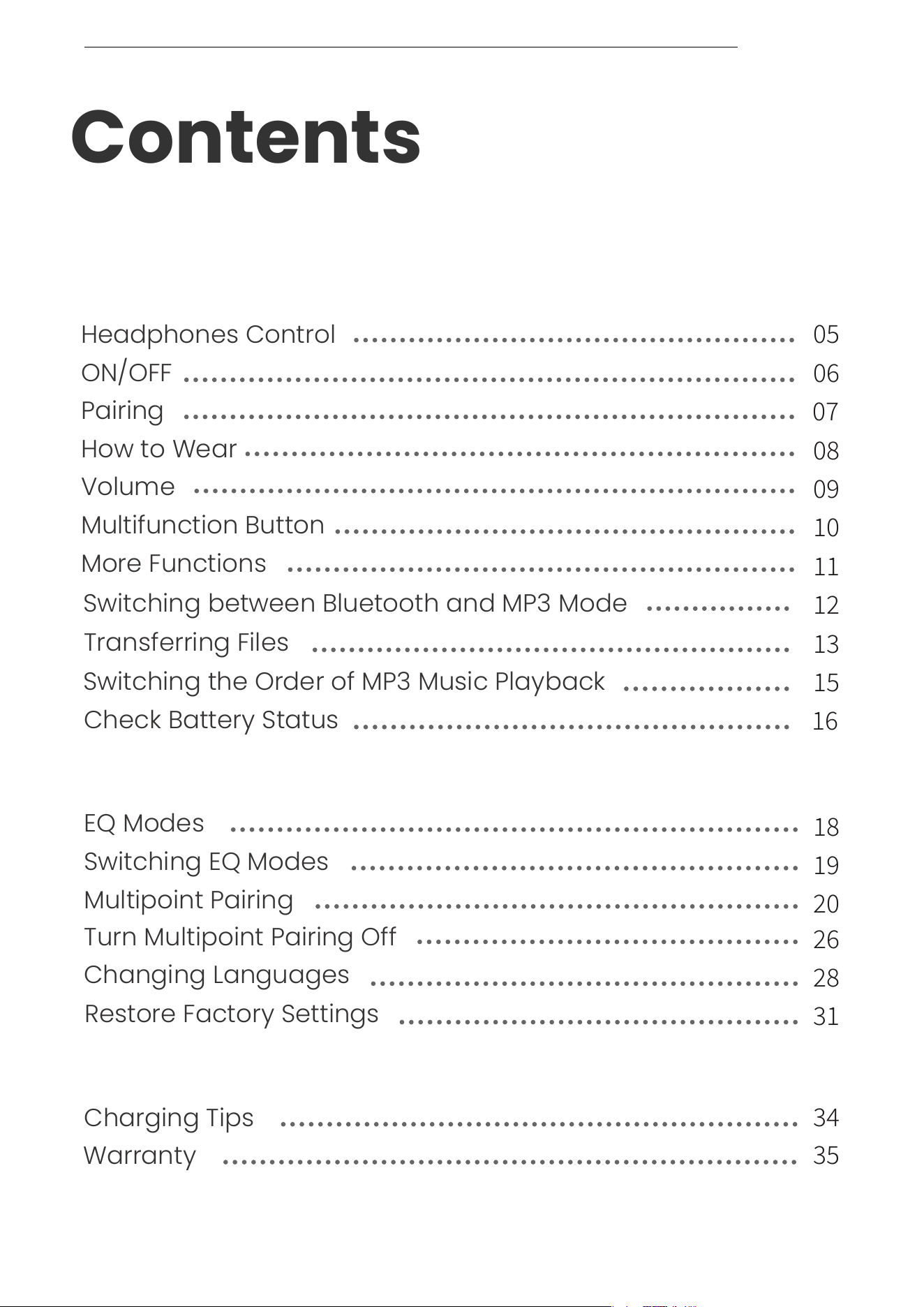
Contents
DOWNLOADING THE SHOKZ APP
HOW IT WORKS
How to Wear
Volume
Multifunction Button
More Functions
Switching between Bluetooth and MP3 Mode
Transferring Files
Switching the Order of MP3 Music Playback
Check Battery Status
ON/OFF
Pairing
Charging Tips
Warranty
CARE AND MAINTENANCE
Changing Languages
Restore Factory Settings
Multipoint Pairing
EQ Modes
Turn Multipoint Pairing Off
Switching EQ Modes
EXTRA FEATURES
Headphones Control
CONTENTS
��
��
��
��
��
��
��
��
��
��
��
��
��
��
��
��
��
��
��
01

WHAT’S IN THE BOX
CONTENTS
Contents
��
��
Downloading the Shokz App
The Shokz App allows you to switch between
Bluetooth and MP3 modes,
manage multipoint pairing, upgrade firmware,
change EQ modes, switch the order of
MP3 music playback, and more.
Download the App now for a simple and
seamless audio experience.
*Only for limited regions.
Go to userguide.shokz.net/openswimpro for more information.
Apple and the Apple logo are trademarks of Apple Inc., registered in
the U.S. and other countries.Google Play is a trademark of Google LLC.
DOWNLOADING THE SHOKZ APP
��

How It Works
��
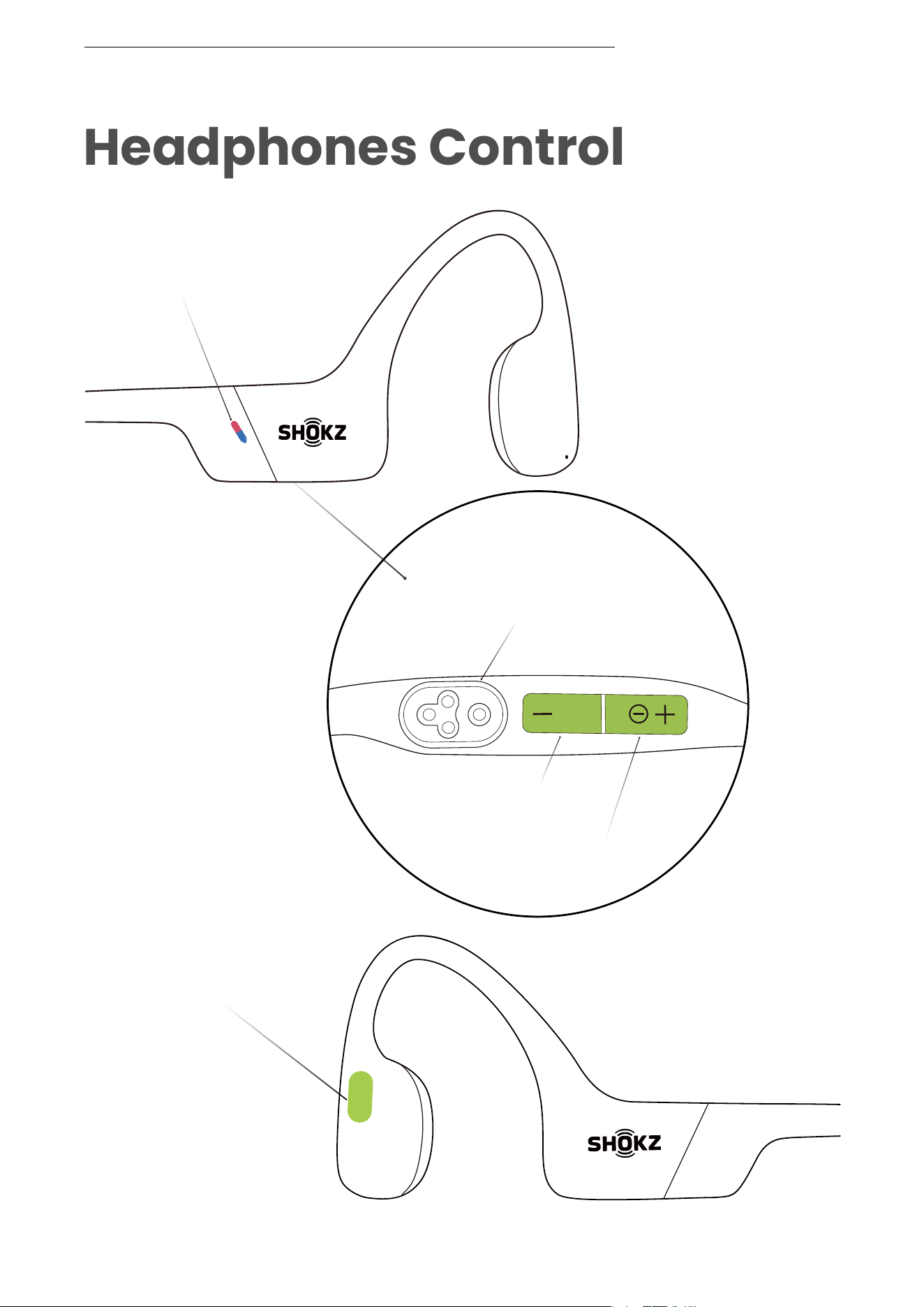
Headphones Control
LED Indicator
Magnetic
Charging Port
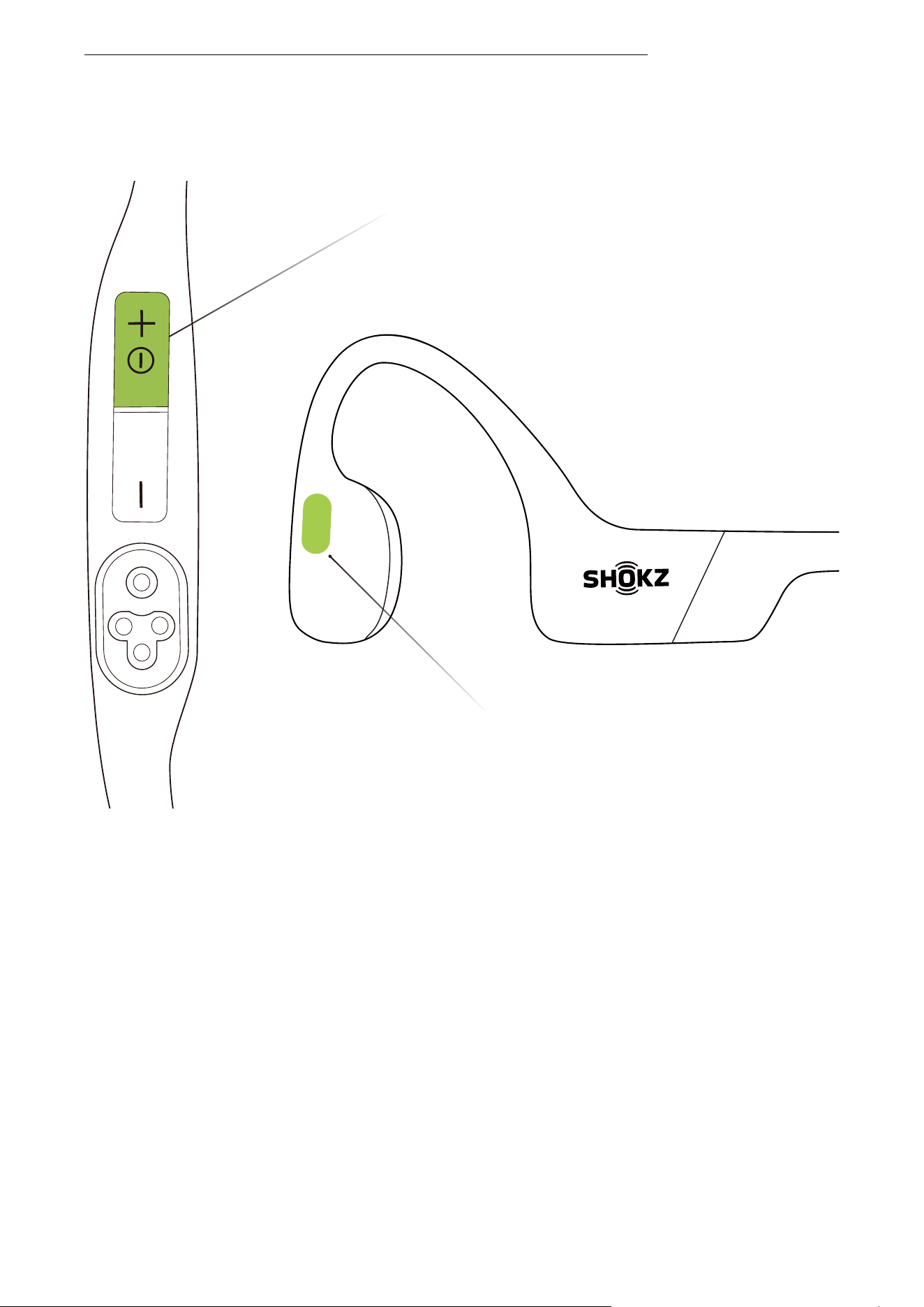
Power/Volume + Button
Volume - Button
Multifunction Button
HEADPHONES CONTROL
��
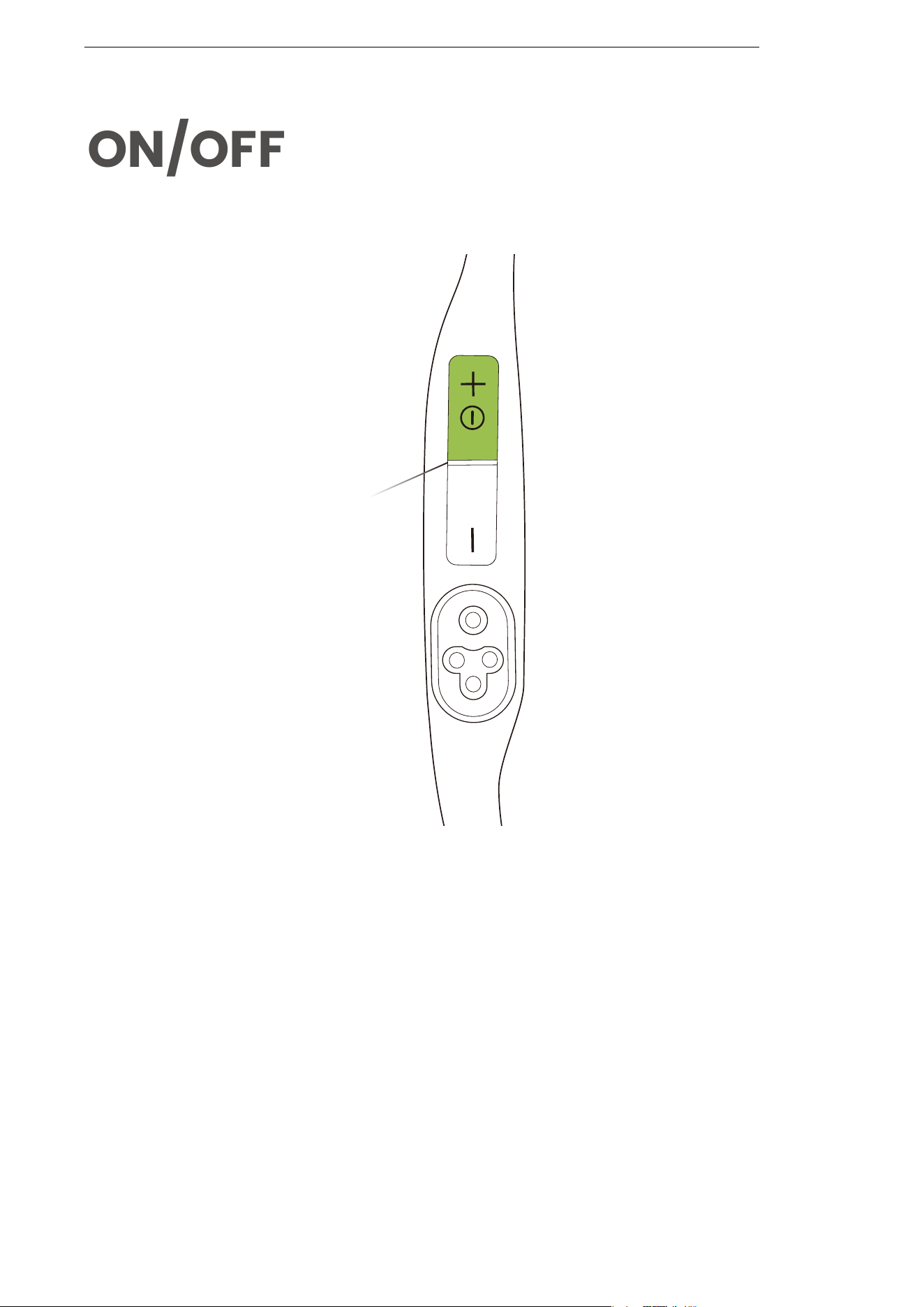
ON/OFF
Power/Volume + Button
Turn on the headphones:
Turn off the headphones:
Press and hold the Power/Volume + button until the LED
Indicator flashes blue.
*A power-on tone will be heard at this time.
Press and hold the Power/Volume + button until the LED
Indicator flashes red.
*A shutdown tone will be heard at this time.
ON/OFF
��
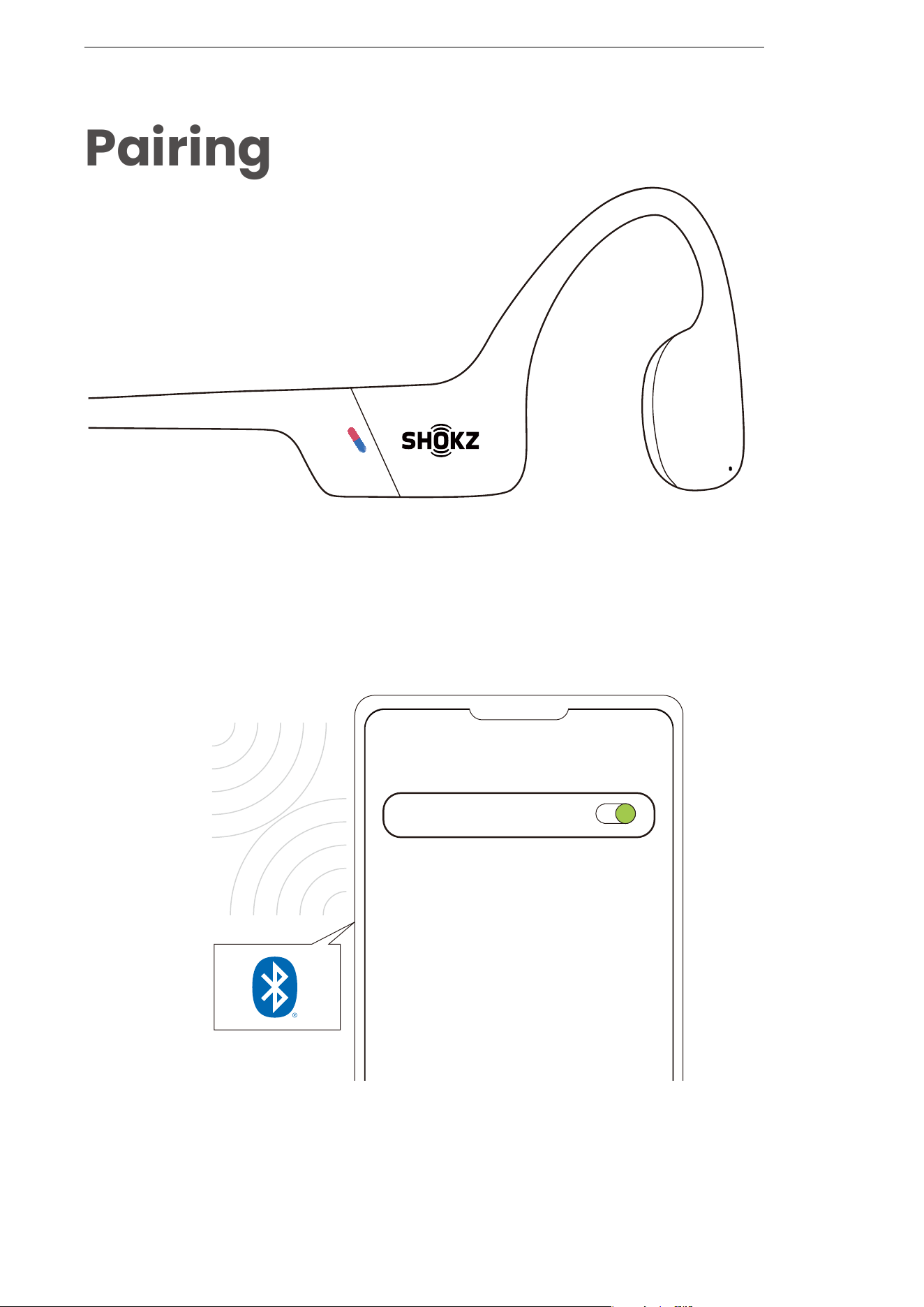
Pairing
Settings
BLUETOOTH
OpenSwim Pro by Shokz
Connected
1. Start with OpenSwim Pro turned off.
2. Press and hold the Volume+ Button for 5 seconds until the LED
Indicator flashes red and blue.
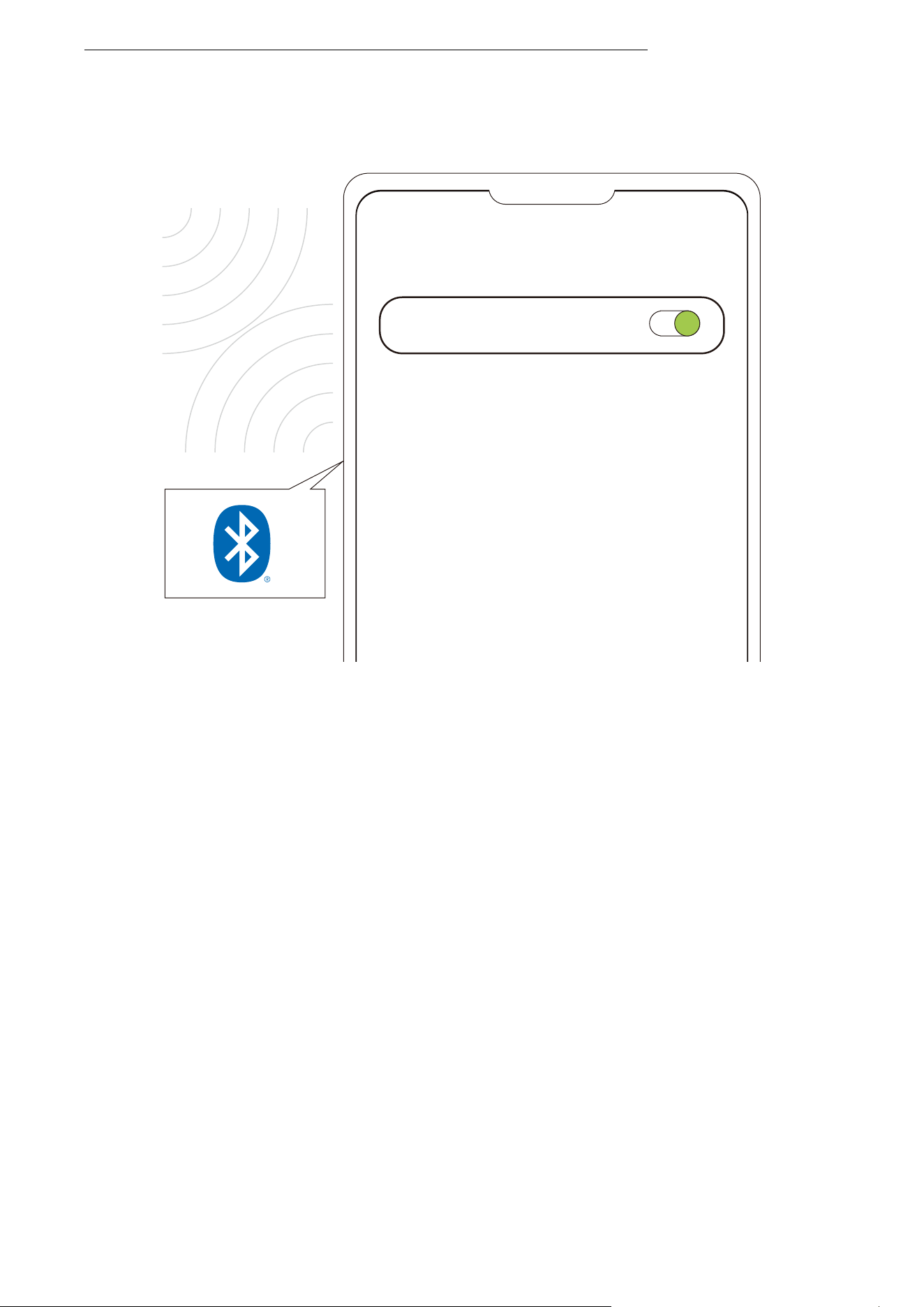
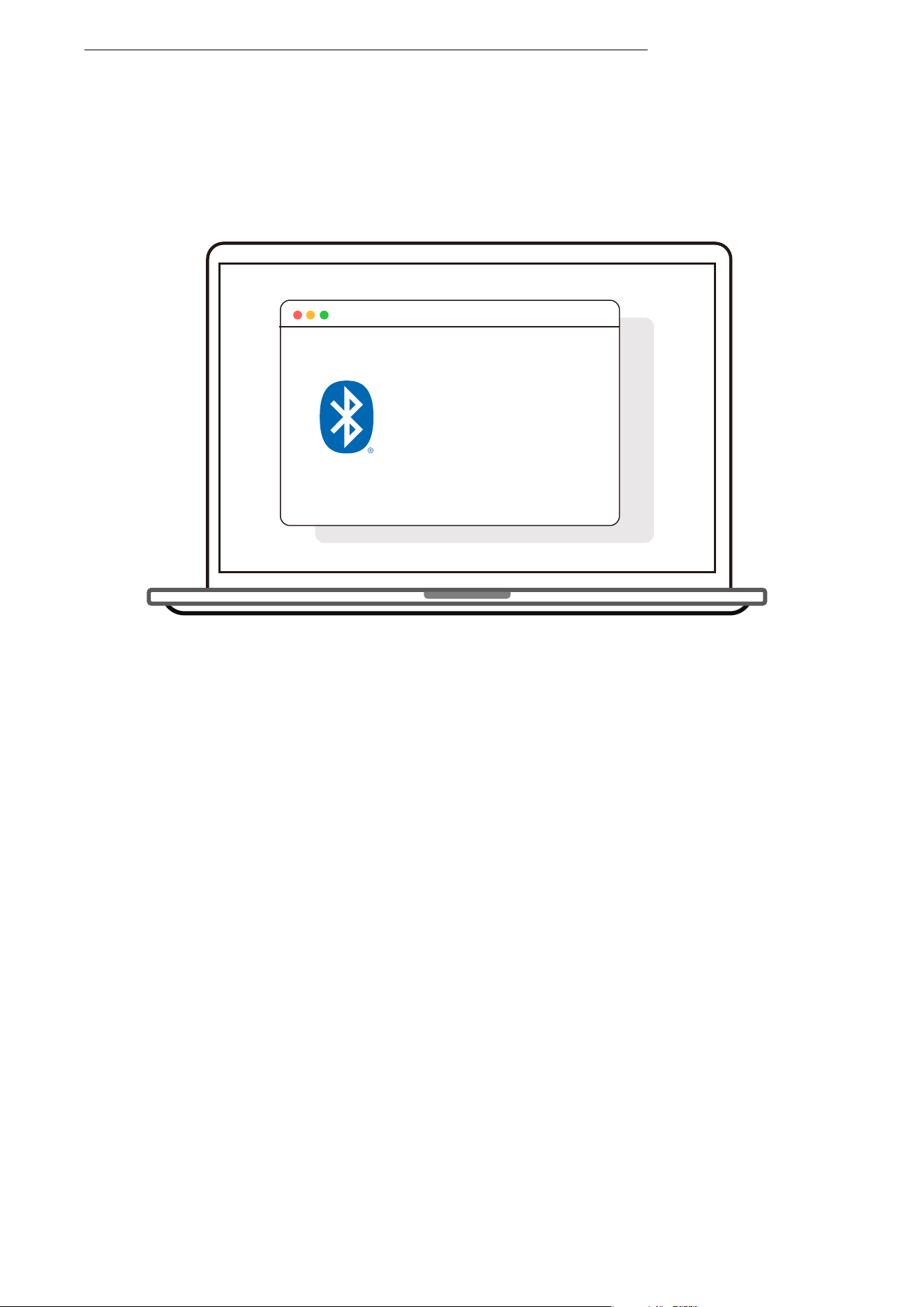
3. Open your device's Bluetooth settings and select
"OpenSwim Pro by Shokz". Once your device confirms
successful pairing, you're all set.
PAIRING
��
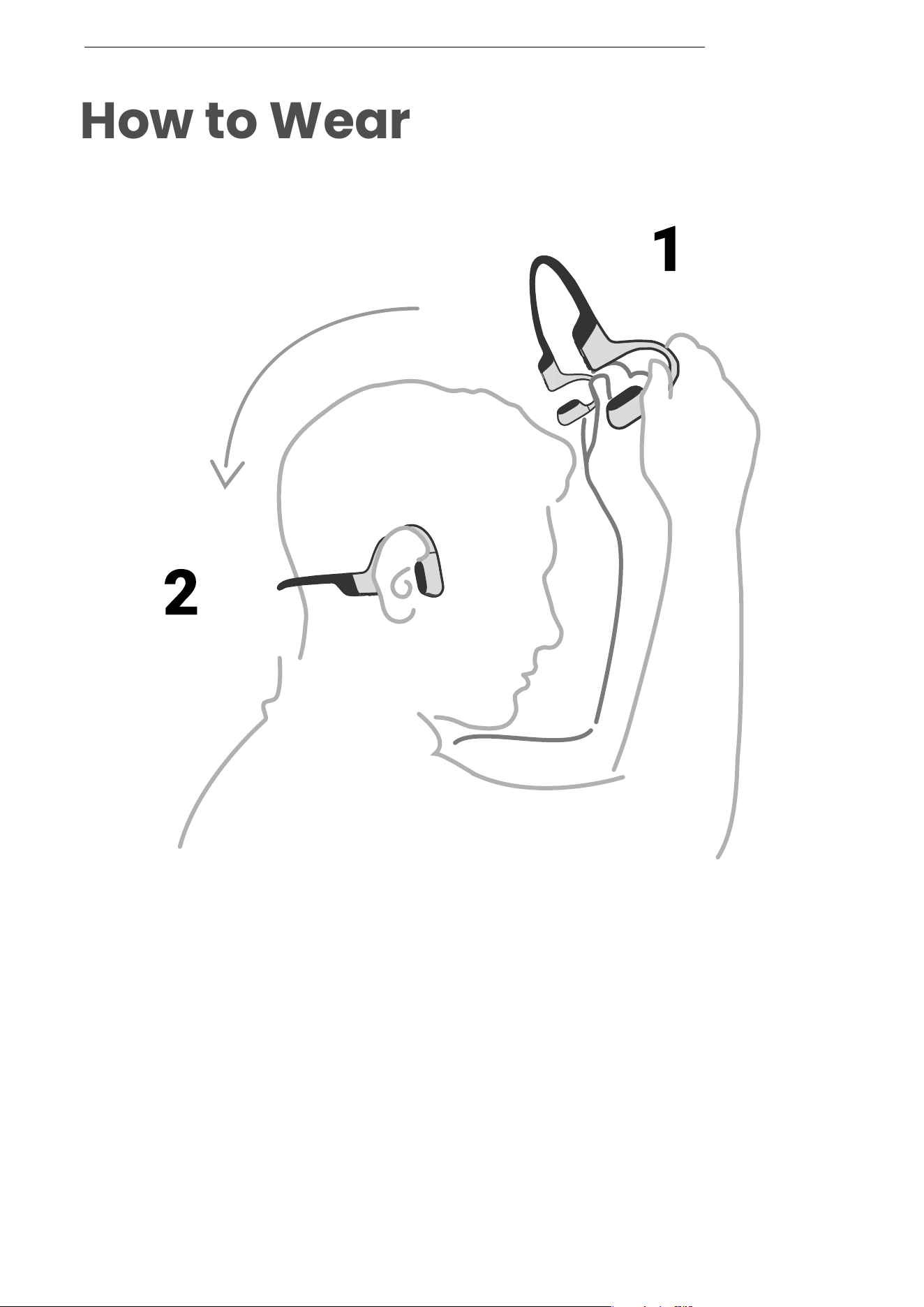
How to Wear
Pick up the headphones, bring them behind
the back of the base of your neck, position the
earhooks on your ears, then enjoy your music!
HOW TO WEAR
*Wearing your headphones the wrong way could cause
discomfort. The transducers should rest in front of your ears.
��
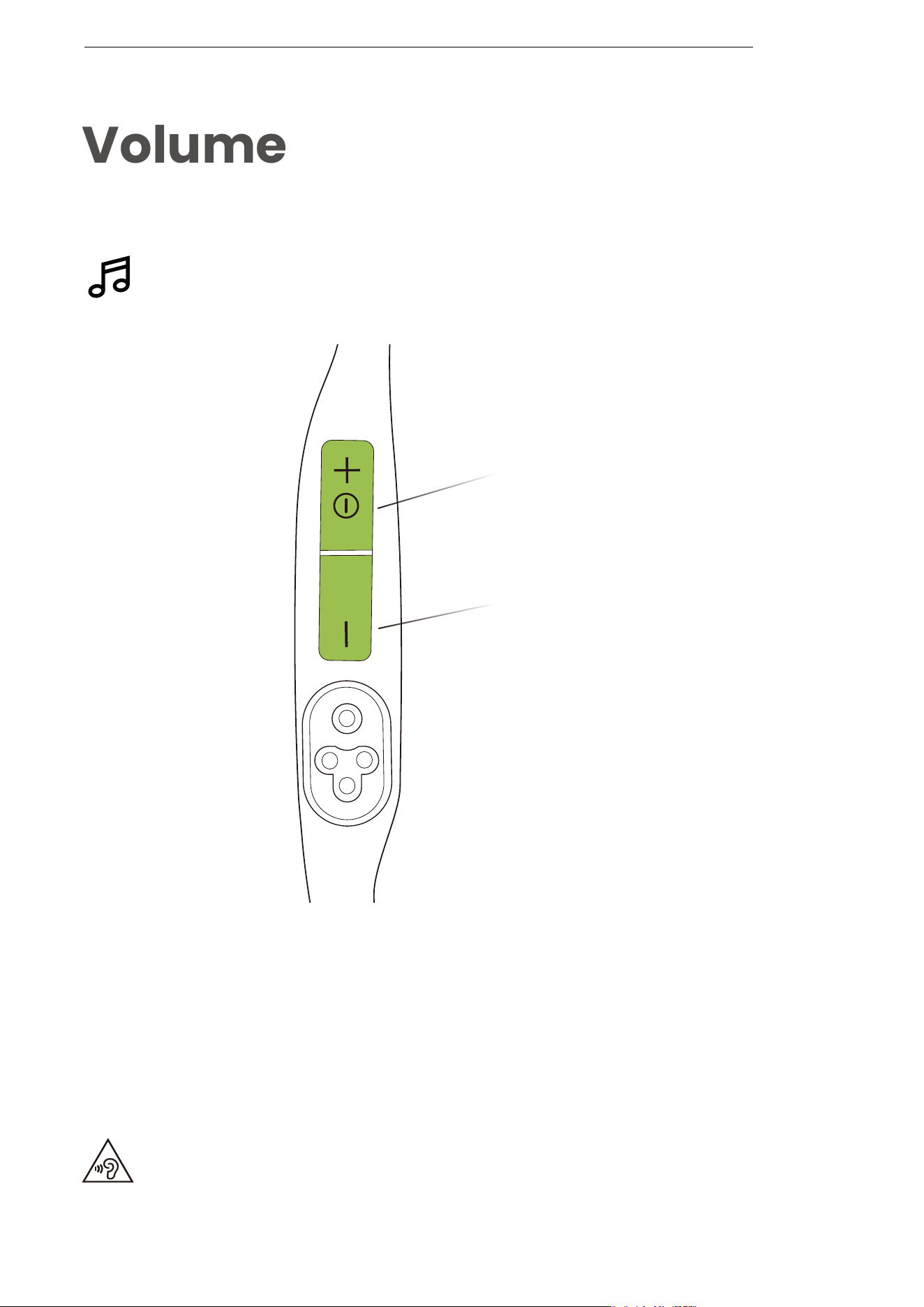
Volume
Operate volume controls
while audio is playing.
*Listening with headphones at high volume may affect your hearing
and the audio will be distorted.
VOLUME
Power/Volume + Button
Volume - Button
How to change volume:
While your audio is playing, adjust headphone volume by
pushing either the Volume + or Volume ‒ buttons.
*A “beep” will sound when the volume is at its max.
��
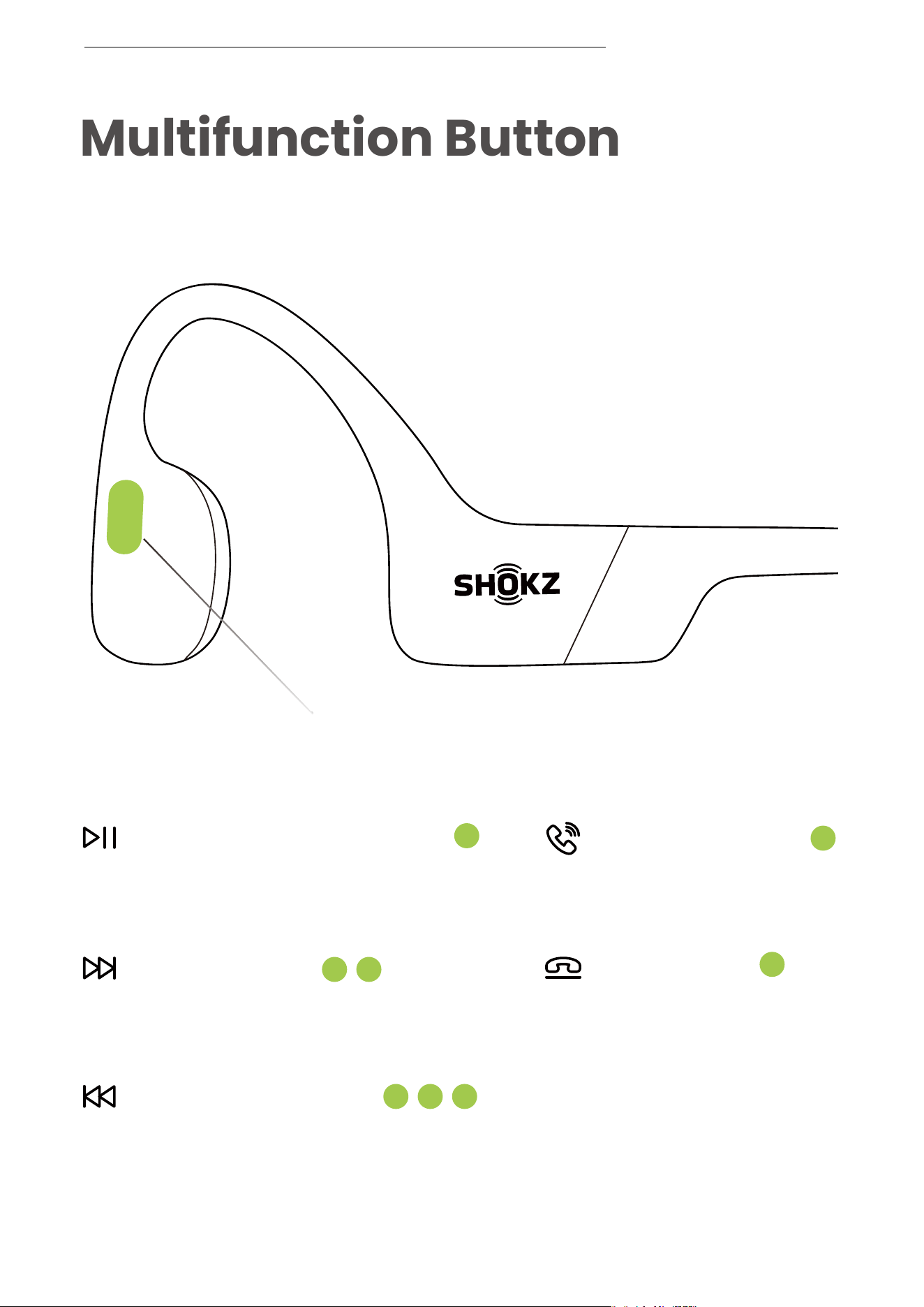
Multifunction Button
Multifunction Button
MULTIFUNCTION BUTTON
Click once
Double-click while music is playing
Click once
Click Once
Triple-click while music is playing
Play/pause music
Answer call
End call
Next song
Previous song
��
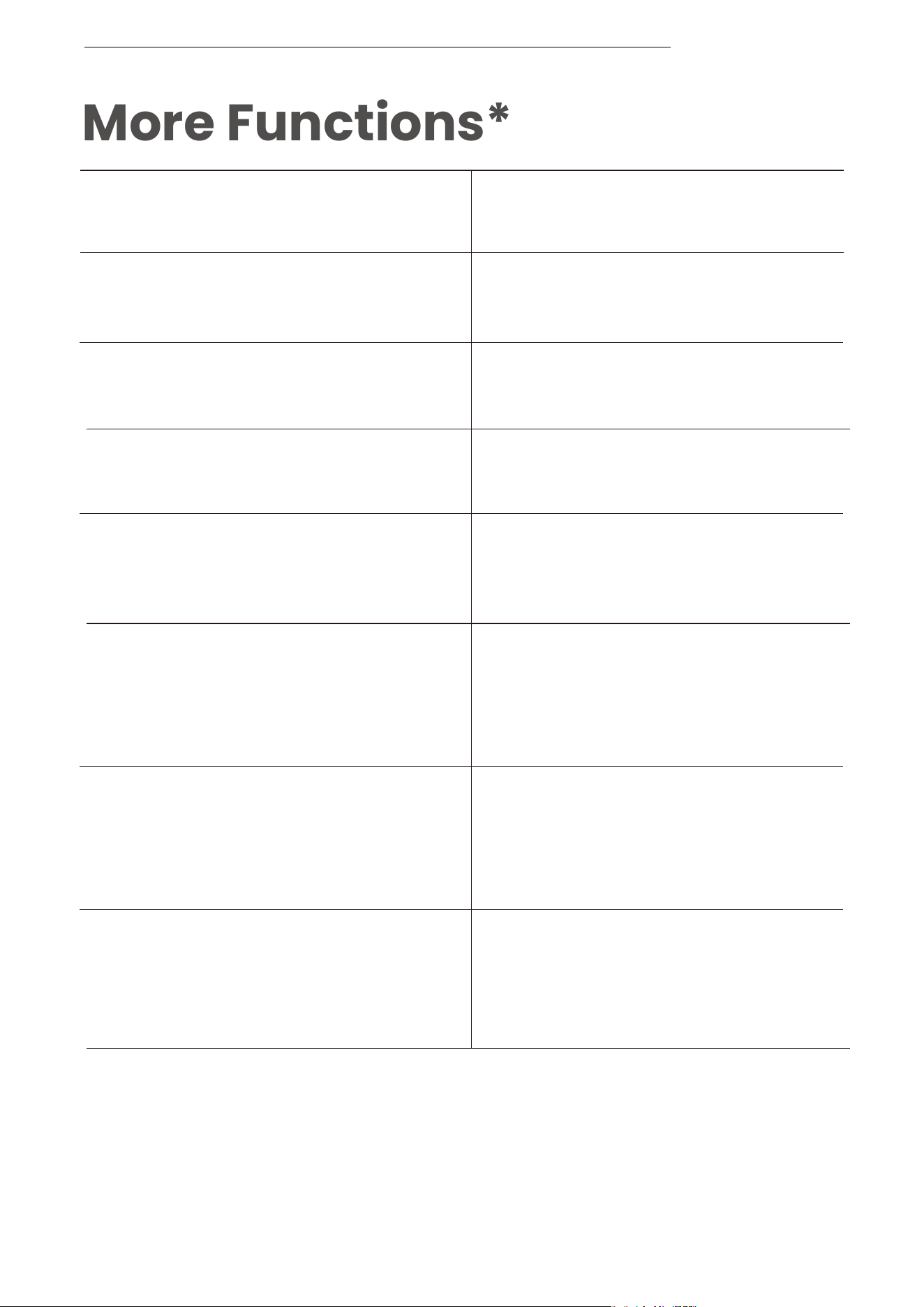
More Functions*
Answer call
End call
Reject a call
Mute a call
Unmute a call
Change the language
Answer a second call and
end the current call
MORE FUNCTIONS
*Only applicable for phone calls, not online calls
*You can also redefine some of the buttons on the Shokz App.
Prompt device's voice assistant
Press and hold the multifunction
button for 2 seconds
Click the multifunction button
once
Click the multifunction button
once
Double-click on the multifunction
button while in pairing status
(red and blue lights flash
alternately)
Press and hold the Volume +
button and the Volume - button
simultaneously for 2 seconds
during a call
Press and hold the multifunction
button for 2 seconds
Press and hold the Volume +
button and the Volume - button
simultaneously for 2 seconds
during a call
Press and hold the multifunction
button for 2 seconds when the
second call comes in
��
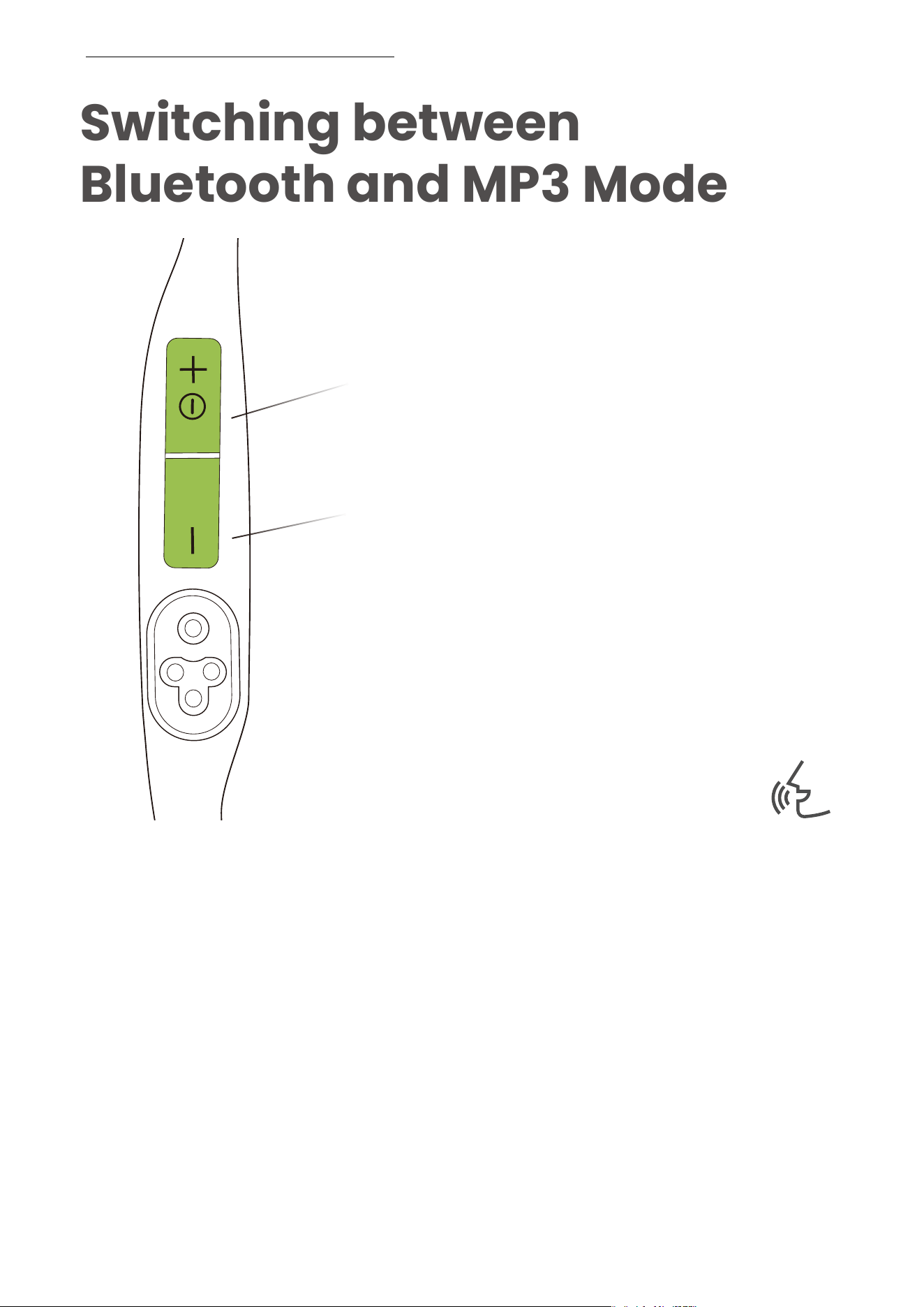
Switching between
Bluetooth and MP3 Mode
Power/Volume + Button
Volume - Button
Press and hold the Volume + button and the Volume - button
for 2 seconds until you hear the prompt tone.
Audrey will say:
"Bluetooth Mode/MP3 Mode"
SWITCHING BETWEEN BLUETOOTH AND MP� MODE
*You can also use the Shokz App to easily switch between
Bluetooth/MP3 modes, or redefine the buttons.
��
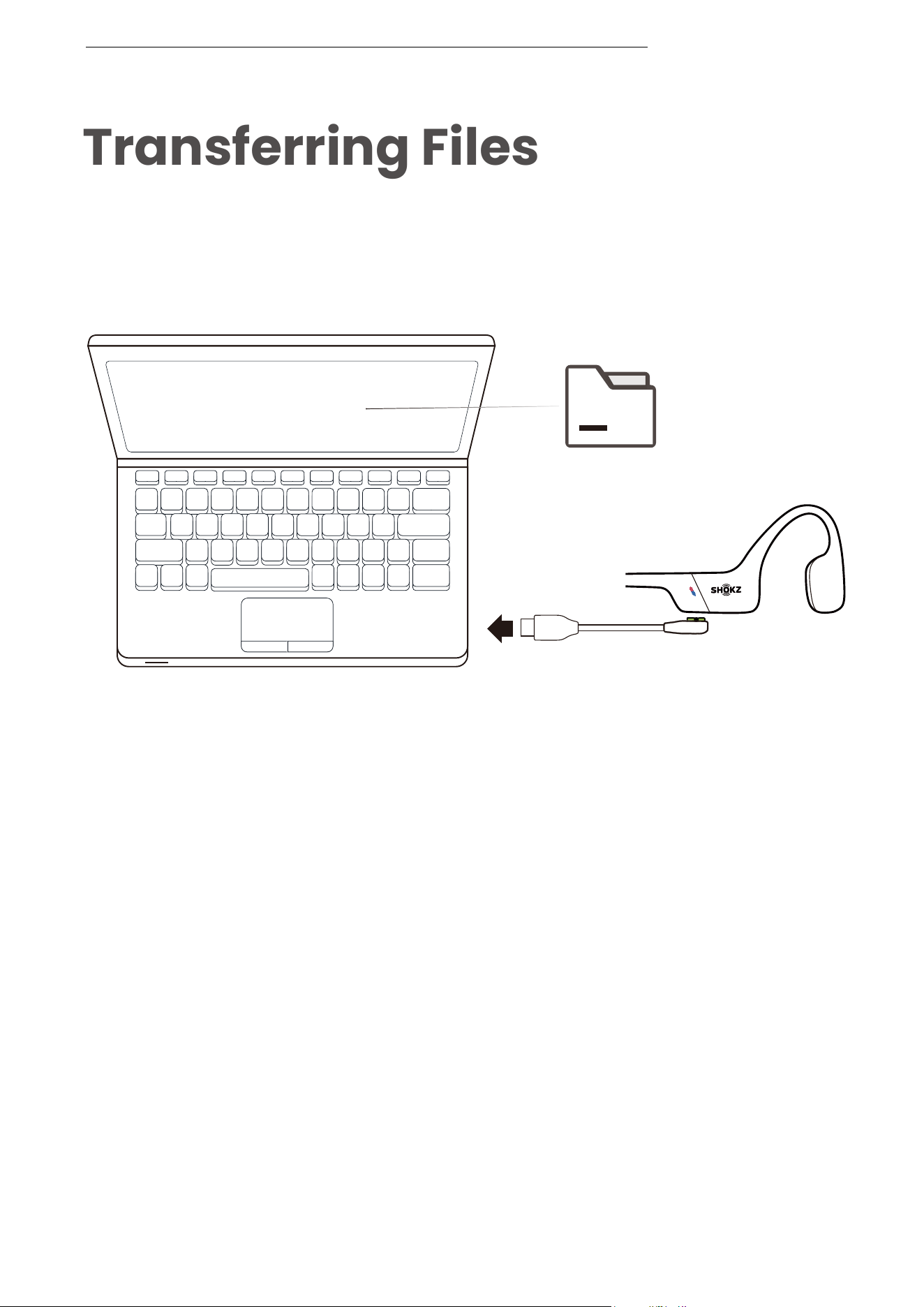
Transferring Files
1. Connect OpenSwim Pro to your computer via the magnetic
cable provided in the package.
2. A driver disk named "SWIM PRO" will appear on your
computer. Open the "SWIM PRO" disk on your computer.
3. Import audio files (songs, audio books or folders) to the
"SWIM PRO" disk.
4. Once the file transfer is complete, remove the "SWIM PRO"
disk from your computer.
TRANSFERRING FILES
SWIM PRO
File
*Please do not force an interruption during the file transfer,
as this may cause damage to the product.
��

Bit depth up to
16bit is supported.
Bit depth up to
24bit is supported.
WMA Lossless,
WMA Pro,
WMA Voice,
or encryption is
not supported.
Bit depth up to
16bit is supported.
Bit depth up to
24bit is supported.
Bit depth up to
16bit is supported.
Bit depth up to
16bit is supported.
Fast/Normal
format only. Bit
depth up to 16bit
is supported.
Format Bit rate Sampling rate Remarks
*The following music file formats are currently
supported by OpenSwim Pro:
TRANSFERRING FILES
5kbps - 320kbps
32kbps - 1411kbpsWAV
MP3 8kbps - 320kbps 8kHz-48kHz
8kbps - 320kbps
8kbps - 291kbps
800kbps - 959kbps
8kHz-96kHz
8kHz-48kHz
8kHz-48kHz
8kHz-48kHz
8kHz-48kHzWMA
AAC
M4A
APE
L0-L8
(1000kbps - 1900kbps)
8kHz-96kHzFLAC
��
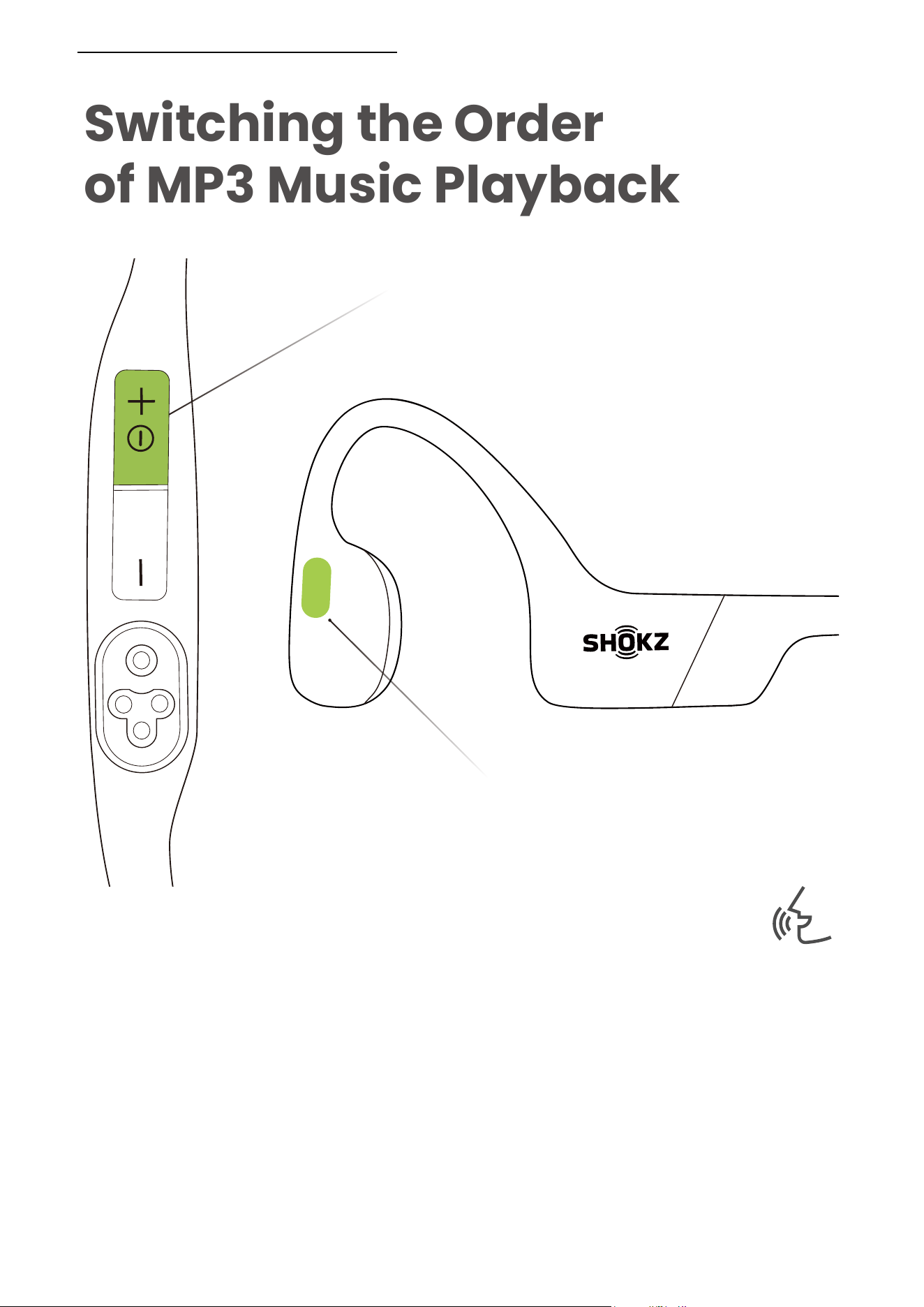
Switching the Order
of MP3 Music Playback
Press and hold the multifunction button and the
Volume + button for 2 seconds in MP3 mode until you hear
the prompt tone.
Power/Volume + Button
Multifunction Button
Audrey will say:
"Normal/Shuffle/Repeat"
*You can also use the Shokz App to easily switch the
order of MP3 music playback.
SWITCHING THE ORDER OF MP� MUSIC PLAYBACK
��
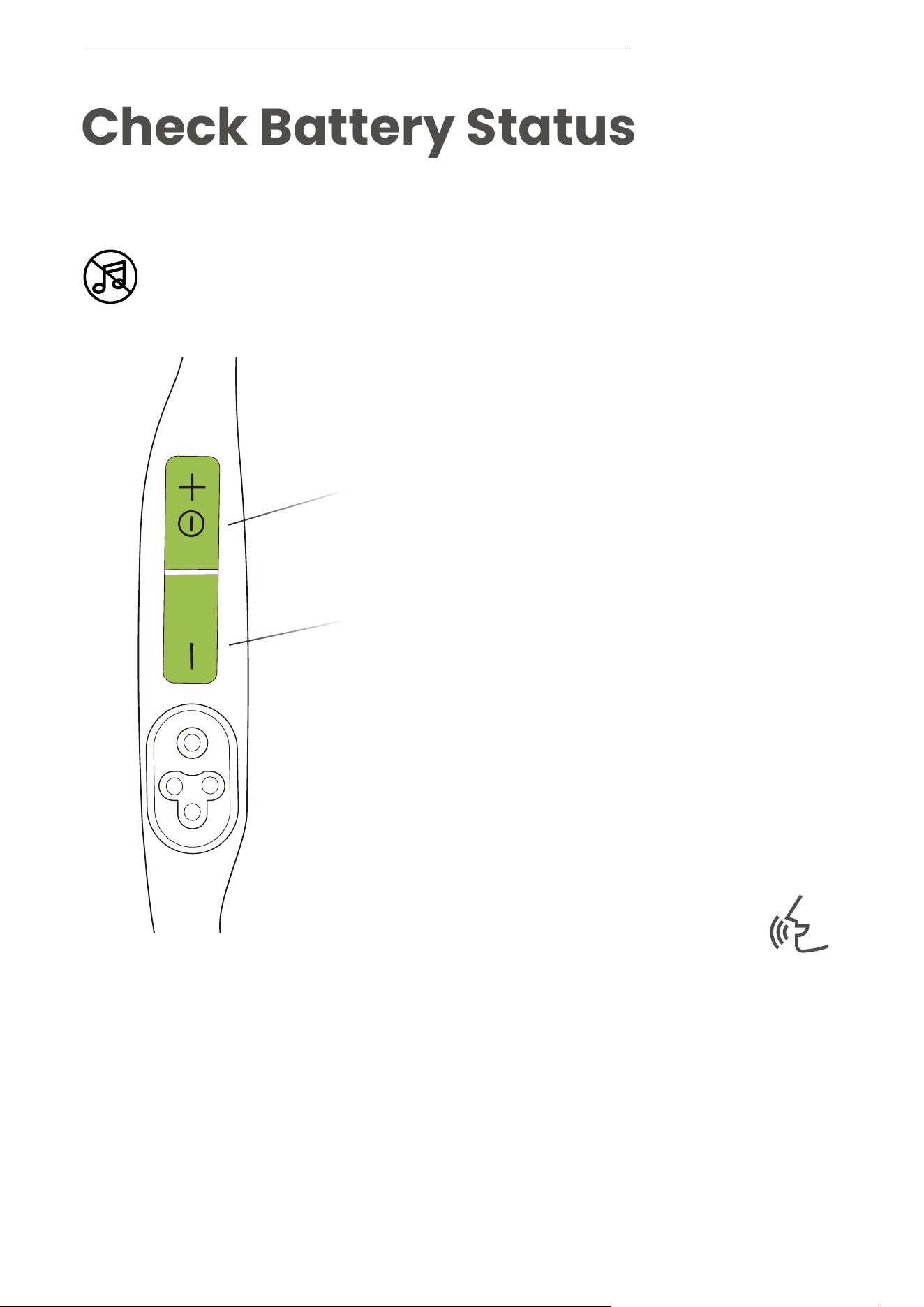
Check Battery Status
Power/Volume + Button
Volume - Button
Audrey will say :
"Battery high
/Battery medium
/Battery low/Charge me"
CHECK BATTERY STATUS
How to check battery status:
Click the Volume + or Volume - button while music is paused,
Audrey will tell you the battery status.
Operate controls while
audio is not playing
��

Extra Features
��
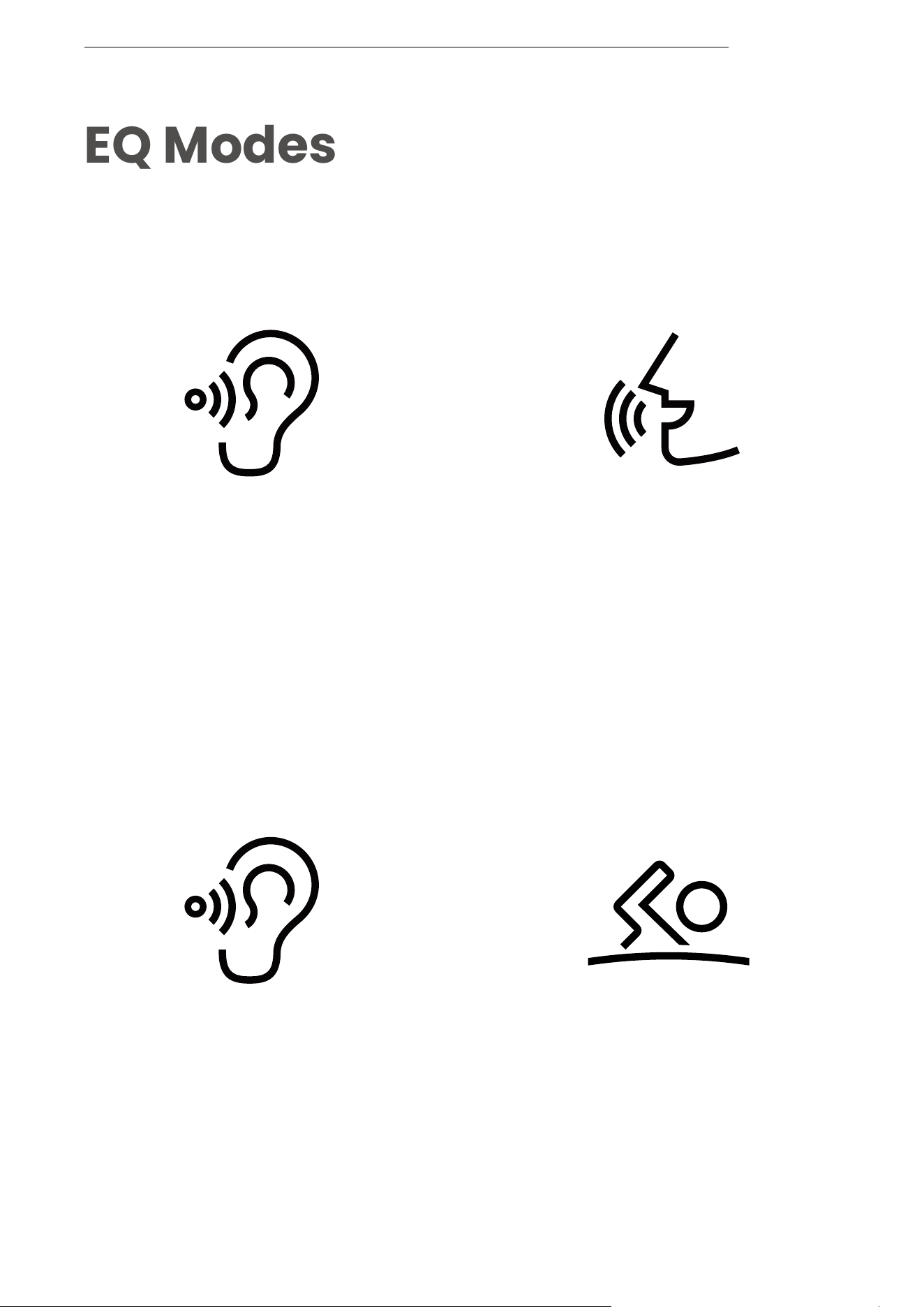
EQ Modes
There are 2 EQ modes in Bluetooth mode:
There are 2 EQ modes in MP3 mode:
Standard Mode:
Balanced frequency
for listening to music.
Vocal Booster Mode:
Enhanced intermediate
frequencies for audiobooks,
podcasts, etc.
EQ MODES
Standard mode:
Frequency band balanced
for non-underwater scenarios.
Swimming Mode:
Specially crafted for swimming.
We recommend that you turn
this mode on while swimming
and use it with earplugs.
��
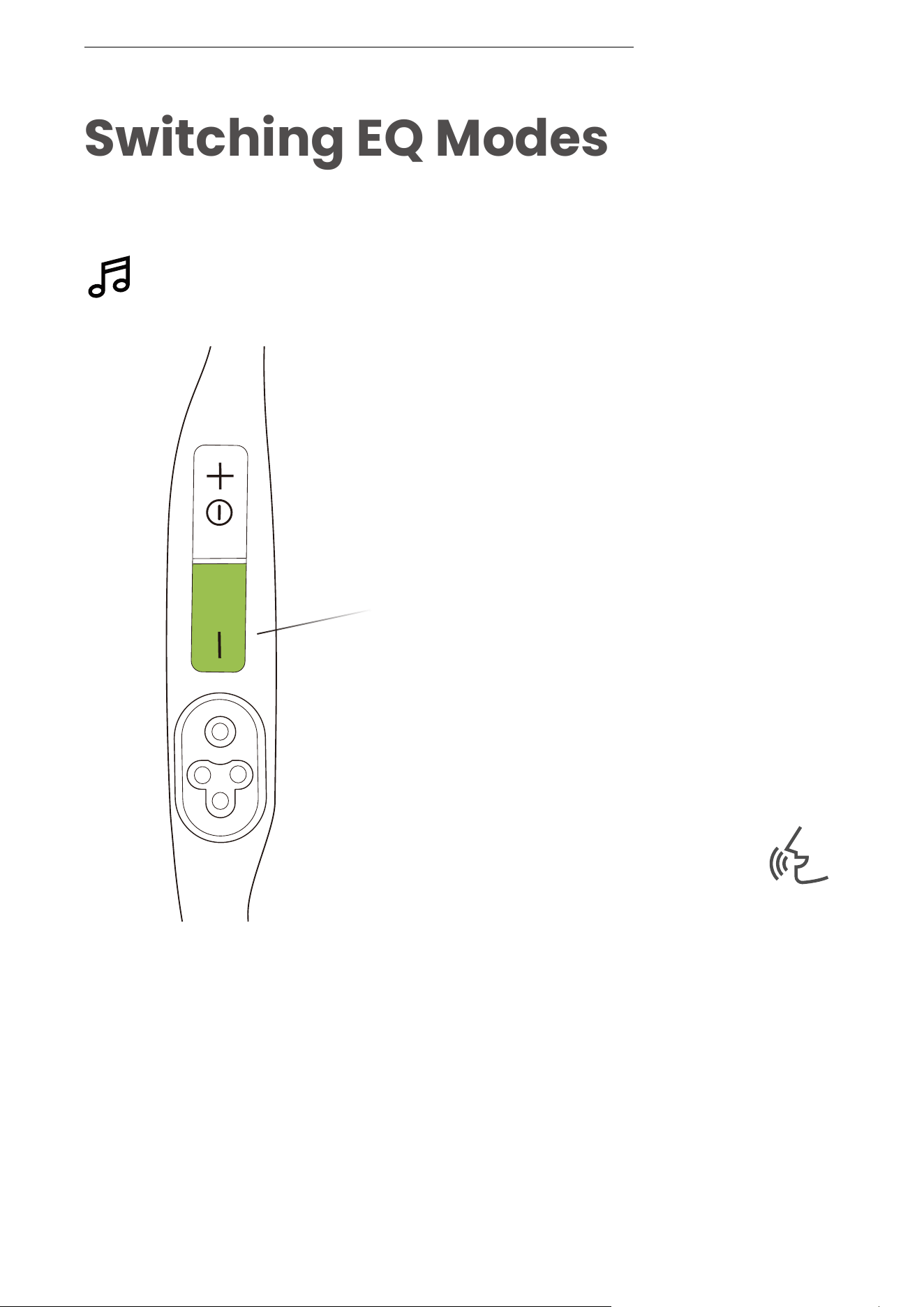
Switching EQ Modes
Operate controls while
music is playing
SWITCHING EQ MODES
Volume - Button
Audrey will say :
“Standard Mode/
Vocal Booster Mode/
Swimming Mode”
How to switch EQ mode:
Press and hold the Volume - button for 2 seconds while
music is playing until you hear the prompt tone.
*You can also use the Shokz App to change the EQ mode
��
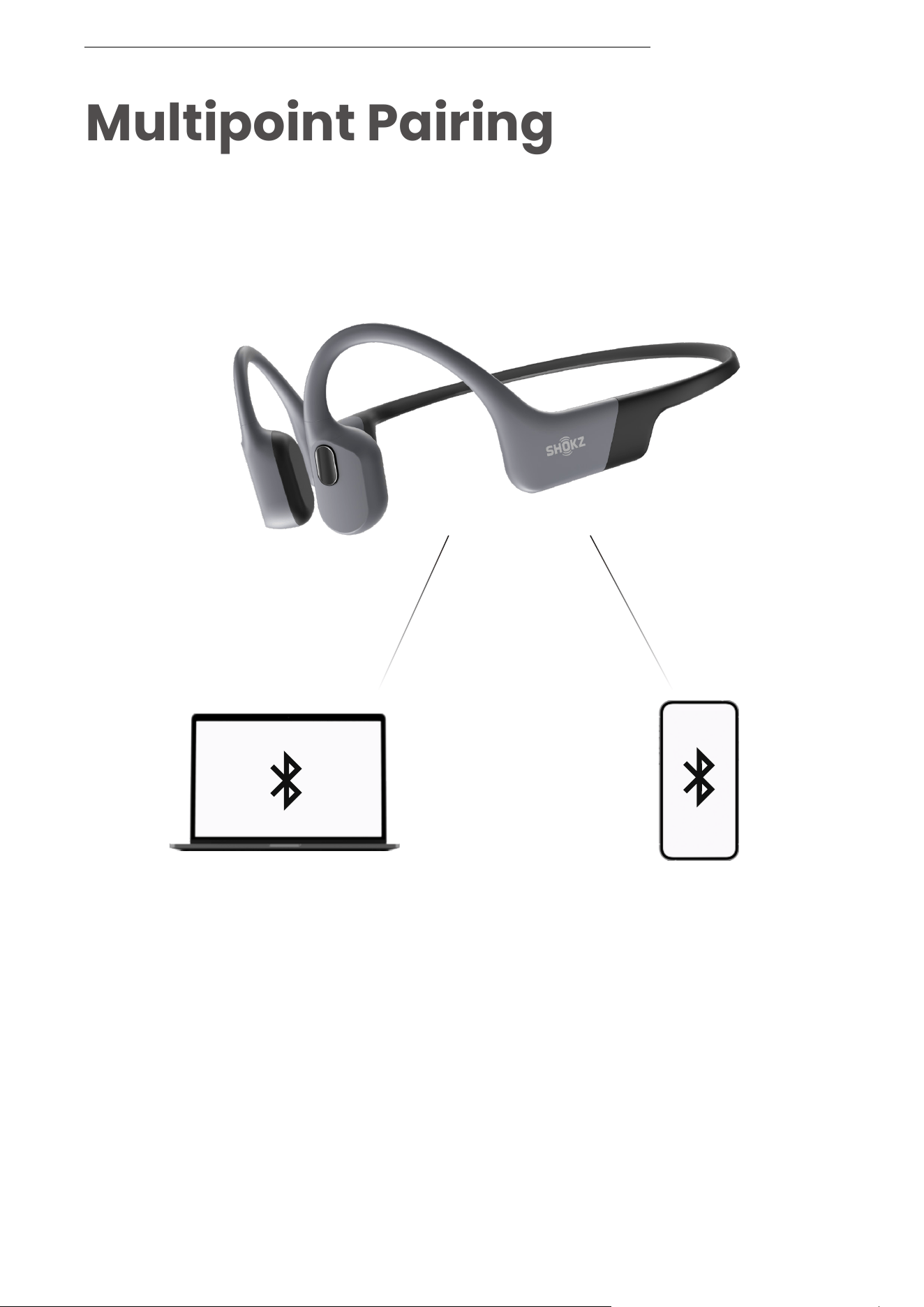
Multipoint Pairing
Switch between two devices
seamlessly with multipoint pairing
Pair Two Devices
MULTIPOINT PAIRING
��
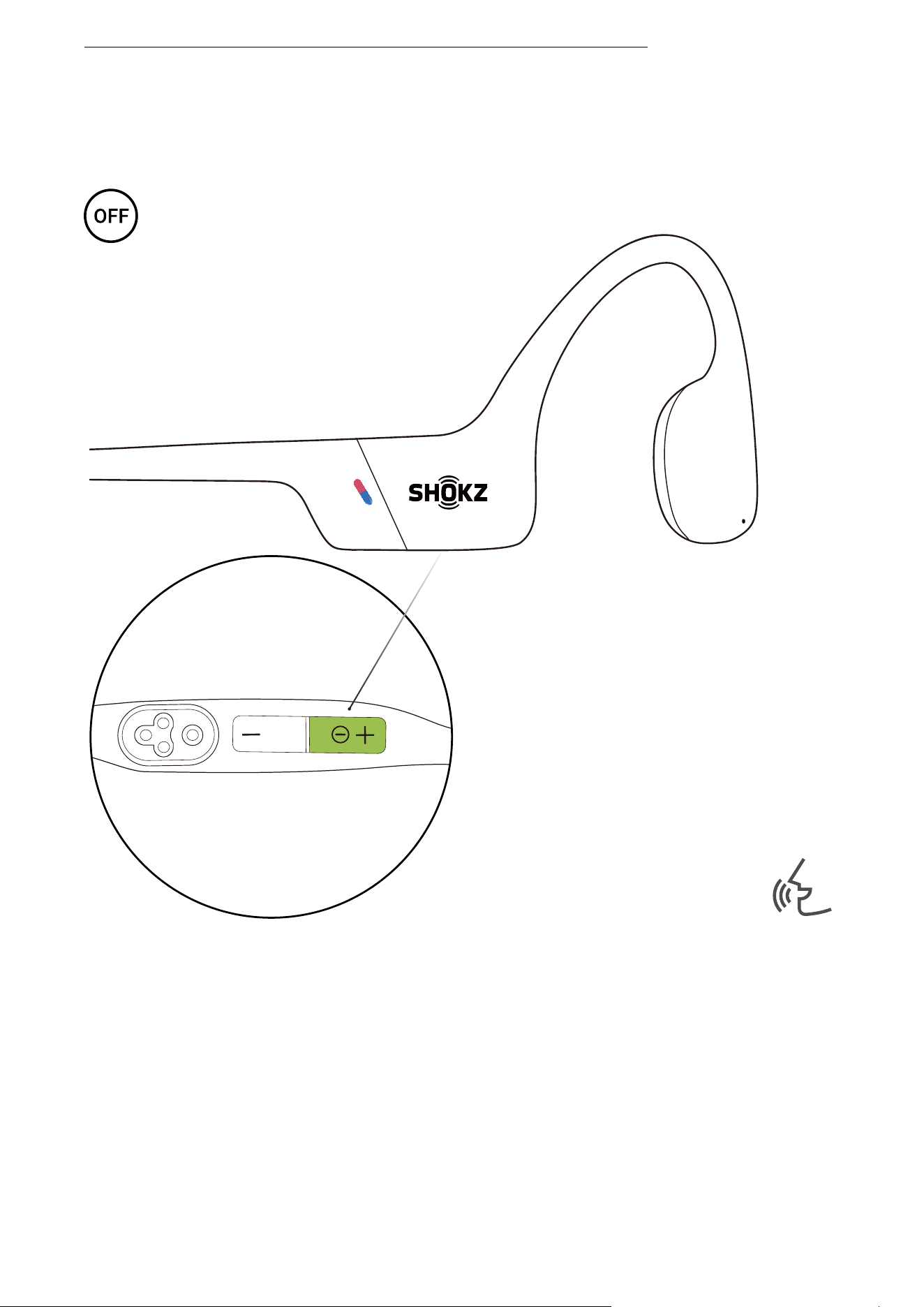
Operate controls with
headphones powered off
Audrey will say:
“pairing”。
MULTIPOINT PAIRING
1. Start with your headphones powered off.
2. Press and hold Volume + until Audrey say “pairing” and the
LED indicator flashes red and blue alternately.
��
MULTIPOINT PAIRING
Power/Volume + Button
Multifunction Button
3. Press and hold the multifunction button and Volume +
button until you hear a beep.
��
Settings 1
Settings
BLUETOOTH
OpenSwim Pro by Shokz
Connected
*Pairing is completed when the first device shows that
pairing is successful.
MULTIPOINT PAIRING
4. Open first device's Bluetooth® menu and select
"OpenSwim Pro by Shokz."
5. Turn your headphones off.
��
OpenSwim Pro by Shokz
Connected
Bluetooth:turn on
MULTIPOINT PAIRING
Settings 2
*Pairing is completed when the second device shows
that pairing is successful.
6. Re-enter pairing mode by pressing and holding Volume +
until Audrey says “pairing”and the LED indicator flashes red
and blue alternately.
7. Open second device's Bluetooth® menu and select
"OpenSwim Pro by Shokz."
8.Turn your headphones off.
��
OpenSwim Pro by Shokz
Connected
Bluetooth:turn on
Settings
BLUETOOTH
OpenSwim Pro by Shokz
Connected
Settings 1
Settings 2
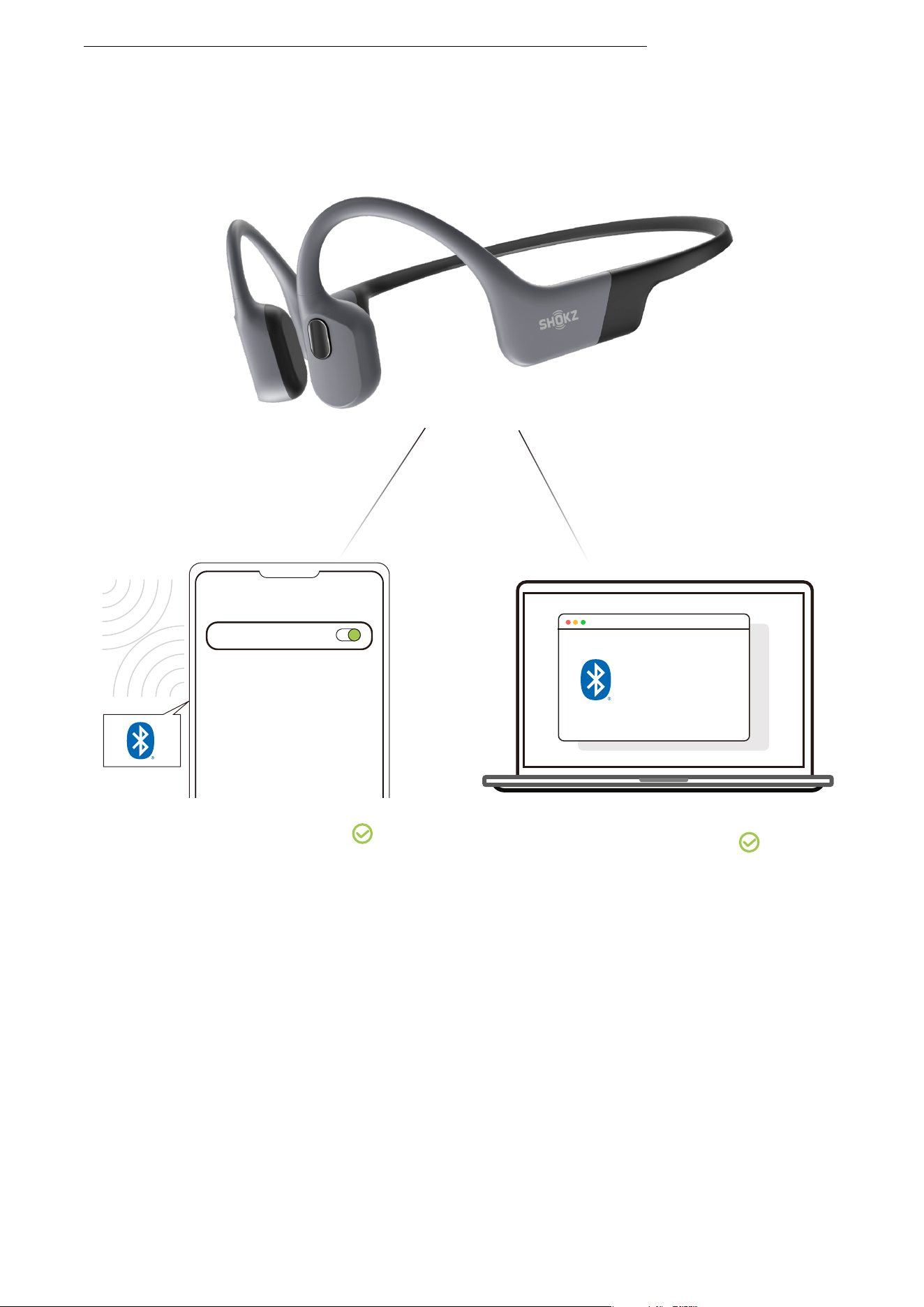
9.Turn your headphones on. Your headphones are now
connected to both devices.
*You can also use the Shokz App to easily manage
multipoint pairing.
MULTIPOINT PAIRING
��
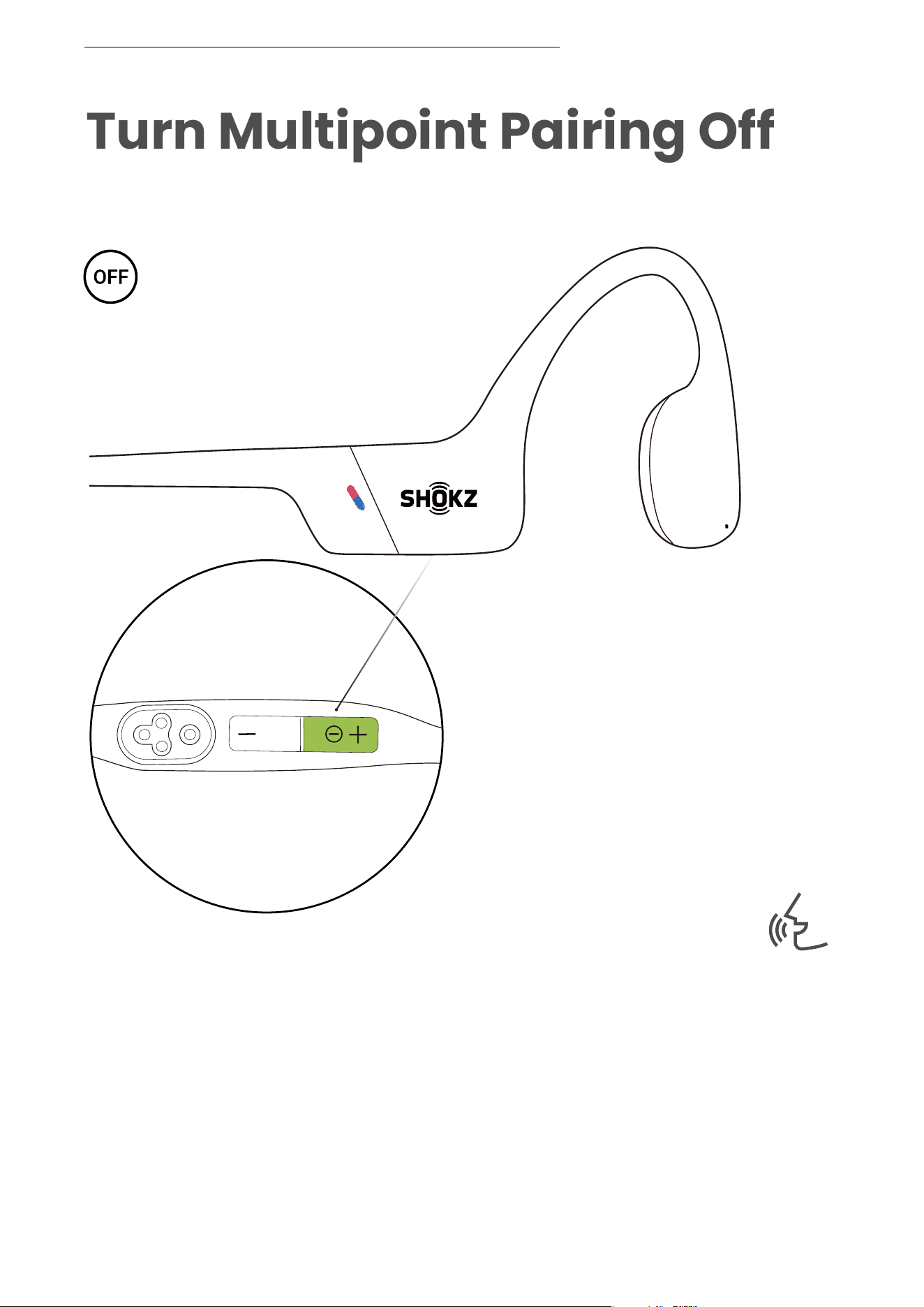
Turn Multipoint Pairing Off
Operate controls with
headphones powered off
Audrey will say:
“pairing”
TURN MULTIPOINT PAIRING OFF
1. Start with your headphones powered off.
2. Press and hold Volume + until Audrey say “pairing” and
the LED indicator flashes red and blue alternately.
��
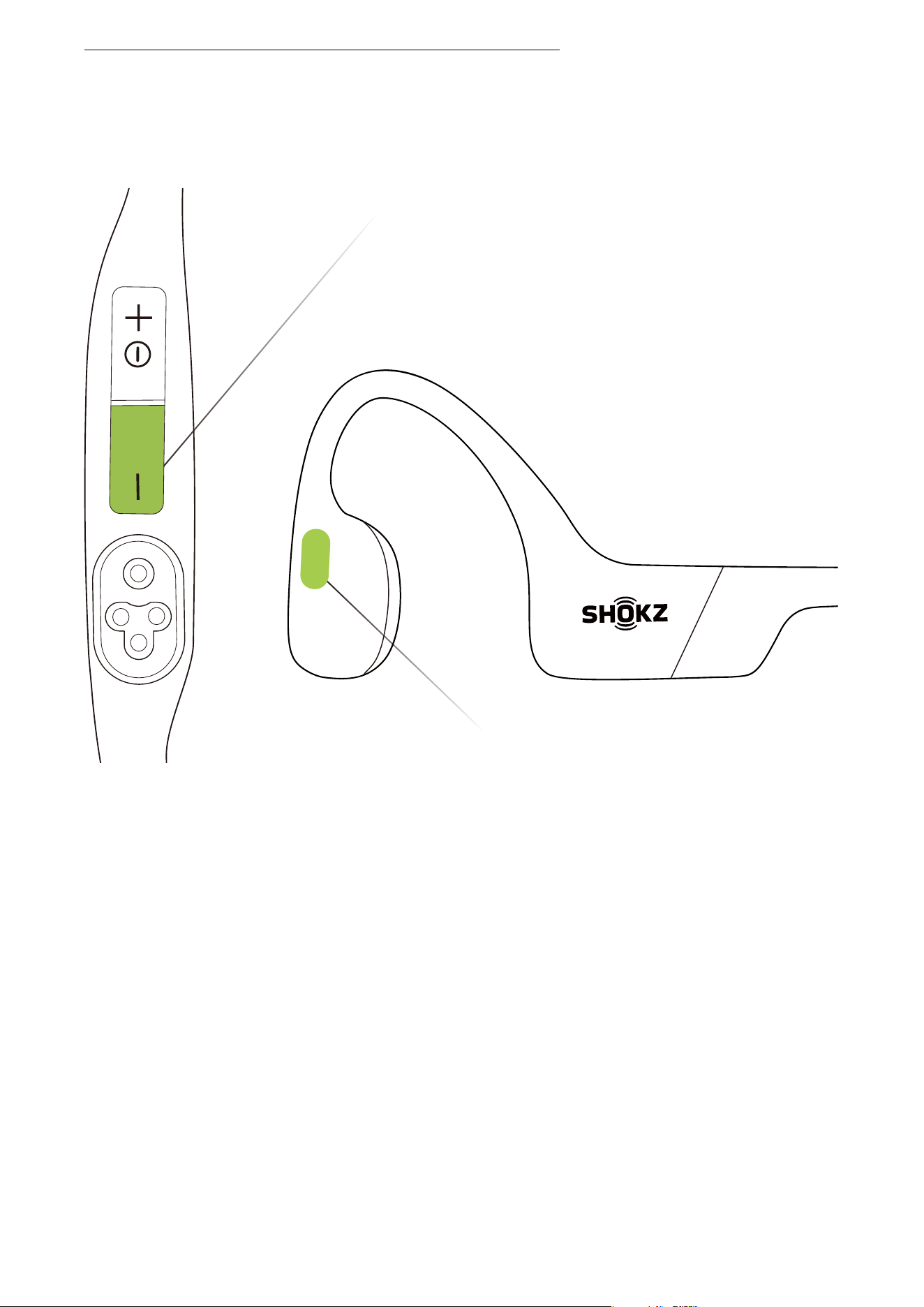
Volume - Button
Multifunction Button
TURN MULTIPOINT PAIRING OFF
3. Press and hold the multifunction button and Volume -
button until you hear a beep.
*You can also use the Shokz App to easily manage
multipoint pairing.
��
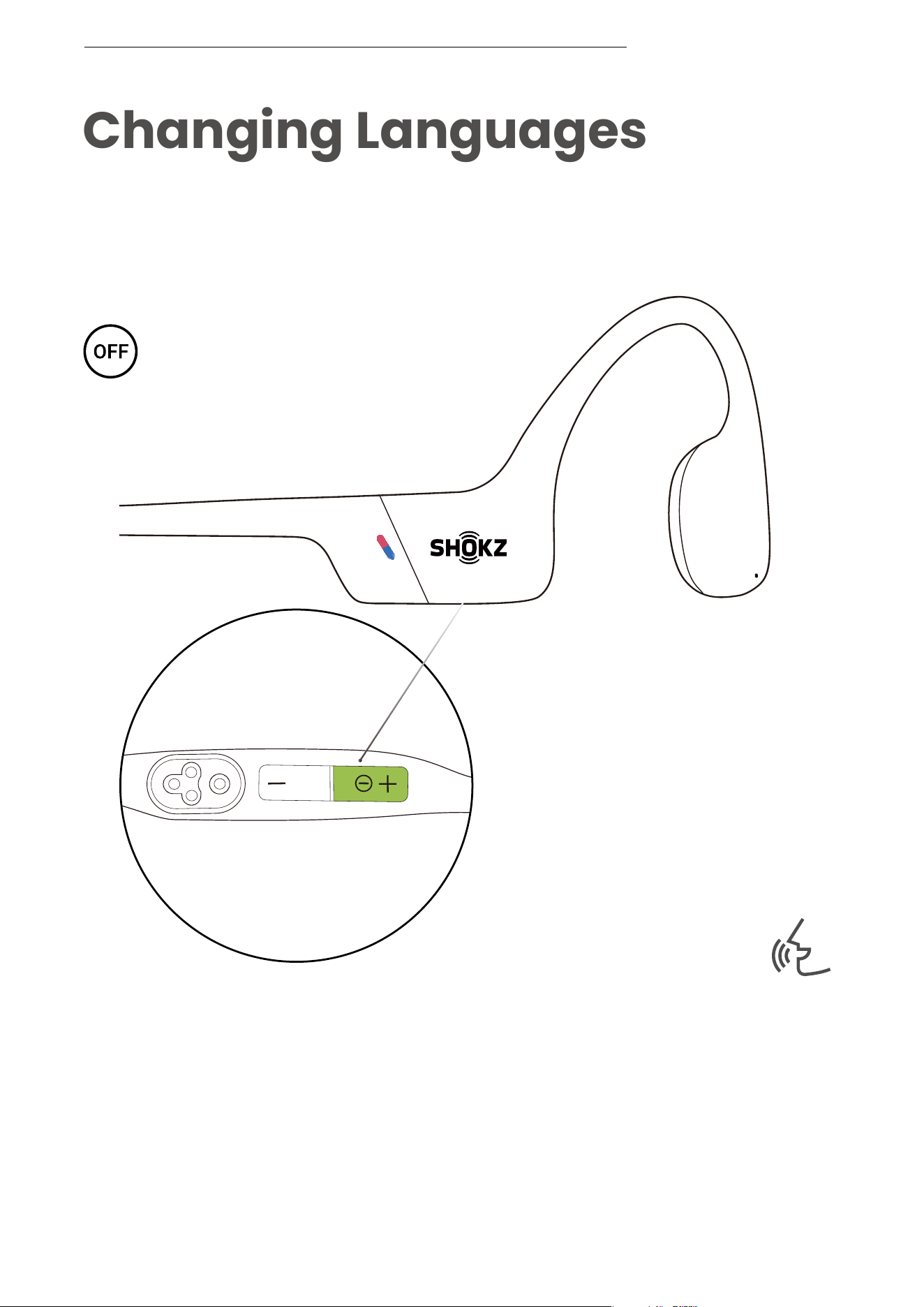
Changing Languages
Follow the instruction when
headphones powered off
Your headphones have four built-in languages:
Chinese, English, Japanese and Korean.
Audrey will say:
“pairing”
CHANGING LANGUAGES
1. Start with your headphones powered off.
2. Press and hold Volume + until Audrey say “pairing” and the
LED indicator flashes red and blue alternately.
��
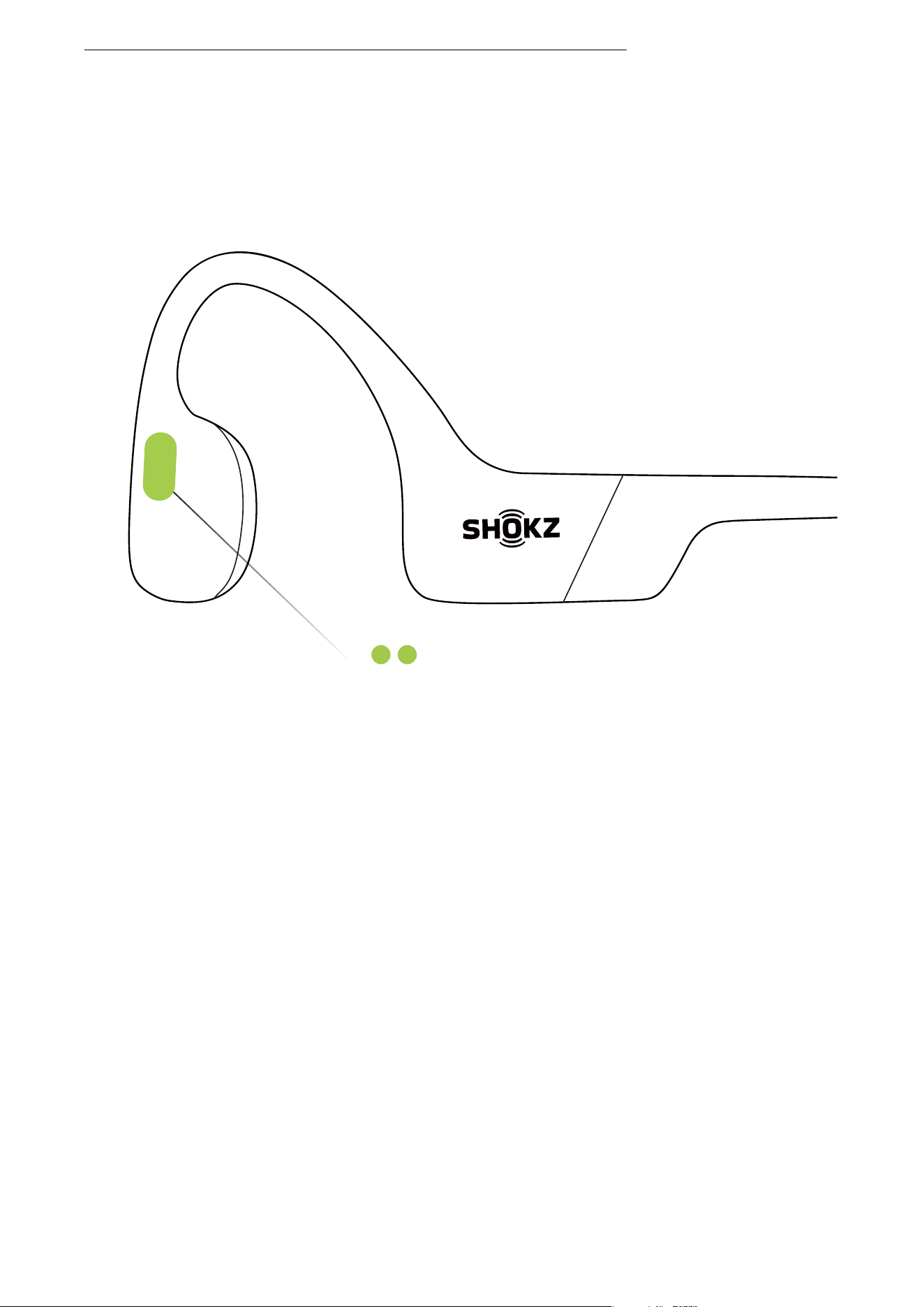
Multifunction Button
CHANGING LANGUAGES
3. Double-click the multifunction button to switch to the next
language. The language order is as follows:
English, Chinese, Japanese, and Korean.
��
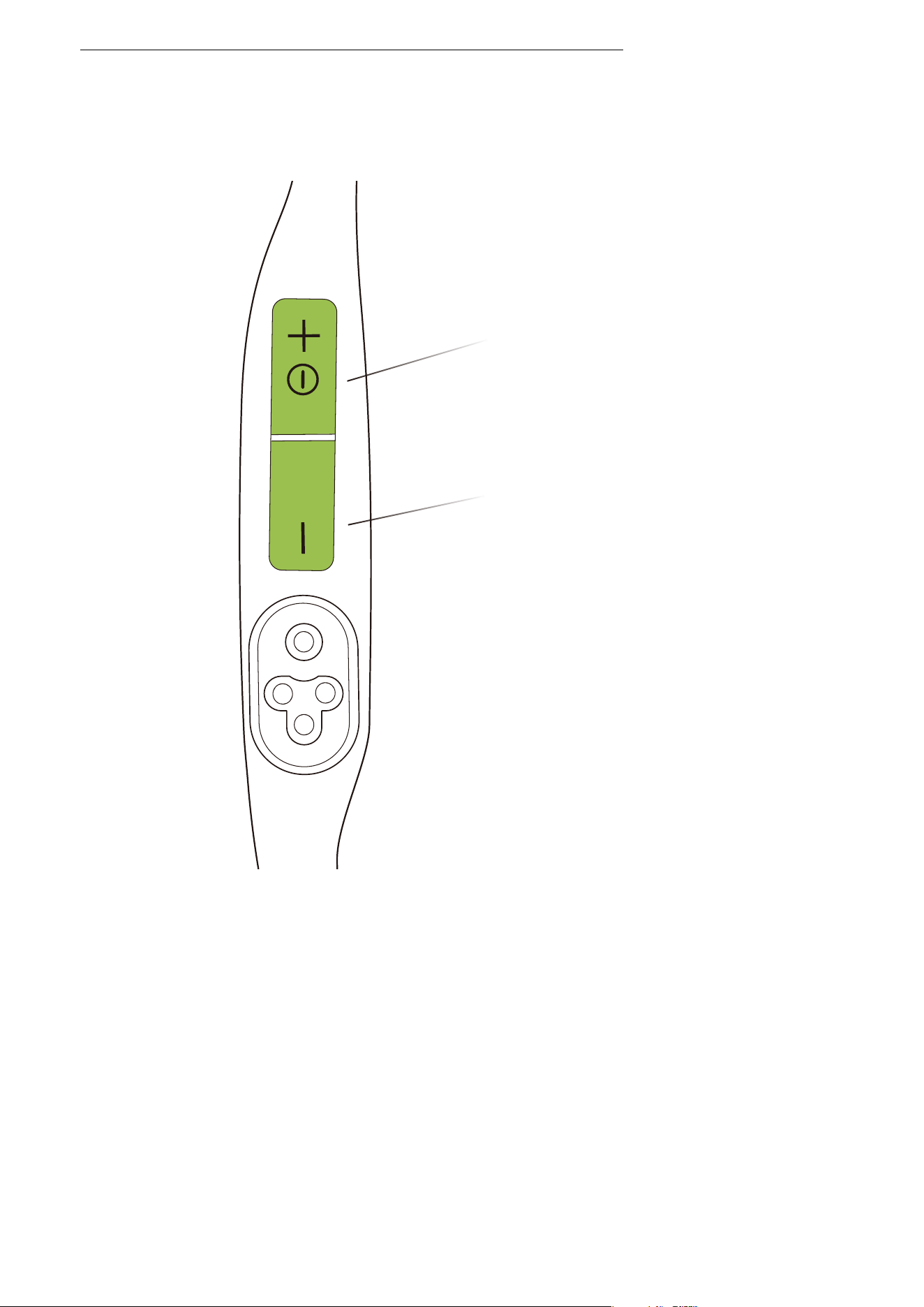
CHANGING LANGUAGES
Power/Volume + Button
Volume - Button
4. Click the Volume + button or the Volume - button to listen
to the voice prompt for battery status, so that to confirm if
the right language has been chosen.
*You can also use the Shokz App to change the language.
��
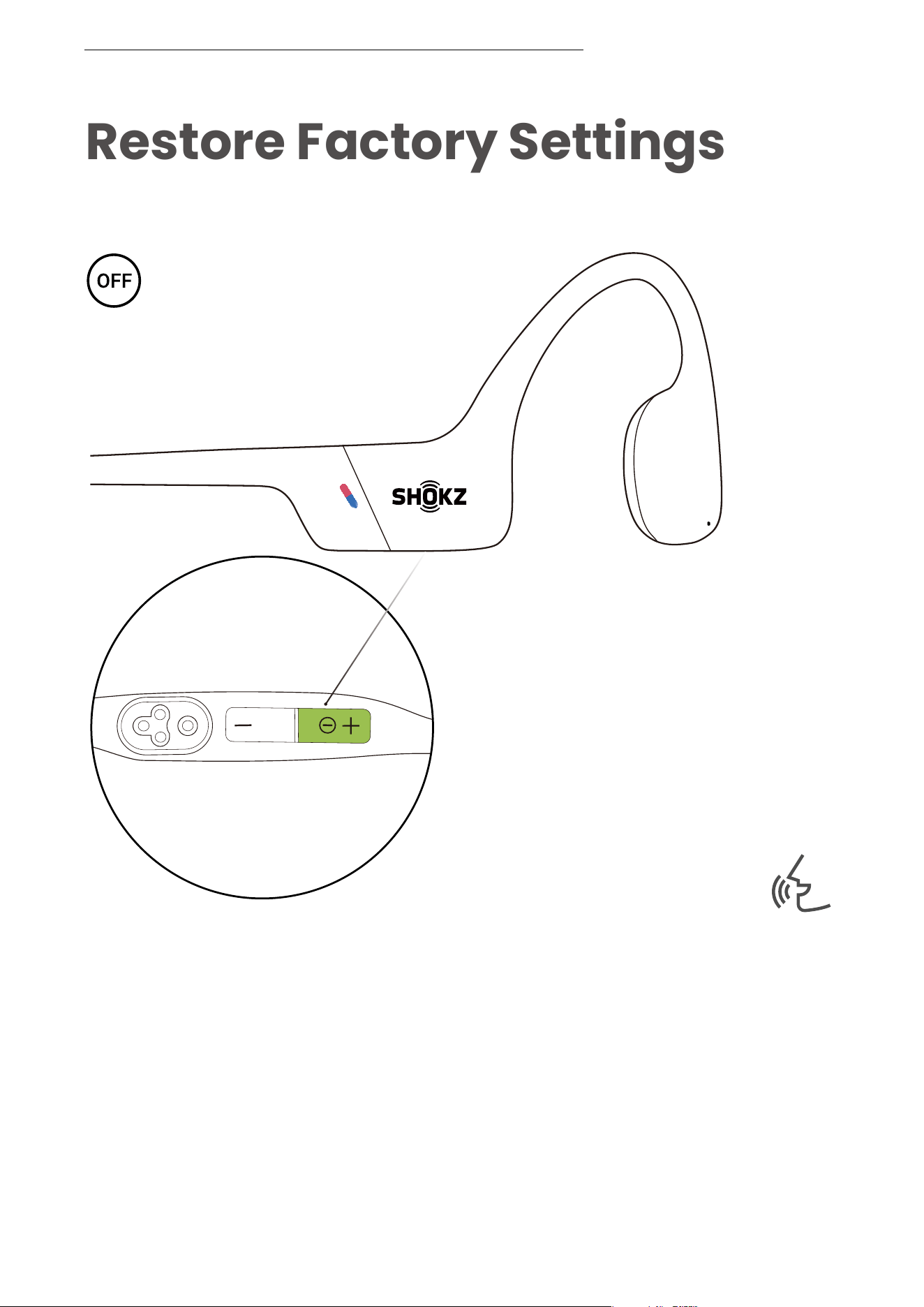
Restore Factory Settings
Operate controls with
headphones powered off
Audrey will say:
“pairing”
RESTORE FACTORY SETTINGS
1. Start with your headphones powered off.
2. Press and hold Volume + until Audrey say “pairing” and the
LED indicator flashes red and blue alternately.
��
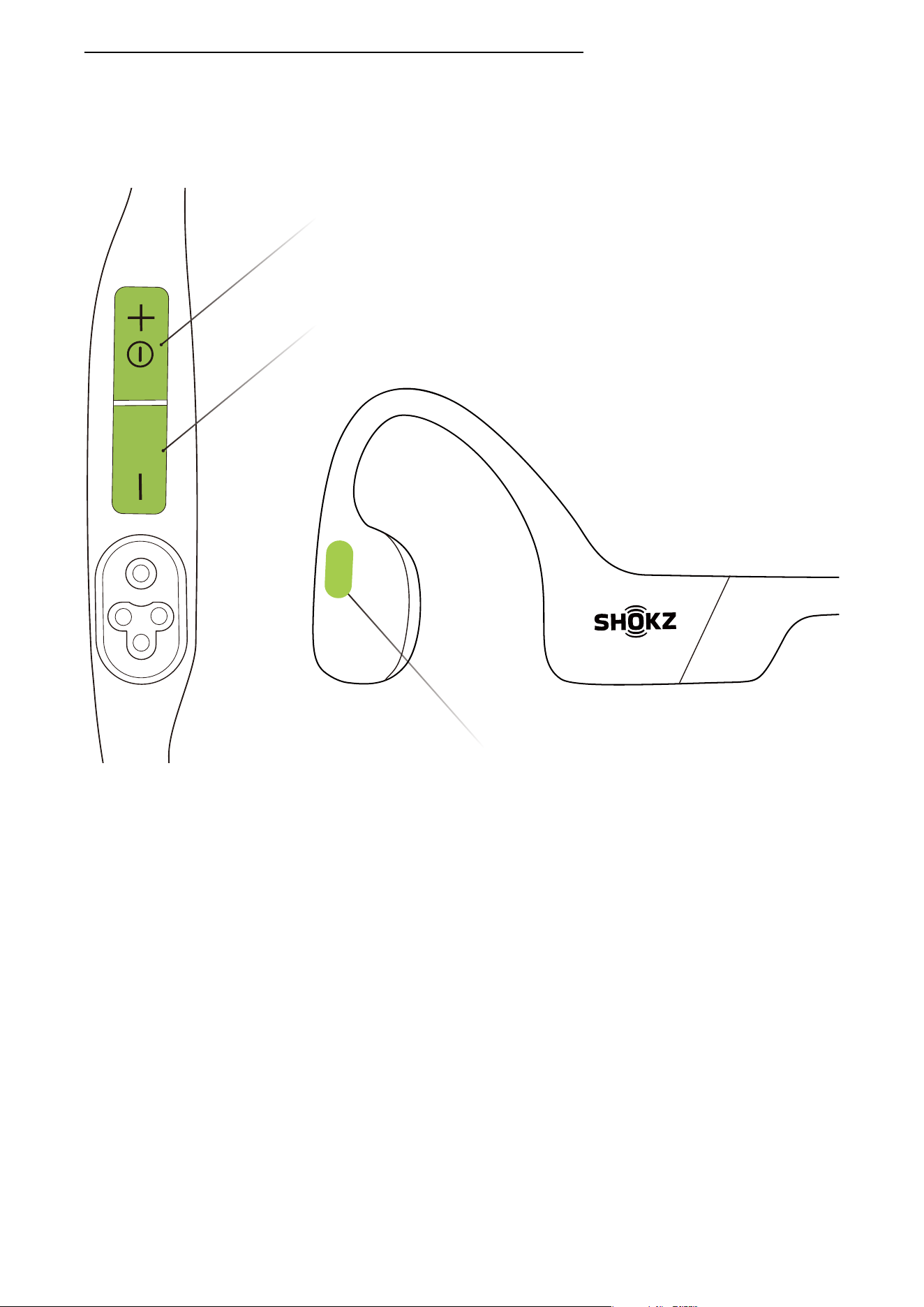
Multifunction Button
Power/Volume + Button
RESTORE FACTORY SETTINGS
Volume - Button
3. Press and hold the multifunction button, the Volume -
button, and the Volume + button together until you hear a
beep.
4. Turn your headphones off. OpenSwim Pro has been reset
and needs to be paired again.
*When factory settings are restored, the imported
audio files in MP3 will not be deleted.
��

Care and
Maintenance
��
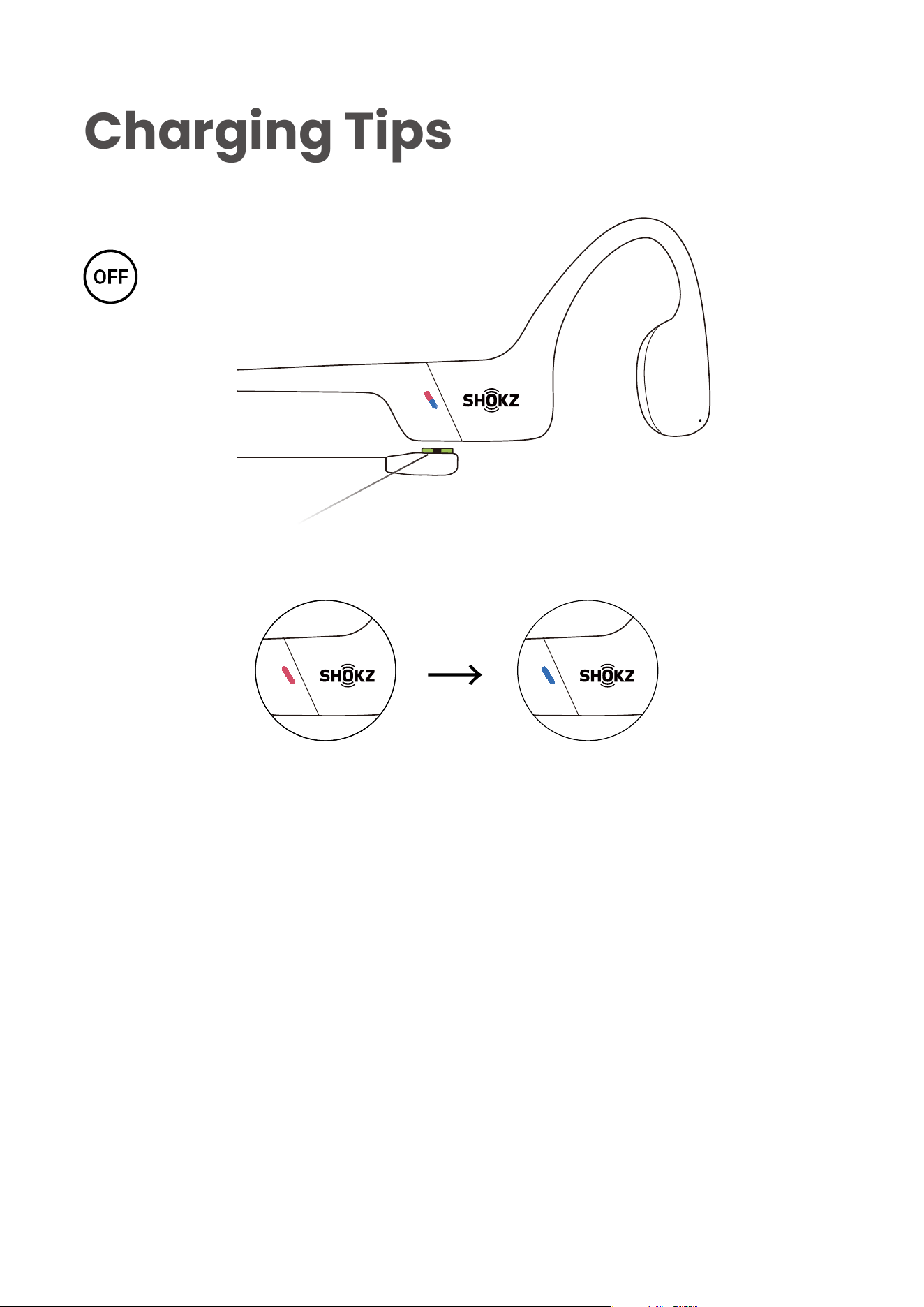
Charging Tips
The headset will automatically
shut down when charging
When the headphones are at low battery, there will be a “charge
me” prompt and the red light will flash intermittently.
Use thecorresponding magnetic charging cable for charging. The LED
indicator will turn
red during the charging process and the
headphones will automatically turn off. The LED indicator will turn from
red to
blue when charging is complete.
Note:
The headphones will automatically turn off after standing by 2 hours
in MP3 mode.
The headphones will automatically turn off after standing by 6 hours
in Bluetooth mode.
Magnetic Charging Cable
Charging Charging Completed
CHARGING TIPS
��

Warranty
*Failure to register will not affect your limited warranty rights.
Your headphones are covered by a warranty.
Visit our website at https://shokz.com/pages/warranty-return
for details of the limited warranty.
To register your product, download the Shokz App.
If you have any trouble or problems, please visit
https://help.shokz.com/s/ for more support!
Troubleshooting
WARRANTY
��
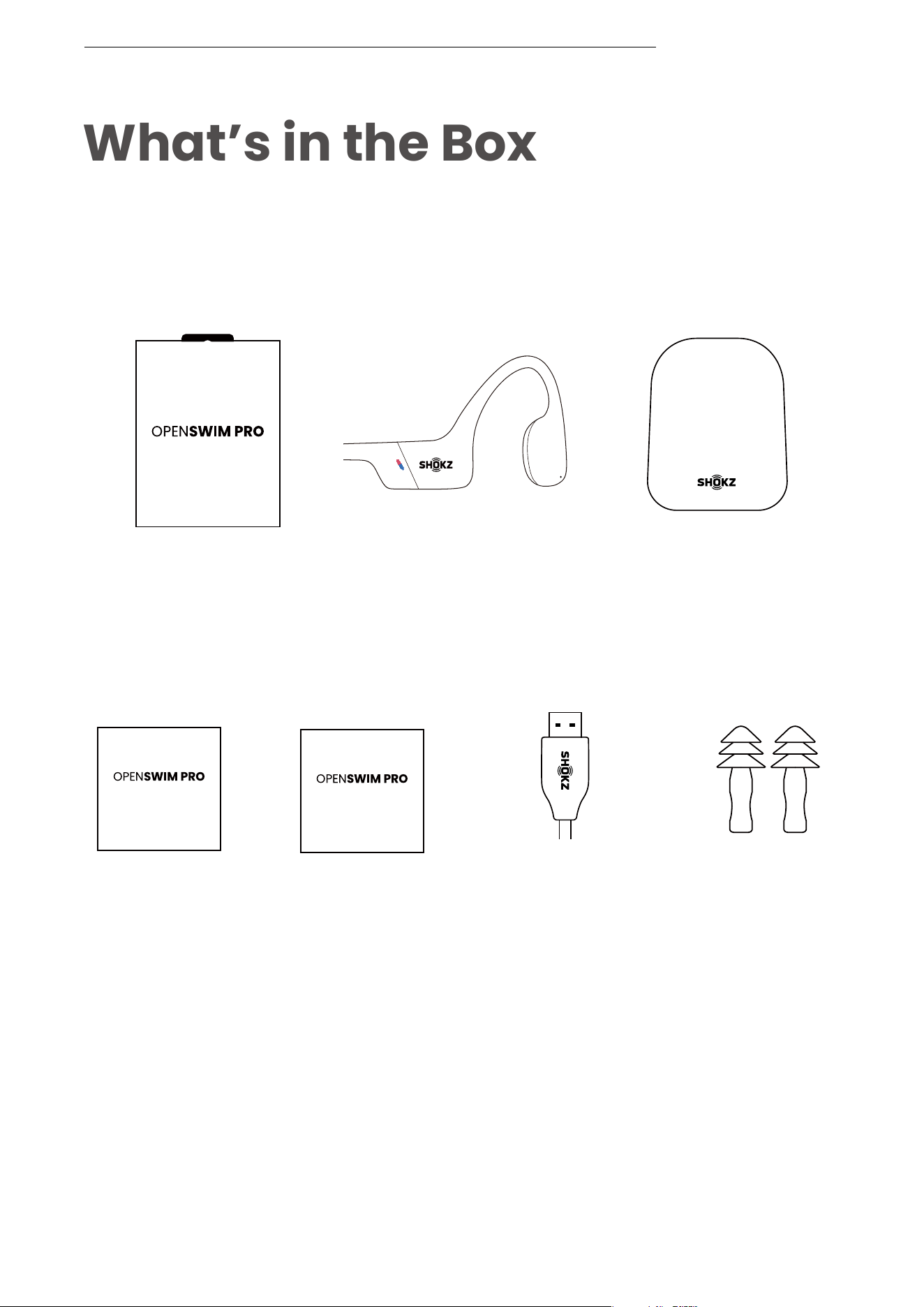
What’s in the Box
If any part of your product is damaged or missing, do not
use it. Contact authorized Shokz dealer or Shokz customer
service.
OpenSwim Pro
Headphones
OpenSwim Pro
Carrying Bag
OpenSwim Pro
Box
WHAT’S IN THE BOX
Magnetic
Charging Cable
Swimming
Earplugs
*Please note that the packaging envelope may vary
depending on the sales region.
��
User Guide
User Guide
warranty card
warranty card