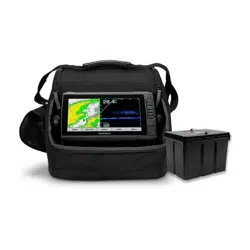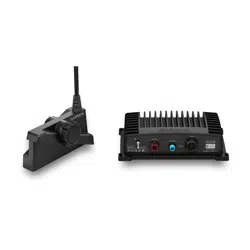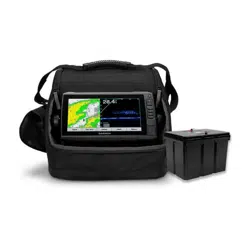
LIVESCOPE
™
ICE FISHING BUNDLE LI
INSTALLATION INSTRUCTIONS
Important Safety Information
WARNING
See the Important Safety and Product Information guide in the chartplotter or fishfinder product box for product
warnings and other important information.
To obtain best performance and to avoid possible damage, you must install this mount using these instructions.
Read all installation instructions before proceeding with the installation. If you experience difficulty during the
installation, go to support.garmin.com for more information.
Battery Information
Battery Warnings
WARNING
Failure to heed the following warnings could result in death, serious injury, or property damage.
A lithium-ion battery is used for this device.
If these guidelines are not followed, batteries may experience a shortened life span or may present a risk of
damage to the device, fire, chemical burn, electrolyte leak, and/or injury.
• Use only the external battery charger provided by Garmin
®
.
• Only use the battery with Garmin approved products.
• KEEP BATTERIES AWAY FROM CHILDREN.
• Do not directly or indirectly short any wiring, terminals, or contacts of the battery.
• Do not disassemble, modify, remanufacture, puncture or damage the battery.
• Do not expose the battery to fire, explosion, or other hazard.
• Do not use a sharp object to remove or tamper with the battery or parts of the battery.
• Do not immerse or expose the battery to water or other liquids. Do not allow the battery to get wet.
• Do not store the battery in your vehicle or in high temperature areas. Do not leave the battery exposed to
a heat source or in a high-temperature location, such as in the sun in an unattended vessel. To prevent the
possibility of damage, remove the battery from the vessel or store it out of direct sunlight.
• Do not attempt to charge the battery outside of the following range: from 10° to 45°C (from 50° to 113°F).
• Do not operate (discharge) the battery outside of the following temperature range: from -20° to 60°C (from -4°
to 140°F).
• When storing the battery for an extended time period, store within the following temperature range: from 20°
to 40°C (from 68° to 104°F).
• Do not connect any cables to the battery that are not approved for this battery by Garmin.
• Only replace the battery with the correct replacement battery. Using other batteries presents a risk of fire or
explosion. To purchase a replacement battery, see your Garmin dealer or buy.garmin.com.
• Do not leave the battery unattended while charging.
• Do not leave the battery charging near wood, carpet, paper, or other flammable materials.
• Check the battery connections for correct polarity before charging.
• Recharge the battery promptly after it is discharged, ideally within 24 hours. Charge battery every six months
during long term storage to maintain peak performance.
GUID-9BAD0F2E-3BD5-4E05-94E2-A73EB306A36C v3April 2022

• Do not operate or charge a battery that has been dropped or damaged in any way.
Charging the Battery
WARNING
Do not connect any cables to the battery that are not approved for this battery by Garmin. Only use the included
all-in-one cable and charger to charge the battery.
Ensure that you connect the correct connector to the correct battery terminal. Damage to the battery or device,
or bodily harm may occur if the device is improperly connected to the battery.
1 Remove the battery terminal covers.
2 Connect the red and black spade connectors from the all-in-one cable onto the corresponding battery
terminals.
3 Remove the charger port cap on the all-in-one cable.
4 Connect the all-in-one cable to the charger.
5 Connect the charger to a power outlet.
6 Check the status of the LED on the charger.
LED Color Status
Green Outside of charging temperature range or fully charged
Red Charging
Red blinking
NOTE: Battery connections may be reversed. Disconnect the charger from the wall outlet and
battery power cable immediately. Correct the battery connections.
If the indicator LED is red, the battery is charging. It takes up to 8 hours to fully charge a fully discharged battery,
depending on the internal battery temperature.
When the indicator LED is green, the battery is fully charged or outside of the charging temperature range. The
battery charges when it is within the charging temperature range of 10° to 45°C (50° to 113°F).
NOTE: If the indicator LED is blinking red, disconnect the charger from the wall outlet and the battery power
cable. Correct the battery connections by reconnecting the spade connectors to the correct battery terminals.
During long term storage, charge the battery every 6 months to maintain peak performance.
Assembling the Panoptix
™
Ice Fishing Pole Mount
You need a Phillips screwdriver and the included 5mm hex wrench to assemble the ice fishing pole mount and
attach the transducer.
1 Insert the Phillips head sheet metal screws into the four corners of the ice mount base.
The screws protrude from the bottom of the base to help stabilize the mount when it is on the ice.
2 Locate the handle and the top pole segment.
2
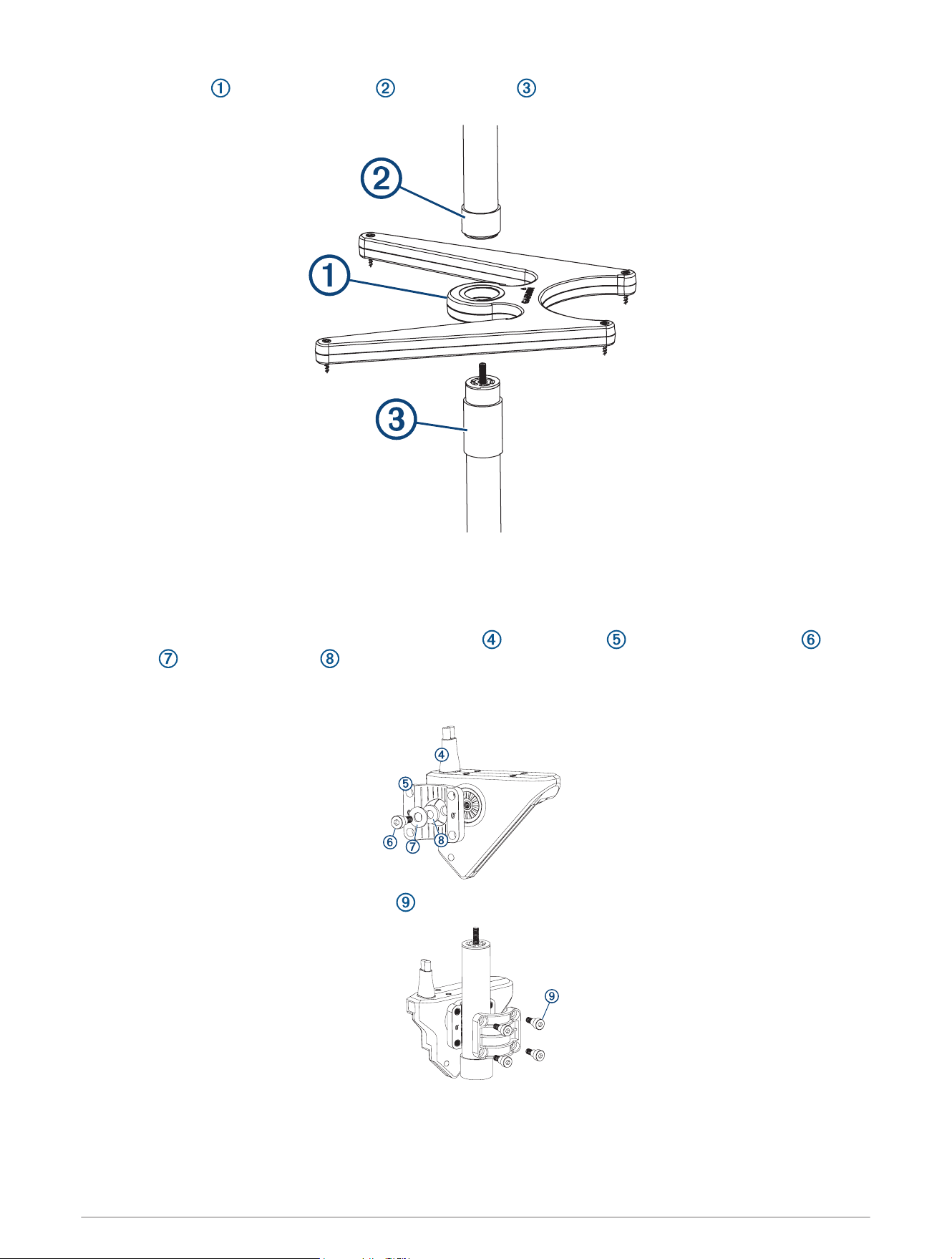
3 Place the base between the handle and the top pole , and screw them together.
4 Determine how many of the three middle pole segments you need to use, based on the thickness of the ice.
TIP: The top of the transducer must be below the bottom of the ice for best performance.
5 Screw together the needed segments, with the shortest segment on the bottom of the pole.
6 Use the included hex wrench to attach the transducer to the bracket with the shoulder screw , flat
washer , and rubber washer .
NOTE: You must fully tighten the shoulder screw to secure the transducer to the bracket. The recommended
torque applied to the shoulder screw is 2.5lb-ft. (3.4N-m).
7 Using the hex wrench and the M6 screws , attach the two halves of the bracket around the pole.
8 After mounting the transducer on the pole, use the hook and loop straps to secure the transducer cable to
the pole.
3
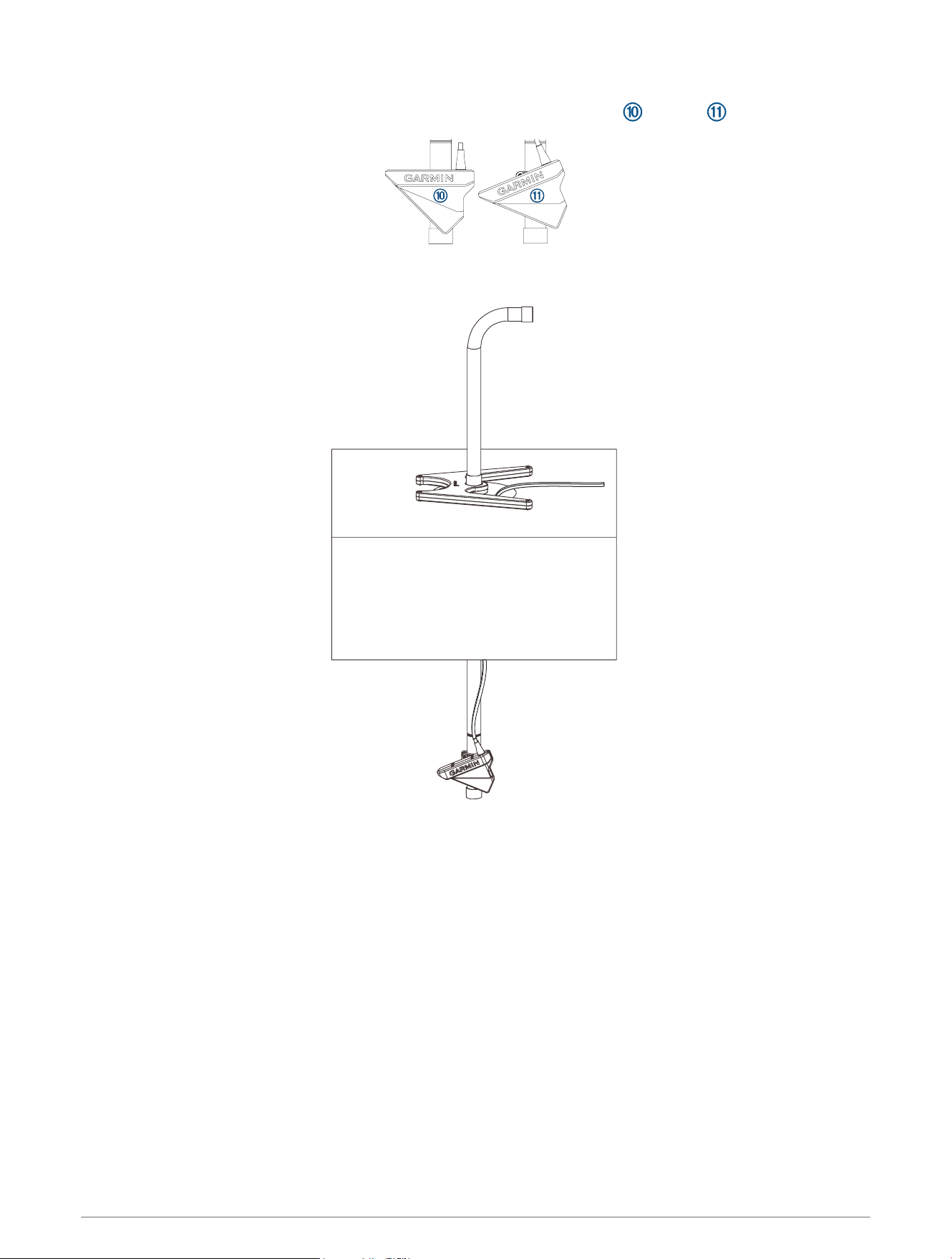
9 Position the transducer for the desired view.
TIP: Turn the transducer one click to change the orientation from forward to down .
10 Place the mount base around the hole in the ice.
11 Rotate the handle to aim the transducer.
Effective Forward and Down Range
NOTE: Water conditions and bottom conditions affect the depth and range performance of the transducer. You
should use caution and observe the water depth and range, especially when your unit is operating in manual
range or depth mode.
When operating in LiveVü Forward mode, the transducer has an effective forward range of between five and
eight times the depth of the water. For example, in 3m (10ft.) of water, the effective forward range is between
15 and 24m (between 50 and 80ft.). Water conditions and bottom conditions affect the actual range.
When operating in LiveVü Down mode, the fore/aft range is equal to the depth of the water. For example, in
10m (33ft.) water depth, the screen will display 5m (16ft.) fore and 5m (16ft.) aft of the transducer. Deeper
water provides a greater fore and aft range.
4

Specifications
Battery Specifications
Battery type Lithium ion, 16.5Ah
Battery runtime (approx.) at 100% screen brightness
1
Up to 11.2hrs. at 55°C (131°F)
Up to 11.4 hrs. at 0°C (32°F)
Up to 10.1 hrs. at -20°C (-4°F)
Battery runtime (approx.) at 50% screen brightness
1
Up to 13.9 hrs. at 55°C (131°F)
Up to 14.4 hrs. at 0°C (32°F)
Up to 13.8 hrs. at -20°C (-4°F)
Operating temp. range From -20° to 60°C (from -4° to 140°F)
Charging temp. range From 10° to 45°C (from 50° to 113°F)
Storage temp. range From 20° to 40°C (from 68° to 104°F)
Battery dimensions (L × W × H) 140 × 99 × 100mm (5.51 × 3.90 × 3.93in.)
Battery weight 3.33lb (1.51kg)
LVS32 Specifications
Dimensions (L x H x W) 136.4 x 96.5 x 44.5mm (5.37 x 3.8 x 1.75in.)
Weight (transducer only) 850g (1.87lb.)
Frequencies From 530 to 1,100kHz
Operating temperature From 0 to 40°C (from 32 to 104°F)
Storage temperature From -40 to 85°C (from -40 to 185°F)
Maximum depth/distance
2
61m (200ft.)
Field of view
Front to back: 135degrees
Side-to-side: 20degrees
GLS 10 Sonar Module Specifications
Dimensions (W x H x D) 245 x 149 x 65 mm (9.7 x 5.9 x 2.6 in.)
Weight 1.96 kg (4.33 lbs.)
Operating temperature From -15° to 70°C (from 5° to 158°F)
Storage temperature From -40° to 85°C (from -40° to 185°F)
Power input From 10 to 32 Vdc
Power usage 21 W typical, 24 mW min., 58 W max.
Compass-safe distance 178 mm (7 in.)
Data output Garmin Marine Network
1
The actual battery life of a fully charged battery can vary based on the device used, backlight brightness, temperature the battery is operated and stored in,
age of the battery, and depth of the water.
2
Dependent upon water salinity, bottom type, and other water conditions.
5

Open-Source Software License
To view the open-source software license(s) used in this product, go to developer.garmin.com/open-source
/linux/.
© 2021 Garmin Ltd. or its subsidiaries
Garmin
®
and the Garmin logo are trademarks of Garmin Ltd. or its subsidiaries, registered in the USA and other countries. LiveScope
™
and Panoptix
™
are trademarks of
Garmin Ltd. or its subsidiaries. These trademarks may not be used without the express permission of Garmin.
© 2021 Garmin Ltd. or its subsidiaries
support.garmin.com