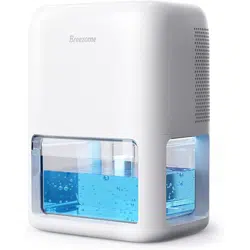
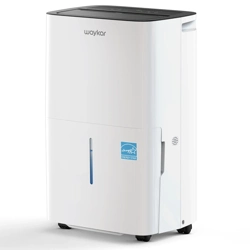
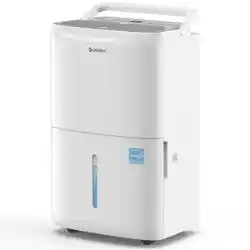
Dehumidifier MCS008
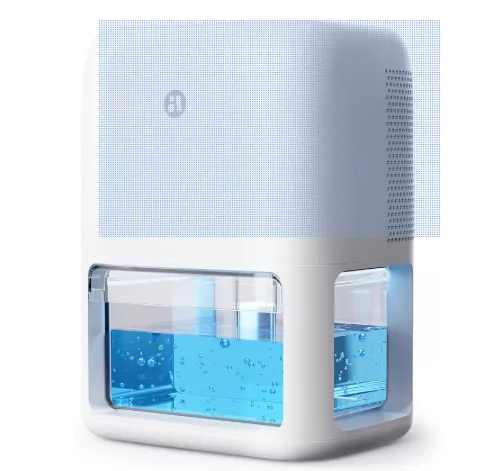
Name: Dehumidifier
Model: MCS008
Rated Voltage: 18V
Rated Power: 47W
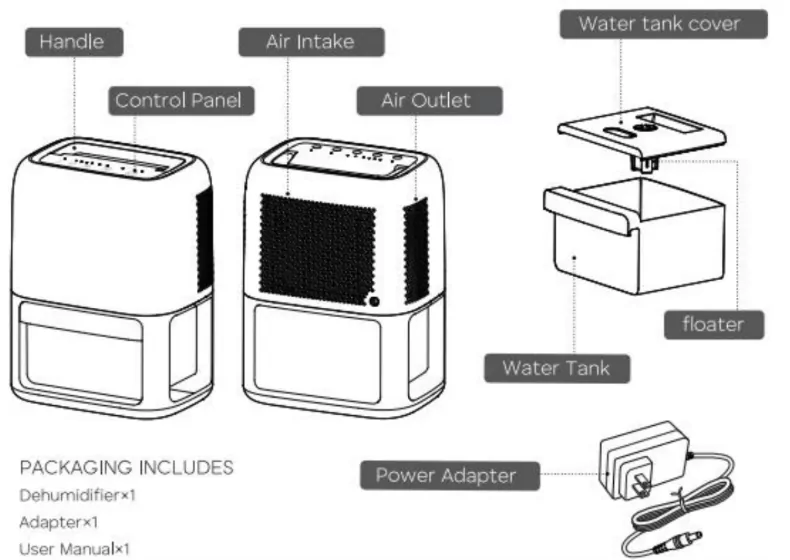
Structure
OPERATIONS
Before use, please ensure all parts are completed and undamaged prior to use.
1. Power Button
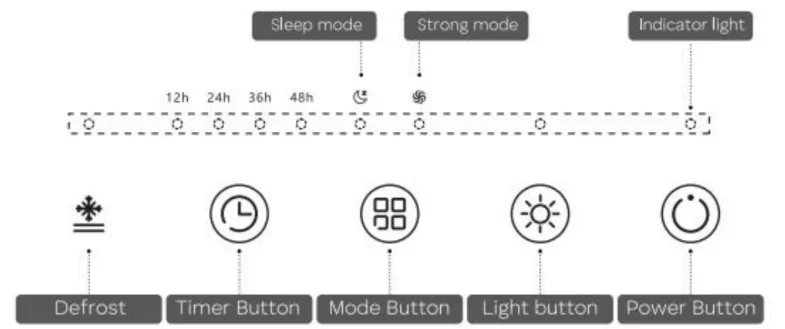
When the dehumidifier is plugged in, tap  to turn on the device. The appliance will start working with one short "BEEP". Tap again to turn OFF the device.
2. Timer Button
Touch the  button. When the product starts 12h timing, the indicator of 12h lights up. Touch the button again to switch to 24h timing, the indicator of 24h lights up, and the timing interval (12h-24h-36h-48h) continues to cycle. When the device is on, tap the button to select 12, 24, 36 or 48 hours timer off.
3. Light button
When the dehumidifier starts to work, the ambient lights will turn on and 7 colors change gradually. Press  to lock your desired color, press again to turn off the light.
4. Mode button
Touch the  button, the default mode is the strong mode, and at the same time the water tank lights up with colorful gradient LED light and the product starts to operate. After the operation, touch the button to switch to sleep mode, sleep mode to turn off the water tank atmosphere lamp; Touch switches to powerful mode again, In this cycle.
Tap this button to choose Turbo Mode or Sleep Mode.
Turbo Mode, the fan will work in the high speed.
Sleep Mode, the fan will work in the low speed.
5. Defrost indicator
If the internal is frost, the defrost function will automatically trigger to protect the unit, and the icon  will light up. During the defrost cycle, the dehumidifier will stop working until the frost has completely melted. After defrosting, the dehumidifier will work again, the icon disappears.
6. Overflow Protection
When the bucket full of water, the machine will turn off automatically. The Atmosphere lamp will flash. After you empty the water from the bucket, the Atmosphere lamp will turn off. After being put into the tank, the machine needs to be restarted to work.
7. How to empty the water
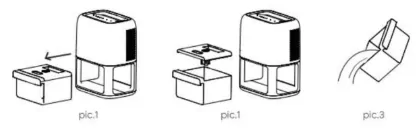
When the machine is power off, take the tank by holding the handle of the tank and pulling out the water tank (see pic.1- Pic.2). Take off the tank cover and pour out the water (see pic.3).
EMPTYING THE WATER TANK
When the tank is full, the atmosphere lamp will flash and the unit will turn off.
- When full, unplug the dehumidifier and simply pull the water tank out.
- Place the water tank on a stable surface and remove tank cover.
- Then, gently tilt tank over a sink to empty.
- When done, replace cover on tank and then carefully slot water tank back in.
Note:
- Do not remove the floater from the water tank. If the floater in the water tank is removed, the sensor may not be able to determine the water level stored in the tank properly that may lead to water overflow leak from the water tank.
- When placing back the water tank, use your hands to press the tank back in its place. If the water tank is not placed properly, protections from water overflow may not operate as expected.
CLEANING AND MAINTENANCE
WARNING: Turn the dehumidifier OFF and remove the plug from the wall outlet before handling or cleaning it.
General Exterior Cleaning
Clean the exterior of the appliance, removing any dust or light debris by wiping it with a soft, dry cloth.
Water Tank Cleaning
WARNING: Never leave water in the water tank when the appliance is not in use. The water tank should be cleaned at least every week. If the water tank is dirty, just use cold water to clean it. Do not use detergent, steel wool, chemically treated dust cloth, gasoline, benzene, thinner or other solvents. Otherwise, it may damage the water tank and cause it to leak.
- Ensure the appliance and water tank are clean and dry before storage.
- To store your product out of season, we recommend using the original or similar size box.
- Do not kink or wrap the power cord and plug around the appliance, as this may cause the insulation to weaken or split, particularly where it enters the appliance.
- Store the appliance in a safe, clean and dry place when not in use.
TROUBLE SHOOTING
| Problem |
Possible cause |
Solution |
| The dehumidifier is underperforming (less water in the tank). |
The door or window is opening. |
Please close the doors and windows. |
| Obstacle is blocking the air inlet/outlet. |
Remove the obstacle that cover or obstruct the inlet/outlet. |
| Other equipment is releasing steam indoors. |
Turn off the equipment that is releasing steam. |
| Indoor temperature is too low. |
If the indoor temperature is lower than 8°C/46.4°F, the effect of dehumidification is not obvious. |
| The indoor spaces is too large. |
Please use in small spaces like bathrooms, kitchens, cloakrooms, RVs, etc. |
| Tried the above steps but still underperforming. |
Contact us for a replacement or refund. |
| The dehumidifier is not working. |
The defrost function is automatically triggered (the defrost icon lights up). |
Wait until the frost completely melts, the dehumidifier will work again. |
| The red light is flashing but the water tank is empty. |
The floater under the water tank cover is stuck. |
Take out the water tank, check whether the float is stuck, then put it back. |
| The water tank cannot be pulled out. |
Ice build up around the tank. |
Turn off the dehumidifier and wait for some time until the ice melts. |
| The adapter is getting hot. |
It is normal that the adapter will get hot (no more than 65°C/150°F) during running. |
This meets FCC & UL certification requirements, please rest assured. |