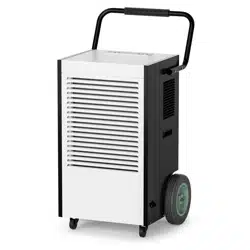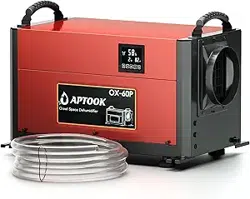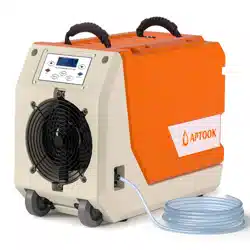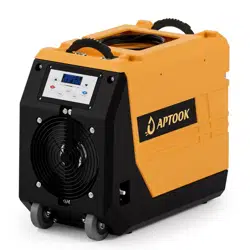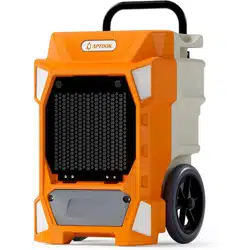
Please read this user manual before operating and save for future reference.
You've been covered with a 1-year free warranty offered by APTOOK which is
automatically valid from the date of purchase.If you have any question, please
email APTOOK at support@aptook.com
OL-R190B
R
www.aptook.com

CONTENTS
INSTRUCTIONS.........................................1
BEFORE YOU BEGIN ..............................2
IMPORTANT SAFETY TIPS....................3
SPECIFICATIONS.....................................4
PRODUCT OVERVIEW.............................5
OPERATION...............................................6
AUTO DRAINAGE &MAINTENANCE...8
PARTS LIST...............................................9
TROUBLE SHOOTING GUIDE...............10
SAFETY PRECAUTIONS.........................11
CUSTOMER SERVICE.............................12

INSTRUCTIONS
Thank you for choosing the dehumidifier by APTOOK!
Transportation and Custody
We are always just an email away
We hope it will bring great convenience to your work and life. We recommend that you
save the user manual properly for future reference. Before using this product, please
read the user manual carefully to ensure that this product functions at its best.
The APTOOK's dehumidifier adopt an upgraded design, compact structure, easy to
operate, and other characteristics, widely used in scientific research, sanitation,
commodity storage, underground engineering, and dehumidification in high humidity
places such as kitchens, bathrooms, archives, warehouses, etc. Can be effectively
avoided telecommunications equipment, materials, etc, are damaged due to
dampness or rust.
Dehumidifier reduces humidity in enclosed environments by removing water vapor
from the air. The APTOOK R190B is ideal for crawlspace drying, humidity control and
other applications.
During transportation, this product should be handled preciously to prevent violent
vibration. Generally, the packaged product should not be stored in the open air for a
long time. It should be placed in a well-ventilated, non-corrosive gas warehouse.
It should not be placed upside down. Set unit upright,Always store, transport, and
use the unit in a horizontal position. If the unit is ever placed in a vertical position,
return it to the horizontal position and let it stand for at least 24 hours before turning
it on. Rainproof measures should be adopted when stored temporarily.
For best results, operate your dehumidifiers in an enclosed area.
Place your dehumidifier away from obstructions, and keep it away from anything
that could block airflow into and out of the unit.
We also kindly ask you to take a few minutes to register your product at
www.aptook.com for more efficient support.
To access customer support,please email to support@aptook.com with your
purchase order ID to help us address the problem fater and serve you better.
1

BEFORE YOU BEGIN
2
The information contained herein is subject to change without notice.
The user manual contains instructions and notes on the operation and use of this unit.
APTOOK recommends that you use genuine accessories from APTOOK.
APTOOK shall not be responsible for any damage or expense that might result from
the use of parts other than genuine parts from the APTOOK.
Do not use unofficial components or accessories that may result in a risk of fire,
electric shock, or injury to persons. If you need to replace any components or
accessories, please visit official APTOOK channels to check relevant information.
For your safety and benefit, please read carefully before using and keep it handy for
future reference.

IMPORTANT SAFETY TIPS
3
Before using the product, for safe and correct operation and maintenance, please
read and understand the following safety tips
Never repair or remove plug and or power cord. Any repairs should be completed
by qualified electrician or distributor.
1. Unplug the power supply before cleaning or storing the machine.
2. Never immerse the machine into water or other liquids.
3. Do not put the machine close to heat-generating devices, including flammable
or dangerous materials.
4. Do not put fingers or other items into air inlet or air outlet.
5. Do not sit, stand or put heavy objects on the machine.
6. Never operate the machine when the power cord or plug is damaged. This may
cause damage or injury. Please contact your local distributor for service issues.
7. This appliance should only be used by adults who have read the manual and
understand the operating procedure of the unit.
8. The appliance is not to be used by persons (including children) with reduced
physical, sensory or mental capabilities, or lack of experience and knowledge,
unless they have been given supervision or instruction by an adult.
9. Install the machine on flat surface to minimize vibration and or noise.
10. Never insert any other objects into the machine body.
11. If the supply cord is damaged, it must be replaced by the distributor or qualified
electrician.

SPECIFICATIONS
4
FEATURES
●Hot Gas Valve system for fast defrost
●Easy to assemble and disassemble the housing for repair
●With fast connector of hose , convenient for assembly and disassemble
●Foldable handle ,easy to operate
●Quick pump access in front for easy servicing
●Tough semi-pneumatic wheel
DEHUMIDIFIER
Model No.: OL-R190B
Voltage & Hertz
AC115V / 60Hz
Power Consumption& Current
735W/6.8A @80
℉
, 60% RH
900W/8.4A @86℉, 80% RH
Refrigerant Charge
R410a/19.8oz
Dehumidify Capacity
90Pints/Day @80
℉
, 60% RH
190Pints/Day @95℉, 80% RH
Maximum Design Pressure
High Side: 522psig (3.6MPa)
Low Side: 240psig (1.65MPa)
BCSC
15A
Compressor Input
RLA: 7.3A LRA:36.4A
Fan Motor Power
0.107HP
PRODUCT OVERVIEW
5
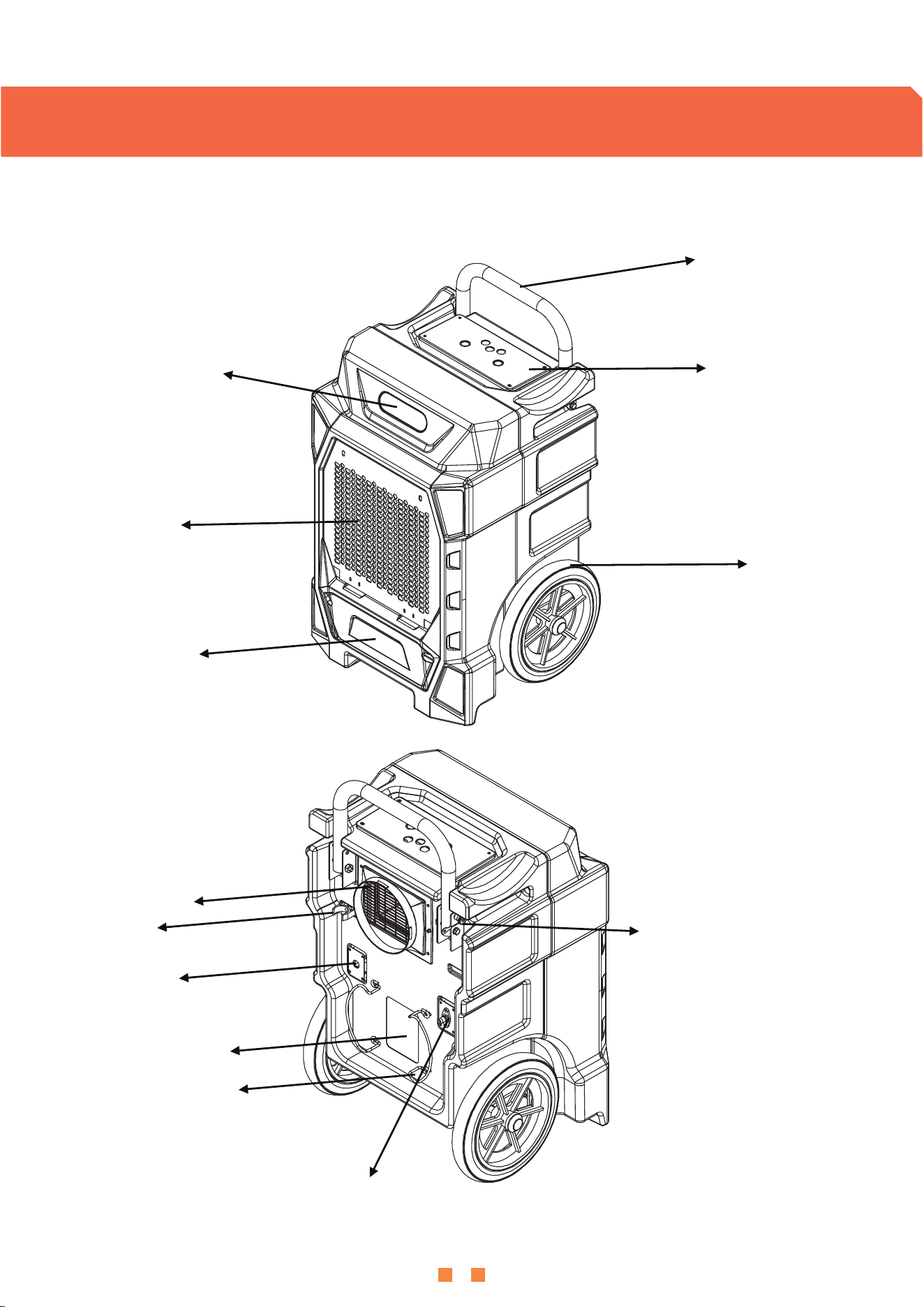
Parts Diagram
Foldable Handle
Control Panel
Wheel
Rod Plug
Water Hose
Label Area
Winder
Power Cord
Wire Nail
Air Outlet
Air-inlet Grille
Quick Pump Access
Logo Area
OPERATION
6
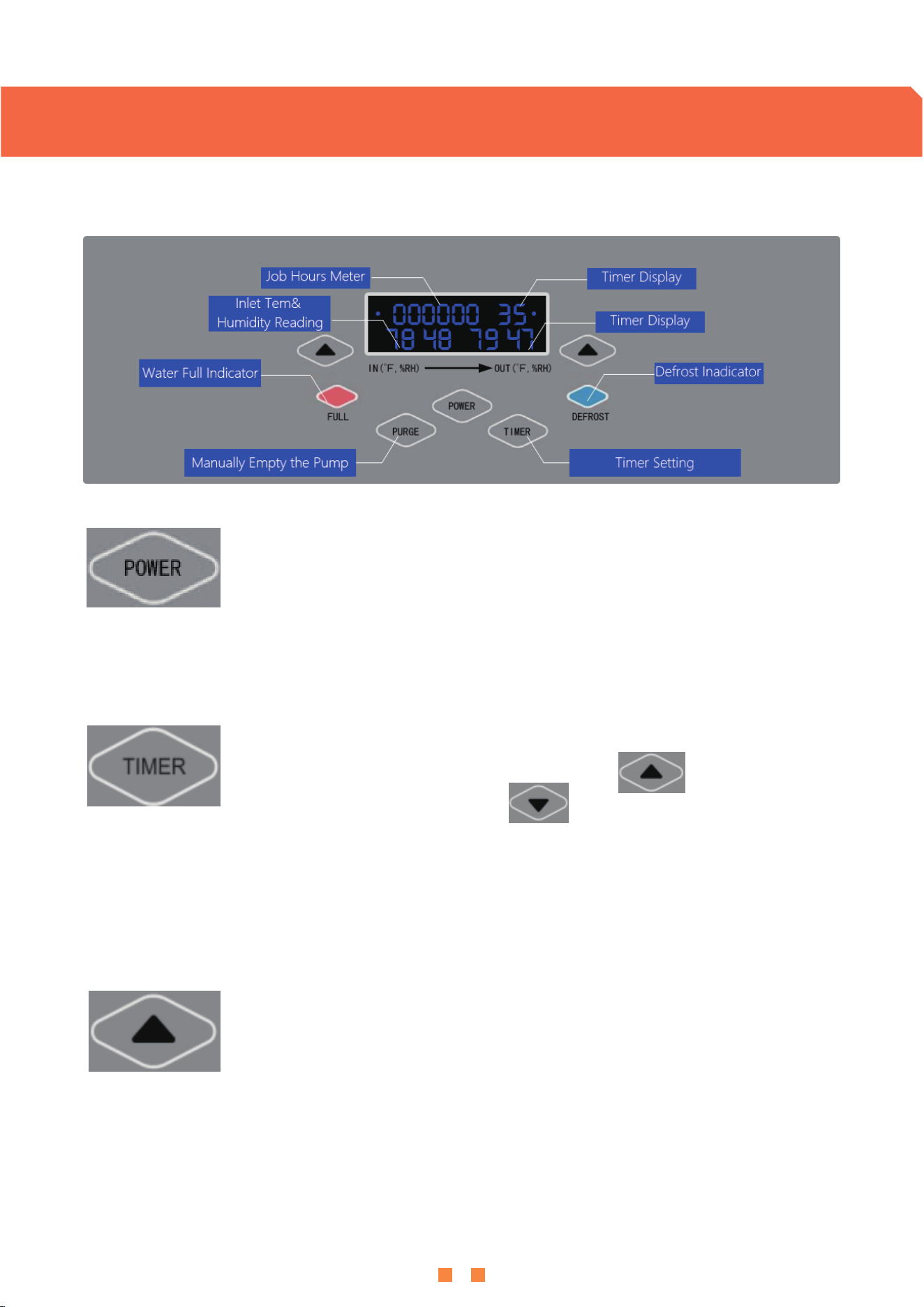
Control Panel Guide
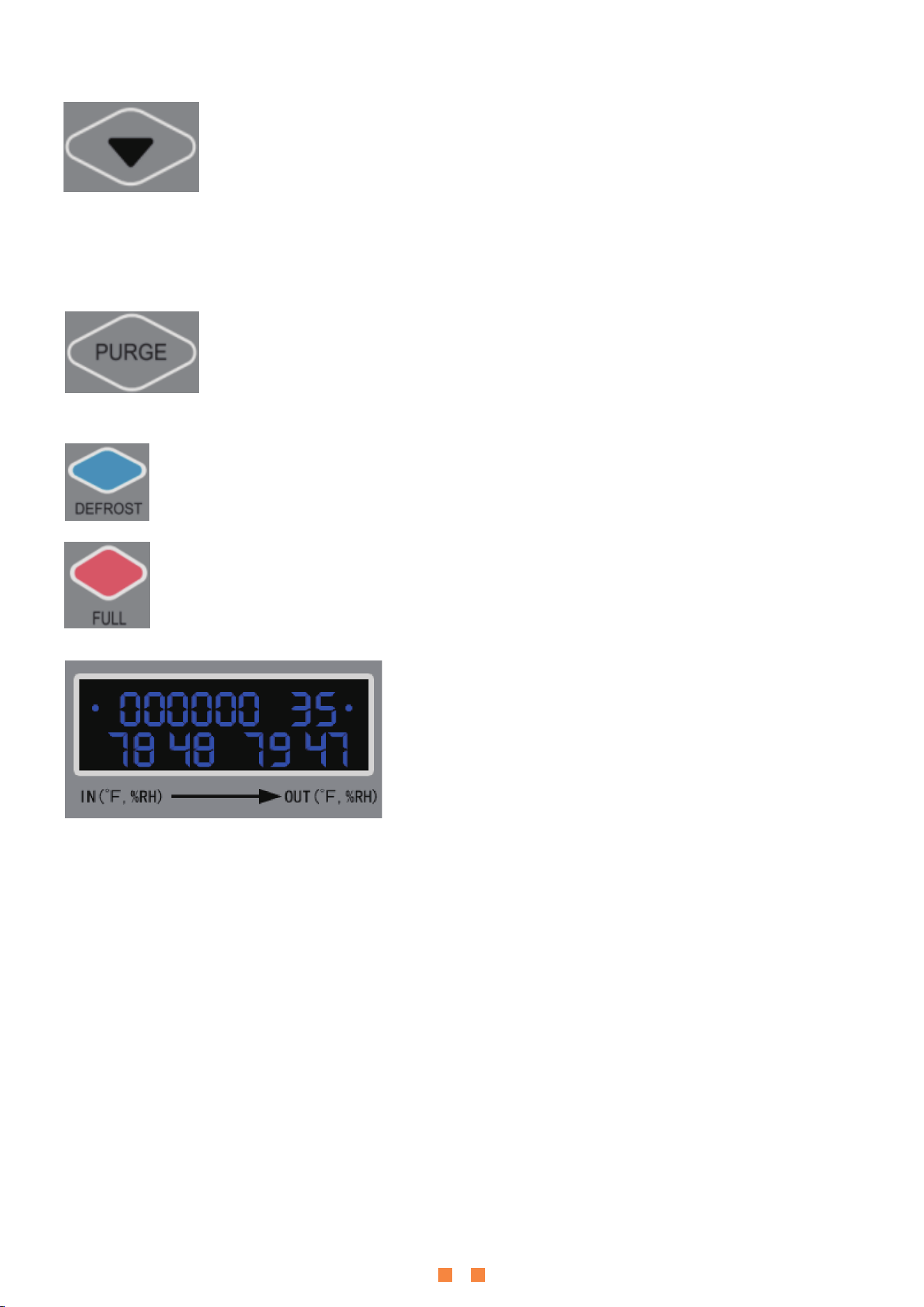
Power Button: When the machine is in the standby mode, the display screen
will be displayed in low light LED. To start the dehumidifier, press
the power button.
Add Button: Press the Add button to increase humidity data or increase timing
data . When setting the humidity data , press the button for one time to increase
5%RH , you can set the humidity range from 10%-90% RH, and 5% RH for one step ,
Timing Button: Press the timing button ,the display screen will show the
current timing data, and then press Add button to increase the
timing data or press Minus button to decrease the timing data.
Concurrently, the display screen will light up and the unit will run in Auto mode ,
the default humidity setting data is 10% RH,and the machine will start if the humidity
condition meets the requirement of compressor operation.
Press one time to increase or decrease one hour . The timing indicator will light up after
setting. When the machine is in the standby mode, press the timing button to set the start-up
time; when the machine is running, press it to set the shutdown time. The timing setting
range is from 0 to 24 hours. If you set the timing data as “00”,it will cancel timing function ,
the timing indicator will turn off.
it will cycle as below : 10%-15%-20%-25%-30%-35%-40%-45%-50%-55%-60%-65%-70%- 75%-80%-
85%-90%-10% …When setting the timing data , press the button for one time to increase 1 hour ,
you can set the timing range from 1-24 hours ,and 1 hour for one step. it will cycle as below:
01-02-03-04-05…-23-24-00-01-02…
7
one step , it will cycle as below : 90%-85%-80%-75%-70%-65%-60%-55%-50%-45%-40%-35%-30%-
25%-20%-15%-10%-90% …When setting the timing data , press the button for one time to decrease
1 hour , it will cycle as below:24-23-22-21-20…-02-01-00-24-23…
It displays the running time when it is in running mode; and displays the setting timing and setting
humidity data when users set .
Minus Button: Press the Minus button to decrease humidity data or decrease
timing data . When setting the humidity data , press the button for one time to
decrease 5% RH , you can set the humidity range from 90%-10% RH, and 5% RH for
Purge Button (Manual Drainage):Press and hold the purge button for 3 seconds,
the machine will drain the water automatically by the built-in pump.
After 30 seconds, the pump stops draining, then the indicator will turn off.
Display Screen:The default temperature display is Fahrenheit
temperature. When the machine is in standby mode, press
the power button for 5 seconds to switch to Celsius
temperature. When the machine is running, it shows the
temperature and humidity of the inlet air and outlet air.
Defrosting Indicator: When the machine is defrosting, this indicator turns on.
After defrosting, it turns off.
Water Full Indicator: When the water pump is full of water, the indicator light turns
on to remind the user to drain.
Memory Function: If there is a power outage or the unit shuts off ,it will auto restart to its
original settings except timing ,once power is restored .
Note :
When humidity of air inlet ≥ setting humidity data +3%RH ,and the compressor is out of 3
minutes delay start protection , the fan will start immediately and the compressor will start
in 3 seconds later.
When humidity of air inlet ≤ setting humidity data -3%RH , the compressor will stop working
immediately ,and the fan will stop working in 1 minute later.

AUTO DRAINAGE &MAINTENANCE
8
Cautions:
If unit malfunctions turn off the unit and unplug it immediately. Please
contact your distributor for service issues.
Cleaning: Clean the unit body with a soft damp cloth. Do not submerse or place water on the unit
or control panel. Water may damage the electronic components of the unit.
Do not use chemical solvent such as benzene, alcohol, gasoline or other heavy-duty cleaner.
The surface may become damaged or deformed.
Cleaning the Air Filter:
Step 1: Pull out the air filter gently.
Step 2: Use a vacuum cleaner to remove the dirt on the surface of the air filter.
If the air filter is exceptionally dirty, immerse it gently into warm water (about 40℃) with a
neutral detergent, rinse and dry it thoroughly.
Step 3: Insert the filter back into the unit.
Dehumidifier Storage:
1. Push the purge button to empty the water before transportation or storage.
2. Transport and store the machine upright.
3. Stack machines in warehouse to save space.
Please disconnect the power supply before cleaning or conducting maintenance.
Do not dispose of electrical appliances in local landfills, or municipal
waste locations. Many parts are recyclable. Contact your local government
for information regarding the collection systems available in your area.
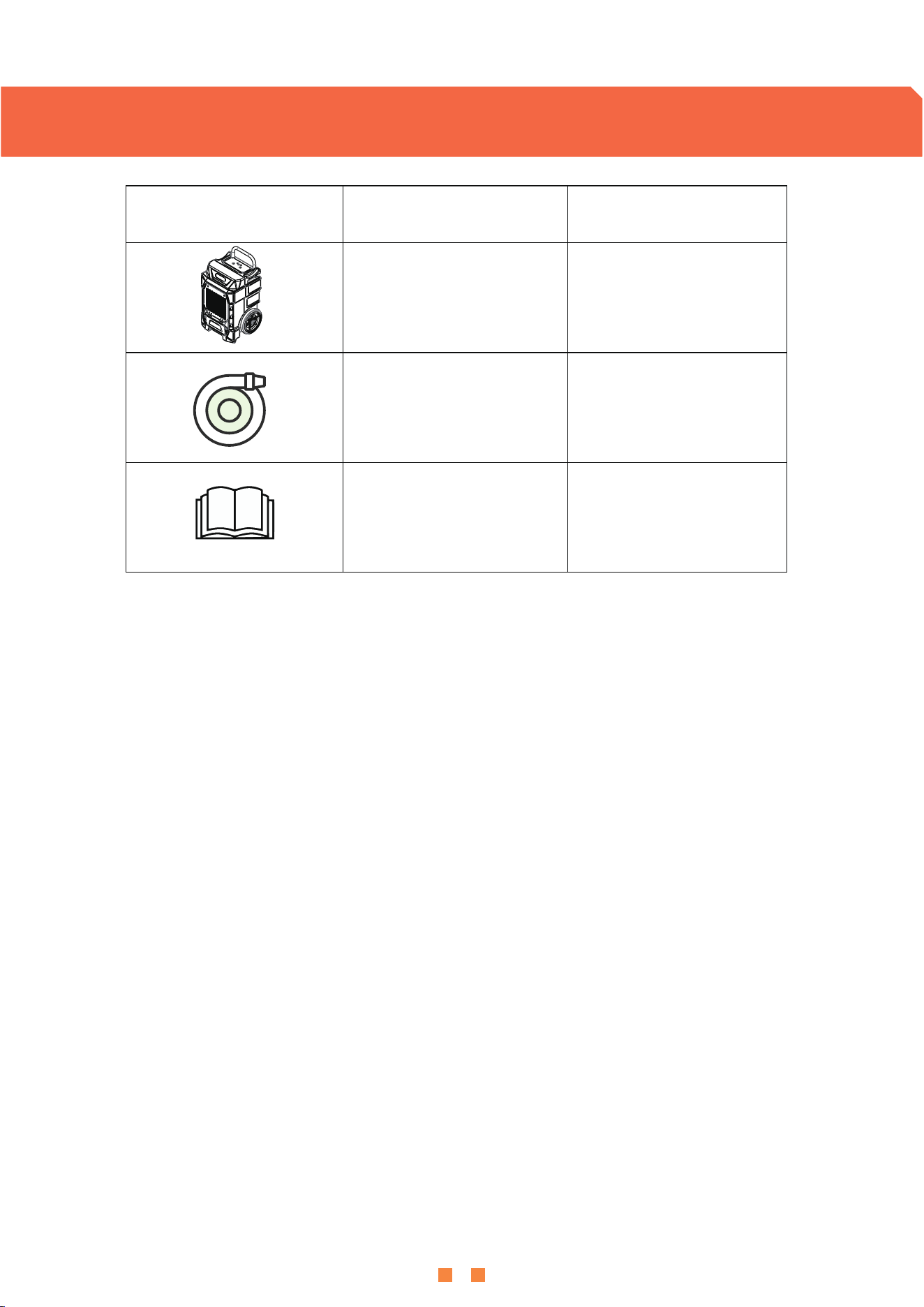
Picture Name Quantity
Dehumidifier
1PCS
Drain Hose
1PCS
User Manual 1PCS
PARTS LIST
9
TROUBLE SHOOTING GUIDE
10
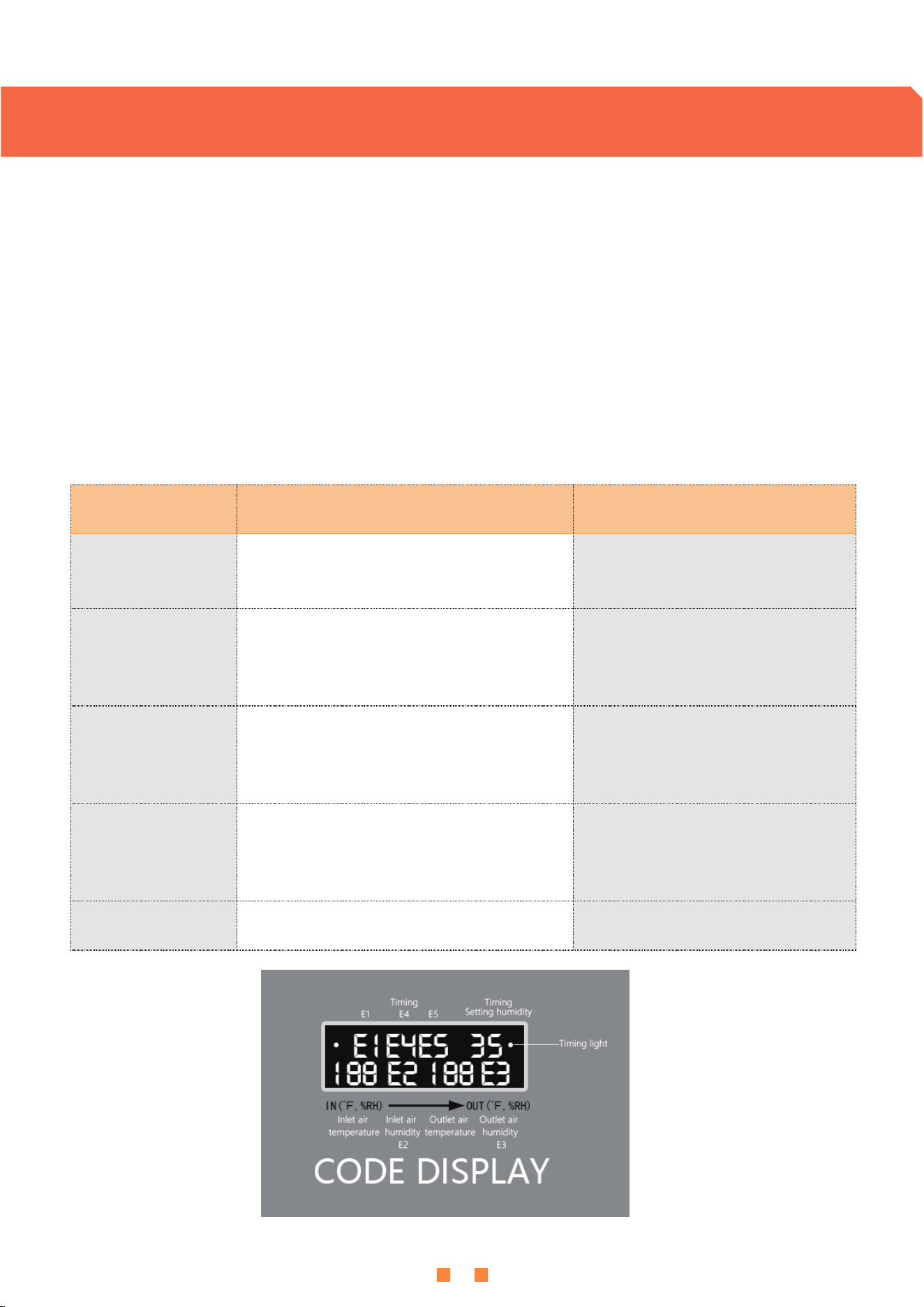
Error prompt and code running status
1. "E1" code: This code appears when the copper head sensor is damaged. The machine will keep
running, but every 30 minutes , the compressor will stop for about 10 minutes, then continue to run .
After that ,the machine will repeat the cycle like this.
2. "E2" code: This code appears when the temperature and humidity sensor is damaged.
The machine will keep running, but every 30 minutes , the compressor will stop for about 10 minutes,
then continue to run . After that ,the machine will repeat the cycle like this.
3. "E4" code: This code appears when water tank of water pump is full or failure of water pump,
the machine will stop running.
Trouble Possible Cause Solution
Error Code: E1 Copper head sensor failure Request Replacement Kits
Error Code: E2
Air inlet temperature and humidity
sensor failure
Request Replacement Kits
Error Code: E3
Air outlet temperature and humidity
sensor failure
Request Replacement Kits
Error Code: E4
Water pump failure or Water tank of
water pump is full
Replace it or check the water
pump
Error Code: E5 4-way valve failure Request Replacement Kits
SAFETY PRECAUTIONS
11
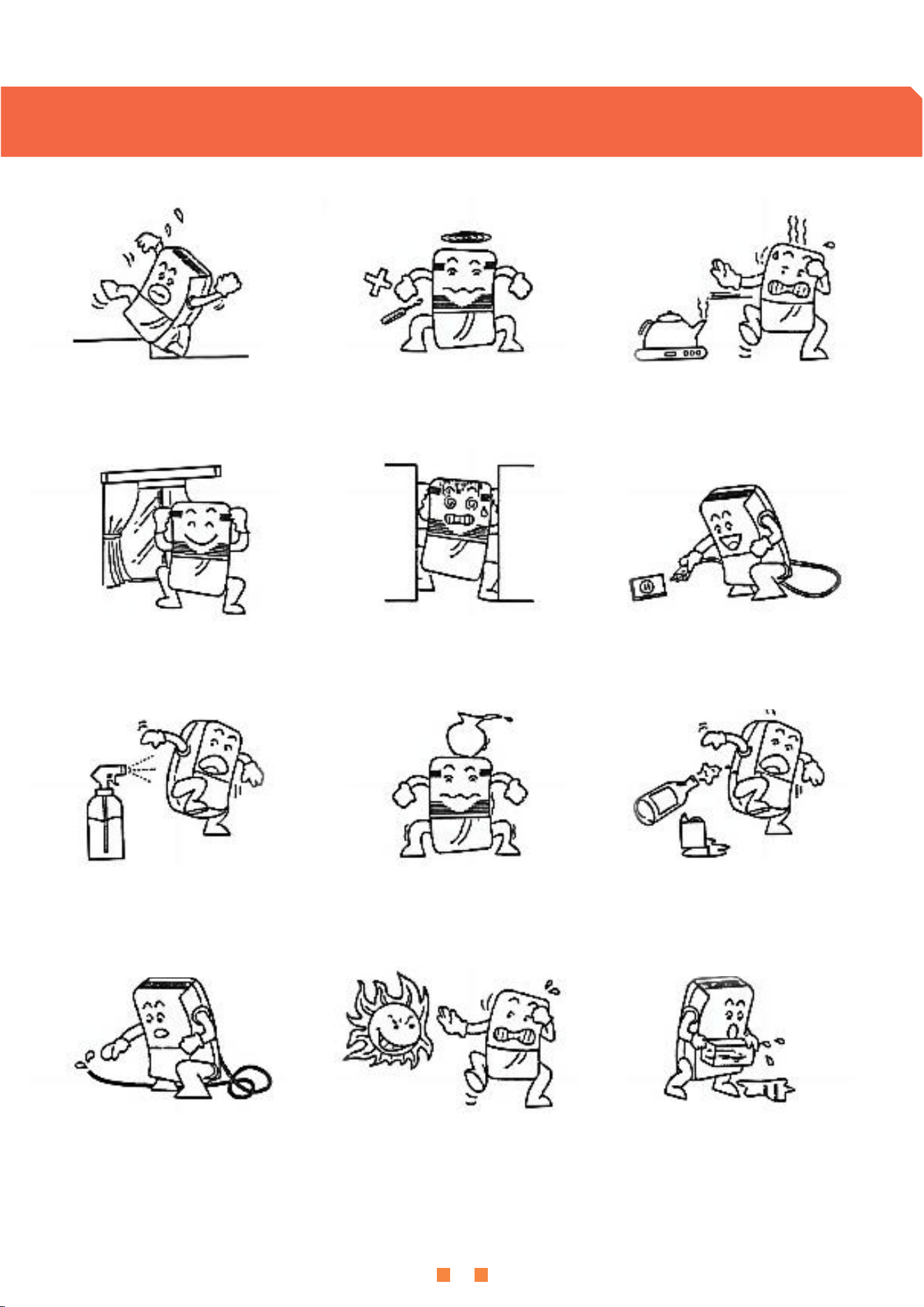
);9:53+8 9+8</)+
:KHQ XVLQJ GR QRW SODFH WKH
GHKXPLGLILHU RQ VRIW XQHYHQ JURXQG
WR DYRLG YLEUDWLRQ RU PRYHPHQW
'R QRW XVH WKLQ URGV RU KDUG
REMHFWV WR LQVHUW LQWR WKH IXVHODJH WR
DYRLG PDOIXQFWLRQ RU GDQJHU
:KHQ XVLQJ SOHDVH NHHS WKH
GHKXPLGLILHU DZD\ IURP KHDW VRXUFHV
VXFK DV KHDWHUV DQG HOHFWULF NHWWOHV
WR VDYH HOHFWULFLW\
'R QRW SODFH LWHPV EHIRUH DQG DIWHU WKH
GHKXPLGLILHU ,I WKH YHQWLODWLRQ LV EORFNHG
WKH GHKXPLGLILFDWLRQ HIIHFW ZLOO EH DIIHFWHG
:KHQ XVLQJ SOHDVH FORVH WKH
GRRUV DQG ZLQGRZV WR DFKLHYH WKH
EHVW GHKXPLGLILFDWLRQ HIIHFW
,Q FDVH RI SRZHU IDLOXUH RU
ORQJWHUP QRQXVH
SOHDVH XQSOXJ WKH SRZHU FRUG
:KHQ FOHDQLQJ WKH GHKXPLGLILHU JHQWO\
ZLSH LW ZLWK D GDPS FORWK GR QRW GLUHFWO\
VSUD\ ZDWHU WR FOHDQ LW
%HIRUH PRYLQJ RU FDUU\LQJ WKH
GHKXPLGLILHU SOHDVH SRXU RXW WKH
DFFXPXODWHG ZDWHU LQ WKH ZDWHU
WDQN
3OHDVH FOHDQ WKH ILOWHU HYHU\ WZR
ZHHNV GR QRW XVH KRW ZDWHU DERYH
)& DOFRKRO JDVROLQH RU
WROXHQH
$IWHU WKH ILOWHU LV FOHDQHG SOHDVH GR
QRW SODFH LW LQ GLUHFW VXQOLJKW WR GU\ LW
WR DYRLG GHIRUPDWLRQ
'R QRW SODFH DQ\ REMHFWV RQ WKH
GHKXPLGLILHU
'XULQJ FRQWLQXRXV GUDLQDJH WKH
GUDLQDJH SLSH PXVW EH SODFHG KRUL]RQWDOO\
RU GRZQZDUGV DQG PXVW QRW EH XQHYHQ
RU HQWDQJOHG

CUSTOMER SERVICE
12
APTOOK offers a limited 1-year free warranty on this OL-R190B dehumidifier,with original proof of
purchase(typically you maybe only requested to offer the order number or other information to
prove a genuine purchase,instead of an invoice) and where a defect has arisen, wholly or
substantially, as a result of faulty manufacture,parts or workmanship during the warranty period.
During the warranty period,for the damaged part, we will provide a replacement part if it can be
restored to normal use by replacing parts.
We will try our best to inspect the dehumidifier through photos or videos to troubleshoot and
ensure that we can better solve the problem for you.
These are our general terms for warranty service, but we always urge our customers to reach
out to us with any issue, regardless of warranty terms.
If you have an issue with a Lienuis product, please contact us at support@aptook.com,and we
will do our best to resolve it for you.
Email
support@aptook.com