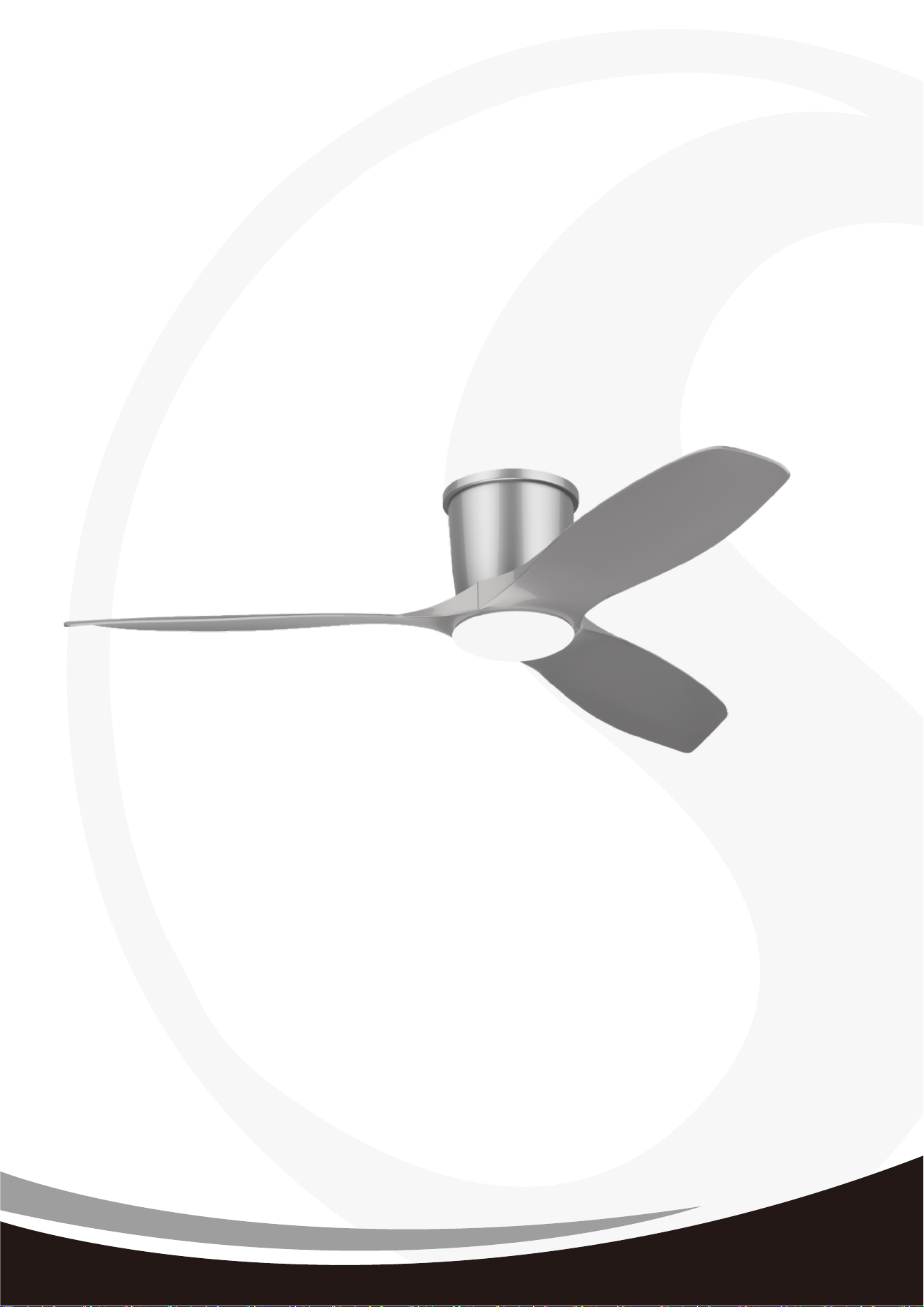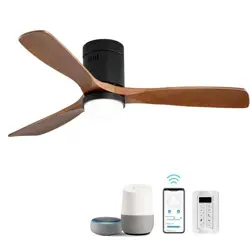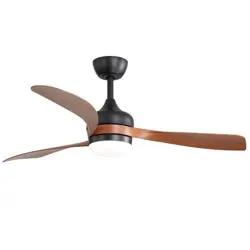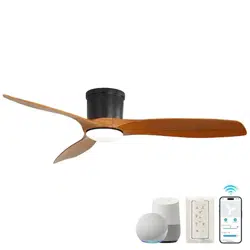
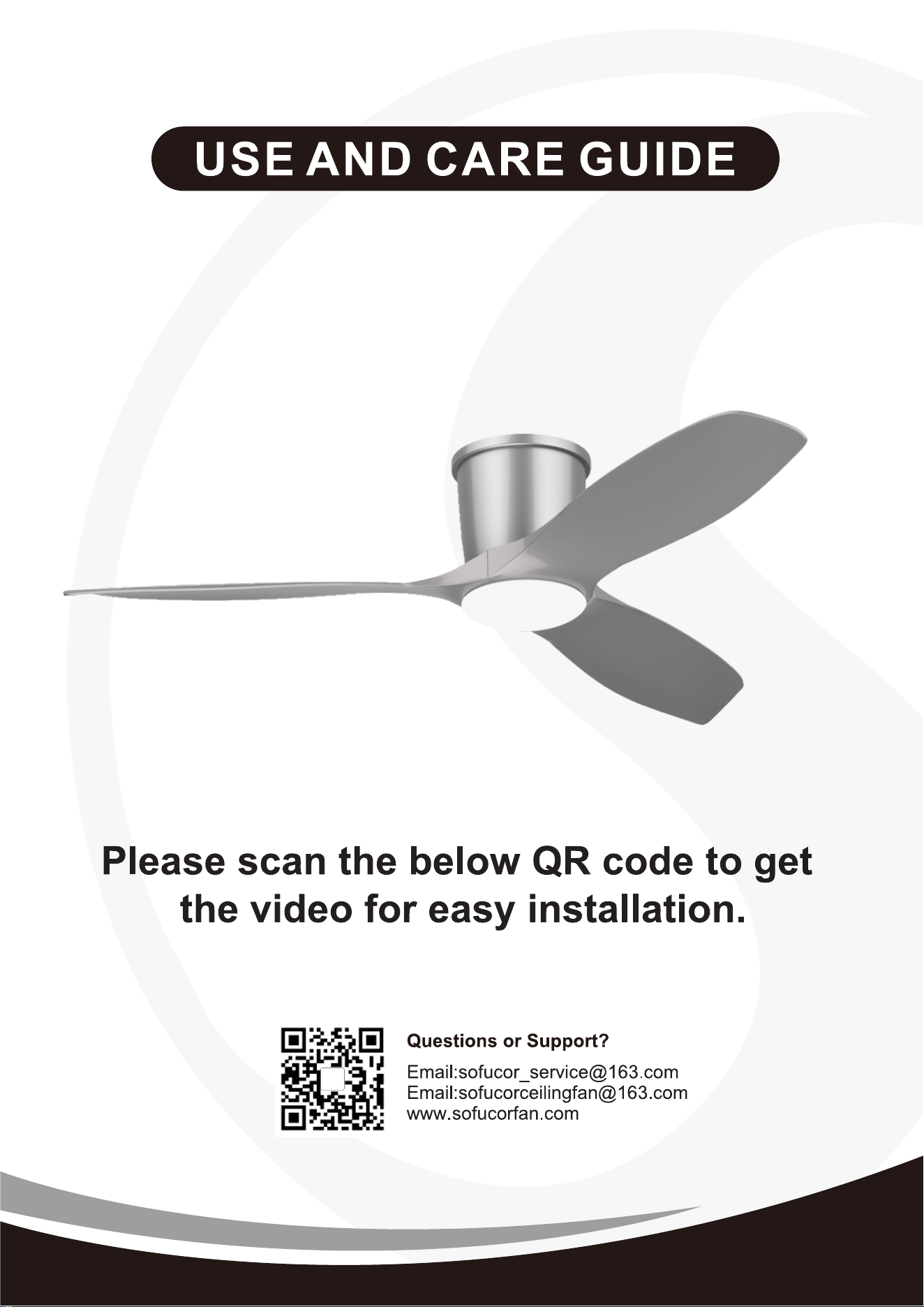
KBS-52K109SMTY
KBS-52K109
Installation
Video
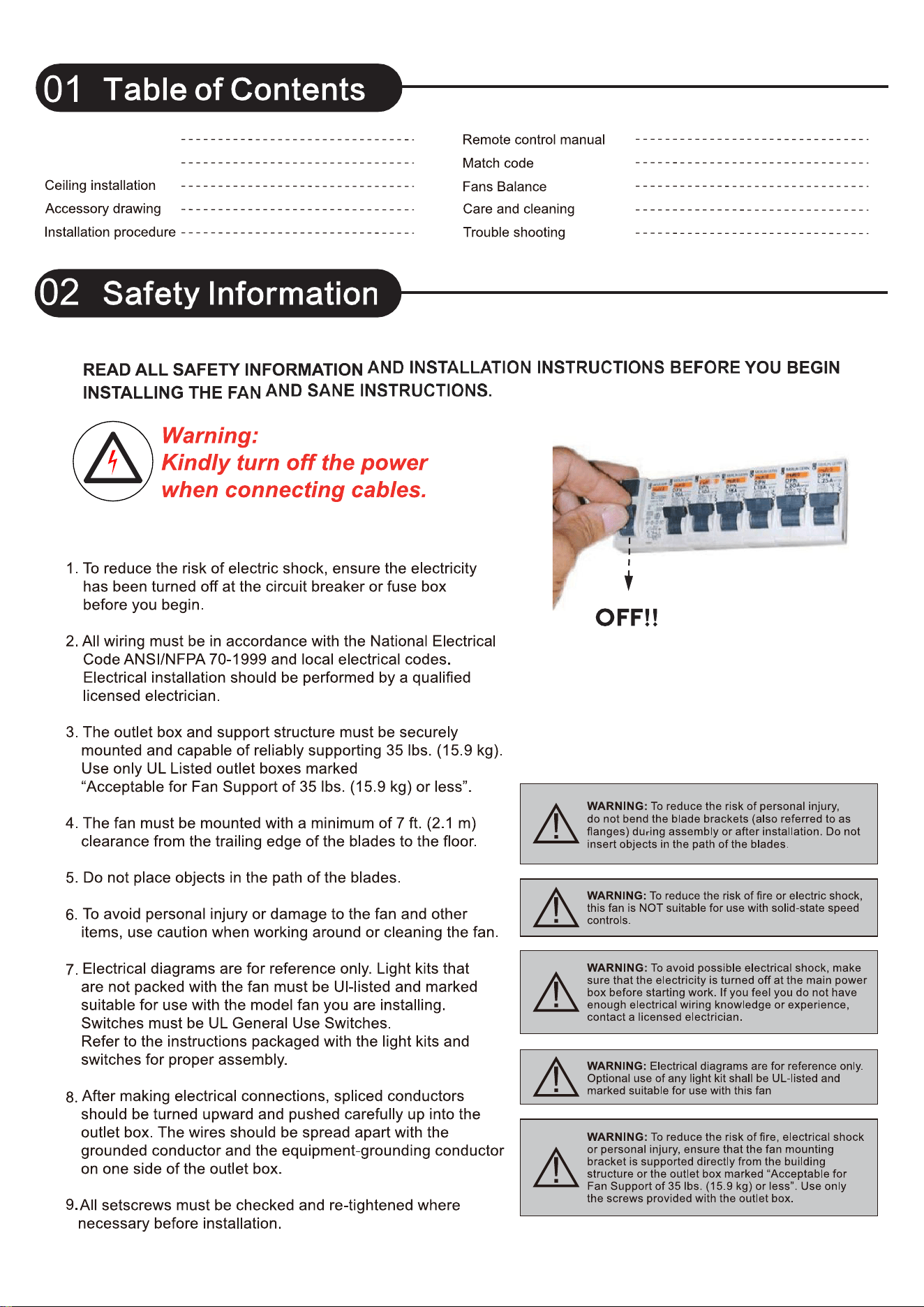
Safety Information 02
04
05
06
Warranty 03
07
09
10
11
08
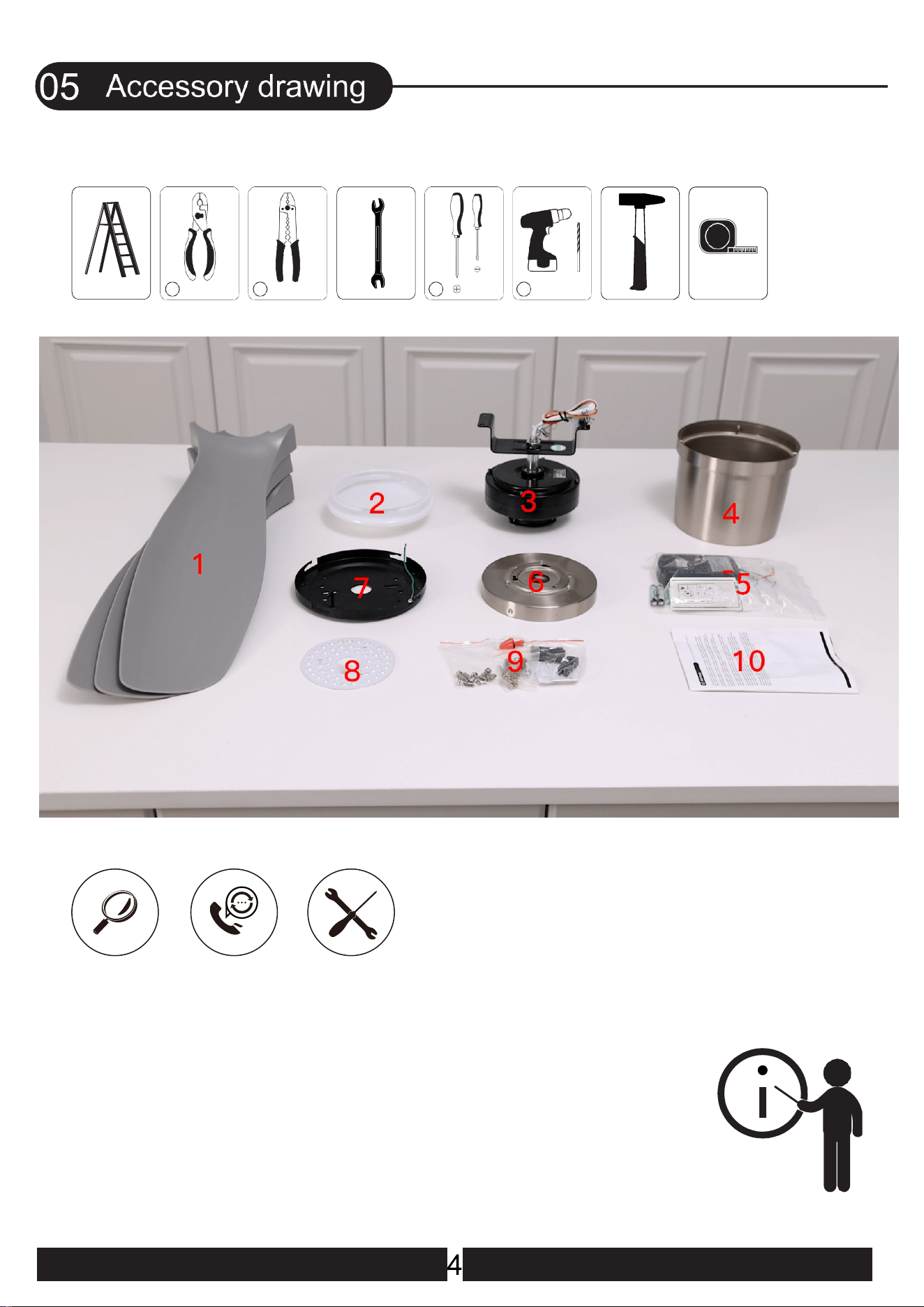
1
2
3
4
6
789
10
11
12
13
14
5
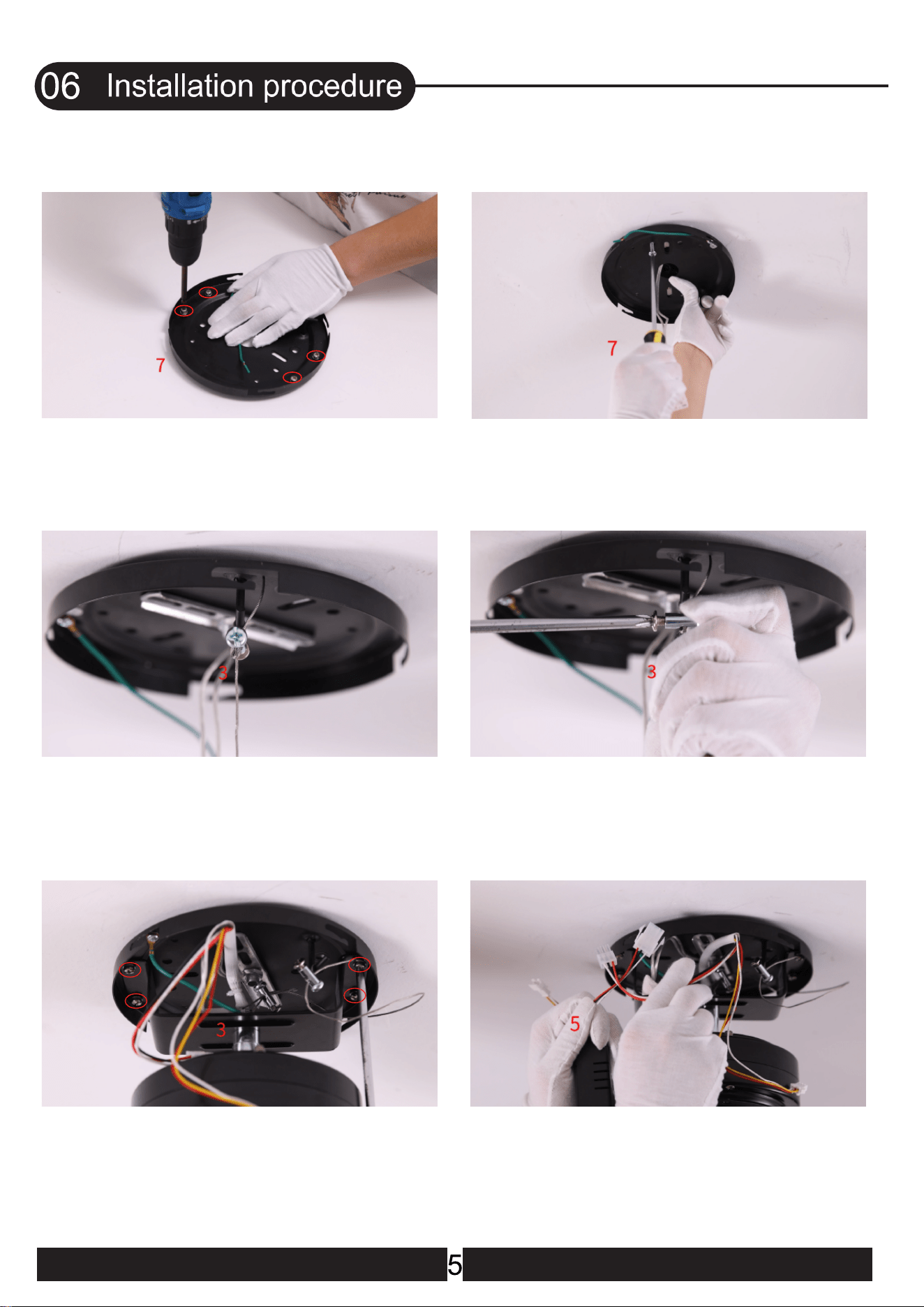
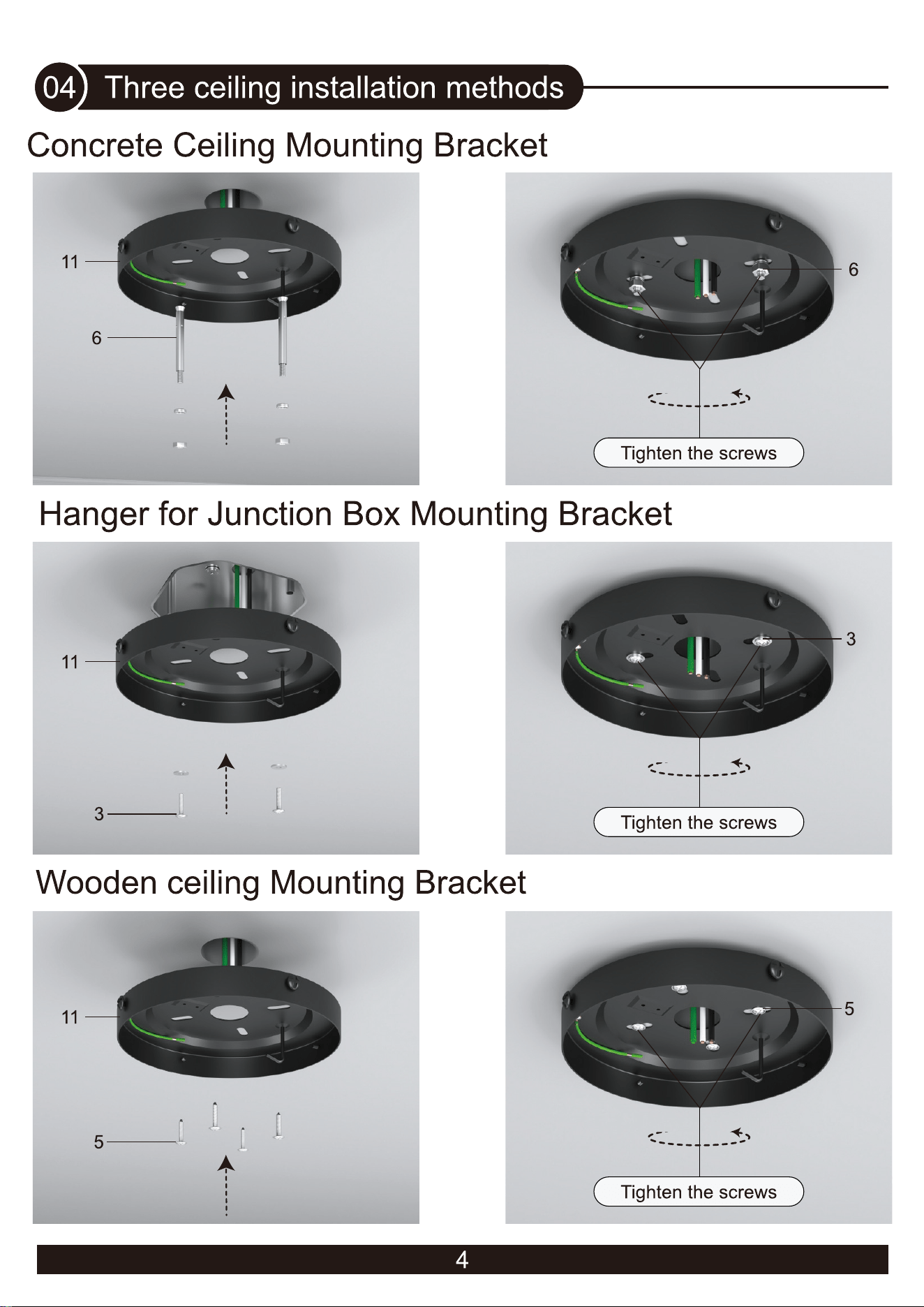
1.Remove the 4 screws on the mounting
bracket (They will be needed later)
2.Place the mounting bracket on the wood
ceiling and tighten the screws
4.Tighten the screw
5.Place the fan motor on the mounting
bracket and align the holes, and tighten
the screws
3.Hook the wire into the hook of the
mounting bracket.Tighten the rope
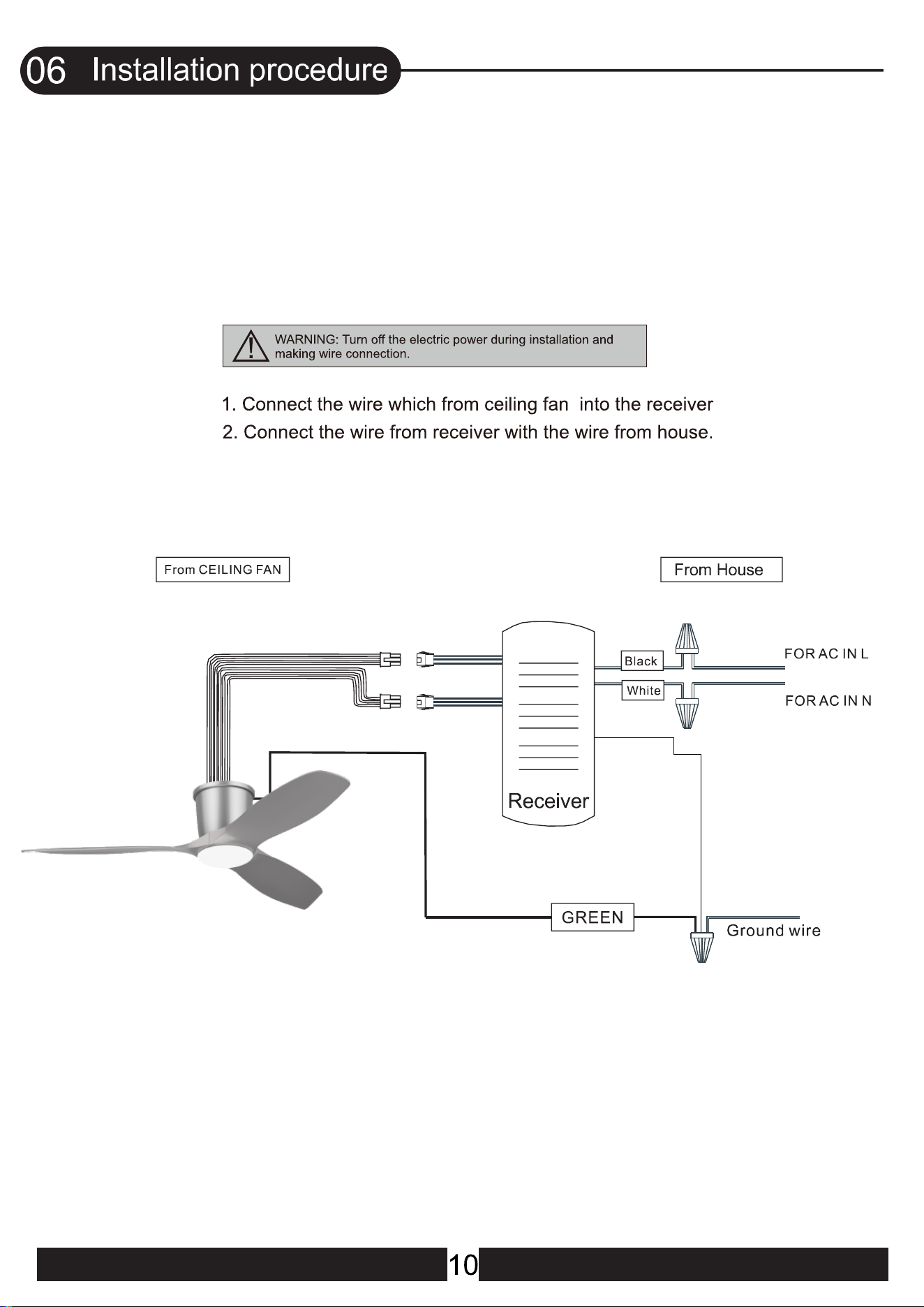
6.onnect the wire from the ceiling fan to the
receiver(Red,White and Black wires)
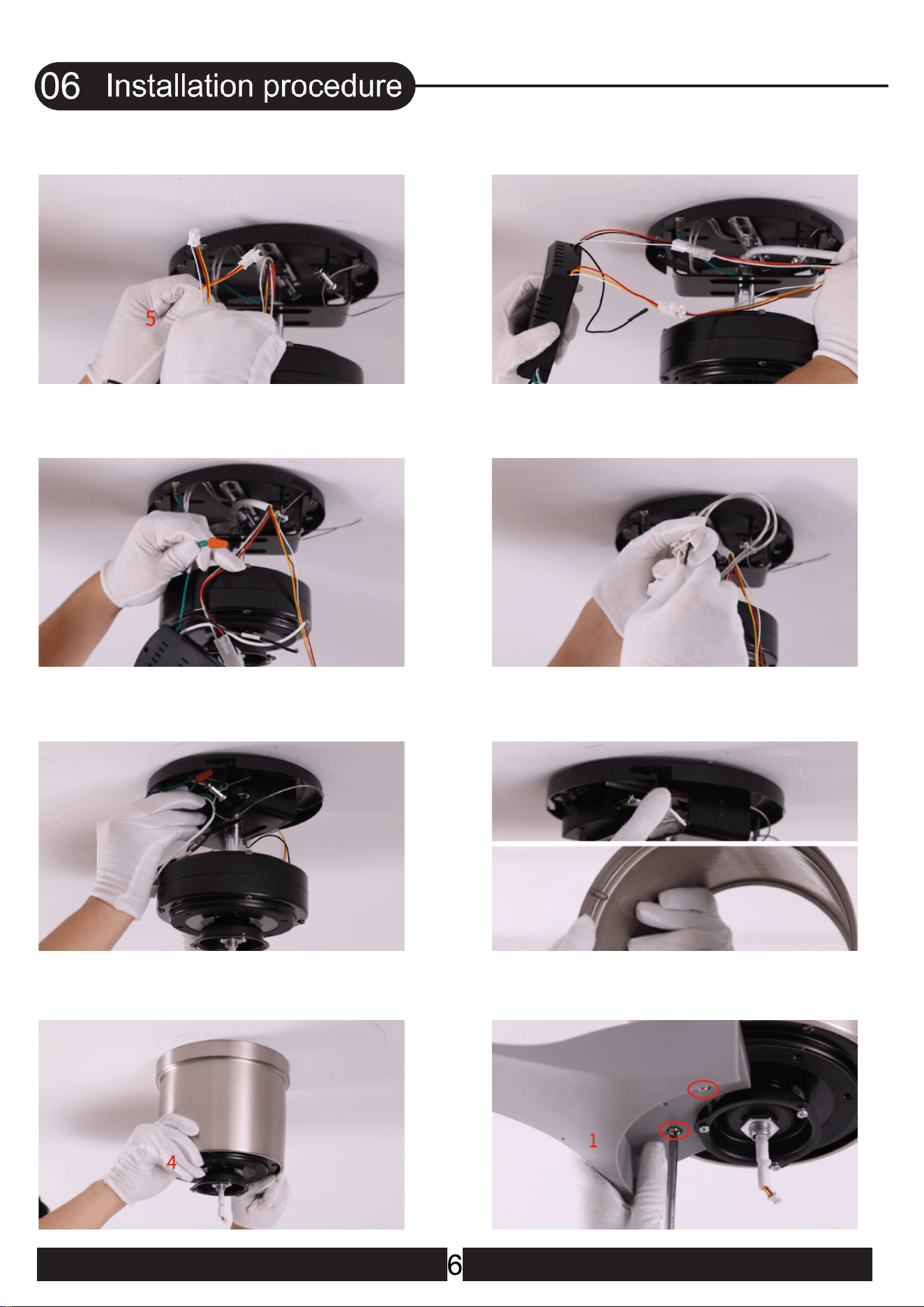
8.All wires are connected
10.Connect the fan live wire (black) to your
house live wire; Connect the fan neutral wire
(white) to your house neutral wire
12.Lift the canopy into place and wrap
keyhole slots around the screws and twist
clockwise till tight
11.Put the receiver into the mounting
bracket
9.Use wire connecting nuts to connect
the ground wires(Green)
7.Connect the wire from the ceiling fan to
the receiver(Red,Yellow and White wires)
14.Place one blade on the motor, align the
screw holes, and tighten the screws
13.
Lift the canopy into place and wrap
keyhole slots around the screws and twist
clockwise till tight
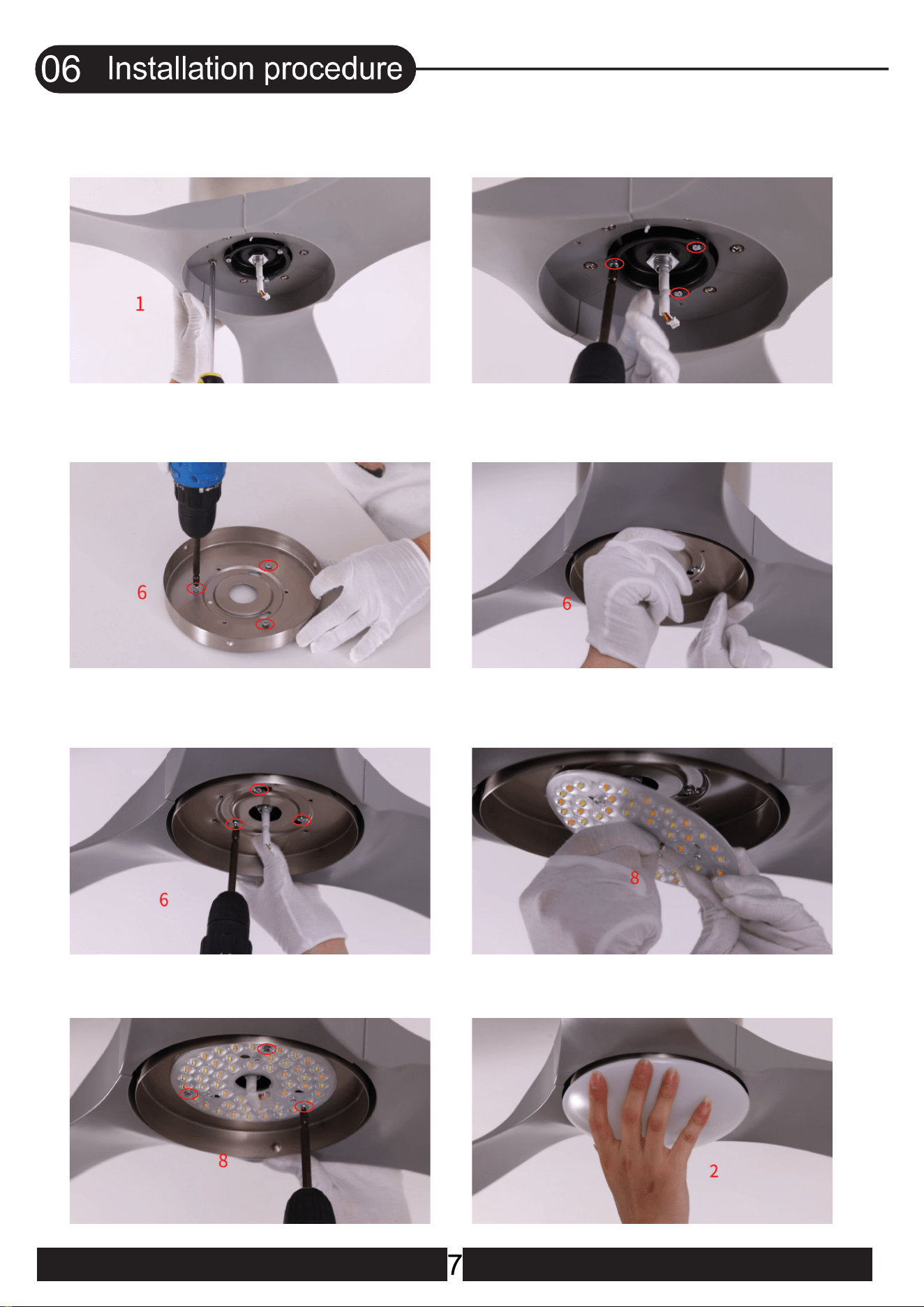
15.Place the other blades one by one
and tighten all the blade screws
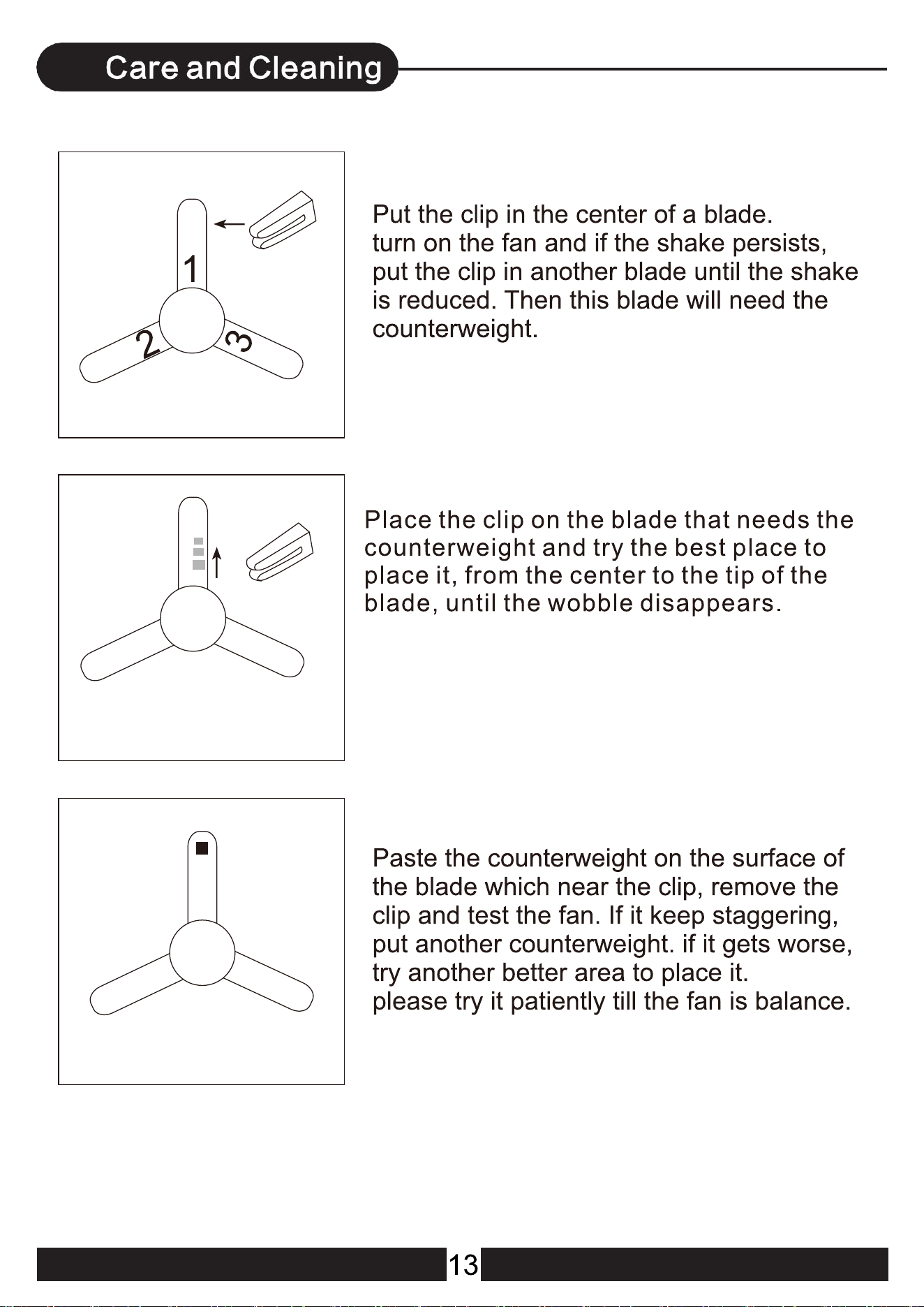
17.Remove the 3 screws on the lamp panel
19.Tighten the 3 silver screws
18.Lift the lamp panel into place and wrap
keyhole slots around the screws
21.Tighten the 3 lamp panel screws 22.Install the lamp shade and rotate it to
lock
20.Connect the light source with the
wires from the motor
16.Loosen and remove the 3 silver screws
pre-locked on the motor
(Do not remove them all)
When the reversible button is pressed, the fan slowly slows
down to a stop and then begins to reverse.
!
(FIG.3)
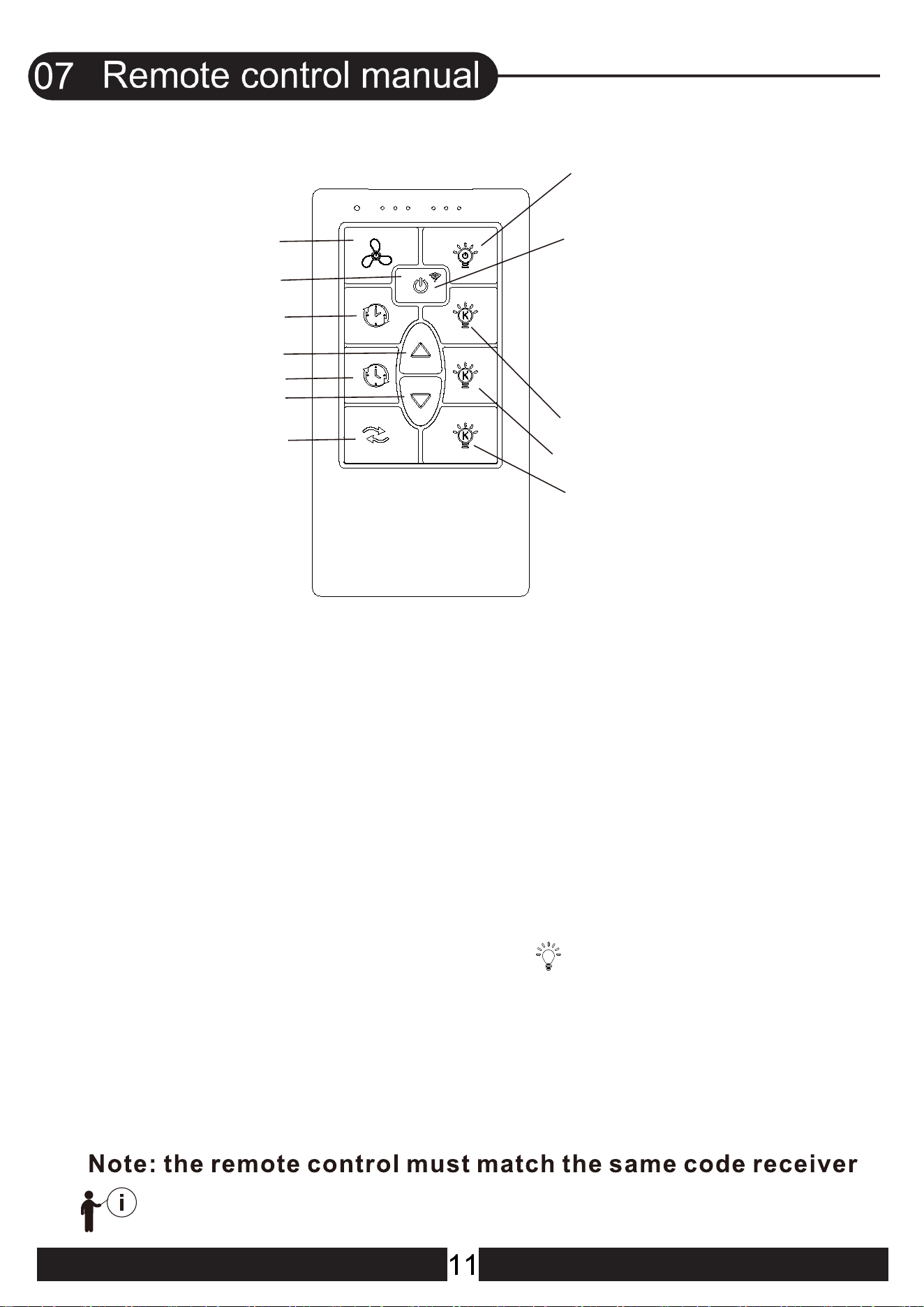
Light ON/OFF
-
FAN O
FF
+
Warm Light
White Light
Warm white Light
Fan Speed
Foward/Reverset
Fan Speed
Auto off after 2hr
Auto off after 4hr
POWER OFF
If you power on the fan for more
than 3 minutes, you will not be
able to search for the device.
At this time, you need to reset
your fan: Turn fan power off
and back on at the wall switch,
within 30 seconds, press
the"P OWE R " button for 5 seconds
to reset. lf the reset is successful,
the light flashes, Then add the
device again.
F ind The AP P F an Device:
N/
O
2.OPER ATING TRANSMITTE R:
A. Install
volt battery.
(To prevent damage to transmitter, remove the battery if
not used for a long time).
B. Store the transmitter away from excessive heat or
humidity.
C. Operating the buttons on the panel of the transmitter
(FIG.3)
D. K eep pressing the light button i n excess of
0.7 second and it becomes a dimmer.
AAA
1.5
2 PCS
8
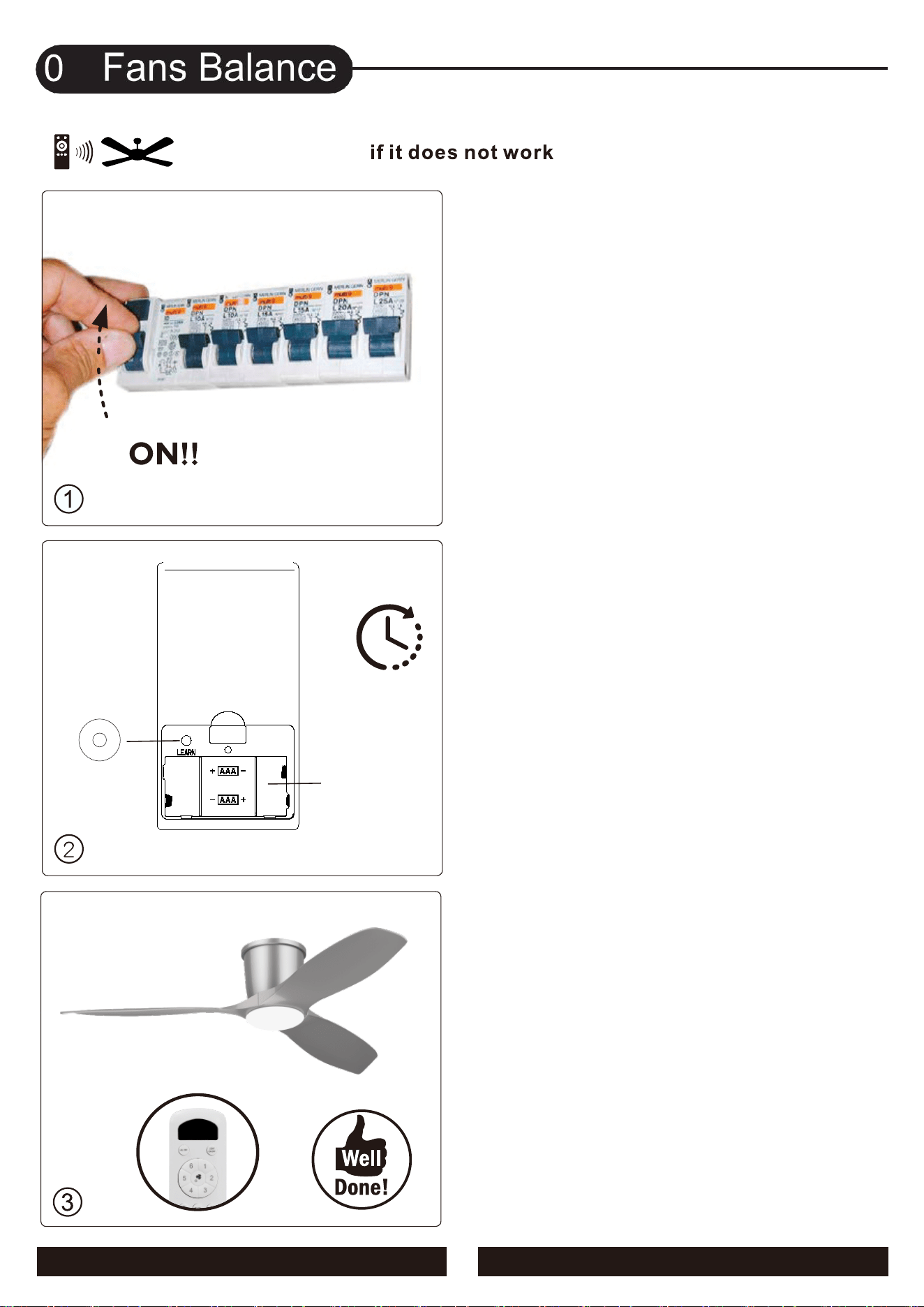
3.The pairing is successful when
the LE D light flashes
1.Turn on the main switch.
12
3s
(FIG.4)
LEARN
Battery:
AAA
1.5
V
2 PCS
2 . Setting the codes on the receiver:
The Learn Key must be pressed with in 5 seconds,
after pressing the Power button.
If not, please press the Power button to restart.
Keep pressing the button LEARN key in excess of 3 second
it becomes a LEARN status.
The receiver can remember the last codes status .
The ceiling fan light flash two times.
(FIG.4)
09
KBS-52K109
Installation
Video
15
16
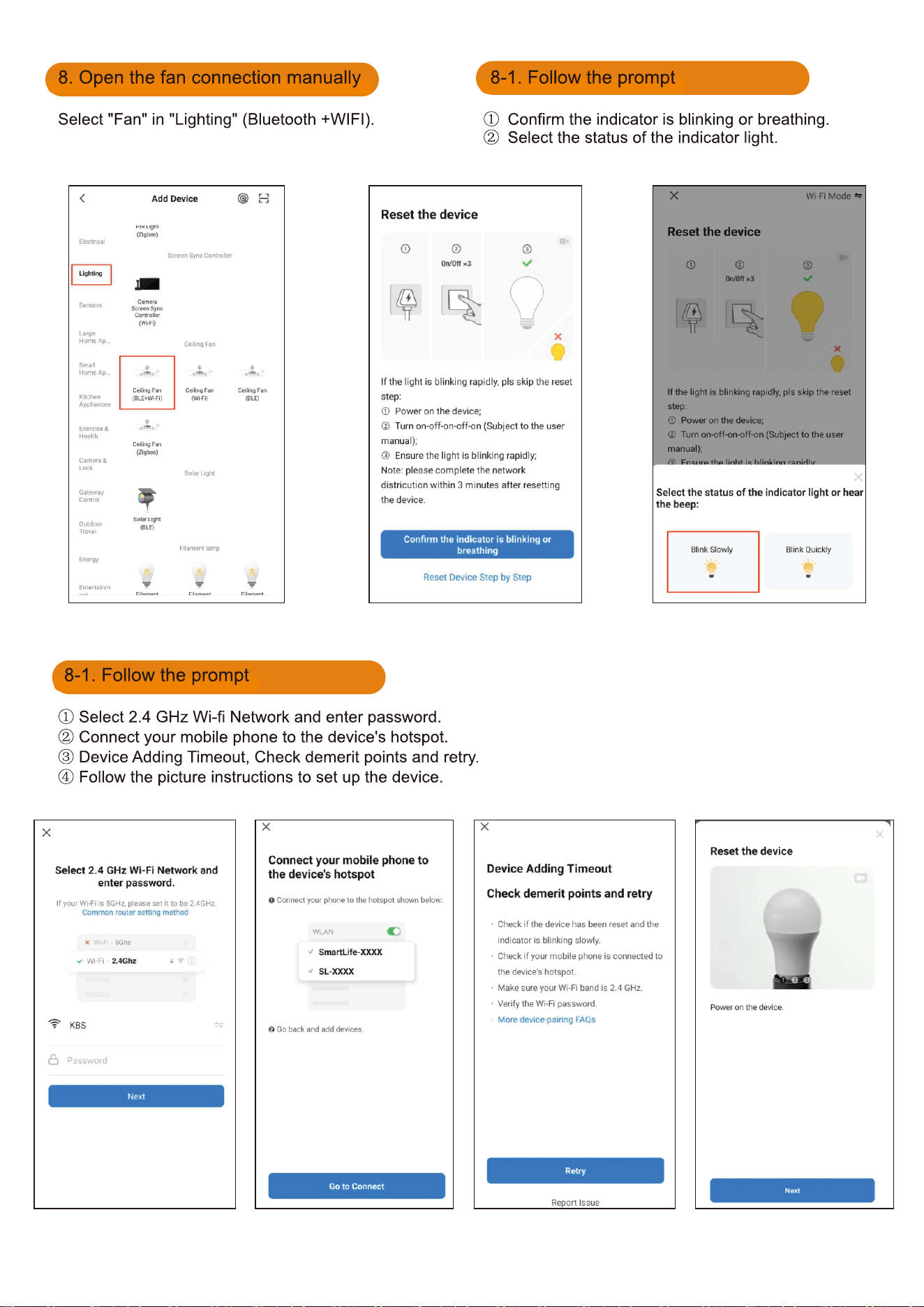
If you power on the fan for morethan 3 minutes,
you will not be able to search for the device.At this time,
you need to reset your fan:turn fan power Off and back on
at the wall switch,within 30 seconds,press the "POWER" button
for 5 seconds to reset.If the reset is successful,the light flashes,
then add the Device again.
17
18
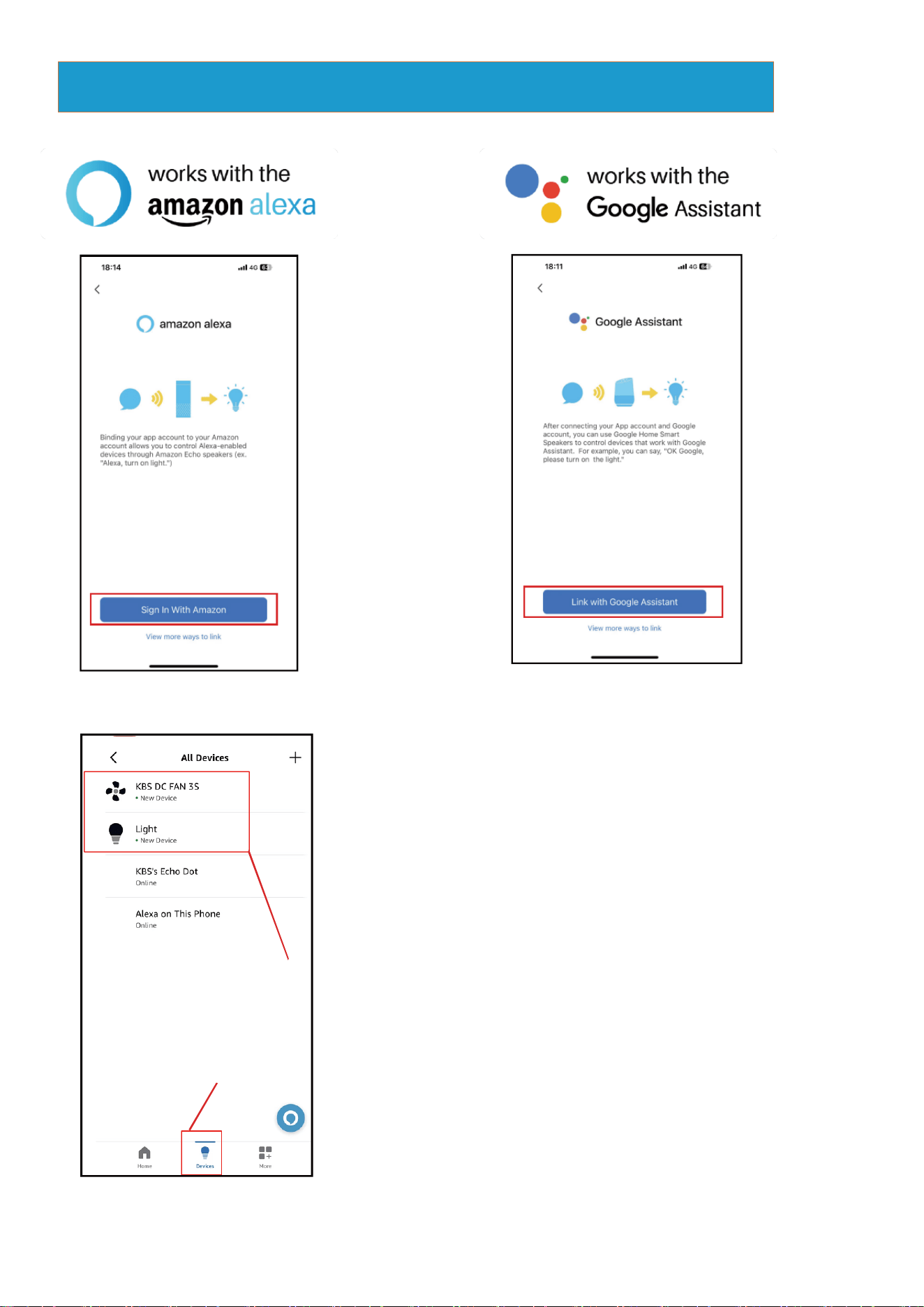
Fan and light must be
named separately.
Devices
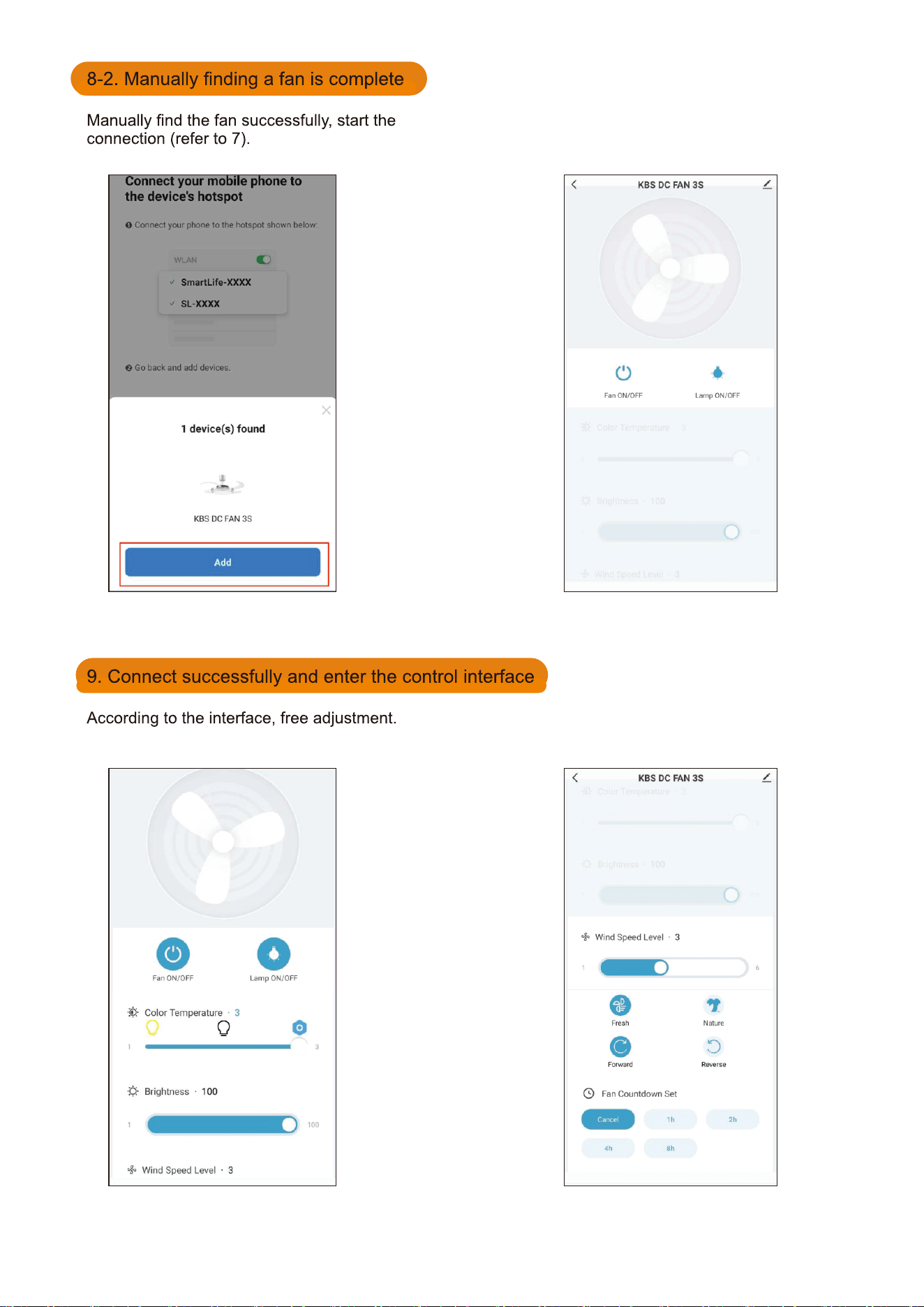
Link skill to the Amazon Echo or Google Assistant
In the App, change the name of the device to an easily identifiable
name such as b
e
droom light, b
ed
room fan.
Make sure your Amazon Echo device is powered on and connecting
to your home Wi-Fi network.
Common commands
△
Fan: <DEVICE NAME>
●
Alexa, tum on/off <DEVICE NAME>.
●
Alexa, what is the <DEVICE NAME> speed?
●
Alexa, set the <DEVICE NAME> speed to 1/2/3/4/5/6.
●
Alexa, setthe bedroom <DEVICE NAME> speed to max.
●
Alexa, turn up/decrease the bedroom <DEVICE NAME> speed
●
Alexa, set the <DEVICE NAME> to foward/reverse.
●
Alexa, is <DEVICE NAME> on on?
●
Alexa,set the mode on the <DEVICE NAME> to fresh/nature.
●
Alexa,set the count down on the <DEVICE NAME> to
cancel/1 hour/2 hour/4 hour/8 hour.
△
Light: <device name>
●
Alexa, tum on/off <device name>.
●
Alexa, set the <device name> to fifty percent.
●
Alexa, make the <device name> warm white/white/cool white.
●
Alexa, brighten/dim <device name>.
19