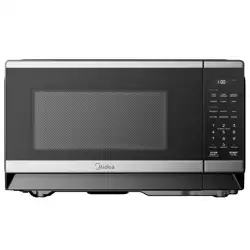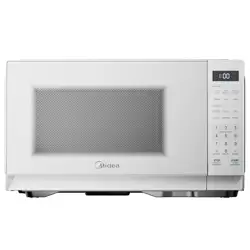
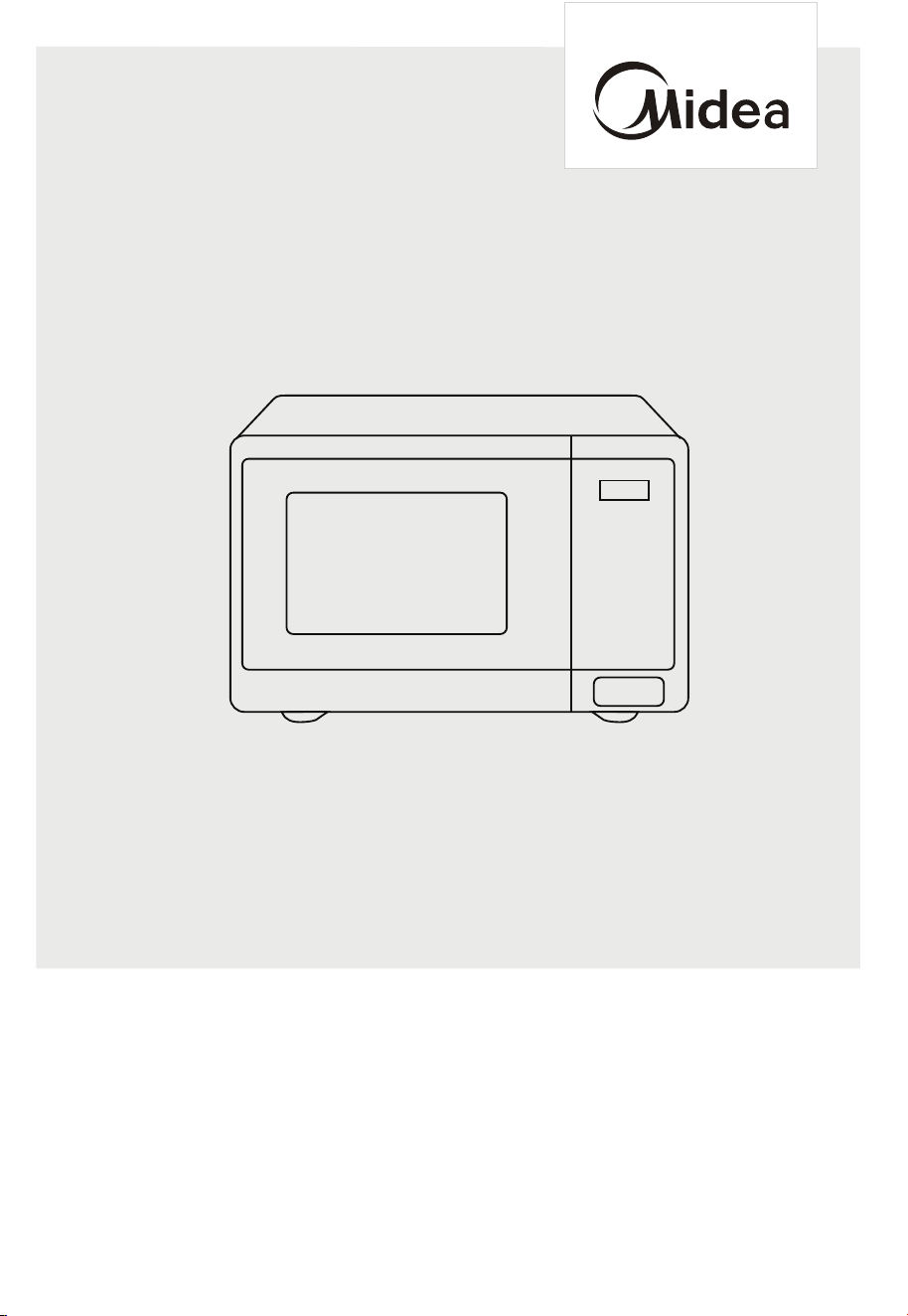
MICROWAVE OVEN
MMC07S2AWW/MMC07S2ABB
USER MANUAL
Warning notices: Before using this product, please read this manual carefully and keep it for future reference.
The design and specifications are subject to change without prior notice for product improvement. Consult
with your dealer or manufacturer for details.
The diagram above is just for reference. Please take the appearance of the actual product as the standard.

THANK YOU LETTER
Thank you for choosing Midea! Before using your new Midea product, please read
this manual thoroughly to ensure that you know how to operate the features and
CONTENTS
functions that your new appliance oers in a safe way.
THANK YOU LETTER
-------------------------------------------------- 02
SAFETY INSTRUCTIONS
----------------------------------------------03
SPECIFICATION
--------------------------------------------------------- 13
PRODUCT OVERVIEW
------------------------------------------------- 14
PRODUCT INSTALLATION
------------------------------------------- 16
OPERATION
TROUBLE SHOOTING
------------------------------------------------
26
------------------------------------------------
17
19
-----------------------------------------------------
-------------------------------------------------------- 19
------------------------------------------------------- 20
--------------------------------------------------------- 20
23
24
----------------------------------------------------------
Operation (Control Panel)
3. Microwave Cooking
4. Speedy Cooking
5. Defrost by Weight
6. Defrost by Time
10. Safety Lock
12. ECO Function
--------------------------------------------------------------
18
-----------------------------------------------------
----------------------------------------------- 18
1. Setting the Clock
2. Setting the Kitchen Timer
--------------------------------------------------- 20
---------------------------------------------------------------- 21
7 . Multi-Stage Cooking
8. Auto Menu
--------------------------------------------------- 22
-------------------------------------------------------------- 24
9. Memory Function
13. Mute mode
----------------------------------------------------- 25
14. Inquiring Function
24
11. Lock Function for Children
--------------------------------------------
02
T
RADEMARKS, COPYRIGHTS AND LEGAL STATEMENT
DISPOSAL AND RECYCLING
DATA PROTECTION NOTICE
1 YEAR LIMITED WARRANTY
30
----------------------------------------
29
----------------------------------------
28
-----
27
----------------------------------------
03
Danger
This symbol indicates that there are dangers to the life and health of
persons due to extremely flammable gas.
Warning of electrical voltage
This symbol indicates that there is a danger to life and health of
persons due to voltage.
Warning
The signal word indicates a hazard with a medium level of risk which, if
not avoided, may result in death or serious injury.
Caution
The signal word indicates a hazard with a low degree of risk which, if
not avoided, may result in minor or moderate injury.
Attention
The signal word indicates important information (e.g. damage to
property), but not danger.
Observe instructions
This symbol indicates that a service technician should only operate and
maintain this appliance in accordance with the operating instructions.
Intended Use
SAFETY INSTRUCTIONS
Read these operating instructions carefully and attentively before using/commissioning the
unit and keep them in the immediate vicinity of the installation site or unit for later use!
The following safety guidelines are intended to prevent unforeseen risks or damage from
unsafe or incorrect operation of the appliance. Please check the packaging and appliance
on arrival to make sure everything is intact to ensure safe operation. If you find any
damage, please contact the retailer or dealer. Please note modifications or alterations to
the appliance are not allowed for your safety concern. Unintended use may cause
hazards and loss of warranty claims.
Explanation of Symbols

04
a. Do not attempt to operate this oven with the door
open since open door operation can result in harmful
exposure to microwave energy.
It is important not to defeat or tamper with the safety
interlocks.
b. Do not place any object between the oven front face
and the door or allow soil or cleaner residue to
accumulate on sealing surfaces.
c. Do not operate the oven if it is damaged. It is
particularly important that the oven door closes
properly and that there is no damage to the:
- DOOR (bent)
- HINGES AND LATCHES (broken or loosened)
- DOOR SEALS AND SEALING SURFACES
d. The oven should not be adjusted or repaired by
anyone except properly qualified service personnel.
PRECAUTIONS TO AVOID
POSSIBLE EXPOSURE TO
EXCESSIVE
MICROWAVE
ENERGY

05
IIMPORTANT SAFETY
INSTRUCTIONS
When using electrical appliances basic safety
precautions should be followed, including the following:
WARNING
Read all instructions before using the appliance.
Read and follow the specific: "PRECAUTIONS TO
AVOID POSSIBLE EXPOSURE TO EXCESSIVE
MICROWAVE ENERGY" found on page 4.
This appliance must be grounded. Connect only to
properly grounded outlet. See "GROUNDING
INSTRUCTIONS" found on page 8.
Install or locate this appliance only in accordance with
the provided installation instructions.
Some products such as whole eggs and sealed con-
tainers - for example, closed glass jars - are able to
explode and should not be heated in this oven.
Use this appliance only for its intended use as
described in the manual. Do not use corrosive chemi-
cals or vapors in this appliance. This type of oven is
specifically designed to heat, cook or dry food. It is
not designed for industrial or laboratory use.
HOT CONTENTS CAN CAUSE SEVERE BURNS. DO
NOT ALLOW CHILDREN TO USE THE MICROWAVE.
Use caution when removing hot items.
Do not operate this appliance if it has a damaged
cord or plug, if it is not working properly, or if it has
been damaged or dropped.
•
•
•
•
•
•
•
•
To reduce the risk of burns, electric shock, fire, injury to
persons or exposure to excessive microwave energy:

06
• This appliance should be serviced only by qualified
service personnel. Contact nearest authorized service
facility for examination, repair, or adjustment.
Do not cover or block any openings on the appliance.
Do not store this appliance outdoors. Do not use this
product near water - for example, near a kitchen sink,
in a wet basement, near a swimming pool, or similar
location.
Do not immerse cord or plug in water.
Keep cord away from heated surface.
Do not let cord hang over edge of table or counter.
When cleaning surfaces of door and oven that comes
together on closing the door, use only mild, nonabra-
sive soaps, or detergent applied with a sponge or
soft cloth.
To reduce the risk of fire in the oven cavity:
1). Do not overcook food. Carefully attend
appliance when paper, plastic, or other combustible
materials are placed inside the oven to facilitate
cooking.
2). Remove wire twist-ties from paper or plastic bag
before placing bag in oven.
3). If material inside of the oven ignite, keep oven
door closed, turn oven o, and disconnect the power
cord, or shut o power at the fuse or circuit breaker
panel.
4). Do not use the cavity for storage purposes. Do
not leave paper products, cooking utensils, or food in
the cavity when not in use.
Liquids, such as water, coee, or tea are able to be
overheated beyond the boiling point without appear-
ing to be boiling. Visible bubbling or boiling when the
container is removed from the microwave oven is not
always present.
•
•
•
•
•
•
•
•

•
THIS COULD RESULT IN VERY HOT LIQUID SUD-
DENLY BOILING OVER WHEN THE CONTAINER IS
DISTURBED OR A UTENSIL IS INSERTED INTO THE
LIQUID.
To reduce the risk of injury to persons:
1) Do not overheat the liquid.
2) Stir the liquid both before and halfway through
heating it.
3) Do not use straight-sided containers with narrow
necks.
4) After heating, allow the container to stand in the
microwave oven for a short time before removing
the container.
5) Use extreme care when inserting a spoon or other
utensil into the container.
07
SAVE THESE INSTRUCTIONS
08
GROUNDING INSTALLATION
WARNING
DANGER
Electric Shock Hazard:
Touching some of the internal components can cause
serious personal injury or death. Do not disassemble this
appliance.
Improper use of the grounding can result in a risk of
electric shock.
Consult a qualified electrician or serviceman if the
grounding instructions are not completely understood,
or if doubt exists as to whether the appliance is
properly grounded. If it is necessary to use an extension
cord, use only a 3-wire extension cord that has a
3-blade grounded plug, and 3-slot receptacle that will
accept the plug on the appliance. The marked rating of
the extension cord shall be equal to or greater than the
electrical rating of the appliance.
This appliance must be grounded. In the event of an
electrical short circuit, grounding reduces the risk of
electric shock by providing an escape wire for the
electric current. This appliance is equipped with a
cord having a grounding wire with a grounding plug.
The plug must be plugged into an outlet that is
properly installed and grounded.
WARNING
Electric Shock Hazard
Improper use of the grounding can result in electric
shock. Do not plug into an outlet until appliance is
properly installed and grounded.

09
A short power-supply cord is provided to reduce the
risks resulting from becoming entangled in or tripping
over a longer cord.
Longer cord sets or extension cords are available and
may be used if care is exercised in their use.
If a long cord or extension cord is used:
1) The marked electrical rating of the cord set or
extension cord should be at least as great as the
electrical rating of the appliance.
2) The extension cord must be a grounding-type
3-wire cord.
3) The longer cord should be arranged so that it will not
drape over the counter top or tabletop where it can
be pulled on by children or tripped over
unintentionally.

•
•
•
RADIO INTERFERENCE
10
Operation of the microwave oven may cause interference
to your radio, TV or similar equipment.
When there is interference, it may be reduced or
eliminated by taking the following measures:
1) Clean door and sealing surface of the oven
2) Reorient the receiving antenna of radio or television.
3) Relocate the microwave oven with respect to
the receiver.
4) Move the microwave oven away from the receiver.
5) Plug the microwave oven into a dierent outlet so
that microwave oven and receiver are on dierent
branch circuits.
This equipment generates, uses and can radiate radio
frequency energy and, if not installed and used in
accordance with the instructions, may cause harmful
interference to radio communications. However, there
is no guarantee that interference will not occur in a
particular installation. If this equipment does cause
harmful interference to radio or television reception,
which can be determined by turning the equipment
o and on, the user is encouraged to try to correct
the interference by one or more of the following
measures:
—Reorient or relocate the receiving antenna.
—Increase the separation between the equipment
and receiver.
—Connect the equipment into an outlet on a circuit
dierent from that to which the receiver is connected.
—Consult the dealer or an experienced radio/TV
technician for help.)
This device complies with part 18 of the FCC Rules.

This appliance should be serviced only by qualified
service personnel. Contact nearest authorized service
facility for examination, repair, or adjustment.
Do not cover or block any openings on the appliance.
Do not store this appliance outdoors. Do not use this
product near water - for example, near a kitchen sink,
in a wet basement, near a swimming pool, or similar
location.
Do not immerse cord or plug in water.
Keep cord away from heated surface.
Do not let cord hang over edge of table or counter.
When cleaning surfaces of door and oven that comes
together on closing the door, use only mild, nonabra-
sive soaps, or detergent applied with a sponge or
soft cloth.
To reduce the risk of fire in the oven cavity:
1). Do not overcook food. Carefully attend
appliance when paper, plastic, or other combustible
materials are placed inside the oven to facilitate
cooking.
2). Remove wire twist-ties from paper or plastic bag
before placing bag in oven.
3). If material inside of the oven ignite, keep oven
door closed, turn oven o, and disconnect the power
cord, or shut o power at the fuse or circuit breaker
panel.
4). Do not use the cavity for storage purposes. Do
not leave paper products, cooking utensils, or food in
the cavity when not in use.
Liquids, such as water, coee, or tea are able to be
overheated beyond the boiling point without appear-
ing to be boiling. Visible bubbling or boiling when the
container is removed from the microwave oven is not
always present.
11
UTENSILS
CAUTION
Personal Injury Hazard:
Tightly-closed utensils could explode. Closed containers
should be opened and plastic pouches should be pierced
before cooking.
See the instructions on "Materials you can use in
microwave oven or to be avoided in microwave oven."
There may be certain non-metallic utensils that are not
safe to use for microwaving. If in doubt, you can test the
utensil in question following the procedure below.
Utensil Test:
• Fill a microwave-safe container with 1 cup of cold
water (250ml) along with the utensil in question.
• Cook on maximum power for 1 minute.
• Carefully feel the utensil. If the empty utensil is warm,
do not use it for microwave cooking.
• Do not exceed 1 minute cooking time.
12
Materials you can use in microwave oven
Utensils Remarks
Browning dish
Follow manufacturer’s instructions. The bottom of browning
dish must be at least 3/16 inch (5mm) above the turntable.
Incorrect usage may cause the turntable to break.
Dinnerware
Microwave-safe only. Follow manufacturer's instructions. Do
not use cracked or chipped dishes.
Glass jars
Always remove lid. Use only to heat food until just warm.
Most glass jars are not heat resistant and may break.
Glassware
Heat-resistant oven glassware only. Make sure there is no
metallic trim. Do not use cracked or chipped dishes.
Oven cooking bags
Follow manufacturer’s instructions. Do not close with metal
tie. Make slits to allow steam to escape.
Paper plates and cups
Use for short–term cooking/warming only. Do not leave
oven unattended while cooking.
Paper towels
Use to cover food for reheating and absorbing fat. Use with
supervision for a short-term cooking only.
Parchment paper
Use as a cover to prevent splattering or a wrap for
steaming.
Plastic
Microwave-safe only. Follow the manufacturer’s instructions.
Should be labeled "Microwave Safe". Some plastic
containers soften, as the food inside gets hot. "Boiling
bags" and tightly closed plastic bags should be slit, pierced
or vented as directed by package.
Plastic wrap
Microwave-safe only. Use to cover food during c
ooking to
retain moisture. Do not allow plastic wrap to touch food.
Thermometers Microwave-safe only (meat and candy thermometers).
Wax paper Use as a cover to prevent splattering and retain moisture.
Materials to be avoided in microwave oven
Utensils Remarks
Aluminum tray May cause arcing. Transfer food into microwave-safe dish.
Food carton with metal
handle
May cause arcing. Transfer food into microwave-safe dish.
Metal or metal-trimmed
utensils
Metal shields the food from microwave energy. Metal trim
may cause arcing.
Metal twist ties May cause arcing and could cause a fire in the oven.
Paper bags May cause a fire in the oven.
Plastic foam
Plastic foam may melt or contaminate the liquid inside
when exposed to high temperature.
Wood
Wood will dry out when used in the microwave oven and
may split or crack.

13
SPECIFICATION
Model
MMC07S2AWW/MMC07S2ABB
120VAC 60Hz
Rated Input(Microwave) 1050 W
Rated Output(Microwave) 700 W
Power Supply
14
PRODUCT OVERVIEW
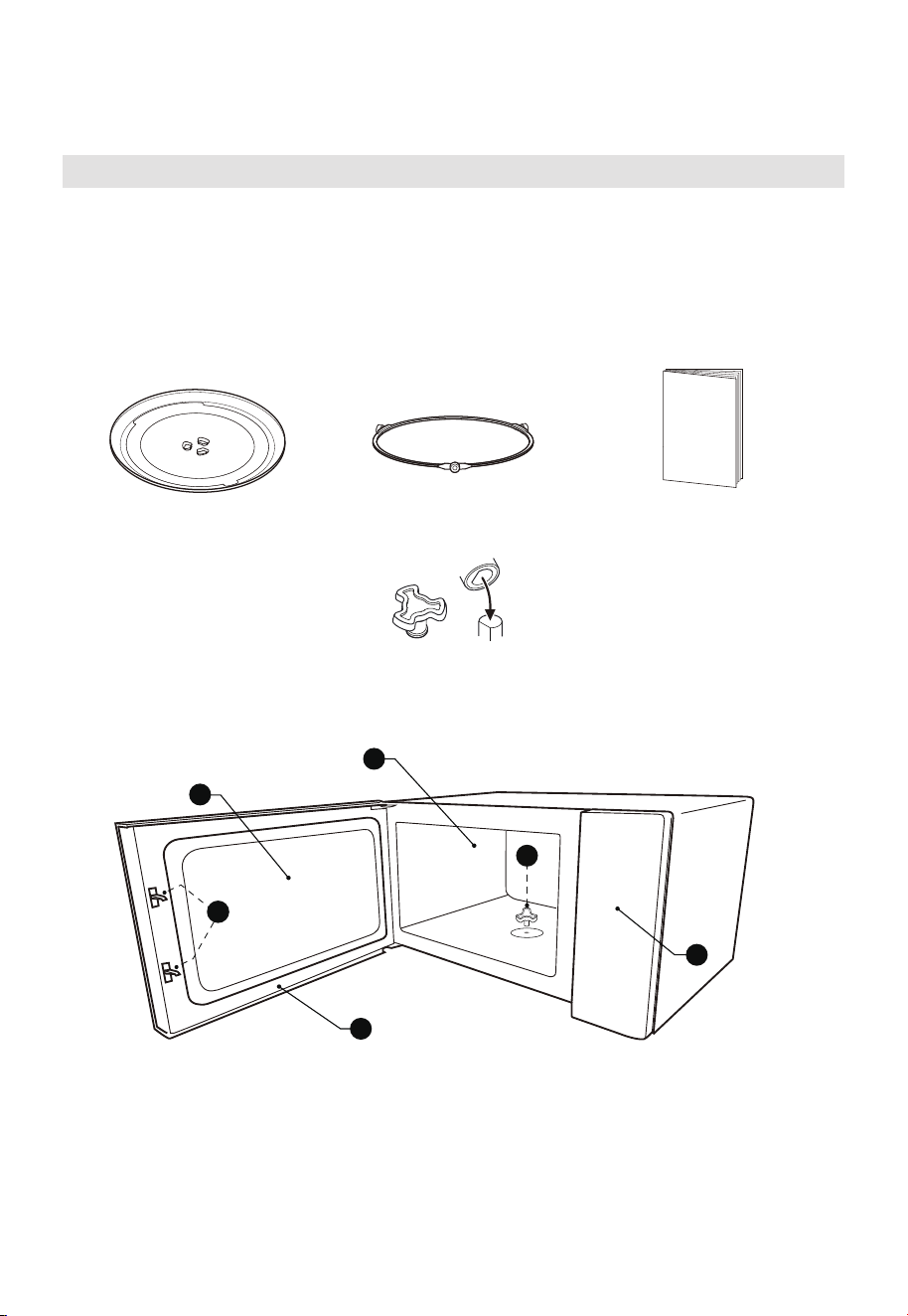
Names of Oven Parts and Accessories
In case of any dierences between the appliance and the pictures in this manual,
the product shall prevail.
Remove the oven and all materials from the carton and oven cavity.
Your oven comes with the following accessories:
A) Safety interlock system
B) Observation window
C) Door assembly
D) Oven cavity
E) Turntable shaft
F) Control panel
F
B
D
C
A
Glass Tray Turntable Ring Assembly Instruction Manual
Turntable Shaft
(you should secure the
glass tray during driving)
E
15
PRODUCT OVERVIEW
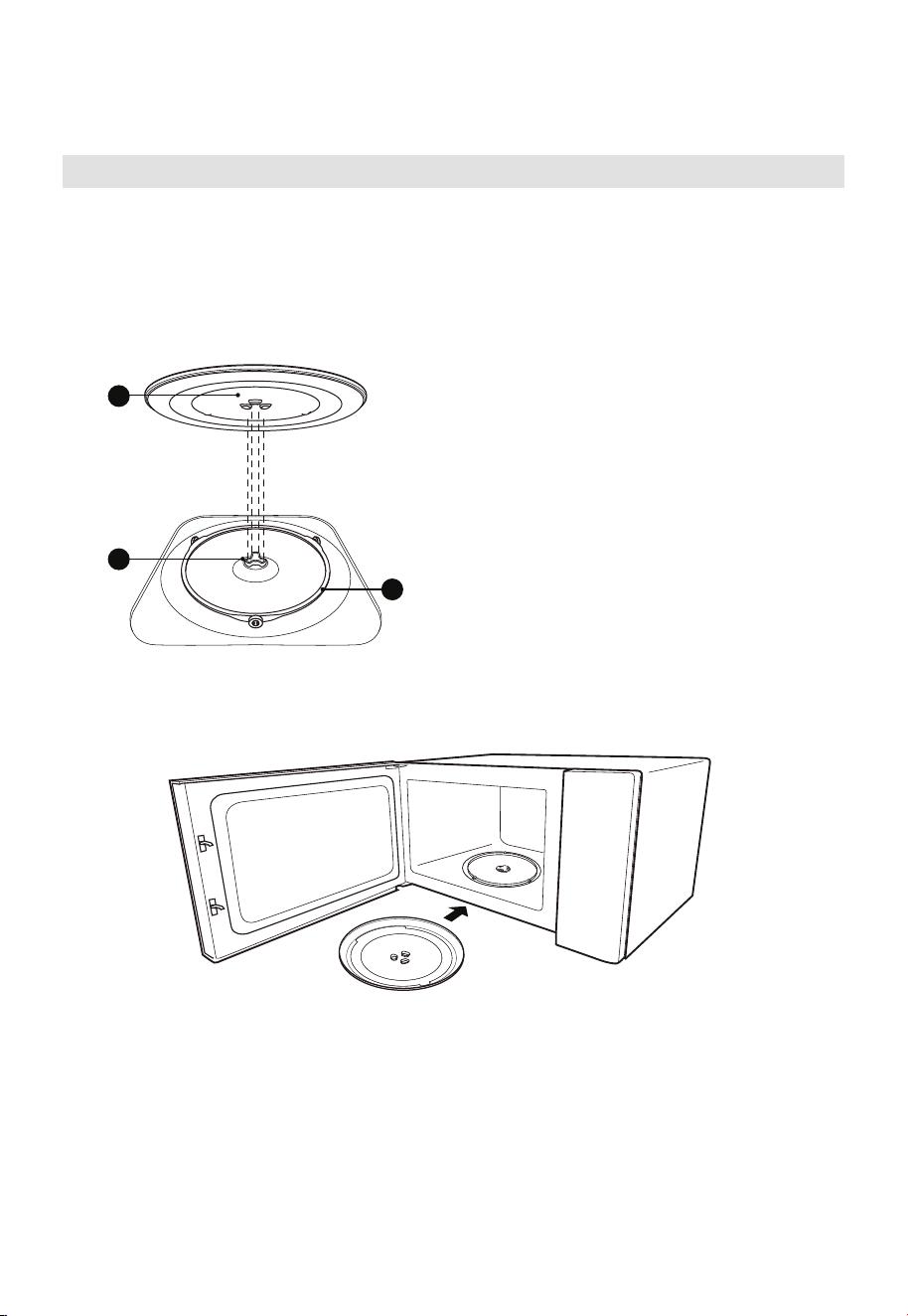
TURNTABLE INSTALLATION
Cleaning the cooking compartment and putting the turntable in place.
For new installations, make sure all packaging and shipping tape has been removed from
the turntable shaft. Before using the appliance to prepare food for the first time, you will
need to put the turntable in place correctly. You must clean the cooking compartment
and accessories.
Notes:
1. Never use the appliance without the turntable. Make sure that it is properly
engaged. The turntable can turn clockwise or anti-clockwise.
2. Never place the glass tray upside down. The glass tray should never be restricted.
3. Both glass tray and turntable ring assembly must always be used during cooking.
4. All food and containers of food are always placed on the glass tray for cooking.
5. Never restrict the movement of the turntable.
6. If glass tray or turntable ring assembly cracks or breaks, contact your nearest
authorized service center.
How to put the turntable in place:
1. Place the turntable ring assembly ③ into
the recess in the cooking compartment.
2. Place the glass tray ① on the turntable
ring assembly ③. Fit the raised, curved
lines in the center of the glass tray bottom
between the three spokes of the shaft.
Make sure that the glass tray ① engages in
the turntable shaft ② in the centre of the
cooking compartment floor. The rollers on
the shaft should fit inside the turntable
bottom ridge.
3
2
1
INSTALLATION
16
PRODUCT INSTALLATION
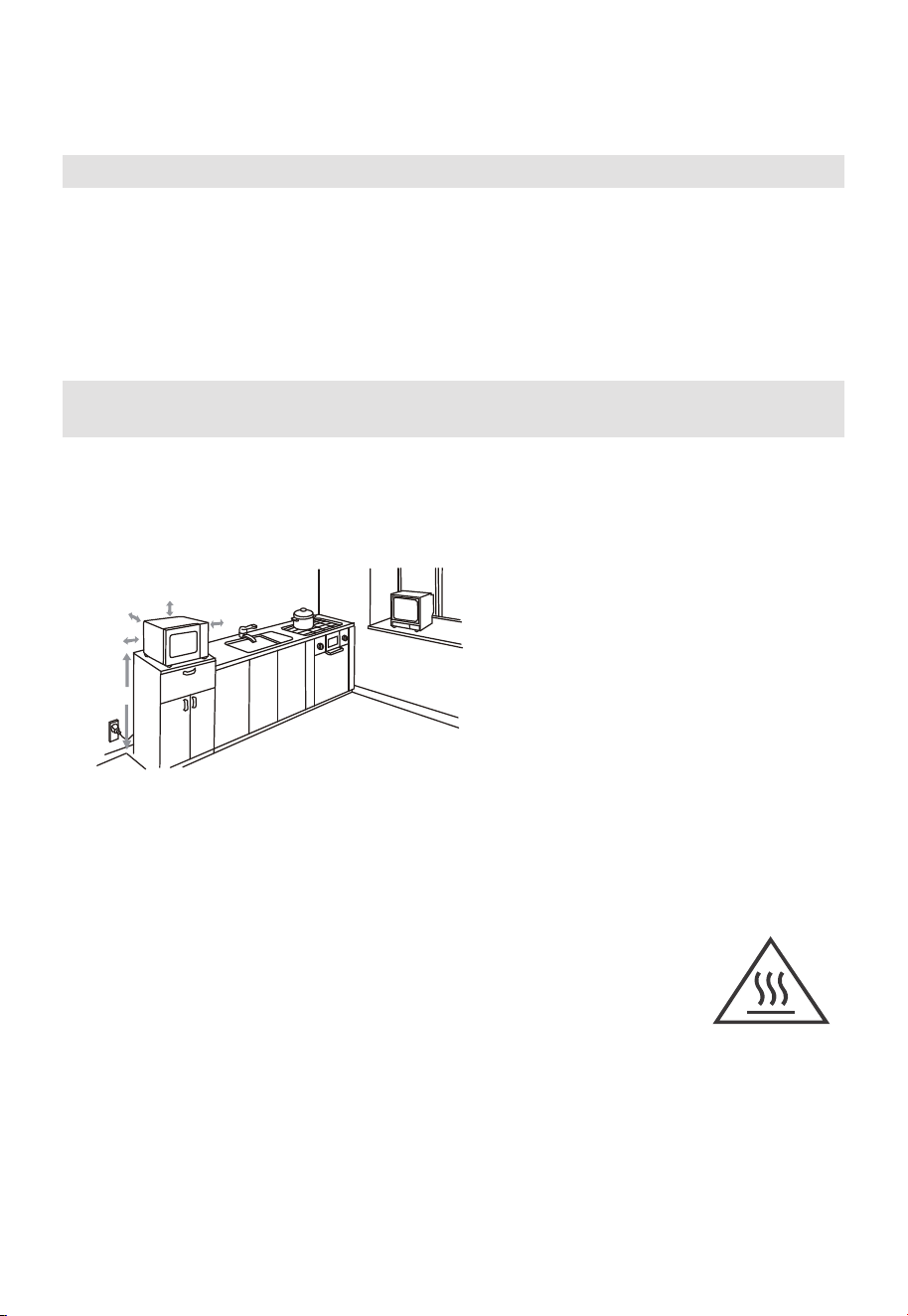
Countertop Installation
Remove all packing material and accessories. Examine the oven for any damage such as
dents or broken door. Do not install if oven is damaged.
Cabinet: Remove any protective film found on the microwave oven cabinet surface. Do
not remove the Waveguide cover that is attached to the oven cavity to protect the
magnetron.
A minimum clearance of 3.0 inches
(7.5cm) is required between the oven and
any adjacent walls. One side must be open.
(1) Leave a minimum clearance of 12
inches (30cm) above the oven.
(2) Do not remove the legs from the
bottom of the oven.
(3) Blocking the intake and/or outlet openings
can damage the oven.
(4) Place the oven as far away from
radios and TV as possible.
Operationof microwave oven may
cause interference to your radio or TV
reception.
Plug your oven into a standard household
outlet. Be sure the voltage and the
frequency is the same as the voltage
and the frequency on the rating label.
WARNING: Do not install oven over a
range cooktop or other heat-producing
appliance. If installed near or over a heat
source, the oven could be damaged and
the warranty would be void.
3.0 inch(7.5cm)
>36 inch(91.4cm)
3.0 inch(7.5cm)
12 inch(30cm)
OPEN
1. Select a level surface that provide
enough open space for the intake
and/or outlet vents.
The minimum installation height
is 36 inches(91.4cm).
The accessible surface
may be hot during
operation.
2.
17
OPERATION
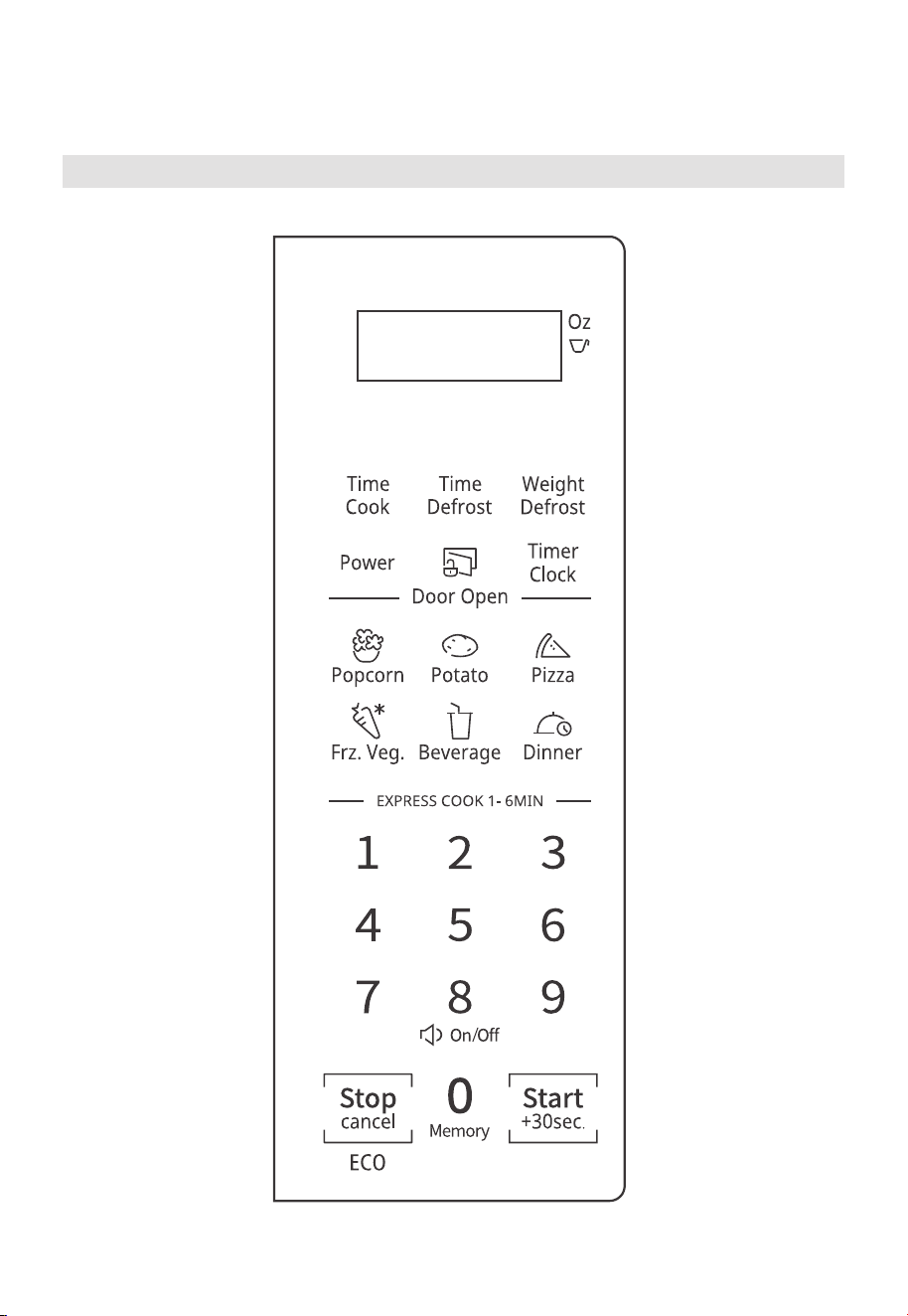
Control Panel
18
OPERATION
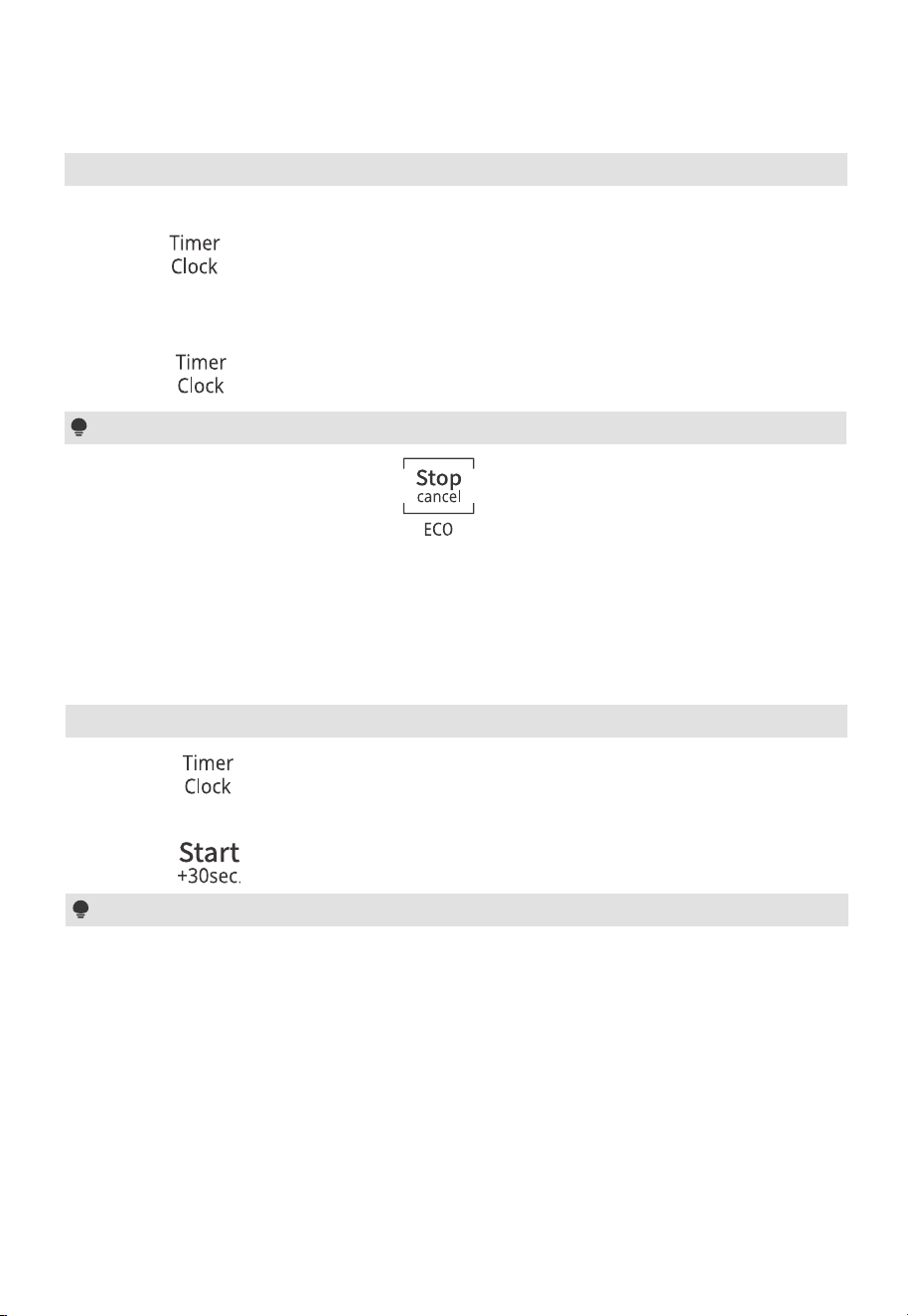
Setting the Clock 1.
Notes
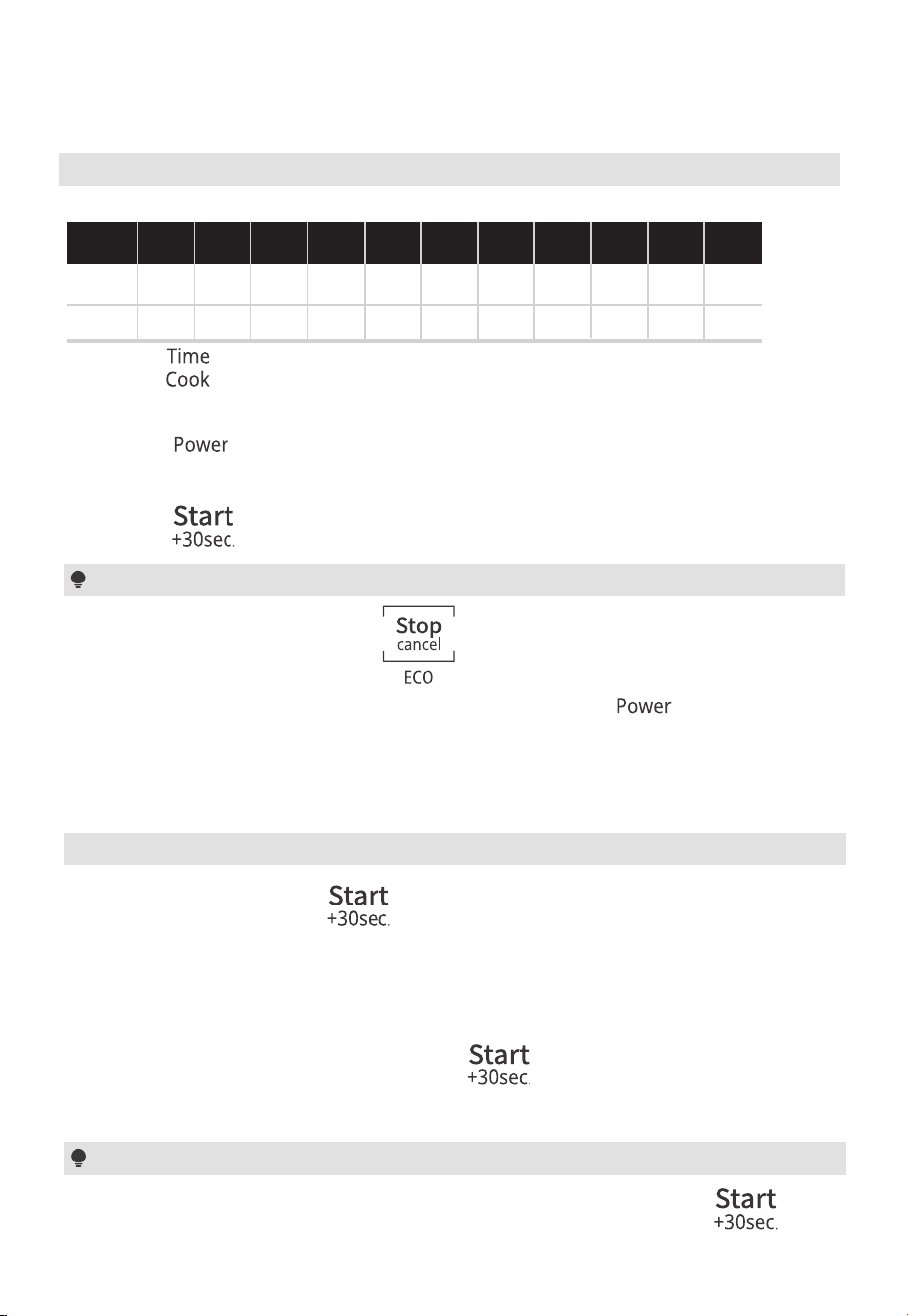
After connecting the oven to the power, “0:00” shows on the display. The buzzer sounds.
(1) Press “ ” twice and then “00:00” will display.
(2) Press the number keys to enter the time.
Example: To set the clock to 12:10, please press “1,2,1,0” in turn.
(3) Press “ ” to confirm. The clock is set.
(1) In the process of clock setting, if “ ” is pressed or if there is no operation
within 1 minute, the setting is invalid.
(2) To reset the clock, please repeat step 1 to step 3.
(3) The clock is a 12-hour display. If the clock is not set, it will not work when powered.
2. Setting the Kitchen Timer
(1) Press “ ” once and then “00:00” will display.
(2) Press the number keys to enter the desired time. The maximum time value is “99:99”.
(3) Press “ ” to confirm. The timer starts counting down.
(1) The kitchen time is dierent from the 12-hour system, The Kitchen Timer is a timer.
(2) Any other program can’t be set during the kitchen timer.
Notes
Notes
OPERATION
19
(1) In the process of setting, if the “ ” is pressed or if there is no operation within
1 minute, the setting is invalid.
(2) The power level can be changed during operation. Press “ ” and then
the current power will flash for 3 seconds. Press the number keys to change the power.
The oven will work with the selected power.
3. Microwave Cooking
11 power levels are available.
Power
Display
100%
PL10
90%
PL9
80%
PL8
70%
PL7
60%
PL6
50%
PL5
40%
PL4
30%
PL3
20%
PL2
10%
PL1
0%
PL0
10 9 8 7 6 5 4 3 2 1
0
Level
(1) Press “ ” once and then “00:00” will display.
(2) Press the number keys to set the cooking time. The maximum time value is “99:99”.
(3) Press “ ” once, “PL10” will display.
(4) Press the number keys to set the power level. The 11 power levels are available.
(5) Press “ ” to start cooking.
4. Speedy Cooking
(1) In standby mode, press “ ” to cook food with 100% power level for
30 seconds. Each press on the same key can increase 30 seconds and the
maximum time value is “99:99”.
(2) In standby mode, pressing the number keys 1 to 6 lets you quickly start a cooking time
from 1 to 6 minutes. Then you can press “ ” to increase the cooking
time. The maximum time value is “99:99”.
Note
In microwave cooking and defrosting by time state, each more press on “ ” can
increase the cooking time by 30 seconds.
5. Defrost by Weight
(1) Press “ ” once and then the screen will display “dEF1”.
(2) Press the number keys to enter the weight of the food. The range of weight is 4~100Oz.
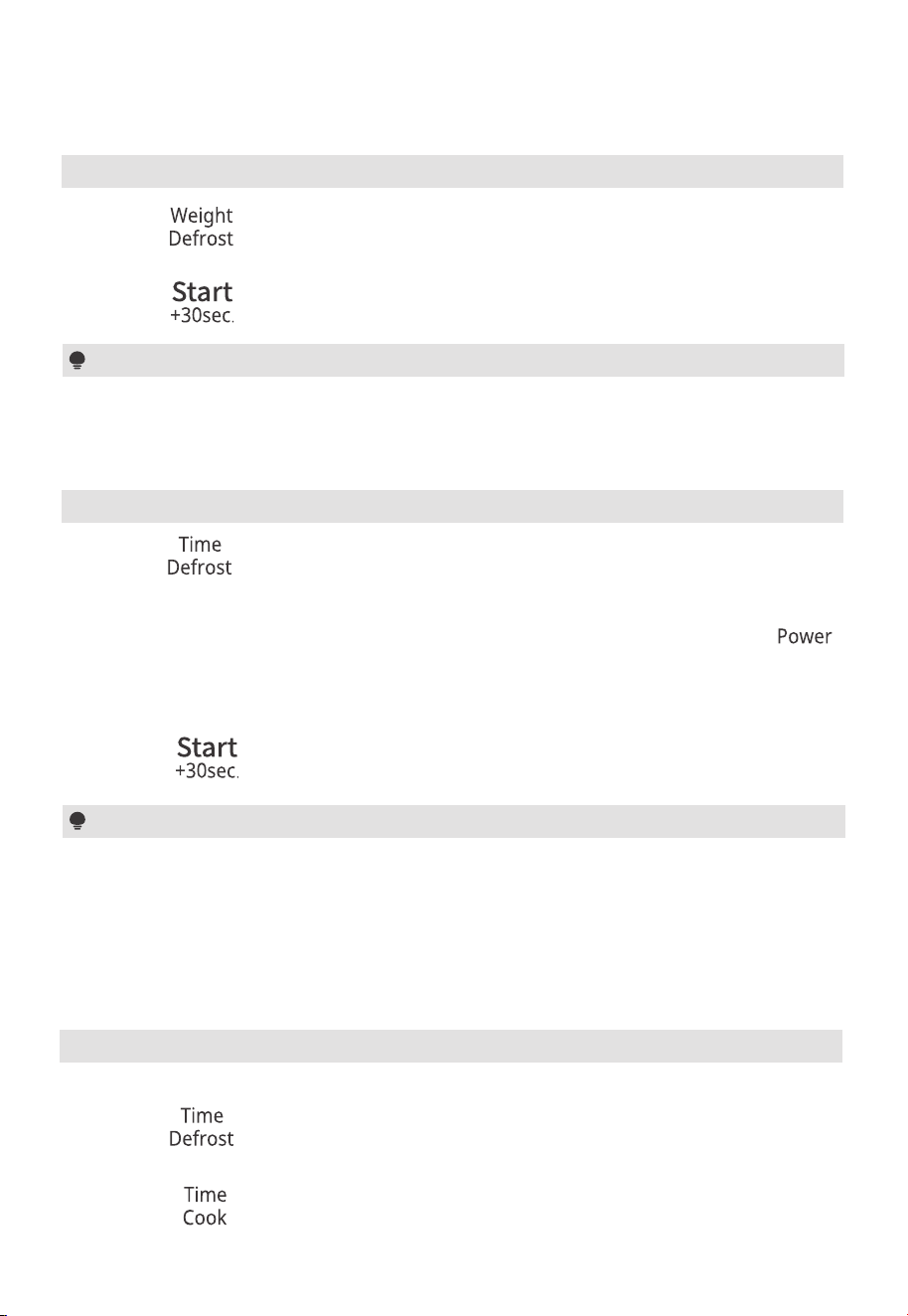
(3) Press “ ” to start defrosting.
6. Defrost by Time
Note
The buzzer will sound to remind you to turn the food over during defrosting. If no
operation, the oven will continue working.
(1) Press “ ”once and then the screen will display “dEF2”.
(2) Press the number keys to set the desired defrost time. The maximum time value is “99:99”.
(3) The default power level is PL3. If you want to change the power level, Press “ ”
and then the current power will flash for 3 seconds. Press the number keys
to change the power.
20
OPERATION
(4) Press “ ” to start defrosting.
Notes
(1) During defrosting, the power level cannot be changed.
(2) The buzzer will sound to remind you to turn the food over during defrosting. If no
operation, the oven will continue working.
(3) If you do not need to change the power level, please skip step 3.
7. Multi-Stage Cooking
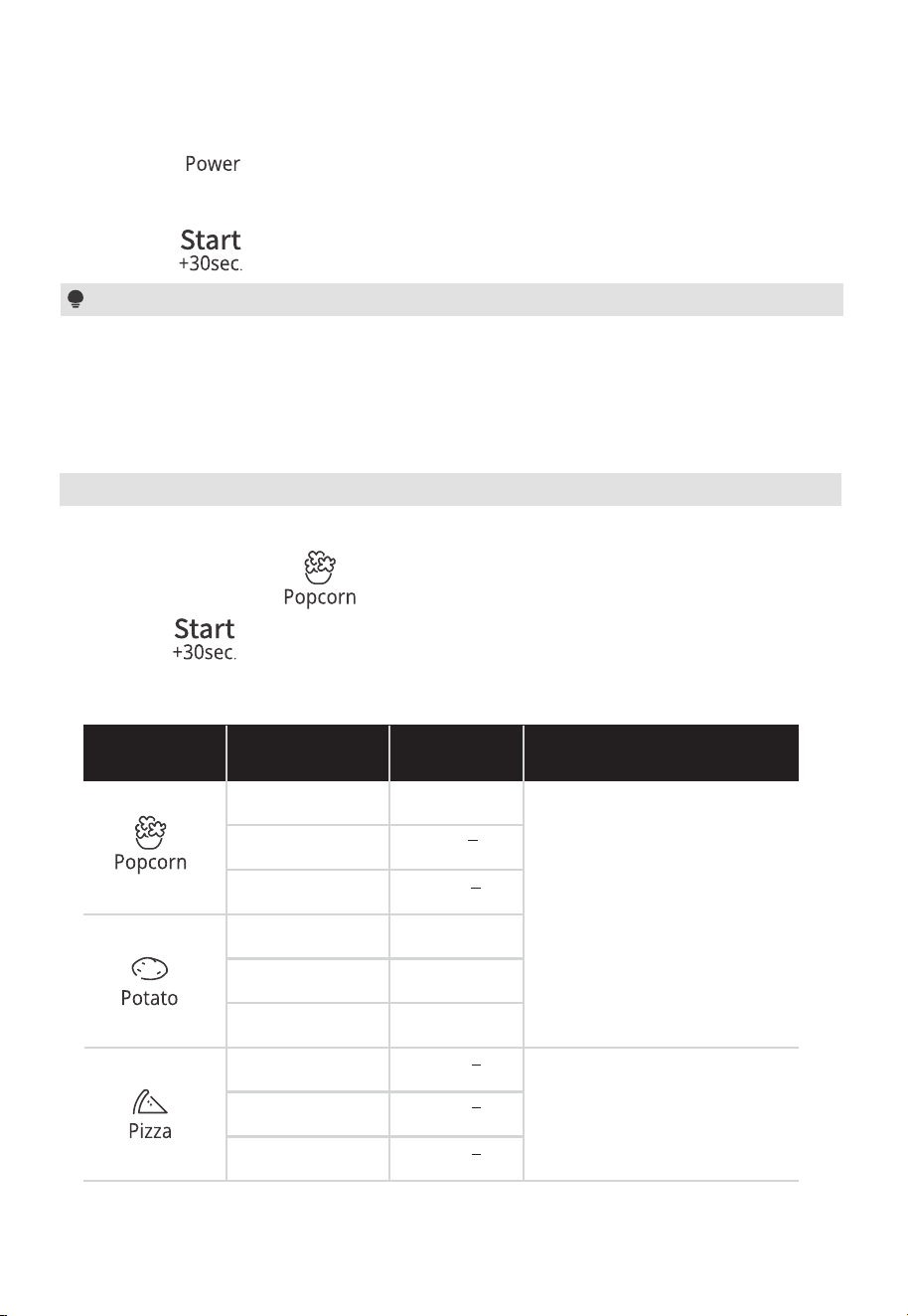
Example: Defrost food for 5 minutes and then cook with 80% microwave power for 7 minutes.
(1) Press “ ” once and then the screen will display “dEF2”.
(2) Press “5”, “0”, “0” to set the desired defrost time to 5 minutes.
(3) Press “ ” and then press “7”, “0”, “0” to set the cooking time.
OPERATION
21
(1) Two cooking stages can be set in multi-stage cooking.
(2) If you set the defrost function, it will work automatically in the first stage.
(3) The auto menu cannot be set as one of the multi-stage.
Notes
(4) Press “ ” and then “PL10” will display.
(5) Press “8” to set the power level to PL8.
(6) Press “ ” to start cooking.
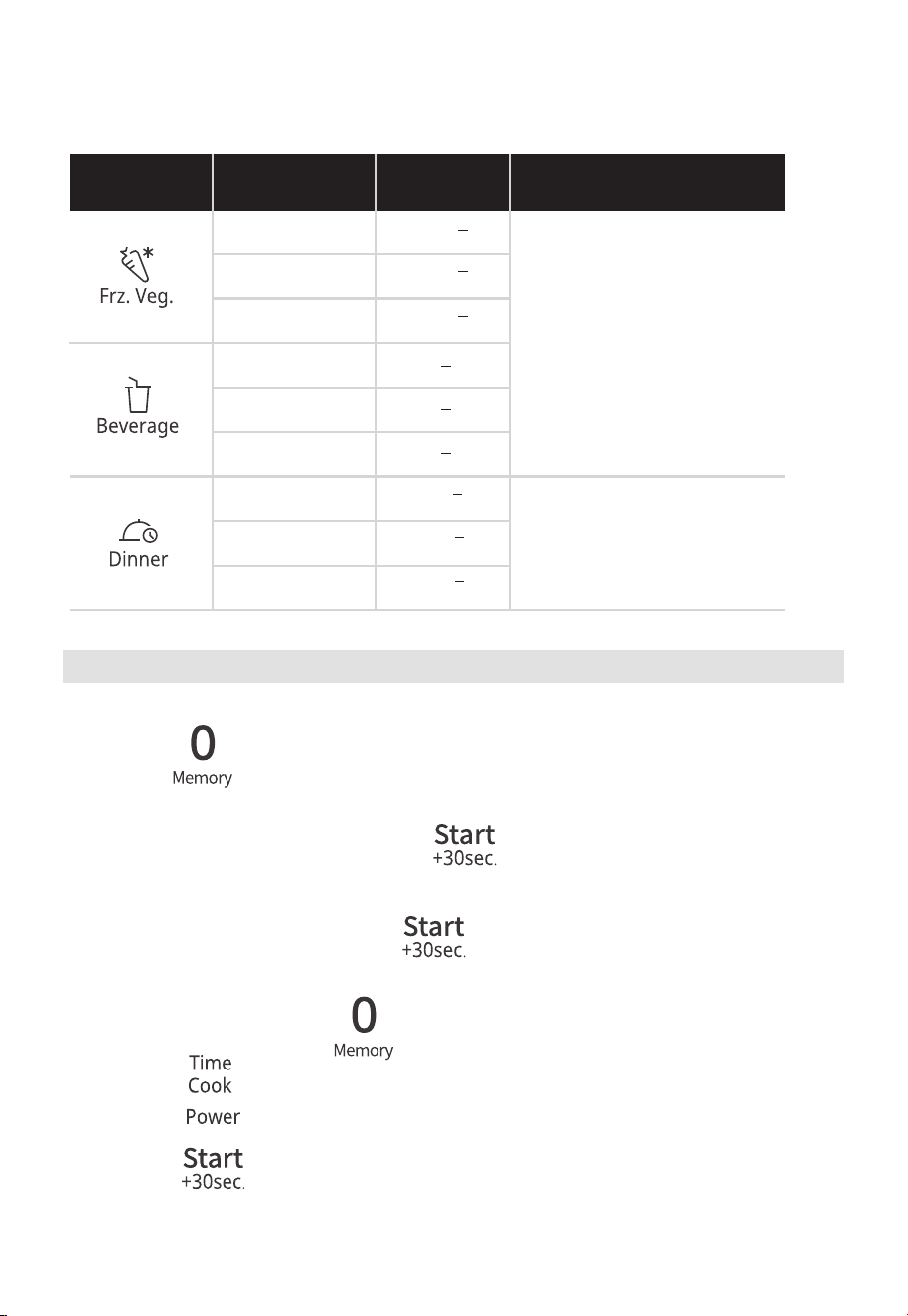
(1) Press a menu key repeatedly to choose the weight of the food you want to cook.
For example, press “ ” once and “1.75” will display.
(2) Press “ ” to start cooking.
8. Auto Menu
Auto Menu Chart
1.75Oz
3.0Oz
3.5Oz
1.75
3.0
3.5
1(230g)
2(460g)
3(690g)
PL10
PL7
Menu Weight Display
Power Level
1
2
3
4Oz
8Oz
14Oz
4.0
8.0
14.0
22
OPERATION
4Oz
8Oz
16Oz
4.0
8.0
16.0
PL10
PL7
Menu Weight Display
Power Level
1
2
3
9Oz
12Oz
18Oz
9.0
12.0
18.0
1cup(120ml)
2cups(240ml)
3cups(360ml)
9. Memory Function
You can save the settings for a dish in the memory and call it up again.
(1) Press “ ” repeatedly to select memory 1-3 procedure. “1”, “2” and “3”
will display in order.
(2) If the procedure has been set, press “ ” to start working. Otherwise, please
continue to set.
(3) After finishing the setting, press “ ” once to save the procedure.
Example: Set memory 2 (cook food with 80% microwave power for 3 minutes)
(1) In standby mode, press “ ” twice.
(2) Press “ ” once and then press the number key “3”, “0”, “0” in order.
(3) Press “ ” once and then press the number key “8”.
(4) Press “ ” to save the setting and “2” will display.
OPERATION
23
Auto menu, Speedy cooking and kitchen timer function cannot be set as memory functions.
Note
10. Safety Lock
Safety Lock is a system that safeguards against unintended activation of the oven,
providing a protective measure to ensure children safety.
Safety Lock is active by default. It will only be deactivated if the user chooses to do so
manually. Even in the event of a power disconnection, the oven will preserve the state
of the safety lock, whether it is activated or deactivated.
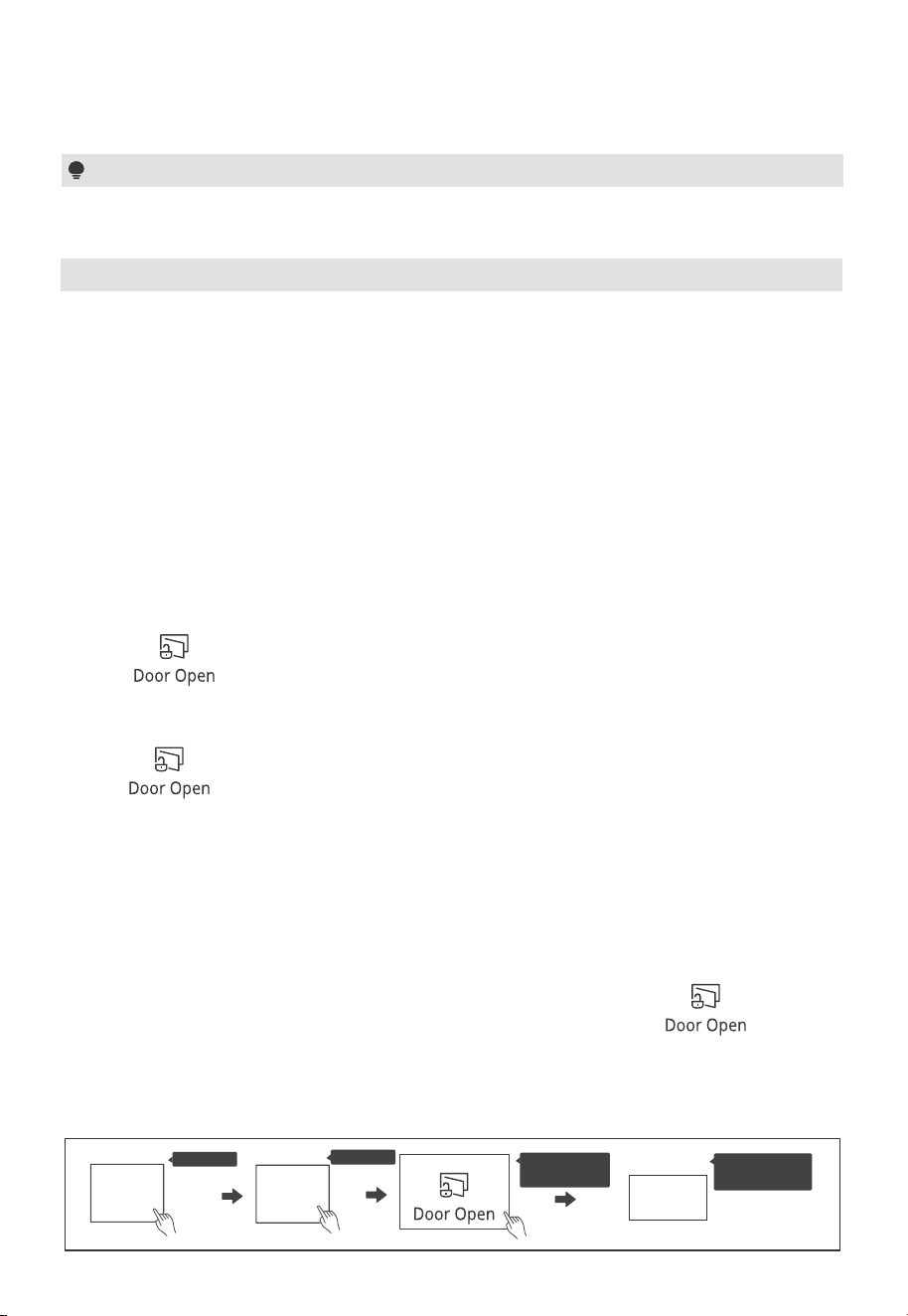
(1) How the safety lock works
Press “ ” during operation and open the door within 10 seconds,
or the safety lock will re-engage. The door will stay unlocked until cooking is initiated.
Or:
Press “ ” within 30 minutes after cooking is complete to manually disable
the door lock and switch to standby mode. If no key is pressed, the safety lock will
automatically disengage after 30 minutes.
(2) Unlock the door
(3) Deactivate the safety lock
If there are no children in the house, you can choose to permanently deactivate the safety
lock function.
Press “ ” , “ ” in consecutive order and then press and hold “ ” for
three seconds within 30 seconds, the screen will display “ULoc”, indicating the successful
deactivation of the safety lock.
7 9
Press X1
Press X1
ULoc
The screen
display
7
9
Press and
hold 3s
Initiating the cooking automatically triggers the lock. The lock will also stay engaged
for 30 minutes after cooking ends.
24
OPERATION
11. Lock Function for Children
To enter ECO mode:
In standby mode, press “ ” once. The screen will turn o.
To cancel ECO mode:
In ECO mode, press any key, or open and close the door will cancel it.
12. ECO Function
To activate the mute mode:
In standby mode, press and hold “8” for 3 seconds. A long beep will sound. When you
press the key, it does not make a sound.
To deactivate the mute mode:
In mute mode, press and hold “8” for 3 seconds. A long beep will sound.
13. Mute mode
You can use this function to disable the screen buttons and prevent your child from
accidentally turning the oven on.
To activate the lock:
In standby mode, press and hold “ ” for three seconds. A long beep sounds
and the locked icon will display.
To deactivate the lock:
In the locked state, press and hold “ ” for three seconds. A long beep sounds.
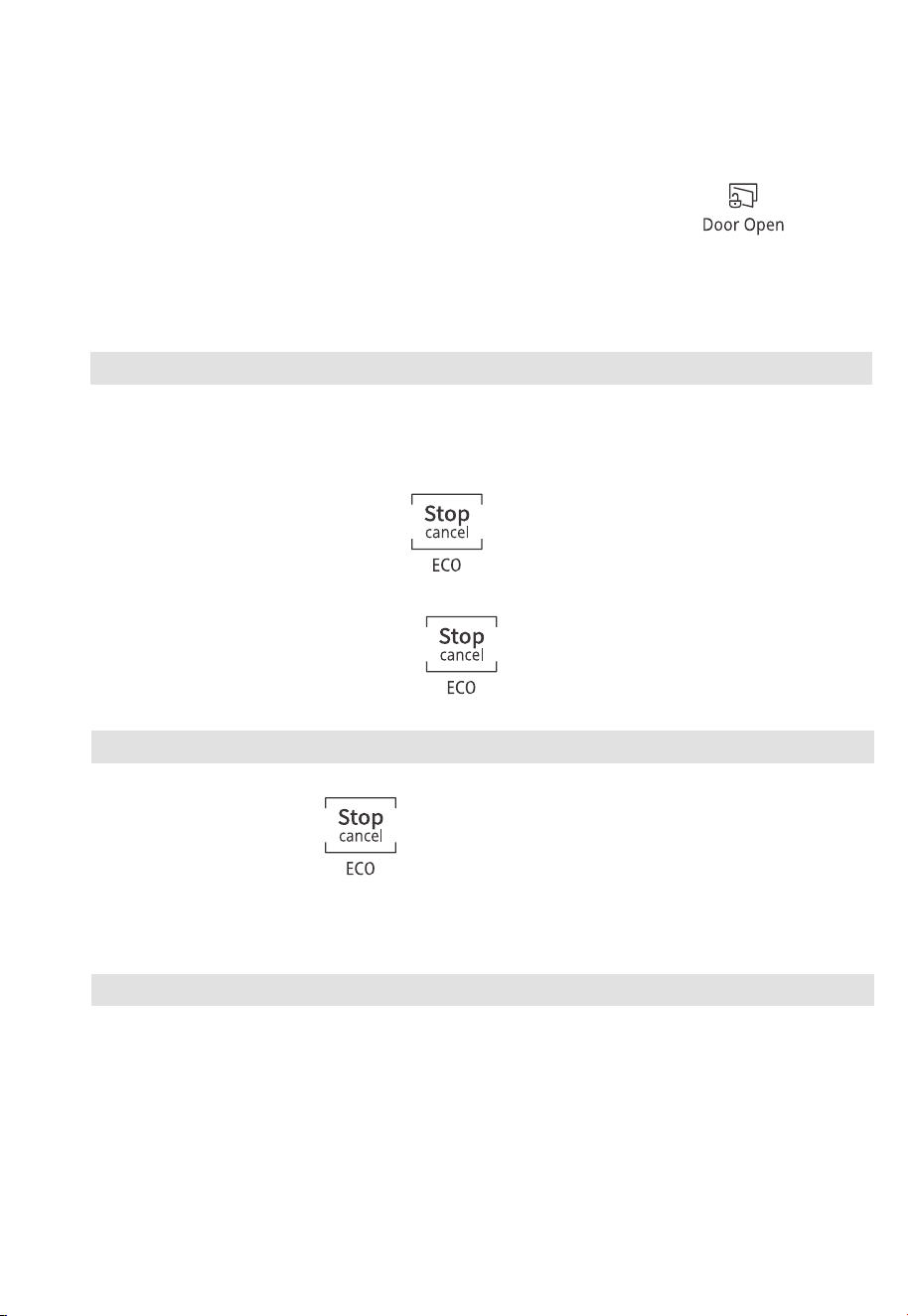
(4) Re-Activate the safety lock
Press “ ” , “ ” in consecutive order and then press and hold “ ” for
three seconds within 30 seconds, the screen will display “Loc”, indicating the successful
re-activation of the safety lock.
7 9
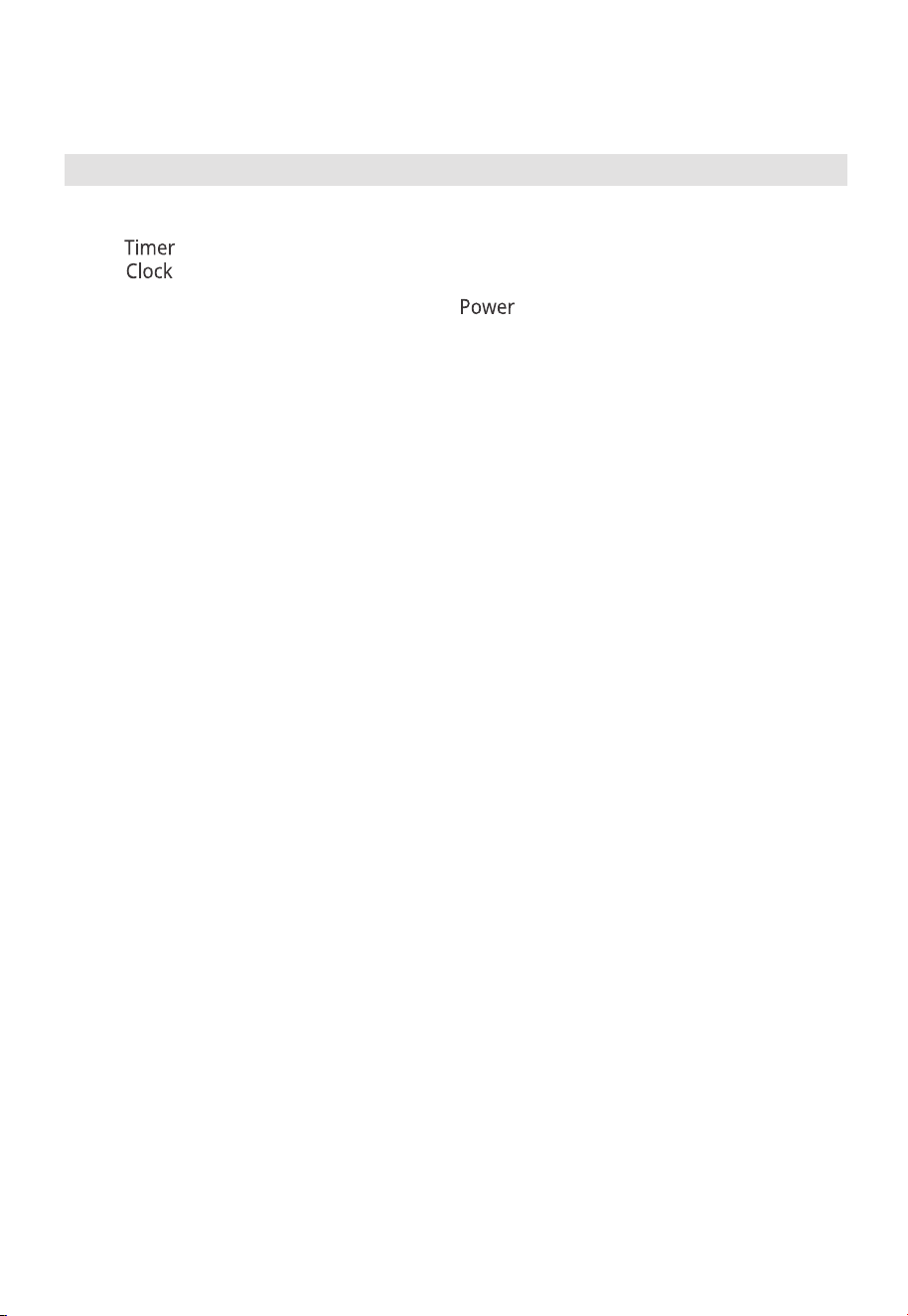
(1) If the clock has been set, the current time will display for three seconds by pressing
“ ” once in the cooking state.
(2) In the microwave cooking state, press “ ” to inquire about the power level.
It will display for three seconds.
25
OPERATION
14. Inquiring Function
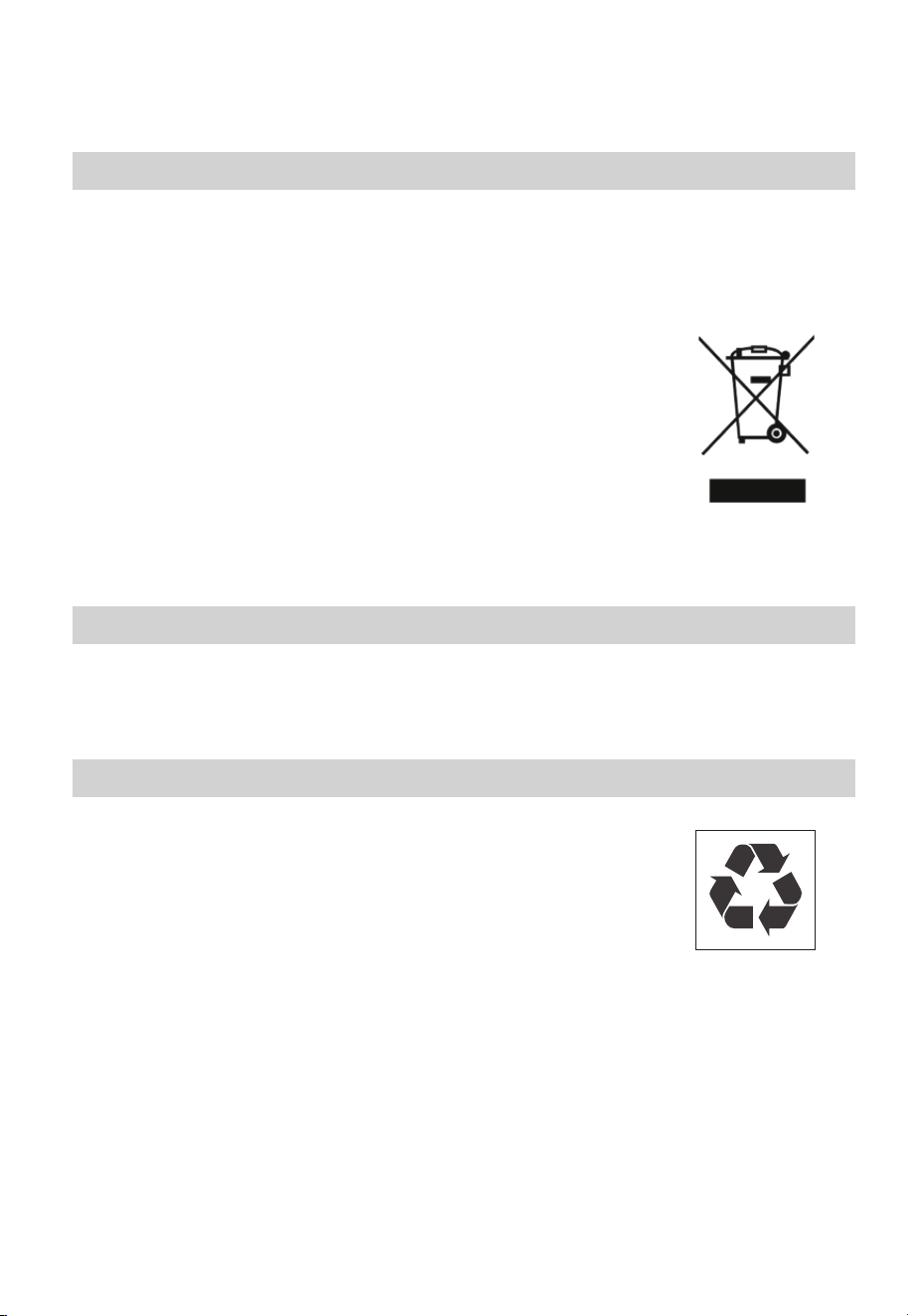
According to Waste of Electrical and Electronic Equipment (WEEE)
directive, WEEE should be separately collected and treated. If at any
time in future you need to dispose of this product please do NOT
dispose of this product with household waste. Please send this
product to WEEE collecting points where available.
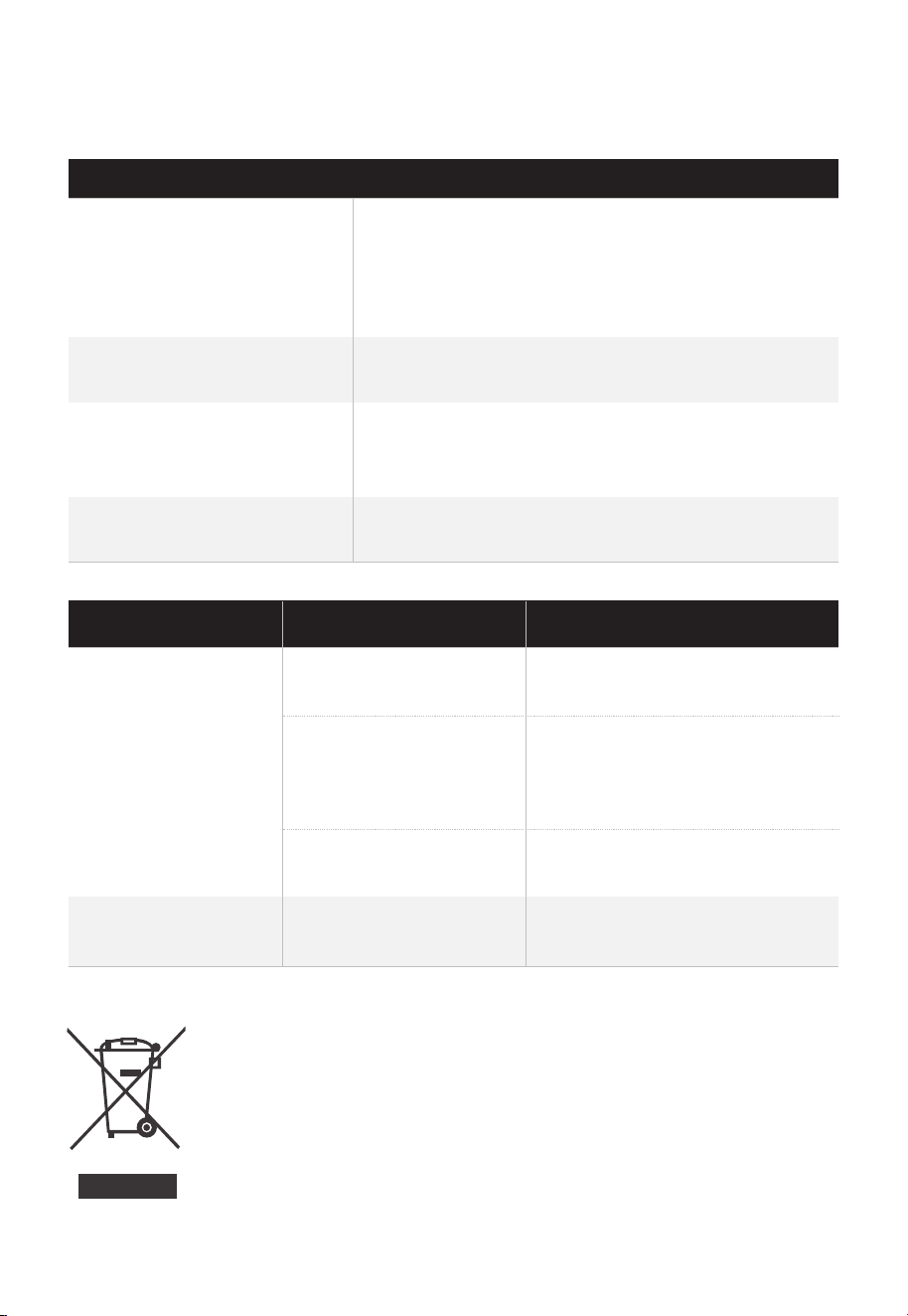
Microwave oven interfering
TV reception
Radio and TV reception may be interfered when
microwave oven operating. It is similar to the
interference of small electrical appliances, like
mixer, vacuum cleaner, and electric fan.
It is normal.
Dim oven light
Oven cannot
be started.
(1) Power cord is not
plugged in tightly.
Unplug. Then plug again after
10 seconds.
Replace fuse or reset circuit
breaker (repaired by
professional personnel of our
company)
Test outlet with other electrical
appliances.
Close door well.
(3) Trouble with outlet.
(4) Door is not closed
well.
(2) Fuse blowing or
circuit breaker
works.
Oven does not heat.
In low power microwave cooking, oven light may
become dim. It is normal.
In cooking, steam may come out of food. Most will
get out from vents. But some may accumulate on
cool place like oven door. It is normal.
Steam accumulating on
door, hot air out of vents
Oven started accidentally
with no food in.
It is forbidden to run the unit without any food inside.
It is very dangerous.
Trouble Possible Cause Remedy
Normal
26
TROUBLE SHOOTING

logo, word marks, trade name, trade dress and all versions thereof are
valuable assets of Midea Group and/or its aliates (“Midea”), to which Midea owns
trademarks, copyrights and other intellectual property rights, and all goodwill derived
from using any part of an Midea trademark. Use of Midea trademark for commercial
purposes without the prior written consent of Midea may constitute trademark
infringement or unfair competition in violation of relevant laws.
This manual is created by Midea and Midea reserves all copyrights thereof. No entity or
individual may use, duplicate, modify, distribute in whole or in part this manual, or
bundle or sell with other products without the prior written consent of Midea.
All the described functions and instructions were up to date at the time of printing this
manual. However, the actual product may vary due to improved functions and designs.
TRADEMARKS, COPYRIGHTS
AND LEGAL STATEMENT
27
DISPOSAL AND RECYCLING
Important instructions for environment
Compliance with the WEEE Directive and Disposing of the Waster Product:
This product complies with EU WEEE Directive (2012/19/EU). This product bears a
classification symbol for waster electrical and electronic equipment (WEEE).
This symbol indicates that this product shall not be disposed
with other household wastes at the end of its service life. Used
device must be returned to ocial collection point for
recycling of electrical electronic devices. To find these
collection systems please contact to your local authorities or
retailer where the product was purchased. Each household
performs important role in recovering and recycling of old
appliance. Appropriate disposal of used appliance helps
prevent potential negative consequences for the environment
and human health.
Compliance with RoHS Directive
The product you have purchased complies with EU RoHS Directive (2011/65/EU). It does
not contain harmful and prohibited materials specified in the Directive.
Package information
Packaging materials of the product are manufactured from
recyclable materials in accordance with our National Environ-
ment Regulations. Do not dispose of the packaging materials
together with the domestic or other wastes. Take them to the
packaging material collection points designated by the local
authorities.
28

DATA PROTECTION NOTICE
For the provision of the services agreed with the customer,
we agree to comply without restriction with all stipulations of applicable data protection
law, in line with agreed countries within which services to the customer will be delivered.
Generally, our data processing is to fulfil our obligation under contract with you and for
product safety reasons, to safeguard your rights in connection with warranty and
product registration questions. In some cases, but only if appropriate data protection is
ensured, personal data might be transferred to recipients located outside of the
European Economic Area.
Further information are provided on request. You can contact our Data Protection
Ocer via [email protected]. To exercise your rights such as right to object your
personal date being processed for direct marketing purposes, please contact us via
[email protected]. To find further information, please follow the QR Code.
29

1 YEAR LIMITED WARRANTY
This warranty is provided to the original purchaser at retail (the “Purchaser” or “you”)
by Midea America Corp. (“Midea” or “we”), which warrants all parts of this Product, as
described below. Midea warrants this Product to the Purchaser for personal, family or
household use. This warranty covers performance and quality issues in materials and
workmanship that appear under normal use and maintenance appearing within one year
from the date of purchase. This warranty gives you specific rights, and you may also
have other rights that vary from state to state.
WARRANTY LIMITATIONS
This warranty is given only to the original purchaser at retail in either the United States
or Canada and may not be transferred to any subsequent buyer. This warranty does
not apply to purchasers of our products for use or resale in a business; a separate
commercial warranty may protect those purchasers.
This warranty does not cover any Product failure caused by:
a. Abuse, damage or use of the Product in violation of the Product instructions.
b. Modification to any Product or part.
c. Failure to maintain the Product or part as described in accordance with the Product
instructions.
d. Faulty installation or application.
e. Use of parts or accessories not compatible with this Product.
f. Floods, fires, winds, lightning, accidents, corrosive atmosphere, or other conditions
beyond Midea’s control.
g. Interruption in electrical service or inadequate electrical service.
h. Replacement of fuses and replacement or resetting of circuit breakers.
i. Frozen or broken water pipes, water damage, moisture intrusion, mold or other
biological growth.
j. The use, combination or linking of the Product to other products, processes or
materials not provided by Midea.
WARRANTY REMEDY
If any quality or performance issue covered by this warranty is discovered during the
warranty period, we will, at our option, repair or replace any such Product. This warranty
is limited to Product repair or replacement by an authorized Midea servicer or dealer
and does not cover any shipping cost, labor cost, customs duties, inland logistics cost, or
cost of service, including any diagnostics, removal, transportation, or reinstallation costs.
If we ask, you must return the Product to us.
WARRANTY DISCLAIMER; EXCLUSION OF DAMAGES
This is the only express warranty to consumers that we offer on our Products. ANY
IMPLIED WARRANTIES BY MIDEA, INCLUDING BUT NOT LIMITED TO WARRANTIES OF
MERCHANTABILITY AND FITNESS FOR PARTICULAR PURPOSE, ARE LIMITED TO THE
DURATION OF THIS EXPRESS WARRANTY. Some states and provinces do not allow the
exclusion of express warranties and/or limitations on how long an implied warranty lasts,
so the above exclusion and/or limitation may not apply to you.
THE REMEDY DESCRIBED ABOVE IS THE ONLY ONE THAT WE WILL PROVIDE, EITHER
UNDER THIS WARRANTY OR UNDER ANY WARRANTY ARISING BY OPERATION OF
LAW. WE WILL NOT BE RESPONSIBLE FOR ANY CONSEQUENTIAL OR INCIDENTAL
DAMAGES ARISING FROM THE BREACH OF THIS WARRANTY OR ANY OTHER
WARRANTY, WHETHER EXPRESS OR IMPLIED, NEGLIGENCE OR OTHER TORT, OR ON
30

ANY STRICT LIABILITY THEORY, INCLUDING BUT NOT LIMITED TO LOST PROFITS.
Some states do not allow the exclusion or limitation of incidental or consequential
damages, so the above exclusion may not apply to you.
WARRANTY CLAIMS PROCESS
For more information or to make a warranty claim, please visit:
https://www.midea.com/us/support
Or contact us at:
Telephone: 1-866-646-4332
Email: customerservic[email protected]
You must have Your bill of sale, delivery slip, or appropriate proof of purchase to submit
a warranty claim. The date of purchase establishes the warranty period, should service
be required.
DISPUTE RESOLUTION
ARBITRATION CLAUSE. IMPORTANT. PLEASE REVIEW THIS ARBITRATION CLAUSE. IT
AFFECTS YOUR LEGAL RIGHTS.
a. Parties: This arbitration clause (this “Arbitration Clause”) affects your rights against
Midea and any of its affiliates or employees or agents, successors, or assigns, all of
whom together are referred to below as “we” or “us” for ease of reference.
b. ARBITRATION REQUIREMENT: EXCEPT AS STATED BELOW, ANY DISPUTE
BETWEEN YOU AND ANY OF US SHALL BE DECIDED BY NEUTRAL, BINDING
ARBITRATION RATHER THAN IN COURT OR BY JURY TRIAL. “Dispute” will be given
the broadest possible meaning allowable by law. It includes any dispute, claim, or
controversy arising from or relating to your purchase of this Product, any warranty
upon the Product, or the Product’s condition. It also includes determination of the
scope or applicability of this Arbitration Clause. The arbitration requirement applies
to claims in contract and tort, pursuant to statute, or otherwise.
c. CLASS-ARBITRATION WAIVER: ARBITRATION IS HANDLED ON AN INDIVIDUAL
BASIS. IF A DISPUTE IS ARBITRATED, YOU AND WE EXPRESSLY WAIVE ANY
RIGHT TO PARTICIPATE AS A CLASS REPRESENTATIVE OR CLASS MEMBER ON
ANY CLASS CLAIM YOU MAY HAVE AGAINST US OR WE AGAINST YOU, OR AS A
PRIVATE ATTORNEY GENERAL OR IN ANY OTHER REPRESENTATIVE CAPACITY,
TO THE MAXIMUM EXTENT PERMITTED BY LAW. YOU AND WE ALSO WAIVE
ANY RIGHT TO CLASS ARBITRATION OR ANY CONSOLIDATION OF INDIVIDUAL
ARBITRATIONS.
d. Discovery and Other Rights: Discovery and rights to appeal in arbitration are
generally more limited than in a lawsuit. This applies to both you and us. Other rights
that you or we would have in court may not be available in arbitration. Please read
this Arbitration Clause and consult the rules of the arbitration organizations listed
below for more information.
e. SMALL CLAIMS COURT OPTION: YOU MAY CHOOSE TO LITIGATE ANY DISPUTE
BETWEEN YOU AND ANY OF US IN SMALL CLAIMS COURT, RATHER THAN IN
ARBITRATION, IF THE DISPUTE MEETS ALL REQUIREMENTS TO BE HEARD IN
SMALL CLAIMS COURT.
f. Governing Law: For residents of the United States, the procedures and effect
of the arbitration will be governed by the Federal Arbitration Act (9 U.S.C. § 1 et
seq.) rather than by state law concerning arbitration. For residents of Canada,
the procedures and effect of the arbitration will be governed by the applicable
arbitration law of the province in which you purchased your Product. The law
governing your substantive warranty rights and other claims will be the law of the
state or province in which you purchased your Product. Any court having jurisdiction
may enter judgment on the arbitration award.
g. Rules of the Arbitration: If the amount in controversy is less than $250,000, the
31

arbitration will be decided by a single arbitrator. If the amount in controversy is
greater than or equal to $250,000, the arbitration will be decided by a panel of three
arbitrators. The arbitrator(s) will be chosen pursuant to the rules of the administering
arbitration organization. United States residents may choose JAMS (1920 Main
Street, Ste. 300, Irvine, CA 92614, www.jamsadr.com), or, subject to our approval,
any other arbitration organization. In addition, Canadian residents may choose the
ADR Institute of Canada (234 Eglinton Ave. East, Suite 405, Toronto, Ontario, M4P
1K5, www.amic.org). These organizations’ rules can be obtained by contacting the
organization or visiting its website. If the chosen arbitration organization’s rules
conflict with this Arbitration Clause, the provisions of this Arbitration Clause control.
The award of the arbitrator(s) shall be final and binding on all parties.
h. Location of the Arbitration Hearing: Unless applicable law provides otherwise, the
arbitration hearing for United States residents will be conducted in the federal
judicial district in which you reside (in your hometown area) or, for Canadian
residents, in the province in which you reside, and, if you choose, will be in-person.
i. Costs of the Arbitration: Each party is responsible for its own attorney, expert, and
other costs and fees unless applicable law requires otherwise. Notwithstanding
the preceding sentence, and unless applicable law requires otherwise, if you are
a consumer under the JAMS rules or the rules of another agreed upon arbitration
administrator, Midea will pay or reimburse you for all reasonable fees or costs
to the extent required by law or the applicable arbitration administrator’s rules.
Whether or not required by law or such rules, if you prevail at arbitration on any
claim against Midea, Midea will reimburse you for any reasonable fees paid to the
arbitration administrator in connection with the arbitration proceedings. Under
no circumstances will Midea seek from you payment or reimbursement of any
reasonable fees that Midea incurs in connection with the arbitration. If you are
required to advance any fees or costs to JAMS or other agreed upon arbitration
administrator, but you ask Midea to do so in your stead, Midea will consider and
respond to your request.
j. Survival and Enforceability of this Arbitration Clause: This Arbitration Clause shall
survive the expiration or termination, or any transfer, of the warranty on your
Product. If any part of this Arbitration Clause, except waivers of class-action rights,
is found to be unenforceable for any reason, the remainder of this clause and the
warranty shall remain enforceable. If, in a case in which class-action allegations
have been made, the waiver of class-action rights under this warranty is found to
be unenforceable with respect to any part of the dispute, the parts of the dispute
as to which the waiver of class-action rights have been found unenforceable will be
severed and will proceed in court without reference or application of this Arbitration
Clause. Any remaining parts will proceed in arbitration.
QUEBEC RESIDENTS
The arbitration provisions of this warranty shall not apply to residents of Quebec.
32



4