Contents
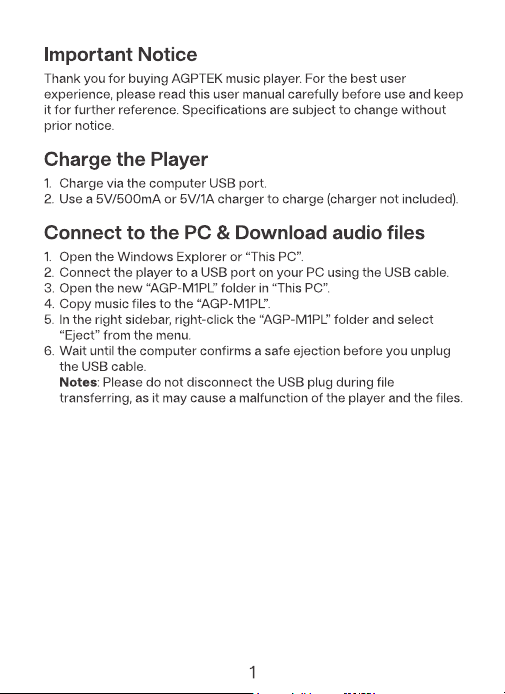
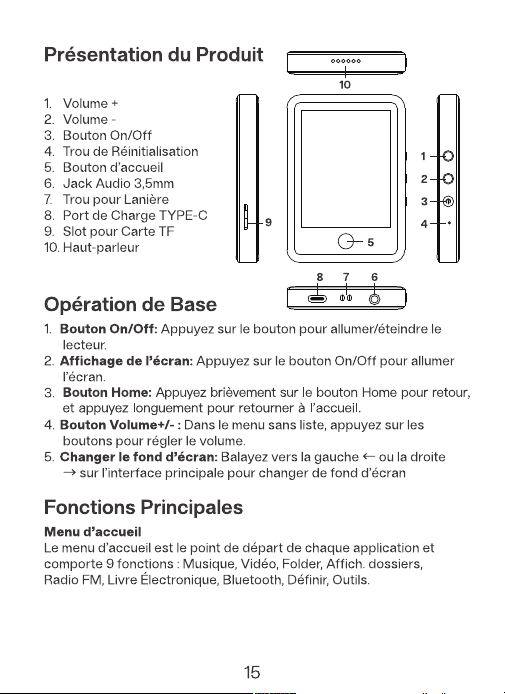
Home Button: Short press the Home button to go back, and hold
down it to return to the home screen.
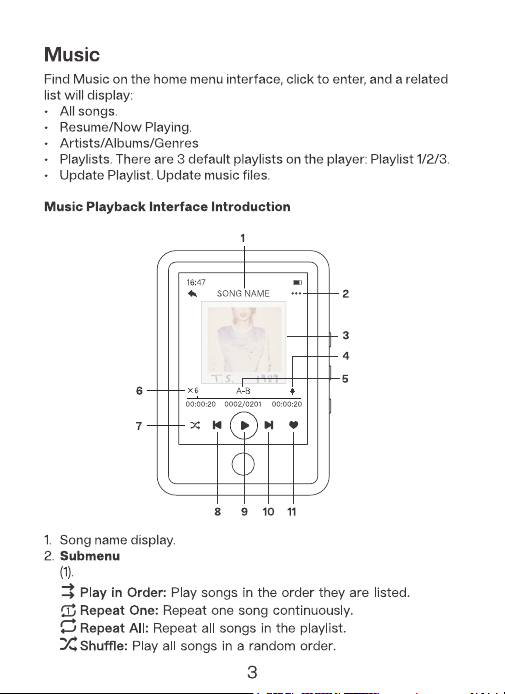
Playback Mode
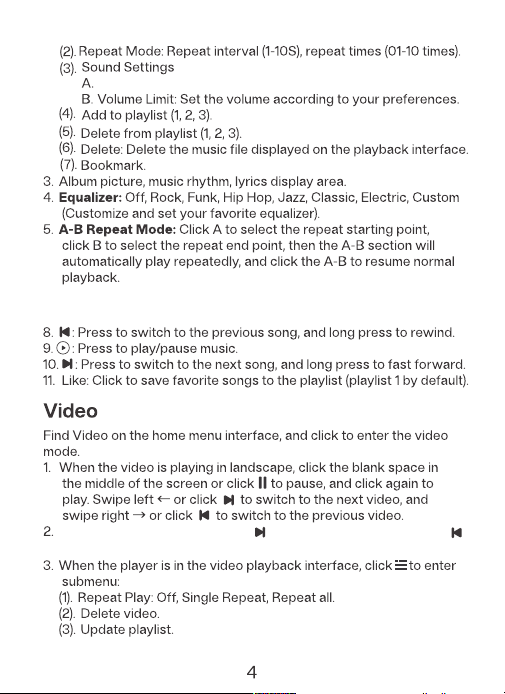
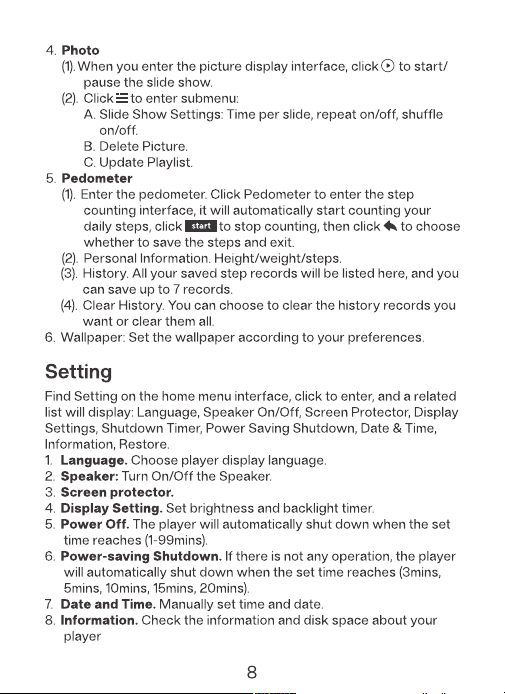
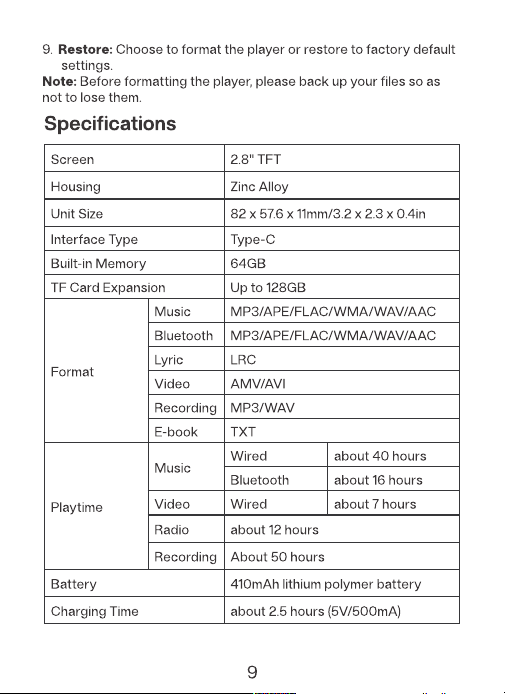
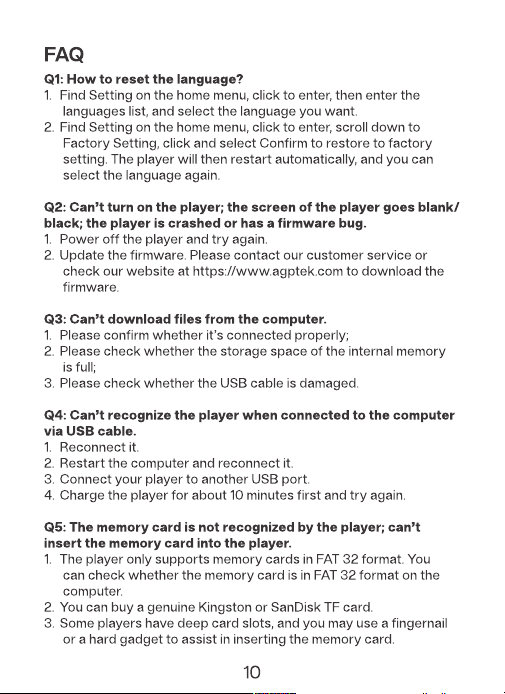
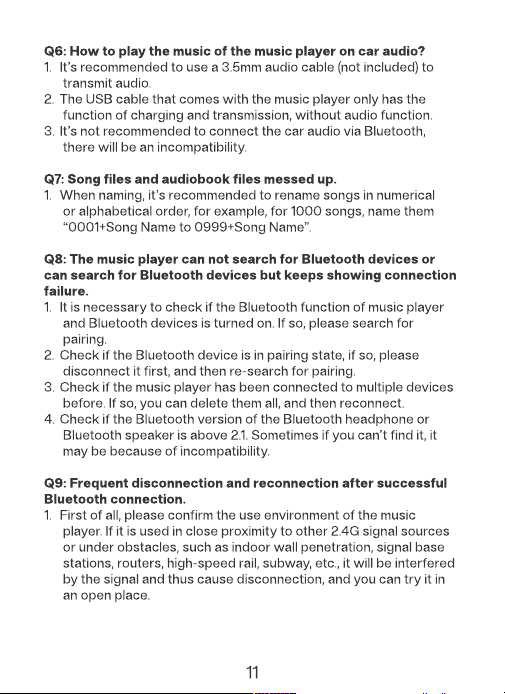
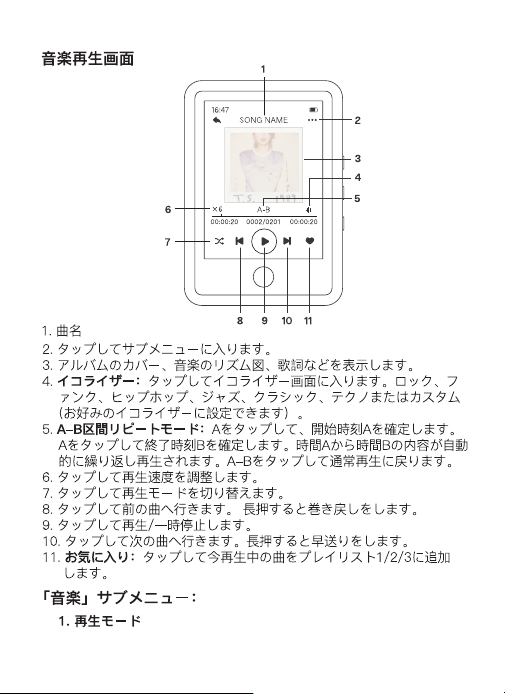
Variable Playback Speed: Options include 0.5x/1x/1.5x/2x.
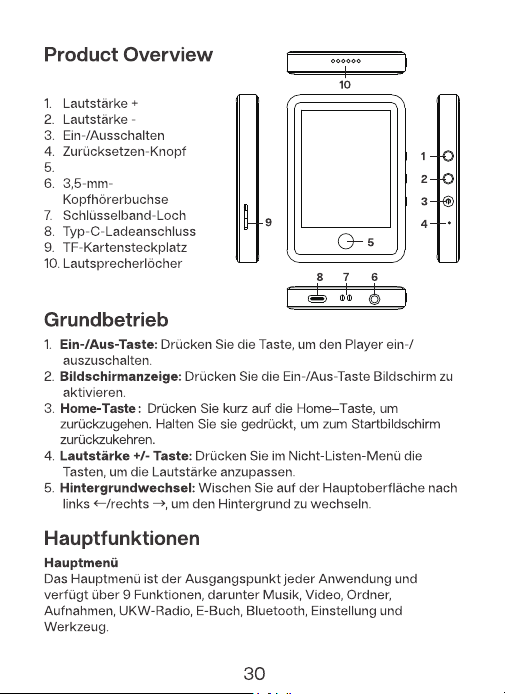
6. Variable Playback Speed: Tap to slow down or speed up playback.
7. Quickly switch between playback mode.
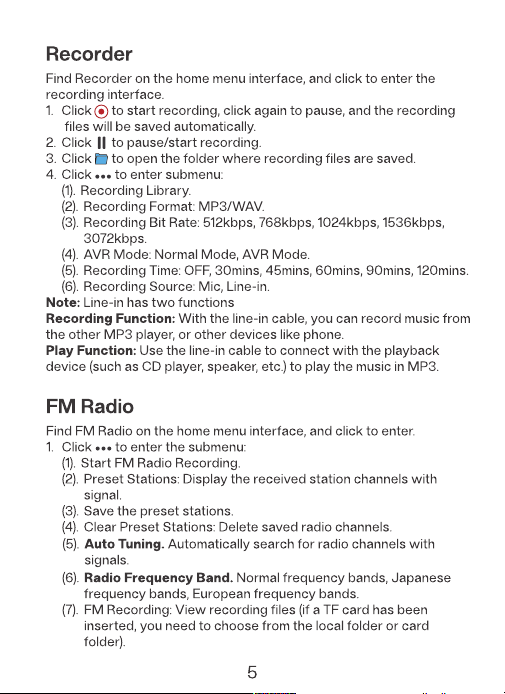
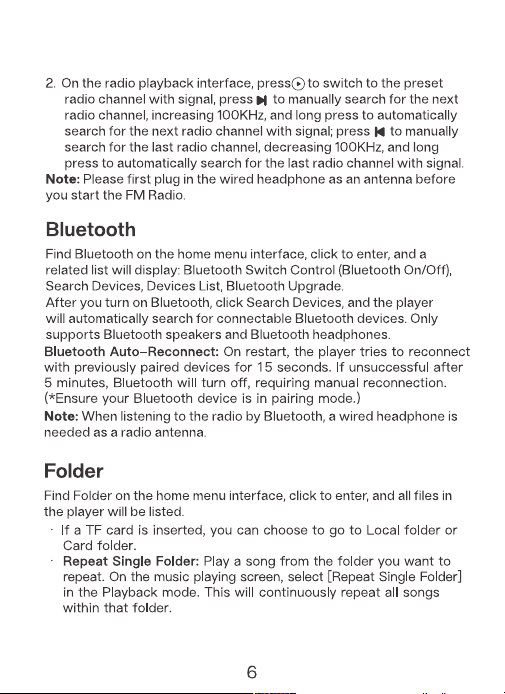
(8). Radio Speaker: Turn it on to use the device’s speaker for
radio playback.
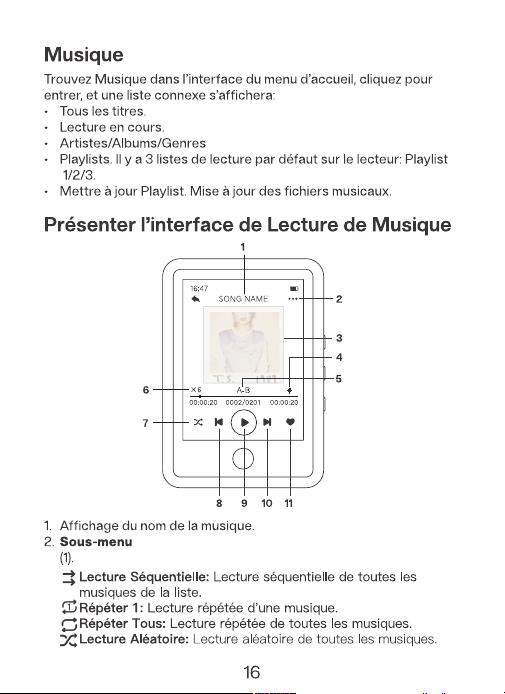
Mode de Lecture
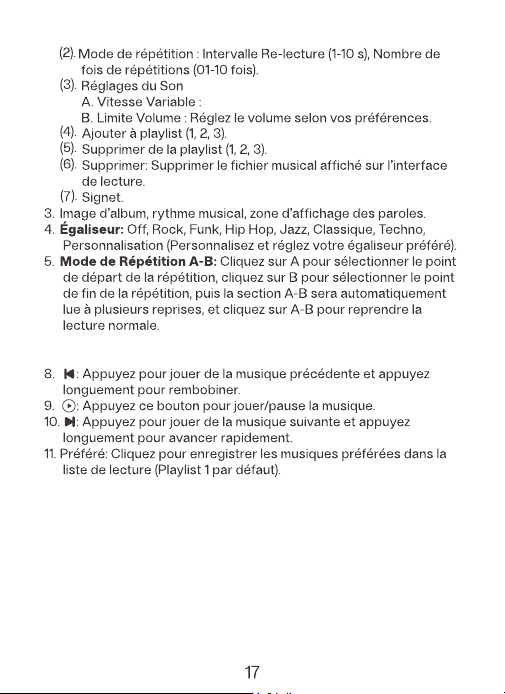
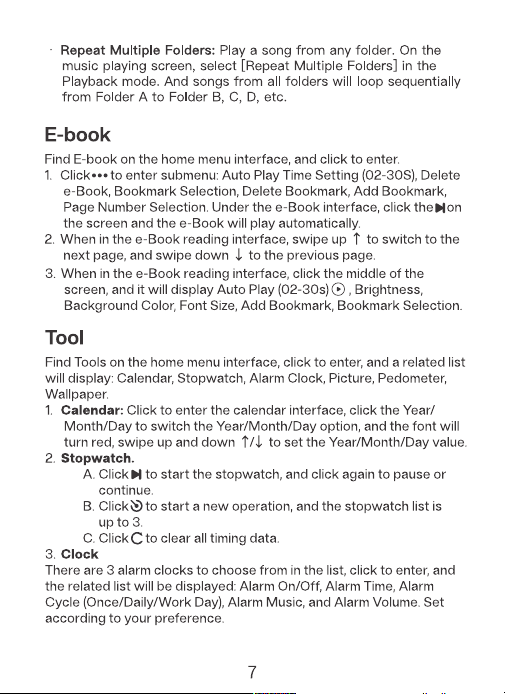
6. Vitesse Variable: Appuyez pour ralentir ou accélérer la lecture.
7. Changez rapidement de mode de lecture.
Les options incluent 0,5x/1x/1,5x/2x.
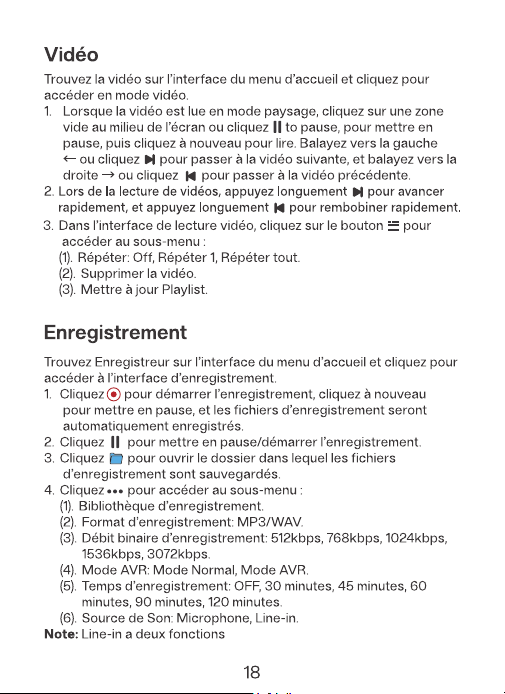
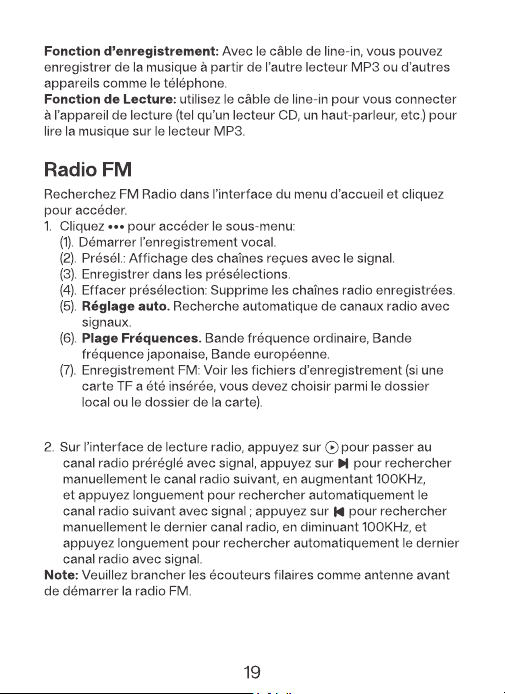
(8). Haut-parleur Radio: Activez-le pour écouter la radio FM via le
haut-parleur
Home-Taste
Wiedergabemodus
Geordnet abspielen: Spielen die Lieder in der Reihenfolge ab, in
der sie aufgelistet sind.
Eins wiederholen:Wiederholen ein Lied kontinuierlich.
Alles wiederholen: Wiederholen alle Lieder in der Playlist.
Zufällige Wiedergabe:Alle Lieder in zufälliger Reihenfolge
abspielen.
Zu den Optionen
Bluetooth automatische Wiederverbindung: Nach dem Neustart
versucht der Player, sich innerhalb von 15 Sekunden erneut mit den
zuvor gekoppelten Geräten zu verbinden. Wenn dies nach 5 Minuten
nicht gelingt, wird Bluetooth deaktiviert und muss manuell erneut
verbunden werden. (*Stellen Sie sicher, dass Ihre Bluetooth-Geräte
im Kopplungsmodus sind.)
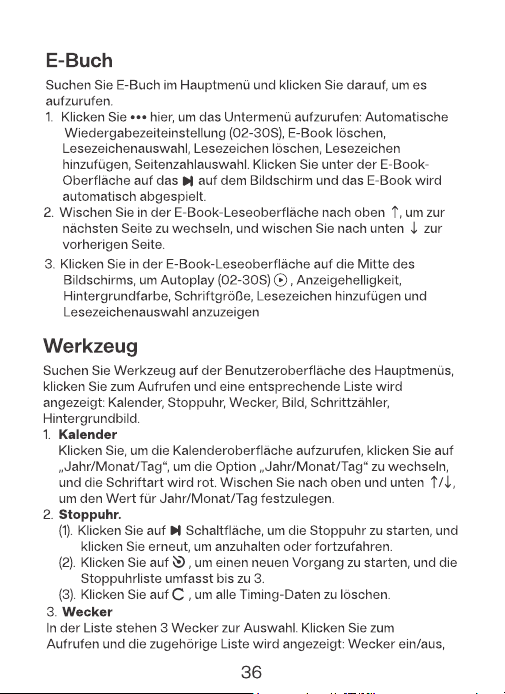
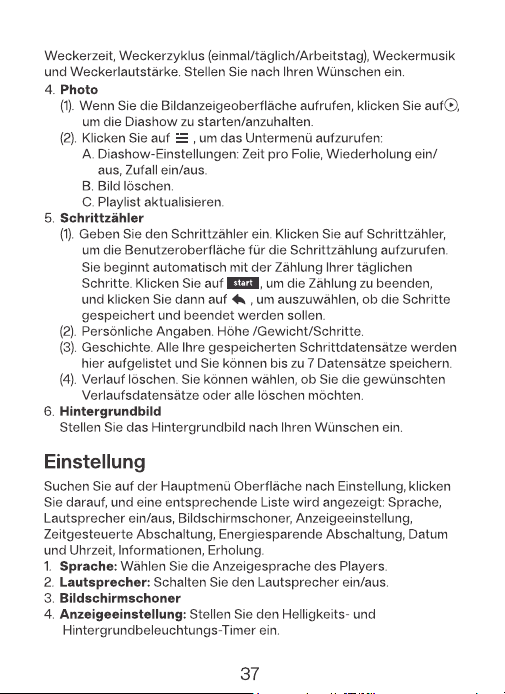
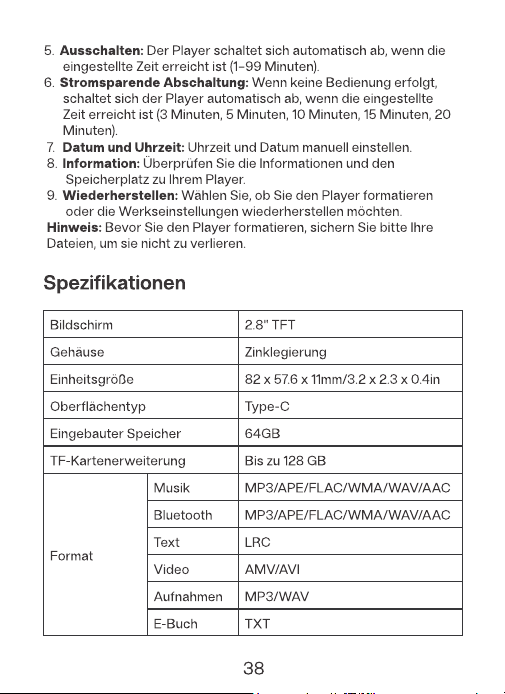
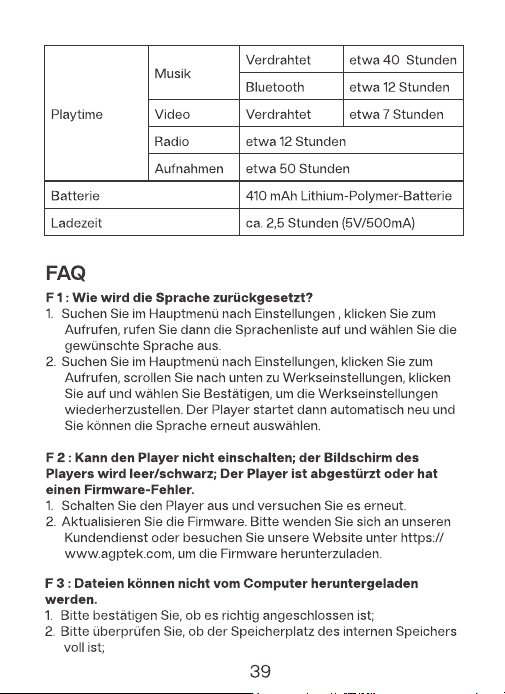
Modo Reproducción
Las opciones incluyen
0,5x/1x/1,5x/2x.
(8). Altavoz de Radio: Actívalo para utilizar el altavoz del dispositivo
para la reproducción de radio.
Reconexión Automática Bluetooth: Al reiniciar, el reproductor intenta
reconectarse con dispositivos previamente emparejados durante 15
segundos. Si no se logra después de 5 minutos, el Bluetooth se apagará,
requiriendo reconexión manual. (*Asegúrate de que tu dispositivo
Bluetooth está en modo de emparejamiento).
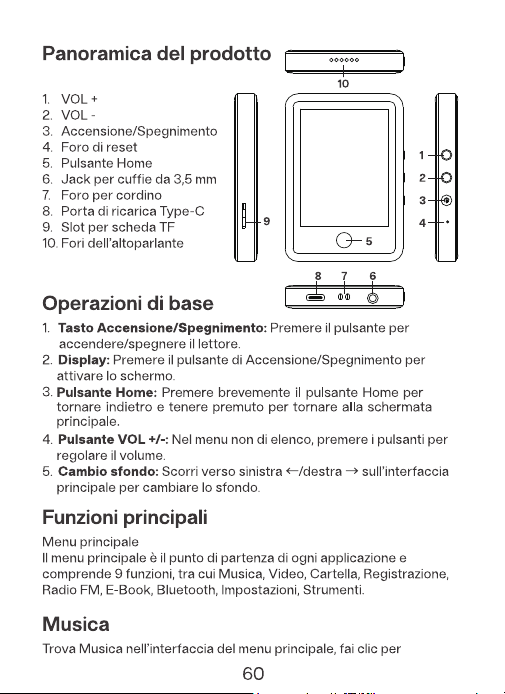
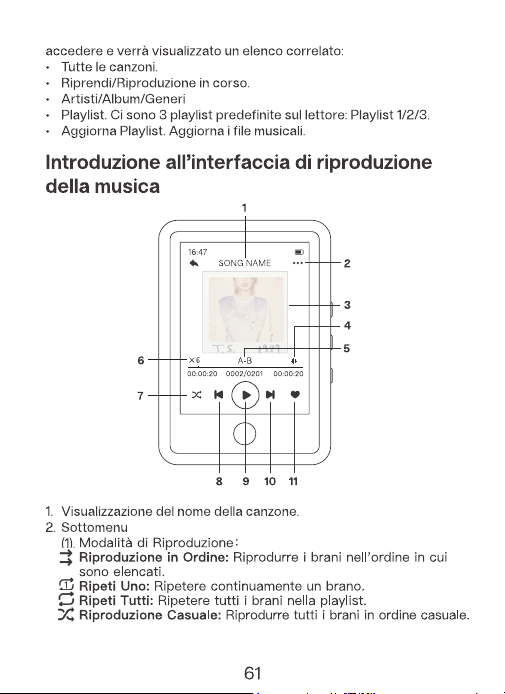
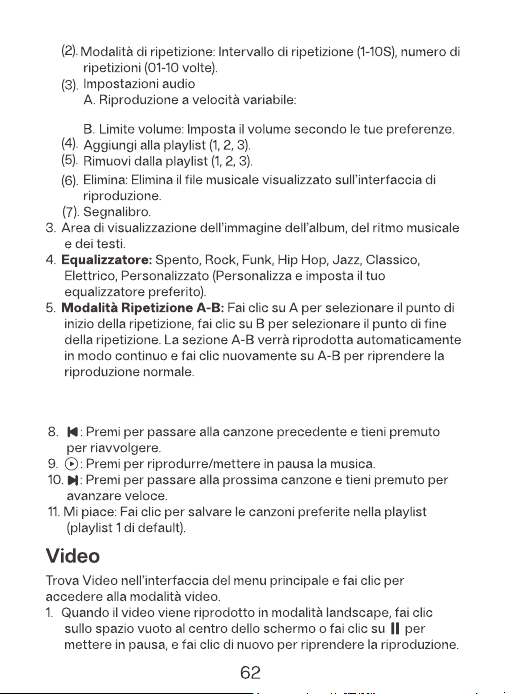
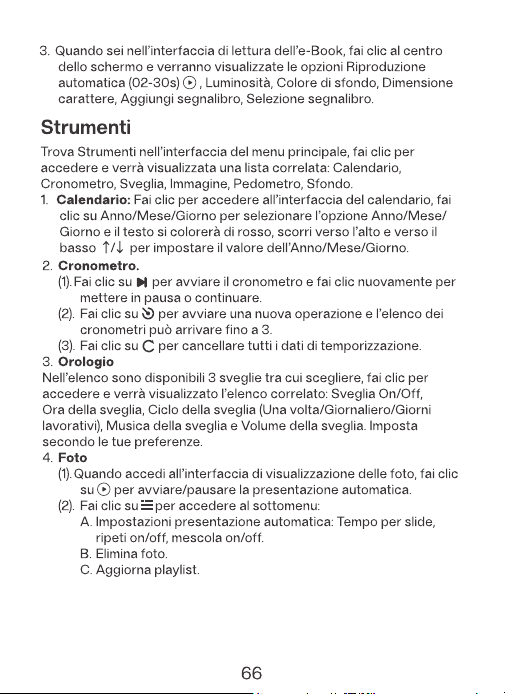
Le opzioni includono 0.5x/
1x/1.5x/2x.
6. Riproduzione a velocità variabile: Tocca per rallentare o accelerare
la riproduzione.
7. Passa rapidamente tra le modalità di riproduzione.
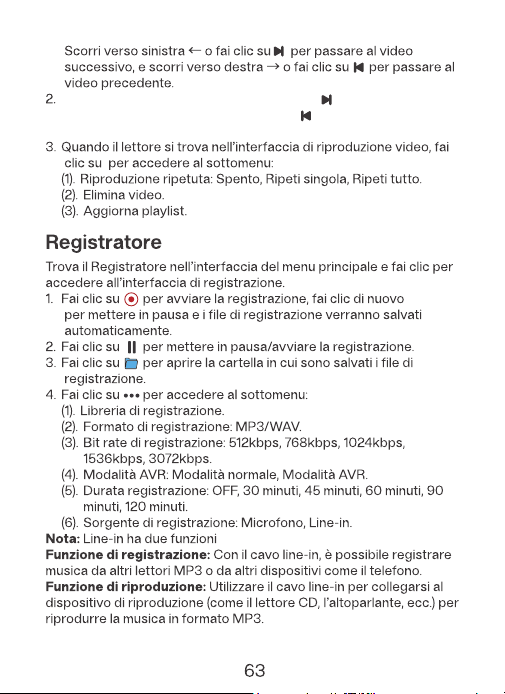
(8) Altoparlante Radio: Accendilo per utilizzare l'altoparlante del
dispositivo per la riproduzione della radio.
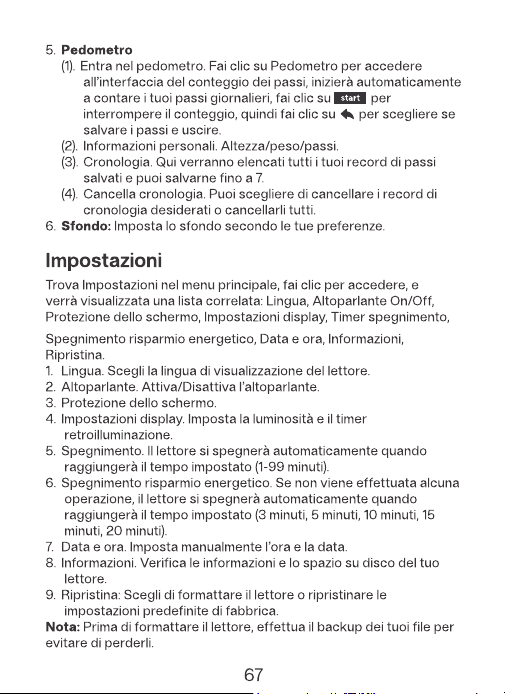
Riconnessione Automatica Bluetooth: Al riavvio, il lettore tenta di
riconnettersi con i dispositivi precedentemente accoppiati per 15
secondi. Se dopo 5 minuti non riesce, il Bluetooth si spegnerà,
richiedendo la riconnessione manuale. (*Assicurati che il tuo
dispositivo Bluetooth sia in modalità di accoppiamento.)
· Se viene inserita una scheda TF, è possibile scegliere di andare
alla cartella Locale o alla cartella della Scheda.
· Ripeti Una Cartella Singola: Riprodurre un brano dalla cartella che
si desidera ripetere. Nella schermata di riproduzione musicale,
selezionare [Ripeti Una Cartella Singola] nella modalità di
riproduzione. Questo ripeterà continuamente tutti i brani all'interno
di quella cartella.
· Ripeti Più Cartelle: Riprodurre un brano da qualsiasi cartella. Nella
schermata di riproduzione musicale, selezionare [Ripeti Più Cartelle]
nella modalità di riproduzione. E i brani di tutte le cartelle verranno
riprodotti in sequenza dalla Cartella A alla Cartella B, C, D, ecc.
70
71
72
73
74
75
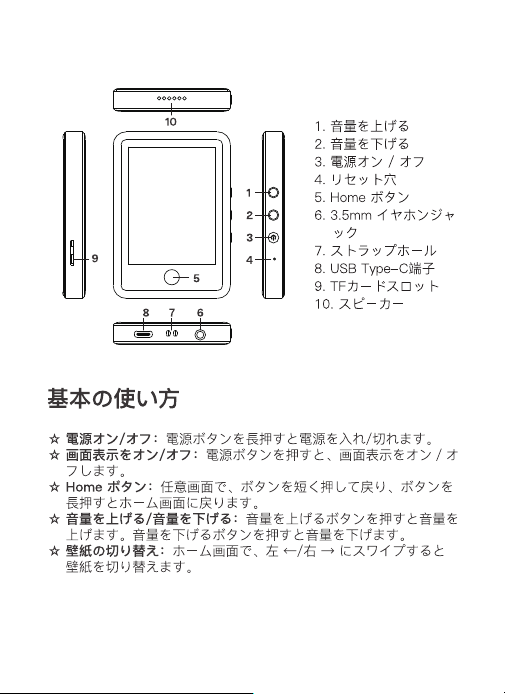
各部名前
77
78
Points de collecte sur www.quefairedemesdechets.fr
FR
Vous êtes responsable de remettre tous les appareils
électriques et électroniques usagés à des points de
collecte correspondants.
Pour en savoir plus: www.quefairedemesdechets.fr