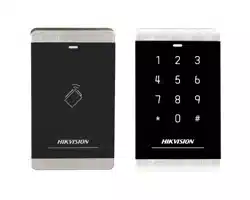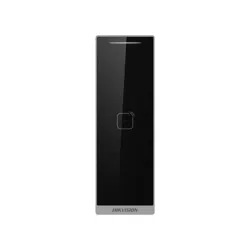
2
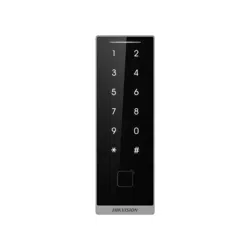
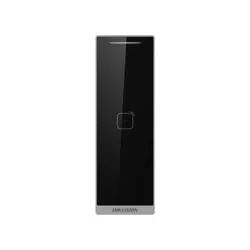
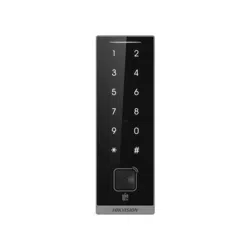
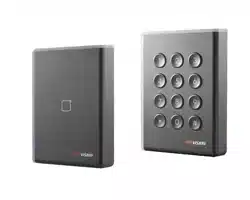
Appearance
1 Installation
Figures are for reference only.
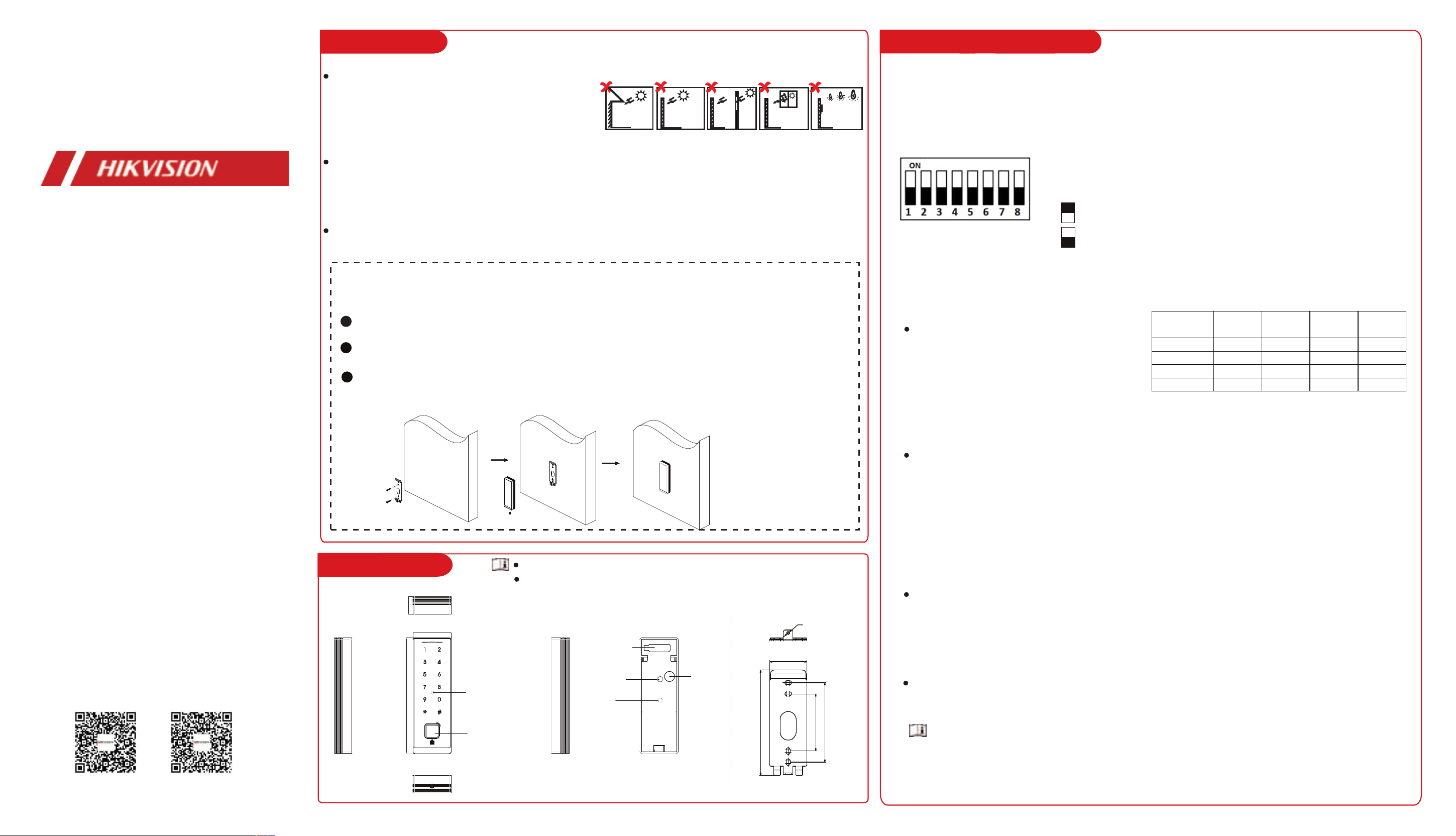
Installation Environment:
Indoor and outdoor installation are supported. If
installing the device indoors, the device should be at
least 2 meters away from the light, and at least 3
meters away from the window or the door. If installing
the device outdoors, you should apply Silicone sealant
among the cable wiring area to keep the raindrop
from entering.
The additional force shall be equal to three times the
weight of the equipment. The equipment and its
associated mounting means shall remain secure
during the installation. After the installation, the
equipment, including any associated mounting plate,
shall not be damaged.
If there are raindrops or dust remaining on the surface of the card reader, it may affect the key
operation and infrared wave function, so it is recommended to wipe it clean before operating.
Direct
Sunlight
Direct Sunlight
through Window
Backlight
Indirect Sunlight
through Window
Close to Light
Wall Mounting
1
Drill holes on the wall or other surface according to the instructions.
2
Secure the mounting plate on the wall with two supplied screws ( SC-KA4X25-SUS). Wire the cables.
3
Align the device with the mounting plate, press and hold the device from above, and secure the device on the
mounting plate with 1 supplied screw ( SC-KM3X8-SUS-NL).
3
DIP Switch Description
DIP Switch Description
Mounting Plate
DIP switch 1 to 4 refers to RS-485
address. When the switch towards 1, it
refers to 1. When the switch is towards
0, it refers to 0.
DIP switch 6 refers to Wiegand protocol or RS-485 protocol. The DIP switch in the ON
position indicates Wiegand communication, and in the OFF position indicates RS-485
communication.
DIP switch 5 refers to card security. DIP switch in the ON position indicates that the M1
card encryption function is enabled, and the NFC card reading function is disabled,
reading card content. In the OFF position, it indicates that the M1 card encryption
function is disabled, and the NFC card reading function is enabled, reading only the card
No.
DIP switch 7 refers to Wiegand Protocol Selection. The DIP switch in the ON position
indicates Wiegand 26, and in the OFF position indicates Wiegand 34.
Represent 1 (ON) in binary mode
Represent 0 (OFF) in binary mode
The DIP switch module is shown as left. The No. of DIP switch
from left to right is 1 to 8.
RS-485
Address
DIP Switch
1
DIP Switch
2
DIP Switch
3
DIP Switch
4
Address 1 ON OFF OFF OFF
Address 2 OFF ON OFF OFF
Address 3 ON ON OFF OFF
Address 4 OFF OFF ON OFF
21.2mm
46mm
139mm
DIP switch
Card Representing
and QR Code
Scanning
Area(Only Partial
of Models Supports
QR Code Scanning)
Wiring
Buzzer
Capacitor
DS-K1105 Series
Card Reader
User Manual
UD41595B
270X Series 262X Series
Scan the QR code to get the user manual for detailed information.
Different models have different card swiping positions, please refer to the actual device.
Infrared sensor
After the DIP is changed, the device needs to be restarted to take effect.
M3
39.3 mm
110.5 mm
83.3 mm
60 mm
5 Sound Prompt and Indicator
4 Wiring
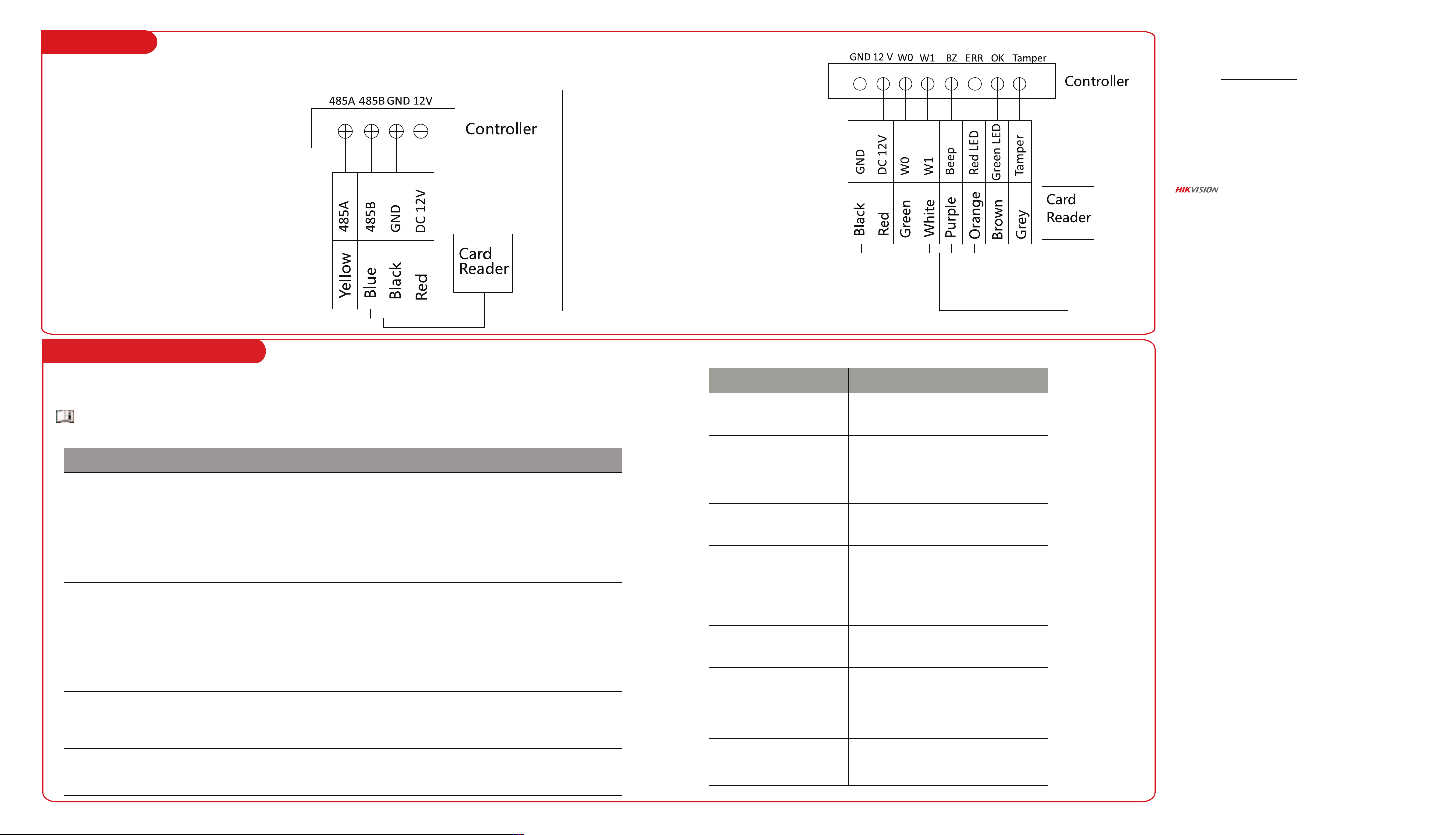
Wiring for RS-485
Communication Mode
Wiring for Wiegand
Communication Mode
Steps
1. Set the DIP switch of No. 6 as 0.
2. Set the DIP switch of No. 1~4 for
RS-485 address.
3. Wire the cable between controller
and card reader as shown below.
Wire the cables between controller and card reader, thus to establish the communication between them.
Steps
1. Set the DIP switch of No. 6 as
1.
2. Set the DIP switch of No. 5
and 7 for reading card mode and
Wiegand protocol.
3. Wire the cable between
controller and card reader as
shown below.
After the card reader is powered on, LED status indicator will turn green and flashing once. Then it will turn red and
flashing 3 times. At last the buzzer will send out a beep sound indicating the starting up process is completed.
When the device is turned on, do not obscure the panel.
Sound Prompt Description
LED Indicator Description
Sound Description
1 “beep”
1. Swipe card 2. Press button 3. The input password length is too long 4.
Two button pressing interval is too long (button pressing timeout) 5. Device
booting 6. Multiple authentication timeout 7. QR code detected 8. Two
consecutive intervals of tampering exceed 5 s
3 slow "beep" Multiple authentication timeout
2 fast "beep" Card swiping is effective
3 slow "beep" Card swiping is ineffective
Continuous rapid "beep" Buzzer Alarm
Continuous slow "beep" Reader unencrypted
8 fast "beep" Card is a copy card (M card)
LED Status Description
Red flash 3 times Multiple authentication timeout
Solid Green for 3
seconds
Card swiping is effective
Red flash 3 times Card swiping is ineffective
Green flash once, and
red flash 3 times
Device rebooting
White breathing light Device is on normal working mode
Red continuous flash -
fast
Card reader dropout, and
registration failure.
Green continuous flash Wait in multiple authentication
Red Osdp protocol is in standby mode
Blue flash once
Tampering once
Red flash twice
Two consecutive intervals of
tampering exceed 5 s
About this Document
● This Document includes instruc�ons for using and managing the Product. Pictures, charts,
images and all other informa�on hereina�er are for descrip�on and explana�on only.
● The informa�on contained in the Document is subject to change, without no�ce, due to
rmware updates or other reasons. Please nd the latest version of the Document at the
Hikvision website (h�ps://www.hikvision.com). Unless otherwise agreed, Hangzhou Hikvision
Digital Technology Co., Ltd. or its aliates (hereina�er referred to as "Hikvision") makes no
warran�es, express or implied.
● Please use the Document with the guidance and assistance of professionals trained in
suppor�ng the Product.
About this Product
This product can only enjoy the a�er-sales service support in the country or region where the
purchase is made.
Acknowledgment of Intellectual Property Rights
● Hikvision owns the copyrights and/or patents related to the technology embodied in the
Products described in this Document, which may include licenses obtained from third par�es.
● Any part of the Document, including text, pictures, graphics, etc., belongs to Hikvision. No
part of this Document may be excerpted, copied, translated, or modied in whole or in part by
any means without wri�en permission.
● and other Hikvision’s trademarks and logos are the proper�es of Hikvision in
various jurisdic�ons.
● Other trademarks and logos men�oned are the proper�es of their respec�ve owners.
LEGAL DISCLAIMER
● TO THE MAXIMUM EXTENT PERMITTED BY APPLICABLE LAW, THIS DOCUMENT AND THE
PRODUCT DESCRIBED, WITH ITS HARDWARE, SOFTWARE AND FIRMWARE, ARE PROVIDED "AS
IS" AND "WITH ALL FAULTS AND ERRORS". HIKVISION MAKES NO WARRANTIES, EXPRESS OR
IMPLIED, INCLUDING WITHOUT LIMITATION, MERCHANTABILITY, SATISFACTORY QUALITY, OR
FITNESS FOR A PARTICULAR PURPOSE. THE USE OF THE PRODUCT BY YOU IS AT YOUR OWN
RISK. IN NO EVENT WILL HIKVISION BE LIABLE TO YOU FOR ANY SPECIAL, CONSEQUENTIAL,
INCIDENTAL, OR INDIRECT DAMAGES, INCLUDING, AMONG OTHERS, DAMAGES FOR LOSS OF
BUSINESS PROFITS, BUSINESS INTERRUPTION, OR LOSS OF DATA, CORRUPTION OF SYSTEMS,
OR LOSS OF DOCUMENTATION, WHETHER BASED ON BREACH OF CONTRACT, TORT
(INCLUDING NEGLIGENCE), PRODUCT LIABILITY, OR OTHERWISE, IN CONNECTION WITH THE
USE OF THE PRODUCT, EVEN IF HIKVISION HAS BEEN ADVISED OF THE POSSIBILITY OF SUCH
DAMAGES OR LOSS.
● YOU ACKNOWLEDGE THAT THE NATURE OF THE INTERNET PROVIDES FOR INHERENT
SECURITY RISKS, AND HIKVISION SHALL NOT TAKE ANY RESPONSIBILITIES FOR ABNORMAL
OPERATION, PRIVACY LEAKAGE OR OTHER DAMAGES RESULTING FROM CYBER-ATTACK,
HACKER ATTACK, VIRUS INFECTION, OR OTHER INTERNET SECURITY RISKS; HOWEVER,
HIKVISION WILL PROVIDE TIMELY TECHNICAL SUPPORT IF REQUIRED.
● YOU AGREE TO USE THIS PRODUCT IN COMPLIANCE WITH ALL APPLICABLE LAWS, AND YOU
ARE SOLELY RESPONSIBLE FOR ENSURING THAT YOUR USE CONFORMS TO THE APPLICABLE
LAW. ESPECIALLY, YOU ARE RESPONSIBLE, FOR USING THIS PRODUCT IN A MANNER THAT DOES
NOT INFRINGE ON THE RIGHTS OF THIRD PARTIES, INCLUDING WITHOUT LIMITATION, RIGHTS
OF PUBLICITY, INTELLECTUAL PROPERTY RIGHTS, OR DATA PROTECTION AND OTHER PRIVACY
RIGHTS. YOU SHALL NOT USE THIS PRODUCT FOR ANY PROHIBITED END-USES, INCLUDING THE
DEVELOPMENT OR PRODUCTION OF WEAPONS OF MASS DESTRUCTION, THE DEVELOPMENT
OR PRODUCTION OF CHEMICAL OR BIOLOGICAL WEAPONS, ANY ACTIVITIES IN THE CONTEXT
RELATED TO ANY NUCLEAR EXPLOSIVE OR UNSAFE NUCLEAR FUEL-CYCLE, OR IN SUPPORT OF
HUMAN RIGHTS ABUSES.
● IN THE EVENT OF ANY CONFLICTS BETWEEN THIS DOCUMENT AND THE APPLICABLE LAW,
THE LATTER PREVAILS.
Data Protec�on
● To protect data, the development of Hikvision Products incorporates privacy by
design principles. For example, for Products with facial recogni�on features,
biometrics data is stored in your Products with encryp�on method; for ngerprint
Products, only ngerprint template will be saved, which is impossible to reconstruct a
ngerprint image.
● As a data controller/processor, you may process personal data, including collec�on,
storage, use, processing, disclosure, dele�on, etc. You are advised to pay a�en�on to
and comply with applicable laws and regula�ons related to the protec�on of personal
data, including without limita�on, conduc�ng security controls to safeguard personal
data, such as, implemen�ng reasonable administra�ve and physical security controls,
conduct periodic reviews and the assessments of the eec�veness of your security
controls.
© Hangzhou Hikvision Digital Technology Co., Ltd. All rights reserved.