version:1.0
User Manual
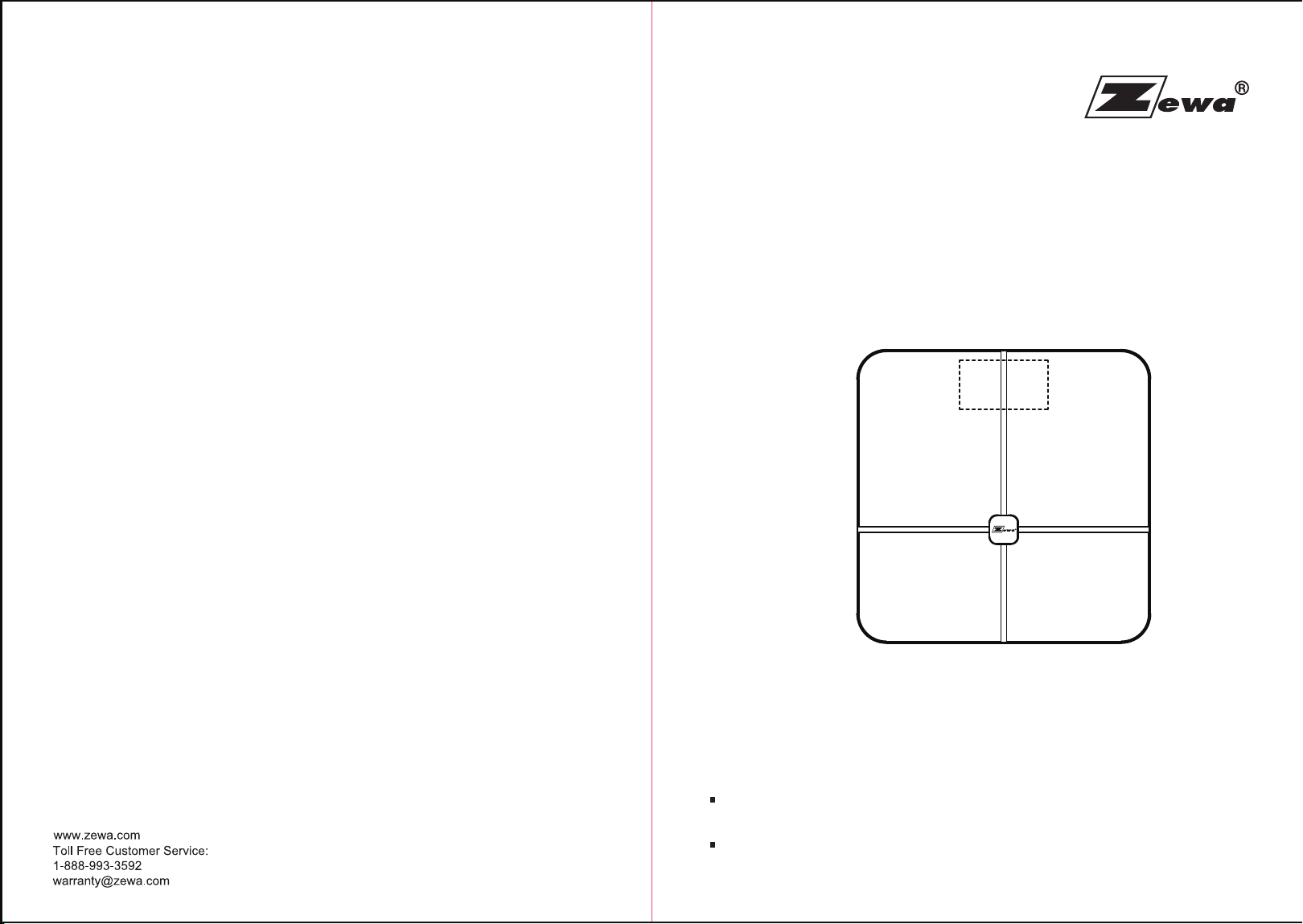
Wireless Smart Scale
21300
Please do read the user manual carefully and thoroughly so as to ensure
the safe usage of this product, and keep the manual well for further
reference in case you have problems.
Thank you very much for selecting the Zewa Wireless Smart Scale
21300.
Manufactured for ZEWA, INC.
12960 Commerce Lakes Drive
Suite 29
Fort Myers, FL 33913
PO#1B18516-GBF-2008-BF1-21300-说明书
印色:单黑+ Pantone reflex blue C
材质:80G书写纸
尺寸:128*180mm
环保要求:RoHS & REACH & 加州65 & 美国/欧盟 包装指令 & 电池指令

1
Table of Contents
Table of Contents
Safety Information
Safety and Usage Information
Your Scale and Its Environment
Efficient Use of Your Scale
Overview
Device Components
List
LED Display
Initial Start-Up
General Instructions
Insert the Batteries
Pair-Up
Start Measuring
Select Measurement Unit
Daily Measurement
Heart Rate Measurement
Small Items Measurement
Manage Your Health
Data Transmission
Troubleshooting
Error Prompt
When Measuring ...
When Data Transmitting...
Specifications
Maintenance
FCC Regulations
Appendix
Warning
EMC Guidance
2
3
3
4
4
5
6
6
7
7
7
8
8
9
10
10
12
13
14
15
16
16
...............................................................................................
..................................................................................................
.................................................................................................................
..........................................................................................................................................
.................................................................................................................
.......................................................................................................
..................................................................................................................
...................................................................................................................
.............................................................................................................................
.................................................................................................................
.................................................................................................................................
...........................................................................................................................
........................................................................................................
........................................................................................................................
...........................................................................................................
..............................................................................................................................
...................................................................................................................
........................................................................................................
.......................................................................................................
........................................................................................................
.........................................................................................................................
.................................................................................................................................
2 3
Safety InformationSafety Information
The Zewa Wireless Smart Scale measures weight and uses bio-electrical impedance
analysis(BIA) technology to estimate body fat and heart rate in generally healthy children
10-17 years old and healthy adults.
It is intended for use in the domestic setting only.
The warning signs and symbols are essential to ensure your correct and safe use of
this product and protect you and others from injury. Please kindly find the meanings of the
warning signs and symbols, which you may encounter in the label and user manual, as
follows:
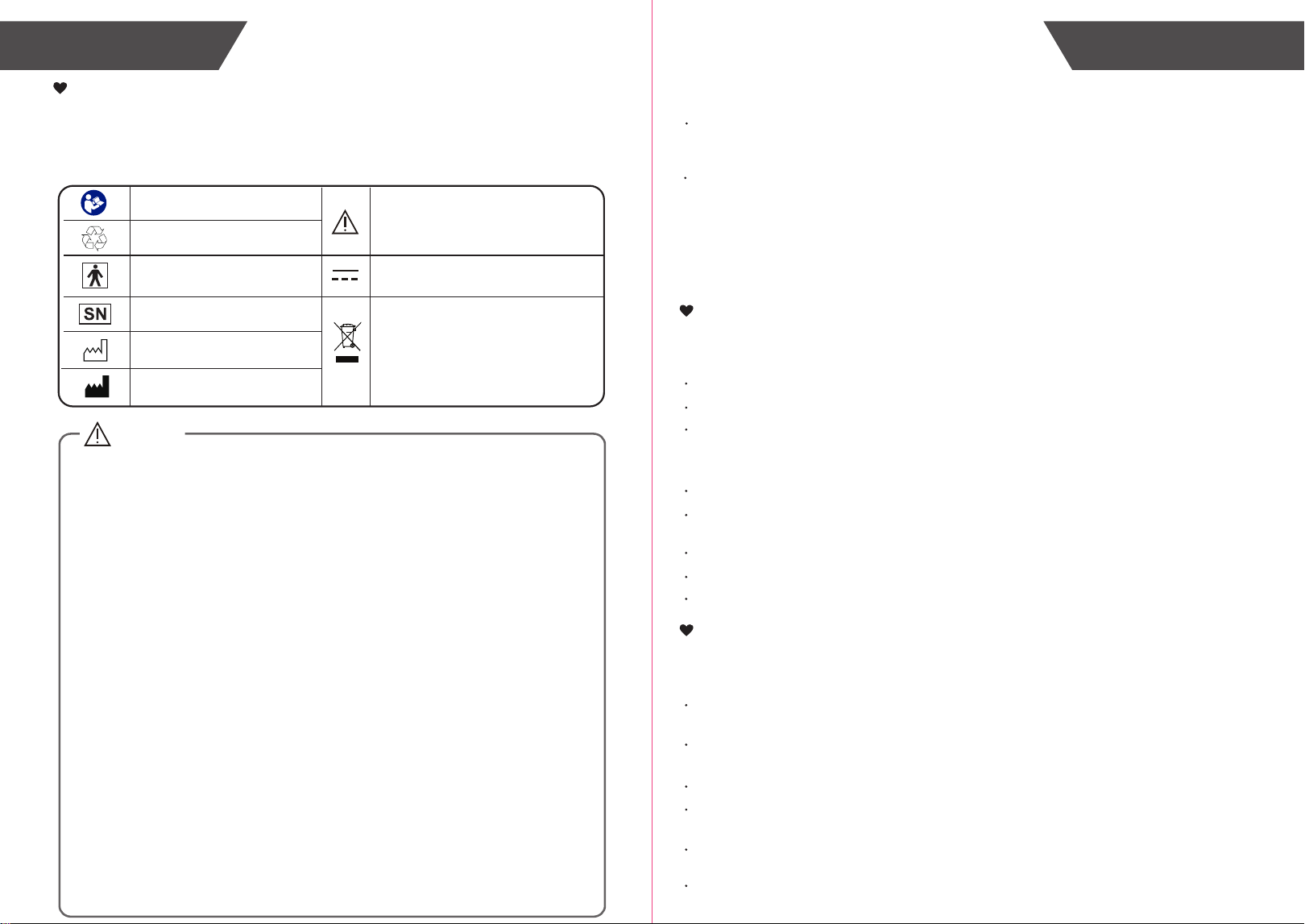
Safety and Usage Information
CAUTION
Symbol for “THE OPERATION
GUIDE MUST BE READ”
Symbol for “MANUFACTURER”
Symbol for “ENVIRONMENT
PROTECTION – Waste electrical
products should not be disposed of with
household waste. Please recycle where
facilities exist. Check with your local
authority or retailer for recycling advice”
Symbol for “TYPE BF APPLIED
PARTS”
Symbol for “SERIAL NUMBER”
Symbol for “DIRECT CURRENT”
The Wireless Smart Scale 21300 offers you a seamless way to manage your health. Please be
aware that this device is designed for adults’ self-measuring and self-monitoring body fat level.
Any information provided by this device is in no way meant to treat, cure or prevent any disease
or illness from happening. This device should not be used by anyone who is acutely or
chronically ill, suffering from a disease or taking medications that affect your water levels. The
accuracy of readings for these patients has not been verified. Specific medical advice should be
obtained from a physician.
Before diet and exercise, you must first find a professional medical guide.
The Wireless Smart Scale is equipped with data transmission function. It may emit
electromagnetic energy so as to perform its intended function. Nearby portable and mobile RF
communications equipment can affect the performance of the device .
Portable and mobile RF communications equipment can affect the measuring accuracy of the
Wireless Smart Scale.
Kindly note that the use of accessories, transducers or cables other than those specified, with
the exception of transducers and cables sold by the manufacturer as replacement parts for
internal components, may result in increased EMISSIONS or decreased IMMUNITY of the
device.
Be aware that misuse of electrical equipments can cause electric shock, burns, fire and other
hazards.
Warning that the Wireless Smart Scale should not be used adjacent to or stacked with other
equipment.
Manufacturer will make available on request circuit diagrams, component parts list,etc.
WARNING:No modifications of this equipment is allowed.
During using the analyzer, the patient will contact with the upper surface of the Analyzer. The
upper surface of the analyzer is type BF Applied part.
The device doesn’t need to be calibrated in five years lifetime.
Do not touch the output of batteries when using the analyzer.
The patient is an intended operator. The patient can perform all the operations in the manual,
such as measurement, data transmitting, changing batteries.
Please do not use the device in flammable gas environment.
Symbol for “MANUFACTURE
DATE”
INDICATIONS FOR USE
CONTRAINDICATIONS
1. This device is contraindicated for any female subject who may be suspected of, or is pregnant.
Besides provided inaccurate readings, the affects of this device on the fetus are unknown.
2. This device is contraindicated for any person who is connected to a wearable or implantable
electronic device or instrument such as a pacemaker or defibrillator.
To ensure your safety as well as the service life of your scale, please avoid using
the scale under the following circumstances:
Slippery floor such as tile floor
Stepping onto the platform immediately after bath or with wet feet
Near a cell phone or microwave oven
Avoid storage in the following locations:
Where there is water
Where the device may be exposed to extreme temperatures, humidity, moisture, direct
sunlight, dust, or salt air
Where there is risk of shock or drop
Where you store chemicals or full of corrosive gases
Where in reach of the infants or children
Your Scale and Its Environment
Efficient Use of Your Scale
To ensure the accuracy of measurement, please follow below instructions when
you start measurement.
Place the scale on a flat, hard surface. Soft surface such as carpet will affect the
performance of the scale.
Step onto the platform with bare feet. Stand still and keep full contact with the scale until
the measurement is complete.
Start measurement at least two hours after Getting up or Dinning.
Avoid measurement immediately after strenuous exercise, sauna or bath, drinking, and
dining.
Always start measurement in the same time slot and on the same scale located on the
same flat, hard surface.
This device is not intended for use in an oxygen rich environment.
Caution: These notes must be
abserved to prevent any damage
to the device.
Symbol for “RECYCLE”
4 5
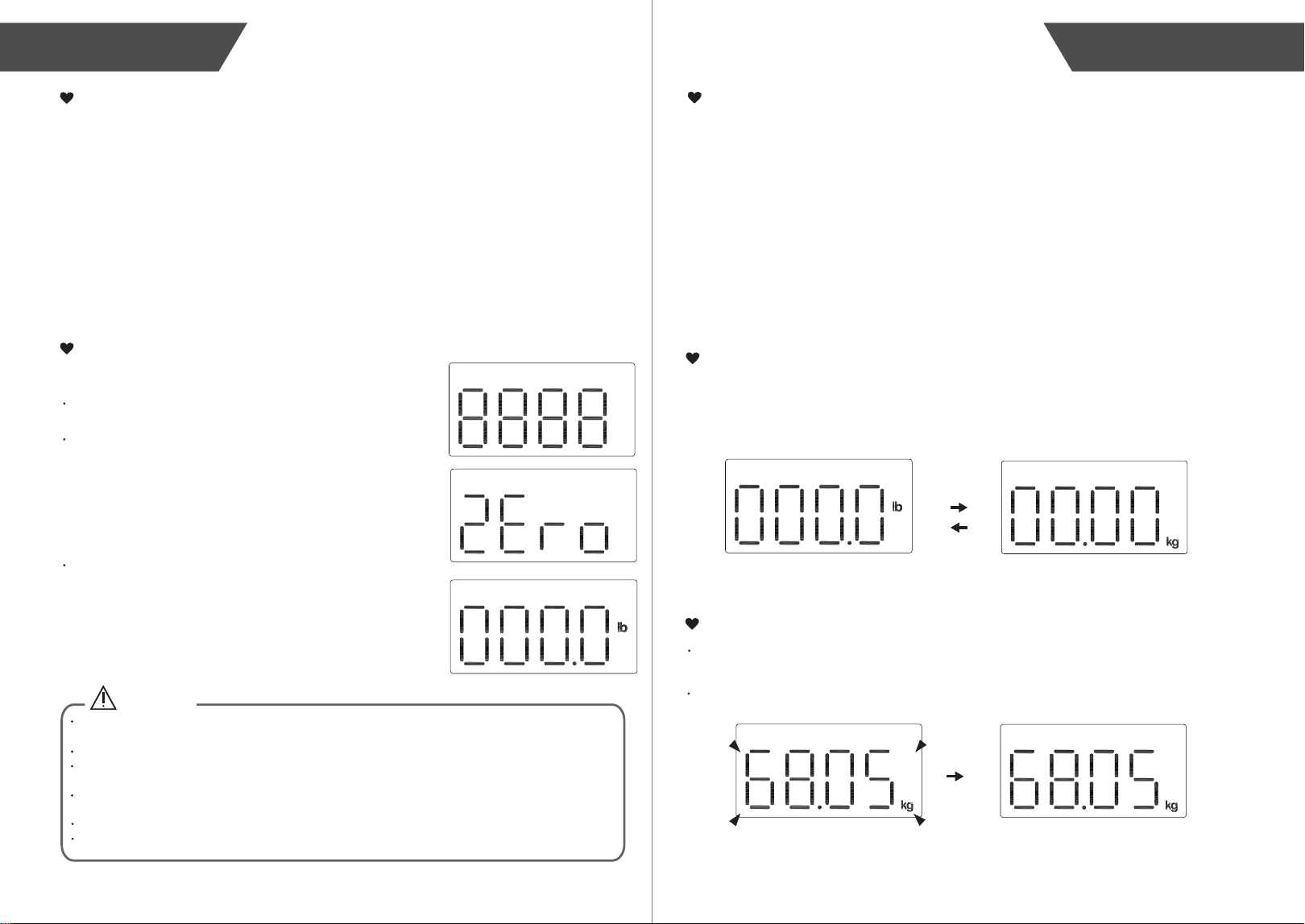
LED Display
List
1. Wireless Smart Scale 21300
2. Four AAA-size Batteries (1.5V per each)
3. User Manual
OverviewOverview
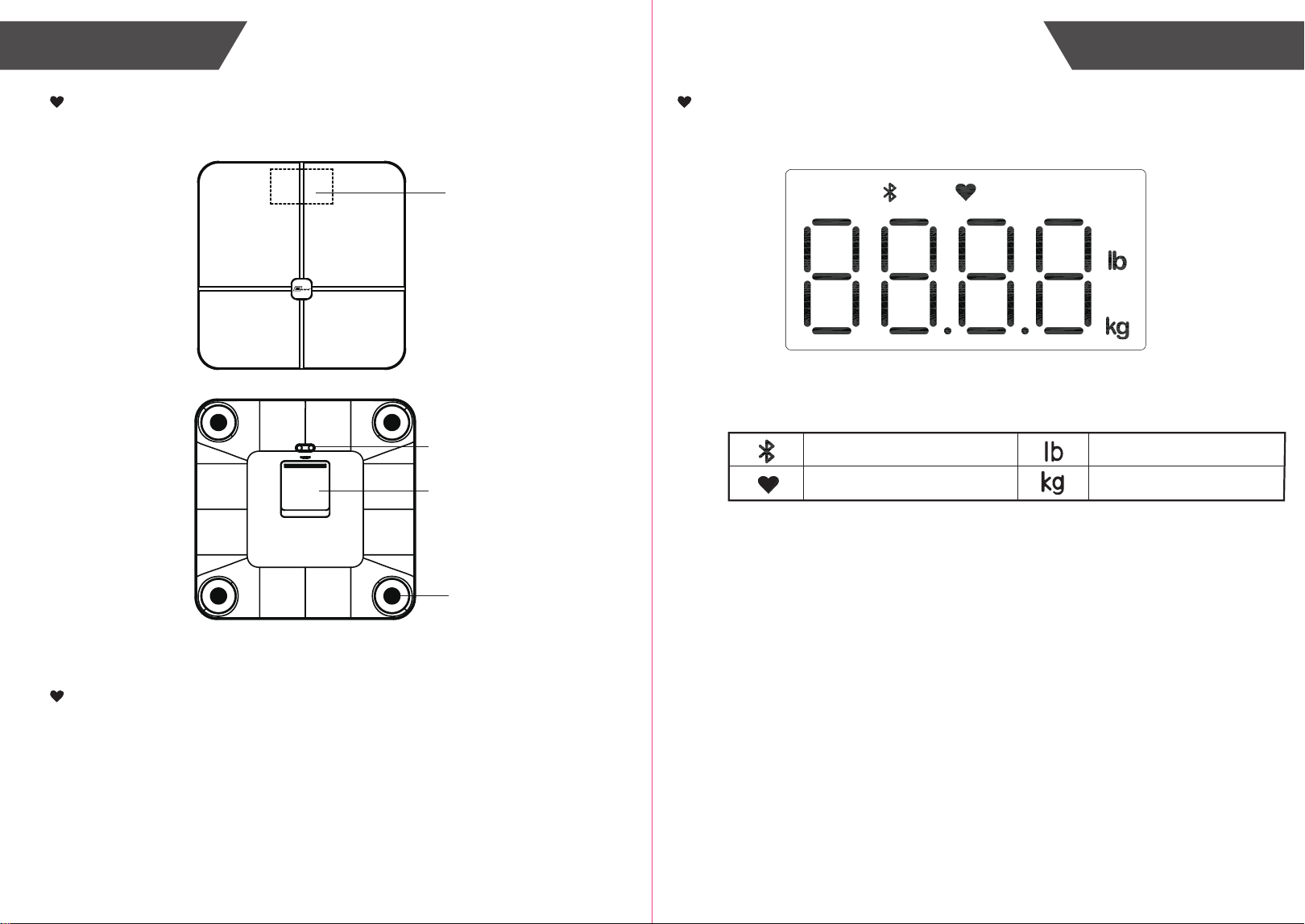
Device Components
LED Display
UNIT Button
Battery Compartment
Sensor
Bluetooth Connection Indication
Resting Heart Rate Result
Pound
Kilogram
7
6
Initial Start-UpInitial Start-Up
General Instructions
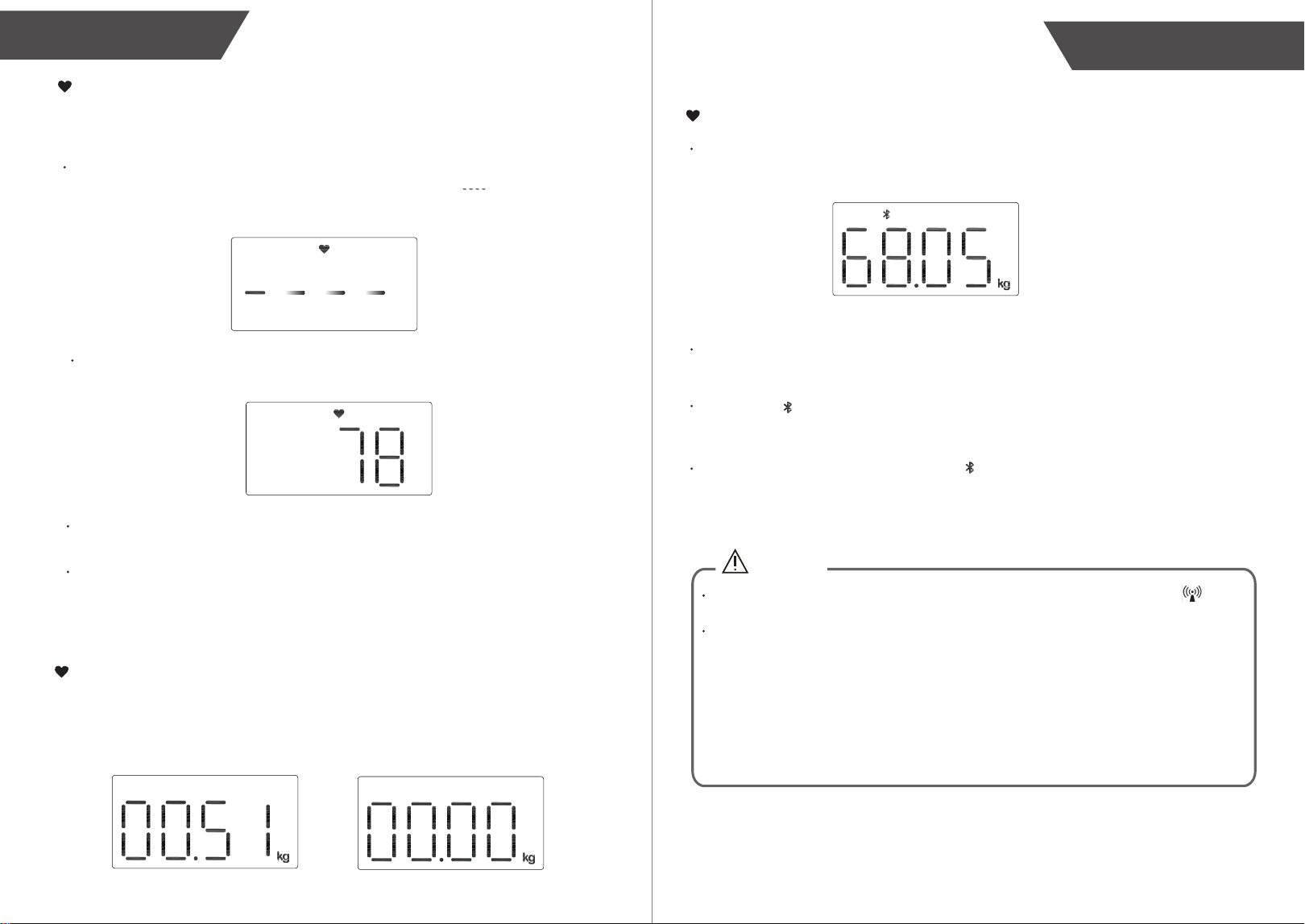
Insert the Batteries
Open the battery door in the back of the scale.
Insert the batteries (4 x 1.5V AAA) into the battery
compartment according to the polarity indications
marked inside the compartment.
* The digits “ 8888 ” will be shown on the LED.
Close the battery door, the scale is initialized when
the digits “ZEro” are shown. Place the scale on the
ground and wait, “000.0” lb will be shown.
* The scale will shut down in 30s without measurement.
CAUTION
When the symbol “ Lo” appears, you shall replace with a new set of batteries. Please replace all four
batteries at the same time. Do NOT mix the old batteries with the new one.
Worn batteries are hazardous waste. Do NOT dispose of them together with the household garbage.
Please refer to the local ordinances and recycling instructions regarding disposal of the worn batteries
and scrapped device.
If you do not intend to use this unit for a prolonged period of time, it is advisable to remove the batteries
before storing.
Do not mix alkaline, standard(carbon-zinc), or rechargeable(Ni-Cd, Ni-MH, etc) batteries.
Use the scale three times a day, and the lifetime of battery is one year.
Zewa Wireless Smart Scale 21300 applies BIA (Bio-impedance Analysis) technology. A
small amount of weak current flows through the human body so as to detect the
bio-impedance and estimate body fat and heart rate. The electrical current is small and
may not be felt.
This BIA technology is safe, non-invasive, toxic-free and harmless. It also possesses the
characteristics of simple operation and abundant information.
The current mentioned above is less than 0.5mA. However, please be aware that anyone
with an wearable or implantable medical electronic instrument, such as a pacemaker, must
avoid using this device.
The intended use of this device is for healthy children 10-17 years old and healthy adults.
Pair-Up
Select Measurement Unit
With batteries correctly installed, press “UNIT” button in the back of the scale to select
measurement unit. The default measurement unit is “lb”. You may press “UNIT” button to
choose between pound and kilogram.
With original SENSE ON patent technology, 21300 will switch on as you step on the
platform barefooted.
Daily Measurement
Stand still and keep full contact with the surface of scale until the LED stops blinking digits.
With the advanced Bluetooth 5.0 technology applied, the mobile or portable
equipments, which are equipped with Bluetooth function in line with BLE Technical
Specifications as well as BLP Protocol established by global organization Bluetooth SIG,
are capable to receive your personal health data.
To get started install the App provided by your RPM solutions provider and follow the
in-app installation guide.
9
8
Heart Rate Measurement
The heart rate is measured on the APP and this function is turned on by default. If you
close this function, only the weight data shown on the scale.
When the function of heart rate measurement is on, after the scale locks the weight, it
starts to measure the heart rate. The scale displays moving “ ” during the
measurement.
Start Measuring
Small Items Measurement
When the weighed items are between 0.15-9.95kg, the scale is in the small items
weighing mode. The scale will not lock the weight. If you remove the item, the scale will
return to zero.
After the heart rate measurement is completed, the measuring result will be shown.
Then the all measuring results will be displayed one time again: Weight and Heart
Rate result. And turn off.
CAUTION
Interference may occur in the vicinity of equipment marked with the following symbol . And
the Analyzer may interfere vicinity electrical equipment.
To enable the data transmission function, this product should be paired to a Bluetooth 5.0 or
above end.
How to mitigate possible interference?
1. The range between the Analyzer and the Bluetooth end should be reasonably close, from 1
meter to 10 meters. Please ensure no obstacles between the Analyzer and the Bluetooth end
so as to obtain quality connection.
2. To avoid interference, other electronic devices (particularly those with Bluetooth transmission
/ Transmitter) should be kept at least 1 meter away from the Analyzer.
With 21300 successfully pair-up with your smartphone, the measurement data will be
transmitted to your mobile via Bluetooth.
ONLY when the measuring results are attached to a specific User ID will it be transmitted
to your mobile after measurement.
The symbol will display after successful data transmission, and you may check your
personal health data stored in your smartphone.
If the data transmission fails, the symbol doesn’t display. The pending measurement
data will be temporarily kept in the scale and transmitted to your smartphone when next
measurement is complete.
Data Transmission
Manage Your Health
When finishing all measurement, the detailed measurement results will show on APP
automatically. You can check it anytime.
11
10
Troubleshooting Troubleshooting
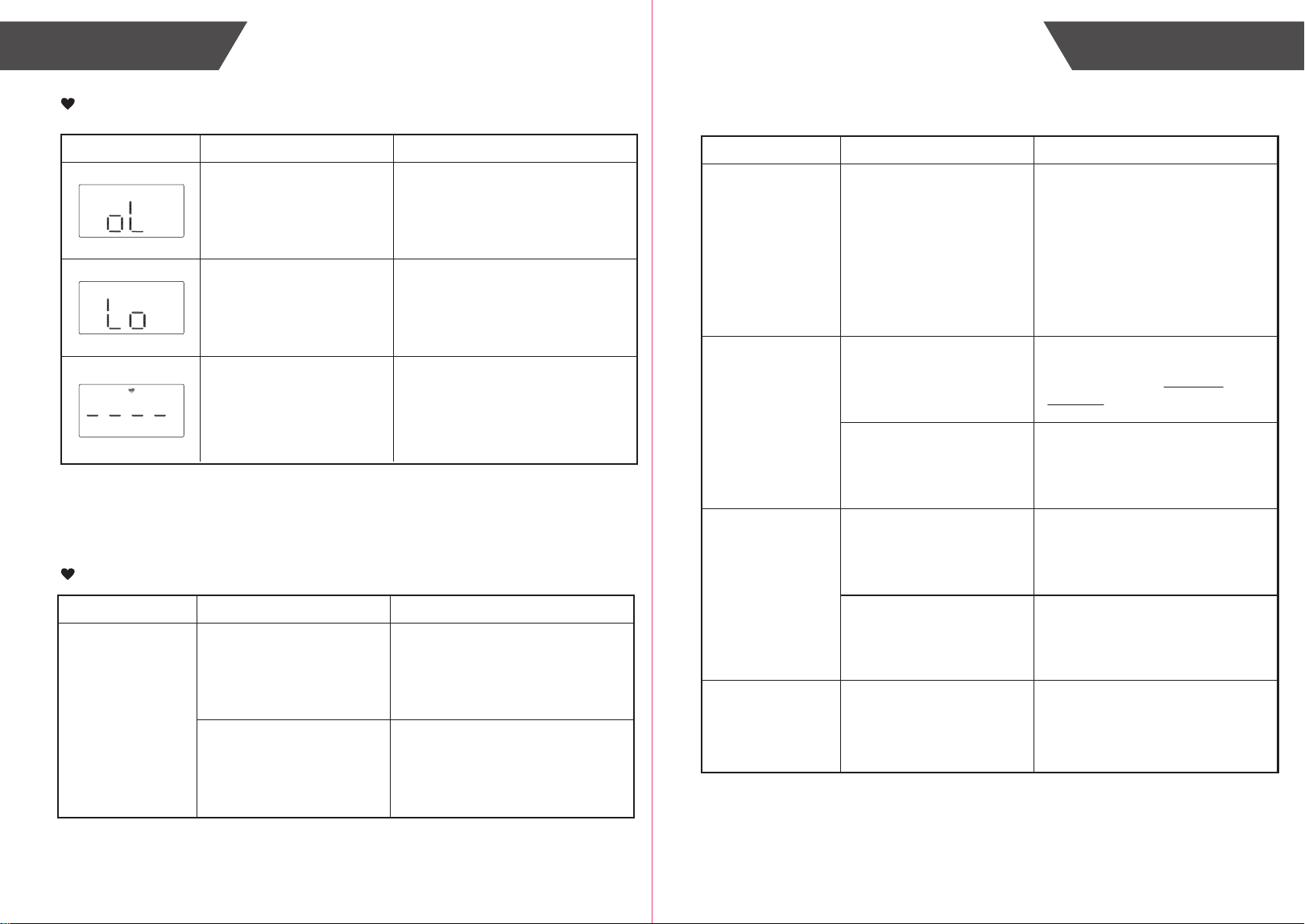
Error Prompt
Error Description Solution
Overload.
Stop using this scale for
measurement.
Low Battery.
Replace all four batteries in the
same time. Please purchase the
authorized batteries for
replacement.
Turn on the heart rate
measurement function on the APP.
The heart rate analysis
fails to complete the
analysis.
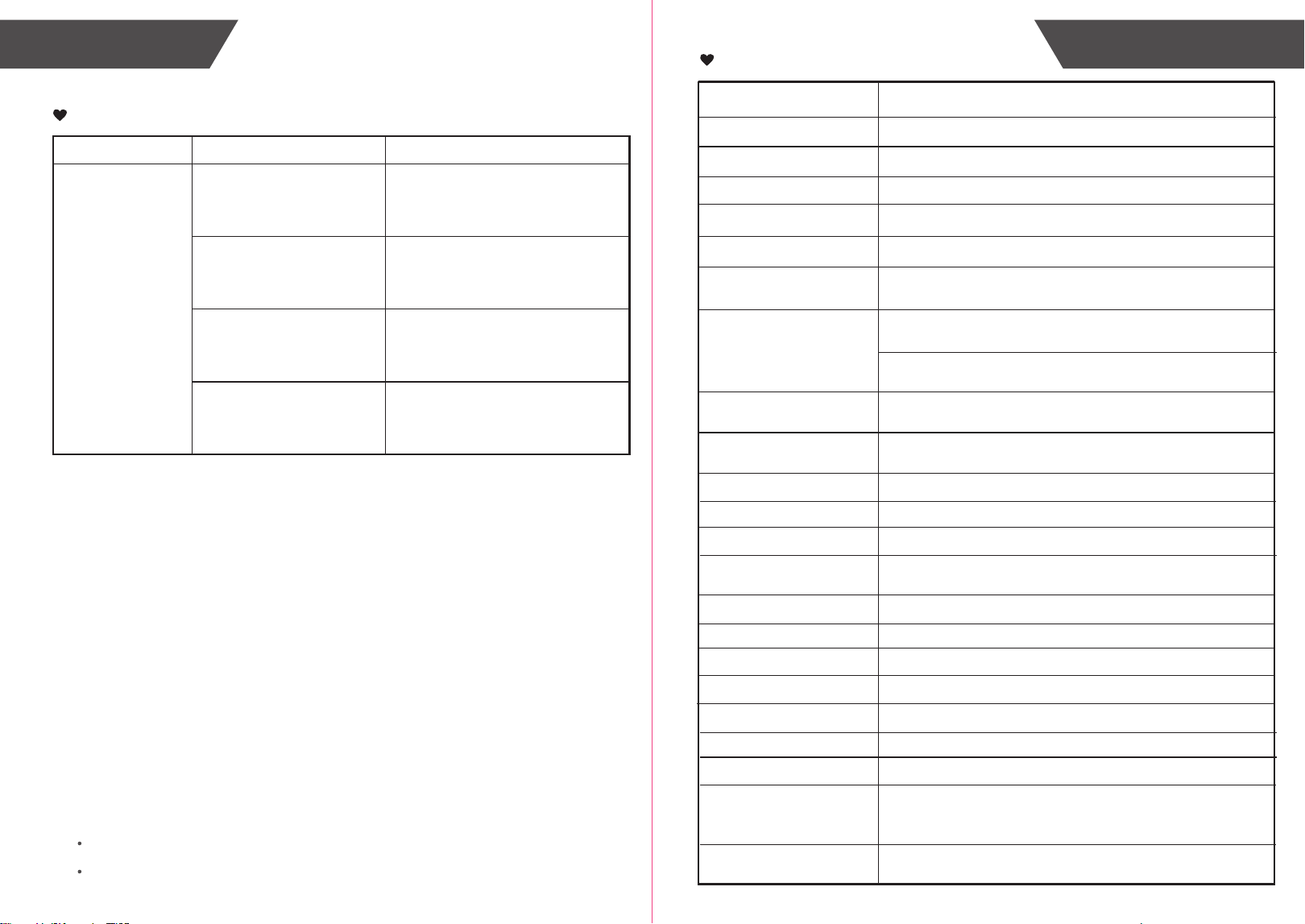
When Measuring ...
Problem Root Cause Solution
Incorrect posture
Abnormal
measuring results:
- Too high;
- Too low;
- Huge difference
between two recent
measurement.
Please step on the platform
barefooted and stand still.
The device is located on
the soft ground such as a
carpet or on a rugged
surface.
Please place the device on a
flat, hard surface.
Problem Root Cause Solution
Your feet are too dry.
Abnormal
measuring results:
- Too high;
- Too low;
- Huge difference
between two recent
measurement.
No display on
LED when the
device powers on.
CANNOT proceed
to analyze body fat
and heart rate.
The device
powers off.
Wipe your feet with a damp
cloth, keeping them slightly damp
when starting measurement.
Batteries not yet installed.
Worn batteries.
Low battery.
Install the batteries.
(Please refer to Insert the
Batteries)
Replace all four batteries at the
same time. Please purchase the
authorized batteries for
replacement.
Step onto the platform
wearing socks or shoes.
Please keep barefooted during
the measurement, and keep full
contact with the electrodes as
well.
Replace all four batteries at the
same time. Please purchase the
authorized batteries for
replacement.
The system cannot
identify the possible User ID
with most similar data.
Please assign a User ID again
on the APP.
13
12
Troubleshooting Specifications
Problem Root Cause Solution
Bluetooth is OFF.
Data transmission
failed.
Turn ON the Bluetooth via
Settings.
The APP is OFF.
Press the icon to turn ON your
APP.
Place your smartphone closer to
the scale.
Please assign a User ID on the
APP.
Out of range of Bluetooth
transmission.
None of the user ID is
assigned.
When Data Transmitting ...
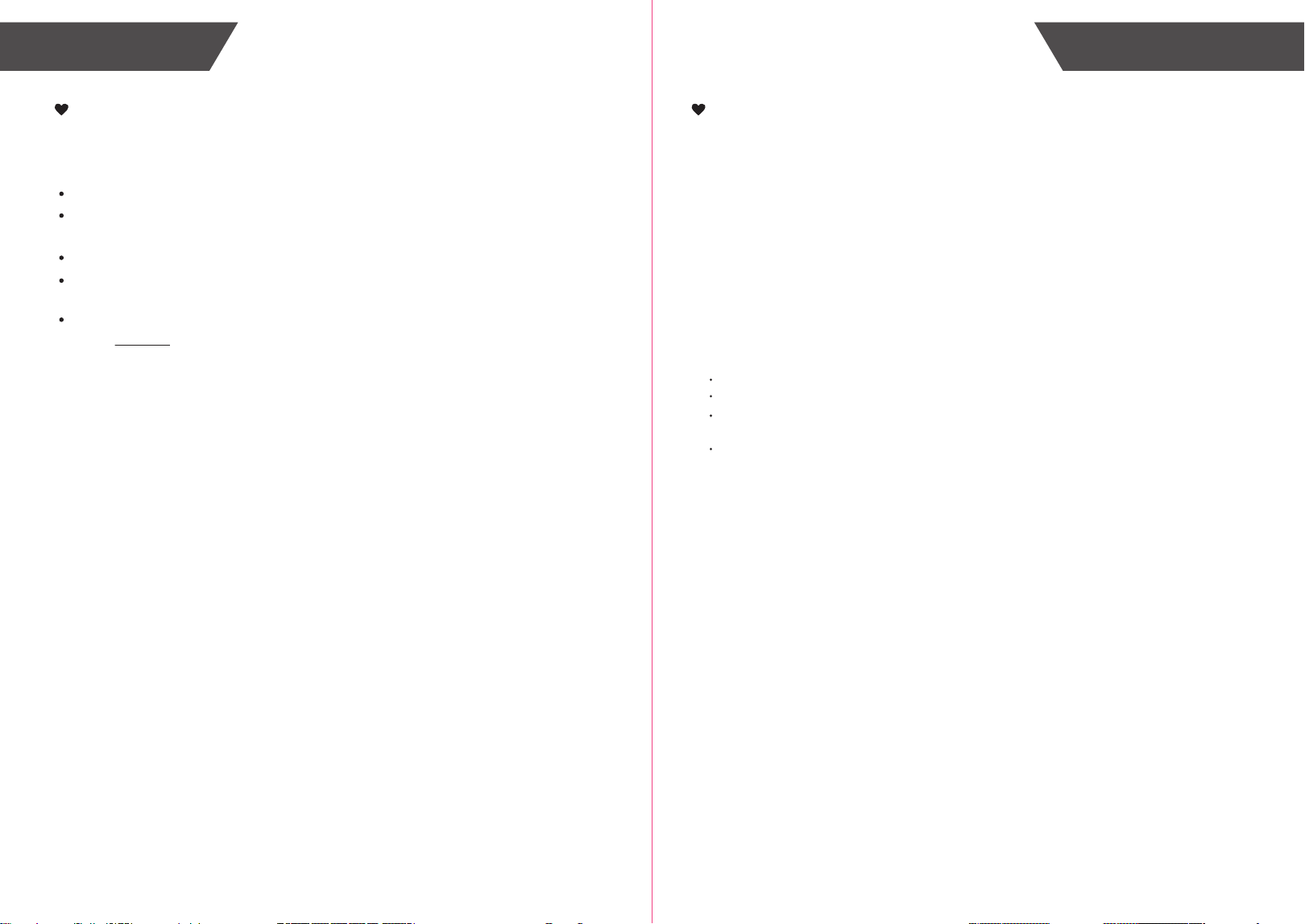
Specifications
About the Accuracy of This Product
This product passes strict inspection before delivery and therefore its accuracy is guaranteed by the manufacturer.
Please refer to the above table for the descriptions on accuracy.
This product is specially designed for body fat analysis as well as weight measurement. It should NOT be used by
anyone during the process of transaction for verification of goods’ weight.
Wireless Smart Scale (21300)
6V (Four AAA-size Batteries)
Product Name
Dimension
Net Weight
Display
Digital LED
Measurement Unit
Pound / Kilogram
Measurement Range
Division
Accuracy
Working Environment
Storage Environment
Power Source
Auto-ON SENSE ON technology
Auto-OFF The scale will turn off after about 30s if there is no operation.
Accessories
1. Four AAA Size Batteries
2. User Manual
Mode of Operation Continuous Operation
Temperature: 5℃ to 40℃
Temperature: -20℃ to 60℃ Relative Humidity: ≤90% RH
Atmospheric pressure: 86kPa to 106kPa
Atmospheric pressure: 50kPa to 106kPa
Relative Humidity: ≤90% RH
Scale: 300x300x27.6mm (Approximately)
Approximately 1.678kg
Module Frequency Range
Module Output Power
Module No
Module Supply Voltage
Software Version
Degree of protection
Type BF applied part
Protection against
ingress of water
LS1200
1.4.0
0.33lb to 397lb / 0.15kg to 180kg
50.05-100: ±0.3kg;
100.1-150: ±0.4kg;
10-50: ±0.2kg;
150.1-180: ±0.7kg;
0.15-5kg: ±0.05kg;
Small Items Mode:
5.05-9.95: ±0.1kg;
2.0-3.6V
< 2dBm
2.4G
<10kg:0.01kg / 0.1lb
10-100kg:0.05kg / 0.1lb;>100kg:0.1kg / 0.2lb
IP21(The first number 2: Protected against solid foreign
objects of 12.5 mm Ф and greater. The second number 1:
Protection against vertically falling water drops.)
Battery life 120 days by using 2 times a day, 1 minute each time.
15
14
Maintenance Appendix
When carrying out usual maintenance, please ensure practice of the following Do’s and
Don’ts:
Maintenance
DO use a dry soft cloth to wipe the dust.
DO use a wet soft cloth, dipped into water and wrung out, to wipe the dirt. Then use a
dry soft cloth to dry up the device.
DON’T wash the device with water or immerse it in water.
DON’T use propellant, abrasive or other chemicals to wipe the dirt in avoidance of
discolor or malfunction.
DON’T disassemble this device. If you have any problems, please contact Zewa. (Please
refer to Warranty for contact information)
FCC User Guide Information
Radio Frequency Interface Requirements - FCC
Note: This equipment has been tested and found to comply with the limits for a Class B
digital device, pursuant to Part 15 of the FCC rules. These limits are designed to provide
reasonable protection against harmful interference in a residential installation. This
equipment generates, uses and can radiate radio frequency energy and, if not installed
and used in accordance with the instructions, may cause harmful interference to radio
communications. However there is no guarantee that interference will not occur in a
particular installation. If this equipment does cause harmful interference to radio or
television reception, which can be determined by turning the equipment off and on, the
user is encouraged to try to correct the interference by one or more of the following
measures:
Reorient or relocate the receiving antenna;
Increase the separation between the equipment and receiver;
Connect the equipment into an outlet on a circuit different from that to which the
receiver is connected;
Consult the dealer or an experienced radio / TV technician for help.
Radio Transmitters (Part 15)
This device complies with Part 15 of the FCC Rules. Operation is subject to the following
two conditions: (1) this device may not cause harmful interference, and (2) this device
must accept any interference received, including interference that may cause undesired
operation.
Changes or modifications not expressly approved by the party responsible for
compliance could void the user’s authority to operate the equipment.
FCC RF Exposure Guidelines
Safety Information
Reducing RF Exposure - Use Properly
Only operate the device in accordance with the instructions supplied.
This device complies with FCC radiation exposure limits set forth for an uncontrolled
environment.
FCC Regulations
17
16
Appendix Appendix
Warning
Warning:Don’t be near active HF surgical equipment and the RF shielded room of an
ME system for magnetic resonance imaging, where the intensity of EM disturbances is
high.
Warning: Use of this equipment adjacent to or stacked with other equipment should be
avoided because it could result in improper operation. If such use is necessary, this
equipment and the other equipment should be observed to verify that they are operating
normally.
Warning: Use of accessories, transducers and cables other than those specified or
provided by the manufacturer of this equipment could result in increased electromagnetic
emissions or decreased electromagnetic immunity of this equipment and result in improper
operation.”
Warning:Portable RF communications equipment (including peripherals such as
antenna cables and external antennas) should be used no closer than 30 cm (12 inches)
to any part of the equipment 21300, including cables specified by the manufacturer.
Otherwise, degradation of the performance of this equipment could result.
EMC Guidance
Guidance and manufacturer’s declaration -electromagnetic emissions and Immunity
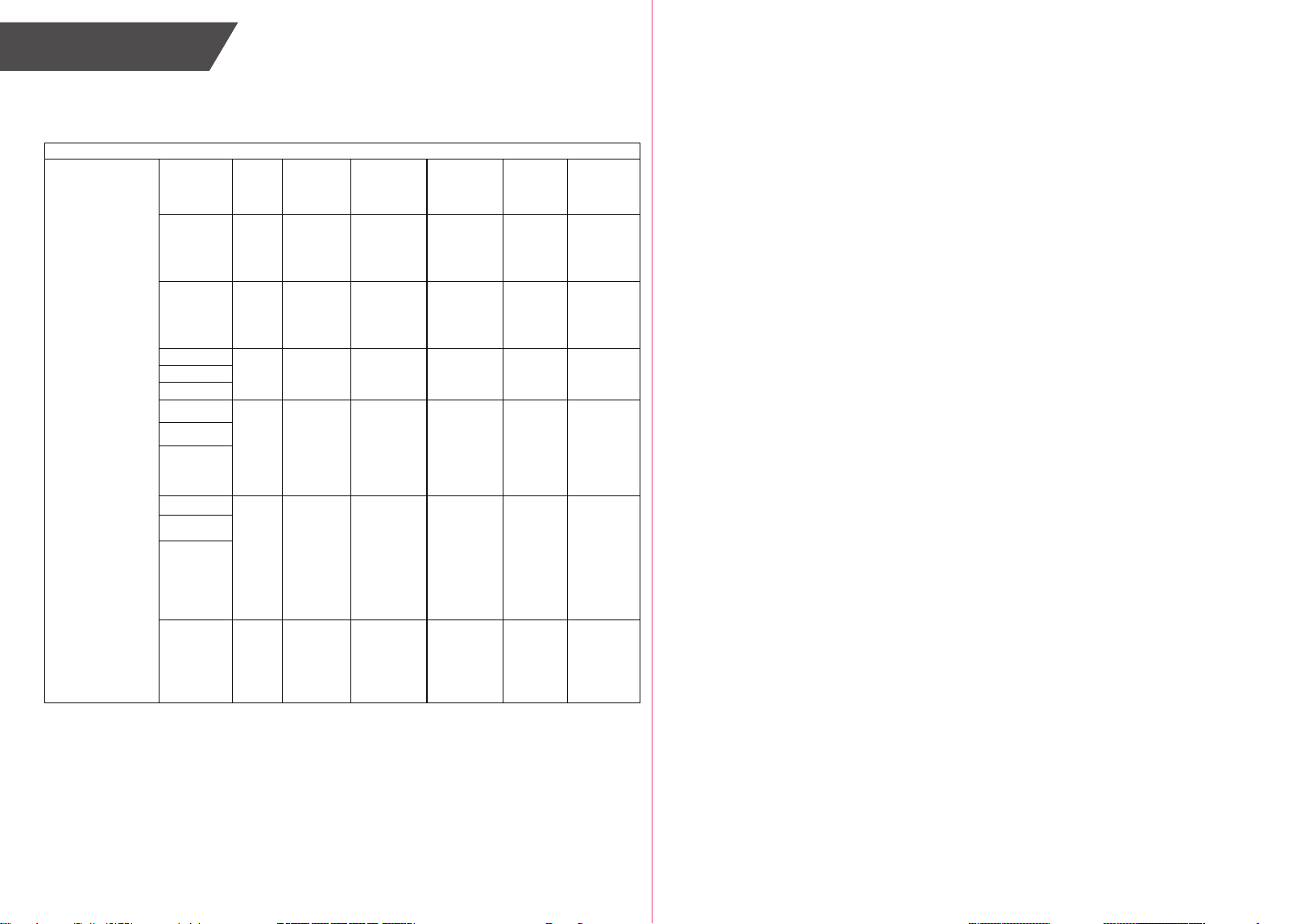
Table 1
Guidance and manufacturer’s declaration - electromagnetic emissions
Emissions test
Compliance
RF emissions
CISPR 11
Group 1
RF emissions
CISPR 11
Class B
Harmonic emissions
IEC 61000-3-2
Not applicable
Voltage fluctuations/ flicker
emissions
IEC 61000-3-3
Not applicable
Table 2
Guidance and manufacturer’s declaration - electromagnetic Immunity
Immunity Test
IEC 60601-1-2
Test level
Compliance level
Electrostatic discharge (ESD)
IEC 61000-4-2
±8 kV contact
±2 kV, ±4 kV, ±8 kV, ±15 kV air
±8 kV contact
±2 kV, ±4 kV, ±8 kV, ±15 kV air
Electrical fast transient/burst
IEC 61000-4-4
Not applicable
Not applicable
Surge
IEC 61000-4-5
Not applicable
Not applicable
Voltage dips, short
interruptions and voltage
variations on power supply
input lines
IEC 61000-4-11
Not applicable
Not applicable
Power frequency magnetic
field
30 A/m
50Hz/60Hz
30 A/m
50Hz/60Hz
IEC 61000-4-8
Conducted RF
IEC61000-4-6
Not applicable
Not applicable
Radiated RF
IEC61000-4-3
10 V/m
80 MHz – 2,7 GHz
80 % AM at 1 kHz
10 V/m
80 MHz – 2,7 GHz
80 % AM at 1 kHz
NOTE U
T
is the a.c. mians voltage prior to application of the test level.
18
Appendix
Table 3
Guidance and manufacturer’s declaration - electromagnetic Immunity
Radiated RF
IEC61000-4-3
(Test specifications
for ENCLOSURE
PORT IMMUNITY to
RF wireless
communications
equipment)
Test
Frequency
(MHz)
Band
(MHz)
Service
Modulation
Modulation
(W)
Distance
(m)
IMMUNITY
TEST
LEVEL
(V/m)
385
380 –
390
TETRA 400
Pulse
modulation
18 Hz
1,8
0.3
27
450
430 –
470
GMRS 460,
FRS 460
FM
± 5 kHz
deviation
1 kHz sine
2
0.3
28
710
704 –
787
LTE Band
13,
17
Pulse
modulation
217 Hz
0,2
0.3
9
745
780
810
800 –
960
GSM
800/900,
TETRA
800,
iDEN 820,
CDMA 850,
LTE Band 5
Pulse
modulation
18 Hz
2
0.3
28
870
930
1720
1 700 –
1 990
GSM 1800;
CDMA
1900;
GSM 1900;
DECT;
LTE Band
1, 3,
4, 25;
UMTS
Pulse
modulation
217 Hz
2
0.3
28
1845
1970
2450
2 400 –
2 570
Bluetooth,
WLAN,
802.11
b/g/n,
RFID 2450,
LTE Band 7
Pulse
modulation
217 Hz
2
0.3
28