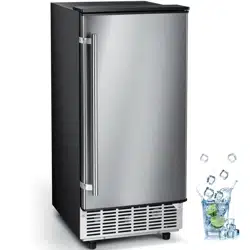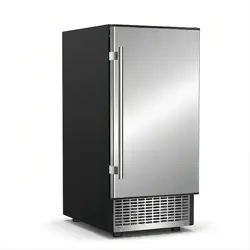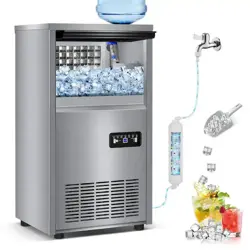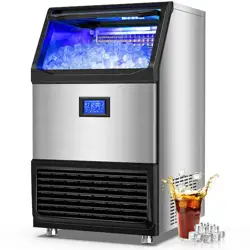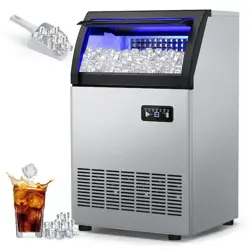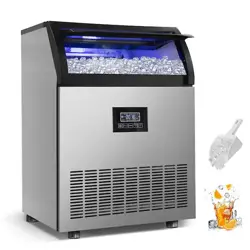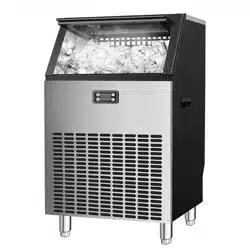
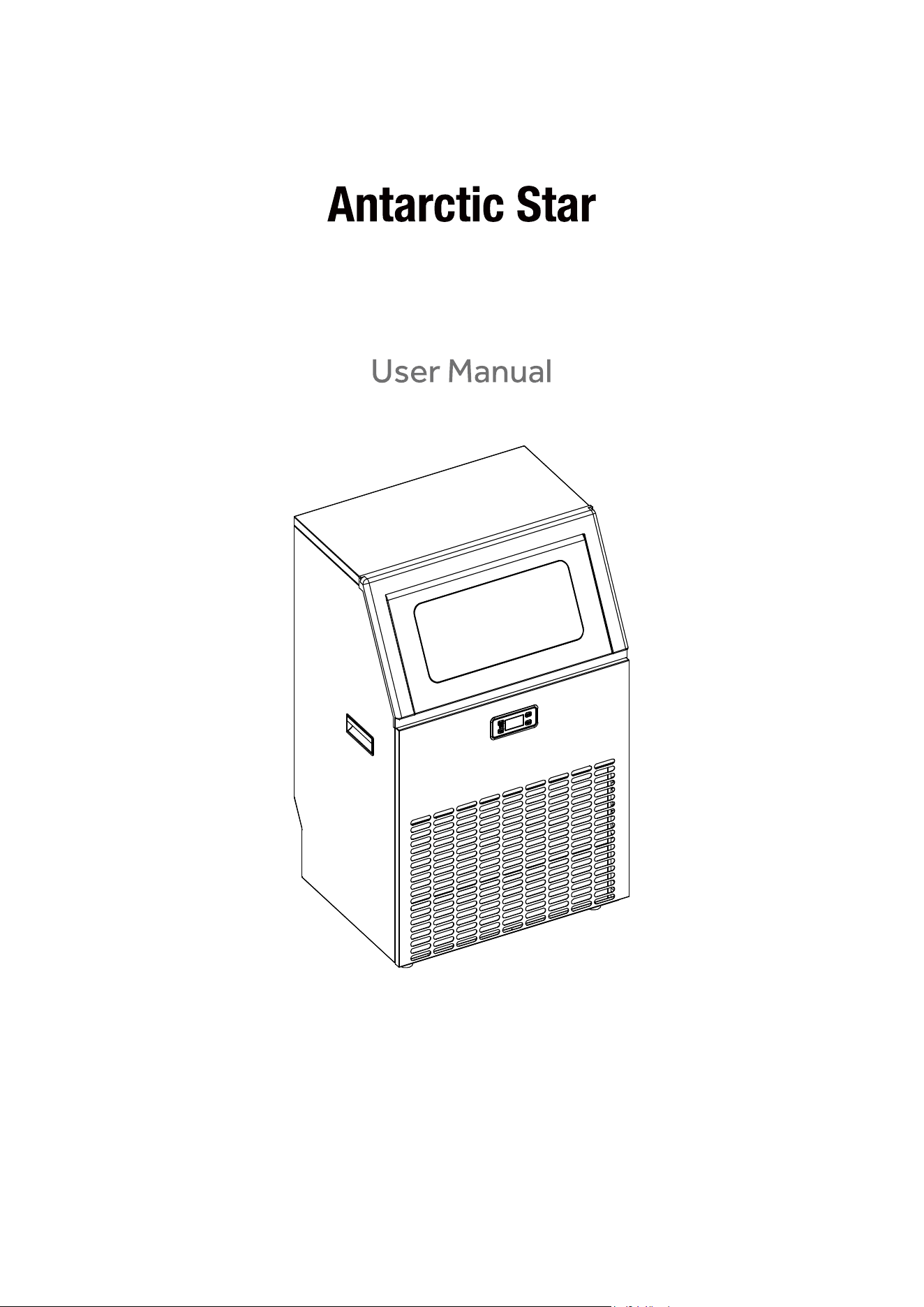
Automatic Ice Maker
HZB-90F HZB-120F

2
CONTENTS
IMPORTANT SAFETY-------------------------------------------------------------------------------------3
SPECIFICATION--------------------------------------------------------------------------------------------5
DIMENSION/CONNECTION---------------------------------------------------------------------5
RATING------------------------------------------------------------------------------------------------5
GENERAL INFORMATION-------------------------------------------------------------------------------6
MAIN UNIT CONSTRUCTION------------------------------------------------------------------------6
ICE-MAKING AND ITS WATER TANK PARTS-----------------------------------------------6
OPERATION PANEL---------------------------------------------------------------------------------7
EXPLOSIVE DRAWING----------------------------------------------------------------------------8
OPERATING PROCEDURE AND MAINTENANCE------------------------------------------------10
UNPACKING YOUR ICE MAKER--------------------------------------------------------------------------10
INSTALLATION LOCATION REQUIREMENT-------------------------------------------------10
ELECTRICAL REQUIREMENT & CONNECTIONS-----------------------------------------11
CLEANING
CLEANING
YOUR
YOUR
ICE
ICE
MAKER
MAKER
BEFROE
BEFROE
FIRST
FIRST
USING
USING---------------------------------11
WATER CONNECTIONS FOR YOUR ICE-MAKER------------------------------------------12
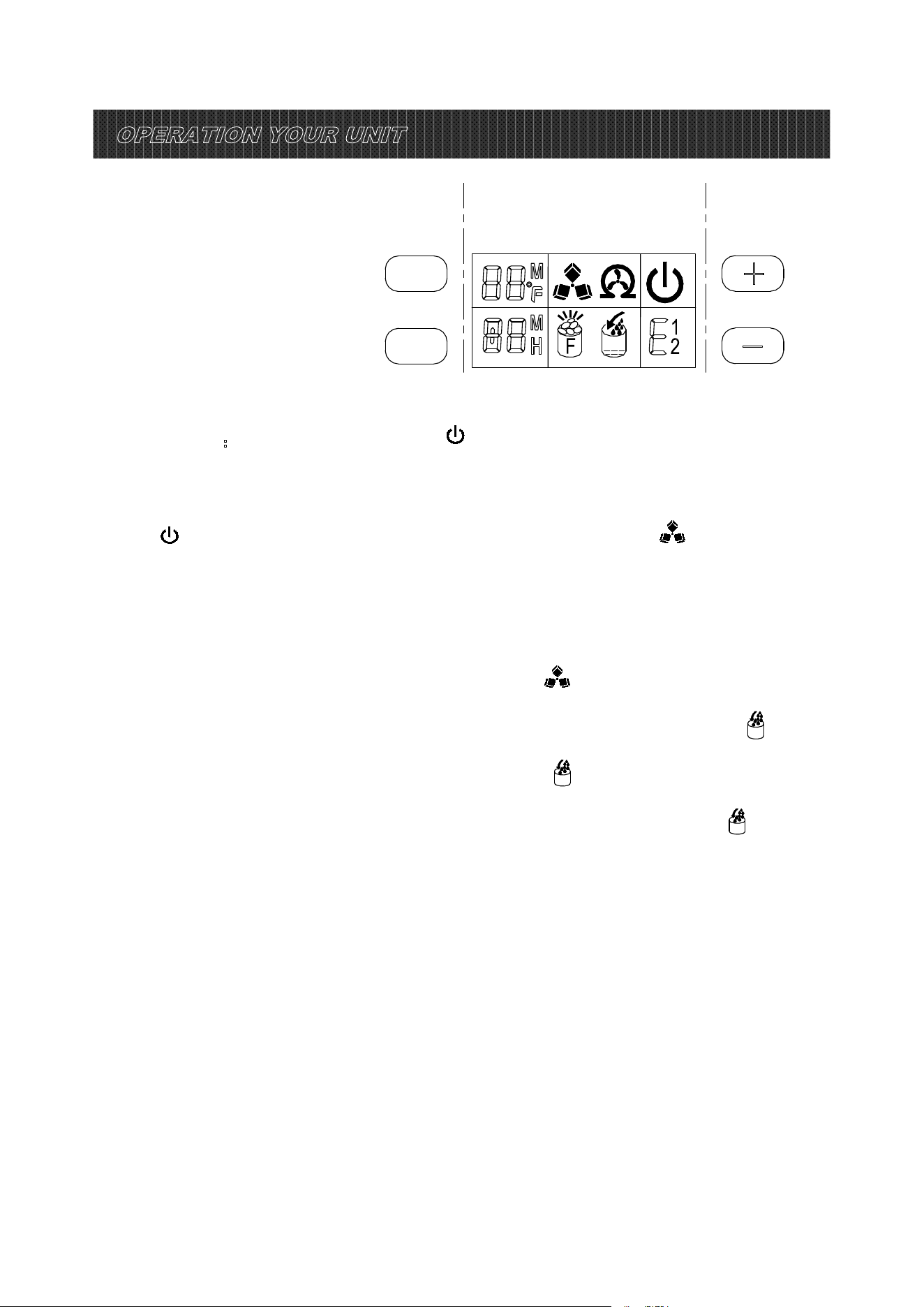
OPERATION YOUR UNIT---------------------------------------------------------------------------------13
OPERATION THE ICE MAKING PROCESS--------------------------------------------------13
AUTOMATIC SELF-CLEANING PROGRAM--------------------------------------------------14
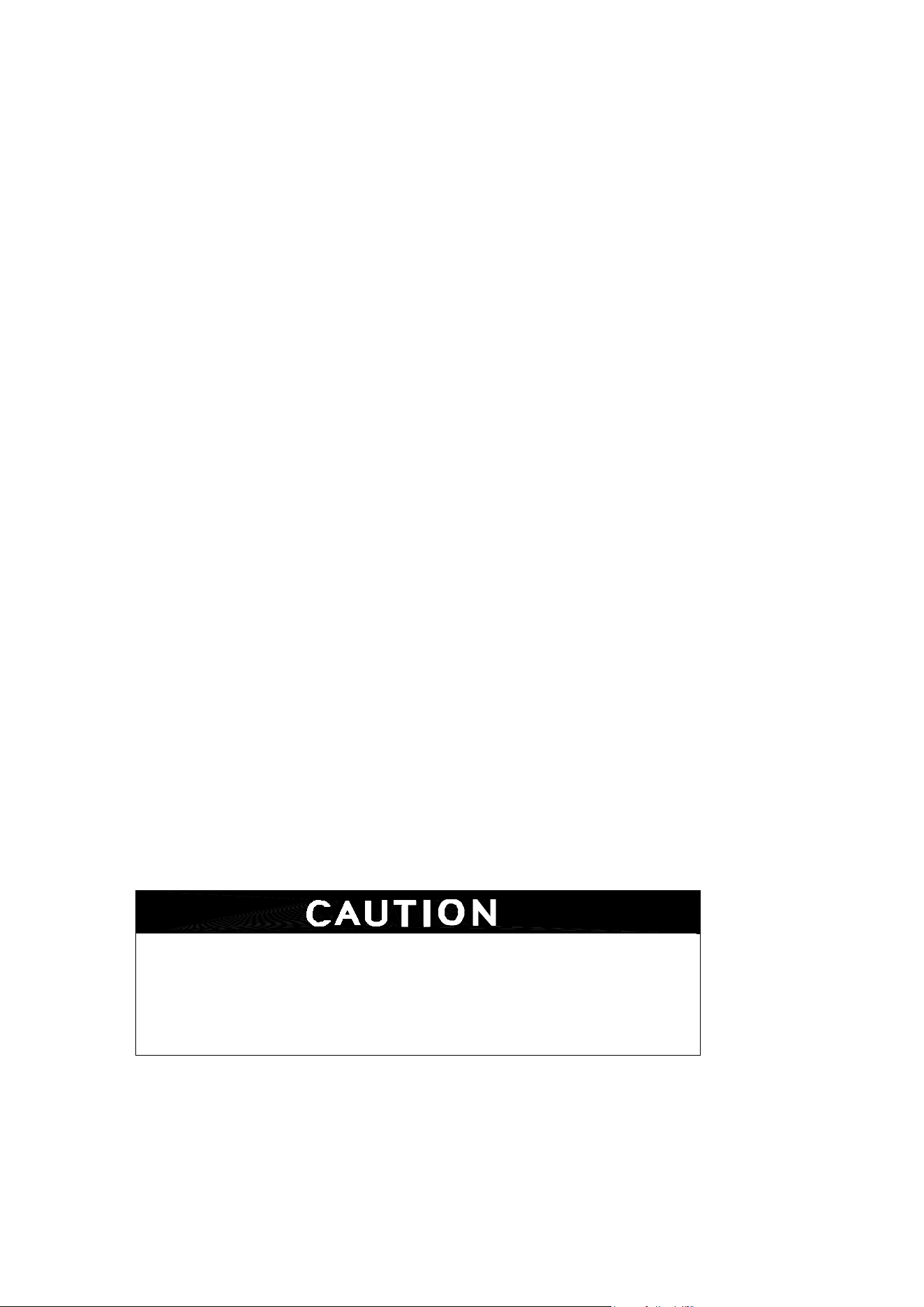
WIRING DIAGRAM----------------------------------------------------------------------------------------15
NORMAL SOUNDS----------------------------------------------------------------------------------15
PREPARING ICE MAKER FOR LONG STORAGE------------------------------------------16
CLEAND AND MAINENANCE --------------------------------------------------------------------16
EXTERIOR CLEANING------------------------------------------------------------------------------17
INTERIOR CLEANING-------------------------------------------------------------------------------17
ICE MAKING PARTS CLEANING-----------------------------------------------------------------17
ICE MAKING ASSEMBLY SYSTEM CLEANING BY USING NU-CALGON NICKLE SAFE
ICE-MACHINE CLEANER -----------------------------------------------------------------------------------19
CLEANING SUGGESTION
--------------------------------------------------------------------------------------
20
NORMAL TROUBLE SHOOTING
---------------------------------------------------------------------------
21
CORRECT DISPOSAL OF THIS PRODUCT---------------------------------------------------22

3
IMPORTANT SAFETY
When using electrical appliances, basic safety precautions should be followed to
reduce the risk of fire, electric shock, and injury to persons or property. Read all
instructions before using any appliance.
Use this appliance only for its intended purpose as described in this owner’s manual.
This ice-maker must be properly installed in accordance with the installation instructions before it is
used.
This unit must be positioned so that the plug is accessible. Do not run cord over carpeting or other heat
insulators. Do not cover the cord. Keep cord away from traffic areas, and do not submerge in water. No
other appliance should be plugged into the same outlet, and be sure that the plug is fully inserted into
the receptacle.
We do not recommend the use of extension cord as it may overheat and cause a risk of fire. If you must
use an extension cord, use 14AWG minimum size and rated no less than 1875 watts.
If the supply cord is damaged, it must be replaced by the manufacturer or its service agent or a
similarly qualified person in order to avoid a hazard.
Disconnect the mains plug from the supply socket when not in use for a long term, where supply
connection is via mains plug.
Remove power plug or disconnect from the mains before cleaning or servicing the appliance. NOTE: If
for any reason this product requires service, we strongly recommend that a certified technician perform
the service.
Never unplug you unit by pulling on the power cord. Always grasp the plug firmly and pull straight out
from the outlet.
Do not use your unit outdoors. Keep the unit away from direct sunlight and make sure that there is at
least 6 inches of space between the back of your unit and wall and keep the front free. Keep ventilation
opening in the appliance enclosure or in the built-in structure, clear of obstruction.
Do not tip over the unit, which will cause abnormal noisy and make the ice-cube size abnormal. And
seriously, it may cause water leakage from the unit.
If the unit is brought in from outside in the winter season, give it a few hours to warm up to room
temperature before plugging it in.
Do not use other liquid to make the ice-cube other than water.
Do not clean your ice maker with flammable fluids. The fumes can create a fire hazard or explosion.
4
WAR N ING: Do not damage the refrigerant circuit.
WAR N ING: This appliance is not intended f or use by persons (including children) with reduced
physical, sen sory or mental capabilities, or lack of experience and knowledge, unless they have
been given supervision or instruction concerning use of the appliance by a person responsible for
their safety.
WAR N ING: Children should be supervised to ensure that they do not play with the appliance.
WAR N ING: This appliance m
ust be earthed. And use the 110-120V/60Hz earthed power supply.
WAR N ING:Do not store explosive substances such as aerosol cans with a flammable pro pellant in
this appliance.
WAR N ING: This appliance is intended to be used in household and similar applications such as
Eg.staff kitchen areas in shops, offices and other working environments;
Eg. farm houses and by client s in hotels , m otels and other resid ential type environments;
Eg.bed an d breakfast type environment
s;
Eg.catering and similar non-retail applications.
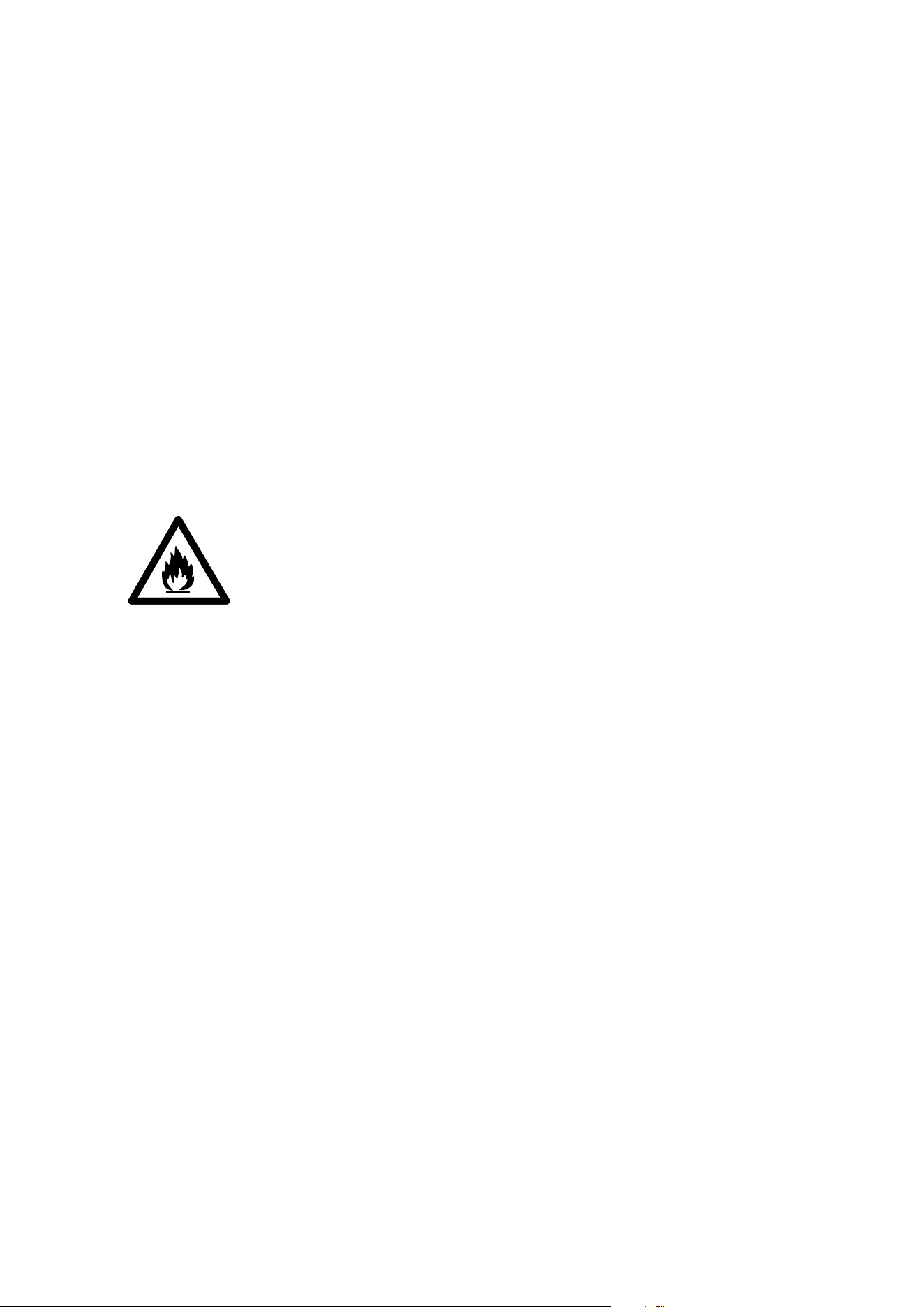
DANGER – Risk Of Fire or Explosion. Flammable Refrigerant Us ed. Do Not Use Mechanical
Devices To Defrost Ice Maker. Do Not Puncture Refrigera nt Tubing.
DANGER – Risk Of Fire Or Explosion. Flammable Refrigerant Used. To Be
Repaired Only By Trained Service Personne l. Do Not Punctu re Refrigerant Tubing.
CAUTION – Risk Of Fire Or Explosion. Flammable Refrigerant Used. Consult Repair
Manual/Owner’s Guide Before Att
em pting To Install or Service This Product. All Safety Precautions
Must be Followed.
CAUTION – Risk Of Fire Or Explosion. Dispose Of Property In Accordance With Fe deral Or Local
Regulations. Flammable Refrigerant Used .
CAUTION-Risk Of Fire Or Explosion Due To Puncture O f Refrig erant Tubing;Follow Handling
Instructions Carefully. Flammable Refrigera nt Used.
The ice maker should be installed in accordance with the safety standard for Refriger ation
Systems , ASH
RAE15. The ice maker shall not be installed in corridors or ha llways of public
buildings.
If the unit is with problem need to be maintained, that replacing with like c omponents and that
servicing shall be do ne by factory authorized service personnel, so as to minimize the risk of
possible ignition due to incorrect parts or improper service .
IMPORTANT:
The wires in this mains lead are colored in accordance with the following code:
Green with or without yellow strip: Groundi
ng
White: Neutral
Black: Live
To avoid a hazard du e to instabilit y of the appliance, it must be placed at an even or flat surface.
5
SPECIFICATIONS
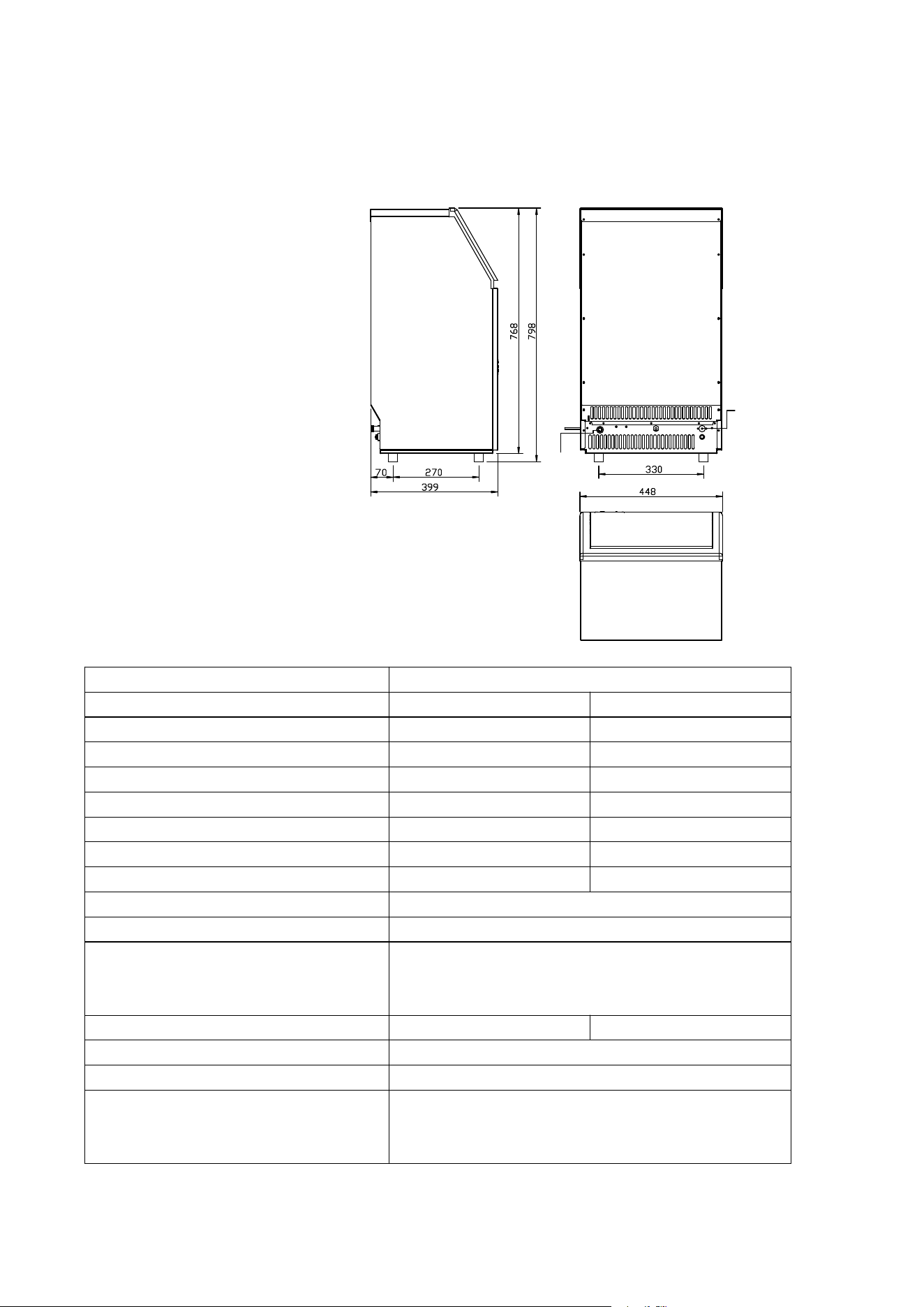
1) DIMENSIONS/CONNECTIONS
Water
Drainage Port
Water
Inlet Port
2) Rating
POWER SUPPLY VOLTAGE 1Phase, 115V/60Hz
MODEL HZB-90F HZB-120F
CLAIMATE CLASS
10-40℃ 10-40℃
ELECTRICAL PROTECTION CLASS I I
ICE MAKING RATING (Amps) 4.4 Amp 7.5Amp
ICE HARVEST RATING (Amps) 5.0 Amp 7.8 Amp
ICE MAKING CAPACITY (KG/24H) 90kg/24Hour
*
120kg/24Hour
*
REFRIGERANT CHARGE R290 3.67Oz/104g R290 3.35Oz/95g
NET WEIGHT(lbs) 77.2Ibs 90.4lbs
VESICANT C
5
H
10
UNIT DIMENSIONS(W X D X H) (mm) 556 x 435 x 832
CONNECTION POWER CORD---- 18 AWG
WATER SUPPLY----6.35mm diameter
DRAIN PIPE----Φ
16mm
SYLPHON BELL O WSS
WATER CONSUMPTION(L/24H) 100L 130L
MAX ICE STORAGE CAPACITY(lbs) 48lbs
ACCESSORIES SHOVEL, INSTALLATION KITS
RUNNING CONDITIONS ROOM TEMP 50-110 Fahrenheit
WATER SUPPLY TEMP 41-95 Fahrenheit
WATER SUPPLY PRESSURE 0.04-0.6 MPa
NOTE *: TESTED AT 70 Fahrenheit RO OM TEMPERATUR E AND 50 Fahrenheit WATER TEMPERATURE.
6
GENERAL INFORMATION
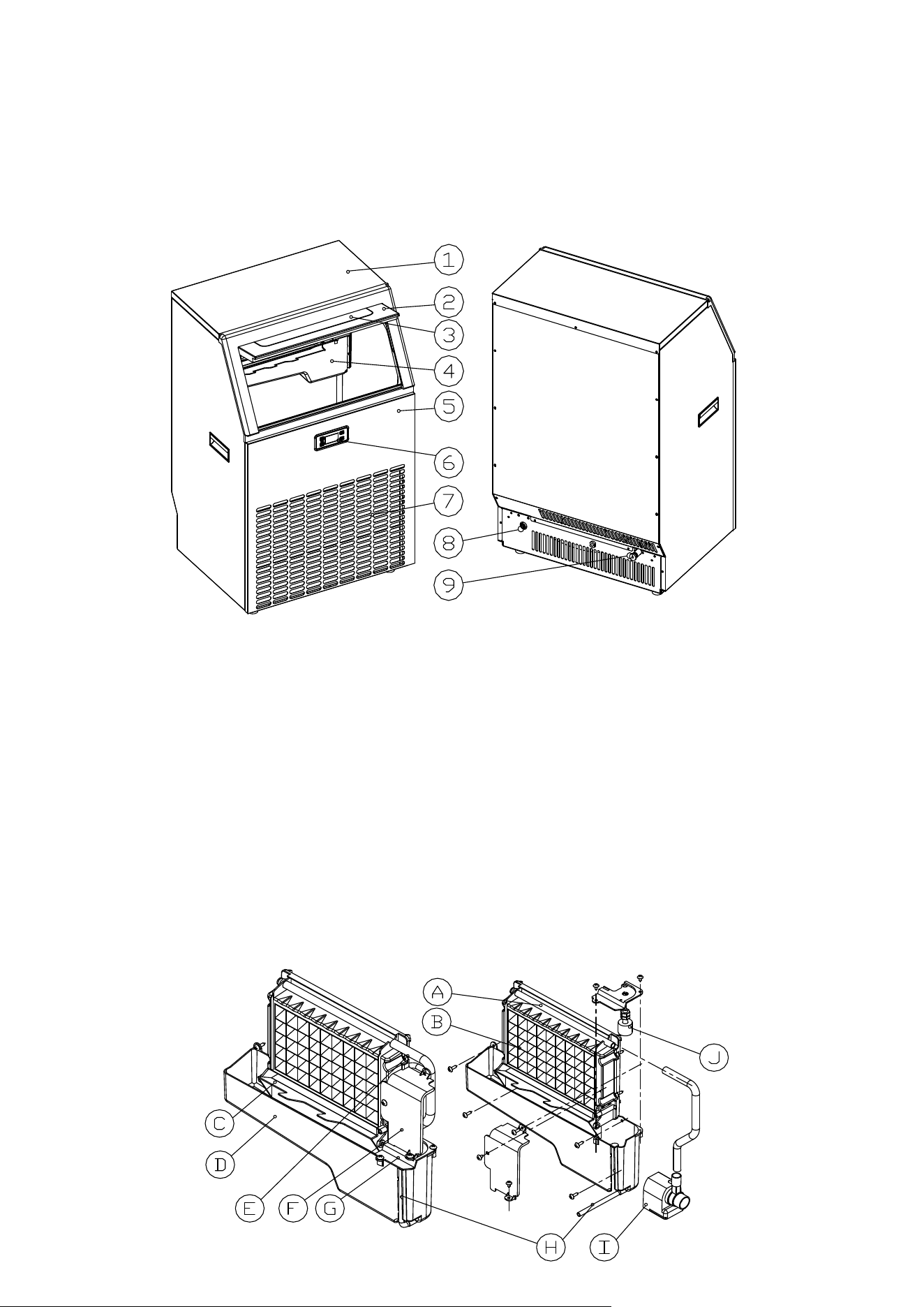
1) Main Unit Construc tion
1. Top cover
2. Door for ice taking
3.Clear window
4. Ice-making & its water tank assembly: Including ice-making evaporator, water tank, water pump
and s ome dete cting parts
5. Front panel
6. Operation panel
7. Air outlet: Must keep the air circulate smoothly, hot air will blow out when un it running.
8. Water inlet port for water supply: Use to connect the water supply pipe.
9. Water dra ining port:Normal plugged with the cap. Whe
n need to drain the water, unplug the cap.
And connect the white drain pipe.
Accessory: 3 meters long and white color water drain pipe、
water quick connector of the water faucet,
¢6.35mm diameter and whi te color water supply pipe(3 meters long )。
2) Ice-making and its water ta nk part s
7
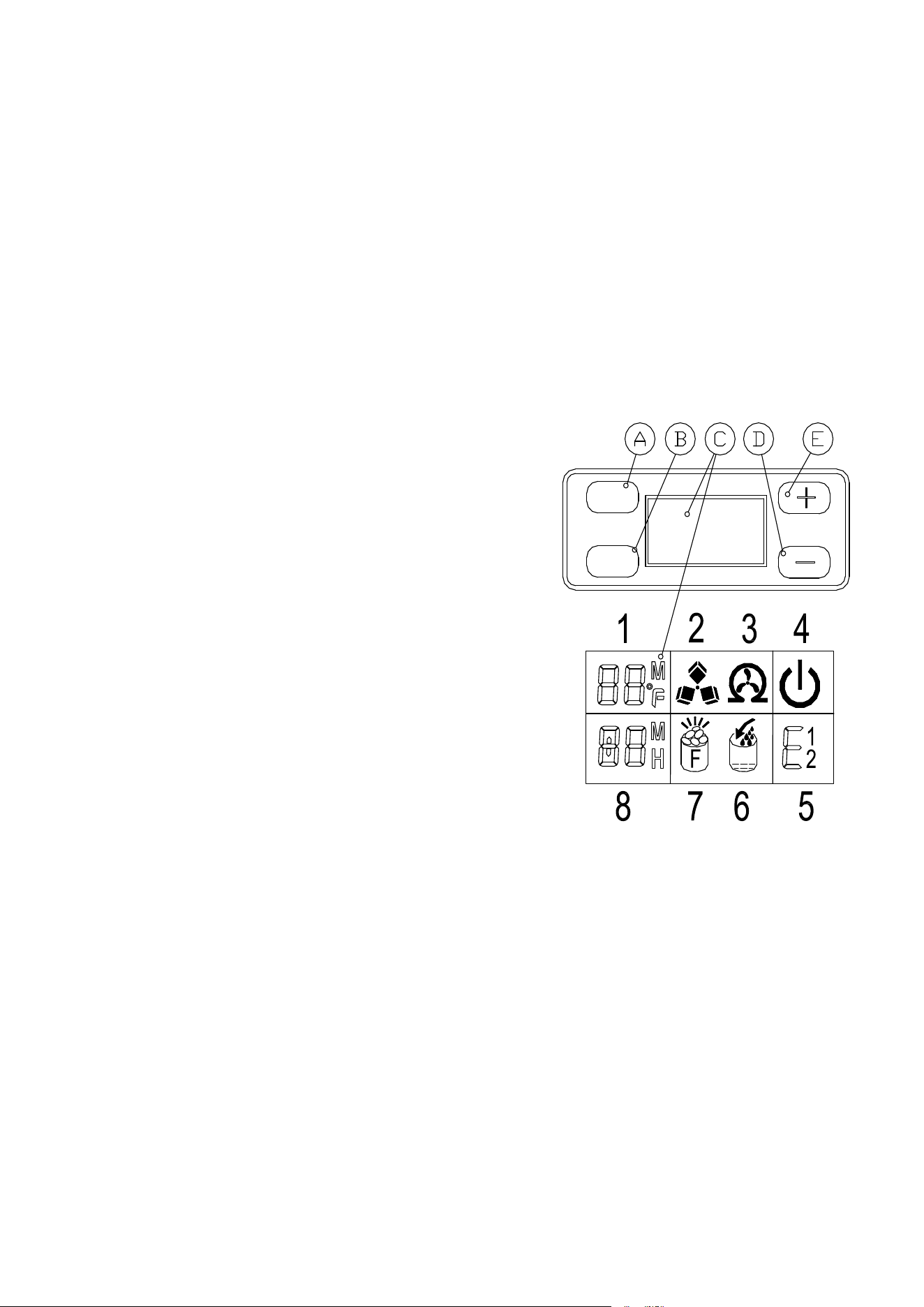
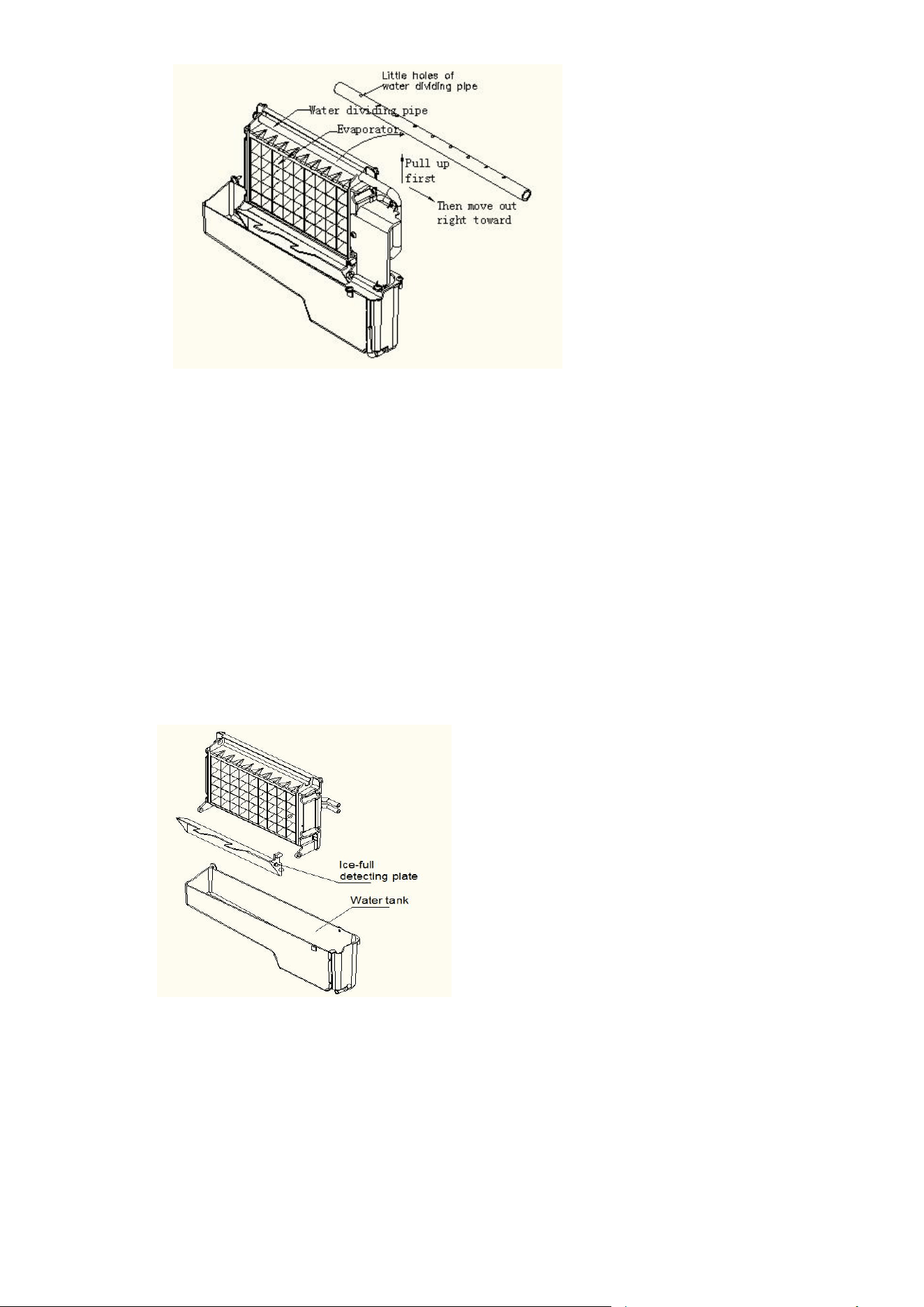
A. Water dividing pipe:with nine little holes, water wil l flow out from these little holes. And if no
water flows out, can be disassembled and cleaned.
B. Evaporator (ice-making module)
C. Ice full detectin g board: Use to detect the inner cabinet is full of ice or not, and to check the the
ice-harvest process is over or not.
D.Water tank:
E.Water s upplying pipe:
F.Cover board on the right side of the evaporator:
G.Water level switch installing plate:
H.Water drain pi pe of the
water tank:when ice-making, this pipe should be clamped in the slot of
the water tank wall; And when draining, this pipe should be pulled out.
I.Water pump:
J.Water level detecting switch
3) Operation pane l
A.“TIMER CLEAN”button :
Quickly press this button once, to enter the Time
r
setting program; And press this button for more than
5
seconds, to enter the Cleaning program.
B.“ON/OFF”button:
When the unit is off, press this button to turn on th
e
unit; And during the Self-cleaning program, or no rma
l
ice-making state, press this butto n to turn off the uni
t
at once; And also if the unit is set with the Timer
,
press this button to cancel the Timer setting.
When the unit is making the ice cube, press thi
s
button for more than 5 seconds, the unit will switch t
o
ice harvest process by force.
C.LCD display windo w
1.Environmental temperature display and ice - makin
g
time countdown display.Display ice-making tim
e
countdown with M as the unit display,and displa
y
environmen tal temperature with F as the unit display
.
2.Making ice and deice symbol display,the machine i
s
making ice when the symbol rotate,and the machin
e
is deice whe n the symbol flash. .
3.Automatic self-c leaning symbol display
4.On/off symbol display
5.Error cod e display,E1 means the environmental temperature sensor is dam aged.,E2 means
ice making anomaly or the refrigerant leaked
6.Water flow in and water shortage display, the arrow flashing indicates that the machine is in
the water, the whole symbol is bright to indicate that the machine is short of water.
7.Ice full alarm,the machine will making ice again whe n you
take out the ice.
8.Setting display.Display timing switch machine with the H as unit display;Display ice making
time sett ing with M as unit display.
D&E.“+”、“-”button:
Use to adjust the ice-making process duration period length, the default setting is zero, 1
minute adding or dec reasing per each pressing of “+” or “-” button.
Also to adjust the delay time of the timer, the default setting is zero, 1 hour adding or
decreasing per each pressin g of “+” or “-” button.
ON/OFF
TIMER
CLEAN
+
-
8
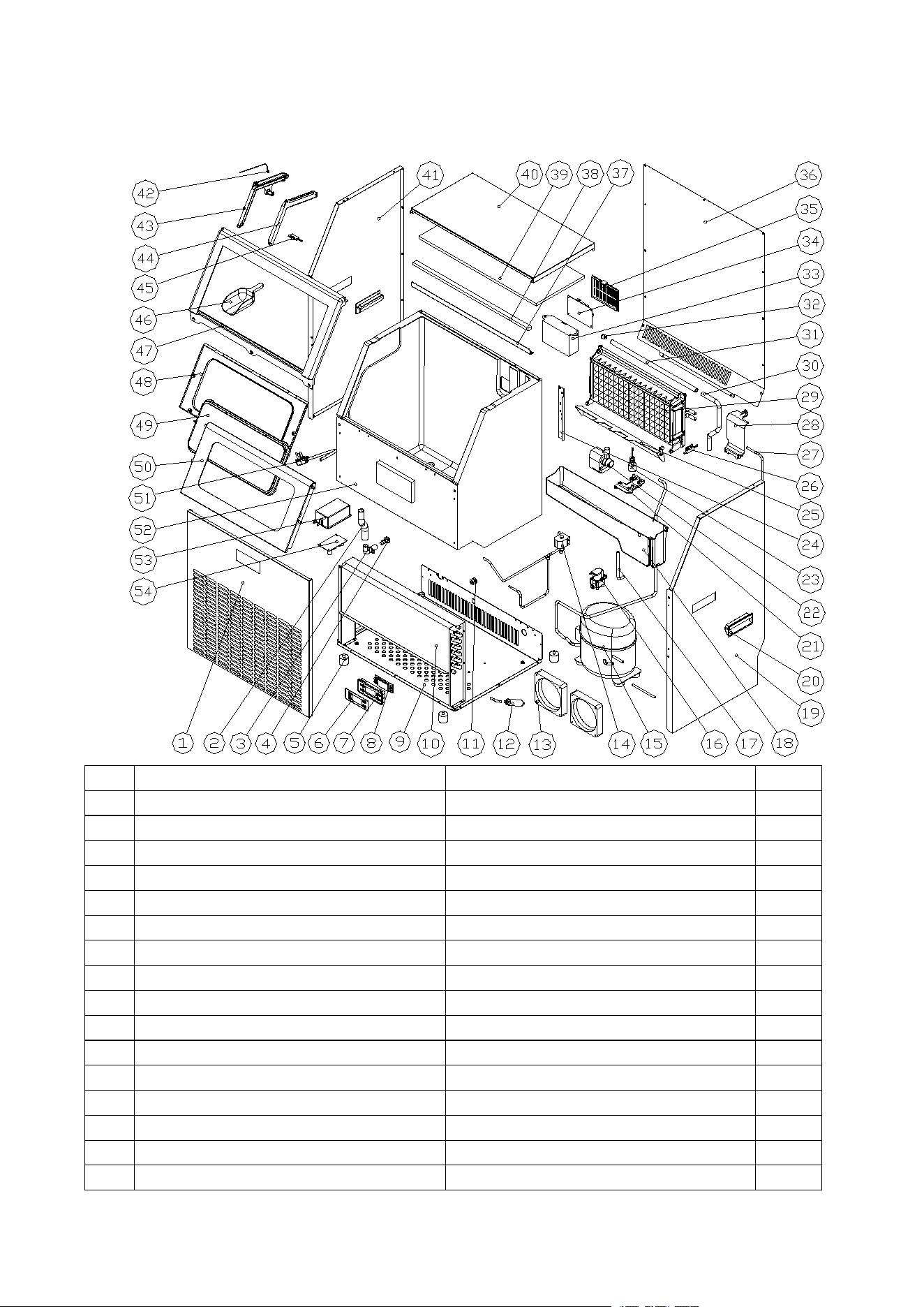
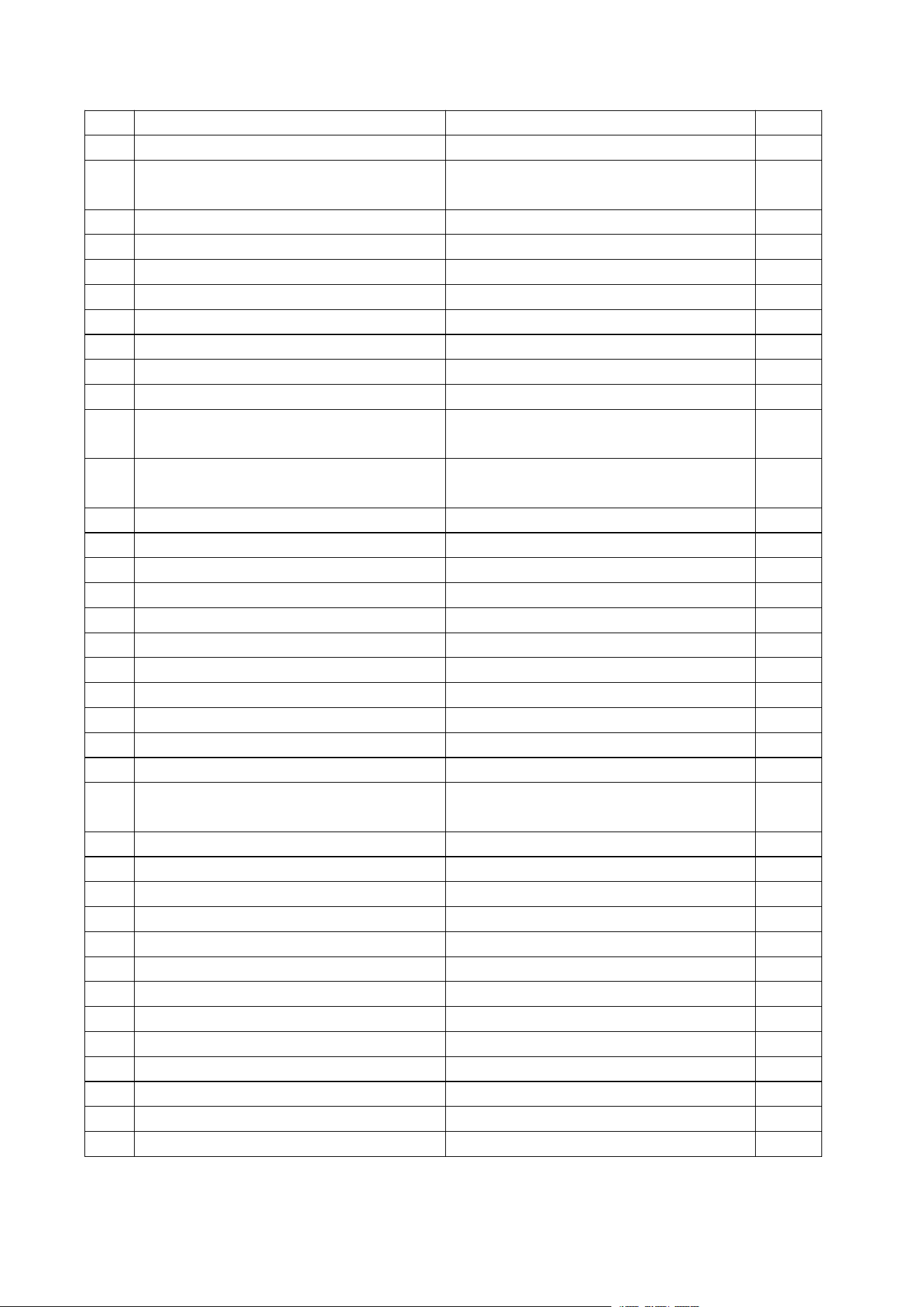
4) EXPLOSIVE DRAWINGS
No.
Parts Name
Material
Qty.
1
Front panel
Stainless steel
1
2
Water outlet pipe of the inner cabinet
Silicone pipe
1
3
Water drainage port
ABS
1
4
Water drainage cap
Rubber
1
5
Adjustable foot
ABS and bolts
4
6
Operation panel paper
PET
1
7
Operation panel PCB box
ABS
1
8
Operation panel PCB
Electrical and Electronic parts
1
9
Bottom plate
Zinc-plated steel board
1
10
Condenser
Copper tube and aluminum fin
1
11
Clipper of the power cord
PP, fire-retardant
1
12
Dry filter
Copper
1
13
DC fan
DC12V, Electrical parts
3 or 4
14
Ice-harvesting Electro-magnetic valve
AC115V/60Hz, Electrical parts
1
15
Compressor
AC110-20V, 60Hz
1
16
Water inlet valve
DC12V Electrical parts
1
9
17
Water drainage pipe of the water tank
Silicone pipe
1
18
Water tank
ABS
1
19
Right side plate
430stainless/Zinc-plated
steel,(Option)
1
20
Handle
ABS
2
21
Cover of the water tank
ABS
1
22
Water circulation pump
AC110-120V,60Hz, Electrical parts
1
23
Water level detecting switch
DC5V, Electrical parts
1
24
Foaming bracket
Zinc-plated steel board
2
25
Ice-full detecting plate
ABS
1
26
Magnetic control switch
DC5V, Electrical parts
1
27
Water pipe
PE
4m
28
Cover board on the right side of the
evaporator
ABS
1
29
Evaporator and its frame
Copper plated with nickle, and ABS
frame
1
30
Water supplying pipe
Silicone pipe
1
31
Water dividing pipe, with nine holes
ABS
1
32
Cap of the water dividing pipe
Silicone
1
33
Electrical PCB box
ABS,fire-retardant
1
34
Main control PCB
PCB, Electrical parts
1
35
Cover of the main control PCB
ABS,fire-retardant
1
36
Rear plate
Zinc-plated steel
1
37
Upper support bar
Zinc-plated steel
1
38
Sealed sponge strip
PE
1
39
Insulation sponge of the top cover
PE
1
40
Top cover
Stainless steel
1
41
Left side plate
430stainless/Zinc-plated
steel,(Option)
1
42
LED lamp
DC5V, Electrical parts
1
43
Left guide rail
ABS
1
44
Right guide rail
ABS
1
45
Door lamp magnetic control switch
DC5V, Electrical parts
1
46
Ice shovel
ABS
1
47
Ice taking door frame
ABS
1
48
Door for ice taking lower cover
ABS
1
49
Clear window
AS
1
50
Door upper cover of Ice taking
ABS
1
51
Power cord
Electrical parts
1
52
Foaming inner cabinet & Ice storing bin
HIPS and Cyclopentane foaming
1
53
Switching Mode Power PCB box
Inflaming retarding ABS
1
54
Switching Mode Power
AC115V, Electrical parts
1
10
OPERATING PROCEDURES & MAINTENANCE
UNPACKING YOUR ICE MAKER
1. Remove the exterior and interior packaging. Check if all the accessories, including instruction
manual, ic e scoop, white water inlet pipe, 4 ways to 2 ways water quick connector and the wat er
draining pipe, etc., are inside or not. If any parts are missing, please contact our customer service.
2. Remove the tapes for fixing the door and inner c abinet, ice scoop, etc.. Roughly clean the inner
cabinet & ice scoop with wet clothe.
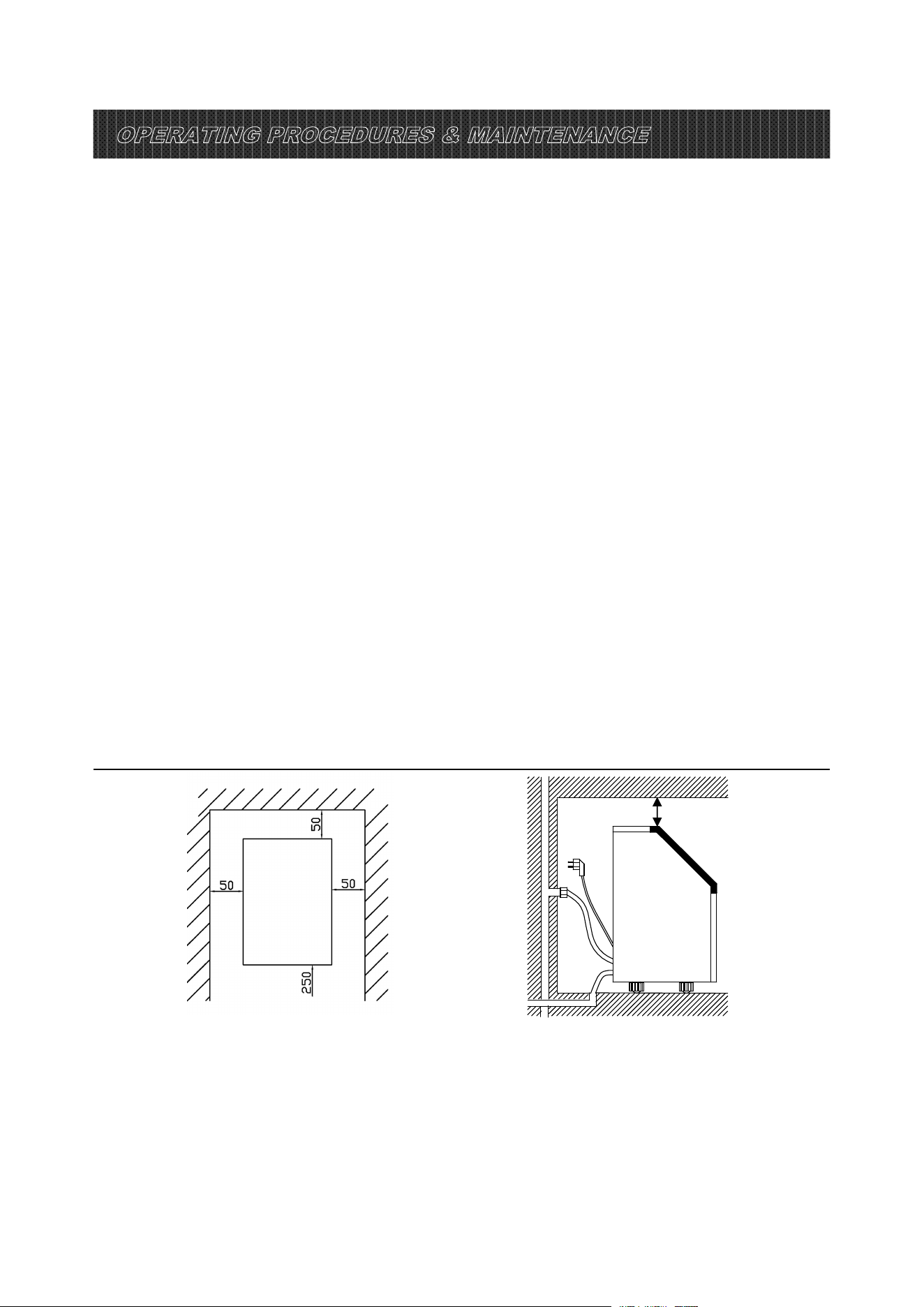
3. Put the ice maker on
a level & flat flo or, without direct sunlight and other sources of heat (i.e.: stove,
furnace, radiator). Maker sure that there is at least 20cm gap between the air outlet and the
obstacles, and at least 5 cm between Left/Right side and the wall.
4. Allow 4 hours for the refrigerant fluid to settle before plugging the ice maker in if the unit maybe fall
upside down during shipping or transport ation.
5. The appliance must be positioned so that the plug is accessible.
WARNING: connect to the potable wat er supplying only. Only use drinking water.
INSTALLATION LOCATION REQUIREMENT
a) This unit is not for outdoor use. Keep the proper room temperature and inlet water
temperature accord ing to above specification table. Otherwise it will affect the ice making performance.
b) This unit should not be located near any heat resource.
c) The unit should be located on a firm & level foundation at normal counter top height.
d) There must be at least 5CM clearance a
t rear side for connection and 25 CM clearance in
front to open the door and keep good air circulati on.
e) Do not put anything on the top of the ice maker.
To ensure proper ventilation f or your ice maker, the front of the unit must be c ompletely unobstructed
(at least 20CM free space). Allow at least 50 mm clearance at rear, and 50 mm at top and sides for
proper air circulation. The installation should allow the ic e maker to be pulled forward for servicing if
necessary.
When installing the ice maker under a counte r, follow the recommended spacing dimensions shown
above. Plac e electrical and water supplies and drain f ixtures in t
he recommended locations as shown.
Side view (mm)
(mm)
40
40
Installation clearance
top view (1:10) (mm)

11
Electrical Shock Hazard
Plug into a grounding wall outlet.
Never remove the ground prong.
Use separate power supply or receptacle.
Never use an adapter.
Never use an extension cord.
Failure to follow these instructions can result in death, fire, or
electrical shock.
Choose a well-ventilated area with temperatures above 50 Fahrenheit and below 90Fahrenheit. This
unit MUST be installed in an area protected from the elements, such as wind, rain, water spray or drips.
The ice maker requires a continuous water supply with pressure 1-8 Bar as required in above
specification table. The temperature of the water feeding into the ice maker should be between
41Fahrenheit and 77Fahrenheit for proper operation.
ELECTRICAL REQUIREMENT & CONNECTIONS
WARNING: THIS UNIT MUST BE EARTHED.
Before you move your ice maker into its final location, it is important to make sure you have the proper
electrical connection.
It is recommended that a separate circuit, serving only your ice maker, be provided. Use receptacles
that cannot be turned off by a switch or pull chain. If the supply cord or plug to be replaced, it should be
done by a qualified service engineer.
This appliance requires a standard 110-120Volt, 60Hz electrical outlet with good grounding means.
Recommended grounding method
For your personal safety, this appliance must be properly grounded. This appliance is equipped with a
power supply cord having a grounding plug. To minimize possible shock hazard, the cord must be
plugged into a mating grounding-type wall receptacle, grounded in accordance with the National
Electrical Code and local codes and ordinances. If a mating wall receptacle is not available, it is the
personal responsibility of the customer to have a properly grounding wall receptacle installed by a
qualified electrician.
CLEANING
CLEANING
YOUR
YOUR
ICE
ICE
MAKER
MAKER
BEFROE
BEFROE
FIRST
FIRST
USING
USING
Before using your ice maker, it is strongly recommended to clean it thoroughly.
1. Open the ice getting door.
2. Clean with diluted detergent, warm water and a soft cloth.
3. Repeatedly clean the water contacting inner parts, you can pull the Water drain pipe of the water
tank indicating “H” in above illustration to drain the cleaned water in the water tank, then next to
clean inner ice-storing cabinet, till all of inner parts are cleanly, then drain out all of the cleaned
water from the water drain port located at unit back indicating “7”in above illustration. And must to
reinstall back the water drain pipe of the water tank and the cap of the unit water drain port,
otherwise, the unit will not make the ice normally. And suggest that you should discard the
12
ice-cube made by the first ice making cycle after cleani ng.
4. The outside of the ic e maker should be cleaned regularly with a mild detergent solution and warm
water.
5. Dry the interior and exte rior with a clean soft cloth.
WATER CONNECTION FOR YOUR ICE M AK ER
Important: Be sure to use the new hose-sets supplied with the appliance to
connect to water mains and that old hose-sets should not be reused.
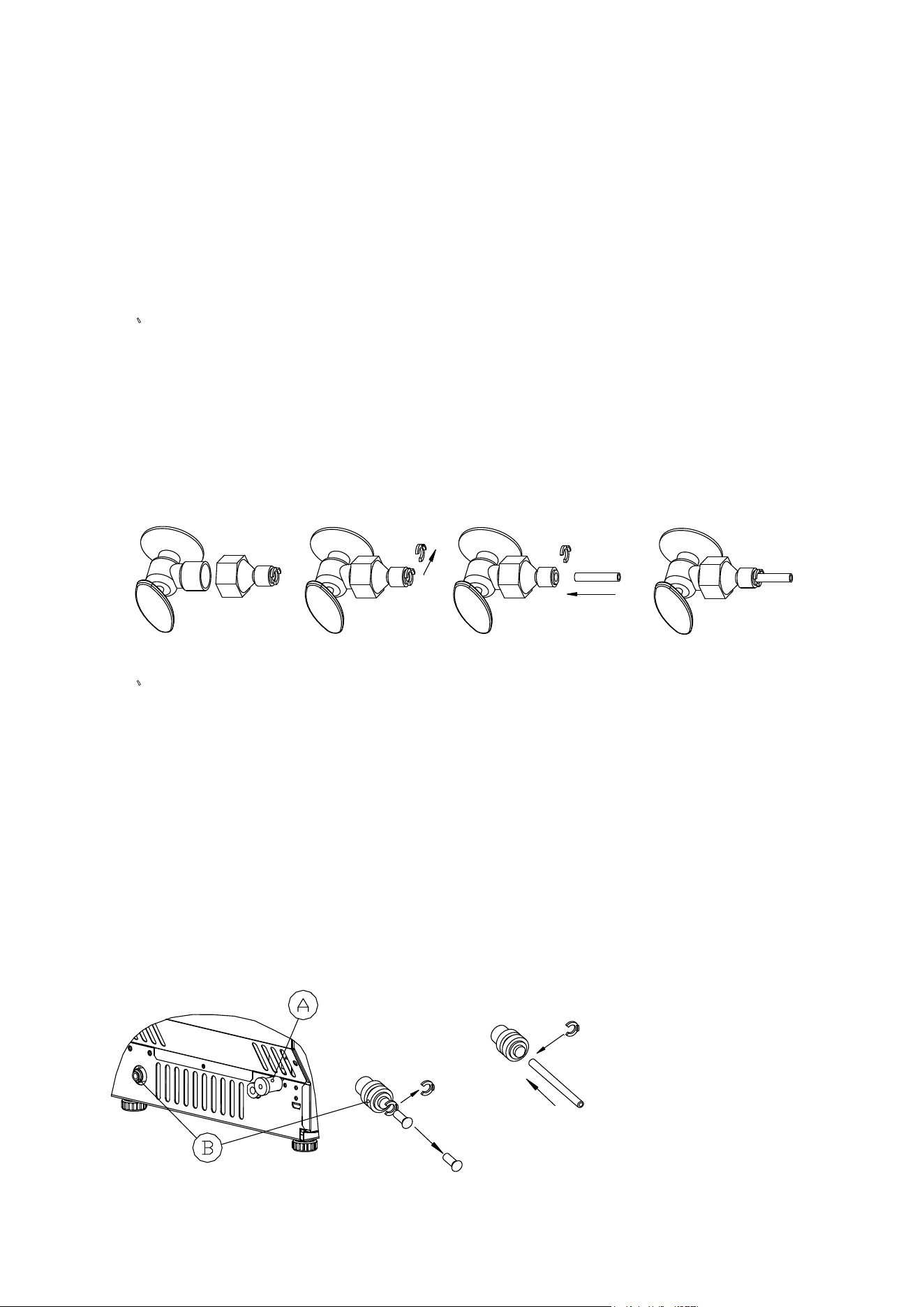
1、Connect the water supplying hose to the unit
Step 1: First remove the clipper on the water inlet port for water sup ply (indicated in the
following illustration “B”) located at unit back, then pushing inwards the anti-dusty plug, use your other
hand’s finger to press the out circle to fix the anti-dusty plug, then take dow n the anti-dusty plug; Step 2:
Insert the one end of the white water hose into the water inlet port, and push inward completely, and
install back the clipper, th
en water hose connec tio n is completed.
2、
Connecting the water dra in pipe
Pull out the water drainage cap with black color (indicated
○
A
in above illustration), then
connect the white draina ge pipe included in accessory, again connect the other end of this
drainage to the main water drainage pipeline.
3. Connect the water hose to the water faucet of the water main supply system
First, install the supplied water quick-connector to the water faucet by screw thread; Second,
remove the clipper from the water quick-con
nector, insert the another end of the water hose into
this quick-con nector port completely, then install back the clipper, also this s tep is completed.
Note: The water faucet should be supplied by the customer himself.
Important: The water pressure of main water supply system must be 0.04-0.6 MPa at least.
STEP 1:Qucik-connector
and the water faucet
STEP 2:Screw the qucik-connector on the
water faucet by the screw thread, and
remove the clipper
STEP 3:Insert the water hose completely
STEP 4:Install back
the clipper
Push inwards
Remove the
clipper
STEP 1: Remove the
anti-dusty plug
Water inlet port on
the unit back
STEP 2: Insert the
water hose
Then install
back the clipper
White water
hose(accessory)
First insert the
water hose inward
completely
Remove the
clipper first
Press inward the
active out
circle,then remove
the anti-dusty plug
13
OPERATION YOUR UNIT
Operation button and display area diagram
Operation the ice-making process
1. Starting up
:
Plug in the power plug,the symbol will flash in the display window,press the
ON/OFF button on the control panel,the machine will start to make ice when the external pipe add
water to reach the standard level on the water tank through the electromagnetic water valve,then
the
symbol will change to light on always in display window and symbol rotate;The
ambient temperature will be displayed in the upper left of the display window,“80F”means the
ambient temperature is 80F,several minutes later,the flashing numbers will be displayed in the
ambient temperature display area ,the flashing numbe r“10M”means still need 10minutes to finish
this ice making cycle.
2. Every ice making cycle finished,enter deicing process,th e
symbol flash,the external pipe can
add water to the water tank throug h the electromagnetic valve,and the arrow on the
symbol
will flash until the water reach the standard level,then the
symbol extinguish,the unit enter
the next ice makin g cycle;When the water can no t reach the standard leve l,the
symbol is
always bright,the unit stop work ing.After water shortage,the unit needs to be restarted,otherwise it
will start up automatically after 15 minutes.
Note : Each ice making cycle is around 11-20minutes,the ice making time will be changed
according to the ambient temperature and the water temperature change.Especially the first
ice making cycle,the ice making cycle will be longer because of the high water temperature
in the water tank,.But the cie making cycle w
ill not over 30minutes.
3. Adjust the ice thickness ;Press the “+”、“-”button on the control pane l to adjust the ice thickness;
The number in the botto m left of the display window is the setting of the ice making time, default is
“0”,press“+”button one time the ice making time will add one minutes ,the ice will be thicker;
Press“-”button one time the ice making time will reduce one minutes,the ice will be thinner.Restart
the machine it will go back to default“0 ”。
Note:The time c
urrently set only changes the next and subsequent ice making cycle.
OPERATION
AREA
OPERATION
AREA
DISPLAY
AREA
+
ON/OFF
TIMER
-
CLEAN

14
4. When the symbol lights up,the machine stop working,i t wil l work again after you take out
the ice.
5.
Shut down the unit
:
During the unit making ice,press the“ON/OFF”button on the c ontrol
panel,the unit shut down and into standby mode.If you press "ON/OFF" longer than 5S during ice
making, then the unit ente rs the deicing process directly, this function can help remove the ic e on
the ice plate. Press "ON/O FF" to shut down the machine.
6.
Timing setting
:
Setting range: 1-24 hours
Time s hutdo wn:When the unit is running,it can set up the timing shutdown.
Time on:When the un it is on standby,you can set the unit with ON-TIMER.
How to set up the timing
Press the TIMER button, the default timing time is“1H”in display window,then press“+”button to
adjust the timing time you need,every time you press the“+”button,the time add 1 hour;Press“-”button
can reduc e the timing time.During the process of time adjustment,The “H” in the lo
wer corner of the
number will flash,then after 5 seconds flashing without pressing, the “H” letter will change from flashing
to always displaying, means the timer program has been completed.
In standby condition display 5H,it means the unit will start automatically after 5 hours;In ice making
condition display 5H,it means the machine will shut down automatically after 5 hours,
the "H " in the display screen indicates that the machine currently has timing function,
and th
e number in front will be smaller and smaller. Until it becomes zero, the timing
ends, an d the machine en ters the mode you need.
How to cancel timing
When the unit has a timing(the display window will display XX H),press“TIMER”button,the timing
is canc eled after the number on the screen and "H" are extinguished.
When the unit has a timing,the disp lay area in the lower left corner will display the timing time and
the ice makin g setting time, and the display content will be switch
ed every 5S.
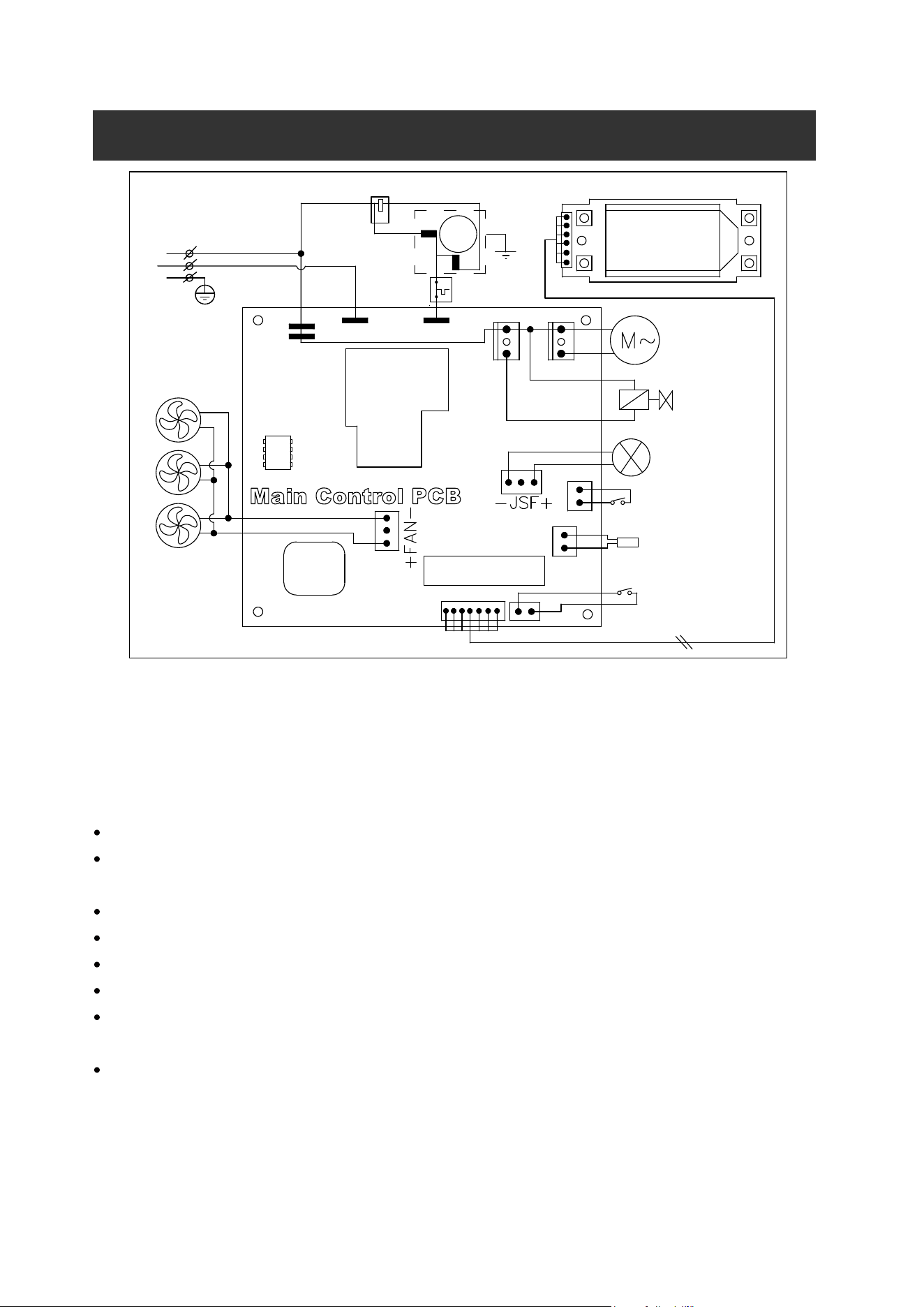
7. Automatic self-cleaning program,The default cleaning time is 20 minutes.
Start the self-c leaning program: After connecting all of the water pipe, pl ug on the main power
supply plug, then press “TIMER CLEAN”button on control panel for more than 5 seconds, to enter
the self-Cleaning program ,the symbol
rotate on display screens , time count down area
dispaly 20M. And the “CLEAN ” light will always be on during this period, the digit window will
indicate the left time, the water pump runs for 8 minutes and stops for 3 minutes, always recycle.
The total duration time is 20 minute s for one self-cleaning program . Also when the water pump
stops, the water will supply to the water tank automatically.
Cancel the self-cleaning program: It takes about 20 minute s to complete on e self-cl
eaning
program. When the program is over, the system will be in off-state automatically. And
also you can press the “ON/OFF” button on control panel to cancel the self-cleaning
program by force.
15
Normal Sounds
Your new ice maker may make sounds that are not familiar to you. Most of the new sounds are normal.
Hard surfaces like the floor, walls and cabinets can make the sounds seem louder than they actually
are. The following describes the kinds of sounds that might be new to you and what may be making
them.
You will hear a swooshing sound when the water valve opens to fill the water tank for each cycle.
Rattling noises may come from the flow of the refrigerant or the water lin
e. Items stored on top of
the ice maker can also make noises.
The high-efficiency compressor may make a pulsating or high-pitched sound.
Water running from the water tank to the evaporator plate may make a splashing sound.
Water running from the evaporator to the water tank may make a splashing sound.
As each cycle ends, you may hear a gurgling sound due to the refrigerant flowing in your icemaker.
You may hear air being forced over the condenser by the condenser fan. During the h
arvest cycle,
you may hear the sound of ice cubes falling into the ice storage bin.
When you first start the ice maker, you may hear water running continuously. The ice maker is
programmed to run a rinse cycle before it begins to make ice.
W
IRING DIAGRAM
MCU
T1
Relay
PUMP
COMP
AC-L
N
Power
Supply
L
G
AC-N
Solenoid Vale for
Ice-harvest
6C
Main Control PCB
T1
DC Water Inlet Valve
RT
WATER
ICE
AC Water Pump
VALVE
ELECTRICAL DIAGRAM
DC Fan Motor
Start Relay
COMPRESSOR
SENSOR FOR ICE
FULL DETECTING
SENSOR FOR
AMBIENT TEMP
WATER LEVEL
DETECTING SWITCH
L CD
N
L
G
M
~
AW
MW
Overload
Protector
16
Preparing the Ice Maker for Long Storage
If the ice maker will not be used for a long time, or is to be moved to another place, it will be necessary
to drain out all of the water in the system.
1. Allow all of the ice cubes have been ejected from the evaporator of ice maker.
2. Turn off the unit, and unplug the power cord.
3. Shut off the water supply at the main water supply.
4. Disconnect the water supply hose from the water inlet valve.
5. Pull out the Water drain pipe of the water tank indicating “H” in above illustration to drain out the
water in the water tank. When all of the water has been drained out, to reinstall back the water
drain pipe of the water tank.
6. Then drain out all of the water from the water drain port located at unit back indicating “7”in above
illustration.
7. Disconnect the water drain pipe to the main drain pipeline or floor drain, plug on the drain cap
again.
8. Drop the door open to allow for circulation and prevent mold and mildew.
9. Leave water supply hose and power cord disconnected until ready to reuse.
10. Dry the interior & wipe the outside of the unit.
11. Put a plastic bag on the unit to resist out dust & dirty.
CLEANING & MAINTENANCE
WARNING: Before carrying out any cleaning or maintenance operations, unplug the ice maker from
the main power supply electricity. (EXCEPTION: Ice maker self-cleaning program).
Do not use any alcohol or fume for cleaning/sanitization of the ice maker. It may cause
cracks on the plastic parts.
Ask a trained service person to check and clean the condenser at least once a year, in
order to let the unit work properly.
This appliance must be cleaned by use of a water jet.
Periodic cleaning and proper maintenance will ensure efficiency, top performance, hygienic, and long
life. The maintenance intervals listed are based on normal conditions. You may want to shorten the
intervals if you have pets, or the unit is used outdoors, or there are other special considerations.
If the ice maker has been left unused for a long time, before the
next use it must be thoroughly cleaned. Follow carefully any
instructions provided for cleaning or use of sanitizing solution.
Do not leave any solution inside the ice maker after cleaning.
17
What shouldn't be done
Never keep anything in the ice storage bin that is not ice: objects like wine and beer bottles are not only
unsanitary, but also it’s labels may slip off and obstruct the drain pipe.
Exterior Cleaning
The door and cabinet may be cleaned with a mild detergent and warm water solution such as 28g of
dish washing liquid mixed with 7.5L of warm water. Do not use solvent-based or abrasive cleaners. Use
a soft sponge and rinse with clean water. Wipe with a soft clean towel to prevent water spotting.
Stainless steel models can discolor when exposed to chlorine gas and should be cleaned. Clean
stainless steel models with a mild detergent and warm water solution and a damp cloth. Never use
abrasive cleaning agents.
NOTICE: Stainless steel models exposed to chlorine gas and moisture, such as in areas
with spas or swimming pools, may have some discoloration of stainless steel.
Discoloration from chlorine gas is normal.
Interior Cleaning
For Ice Storage Bin
The ice storage bin should be sanitized occasionally. Clean the bin before the ice maker is used for the
first time and reused after stopping for an extended period of time. It is usually convenient to sanitize
the bin after the ice making system has been cleaned, and the storage bin is empty.
1. Disconnect power to the unit.
2. Open the door and with a clean cloth, wipe down the interior with a sanitizing solution made of
28g of household bleach or chlorine and 7.5L of hot water(95℉ to 115℉) .
3. Rinse thoroughly with clear water. The waste water will be drained out through the drain pipe.
4. Reconnect power to the unit.
The ice scoop should be washed regularly. Wash it just like any other food container.
Ice Making Parts Cleaning
During the using, periodically to clean these main system of your ice-maker.
1、 Repeat above step to clean the water tank and other inner parts of the unit.
2、 Especially, to the water dividing pipe on the evaporator, when the compressor and the water pump
run normally, but if there is no water flowing out from the water dividing pipe or the water flowing is
very small, please discharge this water dividing pipe to clean carefully. Clean each little holes on
the water dividing pipe displayed in the following illustration, make sure each hole is not clogged by
something, then install back to the original location.
18
3、 When there are ice cubes on the surface of the evaporator, but can’t fall down easily, do not use the
mechanical substance to remove it by force; Only press the “ON/OFF” button for more than 5
seconds, the unit will enter the ice melting process, after some while, the big ice-cubes will fall
down, then turn off the unit and unplug the power cord to clean the surface of the evaporator.
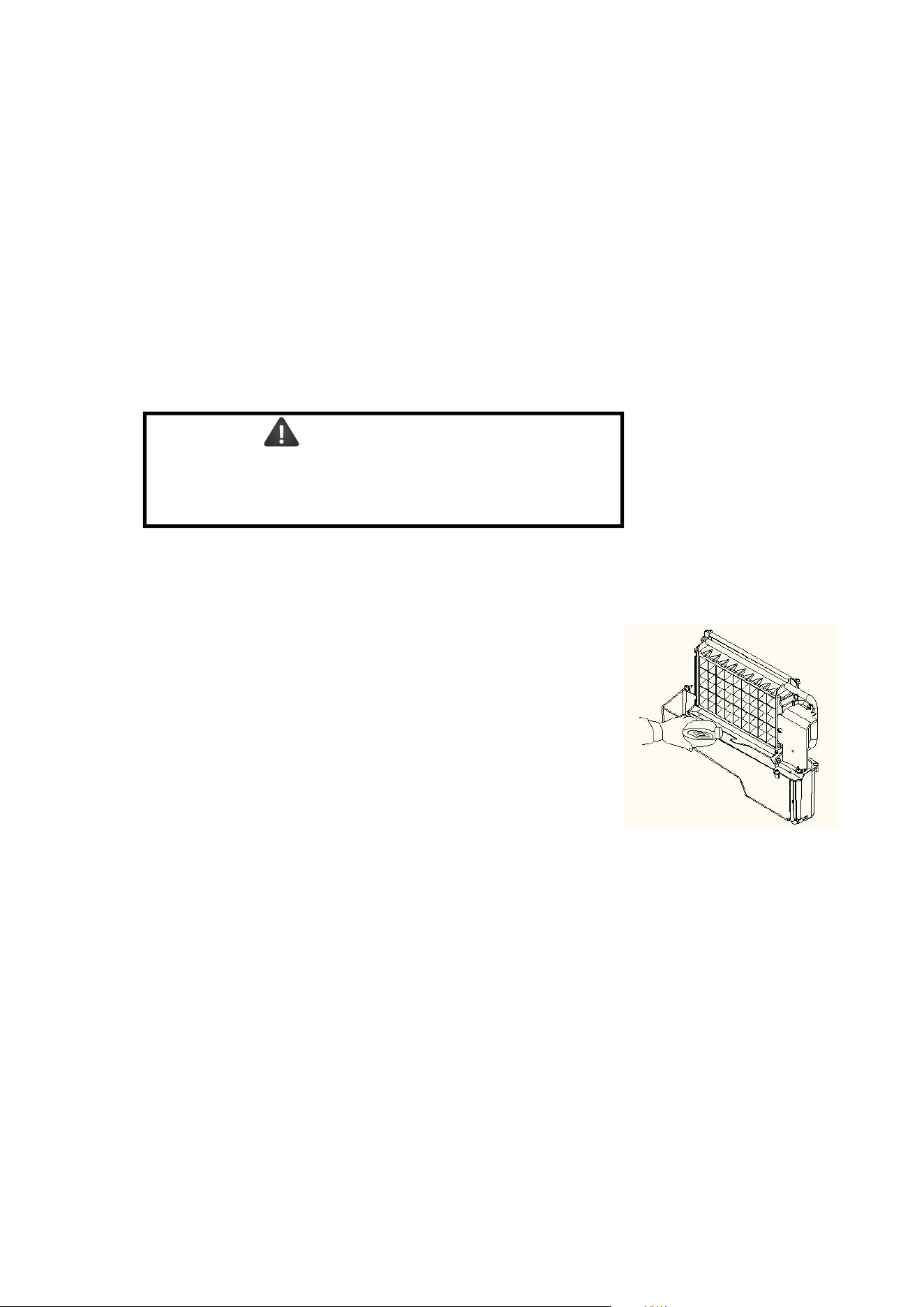
4. For the water tank and ice-full detecting plate
Also the water tank and the ice-full detecting plate is very important to keep your ice cube hygienic.
Put mixture of neutral cleaner & water into a clean water jet, then spray to all the inner surface of tank &
the ice detecting plate. Wipe these surfaces as far as possible with a clean cloth. And then, spray the
surfaces with clean water, wiping with a dry clean cloth. Then drain out the cleaned water in the water
tank by pulling out the Water drain pipe of the water tank indicating “H” in above illustration. When all of
the cleaned water has been drained out, to reinstall back the water drain pipe of the water tank.
Suggestion: After cleaning the interior parts and install back to its respective
position, and return machine to work, discard first batch of ice.
19
Ice Making Assembly System Cleaning by Using Nu-Calgon Nickle Safe
Ice-machine Cleaner
Minerals that are removed from water during the freezing cycle will eventually form a hard
scaly deposit in the water system. Cleaning the system regularly helps remove the mineral
scale buildup. How often you need to clean the system depends upon how hard your
water is. With hard water of 4 to 5 grains/liter, you may need to clean the system as often
as every 6 months.
1. Turn off the ice maker. Keep the ice maker connect to the water supply and
drainpipe. But shut off the water faucet of main water supply.
2. Open the door and scoop out all of the ice cubes. Either discard them or save them
in an ice chest or cooler.
3. Making the cleaning solution. Please mix the Nu-Calgon Nickle Safe Ice Machine
Cleaner with water to make the cleaning solution.
Use a plastic or stainless container with more than 4 liters capacity, mix 300 ml
Nu-Calgon Nickle Safe Ice-machine Cleaner with 2.8 liters warm water about
120℉-140℉, Then divide them for 2 shares equally in 2 cups. It is better to keep the
temperature of each cup of the cleaning solution.
4.
5. Turn on the power to the ice maker, then press “TIMER CLEAN”button on control
panel for more than 5 seconds, to enter the self-Cleaning program. Same as above
explanation, the water pump runs for 8 minutes and stops for 3 minutes, one cycle,
again one cycle. The total duration time is 30 minutes for one self-cleaning
program.
During this process, the “CLEAN
”
light will always be on during this period, and the
digit window will indicate the left time,
6. After 30 minutes of one self-cleaning program completing, pull out the drain pipe of
the water tank, drain the cleaning solution down to the lower ice storage bin. Shake
the unit slightly to drain out all of the cleaning solution completely. Then install back
the drain pipe to the slot of the water tank.
7. Repeat steps 4--6 to clean the ice making assembly system again.
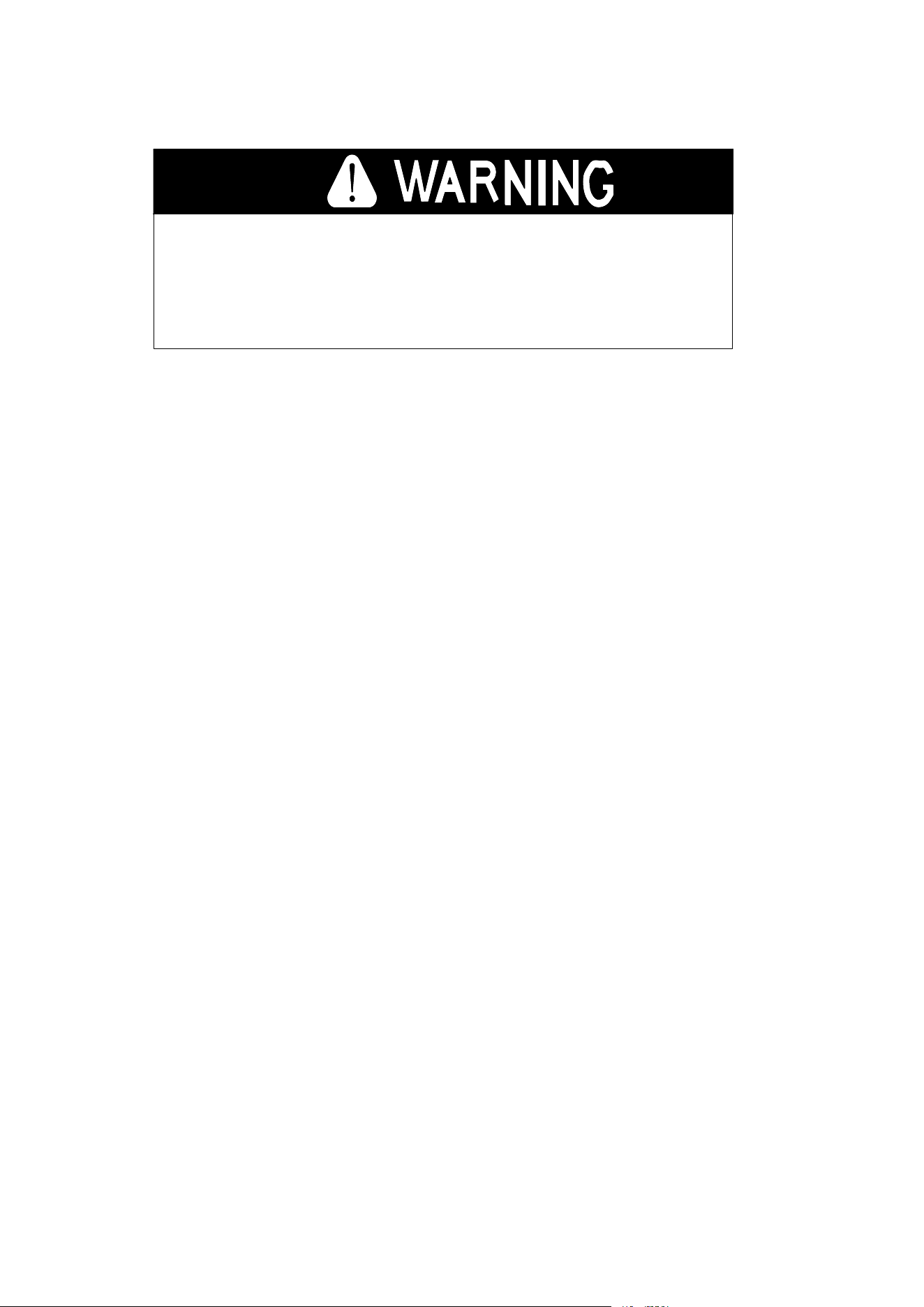
WARNING
Wear rubber gloves and safety goggles (and/or face
shield)when handing Ice Machine Cleaner or sanitizer.
Check to be sure that the water drain pipe of the water
tank has been installed properly in the slot of the tank
wall. Then Pour one cup of Nickel-Safe Ice Maker
Cleaning Solution into the water tank. Wait about for 5
minutes.
20
The ice machine cleaner contains acids.
DO NOT use or mix with any other solvent-based cleaner
products.
Use rubber gloves to protect hands. Carefully re ad the material
safety instructions on the co ntainer of the ice m achine cleaner.
DISCARD the first b atch of ice troduced after cleaning.
8. Then o pen the water faucet of the main water supply, Let the water flow in the unit.
Again press the
“
TIMER CLEAN
”
button on control panel for more than 5 seconds,
to enter the self-Clea ning program. S ame as above explanation, the wa ter pump
runs for 8 m inutes an d stops fo r 3 minutes, one cycle, again one cycle. The total
duration time is 30 minutes for one self-clea ning program.
During this process, the “CLEAN ”light will always be o n during this period, and the
digit window will indicate the left time. Through this process, It will rinse the water
dividing pipe, evaporator, water pump, silicone pipe, a nd water tank, etc..
9. After one self-cleaning program complete, then pull out the dra in pipe of the water
tank, drain the cleaning solution down to the lower ice stora ge bin, also shake the
unit slightly to drain o ut all of the wate r completely. Then install ba ck the drain pipe
to the water tank slot tightly.
10. Repeat the step 8-9 again for 2 times.
1
1. Following the above program to clean the ice storage bin .
12. Then this special cleaning program finish, you can return to the regular ice making
mode. And suggest to discard the first batch of ice cube.
Cleaning Suggestion
1) D AILY CLEANING
The ice shovel, door and the water dividing pipe shoul d be cleaned by yourself per each day. At
the end of every day, rinse the ice shovel and wipe the both sides of the door with a clean cloth.
2) SEMI-MONTHLY CLEANING
The ice shovel, ice bin
, wat er tank, the ice-full detecting plate and the surface of the evaporator
are to be cleaned by yourself semi-monthly according to interior cleaning program.
3) SEMI-ANNUAL CLEANING
All the components & surfaces exposed to water or ice cubes, like ice storage bin, water tank, do or,
evaporator, water pump, silicone tube, water dividing pipe, etc. should be cleaned
by Using
Nu-Calgon Nickle Safe Ice-machine Cleaner
per each 6 months. They should be
cleaned by the s ervic e
man according to ice making assem bly system cleaning program.
21
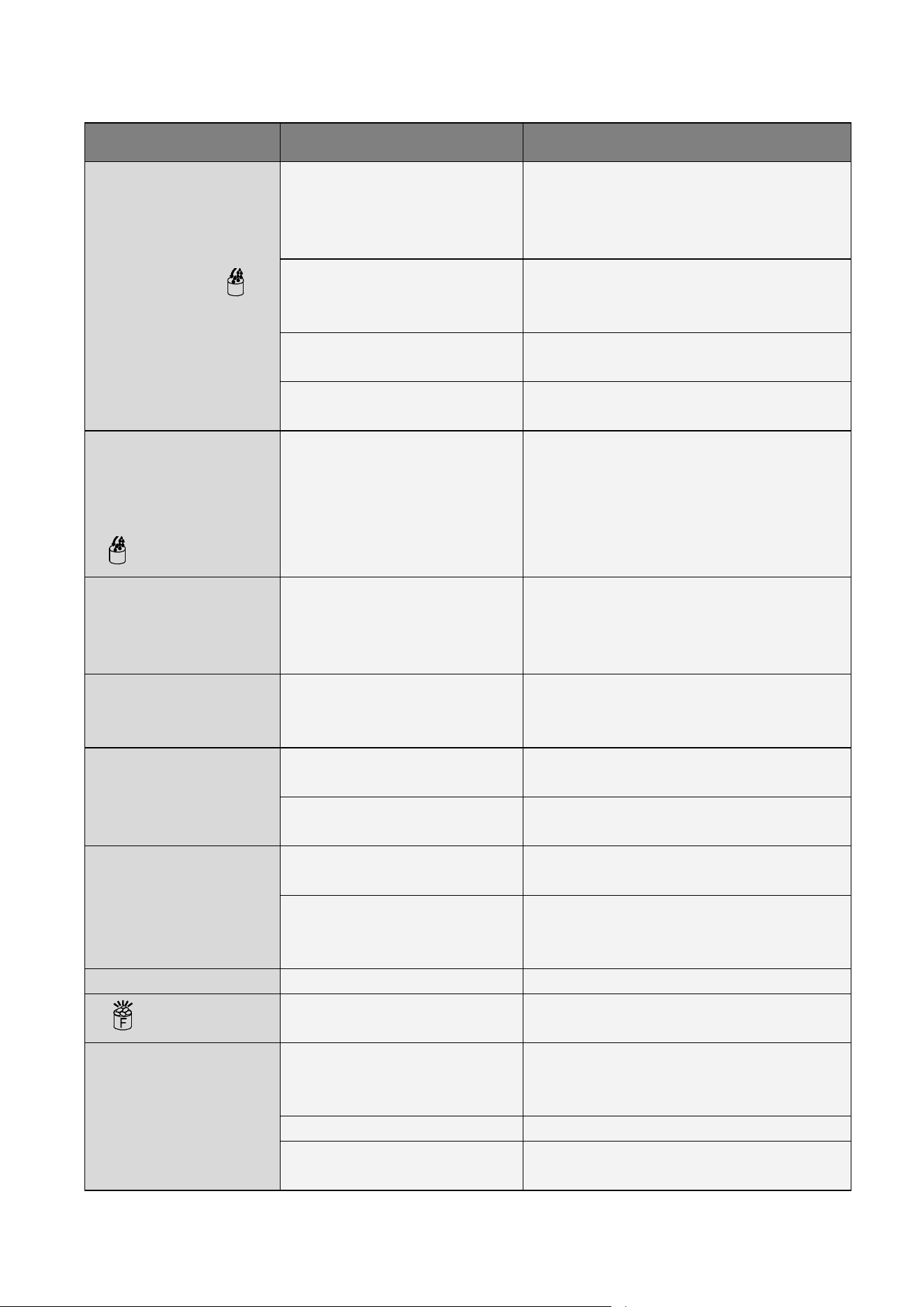
Problem
Possible Cause Solution
The whole “ ”
symbol is always on.
No wat er supply
Check the main wate r supply pressure or
check the water supply hose is blocked or
not, adding the water pressure or cleaning
the hose necessary.
Floating ball of the water level
detecting switch is blocked,
can’t be raised up
Clean the water tank and the water level
detecting switch。
Water flows out from the water
tank
Place the unit on the level position, not on
the slope
。
Water flows out from the water
drain pipe of the water tank.
Pull out the pipe and install back to the slot
of the water tank properly.
The unit enter the ice
making process, but
no water flowing in
the unit, and the whole
“
” symbol is on.
Water supplying hose
breakdown, or wat er flows in
very slowly.
Check the main wate r supply pressure or
check the water supply hose is blocked or
not, adding the water pressure or cleaning
the hose necessary.
Water pump is
working, but no water
flow out from the water
dividing pipe
The little holes on the water
dividing pipe is blocked.
Clean these little holes.
The transparency of
the ice cube is not very
good
Water quality is bad
Change the water supply, or use the water
filter to soften or filter the water.
Ice cube shape is
irregular
Water qual ity is not good or the
water tank is very dirty
Clean the water tank, and change with new
water.。
The little holes on the water
dividing pipe is some blocked
Clean the water dividing pipe, make s ure
all nine holes are unclogged
Ice cub e is very thin
Ambient temperature is too
high
Move the unit to low temperature space, or
lengthen the time of each ice making cycle.
Air circulation around the unit is
not go og
Make s ure there is more than 20CM spac e
between the unit back & front and the
obstacle
Ice cub e is too thick
Ambient temperature is too low Reduce the time of each ice m aking cycle.
“ ” indicator is on
The ice storage bin is full of the
ice cube.
Take out some ice cube
Ice making cycle is
normal, but there is no
ice cub e produced
The temperature of Am bient, or
water in water tank is too high
Move to the place with temperature lower
than 90Fahrenheit
,centigrade, and change
to the low temperature water
Refrigerant leakage Need the technical s ervic eman to maintain
Cooling system tube is clogged
Need the technical service pe rson to
maintain
NORMAL TROUBLE SHOOTING
22
ERROR INDICATOR
a) Ambient temp sensor breakdown----- Display E1 in digital window.
b) The machine not make ice or the gas leak ----Display E2 in digital window
c) Magnetic control switch cut off----“Full”light will be on when plugging on or just turning on the unit.
And it will delete the breakdown display if this switch is electric shorted.
d) During the ice making process, press the “ON/OFF” button for more than 5 seconds, the unit
Start to enter the ice harvest program. And after the ice harvest program,it continue to enter the ice
making process.
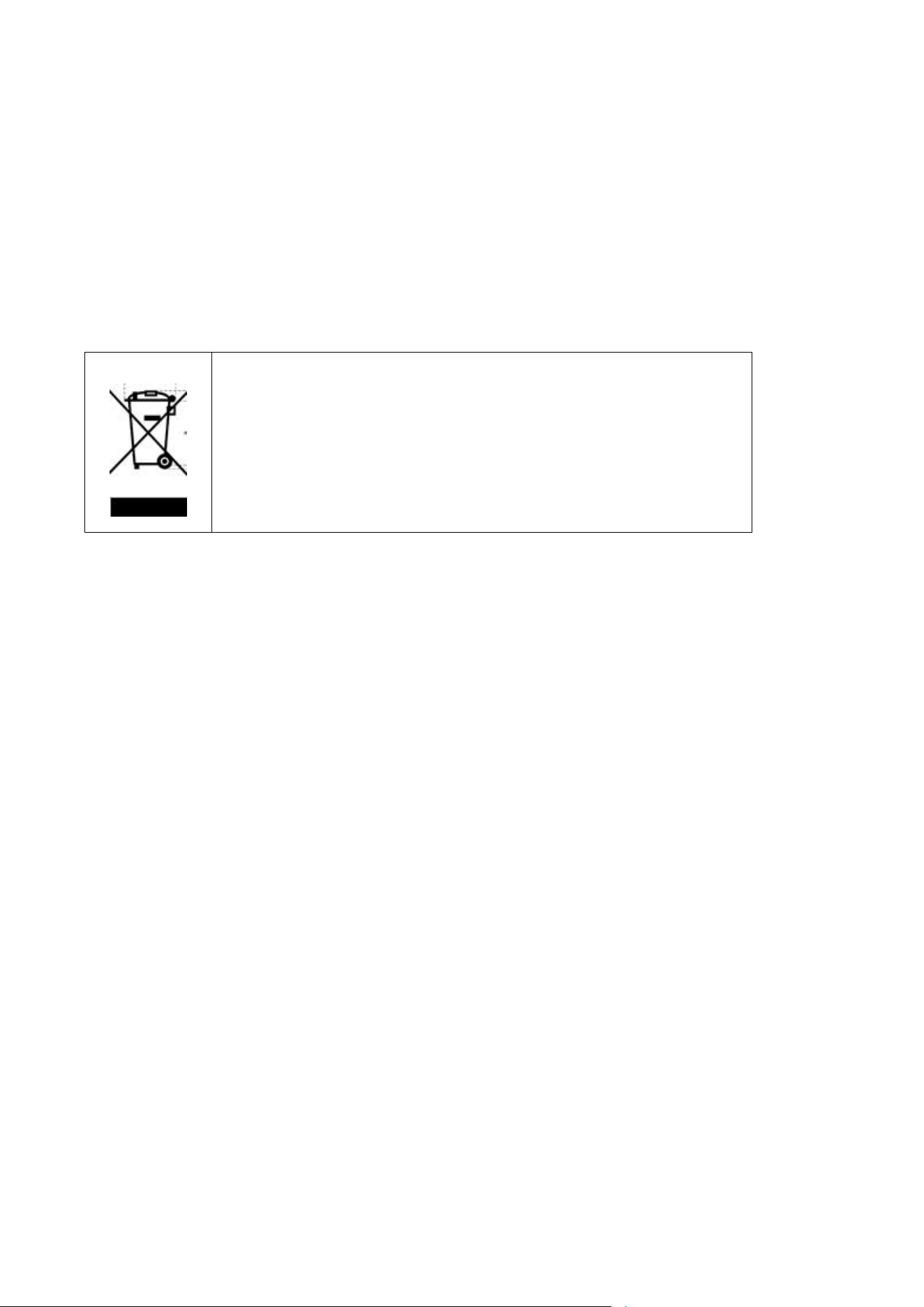
Correct Disposal of this product
This marking indicates that this product should not be disposed with
other household wastes throughout the EU. To prevent possible harm to
the environment or human health from uncontrolled waste disposal,
recycle it responsibly to promote the sustainable reuse of material
resources. To return your used device, please use the return and
collection systems or contact the retailer where the product was
purchased. They can take this product for environmental safe recycling.

IMPORTANT
Do not return this product to the store.
Simply call our customer service department for any questions or concerns:
213-4467172
(8:30am - 5:30pm P.S.T.)
(8:30am - 5:30pm P.S.T.)
(8:30am - 5:30pm P.S.T.)
DATED PROOF OF PURCHASE REQUIRED FOR WARRANTY SERVICE.
AVIS
Ne pas retourner ce produit au magasin.
Veuillez appeler le service à la clientèle pour toutes questions au:
213-4467172
PREUVE D’ACHAT ORIGINALE REQUISE POUR SERVICE DE GARANTIE.
IMPORTANTE
No devuelva este producto a la tienda.
Sólo hay que llamar nuestro departamento de servicio
al cliente en caso de tener preguntas o inquietudes:
213-4467172
SE REQUIERE PRUEBA DE COMPRA CON FECHA PARA SERVICIO BAJO GARANTÍA.
Add:9733 Topanga Canyon Blvd. APT310, Chatsworth, CA 91311
Phone: 213-4467172
Thank you for purchasing this product! If you have questions about assembly or operation of this
product, are missing parts, or if the product is damaged, please contact us via
Amazon Message or call
customer serve Phone:
213-4467172.