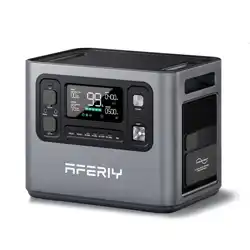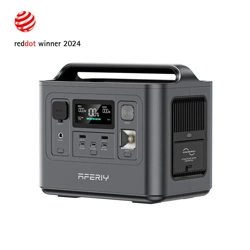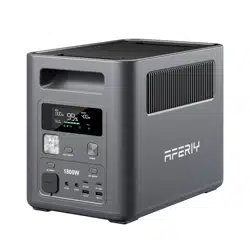
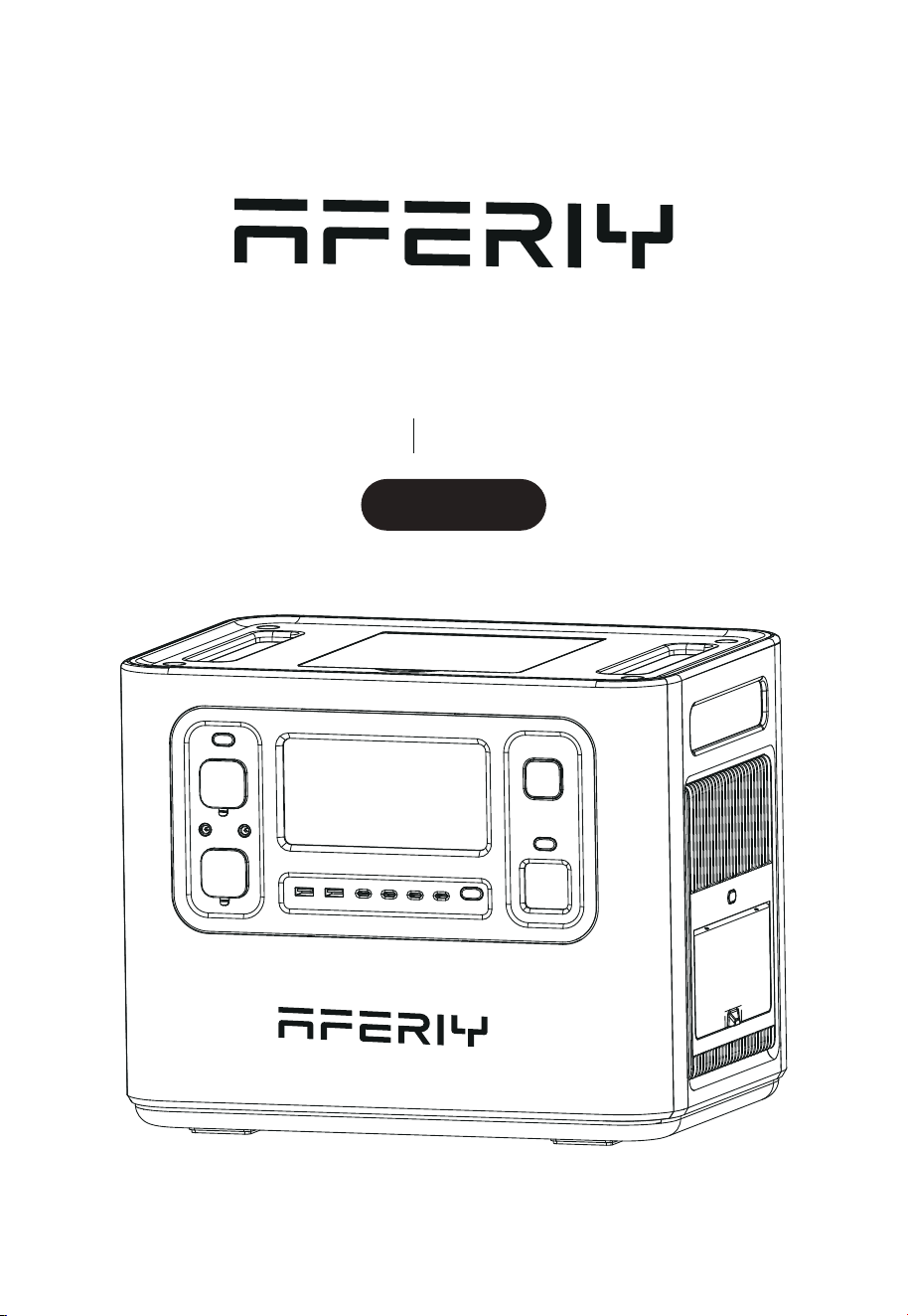
Portable Power Station
AF-P210 User Manual
2400W

Hi dear, thank you very much for purchasing and experiencing the AF-P210 portable
power station. Before operating this product, please carefully read the user manual for
proper operation.
According to the transportation requirements of the international customs for baery
products, the baery level of this product is only less than 35% when it leaves the factory.
Please fully charge the product after unpacking it to start the experience tour of AF-P210.
1. Please avoid long-term storage and use of this product in environ-ments with
high temperature and humidity or direct sunlight to avoid shortened baery life
and other failures. The product should not be close to the fire source, otherwise
it may cause a major fire or accident.
2. This product must not be disassembled or modified. Improper oper-ation may
cause product malfunction or even fire.
3. Be careful not to drop or drop the product from a high place, so as not to
damage the product.
4. Please store or use this product out of the reach of children, other-wise the
product may be dropped or collided and may cause bodily injury to children.
5. Please use our original accessories, and AFERIY will not guarantee the defec-
tive products caused by the use of non-original accessories.
6. Please directly plug in the wall socket to charge the product, do not use exten-
sion cords or cable taps, otherwise there is a risk of damage to the extension
cords and cable taps or even a fire; If the extension socket is plugged in to
charge this product, please do not connect other electrical appliances to this
socket, otherwise the household meter may trip.
7. When the product is not in use or idle, please turn it o and unplug the power
cable. If it needs to be idle for a long time, please consume the product from
a fully charged state to an uncharged state, then recharge it to about 50% of the
baery level and store it. In order to prolong the life of the product, please take
three months as a cycle, operate and keep it in this way.
8. If the product reaches scrap conditions, please discard or recycle the
product in accordance with local laws.
Precautions For Use

Contents
Packing List
Product Introduction
Buon Function Introduction
Introduction of Display Interface
Troubleshooting table
UPS Mode
Connection of Solar Panels
Car Charging
Product Parameter
Baery Specifications
Disclaimer
Warranty Card
01
01
02
05
06
07
08
09
10
10
11
12
1
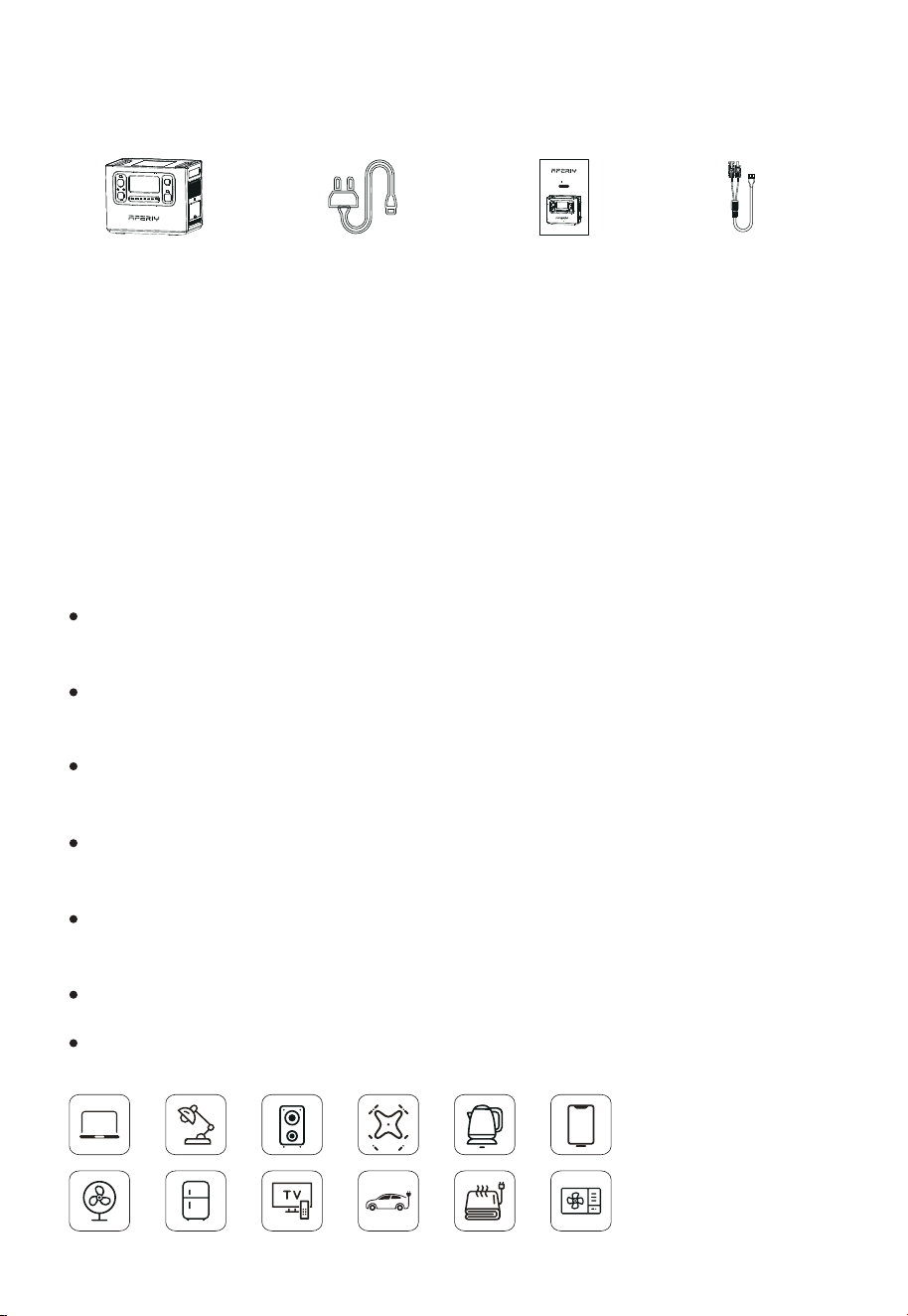
Packing List
Product Introduction
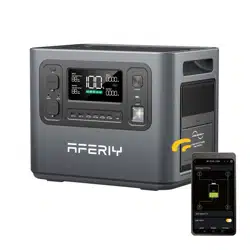
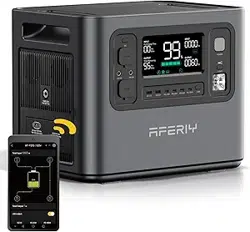
This product is a portable power device with a built-in baery pack with charge/
discharge function. It includes both AC output interface and DC output interface
such as USB output, cigaree lighter output, DC output, etc. It also has functions
such as display, interface control, protection, and alarm. Moreover, this product
can be charged by mains AC, solar panels and vehicle charging.
The following are the main features of this product:
Equipped with EVE brand LiFePo4 baery, the baery capacity is as high as 2048Wh,
and the safety level is extremely high.
2400W pure sine wave AC output can meet almost all daily electronic equipment
and small household appliances.
Two-way fast charging technology is adopted to fully charge the prod-uct within
2 hours.
In UPS mode, the switchover time is less than 10ms which is truly seamless
switching.
AC Charging Cable
MC4 to XT90 Plug
Charging Cable
Portable Power
Station
User Manual
A great verity of output interfaces such as USB-A, Type-C PD3.0, DC5521, XT60,
cigaree lighter output, etc., meet many dierent application scenarios.
IP54 waterproof grade, all interfaces are designed with dust-proof and water-proof.
Portable Power Station
AF-P110 User Manual
1200W
Multiple protection mechanisms such as baery, circuit, structure, etc., guarantee
the product safety.
2
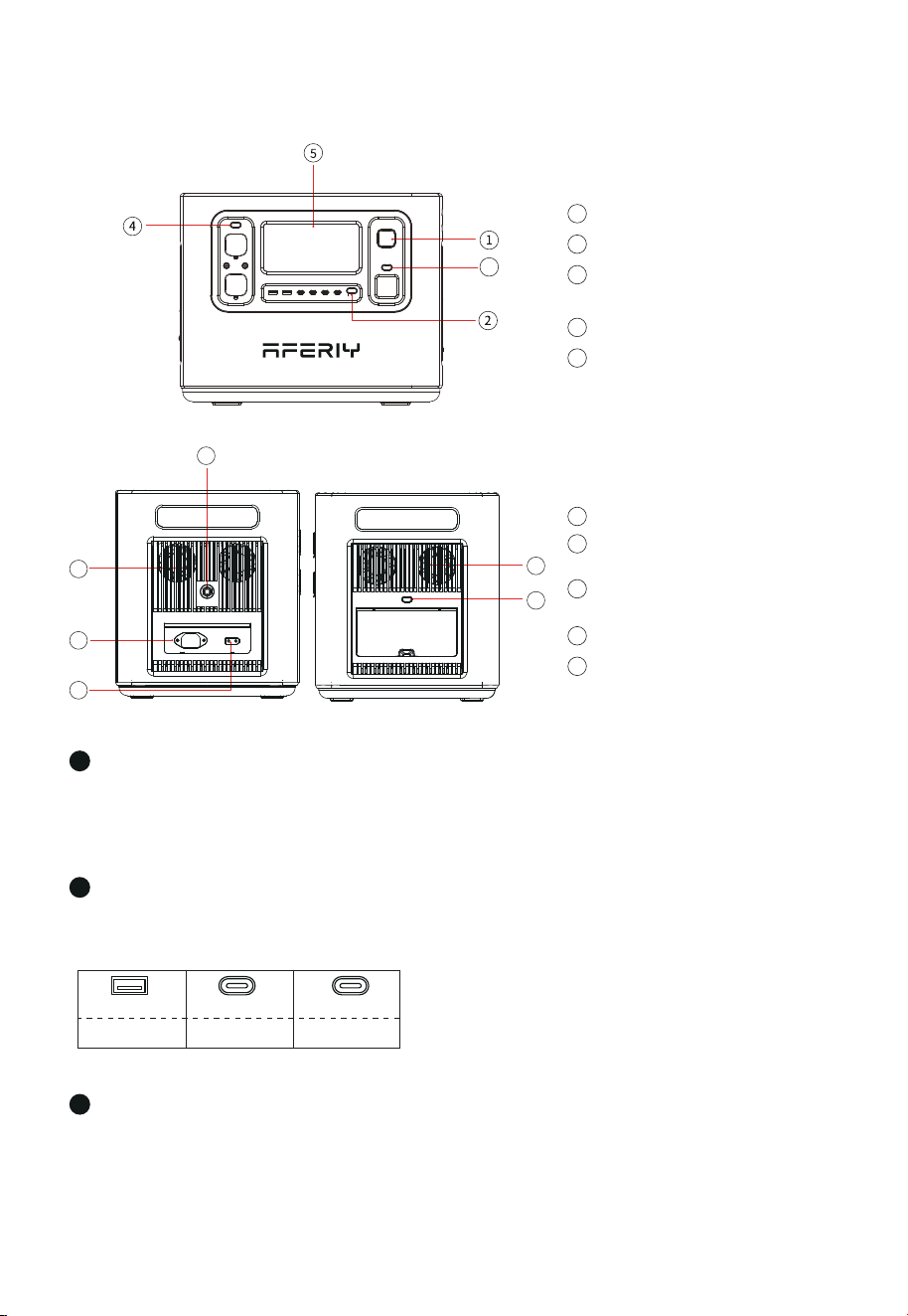
Power ON/OFF Buon
1
USB ON/OFF Buon
2
Instructions: Short press the Light buon, the LED lights are all on;short press again,
the LED light enters the SOS mode, short press in turn, enter the strobe mode, and
finally the LED light turns o ( LED in any mode , long press the light buon for ≥ 1
second directly turn o the LED light).
QC 3.0 PD-20W PD-100W
TYPE-C X 1USB-A X 2 TYPE-C X 3
Buon Function Introduction
Power ON/OFF Buon
1
3
LED Light Buon
(Switch to dierent mode)
USB ON/OFF Buon
2
DC ON/OFF Buon
4
LCD Screen
5
XT90 Input Port
( for solar panel)
8
AC input
9
Overload Protection Buon
10
Cooling Air Duct
6
AC Buon
(manually switch to 50/60Hz)
7
Light Buon
Instructions: Press and hold the power buon for 3S to wake up the system, turn on
the LCD display, and press and hold again for 3S to turn it o.
Instructions: Short press the USB buon to turn on the USB output port, and short
press again to turn it o.
3
3
6
6
7
8
10
9

Please directly plug in the wall socket to charge the product, do not use extension cords or cable taps,
otherwise there is a risk of damage to the extension cords and cable taps or even a fire.
3
Display the product's baery level and usage status tips.
LCD Screen
Cooling Suction/Exhaust Port
When the product reaches the temperature threshold set by the system, the cooling
fan will automatically run, accompanied by a cert-ain fan noise (fan noise below 60dB is
normal). Do not block the cooling suction/exhaust port during use of this product, and
do not place any object within the range of 30CM.
AC Buon (AC output port, the sum of electrical load power should be <2400W)
XT90 Port
This interface supports solar panel input or car charger input. For details, please refer to
"Solar Panel Connection" on page 8 of this manual and "Car Charging" on page 9.
DC ON/OFF Buon
Instructions: Short press the DC buon to turn on the DC output port, and short press
again to turn it o.
※
AC Input
To charge the product by a household socket can achieve 700W fast charging. It only
takes 2 hours to fully charge from 0 to 100%. When charging in this way, please pay
aention to the following points:
4
Dcoutput X 2
Cigaree port X 1
12V/10A 12V/25A
XT60 X 1
12V/3A
5
6
7
8
9
If the extension socket is plugged in to charge this product, please do not connect other electrical
appliances to this socket, otherwise the household meter may trip.
※
Tap the AC buon to enable the AC output function. Since there may be dierences in the
AC output frequency in dierent regions, if you need to switch the frequency, theopera-
tions are as follows: Press and hold the AC buon for 2 seconds to enter the frequency
switching mode, the 50Hz or 60Hz icon will flash on the display, short press the AC buon
again to select 50Hz or 60Hz; when the icon stops flashing and displays 50Hz or 60Hz, it
indicates the switch is successful.

4
Overload Protection Buon
When the power supply current is unstable due to lightning or other reasons, and
there is a large current input at the AC Input, in order to protect the product, the
overload protection function (safety circuit breaker) will activate and cut o the AC
input port.
Please follow the sequence below to restore the AC input function:
1) Turn o the power buon and unplug all ports.
2) After confirming that there is no abnormality in each part, turn on the power buon.
3) Press the overload protection buon, connect the AC Cable to restore the AC input.
10
5
Input and output status: When the product is working, the total input power, total
output power and the cursor corresponding to the working area will be displayed on
the screen.
percentage gradually increases; when the prod-uct baery level is 0, the baery
level percentage icon flashes.
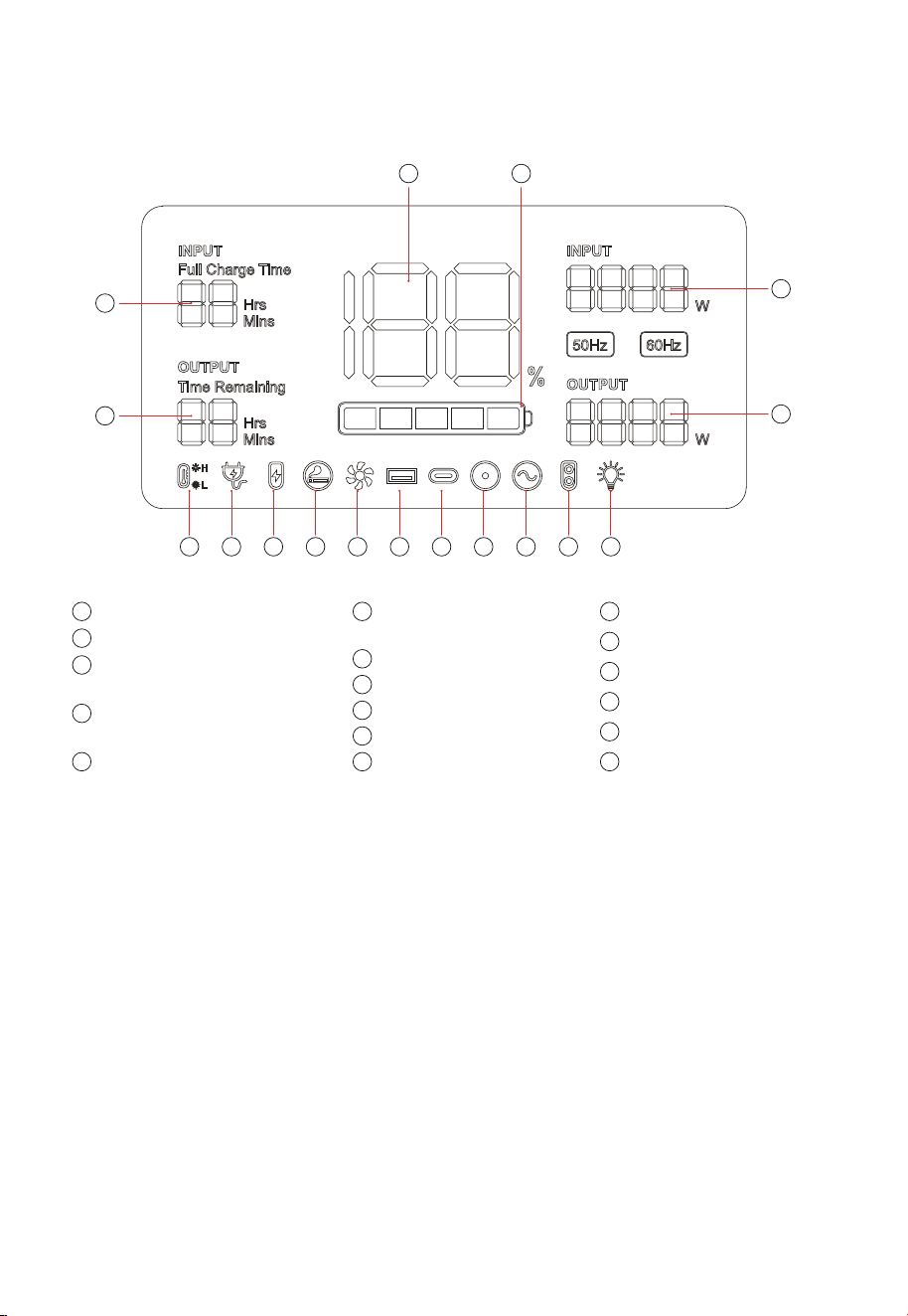
Introduction of Display Interface
14
15
1
2
17 16
3 4 5 6 7 8 9 10 11 12 13
1
Recharging Time
2
Remain Using
5
XT90 Input
4
Connected to the AC
Mains
3
High/Low Temperature
Protection
12
XT60 (12V) Output
13
LED Light
14
Output Power in Total
15
Input Power in Total
16
Baery Progress Bar
17
Baery Level Percentage
6
Cigar Lighter (12V)
Output
7
Fan Status
11
AC Output
10
DC (12V) Output
8
USB Output
9
PD3.0 Output
Screen Display Description
Power display: When the product is in the charging state, the baery progress bar
rotates continuously in the form of a clockwise marquee, and the baery level

lf you have any questions, please feel free to contact us.
Email address: [email protected].
Sincerely.
Troubleshooting Table
The output exceeds the
standard and it’s short
-circuited.
Remove the load, and then short press
the switch in the area corresponding to
the icon to remove the alarm
Take the product out of the charging state
remove all loads, turn the power o, wait
for the device to reach a suitable working
temperature, then the alarm is removed .
The temperature of the prod
-uctis too high or too low.
The charging cable is poorly
connected.
1.Turn o the power buon and unplug all ports
Phenomenon Cause
Processing method
The above output icon
flashes and beeps.
The temperature warning
iconflashes and beeps.
The icon of connecting
to the AC mains flashes
and the product cannot
be charged.
3. Press the overload protection buon,
conneche AC cable to restore the AC input
2.After confirming that there are no faults ineach
part, turn the power switch back on.
The overload
protectionfunction is
activated
The overload protection function is enabled
7
UPS Mode
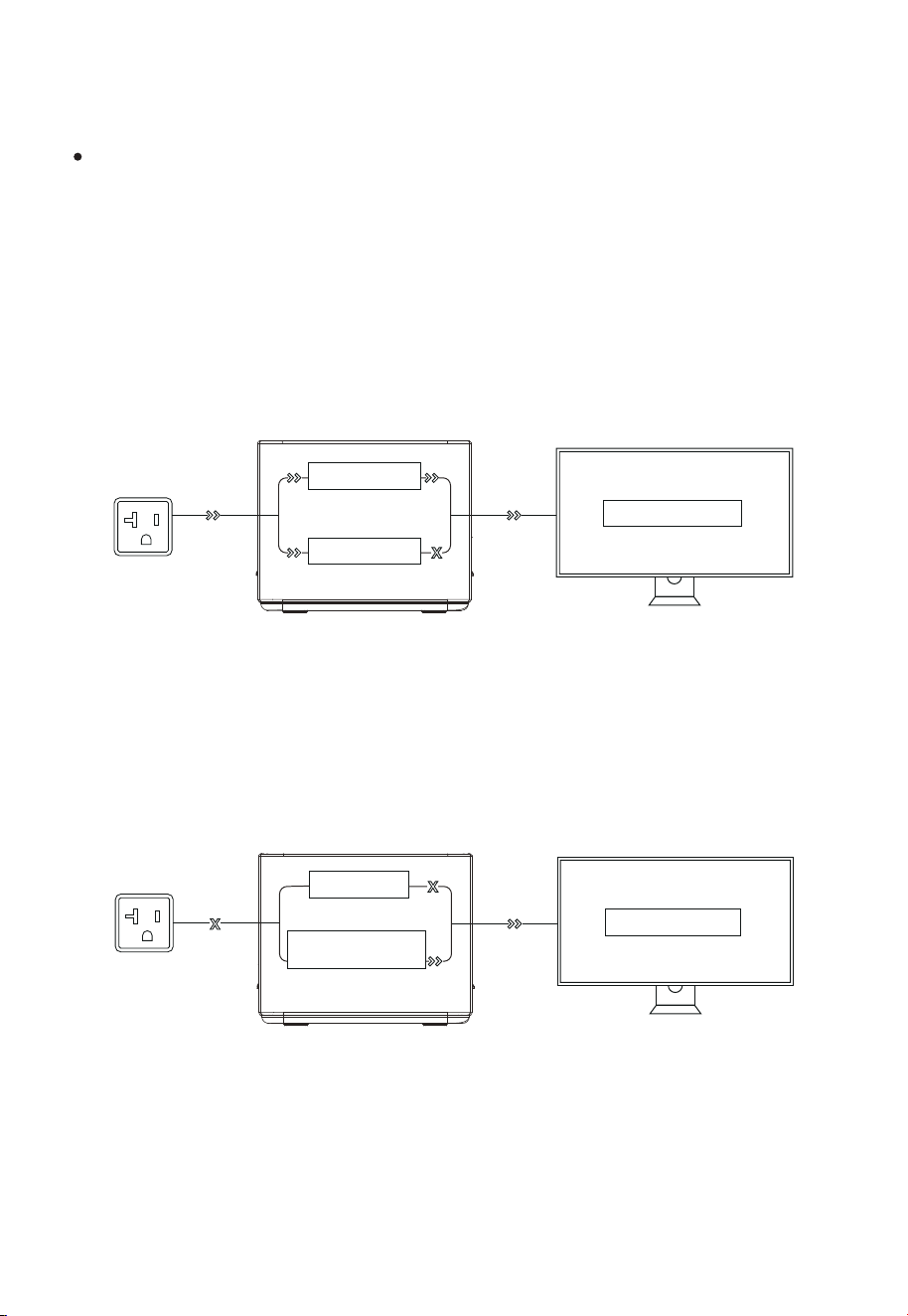
As shown in Pic 1 below, when the product is connected between the wall socket and the
electrical appliance, and the power supply and AC switch of the product are in the ON
state, the product enters the UPS working mode. The AC mains in the socket supplies
power to the electrical appliance through the bypass circuit, and also charges the
product. In this working state, the rated power of the electrical appli-ance must be lower
than 1100W(only 100V-120V), otherwise overload protection may be triggered.
UPS Feature
This product has the function of backup uninterruptible power supply. The usage and
operation precautions are as follows:
As shown in Pic 2 below, when the AC mains at the socket end is disconnected, the
bypass output inside the product stops working, the product switches to a bidirectional
inverter circuit within 10ms, and the circuit outputs supply power to the electrical
appliance to ensure that the electrical appliance is uninterrupted and works normally
during the process.
Bypass circuit
Bidirectional inverter
circuit
load/Equipment
(Pic 1)
load/Equipment
Bypass circuit
Baery charging
(Pic 2)
8
Connection of Solar Panels
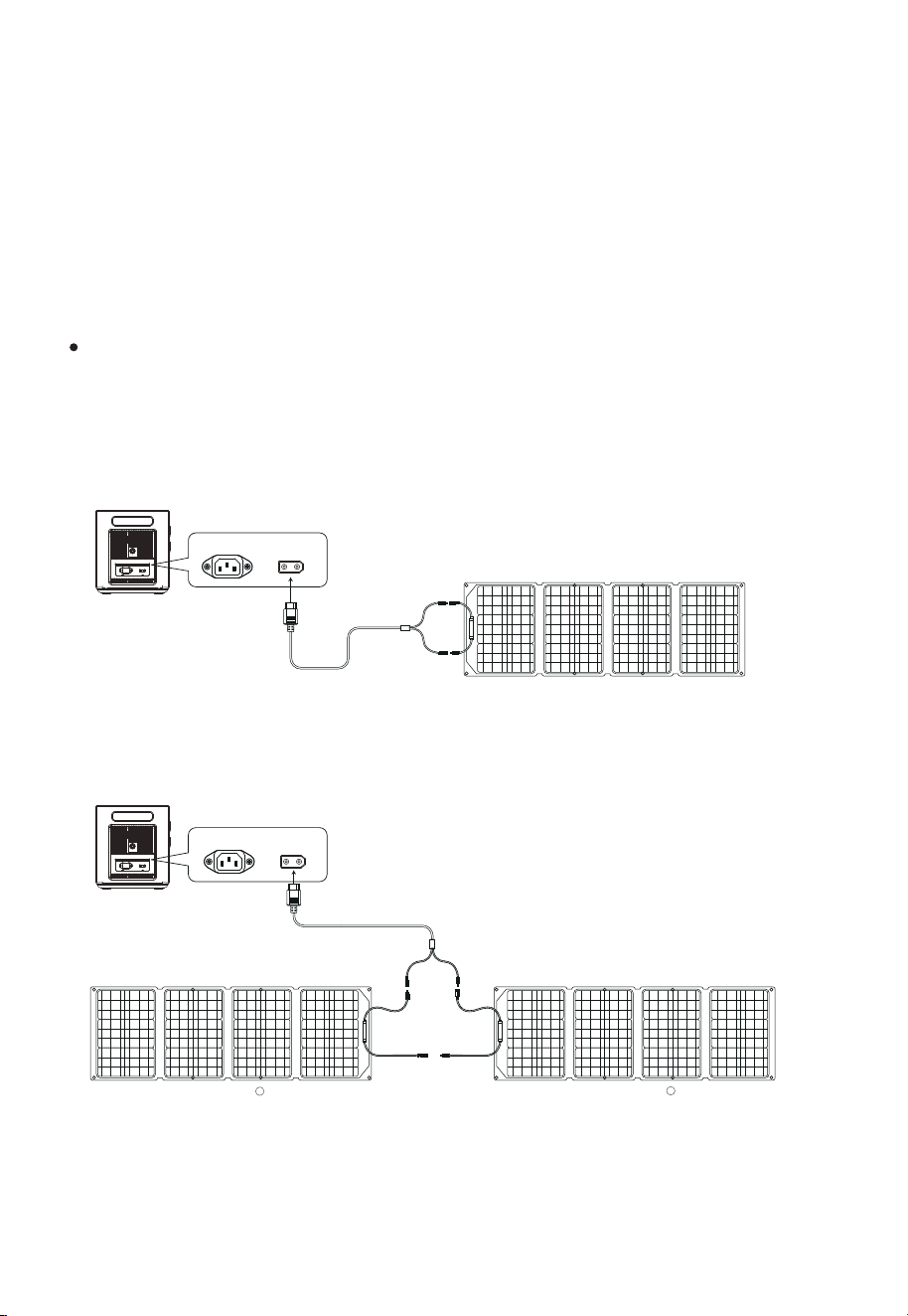
We recommend the following two charging schemes:
Scheme One
Portable Power Station Charging Area
Under the condition of light, this product can be connected to the solar panel and
geing charged. The charging power is determined according to the conditions of
light and weather.
In this charging mode, we support solar panel input within 500W, and the input
voltage cannot exceed 50V, otherwise the product abnor-mality caused by it will not
be covered by the warranty.
Scheme Two
Portable Power Station Charging Area
MC4 to XT90
Solar Panel (Not included in accessories)
AC Input XT90 Port
Portable Power Station
(Not included in accessories)( Not included in accessories)
MC4 to XT90
solar panel
A
AC Input XT90 Port
Portable Power Station
solar panel
B
9
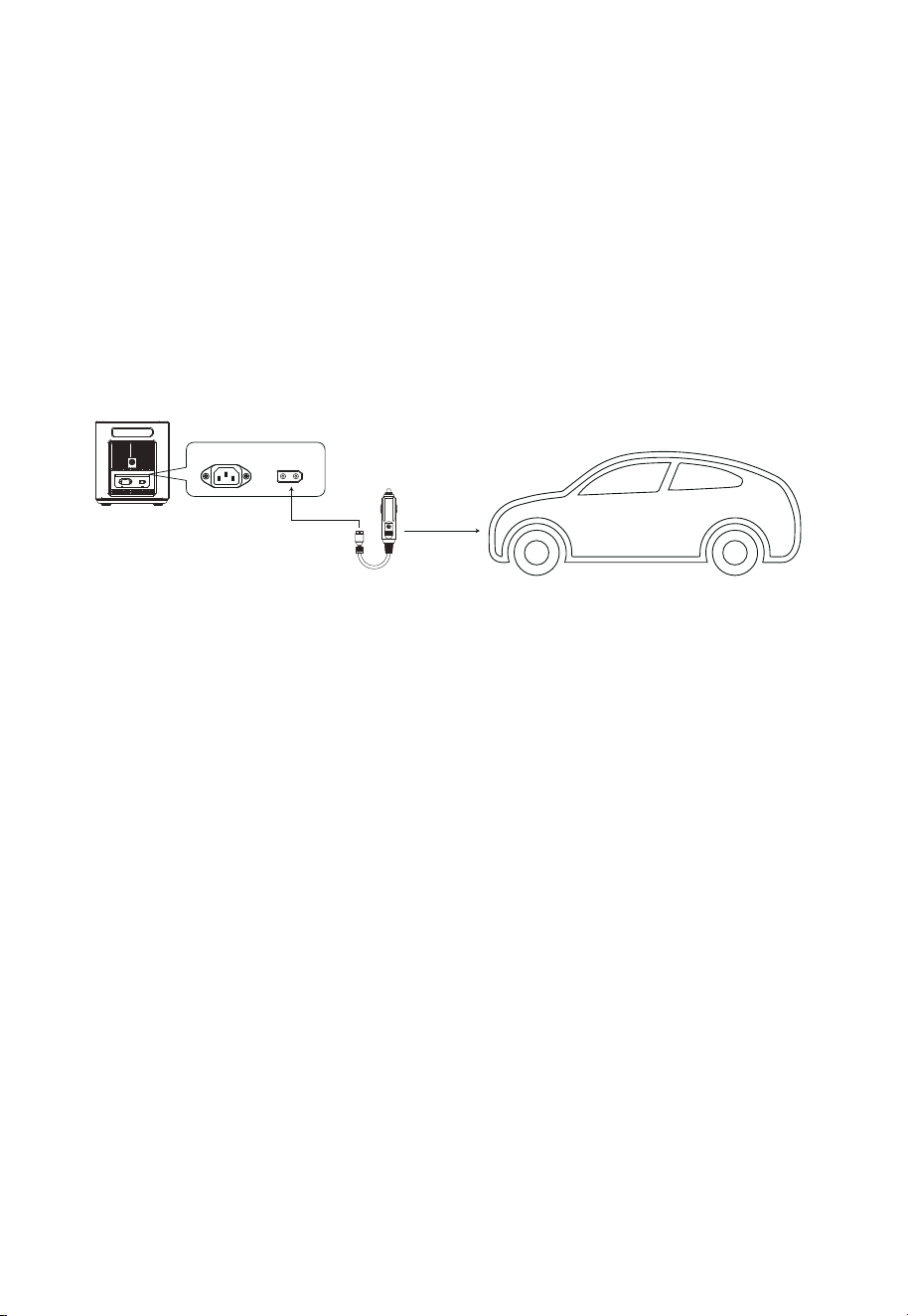
Car Charging
When the car is in the process of starting, connect the car charging port on the car
and the product through the car charging cable to charge the product. The
connection method is shown in the picture below:
This product supports 12V/24V car charger charging, please pay aention to the
following two points when using this method to charge:
Please use it when the car started, otherwise the car baery may be exhausted.
Vehicle charging power is usually in the range of 90W-120W, and the charging time is long.If fast
charging is required, the AC mains charging is recommended.
Car Charging Cable
AC Input XT90 Port
Portable Power Station
※
※

10
Baery Specifications
Product Parameter
Cell type
Rated voltage of single baery
Rated capacity of single baery
Rated voltage of baery pack
Output voltage range of the baery pack
Rated capacity of baery pack
Product Name
Dimension
Weight
Capacity
AC Charging
MPPT Input
AC Output
USB QC3.0
Type-C
①
DC 5521
XT-60 Output
Shutdown Current
Working Temperature
Environment Humidity
Type-C
②
Cycle Times
Car Charging Output
2400W Portable Power Station
AC Mains Input, 1100W max
11.5-50V 20A below 500W max
50/60Hz (switchable), rated 2400W, pure sine wave with
overload, short circuit protection
18WX2
(PD20W) X3
> 3500 times
(PD100W)X1 Included PD3.0 protocol
22.0kg
L*W*H=398X280X315mm
2048Wh
12V/10A
12V/25A
12V/3AX2
<500uA
≤90%RH
-10~40℃
40135 LiFePo4
20Ah
2048Wh
43.2-57.6V
51.2V
3.2V

11
Before use, please read the user manual of this product to ensure full understanding
and correct use. After reading, keep the user manual properly for future reference. If
you do not operate this product correct-ly, you could cause serious injury to yourself
or others, or result in damage to the product and property. Once you use this product,
you are deemed to have understood, recognized and accepted all terms and content
of this document. Users undertake to be responsible for their own actions and all
consequences arising therefrom. AFERIY is not responsible for all losses caused by the
user's failure to use the product in accordance with the User Manual.
In compliance with the law, the company has the final right to interpret this document
and all related documents of the product. If it is updated, revised or terminated without
prior notice, please visit the AFERIY oicial website for thelatest product information.
Disclaimer

12
Warranty Card
Model
Name
Address
Tel
Mail
Name of the store
Buying date
Please fill in all the above items.
Warranty Card
This product provides a 24-month warranty service from the date of purchase
If there is a quality problem within the range of normal use, we provide warranty service.
After purchasing our company’s products, please keep this product together with invoices
and other items. When maintenance services are needed, please provide information
according to our company’s request.
Damage caused by use beyond the normal range of use is not covered by the warranty service.
The content of the warranty scope shall be subject to the content recognized by the company.
Even within the scope of the warranty, sometimes it will be exchanged for products with the
same function. The shipping and repair fees for products outside the warranty range shall be
paid by the customer.
Sometimes the specifications and functions of the product will be updated without prior notice.
In the case where the warranty is damaged or altered,and no stamp of the sales store on the
warranty, the warranty service may not be provided.