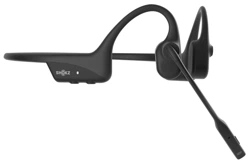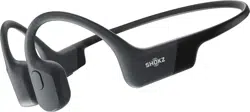

User Guide
環法聯名款
S803
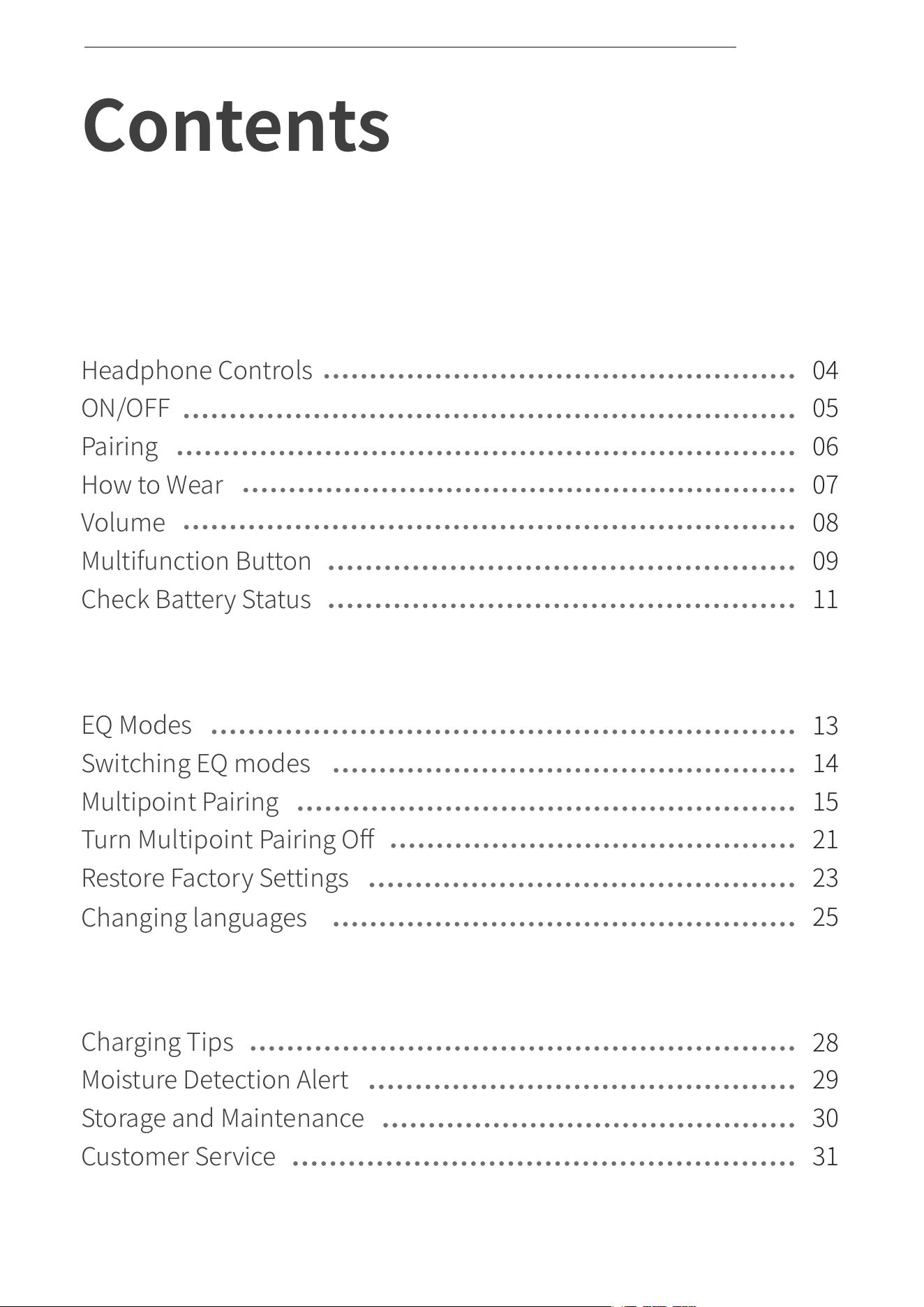
Contents
HOW IT WORKS
04
05
06
07
08
09
11
How to Wear
Volume
Multifunction Button
Check Battery Status
Headphone Controls
ON/OFF
Pairing
Changing languages
Restore Factory Settings
Multipoint Pairing
EQ Modes
Turn Multipoint Pairing Off
EXTRA FEATURES
13
14
15
21
23
25
01
Storage and Maintenance
Moisture Detection Alert
Charging Tips
Customer Service
CARE AND MAINTENANCE
28
29
30
31
Switching EQ modes
CONTENTS

02
CONTENTS
REGULATORY AND LEGAL INFORMATION
WHAT’S IN THE BOX
32
33
03
How It Works
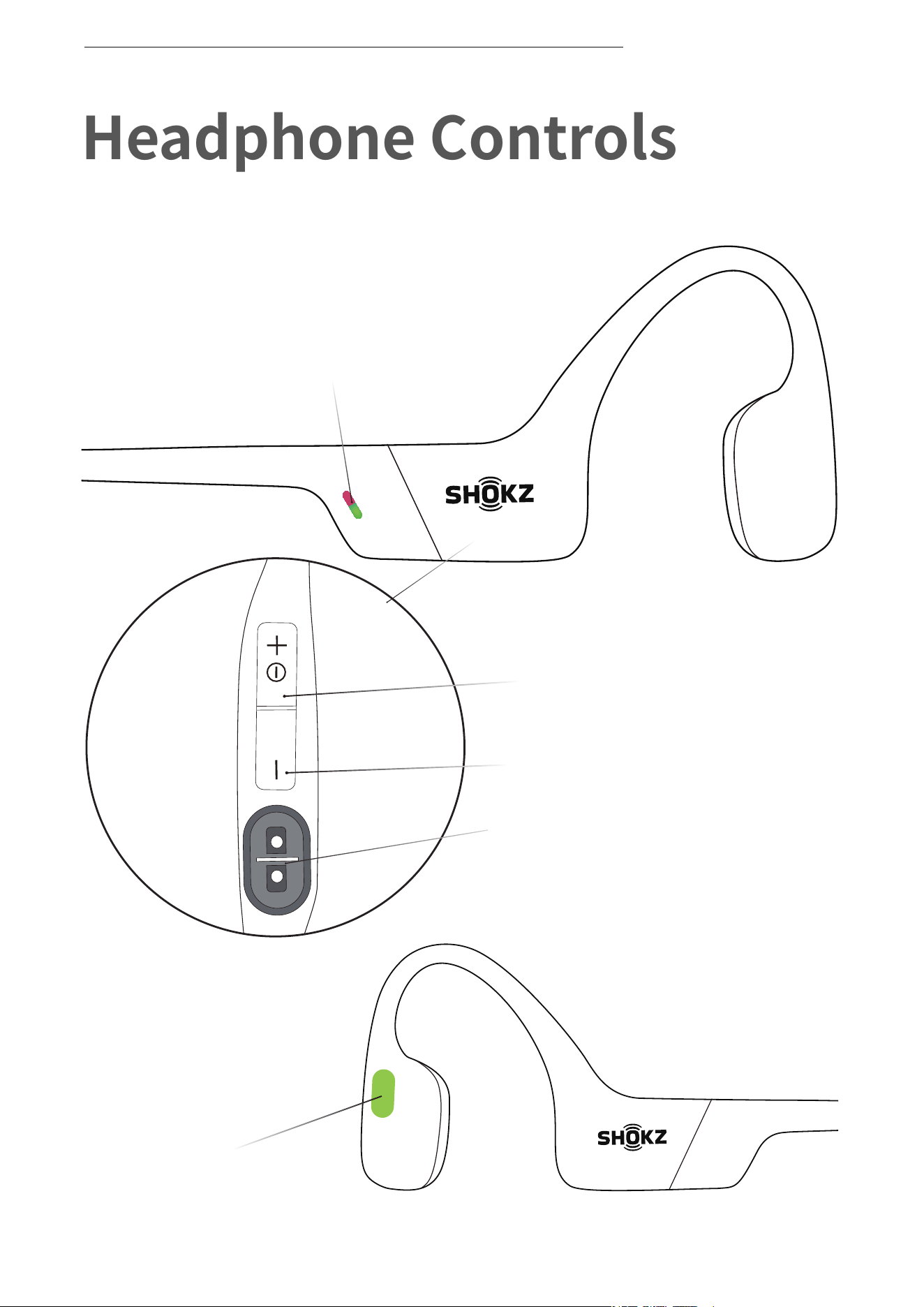
Power/Volume + Button
Magnetic Charging Port
LED Indicator
Volume - Button
Multifunction Button
Headphone Controls
04
HEADPHONE CONTROLS
ON/OFF
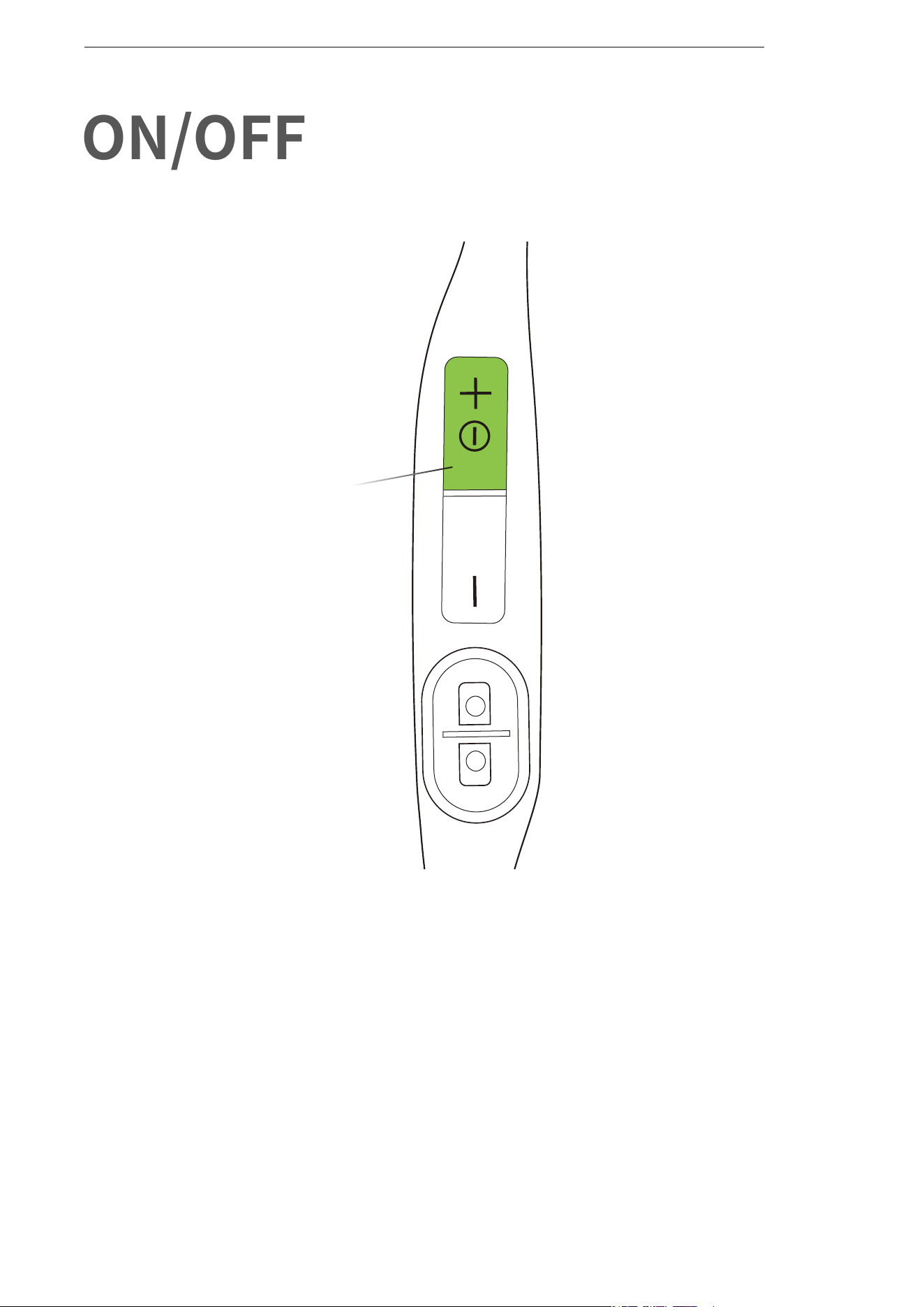
Turn on the headphones:
Press and hold the Power/Volume + Button until the LED Indicator
flashes green.
*Audrey will say:“Welcome to Shokz”
Turn off the headphones:
Press and hold the Power/Volume + Button until the LED Indicator
flashes red.
*Audrey will say:“Power off”。
Power/Volume + Button
ON/OFF
05
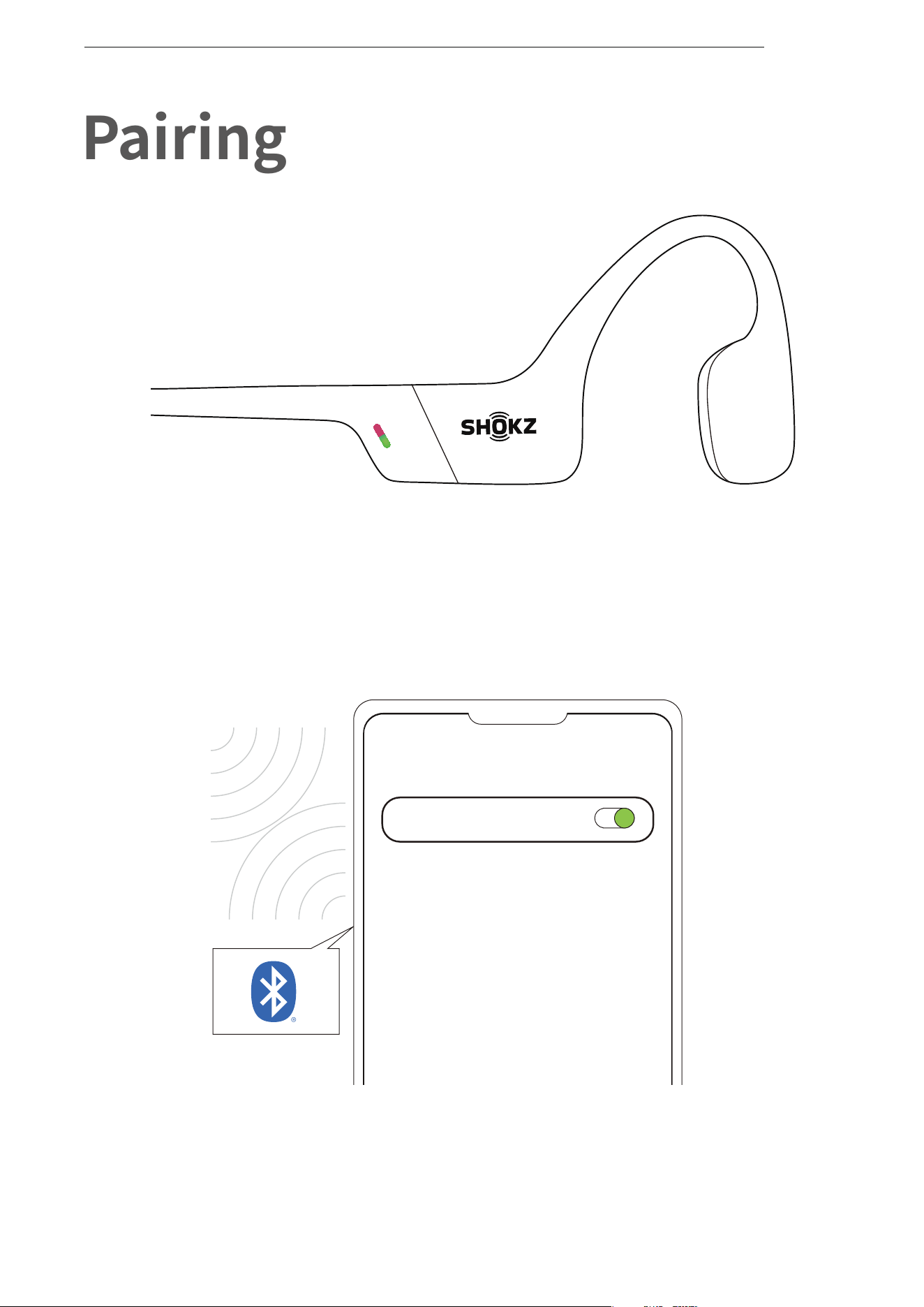
1. Start with OpenRun turned off.
2. Press and hold the Volume + Button until the LED Indicator flashes
red and green alternately.
3.Open your device's Bluetooth settings and select " OpenRun
by Shokz." Audrey will say "connected."
Settings
BLUETOOTH
OpenRun by Shokz
Connected
Pairing
06
PAIRING
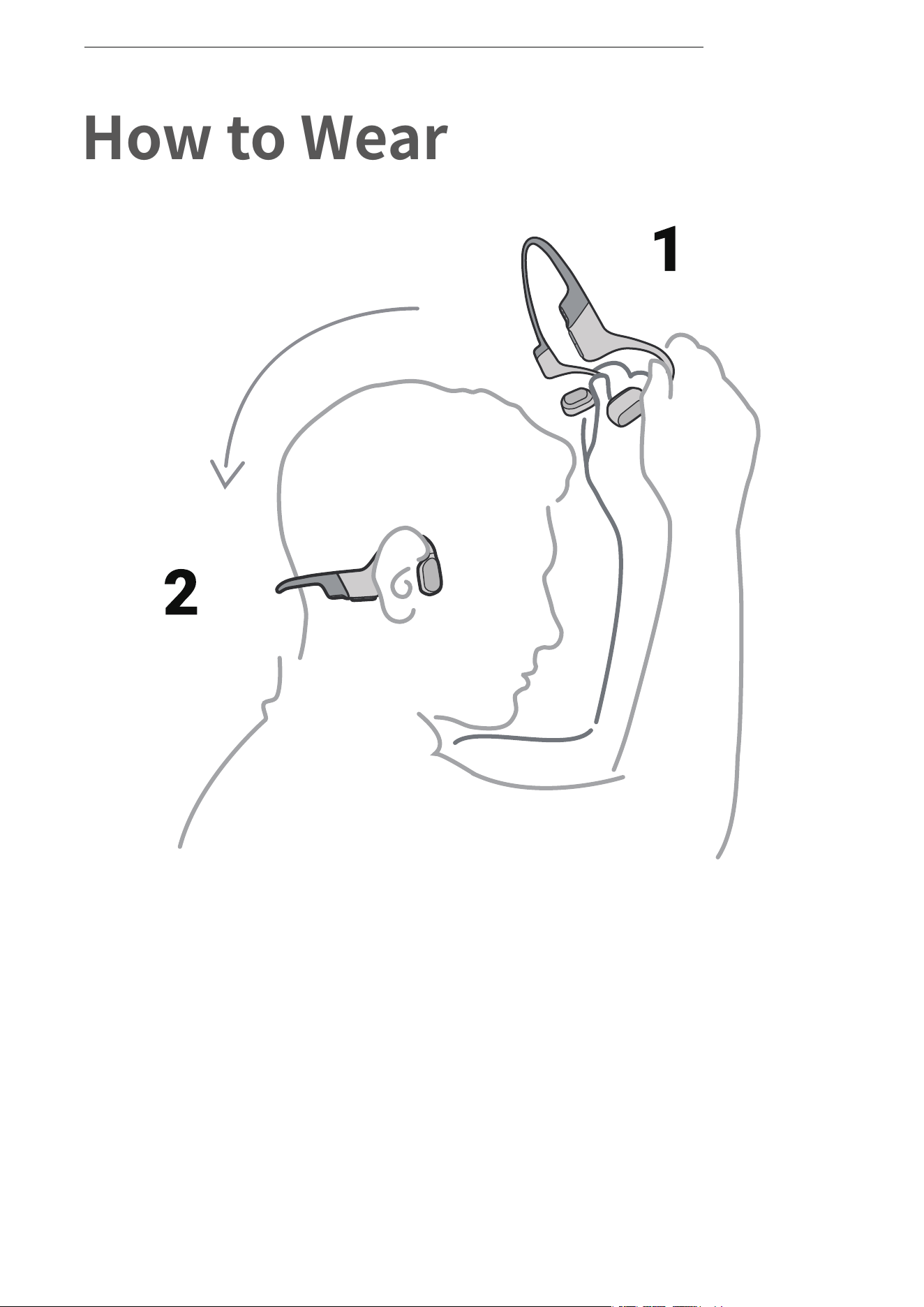
*Wearing your headphones the wrong way could cause
discomfort. The transducers should rest in front of your ears.
Pick up the headphones, bring them
behind the back of the base of your neck,
position the earhooks on your ears, then
enjoy your music!
How to Wear
07
HOW TO WEAR
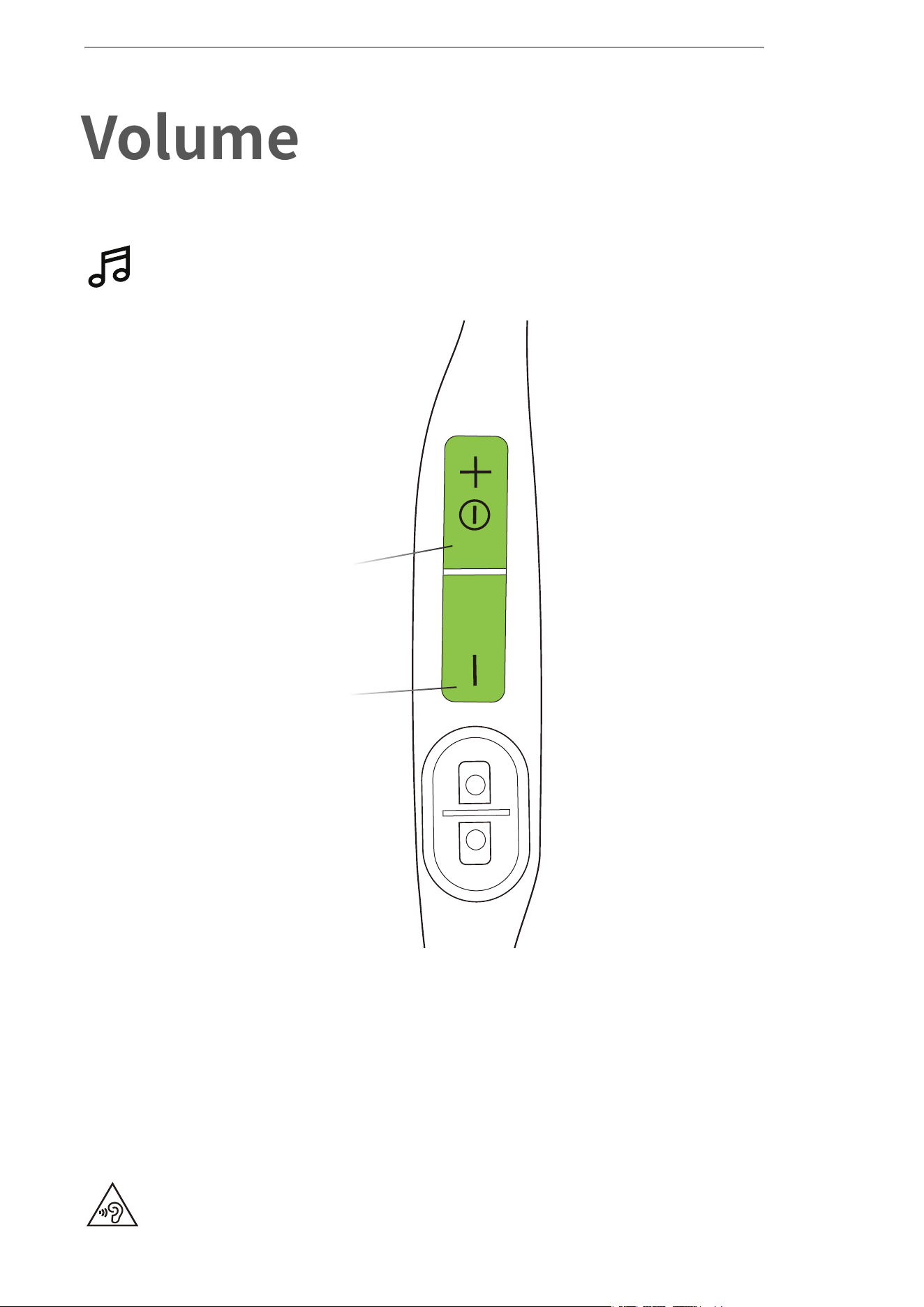
How to change volume:
While your audio is playing, adjust headphone volume by
pushing either the Volume + or Volume ‒ buttons.
Operate volume controls
while audio is playing.
Volume
*Listening with headphones at high volume may affect your hearing
and the audio will be distorted.
*A “beep” will sound when the volume is at its max.
Power/Volume + Button
Volume - Button
08
VOLUME
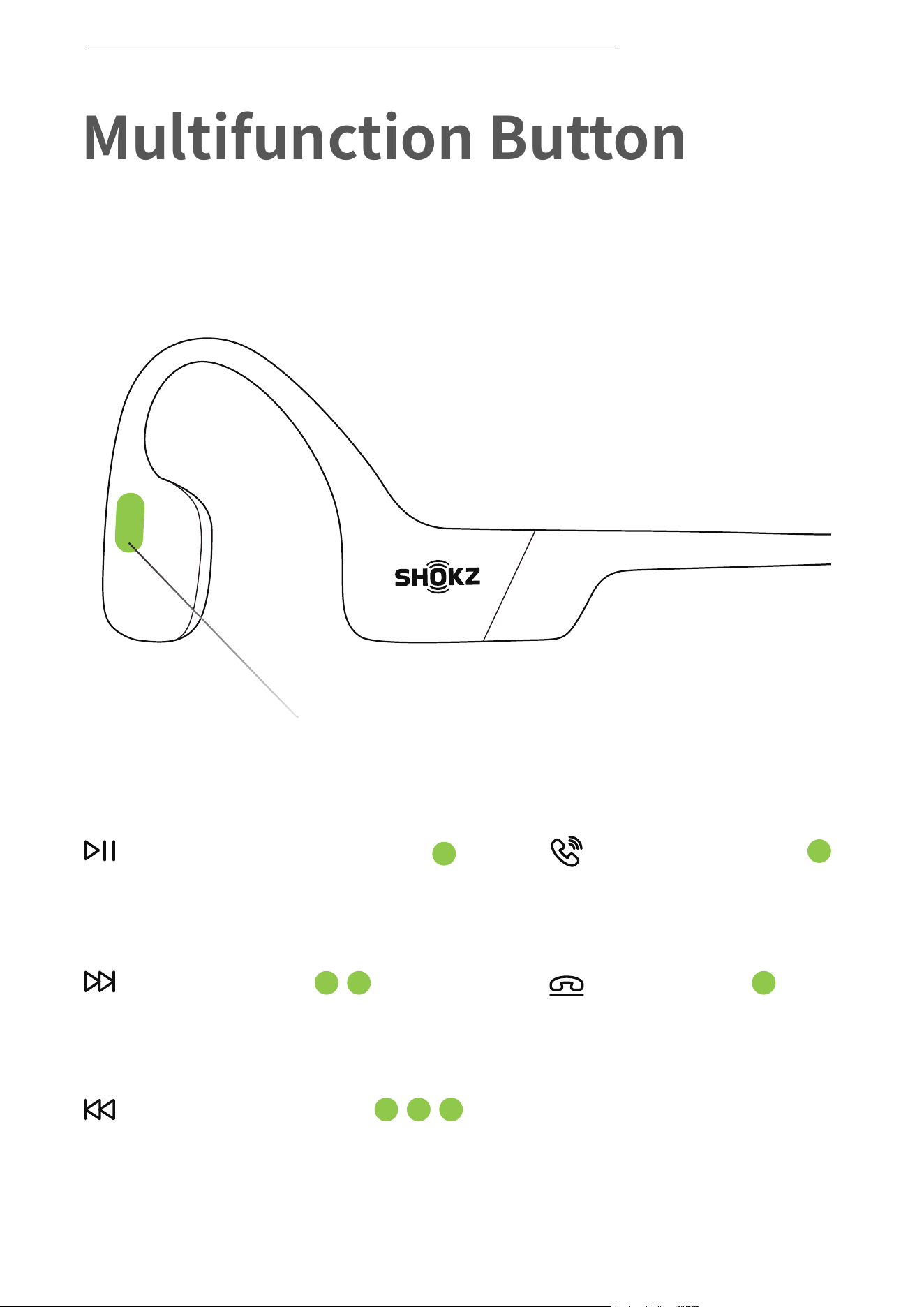
Multifunction Button
Multifunction Button
Click once
End call
Click once
Answer call
Click once
Play/pause music
Double-click while music is playing
Next song
Triple-click while music is playing
Previous song
09
MULTIFUNCTION BUTTON
10
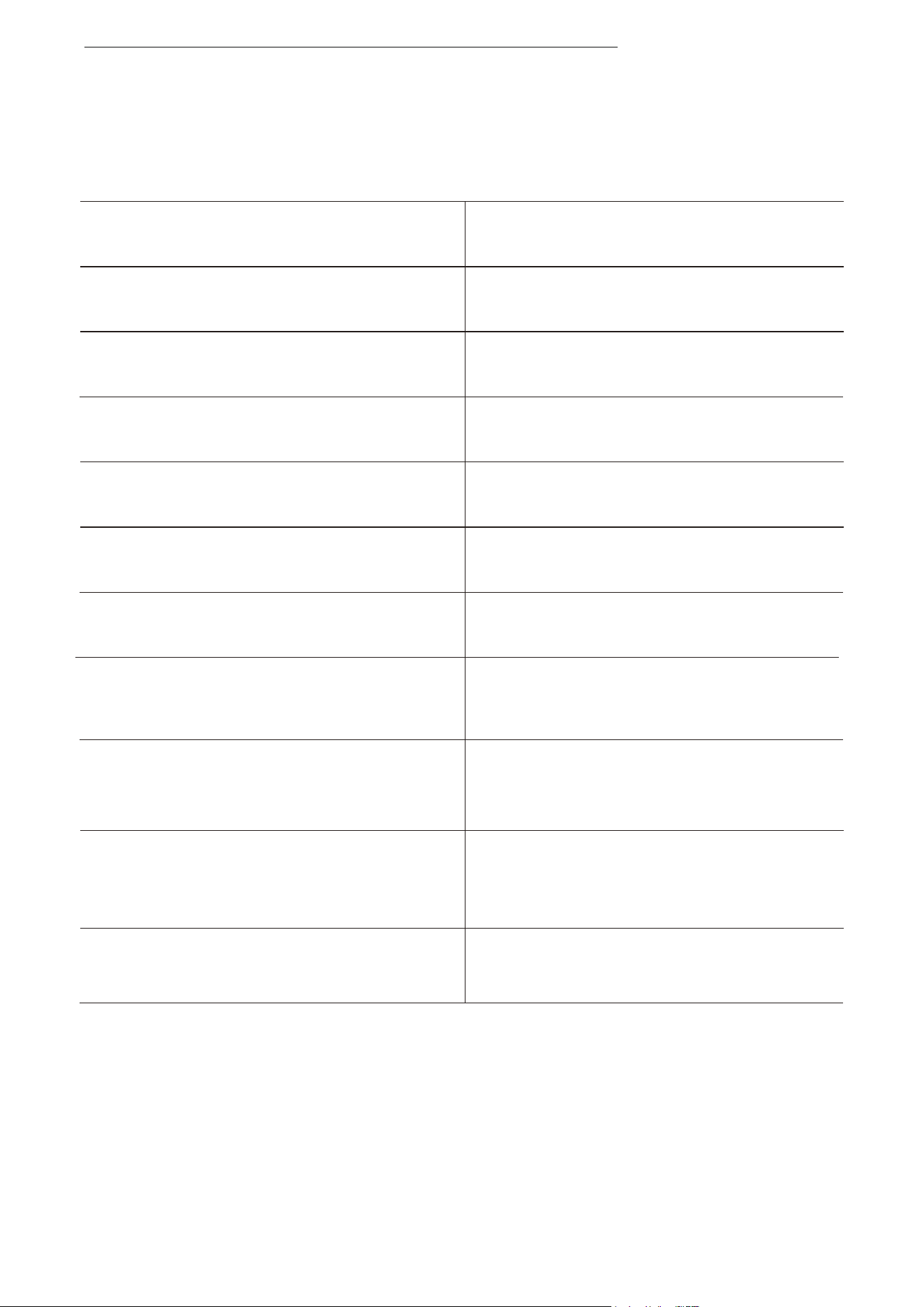
Play music
Pause music
Next song
Previous song
Switch language
Answer call
End call
Click once
Double-click while music is playing
Triple-click while music is playing
Double-click while pairing
Click once
Click once during a call
Multifunction Button
Press and hold for 2 seconds
when device is on standby
Double-click on standby
Click once
Activate voice assistant
Ignore a call
Redial last number
*Only applicable for phone calls, not online calls
Press and hold for 2 seconds
during an incoming call
Press and hold for 2 seconds
when receiving a second call
Answer call waiting and
end current call
MULTIFUNCTION BUTTON
Operate controls while
audio is not playing
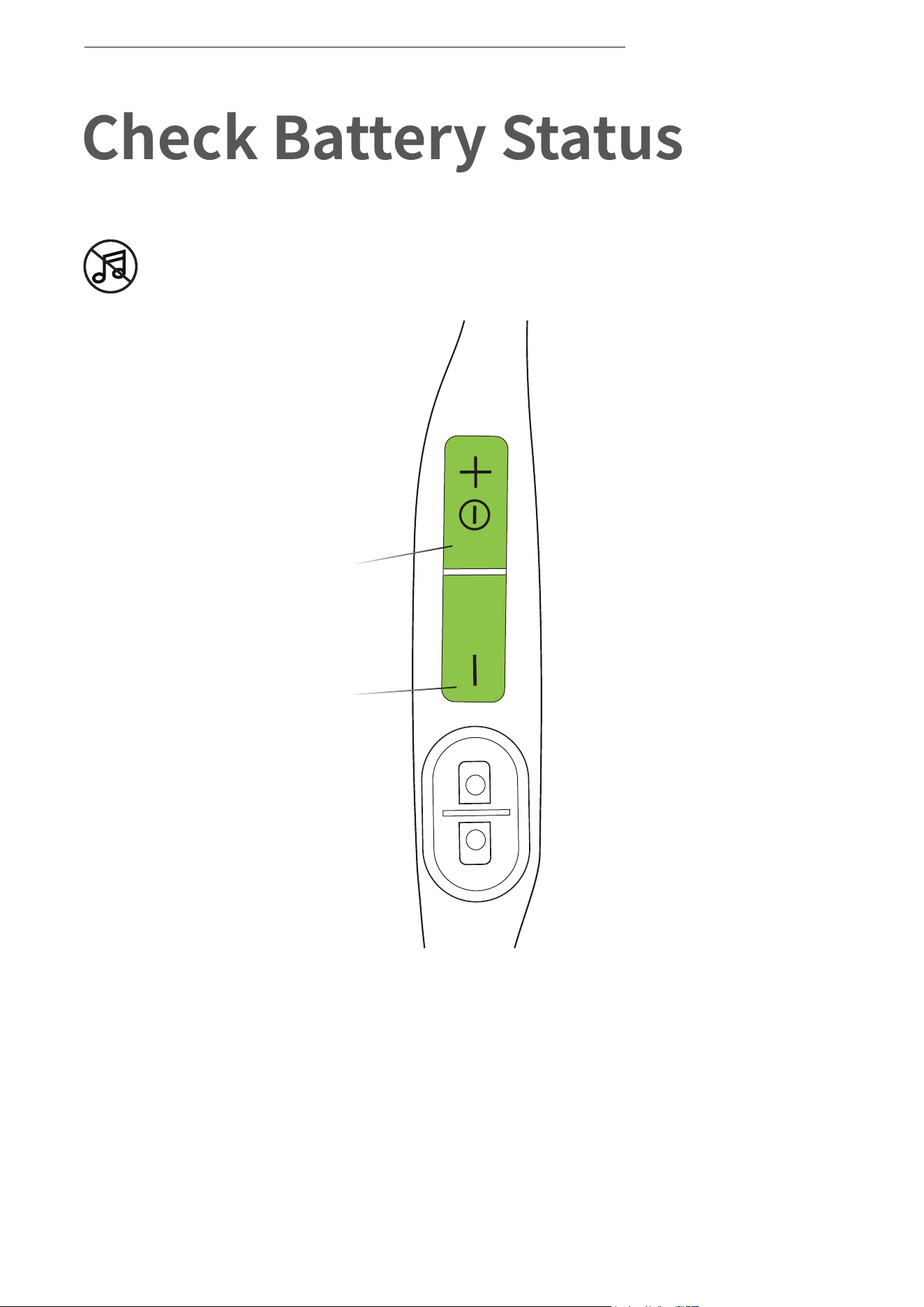
Check Battery Status
Power/Volume + Button
Volume - Button
How to check battery status:
Click the Volume + or Volume - button while music is paused,
Audrey will tell you the battery status:
* "Battery high/Battery medium/Battery low/Charge me"
11
CHECK BATTERY STATUS
12
Extra Features
EQ Modes
13
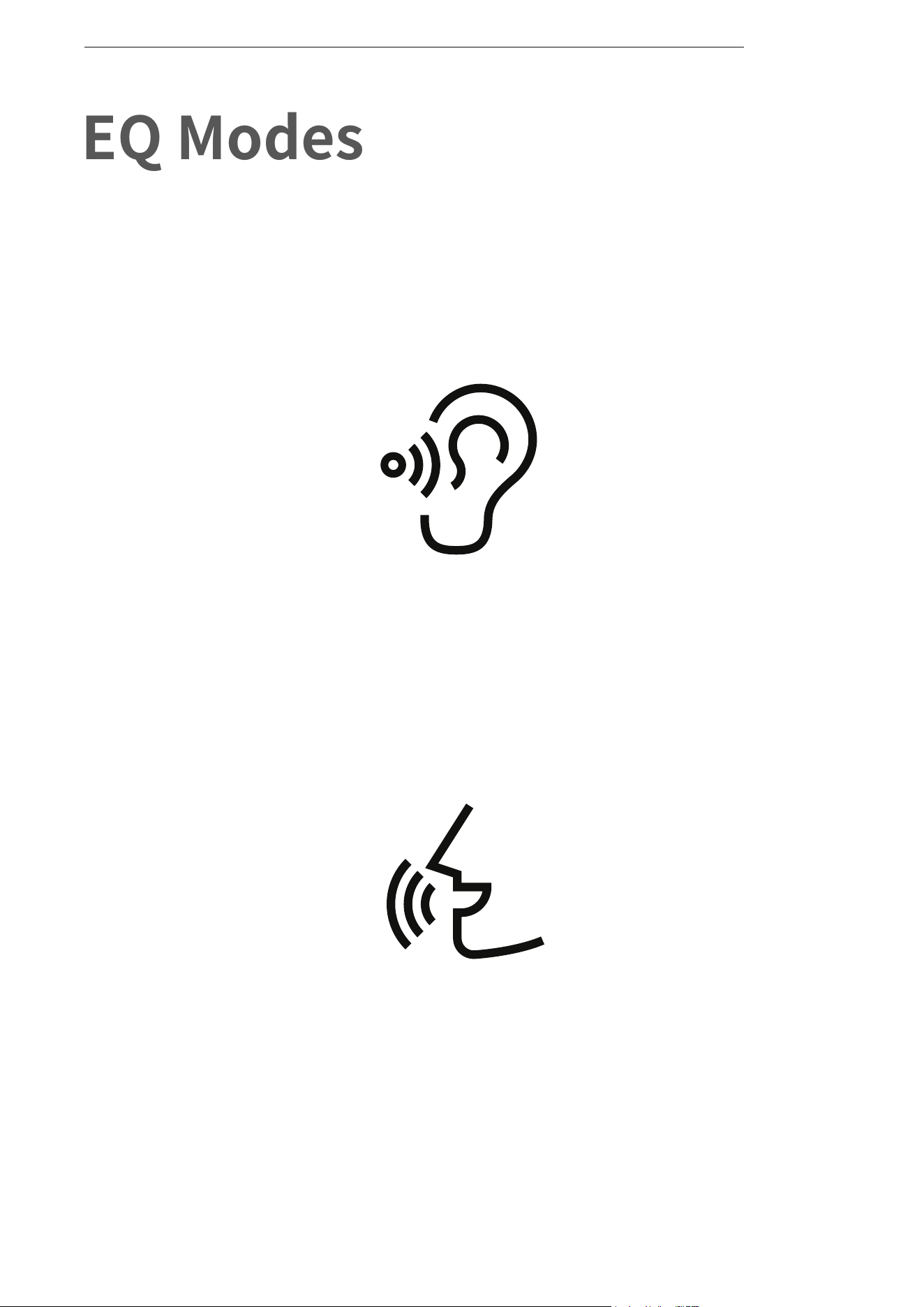
EQ MODES
Vocal Booster Mode:
Enhanced intermediate frequencies
for audiobooks, podcasts, etc.
Standard Mode:
Balanced frequency for listening to music
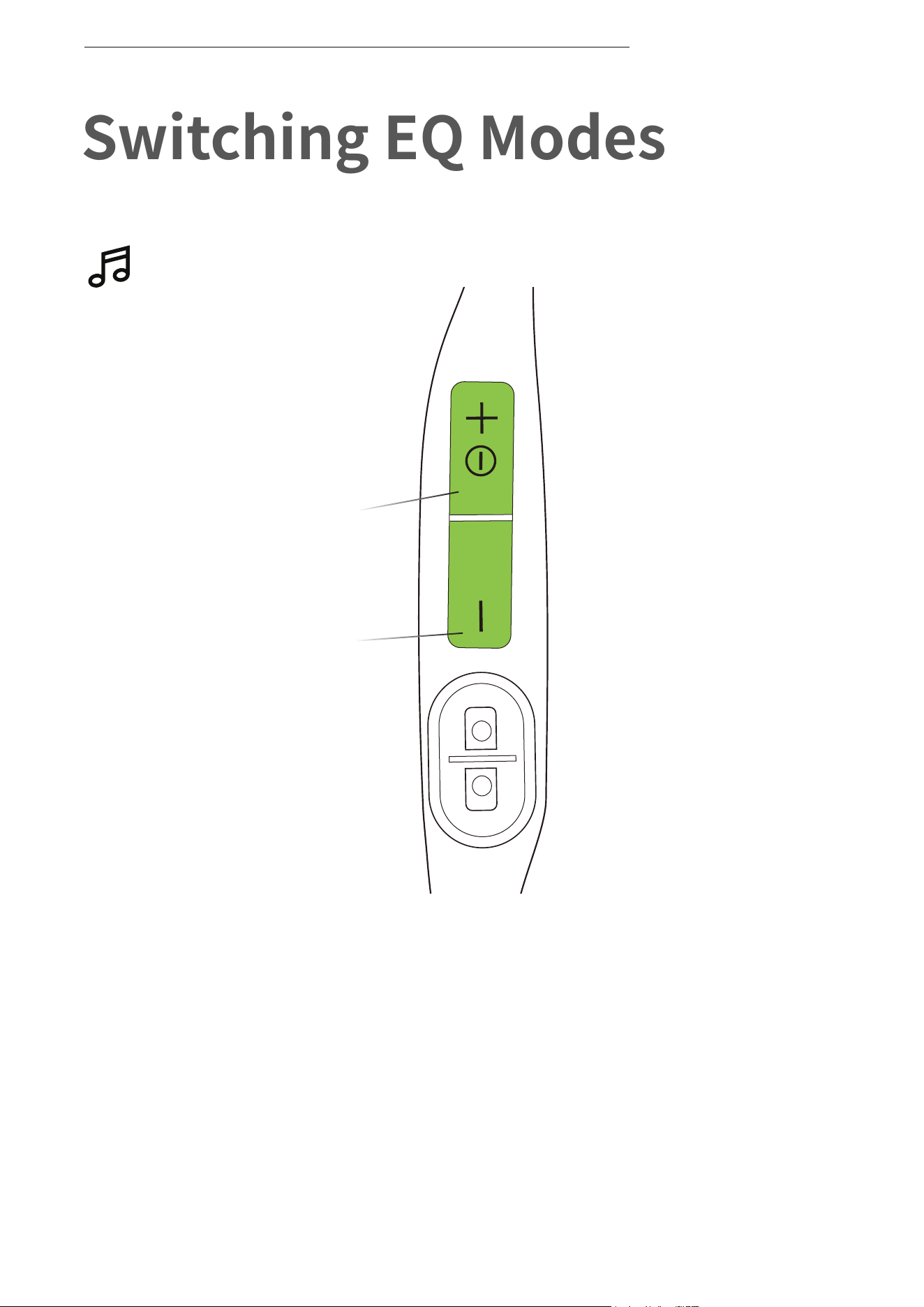
Switching EQ Modes
Operate controls while music
is playing
How to switch EQ mode:
Press and hold both buttons (Power/Volume + Button and Volume -
Button)while music is playing until you hear a beep.
*Audrey will say:“EQ changed”
14
SWITCHING EQ MODES
Power/Volume + Button
Volume - Button
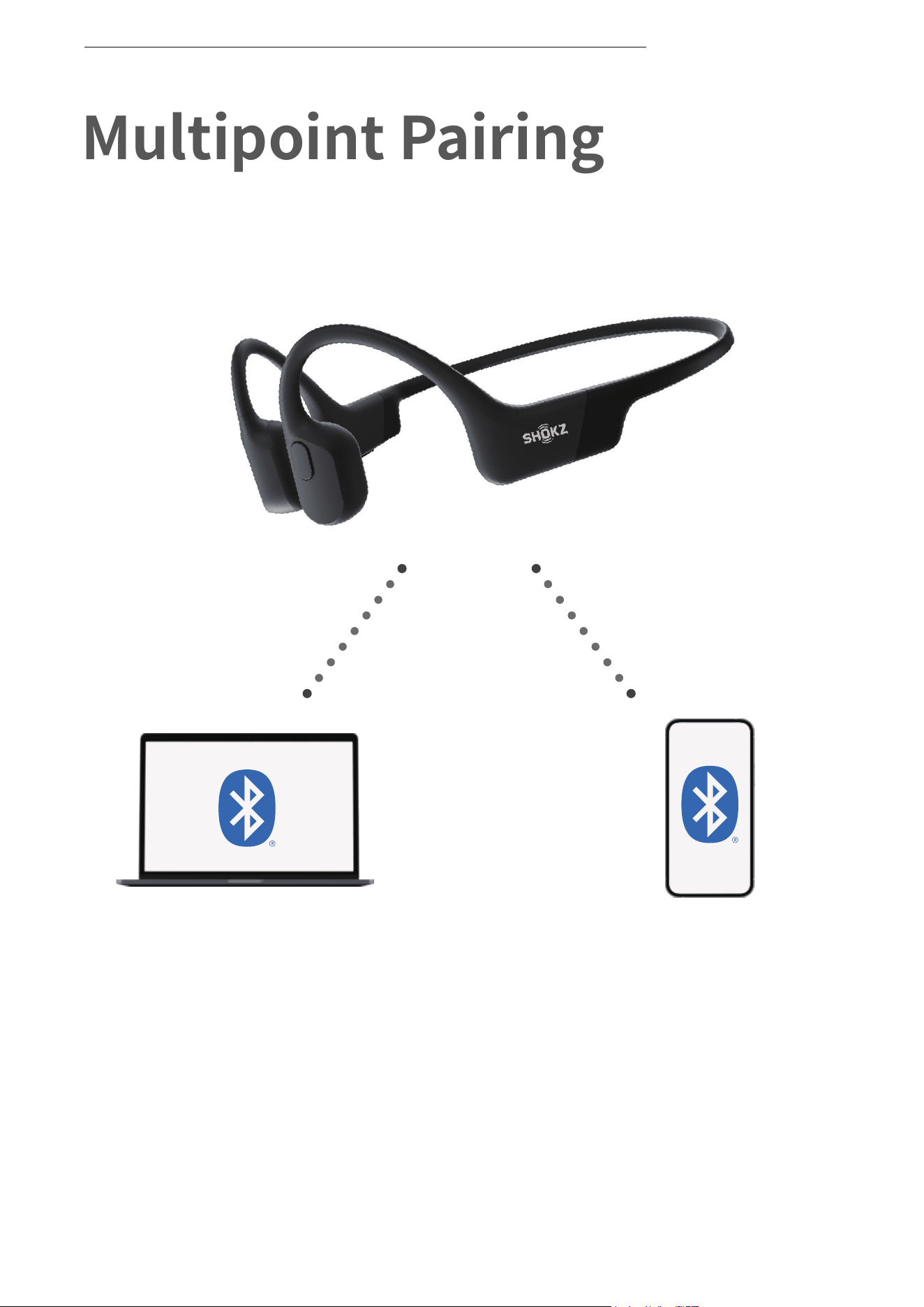
Switch between two devices
seamlessly with multipoint pairing
Pair Two Devices
Multipoint Pairing
15
MULTIPOINT PAIRING
Multipoint Pairing
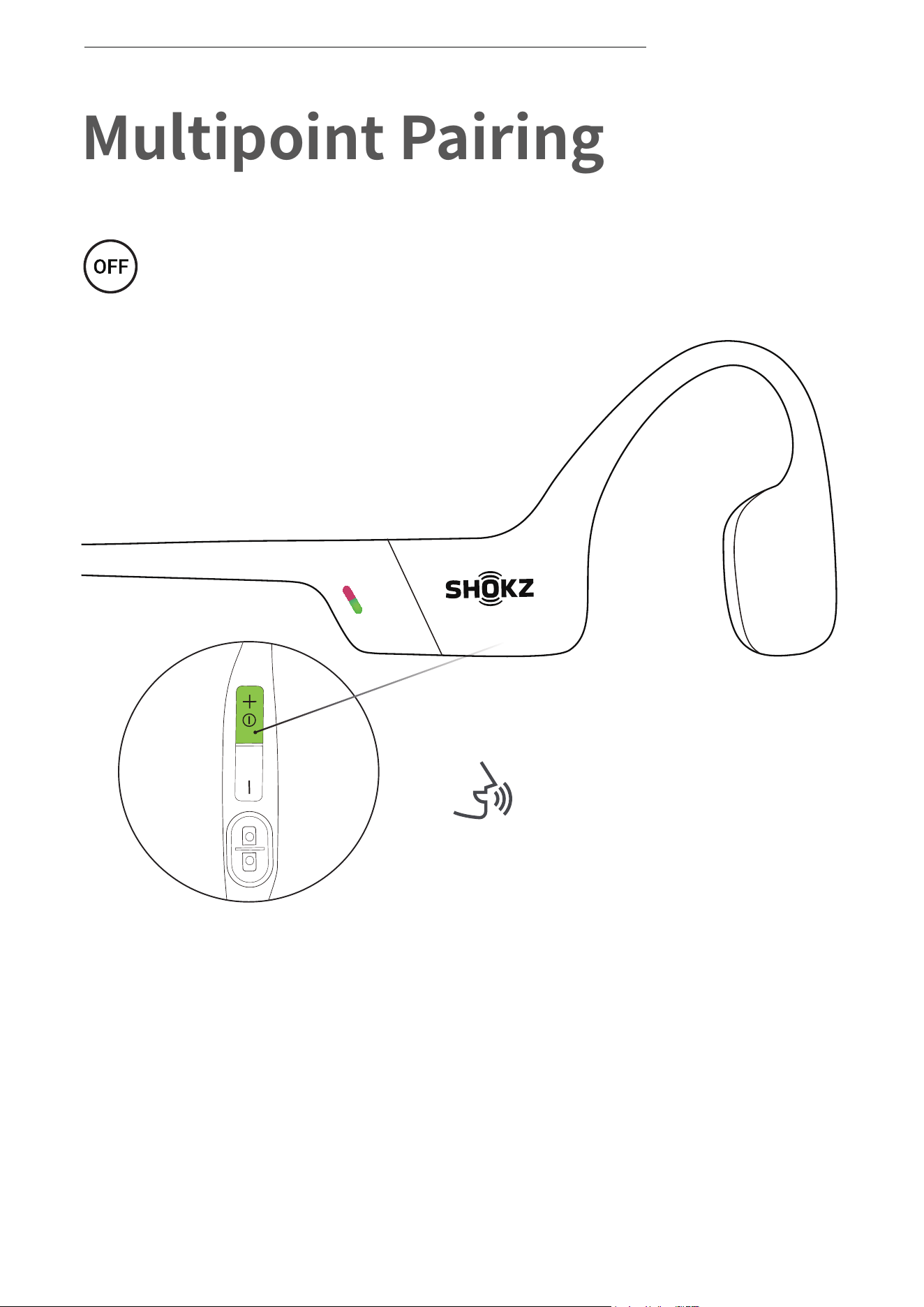
Operate controls with
headphones powered off
1. Start with your headphones powered off.
2. Press and hold Volume + until Audrey will say “pairing” and the
LED indicator flashes red and green alternately.
Audrey will say “pairing”
16
MULTIPOINT PAIRING
Power/Volume + Button
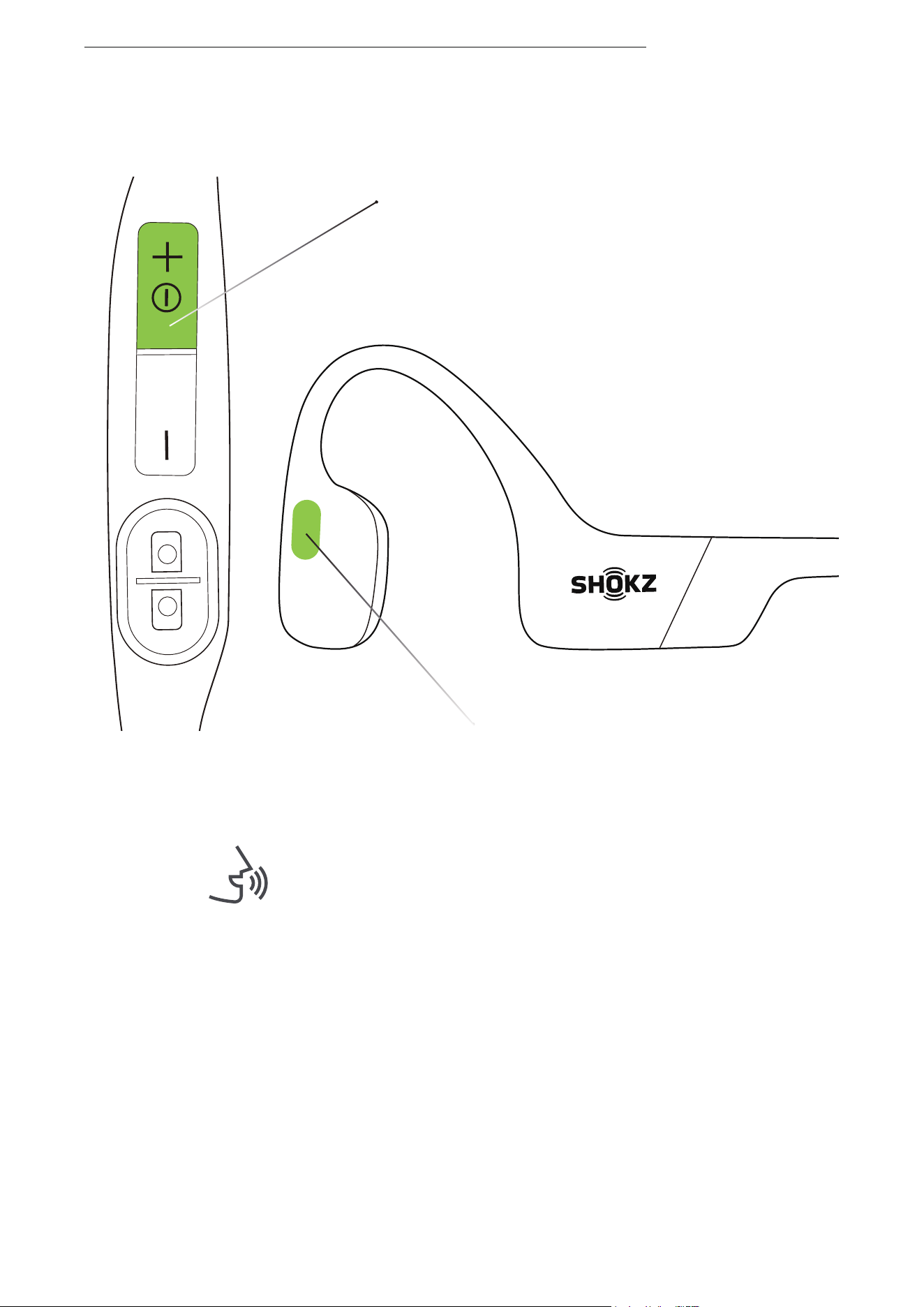
3.Press and hold the multifunction button and Volume + button
until Audrey says, "multipoint enabled."
Multifunction Button
Audrey will say, "multipoint enabled."
17
MULTIPOINT PAIRING
First Device
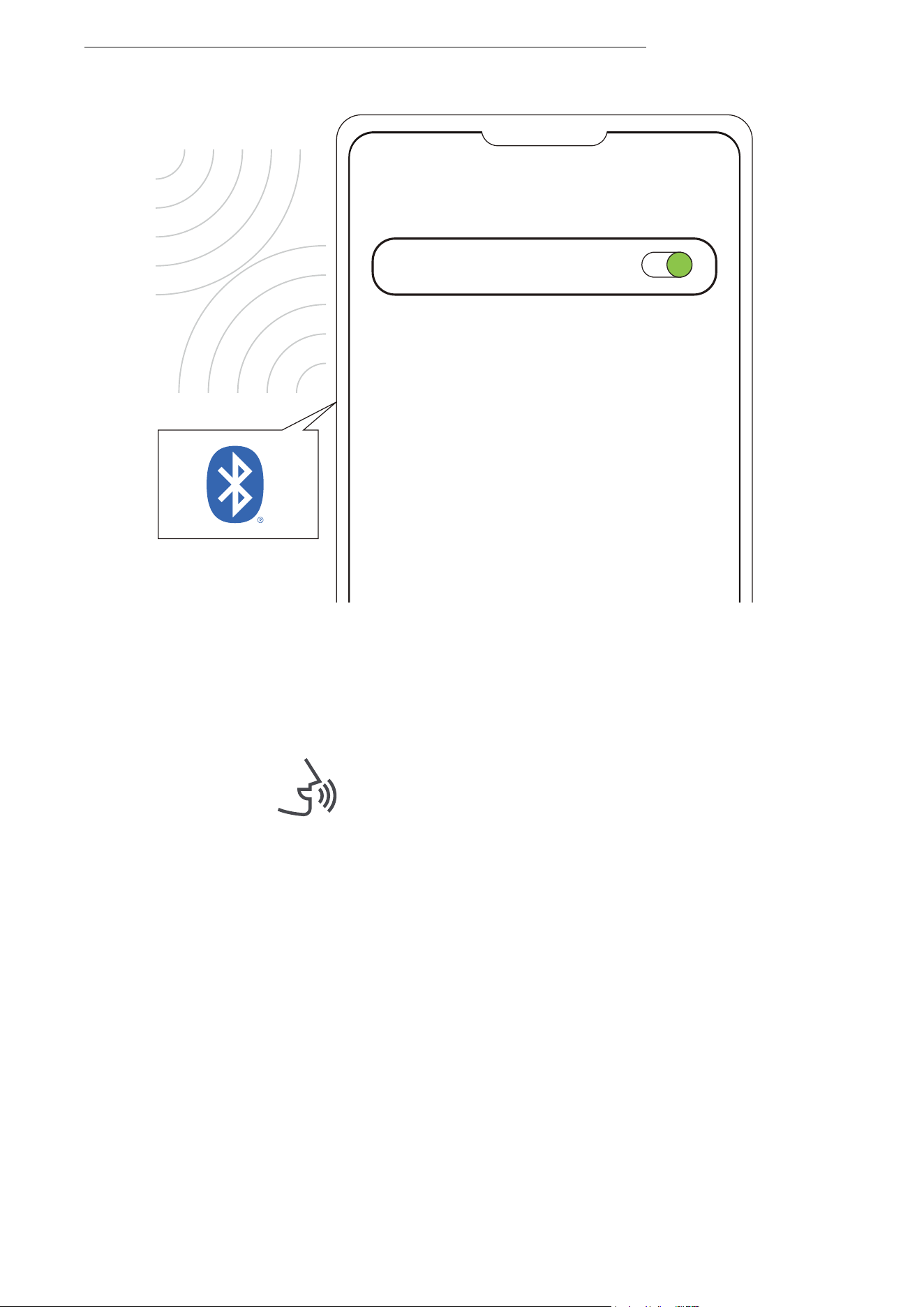
4.Open first device's Bluetooth® menu and select "OpenRun
by Shokz."Audrey will say, "connected".
5.Turn your headphones off.
Settings
BLUETOOTH
OpenRun by Shokz
Connected
Audrey will say "connected".
18
MULTIPOINT PAIRING
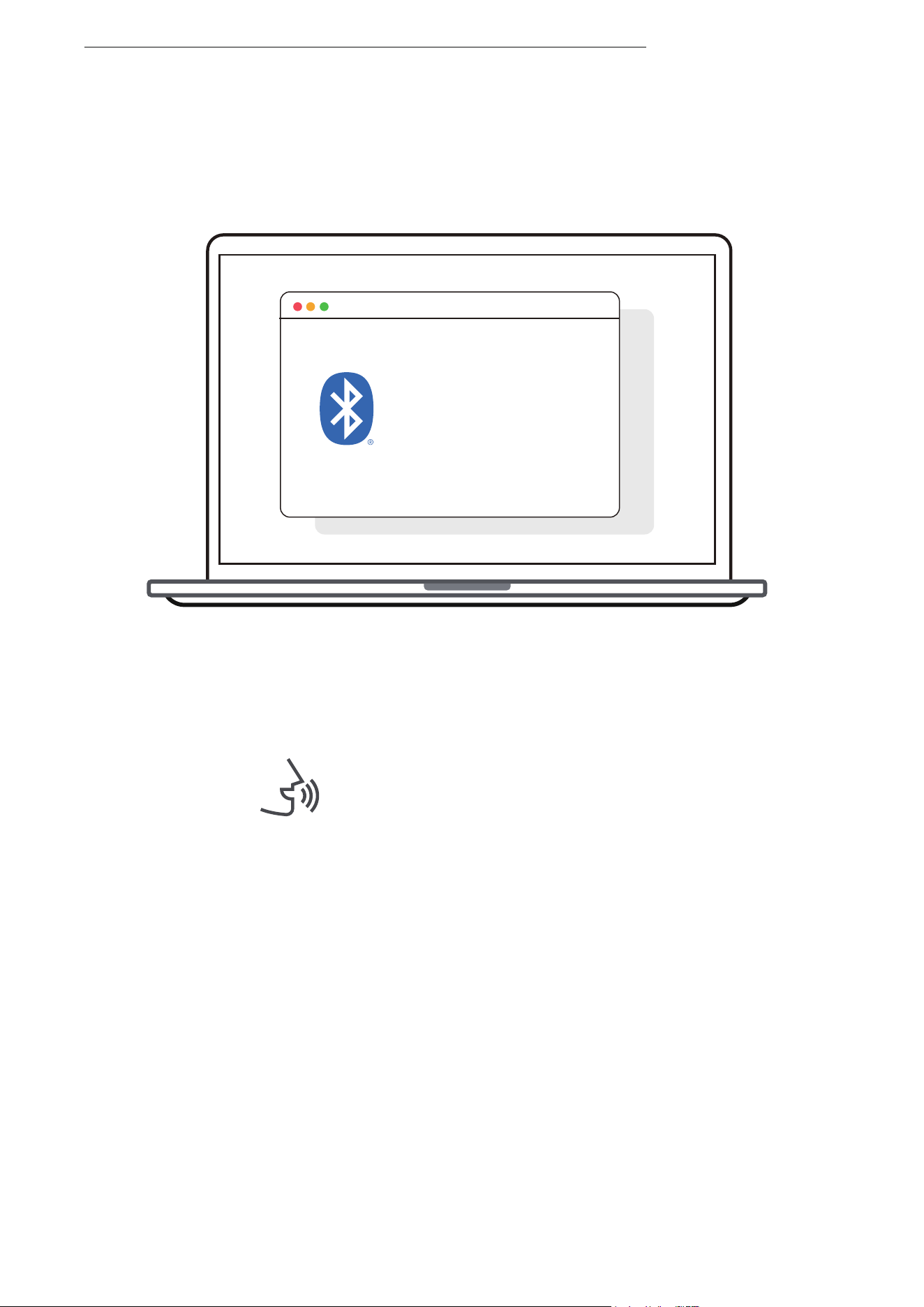
Second Device
Bluetooth:turn on
OpenRun by Shokz
connected
6.Re-enter pairing mode by pressing and holding Volume + until
Audrey says “pairing”and the LED indicator flashes red and green
alternately.
7.Open second device's Bluetooth® menu and select "OpenRun
by Shokz."Audrey will say, "connected."
8.Turn your headphones off.
Audrey will say, "connected".
19
MULTIPOINT PAIRING
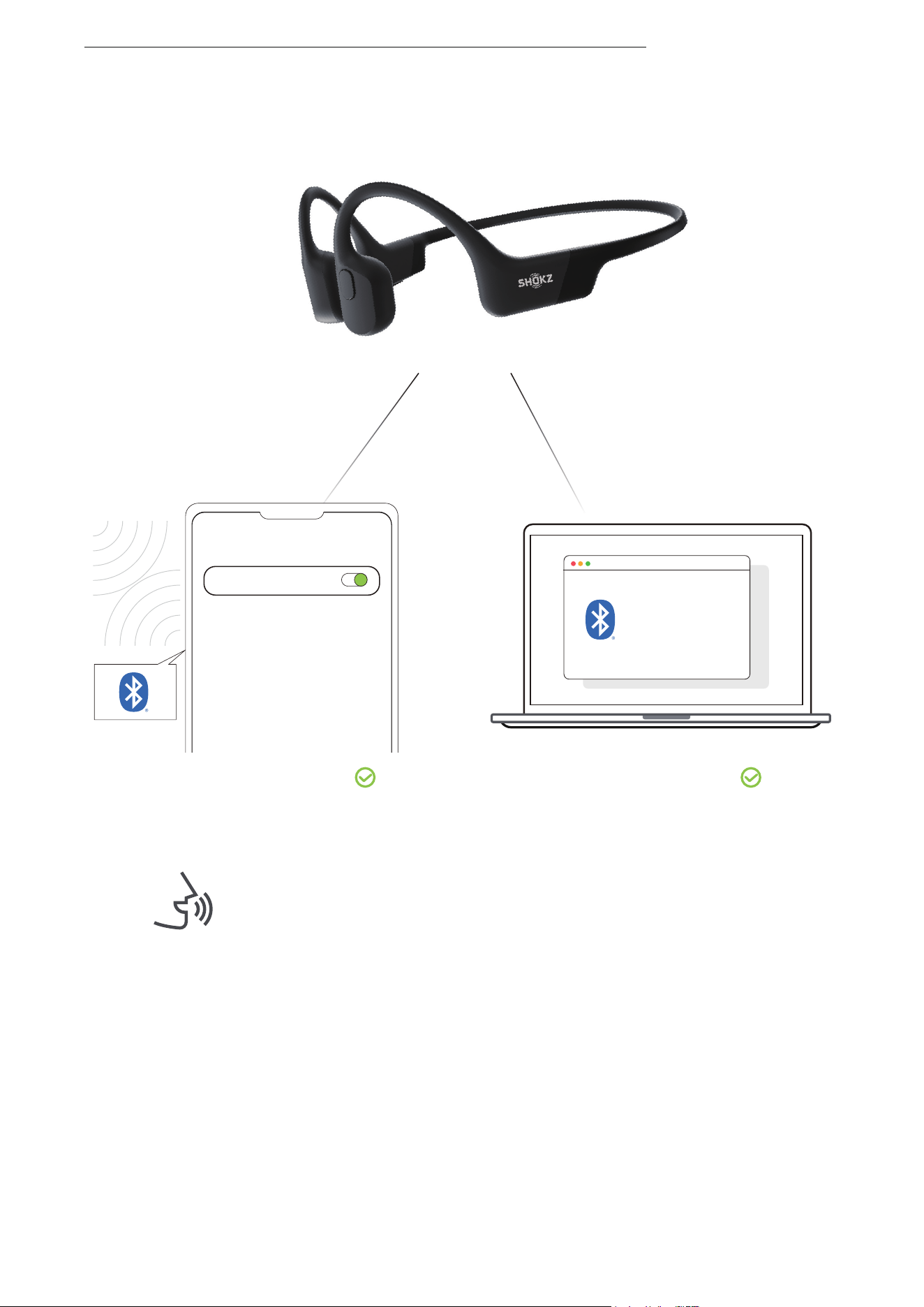
Second Device
First Device
9.Turn your headphones on. Your headphones are now connected
to both devices.
You will hear a beep, then Audrey will say
“Welcome to Shokz, connected. Second
device connected.”
Settings
BLUETOOTH
OpenRun by Shokz
Connected
Bluetooth:turn on
OpenRun by Shokz
connected
20
MULTIPOINT PAIRING
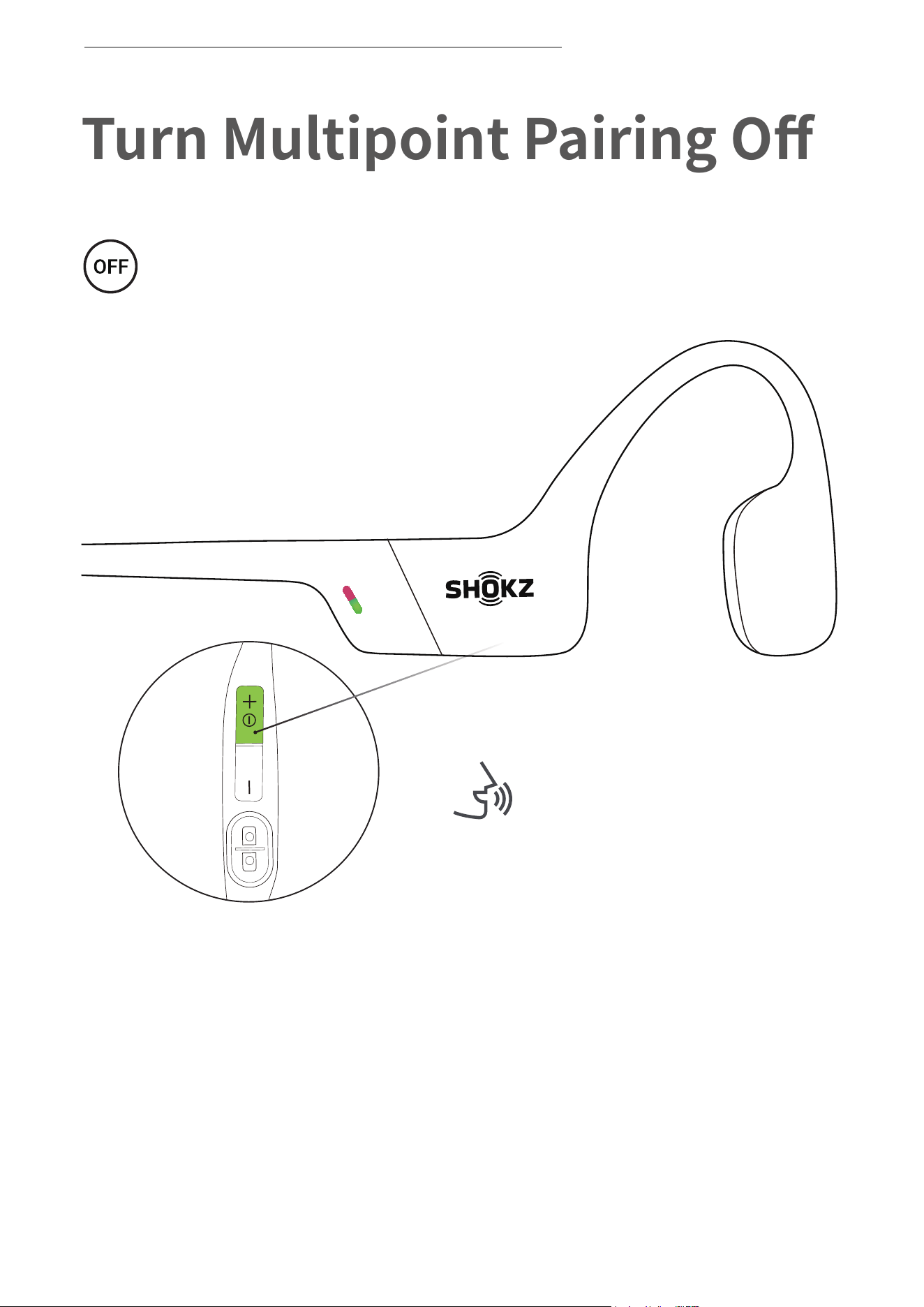
Turn Multipoint Pairing Off
Operate controls with
headphones powered off.
1. Start with your headphones powered off.
2. Press and hold Volume + until Audrey will say “pairing”
and the LED indicator flashes red and green alternately.
21
TURN MULTIPOINT PAIRING OFF
Audrey will say “pairing”
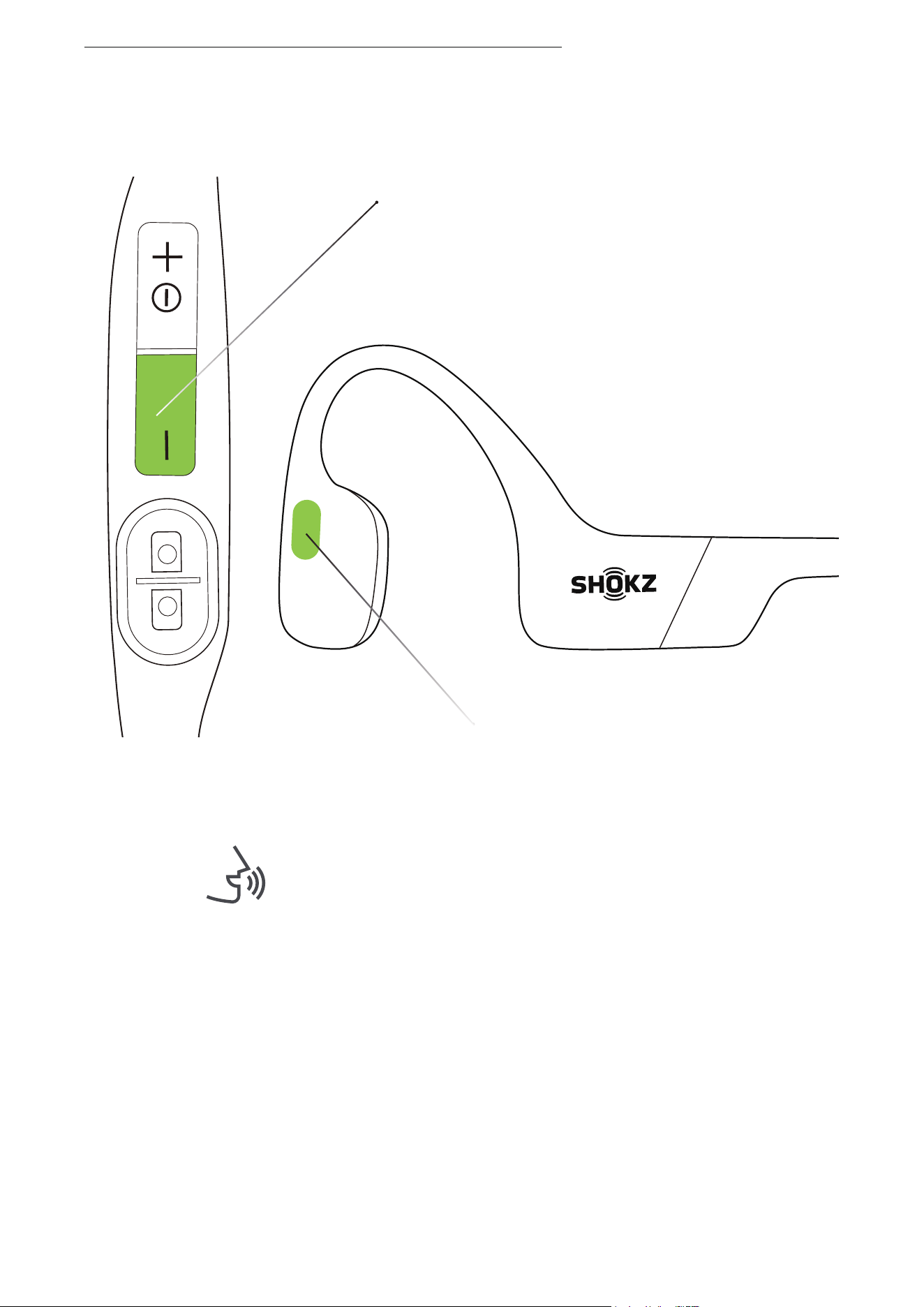
Volume - Button
Multifunction Button
Audrey will say, "Multipoint disabled."
3. Press and hold the multifunction button and Volume - button
until Audrey will say, "Multipoint disabled."
22
TURN MULTIPOINT PAIRING OFF
23
Audrey will say “pairing”
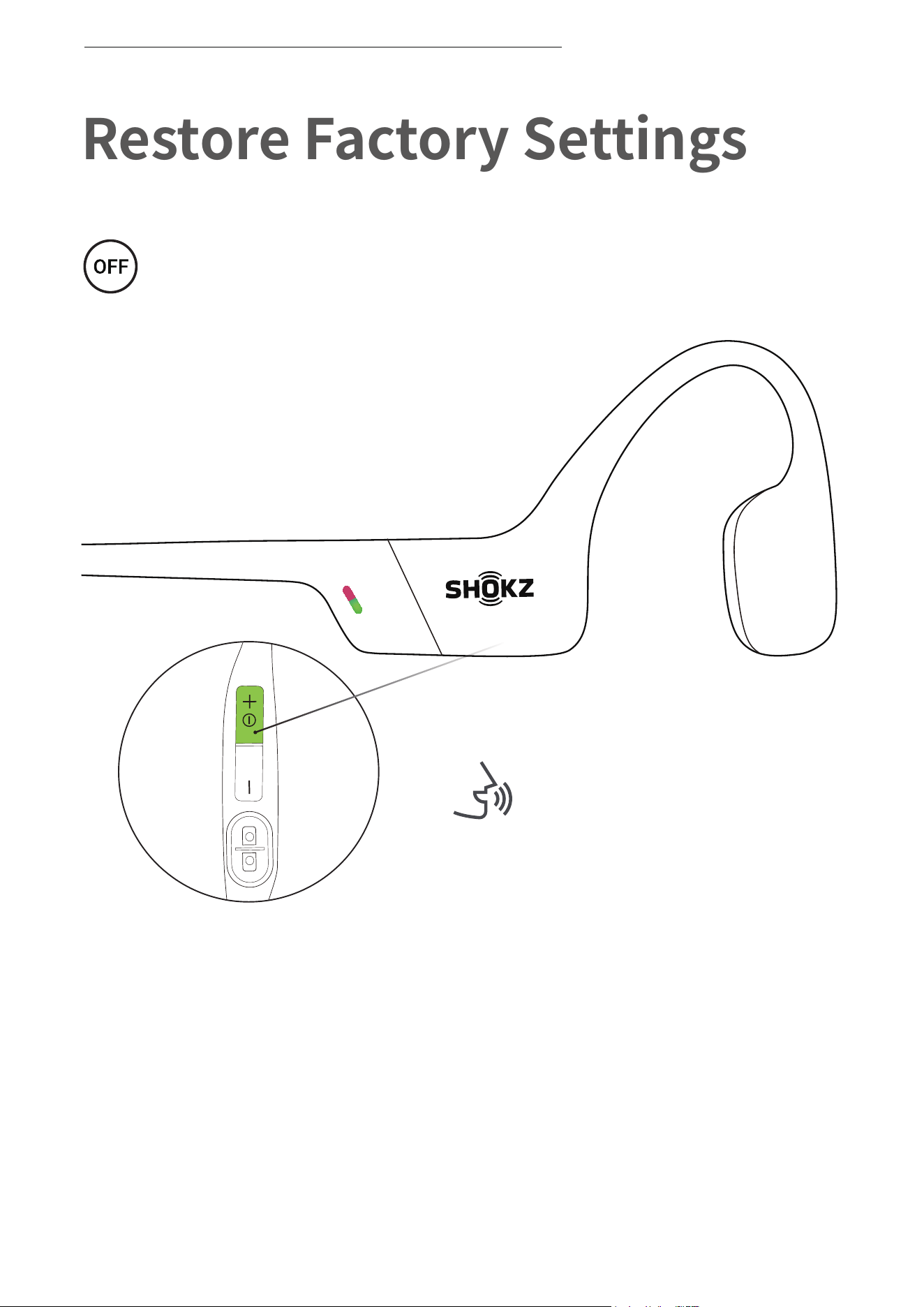
Restore Factory Settings
Operate controls with
headphones powered off.
RESTORE FACTORY SETTINGS
1. Start with your headphones powered off.
2. Press and hold Volume + until Audrey will say “pairing”
and the LED indicator flashes red and green alternately.
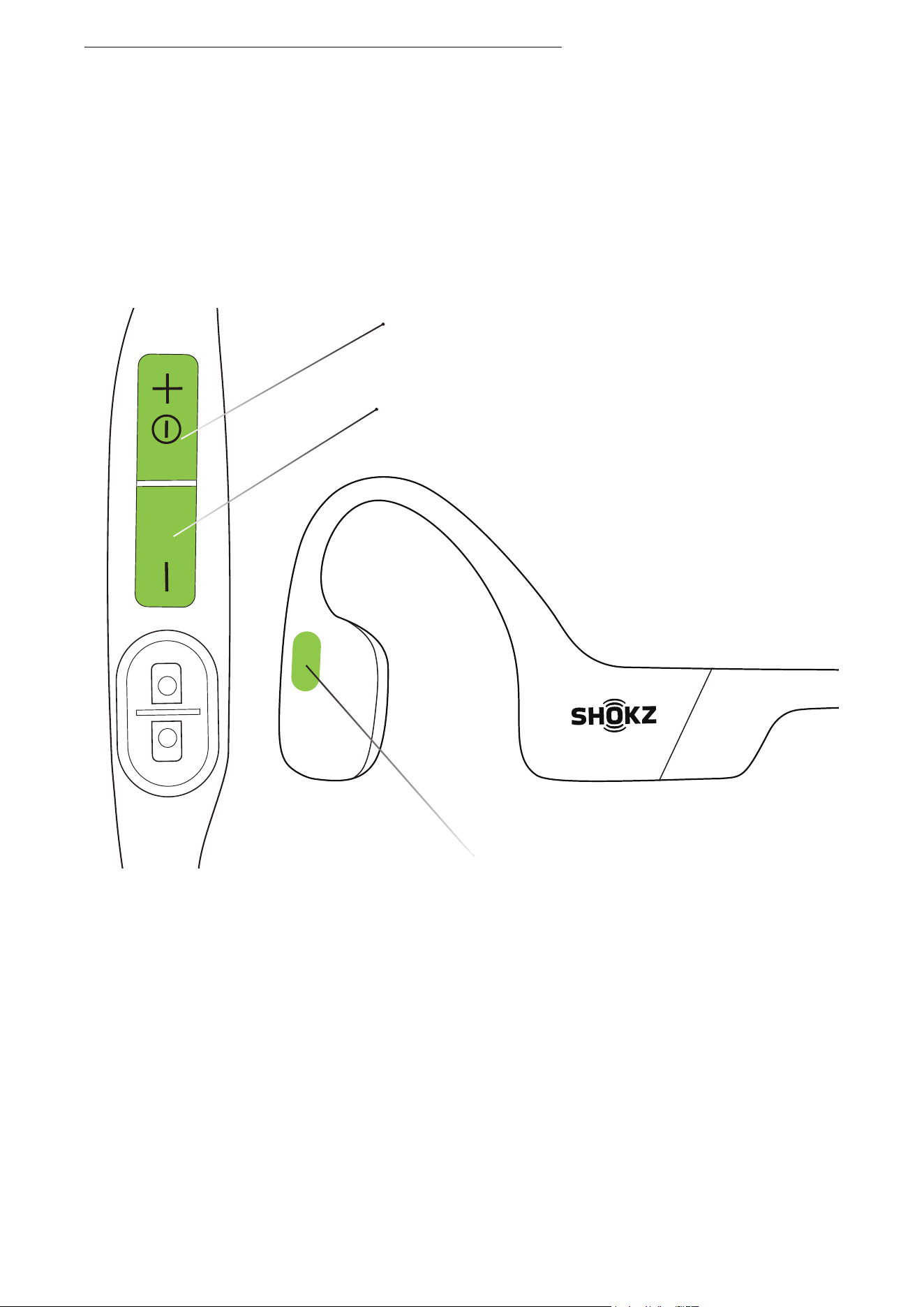
Volume - Button
Power/Volume + Button
Multifunction Button
24
RESTORE FACTORY SETTINGS
3.Press and hold the multifunction button, Volume ‒ button
and Volume + button until hear two beeps and feel the vibration.
4.Turn your headphones off. OpenRun is now reset and
can be re-paired to your device.
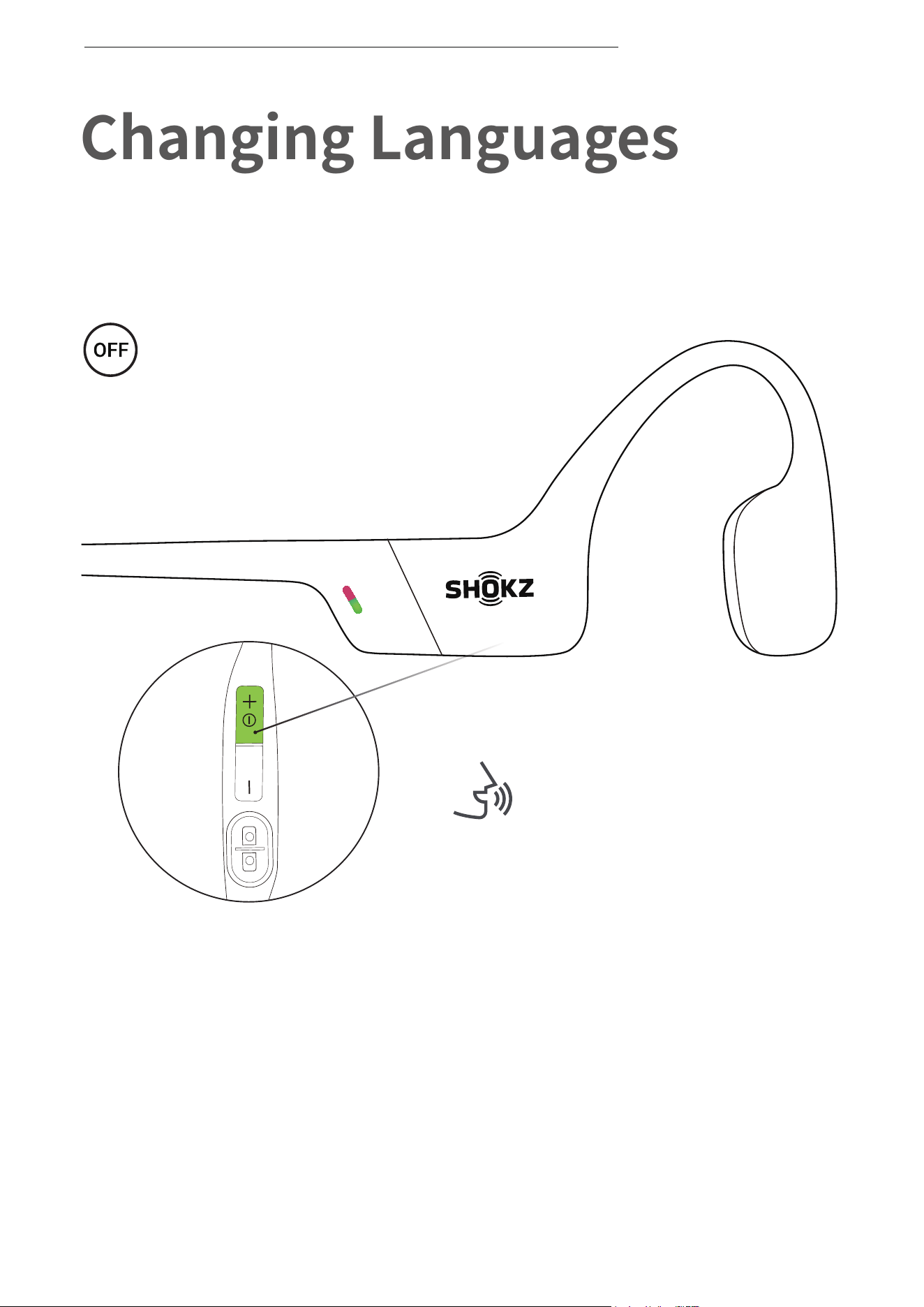
Changing Languages
Follow the instruction when
headphones powered off
Your headphones have four built-in languages:
Chinese, English, Japanese and Korean.
1. Start with your headphones powered off.
2. Press and hold Volume + until Audrey will say “pairing”
and the LED indicator flashes red and green alternately.
25
CHANGING LANGUAGES
Audrey will say “pairing”
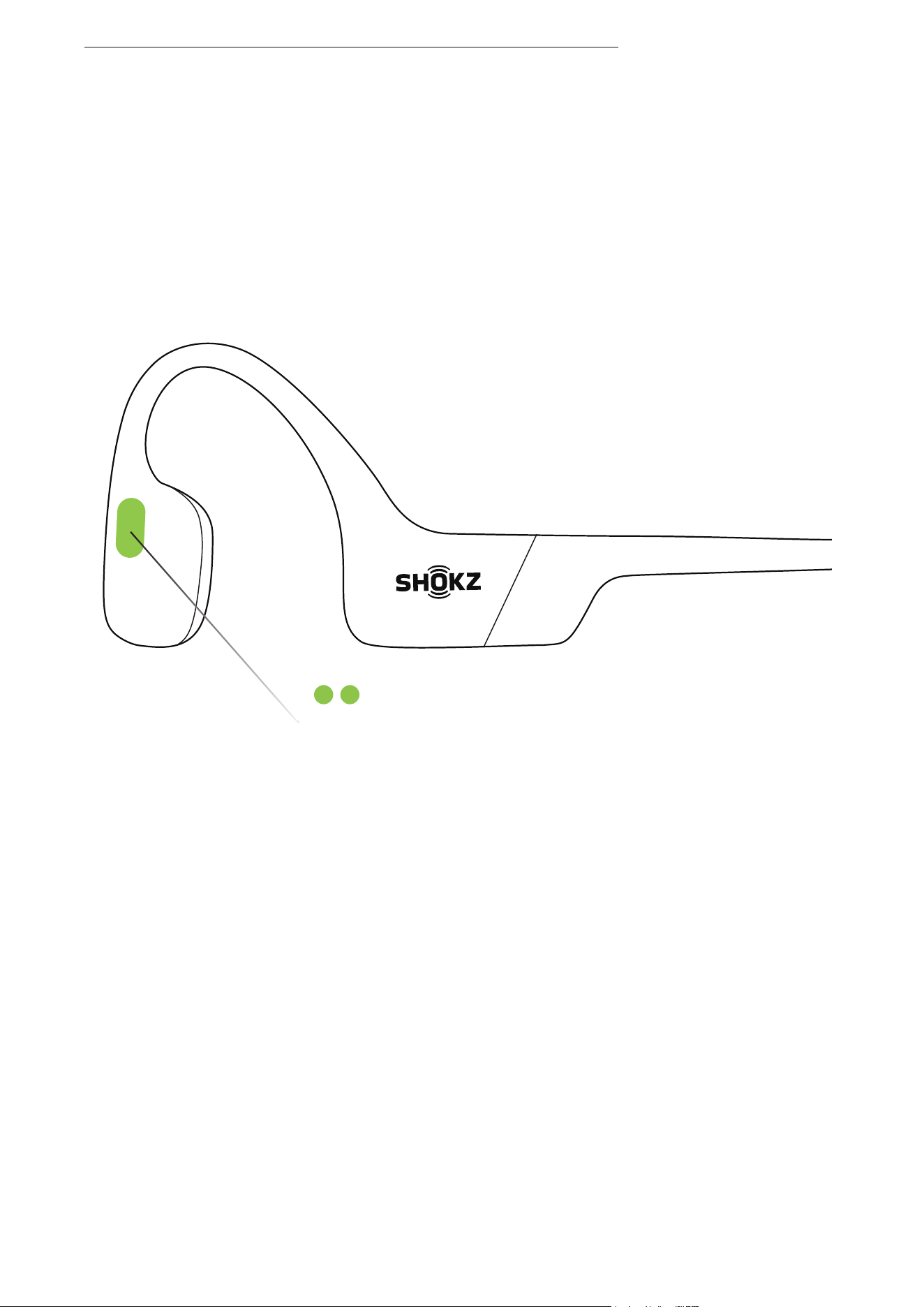
3. Double-press the multifunction button. Languages have been
switched when you hear the corresponding language.
Multifunction Button
26
CHANGE THE LANGUAGE
27
Care and Maintenance
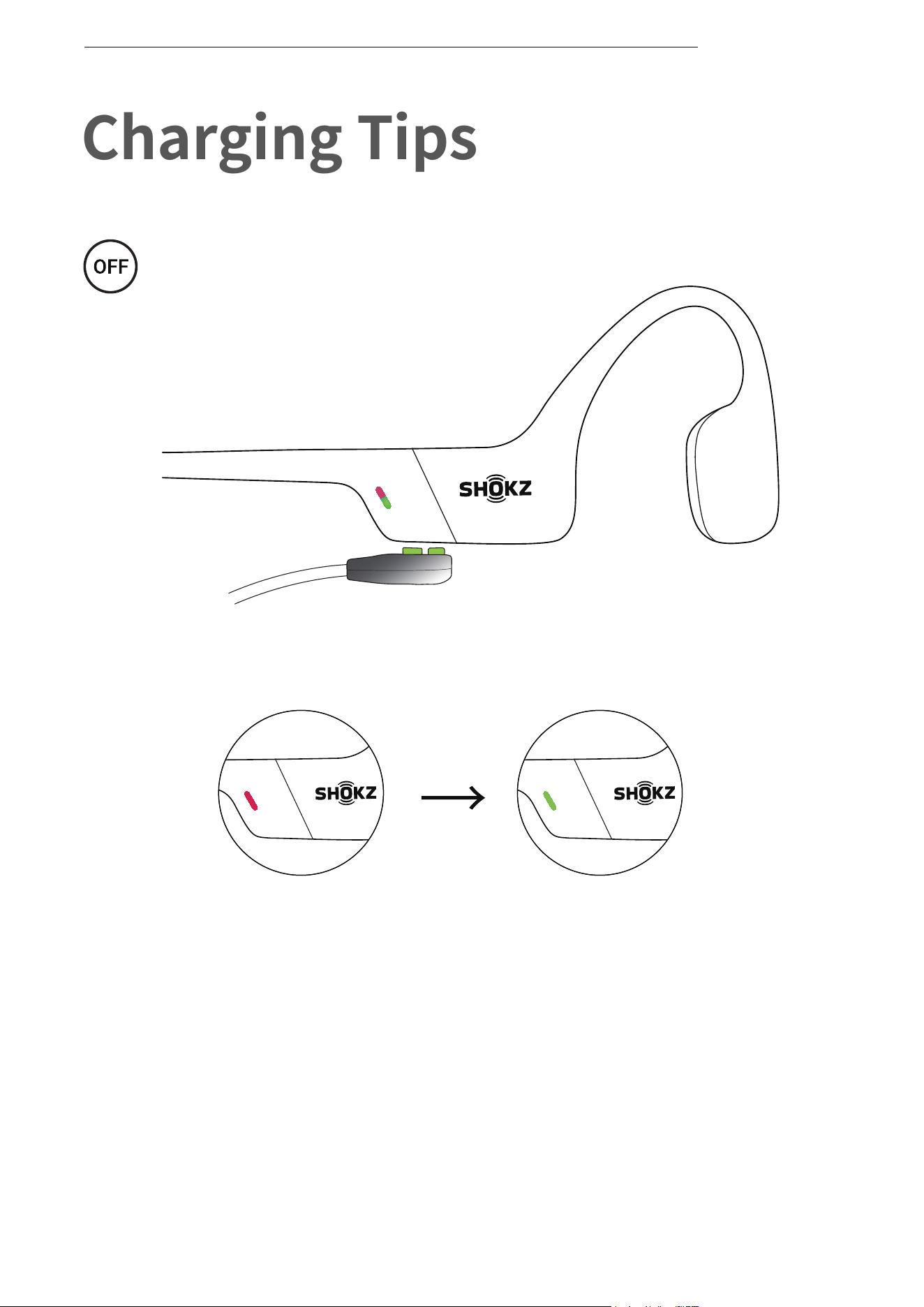
When the headphones are at low battery, there will be a “charge
me” prompt and the red light will flash intermittently. Use the
corresponding magnetic charging cable for charging.
The LED indicator will turn red during the charging process and the
headphones will automatically turn off. The LED indicator will turn
from red to green when charging is complete.
Charging Completed
Charging
Magnetic Charging Cable
Charging Tips
The headset will automatically
shut down when charging
28
CHARGING TIPS
Moisture Detection Alert
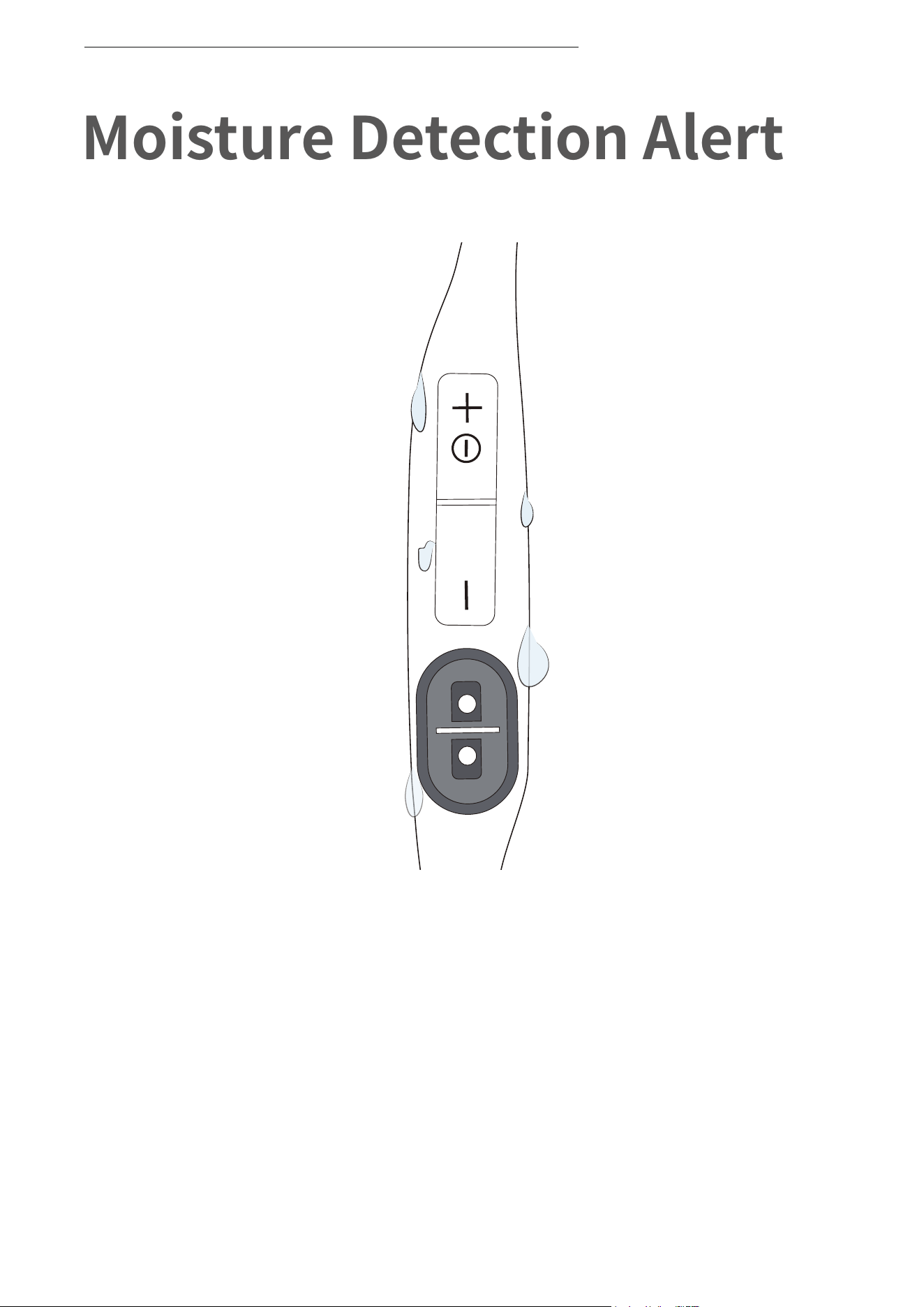
How it Works:
These headphones can detect liquid such as water, sweat, or rain.
If the headphones are plugged into the charger while wet, the LED
indicator will flash red and green. The headphones will then beep.
If this happens, remove the charging cable, dry them completely,
then proceed with charging.
29
MOISTURE DETECTION ALERT

Storage and Maintenance
· Store the headphones in a cool, dry place. The working temperature
should be 0~45°C(32~113°F).Working in a cold/hot temperature,
highly humid area, or low air pressure environment may reduce the
battery life.
· Keep the product away from heat sources, direct sunlight,
combustible gas or other liquids.
· Keeping the charging port dry before connecting to the charger will
reduce the risk of damage.
· The headphones can be used for daily cleaning, but it cannot be
rinsed and soaked against the microphone hole, otherwise it may
affect the performance of the microphone.
· Clean the headphones with a soft dry cloth.
· Do not charge right after exercising, in case there's sweat inside the
charging port, which could lead to circuit burning while charging.
· After storage for a long period, please charge the headphones before
using again.
Note
Design and specification are subject to change without notice.
For the most up-to-date product information,
please visit https://shokz.com.cn
Warning
· To avoid the risk of explosion, fire, or leakage from toxic chemicals,
please do not disassemble the product or replace, deform, or
mutilate the battery.
· The headphones might explode if the battery is improperly replaced.
It shall only be replaced with a battery of the same type or of the
equivalent performance.
· Do not expose the headphones to sunlight, fire or similar high
temperature.
30
STORAGE AND MAINTENANCE

31
STORAGE AND MAINTENANCE
· Do not dissemble the headphones or subject the headphones to
shock, squeeze and fire. Do not use the headphonses if it swells up.
Do not expose the headphones to high temperature.
· Please note that in some countries or regions, it may be illegal to
use this product while operating any type of vehicle. Please check
and comply with the traffic rules or relevant laws and regulations
in your area or consult your local regulatory authority.
· Although rare, some users may experience skin allergies or skin
sensitivity when coming into long-term contact with the product’s
outer materials.
· To avoid the risk of an allergic reaction, please do not wear the
product if you are experiencing skin injuries or irritations on or
around the neck, ears, and/or head.
· If you experience any redness of the skin, swelling, or itchiness
while wearing the product, discontinue use of the product
immediately and consult a physician.
· Only charge with the magnetic charging cable approved by the
manufacturer. Other charging cables may not meet applicable
safety standards, and charging with such cables could pose a risk
of injury to the users or damage to the device.
· Use this product only with an agency-approved power supply that
meets local regulatory requirements (e.g., UL, CSA, VDE, CCC).
32
If you have any trouble or problems,
please contact us for more support!
Customer Service
CUSTOMER SERVICE
Hong Kong, SAR of China
Tel: ���-����-���
Taiwan Region
Tel: ���-�-����-����
33
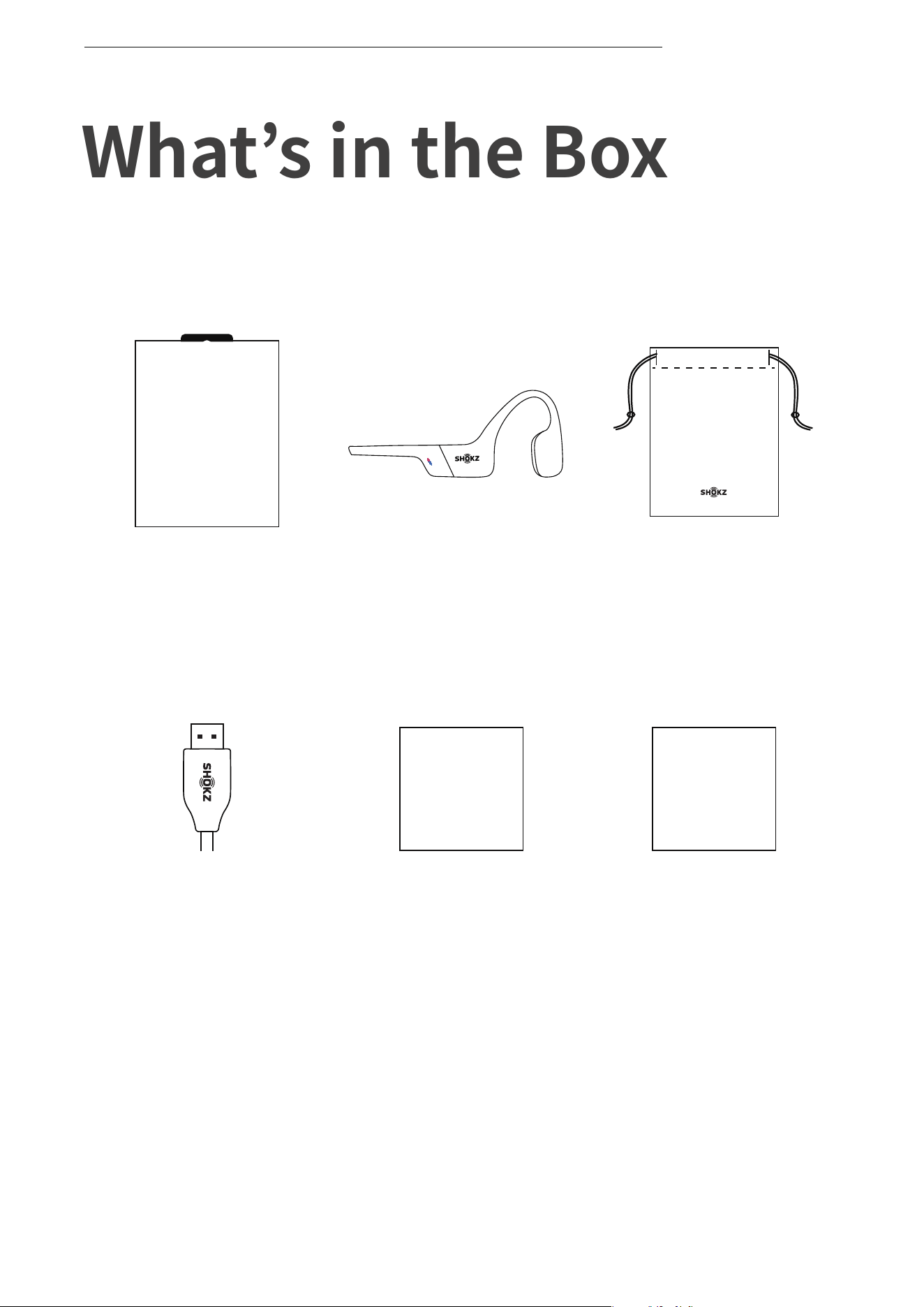
What’s in the Box
If any part of your product is damaged or missing, do not use
it.Contact authorized Shokz dealer or Shokz customer service.
*Please note that the packaging envelope may vary depending on
the sales region.
WHAT’S IN THE BOX
OPENRUN
OpenRun
headphone*1
OpenRun
Package*1
OpenRun
Box*1
User Guide
Magnetic
Charging Cable*1
OpenRun
User Guide*1
TIPS
Safety Tips
Card*1

34
FCC Caution
Any changes or modifications not expressly approved by the party
responsible for compliance could void the user's authority to operate
the equipment. This device complies with Part 15 of the FCC Rules.
Operation is subject to the following two conditions:
(1) this device may not cause harmful interference, and
(2) this device must accept any interference received, including
interference that may cause undesired operation.
FCC Statement
This equipment has been tested and found to comply with the limits
for a Class B digital device, pursuant to part 15 of the FCC Rules.
These limits are designed to provide reasonable protection against
harmful interference in a residential installation. This equipment
generates, uses and can radiate radio frequency energy and, if not
installed and used in accordance with the instructions, may cause
harmful interference to radio communications. However, there is no
guarantee that interference will not occur in a particular installation.
If this equipment does cause harmful interference to radio or
television reception, which can be determined by turning the
equipment off and on, the user is encouraged to try to correct the
interference by one or more of the following measures:
-Reorient or relocate the receiving antenna.
-Increase the separation between the equipment and receiver.
-Connect the equipment into an outlet on a circuit different
from that to which the receiver is connected.
-Consult the dealer or an experienced radio/TV technician for help.
This equipment complies with FCC/IC radiation exposure limits set
forth for an uncontrolled environment and meets the FCC radio
frequency (RF) Exposure Guidelines and RSS-102 of the IC radio
frequency (RF) Exposure rules. This equipment has very low levels of
RF energy that is deemed to comply without testing of specific
absorption rate (SAR).
Regulatory and Legal Information
REGULATORY AND LEGAL INFORMATION
35
Frequency Range Max. Transmit Power
2400-2483.5MHz 3dBm(EIRP)
Resposible party (contact for FCC matters only):
AfterShokz LLC.
3200 Gracie Kiltz Lane, Suite 400 Austin, TX 78758 USA
https://shokz.com
CE Declaration of Conformity
Shokz hereby declares that this product is in compliance with the
essential requirements and other relevant provisions of Directive
2014/53/EU and all other applicable EU Directive requirements.
The complete declaration of conformity can be found at:
https://shokz.com/pages/policies. Shokz’s EU representative
is AfterShokz Euro B.V., Schipholweg 103, 2316XC Leiden, Netherlands.
UK Declaration of Conformity
Shokz hereby declares that this product is in compliance with the
essential requirements and all other applicable United Kingdom’s
regulations. The complete declaration of conformity can be found
at: https://shokz.com/pages/policies. Shokz’s authorised
representative in the UK is Pinpoint Consumer Electronics Ltd., Unit
35, Meridian House, Road One, Winsford
Industrial Estate, Winsford, Cheshire CW7 3QG.
WEEE Declaration of Conformity
This WEEE logo means that this product must not be discarded
as household waste, and should be delivered to an appropriate
collection facility for recycling. Proper disposal and recycling helps
protect natural resources, human health and the environment. For
more information on disposal and recycling of this product, contact
your local municipality, disposal service, or the shop where you
bought this product.
REGULATORY AND LEGAL INFORMATION