Visit our website at: http://www.harborfreight.com
email our technical support at: [email protected]
Owner’s Manual & Safety Instructions
Save This Manual Keep this manual for the safety warnings and precautions, assembly,
operating, inspection, maintenance and cleaning procedures� Write the product’s serial number in the
back of the manual near the assembly diagram (or month and year of purchase if product has no number)�
Keep this manual and the receipt in a safe and dry place for future reference� 17k
When unpacking, make sure that the product is intact
and undamaged� If any parts are missing or broken,
please call 1-888-866-5797 as soon as possible�
Copyright
©
2017 by Harbor Freight Tools
®
� All rights reserved�
No portion of this manual or any artwork contained herein may be reproduced in
any shape or form without the express written consent of Harbor Freight Tools�
Diagrams within this manual may not be drawn proportionally� Due to continuing
improvements, actual product may differ slightly from the product described herein�
To ols required for assembly and se rv ic e m ay n ot b e i nc lu de d �
read this material before using this product.
Failure to do so can result in serious injury.
SaVe tHiS ManuaL.
Page 2 For technical questions, please call 1-888-866-5797. Item 64001
SaFety OperatiOn MaintenanceSetup
table of contents
Safety ������������������������������������������3
Specifications ������������������������������4
Setup �������������������������������������������5
Operation ������������������������������������� 6
Maintenance ��������������������������������7
Warranty ��������������������������������������8
WarninG SyMBOLS anD DeFinitiOnS
This is the safety alert symbol� It is used to alert you to
potential personal injury hazards� Obey all safety messages
that follow this symbol to avoid possible injury or death�
Indicates a hazardous situation which, if not avoided,
will result in death or serious injury�
Indicates a hazardous situation which, if not avoided,
could result in death or serious injury�
Indicates a hazardous situation which, if not avoided,
could result in minor or moderate injury�
Addresses practices not related to personal injury�

Page 3For technical questions, please call 1-888-866-5797.Item 64001
SaFetyOperatiOnMaintenance Setup
iMpOrtant SaFety inFOrMatiOn
Safety Warnings and precautions
read all safety warnings and all instructions.
Failure to follow the warnings and instructions may result
in electric shock, fire and/or serious injury.
Save all warnings and instructions for future reference.
1� Never attach or use any other form
of optical device with this product�
Use as intended only�
2� Do not modify in any way as this may
result in hazardous radiation exposure�
3� This product is not a toy� Do not allow
children to play with or near this item�
4� Inspect before every use; do not
use if parts are loose or damaged�
5� Power this Meter using only
the batteries referenced in
the Specifications Chart�
6� Stay alert� Watch what you are doing,
use common sense� Do not operate
any meter when you are tired�
7� Do not operate Meter if under
the influence of alcohol or drugs�
Read warning labels on prescriptions
to determine if your judgment
or reflexes are impaired while
taking drugs� If there is any doubt,
do not operate the meter�
8� Do not look into laser� Do not point
laser at persons or animals directly or
indirectly off of reflective surfaces�
9� Avoid damaging Meter� Use only
as specified in this manual�
10� Performance of this Meter may vary
depending on battery condition�
11� Maintain product labels and
nameplates� These carry
important safety information�
If unreadable or missing, contact
Harbor Freight Tools for a replacement�
12� Do not attempt to charge battery�
13� Do not reverse the polarity of
the battery when installing�
14� Have the Meter calibrated by a
qualified technician every year
to maintain accurate results�
15� The warnings, cautions, and
instructions discussed in this
instruction manual cannot cover all
possible conditions and situations
that may occur� It must be understood
by the operator that common sense
and caution are factors which cannot
be built into this product, but must
be supplied by the operator�
SaVe tHeSe inStructiOnS.
Page 4 For technical questions, please call 1-888-866-5797. Item 64001
SaFety OperatiOn MaintenanceSetup
Specifications
Working Range 0.2″ - 100' (0.05-30.5m)
Measurement Units Meters (m), Inches (in), Feet (ft), Feet + Inches (' ")
Accuracy ± 0.08" (2mm)
Battery 2x AAA
Working Temperature 14°F - 104°F (-10°C - 40°C)
Storage Temperature -4°F - 140°F (-20°C - 60°C)
Operating Environment Indoor (recommended)
note: When using Meter in or around bright solar light, or on rough
or poorly reflective measurement surfaces, use a target such as a
white wall or sheet of paper to avoid measurement error�
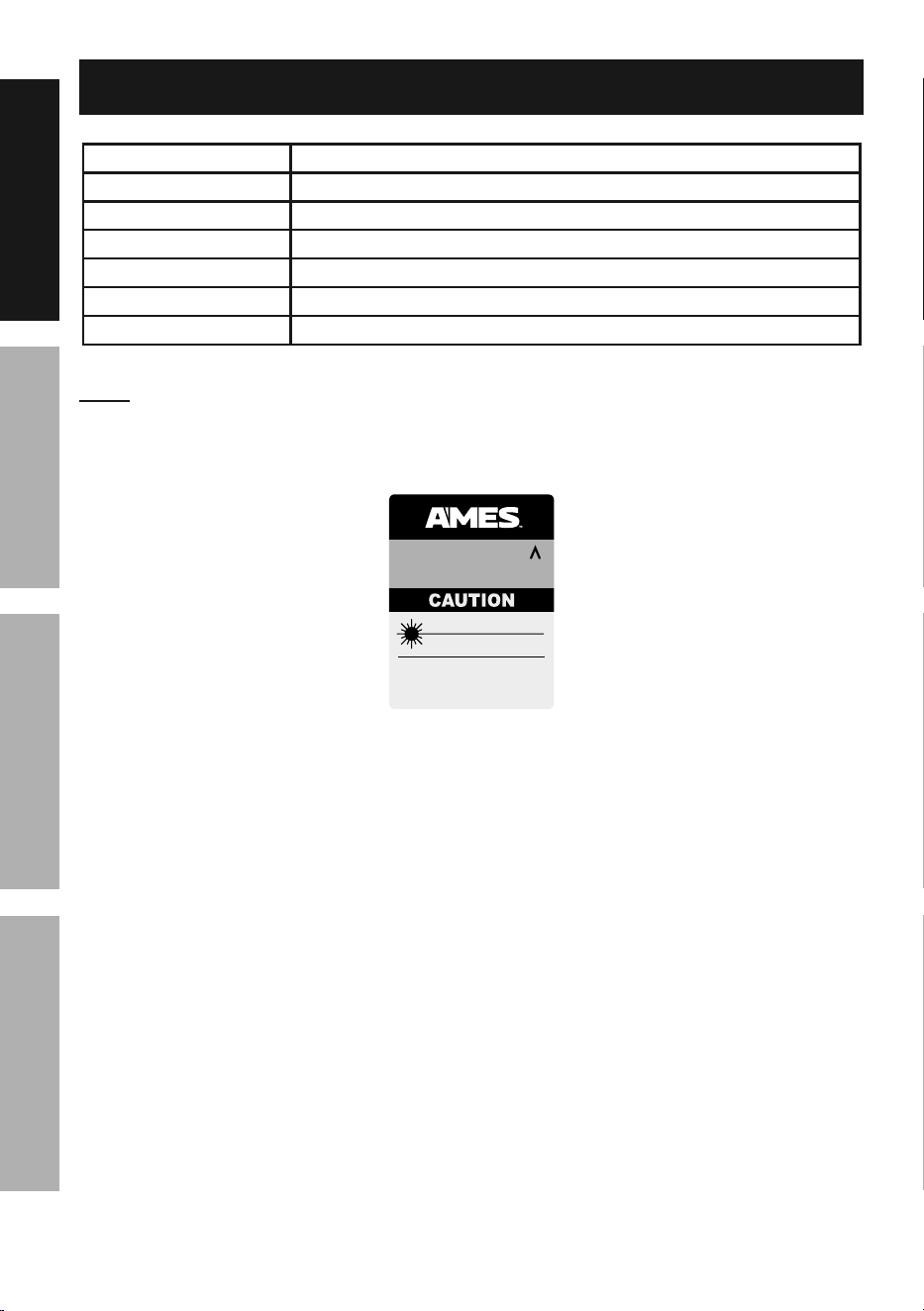
LASER LIGHT
DO NOT STARE INTO BEAM
Max. Output: 0.833 mW
Wavelength: 635 nm
CLASS IIa LASER PRODUCT
This product complies with
21 CFR 1040.10 and 1040.11
Distributed by Harbor Freight Tools
3491 Mission Oaks Blvd. Camarillo, CA 93011
64001
Manufacture Date: ___________ , ____________
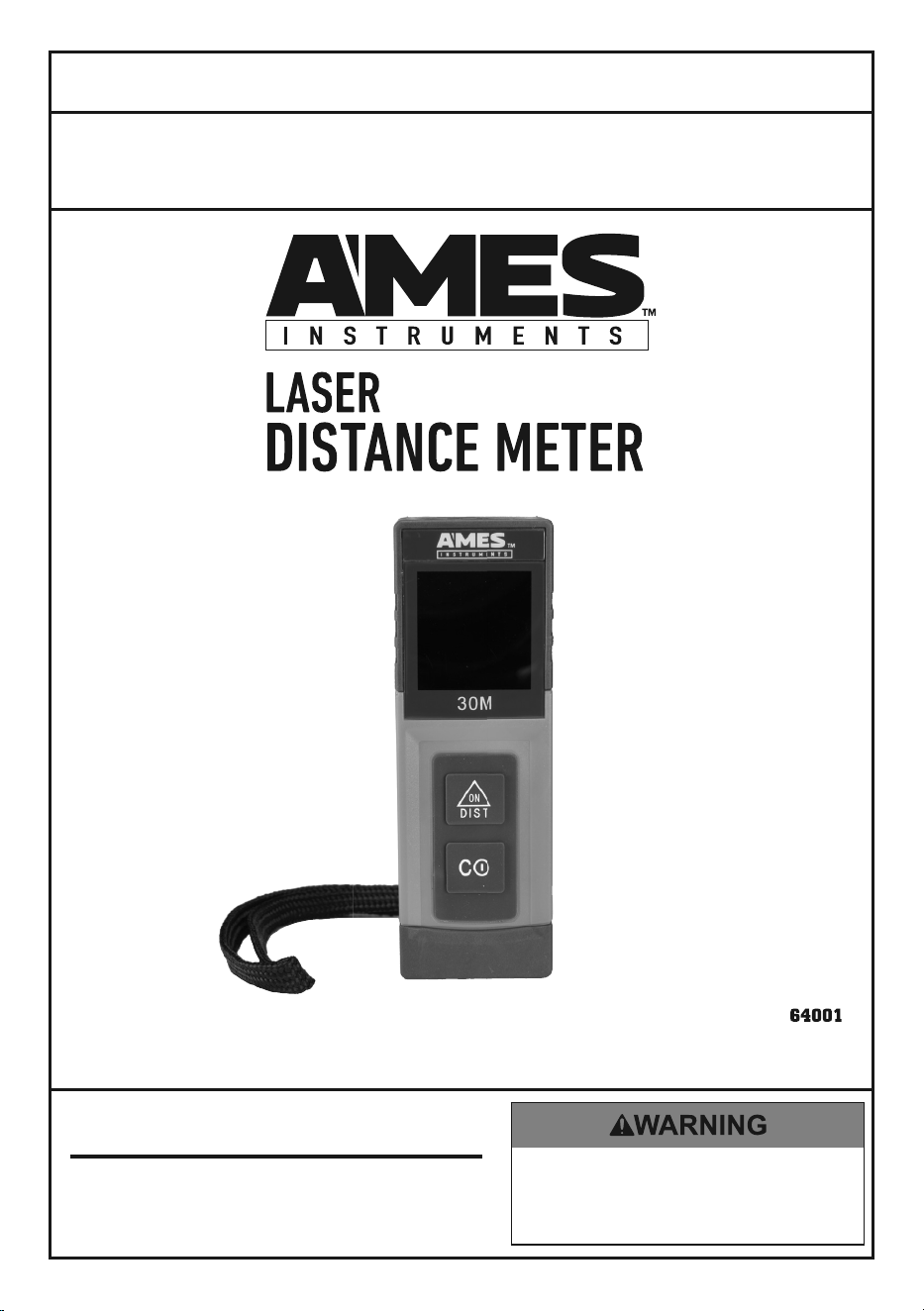
LASER DISTANCE METER
64001
AVOID EXPOSURE
Laser light is emitted from this aperture.
17k
Page 5For technical questions, please call 1-888-866-5797.Item 64001
SaFetyOperatiOnMaintenance Setup
Setup - Before use:
read the entire iMpOrtant SaFety inFOrMatiOn section
at the beginning of this manual including all text under
subheadings therein before set up or use of this product.
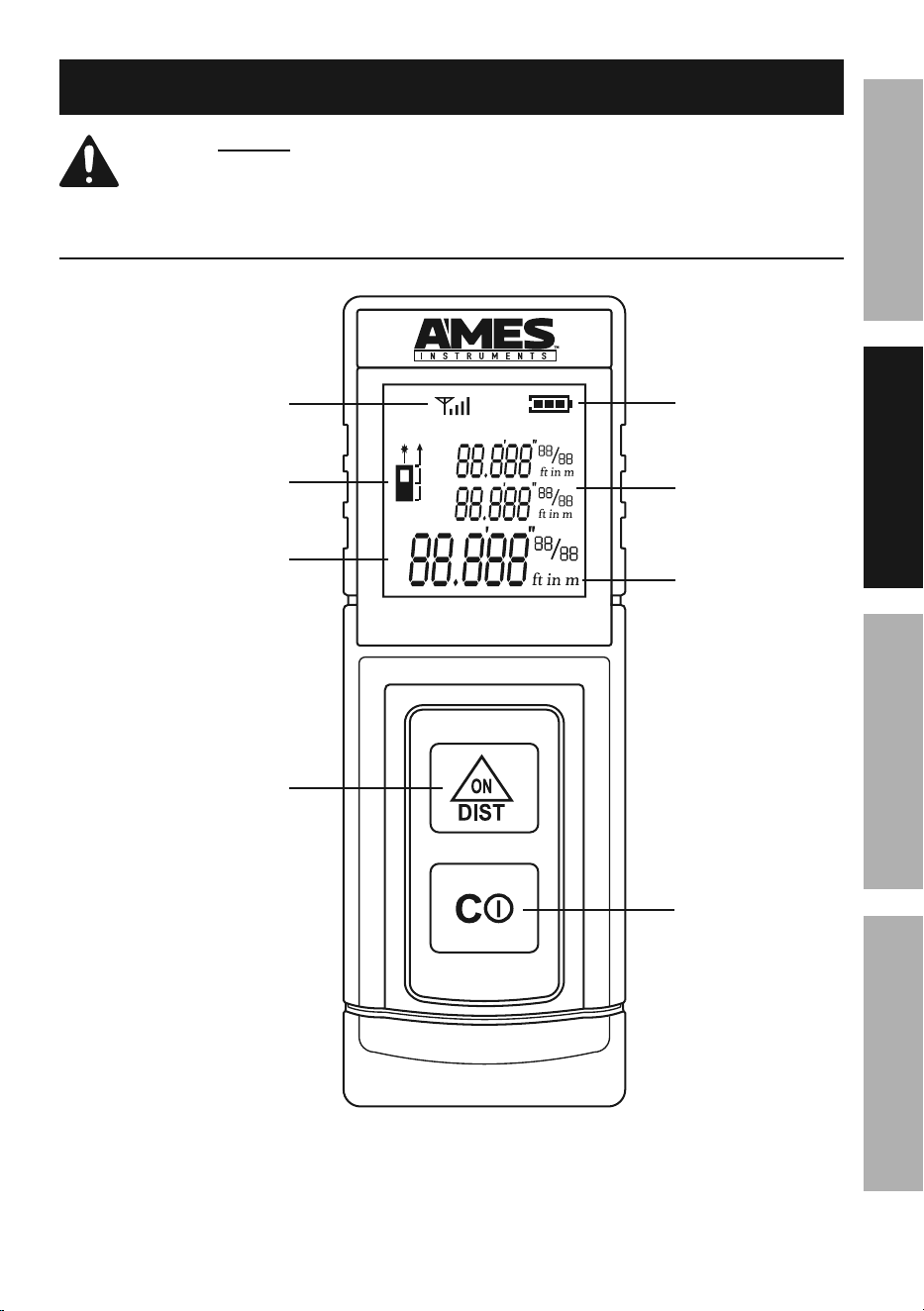
Functions
power On/
Distance
Button
power Off/
reference
Button
auxiliary
Display
Display
units
Signal
Strength
icon
Laser On/
reference point
icon
Display
Battery
icon
30M
Page 6 For technical questions, please call 1-888-866-5797. Item 64001
SaFety OperatiOn MaintenanceSetup
Operating instructions
read the entire iMpOrtant SaFety inFOrMatiOn section
at the beginning of this manual including all text under
subheadings therein before set up or use of this product.
General Operating instructions
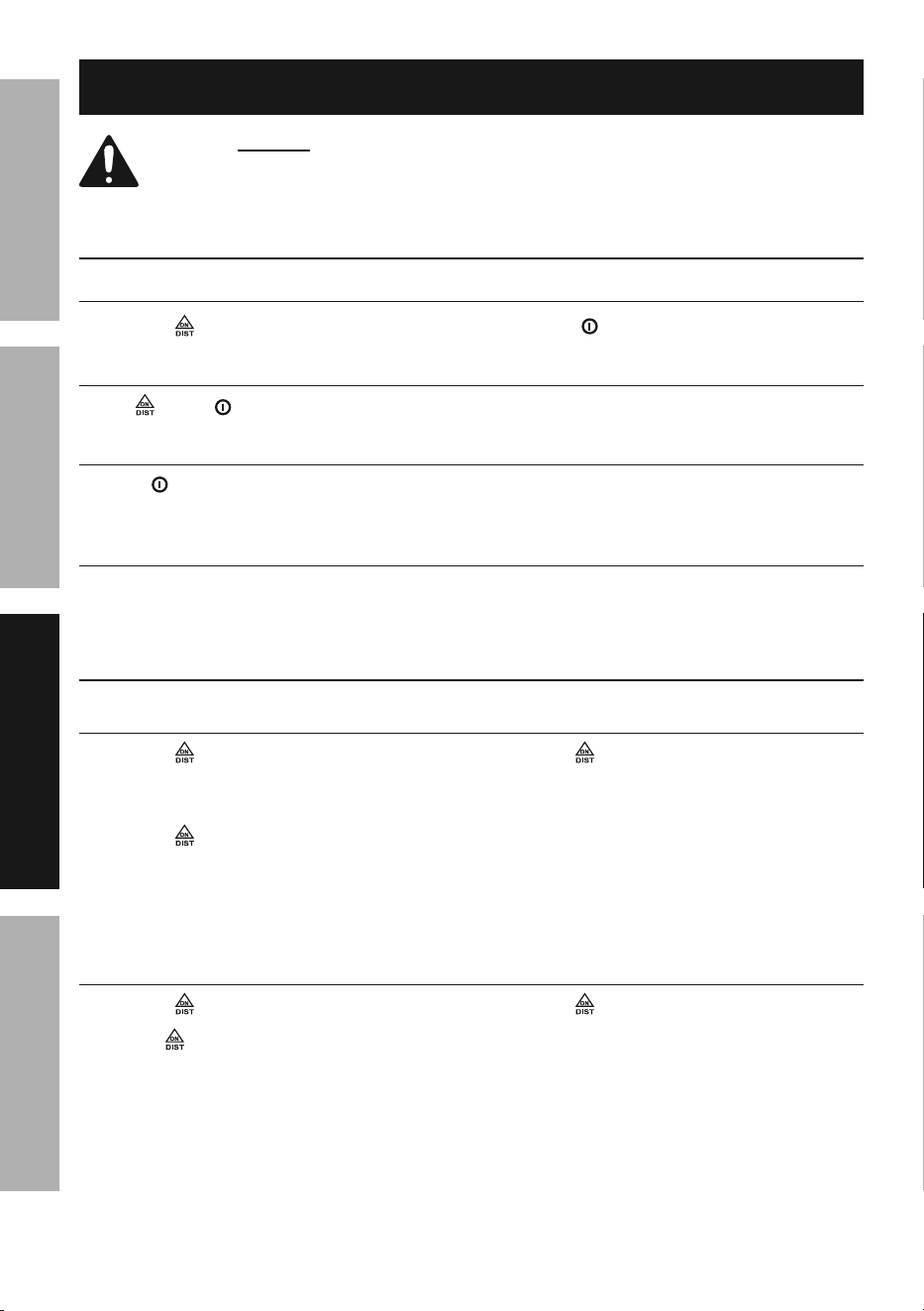
powering Meter On and Off
1� Press to power Meter on�
2� Hold
c
to power Meter off�
Selecting units
Press and
c
at the same time to switch between measurement units�
Selecting reference point
Press
c
to change laser reference point between front,
center, and rear of Meter�
auto power-Off
If Meter is not used for approximately 5 minutes, it will
automatically power off to preserve battery power�
Measurement Operation
Single Measurement Mode
1� Press to power Meter on�
Meter automatically enters
single measurement mode�
2� Press again to turn laser on�
Laser On Icon flashes on Display�
3� Aim laser at target to be measured�
4� Press again to begin measuring�
5� Read measured distance on Display�
6� Repeat steps to take additional
measurements� Up to two
previous measurements are
held on the Auxiliary Display
until Meter is powered off�
continuous Measurement Mode
1� Press to power Meter on�
2� Hold for a few seconds to begin
continuous measurement�
3� Move laser between two points to be
measured and read measurement
from Display as it changes�
4� Press again to stop
measurement and turn laser off�
Page 7For technical questions, please call 1-888-866-5797.Item 64001
SaFetyOperatiOnMaintenance Setup
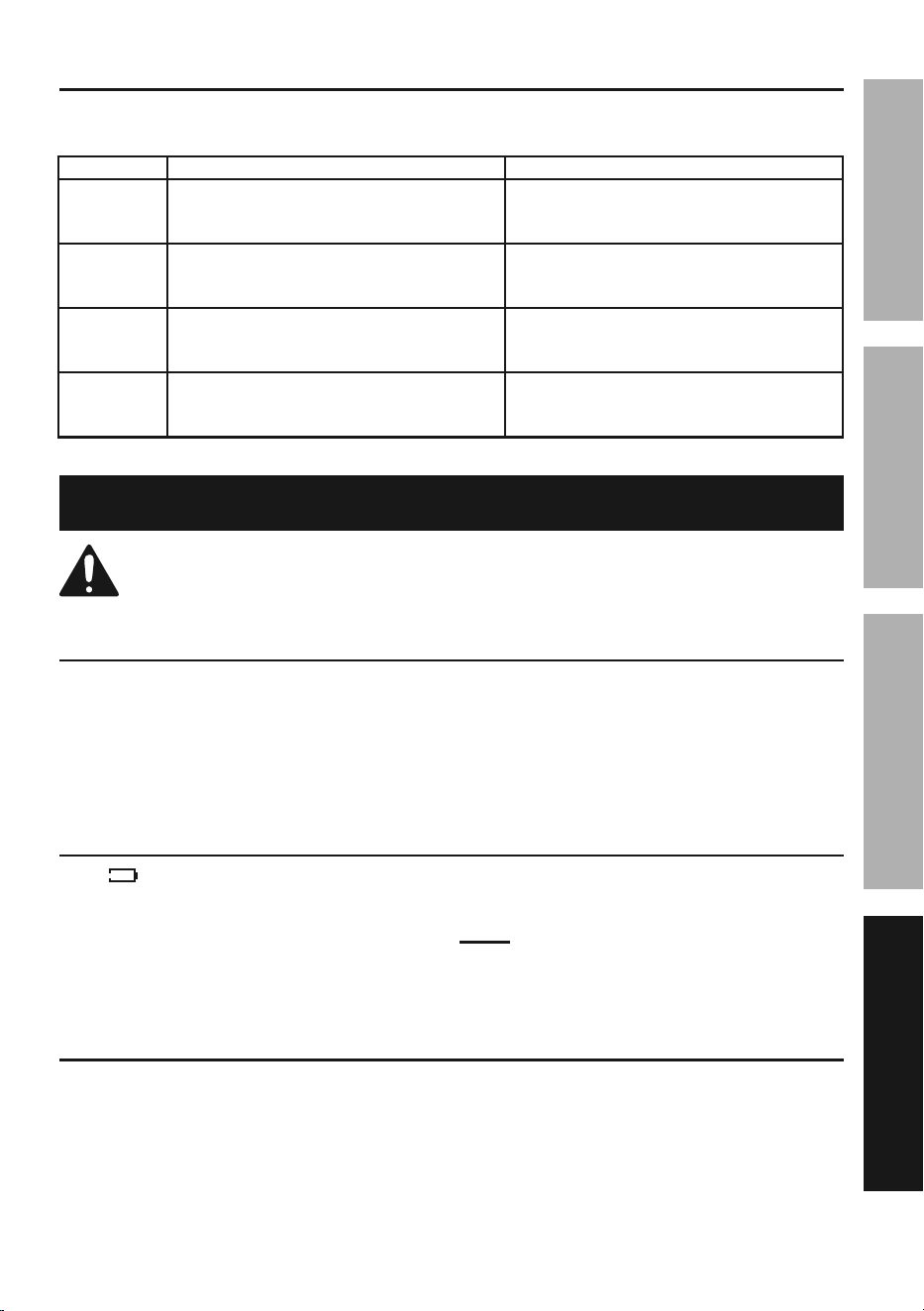
error Messages
The following error messages may appear on the Display during operation:
error code cause Solution
err01 The reflected laser signal is too strong�
Change target or affix a white
sheet of paper to target�
err02
The distance to be measured falls outside
the measuring range for this device�
Measure within the effective
measuring range (0�16’ ~ 98�43’)�
err03 The reflected laser signal is too weak�
Change target or affix a white
sheet of paper to target�
err06 Low battery�
Replace battery� See “Battery
Replacement” on page 7below�
Maintenance and Servicing
procedures not specifically explained in this manual
must be performed only by a qualified technician.
cleaning, Maintenance, and Lubrication
1� Wipe unit with a dry, lint-free cloth�
Do not use solvents or abrasives�
2� Remove battery if not in
use for long periods�
3� Store unit in a dry location�
4� Other than the battery, there
are no replaceable parts on this
unit� repairs should be done
by a qualified technician.
Battery replacement
If the sign appears on the
Display or the unit will not turn on,
the battery should be replaced�
1� Turn the unit over�
2� Remove battery cover carefully�
3� Pull batteries out of unit and
replace with same�
note: Do not reverse the
polarity of the batteries�
4� Replace cover and retighten screw�
calibration
Have the Meter calibrated by a qualified technician every year�

3491 Mission Oaks Blvd. • pO Box 6009 • camarillo, ca 93011 • 1-888-866-5797
Limited 90 Day Warranty
Harbor Freight Tools Co� makes every effort to assure that its products meet high
quality and durability standards, and warrants to the original purchaser that this
product is free from defects in materials and workmanship for the period of 90 days
from the date of purchase� This warranty does not apply to damage due directly or
indirectly, to misuse, abuse, negligence or accidents, repairs or alterations outside
our facilities, criminal activity, improper installation, normal wear and tear, or to lack of
maintenance� We shall in no event be liable for death, injuries to persons or property,
or for incidental, contingent, special or consequential damages arising from the use
of our product� Some states do not allow the exclusion or limitation of incidental or
consequential damages, so the above limitation of exclusion may not apply to you� THIS
WARRANTY IS EXPRESSLY IN LIEU OF ALL OTHER WARRANTIES, EXPRESS OR
IMPLIED, INCLUDING THE WARRANTIES OF MERCHANTABILITY AND FITNESS�
To take advantage of this warranty, the product or part must be returned to us
with transportation charges prepaid� Proof of purchase date and an explanation
of the complaint must accompany the merchandise� If our inspection verifies
the defect, we will either repair or replace the product at our election or we may
elect to refund the purchase price if we cannot readily and quickly provide you
with a replacement� We will return repaired products at our expense, but if we
determine there is no defect, or that the defect resulted from causes not within the
scope of our warranty, then you must bear the cost of returning the product�
This warranty gives you specific legal rights and you may also
have other rights which vary from state to state�
record Serial number Here:
note: If product has no serial number, record month and year of purchase instead�
note: Replacement parts are not available for this item�