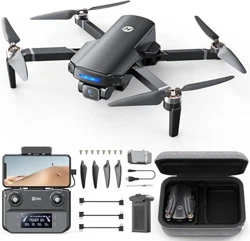
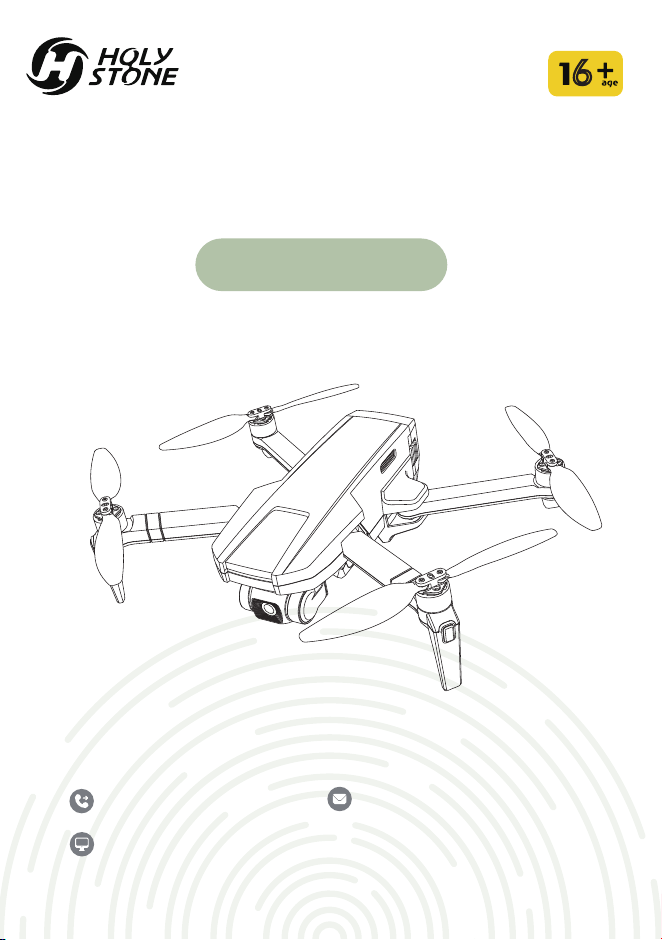
HS720R
6
Quick Start Guide
V 1.0
+1(855)888-6699
[email protected] (USA)
[email protected] (EU)
www.holystone.com
... downlode the
Ophelia FLY App
... watch the
Tutorial Video
... view the Instru-
ctions For Use
Scan the QR-code to...
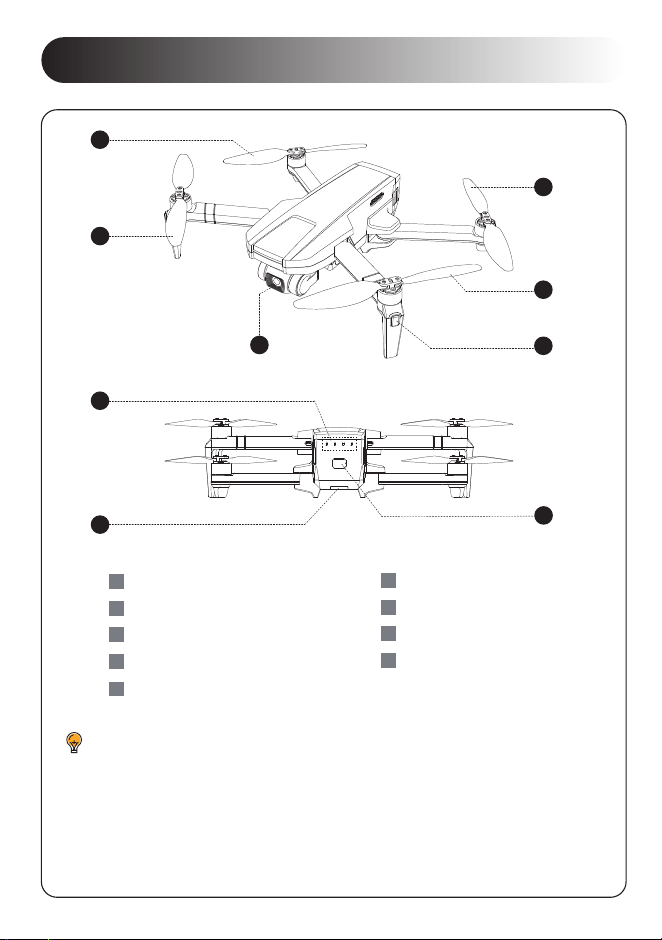
DIAGRAM OF THE DRONE
Propeller A
1
Propeller B
2
Gimbal and Camera
3
Propeller B
4
5
Propeller A
6
Front LED
Battery Level Indicators
7
8
Drone Status Indicator
9
Power Switch:Long Press
1
· The front LEDs glow solid white to display the orientation of the drone.
· The drone status indicator displays the status of the flight control
system.
· The battery level indicators display the battery level when the drone is
powered on.
2
3
4
5
6
7
8
9
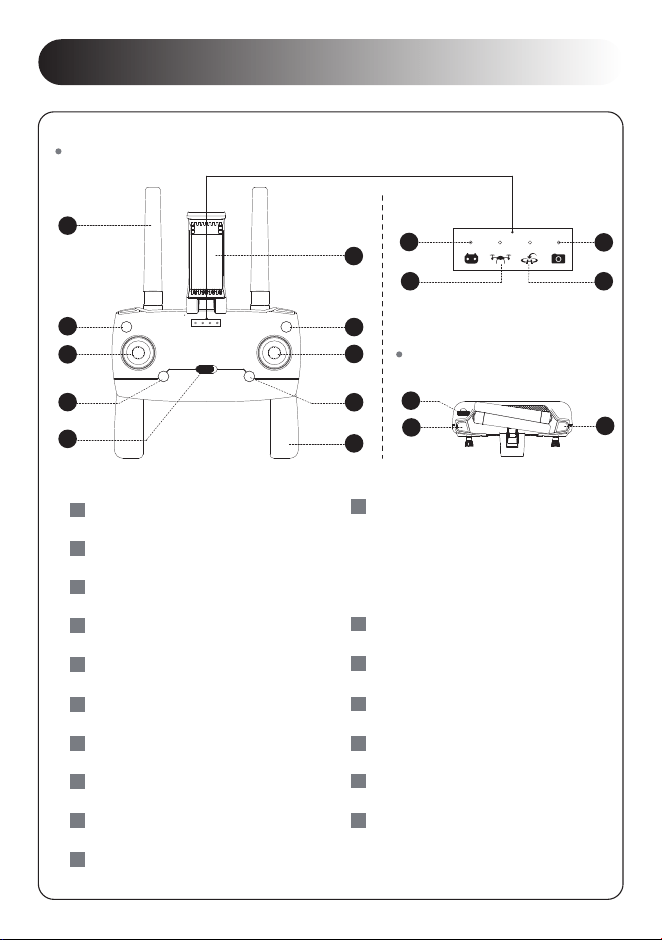
DIAGRAM OF THE TRANSMITTER
Antenna
1
Takeoff/Landing
2
Left Joystick
3
4
Unlocking the Motors:Short Press Emergency Stop:Long Press
Speed Switch
5
6
Phone Holder
Return to Home
7
Power Switch:Long Press
9
Foldable Handle
10
Transmitter Indicator
11
Drone Indicator
12
13
Photo/Video Indicator
14
GPS Signal/Return Indicator
Camera Angle Adjustment
15
Record Video
17
16
Take Photo
Right Joystick
8
Front:
Top:
1
2
3
4
5
7
6
8
9
10
11
12
13
14
15
16
17
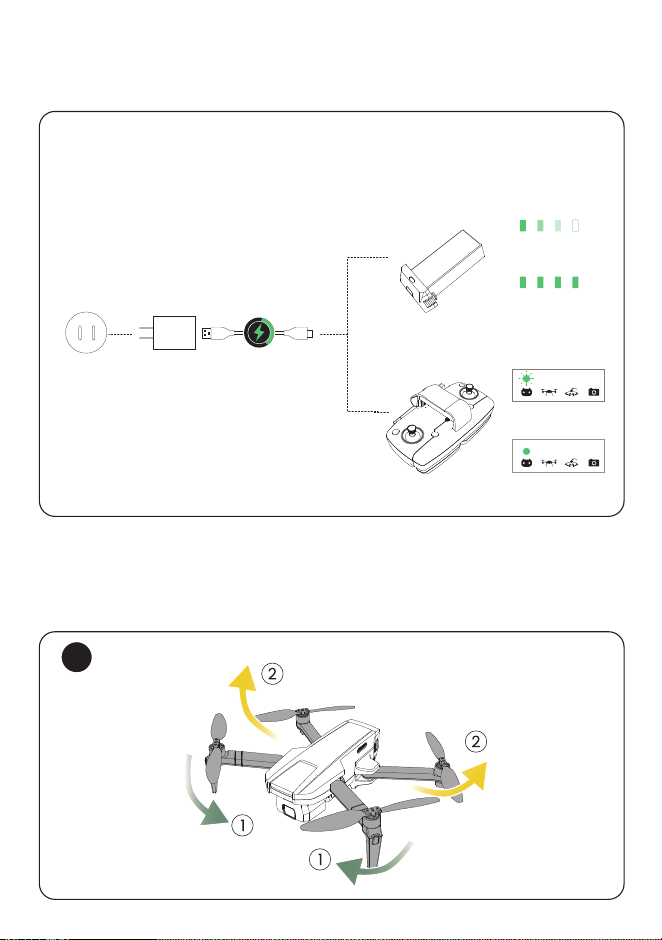
1
1 CHARGING
2 GET THE DRONE READY
Attach the USB charging cable to a USB Adapter (5V/2A), then
link it with the charging port of the drone battery or transmitter.
5V/2A
(Not included)
Charging
Fully Charged
Fully Charged
Charging
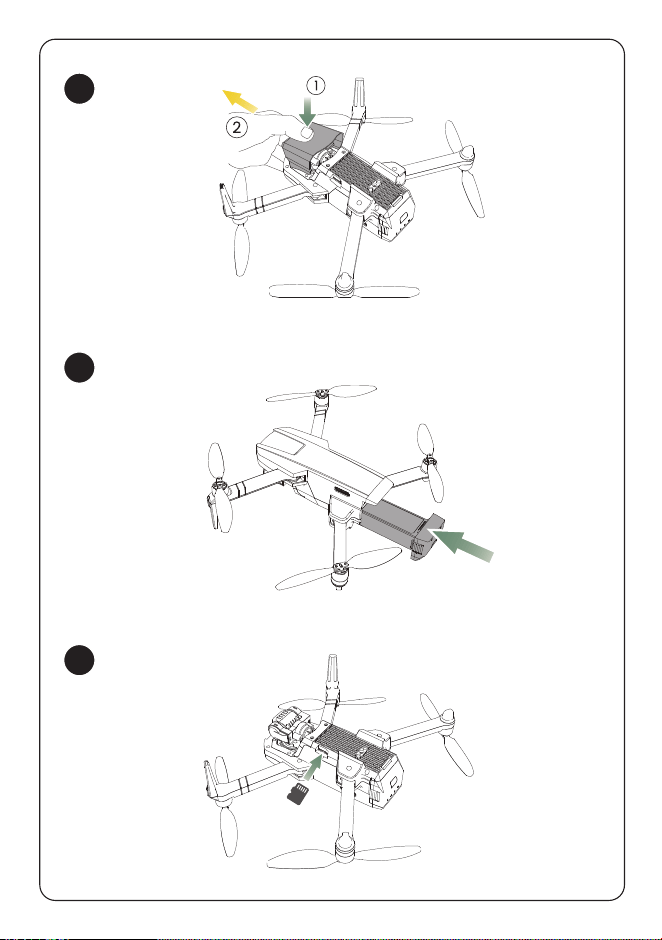
2
3
4
(Not included)
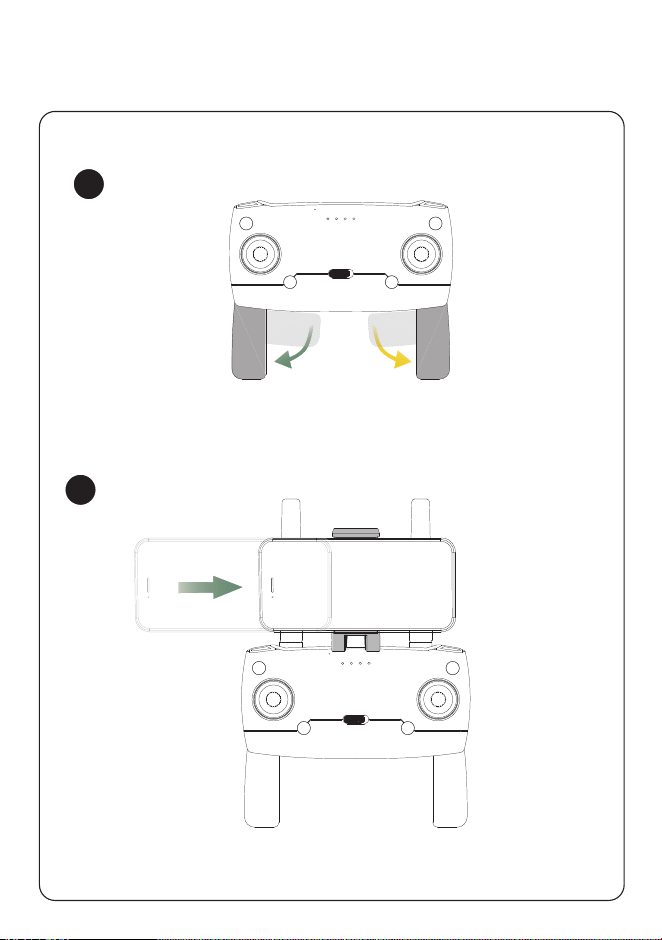
1
2
3 GET THE TRANSMITTER READY
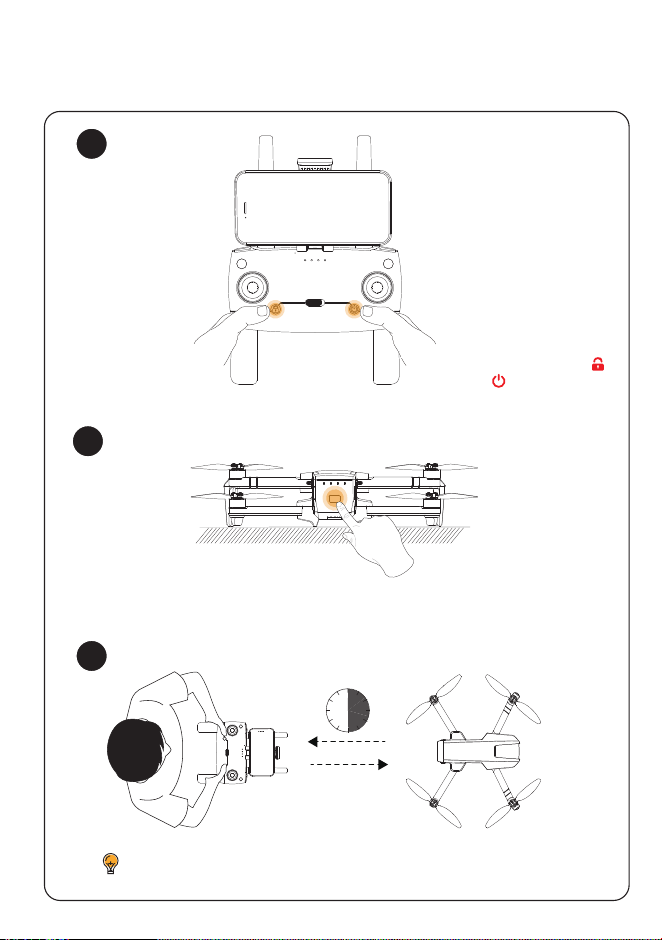
4 PAIRING
The transmitter sends out a long beep when the pairing is done.
head
30S
2S
1
2
3
2S
2S
auto-pairing
* Simultaneously press
and hold both the ( )
and ( ) buttons
1
2
3
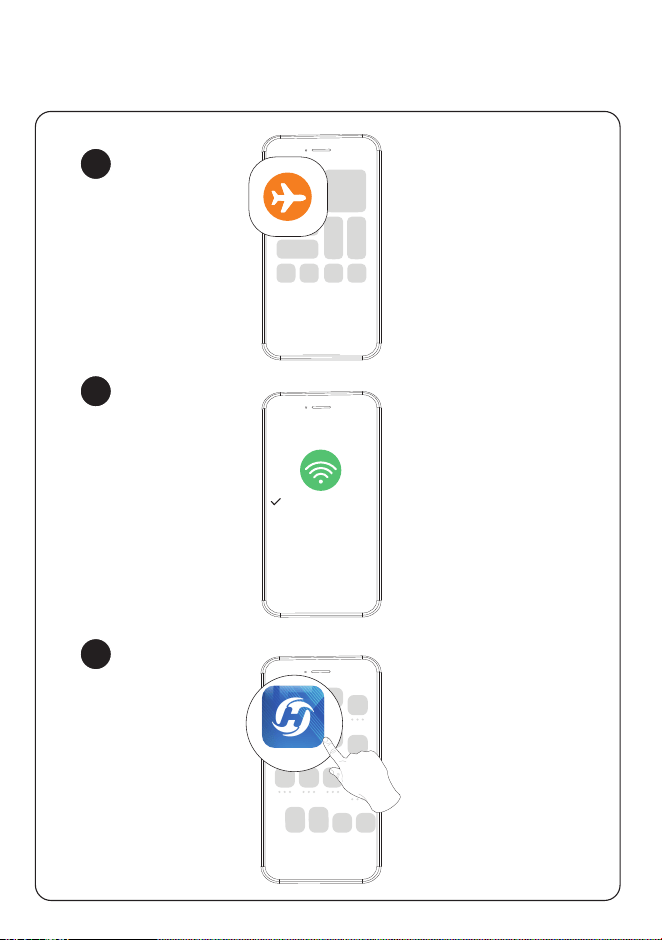
5 CONNECT TO WI-FI
Ophelia FLY
HolyStoneGIM-×××
1
2
3
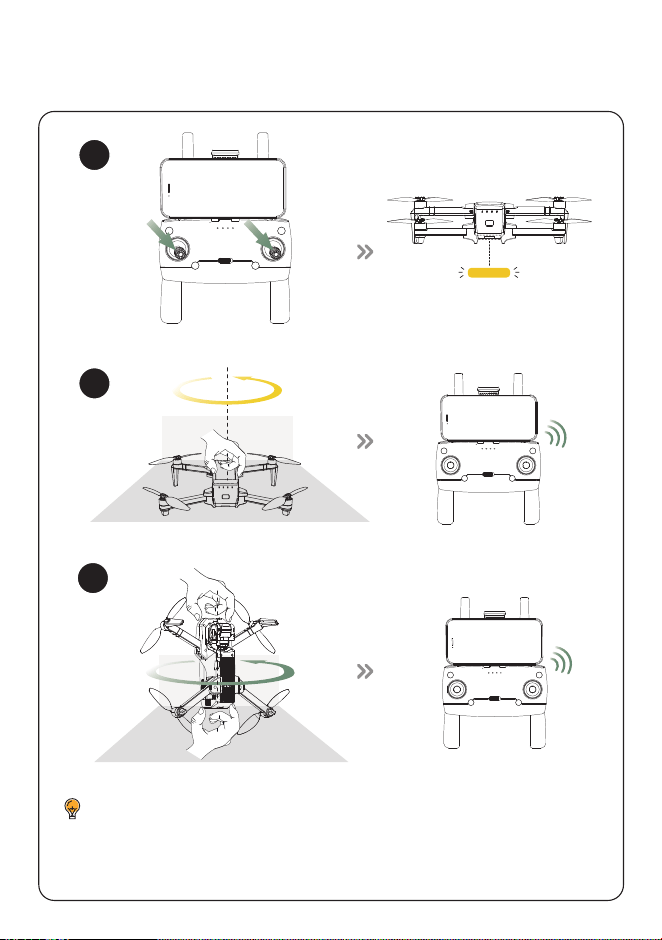
6 CALIBRATE THE COMPASS
×3
Flicker Slowly
DO NOT calibrate the compass in locations with strong magnetic
interference, such as near magnets, parking lots, or construction sites
with underground reinforced concrete structures.
×3
~Di~
~Di~
7
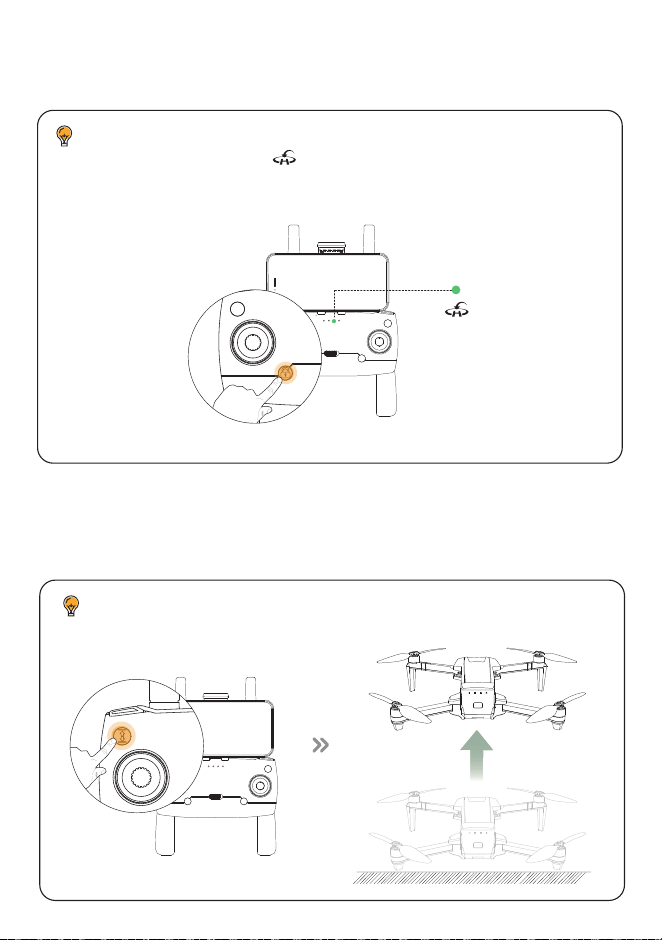
UNLOCK THE MOTORS
8
TAKE-OFF
Green Solid
We strongly recommend that you only unlock and control the drone
when the GPS indicator ( ) on the transmitter is solid green(that
is, the GPS signal is good).
Please fly the drone in an open outdoor area free of surrounding
obstructions.
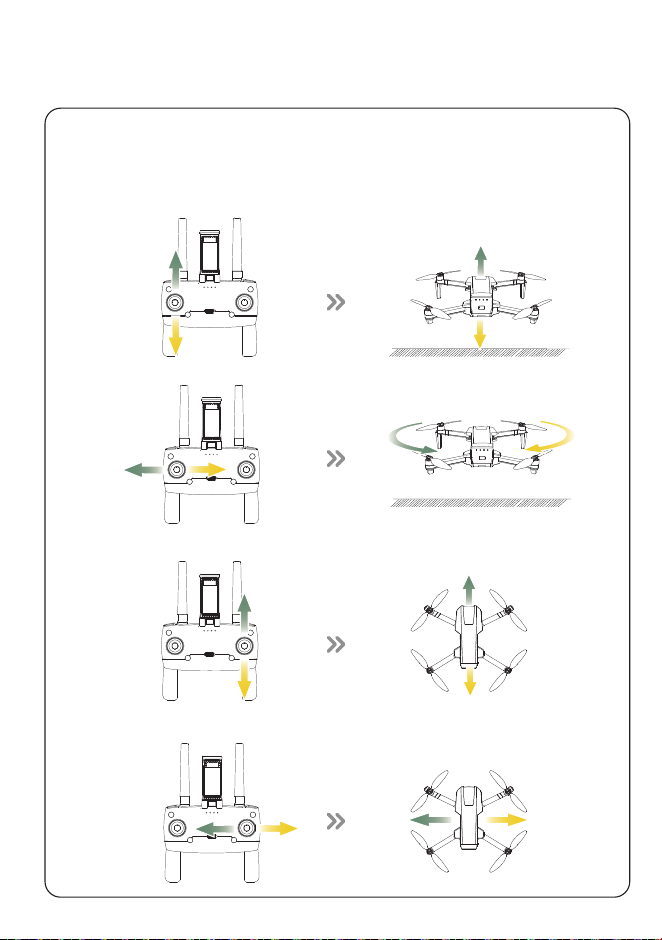
9 FLIGHT DIRECTION CONTROL
The left joystick is responsible for controlling the drone's height
and orientation in flight, whereas the right joystick dictates the
movements in forward, backward, and lateral directions.
10 LANDING