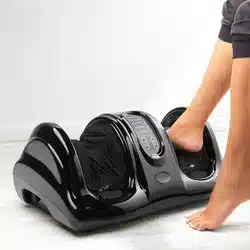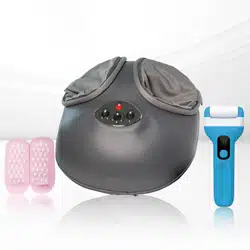

User Manual
Shiatsu Foot Massager
+heat +air
DL-002

2023 Prospera Corporation©, All Rights Reserved.
The DL002 user manual provides detailed product specifications, operation and warning
information. Please read this manual and understand it thoroughly before installation and
operation. Keep this manual for future reference.
CONTENTS
Maintenance Instructions.......................
Product Description.................................
How to Operate......................................
Trouble shooting......................................
Care & Maintenance...............................
1
2
3
4
5
Safety Instructions & Product Usage

About Prospera Company
Prospera is a leading US provider of high quality, innovative, affordable
health consumer electronics. Prospera designs and manufactures a variety
of products from FDA approved TENS units (510K), massagers, foot spa to
other health and beauty products. Our products help reduces muscle
tension and release stress and back pain caused by today's active lifestyle.
Learn more about Prospera at www.prosperacorp.com
About the DL002 Shiatsu Foot Massager +heat +air
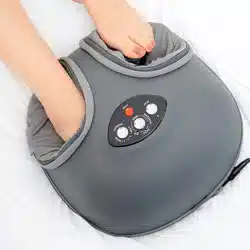
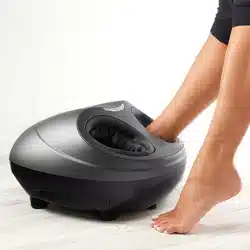
The Prospera Shiatsu Foot Massager is an ergonomic light weight device
to work on your feet exclusively for comfort and convenience.
The foot massager comes with deep tissue Shiatsu kneading massage, air
compression massage and heating to relive fatigue. It helps you to relax
after a long walk or a day of work.
The foot covers can be removed for washing to keep the sleeves clean
and prevent smell.
Auto 15 min shut off timer built in the device.
You will feel renewed. Can you feel it?
P1
1. Consult a Physician Before Use If You Have Any of the Following Conditions:
Use of a medical electronic device embedded in the body (e.g., pacemaker).
Heart disease.
Spine injury or disease
Fragile bones, especially in the spine
Post-surgery recovery
Pregnancy or menstruation
Malignant tumors
Osteoporosis
Blood circulation problems or thrombosis
Skin diseases or infections
Currently undergoing medical treatment, feeling unwell, or having a history of
physical abnormalities
Abnormalities or deformities in the limbs or spine
Injuries or illnesses resulting from accidents or medical conditions
1. Keep the product dry. Do not let water enter or splash onto it.
2. Avoid using the product in humid environments like bathrooms, showers, or pools, as water and electricity
can be dangerous.
3. Before plugging in, make sure the product's voltage matches the power supply voltage.
4. Do not use the product if the plug, power cord, or the product itself is damaged.
5. To prevent electric shock, never attempt to open the product's outer cover.
6. This product is not suitable for individuals with physical or mental impairments (including children) unless
supervised by a responsible adult.
7. If the product is damaged, do not attempt repairs. All repairs must be done by Prospera-authorized technicians
to maintain the warranty.
8. Children must be supervised around the product to ensure it is not used as a toy.
9. If the product makes unusual sounds or noise, immediately turn it off, unplug it, and contact a Prospera-authorized
service technician.
10.Do not use the product if the cover is damaged or if there is a mechanical or electronic failure. Contact a
Prospera-authorized service technician for assistance.
11.Always follow the instructions in this user manual when using the product.
12.Avoid using the product in high-temperature areas or near heat sources such as heaters or stoves.
13.Do not apply medical or cosmetic creams to your feet or the product before use.
14.Do not damage, bend, stretch, twist, or tie the power cord, as this could cause a fire or electric shock.
15.Individuals sensitive to heat should avoid using the product’s heat function.
16.The recommended usage time per session is 15 minutes.
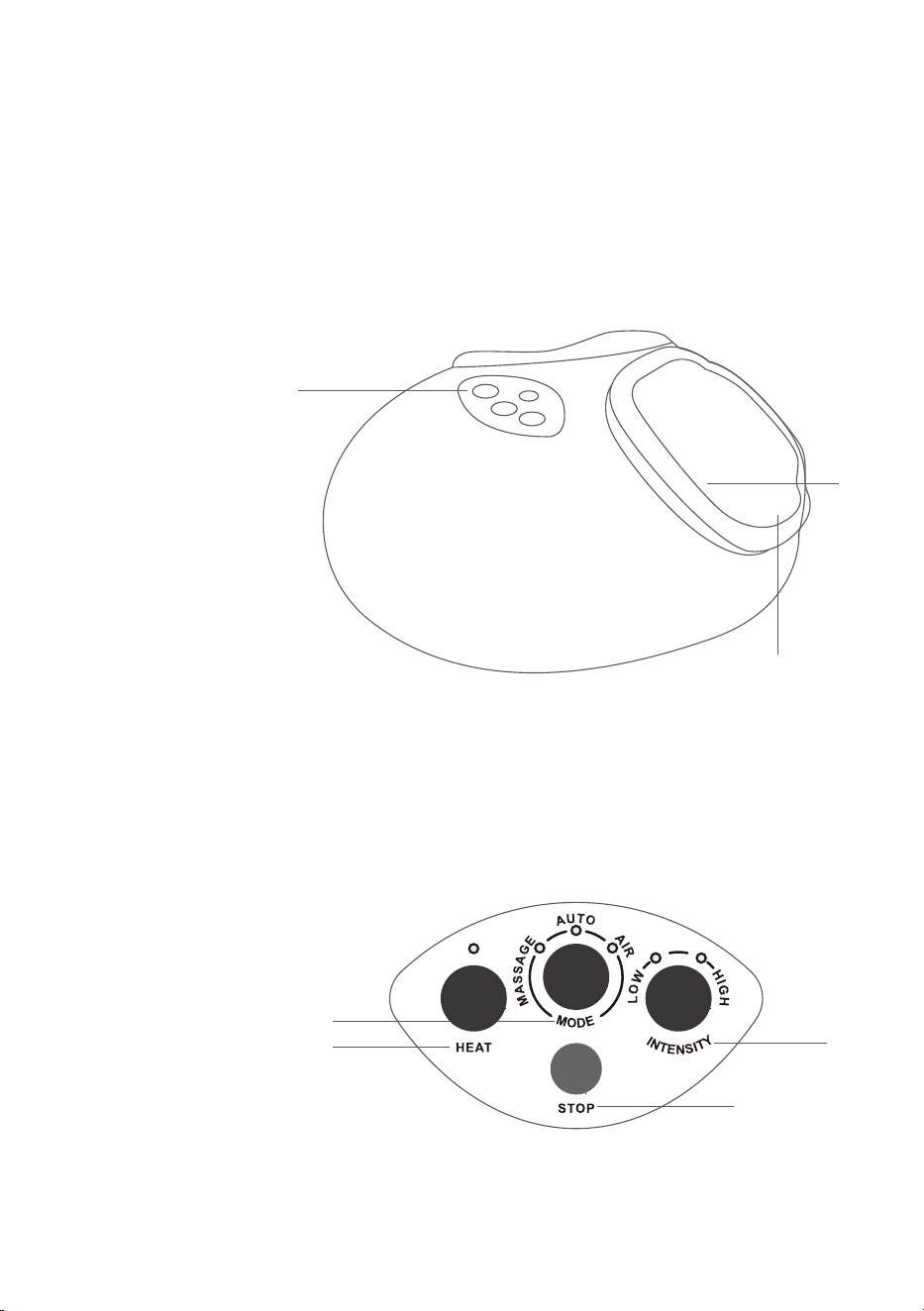
1. Control Panel
2. Foot Slot
3. Cloth Cover
Control Panel
A. MODE
“AUTO” Mode : A Combination of Kneading and Air Massage for Feet
“MASSAGE” Mode : Kneading Massage for Soles
“AIR” Mode : Full Air Massage for Feet
B. INTENSITY levels
C. HEAT Therapy
D. STOP
P2
PRODUCT
DESCRIPTION
3
2
1
A
C
B
D

P3
Press to turn ON with default “AUTO” mode of low intensity
Press again to turn on “MASSAGE” mode
Press once more to turn on “AIR” mode
Press again to stop all massages
MODE
Press to stop the massage any timeSTOP
2 Levels of intensity: HIGH / LOW
(Applicable to “AUTO” and “AIR” modes only)
INTENSITY
Heat therapy of the soles
HEAT
The key functions are as follows:
HOW TO OPERATE
THE DL002
1. Press auto mode button to turn device on default program, which has a combined
kneading and air press massage.
2. Press auto one more time to shift to deep tissue kneading massage mode.
3. Press auto 3rd time to switch to air press massage. Use intensity button to choose
low or high intensity.
4. Press heat button for heating feature.
5. Once you finish, press stop to complete the massage session.
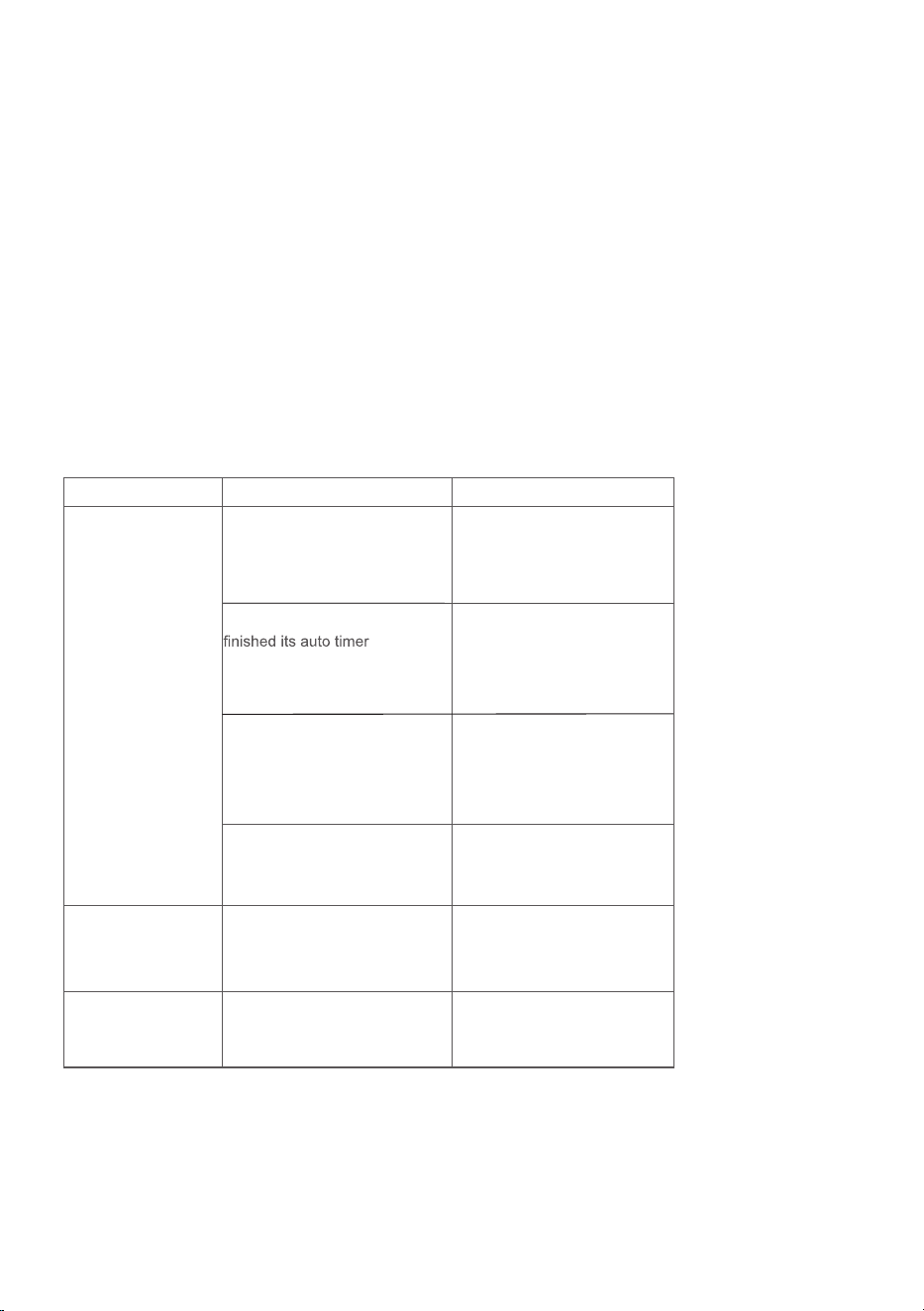
No. Button Function
1.
2.
3.
4.
Auto Timer: 15 minutes. Power will turn Off automatically after 15 minutes to prevent
over heating.
Always unplug the AC power cord after use.
P4
TROUBLE-
SHOOTING
This page summarizes the most common problems you could encounter with
the product. If you are unable to solve the problem with the information below,
please contact prosperacorp.com
Problem
The product does
not work
The product is
abnormally warm
Noise can be heard
from the product
Possible Cause
The product is not plugged
in properly.
The product has just
session and has
automatically switched to
standby mode.
You may have used the
product continuously for 30
minutes or more where the
over heat protection has
been activated.
An excessive load has
been applied on the
product.
The product is likely to be
overused.
Noise is made by the
mechanical parts of the
product.
Suggestion
Ensure the voltage on the
product corresponds to the
local mains voltage and
then plug in again.
If you want another
session, press the MODE
button again.
Unplug the product and let
it cool down for 60 minutes
before you use it again.
Reduce the excessive load
and start again.
Unplug the product and let
it cool down before using
it again.
This is normal and does
not mean that the product
is faulty.

P5
CARE &
MAINTENANCE
Cleaning Instructions:
Do not use: Steel wool, abrasive cleaning agents, or corrosive liquids.
Steps:
1.Unplug the product from the power outlet.
2.Use a dry cloth to wipe and clean.
3.Avoid using damp cloths or detergent.
Storage Instructions:
Steps:
1.Unplug the product from the power outlet.
2.Store it in a cool, dry place away from sunlight.
3.Ensure no heavy objects are placed on top of the product.
Important Note:
Stop using the product if the cover is damaged or if there's any mechanical failure.

P6
Name of Product
Model Number
Heating
Power Input
Power Consumption
Auto Timer
Product Dimensions
Box Dimensions
Nett / Gross Weight
Safety Compliance
Prospera Shiatsu Foot Massager
DL002
Yes
AC 100-240V 50-60Hz/0.8A
18W
15 mins
Approx. 3.15lbs/4.0lbs
CE and UL
PRODUCT
SPECIFICATIONS
13”x13”x6.5”
14.3”x13.8”x6.9”

Consumer Limited Manufacturer’s Warranty
Warranty Coverage:
Duration: 90 days from the date of purchase.
Eligibility: Applies to the original buyer, or successive buyers within the warranty period.
Coverage: Includes both labor and parts for repairs due to defects in material or workmanship.
Required for Service: Model number and dated proof of purchase (sales receipt).
Location Validity: This warranty applies to US customers in the 48 continental states.
Warranty Service:
What’s Covered: Prospera will repair or replace, free of charge, any defective part within the warranty period.
Authorized Technicians: All repairs must be performed by a Prospera-authorized technician or service facility.
Costs Covered by Prospera: All expenses related to repairing or replacing a defective part.
Costs Not Covered by Prospera: The buyer must assume any expenses for:
1.Repairs needed due to improper or non-home use.
2.Damage caused by misuse, abuse, accidents, alterations, or improper installation.
3.Repairs done by unauthorized technicians.
Warranty Exclusions:
This warranty does not cover:
1.Non-home use repairs.
2.Damage from misuse, accidents, or improper installation.
3.Repairs by unauthorized technicians.
Non-Warranty Service:
Non-warranty repairs are handled on a "per incident" basis.
Buyers are responsible for costs, including repairs, parts, shipping, handling, local taxes, and "per incident"
fees for any non-warranty services.
For warranty service, please call 925-292-5978, M-F, 9:00am to 4:00pm, Pacific Standard Time.
Or email [email protected]. Consumer may also mail service request to this address:
Prospera Corporation
Warranty Service
392 West Larch Road #31
Tracy, CA 95304

Warranty card
Warranty Registration Form
Product Name: _____________________________________________________________
Product Model: _____________________________ Purchase Price: __________________
Date of Purchase: ___________________________ Retailer: ________________________
First Name: ______________________ Last Name: ______________________________
Address: __________________________________________________________________
City: _________________________ State: ________________ Zip: __________________
Phone: ________________________ Email: _____________________________________
Signature and date: _________________________________________________________
Please mail to: [email protected]
Tel: (925) 292 5978
www.prosperacorp.com
Prospera Corporation
Warranty Service
392 West Larch Road #31
Tracy, CA 95304
PRODUCT SPECIFICATIONS CONTENTS
•Remove calluses, rough keratinized dead skin patches
•Fast and effective
•Two strength levels for you to choose
•Press power button to turn on, easy to use
•Comes with 3 roller heads, 1 charging cable and 1 brush
•Electronic, easy to use, 2 speed levels
•Ergonomically designed
•Rotation: 11300rpm
•Powerful motor
•Power: 2.5W
•Roller head 360°free rotation
•Roller material white nephrite
•Rollers washable
•Waterproof IPX6
•Item weight: 130g / 4.6oz
•Gross weight: 160g / 5.6oz
•Dimension: 6.7"x2.6"x1.3"
•Box: 7.9"x3.9"x2.4"
•USB Charging
•Rated Power: 2.5W
•Working Voltage: 3.7V
•Charging Voltage: 5.0V
•Battery capacity: 1200mAh
•UPC 850011335802
Safety Warnings..........................................................4
Product Illustration.....................................................4
Operating the Product.................................................5
Consumer Warranty....................................................6
Warranty Card.............................................................6
Prospera’s Electric Foot Smoother, with 3 roller heads, is
designed to remove hard calluses, dead skin, and rough
keratinized skin, restoring your skin to smoothness and
tenderness. The device features a 360-degree rotating grinding
head, allowing easy and safe removal of tough skin without
damage. Its ergonomic design offers a spa-like experience at
home, ensuring professional results effortlessly.
SAFETY WARNINGS OPERATING THE PRODUCT CONSUMER WARRANTY
WARRANTY CARD
PRODUCT ILLUSTRATION
Consult your doctor before using this product if you have
any lesions, skin conditions, or other health-related issues.
1. This product is intended for adult use only.
2. Do not let babies and children play with the product.
3. Do not use the product on an infant.
4. If you experience discomfort, stop using the product
immediately.
5. Do not wash the unit using organic solvent such as thinner
to prevent damage.
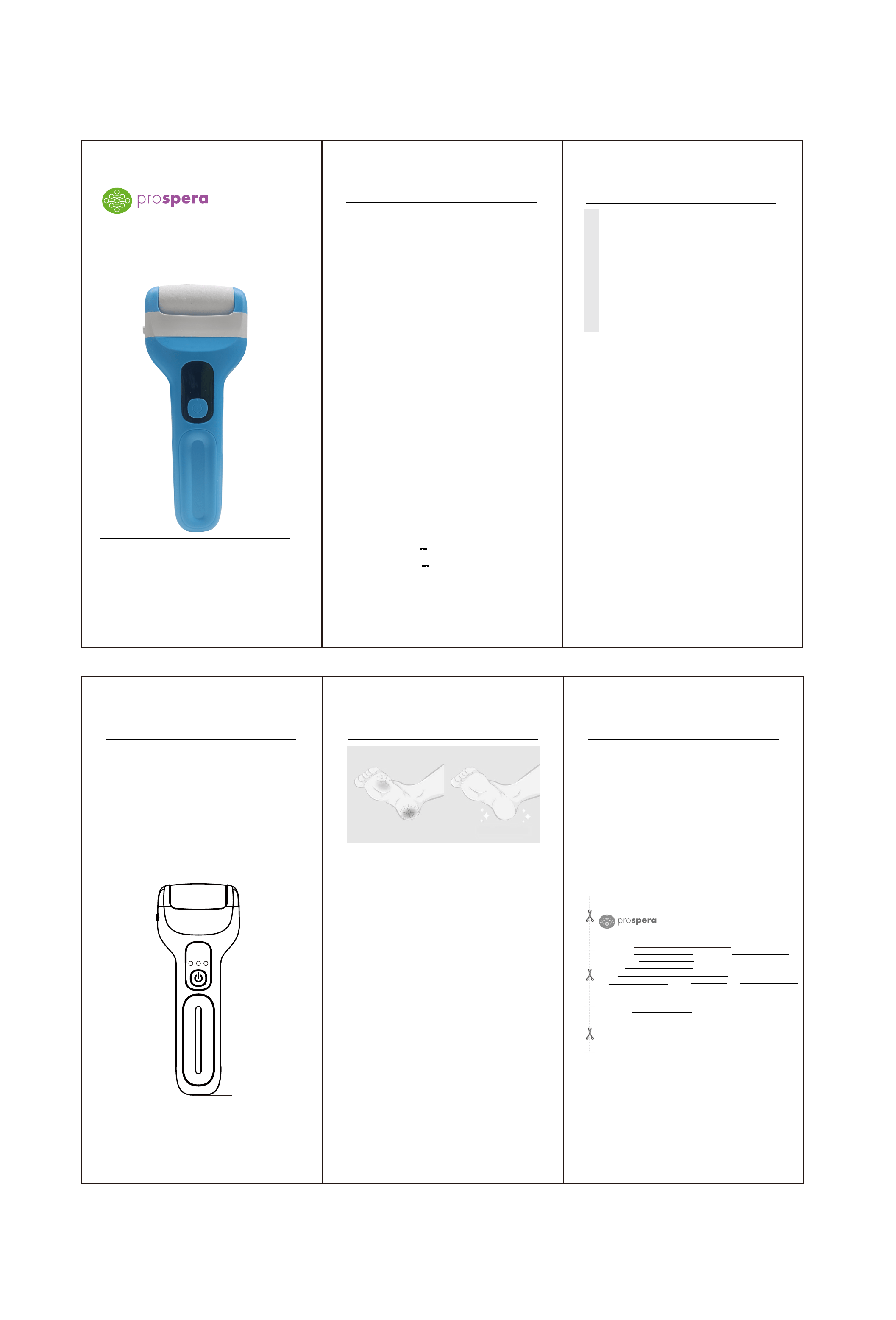
Step 1: On/Standby/Gear Key
Short press this key to start the machine, which defaults to
the first gear. Press the key a second time to switch to the
second gear. Press the key a third time to stop the machine
and enter standby mode.
Step 2: Using the Grinding Head
Gently slide the grinding head back and forth or around the
dry, rough area of the foot, and hold for 2-3 seconds. Do not
press too hard; let the grinding head glide gently across the s
kin. If you press too hard, the machine will stop running. During
use, you can stop to check if the exfoliation is satisfactory. If
needed, reapply to the area for another 2-3 seconds until the s
kin becomes smooth and delicate.
Step 3: Cleaning Your Feet
After grinding, rinse your feet with water or use a wet towel to
remove excess foot dander.
Step 4: After Use
Turn off the machine, clean it, and store it in a place out of
reach of children.
Recommend usage: weekly
To order a new health and beauty product, please visit www.
prosperacorp.com.
Use coupon code: PROS$5 for $5 off any product above $30.
Prospera offers a 90-day standard warranty on massage
products. Labor and parts are included during the warranty
period. Please provide the model number and dated proof
of purchase (sales receipt) when contacting Prospera for
warranty service.
Non-warranty service is provided on a “per incident” basis.
The consumer will verify that the product has failed and
provide information for servicing the unit. All applicable
repairs, parts, shipping, handling, local tax and “per incident”
fees will be charged for non-warranty repairs and support calls.
WARRANTY REGISTRATION FORM
Product Name:
Product Model: Purchase Price:
Date of Purchase: Retailer:
First Name: Last Name:
Address:
City: State: Zip:
Phone: Email:
Signature and date:
Please mail to: Tel:( 925)292-5978
Prospera Corporation Email: [email protected]
392 West Larch Rd Suite 31
Tracy, CA 95304-1644
尺寸大小为��*���
正反印刷
INTRODUCTION
Electric Foot Smoother with 3 roller heads
Operating manual
CONTENTS
The picture is for reference only, the specific object shall prevail.
Rolling grinding head
On/Standby/Gear key
Second gear
First gear
Rechargeable
breathing lamp
Charging jack
Grinding head
replacement button
1 2 3
4 5 6