Lion Eclipse
™
Quick-Start Guide

SAY HELLO TO
+ USB
3-in-1
Wireless
Charging
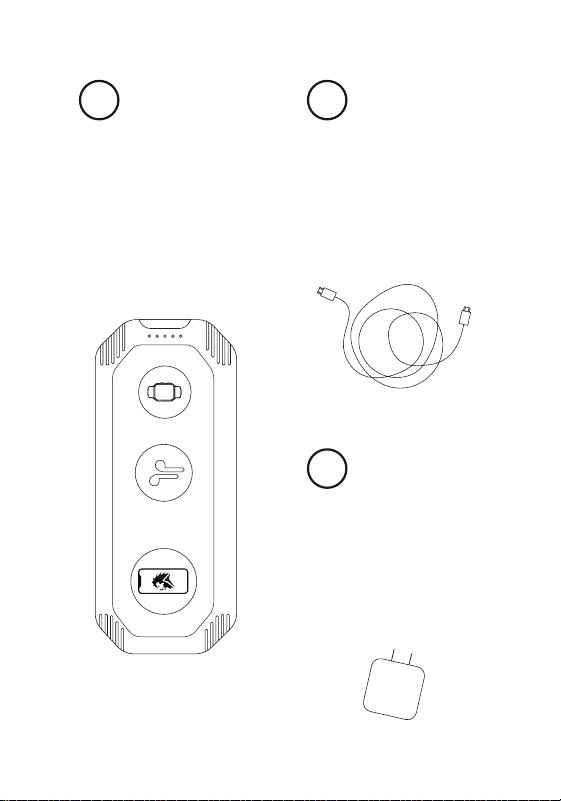
is easy to use and reduces the
need to have additional cords
to charge your devices.
provides energy to the Eclipse
so it can power your devices.
connects the charging cord
and the Eclipse to a standard
wall outlet.
1 2
3
THE
LION
ECLIPSE
THE
CHARGING
CORD
THE
CHARGE
BOX

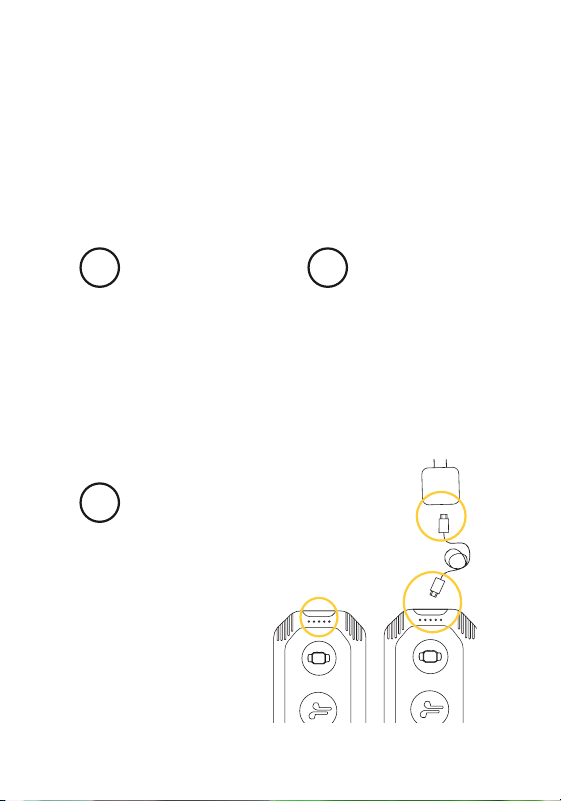
to fully charge the Lion
Eclipse for optimal use.
will show the charge amount:
1 light (~25%)
2 lights (~50%)
3 lights (~75%)
4 light (~100%)
and the other end into the wall
or USB charger.
1
3
2
USE THE INCLUDED
CHARGING CORD
WHITE INDICATOR
LIGHTS NEAR
MICRO PORT
PLUG ONE END
INTO THE ECLIPSE
A GUIDE TO
Charging your
Lion Eclipse.
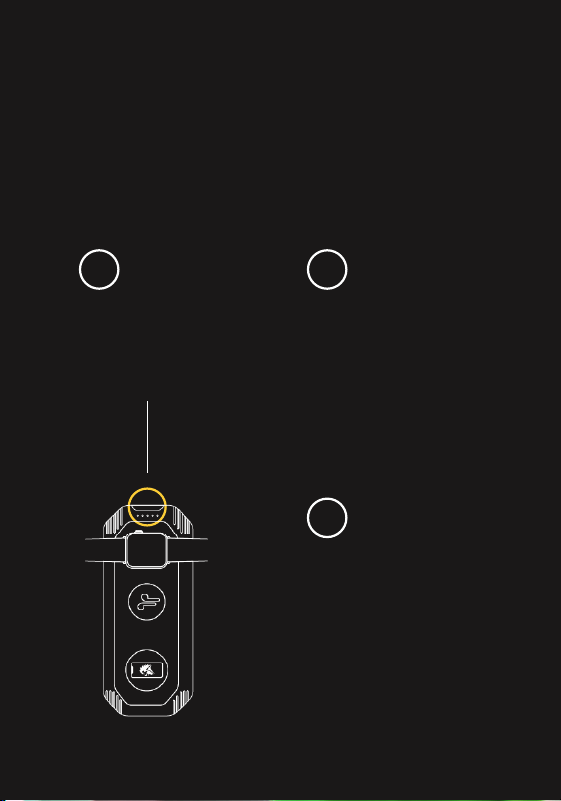
by pushing the power button
and hold for 3-4 seconds.
and when you remove your
device, the green light and the
Eclipse will automatically turn
off in ~30 seconds.
of the lights indicating you
can place your Qi enabled
smart phone, earpod and/or
watch on the corresponding
icon on top of the Eclipse.
1
3
2
TURN ON THE
LION ECLIPSE
THE DEVICE WILL
BEGIN TO CHARGE
A GREEN LIGHT
WILL ILLUMINATE
ON RIGHT SIDE
A GUIDE TO
Charging your
devices wirelessly.
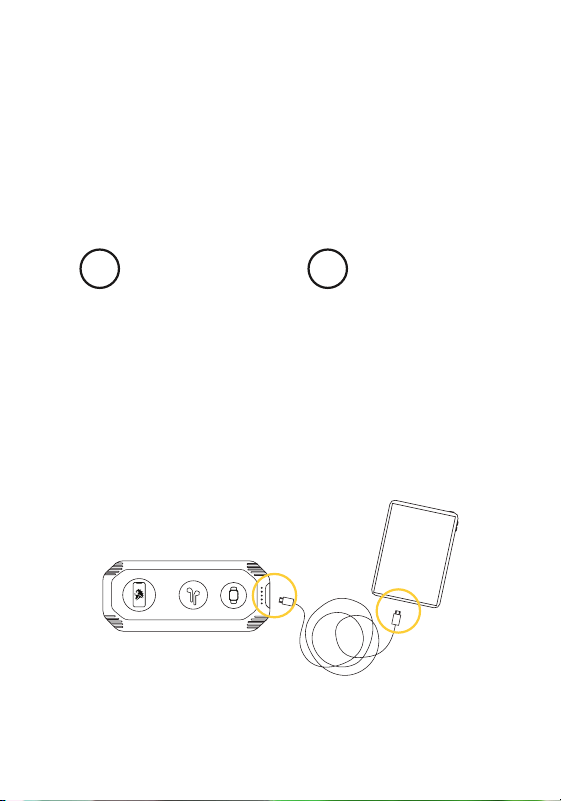
by connecting one end of the
USB cord to the Eclipse and
the other end to the device
you want to charge.
showing that the device is
being charged.
1 2
CONNECT THE
USB CORD TO THE
ECLIPSE AND A
USB DEVICE
WHITE INDICATOR
LIGHTS WILL
ILLUMINATE
A GUIDE TO
Charging your
USB devices.

Battery Type
Life Cycles
Rated Capacity
Charge Time
Output
Weight / Dimensions
Lithium-ion
1,000+
27,000mAh / 99.9Wh
1.5 Hours
Wireless 17W (10W, 5W, 2W)
2 USB-A 5V @ 2.4A
USB-C 5V, 9V, 12V, 15V @ 3A Each;
85W 20V @ 4.25A
2 lbs / 8.5” x 3.5” x 1.3”
www.LionEnergy.com
Specs:
Scan to view
our website

