We love that you are rocking JLab!
We take pride in our products and fully stand behind them.
CREATE WIRELESS
LAV MIC SYSTEM
YOUR WARRANTY
All warranty claims are subject to JLab authorization
and at our sole discretion. Retain your proof of
purchase to ensure warranty coverage.
CONTACT US
Reach out to us at [email protected]
or visit jlab.com/contact
REGISTER TODAY
jlab.com/register
Product updates | How-to tips
FAQs & more
L
I
M
I
T
E
D
T
W
O
Y
E
A
R
W
A
R
R
A
N
T
Y
S
U
P
P
O
R
T
T
E
A
M
#
T
E
A
M
J
L
A
B
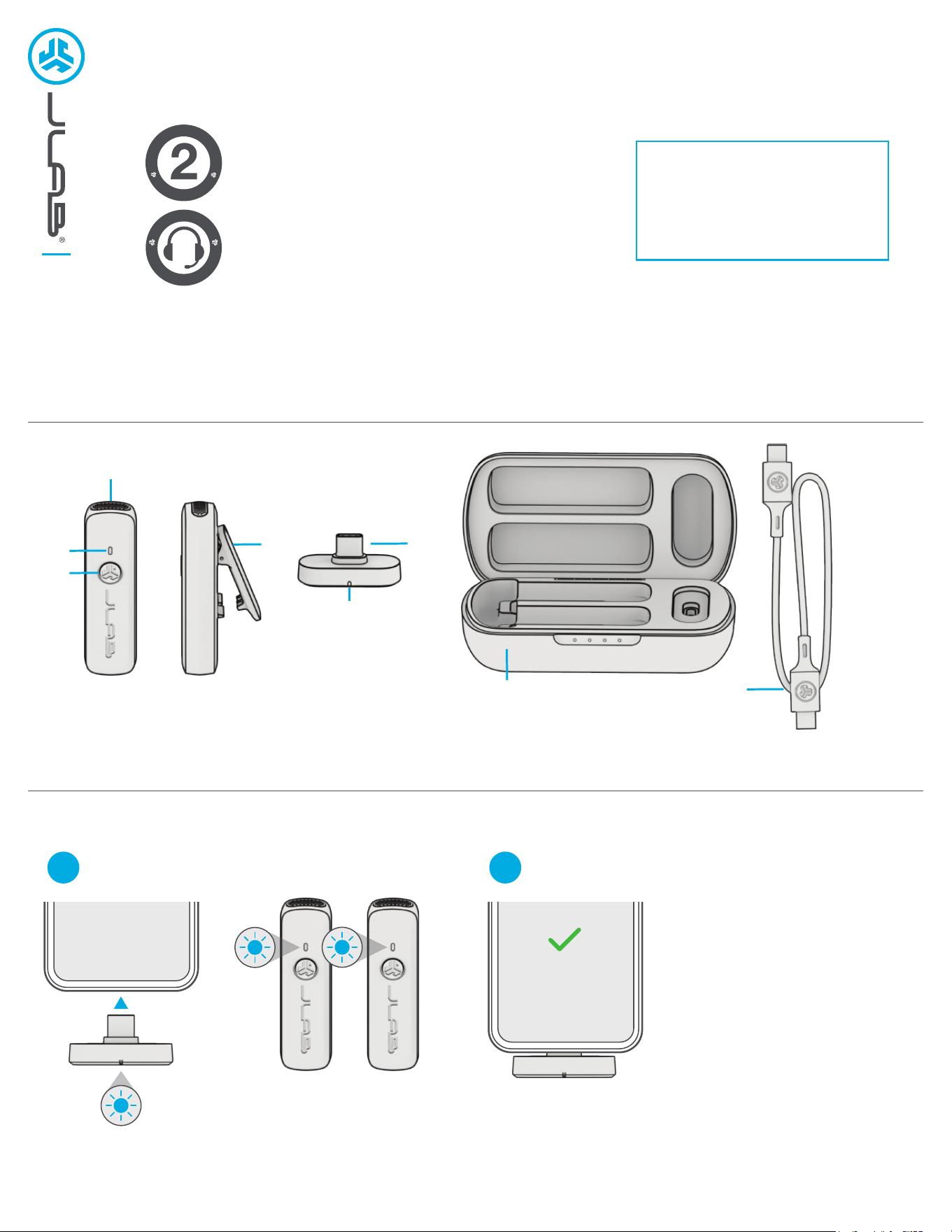
PAIR UP
Dongle Blinks Blue = Searching for Microphone(s)
Dongle Solid Blue = Microphone(s) Connected
Plug USB-C dongle into compatible device*.
Remove single or both microphones.
1
Most devices default Create Wireless
as the recording source. Check your
device audio settings to confirm.
Create Wireless
*Compatible devices:
Android (12 or later) USB-C mobile devices and tablets
Windows PC (7 or later)
macOS (11 or later)
iPhone 15+
iPad Pro 11-inch (1st generation or later)
iPad Pro 12.9-inch (3rd generation or later)
iPad Air (4th generation or later)
iPad mini (6th generation)
2
1
2
3
4
5
6
7
8
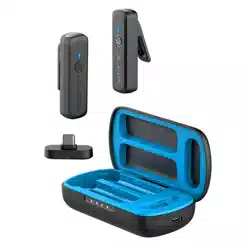
1 Microphone
2 LED Indicator
3 Multifunction Button
4 Lapel Clip
5 USB-C Dongle
6 LED Connection Indicator
7 Charging Case
8 USB-C Charging Cable
SWITCH GAIN
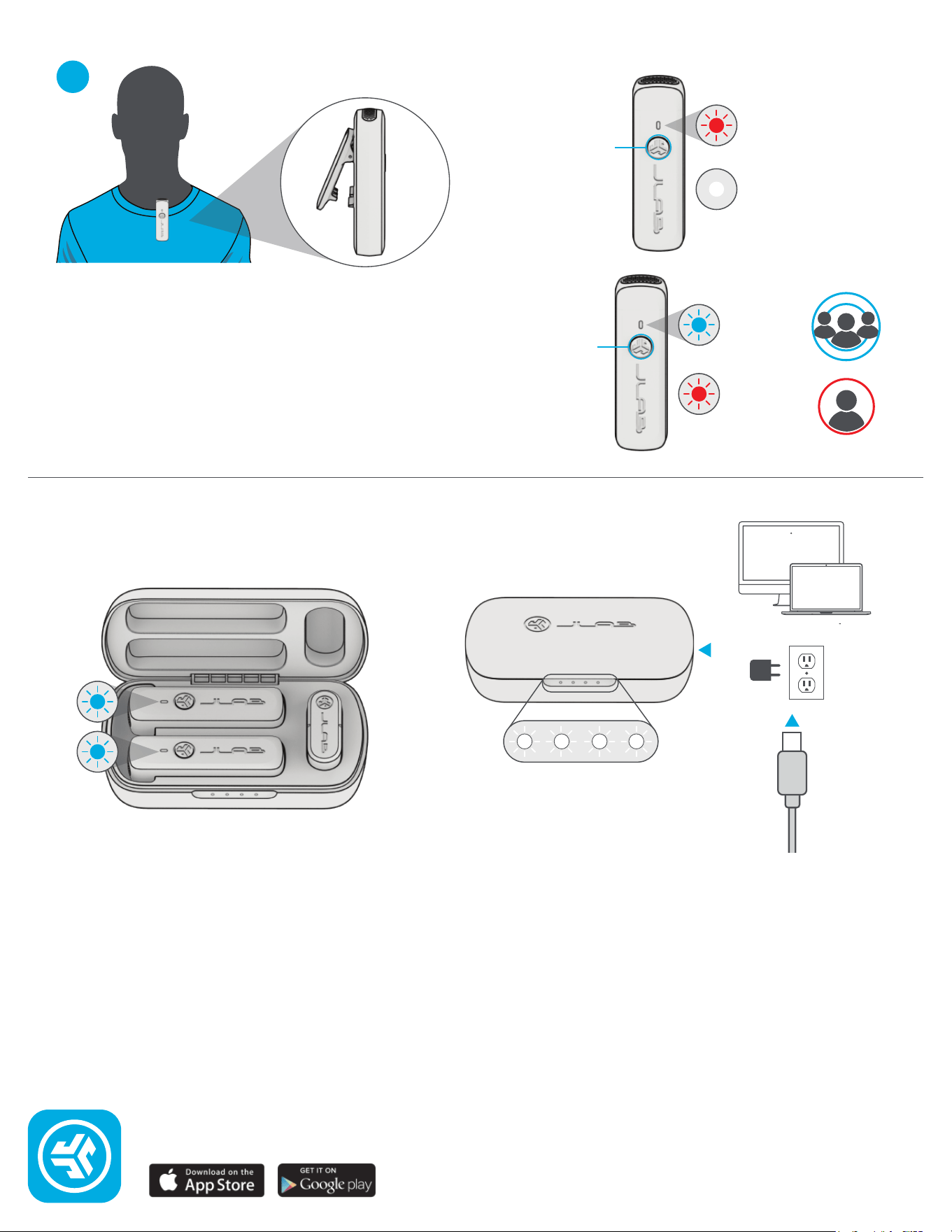
3x Press
High Gain
blinks blue
(6ft radius)
Low Gain
blinks red
(2ft radius)
MUTE ON/OFF
1x Press
POWER ON/OFF
Press Hold
MUTE
solid red
MUTE OFF
light off
CONTROLS
GET CHARGED (MICROPHONES)
OR
GET CHARGED (CASE)
25% 50% 75% 100%
Connect to computer or
5V USB-C charger.
Microphones will auto power off and start charging when
placed in the case.
Clip Create Wireless 12 inches
or less from voice for best
recording results.
Microphone faces outside of apparel for proper connection.
3
2ft
6ft
Shop products | Product alerts | Burn-in your headphones
JLab Store + Burn-in Tool
JLAB.COM