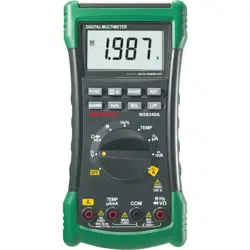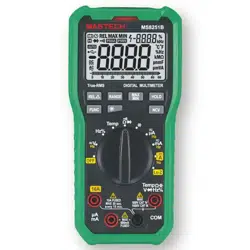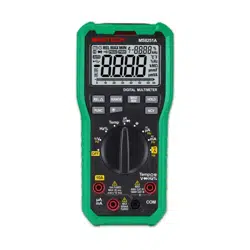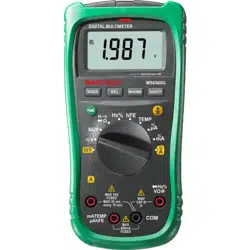
Digital Multimeter User Manual
This product is a small handheld 3½-digit digital multimeter offering stable
performance, high reliability, and anti-drop capabilities. The instrument features an
LCD screen with 20 mm character height for clear readings. The circuit design
centers around a large-scale dual-slope integrating A/D converter with overload
protection, making this a superior and compact measurement tool.
The instrument can measure AC/DC voltage, AC/DC current, resistance,
diodes, circuit continuity, temperature, frequency, and capacitance. It also
functions as a battery tester, live wire detector, and non-contact voltage (NCV)
tester. The device is equipped with a backlight for reading measurements in dark
environments.
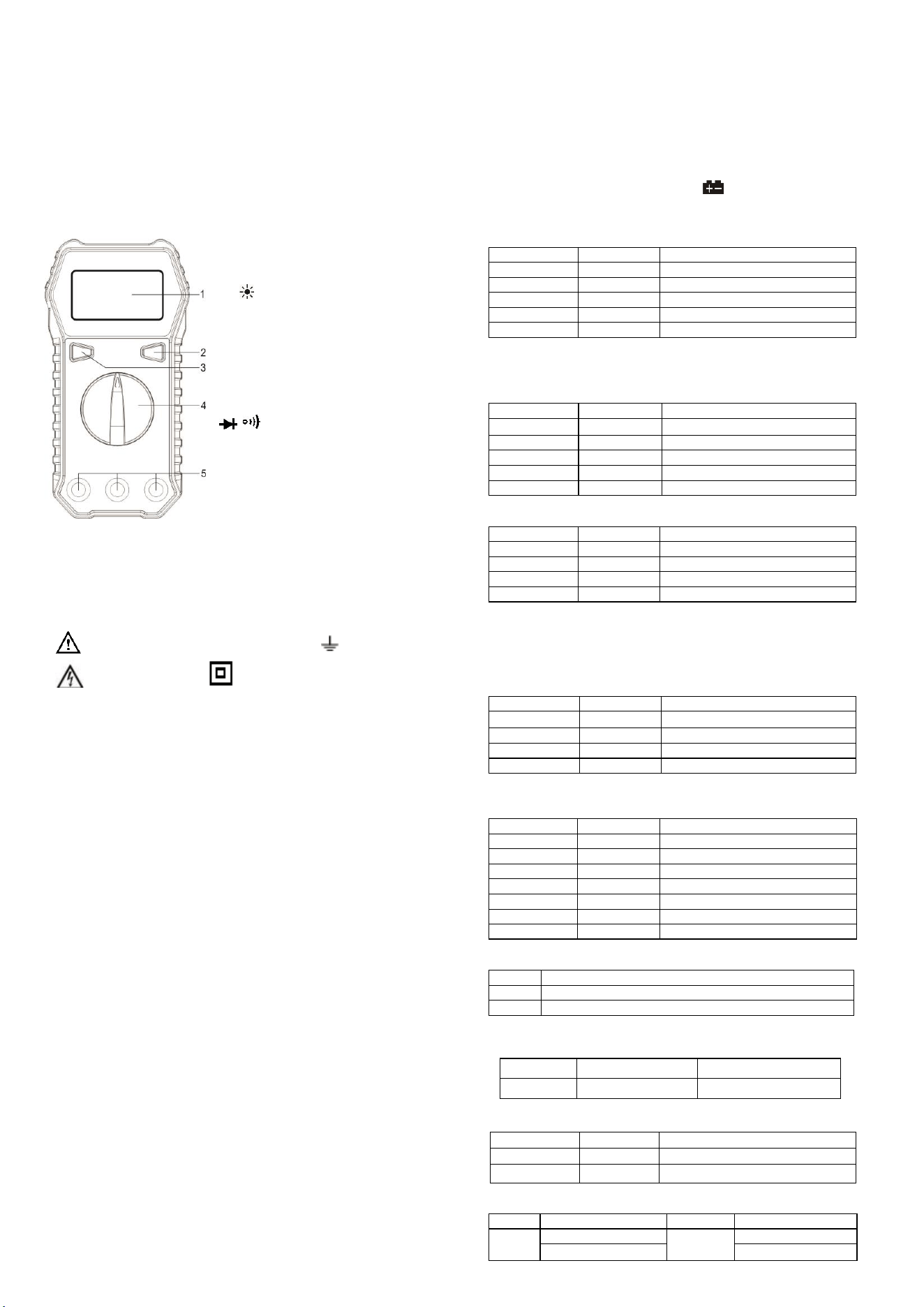
Panel Diagram
1. Display: LCD screen with 20 mm
character height
2. /H Button: Press to freeze the
displayed value; press again to unfreeze.
Hold down the button to turn on the
backlight; hold down the button again to turn
off the backlight. (Note: Backlight brightness
may decrease when the battery is low.)
3. SEL Button: Press this button to switch
between DCV/ACV, DCA/ACA, °C/℉,
/ , and NCV/Live modes (MS830T
model only).
4. Function/Range Selector Dial
5. Input Jacks
Safety Information
This series of digital multimeters has been designed in accordance with
IEC1010 600V (CAT III) and Pollution Degree 2 standards. Please read this user
manual thoroughly to ensure safe instrument use and measurement accuracy.
Safety Symbols
Important safety symbol; refer to the manual Grounding symbol
High voltage symbol Double insulation symbol (Class II
safety equipment)
Operating Precautions
⚫ To comply with safety standards, the instrument must be used with the provided
test leads only. If the test leads are damaged, they must be replaced with the
same model or with leads that have the same electrical specifications.
⚫ Do not exceed the input limit specified for each range.
⚫ Avoid touching unused input terminals during measurement.
⚫ When the range of the value to be measured is unknown, set the function/range
dial to the highest range.
⚫ Before adjusting the function/range dial, ensure that the test leads are
disconnected from the circuit being tested.
⚫ Before measuring resistance in a live circuit, ensure that all power sources are
turned off and all capacitors are fully discharged.
⚫ Be cautious when measuring voltages above 60V DC or 30V AC. Do not touch
the parts of the test leads beyond the finger guards.
⚫ When measuring televisions or switch-mode power supplies, be aware that
pulses in the circuit may damage the instrument.
⚫ Before testing transistors, ensure that the test leads are not connected to any
circuit.
⚫ Before using the test leads to measure voltage, ensure that no electronic
components are connected to the transistor test socket.
Maintenance
⚫ Disconnect the test leads from the circuit before opening the back cover.
⚫ To protect the instrument’s internal circuitry, always replace the fuse with one of
the same specifications.
⚫ Do not use the instrument if the back cover is not securely closed or if the
screws are not tightened.
⚫ Clean the instrument with a damp cloth and a small amount of detergent only.
Do not use chemical solvents on the casing.
⚫ If any abnormalities are observed, immediately discontinue use and send the
instrument for repairs.
Technical Specifications
Accuracy: ±(percent of reading + number of counts), valid for 1 year
Environmental temperature: 18°C to 28°C. Environmental humidity: ≤80%
General Specifications:
Maximum Voltage between Input and Ground: CAT III 600V
Fuse: F200mA/250V, F10A/250V
Power Supply: 1.5V AAA ×2
Auto Power Off: The instrument will automatically power off after
approximately 15 minutes.
Maximum Display Value: 1999
Overload Indicator: “OL”
Polarity Display: Negative polarity is displayed as “-”
Working Temperature: 0°C to 40°C
Storage Temperature: -10°C to 50°C
Low Battery Indicator: The display shows
Dimensions: 133 mm × 71 mm × 47 mm
Weight: Approximately 190 g (including batteries)
DC Voltage
Range
Resolution
Accuracy
200mV
100uV
±0.5%±3
2V
1mV
±0.5%±3
20V
10mV
±0.8%±3
200V
100mV
±0.8%±3
600V
1V
±0.8%±5
Input impedance: 10MΩ
Overload protection: 200mV range: 250V DC or AC RMS; all other ranges:
600V DC or AC RMS
DC Current
Range
Resolution
Accuracy
200uA
0.1uA
±1.0%±5
2mA
1uA
±1.0%±5
20mA
10uA
±1.0%±5
200mA
100uA
±2.0%±5
10A
10mA
±3.0%±5
Overload protection: F200mA/250V fuse, F10A/250V fuse
AC Voltage
Range
Resolution
Accuracy
200mV
100uV
±1.0%±10
20V
10mV
±1.0%±10
200V
100mV
±1.0%±10
600V
1V
±1.0%±10
Input impedance: 10MΩ
Overload protection: 200mV range: 250V DC or AC RMS; all other ranges:
600V DC or AC RMS
Frequency range: 40Hz to 400Hz (MS830M); 40Hz to 1000Hz (MS830T)
Display: MS830M: Average value (Sine Wave RMS); MS830T: True RMS
AC Current (MS830T only)
Range
Resolution
Accuracy
200uA
0.1uA
±1.8%±5
20mA
10uA
±1.8%±5
200mA
100uA
±2.5%±5
10A
10mA
±3.0%±5
Overload protection: F200mA/250V fuse; F10A/250V fuse
Frequency range: 40Hz to 1000Hz Display: True RMS
Resistance
Range
Resolution
Accuracy
200Ω
0.1Ω
±1.0%±5
2KΩ
1Ω
±1.0%±5
20KΩ
10Ω
±1.0%±5
200KΩ
100Ω
±1.0%±5
2MΩ
1KΩ
±1.0%±5
20MΩ
10KΩ
±1.2%±8
200MΩ
100KΩ
±5.0%±10
Overload protection: 250V DC or AC RMS
Diode and Continuity Test
Range
Description
Buzzer
If resistance is less than 50Ω ± 30Ω, the buzzer will sound.
Diode
The approximate forward voltage drop is displayed.
Overload protection: 250V DC or AC RMS
Frequency (MS830T only)
Overload protection: 250V DC or AC RMS
Capacitance (MS830T only)
20nF
10pF
±(2.5%+15d)
2uF
1nF
±(2.5%+15d)
200uF
100nF
±(3.0%+20d)
Overload protection: 250V DC or AC RMS
Temperature (MS830T only)
Function
Range
Resolution
Accuracy
℃
-20℃ to 0℃
1℃
±4℃
0℃ to 400℃
±(2.0%+3d)
Range
Resolution
Accuracy
2kHz
0.001Hz
±(1.5%+5d)

400℃ to 1000℃
±(3.0%+3d)
℉
-4℉ to 50℉
1℉
±5℉
50℉ to 750℉
±(2.0%+5d)
750℉ to 1832℉
±(3.0%+5d)
Overload protection: 250V DC or AC RMS
Battery Test (MS830T only)
Range
Display
Value
Resolution
1.5V
1.5V
0.01V
9V
9V
0.01V
Overload protection: 36V DC/AC RMS
Operating Instructions
Precautions before Operation:
1. Power on the instrument and check if it has sufficient battery. If the battery
voltage is low, the symbol will appear on the display, indicating that the
battery needs to be replaced before use.
2. The symbol next to the test lead input jack indicates that the input voltage
or current must not exceed the specified value to protect the internal circuitry
from damage.
3. Before testing, the function/range dial should be set to the desired range.
Voltage Measurement
1. Insert the red test lead into the VΩmA jack. Insert the black test lead into the
COM jack.
2. Set the function/range dial to the Voltage position (for MS830T, press the SEL
button to select “DCV” or “ACV” measurement mode), and use the test leads to
measure the voltage of the circuit being tested (connect the test leads in parallel
with the circuit).
3. Read the measured voltage value from the LCD.
Note:
⚫ If the voltage to be measured is unknown, set the function/range dial to the
highest range and gradually reduce it until satisfactory resolution is achieved.
⚫ The maximum input voltage for the voltage range is 600V RMS. To avoid risk
of electric shock or instrument damage, do not attempt to measure voltage
higher than 600V RMS.
⚫ In the 200mV and 2V ranges, the instrument may show a reading even without
any input or connection to the test leads. This is normal and does not affect the
accuracy of the measurements.
Current Measurement
1. Insert the black test lead into the COM jack. If the current to be measured is less
than 200mA, insert the red test lead into the VΩmA jack; if the current is
between 200mA and 10A, insert the red test lead into the 10A jack.
2. Set the function/range dial to the Current setting (for MS830T, press the SEL
button to select “DCA” or “ACA” measurement mode), and connect the test
leads in series with the load to be tested. The current value and the polarity of
the red test lead will be displayed simultaneously.
Note:
● If the current range to be measured is unknown, set the function dial to the
highest range and gradually reduce it until satisfactory resolution is achieved.
● If the display shows only “1” or “OL”, it indicates an overload, and the function
dial must be set to a higher range.
● The symbol next to the test lead input jacks indicates a maximum input
current of either 200mA or 10A, depending on the jack being used. Excessive
current will blow the fuse.
Resistance Measurement
1. Insert the black test lead into the COM jack. Insert the red test lead into the
VΩmA jack.
2. Set the function/range dial to the desired Ω range, then connect the test leads in
parallel with the resistor being measured. Read the measurement result from the
LCD.
Note:
⚫ If the display shows only “1” or “OL”, it indicates that the measured resistance
exceeds the maximum value of the selected range, and the function dial must be
set to a higher range. When measuring resistances above 1MΩ, it may take a few
seconds for the reading to stabilize. This is normal for high-resistance
measurements.
⚫ When there is no input, e.g., when there is an open circuit, the instrument will
display “1” or “OL”.
⚫ Before measuring resistance in a live circuit, ensure that all power sources in the
circuit are turned off, and all capacitors are fully discharged.
Diode Measurement
1. Insert the black test lead into the COM jack. Insert the red test lead into the
VΩmA jack.
2. At this point, the red test lead will have a positive (+) polarity.
3. Set the function/range dial to the position (for MS830T, press the SEL
button to select the measurement mode). Connect the red test lead to the
anode of the diode and the black test lead to the cathode. The LCD will display
the approximate forward voltage drop of the diode.
Continuity Test
1. Insert the black test lead into the COM jack. Insert the red test lead into the
VΩmA jack.
2. Set the function/range dial to the position (for MS830T, press the SEL
button to select measurement mode). Connect the test leads to two points of
the circuit being tested. If the resistance between the two points is less than
approximately 50Ω ± 30Ω, the built-in buzzer will sound, indicating continuity
between those points.
Frequency Measurement
1. Insert the black test lead into the COM jack. Insert the red test lead into the
VΩHz jack.
2. Set the function/range dial to the Hz position.
3. Use the test leads to measure the frequency of the circuit being tested (connect
the test leads in parallel with the circuit).
4. Read the measured frequency value from the LCD.
Note: When conducting measurements in a live circuit, ensure that the input
voltage does not exceed AC 250V.
Capacitance Measurement
1. Insert the black test lead into the COM jack. Insert the red test lead into the
VΩF jack.
2. Set the function/range dial to the F position.
3. Use the test leads to connect to the two terminals of the capacitor being tested.
4. Read the capacitance value from the LCD.
Note:
⚫ Before measuring capacitance in a live circuit, ensure that all power sources in the
circuit are turned off and all capacitors are discharged.
⚫ It is normal for small capacitance ranges to not return to zero in their default
state. During testing, subtract the displayed value accordingly, which will not
affect measurement accuracy.
⚫ When measuring capacitance in a live circuit, other components connected in
parallel with the circuit being tested may affect measurement accuracy.
Temperature Measurement
1. Set the function/range dial to the ℃/℉ position.
2. Press the SEL button to switch between ℃ and ℉ modes.
3. The LCD will display the ambient temperature of the instrument.
4. When using a thermocouple for temperature measurement, insert the red plug of
the K-type thermocouple into the VΩ jack and the black plug into the COM
jack. Use the thermocouple probe to contact the object or area to be measured.
5. Read the temperature of the object being measured from the LCD.
Note: The instrument uses a cold-junction compensation circuit located inside
the front end of the instrument. Due to the instrument’s good sealing, it takes time
to reach thermal equilibrium with the measuring environment. Therefore, the
instrument should be placed in the measuring environment for an extended period
to obtain a more accurate reading.
Battery Measurement
1. Insert the black test lead into the COM jack. Insert the red test lead into the
VΩmA jack. At this point, the red test lead will have a positive (+) polarity.
2. Set the function/range dial to the position.
3. Connect the red test lead to the positive terminal of the battery. Connect the
black test lead to the negative terminal of the battery.
Note: The maximum voltage for battery measurement must not exceed 36V.
Exceeding this limit could damage the instrument.
Non-Contact Voltage Detection (NCV)
1. Set the function/range dial to the NCV Live position, then press the SEL button
to select “NCV” measurement mode. The LCD will display “EF”.
2. Move the NCV detection area at the top of the instrument close to the live object.
If voltage is detected, the buzzer will emit a “beep-beep-beep” alarm sound to
warn the user that voltage is present in the area.
Note:
⚫ Even if there is no indication, voltage may still be present. Do not rely solely on
the NCV detector to determine whether a conductor is live.
⚫ Detection results may be affected by factors such as socket design, insulation
thickness, and material type.
⚫ External sources of interference (e.g., flashlights, motors, etc.) may affect the
instrument, causing inaccurate detection.
Live Wire Identification (Live)
1. Set the function/range dial to the NCV Live position, then press the SEL button
to select “Live” measurement mode. The display will show “0”.
2. Insert the red test lead into the VΩ jack and use the tip of the red test lead to
touch the AC voltage. When the instrument emits a “beep-beep-beep” alarm
sound and the display shows “L”, the wire being touched is the live wire.
Note:
⚫ If the circuit has severe leakage, the meter may also emit a warning sound when
the red test lead touches the neutral wire.
⚫ Detection results may be affected by factors such as socket design, insulation
thickness, and material type.
⚫ External sources of interference (e.g., flashlights, motors, etc.) may affect the
instrument, causing inaccurate detection.
Replacing the Battery and Fuse
1. Under normal circumstances, the fuse does not need to be replaced. Power off
the instrument and remove the test leads before proceeding with fuse or battery
replacement. Unscrew the screws on the back cover to open the case.
2. The fuse specifications for this instrument are: F200mA/250V and F10A/250V
fast-blow type. The replacement fuse must be of the same specification.

3.Use the same type of battery when replacing the battery.
4.After replacing the battery or fuse, the back cover must be securely tightened
before using the instrument.
Warning
⚫ To avoid electric shock, ensure that the test leads are disconnected from the
circuit before opening the back cover.
⚫ Before using the instrument, ensure that the back cover is securely fastened.
Accessories
User manual: ×1 Test leads: ×1 set
Carrying case: ×1 Rubber sleeve: ×1
Battery: 1.5V AAA ×2 Temperature probe: ×1 (MS830T model only)