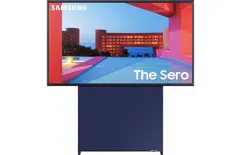
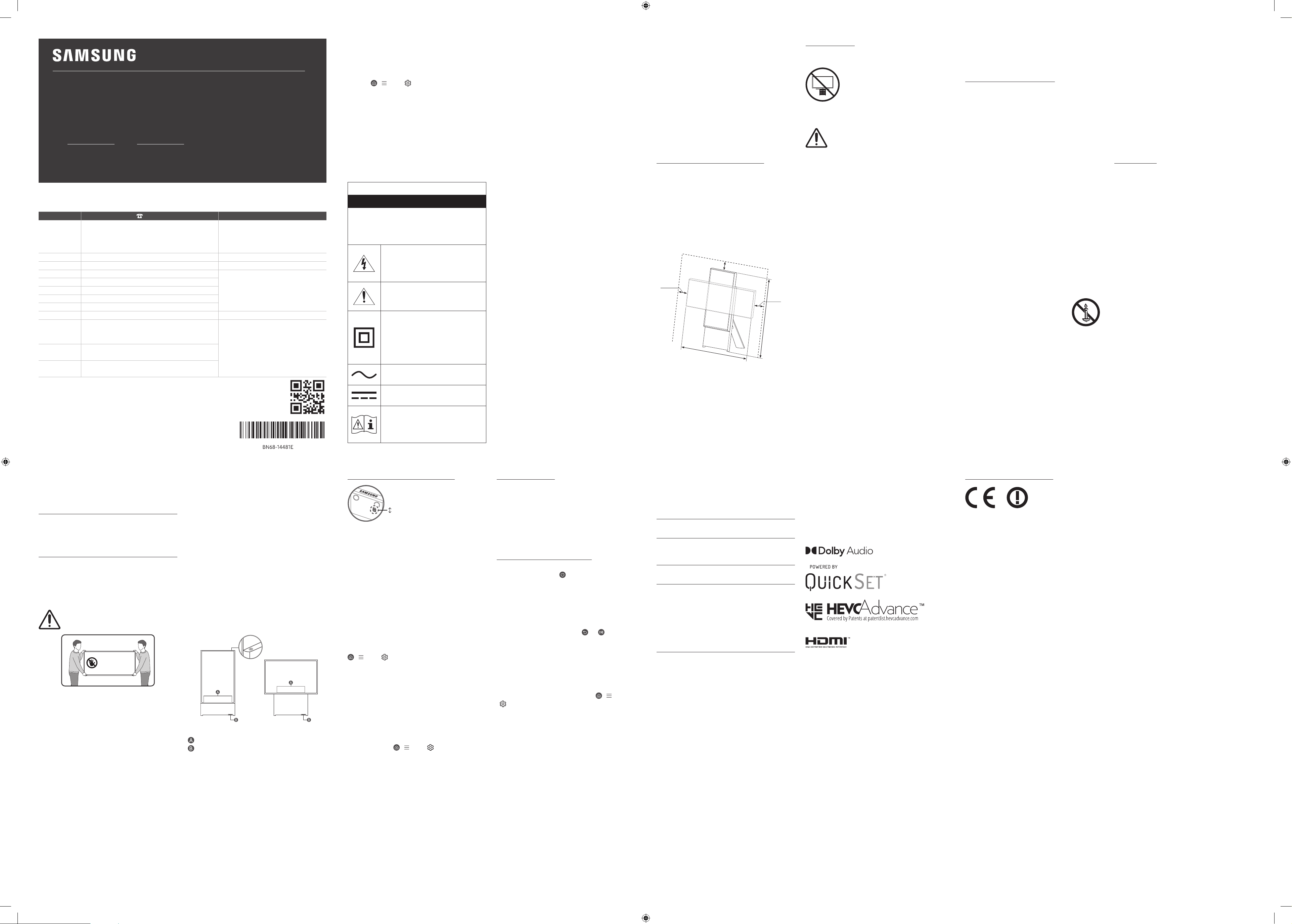
USER MANUAL
Thank you for purchasing this Samsung product.
To receive more complete service, please register your product at www.samsung.com
Model Serial No.
The figures and illustrations in this User Manual are provided for reference only and may differ from the actual
product appearance.
The product design and specifications may change without notice.
Before Reading This User
Manual
This TV comes with this User Manual and an embedded
e-Manual (
> Menu > Settings > Support > Open
e-Manual).
On the website (www.samsung.com), you can download the
manuals and see its contents on your PC or mobile device.
Warning! Important Safety
Instructions
Please read the Safety Instructions before using your TV. Refer to
the table below for an explanation of symbols which may be on
your Samsung product.
CAUTION
RISK OF ELECTRIC SHOCK. DO NOT OPEN.
CAUTION: TO REDUCE THE RISK OF ELECTRIC SHOCK, DO
NOT REMOVE COVER (OR BACK). THERE ARE NO USER
SERVICEABLE PARTS INSIDE. REFER ALL SERVICING TO
QUALIFIED PERSONNEL.
This symbol indicates that high voltage is
present inside. It is dangerous to make any
kind of contact with any internal part of this
product.
This symbol indicates that this product has
included important literature concerning
operation and maintenance.
Class II product: This symbol indicates
that a safety connection to electrical earth
(ground) is not required. If this symbol is not
present on a product with a mains lead, the
product MUST have a reliable connection to
protective earth (ground).
AC voltage: Rated voltage marked with this
symbol is AC voltage.
DC voltage: Rated voltage marked with this
symbol is DC voltage.
Caution. Consult instructions for use: This
symbol instructs the user to consult the
user manual for further safety related
information.
Power
• Do not overload wall outlets, extension cords, or adaptors
beyond their voltage and capacity. It may cause fire or electric
shock.
Refer to the power specifications section of the manual and/
or the power supply label on the product for voltage and
amperage information.
• Power-supply cords should be placed so that they are not
likely to be walked on or pinched by items placed upon or
against them. Pay particular attention to cords at the plug
end, at wall outlets, and at the point where they exit from the
appliance.
• Never insert anything metallic into the open parts of this
apparatus. This may cause electric shock.
• To avoid electric shock, never touch the inside of this
apparatus. Only a qualified technician should open this
apparatus.
• Be sure to plug in the power cable until it is firmly seated.
When unplugging the power cable from a wall outlet, always
pull on the power cable's plug. Never unplug it by pulling
on the power cable. Do not touch the power cable with wet
hands.
• If this apparatus does not operate normally - in particular,
if there are any unusual sounds or smells coming from it -
unplug it immediately and contact an authorised dealer or
Samsung service centre.
• To protect this apparatus from a lightning storm, or to leave
it unattended and unused for a long time, be sure to unplug
it from the wall outlet and disconnect the antenna or cable
system.
– Accumulated dust can cause an electric shock, an electric
leakage, or a fire by causing the power cable to generate
sparks and heat or by causing the insulation to deteriorate.
• Use only a properly grounded plug and wall outlet.
– An improper ground may cause electric shock or
equipment damage. (Class l Equipment only.)
• To turn off this apparatus completely, disconnect it from the
wall outlet. To ensure you can unplug this apparatus quickly if
necessary, make sure that the wall outlet and power plug are
readily accessible.
Installation
• Do not place this apparatus near or over a radiator or heat
register, or where it is exposed to direct sunlight.
• Do not place vessels (vases etc.) containing water on this
apparatus, as this can result in a fire or electric shock.
• Do not expose this apparatus to rain or moisture.
• Be sure to contact an authorised Samsung service centre
for information if you intend to install your TV in a location
with heavy dust, high or low temperatures, high humidity,
chemical substances, or where it will operate 24 hours a day
such as in an airport, a train station, etc. Failure to do so may
lead to serious damage to your TV.
• Do not expose this apparatus to dripping or splashing.
Providing proper ventilation for your TV
Leave a space around the product for ventilation. Failing to
maintain proper ventilation may result in a fire or a problem with
the product caused by an increase in its internal temperature.
For installation, be sure to secure the spaces as shown in the
figure.
• When you install your TV with a stand, we strongly
recommend you use parts provided by Samsung Electronics
only. Using parts provided by another manufacturer may
cause difficulties with the product or result in injury caused by
the product falling.
10 cm
10 cm
10 cm
120 cm
100 cm
Safety Precaution
Using the stand provided with the product, install The Sero on a
flat surface.
Caution: Pulling, pushing, or climbing on
the TV may cause the TV to fall. In particular,
ensure your children do not hang on or
destabilise the TV. This action may cause
the TV to tip over, causing serious injuries or
death. Follow all safety precautions provided
in the Safety Flyer included with your TV.
WARNING: Never place a television set in an
unstable location. The television set may fall,
causing serious personal injury or death. Many
injuries, particularly to children, can be avoided by
taking simple precautions such as:
• Always use cabinets or stands or mounting methods
recommended by Samsung.
• Always use furniture that can safely support the television
set.
• Always ensure the television set is not overhanging the edge
of the supporting furniture.
• Always educate children about the dangers of climbing on
furniture to reach the television set or its controls.
• Always route cords and cables connected to your television so
they cannot be tripped over, pulled or grabbed.
• Never place a television set in an unstable location.
• Never place the television set on tall furniture (for example,
cupboards or bookcases) without anchoring both the
furniture and the television set to a suitable support.
• Never place the television set on cloth or other materials that
may be located between the television set and supporting
furniture.
• Never place items that might tempt children to climb, such
as toys and remote controls, on the top of the television or
furniture on which the television is placed.
If the existing television set is going to be retained and relocated,
the same considerations as above should be applied.
• When you have to relocate or lift the TV for replacement or
cleaning, be sure not to pull out the stand.
Precautions for moving The Sero
Lift the product by two persons upright only in portrait mode.
[ Never move the product in landscape mode.
[ If the product falls, it may cause injury or product damage.
Be careful not to hurt hands or feet.
[ Be careful not to hold the screen display while lifting the
product.
[ Do not lift the product by yourself.
[ Never move the product by dragging it.
[ Never hold the display for moving
Operation
• This apparatus uses batteries. In your community, there might
be environmental regulations that require you to dispose of
these batteries properly. Please contact your local authorities
for disposal or recycling information.
• Store the accessories (remote control or etc.) in a location
safely out of the reach of children.
• Do not drop or strike the product. If the product is damaged,
disconnect the power cable and contact a Samsung service
centre.
• Do not dispose of remote control or batteries in a fire.
• Do not short-circuit, disassemble, or overheat the batteries.
• CAUTION: There is danger of an explosion if you replace the
batteries used in the remote with the wrong type of battery.
Replace only with the same or equivalent type.
• WARNING - TO PREVENT THE SPREAD OF
FIRE, KEEP CANDLES AND OTHER ITEMS
WITH OPEN FLAMES AWAY FROM THIS
PRODUCT AT ALL TIMES.
Caring for the TV
• To clean this apparatus, unplug the power cable from the
wall outlet and wipe the product with a soft, dry cloth. Do not
use any chemicals such as wax, benzene, alcohol, thinners,
insecticide, aerial fresheners, lubricants, or detergents. These
chemicals can damage the appearance of the TV or erase the
printing on the product.
• The exterior and screen of the TV can get scratched during
cleaning. Be sure to wipe the exterior and screen carefully
using a soft cloth to prevent scratches.
• Do not spray water or any liquid directly onto the TV. Any
liquid that goes into the product may cause a failure, fire, or
electric shock.
Fabric cleaning
• Immediately remove any dirt or stain on the product surface.
– Removing and cleaning can be less effective for some
substances or if left for a prolonged time.
• Use a vacuum cleaner or an adhesive lint roller to remove
dust, handprints, and the likes.
– Some cleaning brushes may damage the product,
depending on the materials they contain.
– Towels and cleaning clothes may leave lint or dirt on the
product.
• Periodically remove dust, even if the surface is not
contaminated or stained.
– Dust adhered to the surface for a prolonged period of time
may cause stains.
• Do not use a nail or other tools to scratch the dirt off. It may
damage the fabric.
• To remove oil or liquid stains, use a clean white cloth wet with
water. If the stain persists, wipe it with a cloth and a mixture
of water and neutral detergent (such as dish soap).
– A non-neutral detergent or cleaner may cause
discoloration or fabric damage.
– After cleaning, use a dry cloth or hairdryer to dry the area.
– Do not use excessive force, to avoid discoloration or fabric
damage.
01 What's in the Box?
Make sure the following items are included with your TV. If any
items are missing, contact your dealer.
• Samsung Smart Remote
• User Manual
• Warranty Card / Regulatory Guide (Not available in some
locations)
• TV Power Cable
• The items’ colours and shapes may vary depending on the
models.
• Cables not included can be purchased separately.
• Check for any accessories hidden behind or in the packing
materials when opening the box.
Warning: Screens can be damaged from
direct pressure when handled incorrectly. We
recommend lifting the TV at the edges, as shown.
Do Not Touch
This Screen!
02 Initial Setup
When you turn on your TV for the first time, it immediately
starts the Initial Setup. Follow the instructions displayed on the
screen and configure the TV's basic settings to suit your viewing
environment.
You can connect The Sero via the SmartThings app on your
mobile device to control the Portrait Mode and the related
functions on the TV.
Using the TV Controller
Using the TV Controller button at the top on the rear panel, you
can turn on The Sero. If the button is pressed again with the
power on, you can see the function menus on the screen. The
usage of the menus is shown in the following figure.
• Remove the protective film attached on the SAMSUNG logo.
The reception sensitivity may decrease when the sensor is
blocked.
<Portrait Mode>
<Landscape mode>
TV Controller button
Control menu
Eco Sensor / Microphone switch / Remote control sensor
How to turn on and off the Microphone
On
Off
You can turn on or off the microphone by using the switch at the
bottom of the TV. If microphone is turned off, All voice and sound
features using microphone are not available.
• The position and shape of the microphone switch may differ
depending on the model.
• During analysis using data from the microphone, the data is
not saved.
03 Troubleshooting and
Maintenance
Troubleshooting
For more information, refer to "Troubleshooting" or "FAQ" in the
e-Manual.
> Menu > Settings > Support > Open e-Manual >
Troubleshooting or FAQ
If none of the troubleshooting tips apply, please visit "www.
samsung.com" and click Support or contact the Samsung service
centre.
• This TFT LED panel is made up of sub pixels which require
sophisticated technology to produce. There may be, however,
a few bright or dark pixels on the screen. These pixels will
have no impact on the performance of the product.
• To keep your TV in optimum condition, upgrade to the latest
software. Use the Update Now or Auto update functions
on the TV's menu (
> Menu > Settings > Support >
Software Update > Update Now or Auto update).
• In Portrait Mode, some apps or external inputs may not
support the full screen.
The TV won’t turn on.
• Make sure that the power cable is securely plugged in to the
TV and the wall outlet.
• Make sure that the wall outlet is working and the remote
control sensor at the bottom of the TV is lit and glowing a
solid red.
• Try pressing the TV Controller button behind the screen to
make sure that the problem is not with the remote control.
If the TV turns on, refer to "The remote control does not work".
The remote control does not work.
• Check if the remote control sensor at the bottom of the TV
blinks when you press the
button on the remote control.
– When the remote's battery is discharged, charge the
battery using the USB charging port (C-type), or turn over
the remote to expose the solar cell to light.
• Try pointing the remote directly at the TV from 1.5-1.8 m away.
• If your TV came with a Samsung Smart Remote (Bluetooth
Remote), make sure to pair the remote to the TV. To pair
a Samsung Smart Remote, press the
and buttons
together for 3 seconds.
Eco Sensor and screen brightness
Eco Sensor adjusts the brightness of the TV automatically.
This feature measures the light in your room and optimises
the brightness of the TV automatically to reduce power
consumption. If you want to turn this off, go to
> Menu
>
Settings > All Settings > General & Privacy > Power and
Energy Saving > Brightness Optimisation.
• The eco sensor is located at the bottom of the TV. Do not
block the sensor with any object. This can decrease picture
brightness.
04 Specifications and Other
Information
Specifications
Display Resolution
3840 x 2160
Model Name
QA43LS05B
(Saudi Arabia only: QA43LS05BAU)
Sound (Output)
60 W
Operating Temperature
50 °F to 104 °F (10 °C to 40 °C)
Operating Humidity
10 % to 80 %, non-condensing
Storage Temperature
-4 °F to 113 °F (-20 °C to 45 °C)
Storage Humidity
5 % to 95 %, non-condensing
Notes
• This device is a Class B digital apparatus.
• For information about the power supply, and more
information about power consumption, refer to the
information on the label attached to the product.
– On most models, the label is attached to the back of
the TV. (On some models, the label is inside the cover
terminal.)
• The images and specifications of the Quick Setup Guide may
differ from the actual product.
Decreasing power consumption
When you shut the TV off, it enters Standby mode. In Standby
mode, it continues to draw a small amount of power. To decrease
power consumption, unplug the power cable when you don't
intend to use the TV for a long time.
Licences
The terms HDMI and HDMI High-Definition Multimedia Interface,
and the HDMI Logo are trademarks or registered trademarks of
HDMI Licensing Administrator, Inc. in the United States and other
countries.
Recommendation - Jordan Only
Hereby, Samsung Electronics, declares that this TV is in
compliance with the essential requirements and other relevant
provisions of Directive 1999/5/EC.
The official Declaration of Conformity may be found at http://
www.samsung.com, go to Support > Search Product Support and
enter the model name.
This equipment may only be used indoors.
This equipment may be operated in Jordan.
ENG
© 2022 Samsung Electronics Co., Ltd. All rights reserved.
Contact SAMSUNG WORLD WIDE
If you have any questions or comments relating to Samsung products, please contact the Samsung service centre.
Country
Samsung Service Centre
Web Site
SAUDI ARABIA
8002474357 (08:00 ~ 20:00 HELP) From Inside Saudi Arabia
+966112614718 From outside Saudi Arabia (Call charges may
be applied)
Digital services (24/7 HELP)
www.samsung.com/sa_en/support (English)
www.samsung.com/sa/support (Arabic)
PAKISTAN 0800-Samsung (7267864) www.samsung.com/pk/support
TUNISIA 80 100 012 www.samsung.com/n_africa/support
U.A.E 800-SAMSUNG (800 - 726 7864)
www.samsung.com/ae/support (English)
www.samsung.com/ae_ar/support (Arabic)
OMAN 800-SAM CS (800-72627)
KUWAIT 183-CALL (183-2255)
BAHRAIN 8000-GSAM (8000-4726)
QATAR 800-CALL (800-2255)
TÜRKİYE 444 77 11 www.samsung.com/tr/support
JORDAN
0800-22273
06-577-7444
WhatsApp +962-79-777-7421
www.samsung.com/levant/support
LEBANON
1598
WhatsApp +962-79-777-7421
IRAQ
80010080
WhatsApp +962-79-777-7421
-02
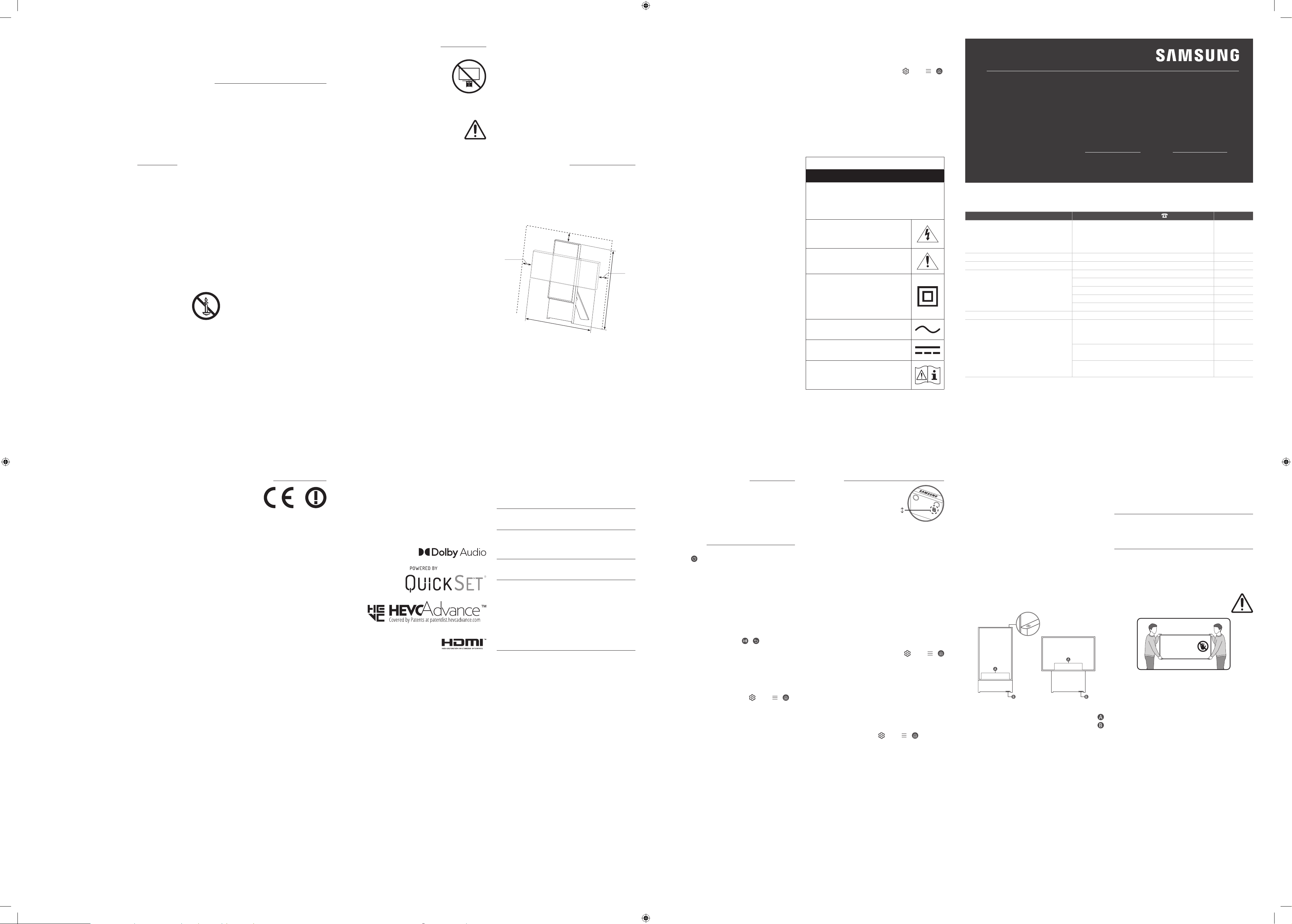
مدختسملا ليلد
.Samsung نم جتنملا اذه كئارشل ا
ً
ركش
www.samsung.com عقوملا ع جتنملا ليجست ىجر
ُ
ي ،
ً
ماكت رثكأ ةمدخ ع لوصحلل
يلسلستلا مقرلا زارطلا
.جتنملل يقيقحلا رهظملا نع فلتخت دقو ،طقف حيضوتلا ضرغب اذه مدختسملا ليلد يف ةدراولا ةيحيضوتلا ةلثماو لاكشا رفوتت
.راطخإ نود هتافصاومو جتنملا ميمصت رييغت متي دق هنأب ا
ً
ملع
مدختسملا ليلد ةءارق لبق
ا
ً
نمضم ينورتكلإ ليلدو اذه م
ِ
دختس
ُ
ملا ليلدب ا
ً
دوزم نويزفلتلا اذه يتأي
.)e-Manual حتف > معدلا > تادادعا
> ةمئاق > (
عطاو )www.samsung.com( بيولا عقوم نم ةلدا ليزنت كنكمي
.لومحملا كزاهج ع وأ رتويبمكلا زاهج ع اهاوتحم ع
ظافحلل ةماه تاداشرإ !ريذحت
ةمسلا ع
هاندأ لودجلا إ عجرا .نويزفلتلا مادختسا لبق ةمسلا تاداشرإ ةءارق ىجر
ُ
ي
.كيدل Samsung زاهج يف دجوت دق يتلا زومرلا حيضوتل
هيبنت
.هحتفت .ةيئابرهك ةمدصل ضرعتلا رطخ
ءاطغلا ةلازإب مقت ،ةيئابرهك ةمدصل ضرعتلا رطخ نم دحلل :هيبنت
لب
ِ
ق نم ةنايصلل ةلباق ةيلخاد ءا
زجأ دج
وت ف .)يفلخلا ءزجلا وأ(
لامعأ عيمجب مايقلا نيلهؤملا دارفا نم بلطاف .مدختسملا
.ةنايصلا
نمف .لخادلاب يلاع تلوف دوجو إ زمرلا اذه ريشي
يأب جتنملا اذهب يلخاد ءزج يأ سمت نأ رطخلا
.لاكشا نم لكش
ةمهم تاداشرإ نيمضت مت دق هنأ إ زمرلا اذه ريشي
.جتنملا اذه عم ةنايصلاو ليغشتلاب قلعتت
هنأ إ زمرلا اذه ريشي :ةيناثلا ةجردلا نم جتنم
مل اذإو .)ضيرأتلا( ضراب ءابرهكلل ا
ً
نمآ اصتا بلطتي
رايتلا كلسب ةزهجا دحأ يف ا
ً
دوج
وم زم
رلا اذه نكي
قوثوم ليصوت ع ىوتحي جتنملا نأ دب ف ،يسيئرلا
.)ضيرأتلا( يقاولا يضرا فرطلاب
زمرلا اذهب موسوملا ننقملا دهجلا :ددرتملا رايتلا دهج
.ددرتملا رايتلا دهج وه
اذهب موسوملا ننقملا دهجلا :رمتسملا رايتلا دهج
.رمتسملا رايتلا دهج وه زمرلا
إ زمرلا اذه ريشي :مادختسا تاميلعت عجار .هيبنت
ةقلعتملا تامولعملا نم ديزمل مدختسملا ليلد ةءارق
.ةمسلاب
ةقاطلا
• اهدهج قوف توحملا وأ ديدمتلا كسأ وأ طئاحلا ذخآم ليمحتب مقت
.ةيئابرهك ةمدص ثودح وأ قيرح بوشن إ اذه يدؤي دقف .اهتعسو
ردصم قصلم وأ/و ،مدختسملا ليلد يف ةقاطلا تافصاوم مسق عجار
ةدشو دهجلا نع تامولعم ع لوصحلل جتنملا ع دوجوملا ةقاطلا
.رايتلا
•
ريسلا نم نمأم يف اهلعجي راسم يف ةقاطلا ردصم كسأ عضو يغبني
امك .اهليصوت قوعي لكشب وأ اهقوف ءايشأ عضوب اهيلع طغضلا وأ اهقوف
طئاحلا ذخآمو سباقلا فرط دنع كسل ةصاخ ةيانع هيجوت يغبني
.ةزهجا نم كسا جورخ عضاومو
•
؛زاهجلا اذهب ةدوجوملا ةحوتفملا ءازجا يف يندعم ءيش يأ عضو رظحي
.ةيئابرهك ةمدص ثودح إ اذه يدؤي دقف
•
؛ا
ً
دبأ زاهجلا اذهل ةيلخادلا ءازجا سملت ،ةيئابرهك ةمدص ثودح بنجتل
.زاهجلا اذه حتفب هدحو دمتعملا ينفلل حمس
ُ
ي ثيح
•
جارخإ دنع .مكحم
ٍ
لكشب هلاخدإو يئابرهكلا رايتلا لبك ليصوت نم دكأت
رايتلا لبك سباق نم ا
ً
مئاد بحسا ،طئاحلا ذخأم نم يئابرهكلا رايتلا لبك
.يئاب
رهكلا رايتلا لبك بحس لخ نم هجارخإب ا
ً
دبأ مقت و .يئابرهكلا
.ةلتبم
ٍ
ديأب يئابرهكلا رايتلا لبك سملت
•
وأ تاوصأ رودص ةلاح يف
ً
ةصاخو- ميلس
ٍ
لكشب زاهجلا اذه لمعي مل اذإ
زكرم وأ دمتعملا ع
ّ
زوملاب لصتاو روفلا ع هلصفاف -هنم ةيداع ريغ حئاور
.
Samsung ةمدخ
•
وأ هنع بايغلا ةلاح يف هكرت وأ قربلاو فصاوعلا نم زاهجلا اذه ةيامحل
لصفا مث ،طئاحلا ذخأم نع هلصف نم دكأت ،ليوط تقول مادختسا نود
.لبكلا ماظن وأ يئاوهلا
–
برست وأ ةيئابرهك ةمدص ثودح يف ةمكارتملا ةبرتا ببستت دق
ررشلل يئابرهكلا رايتلا لبك ديلوت ببسب قيرح بوشن وأ يئابرهك
.ةلزاعلا ةداملا فلت ببسب وأ ةرارحلاو
•
.ديج
ٍ
لكشب ا
ً
يضرأ امهليصوت مت سبقمو سباق ىوس مدختست
–
وأ ةيئابرهك ةمدص ثودح إ ميلسلا ريغ يضرا ليصوتلا يدؤي دق
).طقف وا ةئفلا ةزهجأ( .زاهجلا يف فلت
•
هنأ نامضل .طئاحلا ذخأم نع هلصفا ،ا
ً
مامت زاهجلا اذه ليغشت فاقي
نم دكأت ،رما مزل اذإ ةعرسب ةقاطلا ردصم نم زاهجلا اذه لصف كنكمي
.يئابرهكلا رايتلا سباقو طئاحلا ذخأم إ ةلوهسب لوصولا كنكمي هنأ
تيبثتلا
• يف وأ هنم برقلاب وأ ةرارحلل م
ِ
واقم وأ عشم زاهج قوف زاهجلا اذه عضت
.ةرشابملا سمشلا ةعش ض
رعم ناكم
•
دقف ؛زاهجلا اذه قوف )اهريغ وأ ةيرهز( ءاملا ع يوتحت يناوأ يأ عضت
.ةيئابرهك ةمدص ثودح وأ قيرح بوشن رطخل ضرعتلا إ كلذ يدؤي
•
.ةبوطرلل وأ راطما هايمل زاهجلا اذه ض
ّ
رعت
•
دنع تامولعم ع لوصحلل دمتع
ُ
م Samsung ةمدخ زكرمب لصتا
وأ ةعفترم ةرارح ةجرد يذ وأ ةبرتا فيثك ناكم يف نويزفلتلا بيكرت
دنع وأ ةيئايميك داوم هب دجوي وأ ةيلاعلا ةبوطرلاب مستي وأ ةضفخنم
يف ةعاس 24 رادم ع اهيف هليغشت متي يتلا نكاما يف زاهجلا بيكرت
يدؤي دق هنأب ا
ً
ملع ،اه
ريغو راطقلا تاطحمو تا
راطملا يف ،لثم ،مويلا
.ةديدش تايفلتل نويزفلتلا ضرعت إ كلذب مازتلا مدع
•
.اهب هشرت و لئاوسلا تارطقل زاهجلا اذه ض
ّ
رعت
نويزفلتلل ةديج ةيوهت ريفوت
وأ قيرح عدنا ةيوهتلا ءوس نع مجني دقف .ةيوهتلل جتنملا لوح ةفاسم كرتا
.ةيلخادلا هترارح ةجرد عافترا ةجيتن جتنملاب تايفلت
.لكشلا يف حضوملا وحنلا ع ةيفاك تافاسم دوجو نم دكأت ،بيكرتلل
•
عطقلا مادختساب ةدشب كحصنن اننإف ،لماحلا عم نويزفلتلا بيكرت دنع
يدؤي دقو .طقف Samsung Electronics ةكرش لب
ِ
ق نم ةرفوتملا
ةهجاوم إ ى
رخأ ةع
نصم ةكرش يأ نم ة
رفوتملا عطقلا مادختسا
.هطوقسل ةجيتن تاباصإ ثودح وأ جتنملا مادختسا يف تابوعص
مس 10
مس 10
مس 10
مس 120
مس 100
ةمسلا تاطايتحا
.جتنملاب دوزملا لماحلا مادختساب
ٍ
وتسم حطس ع The Sero تيبثتب مق
دوعصلا وأ هعفد وأ نويزفلتلا دش يدؤي دق :هيبنت
أ ع صاخ لكشب صرحاو .هطوقس إ هقوف
يدؤي دقف ؛هنوكرحي وأ نويزفلتلاب كلافطأ قلعتي
يف ببستي دق امم ؛مهقوف هطوقس إ هب مهثبع
لك عب
ّ
تا .ةافولا إ يدؤي دق وأ ة
ريطخ تاباصإ ثودح
"ةمسلا ة
رشن" يف ةحضوملا ةمسلا تاطايتحا
.نويزفلتلا عم ةقفرملا
.تباث ريغ ناكم يف ا
ً
قلطم نويزفلتلا زاهج عضت :ريذحت
تاباصإ ثودح يف ببستي دق امم ،نويزفلتلا طقسي دق
نم ديدعلا ثودح بنجت نكميو .ةافولا إ يدؤي وأ ةريطخ
تاءارجا ضعب ذاختا قيرط نع ،لافطل
ً
ةصاخ ،تاباصا
:لثم ةطيسبلا ةيطايتحا
•
لبق نم اهب ىصو
ُ
ملا تيبثتلا قرط وأ لماوحلا وأ تادحولا ا
ً
مئاد مدختسا
.Samsung
•
.نامأب نويزفلتلا زاهج تيبثت هلخ نم نكمي يذلا ثاثا ا
ً
مئاد مدختسا
•
ت
ّ
بثملا ثاثا ةعطق ةفاح ع نويزفلتلا زاهج حجرأت مدع نم ا
ً
مئاد دكأت
.اهيلع
•
إ لوصولل ثاثا ع قلستلا رطاخم صوصخب ا
ً
مئاد لافطا دشرأ
.هيف مكحتلا تاودأ وأ نويزفلتلا زاهج
•
نكمي ثيحب نويزفلتلاب ةلصتملا تبكلاو كسا هيجوتب ا
ً
مئاد مق
.اهكاسمإ وأ اهبحس وأ اهيف رثعتلا
•
.تباث ريغ ناكم يف ا
ً
قلطم نويزفلتلا زاهج عضت
•
،لاثملا ليبس ع( ةيلاعلا ثاثا عطق ع نويزفلتلا زاهج ا
ً
دبأ عضت
زاهجو ثاثا ةعطق نم لك تيبثت نود )بتكلا تانازخ وأ بيلاودلا
.ةبسانم ةماعدب نويزفلتلا
•
نوكت دق ىرخأ داوم يأ وأ سبملا ع نويزفلتلا زاهج ا
ً
دبأ عضت
.اهيلع ت
ّ
بثملا ثاثا ةعطقو نويزفلتلا زاهج نيب ةعوضوم
•
نويزفلتلا اهيلع ت
ّ
بثملا ثاثا ةعطق وأ نويزفلتلا زاهج قوف ا
ً
دبأ عضت
.دع
ُ
ب نع مكحتلا ةزهجأو باعلا لثم ،قلستلل لافطا بذجت دق ءايشأ
بجيف ،هعضوم رييغت تدرأ وأ كيدل يلاحلا نويزفلتلا زاهج نيزخت تدرأ اذإ
.هعأ ةروكذملا تارابتعا سفن قيبطت
•
نم دكأت ،هناكم رييغت وأ فيظنتلل هعفر وأ نويزفلتلا لقنل ةجاحلا دنع
.لماحلا علخ مدع
The Sero كيرحت دنع اهتاعارم بجي تاطايتحا
.يدومع عضو يف طقف ةميقتسم ةقيرطب نيصخش ةطساوب جتنملا عفرا
[ .يقفأ عضو يف جتنملا كرحت
[ هبتنا .جتنملا فلت وأ ةباصا يف كلذ ببستي دقف ،جتنملا طقس اذإ
.نيمدقلا وأ نيديلا
ِ
ذؤت ىتح
[ .جتنملا عفر دنع ضرعلا ةشاشب كسمت ىتح هبتنا
[ .كسفنب جتنملا عفرت
[ .هبحس قيرط نع جتنملا كرحت
[ .نويزفلتلا كيرحتل ةشاشلا كسمت
ةيلمعلا
• ةيئيبلا حئاوللا ضعب دجوت دقو .تايراطبلا ةطساوب زاهجلا اذه لمعي
.ةنمآ ةقيرطب تايراطبلا هذه نم صلختلا كنم بلطتت كعمتجم يف
ةصاخلا تامولعملا ع ع
ّ
طل ةيلحملا تاطلسلاب لاصتا ىج
ر
ُ
ي ،اذل
.اه
ريودت ةداعإ وأ تايراطبلا هذه نم صلختلا ةيفيكب
•
نع ا
ً
ديعب نمآ ناكم يف )هريغو دع
ُ
ب نع مكحتلا زاهج( تاقحلملاب ظفتحا
.لافطا لوانتم
•
،فلتلل جتنملا ضرعت ةلاح يف .قرطلل هضرعت وأ جتنملا طوقس بنجت
.Samsung ةمدخ زكرمب لصتاو يئابرهكلا رايتلا لبك لصفا
•
.اهقرح قيرط نع تايراطبلا وأ دع
ُ
ب نع مكحتلا زاهج نم صلختلا رظحي
•
ةنوخسلل اهضيرعت وأ اهكيكفت وأ تايراطبلا ةرئاد ريصقت مدع يغبني
.ةدئازلا
•
تايراطبلا لادبتسا ةلاح يف راجفنا ثودح رطخ كانه نوكي دق :هيبنت
.تايراطبلا نم حيحص ريغ عونب دع
ُ
ب نع مكحتلا زاهجب ةدوجوملا
.طقف لثامم عون نم وأ عونلا سفن نم تاي
راطبب اهلدبتساف
•
عومشلا داعبإب ا
ً
مود مق ،قيرح عدنا بنجتل - ريذحت
.جتنملا اذه نع بهلل ردصم يأو
نويزفلتلاب ةيانعلا
• حسماو طئاحلا ذخأم نم يئابرهكلا رايتلا لبك لصفا ،زاهجلا اذه فيظنتل
مادختسا رظحي هنأب ا
ً
ملع .ةفاجو ةمعان شامق ةعطق مادختساب جتنملا
ناهدلا ففخم وأ لوحكلا وأ نيزنبلا وأ عمشلا لثم ،ةيئايميك داوم يأ
دق ثيح ؛تافظنملا وأ تام
حشملا وأ وجلا ف
طلم وأ تا
رشحلا ديبم وأ
ةعابطلا ةلا
زإ وأ نويزفلتلا رهظم فلت إ ةيئايميكلا داوملا هذه يدؤت
.هيلع ةدوجوملا
•
حسم نم دكأت اذل ؛اهفيظنت ءانثأ نويزفلتلا ةشاشل شودخ ثدحت دق
عنمل ةمعان شامق ةعطق مادختساب ةيانعب ةشاشلاو يجراخلا حطسلا
.شودخ يأ ثودح
•
يأ لوخد ببستي دقف ؛
ً
ةرشابم نويزفلتلا ع لئاس يأ وأ هايم شرت
ثودح وأ قيرح بوشن وأ زاهجلاب للخ ثودح يف جتنملا إ ةلئاس ةدام
.ةيئابرهك ةمدص
ةشمقا فيظنت
• .روفلا ع جتنملا حطس ع عقب وأ خاسوأ يأ ةلازإب مق
–
تكرت اذإ وأ داوملا ضعبل ةيلاعف لقأ فيظنتلاو ةلازا نوكت نأ نكمي
.ةليوط ةرتفل
•
تامصبو رابغلا ةلاز ةقصلا ربولا ةركب وأ ةيئابرهكلا ةسنكملا مدختسا
.كلذ هباش امو ديلا
–
يتلا داوملا بسح ،جتنملا فلت يف فيظنتلا شرف ضعب ببستت دق
.اهيلع يوتحت
–
.جتنملا ع ا
ً
خاسوأ وأ ةلاسن ةفظن
ُ
ملا سبملاو فشانملا كرتت دق
•
.ا
ً
خطلم وأ ا
ً
ثولم حطسلا نكي مل ول ىتح ،يرود لكشب رابغلا ةلازإب مق
–
.عقب روهظ يف ةليوط ةرتفل حطسلاب قصتلملا رابغلا ببستي دق
•
فلت يف ببستت دقف .خاسوا شدخل ىرخأ تاودأ وأ ا
ً
رامسم مدختست
.ةشمقا
•
ةللبم ةفيظن ءاضيب شامق ةعطق مدختسا ،لئاوسلا وأ تيزلا عقب ةلاز
ءاملا نم جيزمو شامق ةعطقب اهحسما ،عقبلا روهظ رمتسا اذإ .ءاملاب
.)قابطا نوباص لثم( دياحم فظنمو
–
نوللا ريغت يف دياحملا ريغ فظنملا وأ فظنملا مادختسا ببستي دق
.ةشمقا فلت وأ
–
فيفجتل رعش ففجم وأ ةفاج شامق ةعطق مدختسا ،فيظنتلا دعب
.ةقطنملا
–
.ةشمقا فلت وأ نوللا ريغت بنجتل ةطرفملا ةوقلا مدختست
01 ةوبعلا تايوتحم
يأ دوجو مدع ةلاح يف .نويزفلتلا عم ةيلاتلا رصانعلا دوجو نم دكأتلا ىجري
.هعم لماعتت يذلا ع
زوملاب لصتا ،رصانع
• Samsung Smart ـل دع
ُ
ب نع مكحتلا ةدحو
•
مدختسملا ليلد
•
)عقاوملا ضعب يف نارفوتي ( ةيميظنتلا حئاوللا ليلد / نامضلا ةقاطب
•
نويزفلتلل ةقاطلا لبك
•
.ز
ُ
رطلل ا
ً
قفو اهلاكشأو رصانعلا ناولأ فلتخت دق
•
.لصفنم لكشب ةقفرملا ريغ تبكلا ءارش نكمي
•
فيلغتلا داوم يف ةدوجوم وأ ةيفخم تاقحلم يأ دوجو مدع نم ققحت
.ةوبعلا حتف دنع
لماعتلا دنع رشابملا طغضلا نم تاشاشلا فلتت دق :ريذحت
نم نويزفلتلا عفرب يصون .ةحيحص ريغ ةقيرطب اهعم
.حضوم وه امك فاوحلا
هذه سملت
!ةشاشلا
02 يئدبملا دادعا
"يئدبملا دادعا" ءارجإب أدبي هنإف ،وا ةرملل نويزفلتلا ليغشتب كمايق دنع
تادادعا نيوكتو ،ةشاش ع ةحضوملا تاميلعتلا عابتا كنكمي .روفلا ع
.كيدل ضرعلا ةئيب عم قفاوتلل نويزفلتلل ةيساسا
زاهج يف SmartThings قيبطتلا قيرط نع The Sero ليصوت كنكمي
.نويزفلتلا ع ةلصلا تاذ فئاظولاو يسأرلا عضولا يف مكحتلل لومحملا
نويزفلتلا يف مكحتلا ةدحو مادختسا
كنكمي ،ةيفلخلا ةحوللا عأ نويزفلتلا يف مكحتلا ةدحو رزلا مادختساب
،ليغشتلا عضو يف ىرخأ
ً
ةرم ر
زلا ع طغضلا لاح يف .The Sero ليغشت
يلاتلا لكشلا حضوي .ةشاشلا ع فئاظولا مئاوق ع عطا كنكمي
.مئاوقلا مادختسا
•
لقت دق . SAMSUNG راعشلا ع ةقفرملا ةيقاولا ةقبطلا ةلازإب مق
.رعشتسملا ةقاعإ دنع لابقتسا ةيساسح
>يسأرلا عضولا<
>يقفا عضولا<
يف مكحتلا ةدحو رزلا
نويزفلتلا
مكحتلا ةمئاق
دع
ُ
ب نع مكحتلا زاهج رعشتسم / نوفوركيملا حاتفم / Eco رعشتسم
هليغشت فاقيإو نوفوركيملا ليغشت ةيفيك
ليغشت
ليغشتلا فاقيإ
حاتفملا مادختسا قيرط نع هليغشت فاقيإ وأ نوفوركيملا ليغشت كنكمي
لك نوكت ،نوفوركيملا ليغشت فاقيإ ةلاح يف .نويزفلتلا لفسأ يف دوجوملا
.ةحاتم ريغ نوفوركيملا مدختست يتلا توصلا تازيم
•
.زارطلل ا
ً
قفو هلكشو نوفوركيملا عضوم فلتخي دق
•
نم ةدراولا تانايبلا مادختساب ليلحتلا ةيلمع ءانثأ تانايبلا ظفح
ُ
ت
.نوفوركيملا
03 ءاطخا فاشكتساو ةنايصلا
اهحصإو
اهحصإو ءاطخا فاشكتسا
ةلئسا" وأ "اهحصإو ءاطخا فاشكتسا" عجار ،تامولعملا نم ديزمل
.e-Manual يف "ةعئاشلا
فاشكتسا > e-Manual حتف > معدلا > تادادعا
> ةمئاق >
ةعئاشلا ةلئسا وأ اهحصإو ءاطخا
فاشكتسا تاحيملت نمض ةدوجوم اههجاوت يتلا ةلكشملا نكت مل اذإو
رقنلا مث "www.samsung.com" عقوم ةرايز ىجر
ُ
يف ،اهحصإو ءاطخا
.Samsung ةمدخ زكرمب لاصتا وأ معدلا قوف
•
ةينقت بلطتت ةيعرف لسكب طاقن نم TFT LED ةشاش ةحول نوكتت
وأ ةحتافلا لسكبلا طاقن ضعب رهظت دق ،كلذ عمو .اهجاتن ةمدقتم
.جتنملا ءادأ ع هذه لسكبلا طاقن رثؤت ،نكلو .ةشاشلا ع ةنكادلا
•
تارادصإ ثدحأ إ ثيدحتب مق ،ةيلاثملا هتلاح يف نويزفلتلا ع ظافحلل
ةمئاق يف يئاقلتلا ثيدحتلا وأ نا ثيدحتلا ةفيظو مدختسا .جماربلا نم
> جمانربلا ثيدحت > معدلا > تادادعا
> ةمئاق > ( نويزفلتلا
.)يئاقلتلا ثيدحتلا وأ نا ثيدحتلا
•
ةيجراخلا تخدملا وأ تاقيبطتلا ضعب معدت دق ،يسأرلا عضولا يف
.اهلمكأب ةشاشلا
.لمعي نويزفلتلا
• .ماكحإب نويزفلتلابو طئاحلا ذخأمب يئابرهكلا رايتلا لبك ليصوت نم دكأت
•
دع
ُ
ب نع مكحتلا زاهج رعشتسم نأو ،لمعي طئاحلا ذخأم نأ نم دكأت
.تباثلا رمحا نوللاب ءيضي نويزفلتلل يلفسلا ءزجلاب دوجوملا
•
ةشاشلا فلخ دوجوملا نويزفلتلا يف مكحتلا ةدحو رز ع طغضلا لواح
نويزفلتلا ناك اذإو .دع
ُ
ب نع مكحتلا زاهجب تسيل ةلكشملا نأ نم دكأتلل
."لمعي دع
ُ
ب نع مكحتلا زاهج" ةلكشملا عجا
رف ،ليغشتلا ديق
.لمعي دع
ُ
ب نع يكذلا مكحتلا زاهج
• ءزجلاب دوجوملا دع
ُ
ب نع مكحتلا زاهج رعشتسم ناك اذإ امم ققحت
مكحتلا زاهجب
رز ع طغضلا دنع مأ ضموي نويزفلتلل يلفسلا
.دع
ُ
ب نع
–
ذفنم مادختساب اهنحشا ،دع
ُ
ب نع مكحتلا زاهج ةيراطب غارف دنع
ايخلا ضيرعتل دع
ُ
ب نع مكحتلا زاهج بلقا وأ )C عونلا( USB نحش
.ءوضلل ةيسمشلا
•
1.5 نيب حوارتت ةفاسم نمض
ً
ةرشابم دع
ُ
ب نع مكحتلا زاهج هيجوت لواح
.نويزفلتلا نم م 1.8و
•
Samsung ـل دع
ُ
ب نع مكحتلا ةدحو زاهجب ا
ً
دوزم يتأي نويزفلتلا ناك اذإ
مكحتلا زاهج نارتقا نم دكأت ،)ثوتولبلاب دع
ُ
ب نع مكحت زاهج( Smart
،Samsung Smart ـل دع
ُ
ب نع مكحتلا ةدحو نارق .نويزفلتلاب دع
ُ
ب نع
.
ٍ
ناوث 3 ةدمل ا
ً
عم
و يرز ع طغضا
ةشاشلا عوطسو Eco رعشتسم
ةيمك ةزيملا هذه سيقت .ا
ً
يئاقلت نويزفلتلا عوطس ةجرد Eco رعشتسم طبضي
ا
ً
يئاقلت نويزفلتلا عوطس ةجرد نيسحت ع لمعت امك ،ةفرغلا لخاد ءوضلا
لقتناف ،ةفيظولا هذه ليغشت فاقيإ دي
رت تنك اذإ .ةقاطلا كهتسا ليلقتل
> ةيصوصخلاو ماع > تادادعا لك > تادادعا
> ةمئاق > إ
.عوطسلا نيسحت > ءابرهكلاو ةقاطلا ريفوت
•
بجحت .نويزفلتلا نم يلفسلا ءزجلا يف Eco رعشتسم دجوي
ةجرد ليلقت يف كلذ ببستي دق ثيح ؛داوم يأ مادختساب رعشتسملا
.ةروصلا عوطس
04 ىرخأ تامولعمو تافصاوملا
تافصاوملا
ضرعلا ةقد
3840 x 2160
زارطلا مسا
QA43LS05B
)QA43LS05BAU :طقف ةيدوعسلا ةيبرعلا ةكلمملا(
توصلا )جرخم(
طاو 60
ليغشتلا ةرارح ةجرد
)ةيوئم ةجرد 40 إ 10 نم( تياهنرهف ةجرد 104 إ 50 نم
ليغشتلا دنع ةبوطرلا ةبسن
فثاكت نود ،% 80 إ % 10 نم
نيزختلا ةرارح ةجرد
)ةيوئم ةجرد 45 إ -20 نم( تياهنرهف ةجرد 113 إ -4 نم
نيزختلا دنع ةبوطرلا ةبسن
فثاكت نود ،% 95 إ % 5 نم
تاظحم
•
.B ةئفلا نم ةيمقرلا ةزهجا نم فنصم زاهجلا اذه
•
تامولعملا نم ديزملو ةقاطلا ردصم لوح تامولعم ع لوصحلل
قفر
ُ
ملا قصلملا ع ةدوجوملا تامولعملا عجا
ر ةقاطلا كهتسا لوح
.جتنملاب
–
.نويزفلتلا نم يفلخلا ءزجلاب قصلملا قفر
ُ
ي ،زر
ُ
طلا بلغأ يف
).تبكلا ءاطغ لخاد قصلملا نوكي ،زر
ُ
طلا بلغأ يف(
•
.يلعفلا جتنملا نع Quick Setup Guide روصو تافصاوم فلتخت دق
ةقاطلا كهتسا ليلقت
."دادعتسا" عضو يف نوكي هنإف ،نويزفلتلا ليغشت فاقيإب موقت امدنع
ليلقتل .ةقاطلا نم ا
ً
طيسب ا
ً
ردق نويزفلتلا كلهتسي ،"دادعتسا" عضو يف
كمادختسا مدع ةلاح يف يئاب
رهكلا رايتلا لبك لصفا ،ةقاطلا كهتسا
.ةليوط ةرتفل نويزفلتلل
صيخارتلا
The terms HDMI and HDMI High-Definition Multimedia
Interface, and the HDMI Logo are trademarks or registered
trademarks of HDMI Licensing Administrator, Inc. in the
United States and other countries.
طقف ندرا - تايصوت
اذه نأ Samsung Electronics ةكرش نلعت ،ةقيثولا هذه بجومب
ةلصلا تاذ ىرخا ماكحاو ةيساسا تابلطتملا عم قفاوتم نويزفلتلا
.EC/1999/5 تاهيجوتب
ينورتكلا عقوملا ع يمسرلا ةقباطملا نعإ ع عطا نكمي
جتنملا معد نع ثحبا > معدلا إ لقتنا ،http://www.samsung.com
.زارطلا مسا لخدأ مث
.لزنملا لخاد إ زاهجلا اذه مادختسا زوجي
.ندرا يف زاهجلا اذه ليغشت زوجي
ARA
.ةظوفحم قوقحلا عيمج .Samsung Electronics Co., Ltd ةكرشل 2022 ماع © رشنلا قوقح
ملاعلا ءاحنا عيمج يف جنوسماسب لصتا
.Samsung ةمدخ زكرمب لاصتا ىجر
ُ
يف ،Samsung تاجتنمب ةصاخ تاقيلعت وأ ةلئسأ يأ كيدل تناك اذإ
بيو عقوم
Samsung ةمدخ زكرم
دلبلا
www.samsung.com/sa_en/support )English(
www.samsung.com/sa/support )Arabic(
8002474357 )08:00 ~ 20:00 HELP( From Inside Saudi Arabia
+966112614718 From outside Saudi Arabia )Call charges may
be applied(
Digital services )24/7 HELP(
SAUDI ARABIA
www.samsung.com/pk/support
0800-Samsung )7267864( PAKISTAN
www.samsung.com/n_africa/support 80 100 012 TUNISIA
www.samsung.com/ae/support )English(
www.samsung.com/ae_ar/support )Arabic(
800-SAMSUNG )800 - 726 7864( U.A.E
800-SAM CS )800-72627( OMAN
183-CALL )183-2255( KUWAIT
8000-GSAM )8000-4726( BAHRAIN
800-CALL )800-2255( QATAR
www.samsung.com/tr/support 444 77 11 TÜRKİYE
www.samsung.com/levant/support
0800-22273
06-577-7444
WhatsApp +962-79-777-7421
JORDAN
1598
WhatsApp +962-79-777-7421
LEBANON
80010080
WhatsApp +962-79-777-7421
IRAQ