Form No. 3471-598 Rev C
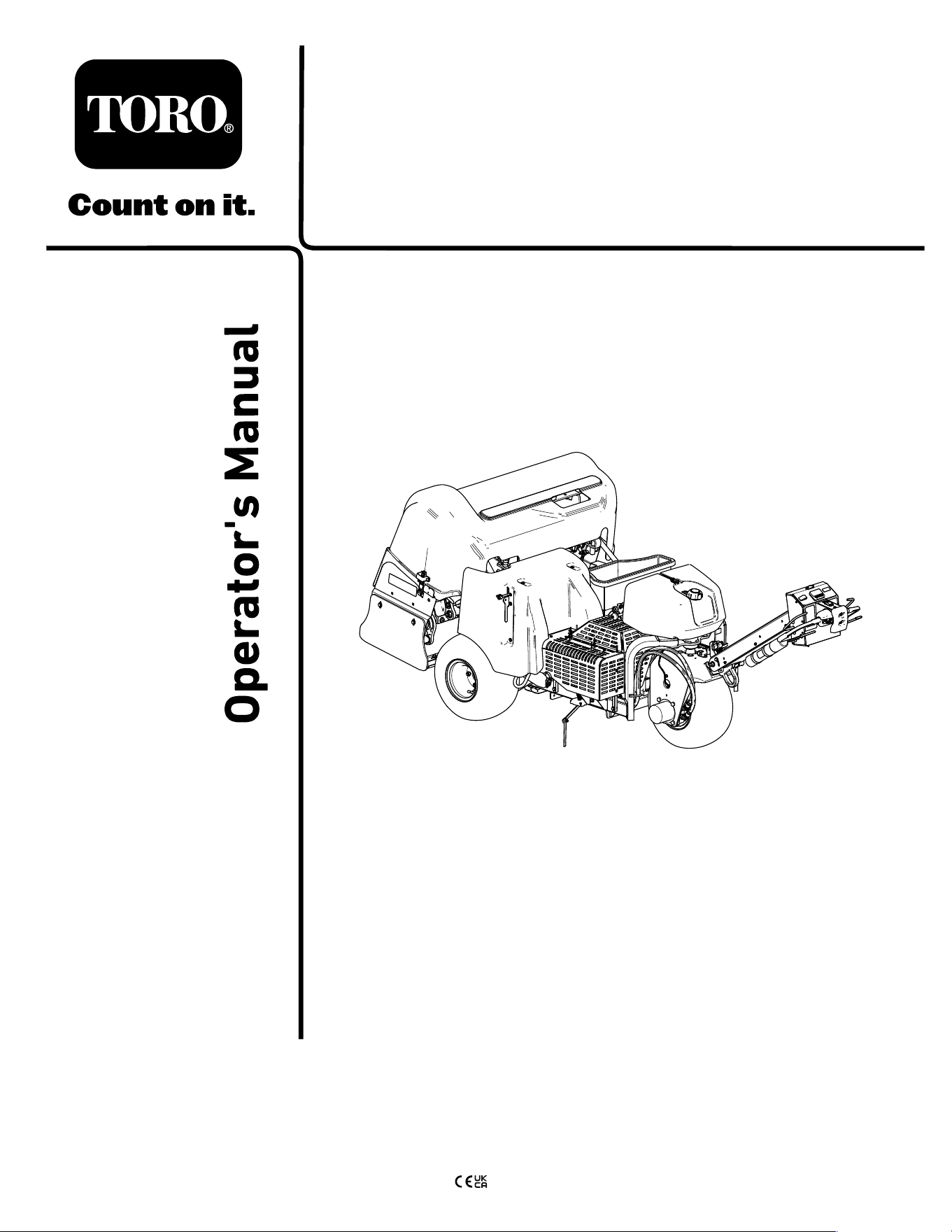
ProCore
®
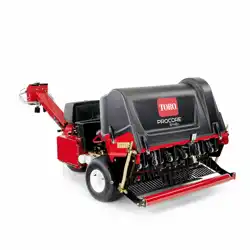
648s Aerator
Model No. 09960 —Serial No. 418200000 and Up
Register at www .T oro.com.
Original Instructions (EN)
*3471-598*
This product complies with all relevant European
directives; for details, please see the separate product
specic Declaration of Conformity (DOC) sheet.
Because in some areas there are local, state, or
federal regulations requiring that a spark arrester be
used on the engine of this machine, a spark arrester is
available as an option. If you require a spark arrester ,
contact your authorized T oro distributor . Genuine T oro
spark arresters are approved by the USDA Forestry
Service.
The enclosed engine owner's manual is supplied
for information regarding the US Environmental
Protection Agency (EP A) and the California Emission
Control Regulation of emission systems, maintenance,
and warranty . Replacements may be ordered through
the engine manufacturer .
If this machine is equipped with a telematics device;
refer to your authorized T oro distributor for instructions
to activate the device.
W ARNING
CALIFORNIA
Proposition 65 W arning
The engine exhaust from this product
contains chemicals known to the State of
California to cause cancer , birth defects,
or other reproductive harm.
Battery posts, terminals, and related
accessories contain lead and lead
compounds, chemicals known to
the State of California to cause
cancer and reproductive harm. W ash
hands after handling.
Use of this product may cause exposure
to chemicals known to the State of
California to cause cancer , birth defects,
or other reproductive harm.
Introduction
A walking operator controls this machine, and it is
intended to be used by professional, hired operators
in commercial applications. The machine is designed
primarily for aerating large areas on well-maintained
lawns in parks, golf courses, sports elds, and on
commercial grounds. Using this product for purposes
other than its intended use could prove dangerous to
you and bystanders.
Read this information carefully to learn how to operate
and maintain your product properly and to avoid
injury and product damage. Y ou are responsible for
operating the product properly and safely .
V isit www .T oro.com for product safety and operation
training materials, accessory information, help nding
a dealer , or to register your product.
Whenever you need service, genuine T oro parts, or
additional information, contact an authorized T oro
distributor and have the model and serial numbers of
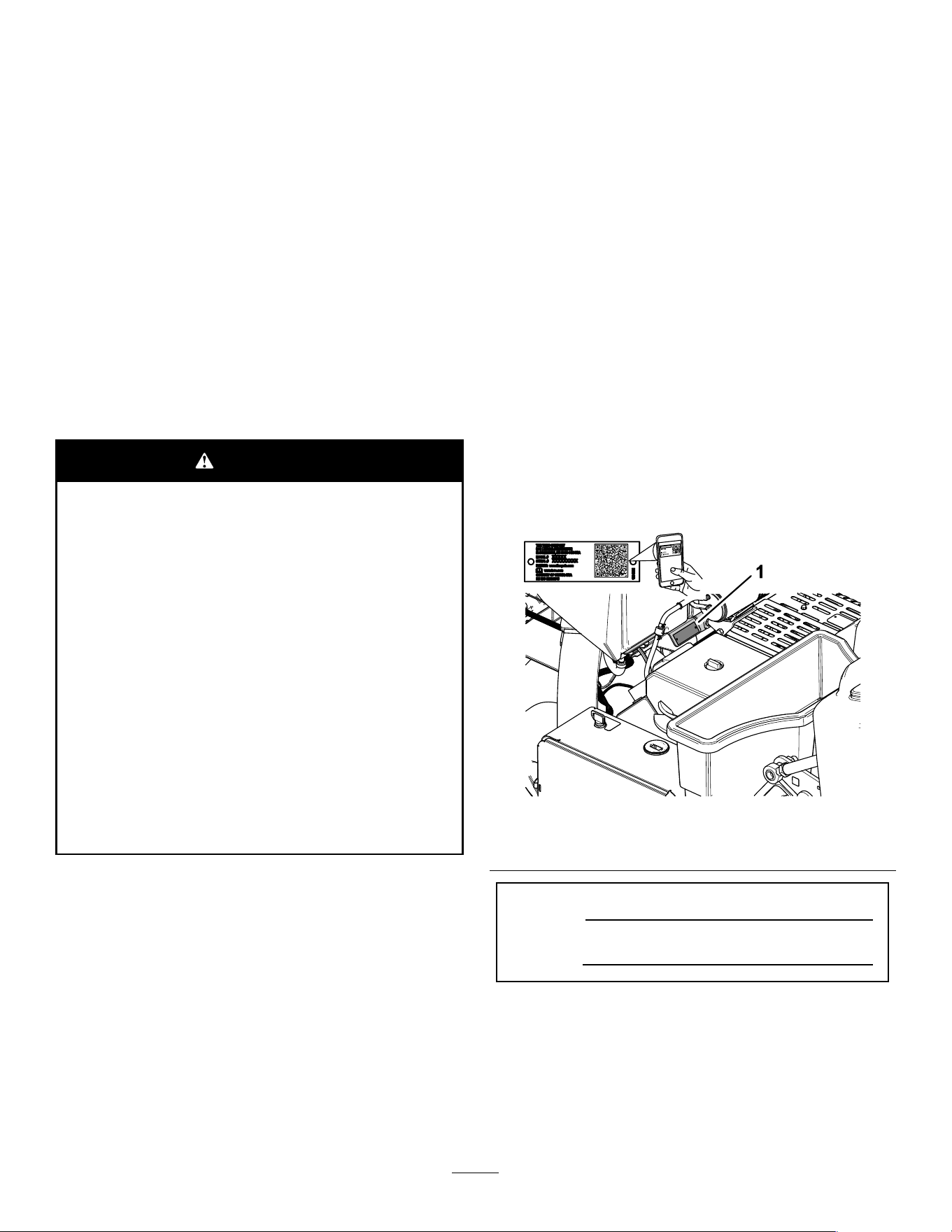
your product ready . Figure 1 identies the location of
the model and serial numbers on the product. W rite
the numbers in the space provided.
g338254
Figure 1
1. Model and serial number location
Model No.
Serial No.
© 2025—The T oro® Company
81 1 1 L yndale A venue South
Bloomington, MN 55420
2
Contact us at www .T oro.com.
Printed in the USA
All Rights Reserved

Safety-Alert Symbol
The safety-alert symbol ( Figure 2 ) shown in this
manual and on the machine identies important safety
messages that you must follow to prevent accidents.
g000502
Figure 2
Safety-alert symbol
The safety-alert symbol appears above information
that alerts you to unsafe actions or situations and
is followed by the word DANGER , W ARNING , or
CAUTION .
DANGER indicates an imminently hazardous situation
which, if not avoided, will result in death or serious
injury .
W ARNING indicates a potentially hazardous situation
which, if not avoided, could result in death or serious
injury .
CAUTION indicates a potentially hazardous situation
which, if not avoided, may result in minor or moderate
injury .
This manual uses two other words to highlight
information. Important calls attention to special
mechanical information and Note emphasizes general
information worthy of special attention.
Contents
Safety-Alert Symbol . . . . . . . . . . . . . . . . . . . . . . . . . . . . . . . . . . . . . . . . . . . . 3
Safety . . . . . . . . . . . . . . . . . . . . . . . . . . . . . . . . . . . . . . . . . . . . . . . . . . . . . . . . . . . . . . . . . . . . . . . 5
General Safety . . . . . . . . . . . . . . . . . . . . . . . . . . . . . . . . . . . . . . . . . . . . . . . . . . . 5
Safety and Instructional Decals . . . . . . . . . . . . . . . . . . . . . . . . . . 6
Setup . . . . . . . . . . . . . . . . . . . . . . . . . . . . . . . . . . . . . . . . . . . . . . . . . . . . . . . . . . . . . . . . . . . . . . . 1 1
1 Installing the Rear Wheels . . . . . . . . . . . . . . . . . . . . . . . . . . . . . 12
2 Installing the Handle . . . . . . . . . . . . . . . . . . . . . . . . . . . . . . . . . . . . . . 12
3 Charging and Connecting the Battery . . . . . . . . . . . . . 15
4 Installing the Rear Hood Latch Lock . . . . . . . . . . . . . . . 16
5 Installing the Belt-Cover Latch
Lanyard . . . . . . . . . . . . . . . . . . . . . . . . . . . . . . . . . . . . . . . . . . . . . . . . . . . . . . . . . 17
6 Applying the CE Decal and the Production
Y ear Decal . . . . . . . . . . . . . . . . . . . . . . . . . . . . . . . . . . . . . . . . . . . . . . . . . . . . 17
7 Installing the T ine Holders, T urf Guards,
and T ines . . . . . . . . . . . . . . . . . . . . . . . . . . . . . . . . . . . . . . . . . . . . . . . . . . . . . . 18
Product Overview . . . . . . . . . . . . . . . . . . . . . . . . . . . . . . . . . . . . . . . . . . . . . . . . . . . 19
Controls . . . . . . . . . . . . . . . . . . . . . . . . . . . . . . . . . . . . . . . . . . . . . . . . . . . . . . . . . . . 19
Handlebar Controls . . . . . . . . . . . . . . . . . . . . . . . . . . . . . . . . . . . . . . . 19
T raction Controls . . . . . . . . . . . . . . . . . . . . . . . . . . . . . . . . . . . . . . . . . . . 20
Coring Head Controls . . . . . . . . . . . . . . . . . . . . . . . . . . . . . . . . . . . . 20
Engine Controls . . . . . . . . . . . . . . . . . . . . . . . . . . . . . . . . . . . . . . . . . . . . 21
InfoCenter . . . . . . . . . . . . . . . . . . . . . . . . . . . . . . . . . . . . . . . . . . . . . . . . . . . . . 21
Specications . . . . . . . . . . . . . . . . . . . . . . . . . . . . . . . . . . . . . . . . . . . . . . . . . . 25
Attachments/Accessories . . . . . . . . . . . . . . . . . . . . . . . . . . . . . . . . . 25
Before Operation . . . . . . . . . . . . . . . . . . . . . . . . . . . . . . . . . . . . . . . . . . . . . . . . . 26
Before Operation Safety . . . . . . . . . . . . . . . . . . . . . . . . . . . . . . . . . . . 26
Adding Fuel . . . . . . . . . . . . . . . . . . . . . . . . . . . . . . . . . . . . . . . . . . . . . . . . . . . . . . 26
Performing Daily Maintenance . . . . . . . . . . . . . . . . . . . . . . . . . . 27
T esting the Safety Interlock System . . . . . . . . . . . . . . . . . . 27
Installing T urf Guards, T ine Holders, and
T ines . . . . . . . . . . . . . . . . . . . . . . . . . . . . . . . . . . . . . . . . . . . . . . . . . . . . . . . . . . . . . 30
Hole Depth, Hole Spacing, and T ine
Settings . . . . . . . . . . . . . . . . . . . . . . . . . . . . . . . . . . . . . . . . . . . . . . . . . . . . . . . . . 31
Setting the Hole Depth . . . . . . . . . . . . . . . . . . . . . . . . . . . . . . . . . . . . . . 33
Setting the Hole Spacing . . . . . . . . . . . . . . . . . . . . . . . . . . . . . . . . . . 34
Setting T ine Diameter . . . . . . . . . . . . . . . . . . . . . . . . . . . . . . . . . . . . . . . 34
Setting the T ines Quantity . . . . . . . . . . . . . . . . . . . . . . . . . . . . . . . . . 35
Calibrating the T ine Ground Height . . . . . . . . . . . . . . . . . . . 35
During Operation . . . . . . . . . . . . . . . . . . . . . . . . . . . . . . . . . . . . . . . . . . . . . . . . . 38
During Operation Safety . . . . . . . . . . . . . . . . . . . . . . . . . . . . . . . . . . . 38
Slope Safety . . . . . . . . . . . . . . . . . . . . . . . . . . . . . . . . . . . . . . . . . . . . . . . . . . . . . 38
Engaging the Parking Brake . . . . . . . . . . . . . . . . . . . . . . . . . . . . . 39
Releasing the Parking Brake . . . . . . . . . . . . . . . . . . . . . . . . . . . . 39
Starting the Engine . . . . . . . . . . . . . . . . . . . . . . . . . . . . . . . . . . . . . . . . . . . 40
Shutting Of f the Engine . . . . . . . . . . . . . . . . . . . . . . . . . . . . . . . . . . . . . 40
Using the Machine . . . . . . . . . . . . . . . . . . . . . . . . . . . . . . . . . . . . . . . . . . . . 41
Using the Line Marker . . . . . . . . . . . . . . . . . . . . . . . . . . . . . . . . . . . . . . . 47
Using Aerator Statistics for Estimating
T opdressing . . . . . . . . . . . . . . . . . . . . . . . . . . . . . . . . . . . . . . . . . . . . . . . . . . 47
Supporting the Coring Head with the Service
Latch . . . . . . . . . . . . . . . . . . . . . . . . . . . . . . . . . . . . . . . . . . . . . . . . . . . . . . . . . . . . . 49
Stowing the Service Latch . . . . . . . . . . . . . . . . . . . . . . . . . . . . . . . . 50
Replacing a Damaged T ine . . . . . . . . . . . . . . . . . . . . . . . . . . . . . . . 50
Checking the T ine Ground-Height
Calibration . . . . . . . . . . . . . . . . . . . . . . . . . . . . . . . . . . . . . . . . . . . . . . . . . . . . . 51
Adjusting the W eight T ransfer . . . . . . . . . . . . . . . . . . . . . . . . . . . 53
3

Using Manual Ground Following . . . . . . . . . . . . . . . . . . . . . . . 54
Stowing the Depth-Stop Spacers for
Automatic Ground Following . . . . . . . . . . . . . . . . . . . . . . . . . 55
Adding Additional W eight . . . . . . . . . . . . . . . . . . . . . . . . . . . . . . . . . . 56
Moving the Machine by Hand . . . . . . . . . . . . . . . . . . . . . . . . . . . . 56
Moving the Machine when the Coring Head
is Lowered . . . . . . . . . . . . . . . . . . . . . . . . . . . . . . . . . . . . . . . . . . . . . . . . . . . . 57
Operating T ips . . . . . . . . . . . . . . . . . . . . . . . . . . . . . . . . . . . . . . . . . . . . . . . . . 58
After Operation . . . . . . . . . . . . . . . . . . . . . . . . . . . . . . . . . . . . . . . . . . . . . . . . . . . . 61
After Operation Safety . . . . . . . . . . . . . . . . . . . . . . . . . . . . . . . . . . . . . . 61
Cleaning the Machine . . . . . . . . . . . . . . . . . . . . . . . . . . . . . . . . . . . . . . . 61
T ie-Down Points . . . . . . . . . . . . . . . . . . . . . . . . . . . . . . . . . . . . . . . . . . . . . . . 61
Hauling the Machine . . . . . . . . . . . . . . . . . . . . . . . . . . . . . . . . . . . . . . . . . 62
Maintenance . . . . . . . . . . . . . . . . . . . . . . . . . . . . . . . . . . . . . . . . . . . . . . . . . . . . . . . . . . . 63
Maintenance Safety . . . . . . . . . . . . . . . . . . . . . . . . . . . . . . . . . . . . . . . . . . 63
Recommended Maintenance Schedule(s) . . . . . . . . . . . 63
Daily Maintenance Checklist . . . . . . . . . . . . . . . . . . . . . . . . . . . . . 64
Pre-Maintenance Procedures . . . . . . . . . . . . . . . . . . . . . . . . . . . . . . 65
Preparing the Machine for Maintenance . . . . . . . . . . . . 65
Lifting the Machine . . . . . . . . . . . . . . . . . . . . . . . . . . . . . . . . . . . . . . . . . . . 65
Removing the Belt Cover . . . . . . . . . . . . . . . . . . . . . . . . . . . . . . . . . . 66
Installing the Belt Cover . . . . . . . . . . . . . . . . . . . . . . . . . . . . . . . . . . . . 67
Removing the Coring-Head Cover . . . . . . . . . . . . . . . . . . . . 68
Installing the Coring-Head Cover . . . . . . . . . . . . . . . . . . . . . . 69
Lubrication . . . . . . . . . . . . . . . . . . . . . . . . . . . . . . . . . . . . . . . . . . . . . . . . . . . . . . . . . . 70
Checking the Coring Head Bearings . . . . . . . . . . . . . . . . . 70
Engine Maintenance . . . . . . . . . . . . . . . . . . . . . . . . . . . . . . . . . . . . . . . . . . . 70
Engine Safety . . . . . . . . . . . . . . . . . . . . . . . . . . . . . . . . . . . . . . . . . . . . . . . . . . . 70
Servicing the Air Cleaner . . . . . . . . . . . . . . . . . . . . . . . . . . . . . . . . . . 70
Engine Oil Specication . . . . . . . . . . . . . . . . . . . . . . . . . . . . . . . . . . . . 71
Checking the Engine-Oil Level . . . . . . . . . . . . . . . . . . . . . . . . . . 72
Changing the Engine Oil and Filter . . . . . . . . . . . . . . . . . . . . 72
Servicing the Spark Plugs . . . . . . . . . . . . . . . . . . . . . . . . . . . . . . . . . 73
Cleaning the Engine Screen . . . . . . . . . . . . . . . . . . . . . . . . . . . . . 74
Fuel System Maintenance . . . . . . . . . . . . . . . . . . . . . . . . . . . . . . . . . . . 75
Replacing the Fuel Filter . . . . . . . . . . . . . . . . . . . . . . . . . . . . . . . . . . . 75
Draining the Fuel T ank . . . . . . . . . . . . . . . . . . . . . . . . . . . . . . . . . . . . . . 75
Electrical System Maintenance . . . . . . . . . . . . . . . . . . . . . . . . . . . 76
Electrical System Safety . . . . . . . . . . . . . . . . . . . . . . . . . . . . . . . . . . . 76
Servicing the Battery . . . . . . . . . . . . . . . . . . . . . . . . . . . . . . . . . . . . . . . . . 76
Replacing the Fuses . . . . . . . . . . . . . . . . . . . . . . . . . . . . . . . . . . . . . . . . . 77
Drive System Maintenance . . . . . . . . . . . . . . . . . . . . . . . . . . . . . . . . . . 78
Checking the T ire Pressure . . . . . . . . . . . . . . . . . . . . . . . . . . . . . . . 78
Belt Maintenance . . . . . . . . . . . . . . . . . . . . . . . . . . . . . . . . . . . . . . . . . . . . . . . . 79
Inspecting the Belts . . . . . . . . . . . . . . . . . . . . . . . . . . . . . . . . . . . . . . . . . . 79
Adjusting the Pump Belt . . . . . . . . . . . . . . . . . . . . . . . . . . . . . . . . . . . . 79
Hydraulic System Maintenance . . . . . . . . . . . . . . . . . . . . . . . . . . . 80
Hydraulic System Safety . . . . . . . . . . . . . . . . . . . . . . . . . . . . . . . . . . . 80
Relieving Hydraulic Pressure . . . . . . . . . . . . . . . . . . . . . . . . . . . . 80
Checking the Hydraulic Lines . . . . . . . . . . . . . . . . . . . . . . . . . . . 80
Hydraulic Fluid Specications . . . . . . . . . . . . . . . . . . . . . . . . . . . 81
Checking the Hydraulic-Fluid Level . . . . . . . . . . . . . . . . . . . 81
Changing the Hydraulic Fluid and
Filters . . . . . . . . . . . . . . . . . . . . . . . . . . . . . . . . . . . . . . . . . . . . . . . . . . . . . . . . . . . . 82
Aerator Maintenance . . . . . . . . . . . . . . . . . . . . . . . . . . . . . . . . . . . . . . . . . . . . 83
Checking the Fastener T orque . . . . . . . . . . . . . . . . . . . . . . . . . . 83
Adjusting the Side Shields . . . . . . . . . . . . . . . . . . . . . . . . . . . . . . . . 83
Replacing the T urf Guards . . . . . . . . . . . . . . . . . . . . . . . . . . . . . . . . 83
Coring Head T iming . . . . . . . . . . . . . . . . . . . . . . . . . . . . . . . . . . . . . . . . . . 84
Storage . . . . . . . . . . . . . . . . . . . . . . . . . . . . . . . . . . . . . . . . . . . . . . . . . . . . . . . . . . . . . . . . . . . 84
Storage Safety . . . . . . . . . . . . . . . . . . . . . . . . . . . . . . . . . . . . . . . . . . . . . . . . . . 84
Storing the Machine for less than 30
days . . . . . . . . . . . . . . . . . . . . . . . . . . . . . . . . . . . . . . . . . . . . . . . . . . . . . . . . . . . . . . 84
Storing the Machine for the Season . . . . . . . . . . . . . . . . . . 85
T roubleshooting . . . . . . . . . . . . . . . . . . . . . . . . . . . . . . . . . . . . . . . . . . . . . . . . . . . . . . 86
4

Safety
General Safety
This product is capable of causing personal injury .
Always follow all safety instructions to avoid serious
personal injury .
• Read and understand the contents of this
Operator ’ s Manual before starting the engine.
• Use your full attention while operating the
machine. Do not engage in any activity that
causes distractions; otherwise, injury or property
damage may occur .
• Do not put your hands or feet near moving
components of the machine.
• Do not operate the machine without all guards
and other safety protective devices in place and
working on the machine.
• Keep the machine away from bystanders while it
is moving.
• Keep clear of the opening around the tines. Keep
bystanders and pets away from the machine.
• Keep children out of the operating area. Never
allow children to operate the machine.
• Park the machine on a level surface, fully raise
and latch the handlebar to engage the parking
brake, shut of f the engine, remove the key , and
wait for all moving parts to stop before servicing,
fueling, or unclogging the machine.
Improperly using or maintaining this machine can
result in injury . T o reduce the potential for injury ,
comply with these safety instructions and always
pay attention to the safety-alert symbol , which
means Caution, W arning, or Danger—personal safety
instruction. Failure to comply with these instructions
may result in personal injury or death.
5
Safety and Instructional Decals
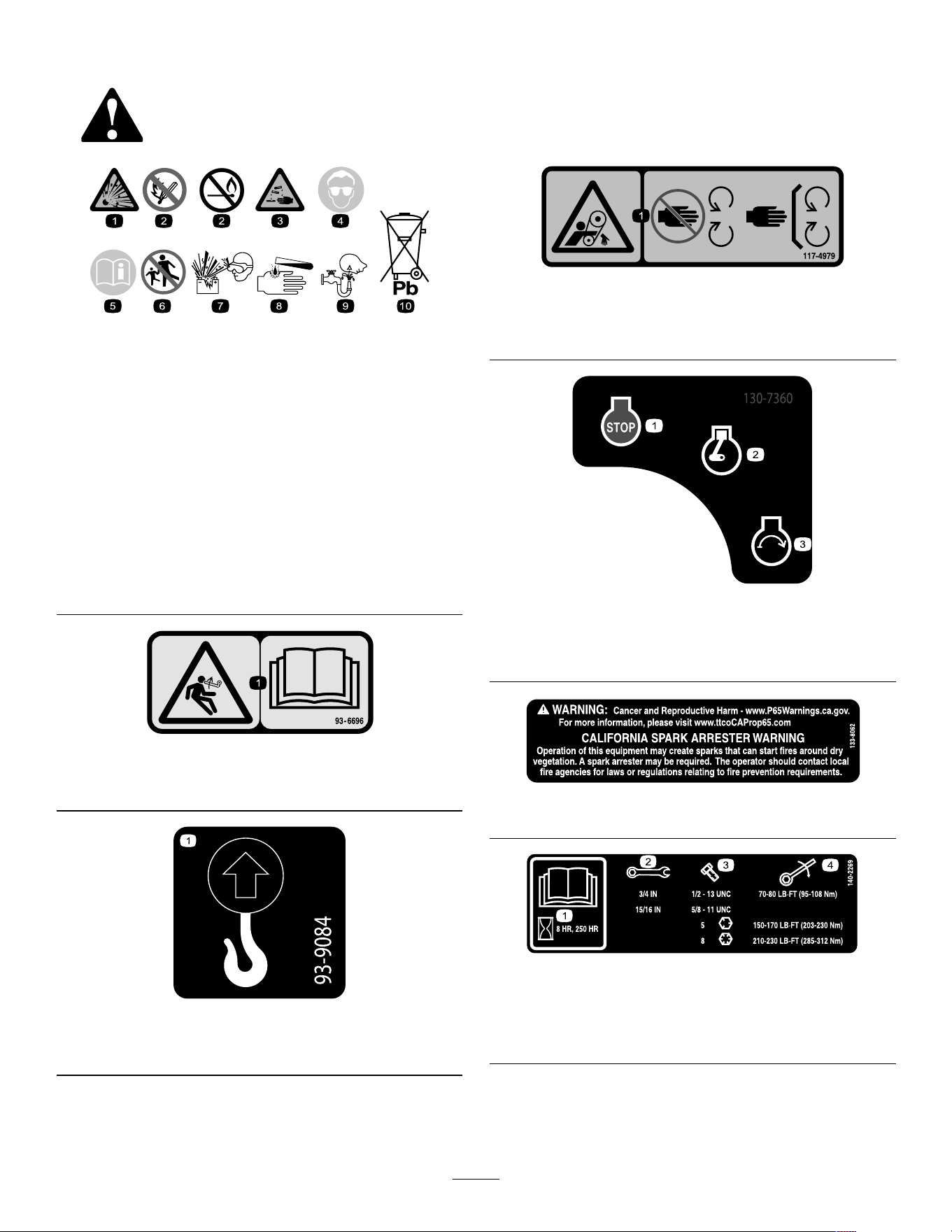
Safety decals and instructions are easily visible to the operator and are located near any area
of potential danger . Replace any decal that is damaged or missing.
decalbatterysymbols
Battery Symbols
Some or all of these symbols are on your battery .
1. Explosion hazard 6. Keep bystanders away
from the battery .
2. No re, open ame, or
smoking
7. W ear eye protection;
explosive gases can
cause blindness and other
injuries.
3. Caustic liquid/chemical
burn hazard
8. Battery acid can cause
blindness or severe burns.
4. W ear eye protection. 9. Flush eyes immediately
with water and get medical
help fast.
5. Read the Operator's
Manual .
10. Contains lead; do not
discard
decal93-6696
93–6696
1. Stored energy hazard—read the Operator's Manual .
decal93-9084
93-9084
1. Lift point/T ie-down point
decal1 17-4979
1 17-4979
1. Entanglement hazard, belt—keep away from moving parts;
keep all guards and shields in place.
decal130-7360
130-7360
1. Engine—of f
3. Engine—start
2. Engine—run/warming
decal133-8062
133-8062
decal140-2269
140-2269
1. Read the Operator ’ s
Manual .
3. Bolt size
2. W rench size 4. T orque
6
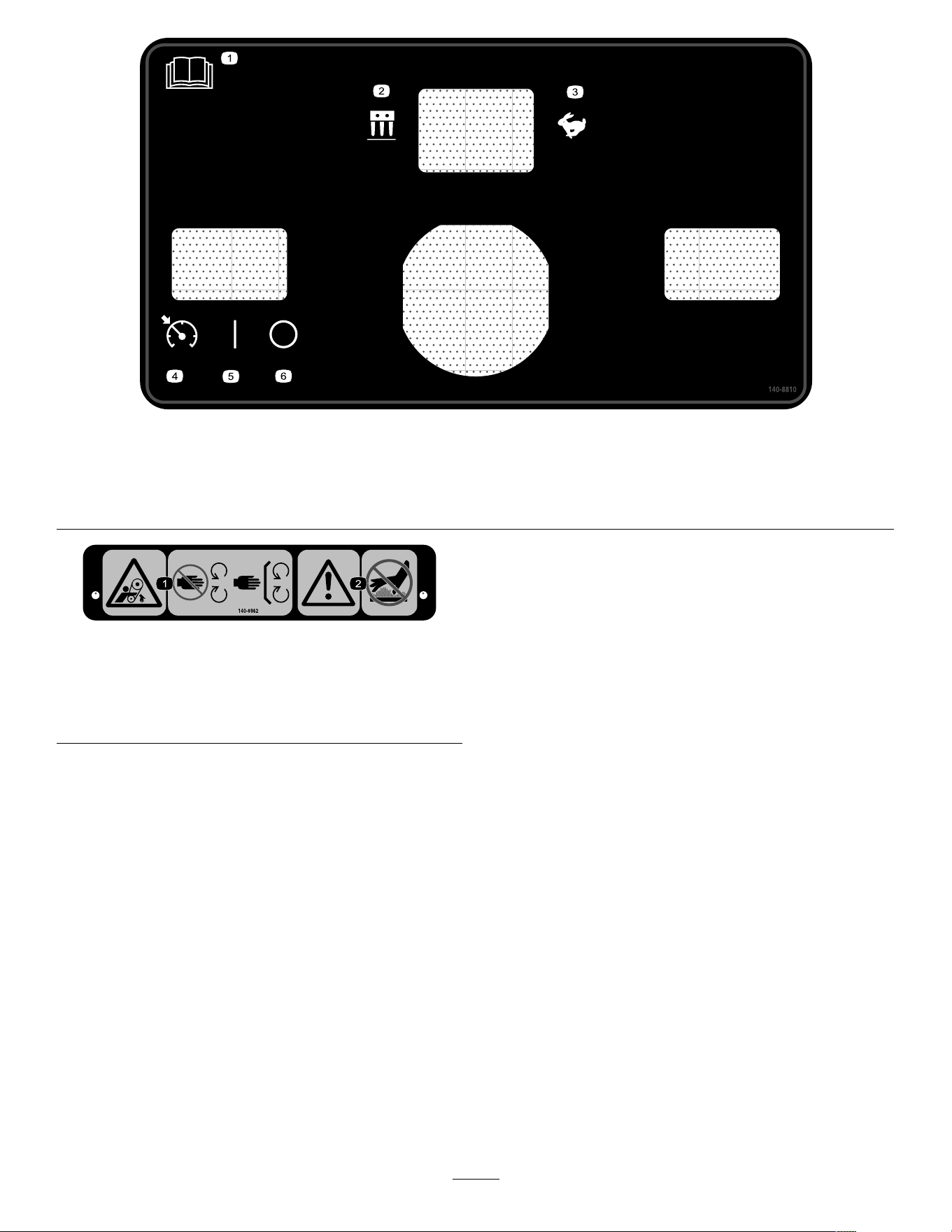
decal140-8810
140-8810
1. Read the Operator ’ s Manual . 4. Speed-lock switch—Engage
2. Aeration mode
5. Speed-lock switch—On
3. T ransportation mode
6. Speed-lock switch—Of f
decal140-8962
140-8962
1. Entanglement hazard,
belt—stay away from
moving parts; keep all
guards in place.
2. W arning—do not touch hot
surfaces.
7
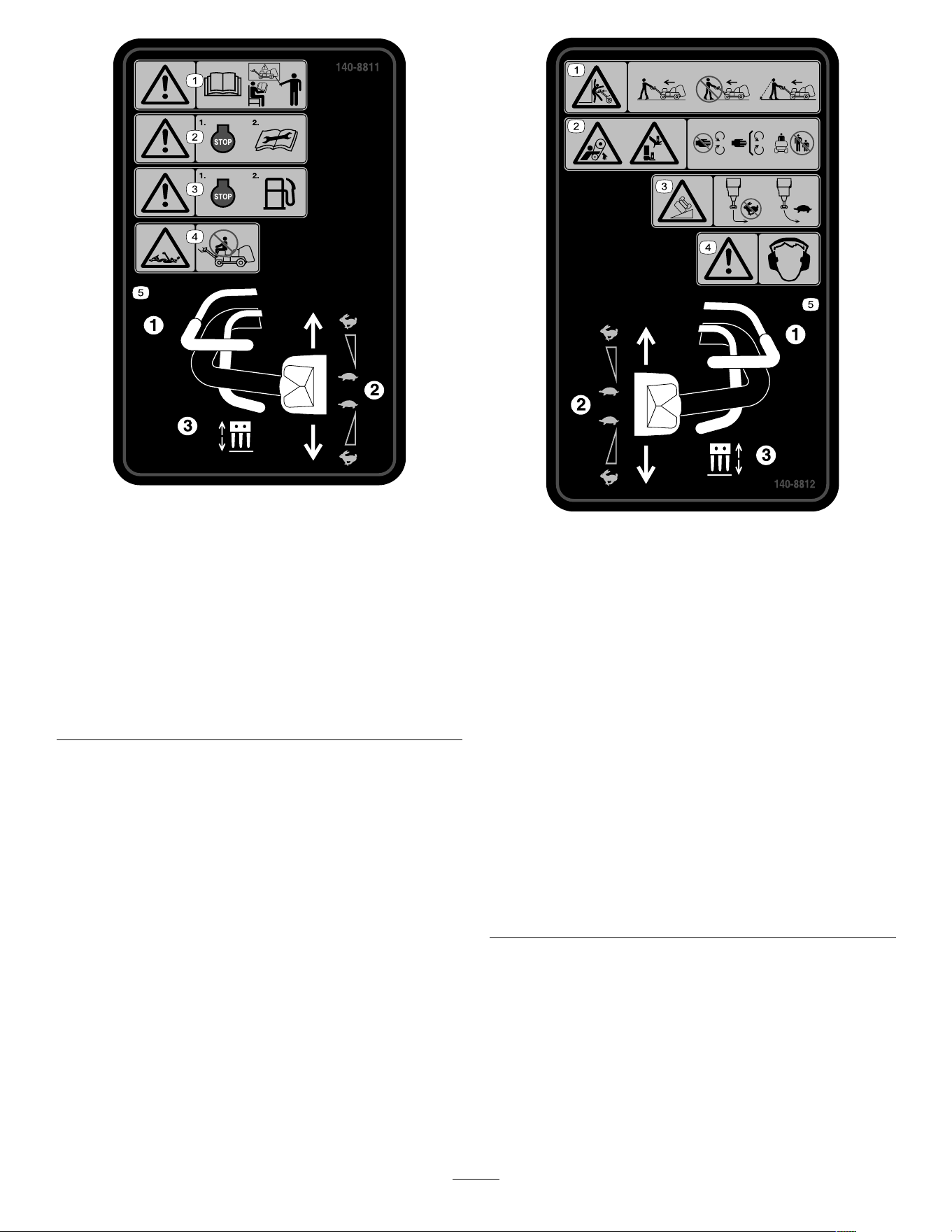
decal140-881 1
140-881 1
1. W arning—all operators
should read the Operator ’ s
Manual and be trained
before operating the
machine.
4. Entanglement hazard—do
not ride on the machine.
2. W arning—shut of f the
engine before performing
maintenance.
5. T o operate the machine,
(1) squeeze the operator
presence bail, (2) rotate
the traction control, (3)
squeeze the aerate bail.
3. W arning—shut of f the
engine before adding fuel.
decal140-8812
140-8812
1. W arning crushing
hazard—walk in front
and face forward while
operating the machine;
do not walk backward
and face away when
operating the machine;
look behind you when
walking backward while
operating the machine.
4. W arning—wear hearing
protection.
2. Entanglement hazard,
belt; crushing hazard of
hand or foot—stay away
from moving parts, keep
all guards and shields in
place; keep bystanders
away .
5. T o operate the machine,
(1) squeeze the operator
presence bail, (2) rotate
the traction control, (3)
squeeze the aerate bail.
3. T ipping hazard—do not
turn sharply while traveling
fast; drive slowly when
turning; do not drive
the machine on a slope
greater than 15°.
8
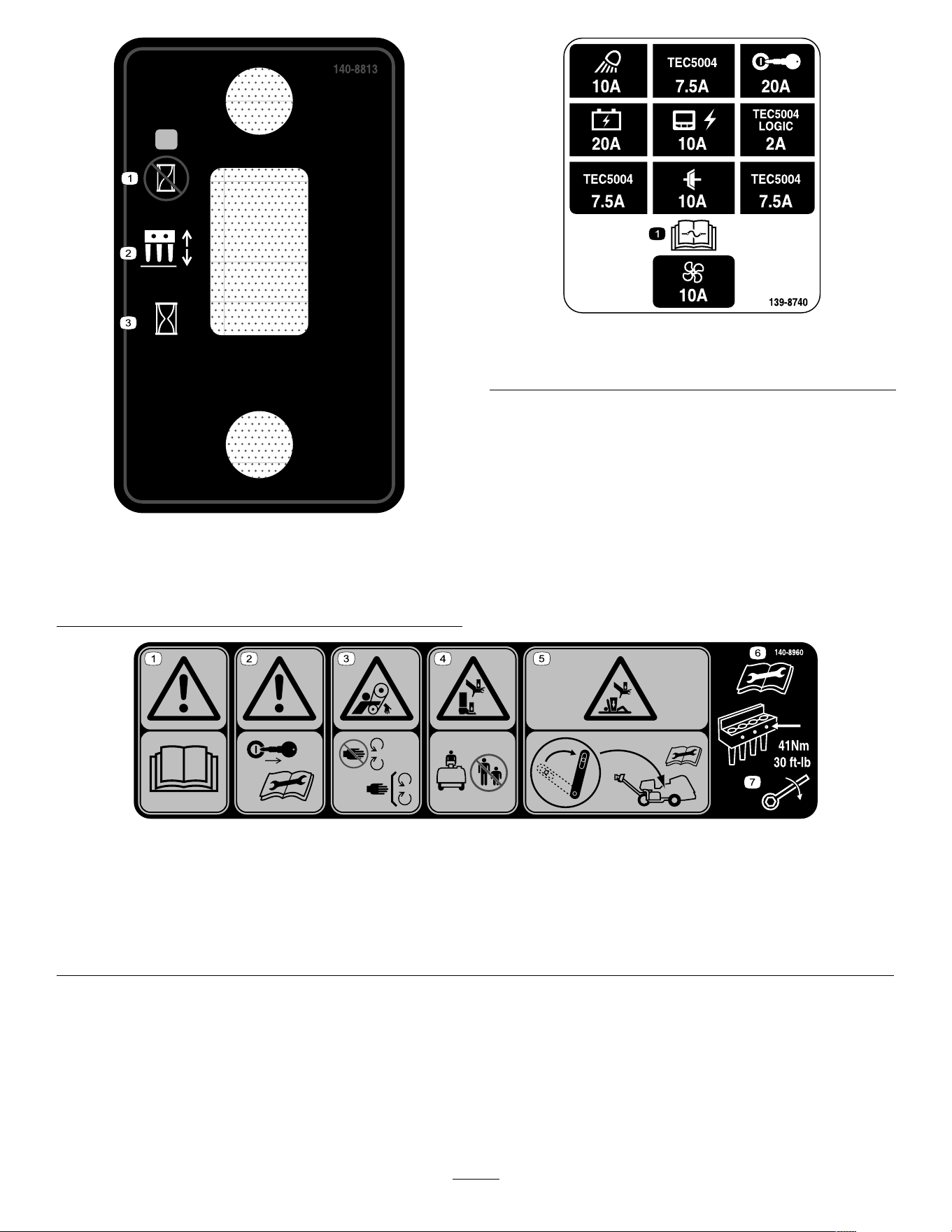
decal140-8813
140-8813
1. Lower the coring head at
the targeting location.
3. Lower the coring head
immediately .
2. Coring head switch
decal139-8740
139-8740
1. Read the Operator ’ s Manual for information on fuses.
decal140-8960
140-8960
1. W arning—read the Operator ’ s Manual . 5. Crushing hazard of the hand or body—engage the service
latch before performing maintenance.
2. W arning—remove the key before performing maintenance. 6. Read the Operator ’ s Manual before performing maintenance.
3. Entanglement hazard, belt—stay away from moving parts. 7. T orque the tine bolts to 41 N∙m (30 ft-lb).
4. Crushing hazard of the hand or foot—keep bystanders away .
9
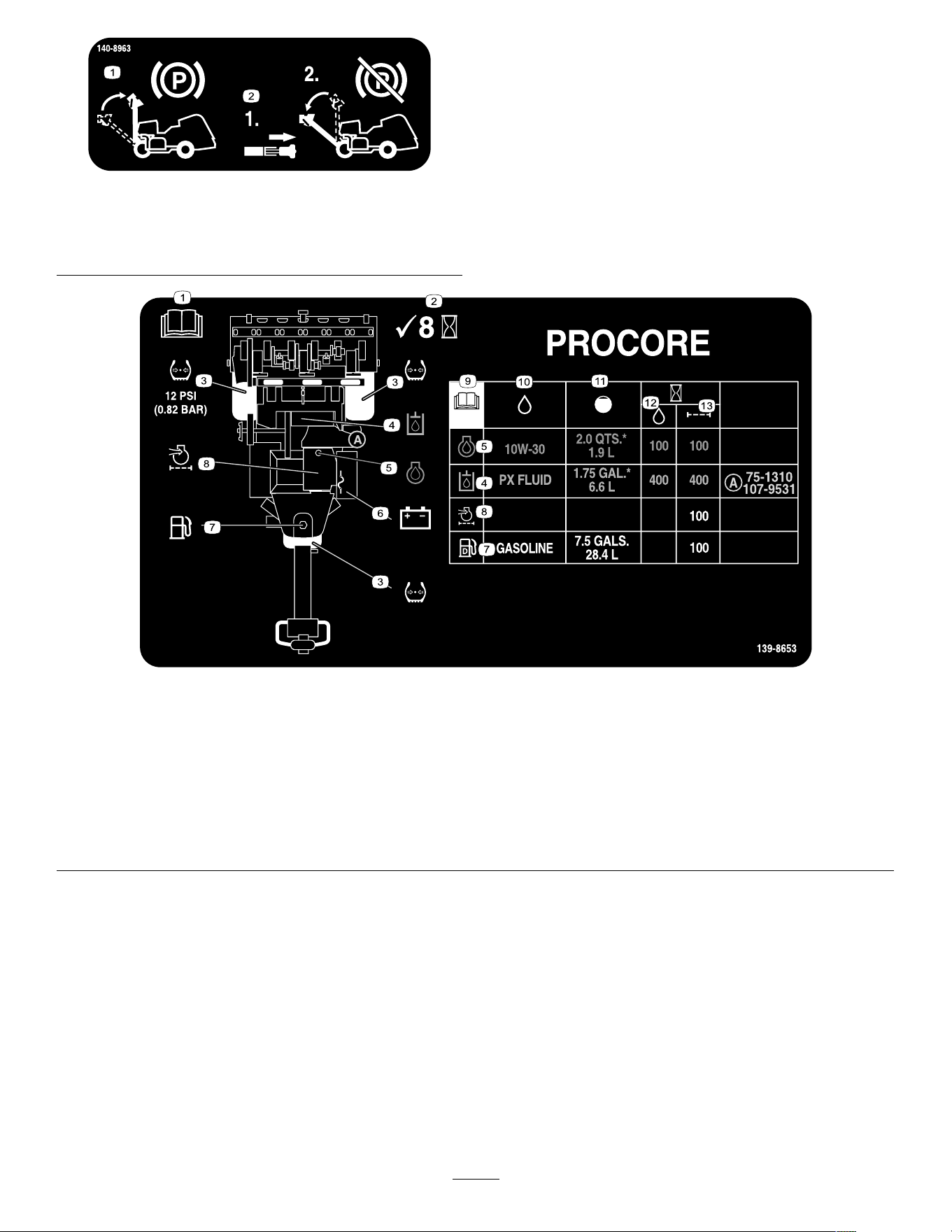
decal140-8963
140-8963
1. Raise the handle to
engage the parking brake.
2. Pull the handlebar latch
to disengage the parking
brake.
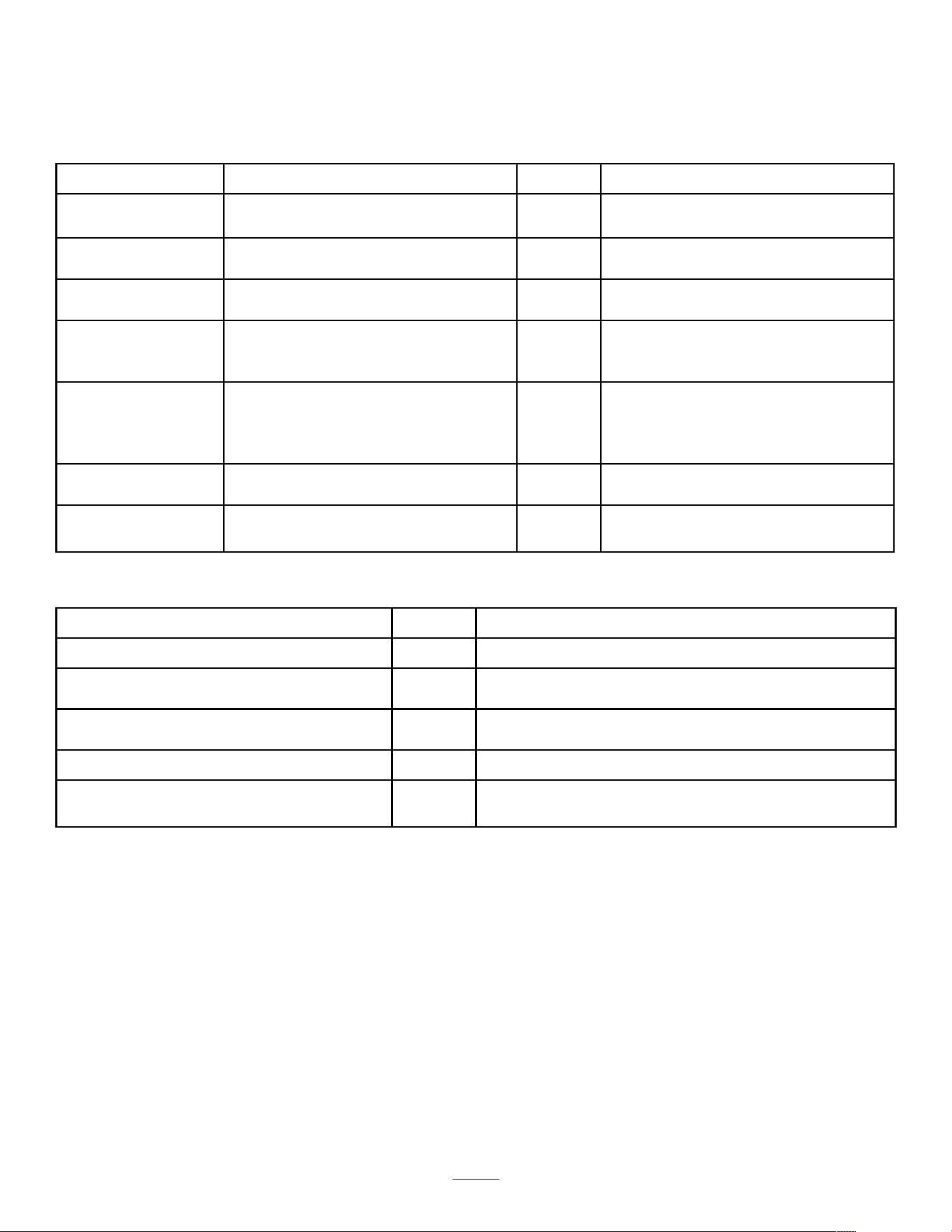
decal139-8653
139-8653
1. Read the Operator ’ s Manual . 8. Engine air lter
2. Check every 8 hours 9. Read the Operator ’ s Manual .
3. T ire pressure 10. Fluids
4. Hydraulic uid 1 1. Capacity
5. Engine oil
12. Fluid interval (hours)
6. Battery
13. Filter interval (hours)
7. Fuel
10
Setup
Loose Parts
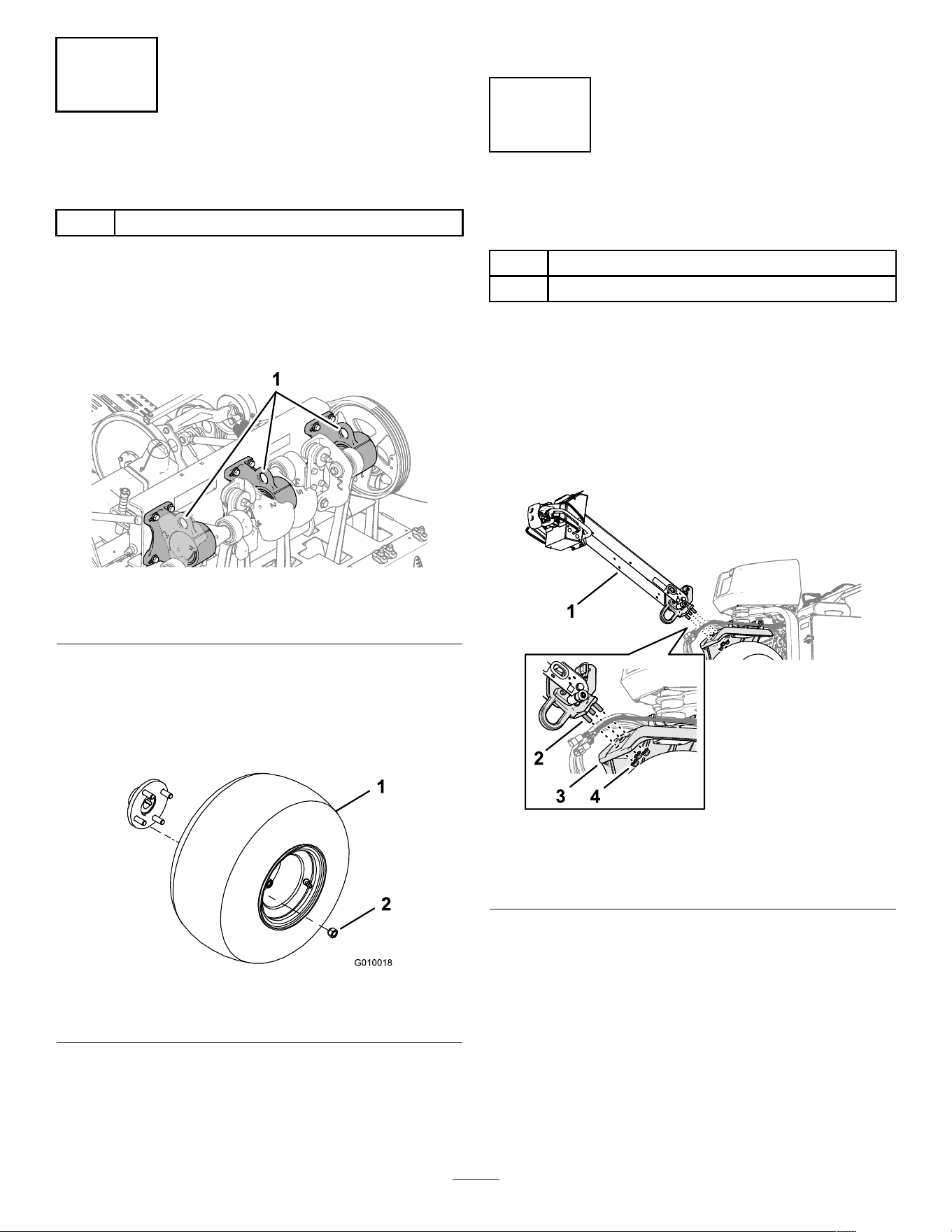
Use the chart below to verify that all parts have been shipped.
Procedure Description
Qty .
Use
1
Wheel assembly 2 Install the rear wheels.
Handle 1
2
Locknut (1/2 inch)
3
Install the handle.
Bolt (1/4 x 1 inch)
2
3
Flange nut (5/16 inch)
2
Charge and connect the battery .
Latch lock 2
T ap bolt 2
4
Internal tooth lock washer 2
Securing the rear hood (CE only).
Lanyard 1
Pop rivet 1
Bolt (1/4 x 1 inch)
1
5
Locknut (1/4 inch)
1
Secure the belt cover (CE only).
CE decal
1
6
Production year decal 1
Apply the CE decal and the production
year decal.
7
No parts required
–
Install the tine holders, turf guards, and
tines.
Media and Additional Parts
Description
Qty .
Use
Ignition key 2
Controls the engine and electrical systems.
T urf guard clamp
4
Flange nut 12
Install the turf guards.
Operator's Manual
1
Engine owner's manual 1
Read before operating the machine.
Declaration of conformity
1
CE certication
Pre-delivery checklist 1
Ensure that all setup procedures have been completed
before delivery .
Note: The front of the machine is located at the operator handle, and is the normal operator position. Left and
right are in relation to the direction of travel as you walk with machine following you.
Note: T o raise the coring head after uncrating the machine, release the aerate bail and start the engine; refer to
Starting the Engine ( page 40 ) and Raising the Coring Head ( page 46 ) for more information.
1 1
1
Installing the Rear Wheels
Parts needed for this procedure:
2 Wheel assembly
Procedure
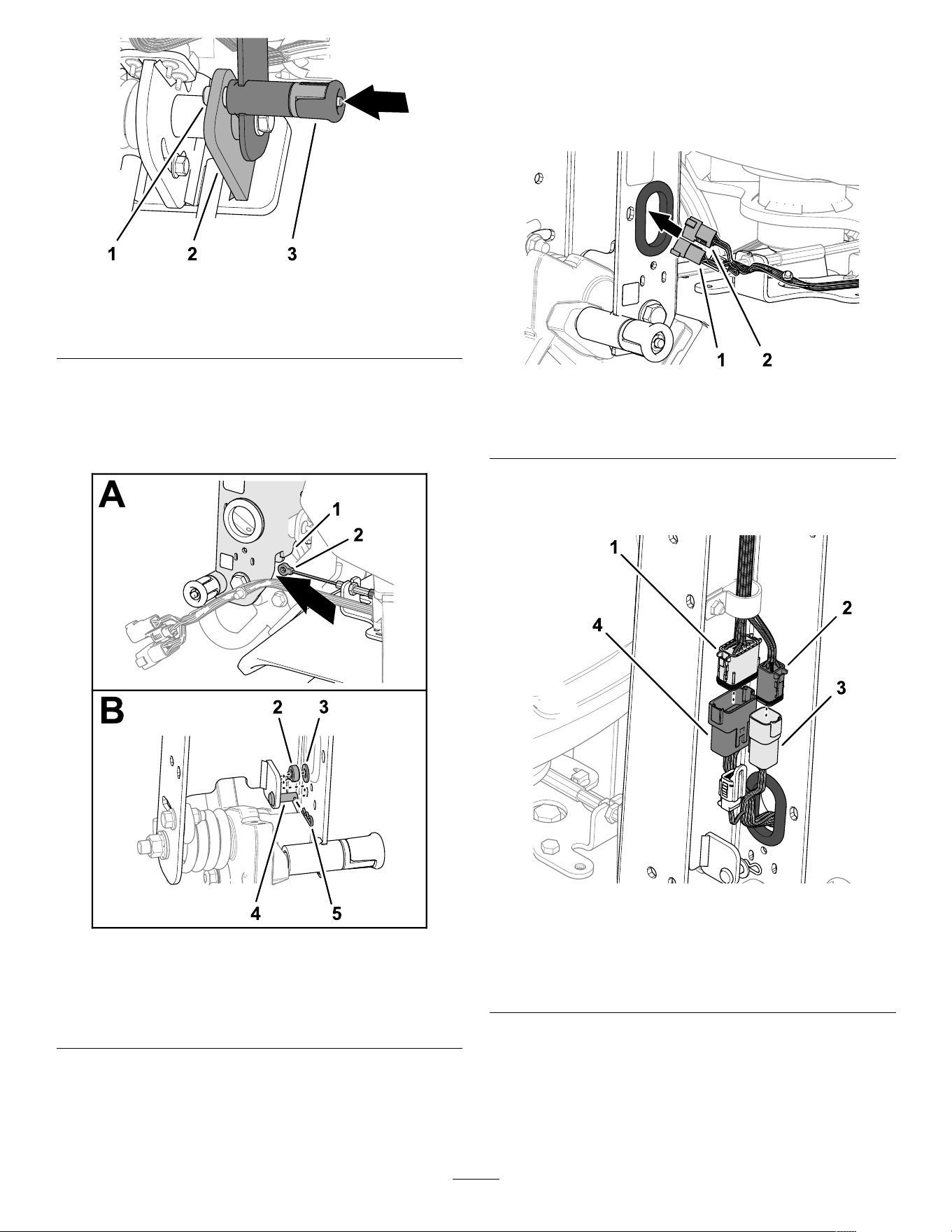
Note: If available, use a hoist to lift the rear of the
machine. Use the eyelets in the coring-head bearing
housings as hoist attachment points ( Figure 3 ).
g341 103
Figure 3
1. Eyelets (coring-head bearing housings)
1. At the rear of the machine, remove the 4 lug nuts
that secure the rear of the machine to brackets
of the shipping pallet.
2. Assemble a wheel assembly onto each
rear-wheel hub with the 4 lug nuts ( Figure 4 ).
g010018
Figure 4
1. Wheel assembly 2. Lug nut
3. T orque the lug nuts to 61 to 75 N∙m (45 to 55
ft-lb).
4. Repeat steps 1 though 3 at the other side of
the machine.
5. Deate all tires to 83 kPa (12 psi).
2
Installing the Handle
Parts needed for this procedure:
1 Handle
3
Locknut (1/2 inch)
Assembling the Handle to the
Machine
1. Insert the studs at the end of the handlebar into
the holes in the steering arm ( Figure 5 ).
Note: Have another person help hold the
handlebar .
g3581 19
Figure 5
1. Handlebar
3. Steering arm
2. Stud 4. Flange locknuts (1/2 inch)
2. Thread a ange locknut (1/2 inch) onto each of
the 3 studs.
3. T orque the ange locknuts to 91 to 1 13 N∙m (67
to 83 ft-lb).
4. Rotate the handlebar up and secure it with the
handlebar-latch pin ( Figure 6 ).
12
g342477
Figure 6
1. Handlebar-latch pin 3. Handlebar-latch knob
2. Detent plate
Assembling the Brake Cable
1. Route the tting of the brake cable under the
bottom of the handle-bar channel ( Figure 7 ).
g3581 18
Figure 7
1. Handle-bar channel
4. Clevis pin
2. Brake-cable tting
5. Hairpin
3. W asher (5/16 inch)
2. Assemble the brake-cable tting on to the clevis
pin, and secure the tting to the pin with the
washer and hairpin.
Connecting the W ire Harness
1. Route the 6-pin connector and the 12-pin
connector of the machine wire harness through
the grommet in the handle-bar channel ( Figure
8 ).
g358122
Figure 8
1. 6-pin connector (machine
wire harness)
2. 12-pin connector (machine
wire harness)
2. Plug the 12-pin connector of the machine
harness into the 12-socket connector of the
handlebar wire harness ( Figure 9 ).
g358121
Figure 9
1. 12-socket connector
(handle wire harness)
3. 6-pin connector (machine
wire harness)
2. 6-socket connector
(handle wire harness)
4. 12-pin connector (machine
wire harness)
3. Plug the 6-pin connector of the machine harness
into the 6-socket connector of the handlebar
harness.
4. Insert the push-in anchor of the machine
harness into the hole in the handle-bar channel
( Figure 10 ).
13
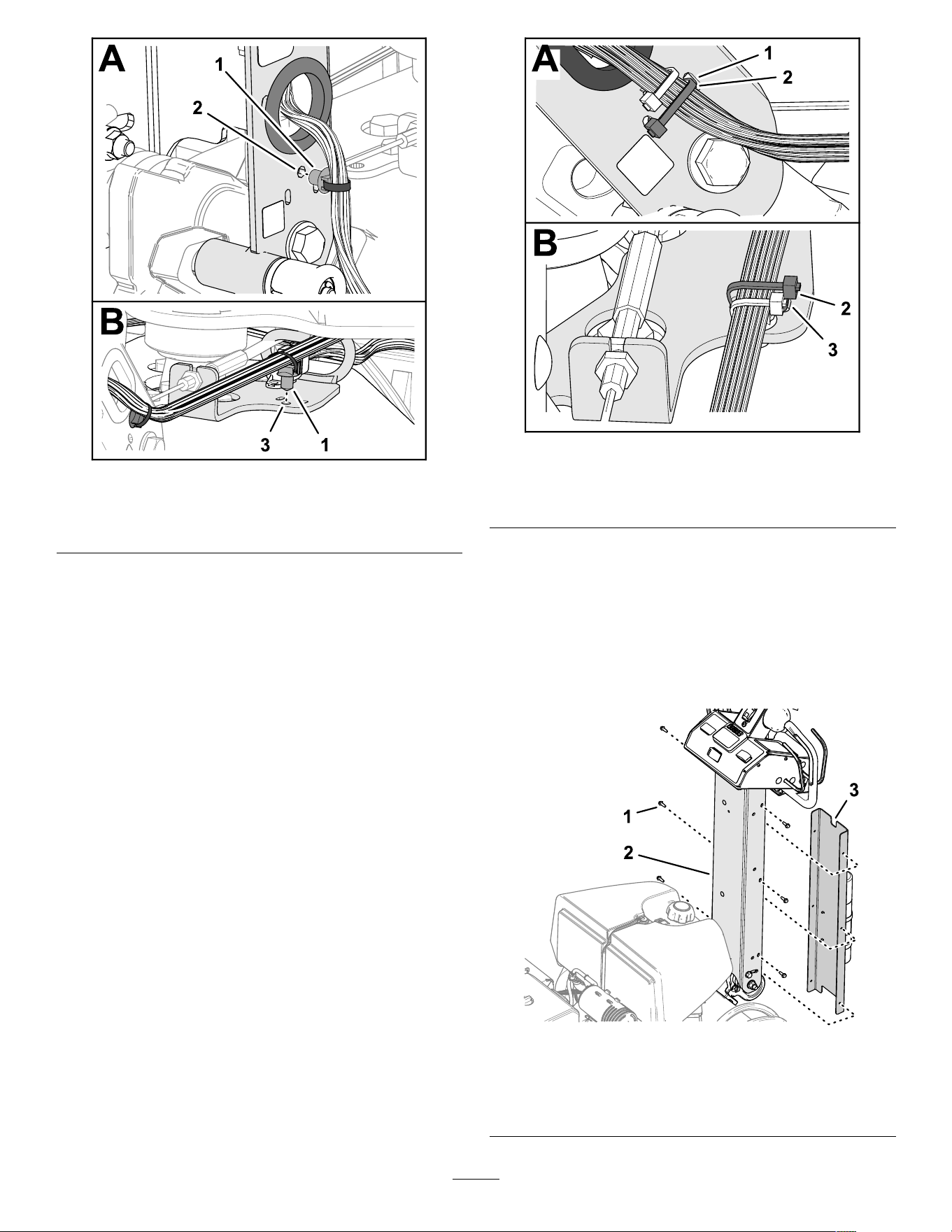
g358123
Figure 10
1. Push-in anchor
3. Guide bracket
2. Handle-bar channel
5. Insert the push-in anchor of the machine
harness into the hole in the guide bracket.
6. Secure the machine harness to the handle-bar
channel with a cable tie through the slots in the
channel ( Figure 1 1 ).
g372270
Figure 1 1
1. Slot (handle-bar channel) 3. Slot (guide bracket)
2. Cable tie
7. Secure the machine harness to the guide
bracket with a cable tie through the slots in the
bracket.
Installing the Handlebar Cover
1. Align the small notch in the handlebar cover with
the notch up ( Figure 12 ).
g512187
Figure 12
1. Thread-forming screw
(1/4 inch)
3. Small notch (handle-bar
cover)
2. Handle-bar channel
14
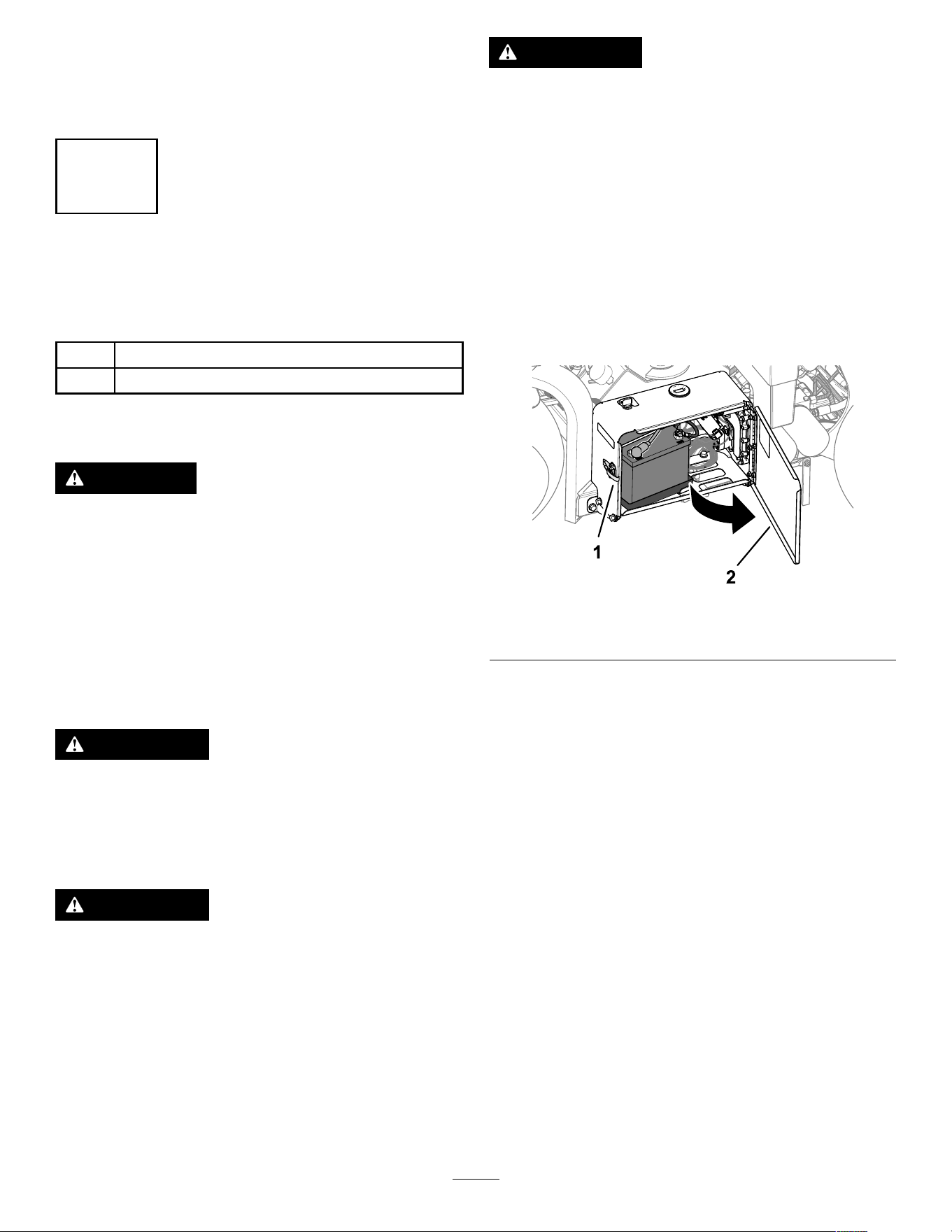
2. Align the holes in the cover with the holes in the
handle-bar channel.
3. Secure the cover to the handlebar with the 6
thread-forming screws (1/4 inch).
3
Charging and Connecting
the Battery
Parts needed for this procedure:
2
Bolt (1/4 x 1 inch)
2
Flange nut (5/16 inch)
Charging the Battery
DANGER
Battery electrolyte contains sulfuric acid
which is a deadly poison and causes severe
burns.
• A void contact with skin, eyes, or clothing.
W ear safety glasses to shield your eyes
and rubber gloves to protect your hands.
• Remove, charge, and install the battery
where clean water is always available for
ushing the skin.
W ARNING
Charging the battery produces gasses that
can explode.
Never smoke near the battery and keep sparks
and ames away from it.
W ARNING
Battery terminals or metal tools could short
against metal machine components, causing
sparks. Sparks can cause the battery gasses
to explode, resulting in personal injury .
• When removing or installing the battery ,
do not allow the battery terminals to touch
any metal parts of the machine.
• Do not allow metal tools to short between
the battery terminals and metal parts of the
machine.
W ARNING
Incorrect battery cable routing could damage
the machine and cables, causing sparks.
Sparks can cause the battery gasses to
explode, resulting in personal injury .
• Always disconnect the negative (black)
battery cable before disconnecting the
positive (red) cable.
• Always connect the positive (red) battery
cable before connecting the negative
(black) cable.
1. Unlatch and open the battery-compartment door
( Figure 13 ).
g338268
Figure 13
1. Latch 2. Battery-compartment door
2. Remove the battery from the battery
compartment.
3. Use a battery charger with a 3 to 4 A charging
capacity to charge the battery .
4. When the battery is charged, disconnect the
charger from the electrical outlet and battery
posts.
Installing the Battery
1. Assemble the battery into the tray in the battery
compartment ( Figure 14 ). Position the battery
so that the terminals are aligned the outward.
15
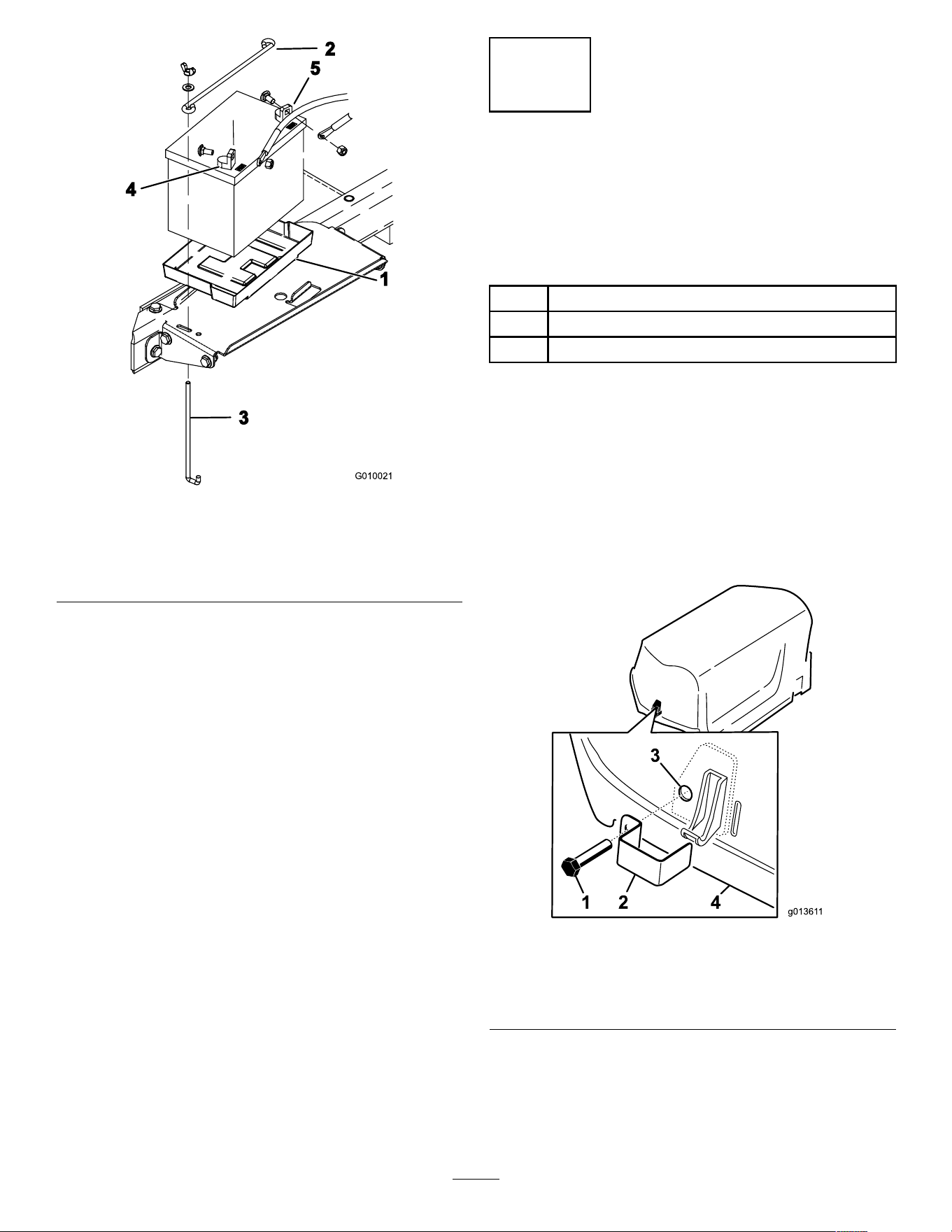
g010021
Figure 14
1. Battery tray
4. Positive terminal (+)
2. Hold-down rod
5. Negative terminal (–)
3. J-rod
2. Secure the battery to the compartment base
with a hold-down rod, 2 J-rods, 2 at washers,
and 2 wing nuts.
3. Secure the positive cable (red) to the positive
(+) battery terminal with a carriage bolt and nut.
4. Slide the rubber boot over the positive terminal.
5. Secure the negative cable (black) to the negative
(–) terminal of the battery with a carriage bolt
and nut.
6. Close and latch the battery compartment door .
4
Installing the Rear Hood
Latch Lock
CE Machines
Parts needed for this procedure:
2 Latch lock
2 T ap bolt
2 Internal tooth lock washer
Procedure
If you are setting up this machine for use in the
European Union (CE), install the hood-latch lock
onto the rear hood as follows to comply with CE
regulations.
1. Remove the rear hood.
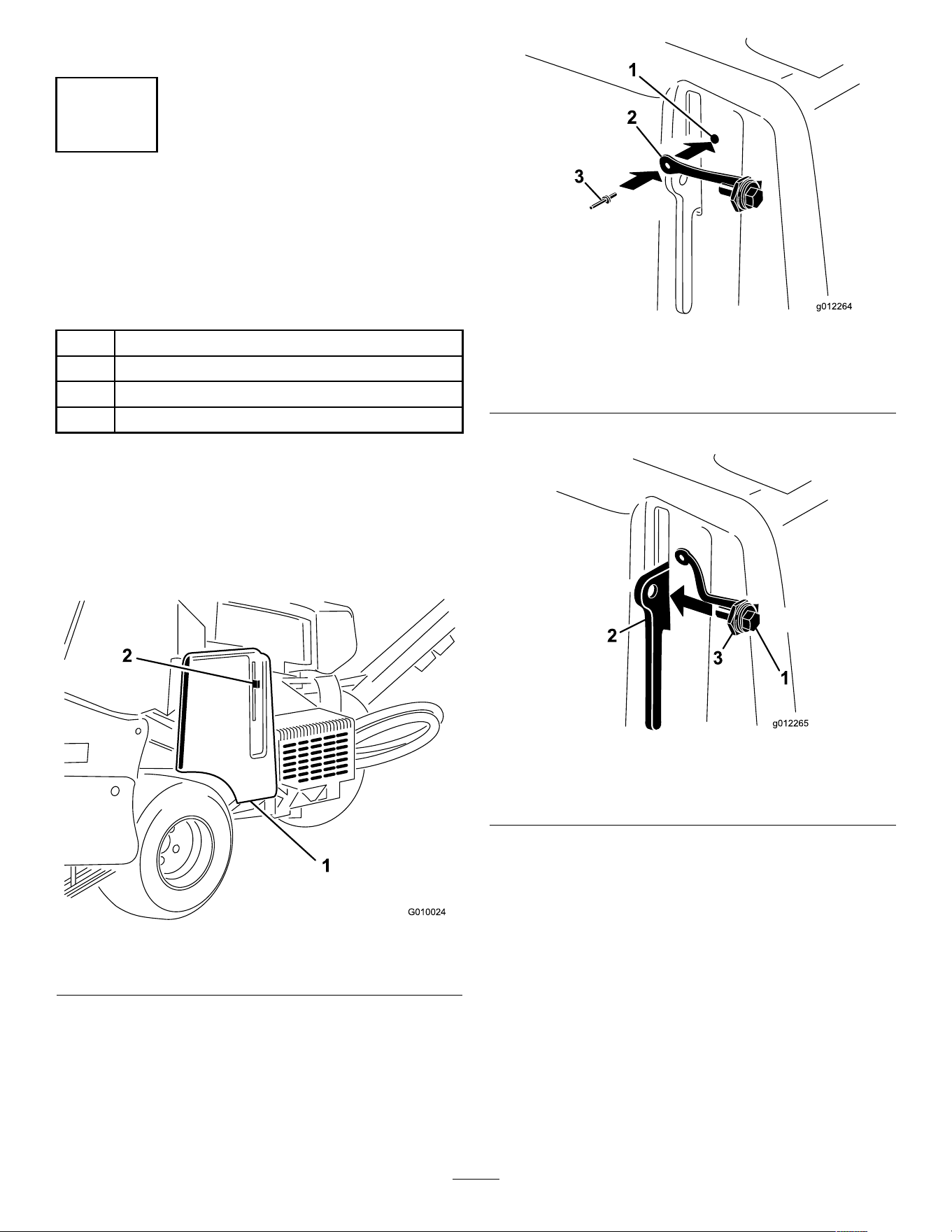
2. Install a latch lock over the hood latch ( Figure
15 ) with a tap bolt (2 total).
g01361 1
Figure 15
1. T ap bolt 3. Internal lock washer
(inside of hood)
2. Latch lock 4. Hood
3. Use a pliers and a wrench to thread an internal
lock washer onto each bolt (1 to 2 threads) to
secure the bolts to the hood.
4. Repeat steps 2 through 3 at the other side of
the hood.
16
5. Install the rear hood.
5
Installing the Belt-Cover
Latch Lanyard
CE Machines
Parts needed for this procedure:
1 Lanyard
1 Pop rivet
1
Bolt (1/4 x 1 inch)
1
Locknut (1/4 inch)
Procedure
If you are setting up this machine to be compliant with
CE, Install the belt cover latch link as follows.
1. Locate the hole in the belt cover next to the slot
for the latch lever ( Figure 16 and Figure 17 ).
g010024
Figure 16
1. Belt cover 2. Latch lever
2. Secure the lanyard assembly to the hole in the
belt cover with a pop rivet ( Figure 17 ).
g012264
Figure 17
1. Belt cover hole 3. Pop rivet
2. Lanyard
3. Thread the bolt into the latch lever ( Figure 18 ).
g012265
Figure 18
1. Bolt 3. Nut
2. Latch lever
17
6
Applying the CE Decal and
the Production Y ear Decal
CE Machines
Parts needed for this procedure:
1
CE decal
1 Production year decal
Procedure
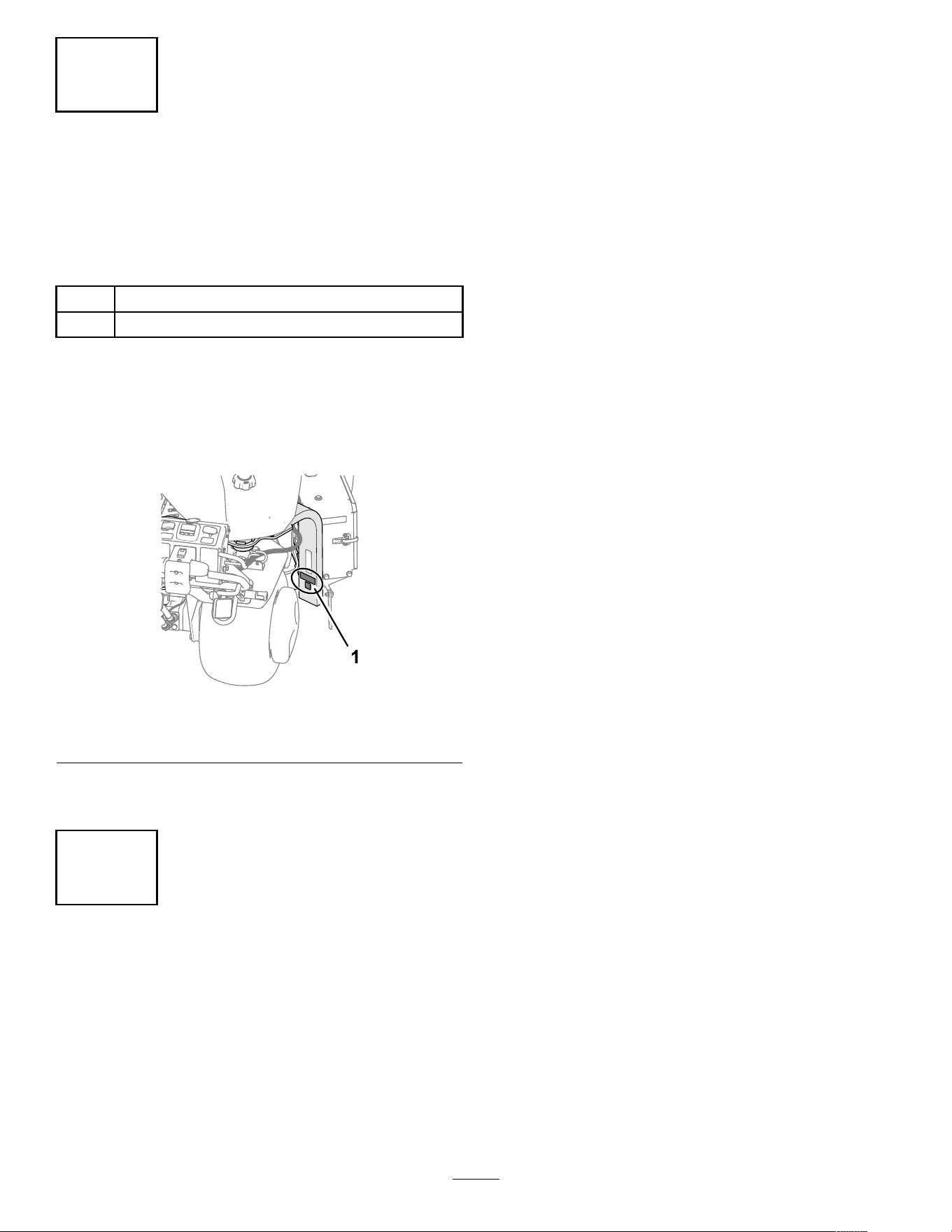
1. Complete the CE requirements.
2. Clean the fork leg with alcohol as shown in
Figure 19 and allow the surface to dry .
g338269
Figure 19
1. Apply the decals here.
3. Apply the CE decal and the production year
decal to the fork leg ( Figure 19 ).
7
Installing the T ine Holders,
T urf Guards, and T ines
No Parts Required
Procedure
A wide selection of tine holders, turf guards, and tines
are available for the machine. Refer to Installing T urf
Guards, T ine Holders, and T ines ( page 30 ) .
18
Product Overview
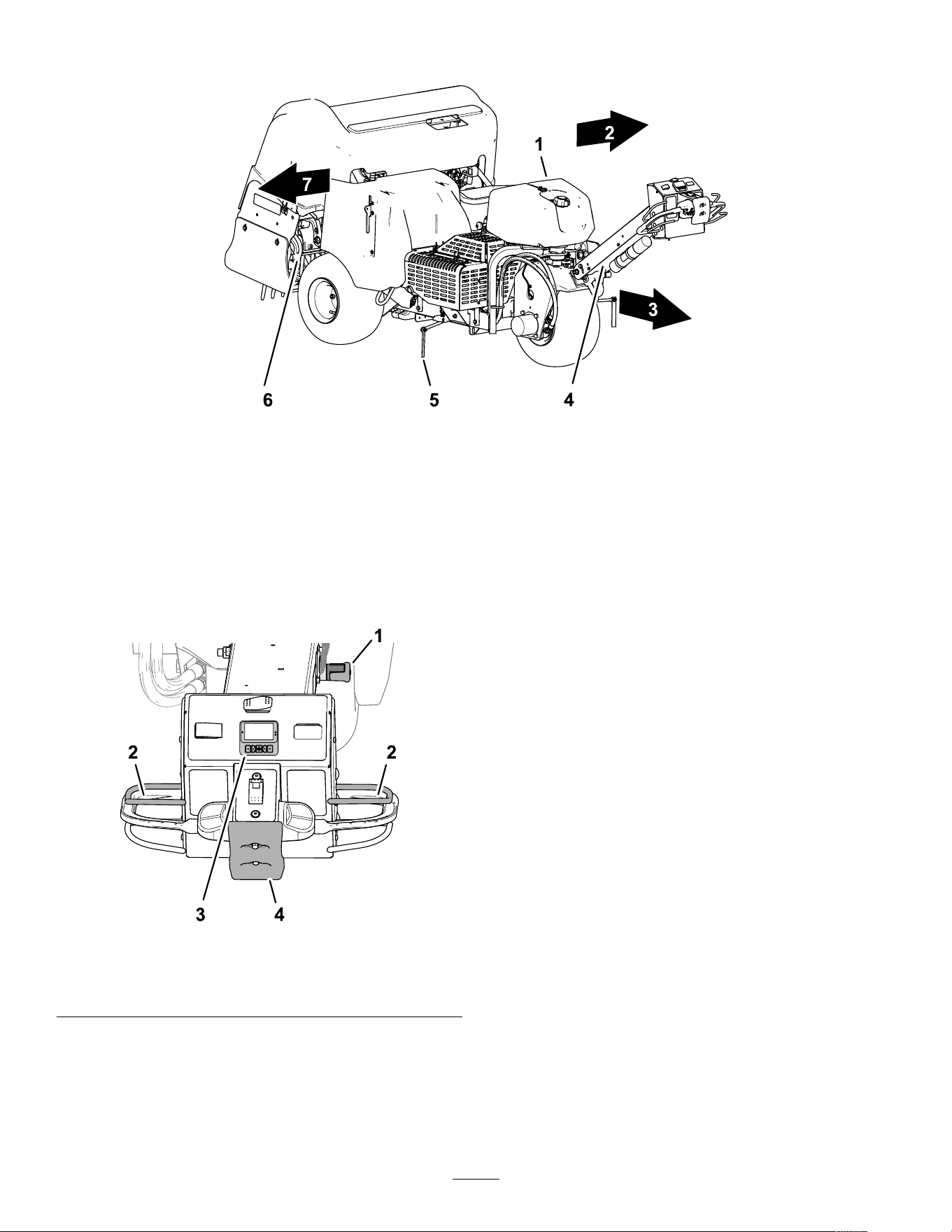
g512200
Figure 20
1. Fuel tank 4. Handlebar 7. Right side
2. Left side
5. Line marker
3. Forward (operating direction) 6. Coring head
Controls
Handlebar Controls
g510064
Figure 21
1. Handle-bar latch
3. InfoCenter
2. Operator presence bail
4. Bump-stop switch
Handle-Bar Latch
Use the handle-bar latch ( Figure 21 ) to secure the
handlebar in the upward position and to engage the
parking brake.
Important: Secure the handlebar in the up
position anytime you leave the operator ’ s position.
Operator-Presence Bail
The operator-presence bail ( Figure 21 ) helps ensure
that you are in the operator ’ s position while driving the
machine or running the coring head.
Note: Releasing the operator-presence bail does not
shut of f the engine.
InfoCenter
Use the InfoCenter ( Figure 21 ) to adjust how the
coring head controls work.
Bump-Stop Switch
If you contact the bump-stop switch ( Figure 21 ), the
machine performs the following actions:
• The machine stops driving forward.
• The coring head raises and stops running.
Note: Contacting the bump-stop switch does not
shut of f the engine. Y ou can drive the machine in the
reverse direction, but you must reset the bump switch
to drive forward.
19
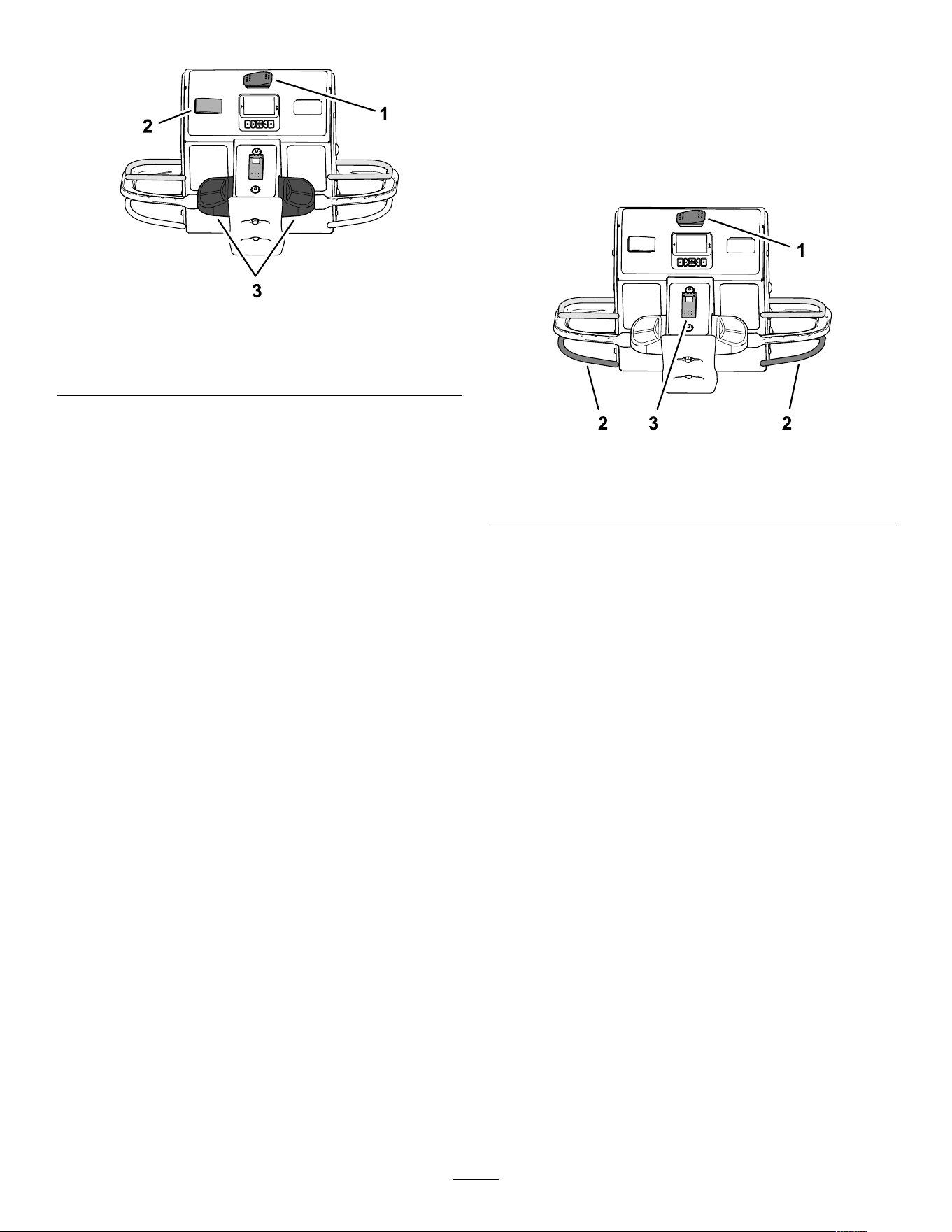
T raction Controls
g510065
Figure 22
1. T ransport/aeration switch
3. T raction controls
2. Speed-lock switch
T ransport/Aeration Switch
Use the transport/aeration switch ( Figure 22 ) to control
the maximum speed you can drive the machine while
aerating or transporting the machine.
• The AERATION position allows aeration and limits
ground speed to 4.0 kph (2.5 mph) or slower .
• The TRANSPORT position allows you to drive the
machine at full ground speed or slower between
job sites.
Note: Y ou cannot aerate with the
transport/aeration switch in the TRANSPORT
position.
T raction Controls
Use the left or right traction control ( Figure 22 ) to drive
the machine forward or backward.
Speed-Lock Switch—T ransport Mode
Use the speed-lock switch ( Figure 22 ) to maintain the
ground speed at which you drive the machine; similar
to cruise control in an automobile.
• The E NGAGE position locks the current ground
speed at which the machine is driving.
• The O N position activates the ground-speed lock.
• The O FF position shuts of f the ground-speed lock.
Speed-Lock Switch—Aerate Mode
Use the speed-lock switch ( Figure 22 ) to maintain the
ground speed at the aeration hole spacing rate.
• The O N position—activates and engages the
ground-speed lock to maintain the ground speed
at the aeration hole spacing rate when you release
the aerate bail at the end of an aeration pass.
• The O FF position shuts of f the ground-speed
lock—the machine stops moving forward when
you release the aerate bail.
Coring Head Controls
g510066
Figure 23
1. T ransport/aeration switch
3. Drop-control switch
2. Aerate bail
Aerate Bail
Use the aerate bail ( Figure 23 ) to lower and raise the
coring head.
Drop-Control Switch
Use the drop control switch ( Figure 23 ) to change how
the coring head lowers when aerating, you can select
the following modes:
• Immediate-drop
• Delayed-drop
20
Engine Controls
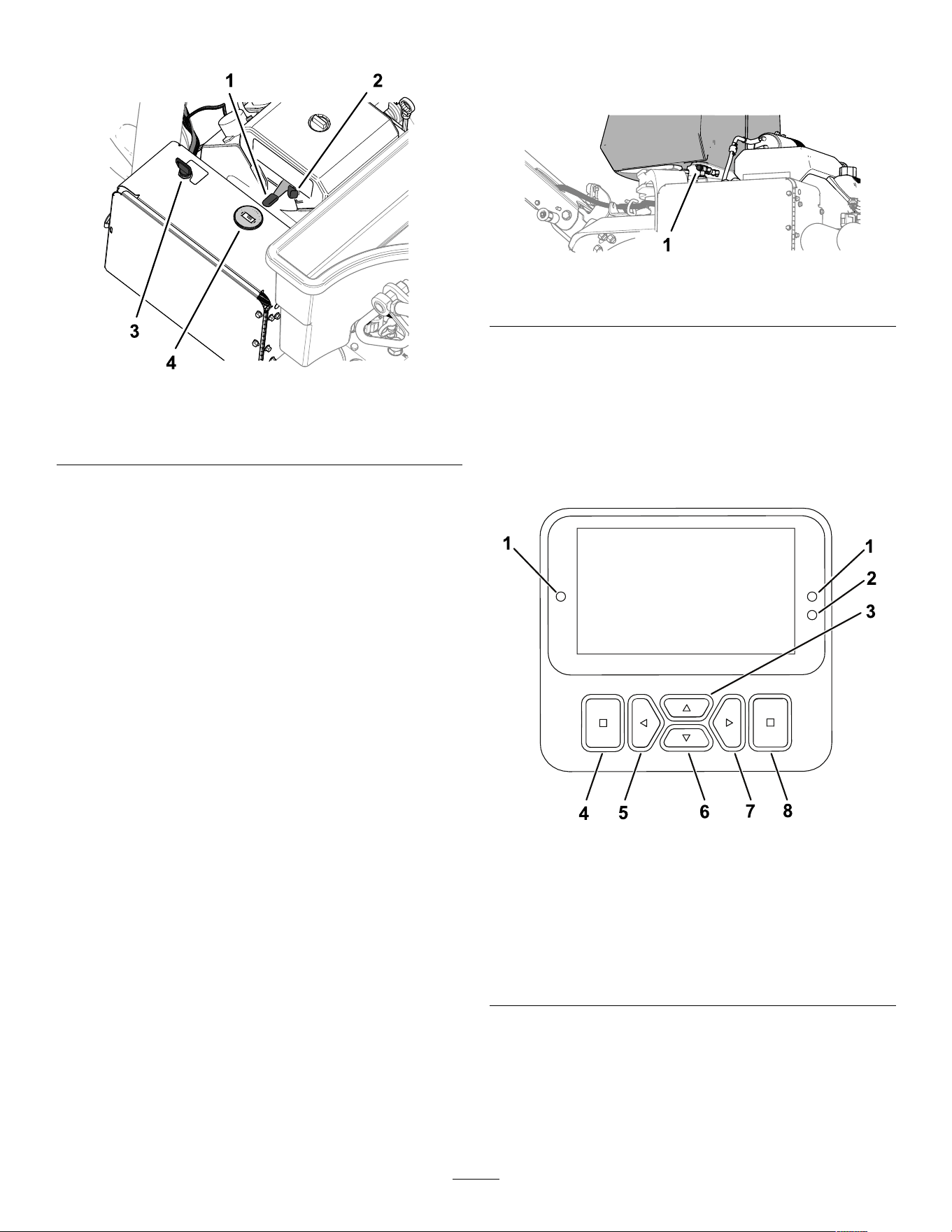
g338575
Figure 24
1. Throttle lever
3. Key (ignition switch)
2. Choke
4. T achometer
Throttle Lever
Use the throttle lever ( Figure 24 ) to control the engine
speed:
• Moving throttle lever forward increases engine
speed—toward the FAST position.
• Moving throttle lever backward decreases engine
speed—toward the SLOW position.
Note: The engine speed regulates the speed of the
coring head.
Choke
Use the choke when starting a cold engine ( Figure 24 ).
Ignition Switch and Key
Use the ignition switch ( Figure 24 ) to start and shut of f
the engine. The switch has 3 positions:
• S TART —rotate key clockwise to the S TART position
to engage the starter motor .
• R UN —when the engine starts, release the key and
it moves automatically to the O N position.
• O FF —rotate the key counterclockwise to the O FF
position to shut of f the engine.
T achometer
Use the tachometer to determine the engine speed
( Figure 24 ).
Fuel-Shutoff V alve
Use the fuel-shutof f valve to control fuel from the fuel
tank ( Figure 25 ).
g338576
Figure 25
1. Fuel-shutof f valve
InfoCenter
Using the InfoCenter Display
The InfoCenter display ( Figure 26 ) shows information
about your machine, such as the operating status,
various diagnostics, and other information about the
machine.
g471371
Figure 26
1. Indicator light 5. Navigational
button—decrease/ left
2. Display brightness sensor 6. Navigational
button—down
3. Navigational button—up 7. Navigational
button—increase/ right
4. Back/exit button 8. Enter/select button
Note: The purpose of each button may change
depending on what is required at the time. Each
button is labeled with an icon displaying its current
function.
Use the navigational buttons to navigate between
several screens and menu items:
21
• Splash screen : shows current machine
information for a few seconds after you move the
key to the O N position.
• Main menu : refer to Using the Menus ( page 22 ) .
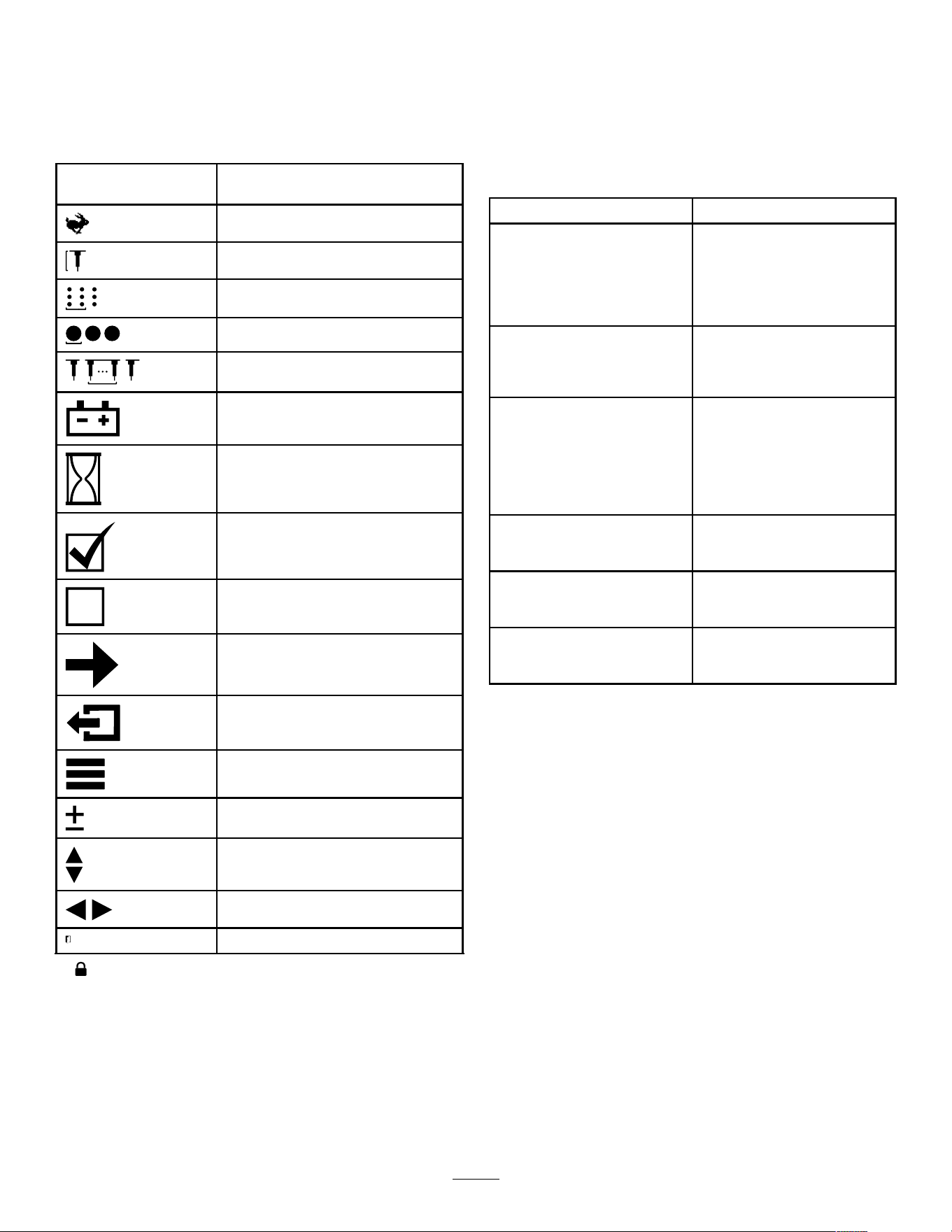
InfoCenter Icon Descriptions
SER VICE DUE
Indicates when scheduled service
should be performed
T ransport mode
Hole depth
Hole spacing
T ine diameter
T ines per holder
Battery
Hour meter
Active/OK
Inactive
Next
Previous screen
Menu
Increase/decrease value
Scroll up/down
Scroll left/right
Exit to menu
indicates the menu item is accessed by entering the PIN.
Using the Menus
T o access the main menu, press the back/exit button
while at any of the information screens.
Refer to the following tables for a description of the
options available from the menus:
Main Menu
Menu Item Description
F AULT
Contains a list of the recent
machine faults. Refer to
the Service Manual or your
authorized T oro distributor for
more information on the Faults
menu.
S ERVICE Contains information on the
machine such as hours of use,
counters, and other similar
numbers.
D IAGNOSTICS Lists various states that the
machine currently has; you
can use this to troubleshoot
certain issues as it quickly tells
you which machine controls
are active, and which are
shutof f.
S ETTINGS
Allows you to enter the PIN
or customize the InfoCenter
display .
M ACHINE S ETTINGS Allows you to modify the
operating characteristics and
conguration of the machine.
A BOUT Lists the model number , serial
number , and software version
of your machine.
22
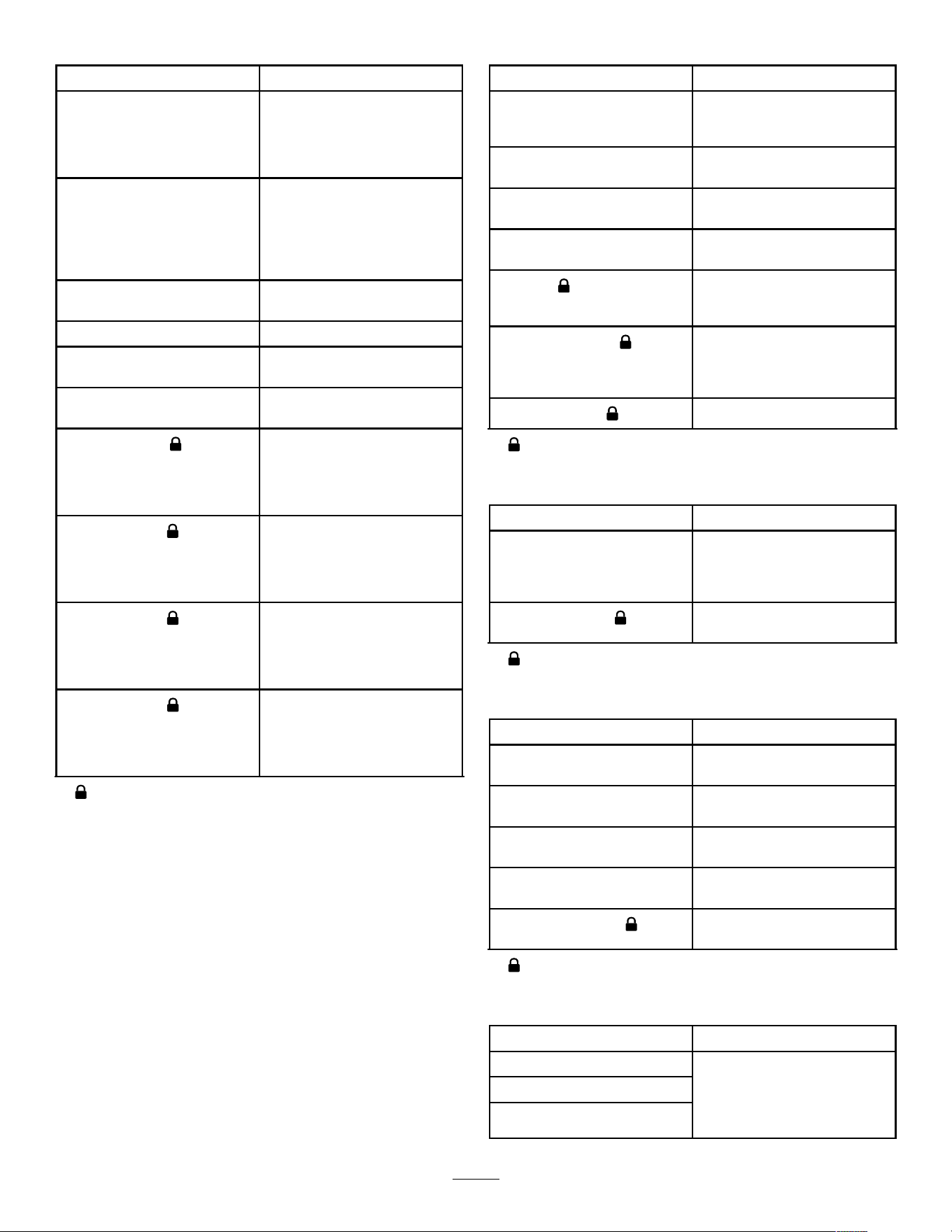
Service
Menu Item Description
S TATISTICS Lists counters for machine
run data and operations data,
such as engine run time,
aeration area/volume/time,
aeration travel distance.
H OURS Displays the total number
of hours that the machine,
engine and PT O have been
on, as well as the number of
hours the machine has been
transported and service due.
C OUNTS
Displays numerous counts the
machine has experienced.
S ERVICE L IFT Enable or disable service lift.
S ERVICE L OWER
Enable or disable service
lower .
3WD Enable automatic 3WD or
always on 3WD.
G ROUND H EIGHT
Indicates if the sensor
calibrations are valid, starts
the calibration process, and
lists the electrical value of the
sensor .
T RACTION P UMP
Indicates if the sensor
calibrations are valid, starts
the calibration process, and
lists the electrical value of the
sensor .
T RACTION I NPUT
Indicates if the sensor
calibrations are valid, starts
the calibration process, and
lists the electrical value of the
sensor .
H EIGHT S ENSOR
Indicates if the sensor
calibrations are valid, starts
the calibration process, and
lists the electrical value of the
sensor .
indicates the menu item is accessed by entering the PIN.
Settings
Menu Item Description
E NTER PIN Allows an authorized person
with the PIN code to access
protected menus
B ACKLIGHT
Controls the brightness of the
LCD display
L ANGUAGE
Controls the language used
on the InfoCenter
U NITS
Controls the units used on the
InfoCenter (English or metric)
E DIT PIN
Allows an authorized person
with the PIN code to change
the PIN code
P ROTECT S ETTINGS
Enables or disables
requirement of PIN code
entry to access protected
settings
R ESET D EFAULTS
Return all settings to default
indicates the menu item is accessed by entering the PIN.
Machine Settings
Menu Item Description
M AX T RANSPORT Allows you to change the
maximum forward ground
speed; default = 6.4 kph (4
mph)
M ANUAL A ERATION
Enables or disables manual
aeration
indicates the menu item is accessed by entering the PIN.
About
Menu Item Description
Model
Lists the model number of the
machine
SN Lists the serial number of the
machine
S/W Revision Lists the software revision of
the master controller
CAN Statistics
Lists the machine
communication bus status
InfoCenter Revision
Lists the software revision of
the InfoCenter display
indicates the menu item is accessed by entering the PIN.
Diagnostics
Menu Item Description
T raction
Aeration
Engine
Refer to the Service Manual
or your authorized T oro
distributor for more information
on the Diagnostics menu
items.
23
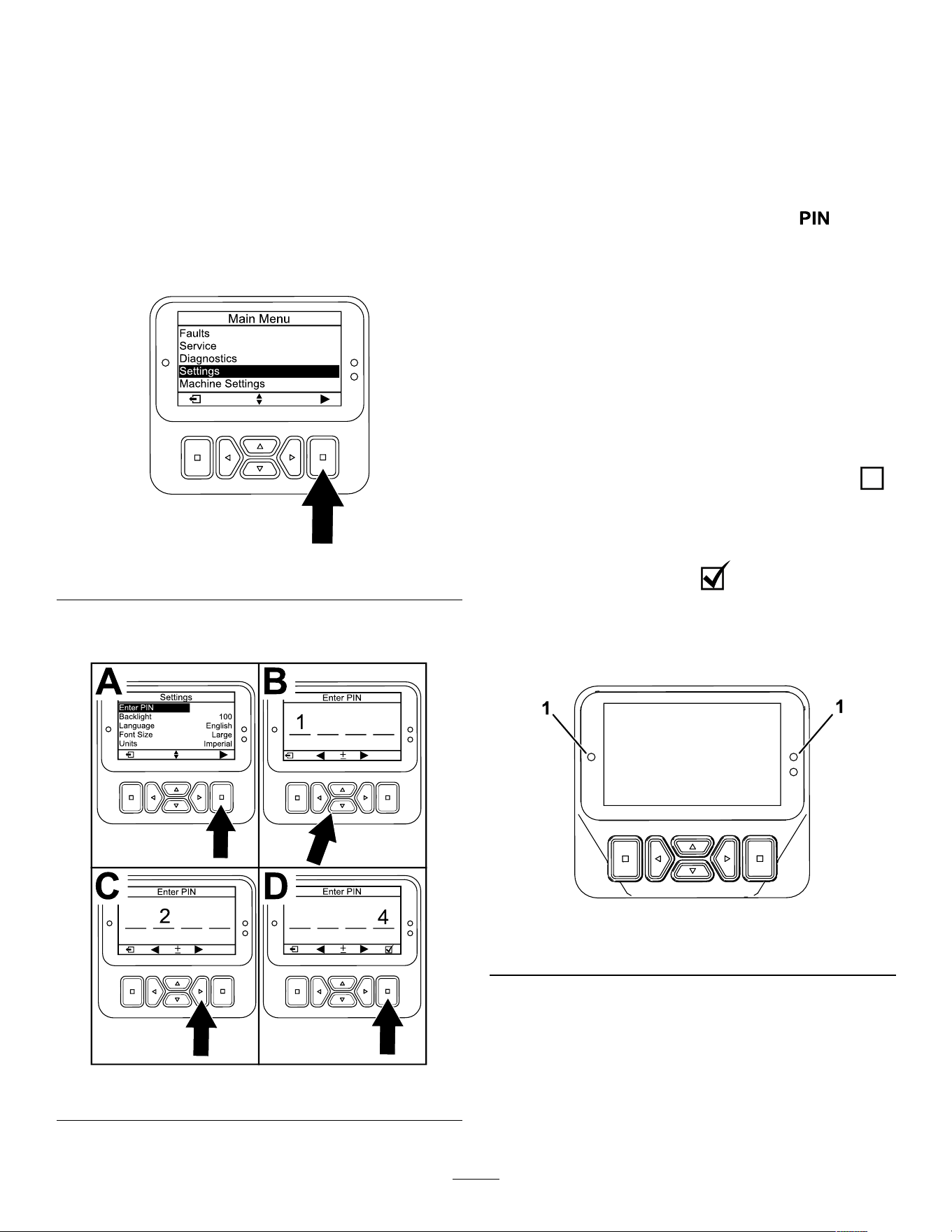
Accessing Protected Menus
Protected menus are not shown by default. These
settings are unlocked by entering the PIN Code.
Note: The factory default PIN code for you machine
is either 0000 or 1234; at the time of delivery , your
distributor may have changed the PIN code.
If you changed the PIN code and forgot the code,
contact your authorized T oro distributor for assistance.
1. From the M AIN M ENU , scroll down to the
S ETTINGS menu and press the select button
( Figure 27 ).
g512797
Figure 27
2. In the S ETTINGS menu, scroll to E NTER PIN and
press the select button ( Figure 28 A).
g512810
Figure 28
3. T o enter the PIN code, press the up/down
navigation buttons until the correct rst digit
appears, then press the right navigation button
to move on to the next digit ( Figure 28 B and
Figure 28 C). Repeat this step until the last digit
is entered.
4. Press the select button ( Figure 28 D).
Note: If the display accepts the PIN code and
the protected menus are unlocked, displays
in the upper right corner of the screen.
5. T o hide the protected menus, rotate the key
switch to the O FF position and then to the O N
position.
Using the Protected Menu Setting
1. Once the PIN code is entered, enter the
S ETTINGS menu, and scroll down to P ROTECT
S ETTINGS .
2. T o allow the protected menus to be viewed
without entering a PIN code, use the select
button to change the P ROTECT S ETTINGS to
(Of f).
3. T o require the PIN code to view the protected
menus, use the select button to change the
P ROTECT S ETTINGS to (On), set the PIN
code, and turn the key in the ignition switch to
the O FF position and then to the O N position.
Understanding the Diagnostic Light
g462666
Figure 29
1. Diagnostic light
• Flashing red—active fault
• Solid red—active advisory
• Solid blue—calibration/dialog messages
• Solid green—normal operation
24
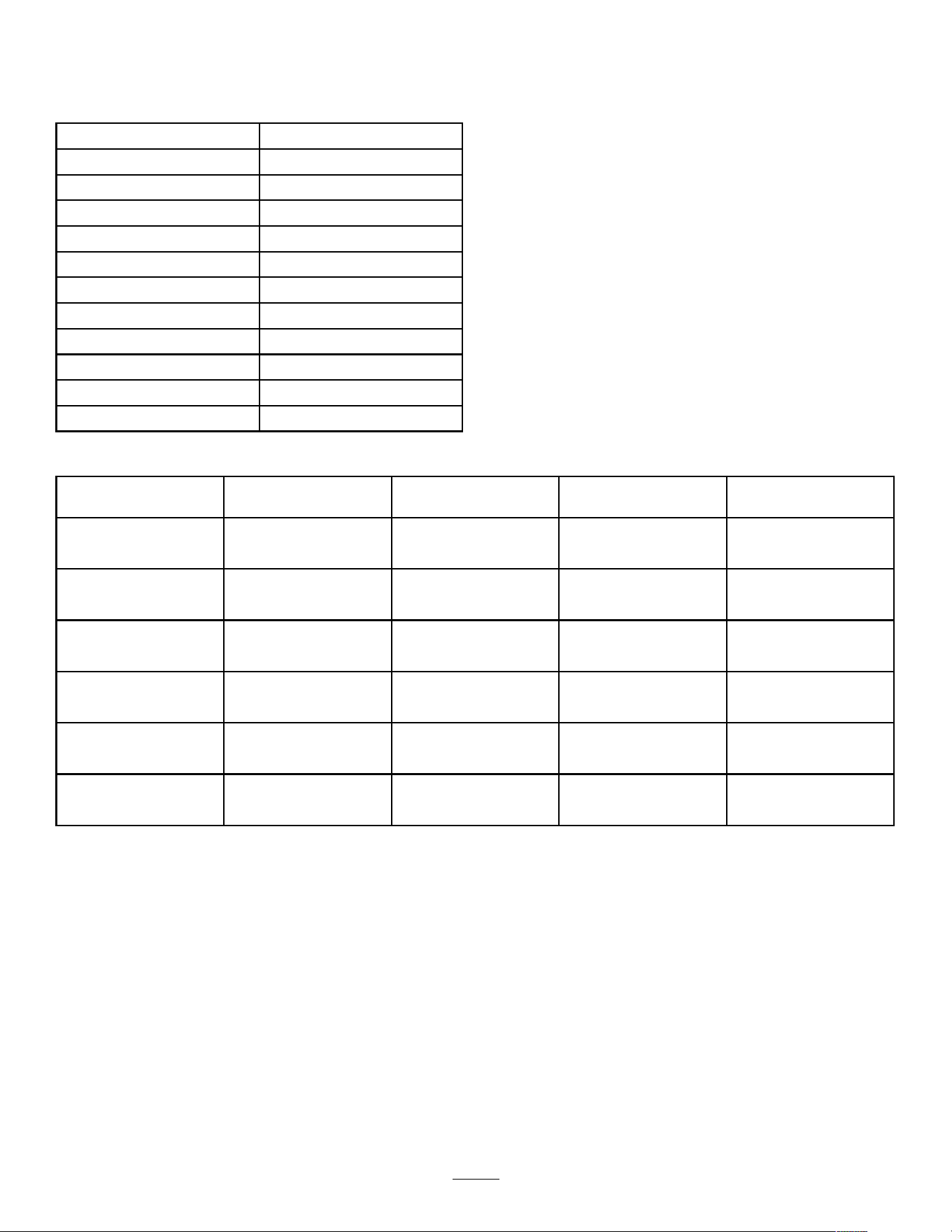
Specications
Note: Specications and design are subject to
change without notice.
Width
127 cm (50.1 inches)
Wheelbase
1 13 cm (44.5 inches)
T rack width
97 cm (38.3 inches)
Coring width 122 cm (48 inches)
Length
295 cm (1 16.3 inches)
Head height (raised) 1 14 cm (45 inches)
Head height (lowered) 93 cm (36.5 inches)
Height, handle
154.2 cm (60.7 inches)
Ground clearance 12 cm (4.8 inches)
Forward speed
0 to 7.2 kph (0 to 4.5 mph)
Reverse speed
0 to 4 kph (0 to 2.5 mph)
Net weight
745 kg (1,642 lbs)
Attachments/Accessories
A selection of T oro approved attachments and
accessories is available for use with the machine
to enhance and expand its capabilities. Contact
your Authorized Service Dealer or authorized T oro
distributor or go to www .T oro.com for a list of all
approved attachments and accessories.
T o ensure optimum performance, use only
genuine T oro replacement parts and accessories.
Replacement parts and accessories made by other
manufacturers could be dangerous, and such use
could void the product warranty .
Refer to the tine conguration table that follows for the
tine head, turf guard, and tine information:
T ine Conguration T able
T ine Head Description
T ine Head Spacing Shank Size T ine Quantity
T urf Guard T ype
(quantity)
5-T ine—short (2)
2x5 Mini-T ine Head
41 mm (1.60 inch) 9.5 mm (3/8 inch)
60
5-T ine—long (1)
6-T ine—short (2)
1x6 Mini-T ine Head
32 mm (1.25 inch) 9.5 mm (3/8 inch)
36
6-T ine—long (1)
3-T ine—short (2)
3 T ine Head (7/8 inch) 66 mm (2.60 inch) 22.2 mm (7/8 inch)
18
3-T ine—long (1)
3-T ine—short (2)
3 T ine Head (3/4 inch) 66 mm (2.60 inch) 19.5 mm (3/4 inch)
18
3-T ine—long (1)
4-T ine—short (2)
4 T ine Head (3/4 inch) 51 mm (2.00 inch) 19.5 mm (3/4 inch)
24
4-T ine—long (1)
5-tine—short (2)
5 Needle-T ine Head
41 mm (1.60 inch)
—
30
5-T ine—long (1)
25
Operation
Note: Determine the left and right sides of the
machine from the normal operating position.
Before Operation
Before Operation Safety
General Safety
• Never allow children or untrained people to
operate or service the machine. Local regulations
may restrict the age of the operator . The owner
is responsible for training all operators and
mechanics.
• Become familiar with the safe operation of the
equipment, operator controls, and safety signs.
• Know how to stop the machine and shut of f the
engine quickly .
• Before operating, always inspect the machine to
ensure that the tines are in good working condition.
Replace worn or damaged tines.
• Inspect the area where you plan to use the
machine and remove all objects that the machine
could strike.
• Locate and mark all electrical or communication
lines, irrigation components, and other obstructions
in the area to be aerated. Remove the hazards, if
possible, or plan how to avoid them.
• Park the machine on a level surface, fully raise
and latch the handlebar to engage the parking
brake, shut of f the engine, remove the key , and
wait for all moving parts to stop.
• Check that operator-presence controls, safety
switches, and shields are attached and functioning
properly . Do not operate the machine unless they
are functioning properly .
Fuel Safety
• Use extreme care in handling fuel. It is ammable
and its vapors are explosive.
• Extinguish all cigarettes, cigars, pipes, and other
sources of ignition.
• Use only an approved fuel container .
• Do not remove the fuel cap or ll the fuel tank
while the engine is running or hot.
• Do not add or drain the fuel in an enclosed space.
• Do not store the machine or fuel container where
there is an open ame, spark, or pilot light, such
as on a water heater or other appliance.
• If you spill fuel, do not attempt to start the engine;
avoid creating any source of ignition until the fuel
vapors have dissipated.
Adding Fuel
Fuel Specication
T ype Unleaded gasoline
Minimum octane rating
87 (US) or 91 (research
octane; outside the US)
Ethanol
No more than 10% by volume
Methanol None
MTBE (methyl tertiary butyl
ether)
Less than 15% by volume
Oil Do not add to the fuel
Use only clean, fresh (no more than 30 days old), fuel
from a reputable source.
Important: T o reduce starting problems, add fuel
stabilizer/conditioner to fresh fuel as directed by
the fuel-stabilizer/conditioner manufacturer .
Filling the Fuel T ank
Fuel tank capacity: 26.5 L (7 US gallons)
1. Park the machine on a level surface, fully raise
and latch the handlebar to engage the parking
brake, shut of f the engine, remove the key , and
wait for all moving parts to stop.
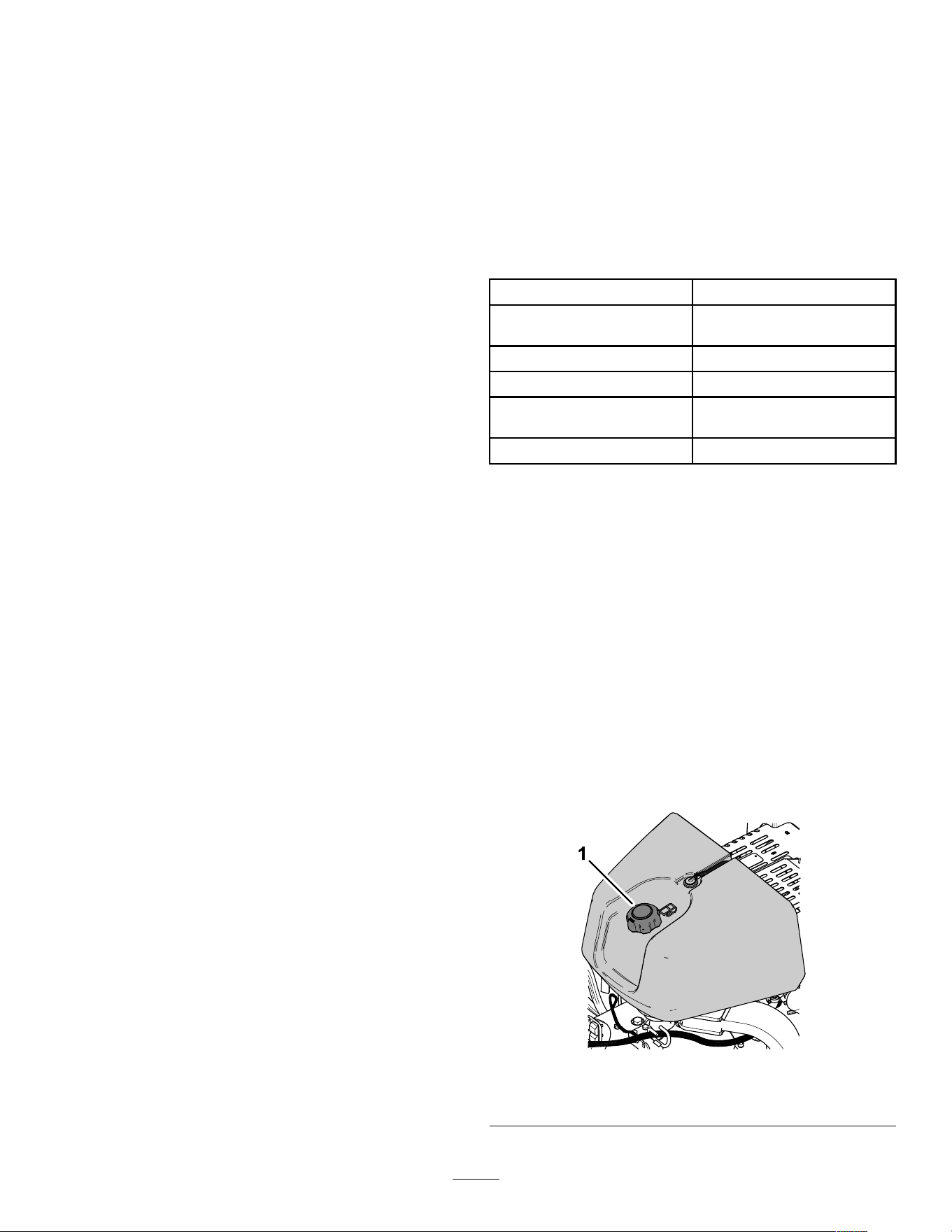
2. Clean around the fuel-tank cap and remove it
( Figure 30 ).
g339517
Figure 30
1. Fuel-tank cap
26
3. Add fuel to the fuel tank, until the level is 6 mm
to 13 mm (1/4 to 1/2 inch) below the bottom of
the ller neck.
Important: This space in the tank allows
fuel to expand. Do not ll the fuel tank
completely full.
4. Install the fuel-tank cap securely .
5. Wipe up any spilled fuel.
Performing Daily
Maintenance
Before starting the machine each day , perform the
each Use/Daily procedure listed in Maintenance ( page
63 ) .
T esting the Safety Interlock
System
Service Interval : Before each use or daily
CAUTION
If safety interlock system is disconnected
or damaged, the machine could operate
unexpectedly , causing personal injury .
• Do not tamper with the interlock switches.
• Check the operation of the interlock
system daily and replace any damaged
safety-interlock parts before operating the
machine.
• The safety interlock system prevents the engine
from starting unless the traction control is in the
N EUTRAL position.
• The safety interlock system prevents the engine
from starting unless the operator presence bail is
fully released.
• The safety interlock system prevents the engine
from starting unless the coring head bail is fully
released.
• The safety interlock system raises the coring head
and shuts it of f if you drive the machine backward
while aerating or contact the bump-stop switch.
Important: If the safety interlock system does
not operate as described, have an authorized
T oro distributor repair the safety interlock system
immediately .
Raising the Coring Head
If the coring head is lowered, perform the following
steps. If the coring head is raised, skip to T esting the
Starter Interlock ( page 27 ) .
1. Start the engine and set the engine speed to
the S LOW position; refer to Starting the Engine
( page 40 ) .
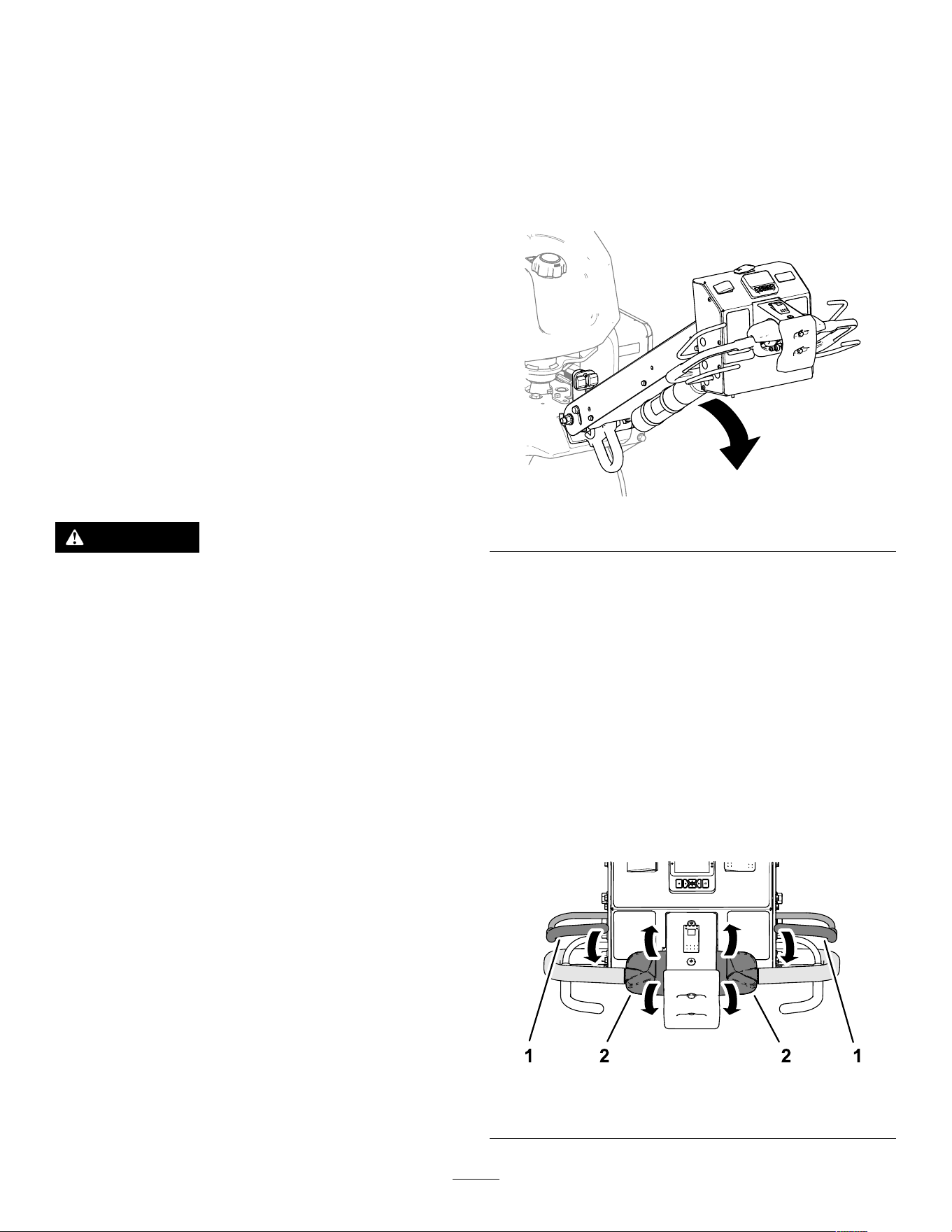
2. Lower the handlebar ( Figure 31 ).
g5101 17
Figure 31
3. Press any of the buttons on the InfoCenter .
Note: The coring head raises.
4. Shut of f the engine; refer to Shutting Of f the
Engine ( page 40 ) .
T esting the Starter Interlock
1. If the engine is running, shut it of f.
2. Hold either operator-presence bail to the
handlebar and rotate the traction control ( Figure
32 ) forward or rotate it backward, and start the
engine.
Important: The engine must not start.
g510139
Figure 32
1. Operator-presence bail
2. T raction control
27
T esting the Operator Presence
Interlock
1. Release the operator-presence bail, move the
traction control to the N EUTRAL position, and
start the engine.
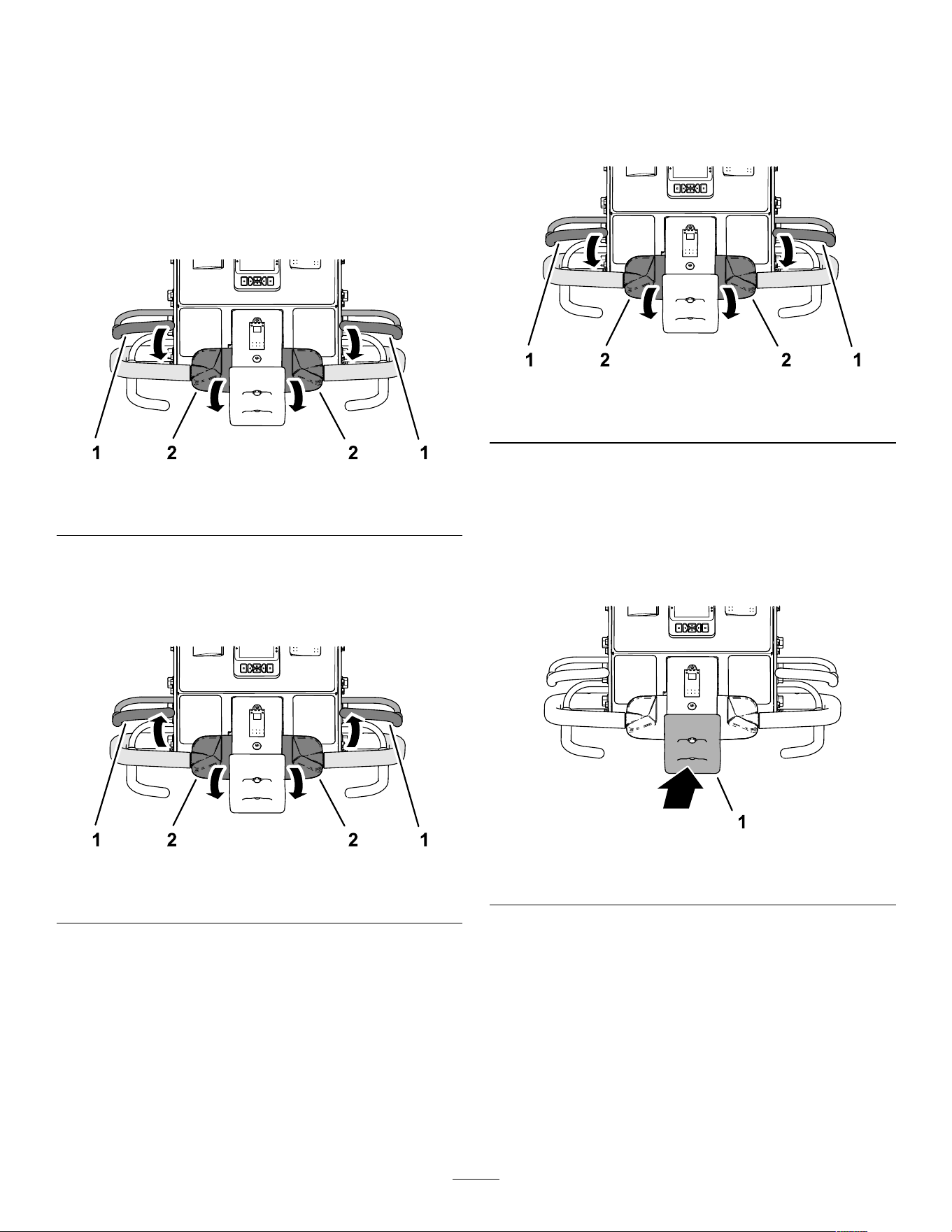
2. Hold either operator-presence bail to the
handlebar and rotate the top of the traction
control forward ( Figure 33 ).
Note: The machine drives forward.
g510140
Figure 33
1. Operator-presence bail
2. T raction control
3. While holding the traction control, release the
operator-presence bail ( Figure 34 ).
Important: The machine must stop driving
forward.
g510141
Figure 34
1. Operator-presence bail
2. T raction control
T esting the Bump-Stop Interlock
1. Hold either operator-presence bail to the
handlebar and rotate the top of the traction
control forward ( Figure 35 ).
Note: The machine drives forward.
g510140
Figure 35
1. Operator-presence bail
2. T raction control
2. While holding the operator-presence bail and the
traction control, contact the bump-stop switch
( Figure 36 ).
Important: The machine must stop driving
forward.
Note: The engine remains running.
g510142
Figure 36
1. Bump-stop switch
3. Reset the bump-stop switch; refer to Resetting
the Bump-Stop Switch ( page 46 ) .
28
T esting the Coring Head-Reverse
Interlock
1. Perform 1 of the following:
• Move the machine to a turf area where you
can aerate without damaging the tines or the
area.
• Remove the tines.
2. Hold either operator-presence bail to the
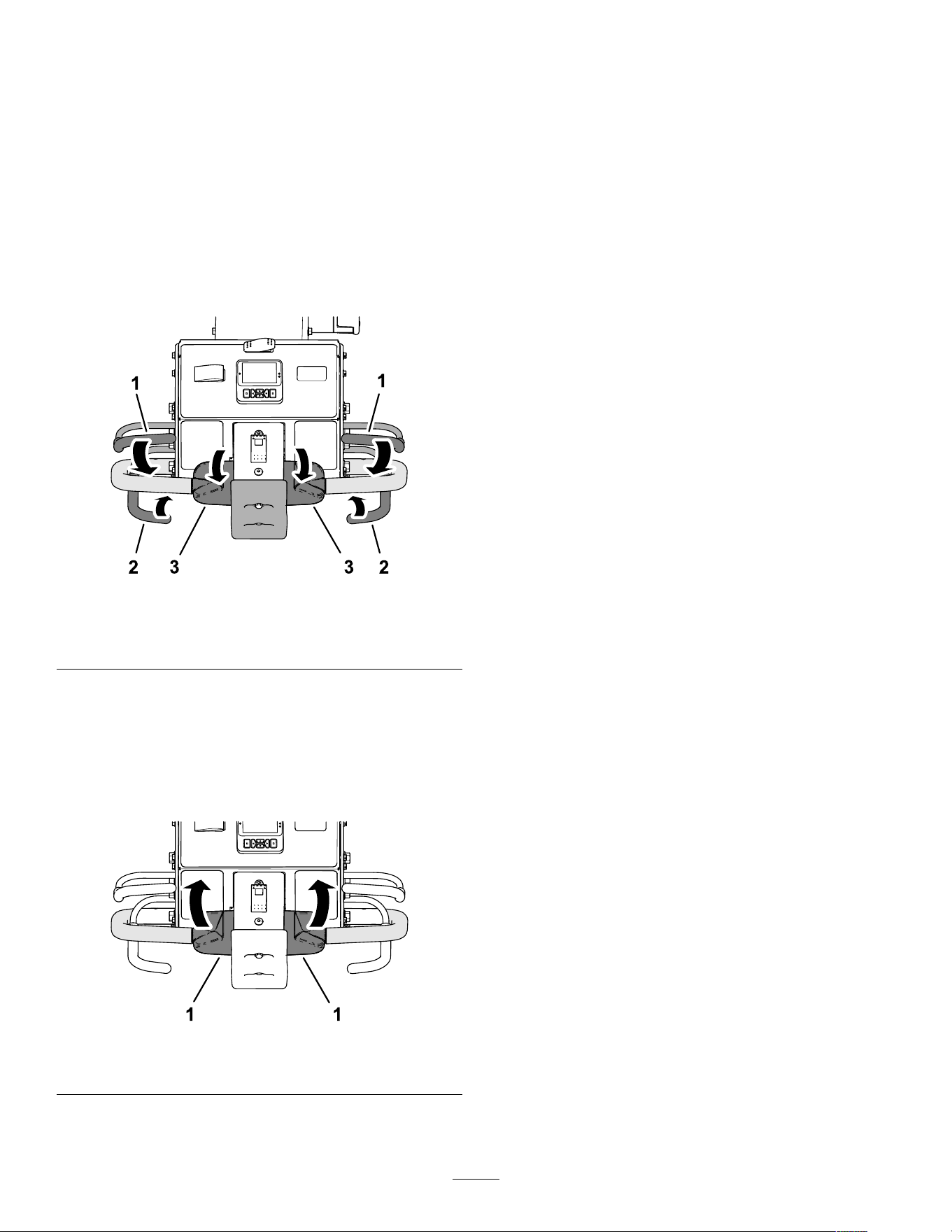
handlebar , rotate the top of the traction control
forward, and close the aerate bail ( Figure 37 ).
Note: The machine drives forward, coring head
runs, and it lowers.
g510143
Figure 37
1. Operator-presence bail
3. T raction control
2. Aerate bail
3. While holding the operator-presence bail and
aerate bail, rotate the top of the traction control
backward ( Figure 38 ).
Important: The coring head must raise and
stop running.
Note: The engine remains running.
g510144
Figure 38
1. T raction control
4. Move the traction control to the N EUTRAL
position.
5. If you removed the tines, install them and
calibrate the tine ground height; refer to
Assembling the T ines to the Coring Head ( page
31 ) and Calibrating the T ine Ground Height
( page 35 ) .
29
Installing T urf Guards, T ine
Holders, and T ines
Important: Y ou must calibrate tine ground height
each time you change from longer tines to shorter
tines or from shorter tines to longer tines.
A wide selection of tine holders, turf guards, and tines
are available for the machine. Choose the required
components per the accessory chart in Attachments
and Accessories.
Preparing the Machine
1. Raise the coring head and lock it in position with
the service latch; refer to Supporting the Coring
Head with the Service Latch ( page 49 ) .
2. Park the machine on a level surface, fully raise
and latch the handlebar to engage the parking
brake, shut of f the engine, remove the key , and
wait for all moving parts to stop.
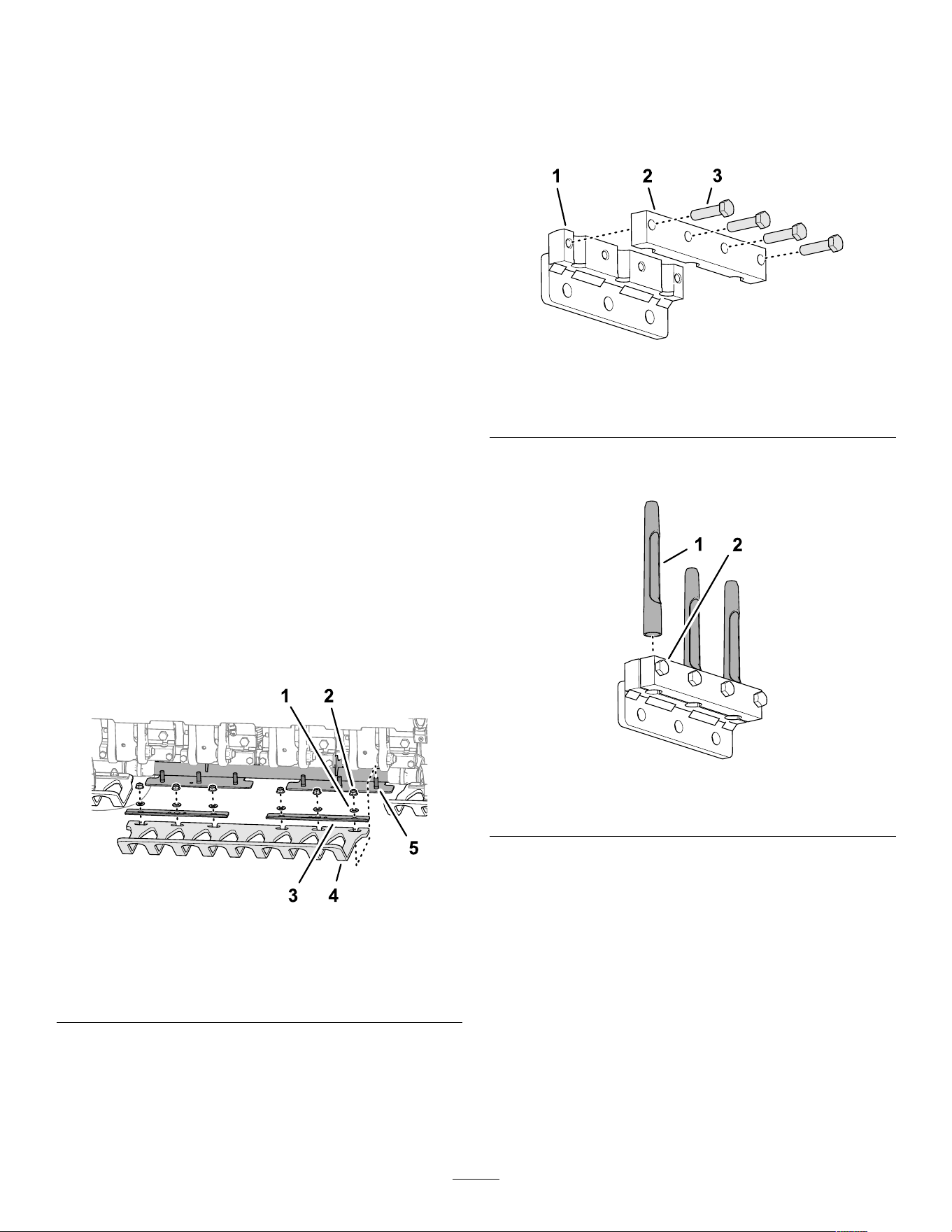
Assembling the T urf Guards
Note: The factory ships turf guard clamps, washers,
and ange locknuts secured to the turf guard brackets
( Figure 39 ).
Loosely assemble the turf guards to the turf guard
brackets with 4 turf-guard clamps and 12 ange
locknuts (3/8 inch) and 12 washers (7/16 x 13/16 inch).
Note: Do not tighten the ange locknuts.
g357675
Figure 39
1. W asher (7/16 x 13/16 inch) 4. T urf guard
2. Flange locknut (3/8 inch) 5. Stud (turf-guard bracket)
3. T urf guard clamp
Assembling the T ine Holder
1. Loosely assemble the tine clamp to the tine
holder ( Figure 40 ) with 4 bolts (3/8 x 1-1/2
inches). Do not tighten the bolts.
Note: The bolts are parts in the tine holder kits.
g356449
Figure 40
1. T ine holder
3. Bolt (3/8 x 1-1/2 inches)
2. T ine clamp
2. Assemble the tines into the tine holder and tine
clamp ( Figure 41 ).
g356451
Figure 41
1. T ine
2. Bolt (3/8 x 1-1/2 inches)
3. T orque the bolts (3/8 x 1-1/2 inches) securing
the tine clamps and tines to 40.6 N∙m (30 ft-lb).
4. Repeat steps 1 through 3 for the other tine
clamps, tine holders, and tines.
30
Assembling the T ines to the
Coring Head
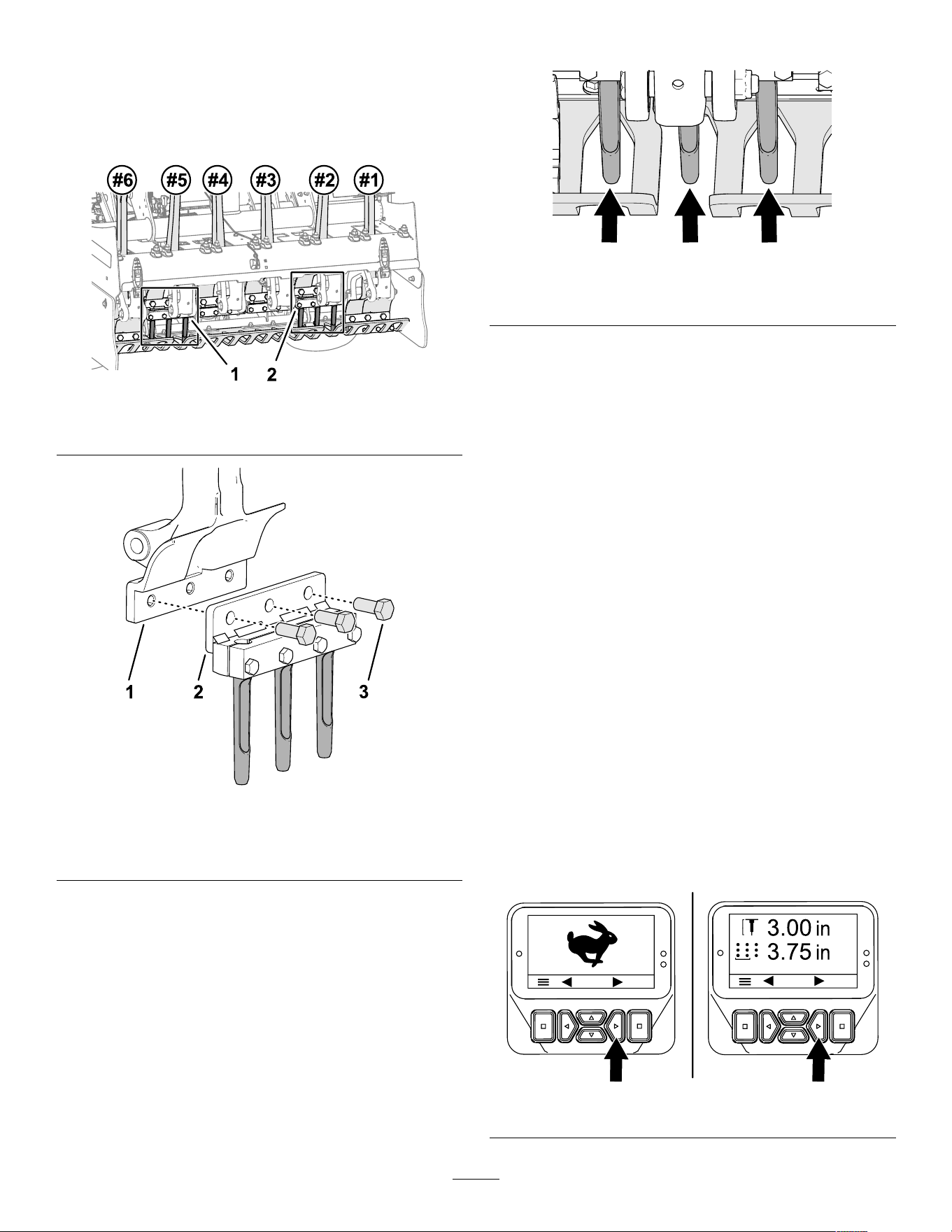
1. Loosely assemble tine holder and tines to tine
arm #2 ( Figure 42 and Figure 43 ) with 3 bolts
(1/2 x 1-1/4 inches).
g357676
Figure 42
1. Number 5 tine holder 2. Number 2 tine holder
g356450
Figure 43
1. T ine arm
3. Bolt (1/2 x 1-1/4 inches)
2. T ine holder
2. T orque the bolts (1/2 x 1-1/4 inches) to 102 N∙m
(75 ft-lb).
3. Repeat steps 1 and 2 for tine arm #5.
4. Check the alignment of the turf guard slots to the
tines to ensure that they are centered ( Figure
44 ).
Note: Adjust the turf guards as required.
g357677
Figure 44
Gaps in the turf guards
5. T orque the ange locknuts (3/8 inch) that secure
the 3 turf-guard clamps and 3 turf guards to the
3 turf guard brackets.
6. Install the remaining tine holder and tines to tine
holders #1, #3, #4, and #6 with 12 bolts (1/2 x
1-1/4 inches).
7. T orque the bolts (1/2 x 1-1/4 inches) to 102 N∙m
(75 ft-lb).
8. Calibrate the machine for tine to ground height;
refer to Running the T each Ground Height
Application ( page 36 ) .
Hole Depth, Hole Spacing,
and T ine Settings
Accessing the Settings Screens
1. Rotate the ignition key to the R UN position.
2. If the arrows are not showing on the T RANSPORT
mode screen or the A ERATE mode screen, enter
the PIN code to access protected menus; refer
to Accessing Protected Menus ( page 24 ) .
Note: The T RANSPORT mode screen or the
A ERATE mode screen displays ( Figure 45 ).
g510165
Figure 45
31
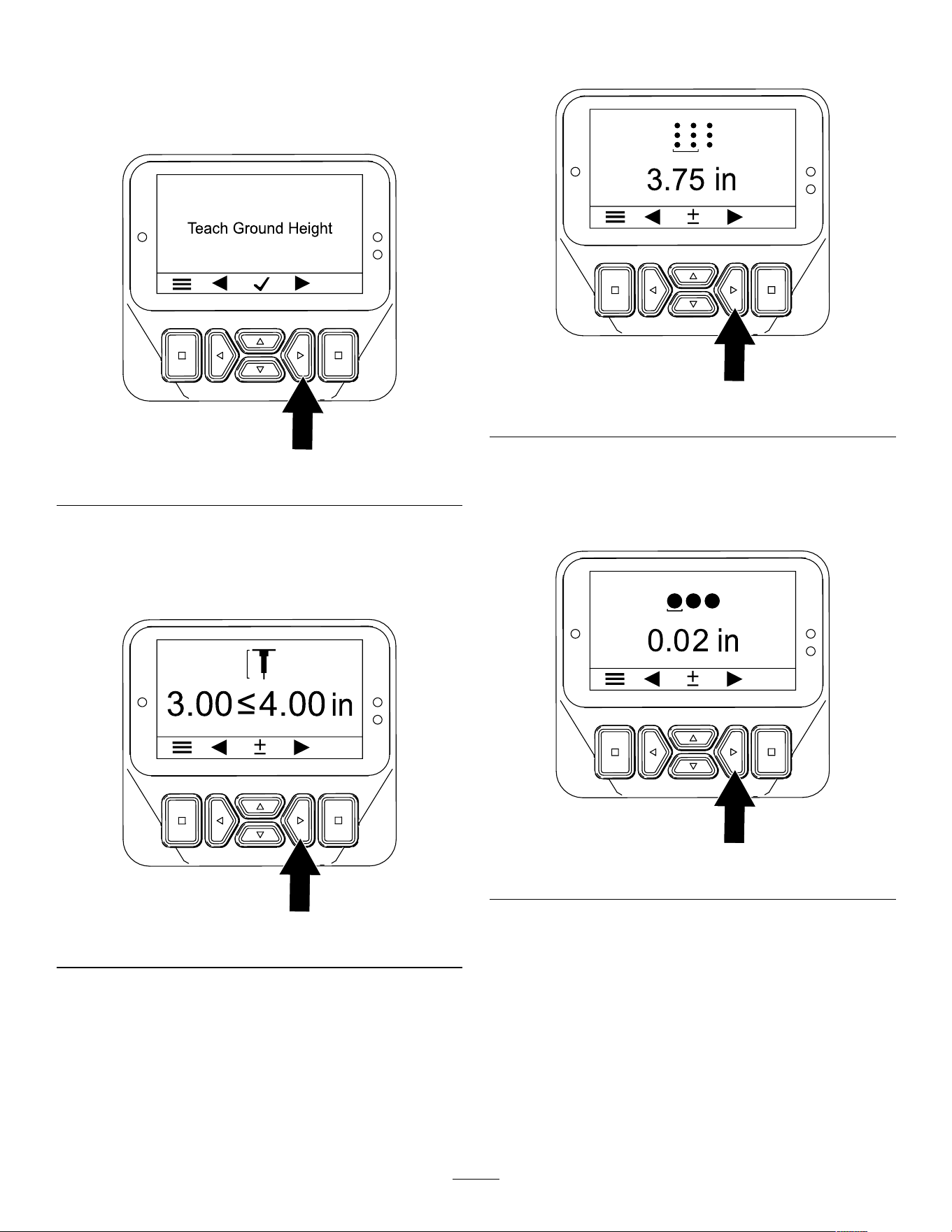
3. Press the right button twice to display the
Calibrating the T ine Ground Height screen
( Figure 46 ).
Note: Press the left button to display the
T RANSPORT or the A ERATE mode screen.
g510175
Figure 46
4. Press the right button to display the Setting the
Hole Depth screen ( Figure 47 ).
Note: Press the left button to display the T each
Ground Height screen.
g510167
Figure 47
5. Press the right button to display the Setting the
Hole Spacing screen ( Figure 48 ).
Note: Press the left button to display the Setting
the Hole Depth screen.
g510168
Figure 48
6. Press the right button to display the Setting the
T ine Diameter screen ( Figure 48 ).
Note: Press the left button to display the Setting
the Hole Spacing screen.
g510169
Figure 49
7. Press the right button to display the Setting the
T ine Quantity screen ( Figure 50 ).
32
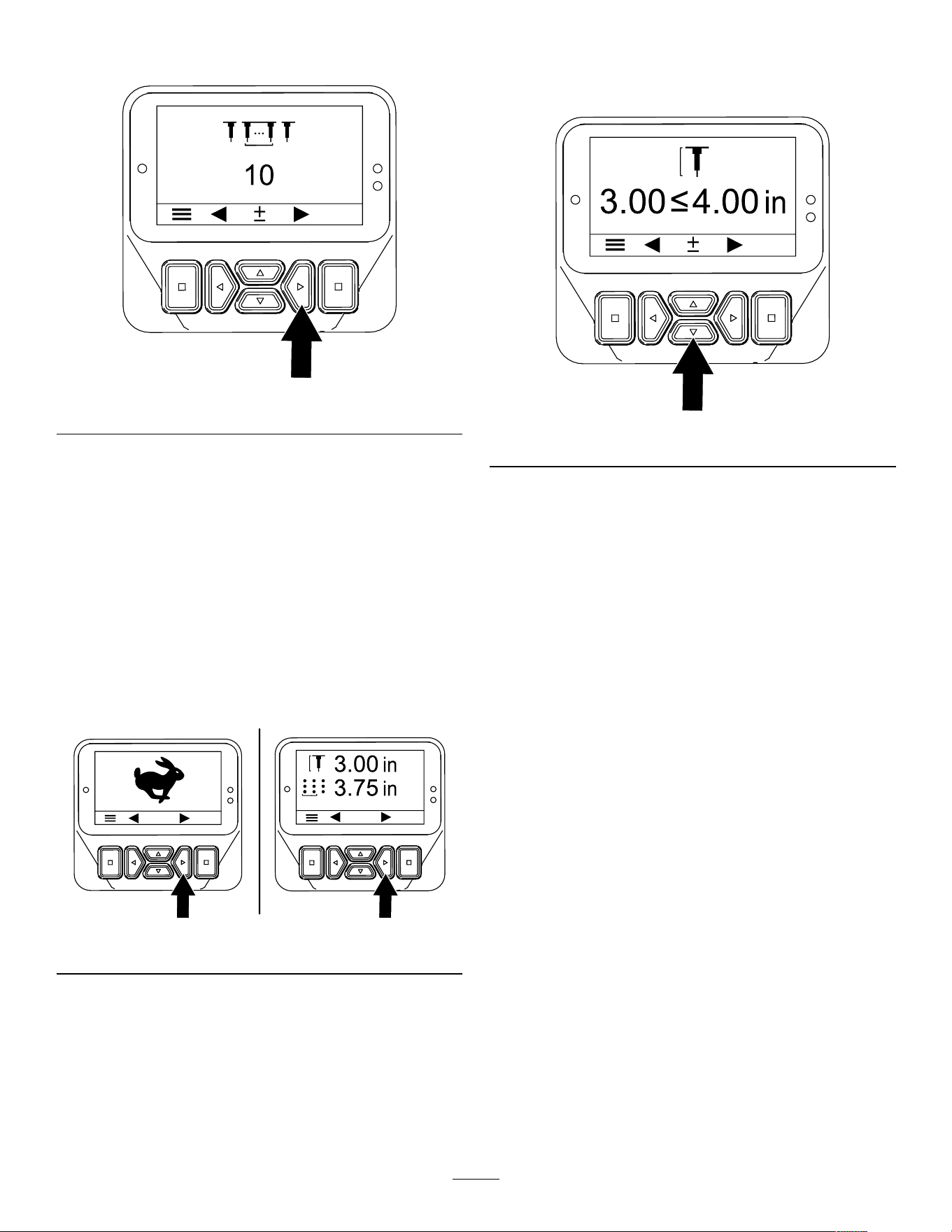
Note: Press the left button to display the Setting
the T ine Diameter screen.
g510170
Figure 50
Setting the Hole Depth
Note: The ProCore 648s is designed to deliver
optimal aeration performance across a wide variety of
grass and soil types, agronomic conditions, and tine
styles when set to a depth of 7.6 cm (3 inches). When
used at shallower settings, particularly at depths less
than 5 cm (2 inches) with smaller tines, it may cause
greater surface disruption.
1. Ensure that the coring head is raised; refer to
Raising the Coring Head ( page 27 ) .
2. Rotate the ignition key to the R UN position.
g510165
Figure 51
3. Press the right button until the Setting the Hole
Depth screen displays ( Figure 51 and Figure
52 ).
4. Adjust the tine depth using the up and down
buttons ( Figure 52 ) as follows:
• Press the down button to decrease hole
depth.
• Press the up button to increase hole depth.
g510171
Figure 52
5. Press the left or right button to save your settings
and exit the depth screen.
6. Rotate the ignition key to the O FF position.
Note: If aerating at the maximum allowable
depth (with any length tine) after running the
ground-height calibration, the turf-guard bolts
drag or contact the turf, reduce the depth by a
step (1/4 inch).
33
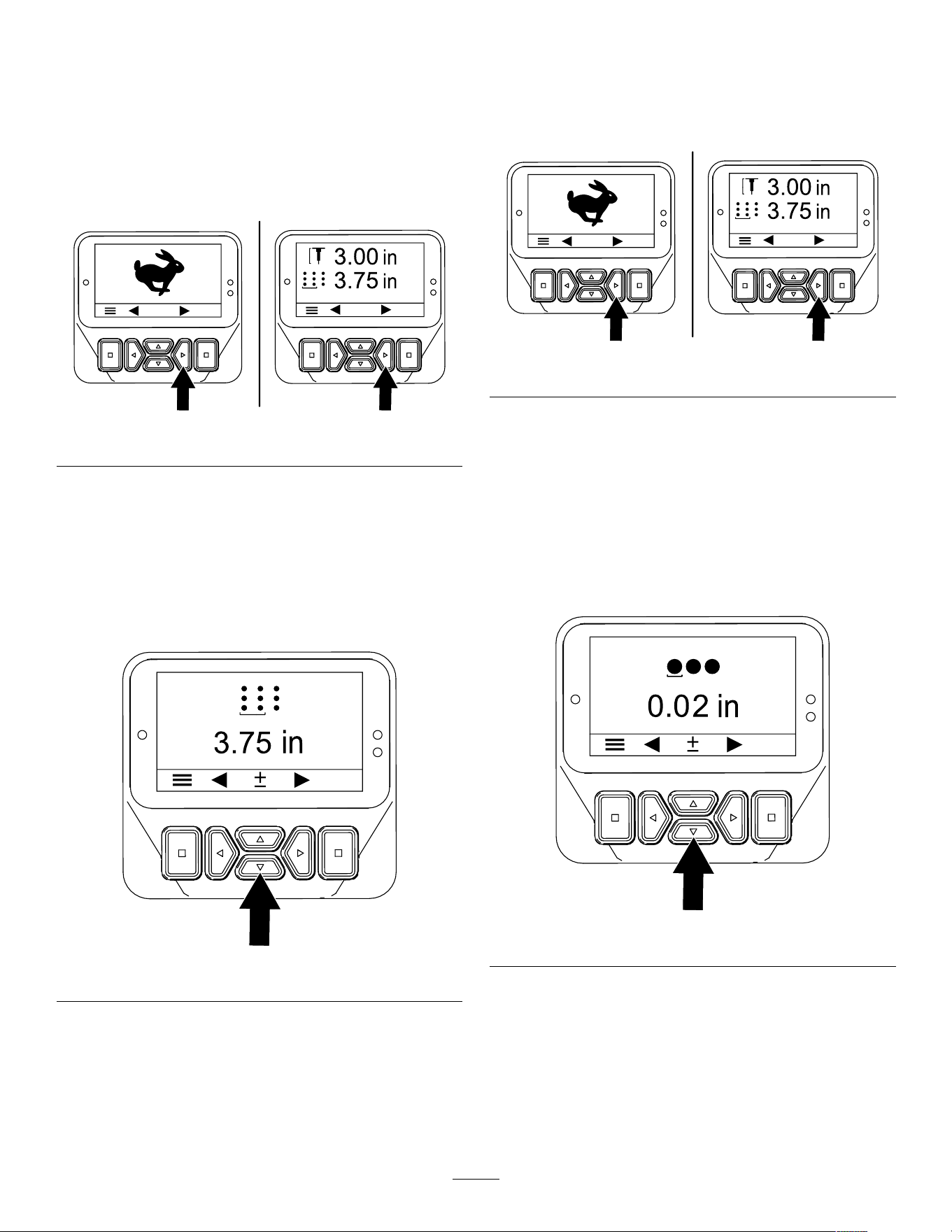
Setting the Hole Spacing
Note: When you select a target hole spacing rate,
the machine controls the ground speed to maintain
the hole spacing distance.
1. Ensure that the coring head is raised; refer to
Raising the Coring Head ( page 27 ) .
2. Rotate the ignition key to the R UN position.
g510165
Figure 53
3. Press the right button until the Setting the Hole
Spacing screen displays ( Figure 53 and Figure
54 ).
4. Adjust the hole spacing ( Figure 54 ) as follows:
• Press the down button to decrease hole
spacing.
• Press the up button to increase hole spacing.
g510172
Figure 54
5. Press the left or right button to save your settings
and exit the spacing screen.
6. Rotate the ignition key to the O FF position.
Setting T ine Diameter
1. Ensure that the coring head is raised; refer to
Raising the Coring Head ( page 27 ) .
2. Rotate the ignition key to the R UN position.
g510165
Figure 55
3. Press the right button until the Setting the T ine
Diameter screen displays ( Figure 55 and Figure
56 ).
4. Adjust the tine diameter using the up and down
buttons ( Figure 56 ) as follows:
• Press the up button to increase the tine
diameter .
• Press the down button to decrease the tine
diameter .
g510173
Figure 56
5. Press the left or right button to save your settings
and exit the diameter screen.
6. Rotate the ignition key to the O FF position.
34
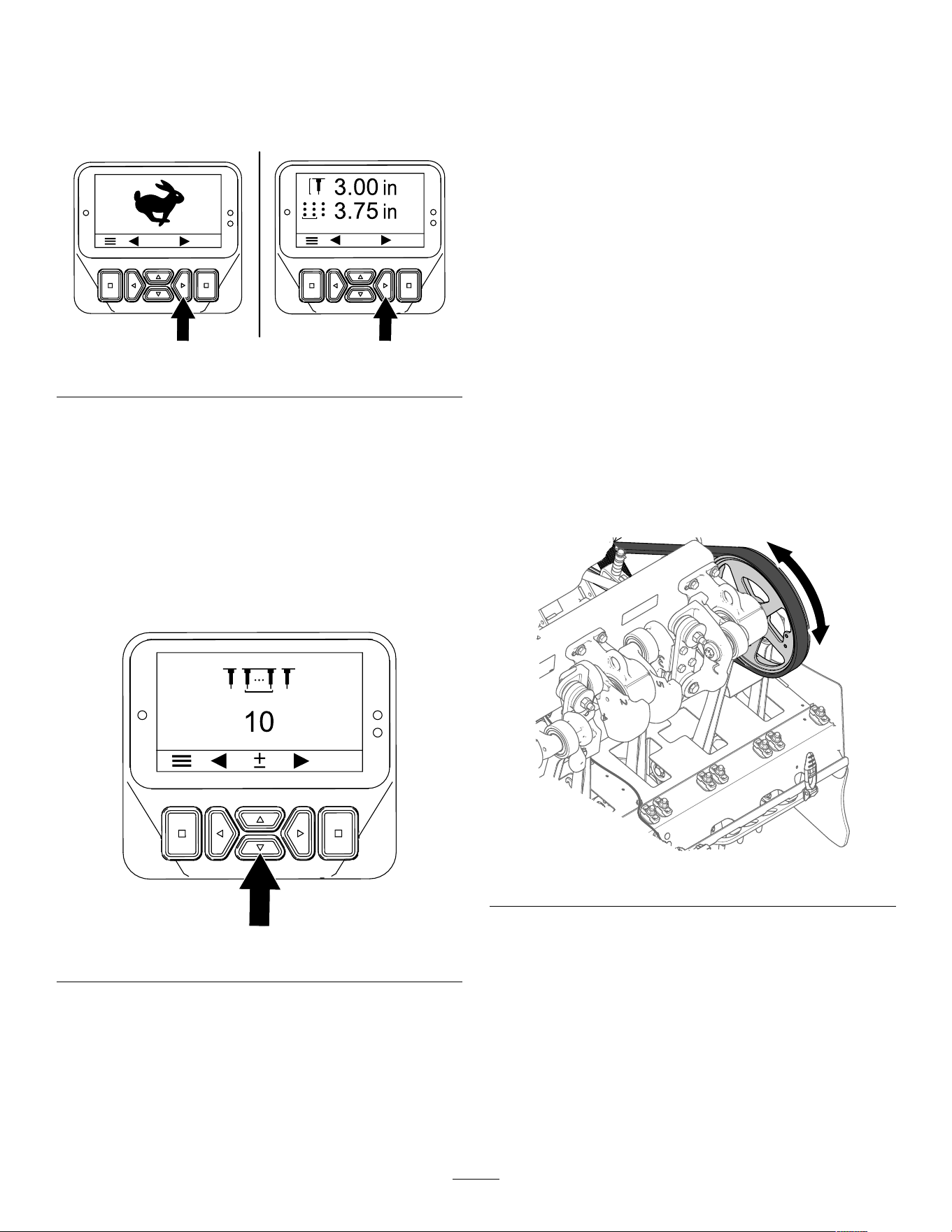
Setting the T ines Quantity
1. Ensure that the coring head is raised; refer to
Raising the Coring Head ( page 27 ) .
2. Rotate the ignition key to the R UN position.
g510165
Figure 57
3. Press the right button until the Setting the T ine
Quantity screen displays ( Figure 58 ).
4. Adjust the tine quantity using the up and down
buttons ( Figure 58 ) as follows:
Important: The tine quantity is the number
of tines for 1 holder .
• Press the up button to increase tine quantity .
• Press the down button to decrease tine
quantity .
g510174
Figure 58
5. Press the left or right button to save your setting
and exit the tine quantity screen.
6. Rotate the ignition key to the O FF position.
Calibrating the T ine Ground
Height
Service Interval : Before each use or daily
Important: Calibrate the tine ground height each
time you change tines or replace worn tines.
Preparing the Machine
1. Ensure that the coring head is raised.
2. Park the machine on a level surface, fully raise
and latch the handlebar to engage the parking
brake, shut of f the engine, remove the key , and
wait for all moving parts to stop.
3. Remove the coring-head cover; refer to
Removing the Coring-Head Cover ( page 68 ) .
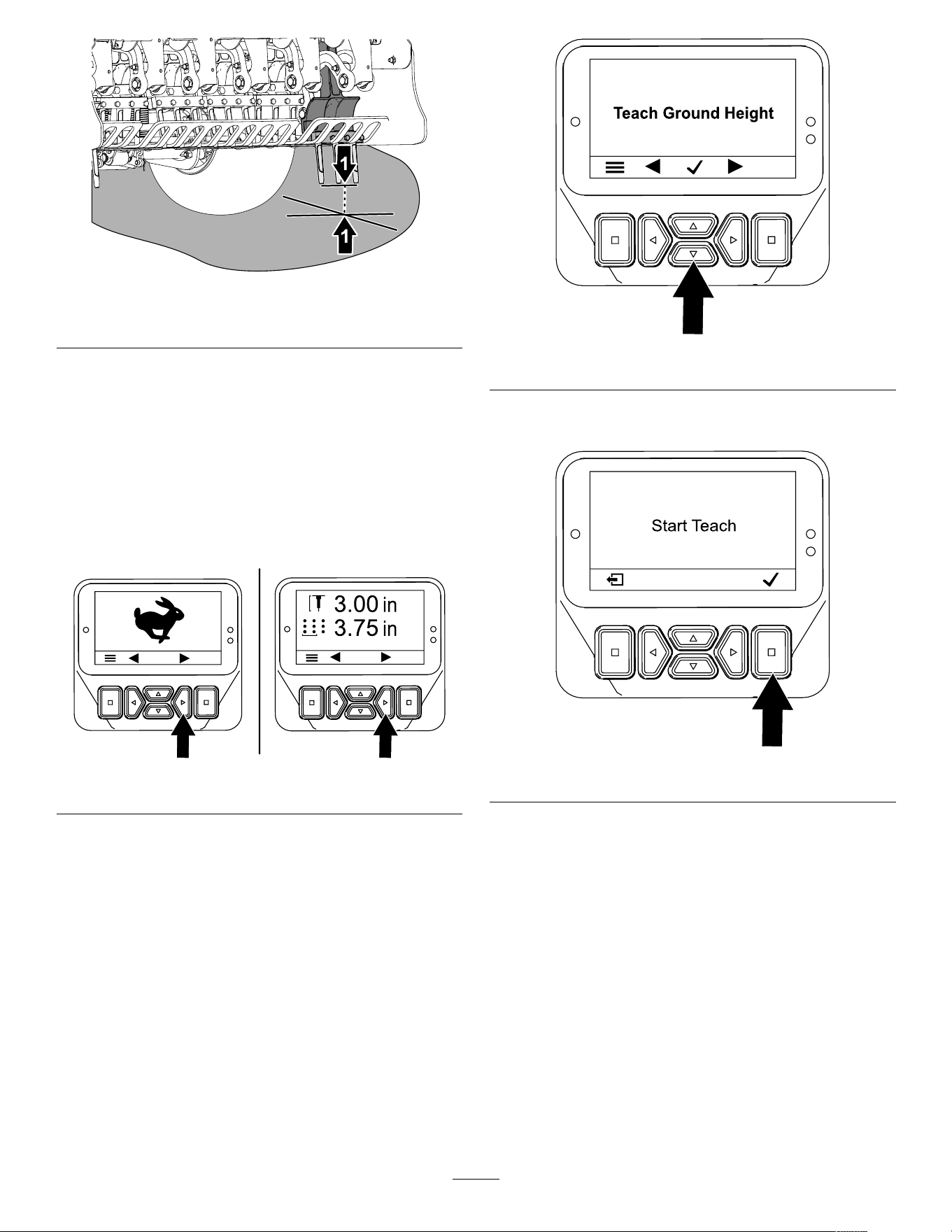
4. Rotate coring-head pulley ( Figure 59 ) until the
outermost tines are aligned closest to the ground
( Figure 60 ).
Important: Keep your ngers away of the
area where the belt merges and departs the
pulley so that you do not pinch your ngers.
g343368
Figure 59
35
g343367
Figure 60
1. Outermost tines (closest to the ground)
5. Install the coring-head cover; refer to Installing
the Coring-Head Cover ( page 60 ) .
Running the T each Ground Height
Application
1. Rotate the ignition key to the R UN position.
Note: The T RANSPORT mode screen or the
A ERATE mode screen displays ( Figure 61 ).
g510165
Figure 61
2. Move the handlebar so that you can see the
outermost tines you positioned in Preparing the
Machine ( page 35 ) .
3. Press the right button until the T EACH G ROUND
H EIGHT wizard displays.
4. On the T each Ground Height screen ( Figure 62 ),
then press either center button.
g510166
Figure 62
5. On the P RESS OK TO S TART T EACH screen
( Figure 63 ), press the select button.
g510176
Figure 63
Note: The C ALIBRATION E NGAGED message
displays, and the coring head slowly lowers.
Important: Keep your hand near the
InfoCenter .
Note: The coring head lowers slower if the
hydraulic uid is cold.
6. When any tine touches the ground, press the
select button on the Lowering Head screen
( Figure 64 ).
Note: T ines should only touch the ground, and
not lift or unload the weight from the tires.
If the coring head lifts the machine, the machine
incorrectly calibrates the ground height, resulting
in inaccurate hole depth and entry tufting of the
aeration hole.
36
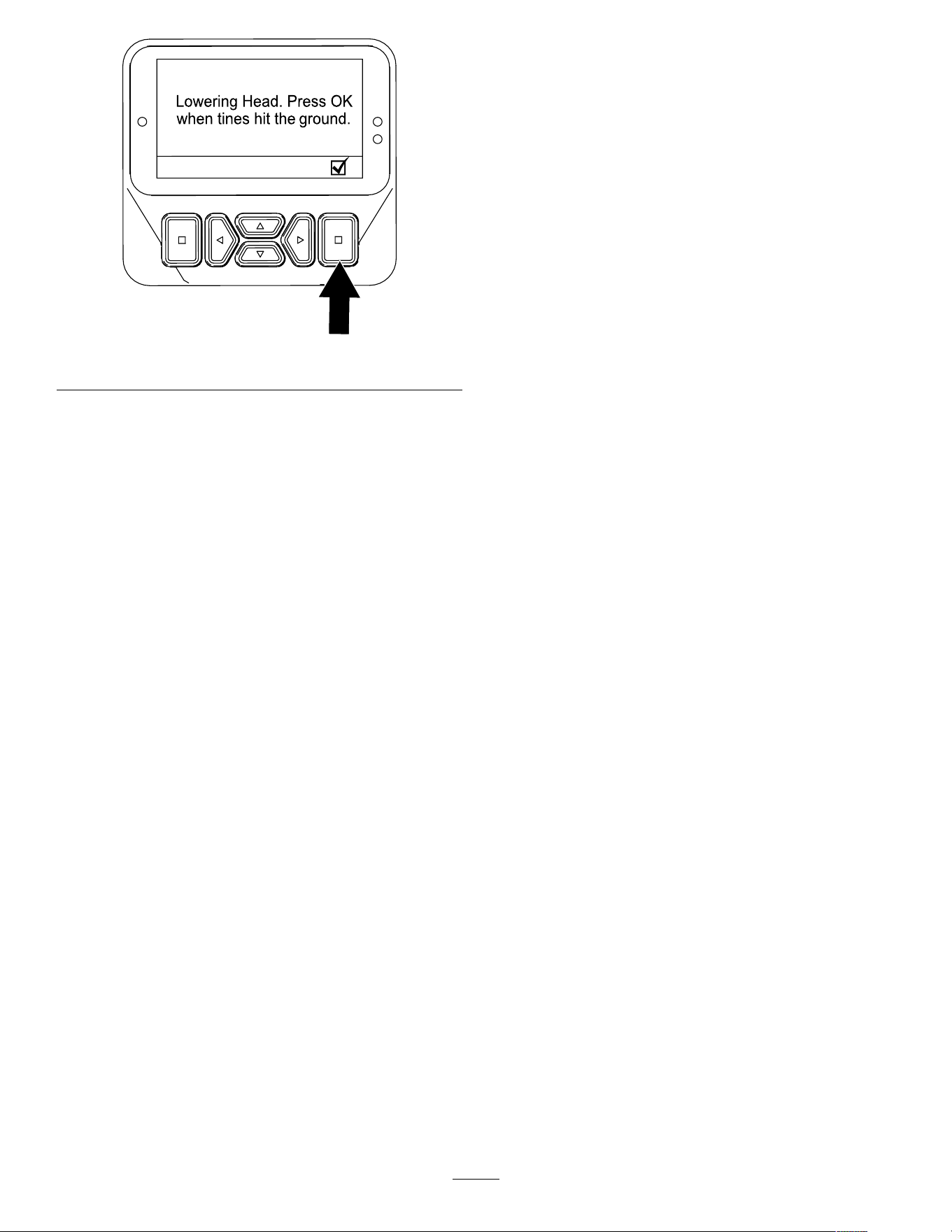
g510177
Figure 64
Note: the C ALIBRATION C OMPLETE message
displays, and the head fully raises.
7. Press the back button to exit the T each Ground
Height application.
37

During Operation
During Operation Safety
• The owner/operator can prevent and is responsible
for accidents that may cause personal injury or
property damage.
• W ear appropriate clothing, including eye
protection; long pants; substantial, slip-resistant
footwear; and hearing protection. T ie back long
hair , secure loose clothing, and do not wear loose
jewelry .
• Do not operate the machine when tired, ill, or
under the inuence of alcohol or drugs.
• Keep bystanders, children, and pets out of
the operating area. Do not allow children to
operate the machine. Allow only people who are
responsible, trained, familiar with the instructions,
and physically capable to operate the machine.
• Never carry passengers on the machine.
• Operate the machine only in good visibility to avoid
holes or hidden hazards.
• Keep your hands and feet away from the tines.
• Look behind and down before backing up to be
sure of a clear path.
• Stop the machine, shut of f the engine, remove
the key , wait for all moving parts to stop, and
inspect the tines after striking an object or if there
is an abnormal vibration in the machine. Make all
necessary repairs before resuming operation.
• Always maintain proper tire pressure.
• Reduce traction speed on rough roads and
surfaces.
Slope Safety
• Slopes are a major factor related to loss of control
and rollover accidents, which can result in severe
injury or death. Y ou are responsible for safe slope
operation. Operating the machine on any slope
requires extra caution.
• Evaluate the site conditions to determine if the
slope is safe for machine operation, including
surveying the site. Always use common sense
and good judgment when performing this survey .
• Review the slope instructions listed below for
operating the machine on slopes and review the
conditions to determine whether you can operate
the machine in the conditions on that day and at
that site. Changes in the terrain can result in a
change in slope operation for the machine.
• A void starting, stopping, or turning the machine on
slopes. A void making sudden changes in speed or
direction. Make turns slowly and gradually .
• Do not operate a machine under any conditions
where traction, steering, or stability is in question.
• Remove or mark obstructions such as ditches,
holes, ruts, bumps, rocks, or other hidden hazards.
T all grass can hide obstructions. Uneven terrain
could overturn the machine.
• Be aware that operating the machine on wet
grass, across slopes, or downhill may cause the
machine to lose traction. Loss of traction to the
drive wheels may result in sliding and a loss of
braking and steering.
• Use extreme caution when operating the machine
near drop-of fs, ditches, embankments, water
hazards, or other hazards. The machine could
suddenly roll over if a wheel goes over the edge
or the edge caves in. Establish a safety area
between the machine and any hazard.
38
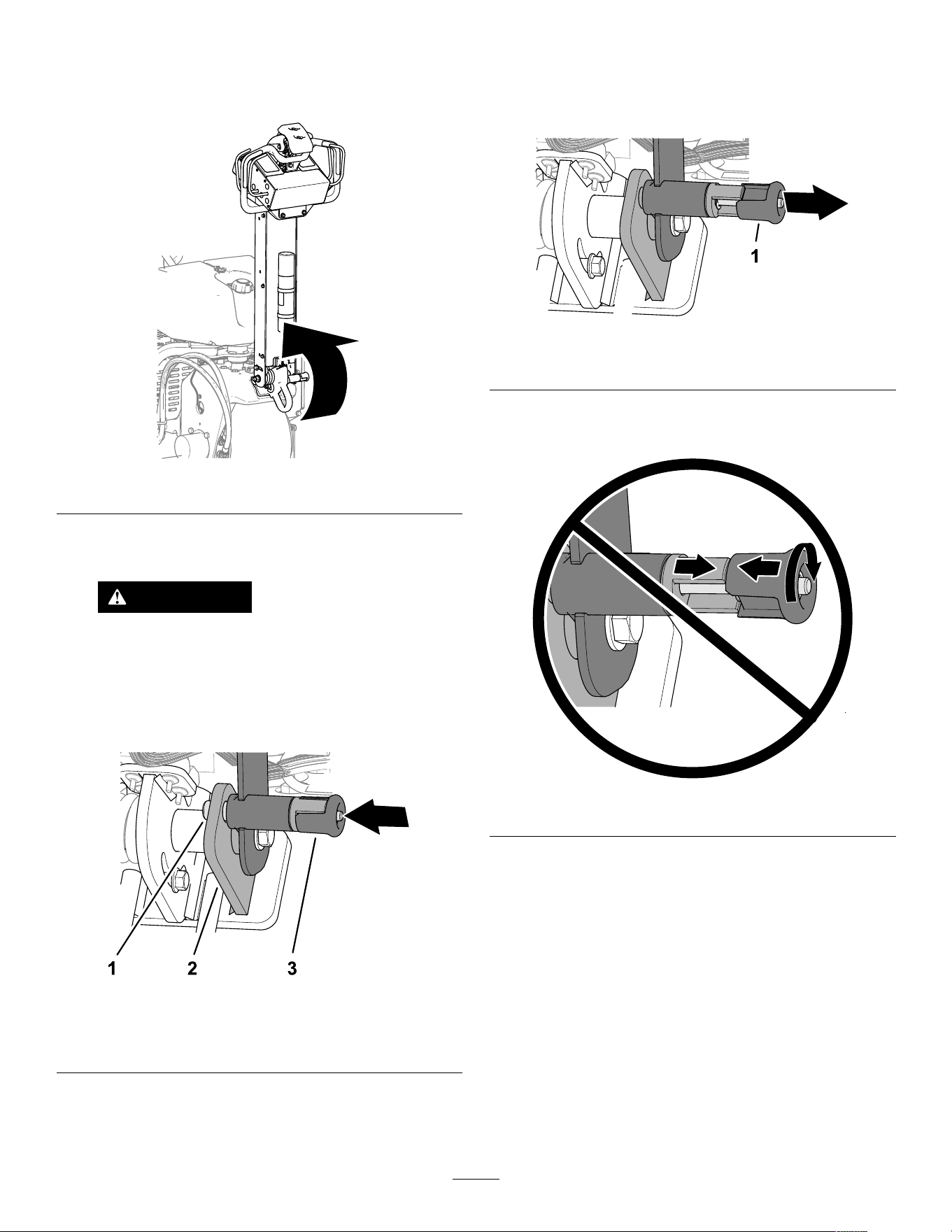
Engaging the Parking Brake
1. Fully raise the handlebar to engage the parking
brake ( Figure 65 ).
g339612
Figure 65
2. Ensure that the handlebar-latch pin extends
through the hole in the detent plate ( Figure 66 ).
W ARNING
If the parking brake does not engage,
the machine may move injuring you or
bystanders.
Ensure that the handlebar is fully raised
and securely latches to the detent plate.
g342477
Figure 66
1. Handlebar-latch pin 3. Handlebar-latch knob
2. Detent plate
Releasing the Parking
Brake
1. Pull the knob for the handlebar latch ( Figure 67 ).
g342478
Figure 67
1. Handlebar-latch knob
Important: Do not rotate the knob so that
the latch pin cannot retract ( Figure 68 ).
g342479
Figure 68
2. Lower the handlebar to release the parking
brake ( Figure 69 ).
39
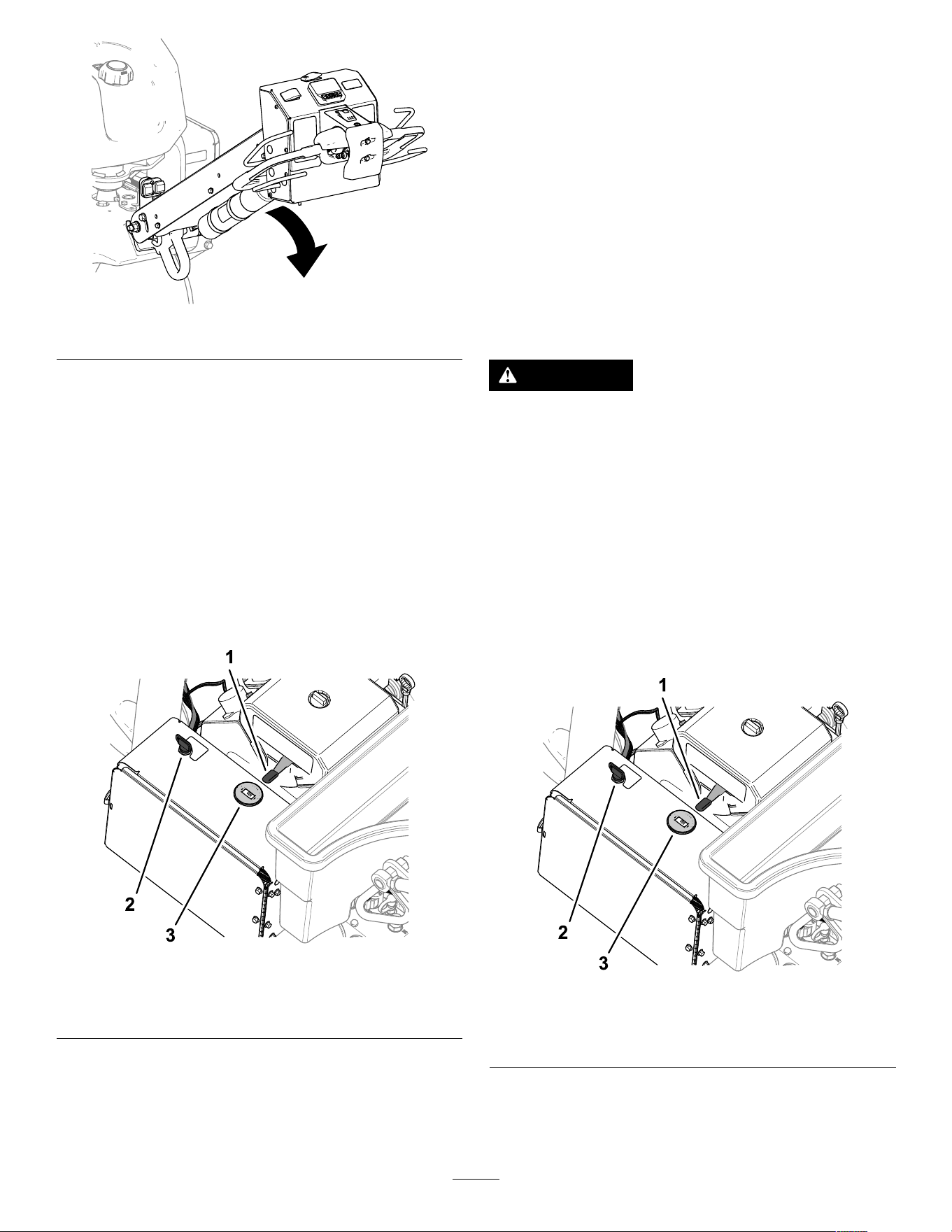
g5101 17
Figure 69
3. Release the handlebar-latch knob.
Starting the Engine
1. Fully raise and latch the handlebar engage the
parking brake; refer to Engaging the Parking
Brake ( page 39 ) .
2. Use the choke ( Figure 70 ) as follows:
• Before starting a cold engine, move the
choke control to the ON position.
• When starting a warm or hot engine, you
may not need to use the choke.
g510239
Figure 70
1. Key (ignition switch) 3. Choke
2. Throttle lever 4. T achometer
3. Move the throttle lever to the FAST position
before starting a cold engine.
4. T urn the ignition key to the S TART position.
When the engine starts, release the key .
Important: Do not engage the starter for
more than 10 seconds at a time. If the engine
fails to start, allow a 30-second cool-down
period between attempts. Failure to follow
these instructions can burn out the starter
motor .
5. After the engine starts, move the choke toward
the O FF position. If the engine runs rough or
stalls, move the choke back toward the O N
position for a few seconds. Then move the
throttle lever to desired engine speed.
Note: Repeat this step as required.
Shutting Off the Engine
CAUTION
Children or bystanders may be injured if they
move or attempt to operate the machine while
it is unattended.
Always fully raise and latch the handlebar to
engage the parking brake, shut off the engine,
and remove the key when leaving the machine
unattended, even if just for a few minutes.
1. Fully raise and latch the handlebar to engage
the parking brake; refer to Engaging the Parking
Brake ( page 39 ) .
2. Move the throttle lever ( Figure 71 ) to the S LOW
position.
g510239
Figure 71
1. Key (ignition switch) 3. Choke
2. Throttle lever 4. T achometer
3. Let the engine idle for 60 seconds.
4. T urn the ignition key to the O FF position and
remove the key .
40
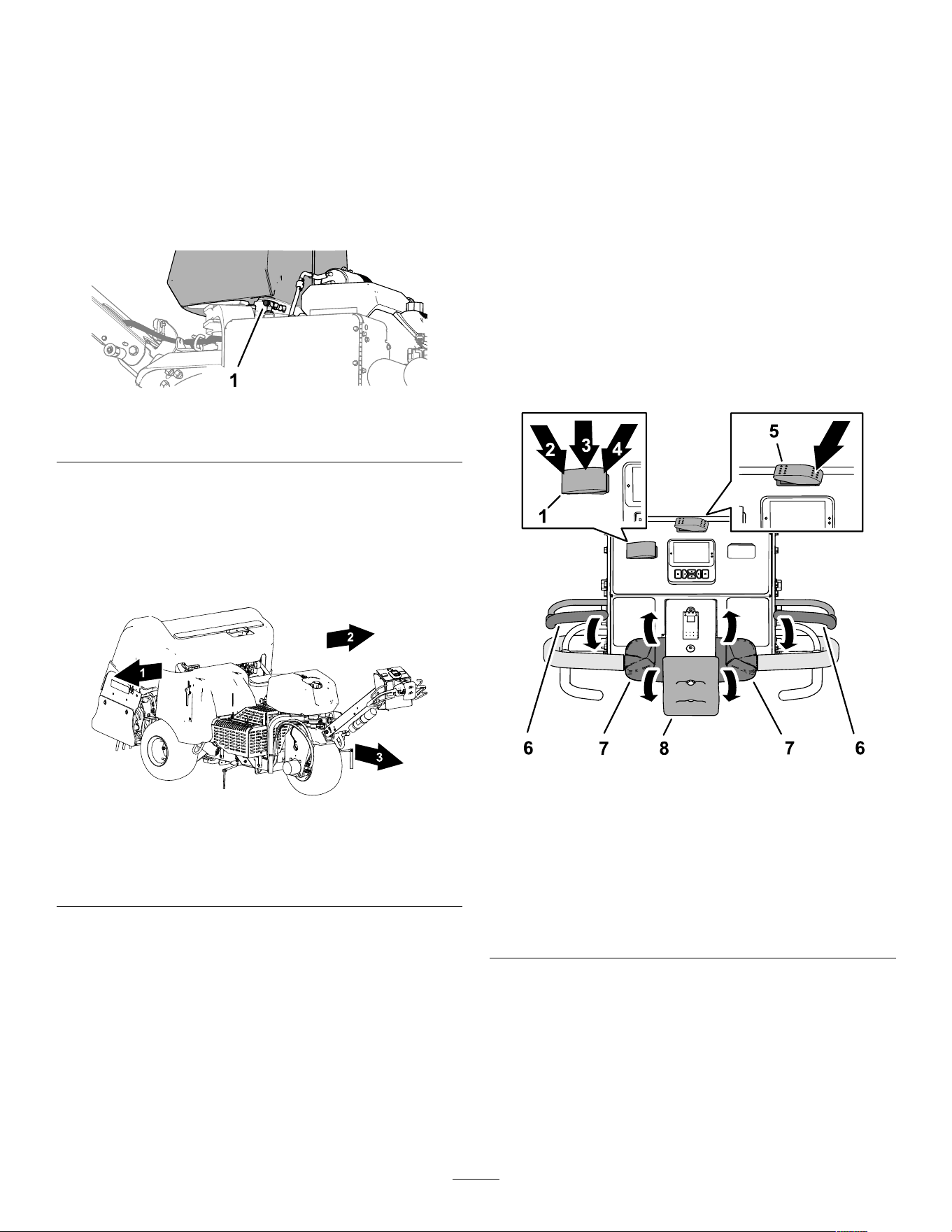
5. If you are hauling or storing the machine, close
the fuel-shutof f valve ( Figure 72 ).
Important: Close the fuel-shutoff valve
before hauling the machine on a trailer or
storing the machine. Fully raise and latch
the handlebar to engage the parking brake
before hauling the machine. Remove the key
from the ignition switch to prevent the fuel
pump from running and causing the battery
to discharge.
g338576
Figure 72
1. Fuel-shutof f valve
Using the Machine
Important: W alk in front of the machine in a
forward direction while operating it, do not walk
and face rearward when operating the machine.
g339572
Figure 73
1. Right side
3. Forward (operating
direction)
2. Left side
Speed Lock
Speed Lock in the T ransport Mode
Using the Speed Lock allows you to drive the machine
without having to hold the traction control.
Note: Y ou cannot use the speed lock feature while
driving the machine backward.
Speed Lock in the Aerate Mode
Using the speed lock while aerating allows you
to continue driving the machine at the selected
hole-spacing speed at the end of an aeration pass,
turn the machine around, and begin the next aeration
pass without changing the traction control position.
Note: The speed lock feature in the aerate mode
is active when the coring head is set for delay-drop
mode; the speed lock feature is locked-out in the
immediate-drop mode.
Using the Ground-Speed Lock
T ransport Mode
The ground-speed lock operates like automotive
cruise control.
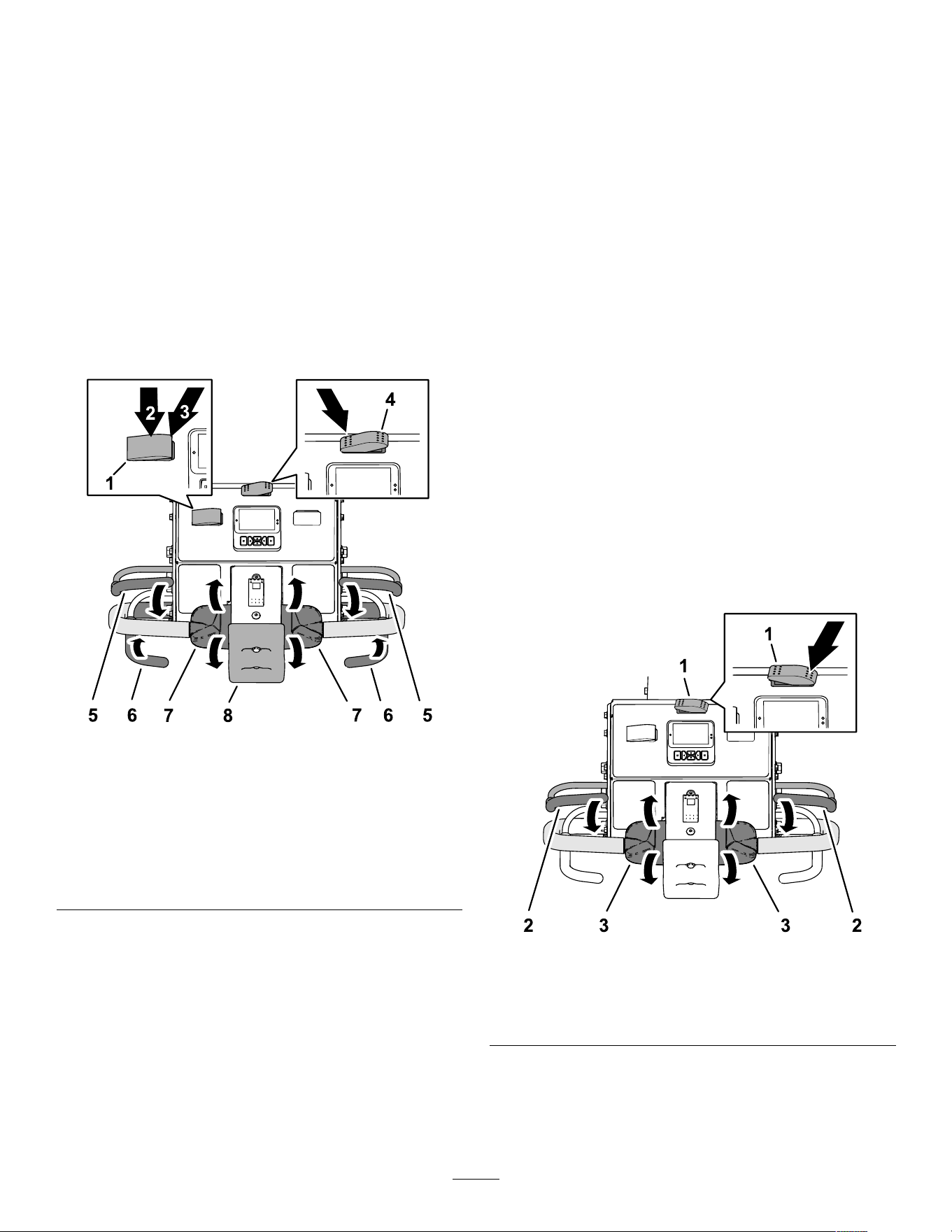
1. Press the transport/aerate switch to the
T RANSPORT position ( Figure 74 ).
g510179
Figure 74
1. Speed-lock switch 5. T ransport/aeration switch
( T RANSPORT position)
2. E NGAGE position
(speed-lock switch)
6. Operator presence bail
3. O N position (speed-lock
switch)
7. T raction control
4. O FF position (speed-lock
switch)
8. Bump-stop switch
2. Press the speed-lock switch to the O N position.
3. Drive the machine forward at the desired ground
speed.
4. Press the speed-lock switch to the E NGAGE
position.
Note: The ground-speed lock maintains the
current ground speed at which the machine is
driving. Y ou can release the traction control.
41
5. T o disengage the speed lock operation, perform
one of the following:
• Press the speed-lock switch to the O FF
position.
• Rotate the top of the traction control rearward
to drive the machine backward.
• Release the operator presence bail.
• Press the bump-stop switch.
Using the Ground-Speed Lock
Aerate Mode
Note: The ground-speed lock is not available when
aerating in the immediate-drop mode.
1. Press the transport/aerate switch is in the
A ERATE position ( Figure 75 ).
g510180
Figure 75
1. Speed-lock switch 5. Operator presence bail
2. O N position (speed-lock
switch)
6. Aerate bail
3. O FF position (speed-lock
switch)
7. T raction control
4. T ransport/aeration switch
( A ERATE position)
8. Bump-stop switch
2. Press the speed-lock switch to the O N position.
3. Drive the machine forward and close the aerate
bail.
Note: The ground-speed lock engages, and the
coring head lowers.
4. At the end of the aeration pass, release the
aerate bail.
Note: The coring head raises, but the machine
maintains ground speed at the aeration hole
spacing rate.
5. T o disengage the speed lock operation, perform
one of the following:
• Press the speed-lock switch to the O FF
position.
• Rotate the top of the traction control rearward
to drive the machine backward.
• Release the operator presence bail.
• Press the bump-stop switch.
Driving the Machine in the
T ransport Mode
Note: Use the transport mode when you move the
machine between job sites.
Note: The machine drives at a reduced variable
speed anytime the transport/aeration switch is in the
A ERATION position.
1. Start the engine, and move the throttle control
to the F AST position; refer to Starting the Engine
( page 40 ) .
2. Lower the handlebar to release the parking
brake; refer to Releasing the Parking Brake
( page 39 ) .
3. Press the left side of the transport/aeration
switch to the T RANSPORT position ( Figure 76 ).
g510181
Figure 76
1. T ransport/aeration switch
( T RANSPORT position)
3. T raction control
2. Operator-presence bail
Note: The InfoCenter displays the T RANSPORT
icon ( Figure 77 ).
42
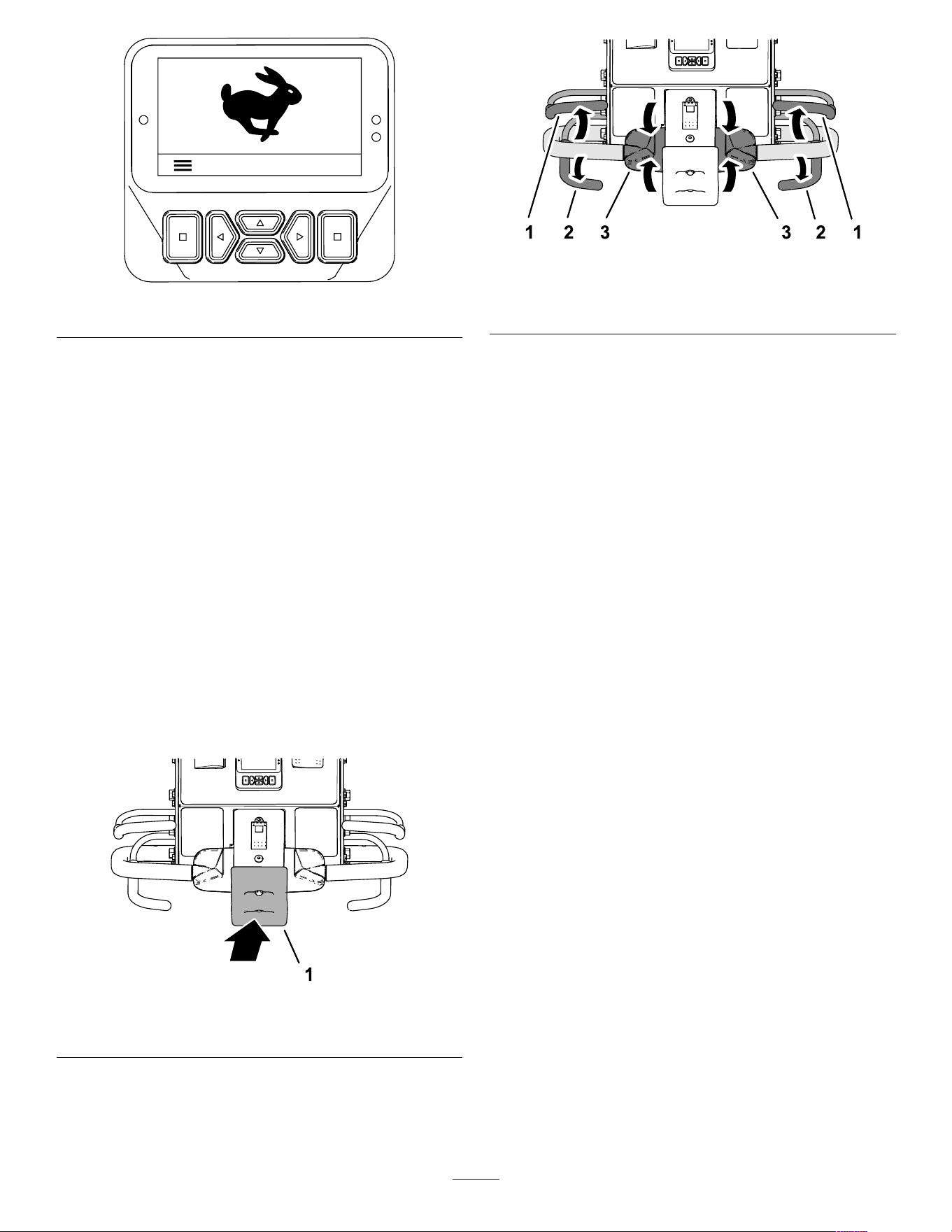
g510182
Figure 77
4. Look in the direction of your planned path to
ensure that it is clear .
5. Grasp the left or right handlebar and the
operator-presence bail ( Figure 76 ), and squeeze
the bail to the handle.
6. With you thumb, rotate the left or right traction
control to drive the machine as follows:
• Rotate the top of the traction control forward
to drive the machine forward.
• Rotate the top of the traction control rearward
to drive the machine backward.
Note: Further rotating the traction control
increases the groundspeed of the machine.
Stopping the Machine
Important: T o immediately stop the machine
press the bump-stop switch ( Figure 78 ).
g510142
Figure 78
1. Bump-stop switch
1. If you are aerating, release the aerate bail
( Figure 79 ) to raise the coring head; refer to
Raising the Coring Head ( page 46 ) .
g510183
Figure 79
1. Operator-presence bail
3. T raction control
2. Aerate bail
2. Release the traction control, and allow it to move
to the N EUTRAL position.
3. Release the operator-presence bail.
4. Fully raise and latch the handlebar to engage
the parking brake; refer to Engaging the Parking
Brake ( page 39 ) .
Driving the Machine in the Aerating
Mode
Note: The machine drives at a reduced variable
speed anytime the coring head is raised.
1. Start the engine, and move the throttle control
to the F AST position; refer to Starting the Engine
( page 40 ) .
2. Lower the handlebar to release the parking
brake; refer to Releasing the Parking Brake
( page 39 ) .
3. Press the right side of the transport/aeration
switch to the A ERATE position ( Figure 80 ).
43
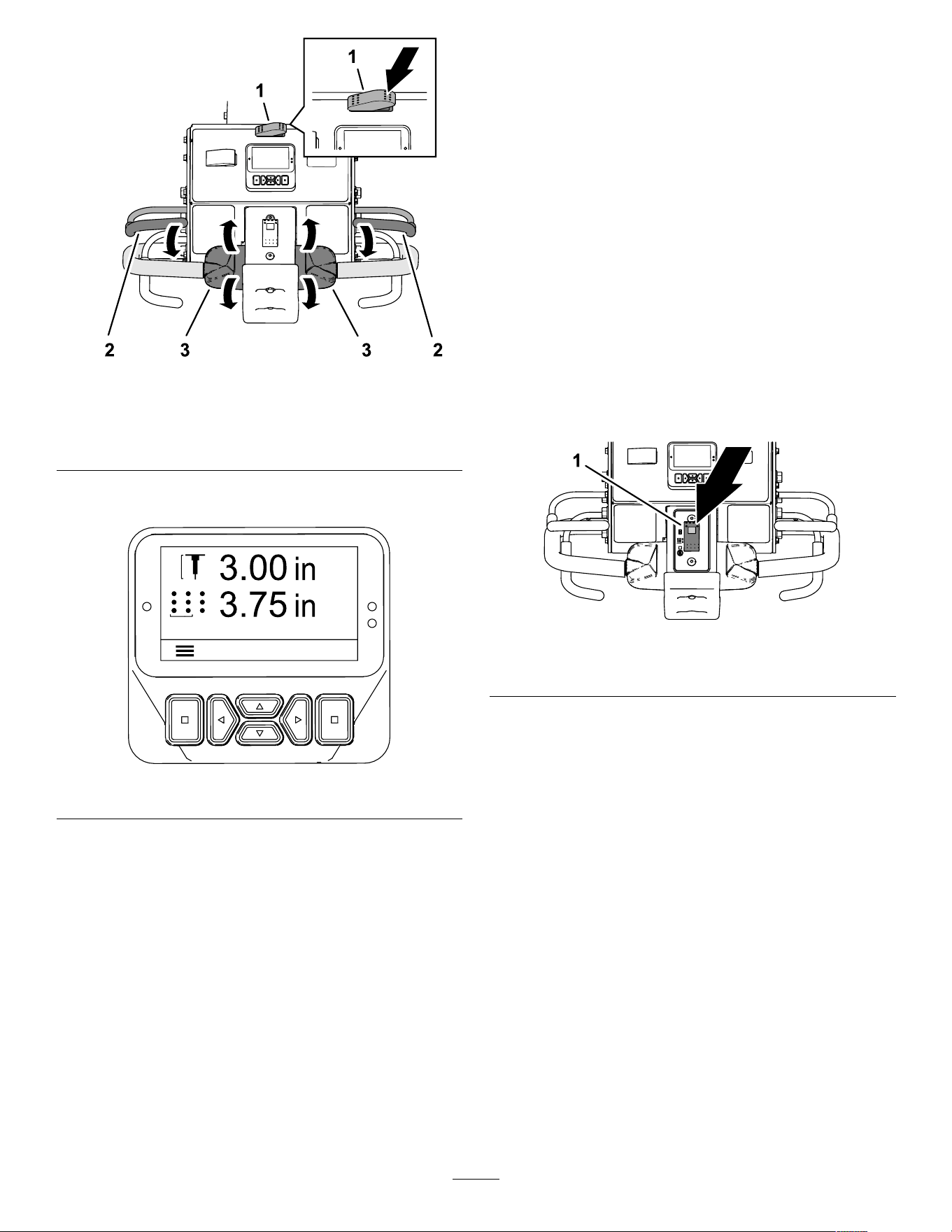
g510184
Figure 80
1. T ransport/aeration switch
( A ERATION position)
3. T raction control
2. Operator-presence bail
The InfoCenter displays the current hole depth
and hole spacing ( Figure 81 ).
g510185
Figure 81
4. Look in the direction of your planned path to
ensure that it is clear .
5. Grasp the left or right handlebar and the
operator-presence bail ( Figure 80 ), and squeeze
the bail to the handle.
6. With you thumb, rotate the top of the left or right
traction control to drive the machine forward.
Note: During aeration the machine drives at a
speed to meet what you selected for target hole
spacing.
• When using the ground-speed lock, releasing
the aerate bail without changing the traction
control position causes the machine to
maintain ground speed, like cruise control
of an automobile.
• Driving the machine in reverse direction
disengages the cruise control ef fect,
and causes the machine to drive at
variable-ground speed.
• When you raise the head to turn the machine
around for another pass, you can increase
ground speed by moving the traction control
farther forward. When you return the traction
control to the N EUTRAL position, the machine
slows to the required ground speed for
aeration hole spacing.
Aerating Using the Delay-Drop
Mode
Use the front tire to sight the drop point when aerating
in delay-drop mode.
1. Press the top of the drop-control switch ( Figure
82 ) to the D ROP -D ELAY position.
g510186
Figure 82
1. Drop-control switch
2. Drive the machine in the forward direction; refer
to Driving the Machine in the Aerating Mode
( page 43 ) .
3. As the front tire rolls over the perimeter of
aeration area, close either the left or right the
aerate bail ( Figure 83 ).
Note: The coring head runs and lowers as
the machine moves forward crossing the target
aeration area.
44
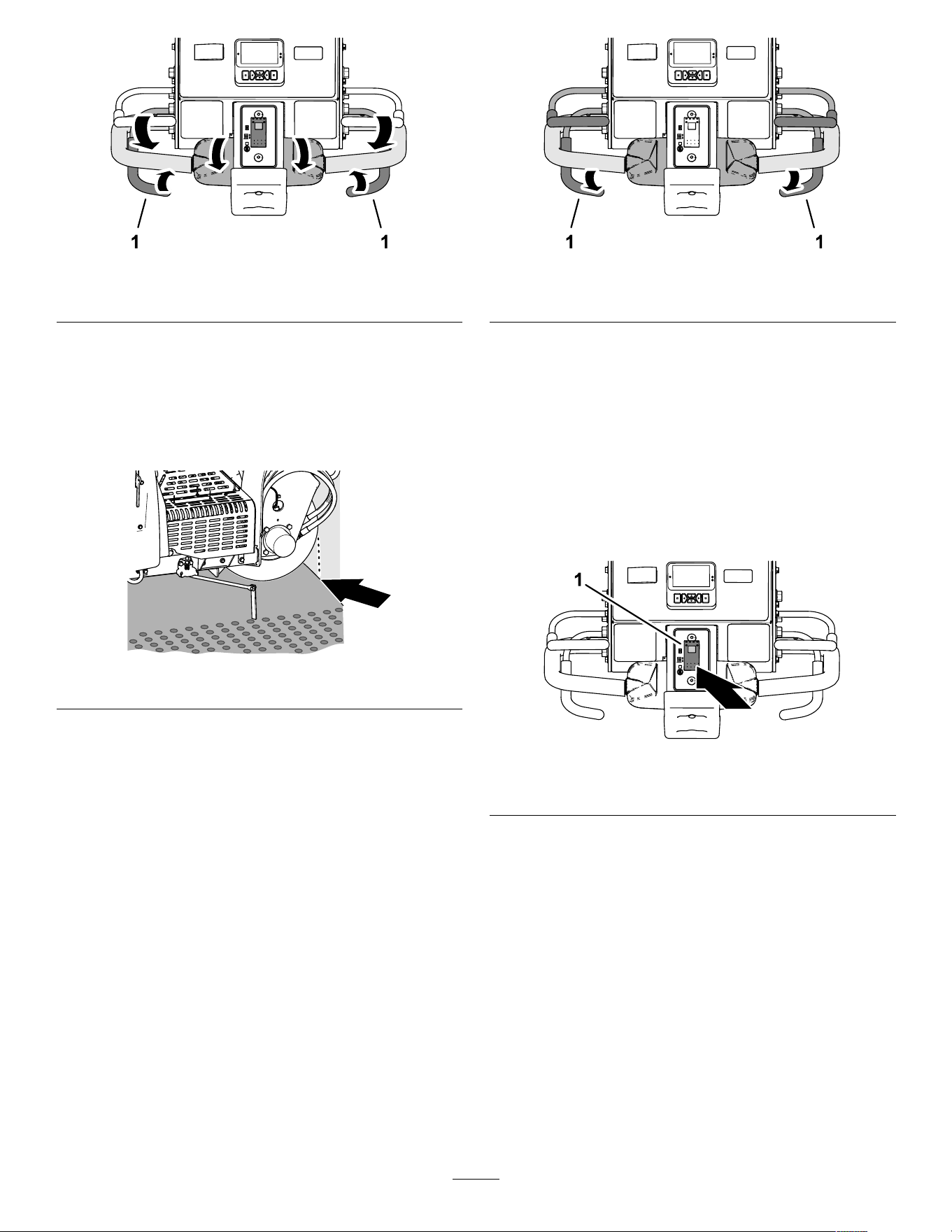
g510187
Figure 83
1. Aerate bail
Raising the Coring Head
Delay-Drop Mode
Use the front tire ( Figure 84 ) to sight the raise point
when in delay-drop mode.
g426485
Figure 84
T o raise the core head, perform 1 of the following:
• As the front tire rolls over the perimeter of aeration
area, release the aerate bail ( Figure 85 ).
Note: The machine delays lifting the coring head
until the coring head reaches the targeted spot
you identied using the front tire and released the
aerate bail.
g510188
Figure 85
1. Aerate bail
• Drive the machine in the reverse direction; refer
to Driving the Machine in the Reverse Direction
( page 46 ) .
Aerating Using the
Immediate-Drop Mode
1. Press the bottom of the drop-control switch
( Figure 86 ) to the I MMEDIATE -D ROP position.
Note: The light in the switch illuminates.
g510189
Figure 86
1. Drop-control switch
2. Drive the machine in the forward direction; refer
to Driving the Machine in the Aerating Mode
( page 43 ) .
3. Close either the left or right the aerate bail
( Figure 87 ).
Note: The coring head immediately lowers and
begins aerating.
45
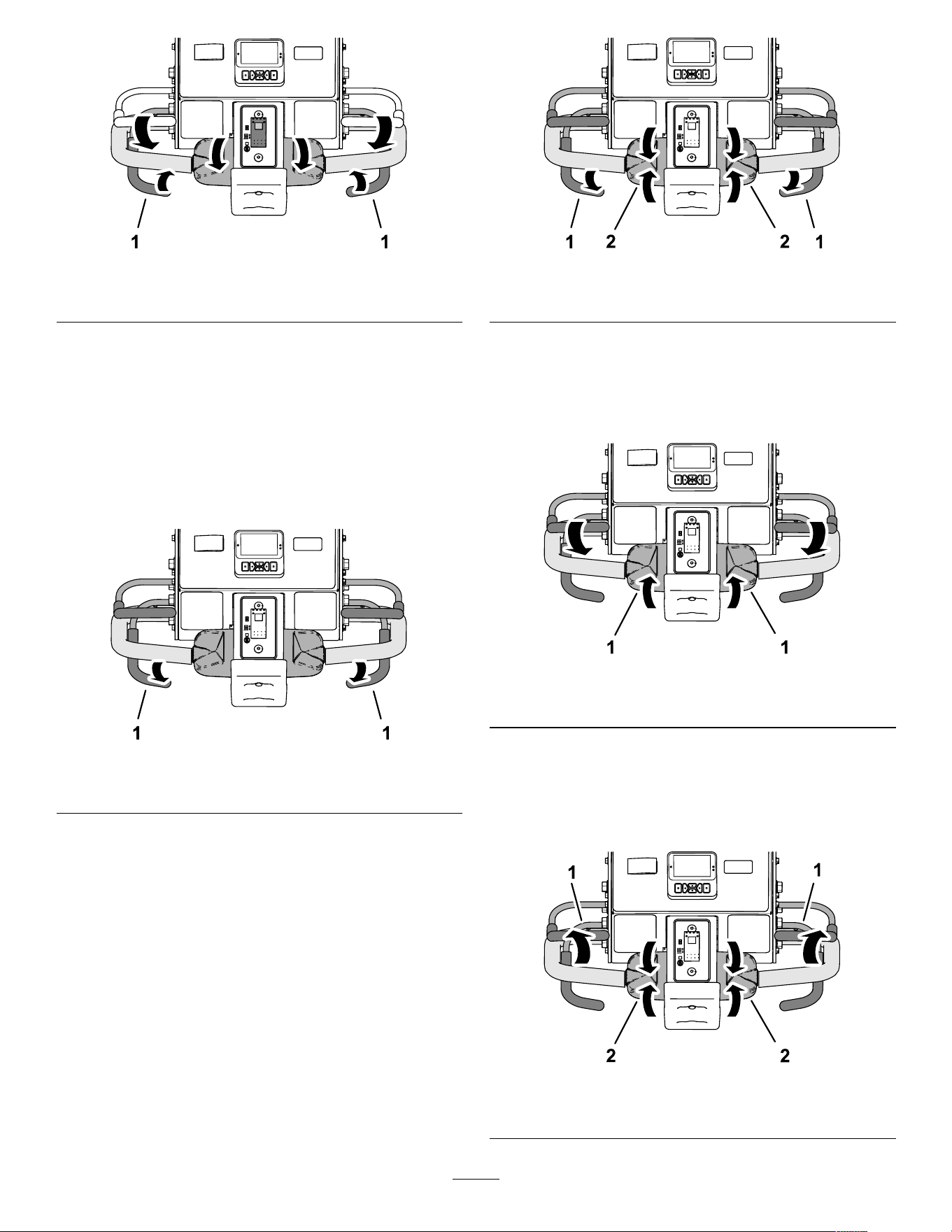
g510187
Figure 87
1. Aerate bail
Raising the Coring Head
Immediate-Drop Mode
T o raise the core head, perform 1 of the following:
• Release the aerate bail ( Figure 88 ).
Note: The machine lifts the coring head
immediately .
g510188
Figure 88
1. Aerate bail
• Drive the machine in the reverse direction; refer
to Driving the Machine in the Reverse Direction
( page 46 ) .
Driving the Machine in the Reverse
Direction
1. If you lowered the coring head, release the
aerate bail ( Figure 89 ).
g510190
Figure 89
1. Aerate bail 2. T raction control
2. Release the traction control and allow it to move
to the N EUTRAL position.
3. While holding the operator-presence bail to the
handlebar , slowly rotate the top of the traction
control rearward ( Figure 90 ).
g510191
Figure 90
1. T raction control
Resetting the Bump-Stop Switch
1. Release the traction control and allow it to
move to the N EUTRAL position, and release the
operator-presence bail ( Figure 91 ).
g510192
Figure 91
1. Operator-presence bail
2. T raction control
46
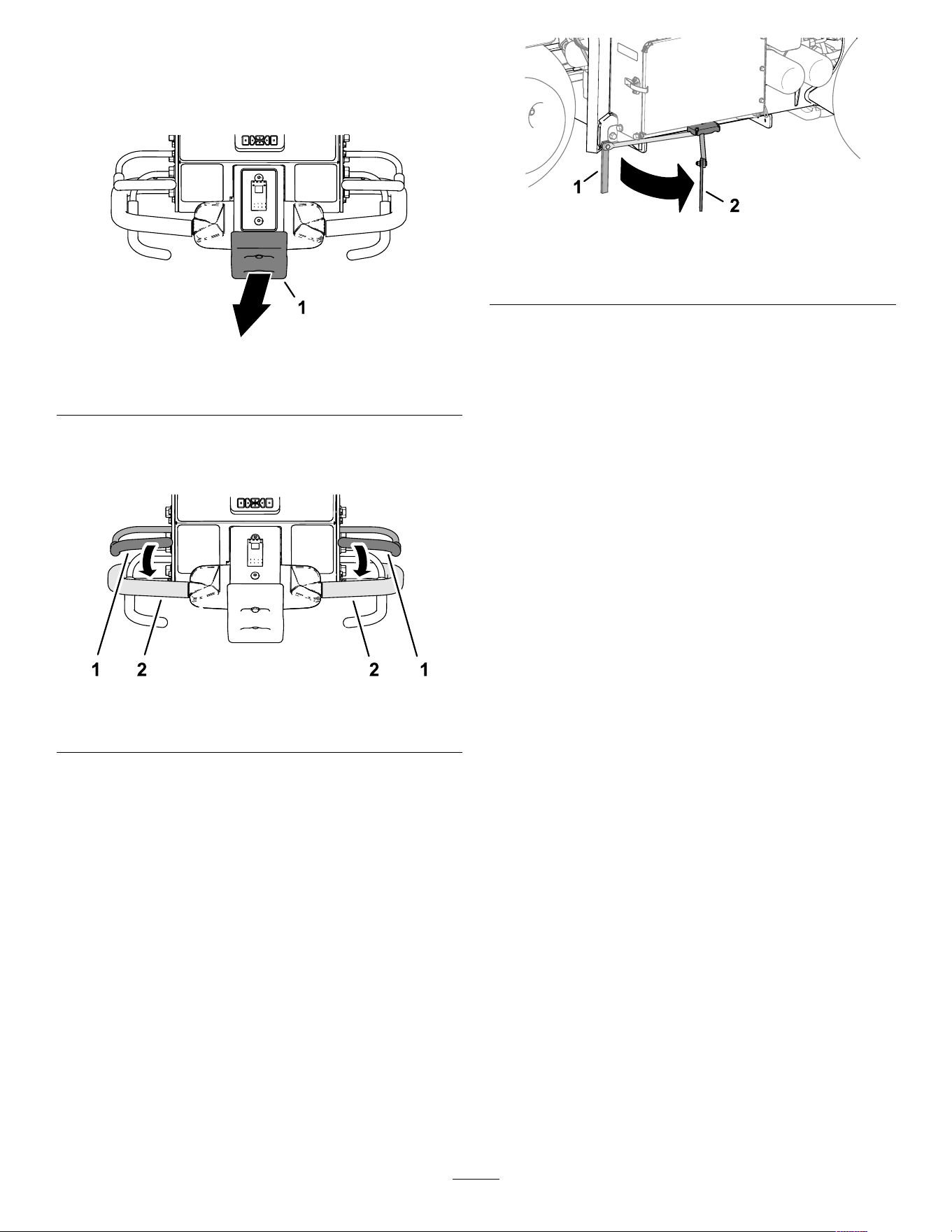
2. Move away from the bump-stop switch ( Figure
92 ).
Note: A spring in the bump-stop switch resets
the switch.
g510193
Figure 92
1. Bump-stop switch
3. Grasp the left or right handlebar and the
operator-presence bail ( Figure 93 ), and squeeze
the bail to the handle.
g510194
Figure 93
1. Operator-presence bail
2. Handlebar
4. Drive the machine, refer to Driving the Machine
in the T ransport Mode ( page 42 ) or Driving the
Machine in the Aerating Mode ( page 43 ) .
Using the Line Marker
Use the line marker to align aeration rows ( Figure 94 ).
g35831 1
Figure 94
1. Line marker (storage
position)
2. Line marker (alignment
position)
Using Aerator Statistics for
Estimating T opdressing
The machine uses 2 counters to log the area
aerated and the displaced soil-core volume. Use
the information from these counters to estimate the
amount of top dressing to apply to the aerated turf
area(s).
• The Area 1 counter is not PIN code protected, and
is intended to be reset by the machine operator .
Note: If the operator records the Area 1 counter
for each aeration site, you can estimate the
amount of topsoil and delivery requirements for
each site.
• The Area 2 counter is PIN code protected, and
is intended to be reset by the supervisor or their
delegate.
• The area aerated displays in m
2
(SI) or ft
2
(English)
units of measure.
• The displaced-coring volume displays as m
3
(SI)
or yd
3
(English) units of measure.
• When viewing the displaced-coring volume
counters, the machine calculates the volume using
the tine diameter and the tine quantity that you
entered in the InfoCenter .
Important: If the tine diameter and/or the
tine quantity value(s) are incorrect before
aerating the site, the InfoCenter will calculate
and display incorrect core volume values for
Area 1 and Area 2. If the diameter and/or
quantity values are changed after aerating, the
InfoCenter will change the displayed volume
values.
47
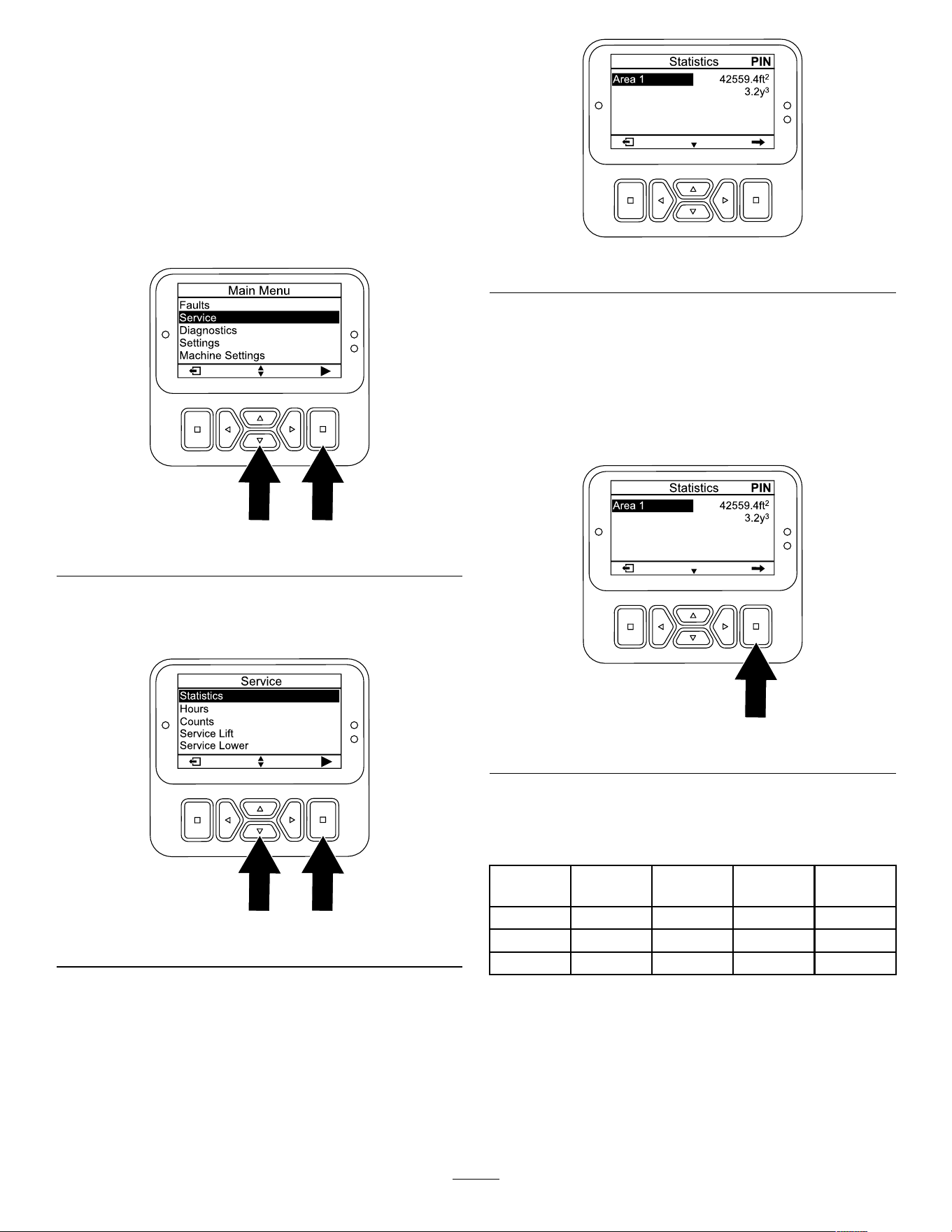
Accessing the Area and V olume
Counters
1. Park the machine on a level surface.
2. Ensure that the engine is running or the ignition
key in the R UN position.
3. In the InfoCenter , navigate to the M AIN M ENU .
4. Press the down button until the S ERVICE option
is selected, then press the select button ( Figure
95 ).
g510196
Figure 95
5. In the S ERVICE screen, press the down button
until the S TATISTICS option is selected, then
press the select button ( Figure 96 ).
g510197
Figure 96
Note: An A REA counter displays in the
S TATISTICS screen.
g512426
Figure 97
Using the Area 1—Area and
V olume Counters
Machine Operator
1. In the S TATISTICS screen, press the down button
until the A REA 1 option is selected ( Figure 98 ).
g512750
Figure 98
2. Record the aeration area and soil-core volume
in a worksheet; refer to the example that follows.
Example Aeration W orksheet
Date
Course (if
multiple)
Location Aeration
Area
Core
V olume
3. Press the select button to display to the reset
area and volume screen.
4. In the R ESET AREA AND VOLUME SCREEN , press
the select button.
Note: The InfoCenter displays the statistic
screen, and the area and volume counters reset
to 0.
48
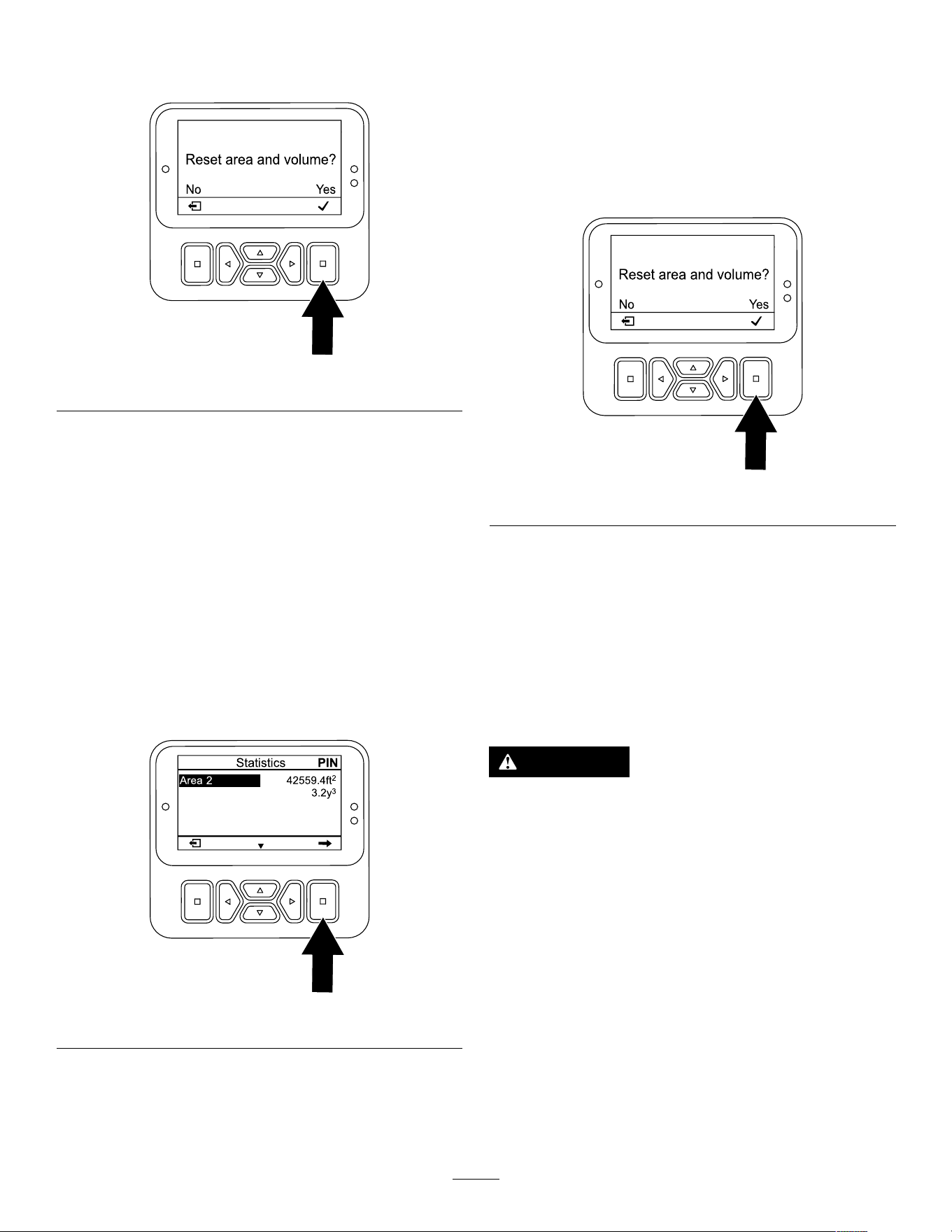
Note: If you do not reset the Area 1 counter ,
the area and volume counters continue to
accumulate data.
g510199
Figure 99
5. Repeat steps 1 through 4 as needed.
6. Press the back button to return to the main
menu.
Resetting the Area 2—Area and
V olume Counters
Supervisor
Note: Resetting the A REA 2 counters does not reset
the A REA 1 counters.
1. Enter the PIN to access protected menus; refer
to Accessing Protected Menus ( page 24 ) .
2. In the S TATISTICS screen, press the down button
until the A REA 2 option is selected ( Figure 100 ).
g510200
Figure 100
3. If needed, record the aeration area and soil-core
volume data.
4. Press the select button to display to the reset
area and volume screen.
5. In the R ESET AREA AND VOLUME SCREEN , press
the select button ( Figure 101 ).
Note: The InfoCenter displays the statistic
screen, and the area and volume counters reset
to 0.
Note: If you do not reset the Area 2 counter ,
the area and volume counters continue to
accumulate data.
g510199
Figure 101
6. Press the back button to return to the main
menu.
Supporting the Coring
Head with the Service Latch
Install the service latch before performing coring head
maintenance or when storing the machine for more
than a couple of days.
DANGER
If the coring head is raised and not latched,
it can lower unexpectedly and injure you or
bystanders.
Any time you service the coring head,
including changing of tines or turf guards,
use the service latch to secure coring head
in the raised position.
1. Raise the coring head.
2. Park the machine on a level surface, fully raise
and latch and latch the handlebar to engage the
parking brake, shut of f the engine, remove the
key , and wait for all moving parts to stop.
3. Remove the coring head cover; refer to
Removing the Coring-Head Cover ( page 68 ) .
4. Remove the lynch pin securing the service latch
to the side plate ( Figure 102 ).
49
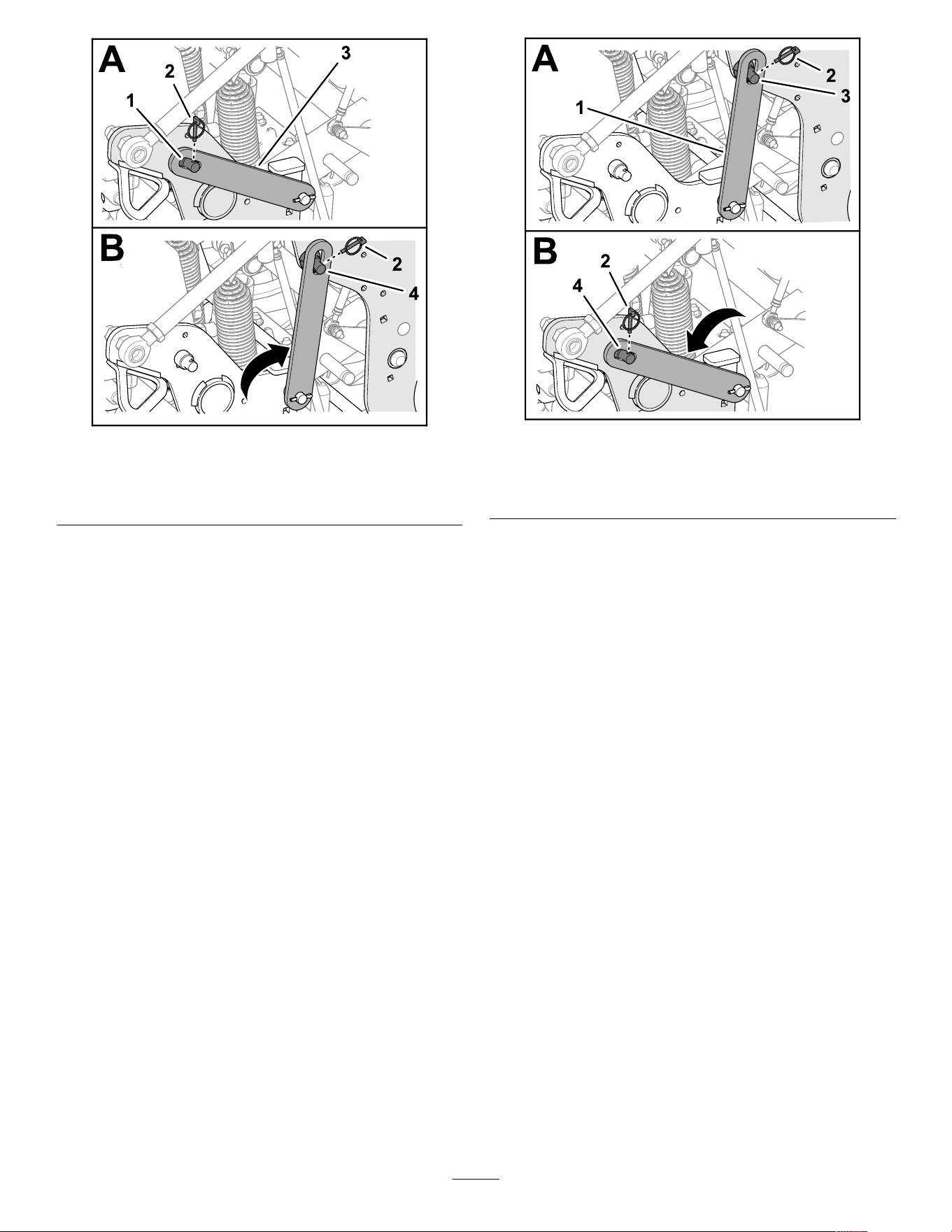
g342299
Figure 102
1. Support pin (side plate) 3. Service latch
2. L ynch pin
4. Support pin (coring head)
5. Rotate the service latch rearward and align it
over the support pin of the coring head.
6. Secure the latch to the support pin with the
lynch pin.
7. If needed, install the coring-head cover; refer to
Installing the Coring-Head Cover ( page 60 ) .
Stowing the Service Latch
1. Park the machine on a level surface, fully raise
and latch and latch the handlebar to engage the
parking brake, shut of f the engine, remove the
key , and wait for all moving parts to stop.
2. If the coring-head cover is installed, remove it;
refer to Removing the Coring-Head Cover ( page
68 ) .
3. Remove the lynch pin securing the service latch
to the support pin of the coring head ( Figure
103 ).
g342300
Figure 103
1. Service latch 3. Support pin (coring head)
2. L ynch pin
4. Support pin (side plate)
4. Rotate the service latch down and align it over
the support pin of the side plate.
5. Secure the latch to the support pin with the
lynch pin.
6. Install the coring-head cover; refer to Installing
the Coring-Head Cover ( page 60 ) .
Replacing a Damaged T ine
Important: Replacing a damaged tine with one
that is the same length. Different tine lengths
negatively affect hole appearance.
Dif ferent tine lengths af fect hole appearance.
Refer to Installing T urf Guards, T ine Holders, and
T ines ( page 30 ) for illustrations.
1. Raise the coring head and lock it in position with
the service latch.
2. Park the machine on a level surface, fully raise
and latch the handlebar to engage the parking
brake, shut of f the engine, remove the key , and
wait for all moving parts to stop.
3. Loosen the tine holder bolts and remove the
old tine(s).
4. Insert the new tine(s) into the tine holder .
5. T orque the tine holder bolts to 40.6 N∙m (30 ft-lb).
6. If needed, repeat this procedure on the
remaining arms.
50
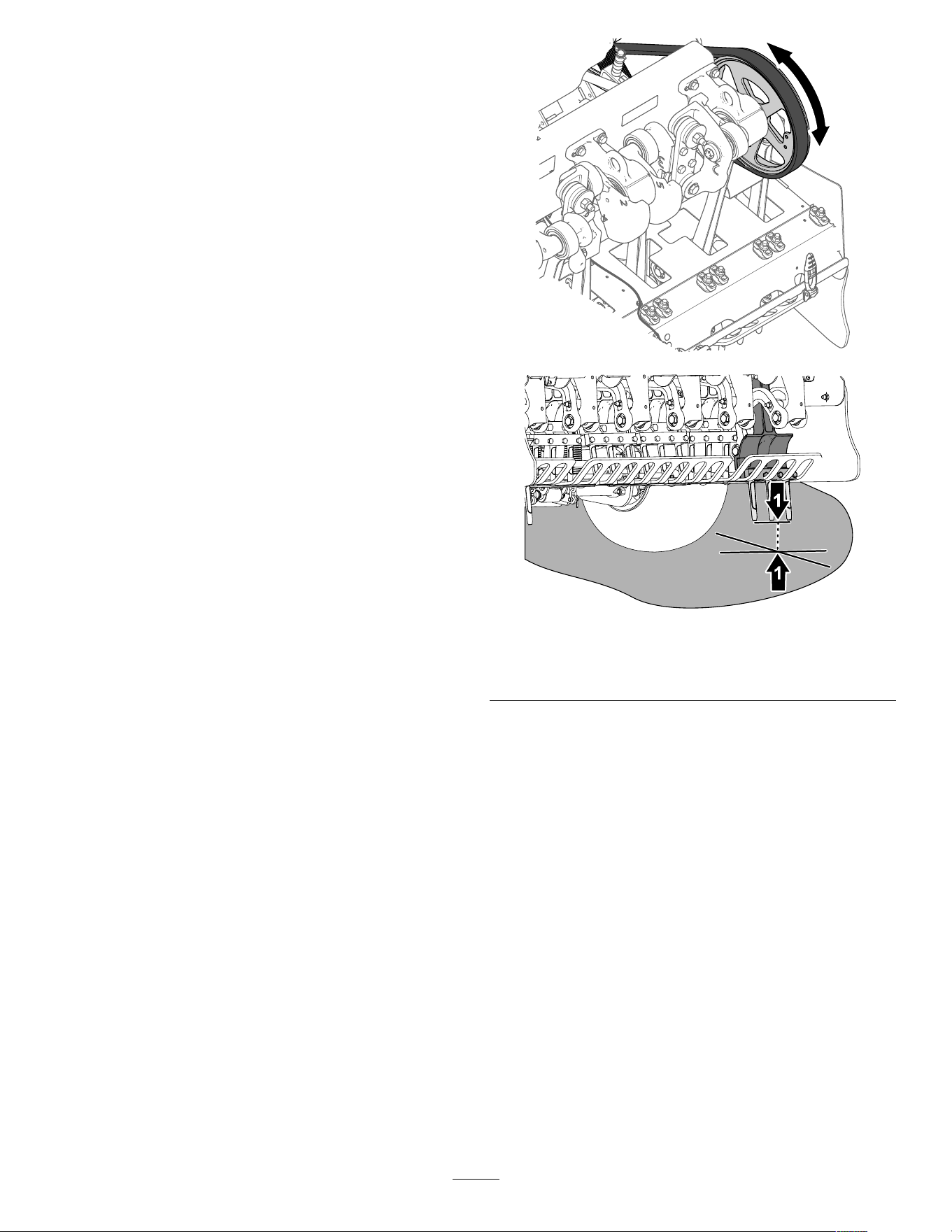
Checking the T ine
Ground-Height Calibration
Use the recall ground height application to quickly
check the current tine ground height.
The application moves the head down to the
previously calibrated position; once the head is in
position you can inspect the distance of the tine tips
from the ground.
Preparing the Machine
1. Ensure that the coring head is raised.
2. Park the machine on a level surface, fully raise
and latch the handlebar to engage the parking
brake, shut of f the engine, remove the key , and
wait for all moving parts to stop.
3. Remove the coring-head cover; refer to
Removing the Coring-Head Cover ( page 68 ) .
4. Rotate coring-head pulley ( Figure 104 ) until
the outermost tines are aligned closest to the
ground.
Important: Keep your ngers away of the
area where the belt merges and departs the
pulley so that you do not pinch your ngers.
g343368
g343367
Figure 104
1. Coring-head pulley 2. Outermost tines (closest
to the ground)
5. Install the coring-head cover; refer to Installing
the Coring-Head Cover ( page 60 ) .
51
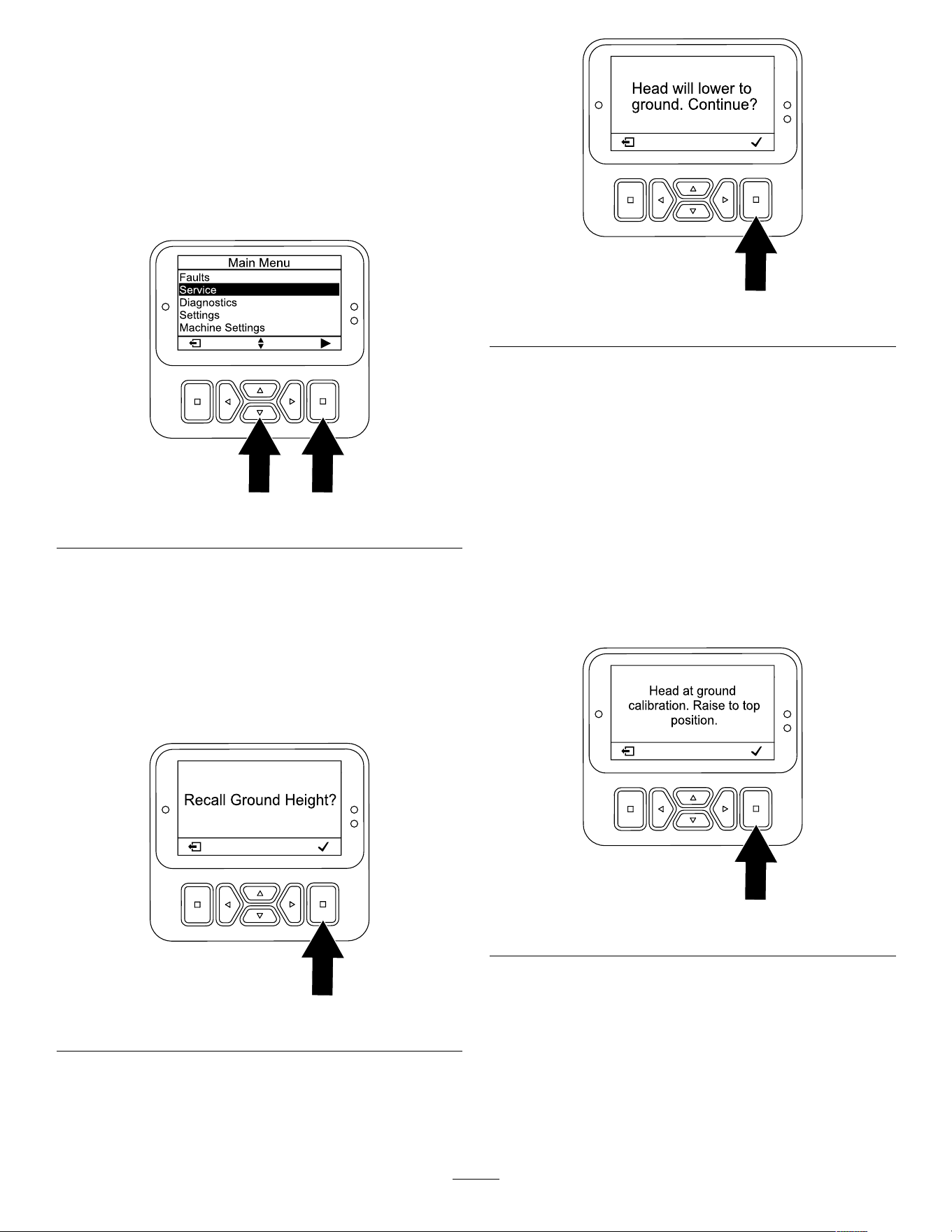
Running the Recall Ground Height
Application
1. Enter the PIN to access protected menus; refer
to Accessing Protected Menus ( page 24 ) .
2. In the InfoCenter , navigate to the M AIN M ENU .
3. Press the down button until the S ERVICE option
is selected, then press the select button ( Figure
105 ).
g510196
Figure 105
4. Press the down button on the InfoCenter to
navigate to the G ROUND H EIGHT option, then
press the select button.
5. Press the down button on the InfoCenter to
navigate to the R ECALL C ALIBRATION option, then
press the select button.
6. On the Recall Ground Height screen ( Figure
106 ), press the select button.
g510201
Figure 106
7. On the Head Will Lower screen ( Figure 107 ),
press the select button.
g510202
Figure 107
Note: The Lowering Head message displays
and the coring head lowers.
8. W atch the outermost tines for the following
out-of-calibration conditions.
• If the tines begin to penetrate the
ground—press the select button ( Figure
108 ) and run the T EACH G ROUND H EIGHT
application; refer to Running the T each
Ground Height Application ( page 36 ) .
• If the tines are above the ground—press the
select button and run the T EACH G ROUND
H EIGHT application; refer to Running the
T each Ground Height Application ( page 36 ) .
g510203
Figure 108
9. If the outermost tines lightly touch the ground,
press the select button to raise the coring head.
52
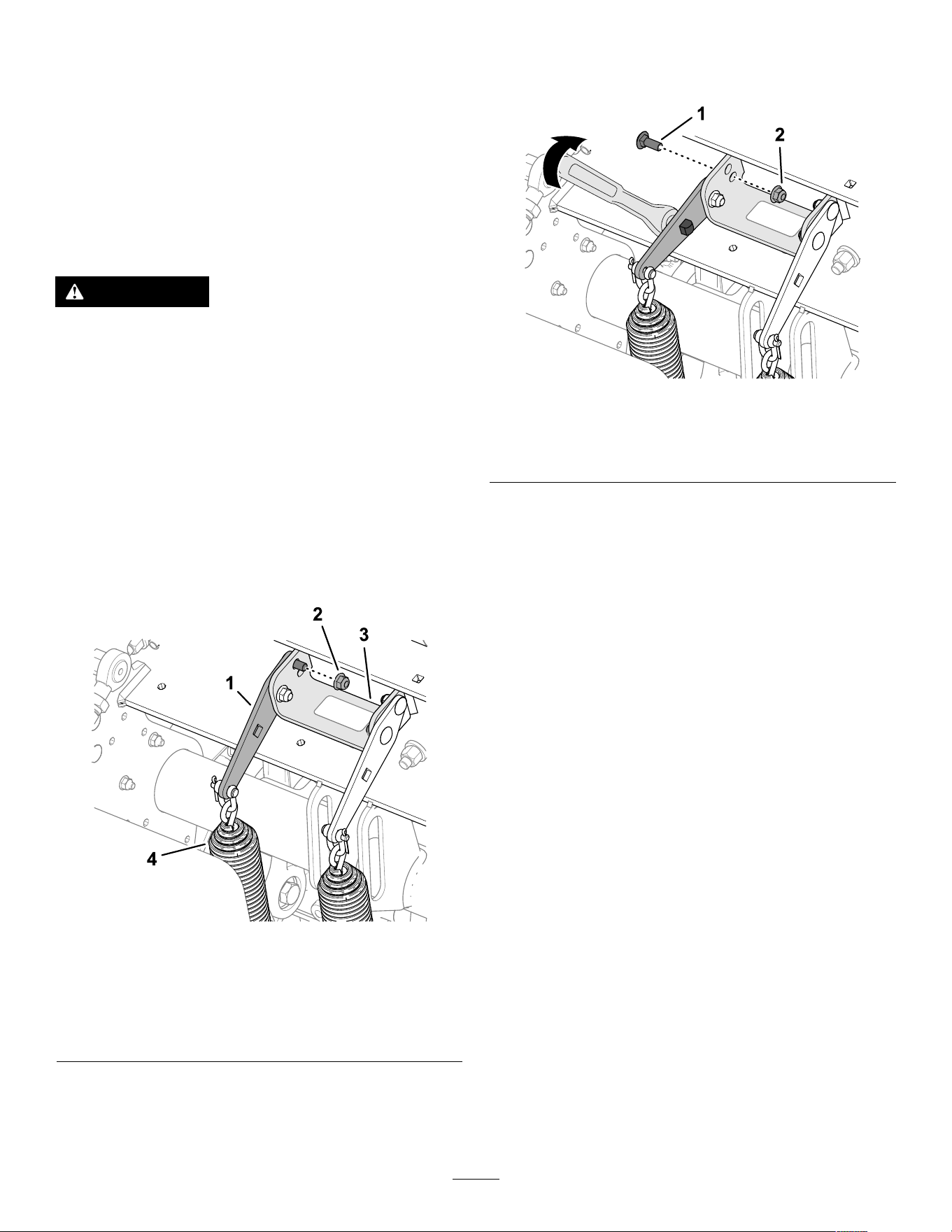
Adjusting the W eight
T ransfer
The machine transfers weight from the traction unit
to the coring head to help maintain hole depth in
various soil structures. However , if the soil structure
is rm enough to not allow full aeration depth, the
coring head may need additional weight transfer .
The machine is set for normal weight transfer at the
factory . T o increase the down pressure of the weight
transfer springs, proceed as follows:
W ARNING
Sudden release of the spring plates could
cause injury .
Acquire the help of another person to help
adjust the weight transfer spring.
1. Park the machine on a level surface, fully raise
and latch the handlebar to engage the parking
brake, shut of f the engine, remove the key , and
wait for all moving parts to stop.
2. Loosen the forward ange locknut and carriage
bolt that secure the spring-tension plate to the
support bracket of the coring head ( Figure 109 ).
Note: Do not remove locknut and carriage bolt.
g342391
Figure 109
Normal W eight T ransfer Position—Upper Hole
1. Spring-tension plate 3. Support bracket (coring
head)
2. Flange locknut (rear) 4. W eight transfer springs
3. Remove the rear ange locknut that secures the
spring brackets to the support bracket.
Note: Do not remove carriage bolt.
4. Insert a 1/2 inch-drive ratchet or breaker bar
into the square hole in the spring-tension plate
( Figure 1 10 ).
g342390
Figure 1 10
Higher W eight T ransfer Position—Lower Hole
1. Carriage bolt (rear)
2. Flange locknut
5. Rotate the ratchet or breaker bar to relieve the
tension on the rear carriage bolt and remove it
from the upper hole.
Note: The upper hole is the normal weight
transfer position.
6. Rotate the spring-tension plate until it aligns with
the lower hole in the support bracket, insert the
carriage bolt through the holes in the plate and
bracket.
Note: The lower hole is the higher weight
transfer position. Rotating the spring plates
upward increases the weight transfer .
7. Secure the carriage bolt to the support bracket
and spring-tension plate with the ange locknut.
8. T orque the locknuts to 37 to 45 N∙m (27 to 33
ft-lb).
53
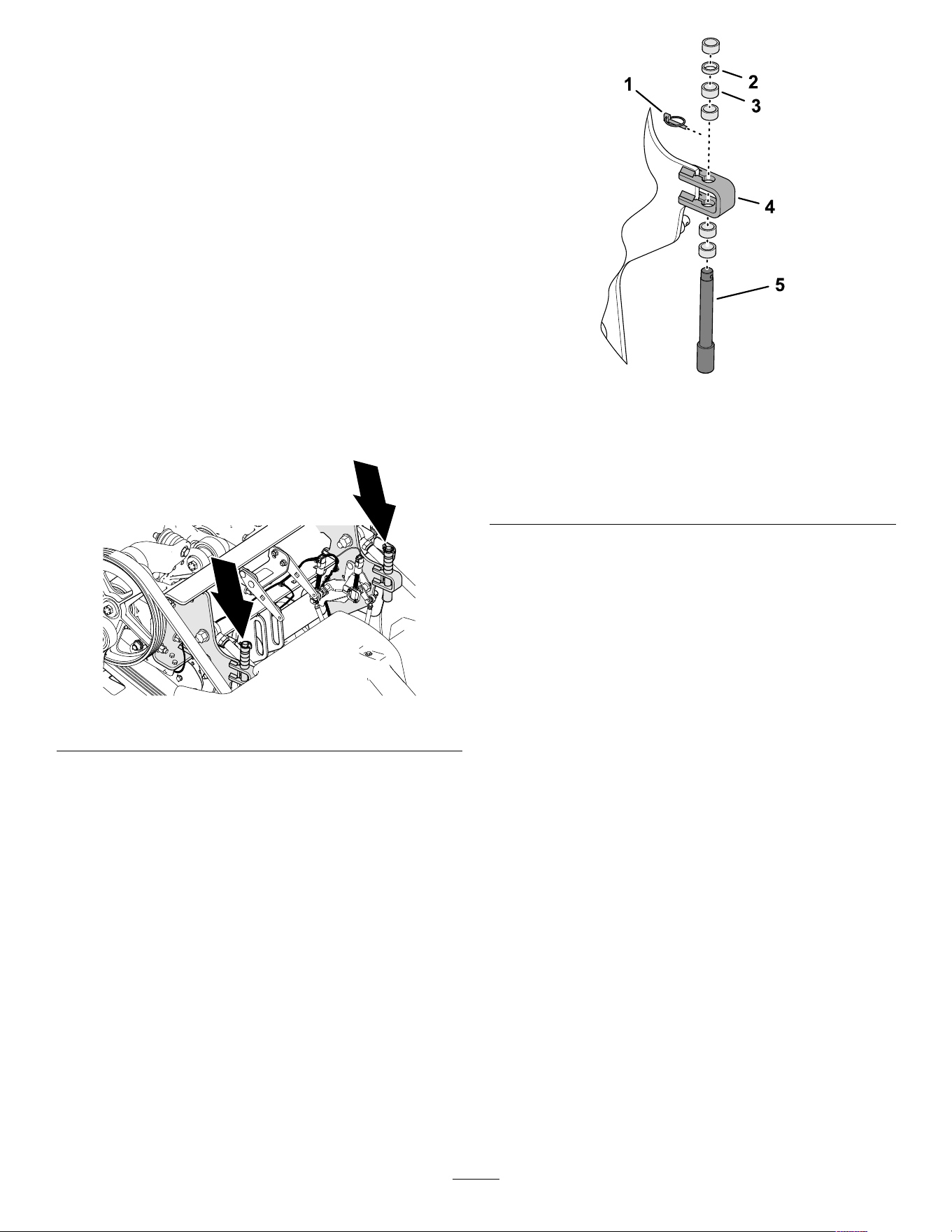
Using Manual Ground
Following
For optimum hole quality and machine performance,
aerate using the automatic ground following system.
Use manual ground following only if the tine-position
sensor is damaged.
Adjusting the Depth-Stop Spacers
1. Park the machine on a level surface, fully raise
and latch the handlebar to engage the parking
brake, shut of f the engine, remove the key , and
wait for all moving parts to stop.
2. Remove the coring-head cover; refer to
Removing the Coring-Head Cover ( page 68 ) .
3. Remove the lynch pin that secures the
depth-stop pin and spacers to the stop bracket
( Figure 1 1 1 and Figure 1 12 ).
g342335
Figure 1 1 1
g342334
Figure 1 12
1. L ynch pin
4. Stop bracket
2. Thin spacer—6.3 mm (1/4
inch)
5. Depth-stop pin
3. Thick spacer—12.7 mm
(1/2 inch)
4. Position the spacers above or below the stop
bracket to adjust the coring depth.
• With all spacers at the top of the stop bracket,
the depth setting is 10.7 cm (4-1/4 inches).
• Thick spacers equate to 19 mm (3/4 inch)
increment.
• Thin spacer equates to 9.5 mm (3/8 inch)
depth increment.
Note: Y ou must install all spacers, regardless
of their position.
5. Assemble the depth-stop pin and the spacers to
the stop bracket with the lynch pin.
6. Repeat steps 3 through 5 at the other side of
the machine.
Important: Ensure that the spacer location
above and below the left and right stop
brackets are identical.
7. Install the coring-head cover; refer to Installing
the Coring-Head Cover ( page 60 ) .
54
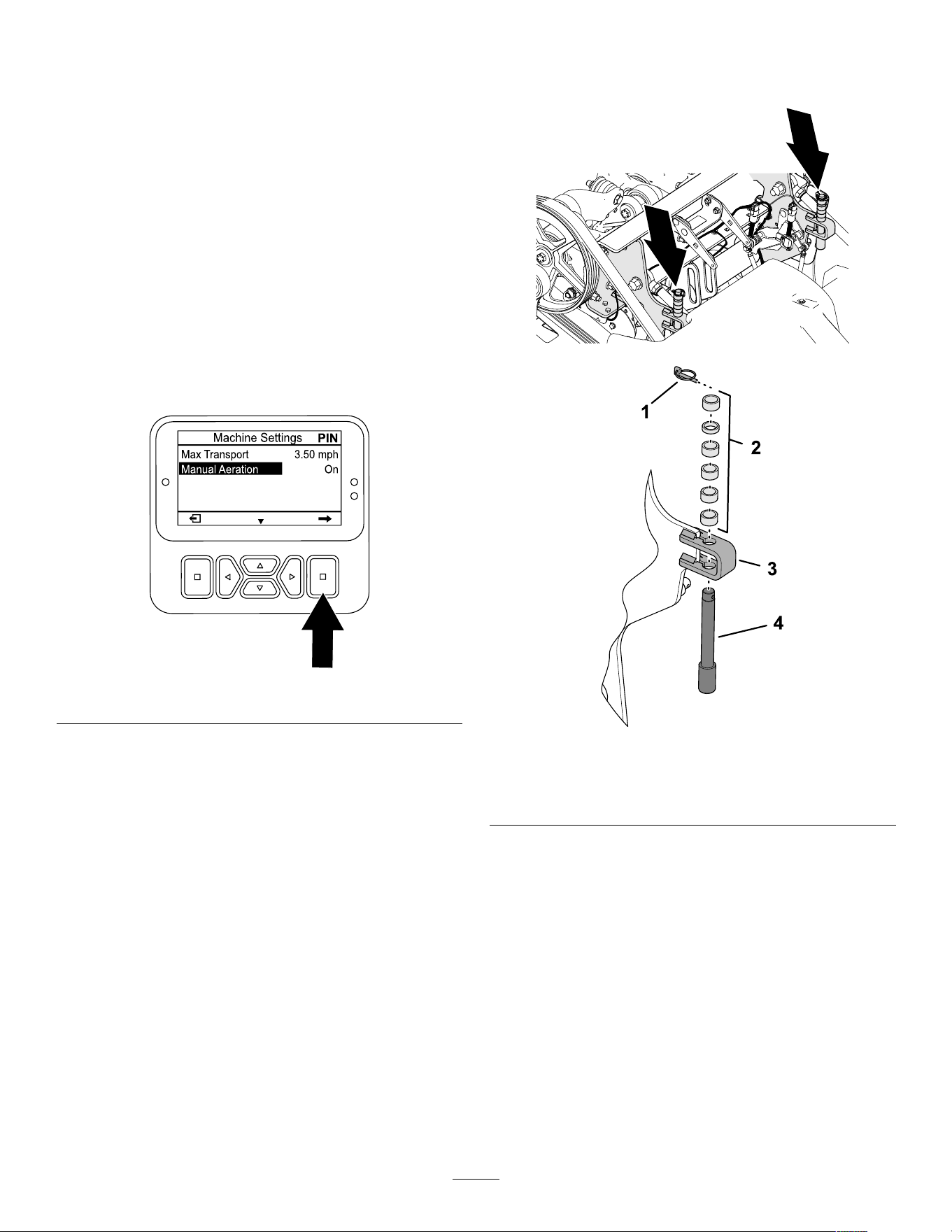
Setting the InfoCenter
Note: If you aerate in manual mode, you must set
the InfoCenter for the manual ground following mode
each time you start the engine.
1. T urn the ignition key to R UN position.
Note: Do not start the engine.
2. Enter the PIN to access protected menus; refer
to Accessing Protected Menus ( page 24 ) .
3. In the InfoCenter , navigate to the M AIN M ENU .
4. Press the down button until the M ACHINE
S ETTINGS option is selected, then press the
select button.
5. Press the down button until the M ANUAL
A ERATION option is selected, then press the
select button ( Figure 1 13 ) to set manual aeration
to O N .
g510206
Figure 1 13
6. Start the engine.
7. Aerate using Aerating Using the Delay-Drop
Mode ( page 44 ) or the Aerating Using the
Immediate-Drop Mode ( page 45 ) .
Note: When you shut of f the engine and
start it, the machine defaults to the automatic
ground-following mode.
Stowing the Depth-Stop
Spacers for Automatic
Ground Following
1. Park the machine on a level surface, fully raise
and latch the handlebar to engage the parking
brake, shut of f the engine, remove the key , and
wait for all moving parts to stop.
2. Remove the coring-head cover; refer to
Removing the Coring-Head Cover ( page 68 ) .
3. Remove the lynch pin that secures the
depth-stop pin and spacers to the stop bracket
( Figure 1 14 ).
g342335
g356438
Figure 1 14
1. L ynch pin
3. Stop bracket
2. Spacers
4. Depth-stop pin
4. Position the all the spacers above the stop
bracket.
5. Assemble the depth-stop pin and the spacers to
the stop bracket with the lynch pin.
Note: Y ou must stow all spacers.
6. Repeat steps 3 through 5 at the other side of
the machine.
7. Install the coring-head cover; refer to Installing
the Coring-Head Cover ( page 60 ) .
55
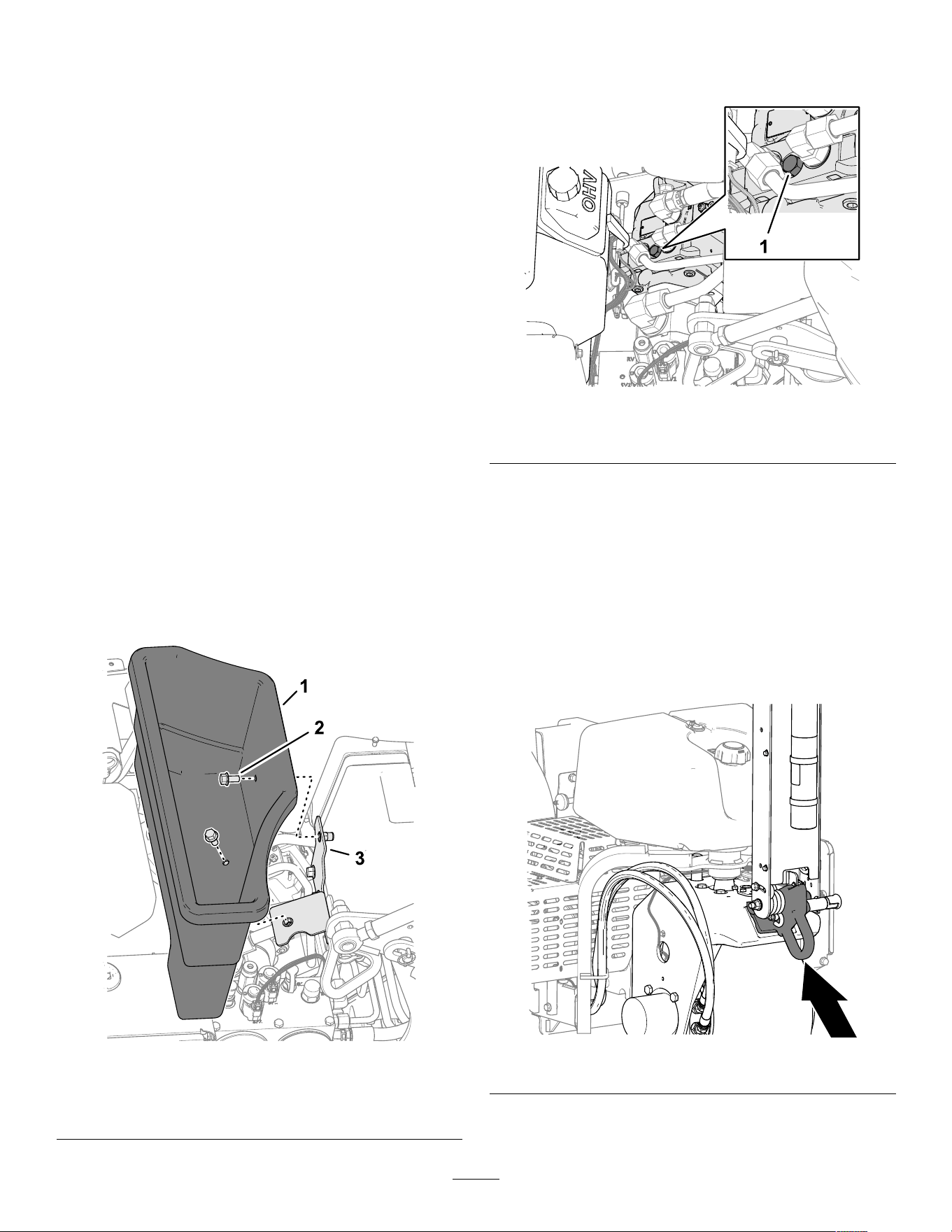
Adding Additional W eight
With the weight transfer adjusted, it is possible to
aerate turf that is hard enough ground cause the
machine to lift the rear tires of f the ground. This may
lead to irregular hole spacing.
If this lifting occurs, you can add optional
counterweight plates to the rear frame axle tube.
Each counterweight plate adds 28.5 kg (63 lb) to the
machine. Y ou can add up to 2 plates. Refer to the
Parts Catalog of your machine for the counterweight
and hardware part numbers.
Moving the Machine by
Hand
Bypassing the Hydraulic Pump
and Moving the Machine
Required tools: 15 mm socket and socket wrench
Important: Do not operate the engine with the
bypass valve open for more than 10 to 15 seconds.
1. If possible, park the machine on a level surface.
2. Fully raise and latch the handlebar to engage
the parking brake, shut of f the engine, remove
the key , and wait for all moving parts to stop.
3. Remove the 2 ange head bolts that secure the
storage bin to the bin bracket ( Figure 1 15 ).
g358348
Figure 1 15
1. Storage bin
3. Bin bracket
2. Flange head bolt
4. Locate the cover for the bypass-valve screw
between the engine and hydraulic pump as
shown in Figure 1 16 ).
g342393
Figure 1 16
1. Bypass valve
5. Use a 15 mm socket and socket wrench to rotate
the bypass valve counterclockwise 1-1/2 turns.
Important: Do not rotate the bypass valve
more than 1-1/2 turns.
6. If you tow the machine, pull it using the front
tie-down hoop ( Figure 1 17 ).
Important: Do not push/pull the machine
more than 30.5 m (100 ft) or faster than 0.6
km/h (1 mph) because hydraulic component
damage may occur .
g342220
Figure 1 17
7. Lower the handlebar to disengage the parking
brake before pushing/pulling the machine.
56
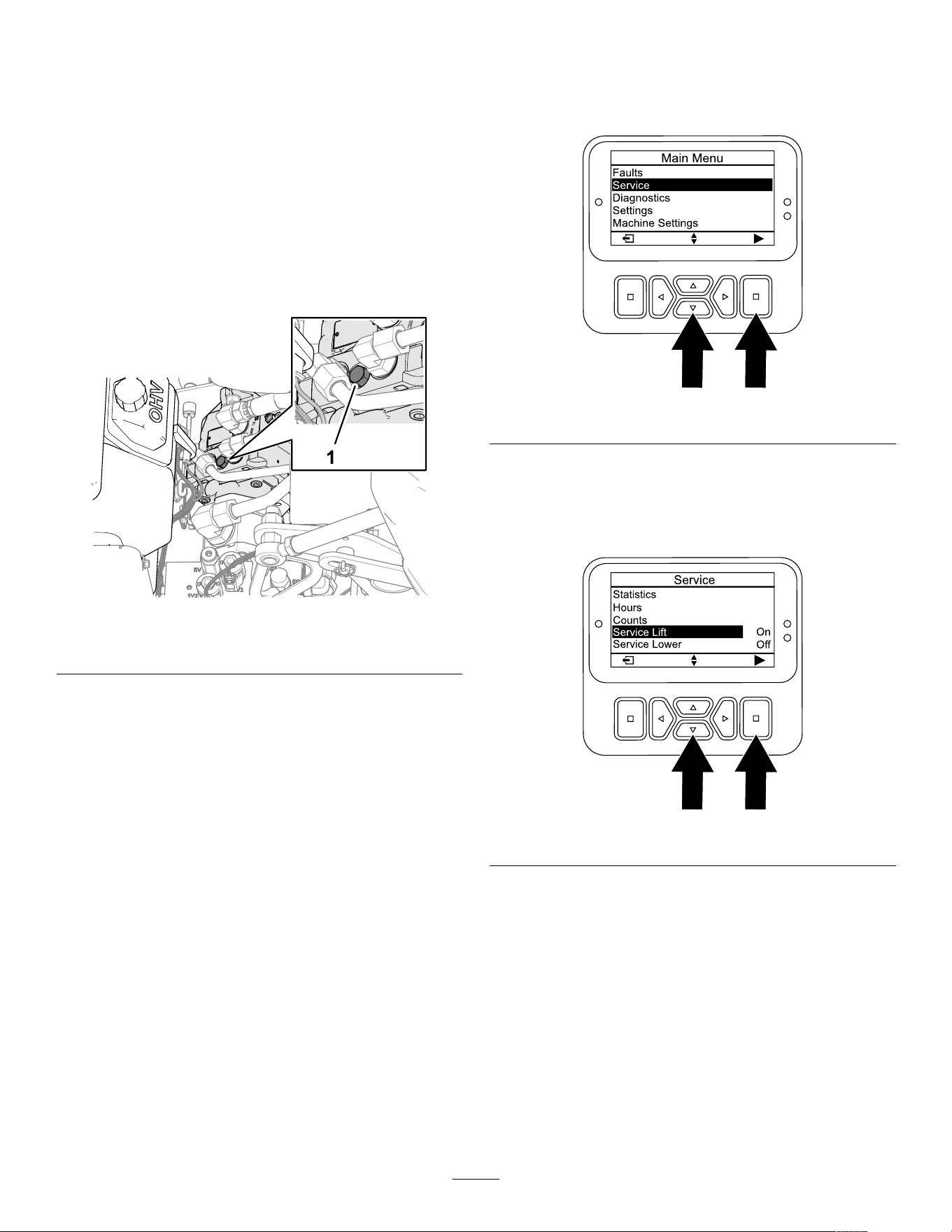
Important: Y ou must lower the handlebar
to disengage the parking brake before you
move the machine.
Restoring the Hydraulic Pump
Important: Y ou must close the bypass valve to
drive the machine. Do not try to operate traction
system with the bypass valve open.
1. Locate the bypass-valve screw between the
engine and hydraulic pump.
Note: The location of the cover for the
bypass-valve screw is shown in Figure 1 18 .
g342393
Figure 1 18
1. Bypass valve
2. Use a 15 mm socket and socket wrench to rotate
the bypass valve clockwise 1-1/2 turns.
Note: Do not overtighten the bypass screw .
3. Use a 15 mm wrench to install the bypass-screw
cover onto the hydraulic pump.
4. Install the storage bin to the bin bracket with the
2 ange-head bolts.
Moving the Machine when
the Coring Head is Lowered
If the engine stops running while the coring head
lowered and the tines engaged in the soil and you
cannot start the engine, perform either Lifting the
Coring Head using the Starter ( page 57 ) or Removing
the T ine holders from the Stomper Arms ( page 58 ) .
Lifting the Coring Head using the
Starter
1. Move the key to the R UN position.
2. In the InfoCenter , navigate to the M AIN M ENU .
3. Press the down button until the S ERVICE option
is selected, then press the select button ( Figure
1 19 ).
g510196
Figure 1 19
4. Press the down button until the S ERVICE L IFT
option is selected, then press the select button
( Figure 120 ).
Note: The service lift option changes to O N .
g510207
Figure 120
5. Move the key to the S TART position, and crank
the starter for 10 seconds.
Important: Do not engage the starter for
more than 10 seconds at a time. If the
tines have not cleared the ground, allow
a 30-second cool-down period between
attempts. Failure to follow these instructions
can burn out the starter motor .
Note: The coring head lifts the tines from the
ground.
Important: The tines fully clear the ground
before moving the machine.
57

6. Open the bypass valve; refer to Bypassing the
Hydraulic Pump and Moving the Machine ( page
56 ) .
7. Pull/push the machine to a nearby location to
continue service or load onto a trailer .
Important: Do not pull/push machine for
more than 30.5 m (100 ft) and no faster than
1.6 km/h (1 mph), because hydraulic damage
may occur .
Removing the T ine holders from
the Stomper Arms
1. Remove the tine holders from the stomper arms.
2. Open the bypass valve; refer to Bypassing the
Hydraulic Pump and Moving the Machine ( page
56 ) .
3. Pull/push the machine to a nearby location to
continue service or load onto a trailer .
Important: Do not pull/push machine for
more than 30.5 m (100 ft) and no faster than
1.6 km/h (1 mph), because hydraulic damage
may occur .
Operating T ips
General
• Make very gradual turns when aerating. Never
make sharp turns with the coring head engaged.
Plan your aeration path before lowering the
aerator .
• Always maintain awareness of what lies ahead in
the direction of forward travel. A void aeration next
to buildings, fences, and other equipment.
• Look behind frequently to ensure that the machine
operates properly , and you maintain alignment
with previous pass.
• Always clear the area of all damaged machine
parts, such as broken tines, etc., to prevent
their being picked up by mowers or other turf
maintenance equipment.
• Replace broken tines and inspect and correct
damage to those still usable. Repair any other
machine damage before commencing operation.
• When aerating with less than the full width of
the machine, you may remove tines, but the tine
heads should remain installed on the stomper
arms to ensure proper balance and operation of
the machine.
• This machine aerates deeper than most greens
aerators. On native or modied push-up greens
and tees, the deeper depth and longer hollow tines
may have dif culty ejecting the complete core.
This is due to harder native soil that sticks in the
end of the tine. Side-eject greens/tees tines from
the manufacturer stay cleaner and reduce the time
required to clean the tines out. Y ou will eventually
eliminate this condition with continued aeration
and top-dressing programs.
• This machine is designed to provide as much depth
as possible; However , in some turf conditions the
turf guards and/or turf guard bolts could cause
damage when aerating at the full depth setting.
If aerating at the maximum allowable depth (with
any length tine) after running the ground-height
calibration, the turf-guard bolts drag or contact the
turf, reduce the depth by a step (1/4 inch).
Hard Ground
If the ground is too rm to obtain the desired coring
depth, the coring head can get into a bouncing rhythm.
This is due to the hard pan the tines are attempting to
penetrate. Correct this condition by attempting the
following:
• Do not aerate if ground is too hard or dry . Y ou
obtain best aeration results after a rain or watering
the turf the previous day .
• Change to a 3-tine head, if attempting to use the
4-tine head or reduce the number of tines per
stomper arm. Attempt to maintain a symmetrical
tine conguration to evenly load the stomper arms.
• If ground is hard packed, reduce aerator
penetration (depth setting), clean up the cores,
water the turf, and re-aerate at a deeper
penetration.
Aeration of soil types built on top of hard subsoils (i.e.,
soil/sand placed over rocky soil) can cause undesired
hole quality . This occurs when the aeration depth is
greater than the built up soil and the subsoil is too
hard to penetrate. When the tines contact this harder
subsoil, the aerator may lift and cause the top of the
holes to become elongated. Reduce the aerating
depth suf ciently to avoid penetration into the hard
subsoil.
Entrance Hole Quality
The entrance hole quality is deteriorating when the
hole is slotted (pulled forward).
If the hole entrance quality is deteriorating, check the
tine ground-height calibration, refer to Checking the
T ine Ground-Height Calibration ( page 51 ) .
58
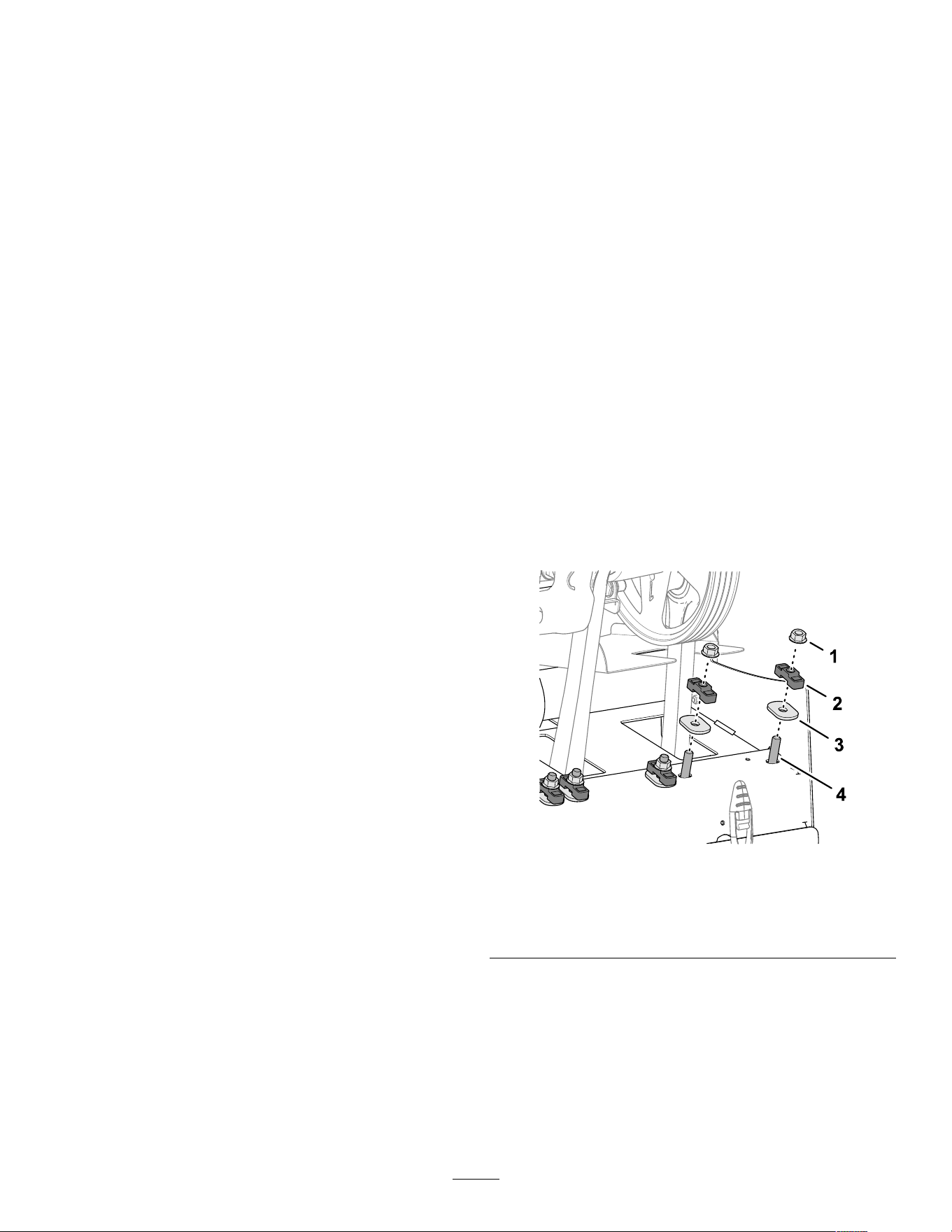
Mini T ine (Quad T ine)
Because of the double row design, the mini-tine coring
head requires the hole spacing to be set at 6.3 cm
(2-1/2 inches). Ground speed is critical to maintain
the appearance of 3.2 cm (1-1/4 inches) hole spacing.
Refer to Setting the Hole Spacing ( page 34 ) if your
hole spacing requires a small change.
With the mini tine head or larger solid tine use, the turf
root structure is important to preventing turf damage
due to tearing of the root zone. If the center 2 arms
begin to lift the turf or damage to the root zone is
excessive, proceed as follows:
• Increase the hole spacing
• Decrease tine size
• Decrease tine depth
• Remove some of the tines
The lifting action that solid a tine creates when it pulls
from the turf may cause turf damage. This lift can
tear the root zone if the density of tines or diameter
of tines is too high.
Front Hole Dimple or Push During
the Aeration Pass (Solid T ines or
Softer Soil Conditions)
When aerating with longer solid tines (i.e., 3/8 x 4
inches long) or needle type tines, the front of the holes
may become slotted or tufted. T o regain excellent
hole quality for this conguration, try the following:
• Calibrate the tine ground height; refer to Calibrating
the T ine Ground Height ( page 35 ) .
• Slow the engine high idle speed down to 2800 to
2900 rpm.
Note: Because traction and coring head speeds
increase and decrease together with engine
speed, hole spacing is not af fected.
If slowing the engine speed does improve hole quality
for the longer solid or needle type tines, adjust the
roto-link damper .
Note: Under most conditions, the factory setting
works best.
• If the front of the holes is slotted or tufted, a
stif fer roto-link setting helps resist hole-push and
improve hole quality .
• If the back of the holes is slotted or tufted, a softer
roto-link setting helps improve the hole quality .
Note: Y ou must reverse the position of the roto-Link
damper if you change back to a coring style tine or
any of the mini-tines.
Preparing the Machine
1. Park the machine on a level surface, fully raise
and latch the handlebar to engage the parking
brake, shut of f the engine, remove the key , and
wait for all moving parts to stop.
2. Remove the coring-head cover; refer to
Removing the Coring-Head Cover ( page 68 ) .
3. Secure the coring head with the service latch;
refer to Supporting the Coring Head with the
Service Latch ( page 49 ) .
Adjusting the Roto-Link
Dampeners
Note: The factory positions 1 roto-link spacer at the
roto-link dampener shaft and 1 spacer is in the stowed
position for each stomper arm.
Note: Adjusting the roto-link dampers allows you to
operate the machine at full engine speed (3400 rpm),
however you may need to aerate at slower engine
speeds to improve the hole quality .
1. Remove the 2 ange locknuts that secure the
roto-link dampener shaft to the rear frame of the
machine ( Figure 121 ).
g358198
Figure 121
1. Flange locknut 3. Hardened oval washer
2. Spacer 4. Stud (roto-link dampener
shaft)
2. Remove the spacer (if stowed) and hardened
oval washers.
3. Rotate the dampener link and dampener shaft
down ( Figure 122 ).
59
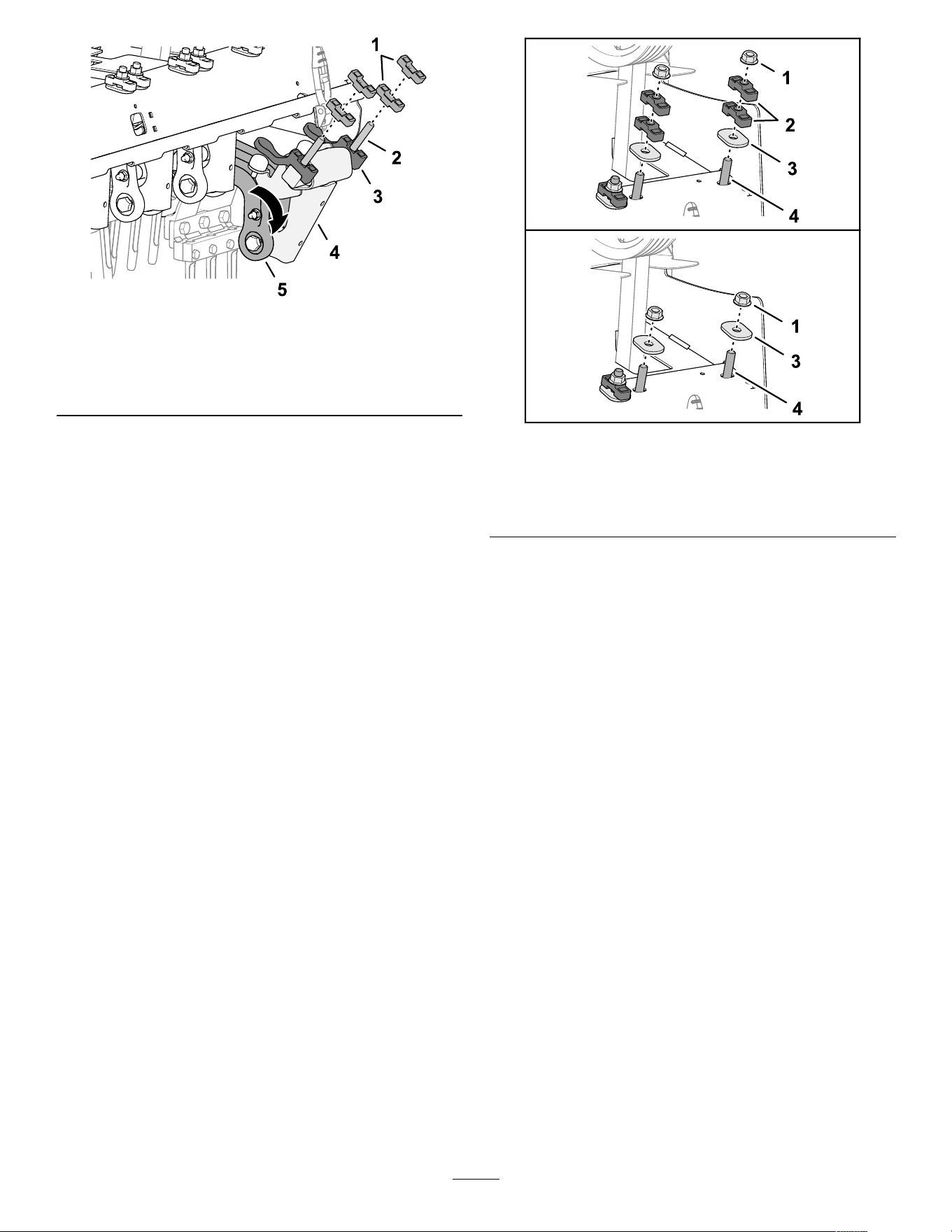
g358196
Figure 122
1. Spacer 4. Dampener shaft
2. Stud
5. Dampener link
3. Lower bumper-spacer
4. Position the roto-link spacer to correct the
following hole-mounding conditions:
Note: Each spacer is equivalent to 12.7 mm
(1/2 inch). The lower bumper-spacer must
remain assembled to the damper shaft.
• If the front of the holes is slotted or
tufted—position the spacers above the rear
frame, in the stowed position.
• If the back of the holes is slotted or
tufted—position both spacers above the rear
frame, at each side of the roto-link dampener
shaft.
5. Rotate the dampener link and dampener shaft
up, and insert the studs through the holes in the
rear frame of the machine.
6. Secure the dampener shaft and spacers to the
rear frame with the hardened oval washers and
locknuts ( Figure 123 ).
g358197
Figure 123
1. Flange locknut 3. Hardened oval washer
2. Spacer (stowed position) 4. Stud (roto-link dampener
shaft)
7. T orque the ange locknuts to 47 to 61 N∙m (35
to 45 ft-lb).
8. Repeat steps 1 through 7 at the next 2 stomper
arms.
Installing the Coring-Head Cover
1. Stow the service latch; refer to Stowing the
Service Latch ( page 50 ) .
2. Install the coring-head cover; refer to Installing
the Coring-Head Cover ( page 60 ) .
Calibrating Ground Height
Perform the calibrating the tine ground height
procedure; refer to Calibrating the T ine Ground Height
( page 35 ) .
T esting Hole Quality
1. T ake the machine to a test area, and aerate the
turf to compare the hole quality .
2. If hole quality improved, repeat the steps in
Preparing the Machine ( page 59 ) , Adjusting the
Roto-Link Dampeners ( page 59 ) , and Installing
the Coring-Head Cover ( page 60 ) to adjust the
roto-link dampener at the other 3 stomper arms.
60
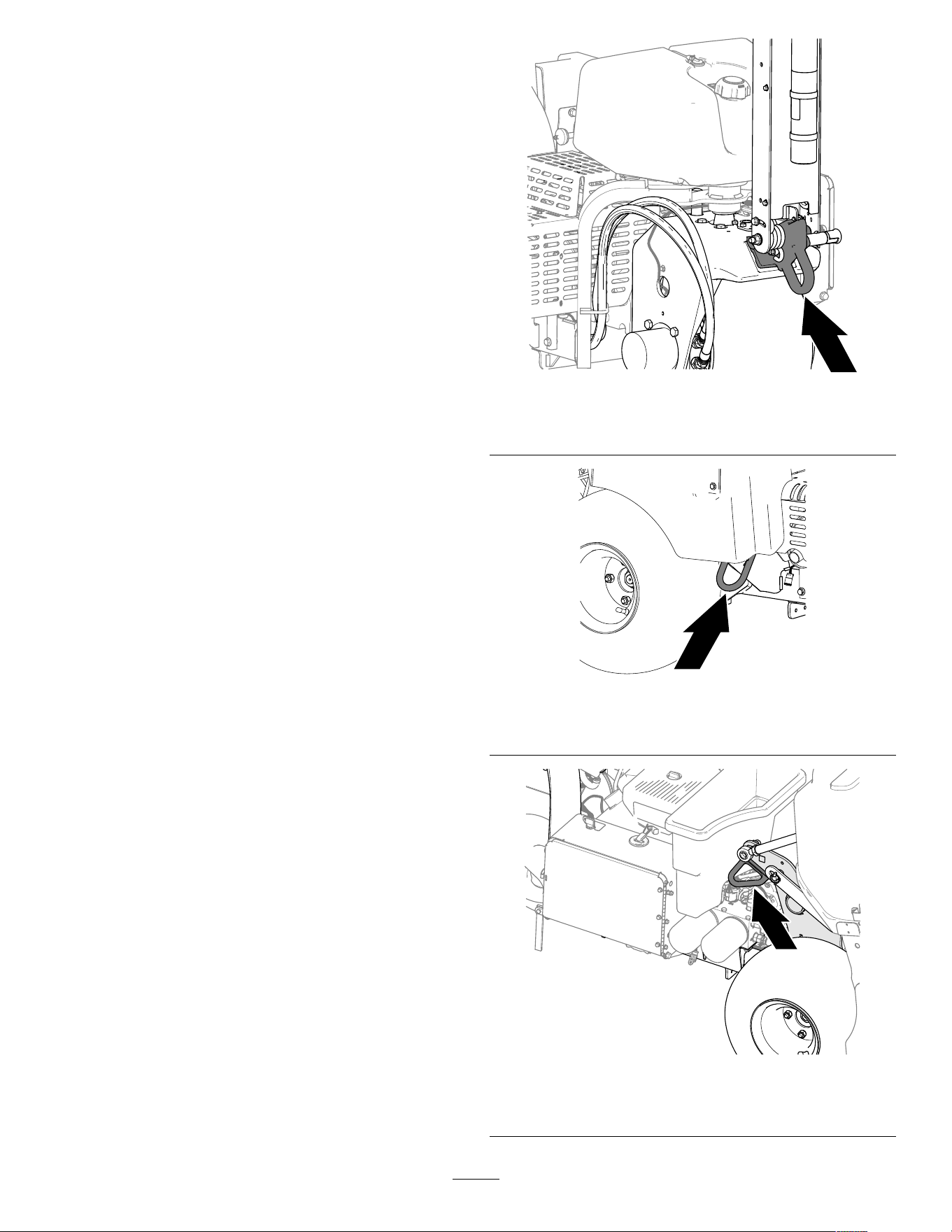
After Operation
After Operation Safety
• Park the machine on a level surface, fully raise
and latch the handlebar to engage the parking
brake, shut of f the engine, remove the key , and
wait for all moving parts to stop.
• Lower the coring head or secure it with the service
latch when you are not running the machine.
• Keep all parts of the machine in good working
condition and all hardware tightened.
• Replace all worn, damaged, or missing decals.
Cleaning the Machine
Service Interval : Before each use or daily
Important: Do not use brackish or reclaimed
water to clean the machine.
Important: Do not pressure wash the machine.
1. Park the machine on a level surface, fully raise
and latch the handlebar to engage the parking
brake, shut of f the engine, remove the key , and
wait for all moving parts to stop.
2. Thoroughly wash the machine.
• Use a garden hose without a nozzle to
avoid forcing water past the seals and
contaminating bearing grease.
• Use a brush to remove caked-on material.
• Use mild detergent to clean the covers.
3. After cleaning, apply a coat of auto wax
periodically to maintain the glossy nish of the
cover .
4. Inspect the machine for damage, oil leaks, and
component and tine wear .
5. Remove, clean, and oil the tines. Spray a light
oil mist on coring head bearings (crank and
damper links).
Important: Secure the coring head with the
service latch if you store the machine for more
than a couple of days.
T ie-Down Points
There are tie-down hoops located at the front and rear
sides of the machine ( Figure 124 , Figure 125 , and
Figure 126 ).
Note: Use properly-rated DOT -approved straps to tie
down the machine; refer to Specications ( page 25 )
for the weight of the machine.
g342220
Figure 124
Front Hoop
g342222
Figure 125
Right, Rear Hoop
g342221
Figure 126
Left, Rear Hoop
61

Hauling the Machine
W ARNING
Driving the machine on street or roadway
without turn signals, lights, reective
markings, or a slow-moving vehicle emblem is
dangerous and can lead to accidents causing
personal injury .
Do not operate the machine on a public street
or roadway .
Important: Use full-width ramps for loading the
machine onto a trailer or truck.
1. Load the machine onto the trailer or truck (coring
head forward—preferred).
2. Fully raise and latch the handlebar to engage
the parking brake, shut of f the engine, remove
the key , and wait for all moving parts to stop.
3. Secure the coring head with the service latch;
refer to Supporting the Coring Head with the
Service Latch ( page 49 ) .
4. Close the fuel-shutof f valve; refer to Fuel-Shutof f
V alve ( page 21 ) .
5. At the tie-down points, bind the machine to the
trailer or truck with cables, chains, or straps;
refer to T ie-Down Points ( page 61 )
T railer Recommendations
W eight
745 kg (1,642 lb) or 829 kg
(1,827 lb) with 2 optional
weights
Width
130 cm (51 inches) minimum
Length
267 cm (105 inches) minimum
Ramp Angle
3.5/12 pitch (16 ° ) maximum
Load Direction
Coring head forward
(preferred)
V ehicle T ow Capacity Greater than gross trailer
weight (GTW)
62

Maintenance
Note: Download a free copy of the electrical or hydraulic schematic by visiting www .T oro.com and searching
for your machine from the Manuals link on the home page.
Note: Refer to your engine owner ’ s manual for additional maintenance procedures.
Note: Determine the left and right sides of the machine from the normal operating position.
Maintenance Safety
• Park the machine on a level surface, fully raise and
latch the handlebar to engage the parking brake,
shut of f the engine, remove the key , and wait for
all moving parts to stop. Allow the machine to cool
before adjusting, servicing, cleaning, or storing it.
• Perform only those maintenance instructions
described in this manual. If the machine needs
major repair or you need assistance, contact an
authorized T oro distributor .
• Ensure that the machine is in safe operating
condition by keeping nuts, bolts, and screws tight.
• If possible, do not perform maintenance while the
engine is running. Keep away from moving parts.
• Carefully release pressure from components with
stored energy .
• Check the tine mounting bolts daily to be sure that
they are tightened to specication.
• Ensure that all guards are installed, and the hood
is secured shut after maintaining or adjusting the
machine.
Recommended Maintenance Schedule(s)
Maintenance Service
Interval
Maintenance Procedure
After the rst 8 hours
• Adjust the pump belt.
• Check the torque of the coring head fasteners, tiller handle fasteners and wheel
lug nuts.
After the rst 50 hours
• Change the engine oil and lter .
Before each use or daily
• T est the safety interlock system.
• Calibrate the tine ground height before aerating.
• Clean the machine.
• Check the engine-oil level.
• Remove debris from the engine screen. (Clean more frequently in dirty operating
conditions.)
• Check the hydraulic lines.
• Check the hydraulic-uid level.
Every 25 hours
• Clean the foam air lter element and check the paper element for damage.
Every 50 hours
• Check the tire pressure.
Every 100 hours
• Replace the paper air lter element.
• Change the engine oil and lter .
• Replace the fuel lter .
Every 200 hours
• Check the spark plugs.
• If you are not using the recommended hydraulic uid or have ever lled the reservoir
with an alternative uid, change the hydraulic uid and lters.
Every 250 hours
• Check the torque of the coring head fasteners, tiller handle fasteners and wheel
lug nuts.
Every 400 hours
• If you are using the recommended hydraulic uid, change the hydraulic uid and
lters.
Every 500 hours
• Inspect the coring head bearings, if needed, replace.
63

Maintenance Service
Interval
Maintenance Procedure
Before storage
• Refer to the Storage section for procedures necessary to perform before storing the
machine for more than 30 days.
Y early
• Check the coring head bearings.
• Check the battery cable connections.
• Check the battery cable connections.
• Inspect the belts for wear and damage.
Important: Refer to your engine owner ’ s manual for additional maintenance procedures.
Daily Maintenance Checklist
Duplicate this page for routine use.
For the week of:
Maintenance Check Item
Mon. T ues. W ed. Thurs. Fri.
Sat. Sun.
Check the safety interlock operation.
Check parking brake operation.
Check the engine-oil level.
Check fuel level.
Check the air cleaner .
Check the engine for debris.
Check unusual engine noises.
Check unusual operating noises.
Check the hydraulic-uid level.
Check the hydraulic hoses for damage.
Check for uid leaks.
Check instrument operation.
Check the condition of the tines.
T ouch up damaged paint.
Important: Refer to your engine owner ’ s manual for additional maintenance procedures.
Notation for Areas of Concern
Inspection performed by:
Item Date
Information
1
2
3
4
5
6
7
8
64
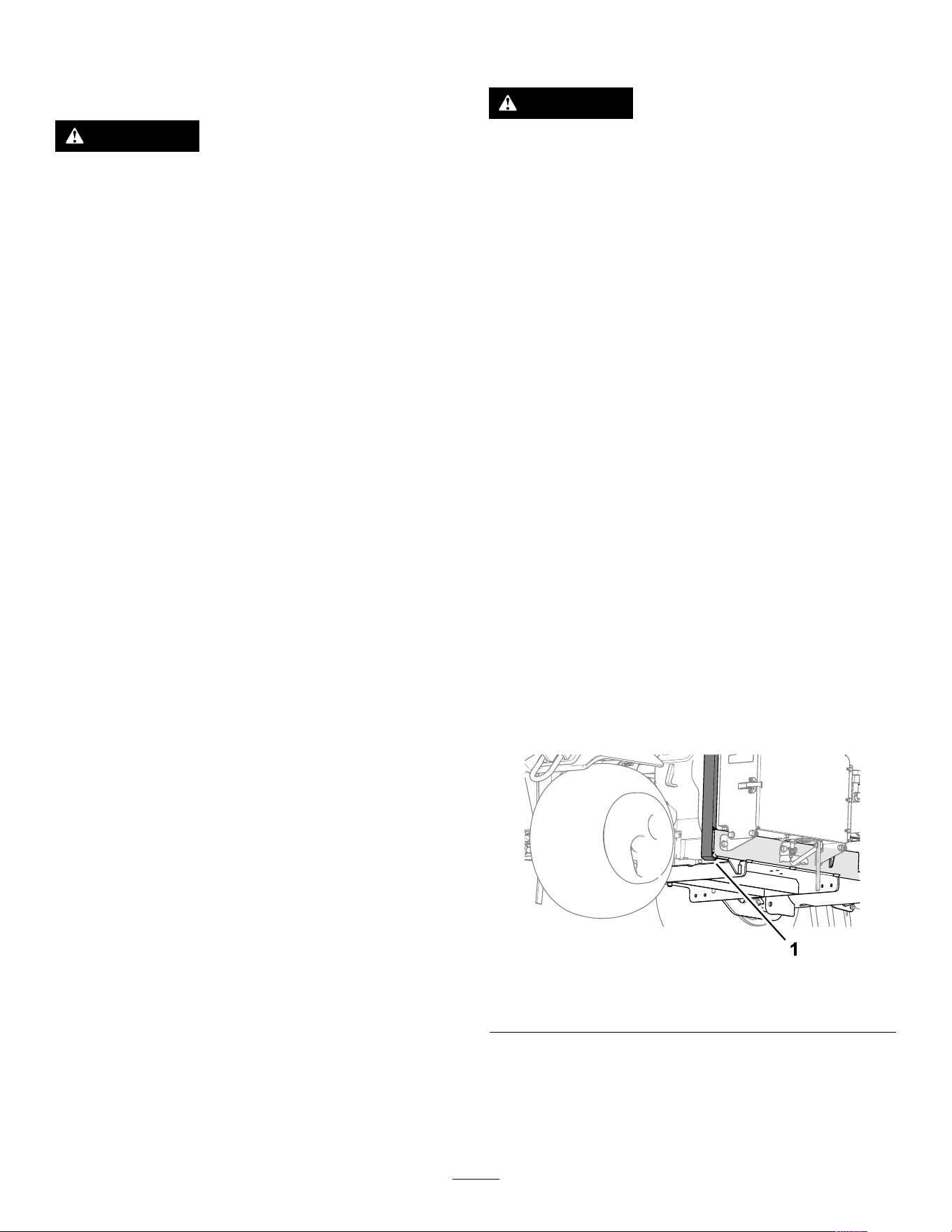
Pre-Maintenance
Procedures
CAUTION
If you leave the key in the ignition switch,
someone could accidently start the engine
and seriously injure you or other bystanders.
Park the machine on a level surface, fully
raise and latch the handlebar to engage the
parking brake, shut off the engine, remove the
key , and wait for all moving parts to stop.
Important: The fasteners on the covers of this
machine are designed to remain on the cover
after removal. Loosen all the fasteners on each
cover a few turns so that the cover is loose but
still attached, then go back and loosen them
until the cover comes free. This prevents you
from accidentally stripping the bolts free of the
retainers.
Preparing the Machine for
Maintenance
1. Park the machine on a level surface.
2. Fully raise and latch the handlebar to engage
the parking brake; refer to Engaging the Parking
Brake ( page 39 ) .
3. Shut of f the engine, remove the key , and wait
for all movement to stop before leaving the
machine; refer to Shutting Of f the Engine ( page
40 ) .
4. Allow the machine to cool.
Lifting the Machine
CAUTION
If the machine is not properly supported by
blocks or jack stands, the machine may move
or fall, which may result in personal injury .
• When changing attachments, tires, or
performing other service, use the correct
blocks, hoists, and jacks.
• Make sure that the machine is parked on
a solid, level surface such as a concrete
oor .
• Prior to raising the machine, remove any
attachments that may interfere with the
safe and proper raising of the machine.
• Always chock or block wheels. Use jack
stands or solid wood blocks to support the
raised machine.
Jacking the Front End
1. Prepare the machine for maintenance; refer to
Preparing the Machine for Maintenance ( page
65 ) .
2. Chock the rear tires to prevent the machine from
moving.
Important: T o prevent wheel motor damage,
do not use the front wheel motor as a jacking
point.
3. Position the jack securely under the front
wheel-support arm ( Figure 127 ).
g341 101
Figure 127
1. Wheel-support arm
4. Jack the front of the machine of f the ground.
5. Position the jack stands or hardwood blocks
under the front of the frame to support the
machine.
65
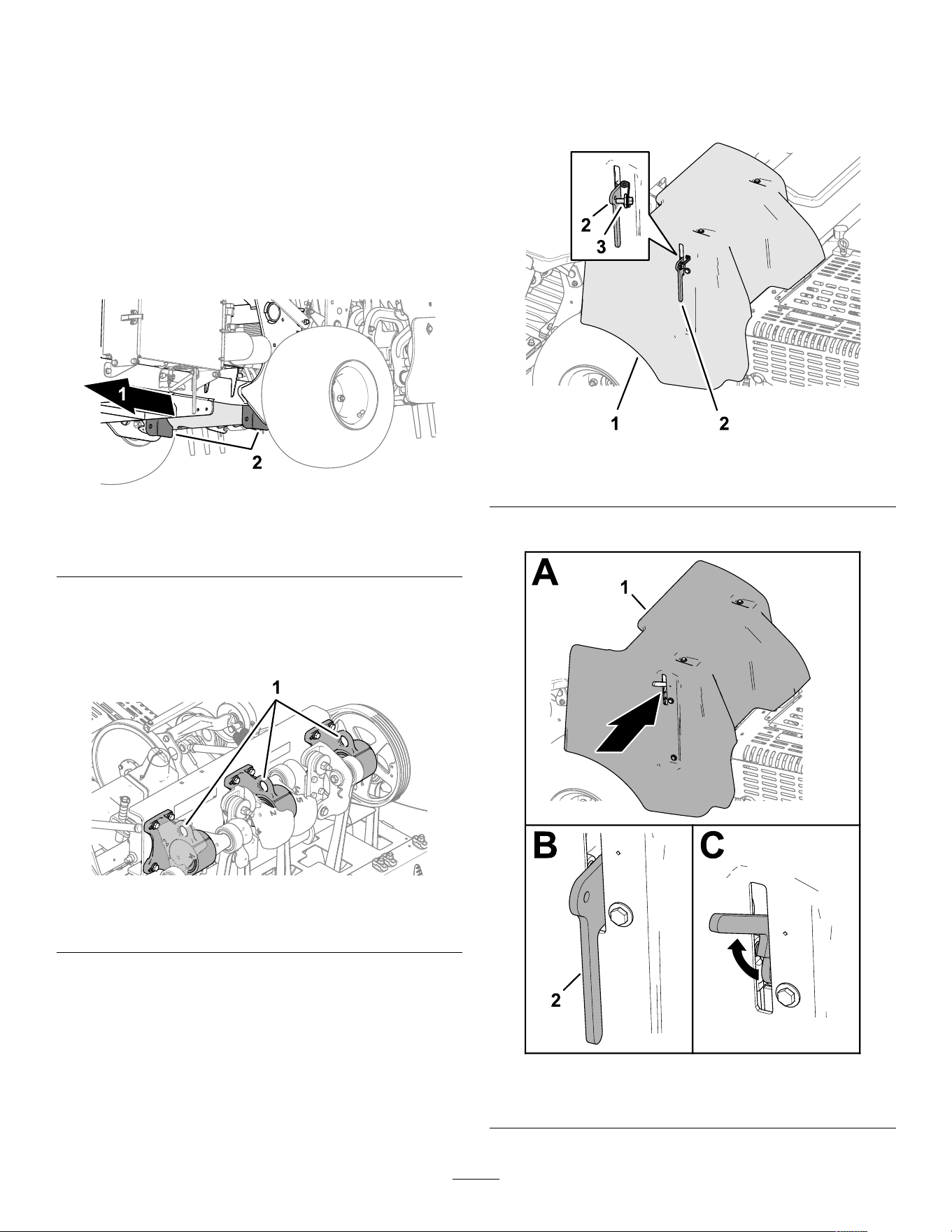
Jacking the Rear End
1. Prepare the machine for maintenance; refer to
Preparing the Machine for Maintenance ( page
65 ) .
2. Chock the front tire to prevent the machine from
moving.
Important: T o prevent wheel motor damage,
do not use rear wheel motor as a jacking
point.
3. Place the jack securely under the frame plate
just inside of the rear wheel ( Figure 128 ).
g341 102
Figure 128
1. Back of the machine 2. Counterweight brackets
(cross tube)
Note: If available, use a hoist to lift the rear of
the machine. Use the eyelets in the coring-head
bearing housings as hoist attachment points
( Figure 129 ).
g341 103
Figure 129
1. Eyelets (coring-head bearing housings)
4. Jack (or lift) the rear of the machine of f the
ground.
5. Position the jack stands or hardwood blocks
under the frame to support the machine.
Removing the Belt Cover
1. If your machine has the CE belt-cover latch
lanyard, loosen the lanyard bolt until it separates
from the cover latch ( Figure 130 ).
g340155
Figure 130
1. Belt cover 2. Latch 3. Lanyard bolt
2. Lift the latch handle ( Figure 131 ).
g340158
Figure 131
1. Belt cover 2. Latch
66
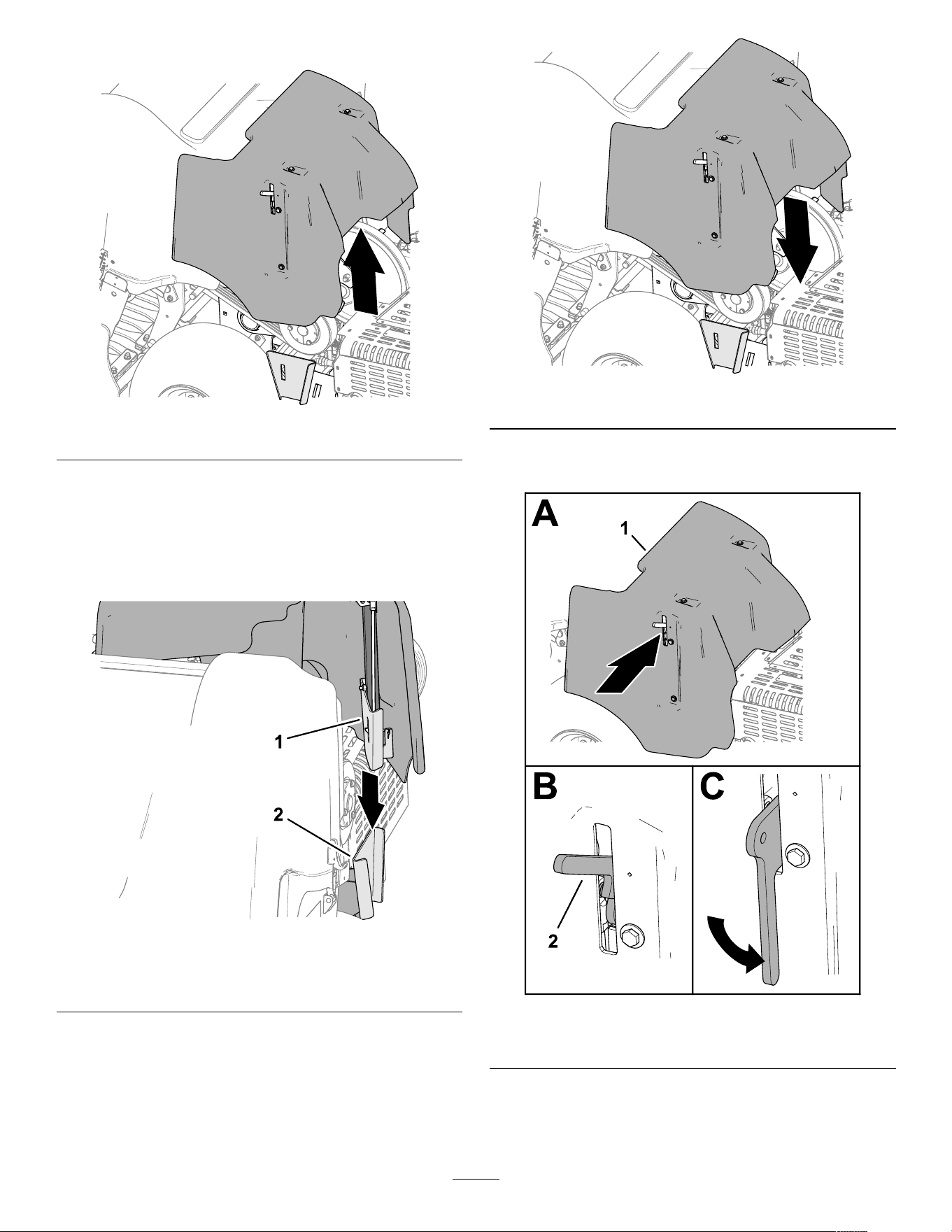
3. Lift the belt cover from the machine ( Figure 132 ).
g340154
Figure 132
Installing the Belt Cover
1. Align the mount bracket of the belt cover with
the cover-support bracket of the machine frame
( Figure 133 ).
g340148
Figure 133
1. Mount bracket (belt cover) 2. Cover-support bracket
(machine frame)
2. Lower the belt cover ( Figure 134 ).
g340174
Figure 134
3. Fully lower the latch handle to secure the cover
( Figure 135 ).
g340173
Figure 135
1. Belt cover 2. Latch handle
4. If your machine has the CE belt-cover latch
lanyard, thread the lanyard bolt into the hole in
the cover latch, and tighten the bolt ( Figure 136 ).
67
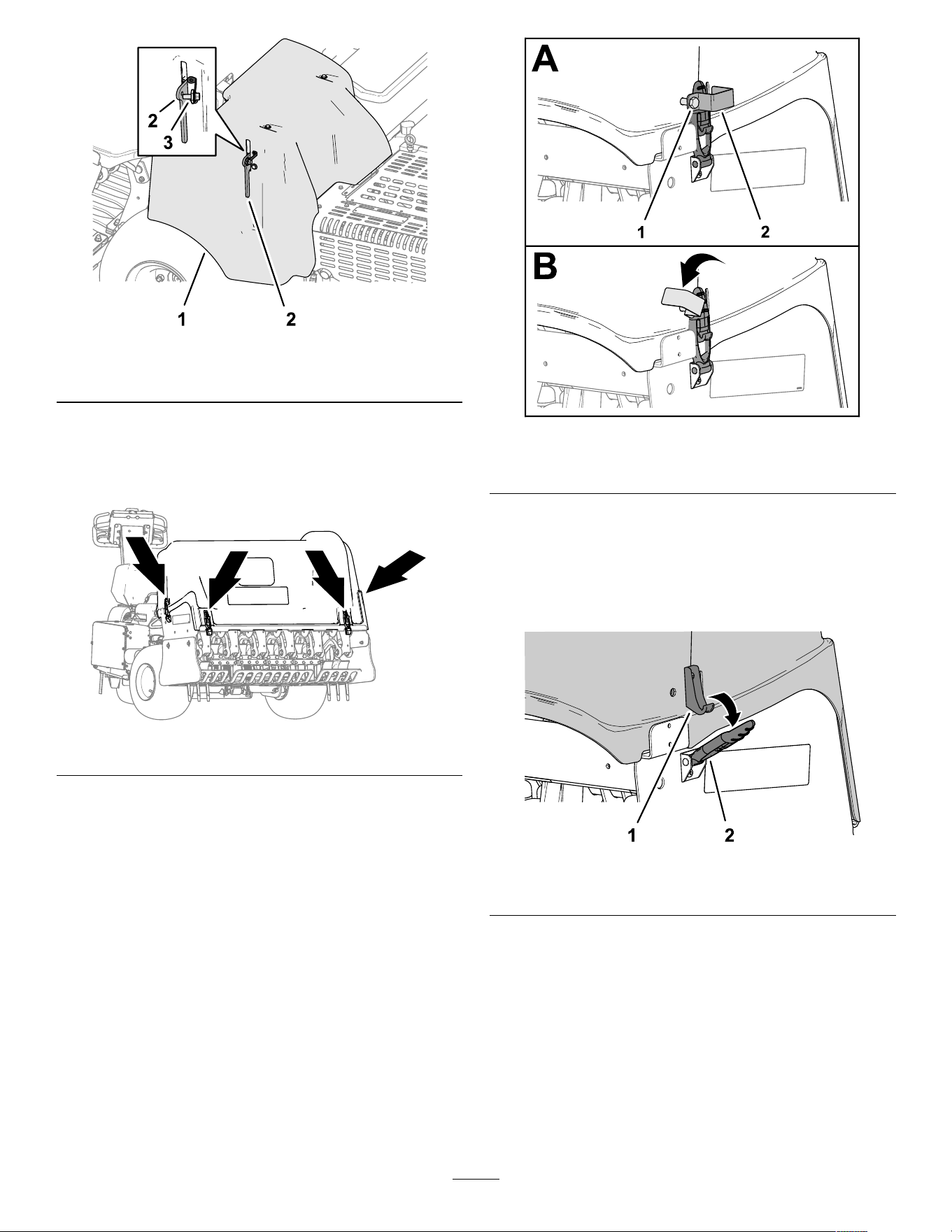
g340155
Figure 136
1. Belt cover 2. Latch 3. Lanyard bolt
Removing the Coring-Head
Cover
g340151
Figure 137
1. If you machine has CE latch locks, loosen the
lock-plate bolt until the lock plate clears the slot
in the side of the coring-head cover ( Figure 138 ).
g340150
Figure 138
1. Lock-plate bolt 2. Lock plate
2. Rotate the lock plate to clear the latch ( Figure
138 ).
3. Repeat 1 and 2 at the other side of the cover .
4. Unlatch the coring head cover at the 4 latch
location ( Figure 137 and Figure 139 ).
g340153
Figure 139
1. Latch hook 2. Latch
5. Lift the coring-head cover from the machine
( Figure 140 ).
68
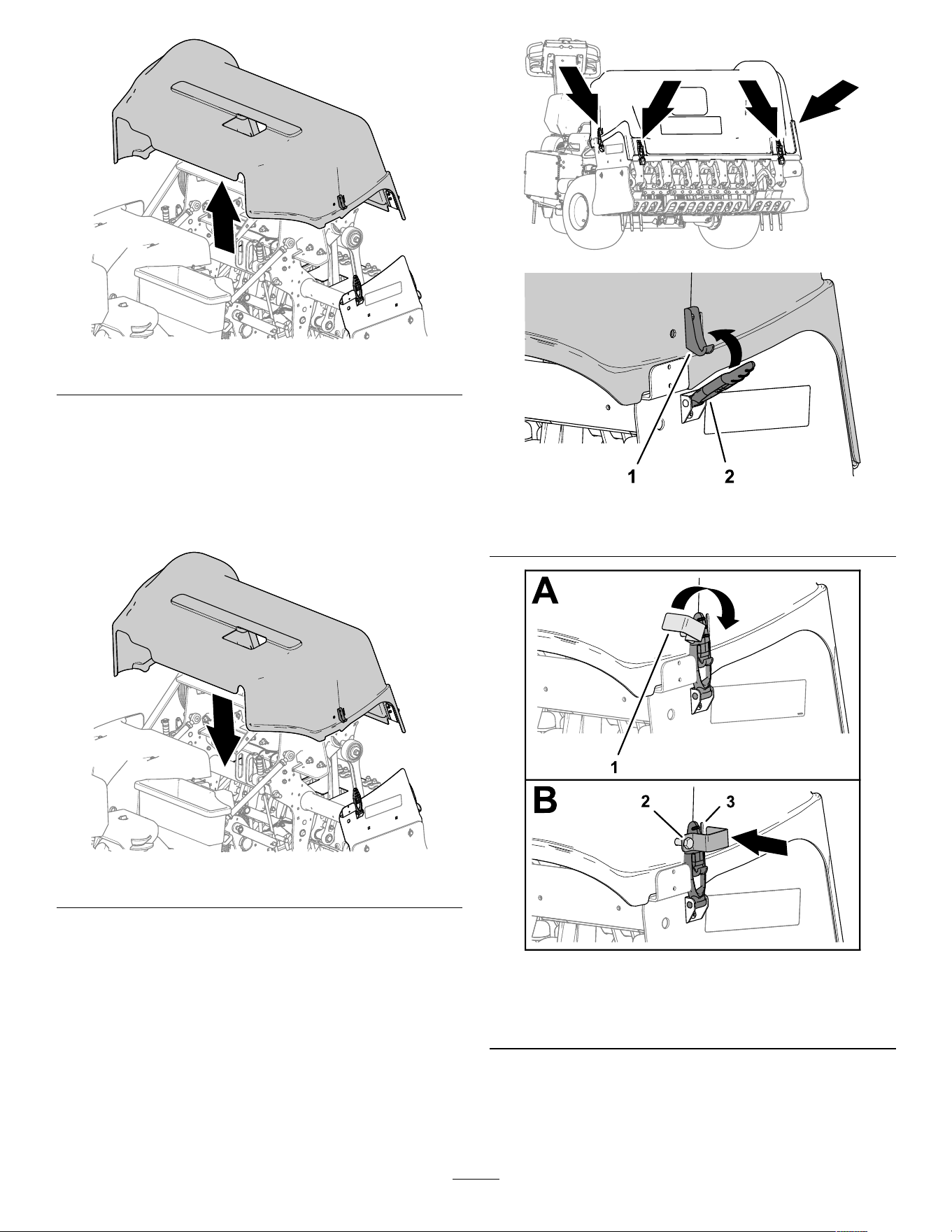
g340156
Figure 140
Installing the Coring-Head
Cover
1. Align the coring-head cover to the machine as
shown in Figure 141 .
g340147
Figure 141
2. Latch the coring head cover at the 4 latch
location ( Figure 142 ).
3. If you machine has CE latch locks, rotate the
lock plate until it aligns with the slot in the side of
the coring-head cover ( Figure 143 ).
g340151
g340152
Figure 142
1. Latch hook 2. Latch
g340157
Figure 143
1. Lock plate
3. Slot (coring-head cover)
2. Lock-plate bolt
4. T ighten the lock-plate bolt ( Figure 143 ).
5. Repeat steps 3 and 4 at the other side of the
cover .
69
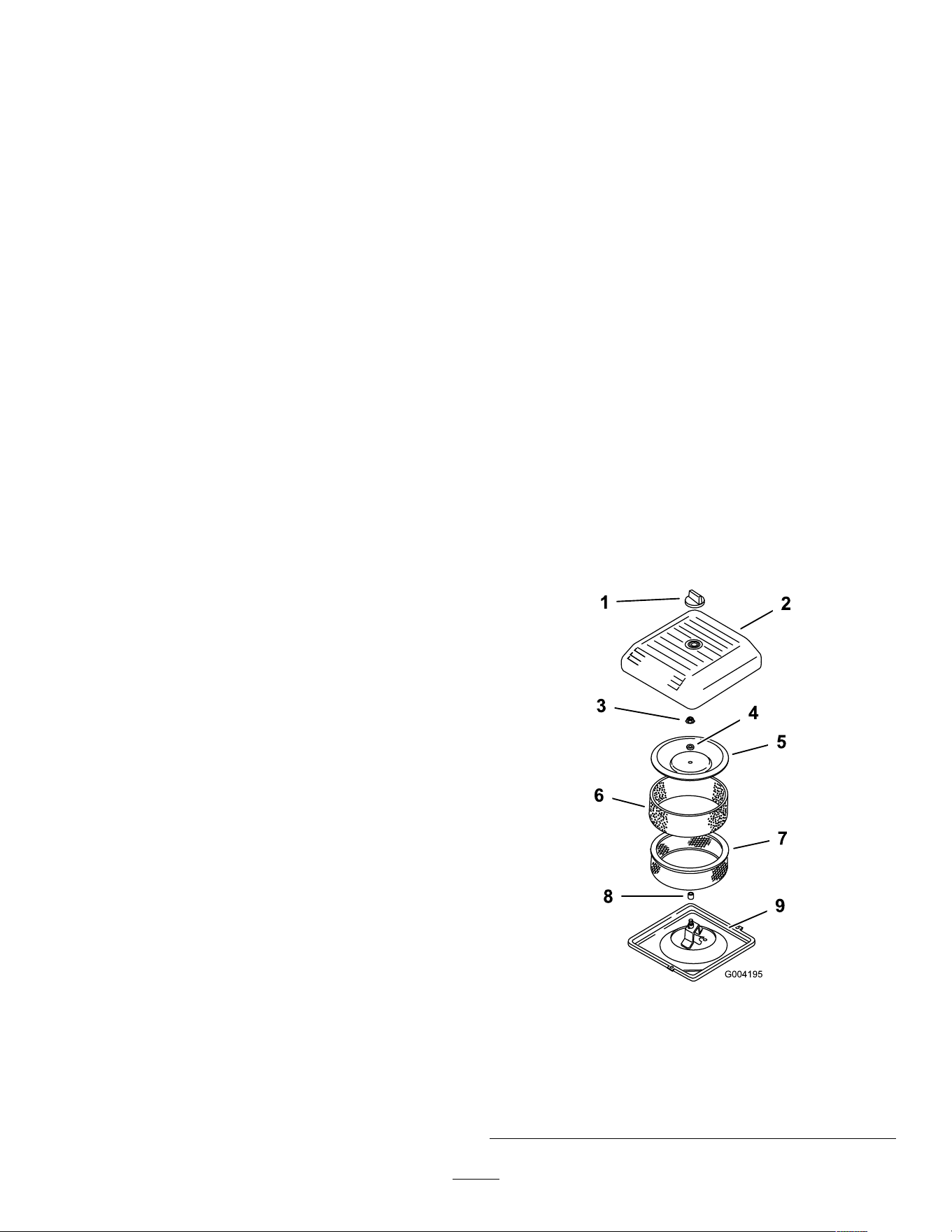
Lubrication
Checking the Coring Head
Bearings
Service Interval : Y early —Check the coring head
bearings.
Every 500 hours —Inspect the coring head
bearings, if needed, replace.
The machine has no grease ttings that must be
lubricated.
Important: Bearings rarely fail from defects in
materials or workmanship. The most common
reason for failure is moisture and contamination
working its way past the protective seals.
Bearings that are greased rely upon regular
maintenance to purge harmful debris from the
bearing area. Sealed bearings rely on an initial
ll of special grease and a robust integral seal to
keep contaminants and moisture out of the rolling
elements.
The sealed bearings require no lubrication or short
term maintenance. This minimizes routine service
required and reduces the potential of turf damage
due to grease contamination. These sealed bearing
packages provide good performance and life under
normal use, but periodic inspections of bearing
condition and seal integrity should be conducted to
avoid downtime. Inspect the bearings seasonally
and replace them if they are damaged or worn.
Bearings should operate smoothly with no detrimental
characteristics such as high heat, noise, looseness,
or rust weeping.
Due to the operating conditions these bearing/seal
packages are subject to (e.g., sand, turf chemicals,
water , impacts, etc.) they are considered normal wear
items. Bearings that fail due to causes other than
defects in materials or workmanship are typically not
covered under warranty .
Note: Y ou can negatively af fect bearing by using
improper wash down procedures. Do not wash down
the machine when it is still hot and avoid directing
high-pressure or high volume spray at the bearings.
It is common for new bearings to purge some grease
out the seals on a new machine. This purged grease
turns black in color due to collection of debris and not
due to excessive heat. It is good practice to wipe this
excess grease from the seals after the initial 8 hours.
There may always appear to be a wet area around
the seal lip. This is not detrimental to bearing life, and
keeps the seal lip lubricated.
Engine Maintenance
Engine Safety
• Shut of f the engine before checking the oil or
adding oil to the crankcase.
• Do not change the governor speed or overspeed
the engine.
Servicing the Air Cleaner
Service Interval : Every 25 hours —Clean the foam air
lter element and check the paper
element for damage.
Every 100 hours —Replace the paper air lter
element.
Removing the Filters
1. Prepare the machine for maintenance refer to
Preparing the Machine for Maintenance ( page
65 ) .
2. Clean around the air cleaner to prevent dirt from
getting into the engine and causing damage.
3. Unscrew the knob and remove the air-cleaner
cover ( Figure 144 ).
g004195
Figure 144
1. Knob
6. Foam pre-lter
2. Air-cleaner cover
7. Paper lter
3. Cover nut
8. Rubber seal
4. Spacer
9. Air-cleaner base
5. Cover
70
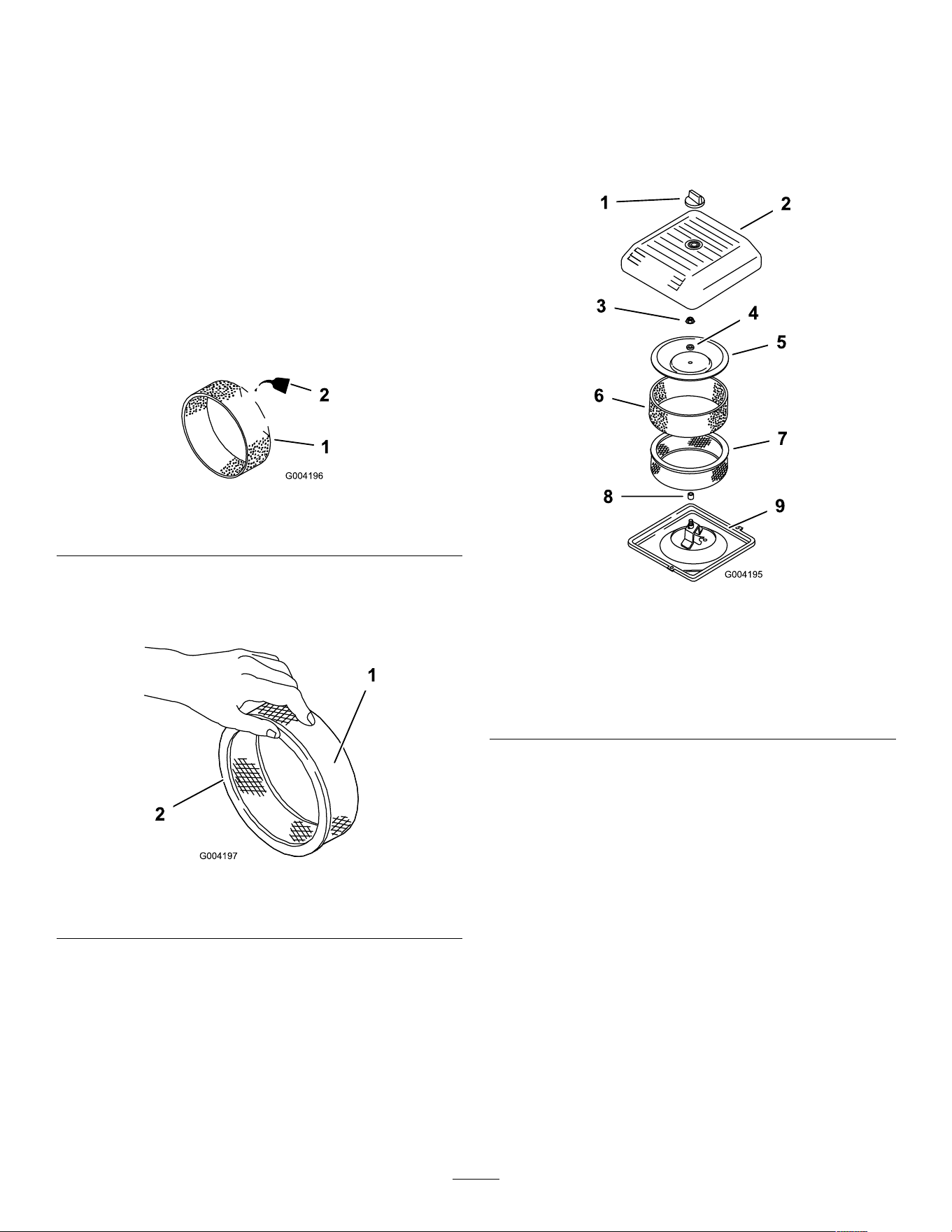
4. Carefully slide the foam pre-lter of f the paper
element ( Figure 144 ).
5. Unscrew the cover nut and remove the cover ,
spacer , and paper lter ( Figure 144 ).
Cleaning the Foam Pre-Filter
Important: Replace the foam element if it is torn
or worn.
1. W ash the foam pre-lter in liquid soap and warm
water . When clean, rinse it thoroughly .
2. Dry the pre-lter by squeezing it in a clean cloth
(do not wring).
3. Put 3 to 6 cl (1 to 2 oz) of oil on the pre-lter
( Figure 145 ).
g004196
Figure 145
1. Foam element
2. Oil
4. Squeeze the pre-lter to distribute the oil.
5. Inspect the paper lter for tears, an oily lm, and
damage to the rubber seal ( Figure 146 ).
g004197
Figure 146
1. Paper element 2. Rubber seal
Important: Never clean the paper element.
Replace the paper element if it is dirty or
damaged.
Installing the Filters
Important: T o prevent engine damage, always
operate the engine with the complete foam and
paper air cleaner assembly installed.
1. Carefully slide the foam pre-lter onto the paper
lter ( Figure 147 ).
g004195
Figure 147
1. Knob
6. Foam pre-lter
2. Air-cleaner cover
7. Paper lter
3. Cover nut
8. Rubber seal
4. Spacer
9. Air-cleaner base
5. Cover
2. Place the air cleaner assembly onto the air
cleaner base.
3. Assemble the cover , spacer , and cover nut.
4. T orque the nut to 1 1 N∙m (95 in-lb).
5. Install the air cleaner cover and secure with the
knob.
Engine Oil Specication
Oil T ype: High-quality , detergent engine oil API
service SJ or higher
Oil viscosity: Refer to the table below that follows:
71
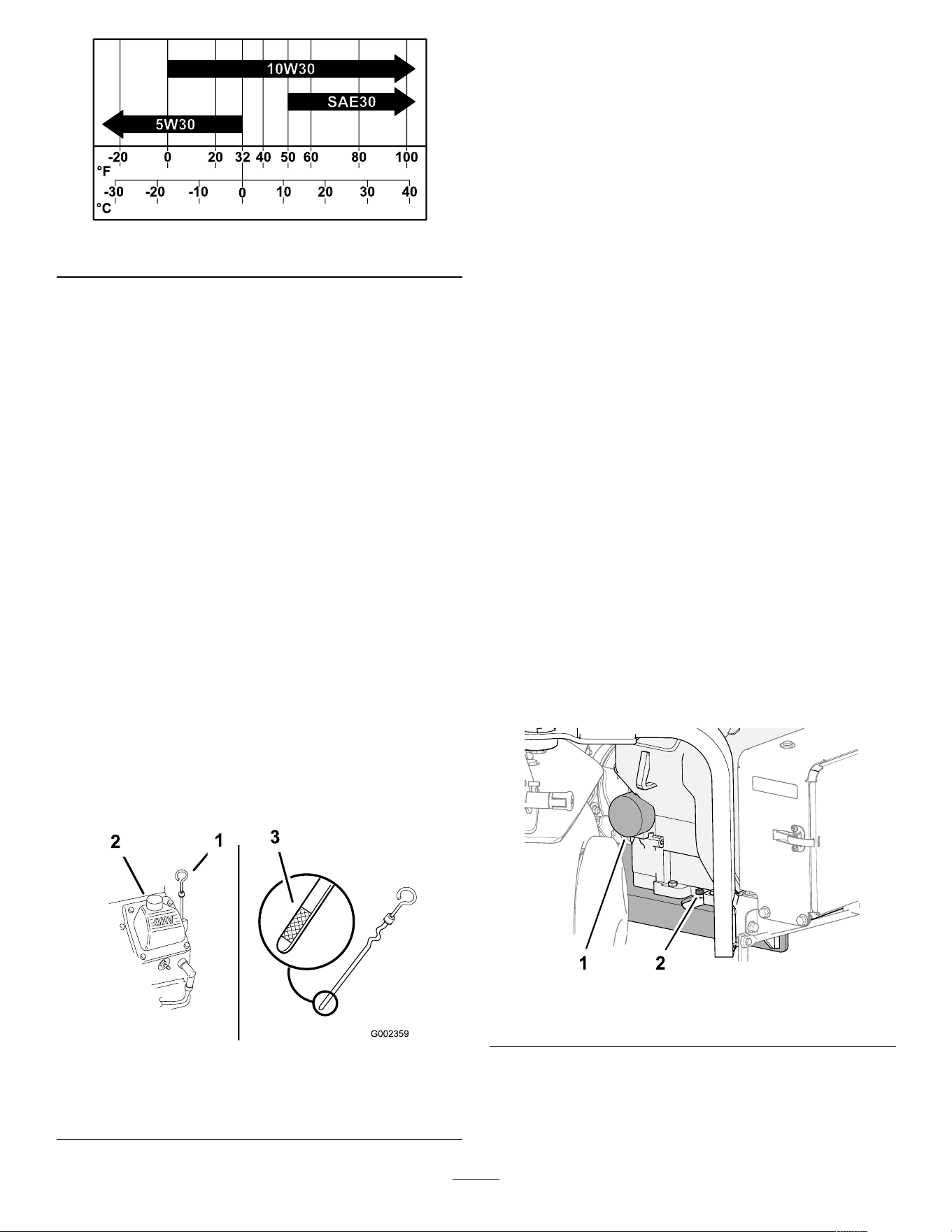
g341978
Figure 148
Checking the Engine-Oil
Level
Service Interval : Before each use or daily
The engine is shipped with oil in the crankcase;
however , check the oil level before and after the
engine is rst started.
Use high-quality engine oil as described in Engine Oil
Specication ( page 71 ) .
Important: Do not overll the crankcase with oil .
Do not run the engine with the engine-oil level
below the low mark.
Note: The best time to check the engine oil is when
the engine is cool before it has been started for the
day . If it has already been run, allow the oil to drain
back down to the sump for at least 10 minutes before
checking.
1. Prepare the machine for maintenance refer to
Preparing the Machine for Maintenance ( page
65 ) .
2. Allow the engine to cool.
3. Clean around the oil-ll cap and dipstick ( Figure
149 ).
g002359
Figure 149
1. Dipstick 3. Dipstick oil-level marking
2. Oil-ll cap (valve cover)
4. Remove the dipstick, wipe it clean, and install
until it is fully seated.
5. Remove the dipstick and check the oil level.
The engine-oil level should be between the “F”
full and “L ” low marks on the dipstick.
6. If the oil level is below the “L ” low mark, remove
the oil-ll cap and add the specied oil until the
level reaches the “F” full mark on the dipstick.
7. Install the oil-ll cap and dipstick.
Changing the Engine Oil
and Filter
Draining the Engine Oil
Service Interval : After the rst 50 hours
Every 100 hours —Change the engine oil and
lter .
Crankcase capacity: approximately 1.9 L (2.0 US
qt) with the lter .
1. Start the engine and let it run for 5 minutes. This
warms the oil so that it drains better .
2. Park the machine so that the drain side is slightly
lower than the opposite side to ensure that the
oil drains completely , shut of f the engine, fully
raise and latch the handlebar to engage the
parking brake, and remove the key .
3. Place a pan below the oil-drain plug, and remove
the plug ( Figure 150 ).
Note: Allow the oil to fully drain.
g341500
Figure 150
1. Oil lter 2. Oil-drain plug
4. Thread the oil-drain plug into the engine, and
tighten the plug.
Note: Discard the used oil at a certied
recycling center .
72
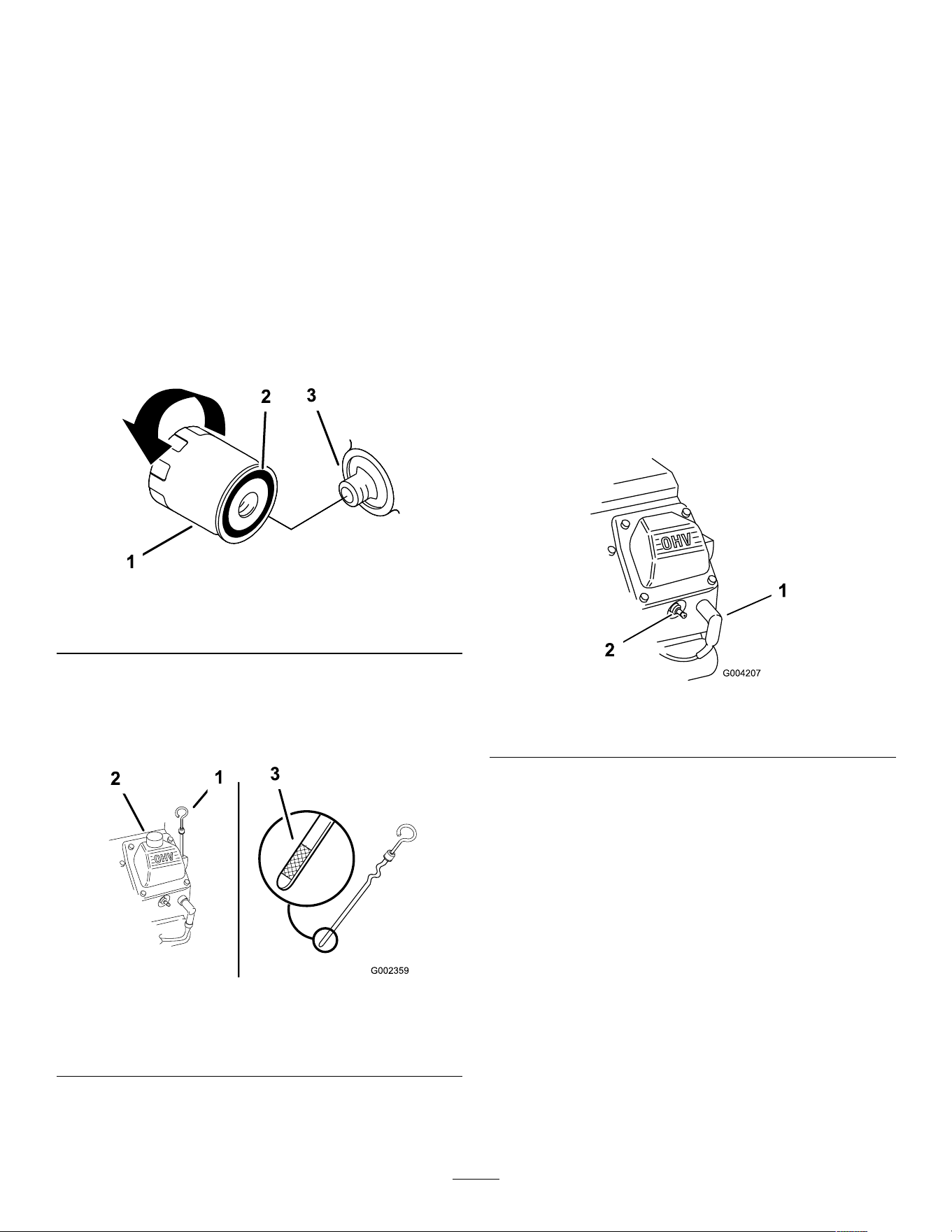
Changing the Oil Filter
1. Place a shallow pan under the oil lter , and
remove the lter ( Figure 150 ).
Note: Discard the used oil lter at a certied
recycling center .
2. Wipe clean the surface of the lter adapter .
3. Fill the new oil lter to bottom of the threads with
the specied oil.
4. Allow the lter to absorb the oil for 2 minutes,
then pour out the excess oil.
5. Apply a thin coat of new oil to the gasket on the
lter .
6. Threads the oil lter onto the lter adapter until
the gasket contacts the lter adapter ( Figure
150 ), then tighten the lter an additional 1/2 turn.
g361505
Figure 151
1. Oil lter 2. Gasket
3. Adapter
Adding Engine Oil
1. Clean the area around the oil-ll cap and dipstick
( Figure 152 ).
g002359
Figure 152
1. Dipstick 3. Dipstick oil-level marking
2. Oil-ll cap (valve cover)
2. Remove the oil-ll cap and slowly pour
approximately 80% of the specied amount of oil
in through the valve cover .
3. Slowly add additional oil to bring the level to
the F (full) mark on the dipstick; refer to Engine
Oil Specication ( page 71 ) and Checking the
Engine-Oil Level ( page 72 ) .
Important: Do not overll the crankcase
with oil.
4. Install the oil-ll cap and dipstick.
Servicing the Spark Plugs
Service Interval : Every 200 hours —Check the spark
plugs.
Removing the Spark Plugs
1. Prepare the machine for maintenance refer to
Preparing the Machine for Maintenance ( page
65 ) .
2. Pull the wires of f the spark plugs ( Figure 153 ).
g004207
Figure 153
1. Spark-plug wire 2. Spark plug
3. Clean around the spark plugs.
4. Use a spark-plug socket to remove both spark
plugs and metal gaskets.
Checking the Spark Plugs
Spark-plug type: Champion RC12YC or equivalent
Air Gap: 0.75 mm (0.03 inch)
1. Look at the center of both spark plugs ( Figure
154 ). If you see light brown or gray on the
insulator , the engine is operating properly . A
black coating on the insulator usually means the
air cleaner is dirty .
Important: Never clean the spark plugs.
Always replace the spark plugs when they
have a black coating, worn electrodes, an
oily lm, or cracks.
73
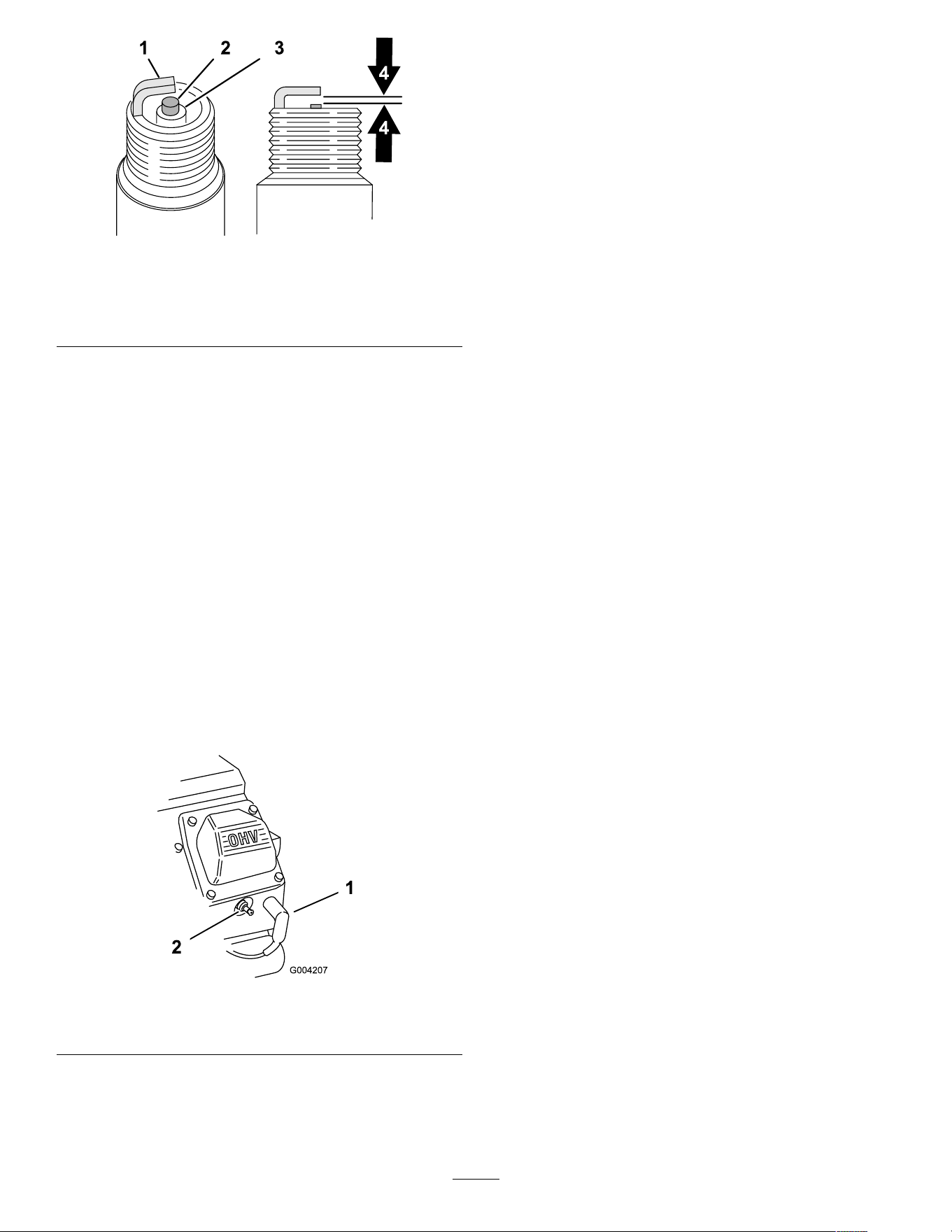
g326888
Figure 154
1. Side electrode
3. Insulator
2. Center electrode 4. 0.75 mm (0.03 inch) air
gap (graphic not to scale)
2. Check the gap between the center and side
electrodes.
3. Bend the side electrode if the gap is not correct.
Installing the Spark Plugs
Ensure that the air gap between the center and side
electrodes is correct before installing each spark plug.
Use a spark-plug wrench for removing and installing
the spark plugs and a gapping tool/feeler gauge to
check and adjust the air gap. Install new spark plugs
if necessary .
1. Thread the spark plugs into the spark-plug holes
of the engine.
2. Use a spark-plug socket and torque wrench to
torque the spark plugs to 27 N∙m (20 ft-lb).
3. Assemble the spark-plug wires onto the spark
plugs ( Figure 155 ).
g004207
Figure 155
1. Spark-plug wire 2. Spark plug
Cleaning the Engine Screen
Service Interval : Before each use or daily (Clean
more frequently in dirty operating
conditions.)
Before each use, check and clean the engine screen.
Remove any buildup of grass, dirt, or other debris
from the engine air intake screen.
74
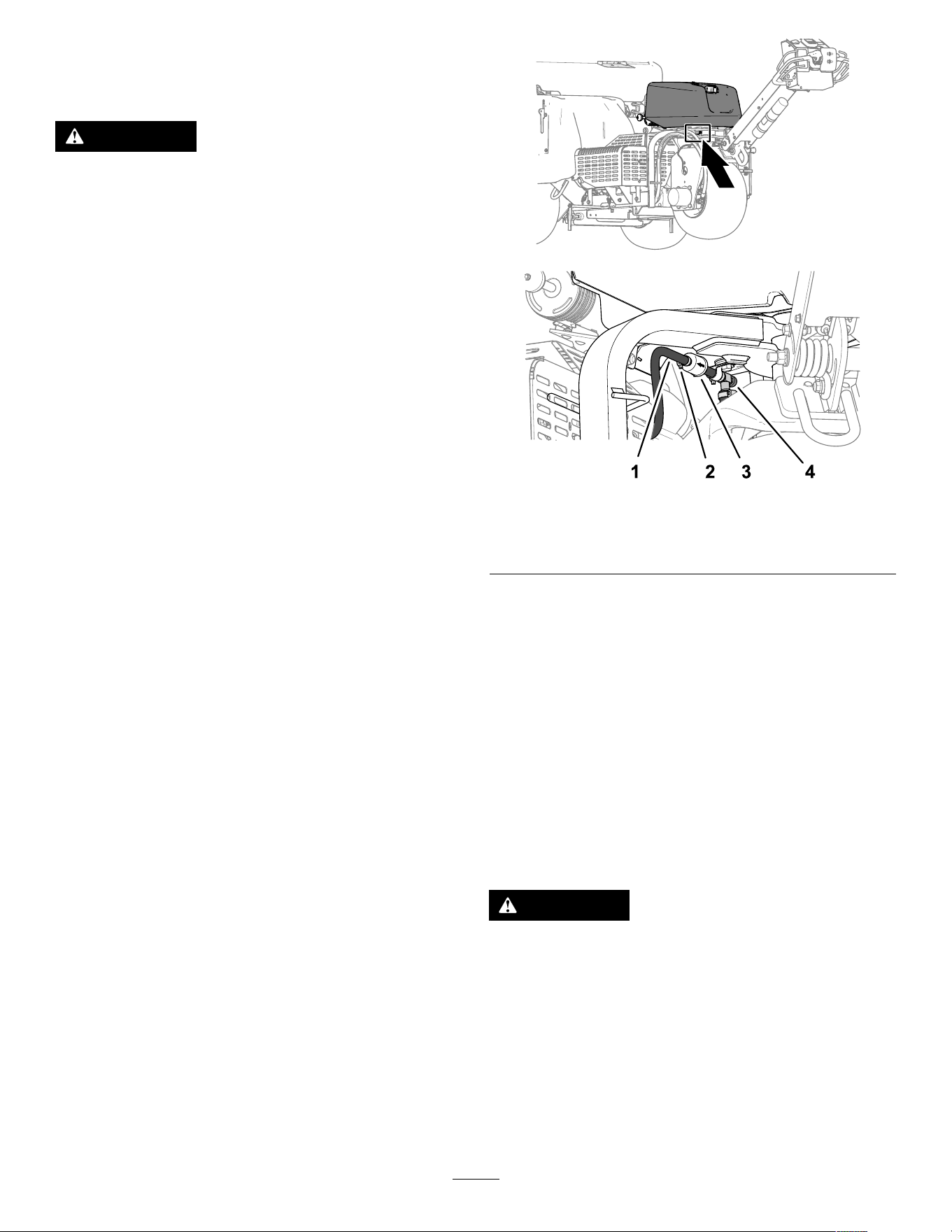
Fuel System
Maintenance
DANGER
Under certain conditions, fuel and fuel vapors
are highly ammable and explosive. A re or
explosion from fuel can burn you and others
and can cause property damage.
• Fill the fuel tank outdoors, in an open area,
when the engine is off and is cold. W ipe up
any fuel that spills.
• Do not ll the fuel tank completely full. Add
fuel to the fuel tank until the level is 25 mm
(1 inch) below the top of the tank, not the
ller neck. This empty space in the tank
allows the fuel to expand.
• Never smoke when handling fuel, and stay
away from an open ame or where a spark
may ignite fuel fumes.
• Store fuel in a clean, safety-approved
container and keep the cap in place.
Replacing the Fuel Filter
Service Interval : Every 100 hours/Y early (whichever
comes rst)
Important: Never install a dirty lter if it is
removed from the fuel line.
1. Prepare the machine for maintenance refer to
Preparing the Machine for Maintenance ( page
65 ) .
2. Close the fuel-shutof f valve ( Figure 156 ).
g342218
g341497
Figure 156
1. Hose 3. Filter
2. Clamp 4. Fuel shutof f valve
3. Squeeze the ends of the hose clamps together
and slide them away from the lter .
4. Remove the lter from the fuel hoses.
5. Align the fuel lter with the arrow pointing toward
the engine, and assemble the fuel hose over the
lter ttings.
6. Position the hose clamps close to the fuel lter ,
and tighten the clamp.
7. Wipe up any spilled fuel.
8. Open the fuel-shutof f valve.
Draining the Fuel T ank
DANGER
In certain conditions, fuel is extremely
ammable and highly explosive. A re or
explosion from fuel can burn you and others
and can damage property .
• Drain fuel from the fuel tank when the
engine is cold. Do this outdoors in an open
area. W ipe up any fuel that spills.
• Never smoke when draining fuel, and stay
away from an open ame or where a spark
may ignite the fuel fumes.
75
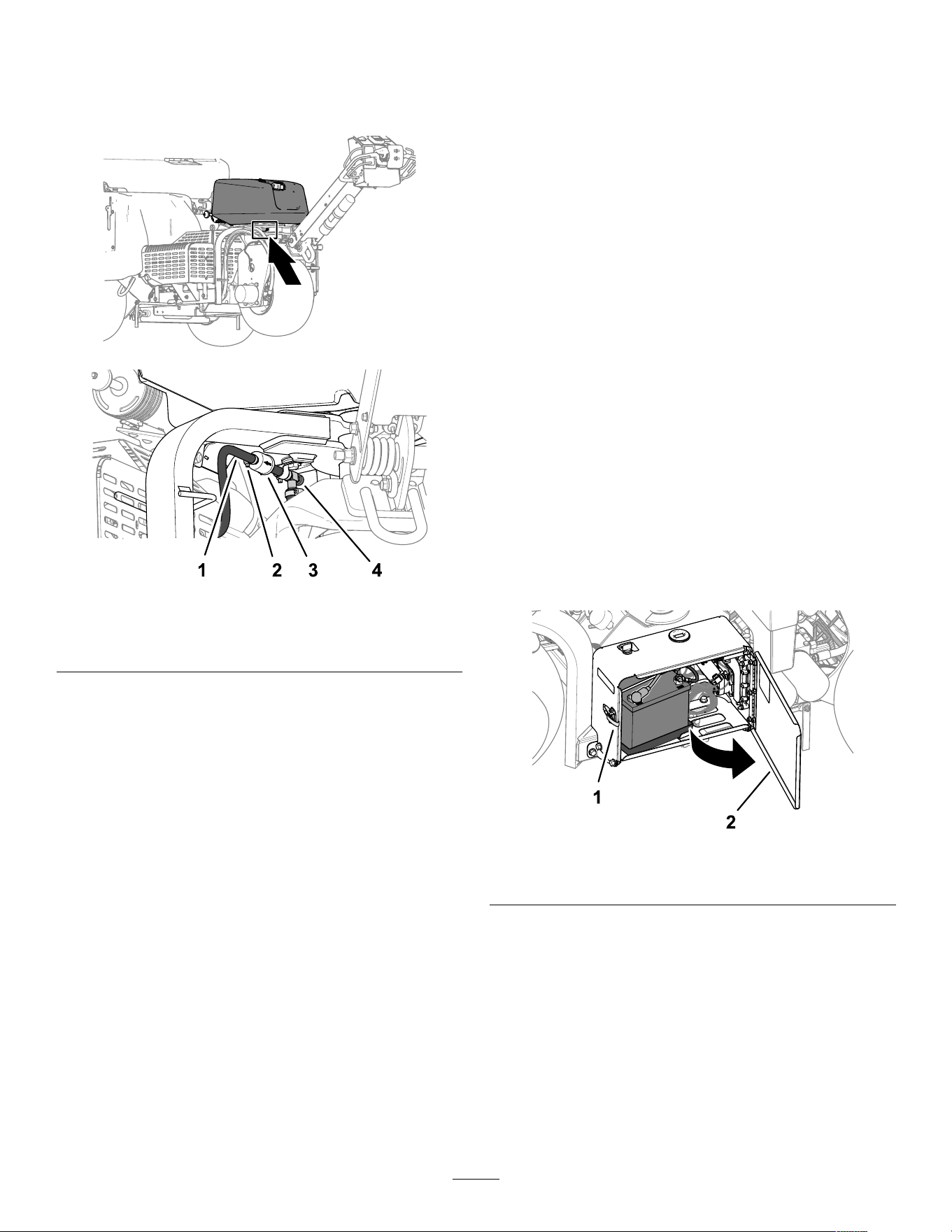
1. Prepare the machine for maintenance refer to
Preparing the Machine for Maintenance ( page
65 ) .
2. Close the fuel-shutof f valve ( Figure 157 ).
g342218
g341497
Figure 157
1. Hose 3. Filter
2. Clamp 4. Fuel shutof f valve
3. Loosen the hose clamp at the fuel lter and slide
it up the fuel line away from the fuel lter .
4. Pull the fuel line of f the fuel lter .
5. Open the fuel-shutof f valve and allow fuel to
drain into a fuel can or drain pan.
Note: Now is the best time to install a new fuel
lter because the fuel tank is empty .
6. Assemble the fuel hose over the lter tting.
7. Position the hose clamp close to the fuel lter ,
and tighten the clamp.
Electrical System
Maintenance
Electrical System Safety
• Disconnect the battery before repairing the
machine. Disconnect the negative terminal rst
and the positive last. Connect the positive terminal
rst and the negative last.
• Charge the battery in an open, well-ventilated
area, away from sparks and ames. Unplug the
charger before connecting or disconnecting the
battery .
• W ear protective clothing and use insulated tools.
Servicing the Battery
Cleaning the Battery
Service Interval : Y early —Check the battery cable
connections.
Keep the top of the battery clean.
1. Unlatch and open the battery-compartment door
( Figure 158 ).
g338268
Figure 158
1. Latch 2. Battery-compartment door
2. Clean the top of the battery with a brush dipped
in ammonia or bicarbonate of soda solution.
Important: Do not remove the ll caps while
cleaning.
3. Thoroughly ush the surface of the battery and
battery compartment with clean water .
4. Close and latch the battery-compartment door .
76
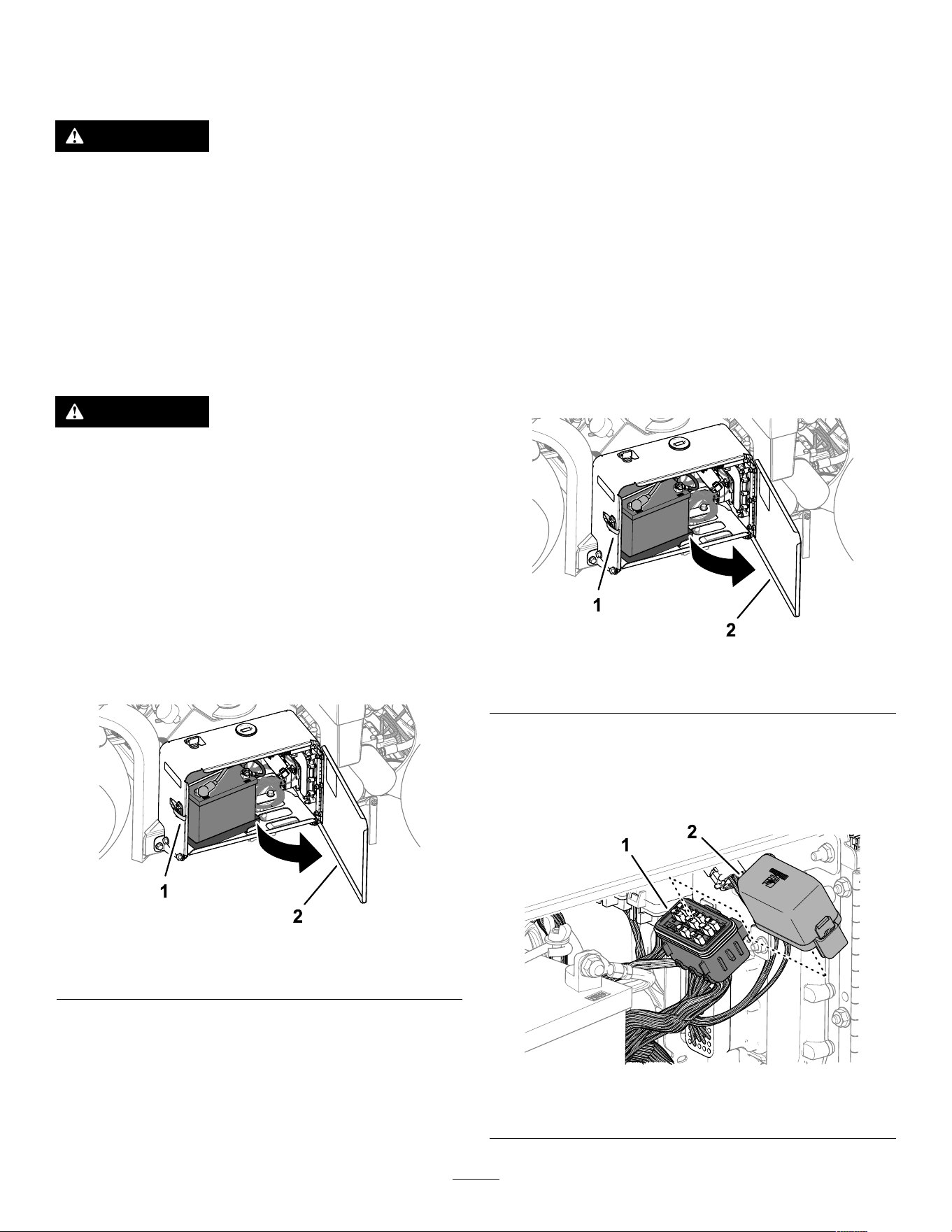
Checking the Battery Connections
Service Interval : Y early —Check the battery cable
connections.
W ARNING
Battery terminals or metal tools could short
against metal tractor components, causing
sparks. Sparks can cause the battery gasses
to explode, resulting in personal injury .
• When removing or installing the battery ,
do not allow the battery terminals to touch
any metal parts of the machine.
• Do not allow metal tools to short between
the battery terminals and metal parts of the
machine.
W ARNING
Incorrect battery cable routing could damage
the machine and cables causing sparks.
Sparks can cause the battery gasses to
explode, resulting in personal injury .
• Always disconnect the negative (black)
battery cable before disconnecting the
positive (red) cable.
• Always connect the positive (red) battery
cable before connecting the negative
(black) cable.
1. Unlatch and open the battery-compartment door
( Figure 159 ).
g338268
Figure 159
1. Latch 2. Battery-compartment door
2. Check that the battery-cable clamps are secure.
T ighten loose battery-cable clamps hardware.
3. Check the battery-cable clamps and battery
terminals for corrosion.
4. If the terminals are corroded, remove the
negative battery cable.
5. Remove the positive battery cable.
6. Clean cable clamps and battery terminals.
7. Connect the positive battery cable.
8. Connect the negative battery cable.
9. Coat the cable terminals and battery posts with
Grafo 1 12X skin-over grease (T oro Part No.
505-47).
10. Close and latch the battery-compartment door .
Replacing the Fuses
The electrical system is protected by fuses. If a fuse
opens, check the component and wiring for a short
circuit to ground.
1. Unlatch and open the battery-compartment door
( Figure 160 ).
g338268
Figure 160
1. Latch 2. Battery-compartment door
2. Remove the cover from the fuse block ( Figure
161 ).
Note: The fan fuse is located in-line behind the
battery ( Figure 162 ).
g341421
Figure 161
1. Cover
2. Fuse block
77
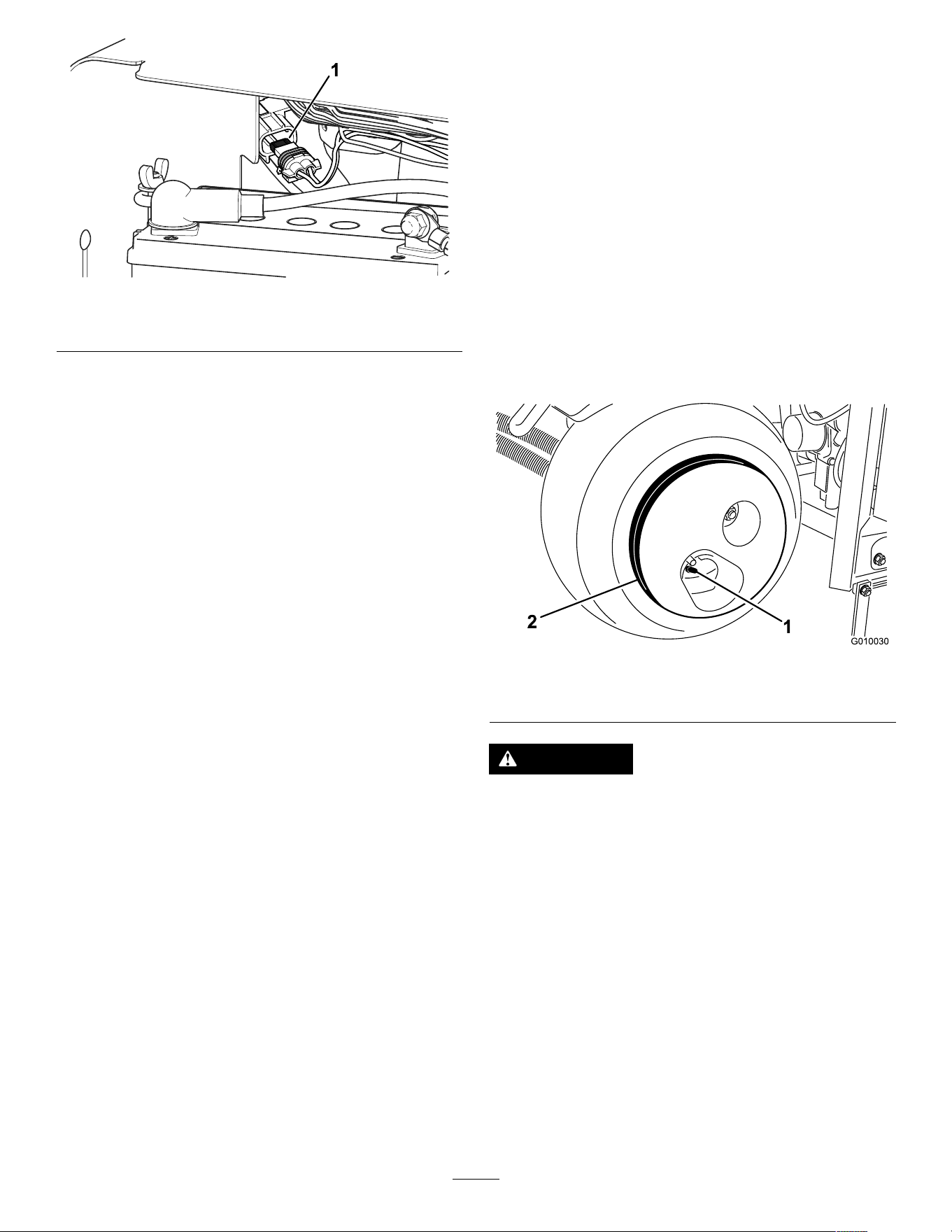
g381 163
Figure 162
1. In-line fan fuse
3. Remove the open fuse.
4. Install a new fuse of a rated amperage indicated
on the fuse block decal.
5. Assemble the cover onto the fuse block (or onto
the in-line fan fuse).
6. Close and latch the battery compartment door .
Drive System
Maintenance
Checking the T ire Pressure
Service Interval : Every 50 hours/Monthly (whichever
comes rst)
1. Prepare the machine for maintenance refer to
Preparing the Machine for Maintenance ( page
65 ) .
2. Check to ensure that the air pressure in all tires
is 83 kPa (12 psi). Check the tires when they are
cold to get the most accurate pressure reading.
Important: Uneven tire pressure can cause
uneven coring depth.
g010030
Figure 163
1. V alve stem 2. Wheel weight
CAUTION
The wheel weight is very heavy , 33 kg (73 lb).
Use caution when removing it from the tire
assembly .
78
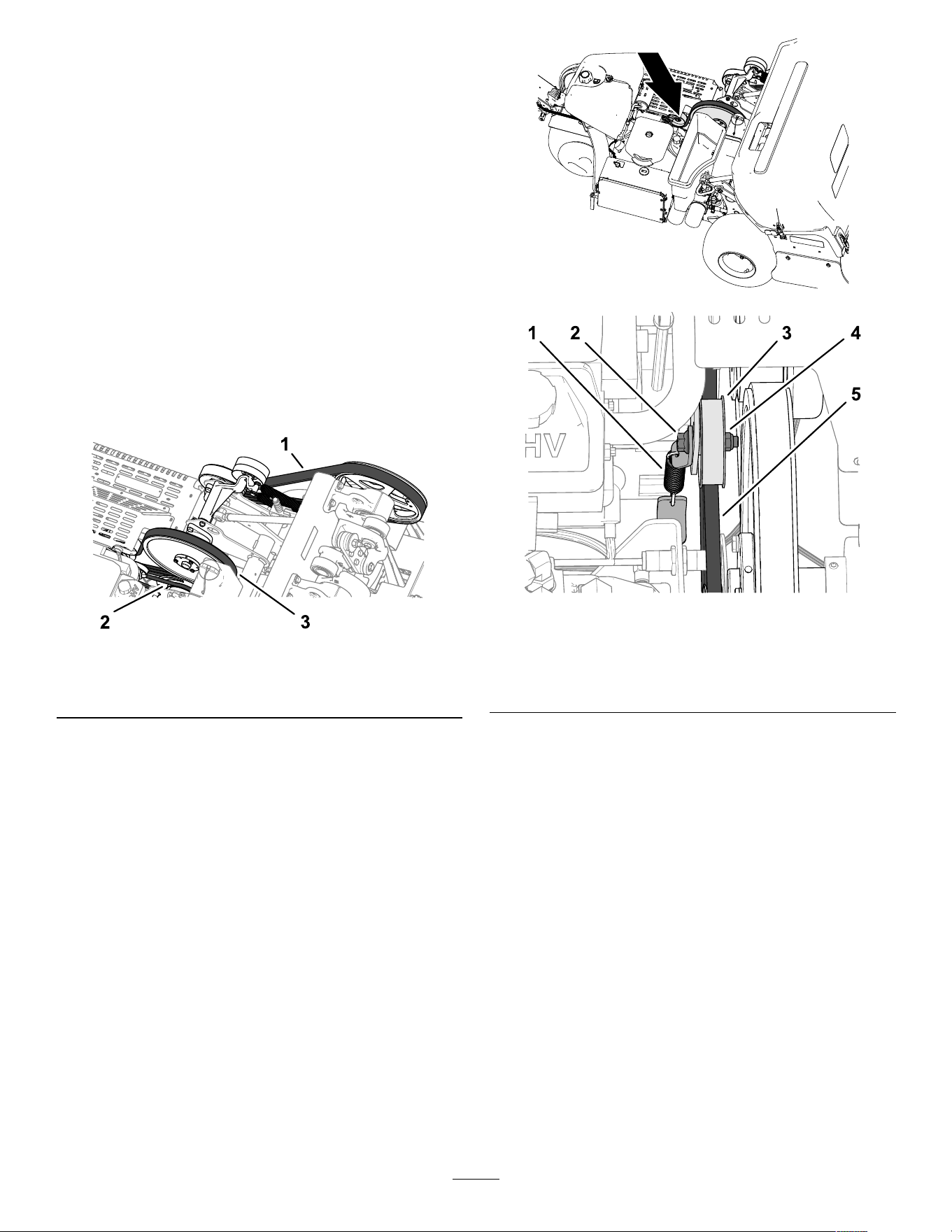
Belt Maintenance
Inspecting the Belts
Service Interval : Y early
The drive belts of the machine are durable. However ,
the normal exposure to UV radiation, ozone, or
incidental exposure to chemicals can deteriorate
the rubber over time and lead to premature wear or
material loss (i.e., separated or missing belt plies).
1. Remove the belt cover; refer to Removing the
Belt Cover ( page 66 ) .
2. Inspect the hydraulic-pump, jackshaft, and
crankshaft belts ( Figure 164 ) for damage, wear ,
excessive cushion cracks, or large embedded
debris.
Note: Replace the belt(s) when needed.
g341466
Figure 164
1. Crankshaft belt
2. Hydraulic-pump
belt
3. Jackshaft belt
3. Install the belt cover; refer to Installing the Belt
Cover ( page 67 ) .
Adjusting the Pump Belt
Service Interval : After the rst 8 hours
1. Prepare the machine for maintenance refer to
Preparing the Machine for Maintenance ( page
65 ) .
2. Remove the belt cover; refer to Removing the
Belt Cover ( page 66 ) .
3. Loosen the ange-head capscrew and ange
locknut that secure the idler pulley for the
hydraulic-pump belt, until the bolt moves in the
slot of the idler support ( Figure 165 ).
g341467
g341468
Figure 165
1. T ensioning spring 4. Flange locknut
2. Flange-head capscrew 5. Hydraulic-pump belt
3. Idler pulley
4. T ap the top of the idler pulley and allow the
tensioning spring to adjust the belt tension.
Important: Do not apply more belt tension
than the tensioning spring applies, or
component damage may result.
5. T orque the ange-head capscrew and ange
locknut to 37 to 45 N∙m (27 to 33 ft-lb).
6. Install the belt cover; refer to Installing the Belt
Cover ( page 67 ) .
79
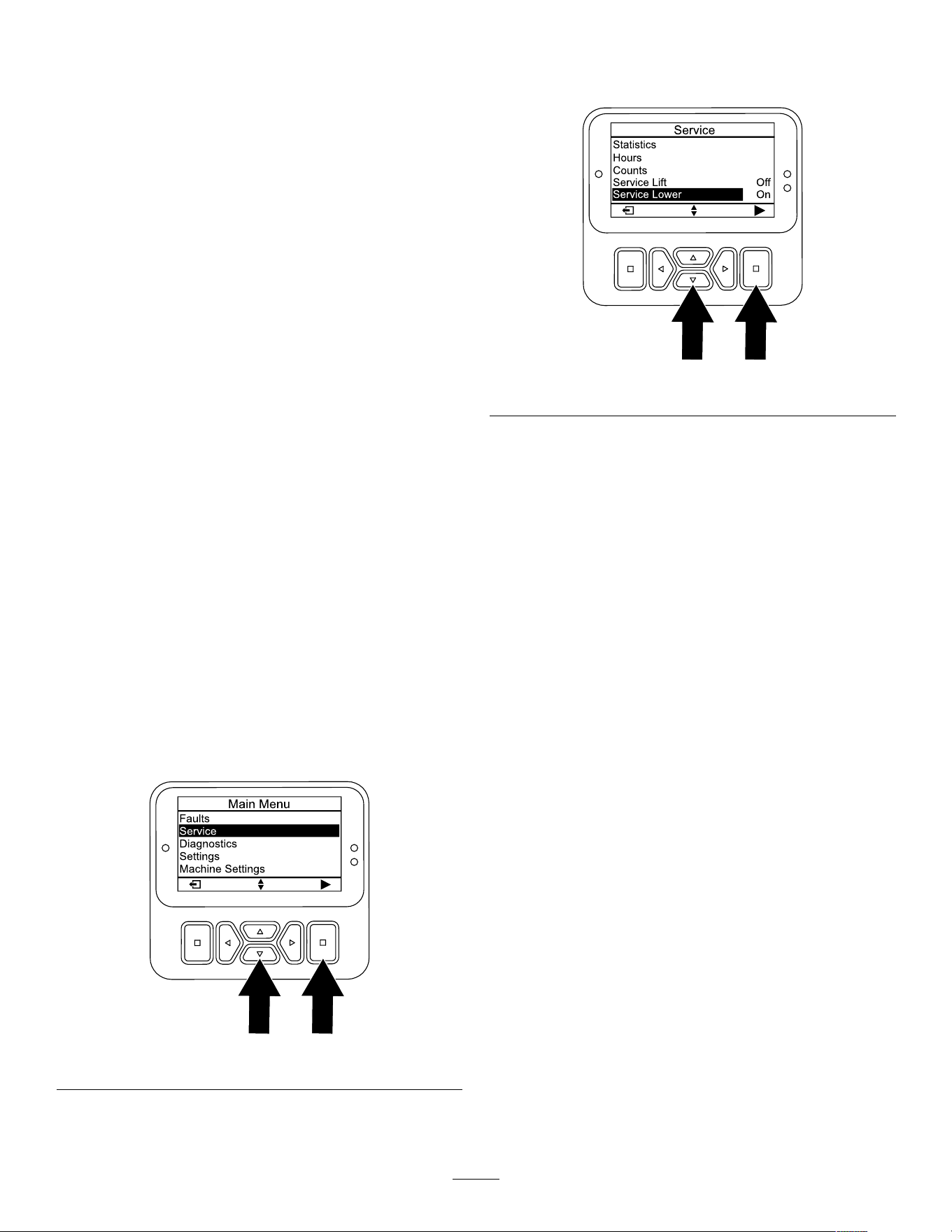
Hydraulic System
Maintenance
Hydraulic System Safety
• Seek immediate medical attention if uid is injected
into skin. Injected uid must be surgically removed
within a few hours by a doctor .
• Ensure that all hydraulic-uid hoses and lines are
in good condition and all hydraulic connections
and ttings are tight before applying pressure to
the hydraulic system.
• Keep your body and hands away from pinhole
leaks or nozzles that eject high-pressure hydraulic
uid.
• Use cardboard or paper to nd hydraulic leaks.
• Safely relieve all pressure in the hydraulic system
before performing any work on the hydraulic
system.
Relieving Hydraulic
Pressure
1. Support the coring head with the service latch;
refer to Supporting the Coring Head with the
Service Latch ( page 49 ) .
2. Shut of f the engine.
3. Move the ignition switch to the R UN position.
4. In the InfoCenter , navigate to the M AIN M ENU .
5. Press the down button until the S ERVICE option
is selected, then press the select button ( Figure
166 ).
g510196
Figure 166
Note: The coring head lowers until it is fully
supported by the service latch.
6. Press the down button until the S ERVICE L OWER
option is selected, then press the select button
( Figure 167 ).
g510208
Figure 167
7. Move the key to the S TOP position.
Note: Start the engine and run it to raise the coring
head hydraulically so that you can stow the service
latch; refer to Stowing the Service Latch ( page 50 ) .
Checking the Hydraulic
Lines
Service Interval : Before each use or daily
Before each use, check the hydraulic tubes and hoses
for leaks, loose ttings, kinked hoses, loose mounting
supports, wear , and weather or chemical deterioration.
Make replace worn or damaged hydraulic lines before
operating the machine.
Note: Keep the areas around the hydraulic system
clean from debris buildup.
80
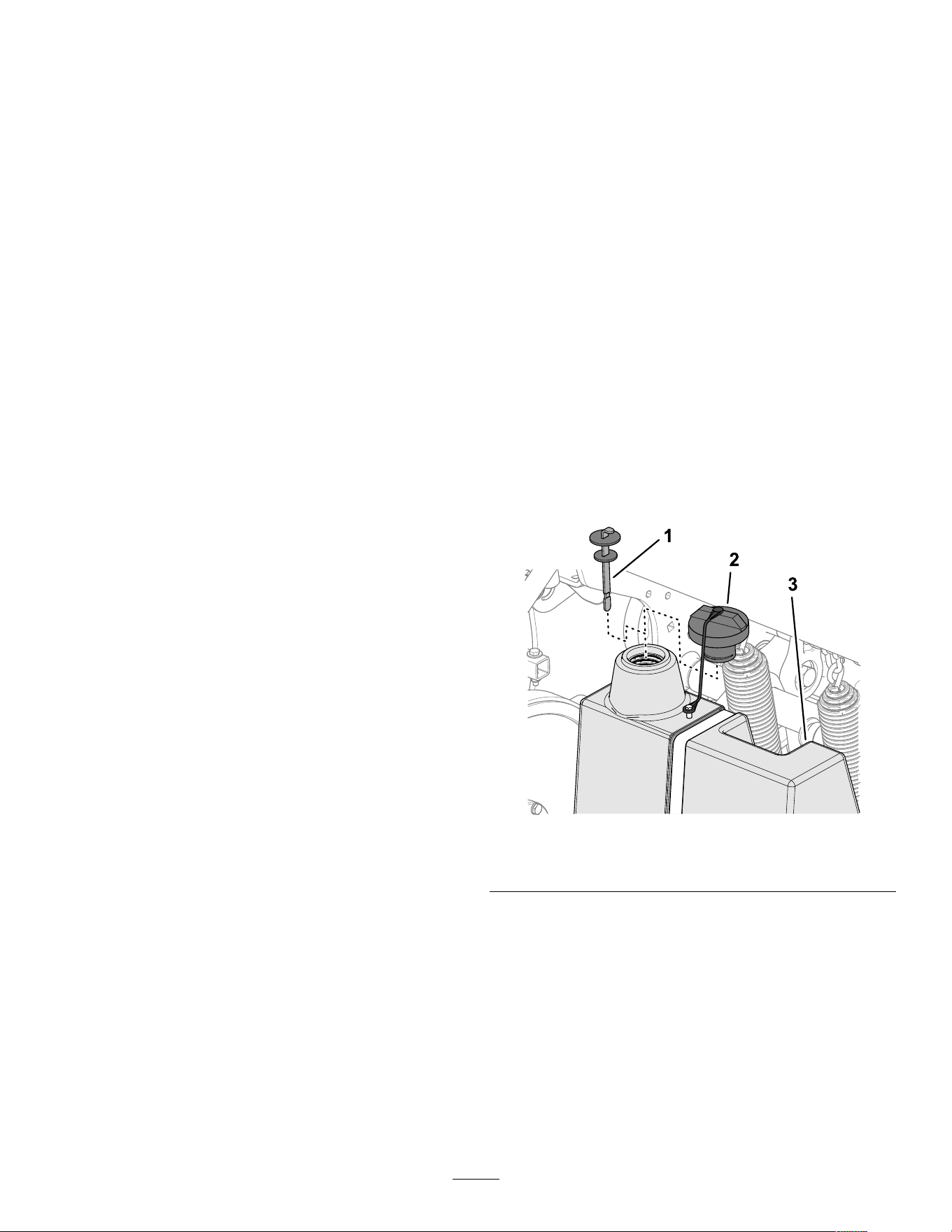
Hydraulic Fluid
Specications
The reservoir is lled at the factory with high-quality
hydraulic uid. Check the level of the hydraulic uid
before you rst start the engine and daily thereafter;
refer to Checking the Engine-Oil Level ( page 72 ) .
Recommended hydraulic uid: T oro PX Extended
Life Hydraulic Fluid; available in 19 L (5 US gallon)
pails or 208 L (55 US gallon) drums.
Note: A machine using the recommended
replacement uid requires less frequent uid and lter
changes.
Alternative hydraulic uids: If T oro PX Extended
Life Hydraulic Fluid is not available, you may use
another conventional, petroleum-based hydraulic uid
having specications that fall within the listed range
for all the following material properties and that it
meets industry standards. Do not use synthetic uid.
Consult with your lubricant distributor to identify a
satisfactory product.
Note: T oro does not assume responsibility for
damage caused by improper substitutions, so use
products only from reputable manufacturers who will
stand behind their recommendation.
High V iscosity Index/Low Pour Point
Anti-W ear Hydraulic Fluid, ISO VG 46
Material Properties:
V iscosity , ASTM D445 cSt @ 40°C (104°F)
44 to 48
V iscosity Index ASTM D2270
140 or higher
Pour Point, ASTM D97 -37°C to -45°C (-34°F
to -49°F)
Industry Specications: Eaton V ickers 694 (I-286-S,
M-2950-S/35VQ25 or
M-2952-S)
Note: Many hydraulic uids are almost colorless,
making it dif cult to spot leaks. A red dye additive for
the hydraulic uid is available in 20 ml (0.67 oz)
bottles. A bottle is suf cient for 15 to 22 L (4 to 6 US
gallons) of hydraulic uid. Order Part No. 44-2500
from your authorized T oro distributor .
Important: T oro Premium Synthetic
Biodegradable Hydraulic Fluid is the only
synthetic biodegradable uid approved by T oro.
This uid is compatible with the elastomers used
in T oro hydraulic systems and is suitable for a
wide-range of temperature conditions. This uid is
compatible with conventional mineral oils, but for
maximum biodegradability and performance, the
hydraulic system should be thoroughly ushed
of conventional uid. The oil is available in 19 L
(5 US gallon) pails or 208 L (55 US gallon) drums
from your authorized T oro distributor .
Checking the
Hydraulic-Fluid Level
Service Interval : Before each use or daily
Important: W ith your coring head in the raised
position, check the level of hydraulic uid before
the engine is rst started and daily thereafter .
The hydraulic reservoir is lled at the factory with
high-quality hydraulic uid.
1. Prepare the machine for maintenance refer to
Preparing the Machine for Maintenance ( page
65 ) .
2. Remove the belt cover; refer to Removing the
Belt Cover ( page 66 ) .
3. Clean the area around the ller neck and the
cap of the hydraulic tank ( Figure 168 ). Remove
the cap from the ller neck.
g340187
Figure 168
1. Dipstick
2. Cap
3. Hydraulic tank
4. Remove the dipstick from the ller neck and
wipe it with a clean rag. Insert the dipstick into
the ller neck; then remove it and check the
level of the uid. The uid level should be up to
the mark on the dipstick ( Figure 169 ).
81
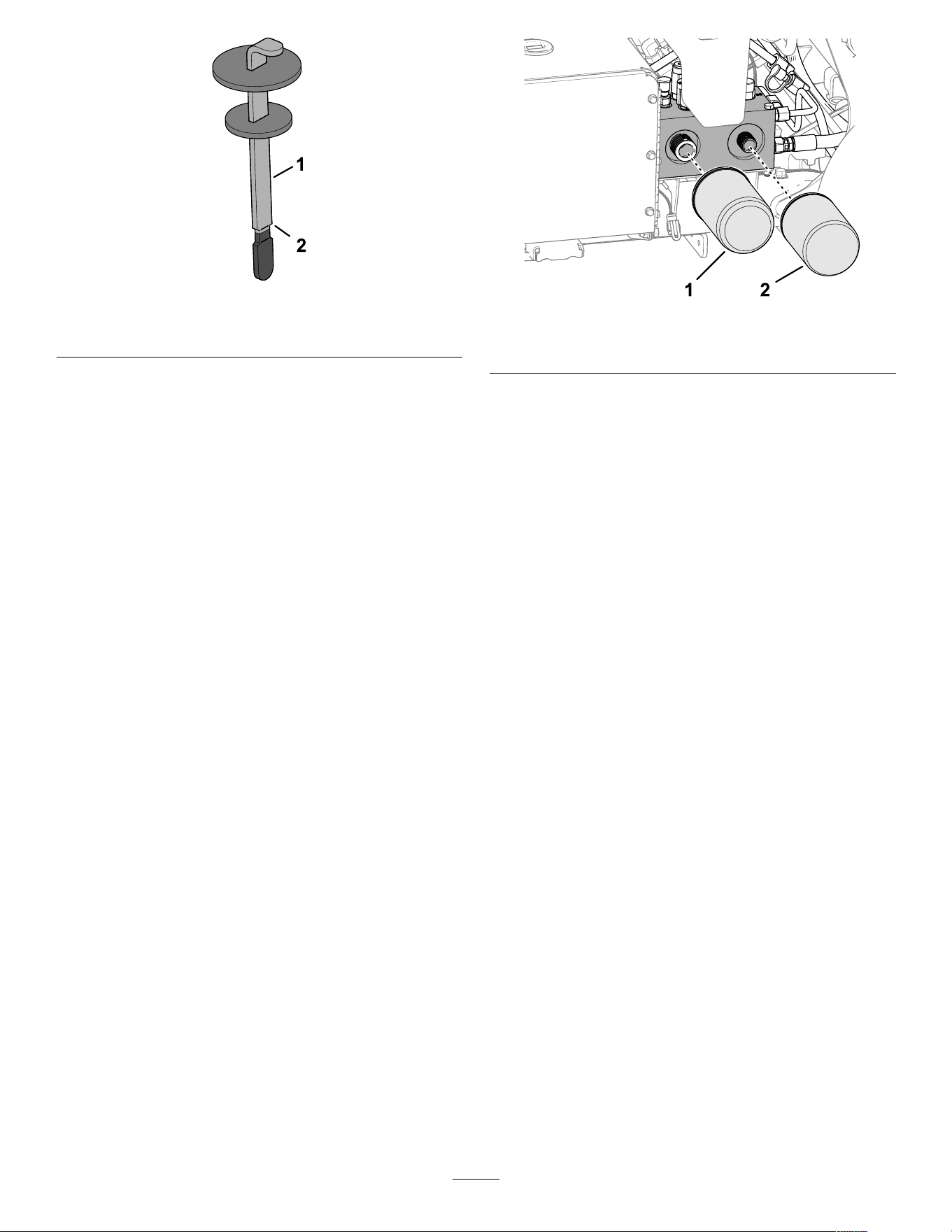
g340188
Figure 169
1. Dipstick 2. Full mark
5. If the level is low , add the specied hydraulic
uid to raise the level to the full mark.
6. Install the dipstick and cap onto the ller neck.
7. Install the belt cover; refer to Installing the Belt
Cover ( page 67 ) .
Changing the Hydraulic
Fluid and Filters
Service Interval : Every 400 hours
Every 200 hours
Hydraulic reservoir capacity: approximately 6.6 L
(1.75 US gallons)
Important: Do not substitute automotive oil lters
or severe hydraulic system damage may result.
Note: Removing the return lter drains the entire
uid reservoir .
1. Prepare the machine for maintenance refer to
Preparing the Machine for Maintenance ( page
65 ) .
2. Place a drain pan under the lters, remove the
old lters, and wipe the lter adapter gasket
surface clean ( Figure 170 ).
g340149
Figure 170
1. Hydraulic charge lter 2. Hydraulic return lter
3. Apply a thin coat of clean hydraulic uid to the
gasket on the new lters.
4. Install the hydraulic lters onto the lter
adapters. T urn each lter clockwise until the
gasket contacts the lter adapter , then tighten
each an additional 1/2 turn.
5. Add the specied hydraulic uid until the uid
level is at the Full mark on the dipstick, refer
to Hydraulic Fluid Specications ( page 81 ) and
Checking the Hydraulic-Fluid Level ( page 81 ) .
6. Start the engine and run it for 2 minutes to purge
air from the system. Shut of f the engine, remove
the key , and check for hydraulic-uid leaks.
7. Check the hydraulic uid level. Add the specied
hydraulic uid to raise the level to the F ULL mark
on the dipstick, if required.
Note: Do not overll the hydraulic reservoir
with uid.
8. Install the belt cover; refer to Installing the Belt
Cover ( page 67 ) .
82
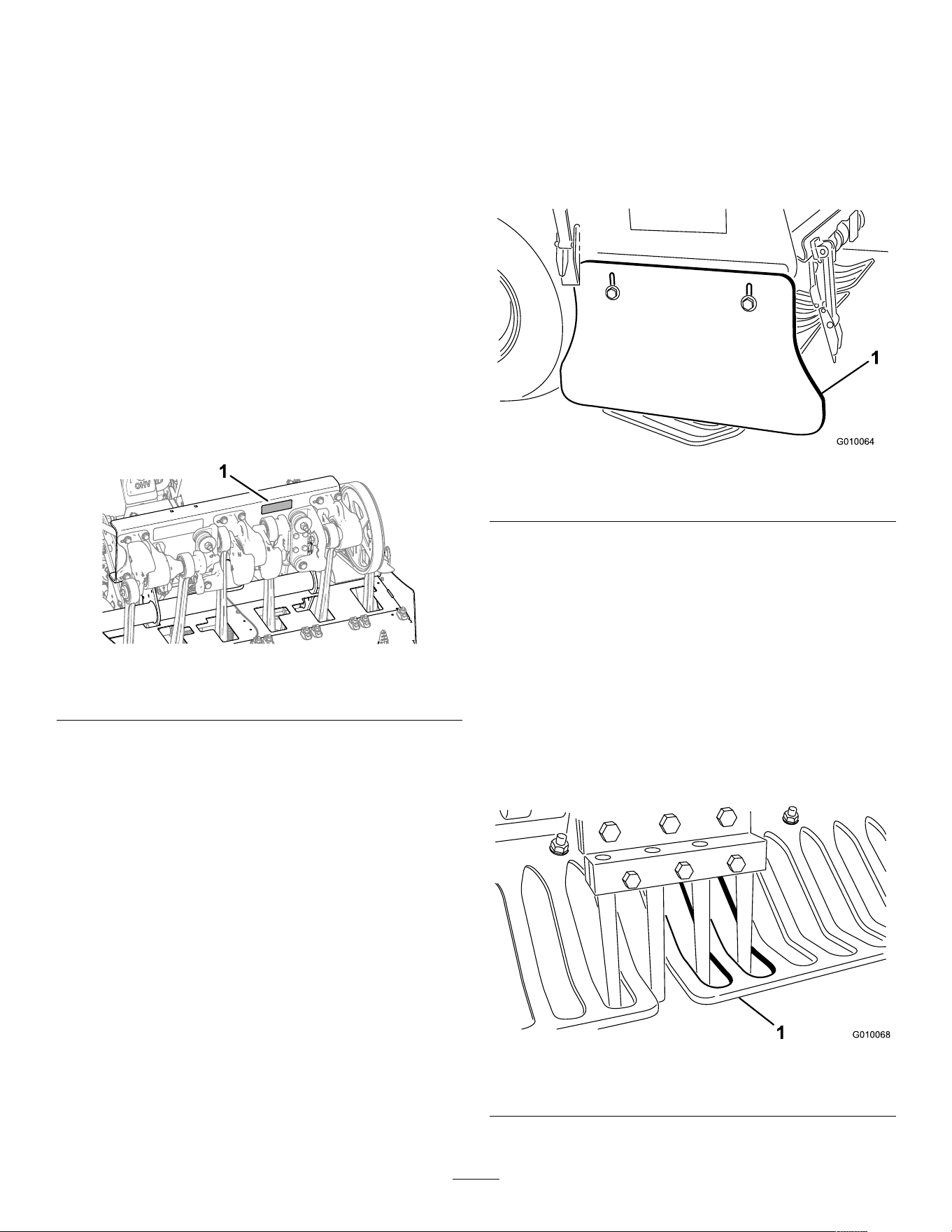
Aerator Maintenance
Checking the Fastener
T orque
Service Interval : After the rst 8 hours
Every 250 hours
1. Prepare the machine for maintenance refer to
Preparing the Machine for Maintenance ( page
65 ) .
2. Remove the coring-head cover; refer to
Removing the Coring-Head Cover ( page 68 ) .
3. Check the coring head fasteners, tiller handle
fasteners, and wheel lug nuts to ensure that the
proper torque is maintained. Fastener torque
requirements are listed on the bolt torque decal
located on the coring head support channel
( Figure 171 ).
g361518
Figure 171
1. Bolt torque decal location
4. Install the coring-head cover; refer to Installing
the Coring-Head Cover ( page 69 ) .
Adjusting the Side Shields
1. Prepare the machine for maintenance refer to
Preparing the Machine for Maintenance ( page
65 ) .
2. Loosen the capscrews and ange locknuts that
secure the side shield to coring-head frame
( Figure 172 ).
g010064
Figure 172
1. Side shield
3. Adjust the shield up or down until you measure
a 25 to 38 mm (1 to 1.5 inches) between the
shield and the ground.
4. T ighten the capscrews and ange locknuts.
5. Repeat steps 2 through 4 at the other side of
the machine.
Replacing the T urf Guards
Replace turf guards if they are broken, or worn to less
than 6 mm (1/4 inch) thickness. Broken turf guards
can catch and tear the turf, damaging it.
g010068
Figure 173
1. T urf guard
83
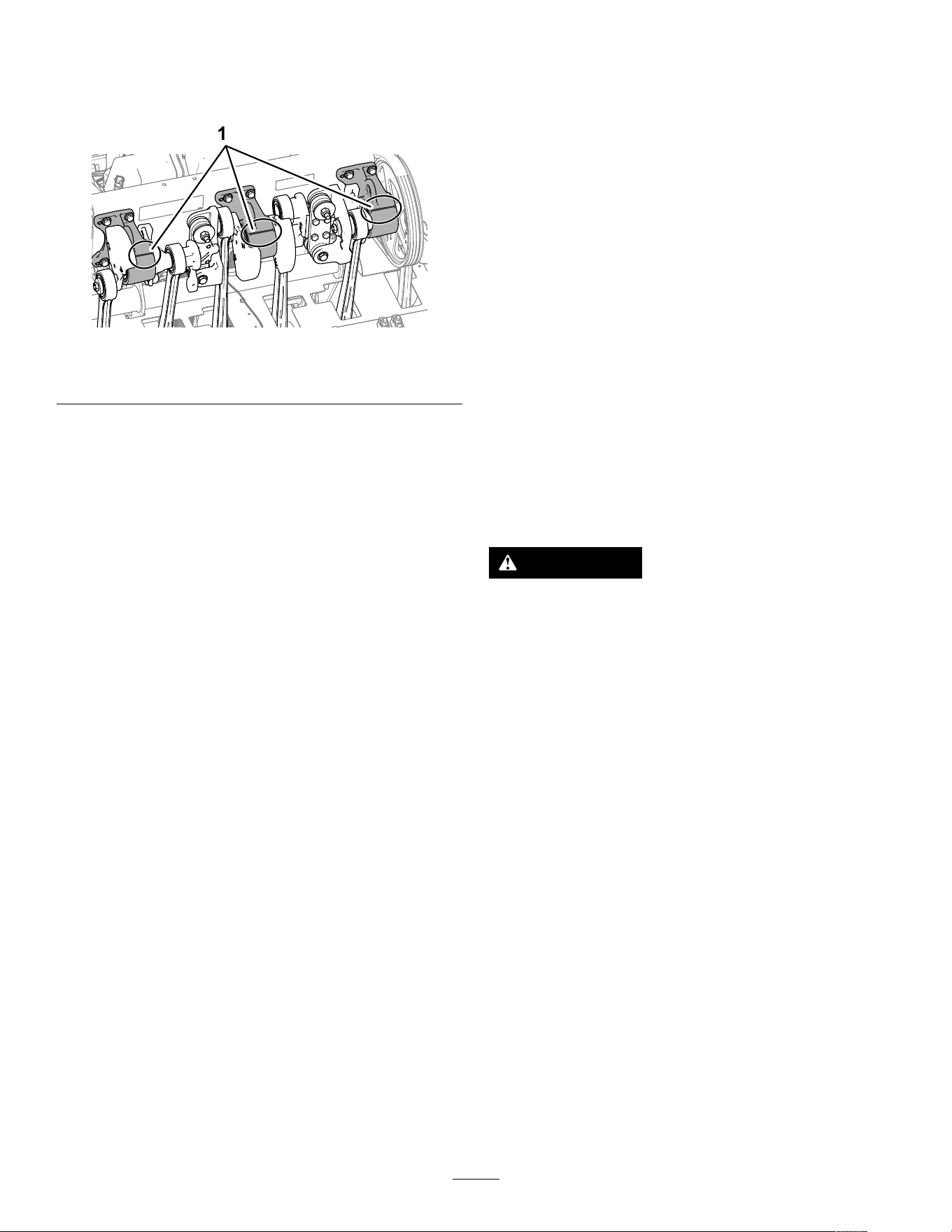
Coring Head T iming
The coring head timing marks are easily identied by
the cast-in marks on the 3 bearing housings.
g341348
Figure 174
1. T iming marks
Storage
Storage Safety
• Before you leave the operator ’ s position, do the
following:
– Park the machine on a level surface.
– Fully raise and latch the handlebar to engage
the parking brake.
– Shut of f the engine and remove the key (if
equipped).
– W ait for all movement to stop.
– Allow the machine to cool before adjusting,
servicing, cleaning, or storing it.
• Do not store the machine or fuel container where
there is an open ame, spark, or pilot light, such
as on a water heater or other appliance.
Storing the Machine for
less than 30 days
W ARNING
Charging the battery produces gasses that
can explode.
Never smoke near the battery and keep sparks
and ames away from it.
1. Prepare the machine for maintenance refer to
Preparing the Machine for Maintenance ( page
65 ) .
2. Disconnect the spark-plug wire.
3. Remove grass, dirt, and grime from the external
parts of the entire machine, especially the
engine and the hydraulic system. Clean dirt and
chaf f from the outside of the cylinder-head ns
of the engine and blower housing.
4. Service the air cleaner; refer to Servicing the Air
Cleaner ( page 70 ) .
5. Change the engine oil; refer to Changing the
Engine Oil and Filter ( page 72 ) .
6. Change the hydraulic lters and uid, refer to
Changing the Hydraulic Fluid and Filters ( page
82 ) .
7. Check the tire pressure; refer to Checking the
T ire Pressure ( page 78 ) .
8. Check the condition of the tines.
84

Storing the Machine for the
Season
If you are storing the machine for the season, Perform
all the steps in Storing the Machine for less than 30
days ( page 84 ) and the following:
• Preparing the Chassis ( page 85 )
• Storing the Machine for less than 30 days ( page
84 )
• Preparing the Battery ( page 85 )
Preparing the Chassis
1. Check and tighten all bolts, nuts, and screws.
Repair or replace any part that is damaged or
worn.
2. W ash and dry the entire machine. Remove the
tines, and clean and oil them. Spray light oil
mist on coring head bearings (crank and damper
links).
Important: Y ou can wash the machine
with mild detergent and water . Do not
pressure-wash the machine. A void
excessive use of water , especially near the
control panel, engine, hydraulic pumps, and
motors.
Note: Run the machine with the engine at high
idle for 2 to 5 minutes after washing.
3. Paint all scratched or bare metal surfaces. Paint
is available from your authorized T oro distributor .
4. Secure service latch if the machine is to be
stored for more than a couple of days.
5. Store the machine in a clean, dry garage or
storage area. Remove the key from the ignition
switch and keep it out of reach of children or
other unauthorized users.
6. Cover the machine to protect it and keep it clean.
Preparing the Engine and Fuel
System
1. Add a petroleum-based stabilizer/conditioner
to fuel in the tank. Follow mixing instructions
from stabilizer manufacture. Do not use
an alcohol-based stabilizer (ethanol or
methanol).
Note: A fuel stabilizer/conditioner is most
ef fective when mixed with fresh fuel and is
always used.
Important: Do not store fuel containing
stabilizer/conditioner longer than the
duration recommended by the fuel-stabilizer
manufacturer .
2. Run the engine to distribute conditioned fuel
through the fuel system for 5 minutes.
3. Shut of f the engine, allow it to cool, and drain
the fuel tank; refer to Draining the Fuel T ank
( page 75 ) .
4. Start the engine and run it until it shuts of f.
5. Choke the engine. Start and run the engine until
it does not start.
6. Remove the spark plugs and check the
condition; refer to Servicing the Spark Plugs
( page 73 ) . With the spark plugs removed from
the engine, pour 2 tablespoons of engine oil into
each spark plug hole. Now use the starter to
crank the engine and distribute the oil inside the
cylinders. Install the spark plugs. Do not install
the wires on the spark plugs.
Note: Dispose of fuel properly . Recycle it according
to local codes.
Preparing the Battery
1. Remove the battery terminals from the battery
posts and remove the battery from the machine.
2. Clean the battery , terminals, and posts with a
wire brush and baking soda solution.
3. Coat the cable terminals and battery posts with
Grafo 1 12X skin-over grease (T oro Part No.
505-47) or petroleum jelly to prevent corrosion.
4. Slowly recharge the battery every 60 days for 24
hours to prevent lead sulfation of the battery . T o
prevent the battery from freezing, make sure it
is fully charged. The specic gravity of a fully
charged battery is 1.265 to 1.299.
5. Either store the battery on the shelf or on the
machine. Leave the cables disconnected if it
is stored on the machine. Store it in a cool
atmosphere to avoid quick deterioration of the
charge in the battery .
85

T roubleshooting
Problem
Possible Cause Corrective Action
1. The aeration bail is engaged.
1. V erify that the aeration bail and
operator-presence bail are not closed.
2. The battery is discharged.
2. Charge the battery .
3. The electrical connections are
corroded or loose.
3. Check the electrical connections for
good contact.
4. The operator-presence bail switch is
incorrectly adjusted.
4. Check/adjust the switch.
5. A relay or switch is malfunctioning. 5. Contact your authorized T oro
distributor .
6. The operator-presence bail is engaged.
6. Contact your authorized T oro
distributor .
The starter does not crank.
7. The main fuse is open. 7. Replace the fuse.
1. The fuel tank is empty . 1. Fill the fuel tank with fuel.
2. The choke is not on.
2. Move the choke lever fully forward.
3. The air cleaner is dirty .
3. Clean or replace air-cleaner element.
4. The spark-plug wires are loose or
disconnected.
4. Install the wires on the spark plugs.
5. The spark plugs are pitted, fouled or
the gap is incorrect.
5. Install new , correctly gapped spark
plugs.
6. There is dirt in the fuel lter . 6. Replace the fuel lter .
The engine does not start, starts hard, or
fails to keep running.
7. There is dirt, water , or stale fuel in the
fuel system.
7. Contact your authorized the
manufacturer distributor .
1. The engine load is excessive. 1. Reduce the ground speed.
2. The air cleaner is dirty .
2. Clean the air-cleaner element.
3. The engine-oil level is low . 3. Add oil to the crankcase.
4. The cooling ns and air passages
under the engine blower housing are
plugged.
4. Remove any debris from the cooling
ns and air passages.
5. The spark plugs are pitted, fouled, or
the gap is incorrect.
5. Install new , correctly gapped spark
plugs.
6. There is dirt in the fuel lter . 6. Replace the fuel lter .
The engine loses power .
7. There is dirt, water , or stale fuel in the
fuel system.
7. Contact your authorized T oro
distributor .
1. The engine load is excessive. 1. Reduce the ground speed.
2. The engine-oil level is low . 2. Add oil to the crankcase.
The engine overheats.
3. The cooling ns and air passages
under engine blower housing are
plugged.
3. Remove any debris from the cooling
ns and air passages.
1. The engine mounting bolts are loose. 1. T ighten the engine mounting bolts.
2. The jackshaft or coring head bearings
are worn.
2. Replace the bearings.
There is abnormal vibration.
3. The jackshaft or coring head
components are loose or worn.
3.
86

Problem
Possible Cause Corrective Action
1. The handlebar is raised and the
parking brake is engaged.
1. Lower the handlebar to disengage the
parking brake.
2. The hydraulic-uid level is low . 2. Add hydraulic uid.
3. The tow valve is open.
3. Close the tow valve.
4. The hydraulic system is damaged.
4. Contact your authorized T oro
distributor .
5. An operator presence fault or other
fault is present.
5. Check for InfoCenter fault codes.
The machine does not drive.
6. The pump belt is worn or misadjusted 6. Replace a worn pump belt or adjust
belt tension.
1. A belt is worn or loose. 1. Adjust or replace the belts.
2. The clutch is worn. 2. Replace the clutch.
The coring head does not drive.
3. A switch or relay is worn. 3. Replace the switch or relay .
1. The ground is too hard.
1. Refer to Operating T ips.
The head bounces while aerating.
2. There is an issue with the relief setting. 2. There is a dynamic response of the lift
system. Adjust the system pressures;
refer to the Service Manual .
1. Ground calibration is no longer valid. 1. Calibrate the tine ground height.
2. The turf does not support the installed
tine quantity or selected tine spacing.
2. Adjust the tine quantity or diameter ,
adjust the hole spacing, and review
Operating T ips.
The turf is tufting/tearing on entrance.
3. The clutch cannot start the coring head
quick enough in immediate-drop mode.
3. Inspect clutch for wear or damage.
Aerate using the delay-drop mode.
There is hole tufting with side eject tines.
1. The ejection window is catching on
exit.
1. Rotate the tine 45 ° to 90 ° so that it
ejects out the side. If that does not
work, try a hollow tine.
1. Check the coring head attitude. 1. Refer to the Service Manual for
specication.
2. The tine diameter , spacing, or quantity
is incorrect for the application.
2. Reduce the tine diameter , reduce the
number of tines per head, or increase
the hole spacing.
3. The depth is excessive. 3. Reduce the depth.
4. The hole spacing is too close. 4. Increase the hole spacing.
The turf is lifting/tearing while aerating.
5. The turf conditions (i.e., root structure)
are insuf cient to resist damage.
5. Alter the aeration methods or timing.
The front of the hole is dimpled or pushed. 1. Roto-Link is in the soft position. 1. Refer to Operating T ips.
87

California Proposition 65 W arning Information
What is this warning?
Y ou may see a product for sale that has a warning label like the following:
W ARNING: Cancer and Reproductive Harm—www .p65W arnings.ca.gov .
What is Prop 65?
Prop 65 applies to any company operating in California, selling products in California, or manufacturing products that may be sold in or brought into
California. It mandates that the Governor of California maintain and publish a list of chemicals known to cause cancer , birth defects, and/or other
reproductive harm. The list, which is updated annually , includes hundreds of chemicals found in many everyday items. The purpose of Prop 65 is to
inform the public about exposure to these chemicals.
Prop 65 does not ban the sale of products containing these chemicals but instead requires warnings on any product, product packaging, or literature with
the product. Moreover , a Prop 65 warning does not mean that a product is in violation of any product safety standards or requirements. In fact, the
California government has claried that a Prop 65 warning “is not the same as a regulatory decision that a product is ‘safe’ or ‘unsafe.’” Many of these
chemicals have been used in everyday products for years without documented harm. For more information, go to https://oag.ca.gov/prop65/faqs-view-all .
A Prop 65 warning means that a company has either (1) evaluated the exposure and has concluded that it exceeds the “no signicant risk level”; or (2)
has chosen to provide a warning based on its understanding about the presence of a listed chemical without attempting to evaluate the exposure.
Does this law apply everywhere?
Prop 65 warnings are required under California law only . These warnings are seen throughout California in a wide range of settings, including but not
limited to restaurants, grocery stores, hotels, schools, and hospitals, and on a wide variety of products. Additionally , some online and mail order
retailers provide Prop 65 warnings on their websites or in catalogs.
How do the California warnings compare to federal limits?
Prop 65 standards are often more stringent than federal and international standards. There are various substances that require a Prop 65 warning
at levels that are far lower than federal action limits. For example, the Prop 65 standard for warnings for lead is 0.5 μg/day , which is well below
the federal and international standards.
Why don’t all similar products carry the warning?
• Products sold in California require Prop 65 labelling while similar products sold elsewhere do not.
• A company involved in a Prop 65 lawsuit reaching a settlement may be required to use Prop 65 warnings for its products, but other companies
making similar products may have no such requirement.
• The enforcement of Prop 65 is inconsistent.
• Companies may elect not to provide warnings because they conclude that they are not required to do so under Prop 65; a lack of warnings for a
product does not mean that the product is free of listed chemicals at similar levels.
Why does T oro include this warning?
T oro has chosen to provide consumers with as much information as possible so that they can make informed decisions about the products they buy and
use. T oro provides warnings in certain cases based on its knowledge of the presence of one or more listed chemicals without evaluating the level of
exposure, as not all the listed chemicals provide exposure limit requirements. While the exposure from T oro products may be negligible or well within the
“no signicant risk” range, out of an abundance of caution, T oro has elected to provide the Prop 65 warnings. Moreover , if T oro does not provide these
warnings, it could be sued by the State of California or by private parties seeking to enforce Prop 65 and subject to substantial penalties.
Rev