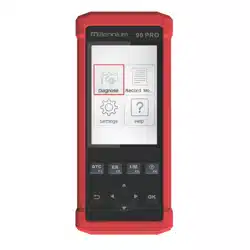

To register and update the Millennium, please follow these instructions:
- Go to http://launchtechusa.com
- Download the Millennium Setup, Under our quick links on our home screen.
- Once download is completed, install the software on your computer
- Power on your Millennium (you can plug it into your computer with the usb
cable)
- Press the OK button on the unit before the counter drops to zero.
- The screen should say "The unit should be re-powered after download new
version."
- Open the Millenium Set up (it will be located on your desktop)
- Type in the serial number and select Update
- If it is not registered you will put in your email address and the register code
- If it is registered you will put in the password, which should be the register
code
- The download center will load, select all the car lines and firmware, select the
language then select download.
- Choose the drive that the memory card is in
- Then wait for the car lines to finish downloading, when it is done, a message
will pop up that says thank you for your patience, download is complete.
- Disconnect the unit and power it up. It should ask you if you want to upgrade,
select ok.
Millennium Setup