User Manual
PR450
Motor and Phase Rotation Tester
Introduction
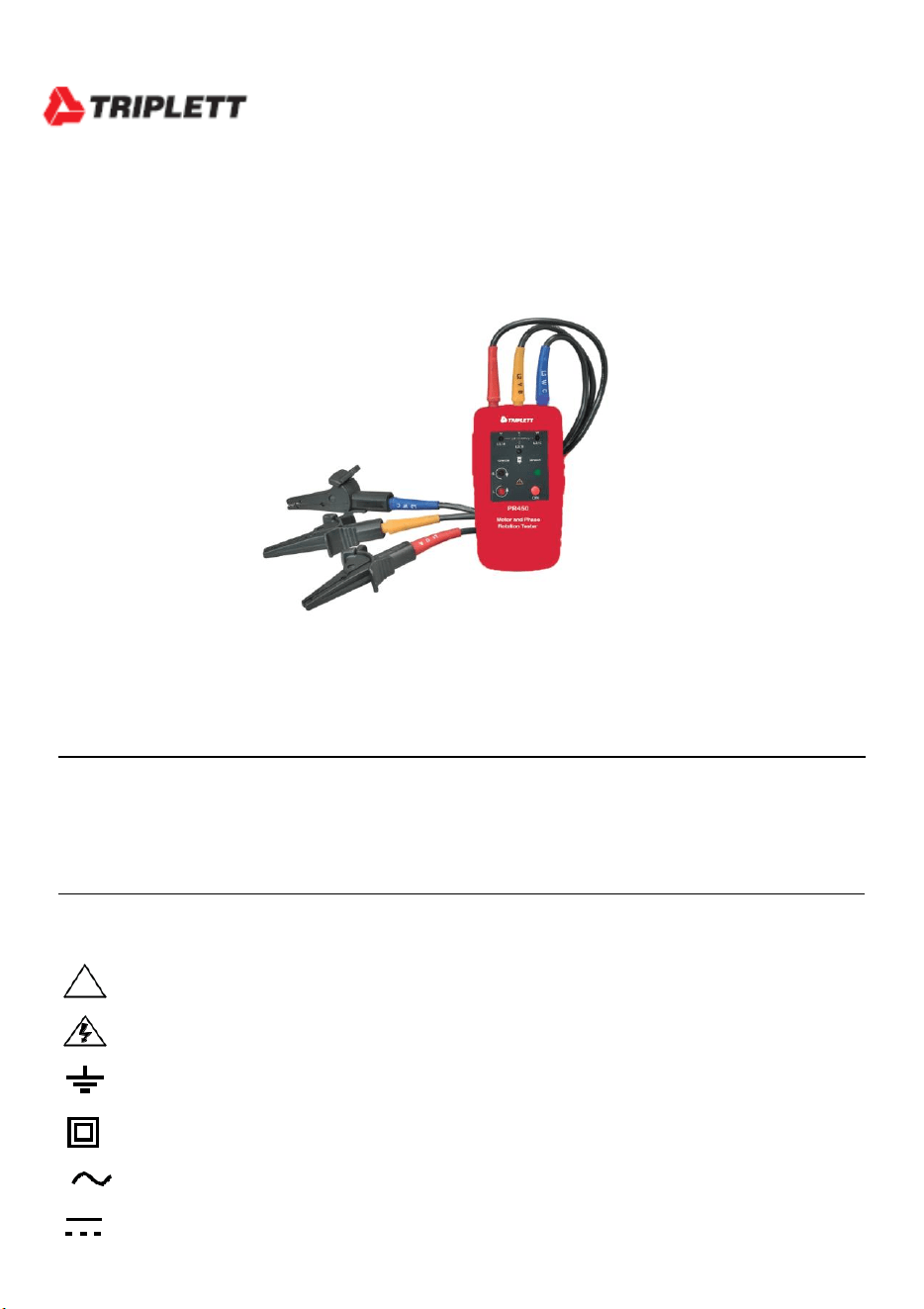
Congratulations on your purchase of the Triplett PR450 Motor and Phase Rotation Tester. This
handheld instrument detects the rotational field of three-phase systems and determines motor-
rotation direction. Color-coded test leads are provided for connecting to the system or motor
under test.
Safety
International Safety Symbols
• Caution ! Refer to the explanation in this Manual
Caution ! Risk of electric shock
Earth (Ground)
Double Insulation or Reinforced insulation
AC, Alternating Current or Voltage
DC, Direct Current or Voltage
Safety Procedures
To avoid possible electric shock or fire, observe the following:
Read the following information carefully before using or servicing the instrument.
Adhere to local and national safety codes.
Individual protective equipment must be used to prevent shock and injury.
Use of instrument in a manner not specified by the manufacturer may impair safety
features/protection provided by the equipment.
Avoid working alone.
Inspect the test leads for damaged insulation or exposed metal. Check test lead
continuity. Damaged leads must be replaced. Do not use the meter if it appears damaged.
Use care when working above 30V ac rms, 42V ac peak and 60V dc. Such voltages pose
a shock hazard.
When using the probes, keep fingers away from probe contacts. Keep fingers behind
the finger guards on the probes.
Measurements can be adversely affected by impedances of additional operating
circuits connected in parallel or by transient currents.
Verify operation prior to measuring hazardous voltages (voltages above 30V ac rms, 42V
ac peak and 60V dc).
Do not use the meter with any of the parts removed.
Do not use the meter near explosive gas, vapor, or dust.
Do not use the meter in a wet environment.
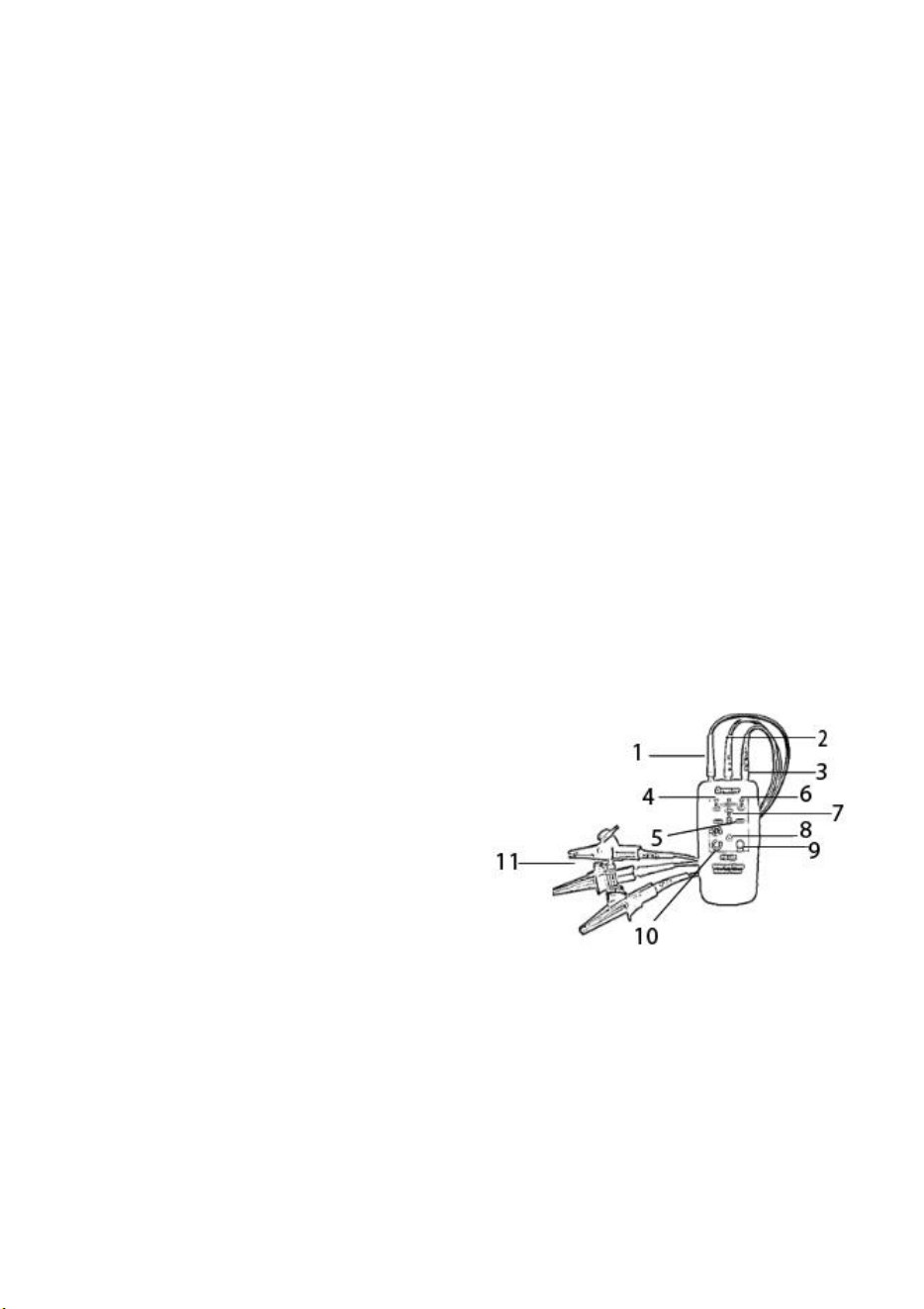
Meter Description
1. L1 test Lead input to meter
2. L3 test lead input to meter
3. L2 test lead input to meter
4. L1 status LED
5. Orientation symbol for non-contact testing
6. L3 status LED
7. L2 status LED
8. Power ON status LED
9. ON button
10. Left/Right Clockwise/Counter-Clockwise status LEDs
11. Test lead alligator clips
Operation
Determine Phase Rotation Direction
1. Connect the supplied color-coded test leads to the meter’s test lead input jacks at the top of
the meter.
2. Connect the test probes to the three mains phases for the system under test.
3. Press and Hold the ON button to turn the meter on.
4. L1, L2, and L3 indicators will illuminate for each phase connected, respectively.
5. The clockwise and counter-clockwise arrows with the left/right ‘L’ or ‘R’ icons display the
phase rotation direction (phase sequence) of mains as connected.
6. To understand the status of a test, based on the condition of the meter’s front panel LEDs, refer to
the table printed on the meter:
Note: The rotational indicator LEDs illuminate even if one of the test probes is connected to a
neutral or ground conductor instead of one of the mains phases.
Check Motor Turn Direction (contact method)
1. Connect the supplied color-coded test leads to the meter’s test lead input jacks at the top of
the meter.
2. Connect the test (alligator) probes to the three motor connections (L1 to U, L2 to V, and L3
to W).
3. Press and Hold the ON button. The green ON indicator shows that the instrument is ready
for testing.
4. Turn the motor shaft continuously in a clock-wise rotation.
*Note: you must rotate the shaft with enough speed to generate a voltage that can be detected.*
5. The clockwise and counter-clockwise arrows with the left/right ‘L’ or ‘R’ icons display
the orientation of the motor.
Check Motor Turn Direction (non-contact method)
1. Disconnect the test leads from the meter and from any other devices under test.
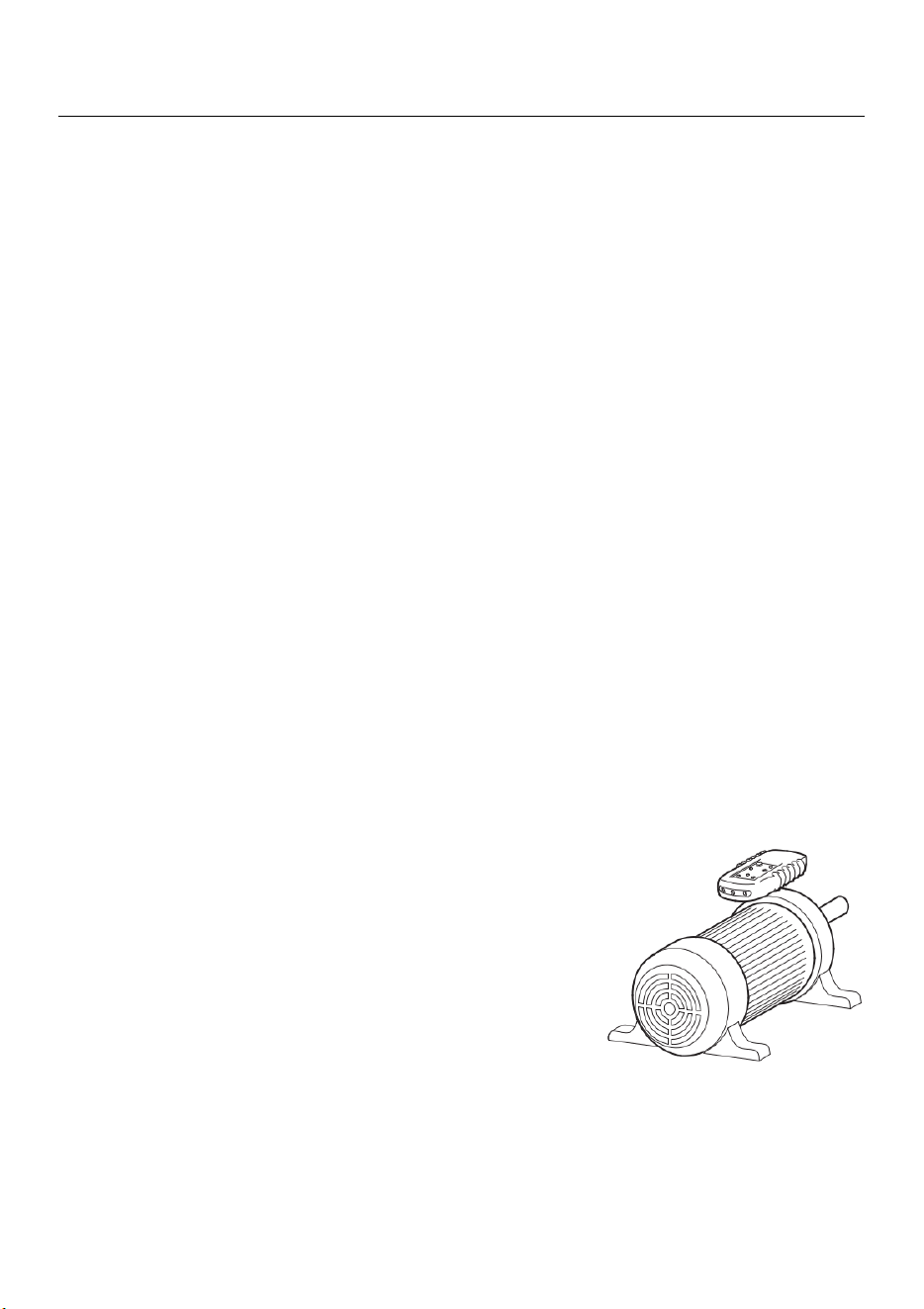
2. Hold the meter close (one inch or closer) to the motor,
parallel to the length of the motor shaft.
3. The bottom of the meter should face the drive shaft and the
back of the meter should be flush with the motor (refer to
diagram at right).
Note: There is an orientation symbol on the meter to assist.
4. Press and Hold the ON button. The green ON indicator
shows that the instrument is ready for testing.
5. The orientation of the motor is represented by the clockwise
and counter-clockwise arrows with the left/right ‘L’ or ‘R’
icons display. Face the rear of the motor (meter will appear upside down) when reading
the status of the display LEDs.
Note: The meter will not operate with motors controlled by frequency converters (VFDs).
Magnetic Field Detection
1. Hold the meter in the area under test. Press and hold ON button.
2. A magnetic field is present if either the clockwise or the counter-clockwise LED illuminates.
Battery replacement
The meter uses a 9V battery (supplied) as a power source. If the green LED
does not light when the ON/OFF button is pressed, replace the battery.
1. Place the meter on a clean, flat, non-abrasive surface.
2. Loosen the rear bottom Phillips head screw to access the battery
compartment.
3. Lift the battery access door and replace the 9V battery observing
polarity.
4. Place the battery carefully in the compartment without crimping
the black and red battery connecting wire.
5. Close the access door and secure the screw.
You, as the end user, are legally bound (Battery ordinance) to
return all used batteries and accumulators; disposal in the
household garbage is prohibited!
You can hand over your used batteries / accumulators at
collection points in your community or wherever batteries /
accumulators are sold!
Disposal: Follow the valid legal stipulations in respect of the
disposal of the device at the end of its lifecycle
Specifications
Environmental Specifications
Operating Temperature 0 to 40
o
C (32 to 104
o
F)
Operating Humidity 15 to 80% relative humidity
Operating altitude 2000m
Pollution Degree 2
Approvals DIN / VDE 0411
IEC 61010
DIN / VDE 0413-7

Mechanical Specifications
Dimensions 130 x 69 x 32mm (5.1 x 2.7 x 1.3”)
Weight 130g (4.6oz)
Safety Specifications
Electrical Safety Approvals IEC 61010/EN61010,
IEC 61557-7/EN 61557-7
Maximum Operating Voltage 600 V
Protection Levels CAT lll 600V
Electrical Specifications
Battery type 9V battery
Current Consumption 20mA max.
Battery life One (1) year minimum
Nominal Voltage 40 to 600 VAC
Frequency Range (Hz) 2 to 400Hz
Nominal Test current ( per phase) < 3.5mA
Warranty Information
Triplett / Jewell Instruments extends the following warranty to the original purchaser of
these goods for use. Triplett warrants to the original purchaser for use that the products sold
by it will be free from defects in workmanship and material for a period of (1) one year from
the date of purchase. This warranty does not apply to any of our products which have been
repaired or altered by unauthorized persons in any way or purchased from unauthorized
distributors so as, in our sole judgment, to injure their stability or reliability, or which have
been subject to misuse, abuse, misapplication, negligence, accident or which have had the
serial numbers altered, defaced, or removed. Accessories, including batteries are not
covered by this warranty
Copyright © 2019 Triplett