
EN ............................ 01 ES............................. 12
Live Like a Pro!
359S-V20230725 EN ES
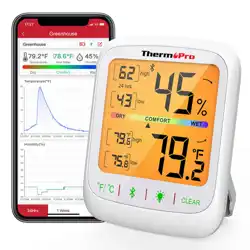
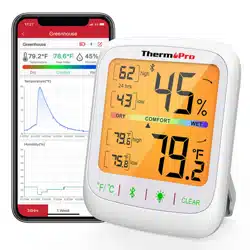
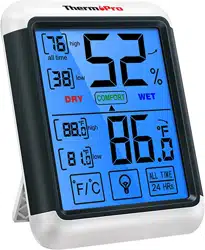
Wireless Bluetooth Indoor Thermometer
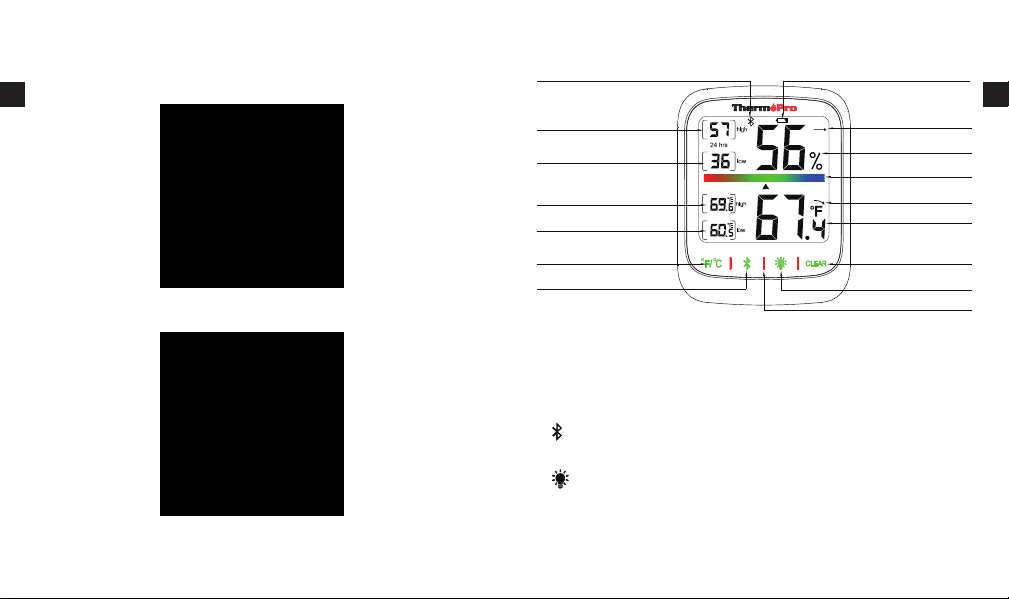
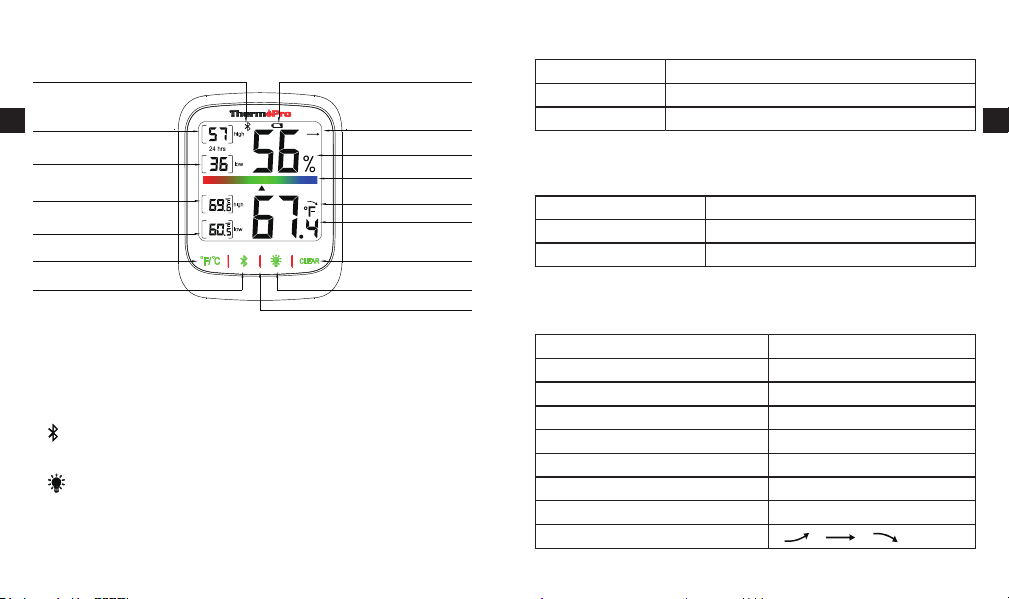
Temperature History(Low)
1. °F/°C Button: Touch to switch temp unit to °F/°C on LCD
screen
2. Button: Press and hold for 2 seconds to enter pairing
status
3. Button: Touch to turn on/off backlight
4. CLEAR Button: Touch and hold 2s to clear High and Low
records in the past 24H
°F/°C
Temperature History(High)
Humidity History(Low)
Humidity History(High)
Bluetooth Icon
Low Battery Indicator
Humidity Tendency
Humidity
Comfort Level
Temperature
Temperature Tendency
Clear Temp & Humidity
High Low
Back Light
Touch Key
Bluetooth
1. Features
2. Buttons
-1- -2-
iOS
Android
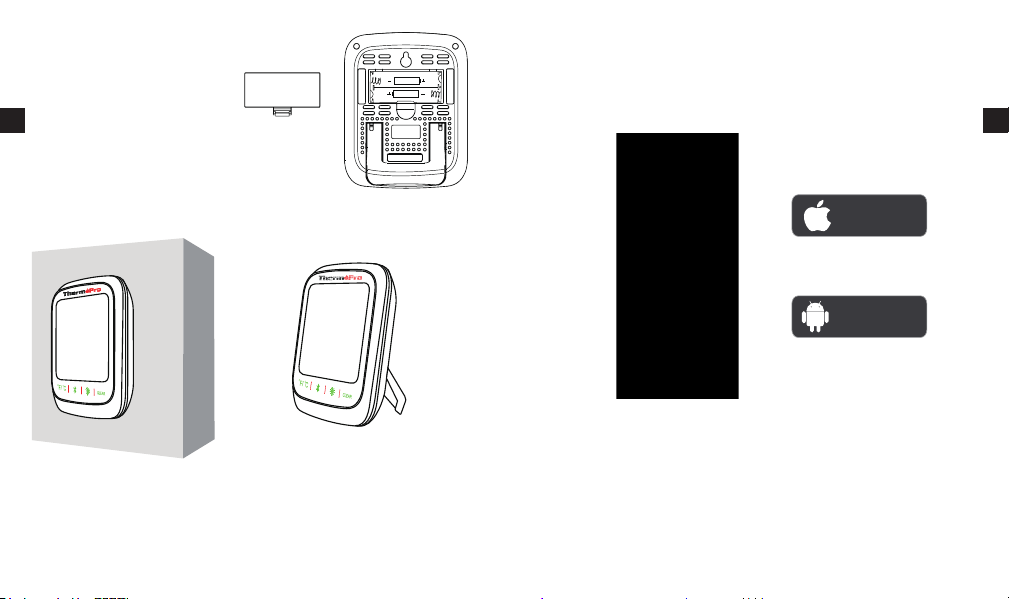
According to the operating system of your smartphone,
scan the following QR code to download and install.
EN
EN
-3- -4-
DRY 10%~30%
COMFORT 31%~60%
WET 61%~99%
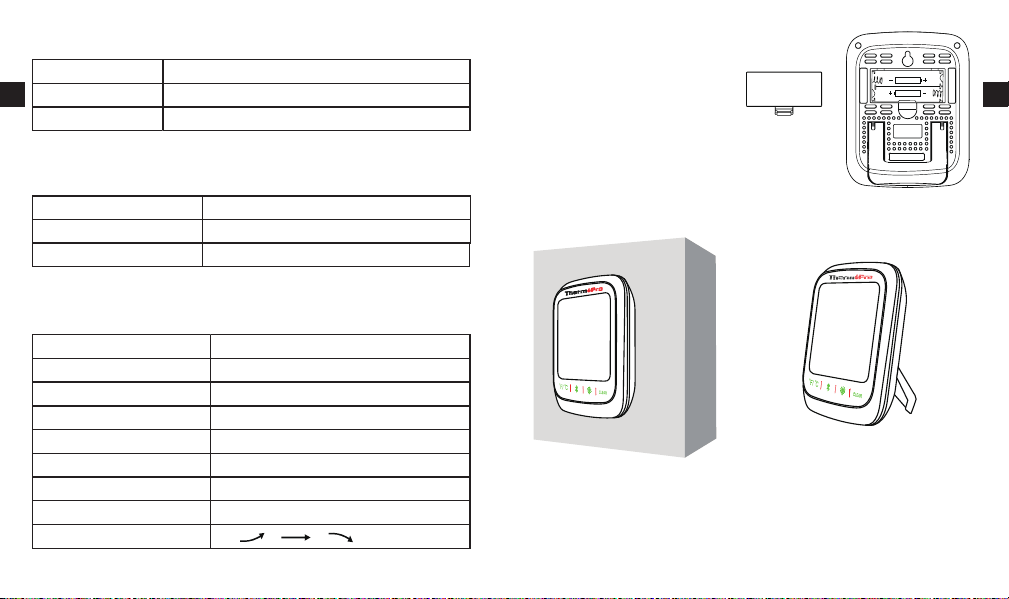
Open the battery
compartment of the sensor
and insert 2 x AAA
batteries with correct polarity.
3. Comfort level
6. Installing batteries
Mount on the wall using the
hanging hole or magnetize to a
metal surface.
Stand upright using the
tabletop stand.
Bluetooth Hygrometer 1
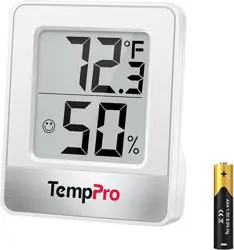
AAA Battery 2
User Manmual 1
4. Components
Wireless Bluetooth Range 260Ft/80m
Temperature Range -4°F~140°F (-20°C~60°C)
Temperature Accuracy ±0.9°F (±0.5°C)
Humidity Range 10%~99%
Humidity Accuracy ±2%~3%RH
High and Low Records 24H
Comfort Display DRY, COMFORT, WET.
Units °F/°C Selector
Trend Arrow
5. Specifications
AAA 1.5V
AAA 1.5V
Made in China
EN
EN

-5- -6-
Download the ThermoPro Sensor APP from the App Store(iOS
devices) or Google Play (Android devices).
7. Download the ThermoPro Sensor app
To enter the main settings menu, press the “ ” icon in the top
left corner.
9. Using ThermoPro Sensor app
1. The thermometer and hygrometer Bluetooth function are
enabled by default. The Bluetooth icon flashes for 2 minutes
when Bluetooth is disconnected. If the thermometer and
hygrometer are not connected within 2 minutes, the bluetooth
2. Enable Bluetooth on your phone and get close to the Indoor
Thermometer & Hygrometer. (Location Services/GPS should
be turned on for Android users).
icon will disappear, press and hold for 2 seconds to enter
pairing status again.
3. Open ThermoPro Sensor, tap the “Add Device” button in the
top right corner and select “TP359S (X)”
4. Press the sensor name, the pairing should be successful now.
8. Connect to bluetooth
App Store
Google Play
EN
EN

-7- -8-
To adjust device settings, press the edit button in the top right
corner of the device.
Press Device Name to rename your device’s name.
EN
EN

-9- -10-
Press Alarms to enable/disable temperature or humidity alarms.
Further, set your desired MAX/MIN temperature or humidity
range.
Hereby, the manufacturer declares that this product complies
with the basic requirements and applicable regulations of the
Radio Equipment Directive 2014/53/EU, the EMC Directive
2014/30/EU. The complete declaration of conformity can be
found at:
https://buythermopro.com/eu-declaration-of-conformity/.
10. Declaration of conformity
This electronic appliance should not be disposed
of with normal household waste. Dispose of the
unit at an approved facility or at your local
recycling center. Please observe the current rules
and regulations when disposing of the appliance.
Contact your local council if in doubt.
11. Disposal of the electronic appliance
EN
EN
ThermoPro warrants this product to be free of defects in parts,
materials and workmanship for a period of one year, from date
of purchase.
12. Limited one-year warranty

Higrómetro de Interior Inalámbrico Bluetooth
Live Like a Pro!
Call or Text: 1-877-515-7797 (USA & Canada only)
44-808-164-1683(UK)
Email: [email protected]
Hours: Weekdays 8:00AM-8:00PM EST(USA & Canada only)
1:00PM-12:00PM CET(UK)
Should any repairs or servicing under this warranty be required,
contact Customer Service by phone or email for instructions on
how to pack and ship the product to ThermoPro.
This warranty gives you specific legal rights and you may also
have other rights which vary from state to state.
13. Customer service
-11-
EN
Histotia de temperatura
(baja)
1. °F/°C Botón: toque para cambiar la unidad de temperatura a
°F/°C en la pantalla LCD
2. Botón de Bluetooth: presione y mantenga presionado durante
2 segundos para ingresar al estado de emparejamiento
3. Botón: toque para encender/apagar la luz de fondo
4. CLEAR Botón: mantenga presionado 2 segundos para borrar
vlos registros altos y bajos en las últimas 24 horas
°F/°C
Historial de temperatura
(alta)
Historial de humedad (bajo)
Historial de humedad (alto)
Indicador de Blutooth Indicador de Batería Baja
Tendencia a la humedad
Humedad
Nivel de comodidad
Température
Tendencia de Temperatura
Claro temperatura y
humedad alto bajo
Touche tactile
Tecla táctil de luz trasera
Bluetooth encendido/apagado
1. De un vistazo
2. Termohigrómetro para interiores
-13-
-14-
SECO 10%~30%
CONFORT 31%~60%
HÚMEDO 61%~99%
3. Nivel de comodidad
Higrómetro Bluetooth 1
Batería AAA 2
Manual de usuario 1
4. Lista de empaque
Alcance inalámbrico de Bluetooth 260Ft/80m
Rango de Temperatura -4°F~140°F (-20°C~60°C)
Precisión de Temperatura ±0.9°F (±0.5°C)
Rango de Humedad 10%~99%
Precisión de Humedad ±2%~3%RH
Récords Altos y Bajos 24H
Pantalla de Confort DRY, COMFORT, WET.
Unidades °F/°C Selector
Flecha de Tendencia
5. Especificaciones
ES
ES
-16-
Descargue la aplicación Thermopro Sensor de la App Store
(dispositivos iOS) o Google Play (dispositivos Android).
7. Descarga de la aplicación ThermoPro Sensor
1. La función Bluetooth de termómetro e higrómetro está
habilitada de forma predeterminada. El icono de Bluetooth
parpadea durante 2 minutos cuando se desconecta
8. Conexión a bluetooth
App Store
Google Play
-15-
Coloque la batería (asegúrese
de que la dirección del
electrodo coincida).
6. Instalación de su dispositivo
Móntelo en la pared Páralo en el escritorio
AAA 1.5V
AAA 1.5V
ES
ES

-18-
Para ajustar la configuración del dispositivo, presione el botón
editar en la esquina superior derecha del dispositivo.
-17-
2. Encienda el Bluetooth en su teléfono y acérquese al
Higrómetro (los servicios de ubicación/GPS deben estar
activados para los usuarios de Android).
Bluetooth. Si el termómetro y el higrómetro no se conectan
en 2 minutos, el icono de bluetooth desaparecerá, presione
y mantenga presionado durante 2 segundos para ingresar
nuevamente al estado de emparejamiento.
3. 2.Abra el sensor Thermopro, toque el botón “Añadir
dispositivo” en la esquina superior derecha y seleccione
“TP359S (X)”
4. Haga clic en el nombre del dispositivo, el emparejamiento
debería ser exitoso ahora.
Para ingresar al menú de configuración principal, presione el
icono de “ ” en la esquina superior izquierda.
9. Uso del higrómetro bluetooth con Sensor
ThermoPro
ES
ES

-20-
Encienda/apague la alarma de temperatura o humedad como
desee Establezca la temperatura MÁX/MIN deseada o el rango
de humedad.
Presione nombre del dispositivo para cambiar el nombre de su
dispositivo.
-19-
ES
ES

-22-
ThermoPro garantiza que este producto está libre de defectos
en piezas, materiales y mano de obra por un período de un año
a partir de la fecha de compra.
12. Garantía limitada de un año
Anillo o mensaje: 34-910-601-787
Correo electrónico: [email protected]
Horario: De lunes a viernes de 1:00PM-12:00PM CET
Si se requiere alguna reparación o servicio bajo esta garantía,
comuníquese con Servicio al Cliente por teléfono o correo
electrónico para obtener instrucciones sobre cómo empacar y
enviar el producto a ThermoPro.
Esta garantía le otorga derechos legales específicos y también
puede tener otros derechos que varían de un estado a otro.
13. Servicio al cliente
-21-
Este aparato electrónico no debe desecharse con
la basura doméstica normal. Deseche la unidad
en una instalación aprobada o en su centro de
reciclaje local. Observe las reglas y regulaciones
vigentes al desechar el aparato. Póngase en
contacto con su ayuntamiento en caso de duda.
11. Eliminación del aparato electrónico
Por la presente, el fabricante declara que este producto cumple
con los requisitos básicos y las regulaciones aplicables de la
Directiva de equipos de radio 2014/53/EU, la Directiva EMC
2014/30/EU. La declaración de conformidad completa se
puede encontrar en:
https://buythermopro.com/eu-declaration-of-conformity/.
10. Declaración de conformidad
ES
ES
ThermoPro garantiza que este producto está libre de defectos
en piezas, materiales y mano de obra por un período de un año
a partir de la fecha de compra.
12. Garantía limitada de un año