1
1
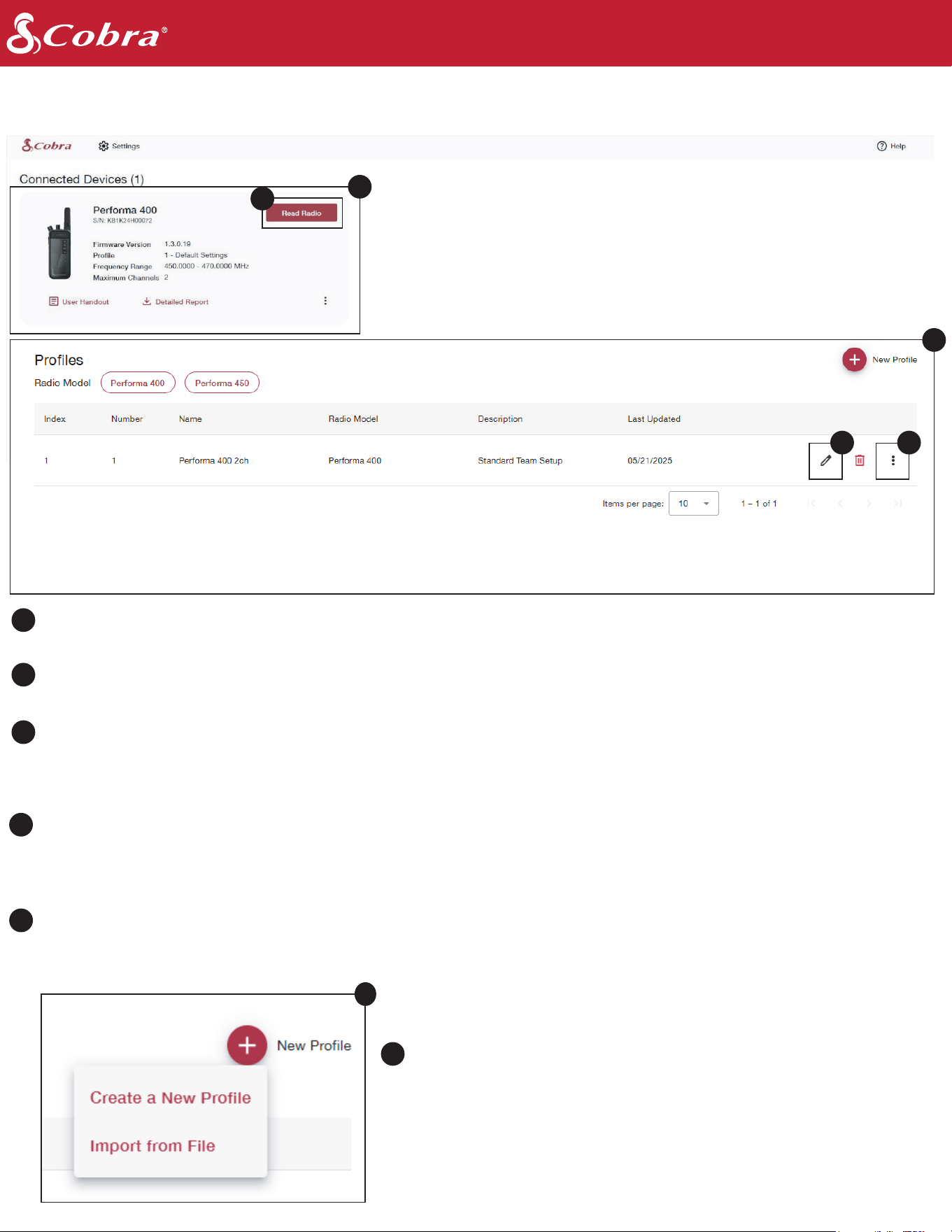
Use the programming cable to plug radio into computer. After opening the CPS, your device(s) will display, along
with associated details: firmware version, serial number, and the profile currently saved to the radio.
Profiles are saved files that include every setting currently programmed to the radio, including frequencies and
privacy codes. These profiles are saved locally, and can be exported to be downloaded or emailed. A User can save
up to 99 Profiles within the software for future use. A radio does not need to be currently connected to create or
edit profiles.
Clicking on the three dots allows you to edit a profile (edit the radio settings stored in the profile), download a report
(download a PDF of all the settings in this profile) or export a profile (download a file that can then be saved, emailed,
sent to someone else). If a radio is connected, you can also write a profile to the device(s) you have currently
connected.
Allows you to edit the display properties of the profile (number, name, description)
Select "Read Radio" to view the existing settings saved to the radio. After reading the radio, you will also have the
option to change these settings if desired.
Select "New Profile" to set up a profile to save to your computer.
"Import from File" allows you to select a profile currently saved on
your computer. This profile can be one created by you or another
user, emailed to you, or can be a custom frequency profile supplied
by customer service. Your device does not need to be connected
to create or edit profiles.
2
2
3
4
5
6
Cobra Programming Software Home Screen
www.cobra.com
Create Profile
6
3
45
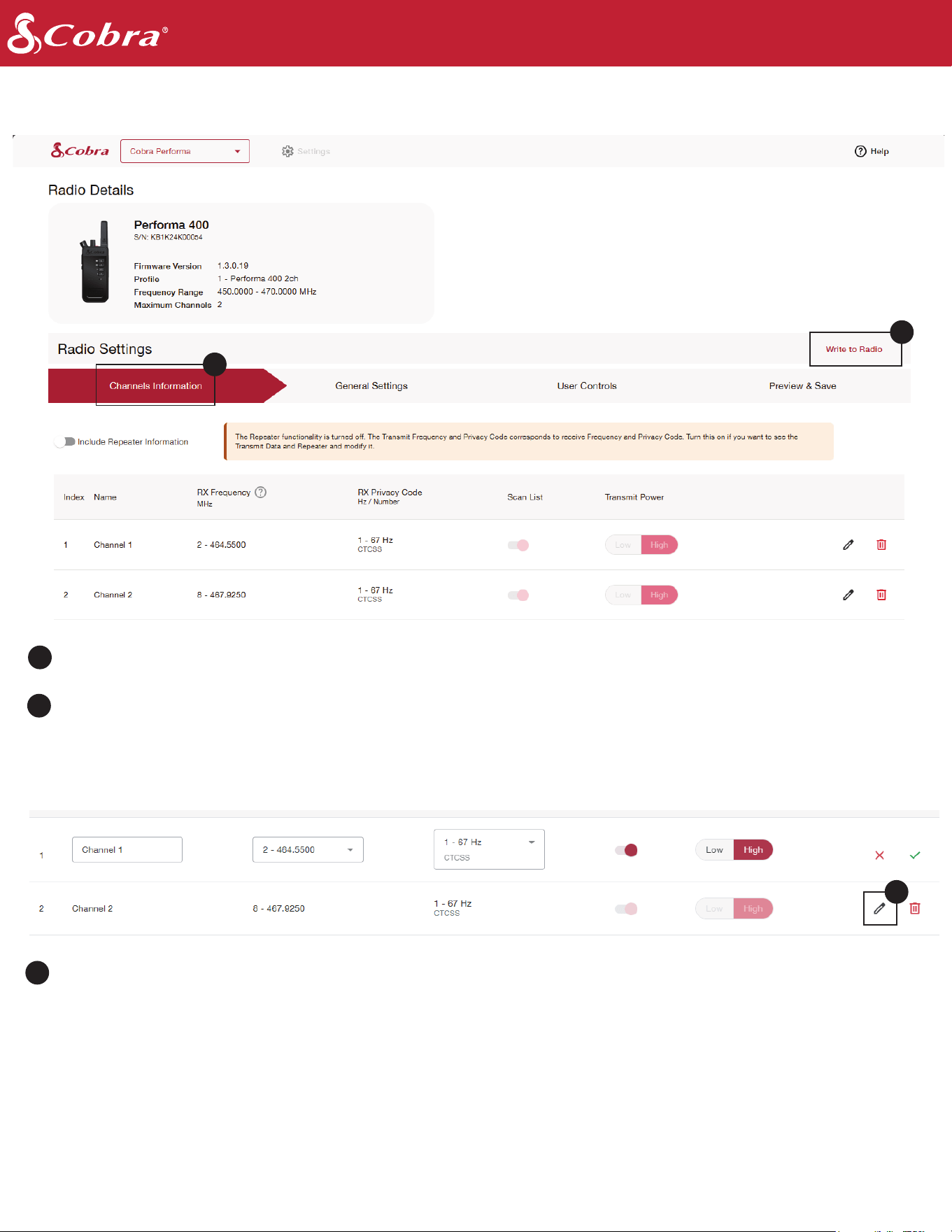
Includes the information for frequencies currently programmed into the radio's channel selection
Edit channel properties, including frequency and privacy code
Select "Write to Radio" to commit your changes to the connected radio
7
8
8
7
9
9
www.cobra.com
Read a Radio
Editing a Channel
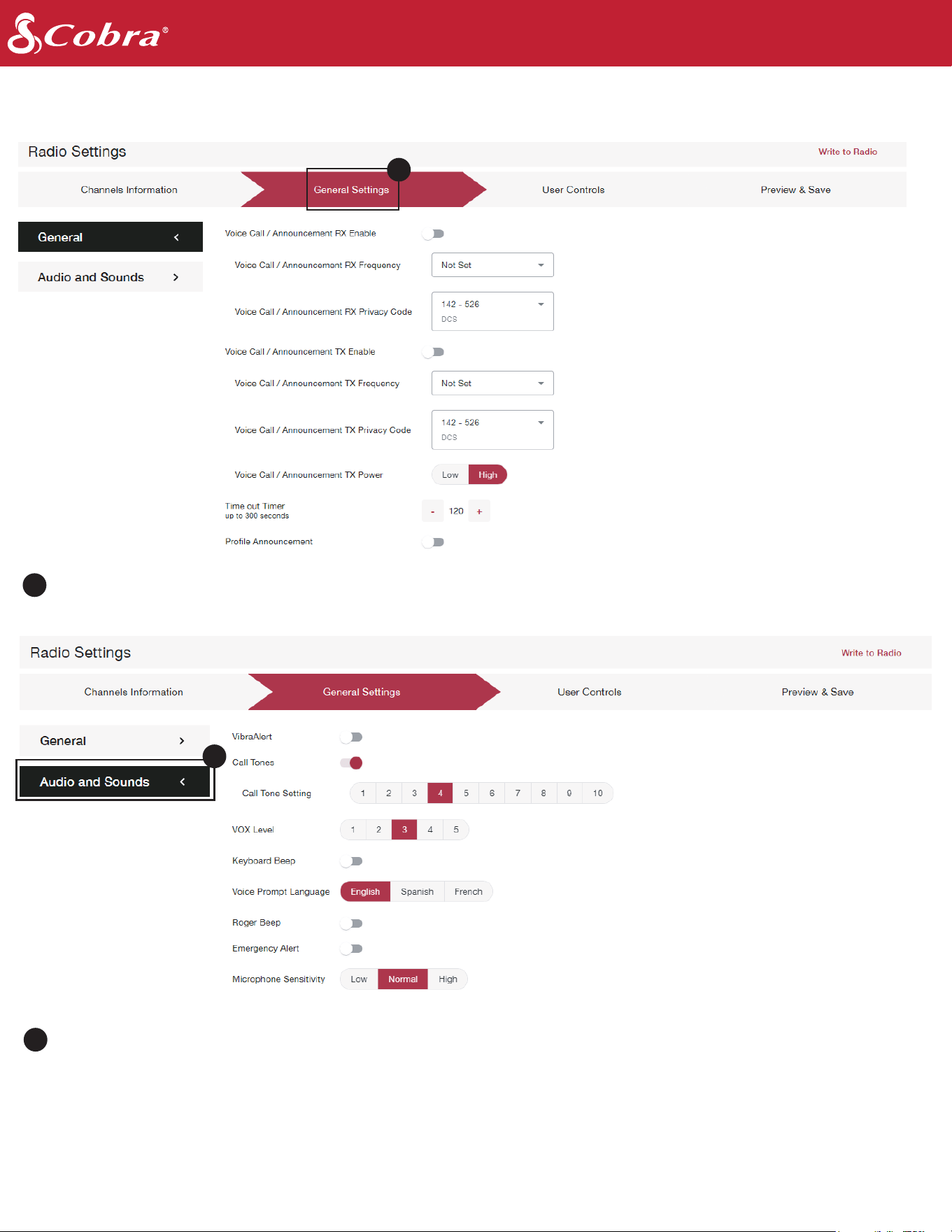
Includes device settings like privacy codes, channel preferences, and features.
www.cobra.com
General Settings
10
10
Change audio settings, VOX sensitivity levels, and toggle keyboard and roger tones.
11
11
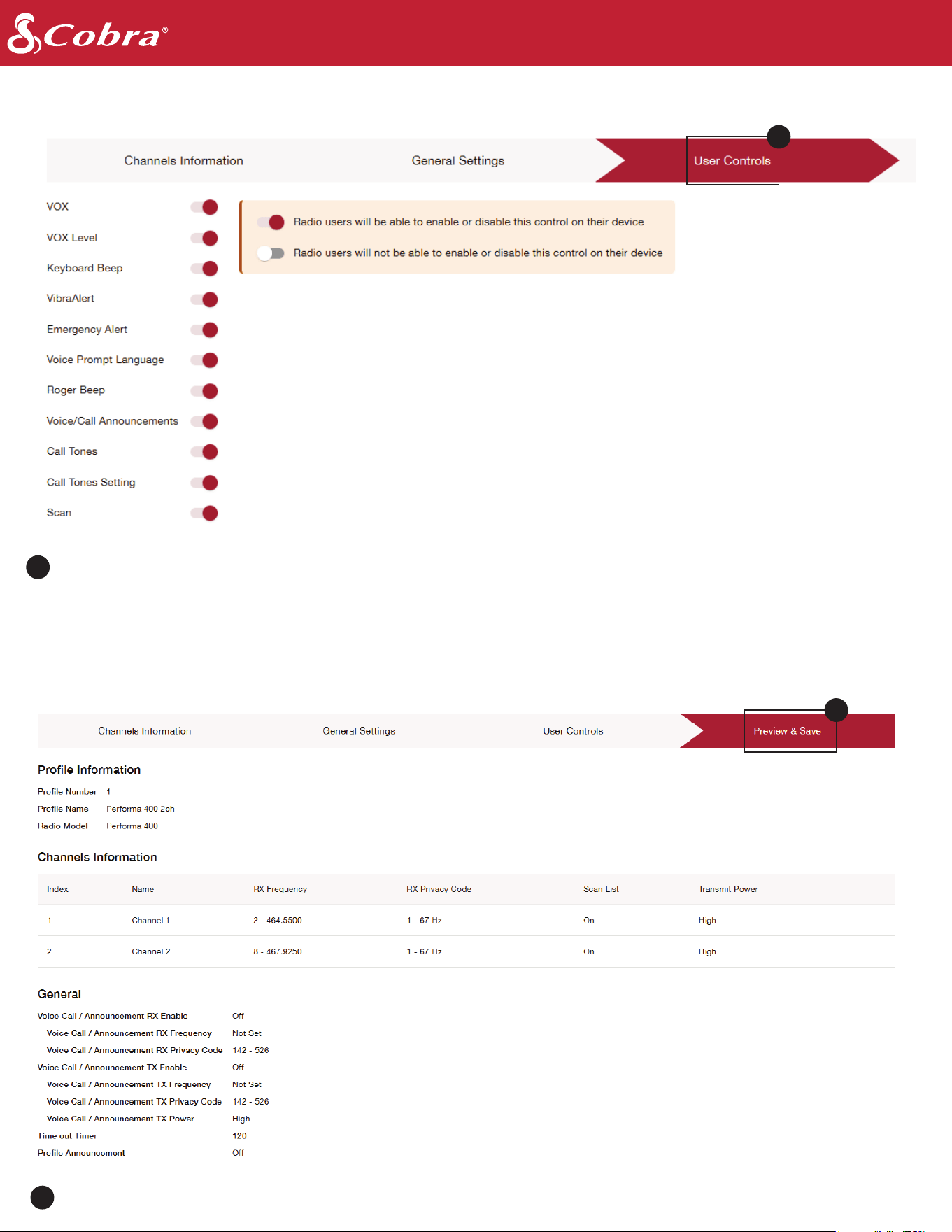
Turn the settings on or off in the device menu. If a setting is “ON” (toggled red) the setting/feature will be available
on the device. If “OFF” (toggled gray) the setting will NOT show up on the radio menu. A user will need to
reprogram via CPS in order to access the setting again from the device.
Previews all the settings you are about to save into the profile and/or the connected device.
www.cobra.com
User Controls
Preview and Save
12
12
13
13