TVMNT65 Installation Instructions
NOTE: Tested for up to 65” Television. Use on ONLY 4s and 6s boxes.
Necessary Tools: 7/16” Socket or Wrench, 9/16 Socket or Wrench, Phillips Screwdriver
Included Items:
The following screws, washers, and spacers are used to attach the TV mount to the TV. These are in a
box labeled A Few Loose Screws
Screws: (4) 12mm M4, (4) 35mm M4, (4) 12mm M5, (4) 35mm M5, (4) 12mm M6, (4) 20mm M6, (4)
35mm M6, (4) 16mm M8, (4) 20mm M8, (4) 25mm M8, (4) 30mm M8, (4) 35mm M8, (4) 40mm M8,
(4) 45mm M8, (4) 50mm M8
Washers: (8) M4/M5, (8) M6/M8
Spacers: (8) 2.5mm M6/M8, (4) 20mm M6/M8, (4) 12mm M4/M5
In another package there are (20) ¼-20 x1/2” bolts and washers use to assemble the frame.
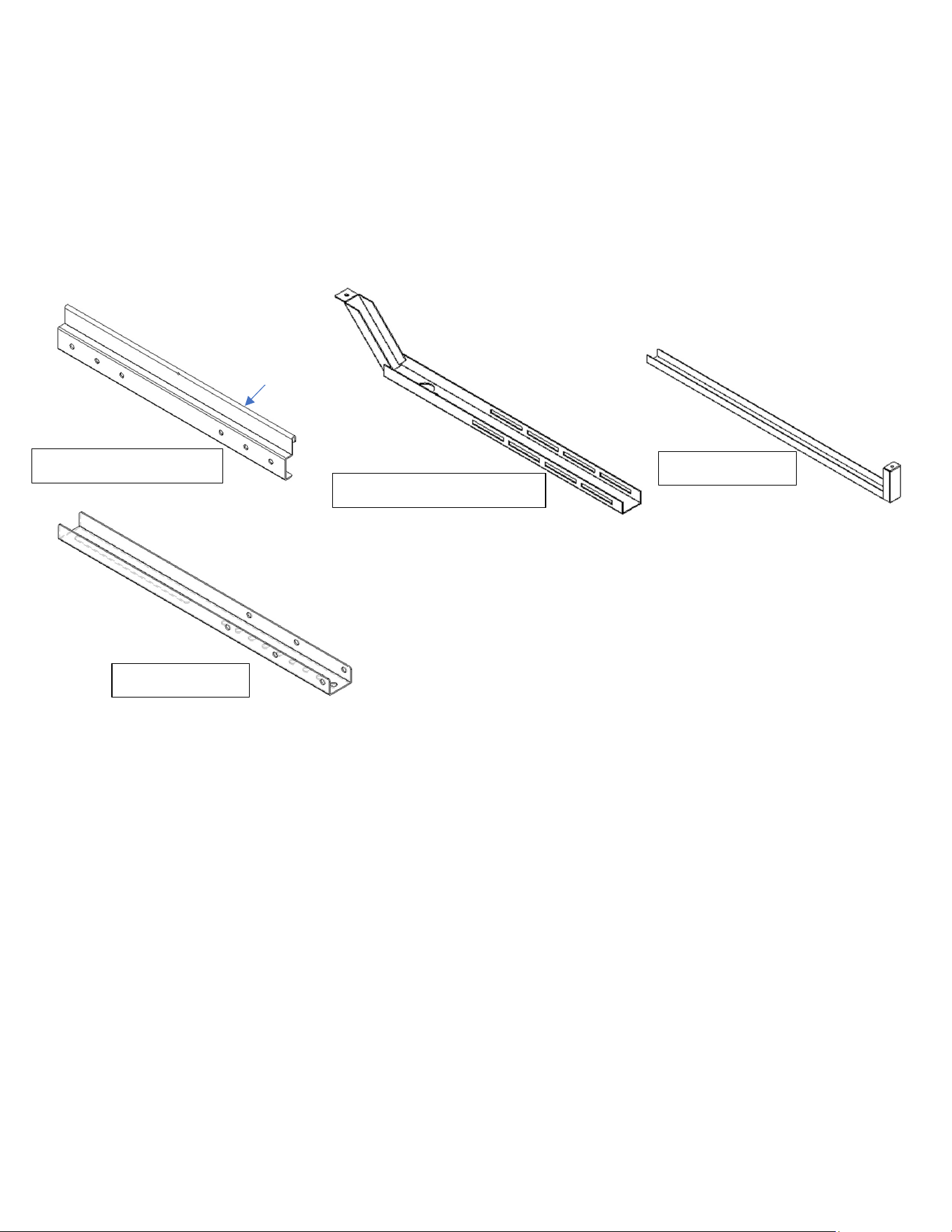
4.
TV MOUNT
1.
TOP &
BOTTOM RAIL
2.
UPRIGHT EXTENSION
X2
3.
UPRIGHT X2
HEM
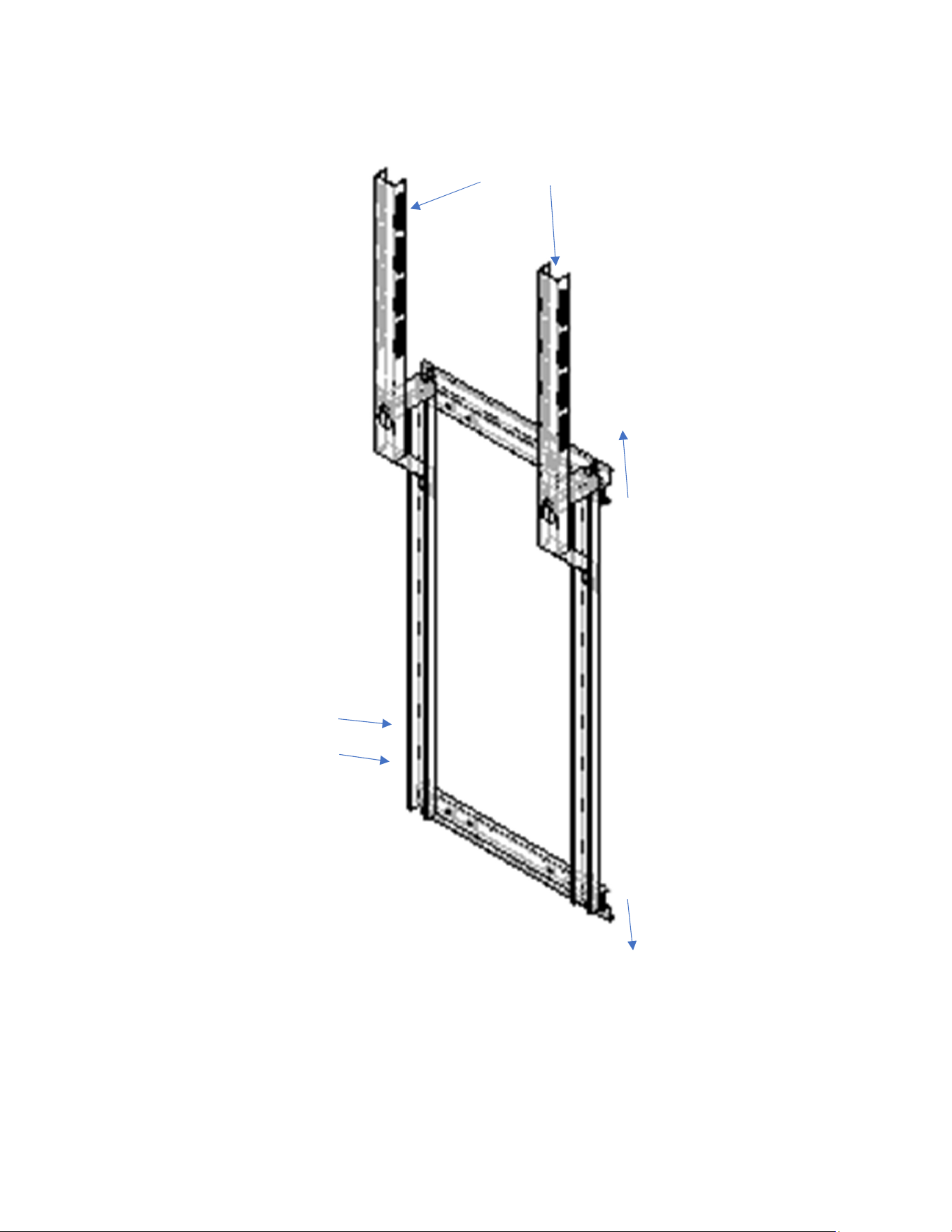
Measure the mounting holes on your TV. Use that measurement to locate the correct bolt holes on the
top & bottom rail (1.) of the TV mount. Use the ¼-20 x ½” bolts and washers fasten the upright (3.) to
the bottom and top rails. Keep the hem up for the top rail and down for the bottom rail.
Using your foot, hold bottom of the TV mount in place against the toolbox. Tighten the (2) 3/8-16 x1”
bolts using a 9/16” socket or wrench to clamp the TV mount to your toolbox. Then tighten the (4) ¼-20
1.
1.
2.
2.
3.
3.
4.
G
oes
between the
channels
of #2
HEM
HEM
4s Holes
6s Holes
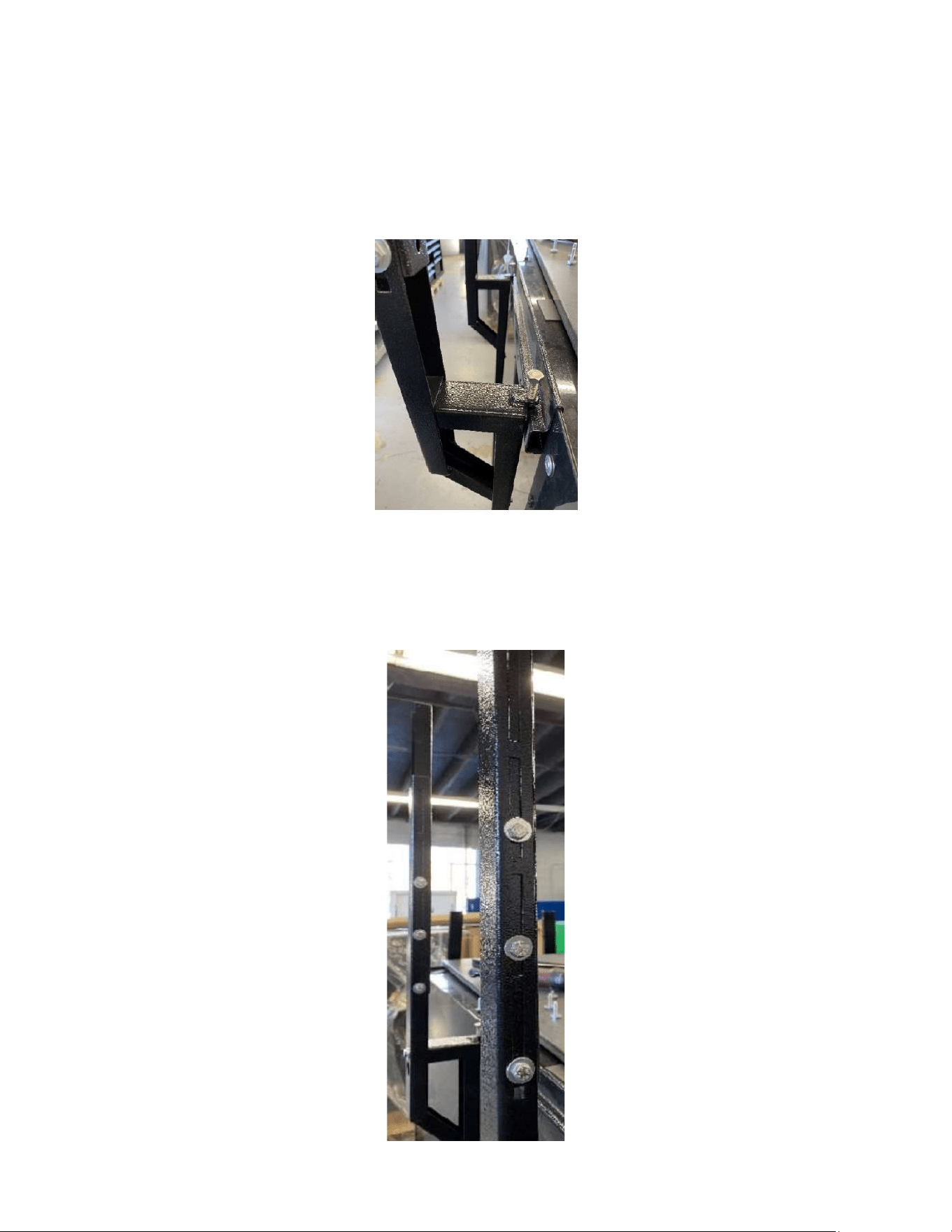
x½” bolts that attached the upright to the top & bottom rail. If mounting on a 6s box, use the bottom
holes on the upright. If mounting to a 4s use the next set of holes up from the bottom on the upright.
Next attach the upright extension (2.) to the uprights using ¼-20 x ½” bolts and washers.
Hang the top and bottom rail from the top hem on to the toolbox as seen below.
Attached the tv mount to the TV then mount the TV (a second set of hands may be necessary). To the
upright extension using the ¼-20 x ½” bolts and washers.
NOTE: This mount is meant to be customizable to your television using the different hole and slot in the
TV mount. The height of the television is also customizable using the slots on the side of the upper
portion of the upright extension.