
IMPORTANT SAFETY INSTRUCTIONS READ CAREFULLY AND91477B228/A
e
I M P O RT A N T SA F E T Y I N S TR U C T IO N S
READ CAREFULLY AND KEEP FOR
FUTURE REFERENCE 3
Recognize safety information 3
General safety instruction 4
Appliance purpose 7
Proposition 65 Warning 8
Manufacturer's liability 8
Identification plate 8
Disposal 8
To save energy 9
DESCRIPTION 9
General description 9
Control panel 10
Other parts 10
Accessories 10
USE 12
Preliminary operations 12
Using the accessories 12
Display 13
First use 14
Using the oven 15
Cooking tips 25
Smart Cooking 26
History 27
Mini guide to accessories 27
Discover the recipes 27
My recipes 27
Other functions 29
Settings 35
CLEANING AND MAINTENANCE 38
Cleaning the appliance 38
Cleaning the oven cavity 38
Cleaning the door 39
Descaling 41
Extraordinary maintenance 43
We recommend that you read this manual carefully. It includes all the instructions on
maintaining the esthetic qualities and functionality of the appliance you have purchased. For
more information about the product: https://www.smeg.com
IMPORTANT SAFETY INSTRUCTIONS
READ CAREFULLY AND KEEP FOR FUTURE REFERENCE
Recognize safety information
The safety messages will inform you of
potential hazards, how to avoid the risk of
injury and what can occur if the instructions
WARNING: If the instructions contained in this manual are not followed
precisely, fire or explosion may result causing property damage,
personal injury or death.
OWNER: Please retain these instructions for future reference and pass
them on to any future user.
IMPORTANT: Save these instructions for the local electrical inspector’s
use.
NOTICE: This appliance must be installed solely and exclusively by a
qualified technician. Any technical procedures must be carried out by
an authorized technician.
READ AND SAVE THESE INSTRUCTIONS
4 - IMPORTANT SAFETY INSTRUCTIONS READ CAREFULLY 91477B228/A
are not followed.
General safety instruction
Injury to persons
• During and after use, do not touch the
inner areas of the oven cavity until they
have had sufficient time to cool.
• Do not allow clothing or any flammable
material to come in contact with hot
surfaces. If personal clothing or hair
catch fire, roll on the ground to
extinguish the flames.
• Tie up hair to prevent it from catching
fire.
• WEAR APPROPRIATE CLOTHING:
Never wear loose or dangling clothing
when using the appliance.
• During and immediately after use, do
not hang or place objects on any part of
the appliance.
• Protect your hands by wearing oven
gloves when moving food inside the
oven.
• Use only dry potholders: wet potholders
on hot surfaces can cause steam burns.
Do not let the potholder touch hot
heating elements. Do not use towels or
other bulky cloths.
• Never attempt to extinguish flames/fire
with water. Turn off the appliance and
cover the flame with a lid or a fire
WARNING
• This indicates that death or serious
injuries may occur as a result of non-
observance of this warning.
CAUTION
• This indicates that minor or moderate
injuries may occur as a result of non-
observance of this warning.
NOTES
• This indicates important information
and/or suggestion.
CAUTION
• This appliance is NOT designed for
installation in manufactured (mobile)
homes, on a boat or in recreational
vehicles (RVs).
• DO NOT install this appliance
outdoors.
• This unit is designed as a cooking
appliance. For safety purposes, never
use it for warming the room or as a
space heater.
WARNING
• Never allow children to play with
packaging material.
• DO NOT modify or alter the
construction of the appliance.
• Do not store or use gasoline or other
flammable vapors, liquids or materials
near this or any other appliance.
• Do not step, lean or sit on the door
appliance, it can result in serious injuries
and cause damage to the appliance.
• Make sure your appliance is properly
installed and grounded by a qualified
technician. Installation, electrical
connections and grounding must
comply with all applicable codes.
WARNING
• This appliance complies with current
safety regulations. Improper use of this
appliance can lead to personal injury
and property damage
• During use, the appliance and its
accessible parts become very hot. Small
children must be kept away from the
appliance.
• Do not touch the inside of the device.
During use the appliance and its
accessible parts become very hot even
if they remain dark in color. The oven
cavity can be hot enough to cause
burns.
• To reduce the risk of fire, electric shock,
personal injury or damage when using
the device, follow these safety
precautions:

IMPORTANT SAFETY INSTRUCTIONS READ CAREFULLY AND91477B228/A
e
blanket, or use dry chemicals or foam
fire-extinguishers. Alternatively, use
sodium bicarbonate.
• Make sure to have foam fire-
extinguishers close to the appliance.
• Use a fire extinguisher ONLY if it is Class
ABC, you know how to use it, the fire is
small and contained near the
appliance, the fire department has
already been alerted and you can fight
the fire keeping your back to the exit.
• It is important for your safety to install a
smoke detector near the kitchen.
• This appliance may be used by children
and by persons with reduced physical,
sensory or mental capacity, or without
sufficient experience or knowledge,
provided that they are supervised or
instructed by adults who are responsible
for their safety.
• Activate the system lock so that children
cannot inadvertently turn on the
appliance.
• Children's skin is much more sensitive to
high temperatures than that of adults. Do
not allow children to touch the door
glass, control panel and ventilation slots.
• Children should not play with the
appliance.
• Keep children away unless they are
constantly supervised.
• Do not allow children to approach the
appliance when it is in operation.
• Pets should not be near the appliance
while it is in operation.
• Cleaning and maintenance should not
be performed by children without
supervision.
• Before manually cleaning any part of
the appliance, make sure all controls
are off and the appliance is cool.
Cleaning the hot appliance can cause
burns.
• Cooking process should always be kept
under control. A short cooking process
must be continuously surveyed.
• Never leave the appliance unattended
during cooking operations where fats or
oils could overheat and take fire. Be
very careful.
• Do not leave food in the appliance for a
long period of time, this may cause food
poisoning or illness.
• Do not introduce sealed cans for
canning or reheating food. Risk of injury
caused by increased pressure.
• Risk of injury caused by food.
• Do not touch a red-hot pan, risk of
burns.
• Do not pour water directly on very hot
trays.
• Keep the door closed while cooking or
baking.
• If you need to move food or at the end
of cooking, open the door 1" 15/16
(50 mm) for a few seconds, let the
steam come out, then open it fully.
• Do not insert sharp metal objects (knives
and utensils) into the slots.
• Turn off the appliance after use.
• Risk of injury from electric shock.
• DO NOT USE OR STORE
FLAMMABLE MATERIALS INSIDE OR
NEAR THE APPLIANCE.
• DO NOT USE AEROSOLS IN THE
VICINITY OF THIS APPLIANCE
WHILST IT IS IN USE.
• DO NOT MODIFY THIS APPLIANCE.
• Do not pull the cable to remove the
plug.
• Damage to the device may compromise
your safety; do not use it if damaged.
• DO NOT USE THE APPLIANCE if the
door is warped, if door hinges are
loose, if abnormal holes or cracks are
visible, and if the power cord is
damaged.
Damage to the appliance
• Do not use abrasive or corrosive
detergents (e.g. scouring powders, stain
removers and metallic sponges), rough
or abrasive materials or sharp metal
scrapers on glass parts as this could
WARNING
6 - IMPORTANT SAFETY INSTRUCTIONS READ CAREFULLY 91477B228/A
scratch the surface and break the glass.
If possible, use wooden or plastic
utensils.
• Do not sit on the appliance.
• Do not use cleaning products containing
chlorine, ammonia or bleach on the
steel parts or those with metallic surface
finishes (e.g. anodizing, nickel or
chrome plating).
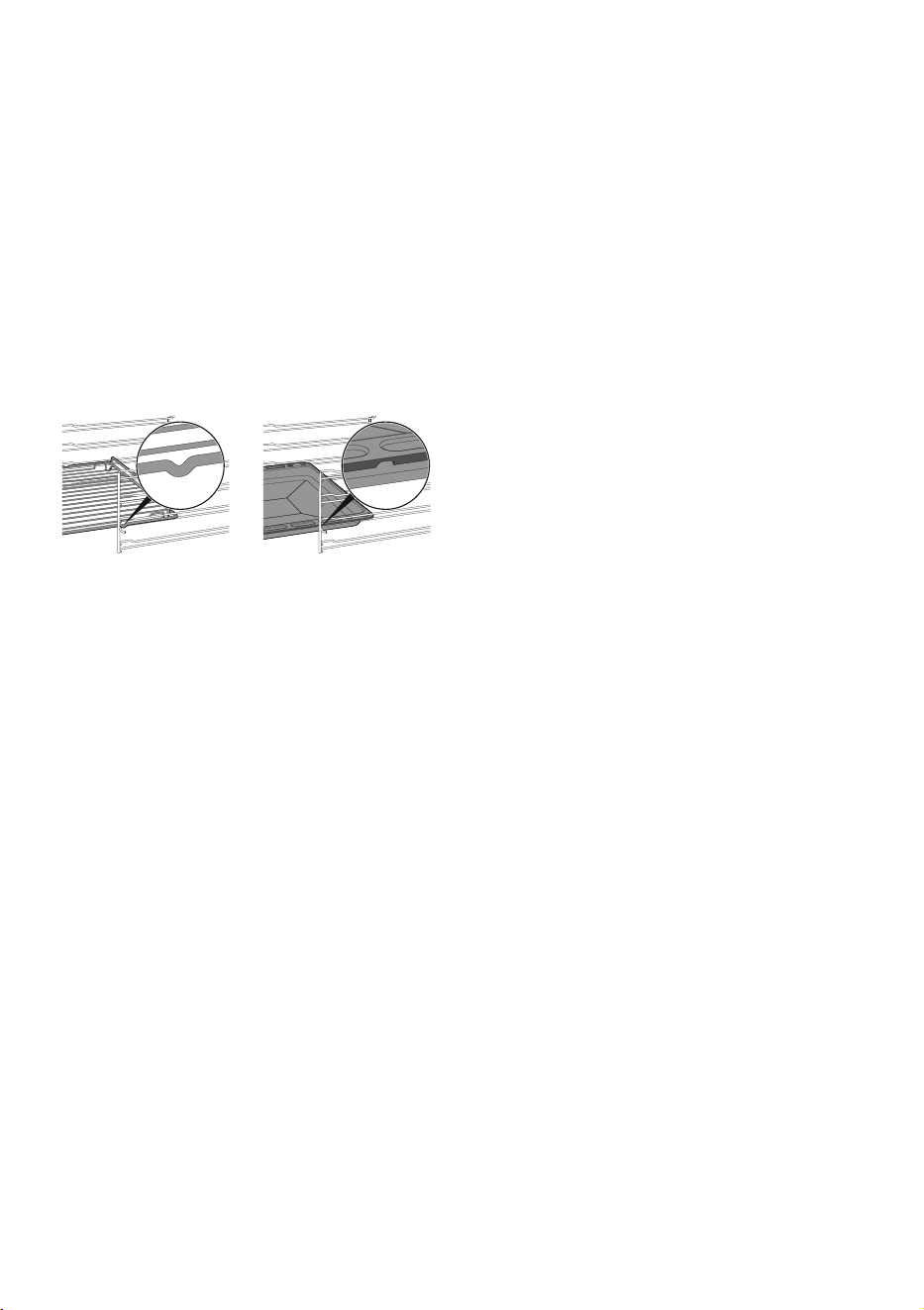
• Racks and trays should be inserted as
far as they will go into the side guides.
The mechanical safety locks that prevent
them from being removed must face
downwards and towards the back of
the oven cavity.
• Always place racks and trays in the
desired position while the oven cavity is
cold. If it is necessary to move racks and
trays while the oven cavity is hot, take
care that the potholder does not come
in contact with the heating element.
• Do not use steam jets to clean the
appliance.
• Do not use any spray products near the
appliance.
• DO NOT USE FLAMMABLE
PRODUCTS FOR CLEANING THE
APPLIANCE.
• Do not clean, scrub, damage or remove
the seal, which is essential for a good,
airtight seal during cooking. Replace the
seal if it is damaged or encrusted with
food residue.
• Do not block openings, ventilation slots
and heat dissipation vents. Covering the
ventilation vents may cause the
appliance to overheat.
• Fire hazard: never leave objects in the
oven cavity.
• DO NOT USE THE APPLIANCE TO
HEAT ROOMS FOR ANY REASON.
• Do not use this appliance as storage
space.
• Do not use plastic dishes or containers
for cooking or baking food.
• Do not place sealed tins or containers in
the oven cavity.
• Remove all trays and racks which are
not required during cooking.
• DO NOT COVER ANY PART OF THE
APPLIANCE WITH ALUMINUM OR
TIN FOIL SHEETS. The use of aluminum
covering may cause electric shock or
fire hazard or obstruct the flow of heat
and air. The foil is an excellent thermal
insulator because it allows heat to be
trapped underneath it. This can interfere
with cooking and damage the enamel
of the oven cavity.
• Prevent the aluminum foil from coming
into contact with the heating elements.
• Do not place pots or pans directly on
the bottom of the oven.
• If necessary, you can use the tray rack
(supplied or sold separately, depending
on the model) by placing it on the
bottom as a support for cooking.
• If you wish to use greaseproof paper,
place it so that it will not interfere with
the hot air circulation inside the oven
cavity.
• Be careful of spilling food with high
sugar and acid content (fruit juices,
cakes, tomatoes, milk, etc.), this may
cause discoloration of enamel.
Discoloration does not change the
properties of the enamel; do not attempt
to remove these stains.
• Be careful when cooking foods with
high alcohol content (rum, brandy,
bourbon, etc...). The alcohol content in
food is highly flammable and can
damage the oven cavity.
• Do not use the open door to place pans
or trays on the internal glazing pane.
• Do not use the open door as a lever to
move the appliance into place.
• Do not apply excessive pressure to the
door when it is open.
• Do not use the handle to lift or move this
IMPORTANT SAFETY INSTRUCTIONS READ CAREFULLY AND91477B228/A
e
appliance.
WHEN FIRST USING THIS APPLIANCE,
FOLLOW THESE INSTRUCTIONS
CAREFULLY:
• Set a cooking time of at least one hour.
• Heat the empty oven compartment at
the maximum temperature to burn off
any residues left by the manufacturing
process.
• Cold temperatures can damage
electronics. When using the appliance
for the first time or when it has not been
used for a long period of time, make
sure that the appliance has been left in
an environment with a temperature
above 32°F/0°C for at least three
hours before turning it on.
WHEN HEATING THE APPLIANCE:
• air the room;
•don't stay.
• If the appliance is built-in behind a
cabinet door, do not close the door
while it is in use. Closing the cabinet
door may cause damage to the
appliance, leave the cabinet door open
until the appliance has cooled down
completely.
• Do not attempt to use the appliance
during a power failure.
• In hot and humid environments, there is a
greater likelihood of infestation given by
pests, and this could damage the
appliance. Make sure to keep the
appliance clean at all times. Damage
caused by pests is not covered by the
warranty.
• Make sure that the appliance has been
switched off and disconnected from the
mains power supply or that the mains
power has been switched off before
replacing the interior lighting bulbs.
Appliance purpose
This appliance is intended to be used in
household and similar applications such
as:
• In kitchen areas provided for employees
in shops, offices and other work
environments.
• In farms/farmhouses.
• By guests in hotels, motels and other
types of residential environments.
• In bed and breakfasts.
For this appliance
• Do not lean or sit on the door when it is
open.
• Make sure that no objects are stuck in
the doors.
• Do not install/use the appliance
outdoors.
• (on some models only) Only use the
temperature probe provided or
recommended by the manufacturer.
• This appliance can be used up to a
maximum altitude of 4000 meters
above sea level.
• The bulbs used in this appliance are
specific for household appliances; do
not use them for home lighting.
Installation and maintenance
• Ask the installer to show the circuit
breaker and fuse to prevent damage to
people or the appliance during future
maintenance.
• This appliance must be correctly
installed and grounded by a qualified
technician.
• Refer to the installation manual for further
details.
• Do not repair or replace any part of the
appliance unless specified in this
NOTES
CAUTION
CAUTION
CAUTION
WARNING
8 - IMPORTANT SAFETY INSTRUCTIONS READ CAREFULLY 91477B228/A
manual.
• Before replacing the bulbs inside the
oven cavity, it is necessary to turn off the
general power supply.
• The bulb guards are made of glass;
handle them carefully to prevent them
from breaking. Risk of injury.
• Make sure the appliance is not hot
while the bulbs are being replaced.
• The appliance door is heavy, use both
hands to remove it.
• The appliance door is made of glass
elements, handle with care to avoid
breakage. Risk of injury.
• Do not grip the appliance door by the
handle but only by the side, failure to
grip the door properly may result in
injury.
• Do not force the appliance door open
or closed. The hinges could be
damaged and cause damage and
injury.
• Do not rest the appliance door on
pointed objects, this may cause the
glass to break.
• Do not use this device if it is not working
properly or if it has been damaged. In
such a case, contact customer service.
Proposition 65 Warning
This product may contain a chemical known
to the State of California, which can cause
cancer or reproductive harm. Therefore, the
packaging of your product may bear the
following label as required by California:
Manufacturer's liability
The manufacturer accepts no liability for
damage to persons or property caused by:
• use of the appliance in any way other
than stipulated herein;
• failure to comply with the instructions in
the User Manual;
• tampering with any part of the
appliance;
• use of after-market replacement parts.
Identification plate
• The identification plate contains model,
technical data, serial number and brand
name of the appliance.
• It is the responsibility of the installer to
comply with the installation information
specified on the identification plate.
• Identification plates are visibly placed
on the back of the appliance or on the
frame of the oven cavity.
• THE IDENTIFICATION PLATE SHOULD
NEVER BE REMOVED.
Disposal
Entrapment risk for children. Before you
throw away an old appliance:
• Remove the doors.
• Leave the racks and the trays positioned
so that children cannot easily climb
inside.
• Do not leave the packaging or any
parts of it unattended.
• Destroy or recycle cardboard, plastic
bags, and any outer packaging
material immediately after unpacking
the appliance. Children should NEVER
use these items for play. They can cause
suffocation and death.
• Take the appliance to a suitable
recycling center for electric and
electronic waste, or return it to the
dealer when purchasing an equivalent
product, as a one-on-one exchange.
Before you throw away an old appliance:
• Unplug the power cord plug.
• Cut the power cord.
• Do not allow children to climb, stand on,
WARNING
State of California propositions 65
Warning
• Cancer or Reproductive Harm
More informations:
www.P65Warnings.ca.gov
WARNING
CAUTION
DESCRIPTION - 991477B228/A
e
or attach themselves to the appliance's
racks and trays.
• Do not allow children to play with the
appliance.
To save energy
It is highly recommended to follow the
recommendations below to reduce energy
consumption.
• Only preheat the appliance if the recipe
requires you to do so.
• In all functions, avoid opening the door
during cooking.
• Unless otherwise indicated on the
packaging, defrost the frozen food
before placing it in the oven cavity.
• In case of multiple cooking, it is
advisable to cook the products one after
the other to make the most of the
already hot oven cavity.
• It is preferable to use dark metal pans,
which help to absorb the heat better.
• Remove all trays and racks which are
not required during cooking.
• Turn off the oven a few minutes before
the time required. Cooking will continue
for the remaining minutes with the heat
already accumulated inside the oven.
• Do not open the oven door very often to
avoid heat loss.
• Keep the inside of the oven clean at all
times.
DESCRIPTION
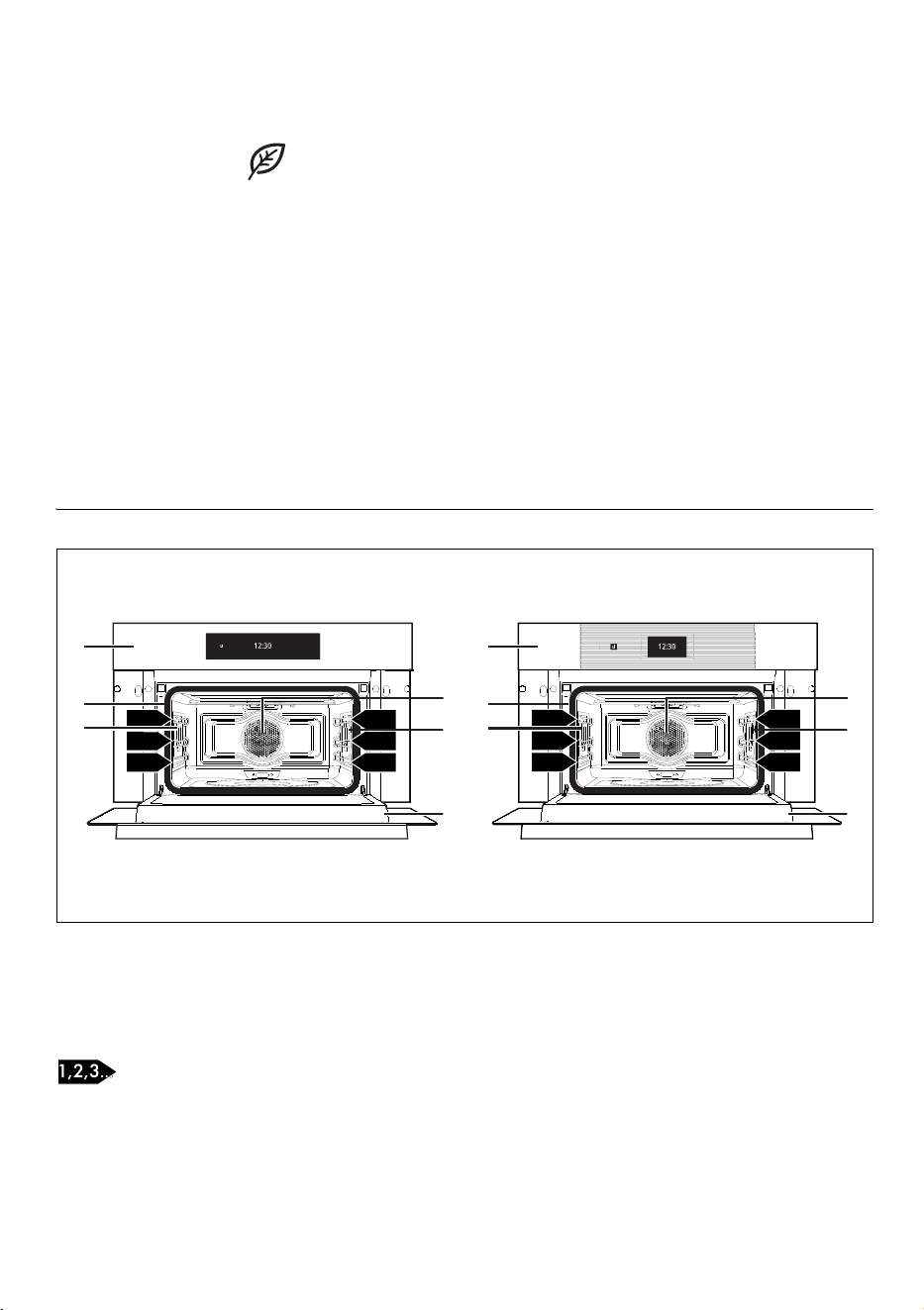
General description
1 Control panel
2 Gasket
3 Light bulb
4 Fan
5 Door
Frame shelf
3
2
1
3
2
1
1
2
3
4
3
5
3
2
1
3
2
1
3
2
1
3
2
1
1
2
3
4
3
5
10 - DESCRIPTION 91477B228/A
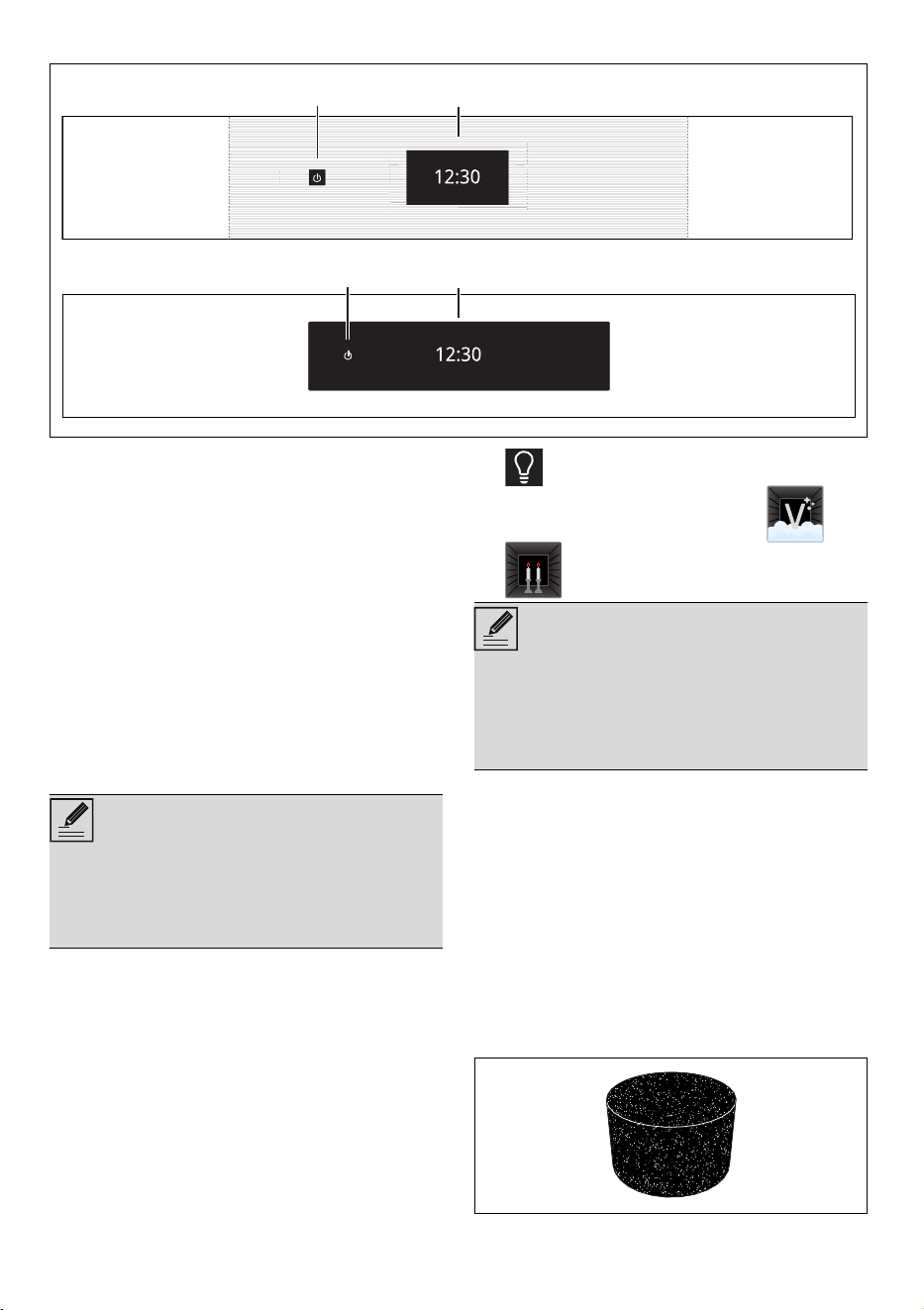
Control panel
1 ON/OFF button
The ON/OFF button turns the appliance on or
off.
2 Display
The touchscreen display allows you to interact
with the appliance. Touch the icons to access
the various functions. All the operating
parameters will be shown on the display.
Other parts
Positioning shelves
The appliance has shelves for positioning trays
and racks at various heights. The insertion
heights are indicated from the bottom upwards.
Cooling fan
The fan cools the appliance and comes into
operation during cooking.
The fan causes a steady outflow of air from
above the door which may continue for a short
period of time even after the appliance has
been turned off.
Oven cavity lighting
The internal lighting for the appliance turns on:
• when the door is opened;
• during one function, touch the light symbol
to manually activate or deactivate the
oven cavity light, apart from the and
functions.
Accessories
• Not all accessories are provided on all
models.
• Accessories that may come into contact with
food are made of materials that comply with
all legal provisions in force.
• Original accessories supplied or optional
can be purchased at authorized service
centers. Only use original manufacturer’s
accessories.
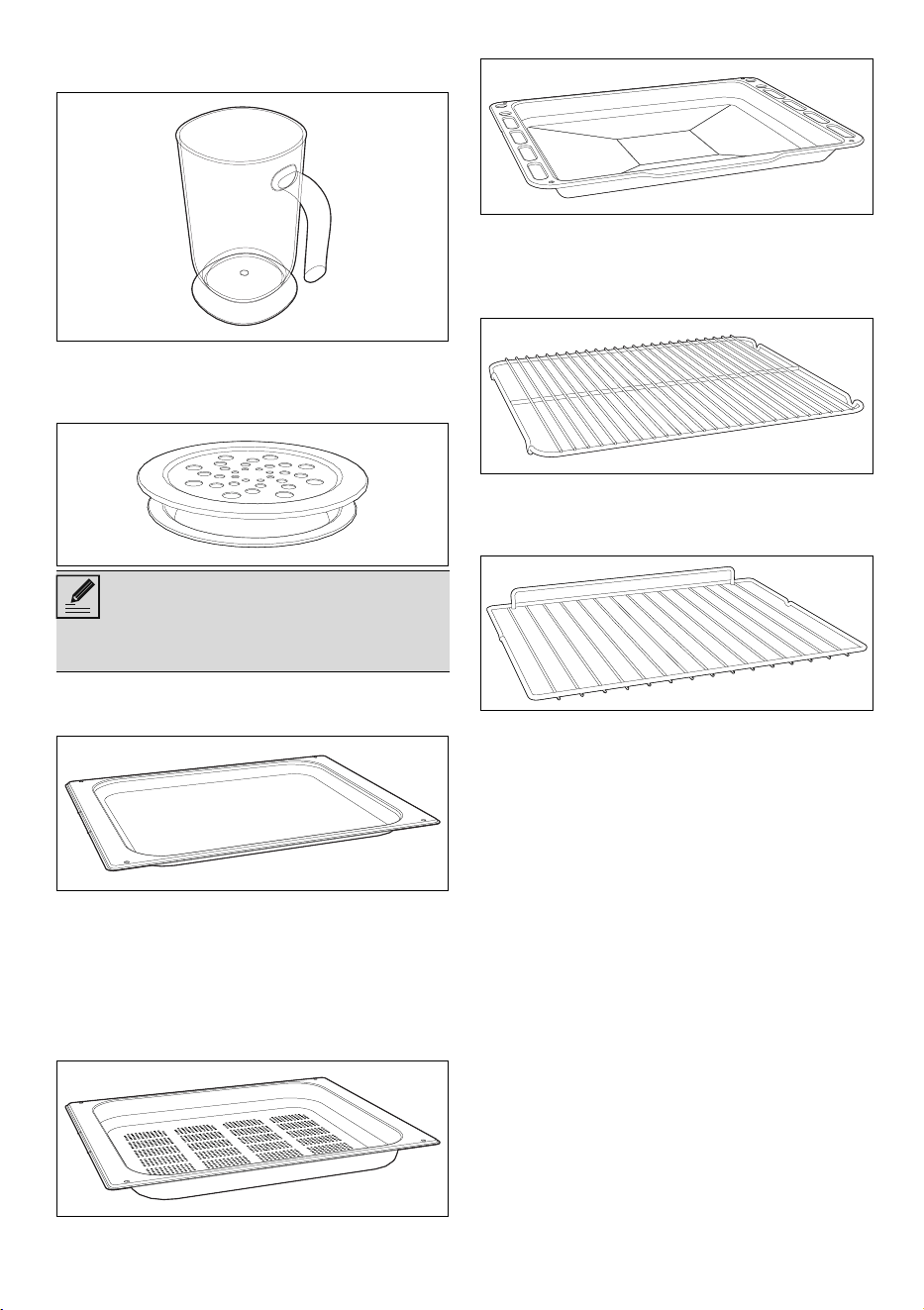
Sponge
Useful for removing condensation from inside
12
21 21
NOTES
• Any telescopic rails can be hooked up
to the fifth shelf from below. The sixth
shelf does not allow the rails to be
hooked.
NOTES
• In order to save energy, the light turns off
after about one minute from the start of
cooking or whenever the door is opened
(this function can be disabled via the
secondary menu).
DESCRIPTION - 1191477B228/A
e
the oven.
Jug
Useful for containing liquids during filling and
emptying of the tank.
Evaporation tray and lid
Distributes the steam inside the oven cavity.
Steel tray
Useful when cooking cakes (with cooking times
of less than 25 minutes or without steam), rice,
beans and cereals. It is also essential for
collecting liquids produced by steaming or
defrosting foods contained in the perforated
tray above.
Perforated tray
Useful for steaming fish and vegetables.
Deep tray
Useful for collecting fat from foods placed on
the rack above and for cooking pies, pizzas,
baked desserts, biscuits, etc.
Tray rack
To be placed over the top of the oven tray; for
cooking foods which may drip.
Rack
Used for supporting containers with food during
cooking.
NOTES
• The maximum capacity of the evaporation
tray is 250 ml
12 - USE 91477B228/A
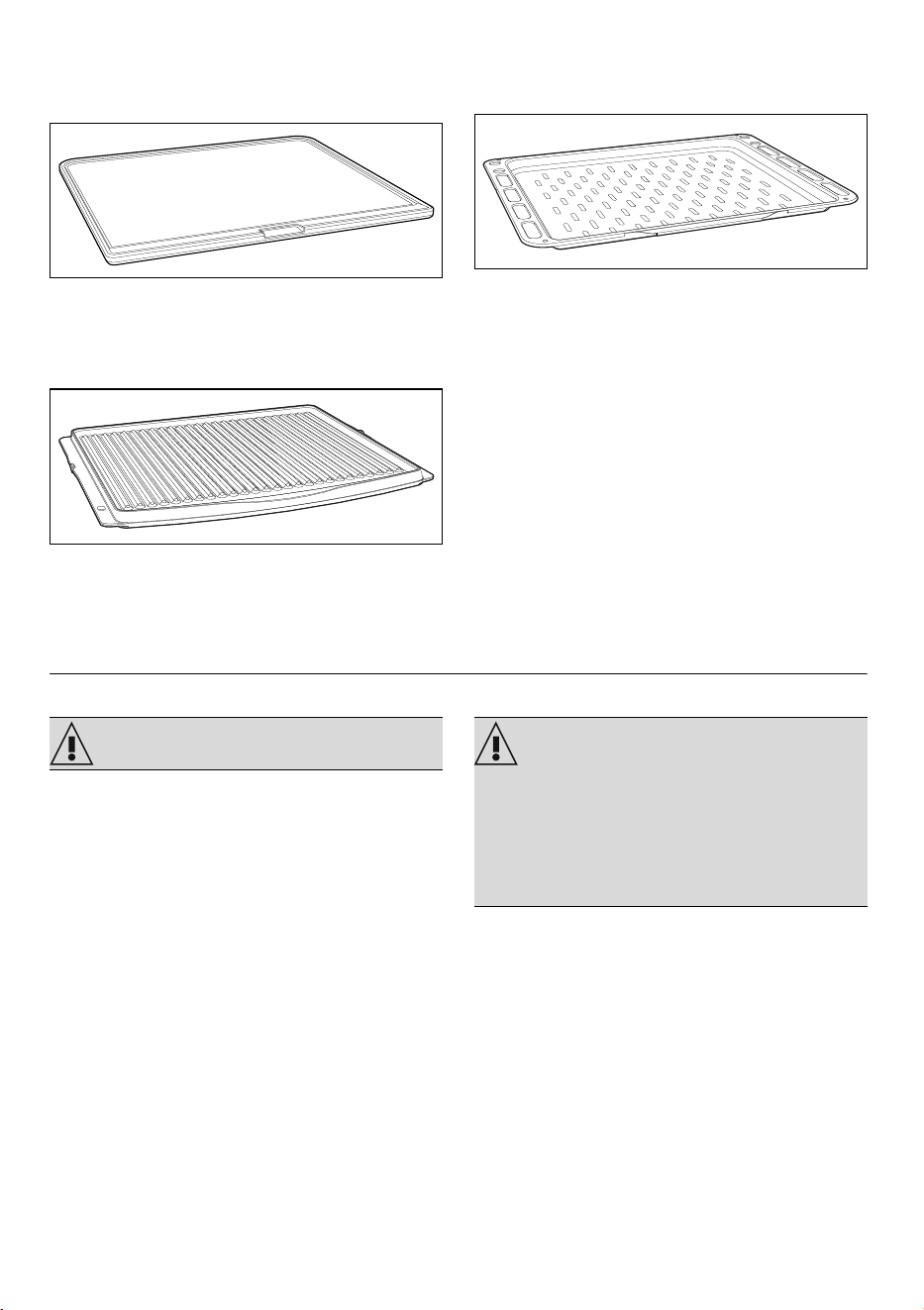
Optional accessories (can be
purchased separately)
PPR2 or STONE (refractory stone)
Ideal accessory for baking bread (pizza,
bread, focaccia...), but you can also use it for
more delicate preparations such as biscuits.
BBQ (teflon-coated barbecue grill pan)
Double-use accessory: the ridged side is
recommended for grilling meat (fillets,
hamburgers...), while the smooth surface can be
used for cooking vegetables, fruit, fish...
AIRFRY (oil-free frying grill)
Recommended accessory for air-frying
previously breaded, precooked and/or frozen
food (fries, potato or meat croquettes, small
mozzarella bites...).
USE
Preliminary operations
• Remove all protective film from the outside
and inside of the appliance and
accessories.
• Remove any labels (apart from the technical
data plate) from the accessories and
shelves.
• Remove and wash all the appliance
accessories (see chapter "CLEANING
AND MAINTENANCE").
First heating
1. Set a cooking time of at least one hour (see
paragraph "Using the oven").
2. Heat the empty oven compartment at the
maximum temperature to burn off any
residues left by the manufacturing process.
When heating the appliance
•air the room;
•don't stay.
Using the accessories
Racks and trays
Racks and trays have to be inserted into the side
guides until they come to a complete stop.
• The mechanical safety locks that prevent the
rack from being removed accidentally must
face downwards and towards the back of
WARNING WARNING
• Accessories that can be purchased
separately (BBQ and STONE), should be
placed on the rack. They should not be
placed on the bottom of the cooking
compartment, risk of damage to the
appliance.
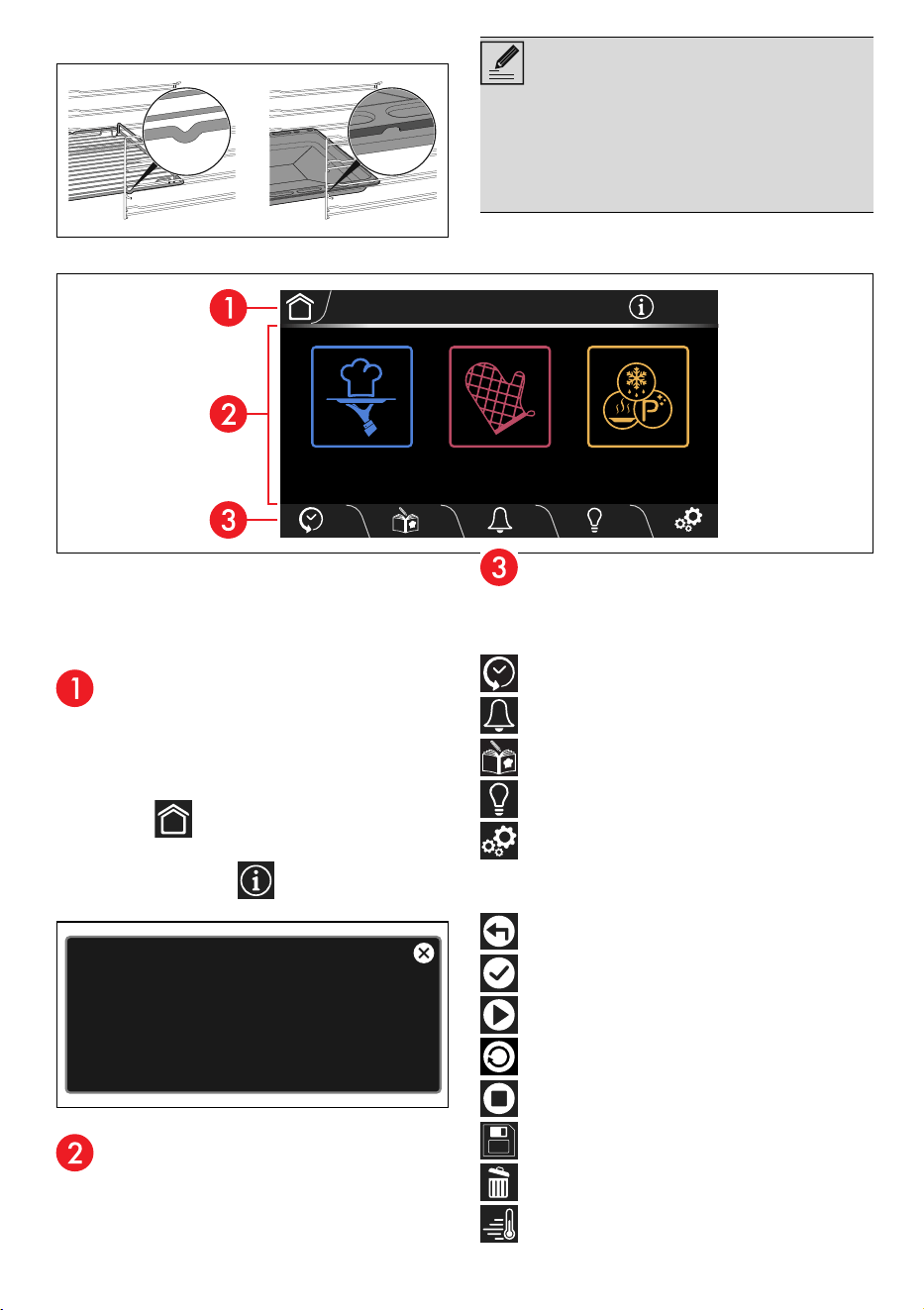
USE - 1391477B228/A
e
the oven cavity.
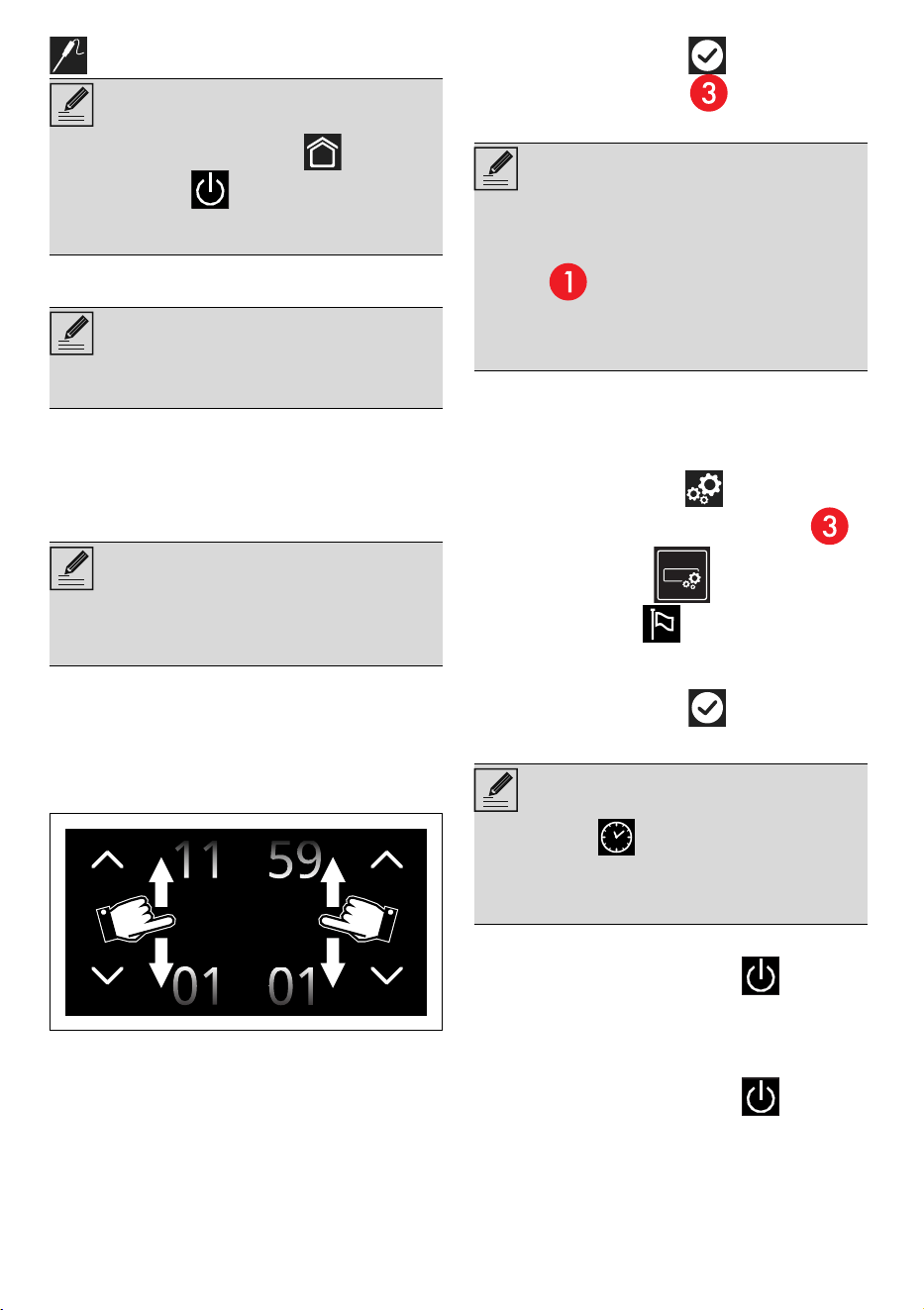
Display
The parameters and values for the currently
selected function will be indicated on the
display. To use it, simply touch the "virtual"
buttons and/or scroll through the values shown
(the picture shows the main menu screen).
Information area
Information regarding the menus and sub-menus
of the functions in progress in the main area are
shown in this area.
The following are also present in this area:
• HOME button: touch this button to
return to the main menu;
• INFORMATION button: touch this
button to display the following screen:
• current time display.
Main area
The various functions of the appliance can be
set in this area. Touch the buttons and values to
set the required function.
Lower area
There are various shortcut function buttons in this
area, which vary according to the functions set
in the main area:
HISTORY
TIMER
MY RECIPES
LIGHT
SETTINGS
According to the page that is displayed, the
following buttons may also be present:
BACK
CONFIRM
START
REPLAY
STOP
SAVE
DELETE
RAPID PREHEATING
NOTES
• Gently insert racks and trays into the oven
until they come to a stop.
• Clean the trays before using them for the
first time to remove any residues left by the
manufacturing process.
12:30
SMART COOKING
OTHER FUNCTIONSCOOKING
Info:
press and hold any symbol for 3 seconds
to get information about its function
14 - USE 91477B228/A
PROBE (on some models only)
First use
To switch the appliance on:
1. Connect the appliance to the mains power
supply.
The manufacturer’s logo will display for a few
seconds.
Next, the display shows the setting screen for
the current time.
To be able to start any cooking function, the
current time must be set.
2. Scroll up and down through the hours and
minutes to set the current time.
3. Touch the CONFIRM button (at the
right in the lower area ) to set the
current time.
When first used, the appliance may be set to a
different language from yours. It is
recommended that you set the required
language at this point.
4. Touch the SETTINGS button on the
display (at the right in the lower area ).
5. Touch the display button.
6. In the Language option (on the left),
scroll through the available languages (on
the right) to select the required language.
7. Touch the CONFIRM button.
Deactivating the display
To deactivate the display manually:
• Press and hold the ON-OFF button for
a few seconds until you hear a sound.
Reactivating the display
To reactivate the display when it is off:
• Press and hold the ON-OFF button for
a few seconds until you hear a series of
sounds.
The display turns on after a few seconds. The
display shows the main menu when it is switched
NOTES
• Press and hold the HOME button or
the ON-OFF button for a few seconds
to stop cooking immediately at any time
and return to the main menu.
NOTES
• The following instructions are also valid in
the case of a prolonged power failure.
NOTES
• After the appliance is switched on, you will
need to wait a few seconds before you can
use it.
0012
:
NOTES
• To change the current time (e.g. due to
summer/winter time), touch the time shown
on the display (located in the information
area on the right).
• The current time can also be set or modified
by touching the time indicated on the
display for at least 3 seconds.
NOTES
• When the " Show the time" mode is set
to Off, if the time display is shown, the
display will switch off automatically after 2
minutes.
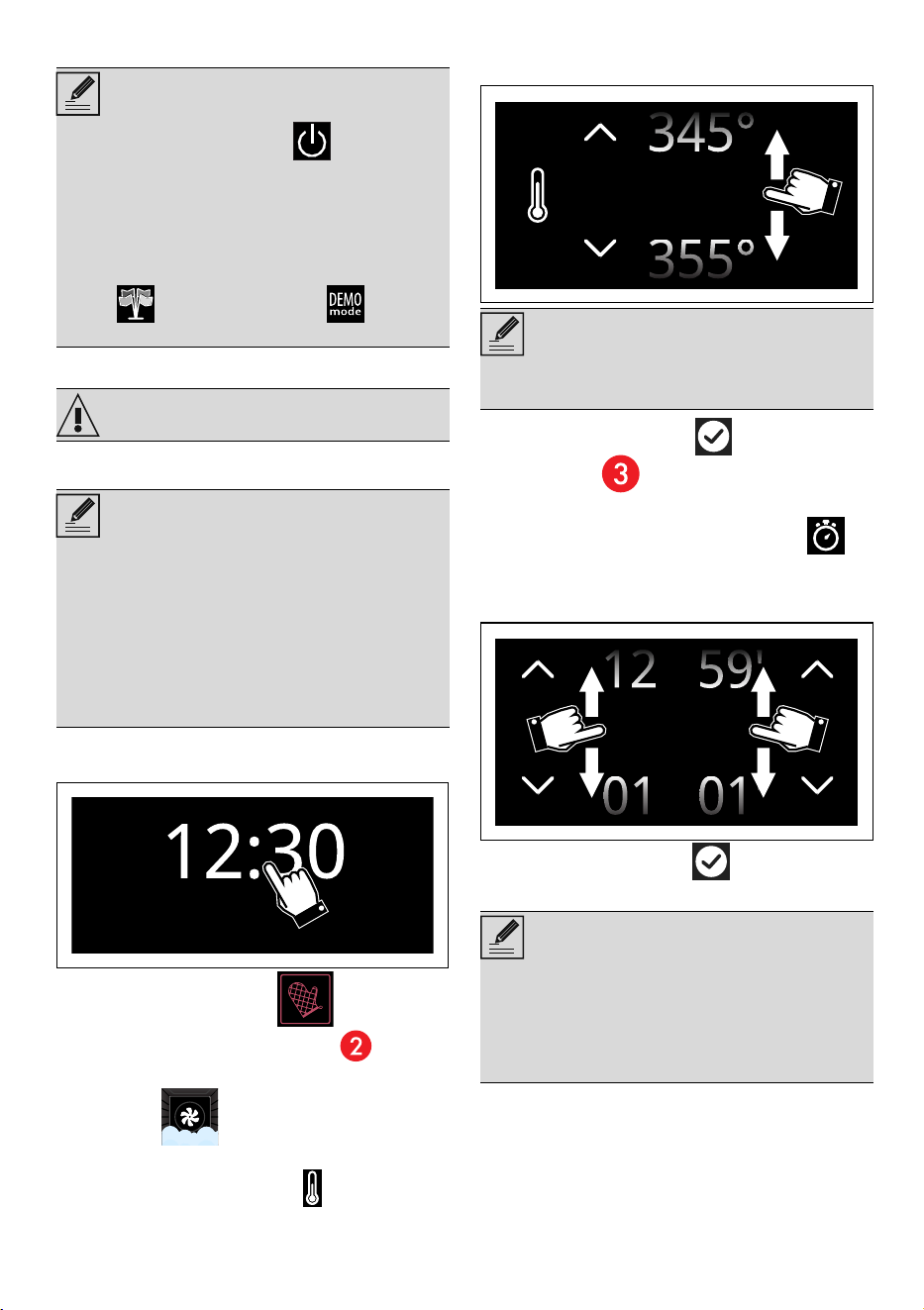
USE - 1591477B228/A
e
on again.
Using the oven
Steam cooking
1. Place the food inside the oven.
2. Touch the time indicated on the display.
3. Touch the COOKING button on the
"main menu" (in the main area ).
4. Select a desired function (for example
STEAM) ) to enter the relevant
cooking screen.
5. Touch the TEMPERATURE button or the
relevant value.
6. Scroll through the values and select the
required cooking temperature.
7. Touch the CONFIRM button (at the
lower right ) to confirm the new cooking
temperature that has been selected.
8. Touch the COOKING DURATION
button or the relevant value.
9. Scroll through the values and select the
required duration.
10.Touch the CONFIRM button to confirm
the selected cooking duration.
The time expected for the end of cooking
NOTES
In some cases, the ON-OFF button does
not deactivate the display. For example, when:
• There is a cooking function in progress (the
button stops the function);
• The door is open;
• A minute minder timer is active;
• the Show Room and/or Demo
modes are active.
WARNING
NOTES
• Do not place food or any other object
directly on the bottom of the oven. The base
of the oven and the evaporation tray must
always be left free.
• If cooking has just been performed with
temperatures over 210°F/100°C, you
must wait for the oven to cool in order to
use the steam function.
NOTES
• The minimum temperature that can be set is
125°F/50°F
NOTES
• The hours and minutes can be selected
separately.
• The duration of steam cooking can be from
a minimum of 1 minute to a maximum of 1
hour and 59 minutes.
350°
00 00
:
16 - USE 91477B228/A
displays under the duration.
11. Touch the START button to start the
reservoir filling procedure.
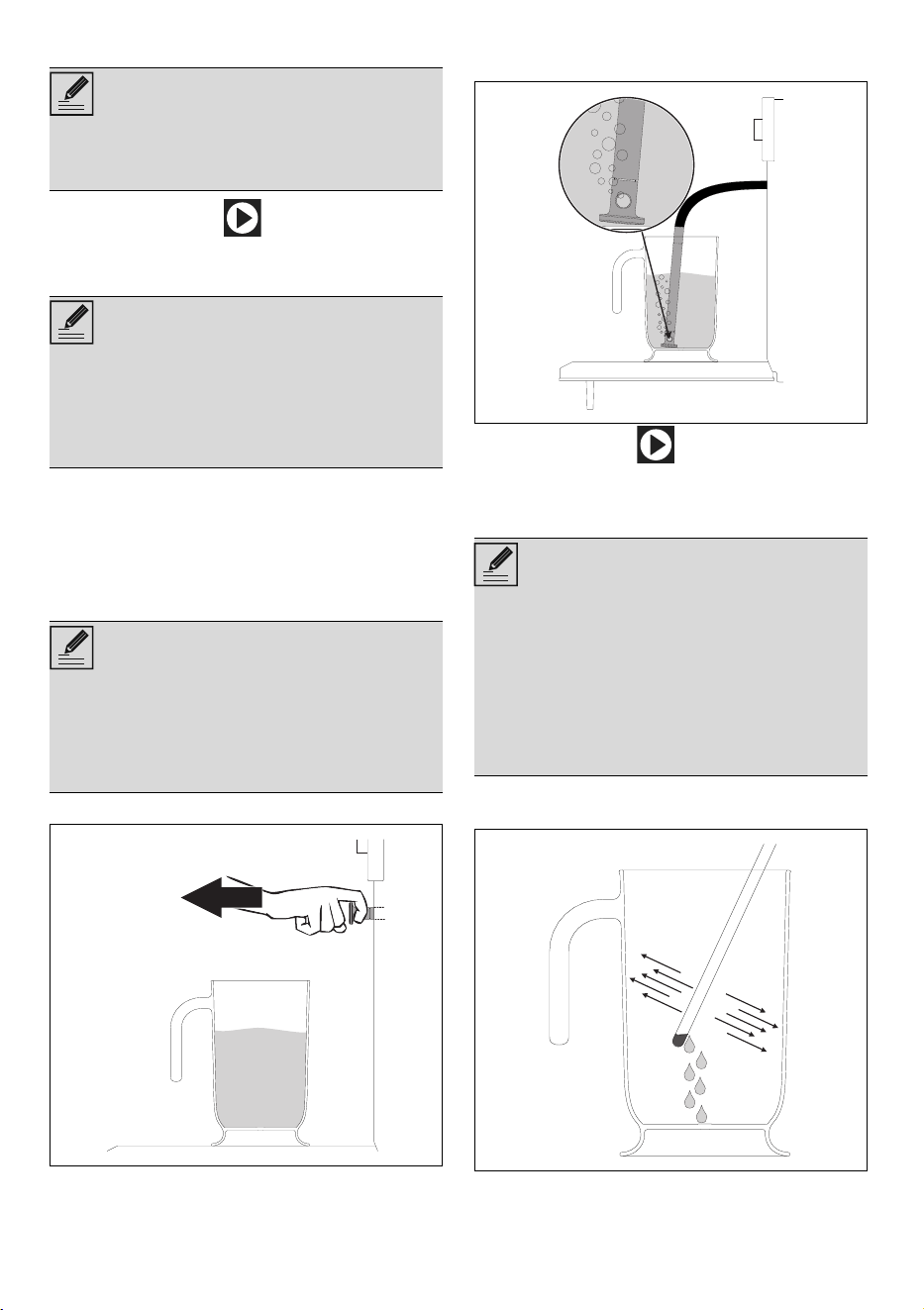
Reservoir manual filling
1. Fill the jug or a container with a sufficient
amount of water for the functions that you
wish to use.
2. Open the oven door.
3. Place the jug (or container) on the open
door.
4. Remove the tube from its seat.
5. Place the end of the tube at the bottom of
the jug (or container).
6. Press the START button to start filling the
appliance reservoir with water. This step is
indicated by this wording: "Reservoir filling in
progress."
7. When finished, shake the tube in order to
remove any remaining water.
8. Place the tube back into its seat and remove
the jug (or container)
NOTES
• The minutes required for preheating are
already included in the end-of-cooking
time.
NOTES
• Use cold tap water which is not too hard,
softened water or still mineral water.
• Do not use distilled water, tap water with a
high chloride content (> 40 mg/l), or other
liquids.
NOTES
• The jug or container with the water must
have a gross weight lower than 5 kg.
• Do not place the jug (or container) on the
glass of the door. Rest the jug on the
opaque surface of the door at the tube.
NOTES
• The appliance will automatically draw the
quantity of water necessary for cooking on
the basis of the set duration.
• In the event that the water runs out, the
appliance will automatically stop the
cooking process, a buzzer will sound and
the display will show a request to fill the
reservoir with water.
USE - 1791477B228/A
e
9. Close the door.
10.Touch the CONFIRM button to confirm
that you have finished filling the reservoir.
The appliance starts the function using the
parameters set.
Pre-heating stage
Steam cooking is always preceded by the pre-
heating stage that allows the oven cavity to heat
up to the set cooking temperature.
This stage is indicated by a progressive increase
in the temperature level reached
.
At the end of preheating the temperature
reaches the maximum set level. A buzzer sounds
and a message appears on the display to
indicate that cooking starts automatically.
End of steam cooking
At the end of cooking, "Function ended"
displays and a buzzer sounds briefly.
• Touch the HOME button to exit from
the function.
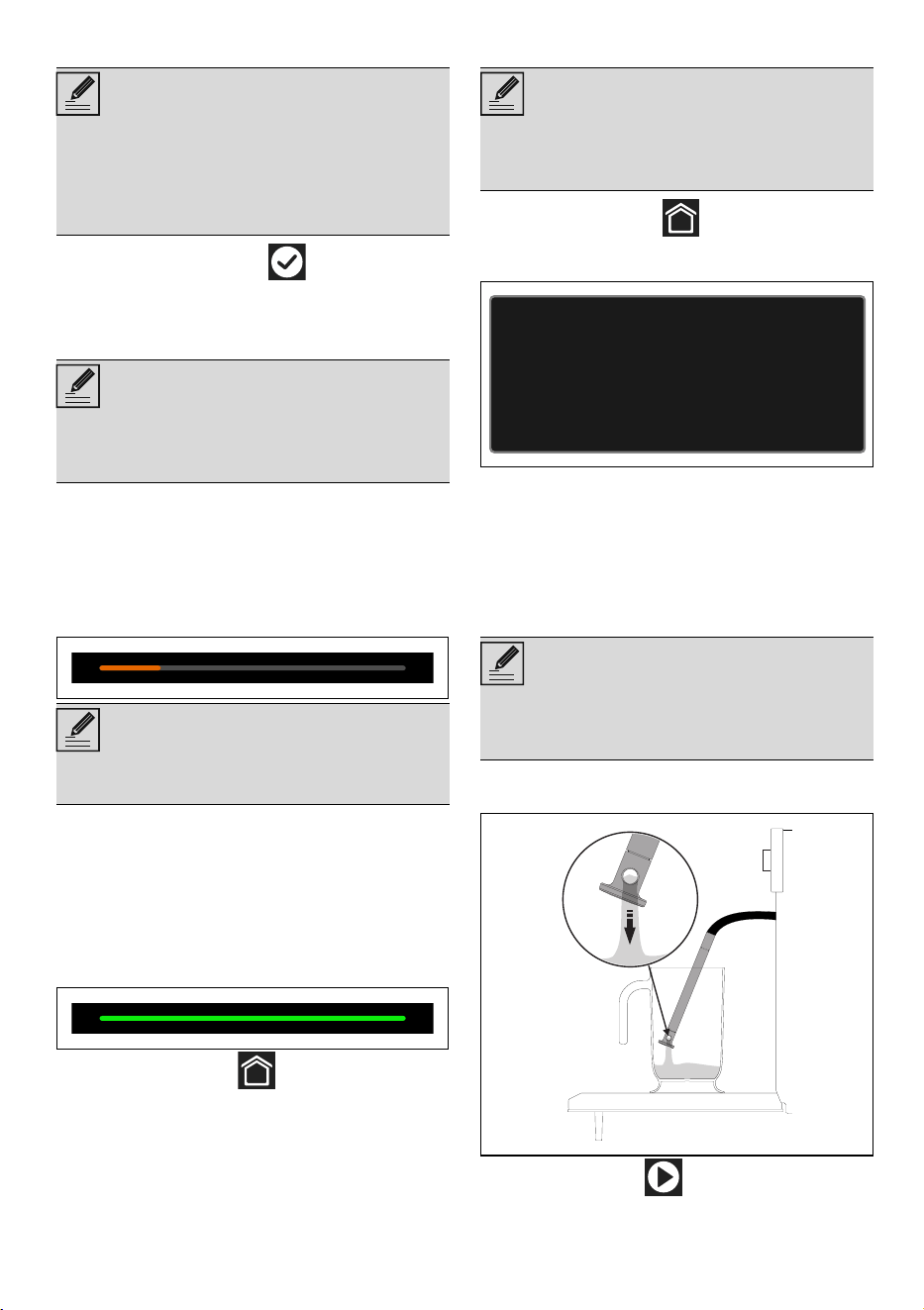
Removing the residual water
At the end of steaming, the water can be
emptied from the reservoir.
1. Touch the HOME button to exit the
function: the appliance prompts you to drain
the water from the reservoir.
2. Stand to the side of the appliance and open
the door ajar for a few seconds to allow
excess steam to escape.
3. Fully open the door when safe to do so and
cautiously remove the food from the oven.
4. Place the jug provided (or a container) on
the open door.
5. Remove the tube from its seat and insert the
end of it into the jug (or container).
6. Press the START button to start draining
the water into the jug (or container). This
NOTES
• When the door is closed, a system will
automatically draw in any residual water
from the loading nozzle to avoid drips. A
bubbling noise may be heard; this is
completely normal.
NOTES
• Each time the door is opened, the function
in progress will stop and then automatically
restart when the door is closed again.
NOTES
• Pre-heating cannot be bypassed when
steam cooking is used.
NOTES
• We recommend emptying the reservoir
after each cooking cycle to avoid scale
build-up.
NOTES
• Do not place the jug (or container) on the
glass of the door. Rest the jug on the
opaque surface of the door at the tube.
Remember to connect the probe to the oven
and to insert it into the food
18 - USE 91477B228/A
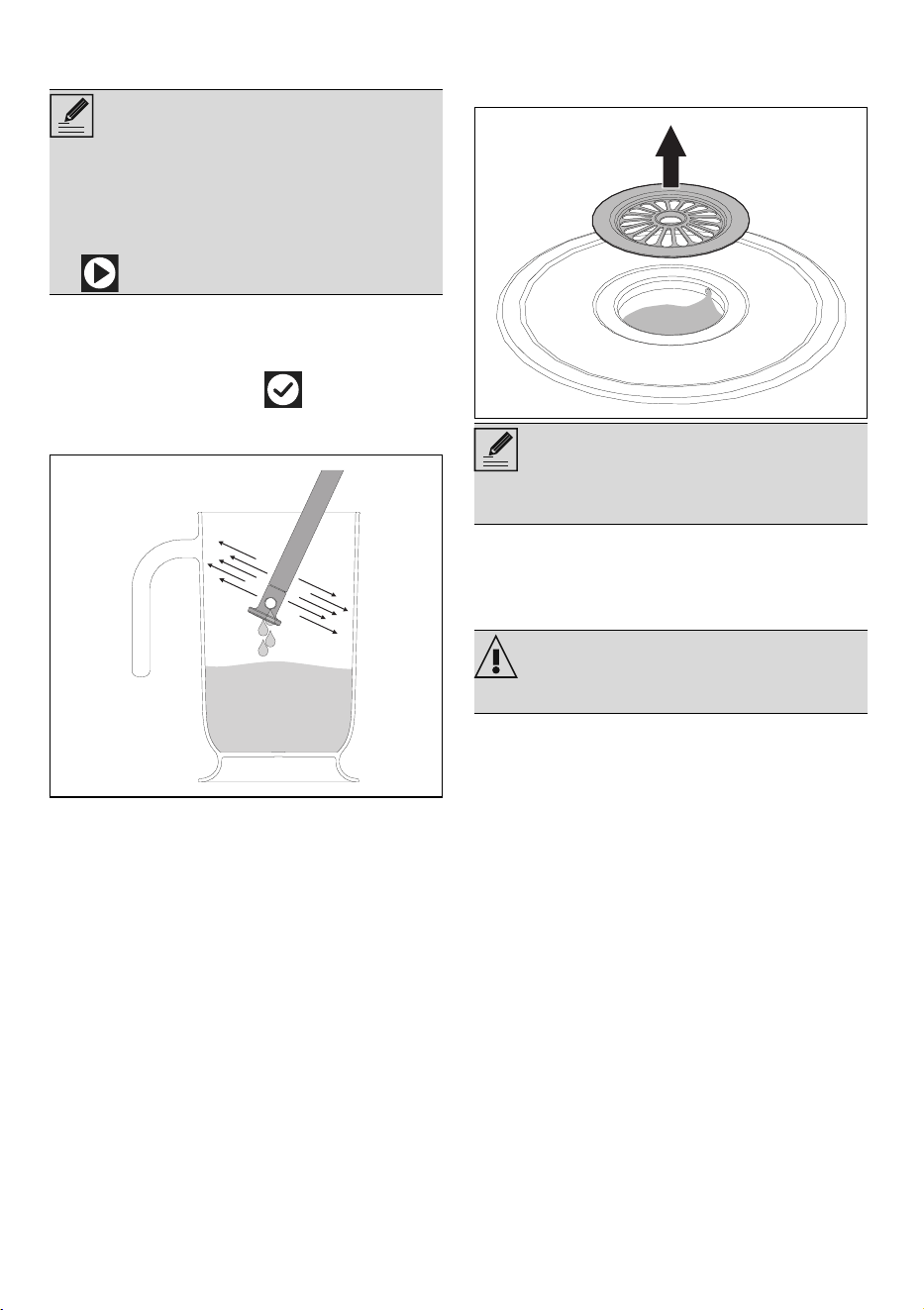
step is indicated by this wording: "Reservoir
drain in progress."
7. When complete, the display will indicate
that the residual water removal process is
complete.
8. Touch the CONFIRM button.
9. Shake the tube in order to remove any
remaining water.
10.Place the tube back into its seat and remove
the jug.
11.Remove the cover from the evaporation tray
inside the oven cavity and dry it with the
sponge provided.
12.Remove condensation from the base and
walls of the oven cavity, the door glass and
drip tray, the front of the appliance using a
sponge.
Advice for steam cooking
• Pasta and rice: upon reaching 100°C, the
cooking time will be the same as with
cooking on a cooktop. Place the pasta or
rice in a metal tray and cover with around a
centimeter of water. For best results when
cooking rice, place a lid on the container or
cover with aluminum foil. This procedure
allows the rice to absorb all the water, and it
can then be served directly to the table.
• Eggs: these may be boiled, scrambled or
poached by using the steam function at
100°C. To obtain perfect boiled eggs,
place them on the perforated tray and cook
for 4-6 minutes for soft boiled eggs and 8-
10 minutes for hard-boiled eggs. For
scrambled eggs, place beaten eggs in
metal pan along with milk, butter, and
seasoning. Cover the tray with aluminum foil.
Mix every couple of minutes using a fork.
For poached eggs, pour boiling water into
the metal tray with a drop of vinegar and
steam cook for around 4-5 minutes.
NOTES
• It is only possible to drain the water when
the door is open. Always make sure that
you have removed the tube from its seat
and inserted its end into the jug (or
container) before pressing the START button
to start the draining cycle.
NOTES
• The evaporation tray cover may be very
hot: use appropriate protection.
WARNING
• Take care: the water may be very hot.
USE - 1991477B228/A
e
• Vegetables: steam cooking vegetables
gives excellent results. They maintain their
color, flavor and nutritional properties. For
dense vegetables such as potatoes, turnips
and parsnips, cook at 100°C for the same
length of time you would boil them on a
cooktop. For broccoli and carrots, cook for
6 minutes if you want them to remain firm, or
10 minutes if you want them to be softer.
• Fish: due to the delicate nature of fish,
steaming gives excellent results. For oily fish
such as salmon or trout, cook at 100°C for
around 5 minutes. For white fish such as cod
or haddock, cook at 80°C for around 5
minutes. If you are cooking different foods,
all fish must be cooked in the perforated tray
which must be placed on the bottom shelf of
the oven to avoid liquid from the fish
dripping onto other food products.
• Meat: casseroles and curries are ideal for
steam cooking. Prepare the casserole as for
normal oven cooking. Place it in a metal
tray, cover with a lid or aluminum foil, and
cook for between 45 minutes and 3 hours
depending on the cut of meat used.
• Thin soups: steam cooking allows flavors to
develop perfectly with minimum effort, as the
liquids will not boil over. For vegetable soup
with the correct consistency, first steam the
vegetables, then add broth and steam cook
at 100°C. The steam function is also ideal
for preparing large quantities for later use.
• Soups: Thicker soups are also easy and
quick to prepare. Place the soup in a metal
tray, cover with a lid or aluminum foil and
steam cook at 100°C for the same time you
would cook it in a microwave oven. To
obtain a creamy texture stir halfway through
cooking.
• Reheating: the steam cooking function will
not dry foods out and gives a moister result.
A previously prepared home-cooked meal,
covered with aluminum foil, will take around
10-12 minutes to reheat. Ready meals will
require approximately double the time
indicated on the package.
• Defrosting: it is possible to use the steam
function to defrost foods. Times vary, but
defrosting with the steam cooking function
takes around half the time necessary for
covered foods left to defrost at room
temperature.
• Peeling peppers and tomatoes: this is very
easy to do when using the steam function.
Use a knife to cut a small cross in the skin of
the tomato, and steam cook for 1 minute.
Peppers have tougher skin, and may require
up to 4 minutes to soften it sufficiently for
peeling.
• Chocolate: this can be melted using the
steam cooking function. Place the chocolate
in a metal tray, cover with aluminum foil and
steam cook for 1 minute. Unlike other
methods, chocolate is unlikely to burn in the
steam oven
• Hot towels: ideal for facial treatments, a
close shave or for use after a meal, these
are easy to prepare using the steam
cooking function. Moisten a towel with
water, roll it up and steam it for 1 minute.
Sous Vide cooking
Sous Vide cooking in a steam oven is the best
way to cook food without altering its nutritional
properties and quality. It is also an extremely
healthy and natural type of cooking.
• The Sous Vide technique allows the heat to
be transferred efficiently from the steam to
the food, preventing the loss of flavor
through the oxidation and evaporation of
nutrients and humidity during cooking.
• Sous Vide cooking also allows greater
control over the cooking compared to
traditional methods and ensures that
cooking is uniform.
• It also allows cooking to be carried out at
lower temperatures compared to traditional
cooking methods.
For Sous Vide cooking you need to:
• Have a chamber vacuum packing machine
that allows you to achieve a better and safer
vacuum for solid and liquid foods.
• Make sure that the seal area of the bag is
clean and free from food residues.
• Hermetically seal the food in a special food
grade bag that can withstand the cooking
temperatures.
SOUS VIDE
Steam function for perfect cooking
inside a sealed bag. The food’s flavors
are enhanced and no nutrients are lost.
NOTES
• The bag containing the food can be placed
on the perforated tray or on a rack
positioned on the first or second shelf.
20 - USE 91477B228/A
• Create a vacuum in the bag of at least
99.8% to prevent air bubbles forming inside
that could affect the cooking.
• If you have a Smeg vacuum drawer, use the
maximum vacuum level (level 3).
Once cooked, it is recommended to remove the
product from the bag and finish cooking it in a
pan or by grilling.
Useful tips:
• It is recommended to use fresh, quality
foodstuffs that have been well preserved
until cooked.
• Seasoning can be added to the bag in
order to improve cooking results.
• Remove all bones from the foods that could
pierce the bag and affect cooking.
• Do not leave the food to be cooked at room
temperature for too long as the bag may
inflate during cooking and lose all the
advantages of vacuum sealing it.
• The food to be vacuum-sealed for Sous
Vide cooking or for storage should be at
fridge temperature (37°F/3°C to 45°F/
7°C), never hot.
• Keep vacuum-sealed products (cooked and
then blast chilled) in the fridge at a constant
temperature and not above 37°F/3°C.
• In order to cook the food uniformly, place
the food on one layer and do not overfill the
bags.
• If you are cooking different foods at the
same time, place the bags on the same shelf
without overlapping them.
• Do not reuse the bags after cooking.
To select the Sous Vide cooking:
1. Touch the COOKING button on the
"main menu".
2. Select the SOUS VIDE function.
3. For settings, see the procedure described in
the "Steam cooking" section.
Combined cooking with steam
1. Touch the COOKING button on the
"main menu".
2. Select a combination function (for example
STEAM CONV. BAKE ) to enter the
relevant cooking screen.
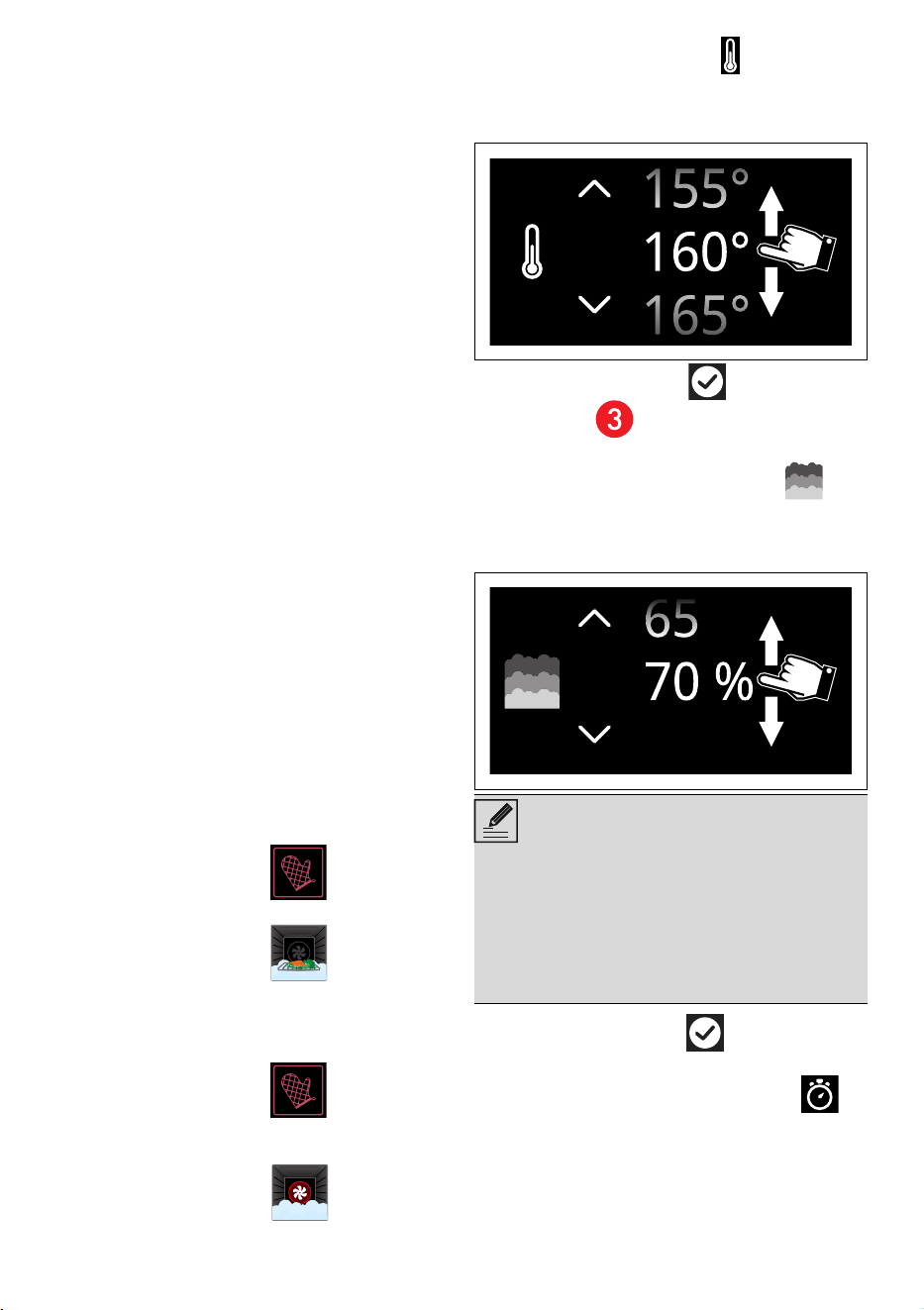
3. Touch the TEMPERATURE button or the
relevant value.
4. Scroll through the values and select the
required cooking temperature.
5. Touch the CONFIRM button (at the
lower right ) to confirm the new cooking
temperature that has been selected.
6. Touch the STEAM PERCENTAGE
button or the relevant value.
7. Scroll through the values and select the
required steam percentage.
8. Touch the CONFIRM button to confirm
the selected steam percentage.
9. Touch the COOKING DURATION
button or the relevant value.
NOTES
• 25% - Cakes and bread
• 30% - Duck
• 40% - Beef, veal and lamb
• 50% - Chicken
• 70% - Whole fish
USE - 2191477B228/A
e
10.Scroll through the values and select the
required duration.
11.Touch the CONFIRM button to confirm
the selected cooking duration.
12.Touch the START button (at the lower
right ) to start to fill the reservoir.
13. Fill the reservoir as described in the chapter
"Reservoir manual filling".
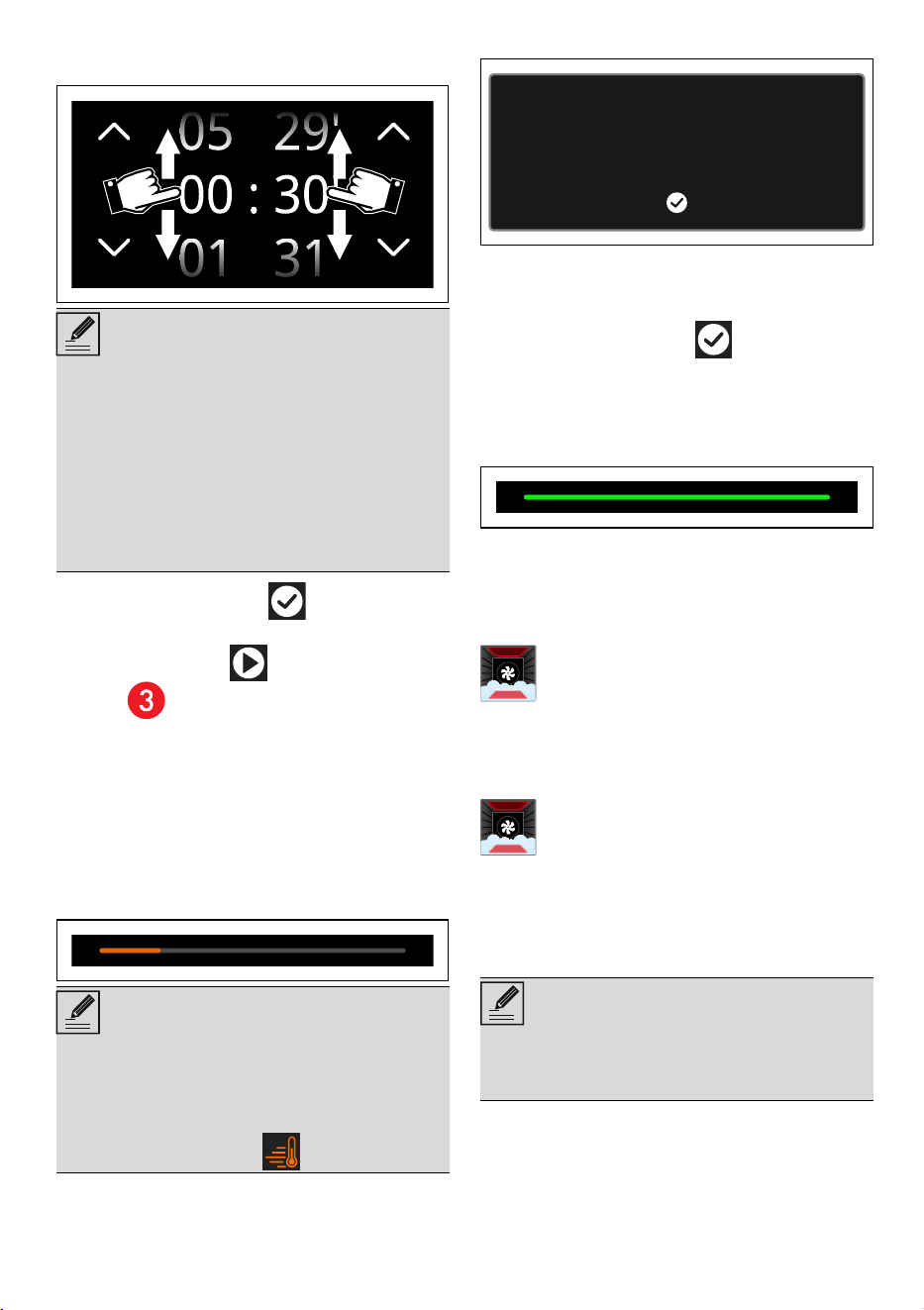
Pre-heating stage
Combination cooking is always preceded by
the pre-heating stage that allows the oven cavity
to heat up to the set cooking temperature.
This stage is indicated by a progressive increase
in the temperature level reached
.
At the end of preheating the temperature
reaches the maximum set level. A buzzer sounds
and a message appears on the display to
indicate that cooking starts automatically.
1. Open the door
2. Place the food inside the oven.
3. Close the door.
4. Touch the CONFIRM button to start
cooking.
End of combination cooking
At the end of cooking, "Function ended"
displays and a buzzer sounds briefly.
5. Drain the reservoir as described in the
chapter "Draining the residual water".
List of combined cooking functions
STEAM CONVECTION ROAST
STEAM CONVECTION BAKE
Traditional cooking
NOTES
• The hours and minutes can be selected
separately.
• The duration of the combined steam
cooking can be from a minimum of 1 minute
to a maximum of 12 hours and 59 minutes.
• Underneath the duration, the expected time
for the end of cooking is displayed, in which
the minutes needed for preheating are
already calculated.
NOTES
• Unless otherwise indicated in the recipe, it is
not recommended to place food in the
oven during the preheating stage.
• You can skip the pre-heating stage touching
the dedicated button .
Intense and even cooking. The addition
of steam allows better preservation of
the organoleptic properties of food.
Ideal for roasting veal, duck and
cooking whole fish.
The addition of steam to true convection
cooking allows better preservation of
the organoleptic properties of food.
Ideal for preparing roasts, chicken, and
baked goods such as leavened cakes
and bread.
NOTES
• Each time the door is opened, the function
in progress will stop and then automatically
restart when the door is closed again.
Place the food in the oven and confirm
22 - USE 91477B228/A
1. Touch the time indicated on the display.
2. Touch the COOKING button on the
"main menu" (in the main area ).
3. Select a desired function (such as TRUE
CONVECTION ) to enter the
relevant cooking screen.
4. Touch the START button (at the lower
right ) to start pre-heating.
Pre-heating stage
Cooking itself is preceded by a preheating
stage, which allows the appliance to heat to the
cooking temperature more quickly.
This stage is indicated by a progressive increase
in the temperature level reached.
After pre-heating, a buzzer will sound and a
message will appear on the display to indicate
that the dish can be put in the oven cavity.
Cooking phase
5. Open the door
6. Place the dish with the food to be cooked
into the oven cavity.
7. Close the door.
8. Touch the CONFIRM button to start
cooking.
This step is indicated by this wording:
"FUNCTION IN PROGRESS".
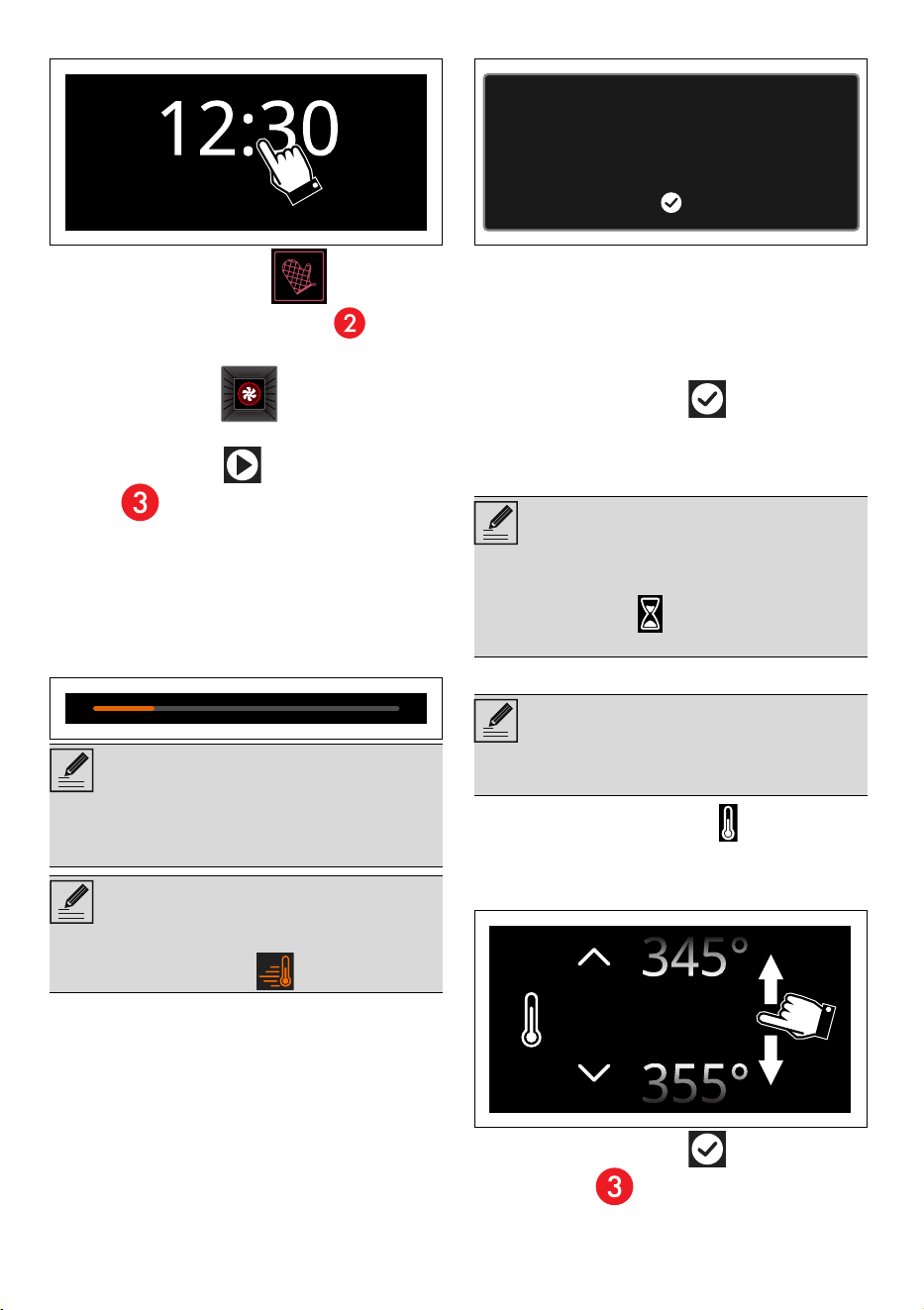
Modifying the cooking temperature
1. Touch the TEMPERATURE button or the
relevant value.
2. Scroll through the values and select the
required cooking temperature.
3. Touch the CONFIRM button (at the
lower right ) to confirm the new cooking
temperature that has been selected.
NOTES
• Unless otherwise indicated in the recipe, it is
not recommended to place food in the
oven during the preheating stage.
NOTES
• You can skip the pre-heating stage touching
the dedicated button .
NOTES
Once cooking has started, it is possible to set
timed cooking:
• Touch the TIME button and follow the
instructions in the “timed cooking” section.
NOTES
• The temperature can be modified at any
time during cooking.
Place the food in the oven and confirm
350°
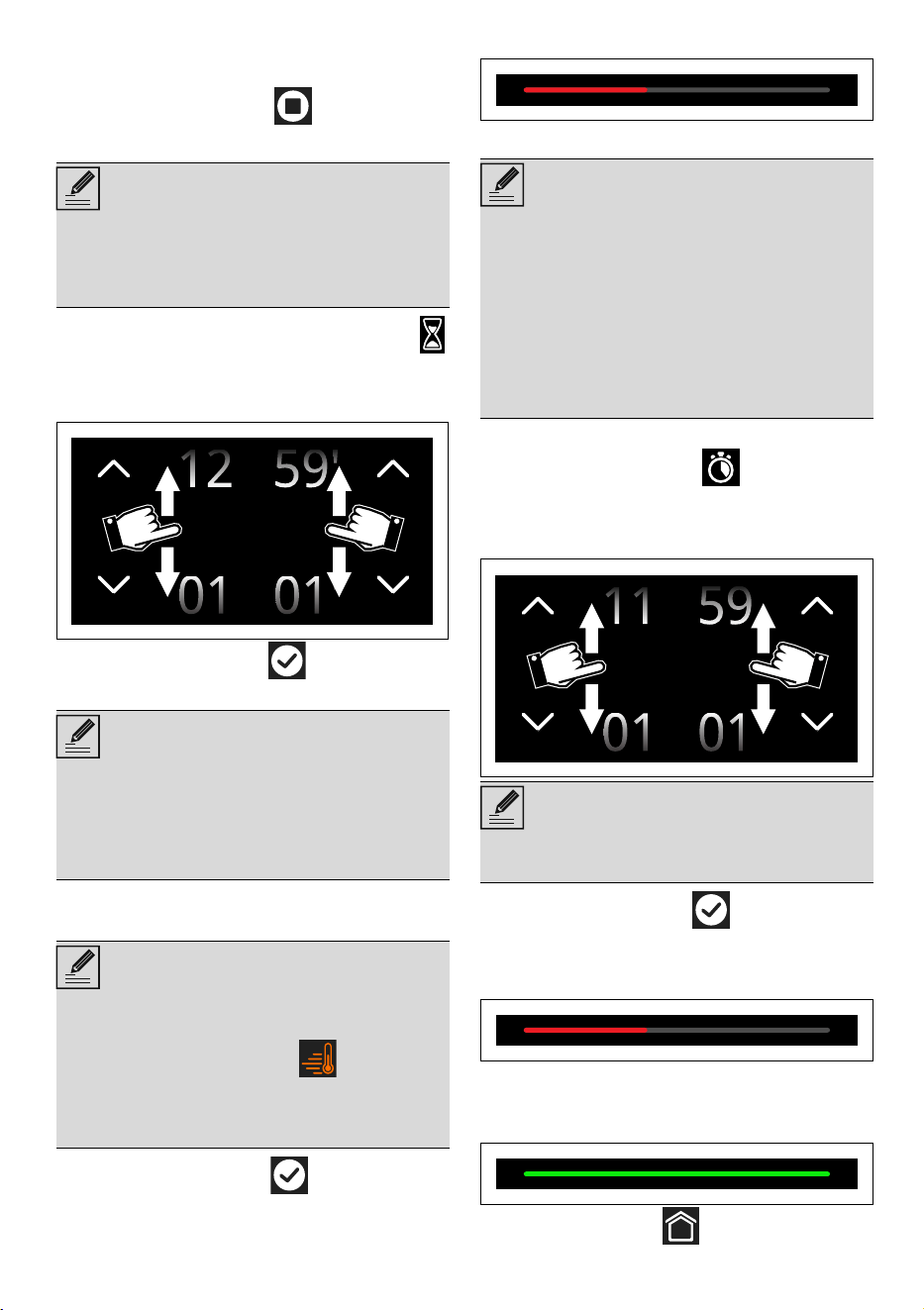
USE - 2391477B228/A
e
End of cooking
To end cooking at any time:
1. Touch the STOP button .
Timed cooking
1. After selecting a function, touch the TIME
button or the related value.
2. Scroll through the values and select the
required duration.
3. Touch the CONFIRM button to confirm
the selected cooking duration.
The time expected for the end of cooking
displays under the duration.
4. Touch the CONFIRM button to start
timed cooking.
This stage is indicated by a progressive increase
in cooking.
Delayed cooking
1. After setting timed cooking, touch the
DELAYED COOKING button or the
relevant value.
2. Scroll through the values and select the
required end of cooking time.
3. Touch the CONFIRM button to confirm
the selected end of cooking time.
This stage is indicated by a progressive increase
in cooking.
End of cooking
At the end of cooking, "Function ended"
displays and a buzzer sounds briefly.
• Touch the HOME button to exit from
NOTES
• Timed cooking is the function which allows
a cooking operation to be started and then
ended after a specific length of time set by
the user.
NOTES
• The hours and minutes can be selected
separately.
• The duration of the timed cooking can be
from a minimum of 1 minute to a maximum
of 12 hours and 59 minutes.
NOTES
• The countdown starts after the pre-heating
has ended or if you wish to skip pre-heating
(touch the relevant button ).
• The minutes required for pre-heating are
already included in the end-of-cooking
time.
00 00
:
NOTES
• For safety reasons, it is not possible to set
the end of cooking time by itself without
setting the cooking duration.
• Delayed cooking is the function which
allows a time-controlled cooking operation
to be stopped at an established time
depending on the time set by the user, after
which the appliance will switch off
automatically.
NOTES
• The hours and minutes can be selected
separately.
0012
:
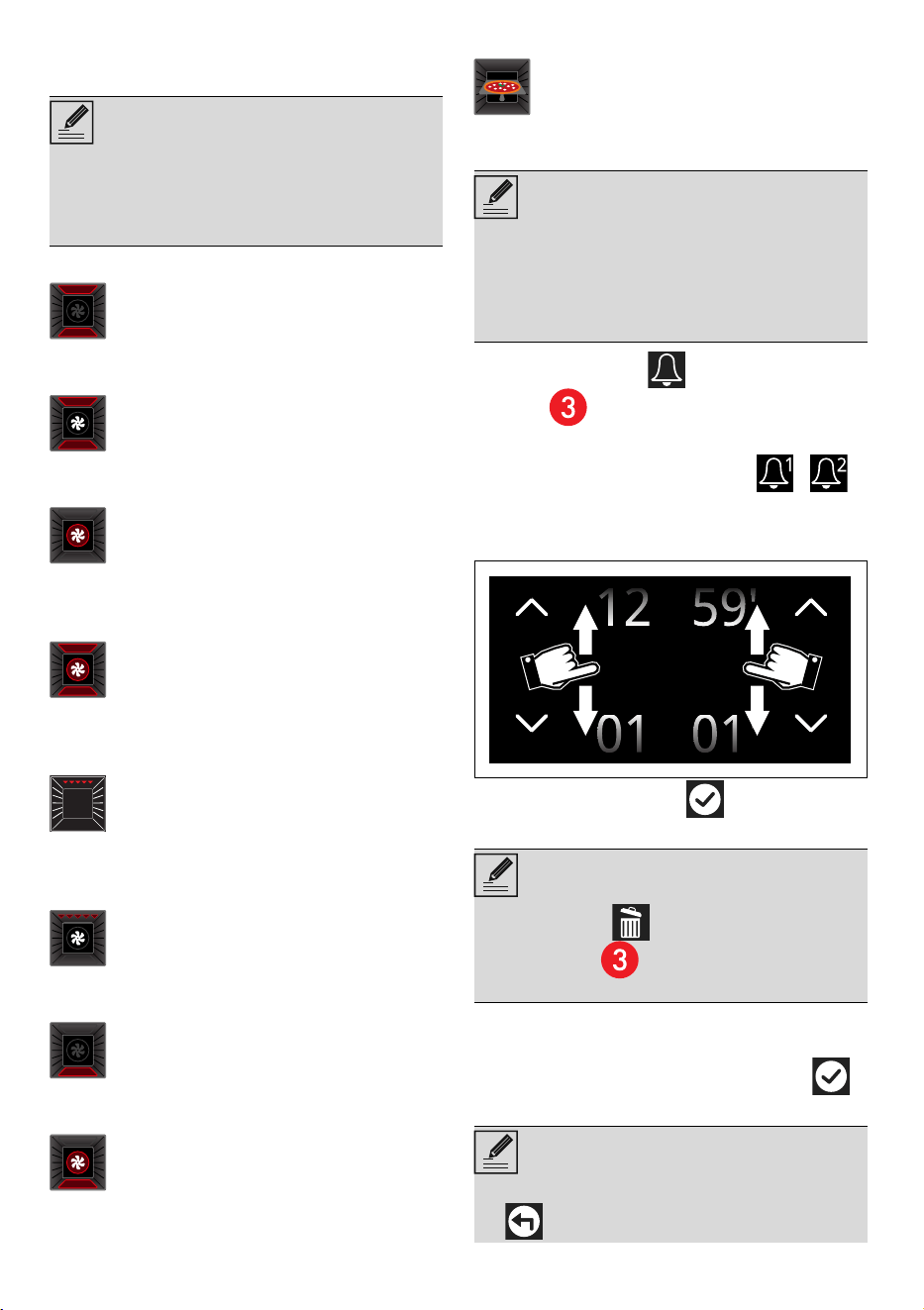
24 - USE 91477B228/A
the function.
List of traditional cooking functions
BAKE
CONVECTION BAKE
TRUE CONVECTION
CONVECTION ROAST
BROIL
CONVECTION BROIL
WA RM
EUROPEAN BAKE +
PIZZA
Minute minder timer
1. Touch the TIMER button (in the lower
area ) to access the Timer menu.
Up to 2 minute minder Timers can be set:
2. Touch the button of the TIMER -
that you intend to use.
3. Scroll through the values and select the
required duration.
4. Touch the CONFIRM button to confirm
the selected duration.
5. Repeat the procedure for the other Timers
that you intend to use.
6. When finished, touch the CONFIRM
button again to confirm the selected timers.
NOTES
• Not all functions are available on some
models.
• In the "PIZZA" cooking function, the
temperature probe cannot be used.
Traditional cooking, ideal for preparing
a single dish. For example cooking
roast meats, fatty meats, bread, pies.
Intense and uniform cooking. Ideal for
biscuits, cakes and cooking on more
than one level.
The heat is distributed quickly and
uniformly. Suitable for all dishes, ideal
for cooking on multiple levels without
mixing smells or flavors.
Allows quick cooking on multiple
shelves without mixing the aromas.
Perfect for large volumes that call for
intense cooking.
Produces excellent grilling and
browning results. When used at the end
of cooking, gives a uniform browning to
dishes.
Allows optimal grilling, even for thick
slices of meat. Perfect for large cuts of
meat.
The heat comes from the bottom of the
cavity only. Perfect for cakes, pies, tarts
and pizzas.
Allows you to quickly finish cooking
food that is already cooked on the
surface but not internally. Ideal for
quiches, suitable for all kinds of dishes.
Function designed for cooking pizza.
Perfect not just for pizzas, but also for
biscuits and cakes.
NOTES
• This function only activates the buzzer,
without stopping the function in progress.
• The Timer can be set from a minimum of 1
minute to a maximum of 12 hours and 59
minutes.
NOTES
• The BASKET button displays in the
lower area that can be used to delete
a timer if it has been selected.
NOTES
• To cancel the operation, touch the RETURN
button
00 00
:

USE - 2591477B228/A
e
In the following display, the TIMER button
ON, indicates that one or more minute minder
timers have been activated.
7. Wait for the buzzer to indicate that the time
has finished.
Cooking tips
General tips
• Use a fan function to achieve uniform
cooking at several levels.
• Increasing the temperature does not shorten
cooking or baking times (the food could be
well cooked on the outside and
undercooked on the inside).
• To prevent condensation from forming on
the glass, hot food should not be left inside
the oven for too long after cooking.
Tips for cooking meats
• Cooking times vary depending on the
thickness and quality of the meat, and on
consumer tastes.
• For meat and potatoes, it is
recommended from time to time to turn
and/or mix the food to obtain a uniform
browning on all sides.
• Use a meat thermometer when cooking
roasts, or simply press on the roast with a
spoon. If it feels hard, it is ready; otherwise, it
needs to roast a bit longer.
• For low temperature cooking, brown the
meat in a pan for a few minutes on all
sides before baking in the oven.
Advice for cooking with the Grill
• The meat can be grilled starting with a cold
oven or with the oven preheated if you want
to change the effect of the cooking.
• When using the convection broil function (if
any), it is recommended to preheat the oven
cavity before grilling.
• We recommend placing the food at the
center of the rack.
• With the broil function, we recommend that
you set the temperature to the maximum
value to optimize cooking.
Tips for baking cakes and cookies
• It is preferable to use dark metal pans,
which help to absorb the heat better.
• The temperature and baking duration
depend on the quality and consistency of
the dough.
• To check whether the cake is baked
through, stick a toothpick into its highest
point at the end of the baking time. If the
dough does not stick to the toothpick, the
dessert is cooked.
• If the dessert goes flat when it comes out of
the oven, on the next occasion reduce the
set temperature by about 50°F/10°C,
selecting a longer baking time if necessary.
Tips for cooking on two shelves:
• It is recommended to have 2 racks (can be
requested to Authorized Assistance
Centers).
• To facilitate the flow of air, place the molds/
pans in the center of the racks and make
sure that their width/diameter does not
exceed 11" 13/16 (300 mm).
• Position the racks keeping an empty level
between them.
• Depending on the food and the increased
load inside the cavity, cooking on two levels
may take a few minutes longer than on a
single shelf.
• The functions indicated for cooking on two
shelves are TRUE CONVECTION and
EUROPEAN BAKE +.
Tips for defrosting and leavening
• Place frozen foods without their packaging
in a lidless container on the first shelf of the
oven.
• Do not overlap foods.
• To defrost meat, use a rack placed on the
second level and a tray placed on the first
level. This way, the meat does not remain in
contact with the liquid from thawing.
• The most delicate parts can be covered with
aluminum foil.
• For successful proving, a container of water
should be placed in the bottom of the oven.
• The counter must be set to zero in order to
remove the minute minder timer.
• The display cannot be switched off using
the ON-OFF button when a timer is
active.
• It is not possible to set delay cooking when
the temperature probe is used.
NOTES
26 - USE 91477B228/A
To save energy
• Turn off the oven a few minutes before the
time required. Cooking will continue for the
remaining minutes with the heat already
accumulated inside the oven.
• Do not open the oven door very often to
avoid heat loss.
• Always keep the inside of the appliance
clean.
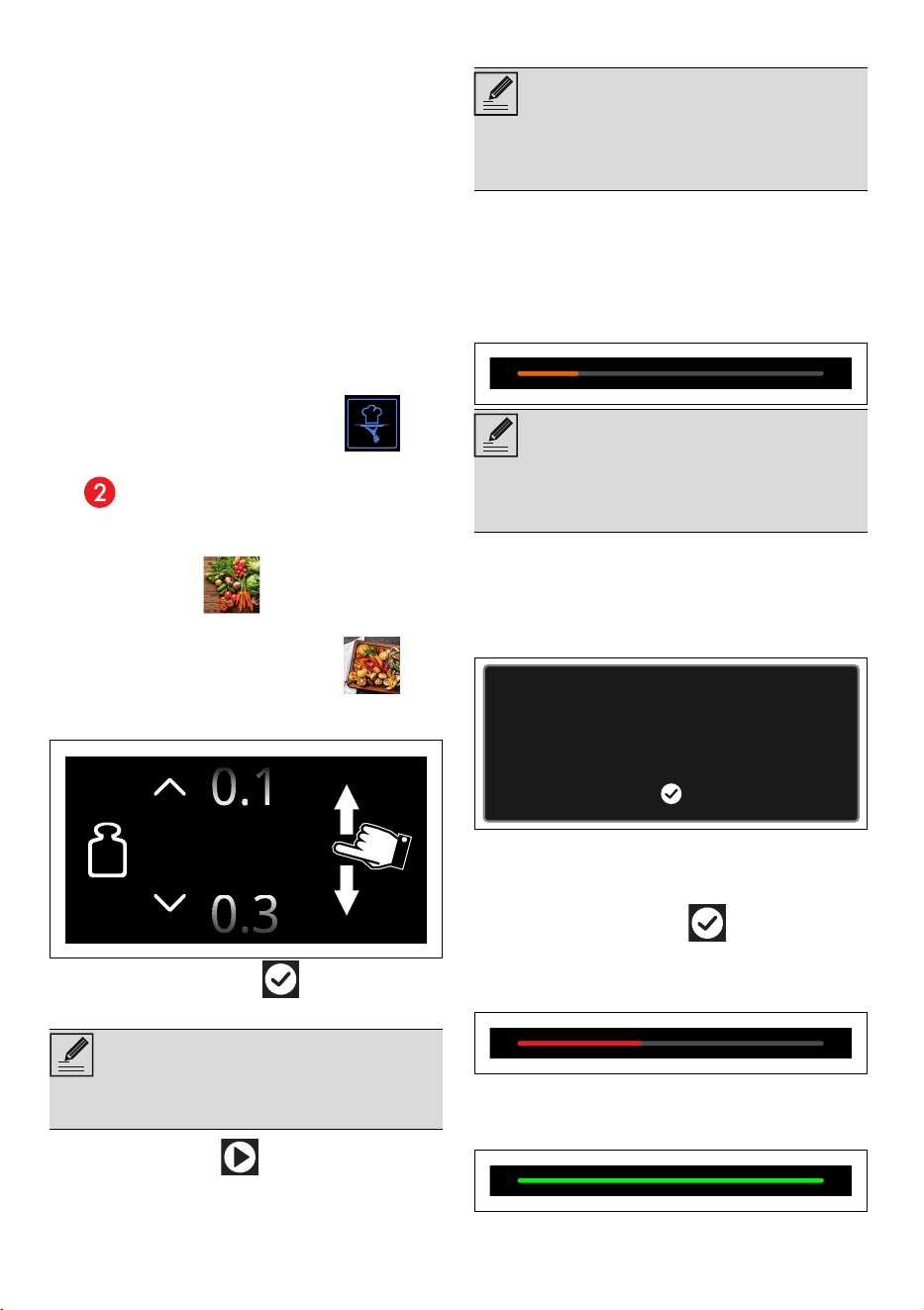
Smart Cooking
This mode allows you to select a previously
stored program for cooking food. The
appliance automatically calculates the optimum
cooking parameters based on the weight
selected.
1. Touch the SMART COOKING
button on the "main menu" (in the main area
).
2. Select the type of dish required from the
SMART COOKING menu (for example
"VEGETABLES ").
3. Select the sub-category of dish to cook (for
example "MIXED VEGETABLES ").
4. Scroll through the values to set the weight of
the food to be to cook.
5. Touch the CONFIRM button to confirm
the settings.
6. Touch the START button to start SMART
COOKING.
Cooking will start with the settings specified in
the program.
Pre-heating
Cooking is preceded by the pre-heating stage
that allows the oven to heat up to the set
cooking temperature.
This stage is indicated by a progressive increase
in the temperature level reached.
After pre-heating, a buzzer will sound and a
message will appear on the display to indicate
that the food can be put in the oven.
The shelf on which the food should be placed in
order to obtain best results is also indicated.
7. Open the door
8. Place the food inside the oven.
9. Close the door
10. Touch the CONFIRM button to start
cooking.
This stage is indicated by a progressive increase
in cooking.
End of cooking
At the end of cooking, "Function ended"
displays and a buzzer sounds briefly.
NOTES
• It is now possible to save the settings as a
personal recipe (see section "My recipes").
0.2 Oz
NOTES
• The cooking temperature and duration can
be changed at any time, even after cooking
has started.
NOTES
• The pre-heating function cannot be
disabled when Smart Cooking programs
are being used.
Place the food in the oven and confirm
We recommend placing the food
on the fifth shelf from the bottom
USE - 2791477B228/A
e
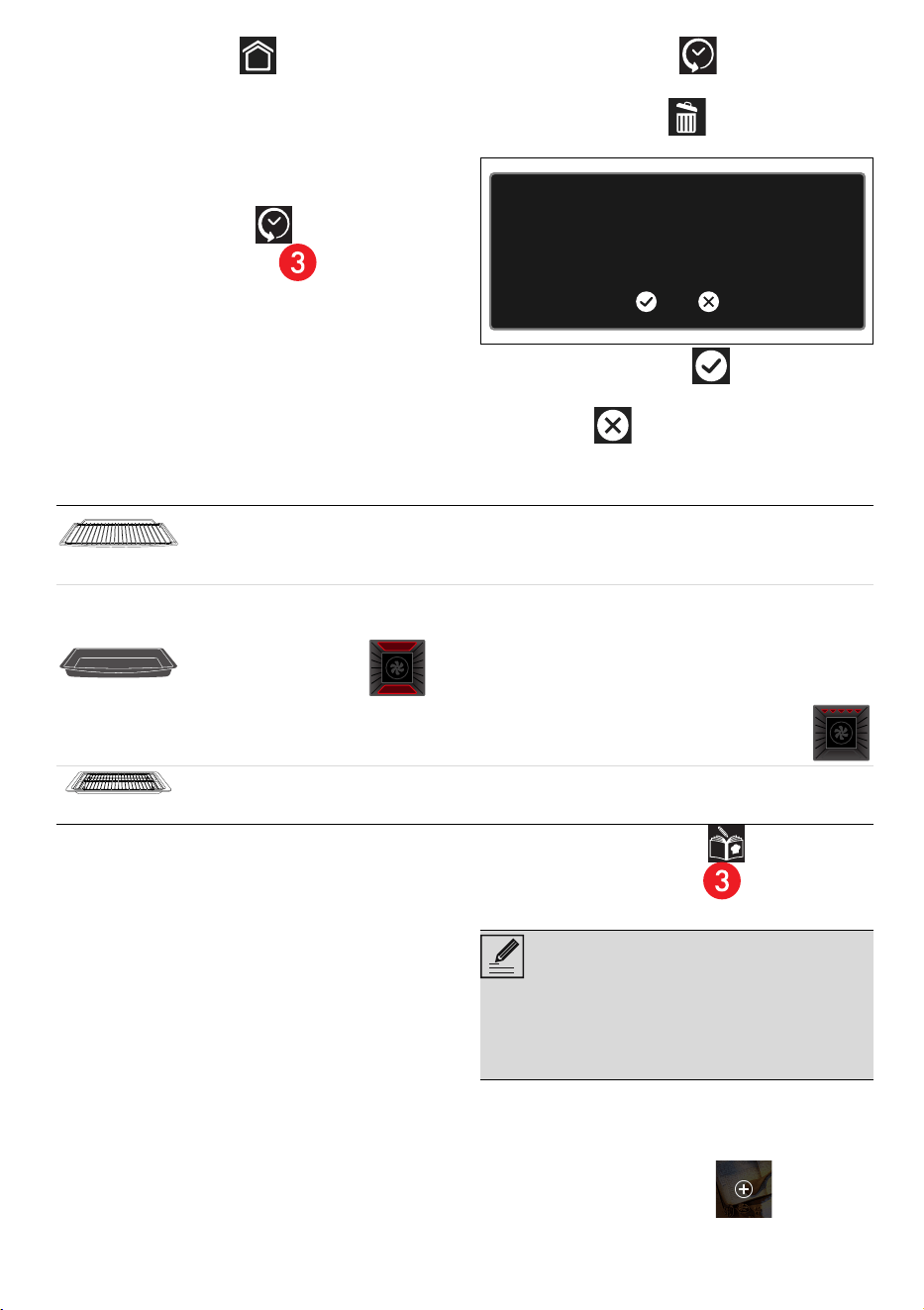
11.Touch the HOME button to exit from
function. End of cooking.
History
This menu is particularly useful for viewing and
reusing the last programs or personal recipes
that were used.
1. Touch the HISTORY button on the
"main menu" (at the left in the lower
area).
2. Select the function you wish to reuse and
proceed with cooking as described in the
previous sections.
Deleting the history
If you wish to delete the history:
1. Touch the HISTORY button on the
"main menu".
2. Touch the BASKET button to delete the
history.
3. Touch the CONFIRM button to confirm
that you wish to delete the history (or the
CANCEL button to cancel the
operation).
Mini guide to accessories
Discover the recipes
To consult the recipes developed for various
categories of food and for more information on
cooking suggestions, we recommend visiting the
dedicated page on the www.smeg.com
website, which can be reached using the QR
code on the leaflet supplied with the product.
My recipes
This menu allows you to enter a personal
program with the parameters you wish to use.
On first use, the appliance will only offer you to
add a new recipe. After saving your recipes,
these will then be available in the relevant menu.
1. Touch the MY RECIPES button on the
"main menu" (at the left in the lower
area).
Adding a recipe
2. Select the type of dish required from the MY
RECIPES menu (for example "DESSERTS").
3. Touch the NEW RECIPE button.
4. Select the required function.
Do you want to delete the history?
Rack
We recommend the use of the grill as a support surface for baking molds/casseroles.
In the absence of the baking tray grill, the grill can be used as a base for grilling with the deep
baking tray placed on a shelf below to collect the juices.
Deep tray
We recommend the use of the deep baking tray for cooking on one level only.
Place the deep baking tray on the center shelf when using the fan-assisted functions. When
using the BAKE function,
place the deep baking tray on the required shelf.
Place the baking tray on the last shelf with the baking tray grill to cook in BROIL mode .
Tray rack
We recommend using the baking tray grill as a base for food to grill. The pan below collects
the juices from the grills.
NOTES
• It is possible to store a limited number of
personal recipes.
• It is not possible to memorize more than 17
recipes that belong to the same category.
28 - USE 91477B228/A
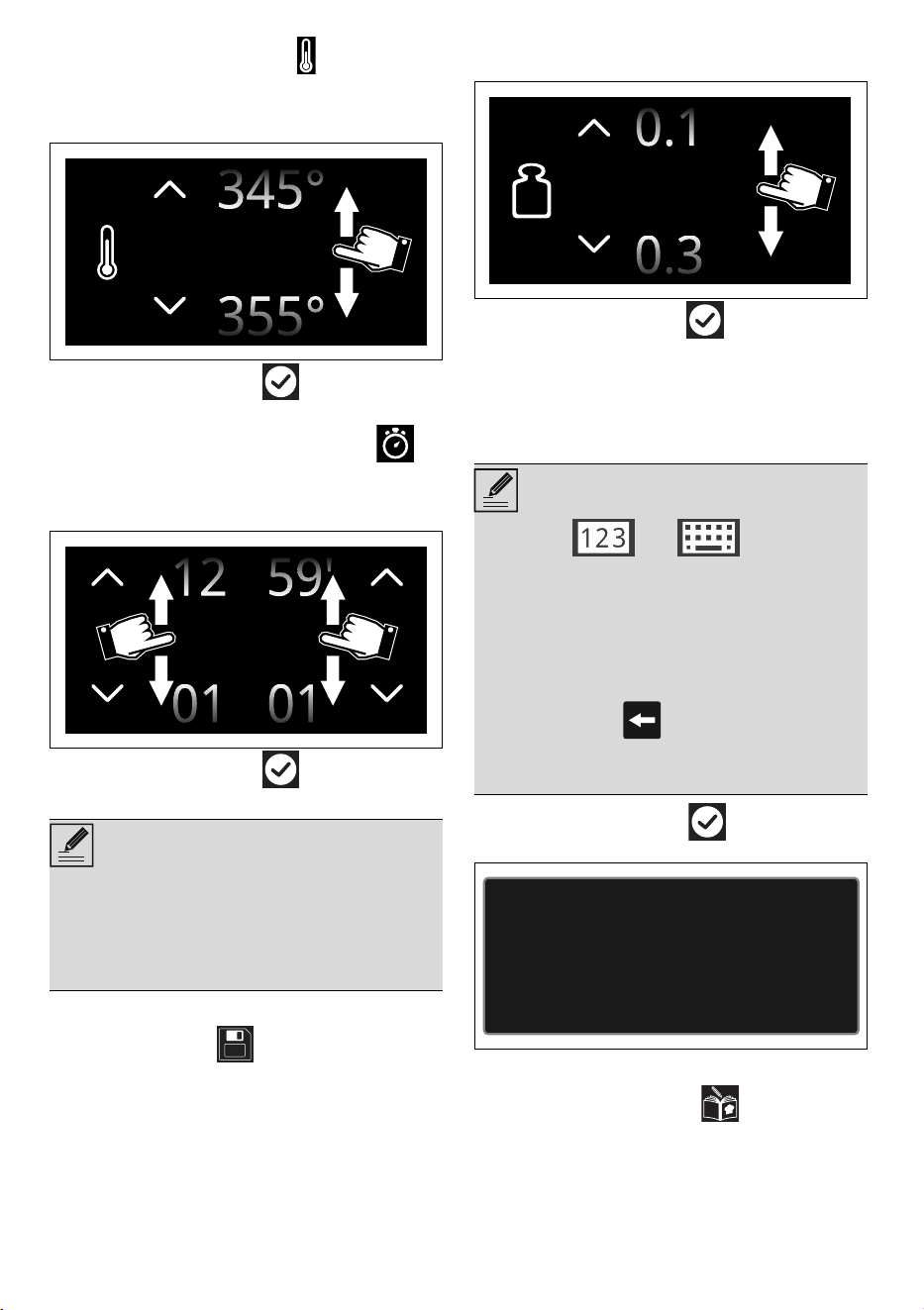
5. Touch the TEMPERATURE button or the
relevant value.
6. Scroll through the values and select the
required cooking temperature.
7. Touch the CONFIRM button to confirm
the selected cooking temperature.
8. Touch the COOKING DURATION
button or the relevant value.
9. Scroll through the values and select the
required duration.
10.Touch the CONFIRM button to confirm
the selected cooking duration.
Saving a recipe
11.Touch the SAVE button.
12.Scroll through the values to set the SHELF.
13. Scroll through the values to set the weight of
the food to be to cook.
14.Touch the CONFIRM button to confirm
the settings.
At this point, a name for the recipe must be
entered.
15.Use the alphanumeric keypad to enter the
name of the recipe to be saved.
16. Touch the CONFIRM button to store
the program.
Starting a personal recipe
1. Touch the MY RECIPES button on the
"main menu".
2. Select the type of dish required from the MY
RECIPES menu.
3. Select the recipe that was saved previously.
NOTES
• The minutes required for preheating are
already included in the end-of-cooking
time.
• At this point it is possible to add delayed
cooking.
350°
00 00
:
NOTES
• Use the and buttons to
switch from the alphabetic keypad to the
numerical keypad and vice versa.
• The recipe name can contain a maximum
12 characters, including spaces.
• The name must contain at least one
character in order to store the recipe.
• The character deletes the previous
letter.
• To save a recipe, parameters must be set.
0.2 Oz
Program saved
USE - 2991477B228/A
e
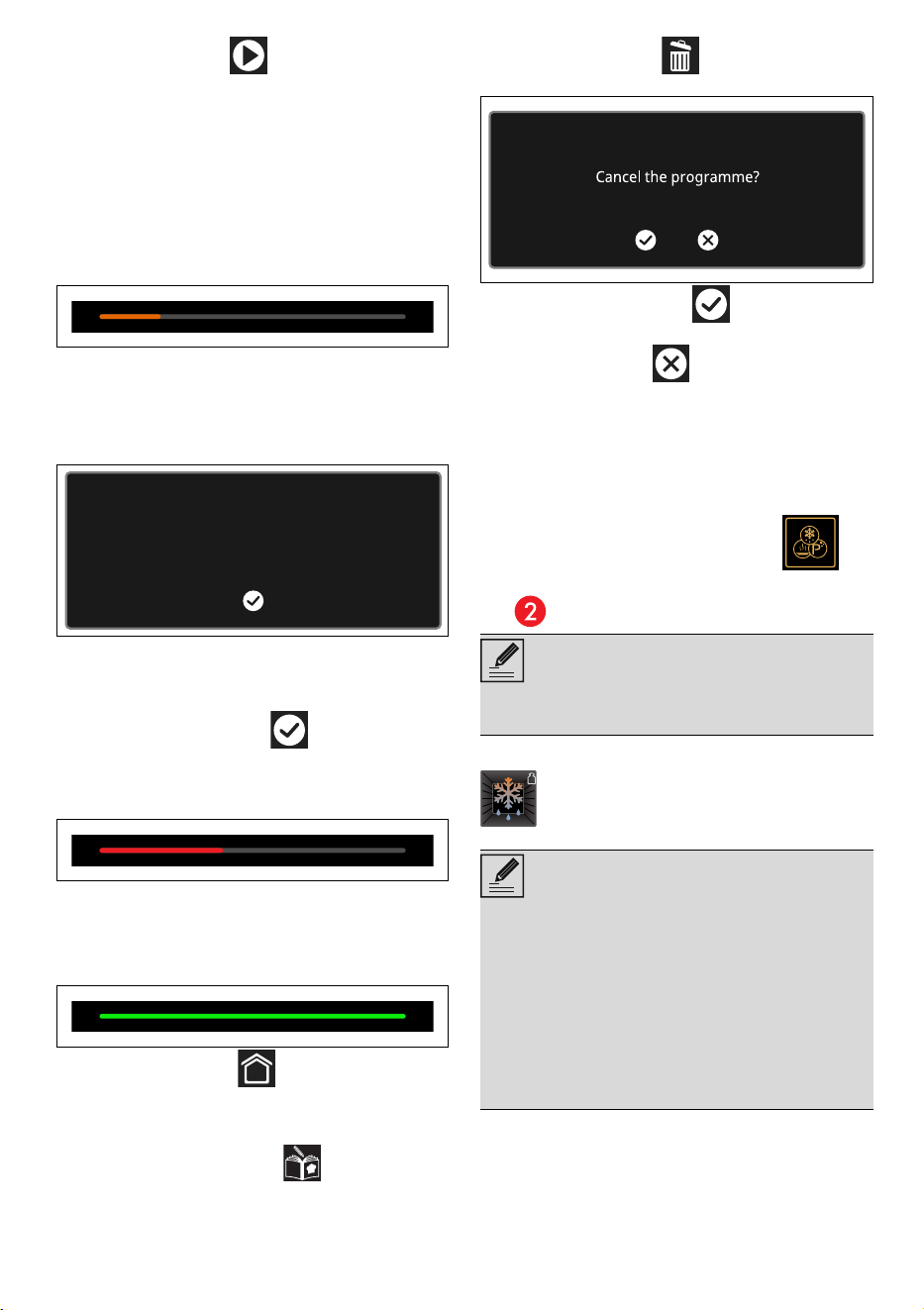
4. Touch the START button to start
cooking.
Pre-heating
Cooking is preceded by the pre-heating stage
that allows the oven to heat up to the set
cooking temperature.
This stage is indicated by a progressive increase
in the temperature level reached.
This stage is indicated by a progressive increase
in the temperature level reached.
After pre-heating, a buzzer will sound and a
message will appear on the display to indicate
that the food can be put in the oven.
The shelf on which the food should be placed in
order to obtain best results is also indicated.
5. Open the door
6. Place the food inside the oven.
7. Close the door
8. Touch the CONFIRM button to start
cooking.
This stage is indicated by a progressive increase
in cooking.
End of cooking
At the end of cooking, “Function ended”
appears on the display and a buzzer sounds
briefly.
• Touch the HOME button to exit from
the function.
Deleting a recipe
1. Touch the MY RECIPES button on the
"main menu".
2. Select the recipe that was saved previously.
3. Touch the DELETE button to delete the
recipe.
4. Touch the CONFIRM button to confirm
that you wish to delete the selected recipe
(or the CANCEL button to cancel the
operation).
Other functions
The special functions menu includes several
functions such as defrosting, proving or
cleaning...
• Touch the OTHER FUNCTIONS
button on the "main menu" (in the main area
).
DEFROST BY WEIGHT
1. Open the door.
2. After weighing the food, place it in the oven
cavity.
3. Close the door.
Place the food in the oven and confirm
We recommend placing the food
on the second shelf from the bottom
NOTES
• Certain functions are not available on all
models.
Automatic defrosting function. Choose
the dish, the oven calculates the time
necessary for proper defrosting.
NOTES
• If the internal temperature is greater than the
one required, the function will be stopped
immediately and "Internal temperature
unsafe, please wait until the oven is cool"
will display. Allow the appliance to cool
down before activating the function.
• It is not possible to change the default
temperature for the Defrost by weight
function.
30 - USE 91477B228/A
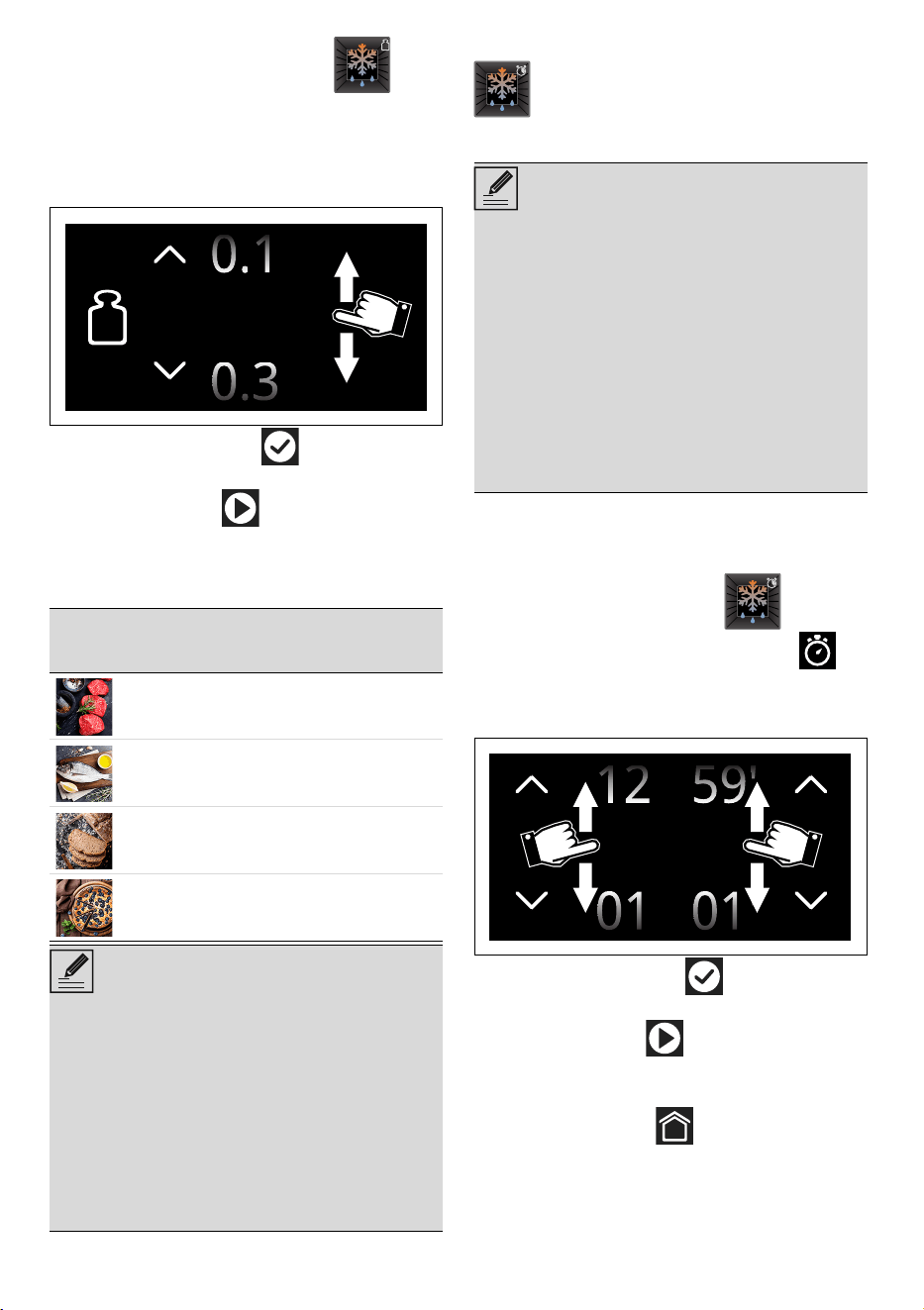
4. Select DEFROST BY WEIGHT .
5. Select the type of food to defrost from the
categories MEAT - FISH - BREAD -
DESSERTS
6. Scroll through the values to set the weight of
the food to be defrosted.
7. Touch the CONFIRM button to confirm
the settings.
8. Touch the START button to start the
defrost by weight function.
When finished, a buzzer sounds briefly.
Preset parameters:
DEFROST BY TIME
1. Open the door.
2. Place the dish into the oven cavity.
3. Close the door.
4. Select DEFROST BY TIME .
5. Touch the COOKING DURATION
button or the relevant value.
6. Scroll through the values and select the
required duration.
7. Touch the CONFIRM button to confirm
the settings.
8. Touch the START button to start the
Defrost by time function.
When finished, a buzzer sounds briefly.
9. Touch the HOME button to exit from
the function.
Type Weight (oz)
Time
(minutes)
Meats 17.5 18
Fish 14 25
Bread 10.5 5
Desserts 35 5
NOTES
• Defrosting times may vary on the basis of
the shape and size of the food to be
defrosted.
• When defrosting heavy and/or irregularly
shaped food (e.g. chicken, fish, etc.), it is
advisable to turn it inside the oven cavity at
least once by 180°.
• It is not possible to change the default
temperature (90°F/ 30°C) for the Defrost
by weight function
0.2 Oz
Manual defrosting function. Select the
length of time required for defrosting,
when the set time has elapsed, the
function will stop.
NOTES
• If the internal temperature is greater than the
one required, the function will be stopped
immediately and "Internal temperature
unsafe, please wait until the oven is cool"
will display. Allow the appliance to cool
down before activating the function.
• The duration of the Defrost by time function
can be from a minimum of 1 minute to a
maximum of 12 hours and 59 minutes.
• It is not possible to change the default
temperature (90°F/ 30°C) for the Defrost
by time function.
00 00
:
USE - 3191477B228/A
e
PROOF
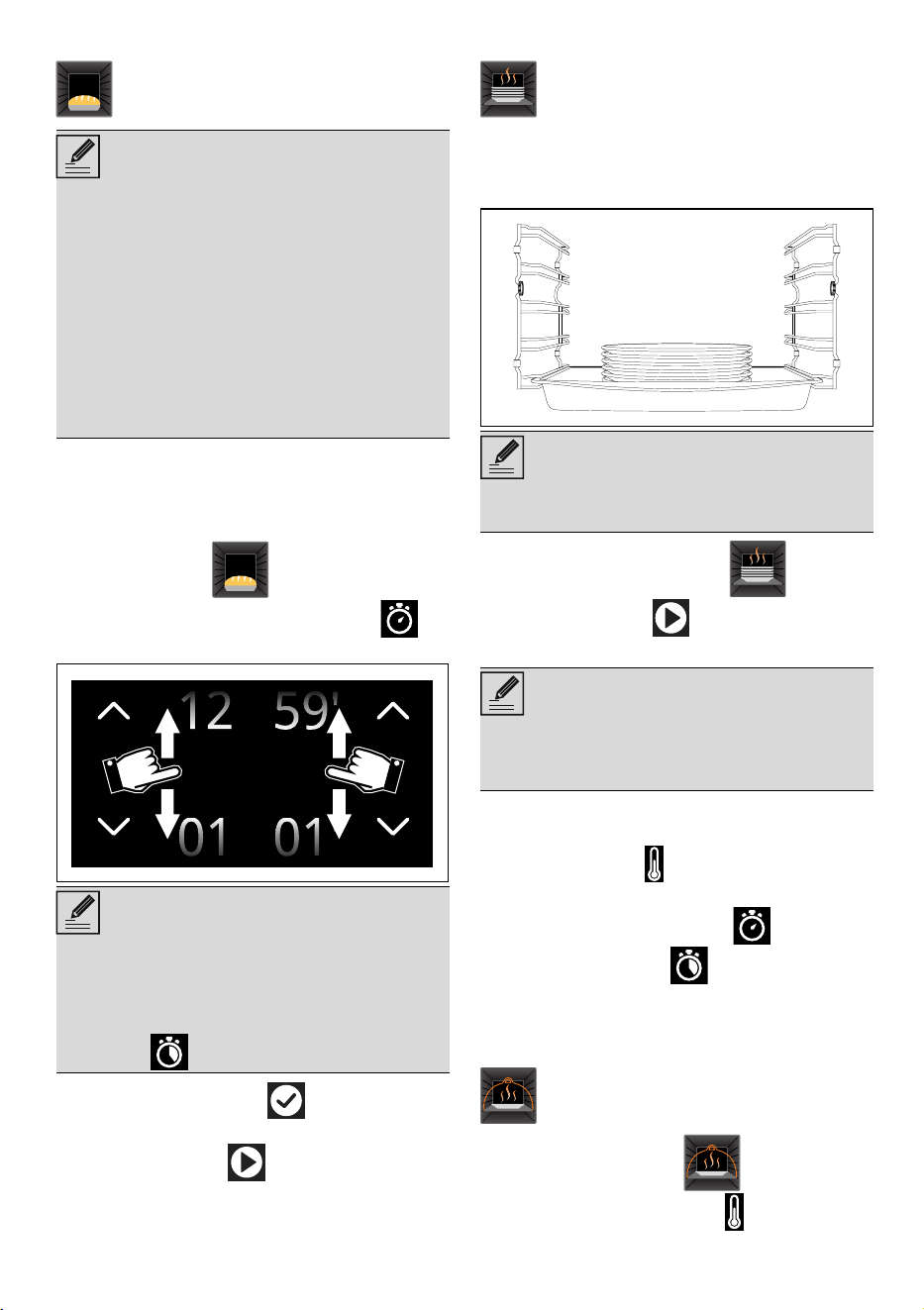
1. Open the door
2. Position the dough to prove on the second
level.
3. Close the door.
4. Select PROOF
.
5. Touch the COOKING DURATION
button or the relevant value.
6. Touch the CONFIRM button to confirm
the settings.
7. Touch the START button to start the
proving cycle.
When finished, a buzzer sounds briefly.
PLATE WARMING
1. Position the tray on the first shelf and place
the plates to be warmed at the center of it.
2. Select PLATE WARMING
.
3. Touch the START button to start the
Plate warming function.
The following can be set while the function is in
operation:
• the temperature (from 105°F/40°C to
180°F/80°C);
• the duration of the function ;
• a delayed function (only if a duration
different from the default one is set).
When finished, a buzzer sounds briefly.
KEEP WARM
1. Select KEEP WARM
.
2. Touch the TEMPERATURE button or the
relevant value.
This function is particularly suitable for
proving dough.
NOTES
• If the internal temperature is greater than the
one required, the function will be stopped
immediately and "Internal temperature
unsafe, please wait until the oven is cool"
will display. Allow the appliance to cool
down before activating the function.
• For successful Proof, a container of water
should be placed in the bottom of the oven.
• It is not possible to modify the default
temperature of the Proof function (95°F/
35°C)
NOTES
• The duration of the Proof function can be
from a minimum of 1 minute to a maximum
of 12 hours and 59 minutes.
• It is possible to set the delayed
function .
00 00
:
Function that heats and keeps plates
warm. Position a baking tray on the
lowest shelf and put the plates on it to
warm.
NOTES
• Do not stack plates too high. Stack plates a
maximum of 5/6 high.
NOTES
• Unless otherwise set, the Plate warming
function has a maximum duration of 12
hours and 59 minutes.
This function allows you to keep pre-
cooked foods warm.
32 - USE 91477B228/A
3. Scroll through the values and select the
required cooking temperature (from
140°F/60°C to 210°F/100°C).
4. Touch the START button to start the
Keep warm function.
When finished, a buzzer sounds briefly.
STONE
1. Open the door.
2. Insert the PPR2 or STONE accessory into the
oven cavity (refer to the specific accessory
manual).
3. Close the door.
4. Select STONE
.
5. Scroll through the values and select the
required cooking temperature (from
395°F/200°C to 540°F/280°C).
6. Touch the START button to start the
Stone function.
7. After pre-heating, open the door and place
the food to be cooked on the accessory.
8. Close the door.
When finished, a buzzer sounds briefly.
BBQ (Barbecue)
1. Open the door.
2. Insert the BBQ accessory into the oven
cavity.
3. Close the door.
4. Select BBQ
.
5. Scroll through the values and select the
required cooking temperature (from
140°F/60°C to 540°F/280°C).
6. Touch the START button to start the
BBQ function.
7. After pre-heating, open the door and place
the food to be cooked on the accessory.
8. Close the door.
When finished, a buzzer sounds briefly.
AIRFRY
1. Select AIRFRY
.
2. Turn the temperature knob to select the
required temperature (from 395°F/200°C
to 540°F/280°C).
3. Touch the START button to start the
AIRFRY function.
Useful for on stone cooking. For use
with the PPR2 or STONE accessory
sold separately.
NOTES
• Please refer to the instructions and
recommendations for use described in the
accessory documentation.
NOTES
• As with normal cooking functions, you can
skip pre-heating and set a timed and
delayed cooking.
Useful for barbecue cooking. For use
with the BBQ accessory sold
separately.
NOTES
• Please refer to the instructions and
recommendations for use described in the
accessory documentation.
• The temperature probe can be used for the
BBQ function (see chapter "Using the
temperature probe").
NOTES
• As with normal cooking functions, you can
skip pre-heating and set a timed and
delayed cooking.
Useful to obtain fried cooking without
oil. For use with the AIRFRY accessory
sold separately.
NOTES
• Please refer to the instructions and
recommendations for use described in the
accessory documentation.
NOTES
• As with normal cooking functions, you can
skip pre-heating and set a timed and
delayed cooking.
NOTES
USE - 3391477B228/A
e
4. When preheating is complete, open the
door and insert the AIRFRY accessory with
the food to be cooked into the oven cavity.
5. Close the door.
When finished, a buzzer sounds briefly.
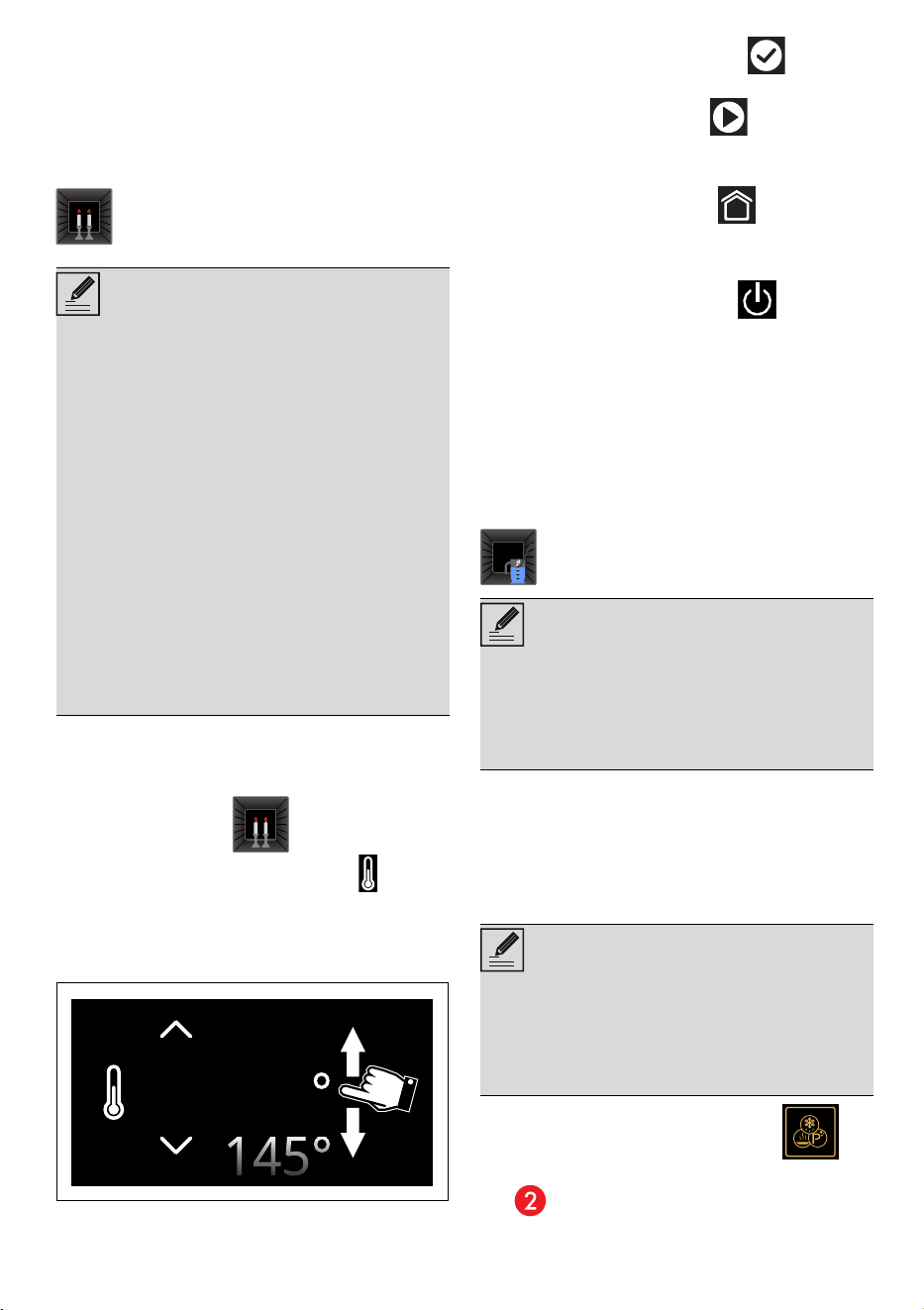
SABBATH
1. Open the door.
2. Place the dish into the oven cavity.
3. Close the door.
4. Select SABBATH .
5. Touch the TEMPERATURE button or the
relevant value.
6. Scroll through the values and select the
temperature (from 140°F/60°C to
540°F/280°C).
7. Touch the CONFIRM button to confirm
the selected temperature.
8. Touch the START button to start the
Sabbath function.
To stop the function:
• Touch the HOME button for around 3
seconds.
Alternatively
• Touch the ON-OFF button for
approximately 3 seconds (the display
reverts to the screen of the function).
In the event of a blackout
Following a power failure, the appliance
automatically resumes the screen with the
Sabbath function requirements. The cooking
process is interrupted and cannot be restarted.
Manual water load
1. Fill the jug or a container with a sufficient
amount of water for the functions that you
wish to use.
2. Open the oven door.
3. Place the jug (or container) on the open
door.
4. Touch the OTHER FUNCTIONS
button on the "main menu" (in the main area
).
Function that allows you to cook food
whilst respecting the provisions of the
Jewish day of rest.
NOTES
This function results in the appliance operating
in a particular way:
• It is possible to set the duration of the
Sabbath function.
• The duration of the Sabbath function can be
from a minimum of 1 minute to a maximum
of 73 hours and 59 minutes.
• No preheating will be performed.
• The cooking temperature that can be
selected ranges from 140°F/60°C to
540°F/280°C.
• Oven light disabled, any operation such as
opening the door or manual activation will
not activate the light.
• The internal fan remains turned off.
• Buzzers disabled.
140°
Function for filling water (or other
liquids) into the reservoir.
NOTES
• Use cold tap water which is not too hard,
softened water or still mineral water.
• Do not use distilled water, tap water with a
high chloride content (> 40 mg/l), or other
liquids.
NOTES
• The jug or container with the water must
have a gross weight lower than 5 kg.
• Do not place the jug (or container) on the
glass of the door. Rest the jug on the
opaque surface of the door at the tube.
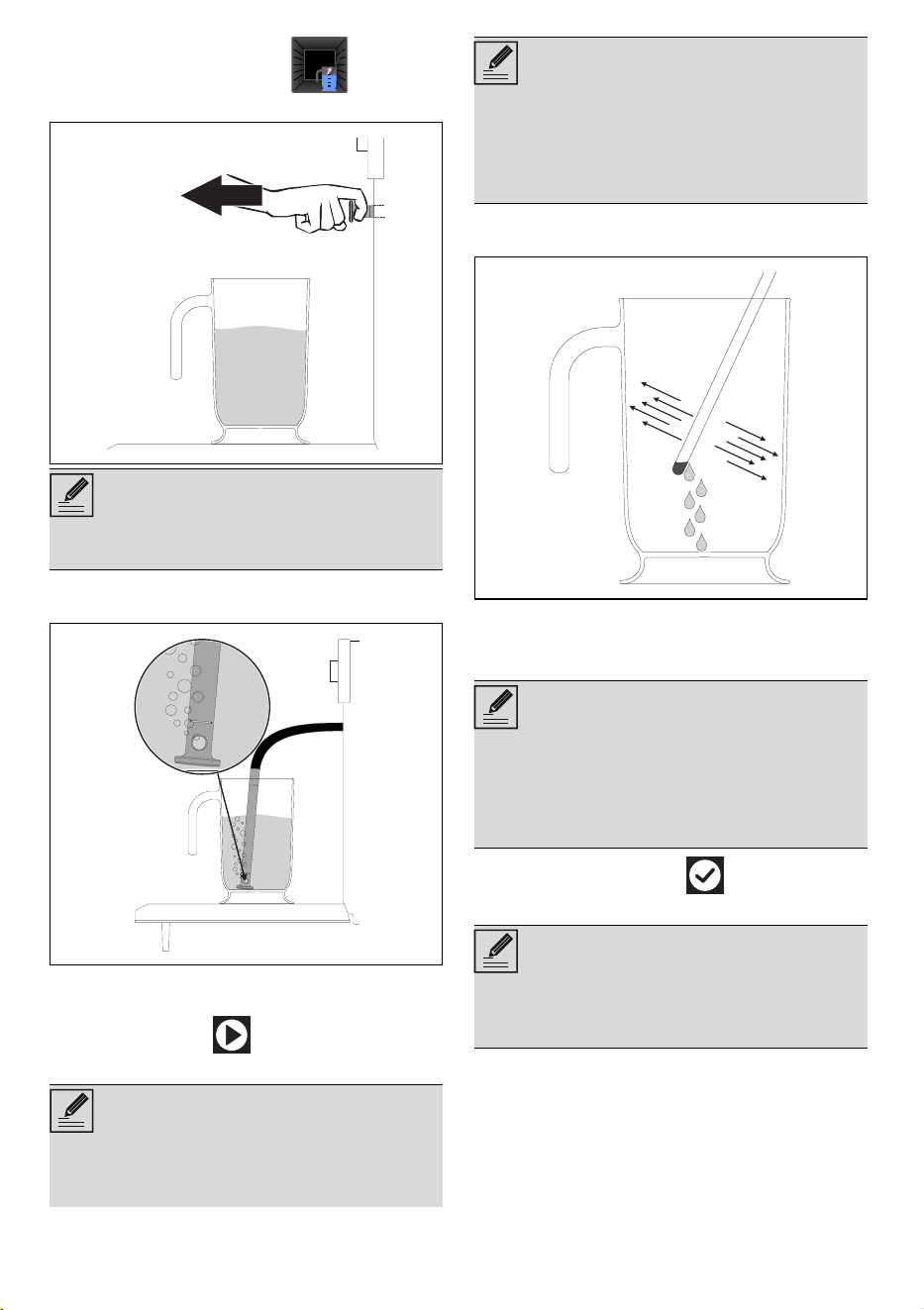
34 - USE 91477B228/A
5. Touch the WATER LOAD button.
6. Remove the tube from its seat.
7. Place the end of the tube at the bottom of
the jug (or container).
The display will show the screen for filling the
water in the reservoir.
8. Press the START button to start filling the
appliance reservoir with water.
9. When finished, shake the tube in order to
remove any remaining water.
10.Place the tube into its seat.
11. Remove the jug (or container).
12.Close the door.
13.Touch the CONFIRM button to confirm
that you have finished filling the reservoir.
NOTES
• Pay attention to the distance to be kept so
as not to be hit by the nozzle ejection.
NOTES
• The appliance will automatically draw the
quantity of water necessary for cooking on
the basis of the set duration.
• In the event that the water runs out, the
appliance will automatically stop the
cooking process, a buzzer will sound and
the display will show a request to fill the
reservoir with water.
NOTES
• When the door is closed, a system will
automatically draw in any residual water
from the loading nozzle to avoid drips. A
bubbling noise may be heard; this is
completely normal.
NOTES
• Each time the door is opened, the function
in progress will stop and then automatically
restart when the door is closed again.
NOTES
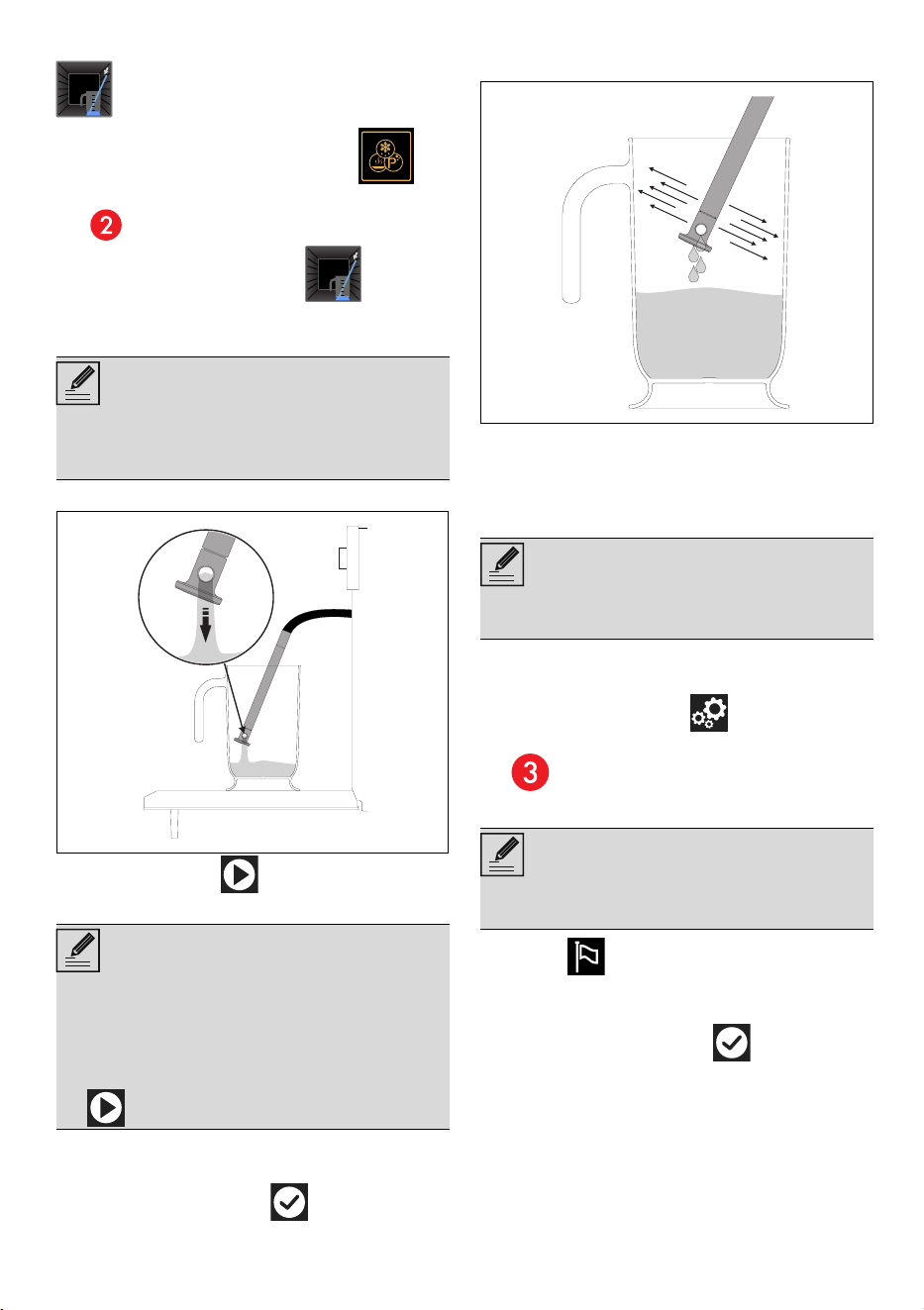
USE - 3591477B228/A
e
Manual water drain
1. Touch the OTHER FUNCTIONS
button on the "main menu" (in the main area
).
2. Touch the WATER DRAIN button.
3. Place a jug or a container on the open
door.
4. Remove the tube from its seat.
5. Press the START button to start draining
the water into the jug (or container).
When complete, the display will indicate that
the residual water removal process is complete.
6. Touch the CONFIRM button.
7. Shake the tube in order to remove any
remaining water.
8. Place the tube into its seat.
9. Remove the jug (or container).
10.Close the door.
Settings
The product configuration can be set using this
menu.
• Touch the SETTINGS button on the
“main menu” (at the right in the lower area
).
Language
1. Select Language.
2. Scroll through the available languages to
select the required language.
3.
Touch the CONFIRM button to
confirm the selected language.
Function for draining water (or other
liquids) from the reservoir.
NOTES
• Do not place the jug (or container) on the
glass of the door. Rest the jug on the
opaque surface of the door at the tube.
NOTES
• It is only possible to drain the water when
the door is open. Always make sure that
you have removed the tube from its seat
and inserted its end into the jug (or
container) before pressing the START button
to start the draining cycle.
NOTES
• In the event of a temporary power cut, all
personal settings will remain stored.
NOTES
• Allows you to select the language of the
display.
36 - USE 91477B228/A
Controls lock
1. Select Controls lock.
2. Select Yes.
3. Touch the CONFIRM button to
activate the Controls lock mode.
To temporarily disable the lock during cooking:
4. Touch one of the values that you wish to
modify.
A message displays that indicates how to
temporarily disable the Controls lock mode.
5. Touch the icon for 3 seconds
.
Show Room mode (for showrooms only)
1. Select
Show Room.
2. Select On.
3.
Touch the CONFIRM button to
activate the Show Room mode.
Sound
1. Select
Sound.
2. Select Off.
3. Touch the CONFIRM button to disable
the sound associated with the touching of
the symbols on the display.
Keep warm
1. Select
Keep warm.
2. Select On.
3. Touch the CONFIRM button to
activate the Keep warm mode.
NOTES
• Allows the appliance to automatically lock
the controls after one minute of normal
operation without any intervention from the
user.
NOTES
• During normal operation, it is indicated by
the indicator light turning on in the
information area .
NOTES
• This mode deactivates all the appliance’s
heating elements, while keeping the control
panel active.
• During normal operation, it is indicated by
the indicator light turning on in the
information area .
• To use the appliance normally, set this
mode to Off.
Press the icon for 3 seconds
to deactivate the control lock
NOTES
• Whenever one of the display symbols is
pressed, the appliance beeps. This setting
disables these sounds.
NOTES
• This mode allows the appliance to keep
cooked food warm (at low temperatures)
after cooking finishes with a cooking cycle
for which a duration has been set (if this is
not manually interrupted), without altering
the taste and aromas obtained during
cooking.
• The keep warm function will be activated 5
minutes after cooking has finished; this is
indicated by a series of beeps (see cooking
or function ended).
• The temperature of the keep warm function
is set to 180°F/80°C.
USE - 3791477B228/A
e
Eco light
1. Select
Eco light.
2. Select On.
3. Touch the CONFIRM button to
activate the Eco light mode.
Digital clock
1. Select
Digital clock.
2. Select On.
Touch the CONFIRM button to
activate the Digital clock mode.
Demo Mode (for showrooms only)
1. Select
Demo Mode.
2. Select On.
3. Touch the CONFIRM button to
activate the Demo Mode.
Standby time
1. Select
Display Time.
2. Select On.
3. Touch the CONFIRM button to
activate the time display.
Weight type
1. Select
Weight type.
2. Select oz or kg.
3. Tap the CONFIRM button to activate
the desired weight measurement unit.
NOTES
• For greater energy savings, the lights inside
the oven cavity are automatically
deactivated approximately one minute after
the start of cooking or after the door is
opened.
• To stop the appliance from automatically
deactivating the light after approximately
one minute, set this mode to "Off".
• Manual on/off control is always available.
Press the symbol, when available, to
manually activate the oven light or the
symbol to deactivate it.
• The Eco light function is factory set to "On".
NOTES
• Displays the current time in digital format.
• In the event of a temporary power cut, the
digital version will remain activated.
NOTES
• The same as Show Room, when this mode
is activated, after a certain period of
inactivity, a demonstration of the various
screens that illustrate the potential of the
appliance is shown on the display.
• To use the appliance normally, set this
mode to Off.
NOTES
• Turns on/off the clock display when the
oven is off.
• The "Display time" function is factory set to
Off.
• If the "Display Time" function is set to On, the
standby appliance shows the current time in
low brightness on the display.
• The "Display Time" function set to On results
in higher power consumption of the
appliance in standby.
NOTES
• Allows the unit of measurement to be set to
display the weight value in either ounces
(oz) or kilograms (kg).
• The Weight type function is factory set to
ounces.
oz
kg
38 - CLEANING AND MAINTENANCE 91477B228/A
Clock format
1. Select
Clock format.
2. Select 12 h or 24 h.
3. Touch the CONFIRM button to
activate the required clock format.
Temperature format
1. Select
Temperature format.
2. Select °F or °C.
3. Touch the CONFIRM button to
activate the required temperature format.
Display brightness
1. Select
Display brightness.
2. Select from the options High - Medium -
Low.
3. Touch the CONFIRM button to confirm
the selection.
Restore settings
4. Touch the FACTORY RESET button on
the "settings menu" (at center in the
lower area ).
5. Touch the CONFIRM button to confirm
the selection.
CLEANING AND MAINTENANCE
Cleaning the appliance
Surface cleaning
To maintain the surfaces, you must clean them
regularly after each use once they have cooled
down.
Ordinary daily cleaning
Always use specific products only that do not
contain abrasives or chlorine-based acids.
Pour the product onto a damp cloth and wipe
the surface, rinse thoroughly and dry with a soft
cloth or a microfiber cloth.
Food stains or residues
Do not use steel sponges and sharp scrapers,
as they will damage the surfaces.
Use normal, non-abrasive products and a
wooden or plastic tool, if necessary. Rinse
thoroughly and dry with a soft cloth or a
microfiber cloth.
Do not allow residues of sugary foods (such as
jam) to set inside the oven. If left to set for too
long, they might damage the enamel lining of
the oven.
Cleaning the oven cavity
Proper maintenance of the oven's interior
requires that it be cleaned regularly, after
allowing it to cool.
Avoid leaving dried up food inside the oven
because it could damage the enamel surface.
Before cleaning, take out all removable parts.
To make cleaning easier, we recommend the
removal of:
•The door:
NOTES
• Activates/deactivates the clock display in
the 12 or 24 hour format.
• The Clock format function is factory set to
12 h.
NOTES
• Allows the temperature scale to be set in
either degrees Fahrenheit (°F) or degrees
Celsius (°C).
• The Temperature format function is factory
set to °F.
NOTES
• This allows the display brightness level to be
selected.
• The Display brightness function is factory set
to High.
NOTES
• This restores all settings to the original
factory settings.
WARNING
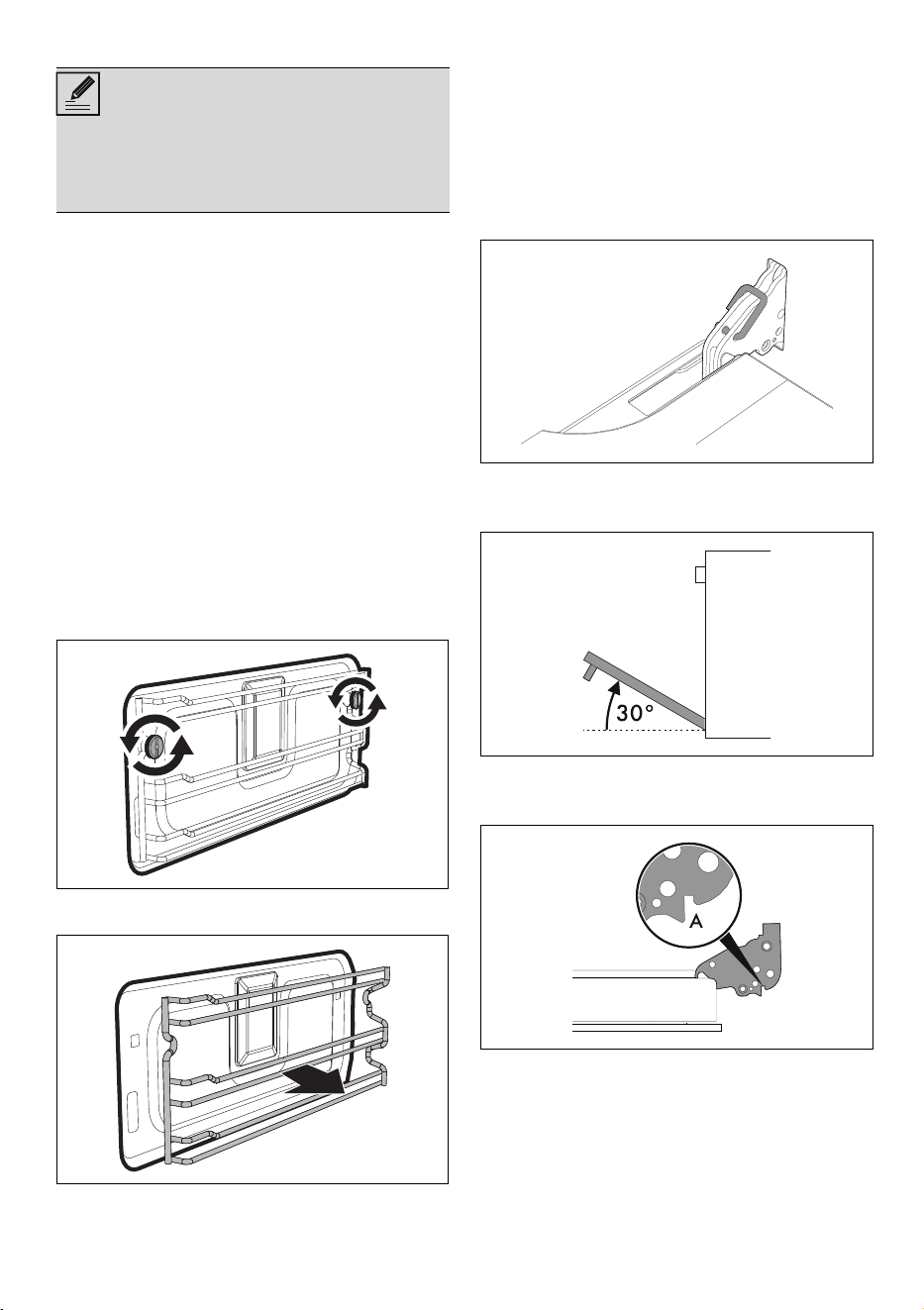
CLEANING AND MAINTENANCE - 3991477B228/A
e
• the frame supports for racks/trays;.
Drying
Cooking food generates moisture inside the
appliance. This is a normal phenomenon and
does not affect the appliance's operation in any
way.
Each time you finish cooking:
1. let the appliance cool down;
2. Remove any dirt from inside the appliance.
3. Dry the interior of the appliance with a soft
cloth.
4. Leave the door open until the inside of the
appliance has dried completely.
Removing racks/trays support frames
Removing the guide frames enables the sides to
be cleaned more easily.
To remove the guide frames:
1. Unscrew the frame fastening pins:
2. Pull the frame towards the inside of the oven
to free it from the fastening pins.
3. When cleaning is complete, repeat the
above procedures to put the guide frames
back in.
Cleaning the door
Removing the door
For easier cleaning it is recommended to
remove the door and place it on a towel.
To remove the door proceed as follows:
1. Open the door completely and insert two
pins into the holes on the hinges indicated in
the figure.
2. Grasp the door on both sides with both
hands, lift it forming an angle of around 30°
and remove it.
3. To reattach the door, insert the hinges into
the slots on the oven, making sure that
grooved sections A fit tightly in the slots.
4. Lower the door and once it is in place
remove the pins from the holes in the hinges.
Cleaning the door glazing
The glass in the door should always be kept
thoroughly clean. Use absorbent paper towels.
If there are tough to clean spots, use a damp
sponge and regular detergent.
NOTES
• If you are using specific cleaning products,
we recommend operating the appliance at
the maximum temperature for about 15-20
minutes to remove any residues.
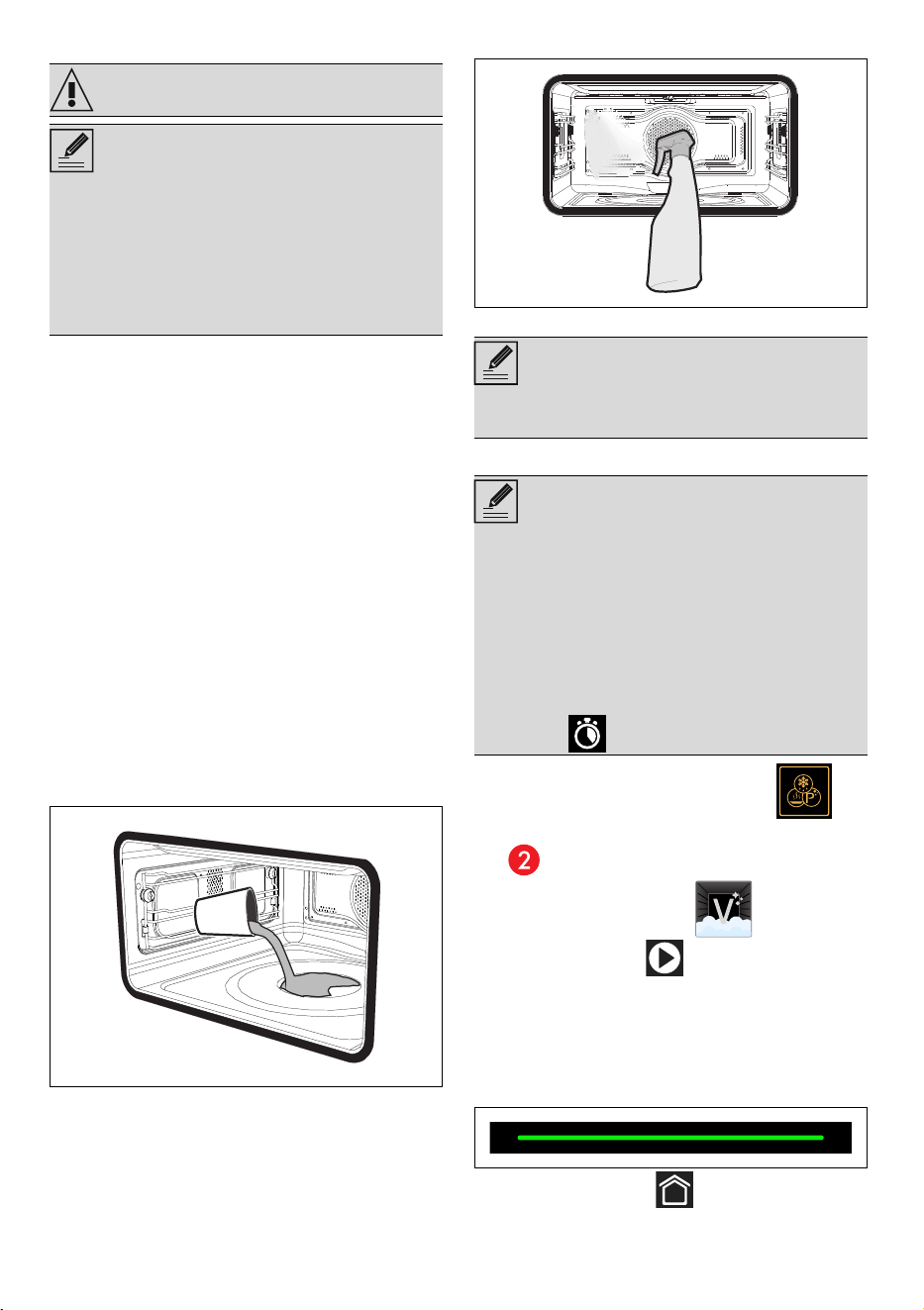
40 - CLEANING AND MAINTENANCE 91477B228/A
Vapor Clean
Preliminary operations
Before starting the Vapor Clean function:
• Remove all accessories inside the oven
cavity.
• Remove any food residue inside the
appliance.
• Perform the Vapor Clean function only when
the appliance is cold.
• Remove the temperature probe (where
fitted).
• Remove the self-cleaning panels (where
fitted).
• During the assisted cleaning cycle, wash the
self-cleaning panels (where fitted), which
were previously removed, separately in
warm water and a small amount of
detergent.
• Pour approx. 4 fl. oz. (120 cc) of water onto
the floor of the oven. Make sure it does not
overflow out of the cavity.
• Spray a water and mild liquid detergent
inside the oven using a spray nozzle. Direct
the spray against the side walls, upwards,
downwards and towards the deflector.
• Close the door.
Vapor Clean cycle setting
1. Touch the OTHER FUNCTIONS
button on the "main menu" (in the main area
).
2. Select VAPOR CLEAN .
3. Touch the START button to start the
Vapor Clean function.
End of Vapor Clean
At the end of the Vapor Clean function,
"Function ended" is shown on the display and a
buzzer sounds briefly.
1. Touch the HOME button to exit from
the function.
WARNING
NOTES
• The Vapor Clean function is an assisted
cleaning procedure which facilitates the
removal of dirt. Thanks to this process, it is
possible to clean the inside of the oven very
easily. The dirt residues are softened by the
heat and water vapor for easier removal
afterwards.
NOTES
• We recommend spraying approx. 20 times
at the most.
NOTES
• If the indoor temperature is higher than
expected, the function is not activated. Let
the appliance cool down before activating
the function.
• The duration and temperature of the Vapor
Clean function cannot be changed by the
user.
• It is possible to set the delayed
function .
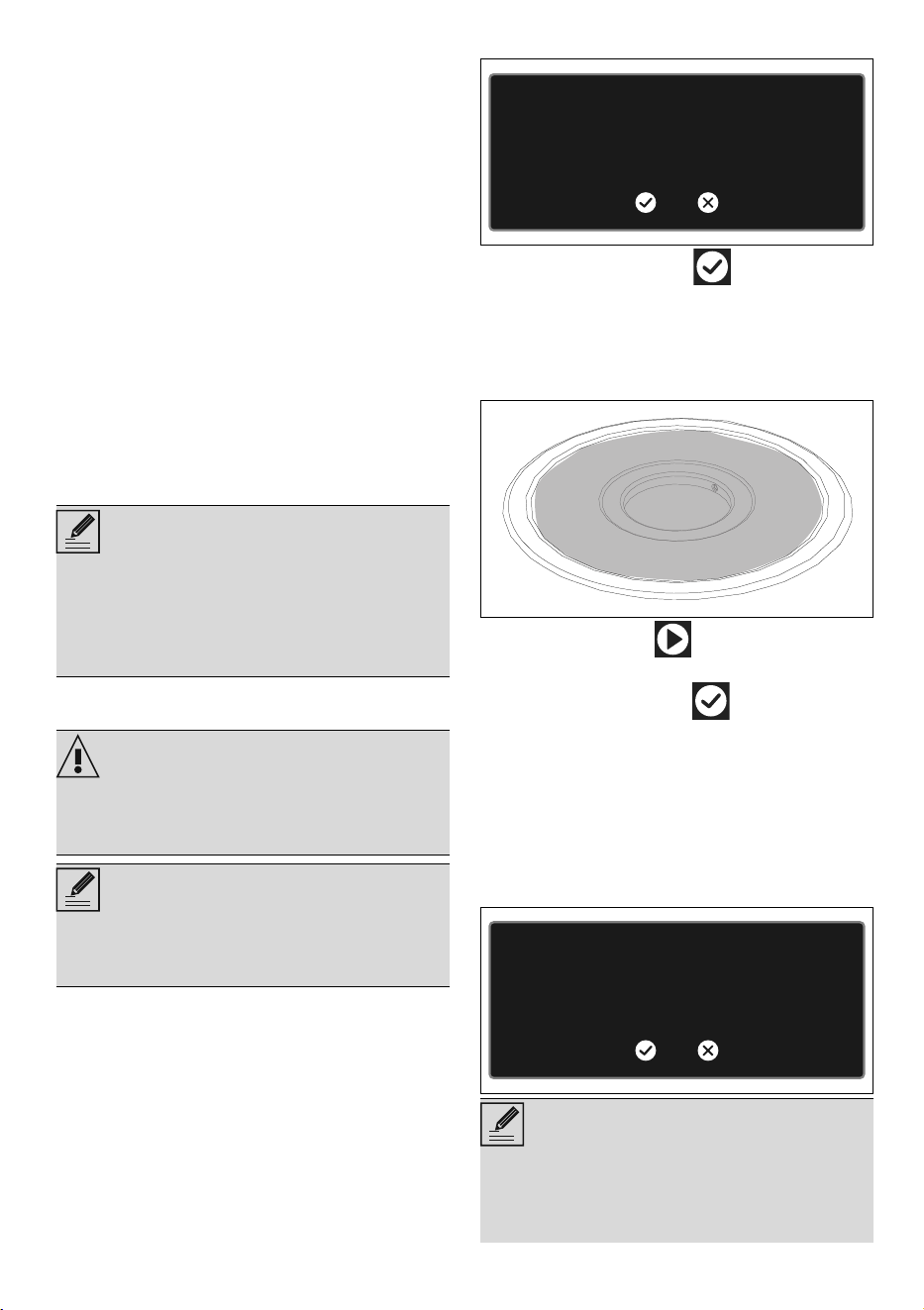
CLEANING AND MAINTENANCE - 4191477B228/A
e
2. Proceed with reservoir draining as
described above.
3. Open the door and wipe away the less
stubborn dirt with a microfiber cloth.
4. Use a non-scratch sponge with brass
filaments on hard to remove deposits.
5. In case of grease residues use specific oven
cleaning products.
6. Remove any remaining water from the oven
cavity.
7. Where fitted, reposition the self-cleaning
panels and the rack/tray support frames.
For greater hygiene and to avoid foods taking
on unpleasant odors:
• we recommend drying the inside of the oven
with a fan-assisted function at 160°C for
around 10 minutes.
• Where the self-cleaning panels are fitted,
we recommend drying the oven cavity with
a simultaneous catalytic cycle.
Descaling
The following message will appear on the
display from time to time to indicate that you
should carry out the descaling of the
evaporation tray on the bottom of the oven.
1. Touch the CONFIRM button to
confirm.
2. Open the door.
3. Pour approximately 250 ml of white vinegar
into the evaporation tray, thus also covering
part of the base of the oven.
4. Touch the START button to start the
descaling cycle.
5. Touch the CONFIRM button at the end
of the descaling process to confirm.
6. Remove the vinegar from the base of the
oven with the supplied sponge.
7. Use a dish sponge on softened
encrustations in order to remove the largest
possible quantity of scale.
8. When you have finished cleaning, close the
door again.
NOTES
• We recommend wearing rubber gloves for
these operations.
• We recommend removing the door in order
to make the manual cleaning of the parts
that are difficult to reach easier.
WARNING
• The presence of scale due to lack of
descaling can compromise correct
operation of the appliance in the long term.
NOTES
• Descaling is a long process (more than one
hour) that requires the user to be present in
front of the appliance.
NOTES
• We recommend performing descaling
every time this is indicated on the display in
order to keep the boiler in perfect operating
conditions.
We recommend running the
descaling procedure
We recommend running the
descaling procedure
Decalcification will be mandatory
at the next warning
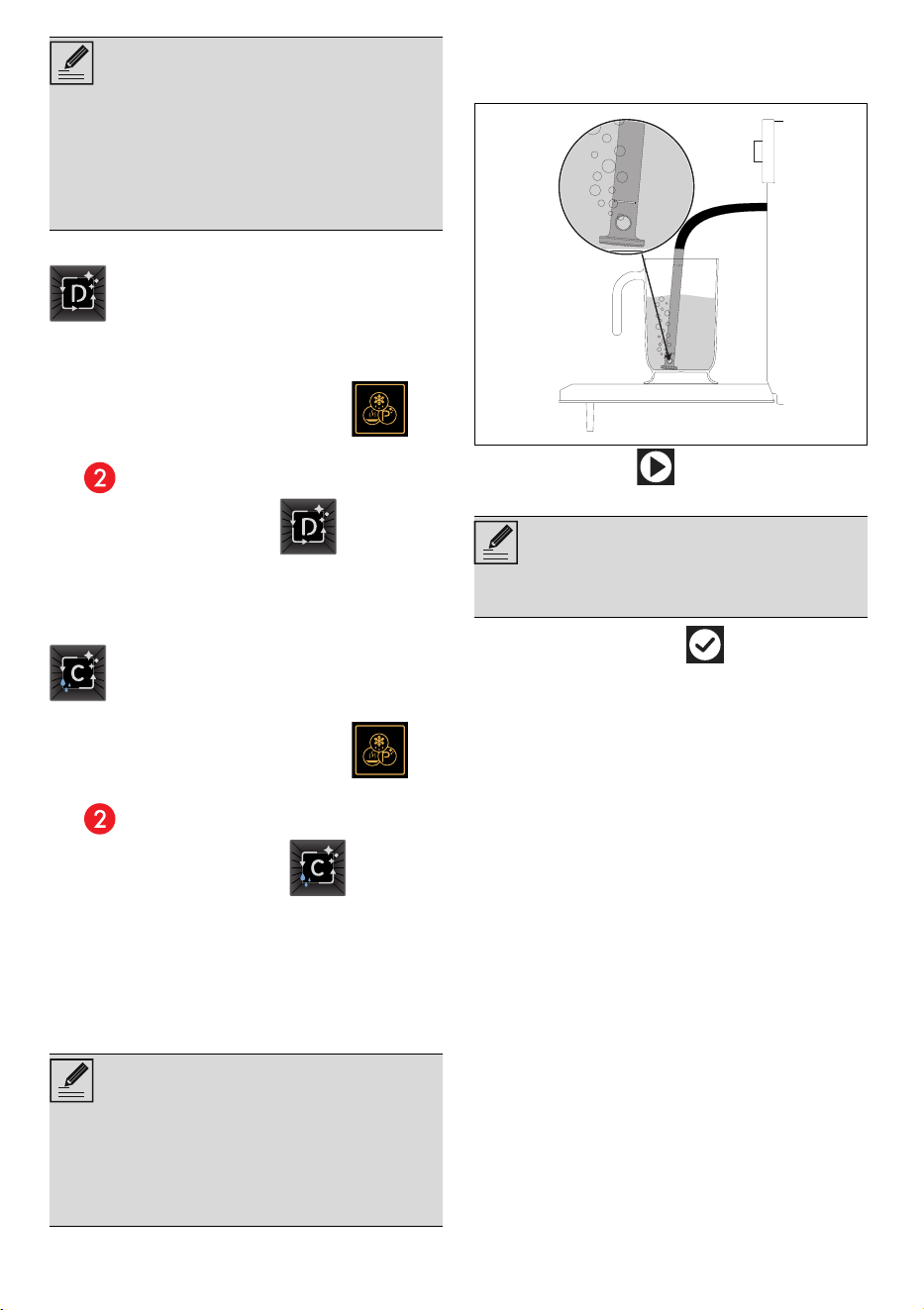
42 - CLEANING AND MAINTENANCE 91477B228/A
Manual descaling
When you wish to perform descaling in
advance, you can run the function manually:
1. Touch the OTHER FUNCTIONS
button on the "main menu" (in the main area
).
2. Touch the DESCALING button.
Proceed with the descaling procedure as
described in the previous paragraphs.
Manual tank clean
1. Touch the OTHER FUNCTIONS
button on the "main menu" (in the main area
).
2. Touch the TANK CLEAN button.
Preliminary operations
1. Fill a jug or container with about 2 liters of
clean water.
2. Open the oven door.
3. Place the jug (or container) on the open
door.
4. Extract the tube from its seat and immerse its
end in the jug (or container) until it reaches
the bottom.
5. Press the START button to start filling the
appliance reservoir with water.
6. Touch the CONFIRM button to confirm
that you have finished filling the reservoir.
The display will show the time left until the end of
the cleaning cycle.
When the cleaning process is complete, a
buzzer will sound and the display will show the
draining screen.
7. Open the oven door.
8. Place the jug provided or a container on the
open door.
9. Remove the tube from its seat and insert the
end of it into the jug (or container).
• After this, the appliance will not allow you to
run any other function until the descaling
process is performed.
• After this, the appliance will not allow you to
run any other function until the descaling
process is performed.
Function that performs the boiler
descaling.
This function allows the reservoir and
the hydraulic circuit of the appliance to
be cleaned.
NOTES
• The jug or container with the water must
have a gross weight lower than 5 kg.
• Do not place the jug (or container) on the
glass of the door. Rest the jug on the
opaque surface of the door at the tube.
NOTES
NOTES
• The appliance will automatically draw
sufficient water to fill the reservoir.
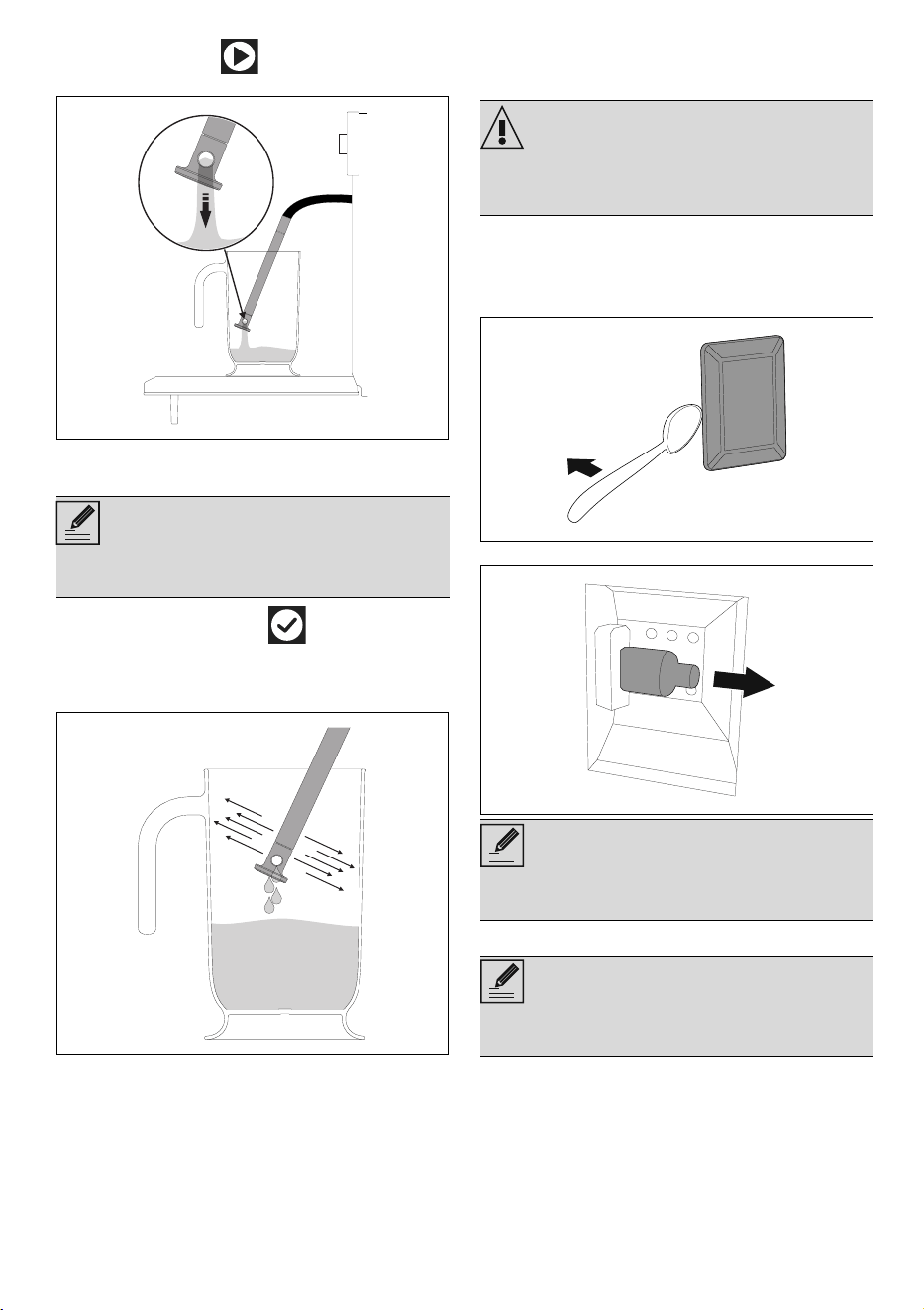
CLEANING AND MAINTENANCE - 4391477B228/A
e
10.Press the START button to start draining
the water into the jug (or container).
When complete, the display will indicate that
the residual water removal process is complete.
11.Touch the CONFIRM button to confirm
that you have finished cleaning the reservoir.
12.Shake the tube in order to remove any
remaining water.
13. Shake the loading nozzle to remove any
remaining water.
14. Place the tube into its seat.
15.Remove the jug (or container).
16. Drain the water from the jug.
17.Close the door.
Extraordinary maintenance
Replacing the oven light
1. Remove all accessories inside the oven.
2. Remove the frame supports for racks/trays.
3. Use a tool (e.g. a spoon) to remove the bulb
cover.
4. Loosen and remove the light bulb.
5. Replace the bulb with a similar one (40 W).
NOTES
• We recommend carrying out the reservoir
cleaning process every 2-3 months
WARNING
• Unplug the appliance.
• Wear protective gloves.
NOTES
• Be careful not to scratch the enamel of the
oven walls.
NOTES
• Do not touch the halogen bulb with your
fingers; cover them with an insulating cloth.
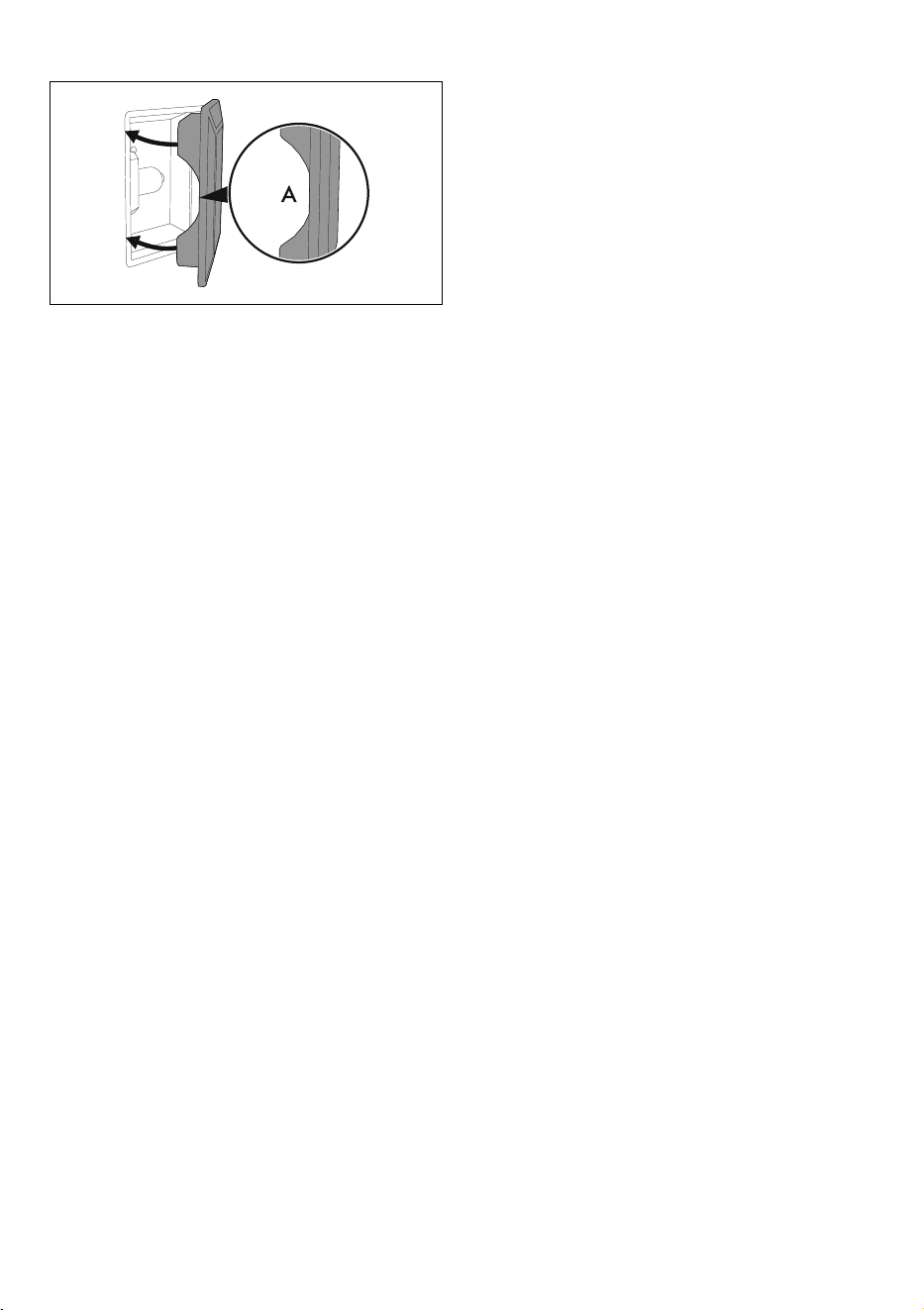
44 - CLEANING AND MAINTENANCE 91477B228/A
6. Reattach the cover. Ensure the molded part
of the glass (A) is facing the door.
7. Press the cover firmly so that it adheres
tightly to the light bulb holder.
Seal maintenance tips
The seal should be soft and elastic.
• To keep the seal clean, use a non-abrasive
sponge and wash with lukewarm water.
What to do if...
The display is completely off:
• Check the mains power supply.
• Check if any circuit breakers upstream of the
appliance supply line are in the "ON"
position.
The appliance does not heat up:
• Check whether "Show Room (for
showrooms only)" or "Demo Mode (for
showrooms only)" has been set (for further
details see "settings" section).
The controls do not respond:
• Check whether the "Controls lock" mode has
been set (for further details see "settings"
section).