Quick Start Guide
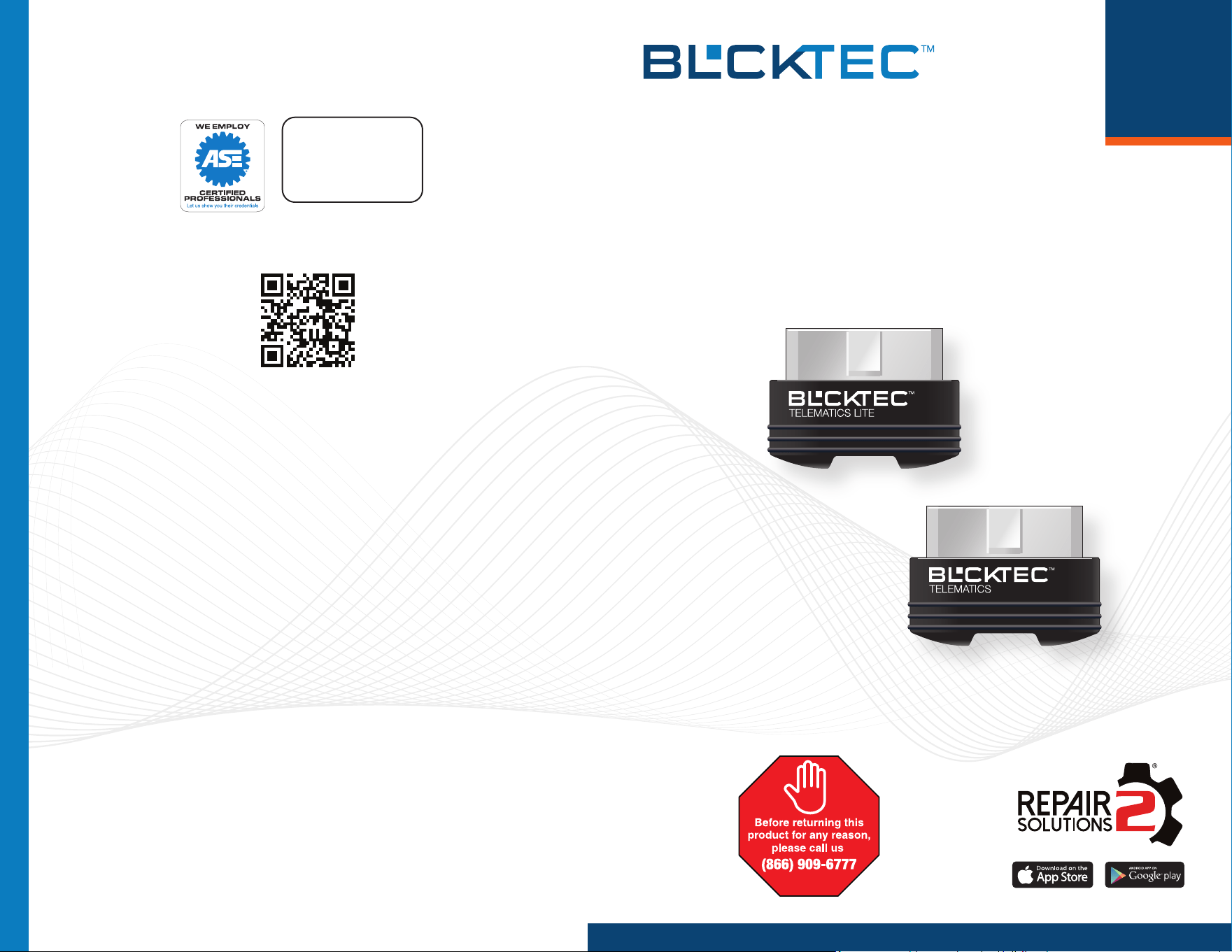
410 Telematics Lite
430 Telematics
Designed in California, U.S.A
Copyright © 2023 McGaaw LLC. All rights reserved.
U.S. Patents www.blcktec.com/patents. Other Patents Pending.
For additional information, support, and FAQs:
www.blcktec.com
ASE Certied Technicians
(866) 909-6777
1 YEAR WARRANTY
Support in U.S.A. by
410
430
Powerful Diagnostics. Verified Fix Solutions. Link to Parts & Shops.
DONGLE SETUP / CREATE A REPORT
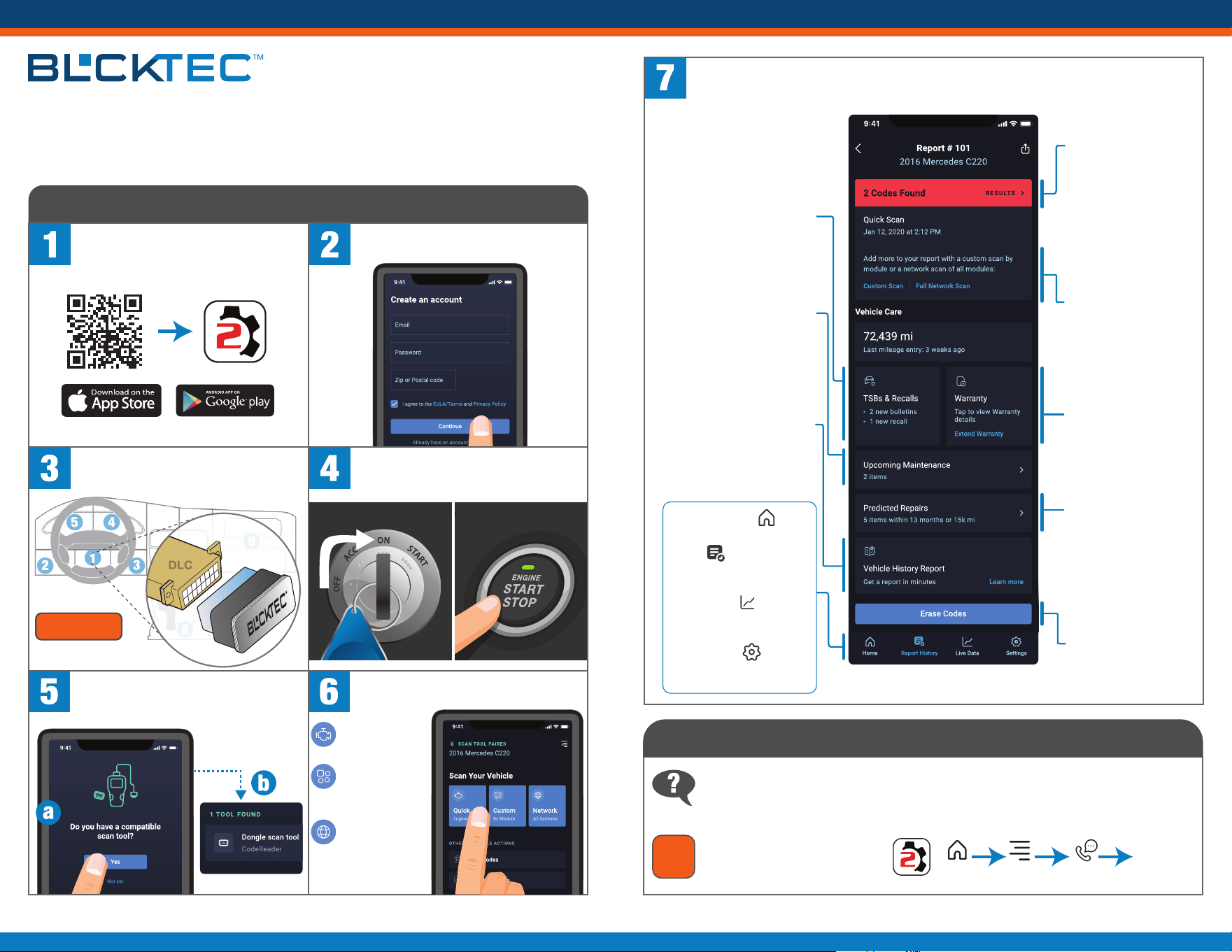
Scan the QR Code to download &
install the RepairSolutions2
®
(RS2) app.
Connect BLCKTEC to your vehicle’s
Data Link Connector (DLC).
Launch the app and follow the
prompts to create an account.
Turn the Ignition to “ON” – but DO NOT
START the engine.
Locate your vehicle’s Data Link
Connector (DLC) by visiting
blcktec.com, or by searching
on the RS2 app:
Have questions? Have feedback? Need extra help?
1-866-909-6777 | www.blcktec.com/support
View your results!
Here’s an example of a “Quick Scan” RepairSolutions2
®
report.
TIP
#1
Upcoming Maintenance
Tap to view your vehicle
manufacturer’s
recommended maintenance
intervals. Plus, purchase the
correct maintenance parts
online.
TSBs & Recalls
Tap to learn if there are any
special NHTSA safety recalls
or Technical Service Bulletins
(TSBs) issued by your
vehicle’s manufacturer.
Vehicle History Report
Tap to get an in-depth vehicle
history report. Perfect when
you are looking to sell or
trade in your vehicle.
NO Brake Pedal
Tap Button 2 Times
See Tip #1
CUSTOMER SUPPORT + TIPS
Select the type of RepairSolutions2
®
report* you would like to perform.
* Selections vary based on the BLCKTEC model used.
QUICK = a basic
check engine
scan.
CUSTOM = a
scan based on
pre-selected
system modules.
NETWORK = a
comprehensive
vehicle health
scan of all
available systems.
Home
Returns to the home page.
Report History
Allows you to view
previous scans.
Live Data
Launches real time
PID live data view.
Settings
Change your
personal preferences.
Codes Found
Tap to view discovered
Diagnostic Trouble
Codes (DTCs), get its
verified fix(es) that
includes a Buy Now link
to purchase the correct
parts online, plus see the
DTC’s severity level, and
other valuable info.
Predicted Repairs
With millions of verified
repair solutions in our
database, we offer
statistical probabilities of
what repairs you may
need within the next
12 months.
Erase Codes
Tap to erase all DTCs
from your vehicle after
making repairs.
Warranty
Shows your vehicle’s
current manufacturer
warranty status.
Add More
Allows you to create
additional detailed
reports, such as a
Custom Scan or a
Network Scan report.
Hello and thank you for purchasing BLCKTEC™!
Whether you’re new to vehicle diagnostics or a seasoned pro, our products are easy for anyone to
use. We bring decades of expertise building award winning automotive diagnostic tools; and have
revolutionized the industry by pairing them with real world solutions designed to simplify vehicle
repairs. As you use the tool, please contact us if you encounter any questions or have feedback.
Menu
Home
Support
Locate
OBD2 Port
(a) Tap Yes to begin pairing. (b) Follow
the prompts to select your “tool found”
and complete the pairing process.
Apple: When prompted, please allow Bluetooth permissions.
Android: When prompted, please allow the device’s location.
410 Telematics Lite | 430 Telematics