
OWNER’S
MANUAL
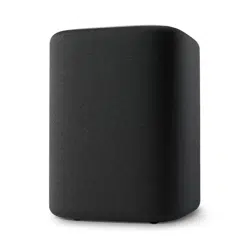
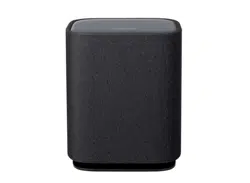
ENCHANT SUB

2
IMPORTANT SAFETY
INSTRUCTIONS
Verify Line Voltage Before Use
The Harman Kardon Enchant Sub has been designed for use
with 100-240 volt, 50/60 Hz AC current. Connection to a line
voltage other than that for which your product is intended can
create a safety and re hazard and may damage the unit. If you
have any questions about the voltage requirements for your
specic model or about the line voltage in your area, contact
your selling dealer before plugging the unit in to a wall outlet.
Do Not Use Extension Cables
To avoid safety hazards, use only the power cable supplied
with your unit. We do not recommend that extension cables be
used with this product. As with all electrical devices, do not run
power cables under rugs or carpets, or place heavy objects on
them. Damaged power cables should be replaced immediately
by an authorized service center with a cable that meets factory
specications.
Handle the AC Power Cable Gently
When disconnecting the power cable from an AC outlet, always
pull the plug; never pull the cable.
If you do not intend to use your soundbar for any considerable
length of time, disconnect the plug from the AC outlet.
Do Not Open the Cabinet
There are no user-serviceable components inside this product.
Opening the cabinet may present a shock hazard, and any
modication to the product will void your warranty. If water
accidentally falls inside the unit, disconnect it from the AC
power source immediately, and consult an authorized service
center.

3
TABLE OF CONTENTS
IMPORTANT SAFETY INSTRUCTIONS .............................................. 2
1 INTRODUCTION .................................................................................... 4
2 WHAT’S IN THE BOX ........................................................................... 6
3 PRODUCT OVERVIEW .........................................................................7
4 GET STARTED ........................................................................................9
4.1 Placement ................................................................................................................9
4.2 Power on .................................................................................................................. 9
5 SETUP ....................................................................................................... 10
6 RESTORE FACTORY SETTINGS.....................................................12
7 PRODUCT SPECIFICATIONS ..........................................................13
8 TROUBLESHOOTING ......................................................................... 14
9 TRADEMARK .......................................................................................... 15
10 OPEN SOURCE LICENSE NOTICE ................................................ 16

4
1
INTRODUCTION
This manual includes information of the Harman Kardon
Enchant Sub. We encourage you to take a few minutes to read
this manual, which describes the product and includes step-by-
step instructions to help you set up and get started. Read and
understand all the safety instructions before using your product.
This product may have an important software update
available. Please follow the instructions to connect the
product to Wi-Fi to ensure that your product has the most
recent software updates.
Design and specications are subject to change without notice.
Some features require subscriptions or services not available in
all countries.
If you have any questions about this product, its installation or
its operation, please contact your Harman Kardon retailer or
customer service, or visit us at www.harmankardon.com.
55
INTRODUCTION
Harman Kardon One app
With the Harman Kardon One app on your Android™ or iOS
device, you can set up a multi-channel sound system by
wirelessly pairing your Enchant Sub with:
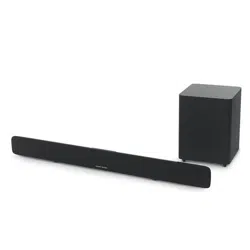
• Enchant 900 / 1100 (soundbar, sold separately): to enhance
the bass performance.
Harman Kardon One
For more information, see “5 SETUP”.
NOTES:
• *Subscription may be needed and not provided by the Harman
Kardon One app.
• App screens may vary due to software updates. Always follow the
app instructions.
6
2
WHAT’S IN THE BOX
Unpack the box carefully and ensure that the following parts
are included. If any part is damaged or missing, do not use it
and contact your retailer or customer service representative.
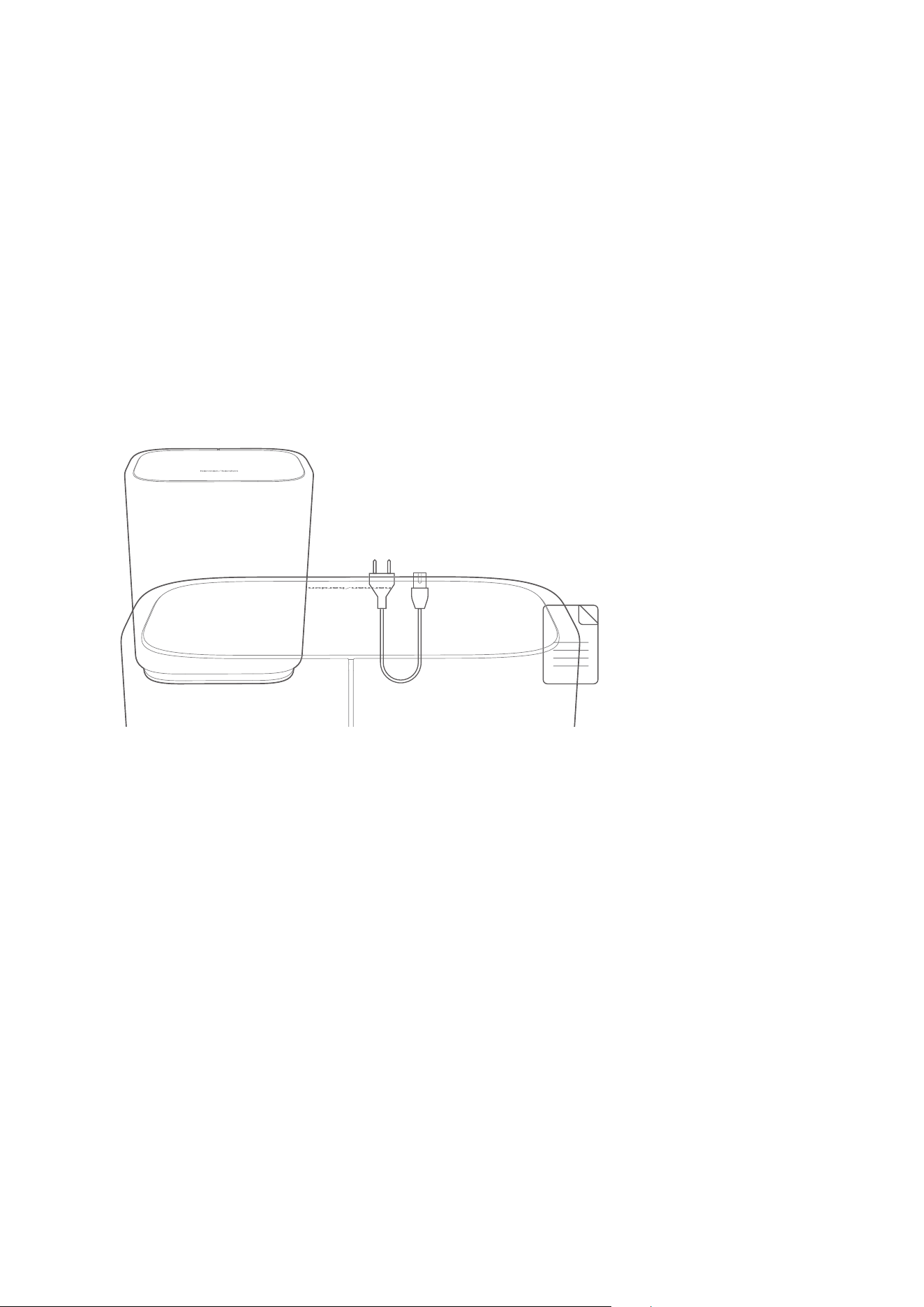
21 3
*
1.5m/5ft
1. Subwoofer
2. Power cable*
3. Product information
*Power cable quantity and plug type vary by regions.
7
3
PRODUCT
OVERVIEW
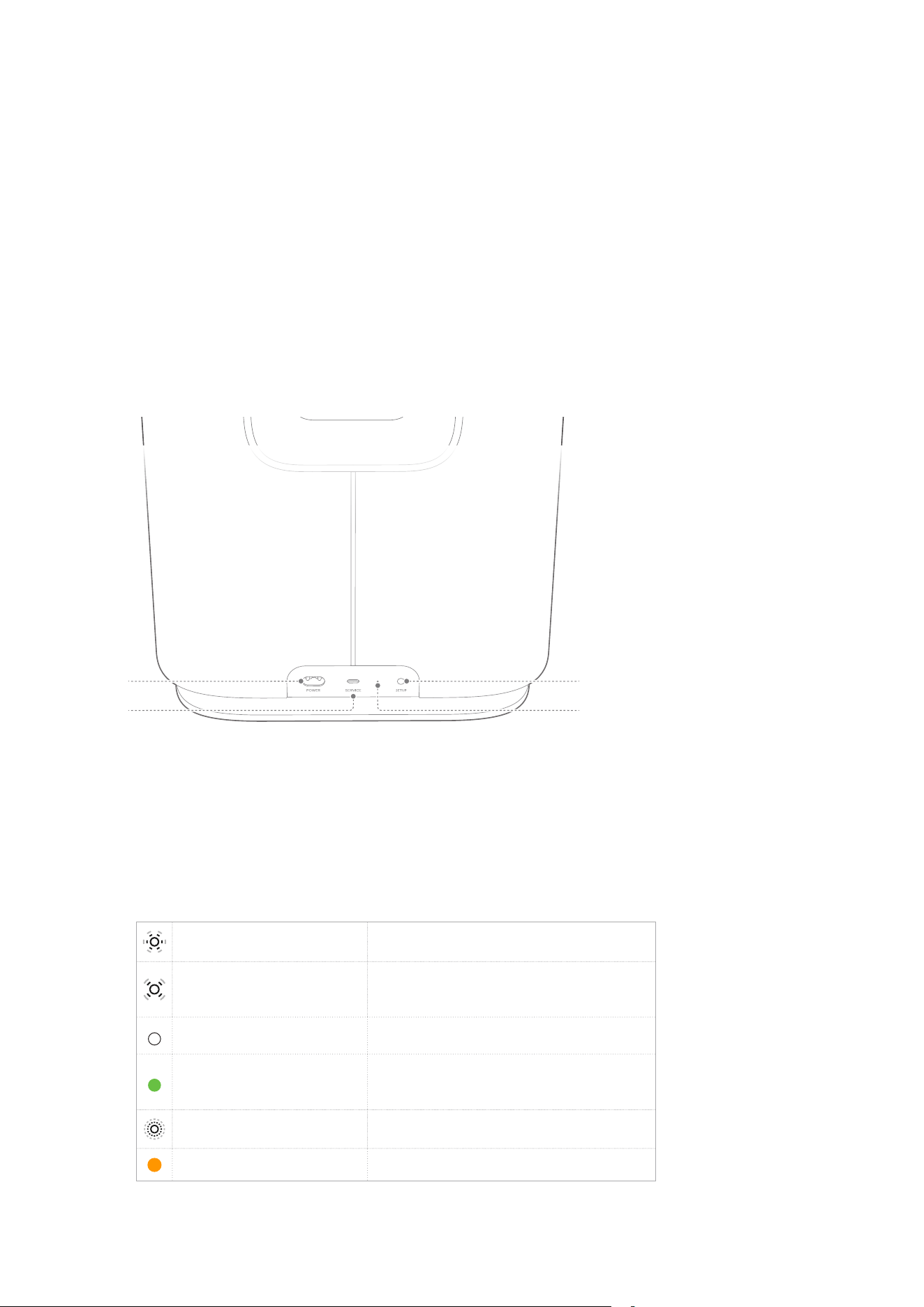
Back Panel
4
3
1
2
1. POWER
• Connect to power (with the supplied power cord).
2. SERVICE
• USB connector for software update (for service only).
3. LED indicator
Regular pulsing (white) System startup
Slow pulsing (white)
Ready for setup / Disconnected
with Enchant soundbar
Solid (white) Connected with Enchant soundbar
Solid (green)
Subwoofer discovered by the
Harman Kardon One app
Fast pulsing (white) Software updating in progress
Solid (amber) Restoring factory settings

88
PRODUCT OVERVIEW
4. SETUP
• Press twice to enter the setup mode.
• Hold for more than 10 seconds to restore factory
settings.
9
4
GET STARTED
4.1
Placement
Place the subwoofer on any at and stable surface near an AC
(mains) outlet.
For a successful connection, keep a distance of 1 to 5 meters
(3.3 to 16.4 feet) between the subwoofer and your Enchant
soundbar.
4.2
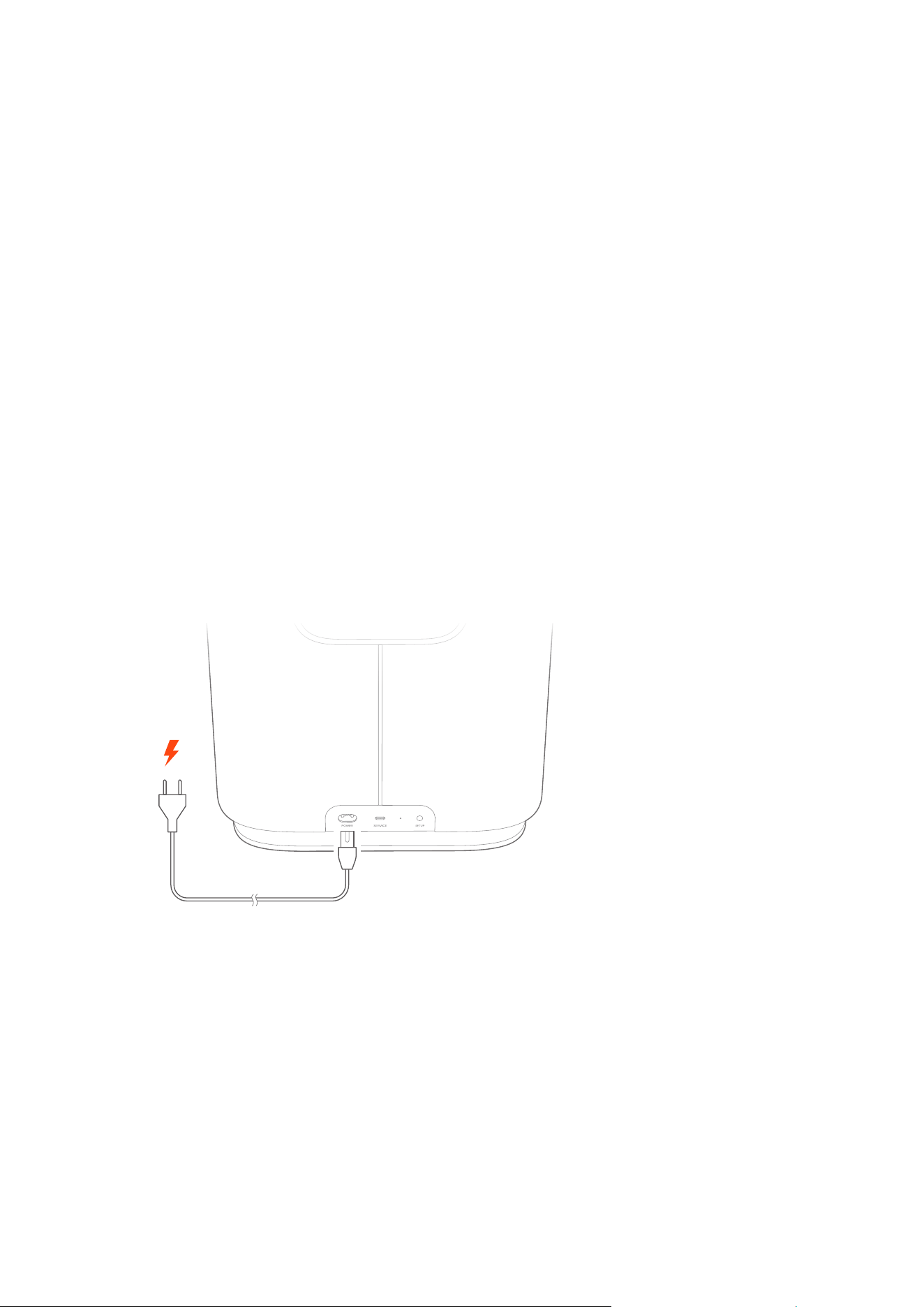
Power on
Plug one end of the power cord into the POWER connector on
the back panel, and the other end into an AC (mains) outlet.
Æ The subwoofer will automatically power on.
NOTES:
• Use the supplied power cord only.
• When unplugging the power cord, always pull the plug, never the
cord.
10
5
SETUP
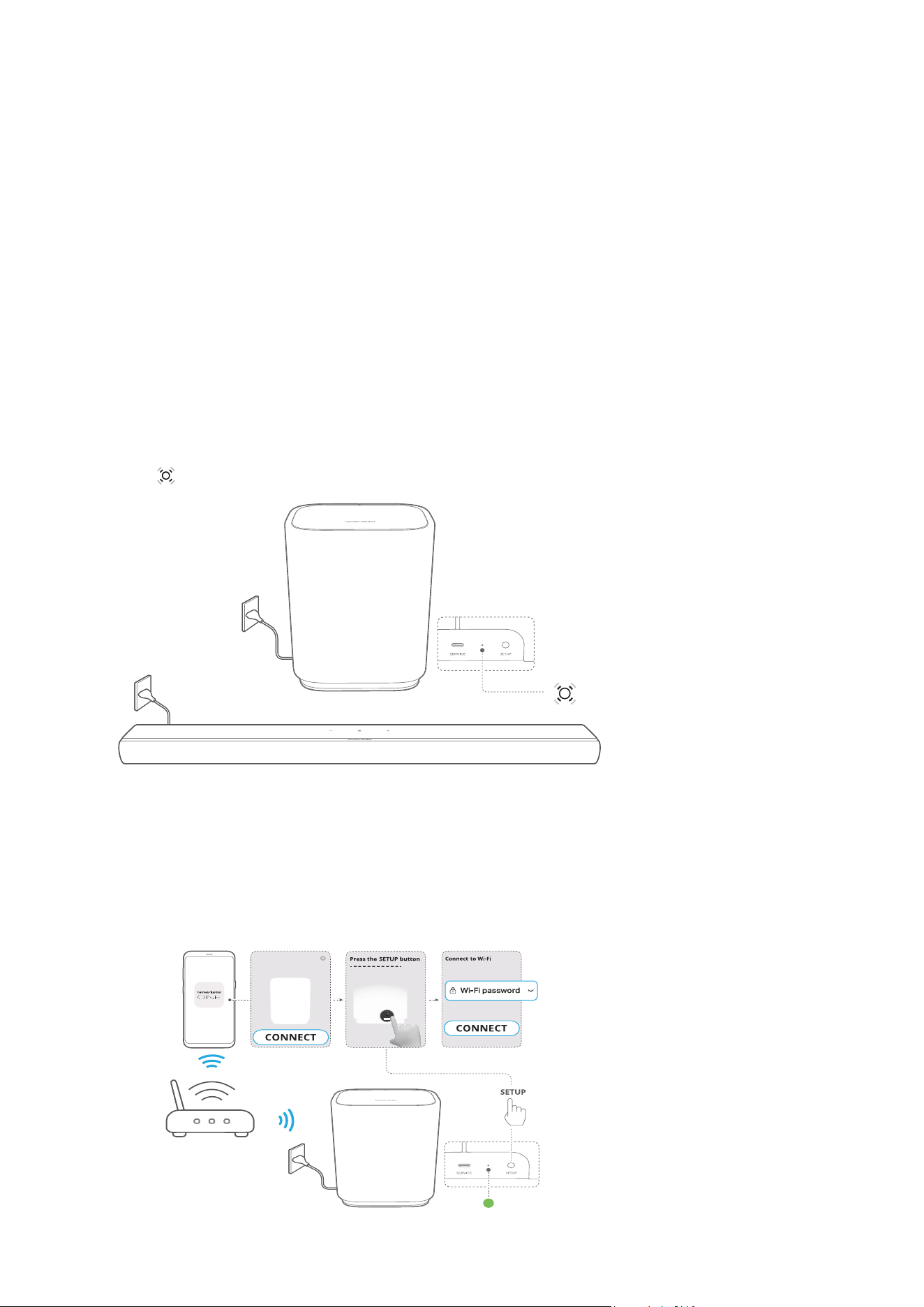
The subwoofer can only work with Enchant soundbar. Follow
the steps below to wirelessly connect with the soundbar.
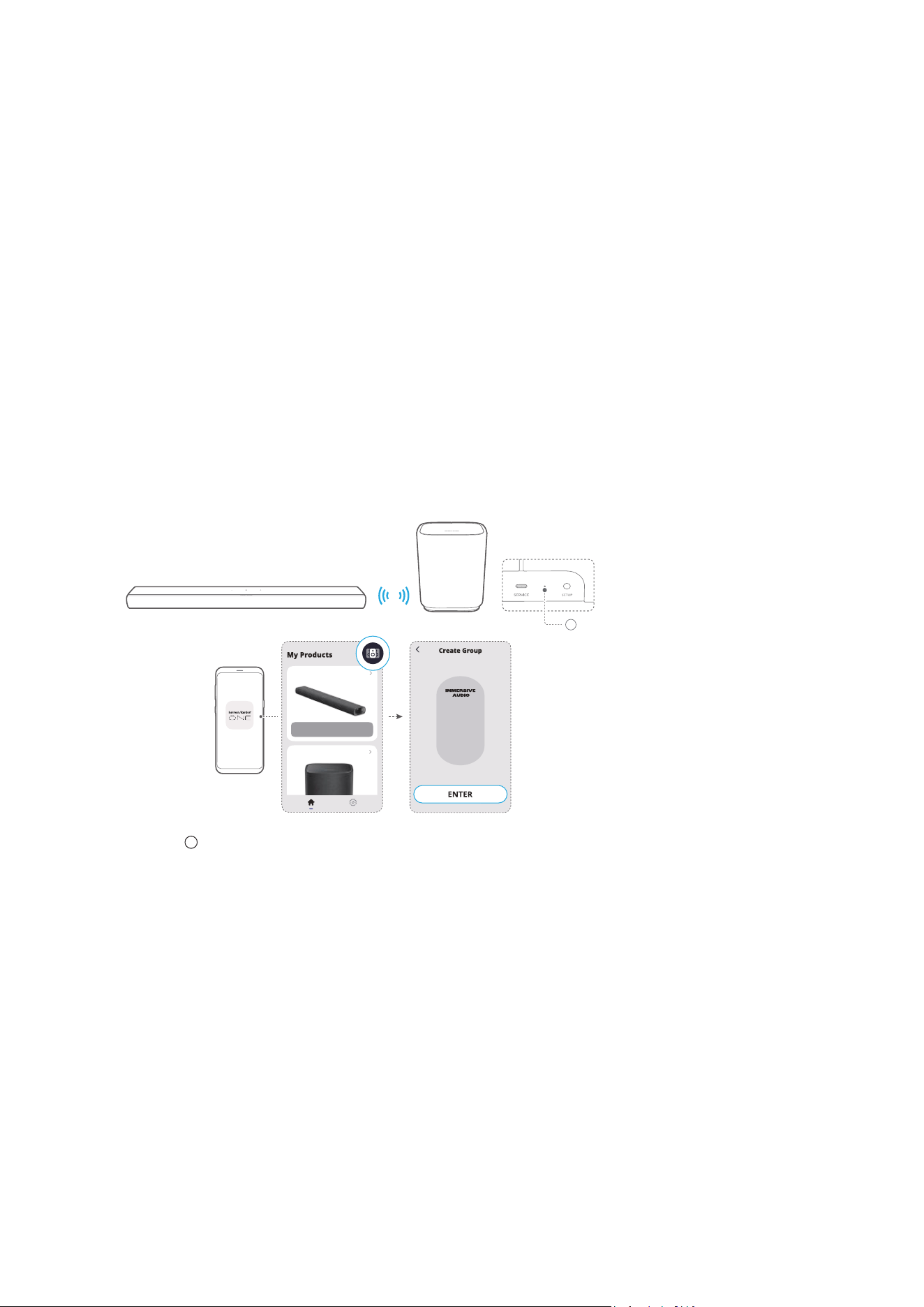
1) Connect the subwoofer and your Enchant soundbar to
power.
Æ (Slow pulsing white): ready for setup.
2) Connect your Android or iOS device to your home network.
Download and launch the Harman Kardon One app.
3) Follow the app instructions to complete the setup.
a) Connect your Enchant soundbar to your home network.
b) Connect the subwoofer to the same network as your
Enchant soundbar.
Enchant Sub
1111
SETUP
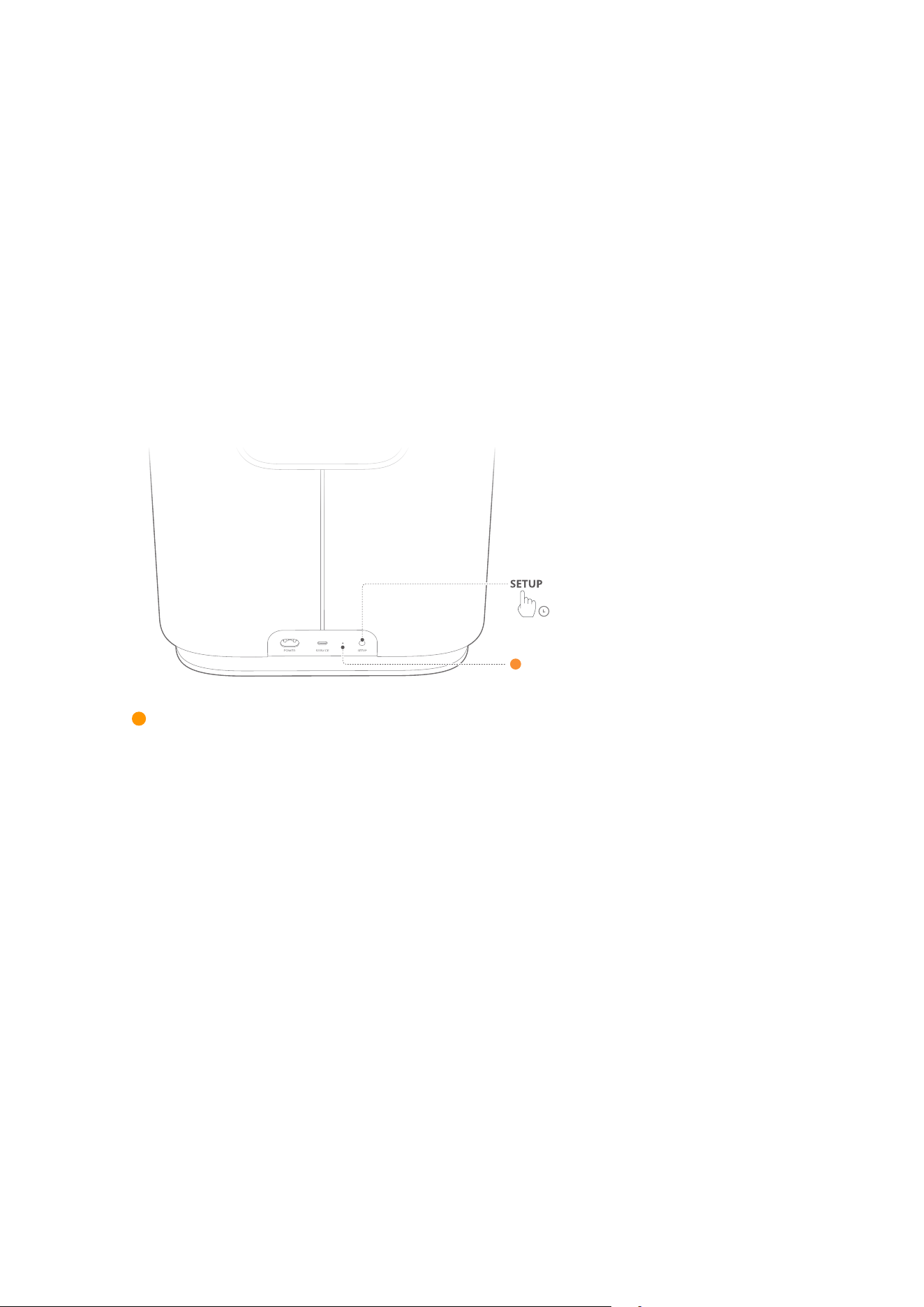
NOTE:
• If your subwoofer is not discovered by the Harman Kardon
One app, press SETUP twice to re-enter the setup mode.
c) Group the subwoofer with your Enchant soundbar as a
multi-channel sound system.
Enchant 1100
Enchant Sub
Æ (Solid white): The subwoofer is connected to the
Enchant soundbar.
12
6
RESTORE FACTORY
SETTINGS
On the subwoofer, hold SETUP for more than 10 seconds to
restore the factory default settings.
10S
Æ (Solid amber): Restoring factory settings
Æ When the factory restore is complete, the subwoofer
automatically restarts.

13
7
PRODUCT
SPECIFICATIONS
General Specification
• Model: ENCHANT SUB
• Power supply: 100 - 240 V AC, ~50 / 60 Hz
• Output power (RMS @THD 1%): 100 W
• Transducer: 1x 6.5" (164 mm) subwoofer
• Networked standby power: < 2.0 W
• Operating temperature: 0°C - 45°C
Wireless specification
• Wi-Fi network: IEEE 802.11 a/b/g/n/ac/ax (2.4 GHz / 5 GHz)
• 2.4G Wi-Fi transmitter frequency range: 2412 - 2472 MHz
(2.4 GHz ISM Band, USA 11 Channels, Europe and others
13 Channels)
• 2.4G Wi-Fi transmitter power: < 20 dBm (EIRP)
• 5G Wi-Fi transmitter frequency range:
5.15 - 5.35 GHz, 5.470 - 5.725 GHz, 5.725 - 5.825 GHz
• 5G Wi-Fi transmitter power:
5.15 - 5.25 GHz < 23 dBm (EIRP),
5.25 - 5.35 GHz & 5.470 - 5.725 GHz < 20 dBm (EIRP),
5.725 - 5.825 GHz < 14 dBm (EIRP)
Dimensions
• Product dimensions (W x H x D):
305 x 378 x 225 mm / 12.0" x 14.9" x 8.9"
• Product weight: 6.7 kg / 14.7 lbs
• Packaging dimensions (W x H x D):
380 x 475 x 295 mm / 15.0" x 18.7" x 11.6"
• Packaging weight: 10.1 kg / 22.3 lbs

14
8
TROUBLESHOOTING
Never try to repair the product yourself. If you have problems
using this product, check the following points before you
request services.
System
No response to button presses
• Check if the power cord is plugged into power.
• Restore the subwoofer to factory settings (See “6 RESTORE
FACTORY SETTINGS”).
Sound
No sound from subwoofer
• Make sure that the subwoofer is connected to power.
• Make sure that the subwoofer is wirelessly connected to the
Enchant soundbar (See “5 SETUP”).
Wi-Fi
Failed to connect to Wi-Fi.
• Make sure that you have selected the right network and
entered the correct password.
• Make sure that your router or modem is turned on and
within the range.
• Make sure that your subwoofer is connected to the same
wireless network as your smartphone or tablet.
• If you have diculties in setting up Wi-Fi, press SETUP
twice to re-enter the setup mode (See “5 SETUP”).

15
9
TRADEMARK
Wi-Fi CERTIFIED 6™ and the Wi-Fi CERTIFIED 6™
Logo are trademarks of Wi-Fi Alliance®.

16
10
OPEN SOURCE
LICENSE NOTICE
This product contains open source software licensed under
GPL. For your convenience, the source code and relevant build
instruction are also available at
https://harman-webpages.s3.amazonaws.com/Harman_One_
OS_C_package_license_list.htm
Please feel free to contact us at:
Harman Deutschland GmbH
ATT: Open Source, Gregor Krapf-Gunther, Parkring 3
85748 Garching bei Munchen, Germany
or_OpenSourceSupport@Harman.com_if you have additional
question regarding the open source software in the product.

17
HA_HK Enchant Sub_OM_Global_V4_EN