www.belling.com.au
www.belling.co.nz
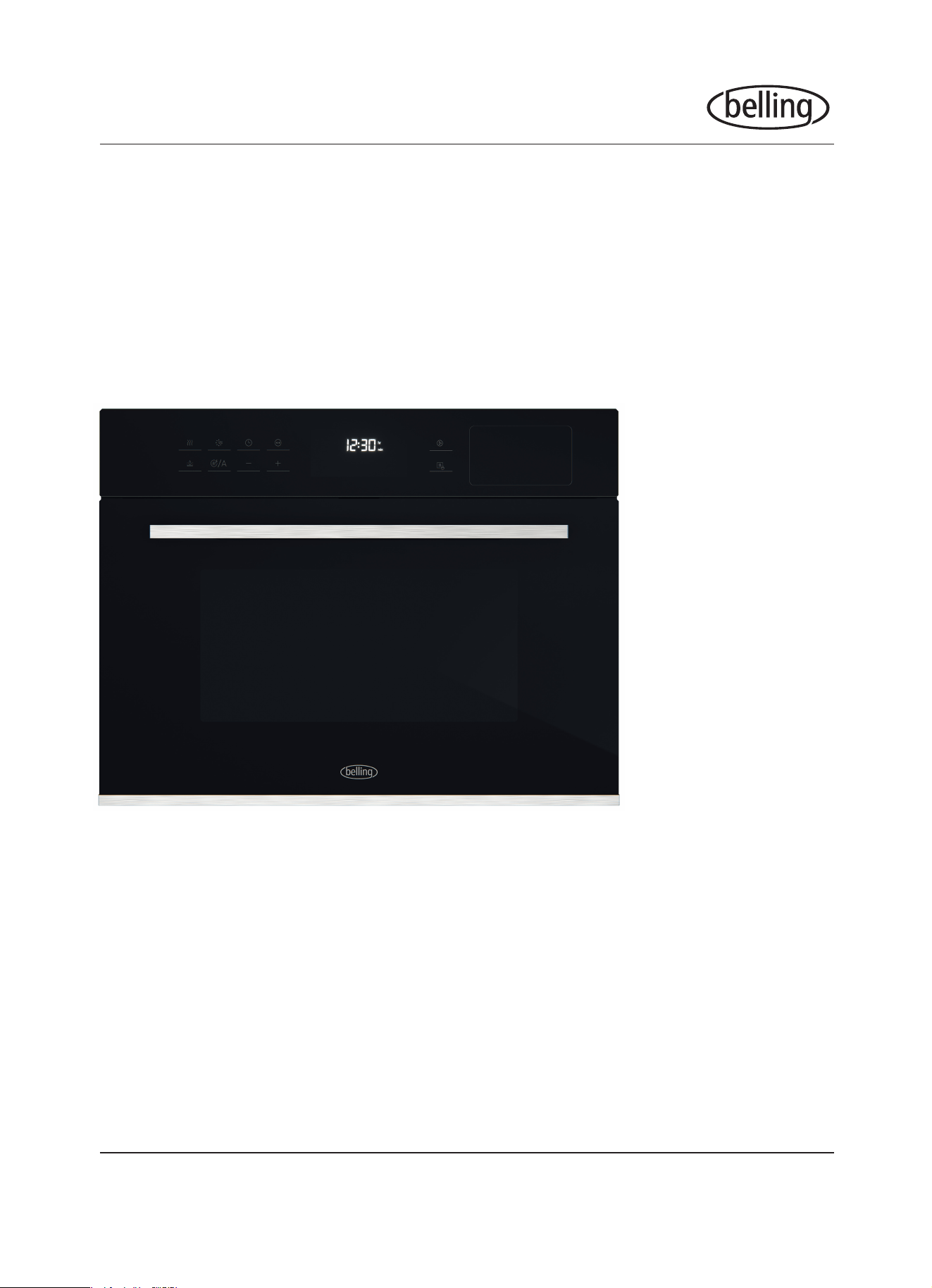
BD45CSBK
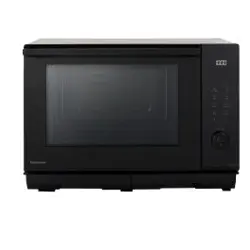
45cm Combi Steam Microwave Oven
INSTRUCTION MANUAL
PLEASE READ THE INSTRUCTION MANUAL CAREFULLY BEFORE USING THE UNIT.
®

CONTENTS
WARNINGS AND PRECAUTIONS 1
PARTS AND ACCESSORIES 3
INSTALLATION 4
OPERATION 6
Before First Use 6
Controls 7
Utensils and Materials 16
Automatic Program Index 17
CLEANING AND MAINTENANCE 20
Cleaning 20
Maintenance 20
Disposal 21
TECHNICAL & REFERENCE DATA 22
Model Specications 22
Warranty 23
www.belling.com.au
www.belling.co.nz
®

1
IMPORTANT INFORMATION
To reduce the risk of injury to users, re, electric shock or exposure
to excessive microwave oven energy when using your appliance,
follow the caution warnings listed below. Please retain this manual for
product warranty and for future reference.
CAUTION
• Install or locate this oven only in accordance with the installation instructions
provided.
• Do not store or use this appliance outdoors.
• Do not use this oven near water, in a wet basement or near a swimming pool.
• Accessible parts may become hot during use. Keep cord away from heated
surfaces, and do not cover any vents on the oven. Do not let cord hang over
edge of table or counter. Keep the appliance and its cord out of the reach of
children.
• Do not attempt to operate this oven with the door open since this can result in
harmful exposure to microwave energy.
• Do not tamper with the safety interlocks as this can lead to damage.
• Do not place any object between the oven front face and the door or allow soil
or cleaner residue to accumulate on sealing surfaces.
• If the door or door seals are damaged, the oven must not be operated until it
has been repaired by a service agent.
• If the power cord is damaged, it must be replaced by an authorised service
agent in order to avoid a hazard.
• It is hazardous for anyone other than an qualied service agent to carry out
any service or repair operation that involves the removal of a cover which gives
protection against exposure to microwave energy.
• Liquids and other foods must not be heated in sealed containers since they are
liable to explode.
• This appliance is not intended for use by persons (including children) with
reduced physical, sensory or mental capabilities, or lack of experience and
knowledge, unless they have been given supervision or instruction concerning
use of the appliance by a person responsible for their safety.
WARNINGS & PRECAUTIONS
®
2
• Children should be supervised to ensure that they do not play with the
appliance.
• The appliance is not intended to be operated by means of an external timer or
separate remote-control system.
• Only use utensils suitable for use in microwave ovens when using the
microwave function (see page 16).
• The oven should be cleaned regularly and any food deposits should be
removed.
• When heating food in plastic or paper containers, monitor with caution due to
the possibility of ignition.
• If smoke is emitted, switch off or unplug the appliance and keep the door
closed.
• Do not overcook food.
• Do not run the appliance without any food inside.
• Do not use the oven cavity for storage purposes.
• The microwave oven function is intended for heating food and beverages.
Drying of food or clothing and heating of warming pads, slippers, sponges and
similar may lead to risk of injury or re.
• Remove wire twist-ties and metal handles from paper or plastic containers/
bags before placing them in the appliance.
• Failure to maintain the oven in a clean condition could lead to deterioration of
the surface that could adversely affect the life of the appliance and possibly
result in a hazardous situation.
• Microwave heating of beverages can result in delayed eruptive boiling, therefore
care must be taken when handling the container.
IMPORTANT
Do not disassemble this appliance. Touching of the internal
components by an unqualied person is dangerous and could cause
serious injury.
WARNINGS & PRECAUTIONS
®
3
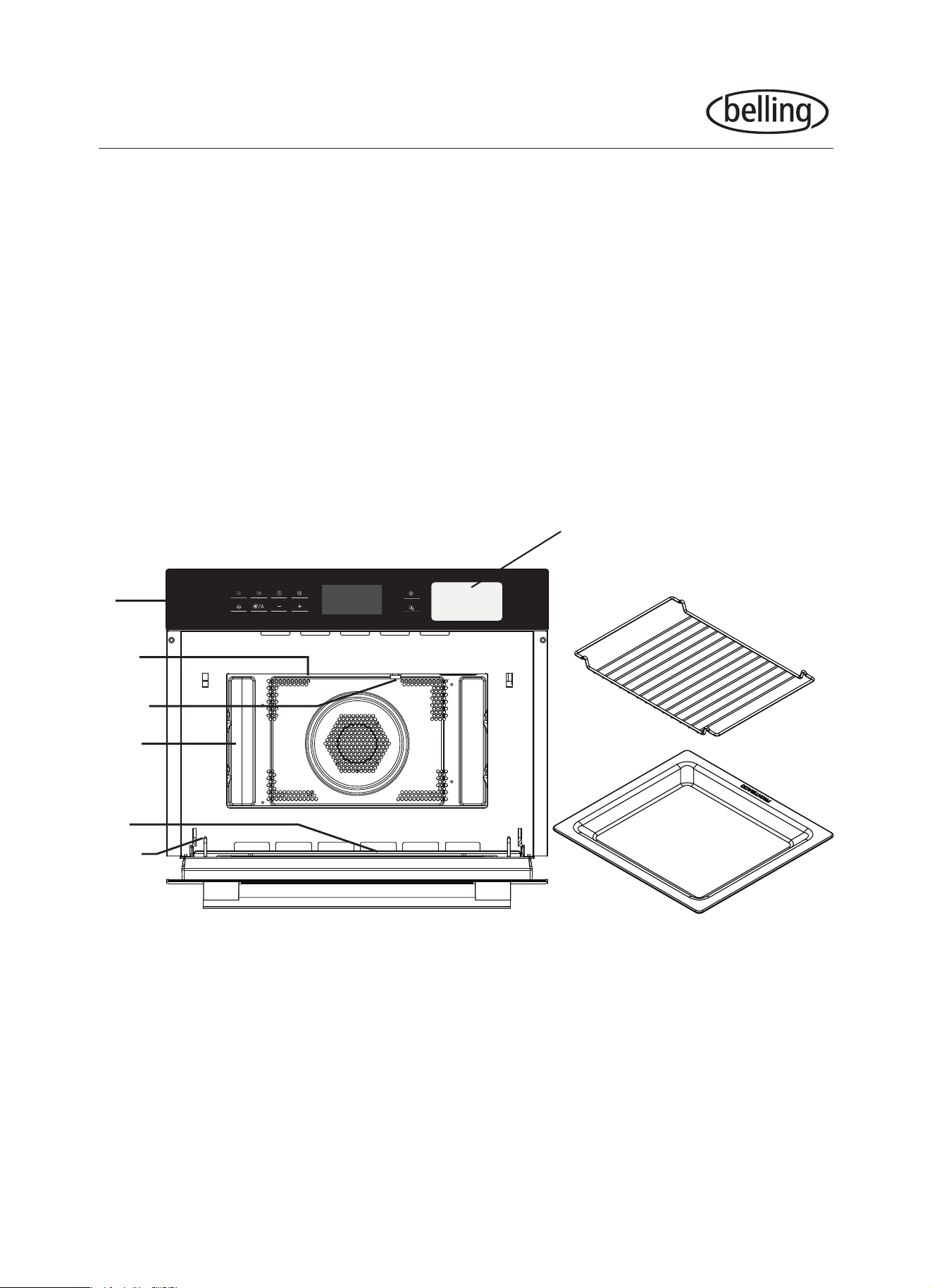
1. Control panel
2. Grill element
3. Light
4. Level
5. Door glass
6. Hinge
7. Grill rack
8. Glass pan
9. Water tank for the steam function
PARTS AND ACCESSORIES
9
7
8
1
2
3
4
5
6
®
4
INSTALLATION
• This appliance is NOT intended for use in commercial environments.
• Please observe the installation instructions provided and note that this
appliance should only be installed by a qualied technician. Incomplete or
improper installation could lead to safety issues and make your warranty void.
• The tter is liable for any damage resulting from incorrect installation.
• This appliance is only intended to be fully tted in a kitchen.
• This appliance is not designed to be used as a tabletop appliance or inside a
cupboard.
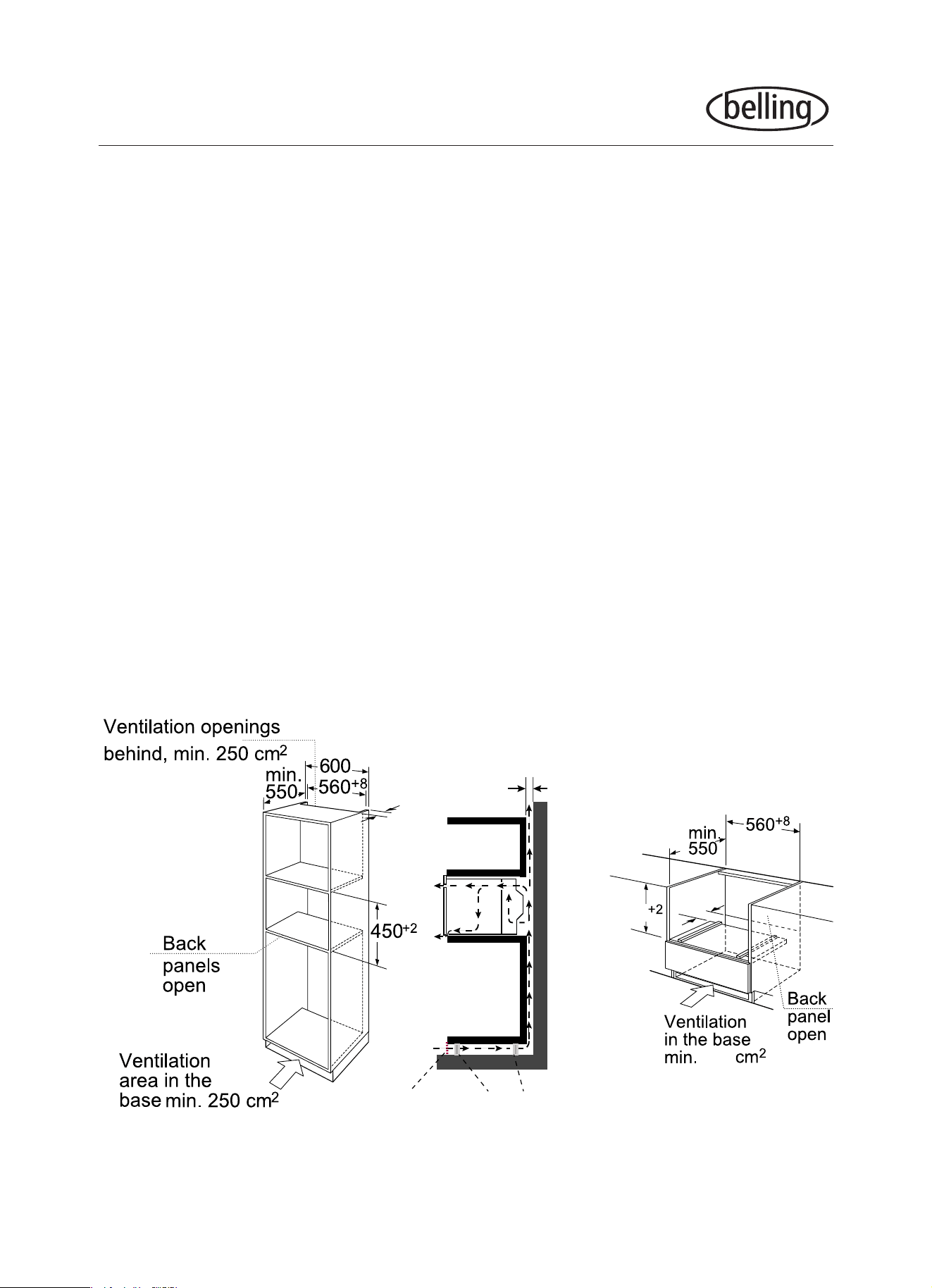
• The tted cabinet must not have a back wall behind the appliance. A gap of at
least 45mm must be maintained between the wall and the base/back panel of
the unit. There must also be a ventilation opening of 250cm
2
on the front of the
tted cabinet - to achieve this, cut back the base panel or t a ventilation grille.
• Ventilation slots and intakes must not be covered.
• The unit into which the appliance is tted must be heat-resistant up to 90°C.
• Do not hold or carry the appliance by the door handle. The door handle cannot
hold the weight of the appliance and may break off.
Note: There should be gap above the oven.
min 45
Cupboard feet
Ventilation grid
min 45
50
460
250
®
5
INSTALLATION
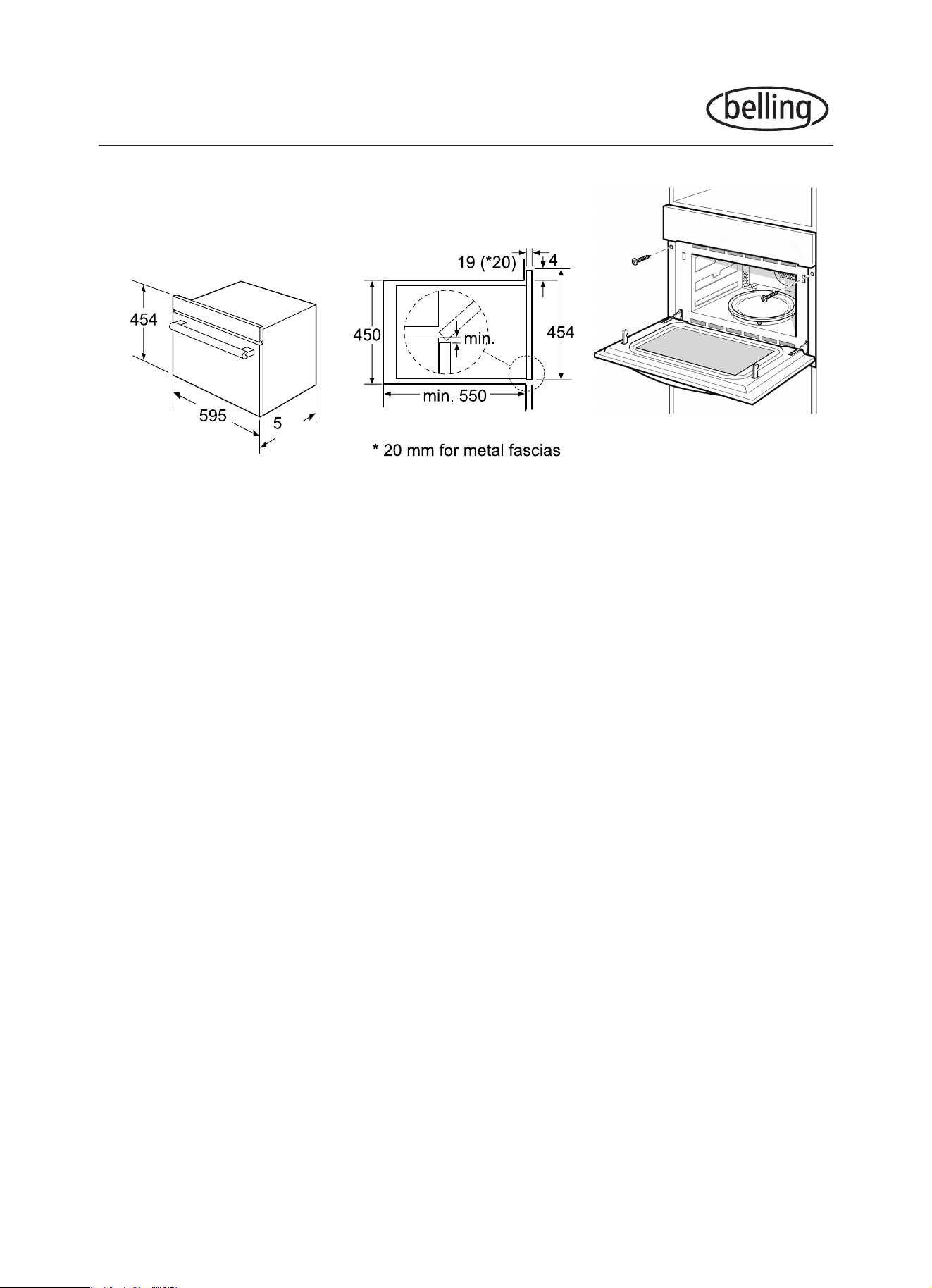
1. Fully insert the appliance and centre it. Do not kink the connecting cable.
2. Open the door and fasten the oven with supplied screws.
3. The gap between the worktop and the appliance must not be closed by
additional battens.
IMPORTANT
In case a new socket is needed, installation and cable connection must only be
done by a qualied electrician. Adapters, multi-way strips and extensions cords
must not be used. Overloading can result in re.
Connect the wires of the mains power cord in accordance with the following colour
coding: Green and yellow Earth wire (E)
Blue Neutral wire (N)
Brown Live (L)
Do not connect the appliance using a 13 A plug or protect it with a 13 A fuse. Only
use a fuse that is rated 16 A or higher. The appliance must be disconnected from
the power supply during all installation work. When the appliance is installed,
protection must be provided against accidental contact in the future.
This appliance must be grounded. Improper use of grounding can result in electric
shock. Consult a qualied professional if doubt exists as to whether the appliance is
properly grounded.
10
25
®
6
BEFORE FIRST USE
• Please read these instructions carefully before use and keep them for
future reference.
• Check your local main voltage whether it is the same as stated on the
appliance.
• Remove any protective lms from the appliance surfaces and all
materials from the carton and oven cavity.
1. Remove all accessories and wash out the cavity.
2. New appliances typically smell when rst used. ‘Burn’ the appliance off
by touching to turn the appliance on. The main menu will appear in
the display.
3. Touch to choose the convection function.
4. Recommended temperature will be highlighted. Raise the temperature to
the maximum by touching and then touch the or the to adjust.
5. Touch to start the oven, heat the empty oven for at least an hour.
Make sure that the room is well ventilated, close the doors to the other
rooms to avoid odours pervading the house.
6. Let the appliance cool down to room temperature. Make a solution of
detergent mixed with hot water to clean inside the microwave oven, then
wipe dry with a clean soft cloth. Keep the door open until the oven cavity
is completely dry.
OPERATION
®
7
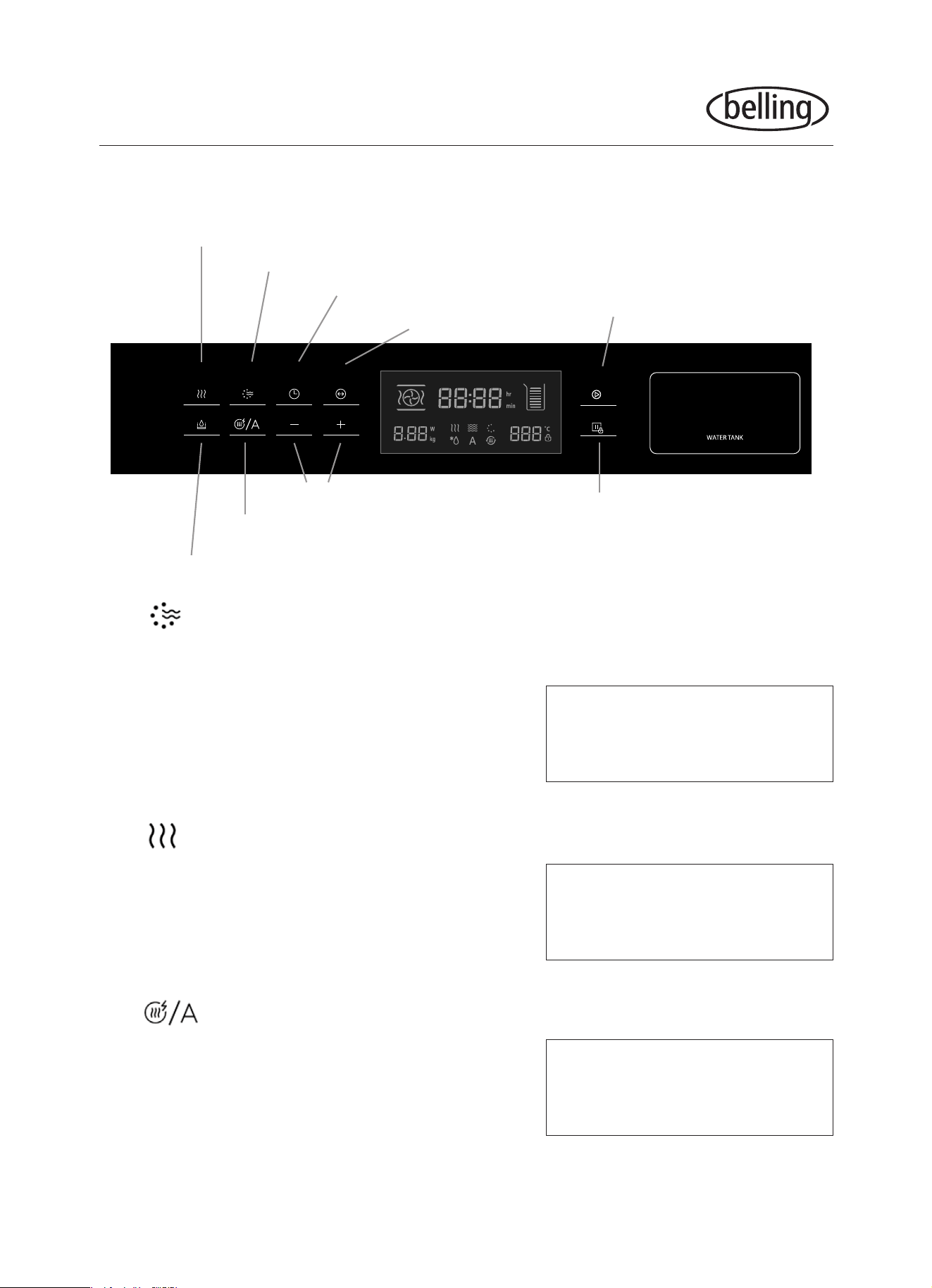
CONTROLS
OPERATION
Steam oven + Combi oven mode
Microwave + Convection cooking
Setting clock or adjusting time
Change default settings
Release water tank
Automatic programs/defrosting/cleaning oven
Adjust times, temperature and modes
Stop
Start
The display will change symbols to show which function is selected.
The button goes through multiple functions in the following order:
• Microwave
• Convection/Fanned oven
• Fanned Grill
• Grill
• Microwave + Convection/Fanned oven
• Microwave + Fanned Grill
You can nd a step to step
guide for using each of these
functions on page 8 - 11
The button goes through steam and steam combination functions in
the following order:
• Steam
• Steam + Microwave
• Steam + Convection/Fanned oven
You can nd a step to step
guide for using each of these
functions on page 12 - 13
The button goes through other functions in the following order:
• Defrost
• Automatic Programs (Steam and non-steam)
• Clean
You can nd a step to step
guide for using each of these
functions on page 14 - 15
• Microwave + Grill
®
8
OPERATION
2. Microwave Cooking
Touch the once, the appliance will enter the microwave mode. You will notice
the screen showing the default power 900W and default time of 01:00 minutes.
To change the wattage, touch the and when the 900 is ashing touch the
to lower the wattage. (Minimum of 100 watts)
To change the time, touch the and when the 01:00 minutes is ashing,
touch or to give desired time. Touch the to start.
If at any time an error has been made, simply touch the (stop) and start again.
Microwave Power 100% 80% 50% 30% 20%
Display 900W 700W 450W 300W 100W
Power Level Food
900W Boiling water, reheating. Cooking chicken, sh, veggies.
700W
Reheating. Cooking mushrooms and shell sh.
Cooking dishes containing eggs and cheese.
450W Cooking rice, soup
300W Defrosting. Melting chocolate and butter
100W
Defrosting sensitive/delicate foods. Defrosting irregularly-shaped foods. Softening
ice cream. Allowing dough to rise.
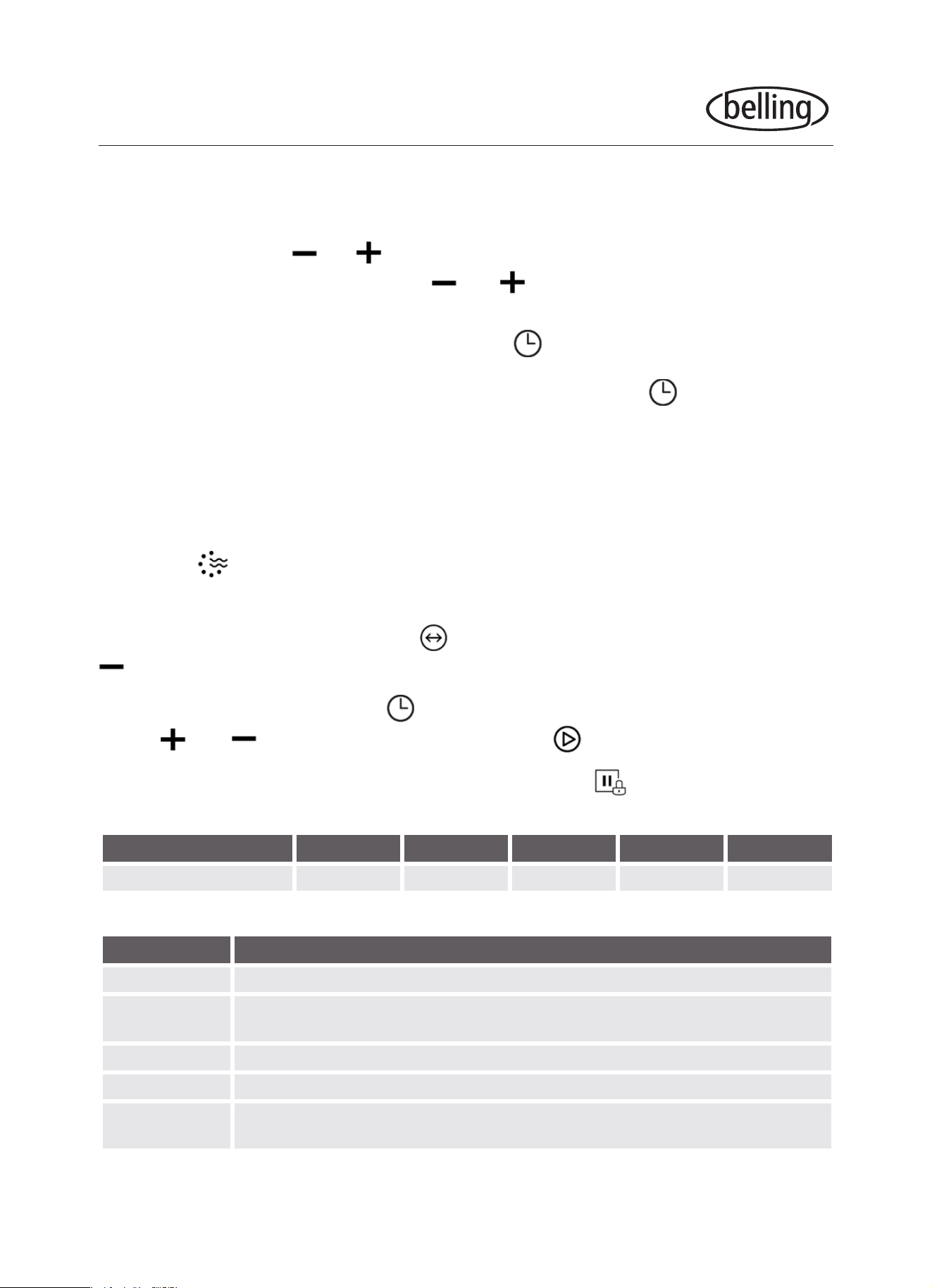
1. Clock Setting
When the oven is initially connected, “00:00” will blink and the buzzer will ring once.
To set the time press or to adjust the blinking numbers. When adjusting
the minutes you can short press the or to adjust in 1 min increments,
or press and hold the buttons to adjust in 10 min increments.
After you have reached the correct time, press to set.
Note: To change the set time, you have to press and hold the button for 3
seconds. The actual time disappears and then the time will blink in the display.
Repeat the previous instruction to set the time.
®
9
OPERATION
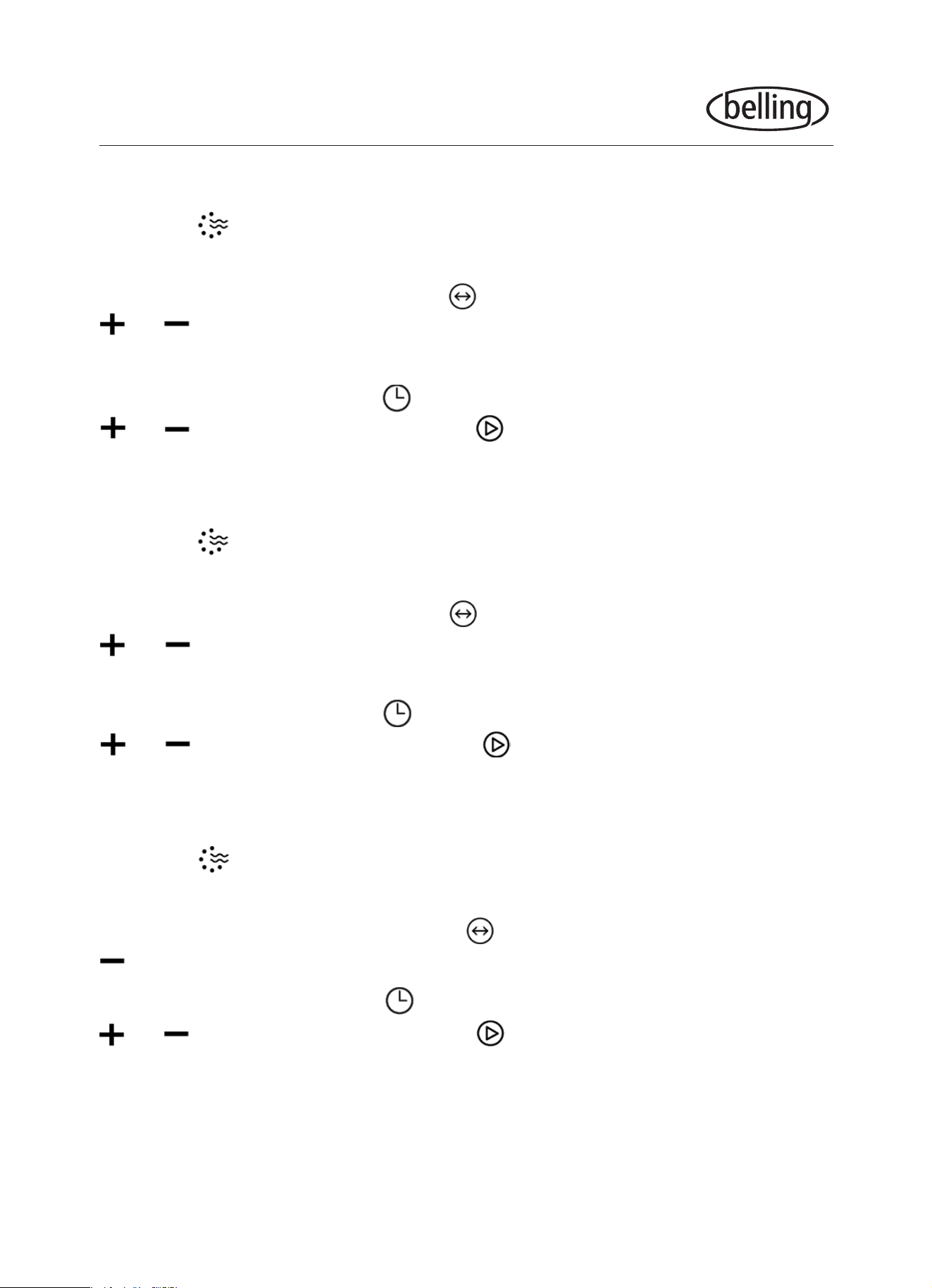
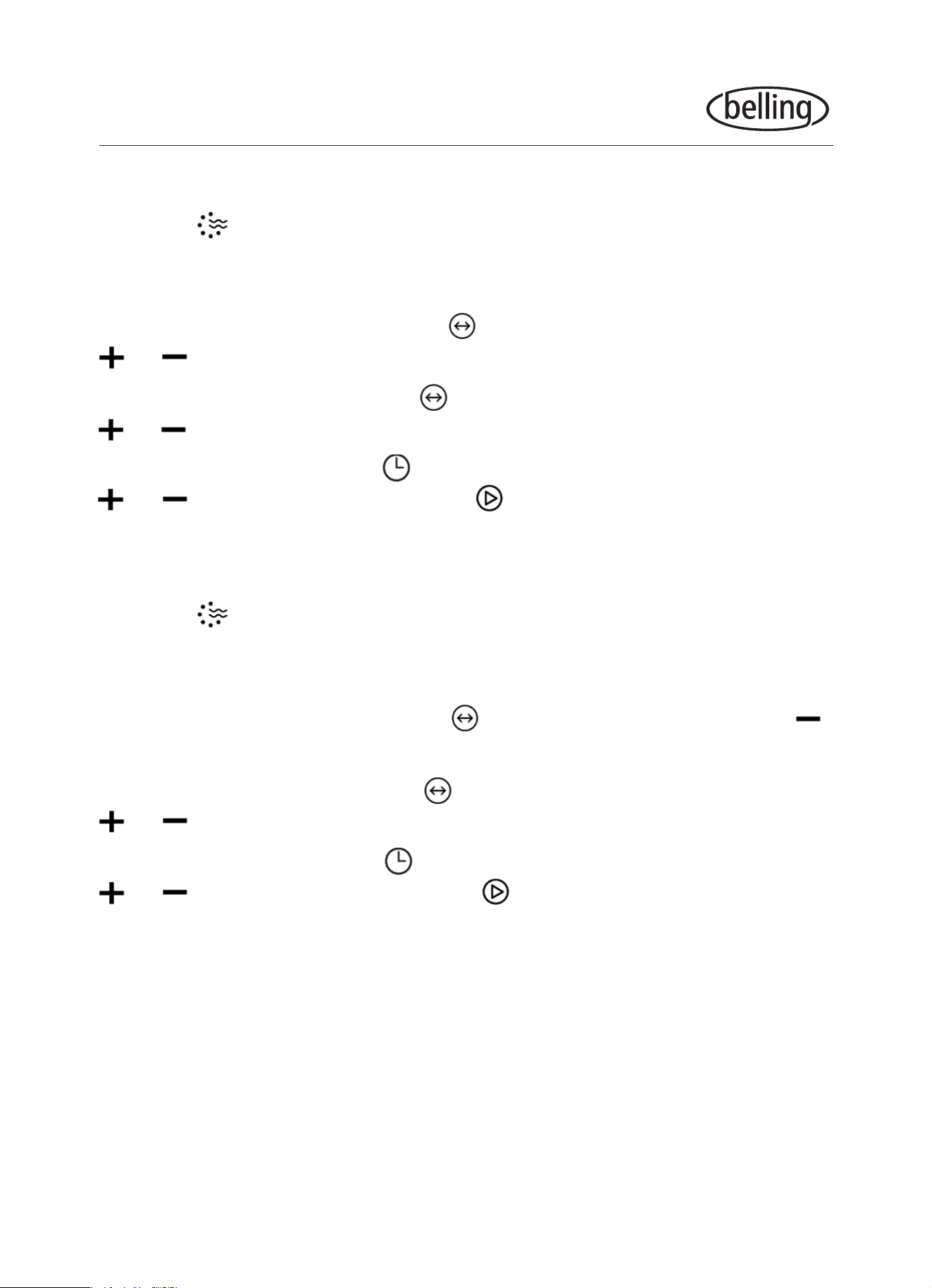
4. Fanned Grill
Touch the three times to get into fanned grill mode, the screen will show the
default temperature of 180°C and default time of 10:00 minutes.
To adjust the temperature, touch the and when 180°C is ashing, use the
or to increase or decrease the temperature. The default temperature is
180°C but the temperature can be set from 35 - 180°C.
To change the time, touch the and when the 10:00 minutes is ashing, touch
or to give desired time. Touch the to start. The max time is 5 hours.
5. Grill
Touch the four times to get into the grill function, the screen will show the
default grilling level of 3 and default time of 10:00 minutes.
To adjust the level of grilling, touch the and when the 3 is ashing, use the
to decrease the grilling level to either 1 or 2.
To change the time, touch the and when the 10:00 minutes is ashing, touch
or to give desired time. Touch the to start. The max time is 90 mins.
3. Convection Oven Cooking
Touch the twice to get into convection cooking mode, the screen will show
the default oven temperature of 180°C and default time of 10:00 minutes.
To adjust the temperature, touch the and when 180°C is ashing, use the
or to increase or decrease the temperature. The default temperature is
180°C but the temperature can be set from 50 - 230°C.
To change the time, touch the and when the 10:00 minutes is ashing, touch
or to give desired time. Touch the to start. The max time is 5 hours.
®
10
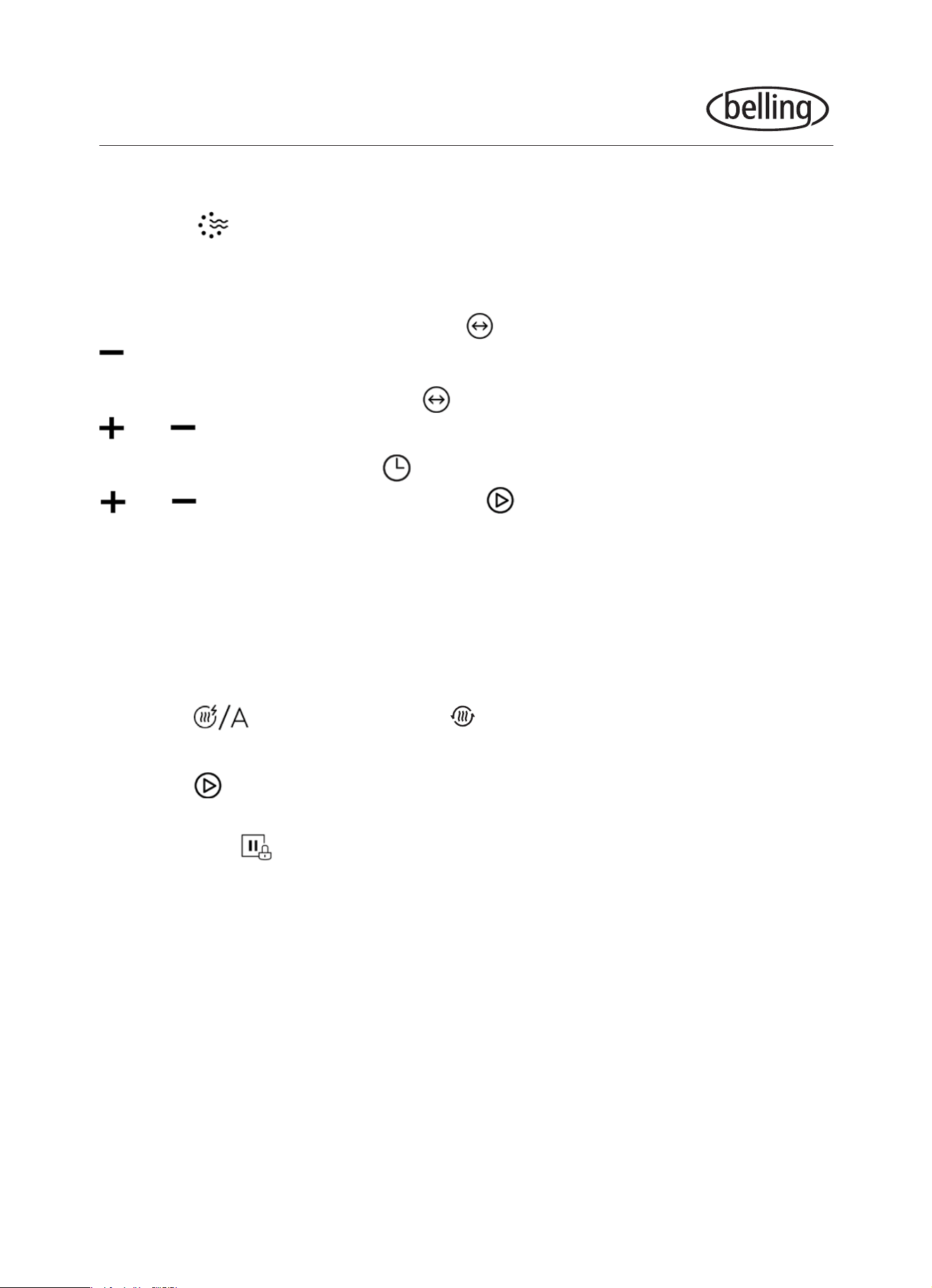
7. Microwave + Fanned Grill
Touch the six times to get into microwave + fanned grill combination mode,
the screen will show the default oven temperature of 180°C, default power of
300W and default time of 10:00 minutes.
To adjust the temperature, touch the and when 180°C is ashing, use
to decrease the temperature to 100 - 180°C.
To change the wattage, touch the again and when the 300 is ashing touch
or to increase or decrease the wattage to 100W - 700W.
To change the time, touch the and when the 10:00 minutes is ashing, touch
or to give desired time. Touch the to start. The max time is 90 mins.
OPERATION
6. Microwave + Convection/Fanned oven
Touch the ve times to get into microwave + convection combination mode,
the screen will show the default oven temperature of 180°C, default power of
300W and default time of 10:00 minutes.
To adjust the temperature, touch the and when 180°C is ashing, use the
or to increase or decrease the temperature to 50 - 230°C.
To change the wattage, touch the again and when the 300 is ashing touch
or to increase or decrease the wattage to 100W - 700W.
To change the time, touch the and when the 10:00 minutes is ashing, touch
or to give desired time. Touch the to start. The max time is 90 mins.
®
11
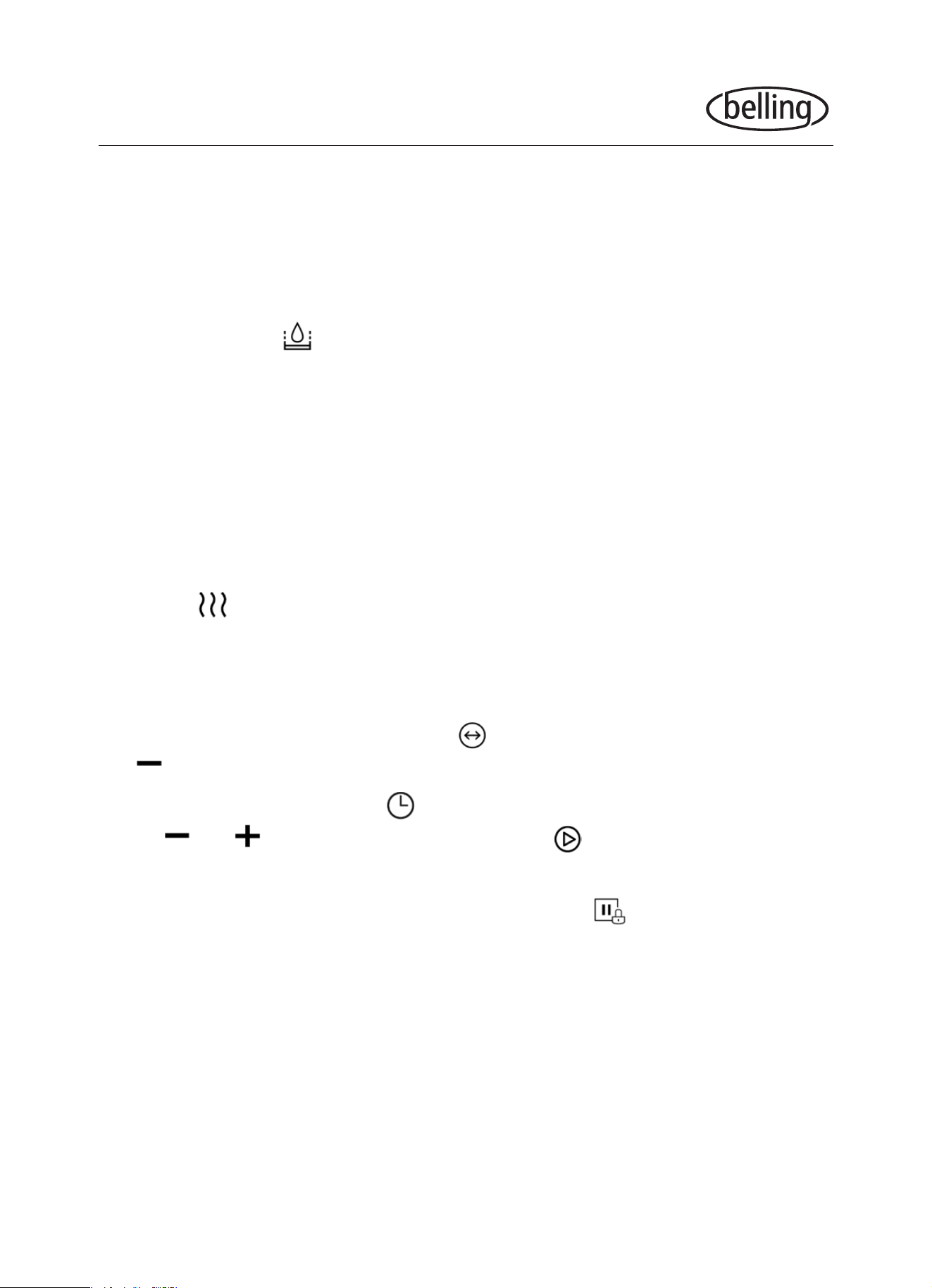
9. Preheating Function
The preheating function can be activated after you have set any of the following
functions: Convection/Fanned oven, Fanned Grill, Microwave + Fanned Grill,
Microwave + Convection/Fanned oven
Touch the and the preheat icon ( ) will appear in the display. Ensure you
have selected your desired temperature correctly.
Touch the to start preheating. When the right temperature has been reached
the buzzer will ring 3 times. You can stop the preheating by opening the oven door
or touching the
This function will only work if you have chosen one of the modes listed above.
During the preheating, the microwave function is switched off. During preheating,
don’t put the food in the oven. Only when the temperature is reached, can you put
in the food to start cooking.
OPERATION
8. Microwave + Grill
Touch the seven times to get into the microwave + grill function, the screen
will show the default grilling level of 3, default power of 300W and default time of
10:00 minutes.
To adjust the level of grilling, touch the and when the 3 is ashing, use the
to decrease the grilling level to either 1 or 2.
To change the wattage, touch the again and when the 300 is ashing touch
or to increase or decrease the wattage to 100W - 700W.
To change the time, touch the and when the 10:00 minutes is ashing, touch
or to give desired time. Touch the to start. The max time is 90 mins.
®
12
OPERATION
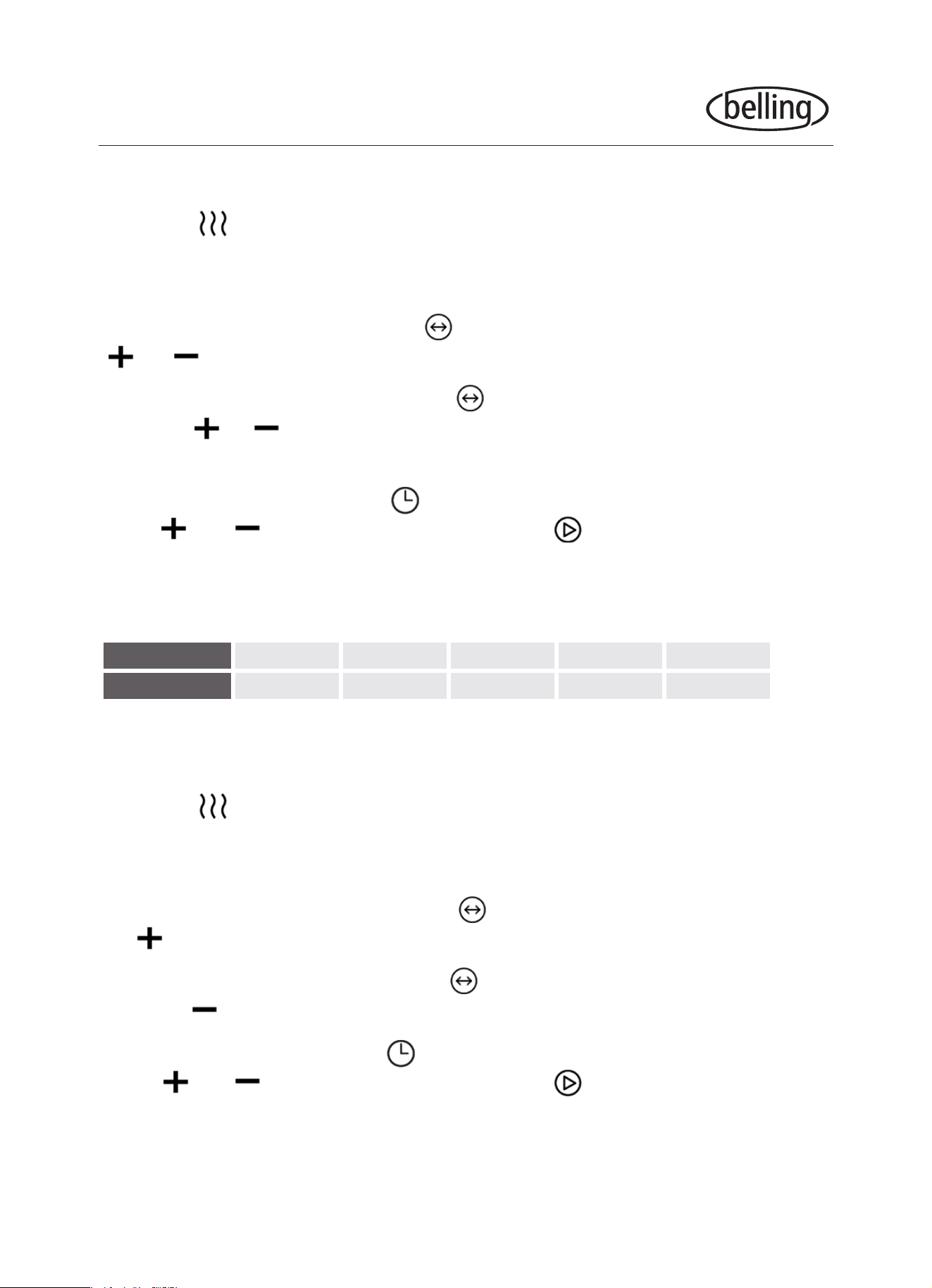
Touch the once, the appliance will enter the steam mode. You will notice the
screen showing the default steam level 100 (this is displayed as a temperature but
it is a percentage) and default time of 10:00 minutes. The current water level will
also be displayed.
To change the steam level, touch the and when the 100° is ashing touch
the to decrease the steam level to anywhere between 50 - 100.
To change the time, touch the and when the 10:00 minutes is ashing,
touch or to give desired time. Touch the to start. The maximum time
is 90 mins.
If at any time an error has been made, simply touch the (stop) and start again.
10. Steam Cooking Function
Before starting the steam cooking function, please clean the water tank.
During the steam cooking function, if the tank is short on water a buzzer will ring
while the screen icon will show water status is low to remind you to add water. To
add water touch the to release the water tank. Fill the tank with water and place
it back into the appliance and cooking will resume.
After the steam cooking function is nished, the water in the boiler will be
withdrawn back to the water tank. This process can last for about 1 minute. During
this process if the water tank is full, the buzzer will beep 10 times to remind you to
empty the tank. After the water tank has been emptied the system will continue to
withdraw water. After steam cooking, please remove the water from the water tank.
®
13
OPERATION
12. Steam + Convection/Fanned oven
Touch the three times to get into the steam + convection/fanned oven
function, the screen will show the default steam level of 30°, default temperature of
180°C and default time of 10:00 minutes.
To change the temperature, touch the and when the 180°C is ashing touch
the to increase the temperature to 180 - 220°C.
To change the steam level, touch the again and when the 30° is ashing
touch the to decrease the steam level to either 10 or 20.
To change the time, touch the and when the 10:00 minutes is ashing,
touch or to give desired time. Touch the to start. The maximum time
is 90 mins.
11. Steam + Microwave
Touch the twice to get into the steam + microwave function, the screen will
show the default power of 300W, default steam level of 30° and default time of
10:00 minutes.
To change the wattage, touch the and when the 300W is ashing touch the
or to increase or decrease the power to 100W - 900W.
To change the steam level, touch the again and when the 30° is ashing
touch the or to increase or decrease the steam level. The steam level that
can be chosen depends on the microwave power (see table below).
To change the time, touch the and when the 10:00 minutes is ashing,
touch or to give desired time. Touch the to start. The maximum time
depends on the power of the microwave chosen, up to 30 minutes for 900W and
up to 90 minutes for lower wattage powers.
Power Level 100W 300W 450W 700W 900W
Steam Ratio
Up to 30 Up to 60 Up to 70 Up to 70 Up to 100
®
14
OPERATION
14. Automatic Program Mode
There are auto cooking programs for both steam and non-steam cooking. Steam is
S01-S40, and non-steam is P01-P40. There are 40 pre-programmed functions for
each.
Touch the twice, the appliance will enter the non-steam automatic program
mode. You will notice the screen showing the rst automatic program P01, weight
and time. If you touch the once more you will enter the steam automatic
program mode and the screen will display the rst automatic program S01.
To change the program, touch the and use the or to select.
In this function the time to cook is determined by the weight. To change the weight,
touch the again and use the or to select the weight. Touch the to
start the program.
For all preprogrammed functions, please refer to the Automatic Program Index on
page 17.
13. Defrost
Touch the once, the appliance will enter the defrost mode. You will notice the
screen showing the defrost icon , the default defrost mode (D01), weight and
time.
To conrm the defrost mode, touch the
Touch the or to select the weight. Touch to start defrosting.
15. Cleaning
For best cleaning results, we recommend that you use detergent sodium citrate to
descale. Follow the manufacturer’s instructions on the packaging. It is suggested
that the descaling function should be used after the steam function has been run
for 20 hours.
®
15
OPERATION
16. Reset / Child safety lock
To reset, while inputting functions, programs, times, temperatures etc. touch the
To lock, press and hold for 3 seconds, there will be a long beep to inform
you that you have entered the child safety lock state and you will notice a on
the screen. To unlock, press and hold for 3 seconds again and there will be
another beep to indicate the child safety lock has been released and the will
disappear.
15. Cleaning (cont’d)
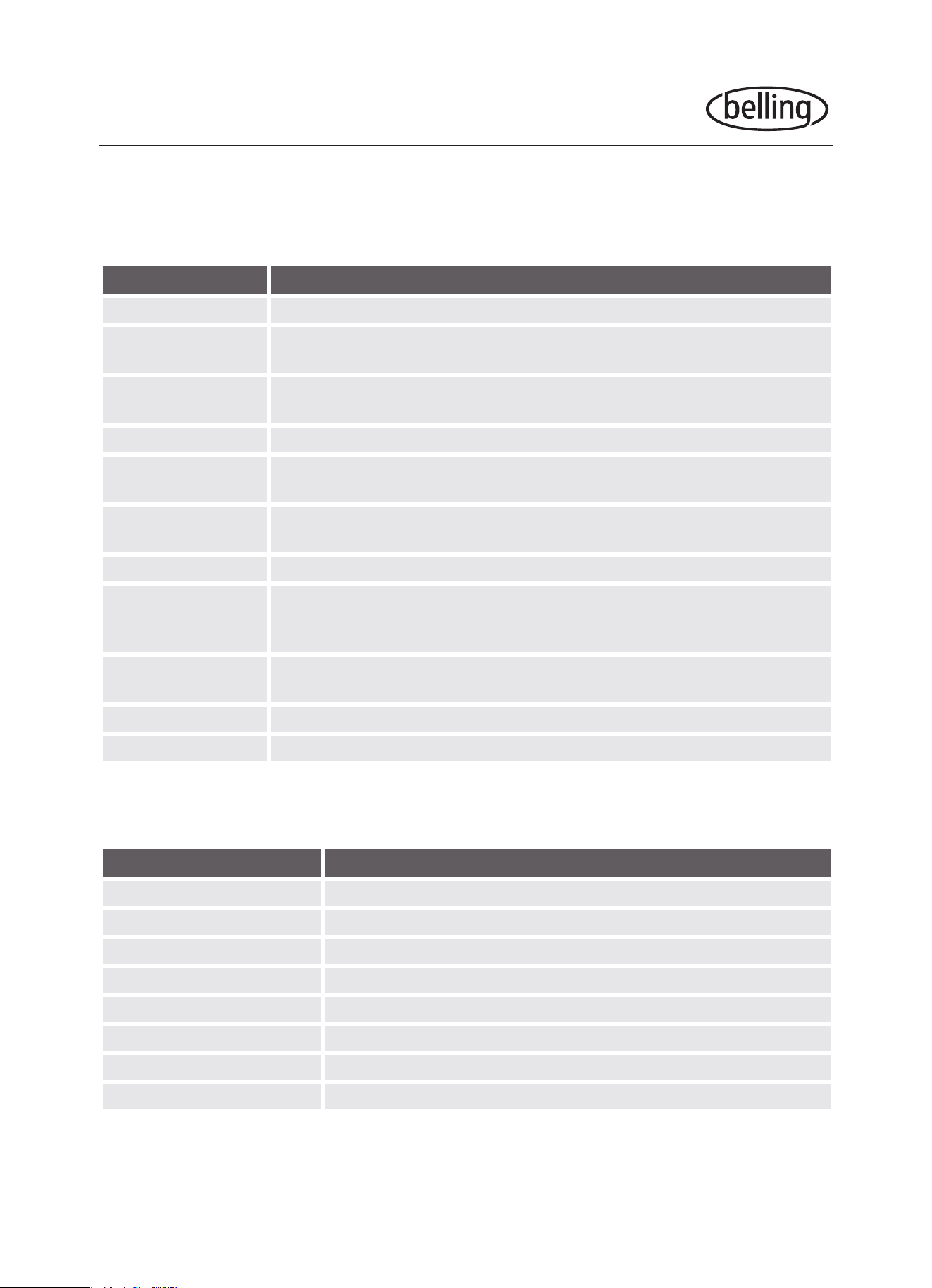
Power up the system, touch the to release and remove the water tank, ll
1000ml of fresh water into the water tank, adding a pack of descaling agent.
Touch the four times to enter the cleaning function. You will notice the screen
displays CLE, the time of 20:00 and current water level.
Touch to start the program.
Once to cleaning program is nished wait 1 minute, take out the water tank and
clean. Fill the water tank with fresh water and repeat the cleaning program.
Note: This appliance should not be
shut down during the program. If it does shut down
before the end of the program the cleaning program
must be selected and started again.
17. Display Functionality
Whilst choosing settings, the oven will conrm an option automatically if you do not
touch a button for 10 seconds. (Excluding when you initially set the clock on rst use.)
When the appliance is in the setting or paused state, including the auto menu and
defrost program, if there is no operation in 5 minutes it will turn itself off.
The oven light will be on at all times that the door is open or the oven is paused.
If the oven door is opened during the cooking process you must touch the to
continue cooking.
The can be touched in any state to release the water tank.
®
Add water to here
16
OPERATION
UTENSILS AND MATERIALS
Materials you CAN use in the oven when using the microwave function
Utensils Remarks
Dinnerware Microwave-safe only. Do not use cracked or chipped dishes.
Glass jars
Always remove lid. Use only to heat food until just warm. Most glass jars
are not heat resistant and may break.
Glassware
Heat-resistant oven glassware only. Make sure there is no metallic trim.
Do not use cracked or chipped dishes.
Oven cooking bags Do not close with metal tie. Make slits to allow steam to escape.
Paper plates/cups
Use for short–term cooking/warming only. Do not leave oven unattended
while cooking.
Paper towels
Use to cover food for reheating and absorbing fat. Use with supervision
for short-term cooking only.
Parchment paper Use as a cover to prevent splattering or a wrap for steaming.
Plastic
Microwave-safe only. Some plastic containers soften, as the food
inside gets hot. “Boiling bags” and tightly closed plastic bags should be
slit, pierced or vented as directed by manufacturer.
Plastic wrap
Microwave-safe only. Use to cover food during cooking to retain moisture.
Do not allow plastic wrap to touch food.
Thermometers Microwave-safe only (meat and candy thermometers).
Wax paper Use as a cover to prevent splattering and retain moisture.
Materials to be AVOIDED in the oven when using the microwave function
Utensils Remarks
Aluminium foil May cause arcing and could cause a re in the oven.
Aluminium tray May cause arcing. Transfer food into microwave-safe dish.
Food carton with metal handle May cause arcing. Transfer food into microwave-safe dish.
Metal/metal trimmed utensils Metal shields food from microwave energy. Trims may cause arcing.
Metal twist ties May cause arcing and could cause a re in the oven.
Paper bags May cause a re in the oven.
Plastic foam May melt or contaminate the liquid inside when exposed to high temp.
Wood Will dry out and may split or crack.
Please follow manufacturer’s instructions for all materials and utensils.
®
17
OPERATION
AUTOMATIC PROGRAM INDEX
Steam Programs
Display Food Item Weight Options Function Powers
S01 Trout 200 / 300 / 400 / 500 / 600 Steam 100% + 300W
S02 Salmon Fillet 200 / 300 / 400 / 500 / 600 Steam 100% + 100W
S03 Pike perch 200 / 300 / 400 / 500 / 600 Steam 100% + 300W
S04 Prawns 200 / 300 / 400 / 500 / 600 Steam 100%
S05 Halibut Fillet 200 / 300 / 400 / 500 / 600 Steam 100% + 300W
S06 Cockles 200 / 300 / 400 / 500 / 600 Steam 100% + 100W
S07 Cod Fillet 200 / 300 / 400 / 500 / 600 Steam 100% + 300W
S08 Herring 200 / 300 / 400 / 500 / 600 Steam 100% + 300W
S09 Tuna Fillet 200 / 300 / 400 / 500 / 600 Steam 100% + 100W
S10 Crab 2 / 3 / 4 / 5 / 6 Steam 100% + 300W
S11 Chicken leg 200 / 300 / 400 / 500 / 600 Steam 100% + 300W
S12 Chicken breast 200 / 300 / 400 / 500 / 600 / 700 / 800 Steam 100% + 300W
S13 Meatball 200 / 300 / 400 / 500 / 600 Steam 100% + 300W
S14 Turkey escalope 400 / 500 / 600 / 700 / 800 Steam 100% + 300W
S15 Pork Filet, whole 200 / 300 / 400 / 500 / 600 Steam 100% + 300W
S16 Sausages 200 / 300 / 400 / 500 / 600 Steam 100% + 100W
S17 Poached Eggs 1 / 3 Steam 100%
S18 Eggs, hard 1 / 3 Steam 100%
S19 Eggs, soft 1 / 3 Steam 100%
S20 Brown rice + water 200g + 400ml / 400g + 800ml Steam 100% + 450W /
Steam 100% + 300W
S21 Rice + water 200g + 300ml / 400g + 600ml Steam 100% + 450W /
Steam 100% + 300W
S22 Eggplant / Aubergine 200 / 300 / 400 / 500 / 600 Steam 100% + 300W
S23 Beans 200 / 300 / 400 / 500 / 600 Steam 100% + 300W
S24 Broccoli 200 / 300 / 400 / 500 / 600 Steam 100%
S25 Cauliower 200 / 300 / 400 / 500 / 600 Steam 100% + 300W
S26 Peas 200 / 300 / 400 / 500 / 600 Steam 100% + 300W
®
18
Display Food Item Weight Options Function Powers
S27 Potatoes with skin
(whole, small)
1 / 2 / 3 / 4 Steam 100% + 300W
S28 Potatoes with skin
(whole, big)
1 / 2 / 3 / 4
S29 Potatoes without skin
(pieces)
200 / 300 / 400 / 500 / 600 Steam 100% + 300W
S30 Carrots 200 / 300 / 400 / 500 / 600 Steam 100% + 300W
S31 Corn cobs 2 / 3 / 4 / 5 / 6 Steam 100% + 300W
S32 Capsicum / Bell
Peppers
200 / 300 / 400 / 500 / 600 Steam 100%
S33 Hot Peppers 200 / 300 / 400 / 500 / 600 Steam 100%
S34 Mushrooms 200 / 300 / 400 / 500 / 600 Steam 100% + 300W
S35 Leeks 200 / 300 / 400 / 500 / 600 Steam 100% + 300W
S36 Brussels Sprouts 200 / 300 / 400 / 500 / 600 Steam 100%
S37 Celery 200 / 300 / 400 / 500 / 600 / 700 / 800 Steam 100% + 300W
S38 Asparagus 200 / 300 / 400 / 500 / 600 Steam 100% + 100W
S39 Spinach 200 / 300 / 400 / 500 / 600 Steam 100% + 300W
S40 Zucchini / Courgette 200 / 300 / 400 / 500 / 600 Steam 100% + 300W
OPERATION
Non-steam Programs
Display Food Item Weight Options Function Powers
P01 Melted Chocolate 100 / 150 / 200 450W
P02 Melted Butter 100 / 150 / 200 450W
P03 Sweet Potato 200 / 400 / 600 100W + 220°C
P04 Chicken Whole 800 / 1000 / 1200 100W + 220°C
P05 Chicken Leg 200 / 300 / 400 / 500 / 600 / 700 / 800 450W + 220°C
P06 Chicken Wings 200 / 300 / 400 / 500 / 600 / 700 / 800 300W + 220°C
P07 Fish Whole 1 / 2 / 3 100W + 220°C
P08 Fish Steak 200 / 300 / 400 / 500 / 600 100W + 220°C
P09 Fresh Pizza 200 / 300 / 400 / 500 / 600 Preheat / 200°C
P10 Frozen Pizza 200 / 300 / 400 100W + 220°C
P11 Cake 400 / 500 / 600 Preheat / 150°C
P12 Roast Pork 400 / 500 / 600 / 700 / 800 / 900 / 1000 450W + 220°C
Steam 100% + 300W
®
19
Display Food Item Weight Options Function Powers
P13 Chicken kebabs 200 / 300 / 400 / 500 / 600 100W + 220°C
P14 Shrimp 200 / 400 / 600 Preheat / 220°C
P15 Beef Steak 400 / 500 / 600 / 700 / 800 / 900 / 1000 100W + 220°C
P16 Barbecued Spare
Ribs
200 / 400 / 600 100W + 220°C
P17 Chocolate Cookies 500 Preheat / 180°C
P18 Lemon Cookies 400 Preheat / 200°C
P19 Sausage 200 / 400 / 600 Preheat / 220°C
P20 Finger Food 200 / 300 / 400 Preheat / 220°C
P21 Reheat 200 / 300 / 400 / 500 / 600 900W
P22 Potato 1 / 2 / 3 900W
P23 Beverage 1 / 2 / 3 900W
P24 Pasta 100 (+800ml cold water) / 150 (+1000ml
cold water) / 200 (+1200ml cold water)
700W
P25 Soup 1 / 2 / 3 900W
P26 Pizza 1 / 2 / 3 900W
P27 Mufn 1 / 2 / 3 / 4 900W
P28 Oatmeal 50 (+500ml water) / 100 (+1000ml
water) / 150 (+1500ml water)
900W / 450W
P29 Baked Apple 2 / 3 / 4 700W
P30 Sandwich 1 / 2 / 3 900W
P31 Popcorn 50 / 100 900W
P32 Fudge Brownies 800 100W + 180°C
P33 Bread 100 / 150 / 200 Grill Level 3
P34 Chicken Nuggets 200 / 300 / 400 / 500 / 600 100W + 220°C
P35 French Fries 200 / 300 / 400 / 500 100W + 220°C
P36 Oatmeal Raisin
Cookies
600 Preheat / 180°C
P37 Pecan Crisps 500 Preheat / 180°C
P38 Peanut Chocolate
Cookies
500 Preheat / 180°C
P39 Hamburger 2 / 4 / 6 100W + 220°C
P40 Mufn 840 (70g x 12) Preheat / 180°C
OPERATION
®
20
CLEANING & MAINTENANCE
CLEANING
The water inside the oven and in the water tank should be cleaned up after
each use.
WARNING: Unplug the appliance from the power supply before cleaning
1. Clean the cavity of the oven after using with a slightly damp cloth.
2. When the door frame, seal and neighbouring parts are dirty they must
be cleaned carefully with a damp cloth.
3. When cleaning the oven door glass do NOT use harsh abrasive
cleaners or sharp metal scrapers to clean as this may result in
scratching and damaging the surface or even shattering the glass.
Tip - For easier cleaning of the cavity walls place half a lemon in a bowl
with 300ml of water and start up the microwave on full power for 10
minutes. Wipe the oven clean using a soft, dry cloth.
MAINTENANCE
Defect codes that may occur during steam functions:
E-06 Water tank is not closed properly.
E-05 Water system is abnormal due to the water sensor, water pipe,
water pump or water tank - please contact a service agent.
Troubleshooting
Scenario Possible Cause Response / Remedy
Dim oven light. In low power microwave cooking the
oven light may become dim.
This is normal, no
response is needed.
Steam accumulating
on door.
When cooking, steam may come
out of food. Most will come from the
vents but some may accumulate on
cool places like the oven door.
This is normal, wipe away
after use.
®
21
CLEANING & MAINTENANCE
If in future you need to dispose of this product please contact your
local government for information regarding the collection systems
available. If electrical appliances are disposed of in landlls or
dumps, hazardous substances can leak into the ground water,
polluting the food chain and damaging your health and well-being.
DISPOSAL
Scenario Possible Cause Response / Remedy
Oven cannot be
started.
Power cord not plugged in tightly. Unplug then plug in again
after 10 seconds.
Fuse blowing. Replace fuse or reset
circuit breaker.
Trouble with outlet. Test outlet with other
electrical appliances.
Oven does not heat. Door not closed properly. Ensure door is closed
properly.
If the unit fails to operate efciently, is broken or other problems arise,
unplug and do not operate.
Ask for advice by calling the Customer Care Centre on 1300 556 816 (AU)
or 0800 666 2824 (NZ).
®
22
TECHNICAL & REFERENCE DATA
MODEL NO.
BD45CSBK
Rated Voltage 230 - 240V ~50Hz
Rated Input Power (Microwave) 1550W
Rated Output Power (Microwave) 900W
Rated Input Power (Grill)
1
3
00W
Rated Input Power (Convection) 1900W
Rated Input Power (Steam) 1500W
Rated Input Power (Maximum) 3000W
Oven Capacity 34L
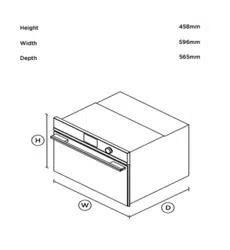
External Dimensions (HxWxDmm) 454 x 595 x 525
Net Weight (kgs) 33
®

MANUFACTURER GUARANTEE
This warranty is provided in Australia by Glen Dimplex Australia Pty Limited ABN 69 118 275 460
(Phone number 1300 556 816) and in New Zealand by Glen Dimplex New Zealand Limited NZBN
9429000069823 (Phone number 09 274 8265) in respect of the Belling Design product.
1. Belling Design Express Warranty
Subject to the
exclusions below, we warrant that the product will not have any electrical or
mechanical breakdowns within:
a)
In the case of
Belling Design
products used for personal, domestic or household purposes,
a period of
5
years
from the date the product is purchased as a
brand-
new
product from a
retailer located in Australia
/ New Zealand.
b) In the case of Belling Design products used for purposes other than personal, domestic or
household purposes (including business or commercial use), a period of 90 days from the
date the product is purchased as a brand-new product from a retailer located in Australia /
New Zealand. Belling Design products are designed and intended for domestic use only;
and
c) All warranty repairs must be carried out by Glen Dimplex or their nominated service agent
Note: warranty periods detailed above may vary in line with agreements with select retail and
builder partners and may differ between Australia and New Zealand.
The benefits conferred by this express warranty are in addition to the Consumer Guarantees
referred to in section 3 and any other statutory rights you may have under the Australian / New
Zealand Consumer Law and/or other applicable laws.
2. Warranty exclusions
This express warranty does not apply where:
a) The product has been installed, used or operated otherwise than in accordance with the
product manual or other similar documentation provided to you with the product;
23

b) The product requires repairs due to damage resulting from accident, misuse, incorrect
installation, insect or vermin infestation, improper liquid spillage, cleaning or maintenance,
unauthorised modification, use on an incorrect voltage, power surges and dips, voltage
supply problems, tampering or unauthorised repairs by any persons, use of defective or
incompatible accessories or exposure to abnormally corrosive conditions, events
independent of human control which occurred after the goods left the control of Glen
Dimplex;
c) The repair relates to the replacement of consumable parts such as fuses and bulbs or any
other parts of the product which require routine replacement;
d) You are unable to provide us with reasonable proof of purchase for the product;
e) the breakdown occurs after the expiry of the express warranty period set out in section 1 or
f) the product was not purchased in Australia / New Zealand as a brand-new product.
3. Consumer guarantees
Our goods come with guarantees that cannot be excluded under the Australian / New Zealand
Consumer Law. You are entitled to a replacement or refund for a major failure and for compensation
for any other reasonably foreseeable loss or damage. You are also entitled to have the goods
repaired or replaced if the goods fail to be of acceptable quality and the failure does not amount to a
major failure.
4. How to make a claim
You may make a claim under this warranty through our website, contacting our customer care line
or via email. Contact details for Glen Dimplex Australia and New Zealand can be found at the end of
this document
To make a valid claim under this warranty, you must:
a) Lodge the claim with us as soon as possible and no later than 14 days after you first become
aware of the breakdown;
b) Provide us with the product serial number;
c) Provide us with reasonable proof of purchase for the product. This can take the form of a
store receipt, new home handover form or other payment receipt documentation; and
24

d) If required by us, provide us (or any person nominated by us) with access to the premises at
which the product is located at times nominated by us (so that we can inspect the product).
5. Warranty claims
If you make a valid claim under this warranty and none of the exclusions set out in section 2 apply,
we will, at our election, either repair the product or replace the product with a product of identical
specification (or where the product is superseded or no longer in stock, with a product of as close a
specification as possible).
Goods presented for repair may be replaced by refurbished goods of the same type rather than
being repaired. Refurbished parts may be used to repair the goods.
Products are designed and supplied for normal domestic use. We will not be liable to you under this
warranty for business loss or damage of any kind whatsoever.
Glen Dimplex Australia Pty Ltd Glen Dimplex New Zealand Ltd
www.glendimplex.com.au www.glendimplex.co.nz
Australia New Zealand
Ph: 1300 556 816 Ph: 09 274 8265
customer.care.ha@glendimplex.com.au nztechserv@glendimplex.co.nz
25

NOTES
______________________________________________________
______________________________________________________
______________________________________________________
______________________________________________________
______________________________________________________
______________________________________________________
______________________________________________________
______________________________________________________
______________________________________________________
______________________________________________________
______________________________________________________
______________________________________________________
______________________________________________________
______________________________________________________
______________________________________________________
______________________________________________________
______________________________________________________
______________________________________________________
______________________________________________________

NOTES
______________________________________________________
______________________________________________________
______________________________________________________
______________________________________________________
______________________________________________________
______________________________________________________
______________________________________________________
______________________________________________________
______________________________________________________
______________________________________________________
______________________________________________________
______________________________________________________
______________________________________________________
______________________________________________________
______________________________________________________
______________________________________________________
______________________________________________________
______________________________________________________
______________________________________________________

NOTES
______________________________________________________
______________________________________________________
______________________________________________________
______________________________________________________
______________________________________________________
______________________________________________________
______________________________________________________
______________________________________________________
______________________________________________________
______________________________________________________
______________________________________________________
______________________________________________________
______________________________________________________
______________________________________________________
______________________________________________________
______________________________________________________
______________________________________________________
______________________________________________________
______________________________________________________

NOTES
______________________________________________________
______________________________________________________
______________________________________________________
______________________________________________________
______________________________________________________
______________________________________________________
______________________________________________________
______________________________________________________
______________________________________________________
______________________________________________________
______________________________________________________
______________________________________________________
______________________________________________________
______________________________________________________
______________________________________________________
______________________________________________________
______________________________________________________
______________________________________________________
______________________________________________________
READ THE INSTRUCTION BOOKLET BEFORE INSTALLING AND USING THE APPLIANCE.
The manufacturer will not be responsible for any damage to property or to persons caused by
incorrect installation or improper use of the appliance.
The manufacturer is not responsible for any inaccuracies, due to printing or transcription errors,
contained in this manual. In addition, the appearance of the figures reported is also purely
indicative.
The manufacturer reserves the right to make changes to its products when considered necessary
and useful, without affecting the essential safety and operating characteristics.
Glen Dimplex constantly seeks ways to improve the specifications and designs of their products.
Whilst every effort is made to produce up to date literature, this document should not be regarded
as an infallible guide. Actual product only should be used to derive cut out sizes.
All appliances must be installed by a qualified person/s with adherence to the relevant electrical,
plumbing and building codes, with compliance being issued as required by state or national
legislation.
Additionally, all upright cookers must have the anti-tilt device installed correctly in adherence to the
relevant standards by a licenced installer.
For maximum effectiveness and efficiency all rangehoods should be installed with the use of
ductwork, by a licenced installer with adherence to the relevant state and national building codes
and regulations.
All Glen Dimplex appliances are for Domestic use only, and must be installed by a licence installer
into Domestic Applications only, without exception and to the required Authorities guidelines. Any
installation outside of this will VOID warranty. Alfresco areas are not a Domestic application.
Distributed by:
Glen Dimplex Australia Pty Ltd Glen Dimplex New Zealand Ltd
For full terms and conditions, or to register your product warranty, please visit our website:
www.glendimplex.com.au www.glendimplex.co.nz
For service advice, please contact the Customer Care Centre by phone or email below.
Australia New Zealand
Ph: 09 274 8265Ph: 1300 556 816
customer.care.ha@glendimplex.com.au
nztechserv@glendimplex.co.nz
VERSION
1
REVISION
20220106
PN:
16170000A80804