User Manual
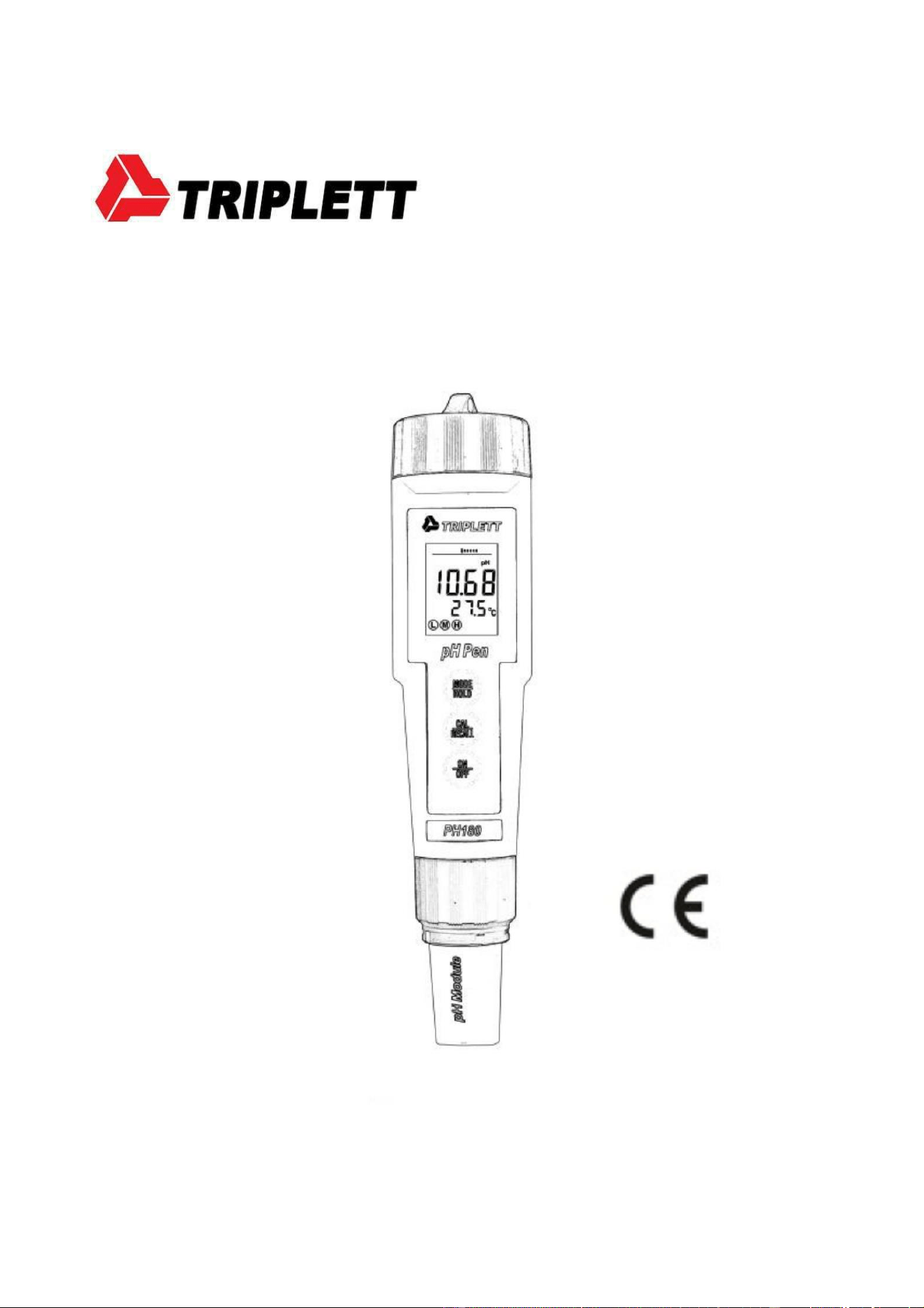
PH180
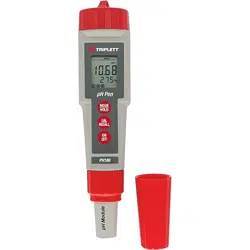
Waterproof pH Meter
- 0 -

Introduction
Thank you for selecting the Triplett PH180 pH meter. This instrument
is designed for high accuracy pH testing for solids, semi-solids and
liquids. This device is shipped fully tested and calibrated, and with
proper use, will provide years of reliable service.
Features
Measures from 0 to 14 pH with 0.01pH resolution
ATC (Automatic Temperature Control) compensates for
temperature changes
Dual display for pH and Temperature
Analog bargraph for viewing trends 1-
, 2-, or 3- point calibration
RENEW warning when probe needs cleaning or
replacement Waterproof (IP57)
Auto power off (after 10 minutes) with disable
Includes meter with flat surface pH probe and protective cap,
four(4) CR2032 batteries, cup with cap and neckstrap
- 1 -
Description
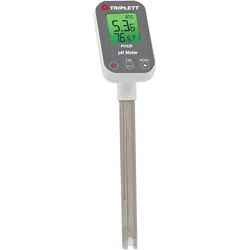
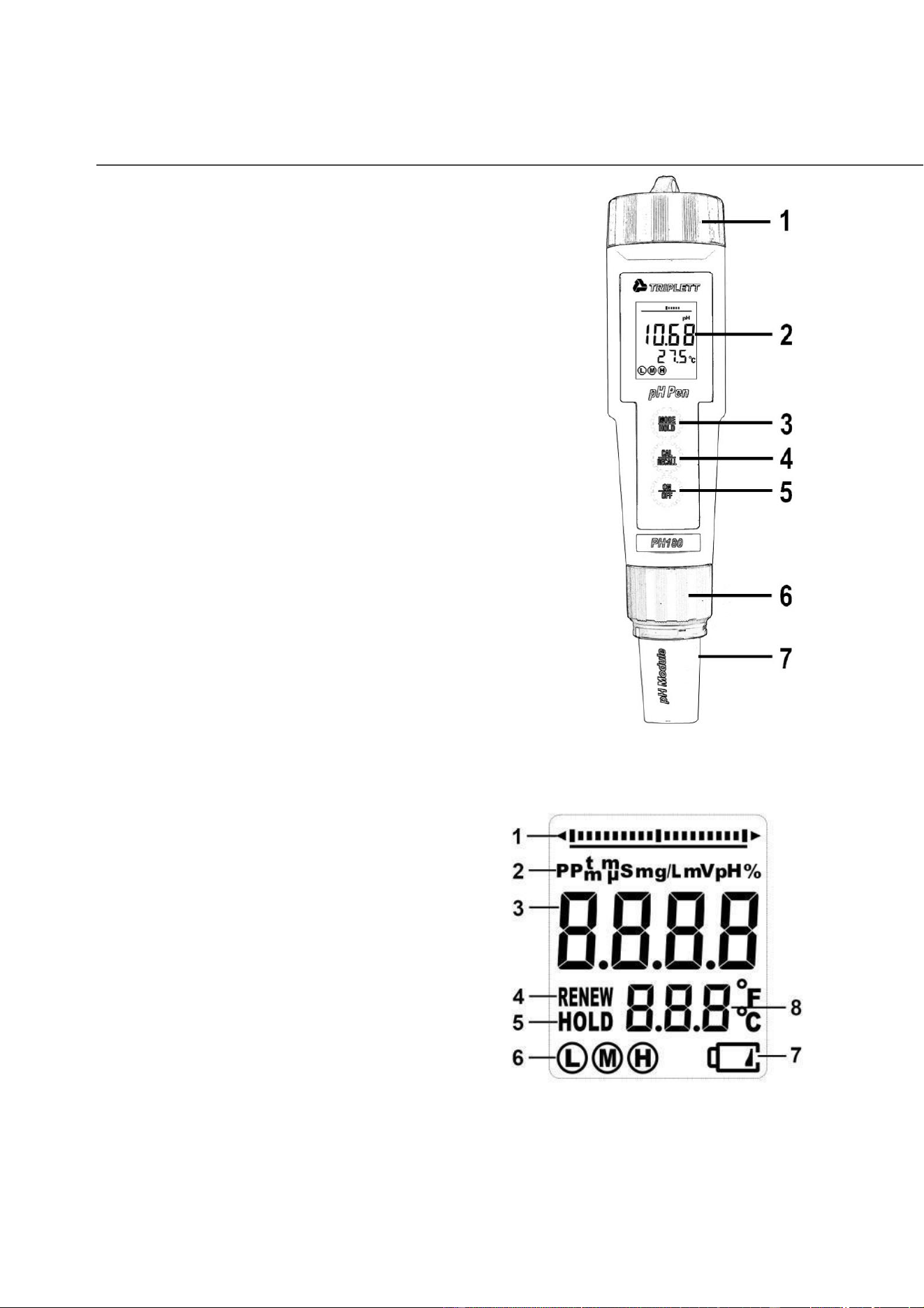
METER DESCRIPTION
1. Battery compartment cap
2. LCD Display
3. MODE / HOLD button
4. CAL / RECALL button
5. ON/OFF button
6. Electrode collar
7. Electrode
LCD DISPLAY
1. Bar graph reading
2. Measurement Units
3. Main Display
4. RENEW Indicator
5. HOLD Indicator
6. RANGE Calibration Indicator
7. Low Battery Indicator
8. Temperature Display
- 2 -

CAUTION
This device is not a toy and must not reach children’s hands. It
contains hazardous objects as well as small parts that the
children could swallow. In case a child swallows any of them,
please contact a physician immediately
Do not leave batteries and packing material lying around unattended;
they can be dangerous for children if they use them as toys
In case the device is going to be unused for an extended period
of time, remove the batteries to prevent them from draining
Expired or damaged batteries can cause cauterization on contact
with the skin. Always, use suitable hand gloves in such cases
See that the batteries are not short-circuited. Do not throw
batteries into the fire.
Overview
pH Overview
pH is a unit of measure (ranging from 0 to 14pH) indicating the
degree of acidity or alkalinity of a solution. pH tests are the most
commonly performed measurements in water analysis and reports
the negative log of the hydrogen ion activity of a solution which is
an indicator of acidity or alkalinity. Solutions with a pH less than 7
are considered acidic, solutions with a pH higher than 7 are known
as bases, and solutions with a pH of exactly 7 are neutral.
The pH scale is logarithmic so, for example, if sample A is 1 pH less than
Sample B, this means that Sample A is 10 times more acidic then Sample
B. A difference of 1 pH represents a ten-fold difference in acidity.
- 3 -

Getting Started
For new meters, remove the battery cap and then remove the
battery insulating strip.
Remove the cap from the bottom of the PH180 to expose the
electrode glass surface and reference junction
Before first use or after extended storage, soak the electrode (with
its cap removed) in a pH 4 solution for about 10 minutes
White KCL crystals may be present in the cap. These crystals will
dissolve in the soak or they can be simply rinsed with tap water
Always calibrate close to the expected measurement value
A sponge is located in the electrode protective cap. Keep this sponge
soaked with a pH 4 solution to preserve Electrode life during storage
Replacing Electrodes
The PH180 is shipped with an electrode attached. Electrode life
is limited and is dependent on (among other factors) frequency
of use and care. If the electrode needs to be replaced, follow
these steps for removing and connecting electrodes.
1. To remove an electrode, unscrew and completely
remove the electrode retaining collar.
2. Gently rock the electrode from side to side, pulling it away
from the meter, until it disconnects.
3. To attach an electrode, carefully plug the electrode into the
meter socket (note that the electrode connector is keyed,
ensuring proper connection).
4. Secure the electrode in place by tightly turning the collar in
place. (a rubber gasket seals the electrode with the meter).
- 4 -

Automatic Electrode Recognition
When the PH180 is turned on, it recognizes the type of
electrode that is connected and displays the appropriate unit
of measure. Attach electrode before turning the PH180 on.
Powering ON/OFF the meter
If the batteries are weak, the ‘ ’ indicator appears on the LCD.
Press the ON/OFF key to turn the PH180 on or off. The auto power
off feature shuts the PH180 off automatically after 10 minutes of
inactivity to preserve battery life.
Operation
Overview
When the electrode is placed in a solution, the main display and
bargraph indicate the pH reading while the lower display reads
temperature (readings flash until they have stabilized). The
bargraph is ‘center zero’, i.e. at pH 7 there is no display. As the pH
rises, the bar moves from the center to the right. If the pH drops,
the bar moves from the center to the left.
pH Calibration (1, 2, or 3 points)
A two point calibration with a buffer of 7 plus 4 or 10 (whichever is
nearest to the expected sample value) is always recommended. A
one point calibration (choose the value closest to the expected
sample value) is also valid.
1. Place the electrode into a buffer solution (4, 7, or 10). Press and
hold the CAL/RECALL key until “CAL” appears in the lower (temp.)
- 5 -

display. When doing a 2 or 3 point calibration, calibrate with
pH 7 buffer first, then follow with pH 4 then the pH 10 buffer.
2. The PH180 automatically recognizes the solution and calibrates itself
to that value (the circled number on the LCD will match the solution).
Note that if the solution is more than 1 pH unit off from the L
(4), M (7), or H (10) pH buffer, or if the electrode slope is low, the
PH180will assume an error and abort the calibration (‘End’ will
be displayed, and the unit will return to measure mode.)
3. During calibration, the pH reading flashes on the main display.
4. When calibration is complete, the PH180 automatically displays
“SA”, then “End” and returns to normal operation mode.
5. The appropriate circled indicator (L, M, or H) appears on the
LCD when a particular calibration or series of calibrations has
been completed within one power on cycle. When the PH180is
turned off, the circled indicator configuration and the
calibration data will be retained.
6. For a two or three-point calibration, repeat steps 1-4.
7. See Reset Calibration Data to clear all calibration data from
the meter.
Changing the Displayed Temperature Units
To change the displayed temperature units (
o
C or
o
F):
1. With the unit OFF, press and hold down the CAL/RECALL button.
2. With the CAL/RECALL button depressed momentarily press
the ON/OFF button. When “SELF CAL” appears in the
display release the CAL/RECALL button. The unit will power
on with temperature displayed in the new units.
- 6 -
Data Hold
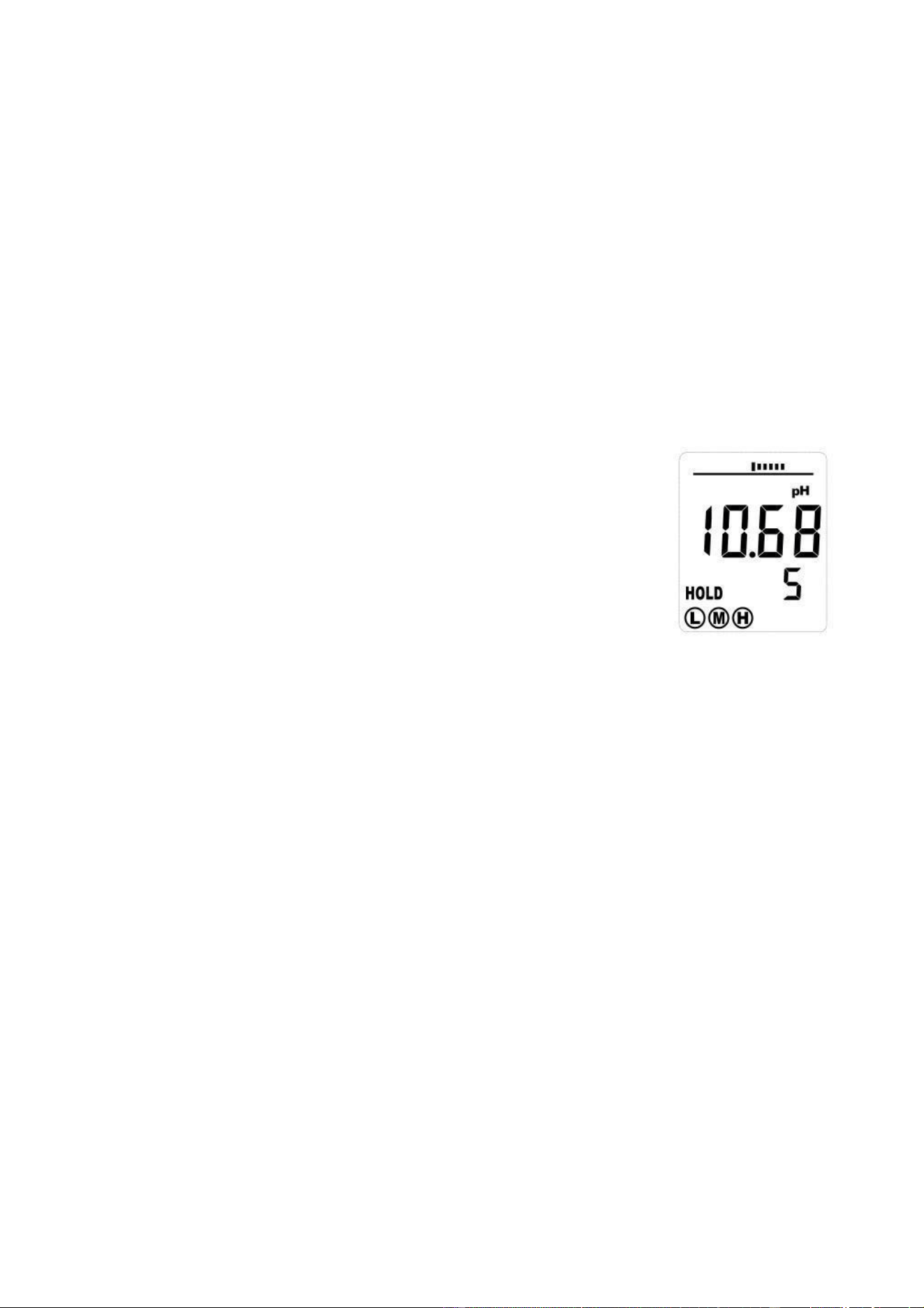
Press the MODE/HOLD button to hold (freeze) a reading in the
display. The meter will enter the HOLD mode and the “HOLD”
indicator will appear.
Note: This also stores the reading.
Press the MODE/HOLD button again to return to normal operation.
Storing Readings into Memory
1. Press the MODE/HOLD button to store a
reading. The storage location number will
be displayed on the lower display, while the
main display shows the stored reading. The
meter will enter the HOLD mode and the
“HOLD” indicator will appear.
2. Press the MODE/HOLD button again to exit the
HOLD mode and return to normal operation.
3. If more than 25 readings are stored, previously stored
readings (starting with number 1) will be overwritten.
Recalling Stored Readings
1. Press the CAL/RECALL button and then press the MODE/HOLD
button. A locPress the CAL/RECALL button and then press the
MODE/HOLD button. A location number (1 through
25) will briefly appear and then the value stored in that
location will appear. The displayed units will flash, indicating
that the storage recall mode is active.
- 7 -
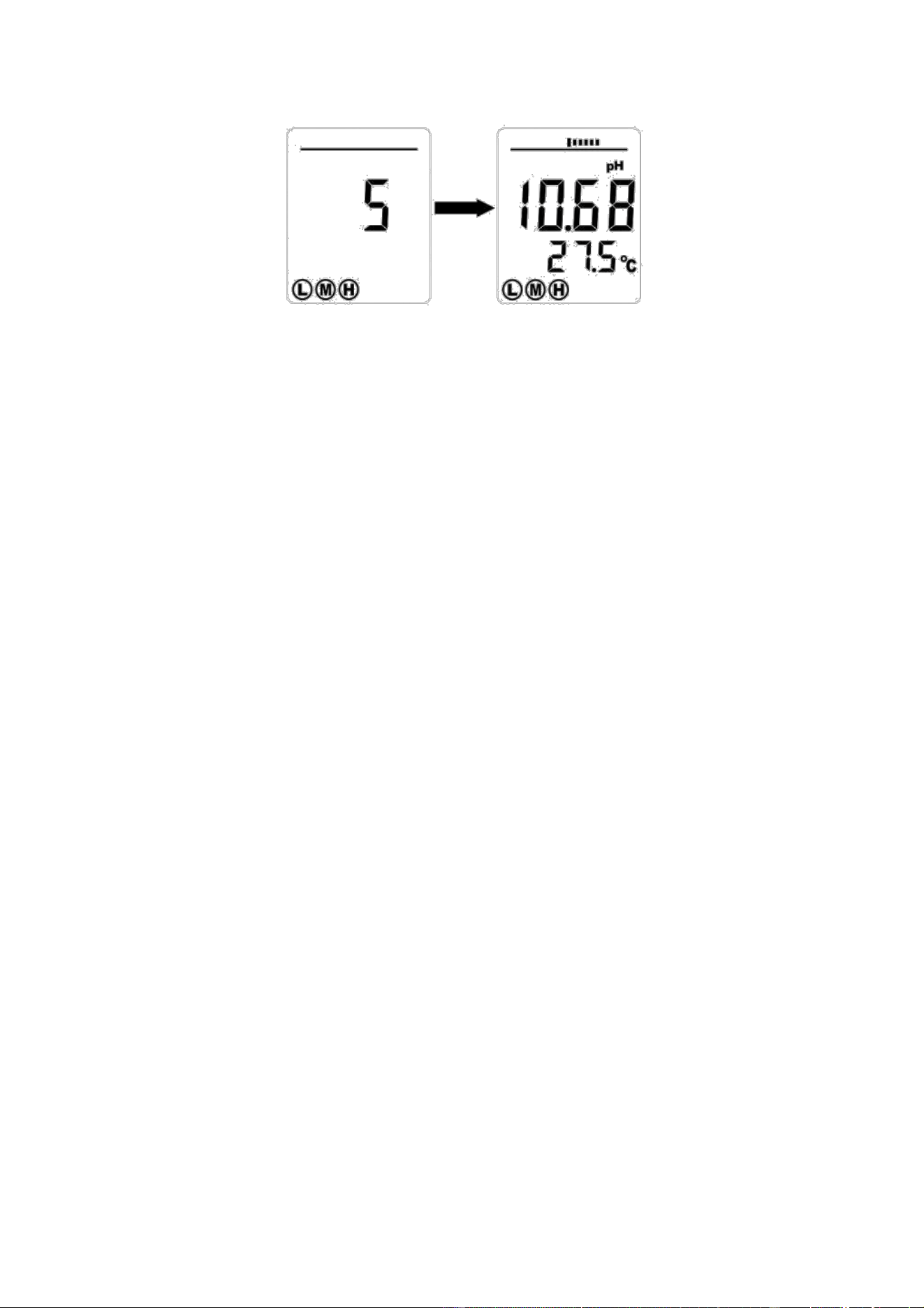
2. The last stored reading will be displayed first. Pressing and
releasing the MODE/HOLD button will scroll through the stored
readings one at a time. The location number is displayed first,
followed by the reading stored in that location.
3. To exit the storage mode, press the CAL/RECALL button and the
meter will return to normal operation, after displaying “End”.
Clear Stored Memory
With the unit on, press and hold ON/OFF for 4 seconds. “CLr”
will be briefly displayed when the memory is cleared.
Auto Power OFF
The auto power off feature automatically shuts the meter off 10
minutes after the most recent button press.
Auto Power OFF Disable
To disable the Auto Power Off feature:
1. Turn the unit on
2. Press CAL/RECALL once (Quickly)
3. Immediately and simultaneously press the MODE/HOLD and
ON/OFF buttons for approximately 2 seconds, until “oFF” is
briefly displayed
- 8 -

To disengage this feature, turn the unit off with the ON/OFF
button. The next time the unit is powered up, Auto Power OFF
mode will be engaged again.
CAL Reminder Display
When the PH180 is turned on in the pH mode for the 15th time
without recalibration, the ‘CAL’ icon appears on the LCD
indicating that the PH180 may require calibration. Some
applications may require recalibration of the electrode more
frequently than others. The CAL display is simply a reminder
and will turn off when the pH electrode is recalibrated.
RENEW Display
A flashing ‘RENEW’ warning indicates that the probe is not
performing to expected specifications. If cleaning and
recalibration does not cause the RENEW icon to disappear,
replace the probe (see optional accessories on the last page of
this manual). The RENEW display appears as a result of the pH
electrode slope falling below 65% of a nominal slope.
Measurement and Display Considerations
If the unit appears to be locked (display frozen). It is possible
that the Data Hold mode has been inadvertently accessed by
pressing the MODE/HOLD button. (“HOLD” will be displayed in
the bottom left of the LCD.) Simply press the MODE/HOLD button
again or turn the meter off and then on.
For maximum accuracy, allow sufficient time for the temperature of
the probe to reach the temperature of the sample before calibrating.
This will be indicated by a stable temperature reading on the display.
- 9 -
Reset Calibration Data
Follow this procedure to clear all calibration data from the meter.
Resetting the calibration data may be necessary when new calibration
solutions are used or accuracy of measurements is in question.
1. Turn off the meter.
2. Press and Hold the Cal/Recall and Mode/Hold buttons.
3. Momentarily press the On/Off button, as soon as the display
comes on, release all 3 buttons.
4. The display will show “dFLt rSt” (default reset) and all of
the calibration data will be erased. If “dFLt rSt” does not
appear, retry the procedure.
Proceed to the calibration routine for pH and Conductivity.
Battery Replacement
1. Twist off the battery compartment cap
2. Replace the four (4) 2032 batteries observing polarity.
3. Replace the battery compartment cap
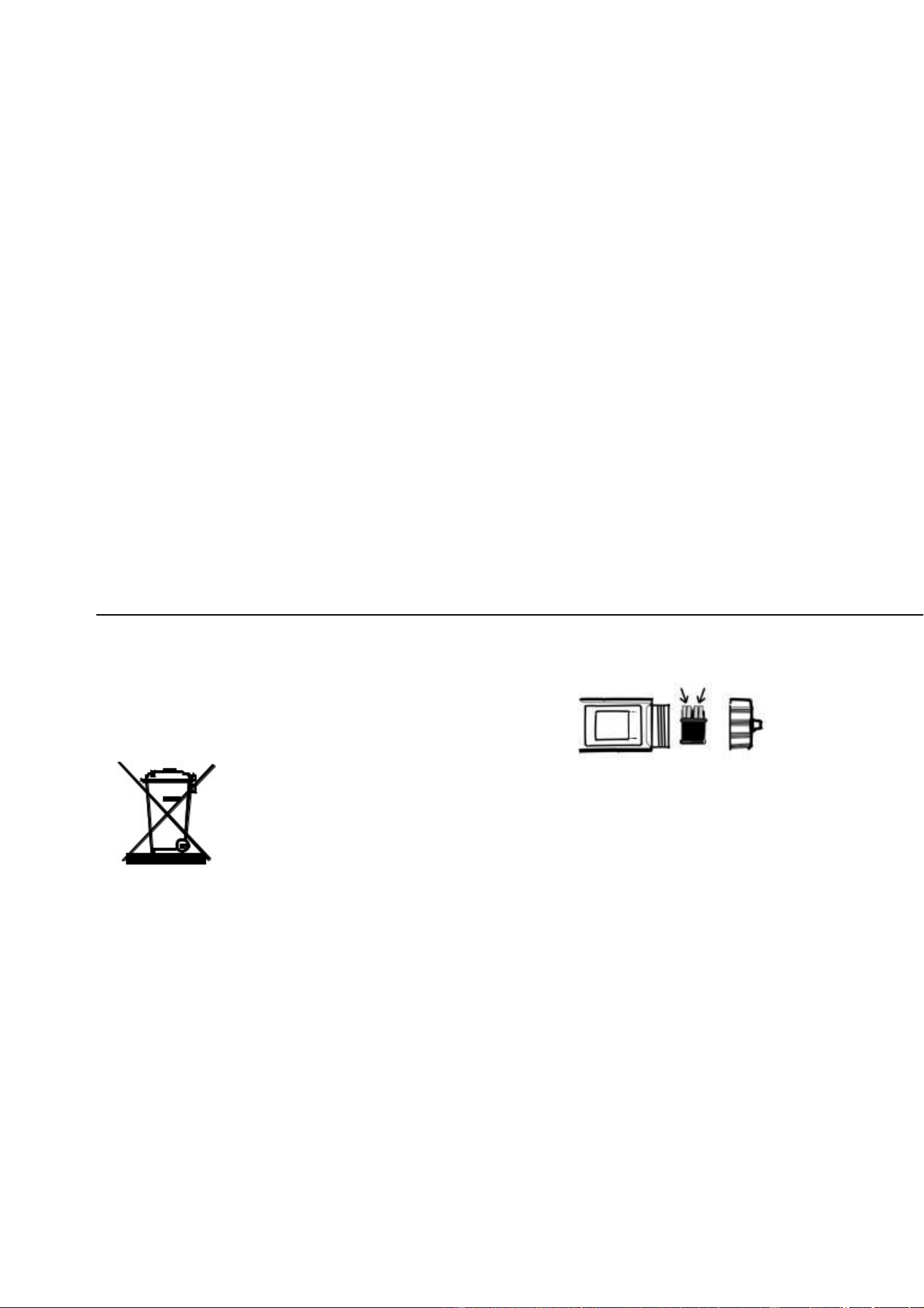
Never dispose of used batteries or rechargeable
batteries in household waste.
As consumers, users are legally required to take used
batteries to appropriate collection sites, the retail store
where the batteries were purchased, or wherever
batteries are sold.
Disposal: Do not dispose of this instrument in household waste. The
user is obligated to take end-of-life devices to a designated collection
point for the disposal of electrical and electronic equipment.
Other Battery Safety Reminders
Never dispose of batteries in a fire. Batteries may explode or leak.
Never mix battery types. Always install new batteries of the
same type.
- 10 -

Specifications
Display
Multifunction LCD with Bargraph
Operating conditions
32 to 122
o
F (0 to 50
o
C) / < 80% RH
Range and Accuracy
0.00 to 14.00 / ± 0.01pH typical
Temp. Compensation
Automatic from 32 to 194
o
F (0 to 90
o
C)
Temperature Range
32 to 194
o
F (0 to 90
o
C)
Temperature Resolution
0.1
o
up to 99.9 then 1
o
thereafter
Temperature Accuracy
± 1
o
C/1.8
o
F
Measurement storage
25 tagged (numbered) readings
Power
Four (4) CR2032 button batteries
Low battery indication
‘
’ appears on the LCD
Auto power off
After 10 minutes of inactivity
Dimensions
1.5 x 7.8 x 1.5” (38 x 198 x 38 mm)
Weight
3.5 oz (100 g)
Warranty
Triplett / Jewell Instruments extends the following warranty to the original purchaser
of these goods for use. Triplett warrants to the original purchaser for use that the
products sold by it will be free from defects in workmanship and material for a period
of (1) one year from the date of purchase. This warranty does not apply to any of our
products which have been repaired or altered by unauthorized persons in any way or
purchased from unauthorized distributors so as, in our sole judgment, to injure their
stability or reliability, or which have been subject to misuse, abuse, misapplication,
negligence, accident or which have had the serial numbers altered, defaced, or
removed. Accessories, including batteries are not covered by this warranty
Copyright © 2021 Triplett
www.triplett.com
-11-