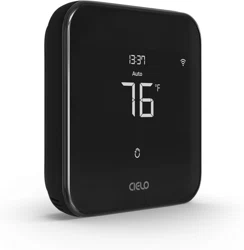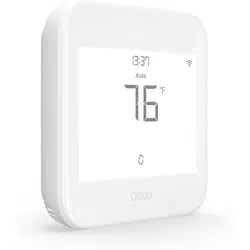
Cielo Smart Thermostat
Installation Guide
cielowigle.com
Thanks for choosing Cielo for your
home climate control!
Cielo Smart Thermostat is designed and optimized
to save energy while prioritizing comfort.
Simple to Install | Easy to Use | Saves You Energy
Let’s Start!
2

Tools you need:
Drill for mounting anchors (3/16” drill bit)
Small flathead screwdriver
Phillips screwdriver
Wire stripper (optional)
Hammer (optional)
Pencil (optional)
3
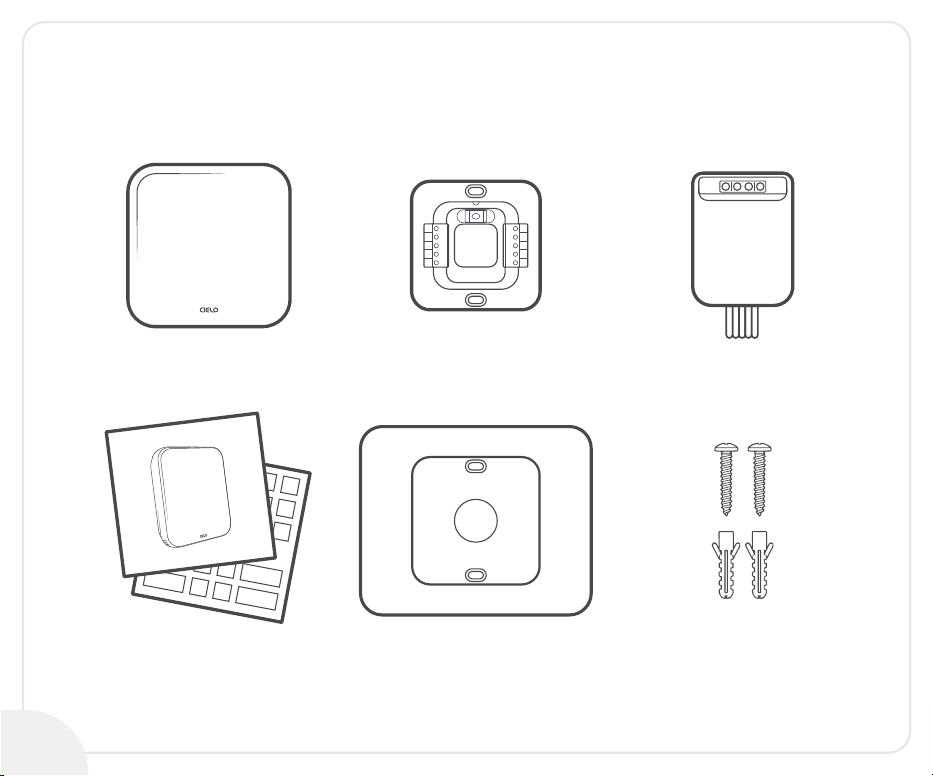
Included in the box:
C-Wire AdapterCielo Smart Thermostat
Installation Guide
and Wire Labels
Thermostat Wall Plate Mounting Screws With
Drywall Anchors
Thermostat Backplate
OB
W1
W2
CWA
RH
Y2
Y1
G
C
RC
4
Getting Help
Email us at: support@cielowigle.com
Call us at : +1 (425) 529-5775
9:00AM - 9:00PM EST, Mon-Fri
No long queues, no bots, no delays.
We answer 98% calls in less than 2 minutes and
guarantee that you will talk to a REAL person.
Visit our website:
cielowigle.com
and select support to
access user guides.
5

6
Let’s Install Your Thermostat
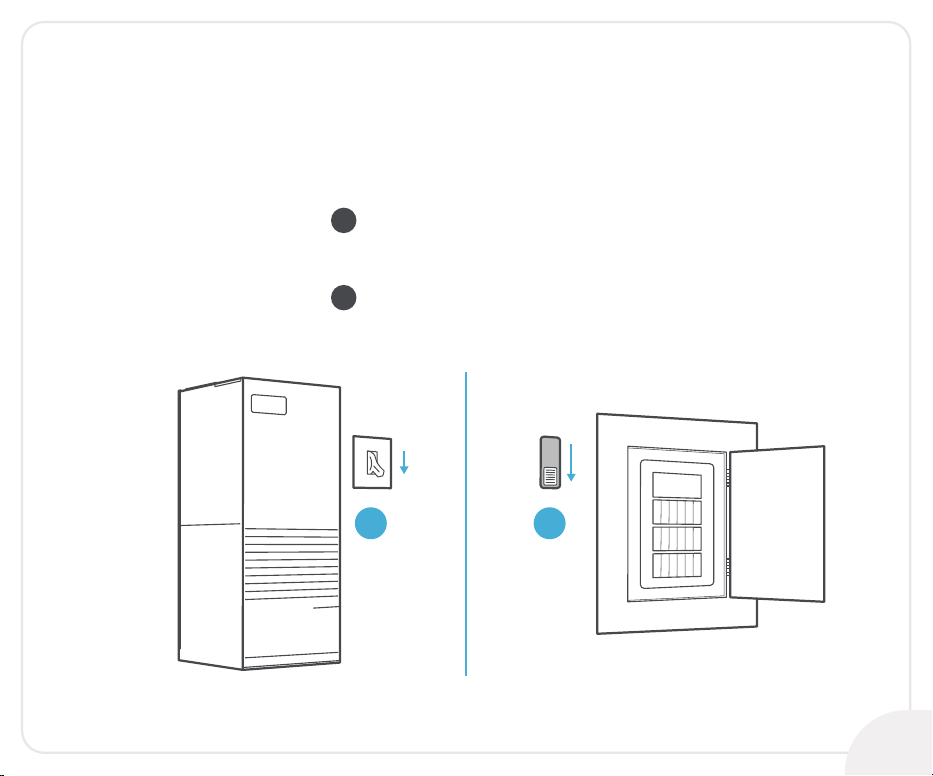
Step 1:
Safety First - Power off your HVAC system using:
ON
OFF
ON
OFF
The master switch
OR
The circuit breaker
1 2
1
2
7
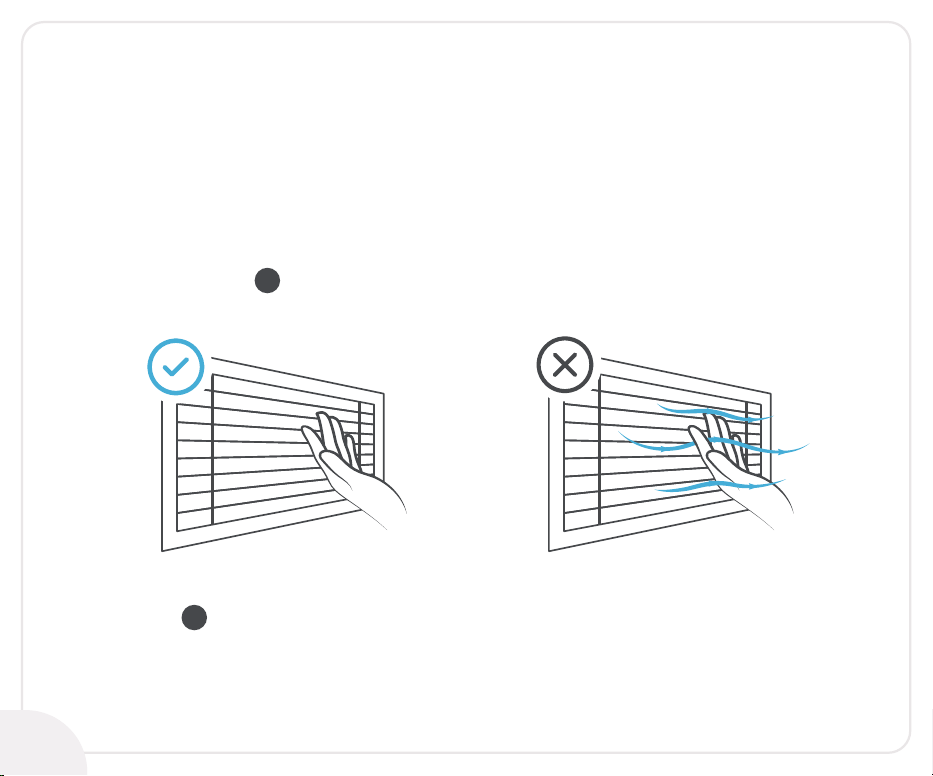
Step 2:
To be on the safe side, ensure that your system is
completely switched off. Double-check that:
No air is coming out of air vents
1
Main flame is extinguished in case of boiler
2
8
9
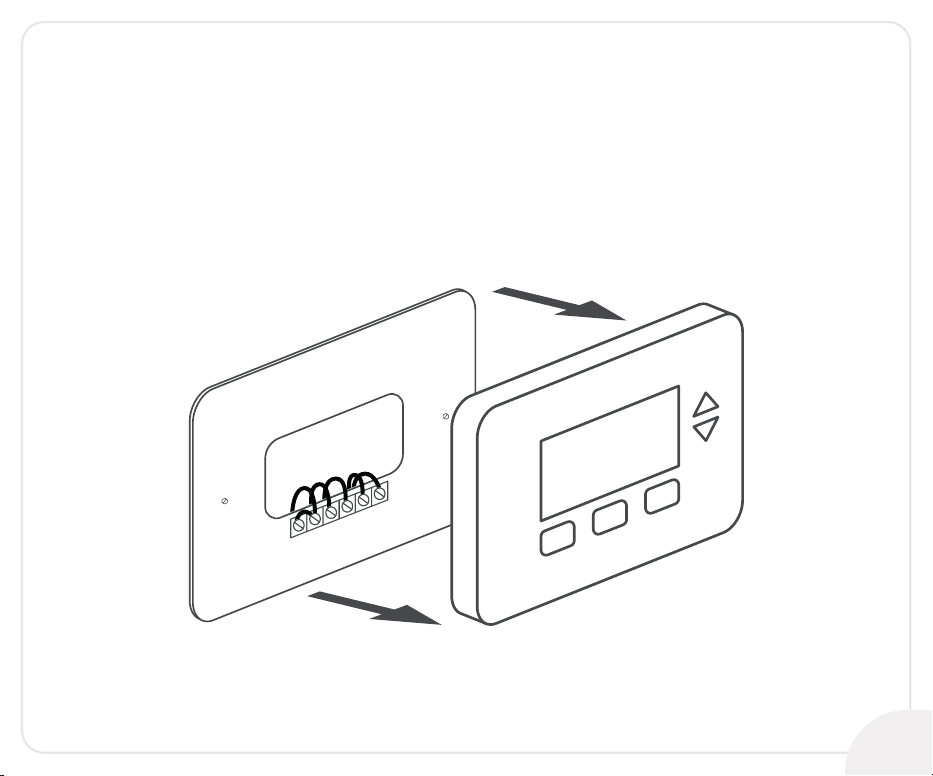
Step 3:
Go to your already installed thermostat
and remove it from the wall.
10
Step 4:
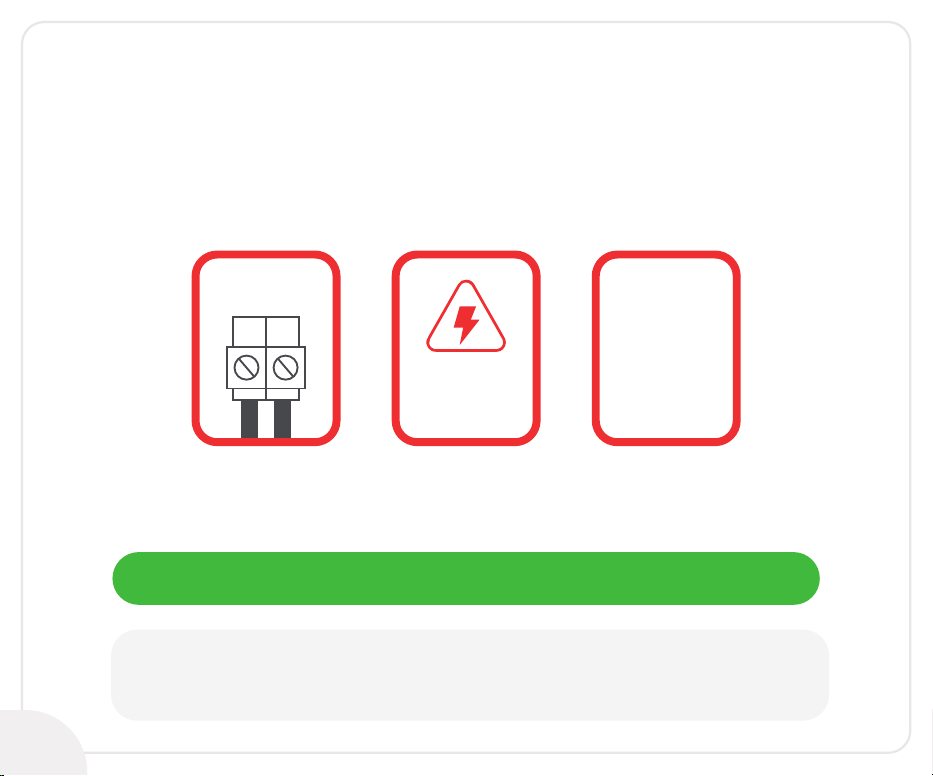
Look closely for any of the following indicators on your
old thermostat’s backplate:
High
Voltage
110V AC
or
120V AC
or
240V AC
L1 L2
WARNING:
Cielo Smart Thermostat only works with 24V AC.
It does not work with line (high) voltage or millivolt systems.
If you find any of the above indicators, you should stop
right here, as your HVAC system might not be compatible.
In case of no such indicators, go to the next page.
11
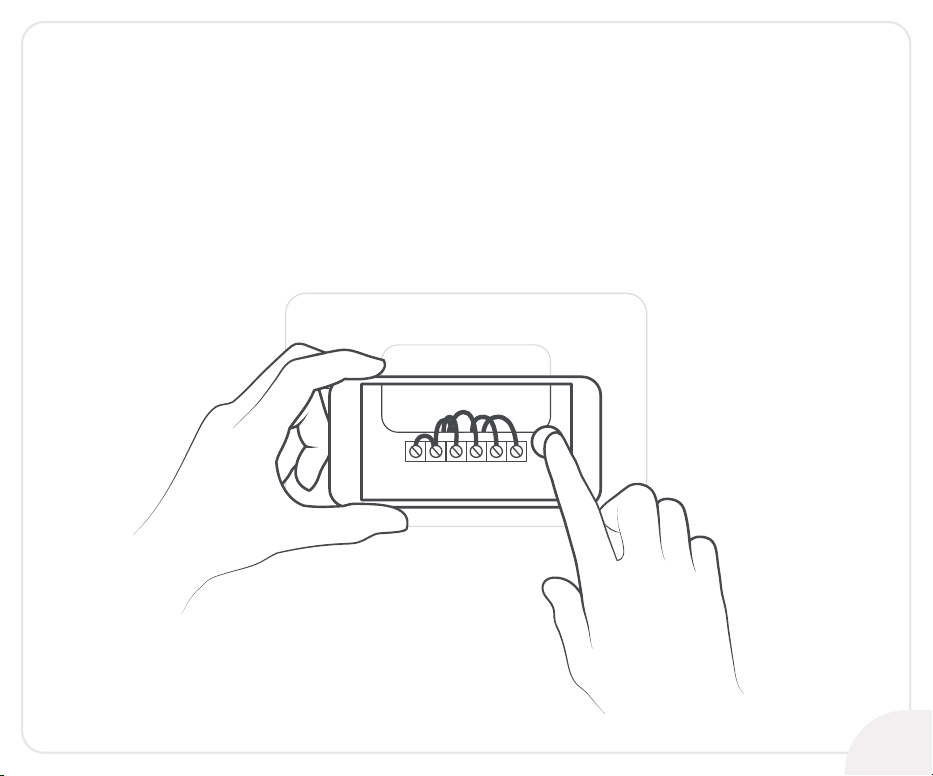
Step 5:
Grab your smartphone and take a picture of your
old thermostat wiring.
Step 6:
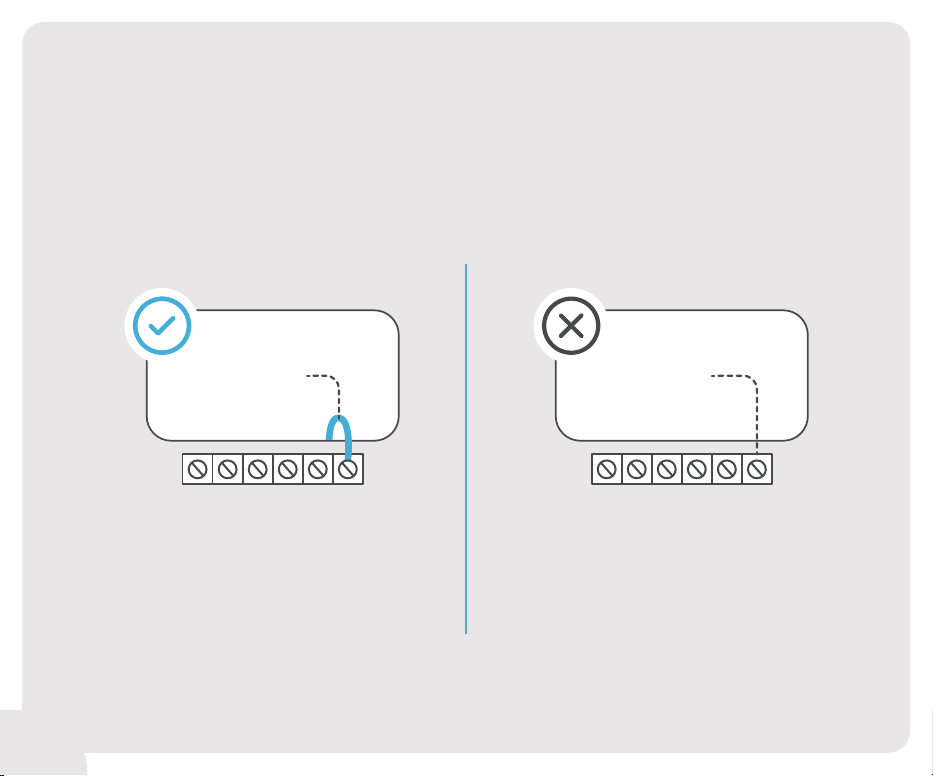
Does your old thermostat have a
C-Wire connection?
Continue to Section 1
on the Next Page
Continue to Section 2
on Page 24
RC RH G Y W C
YES
RC RH G Y W C
NO
12
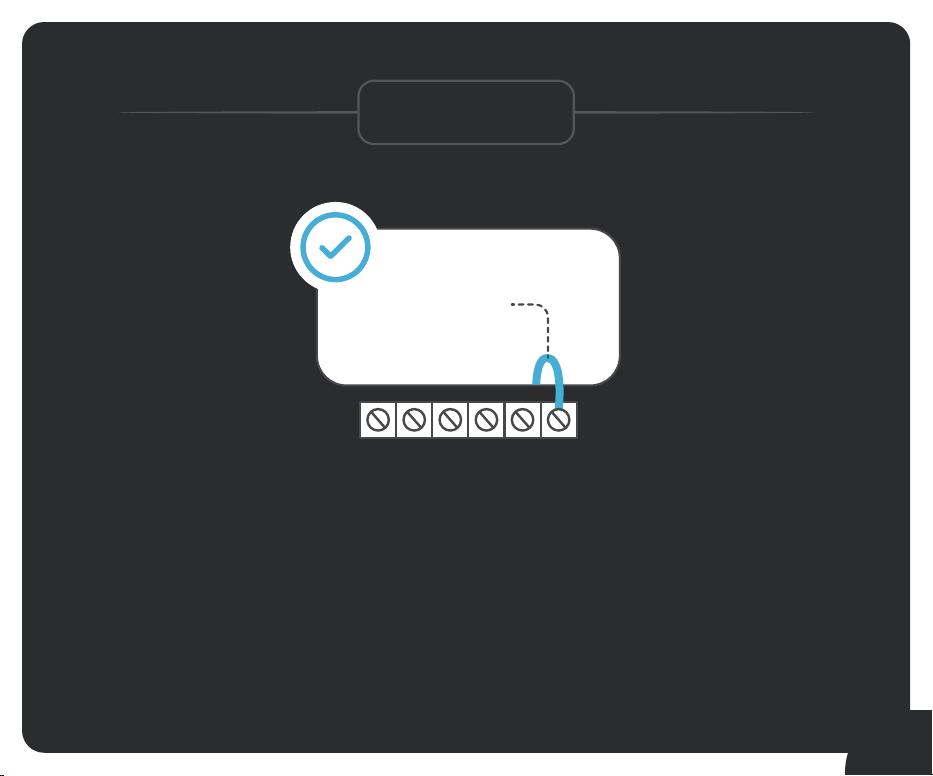
Section 1
Installing your
Cielo Smart Thermostat
with a C-Wire
RC RH G Y W C
YES
13
Section 1
14
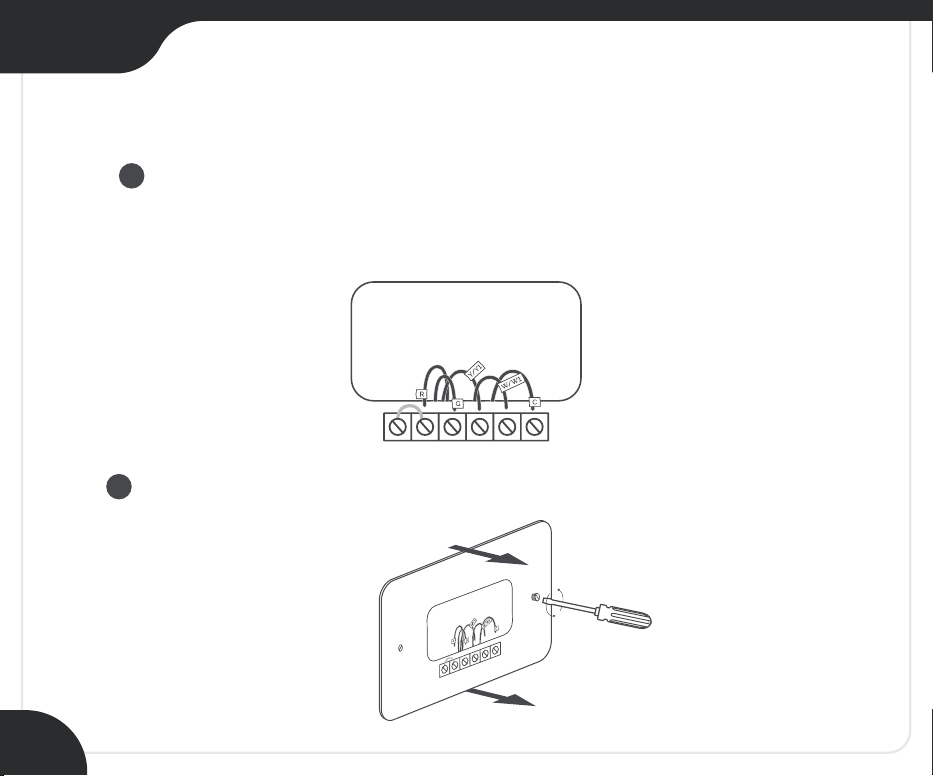
Step 7:
Disconnect the old thermostat wires one by one
and mark them using the wire labels
(included in the box).
Remove the mounting plate of your old thermostat.
1
2
Section 1
15
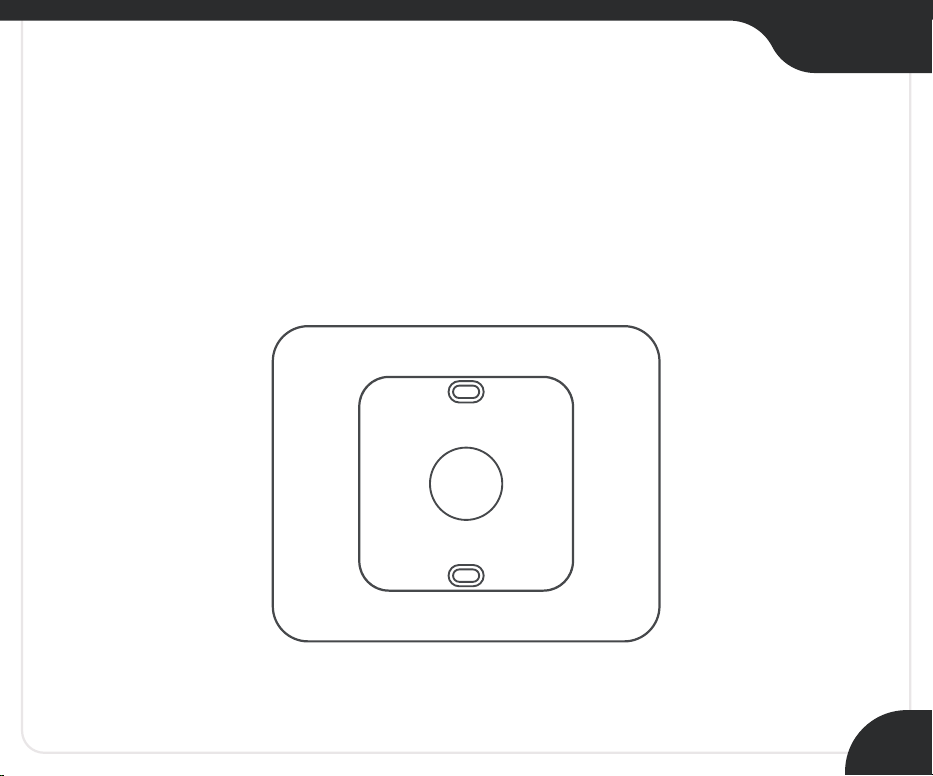
Step 8:
Optional: You may use the provided wall plate to hide
marks or holes on the wall left by your old
thermostat installation.
Section 1
16
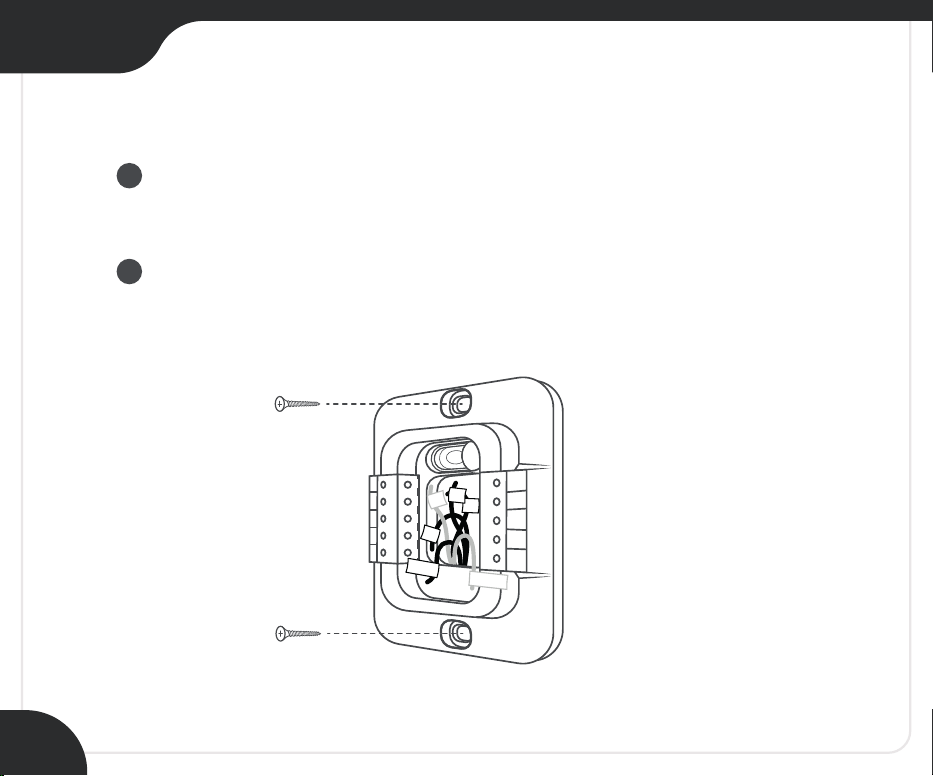
Step 9:
Take out the labeled wires through the hole in the
middle of the Cielo Smart Thermostat backplate.
Screw in the backplate using the provided pair of
drywall anchors and screws.
OB
W1
W2
CWA
R
H
Y2
Y1
G
C
R
C
R
R
H
G
Y/Y1
C
W/W1
1
2
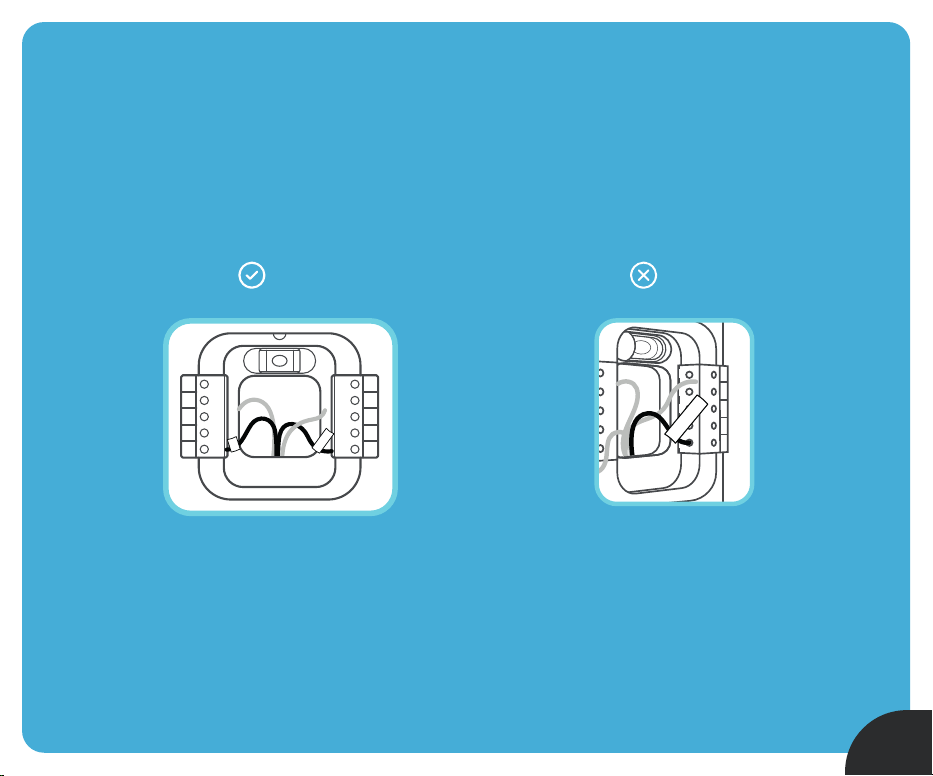
Step 10:
Do you have more than one R-Wire?
(That includes R, R
C, and RH)
Insert your wires:
R or RC RC RH RH
OB
W1
W2
CWA
R
H
G
Y1
Y2
C
R
C
R
or
R
C
R
H
YES
Insert your single
R, R
C, or RH wire into
the R
C terminal.
NO
Y2
Y1
G
C
R
C
Y2
Y1
G
C
R
C
R
C
R
or
R
H
or
17
Section 1
18
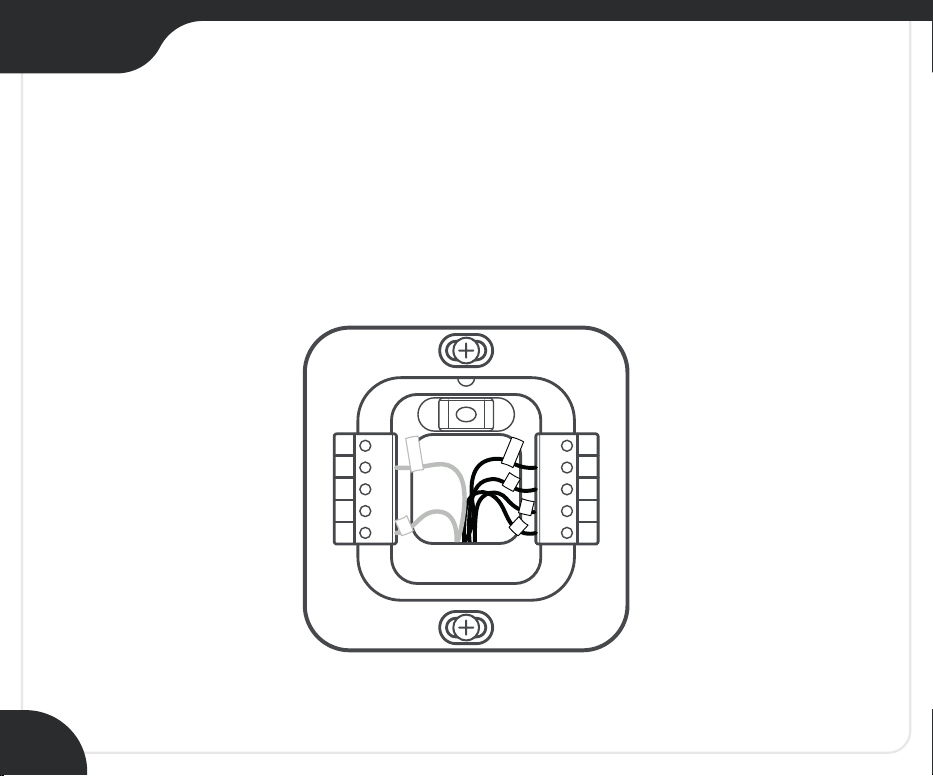
Step 11:
Insert the remaining wires into their corresponding
terminals from the side (press terminal block buttons for
ease of insertion).
OB
W1
W2
CWA
R
H
G
Y1
Y2
C
R
C
R
G
C
Y/Y1
W/W1
R
H
Section 1
19
OB
W1
W2
CWA
R
H
Y2
Y1
G
C
R
C
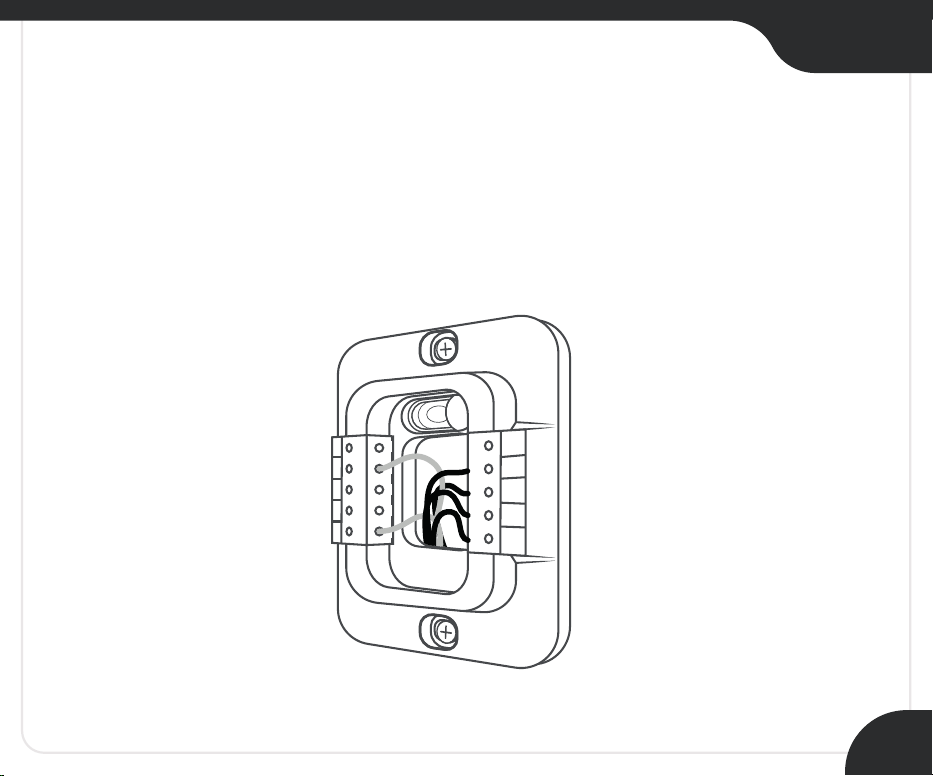
Step 12:
Gently push the excess wires back into the
center hole of the backplate to ensure that no drafts
are coming from the hole.
Section 1
20
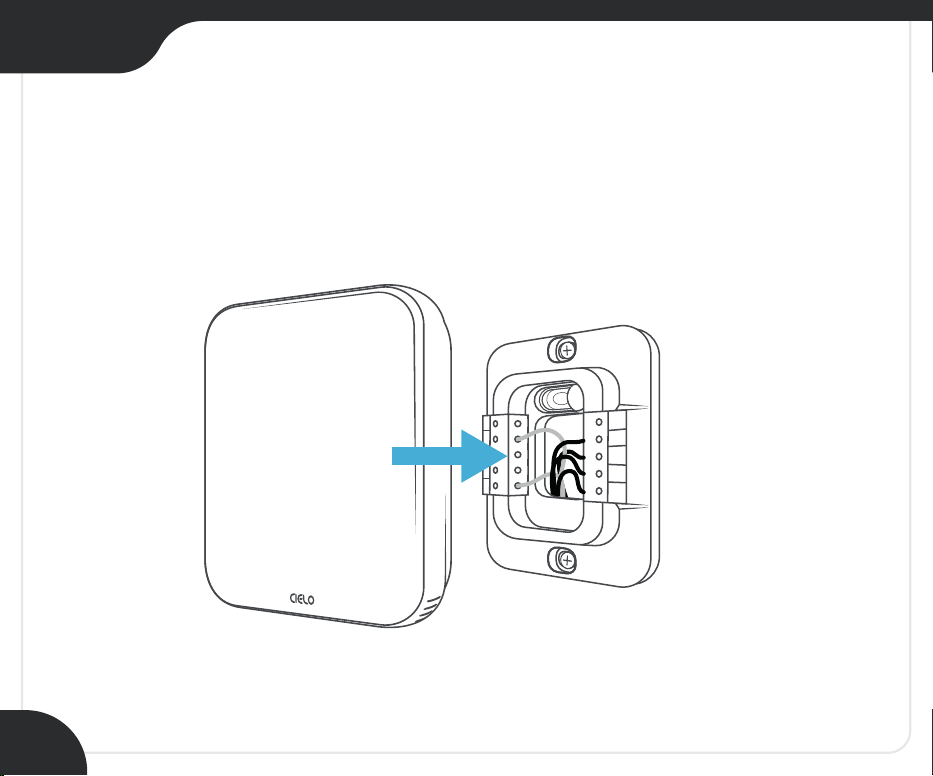
Step 13:
Align your Cielo Smart Thermostat with the
backplate and press gently to fix it properly.
OB
W1
W2
CWA
R
H
Y2
Y1
G
C
R
C
Section 1
21
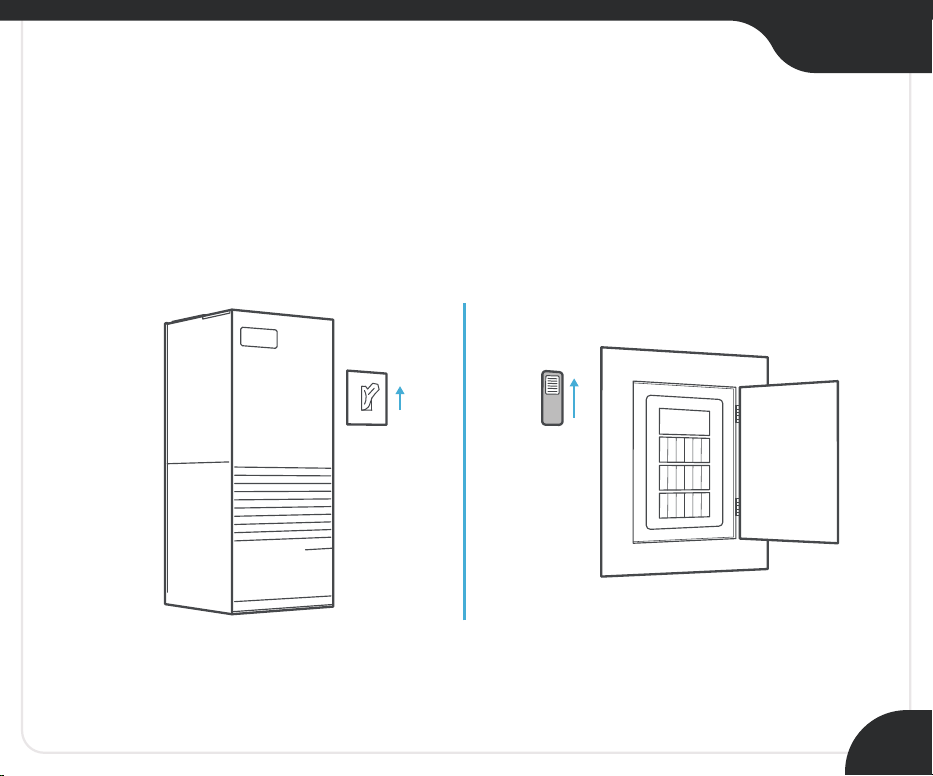
Step 14:
Go to your HVAC system and turn on the power from
the master switch or circuit breaker.
ON
OFF
ON
OFF
Section 1
22
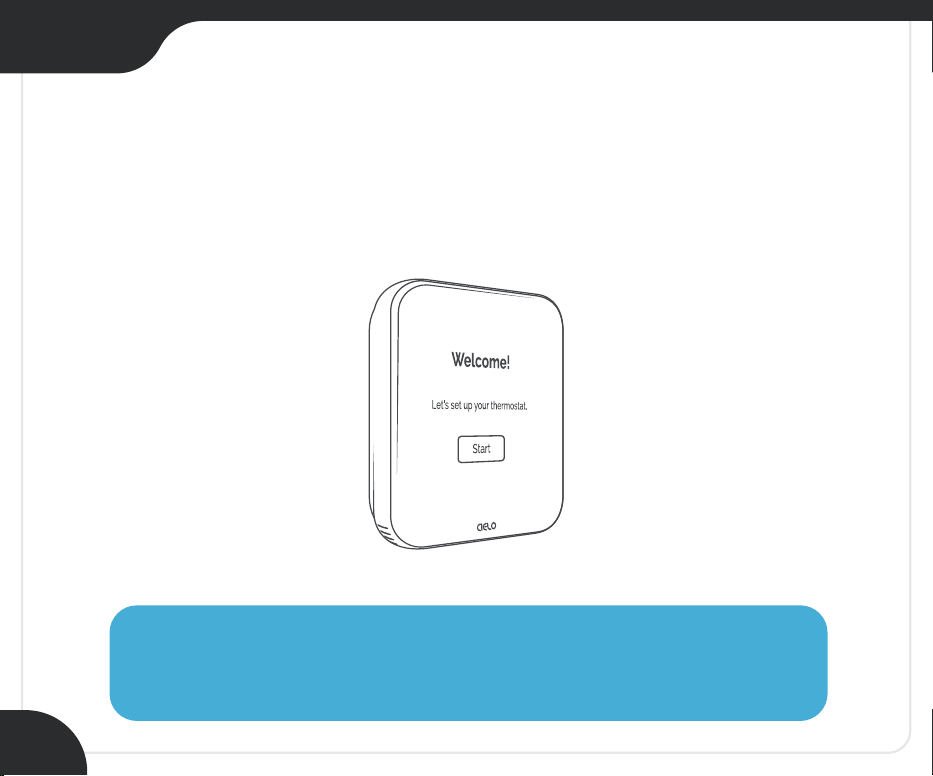
Step 15:
Welcome screen is displayed on Cielo Smart Thermostat!
Follow the on-screen instructions to register your thermostat.
Need Help?
Call: +1 (425) 529-5775 Email: [email protected]

All Done!
Enjoy your smart home
climate control
23
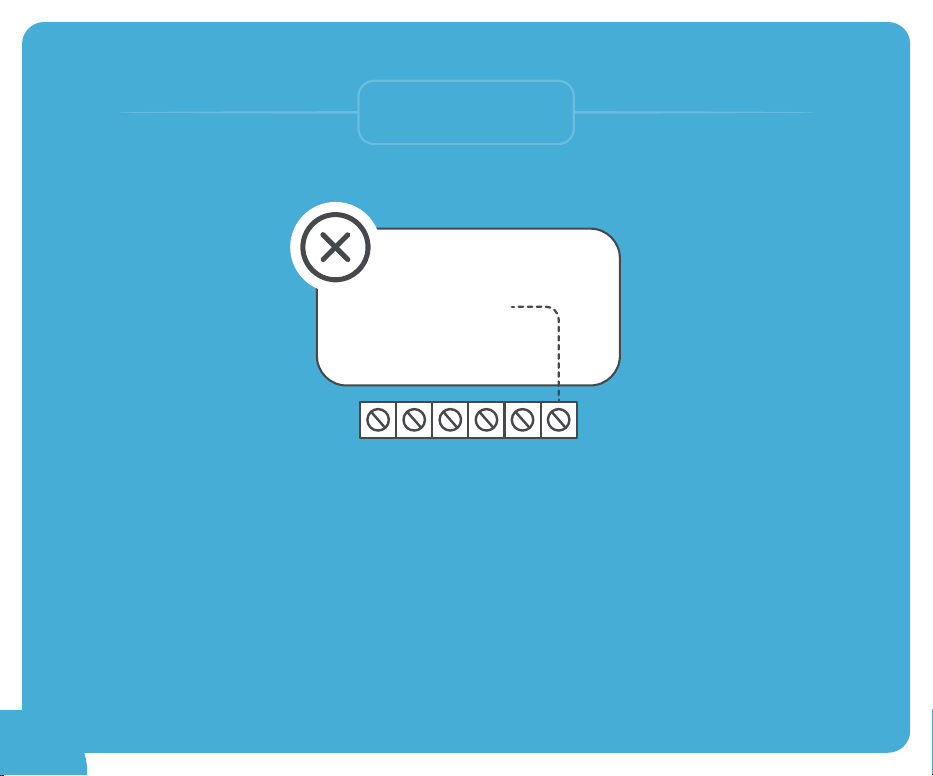
Section 2
Installing your
Cielo Smart Thermostat
without a C-Wire
RC RH G Y W C
NO
24
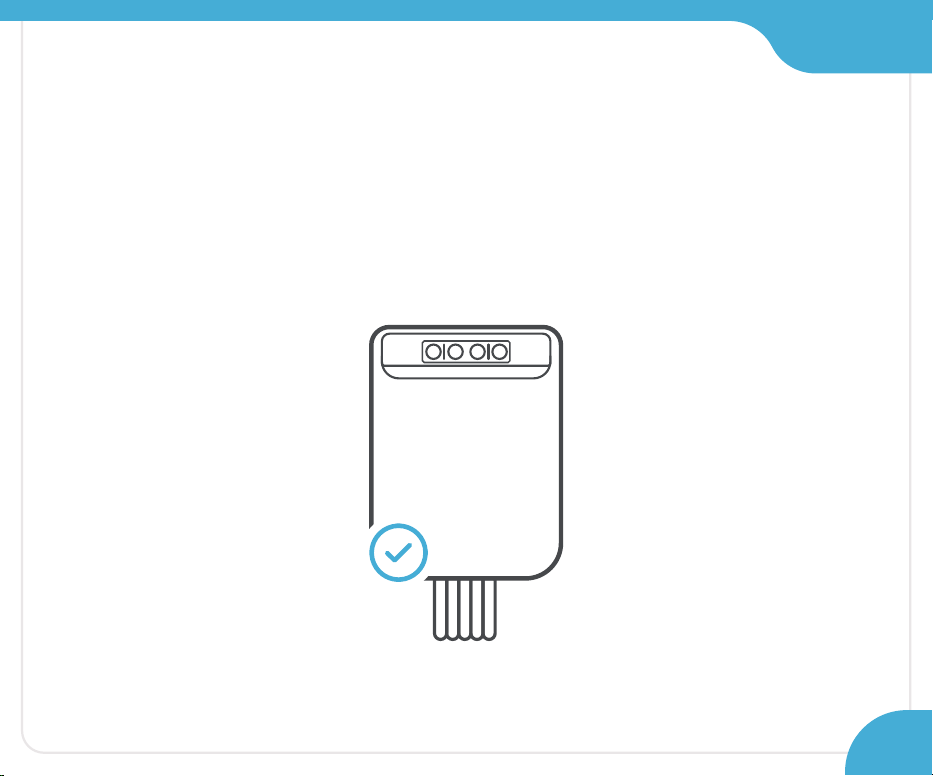
Take out the C-Wire Adapter (CWA) from the
Cielo Smart Thermostat box.
(Ensure that you have already completed steps 1-5 of this guide)
Step 7:
Section 2
25
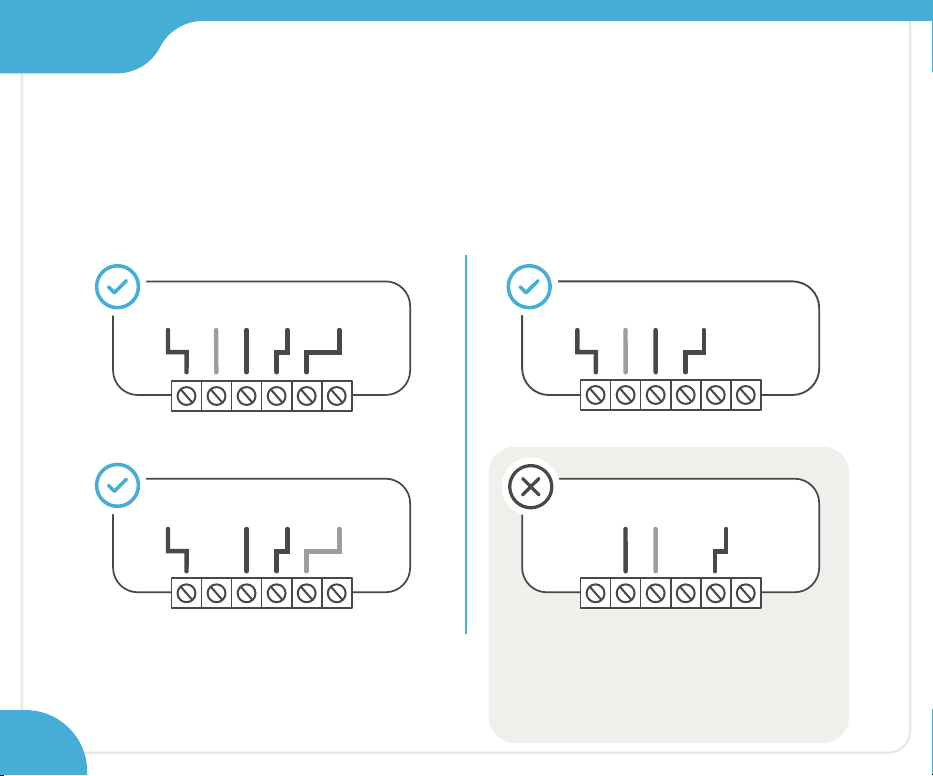
Step 8:
Your system should have the following wires
to work with the C-Wire Adapter:
RC RH G
4/5 Wires
Y W C
RC RH
G Y/Y1 W/W1
RC RH G
3/4 Wires
Y W C
G Y/Y1RC RH
RC RH G Y W C
RC
G Y W
RC RH G Y W C
GRH
W
Contact Cielo support for more information.
Call: +1 (425) 529-5775
Email: [email protected]
26
Section 2
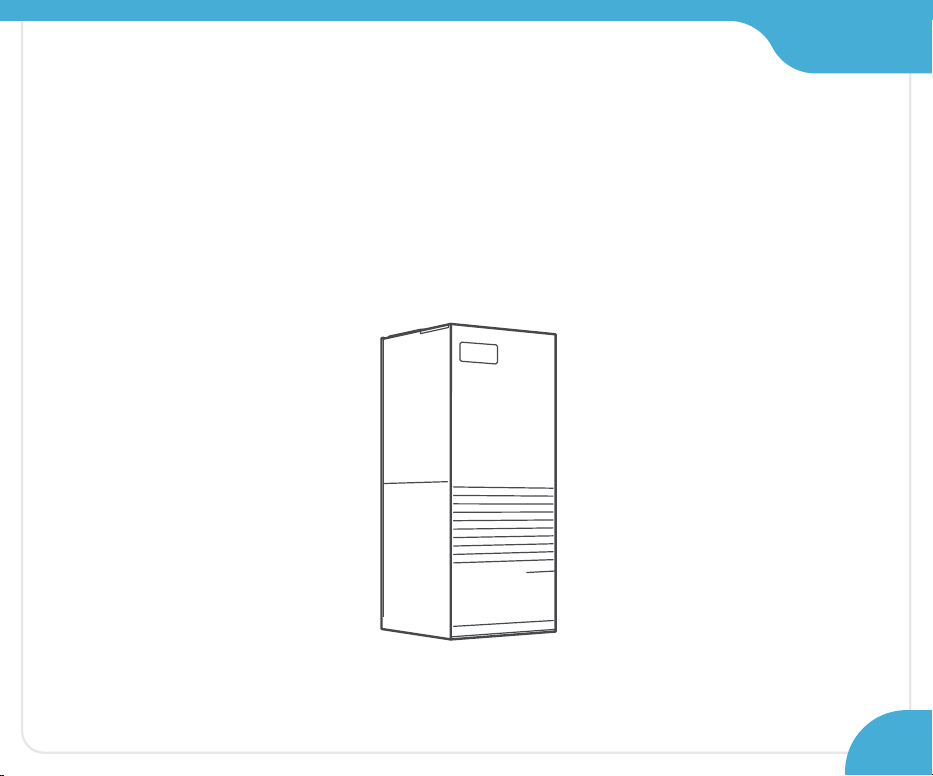
Section 2
Step 9:
Grab the C-Wire Adapter, wire labels, tools,
your smartphone, and go to your HVAC system.
27
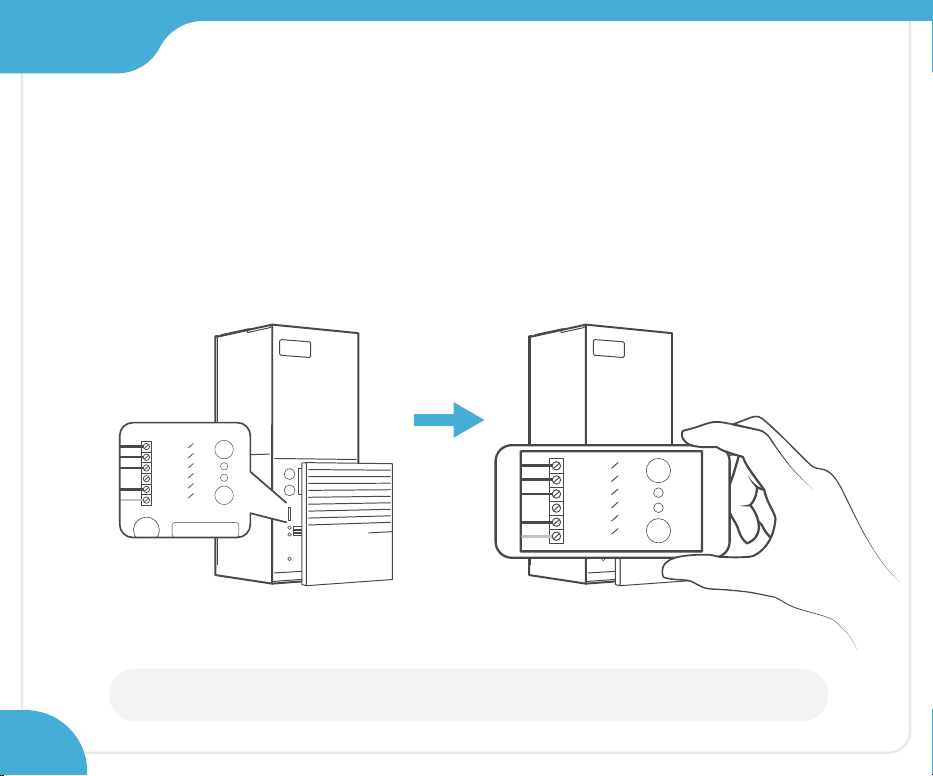
WARNING: Proceed with caution, as HVAC systems contain high-voltage wires.
Step 10:
Take off your HVAC system’s cover to access the
control board and take a picture of the connected wires.
You may need it at a later stage.
Y
W
G
C
R
C
RH
Y
W
G
C
R
C
RH
Control
board
28
Section 2
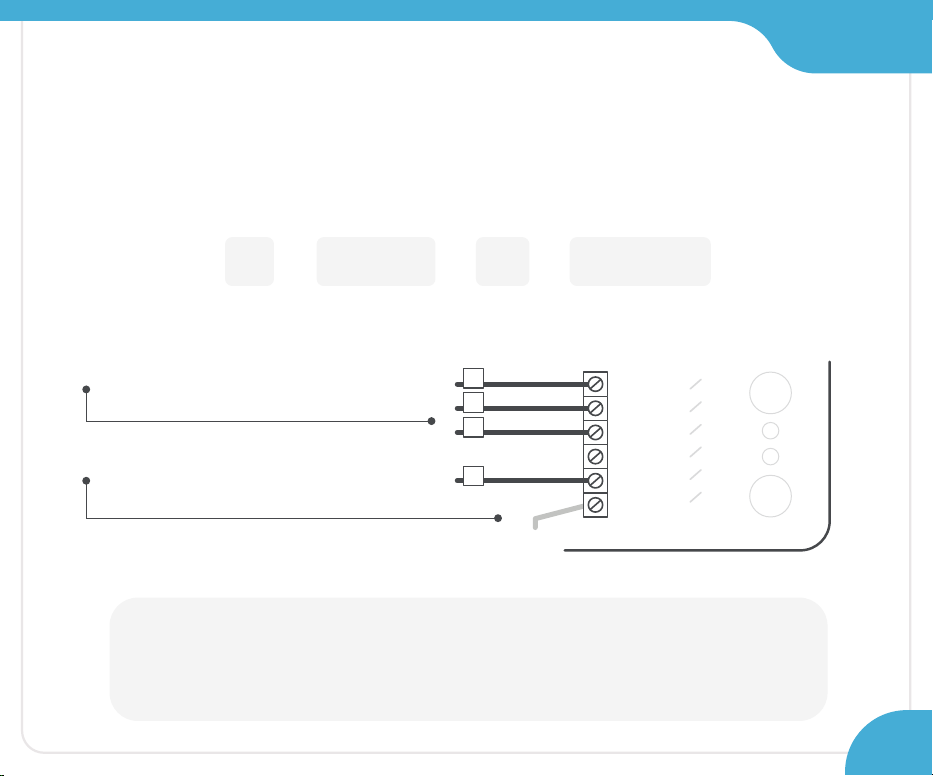
Section 2
Note:
In the case a of two-transformer system (wires connected to both R
C and RH
terminals at the control board), please contact Cielo support to help you with
installation. Call: +1 (425) 529-5775 Email: [email protected]
Step 11:
Label only the following wires with
the matching labels:
R - Y or Y1 - G - W or W1
You only need to label the wires
coming from your thermostat.
Ignore any extra wires going
into the terminals.
Y
W
G
C
R
C
RH
Y
W
G
R
29
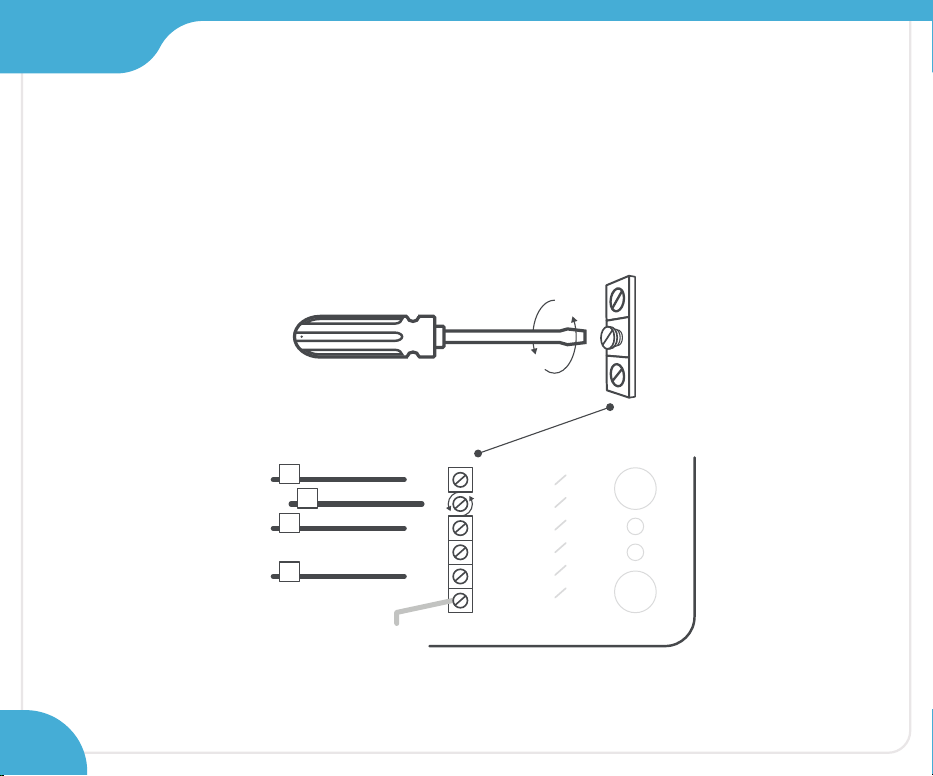
Section 2
Step 12:
Disconnect the labeled R, Y, G, and W wires
from the control board.
Y
W
G
C
R
C
RH
Y
W
G
R
30
Section 2
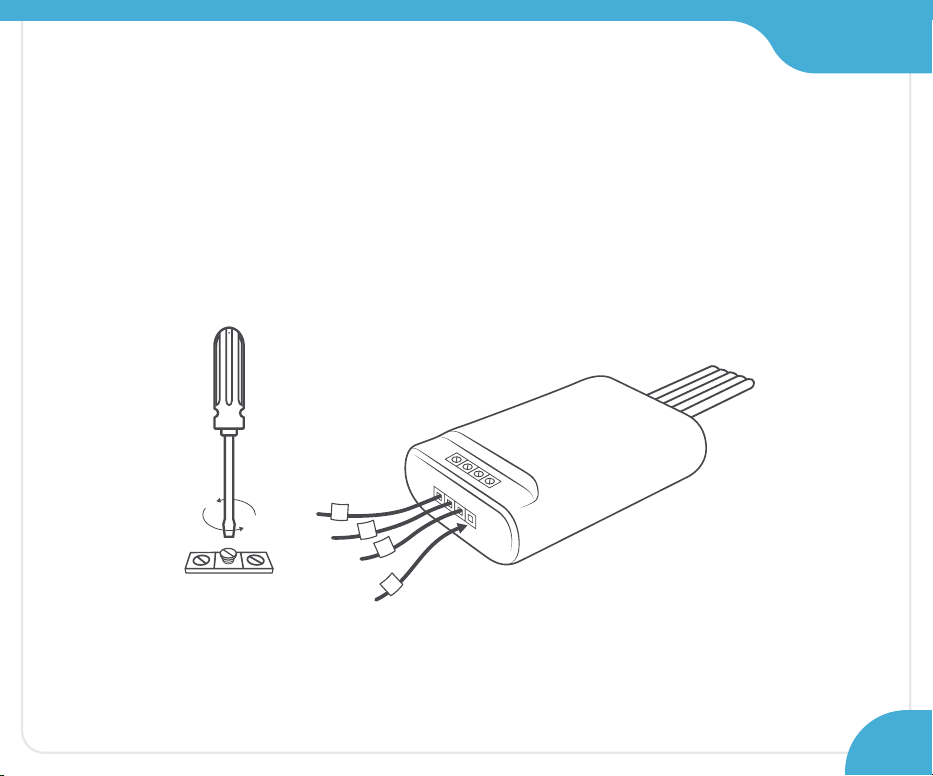
Step 13:
Securely connect the wires from the control board
to their matching terminals on the CWA.
R G Y W
R
G
Y
W
31
Section 2
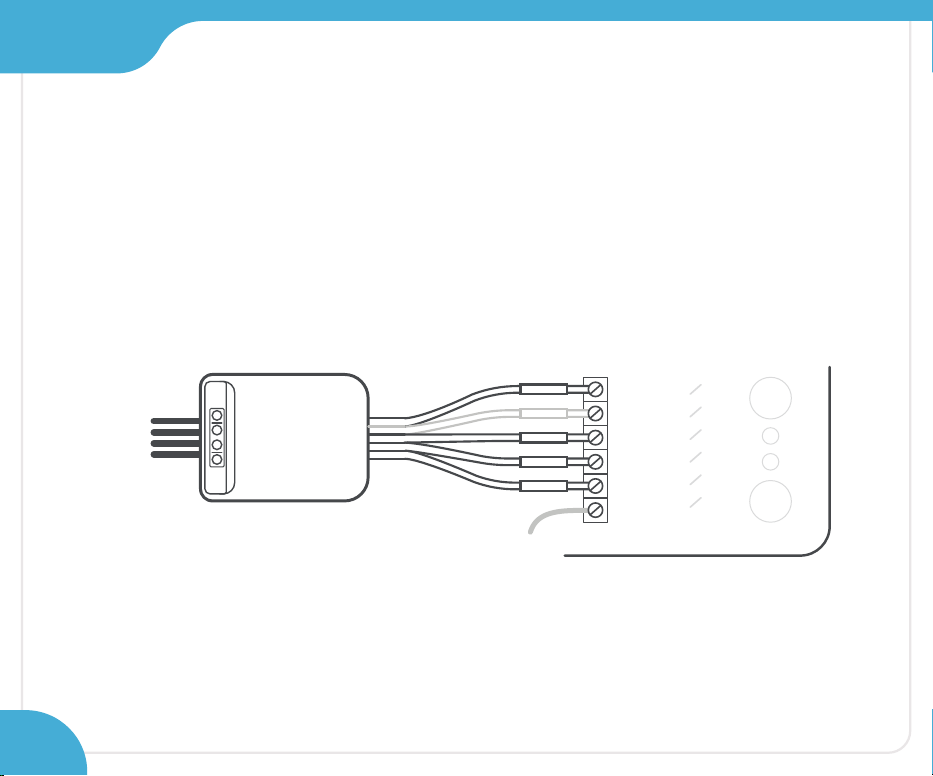
Step 14:
Securely connect all the wires coming out of
the C-Wire Adapter to the corresponding terminals on
the control board of your HVAC system.
Y
W
G
C
R
C
RH
32
Y
WGCR
Section 2
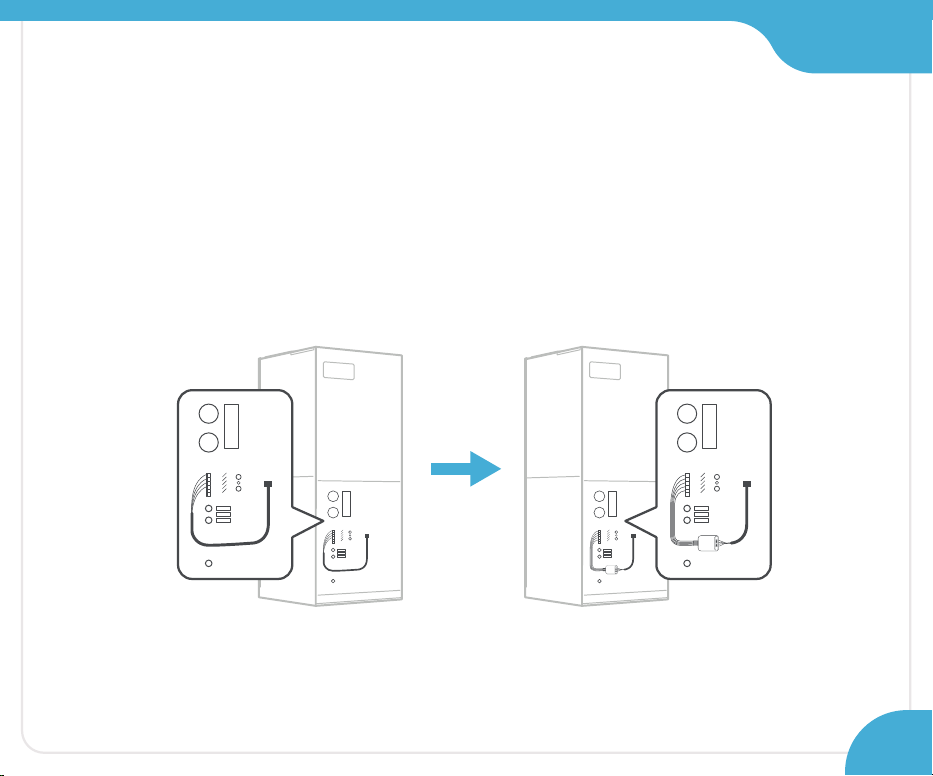
Step 15:
Place/mount the CWA at a suitable location
inside your HVAC system. Close the HVAC cover panel
securely and return to your old thermostat.
33
Section 2
Step 16:
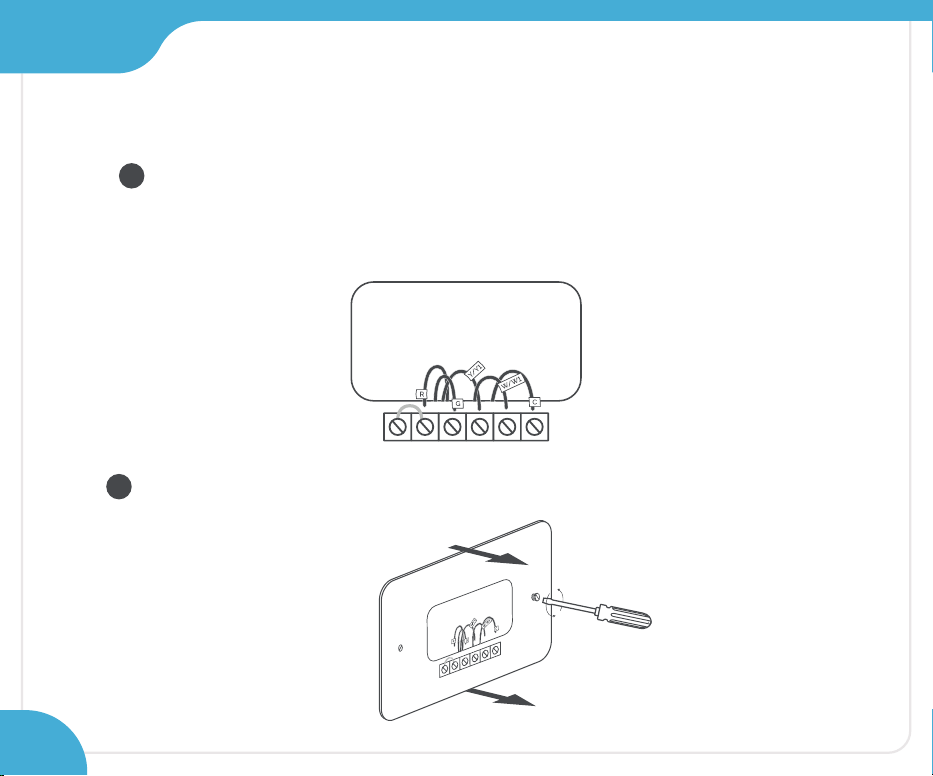
Disconnect the old thermostat wires one by one
and mark them using the wire labels
(included in the box).
Remove the mounting plate of your old thermostat.
1
2
34
Section 2
Step 17:
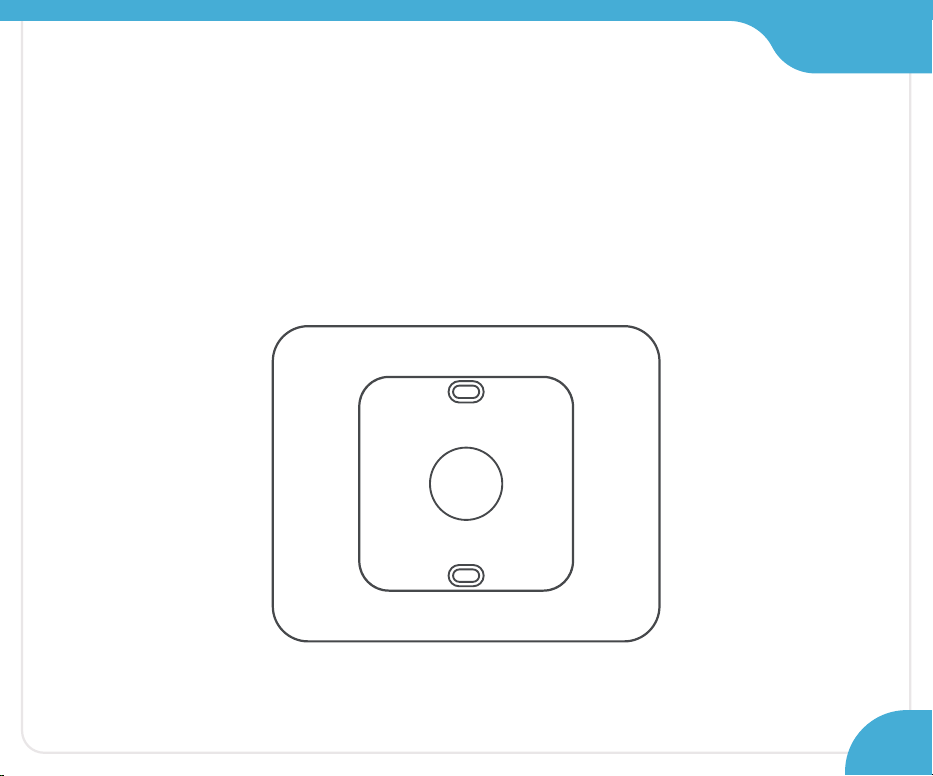
Optional: You may use the provided wall plate to hide
marks or holes on the wall left by your old
thermostat installation.
35
Section 2
Step 18:
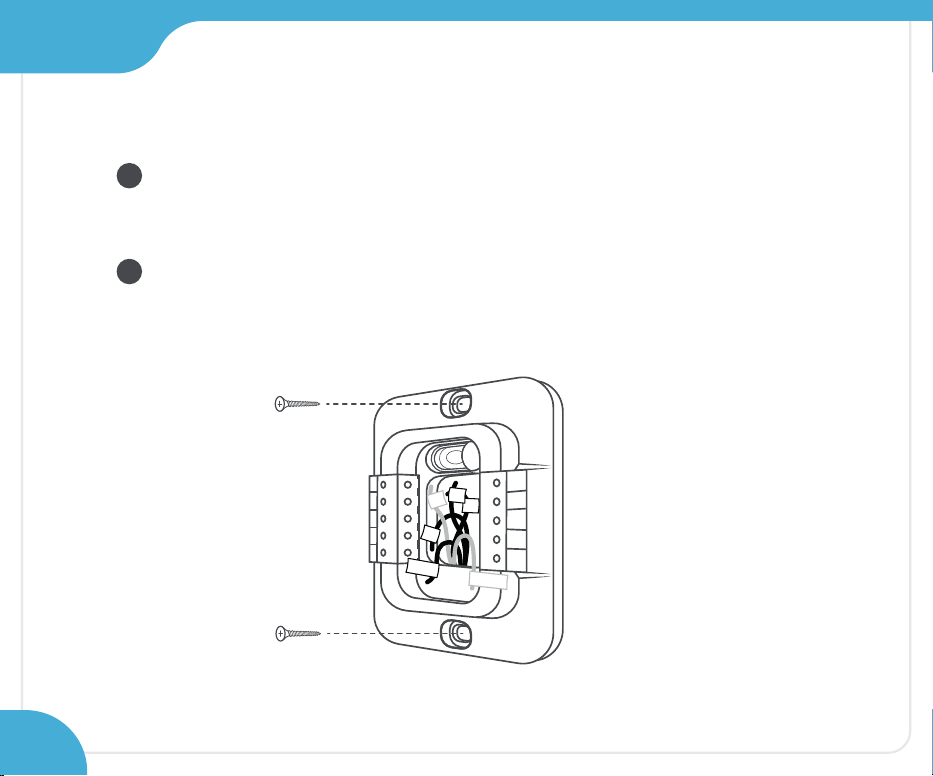
Take out the labeled wires through the hole in the
middle of the Cielo Smart Thermostat backplate.
Screw in the backplate using the provided pair of
drywall anchors and screws.
OB
W1
W2
CWA
R
H
Y2
Y1
G
C
R
C
1
2
R
R
H
G
Y/Y1
C
W/W1
36
Section 2
Step 19:
OB
W1
W2
CWA
R
H
G
Y1
Y2
C
R
C
R
G
Y/Y1
R
H
W/W1
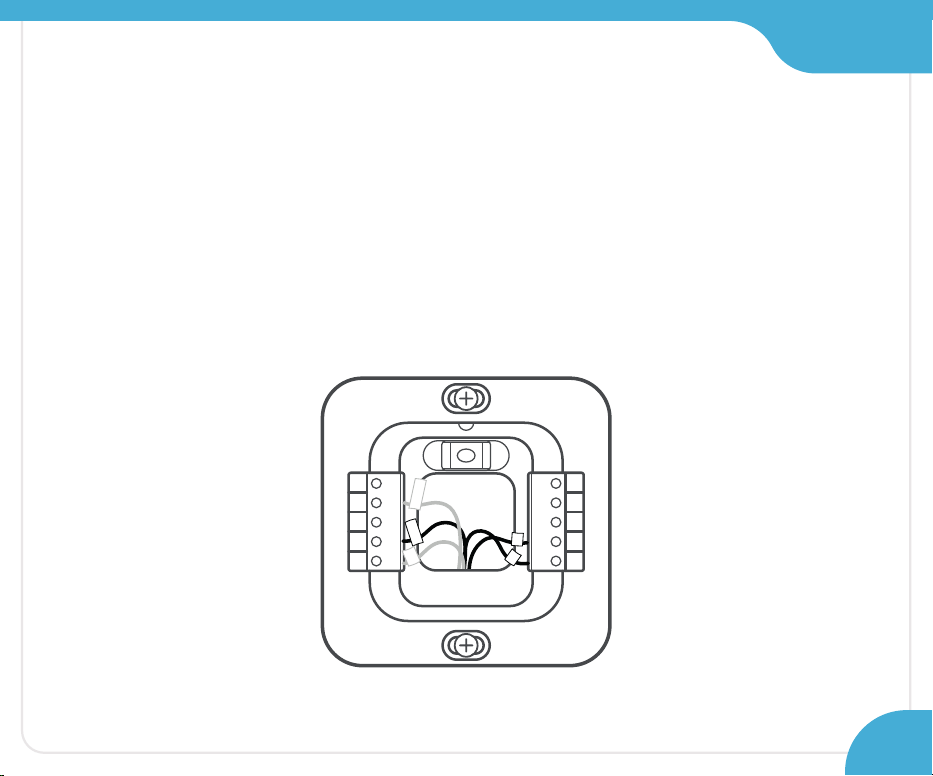
Then, connect the remaining wires to their corresponding
terminals (press terminal block buttons for ease of insertion).
First, connect these 3 wires as shown:
R/R
C RC G C Y/Y1 CWA
37
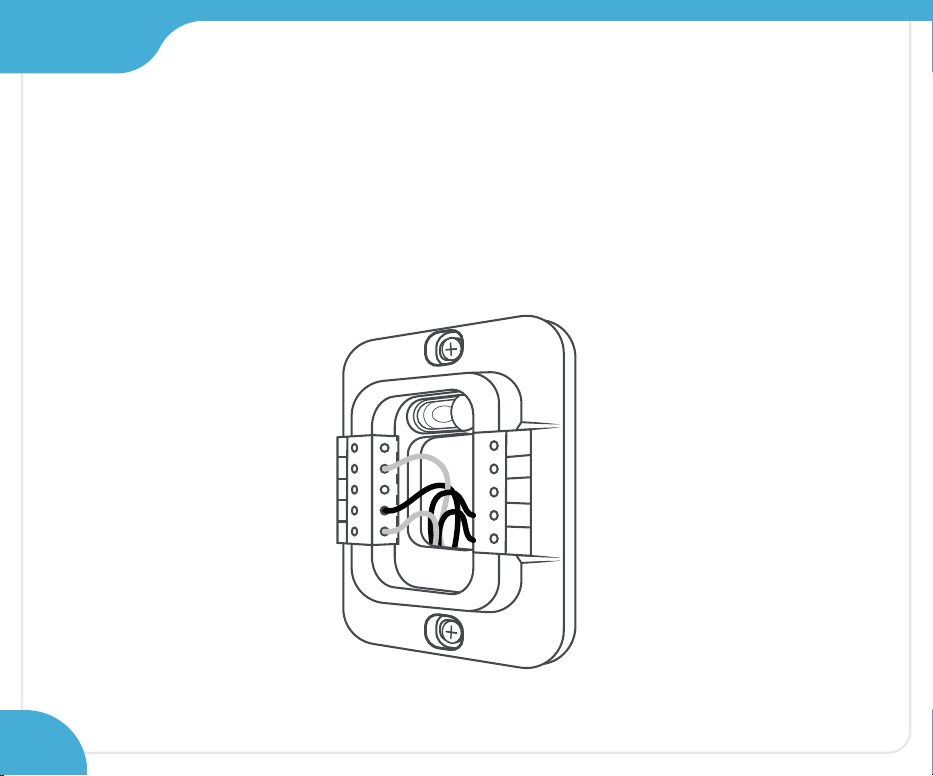
Section 2
Step 20:
Gently push the excess wires back into the
center hole of the backplate to ensure that no drafts
are coming from the hole.
OB
W1
W2
CWA
R
H
Y2
Y1
G
C
R
C
38
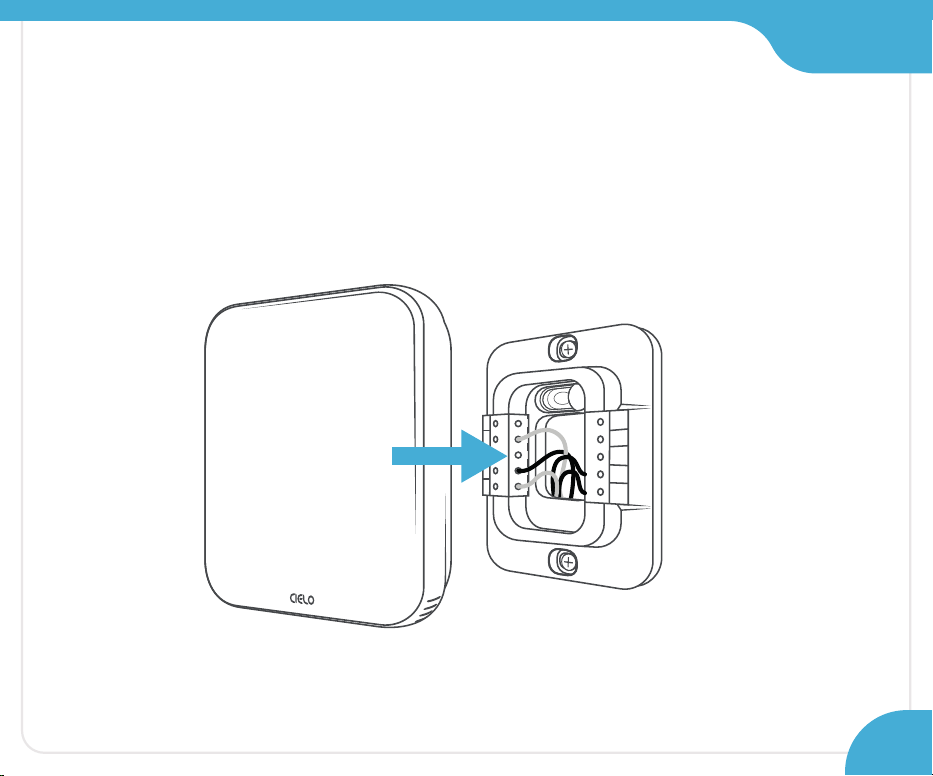
Section 2
Step 21:
Align your Cielo Smart Thermostat with the
backplate and press gently to fix it properly.
OB
W1
W2
CWA
R
H
Y2
Y1
G
C
R
C
39
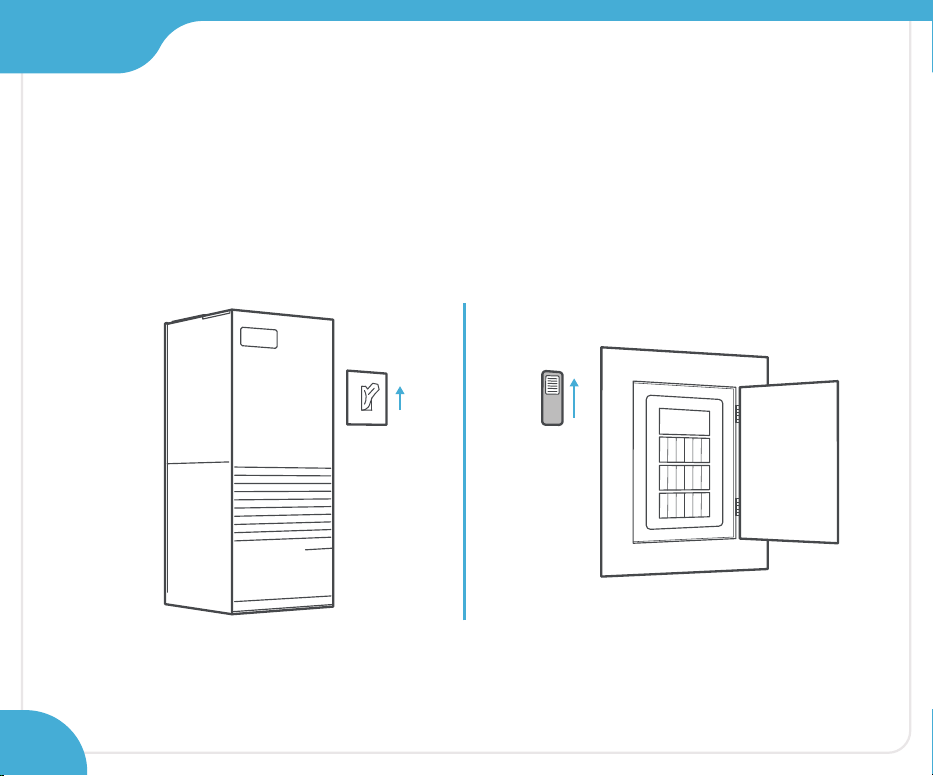
Section 2
Step 22:
Go to your HVAC system and turn on the power from
the master switch or circuit breaker.
ON
OFF
ON
OFF
40
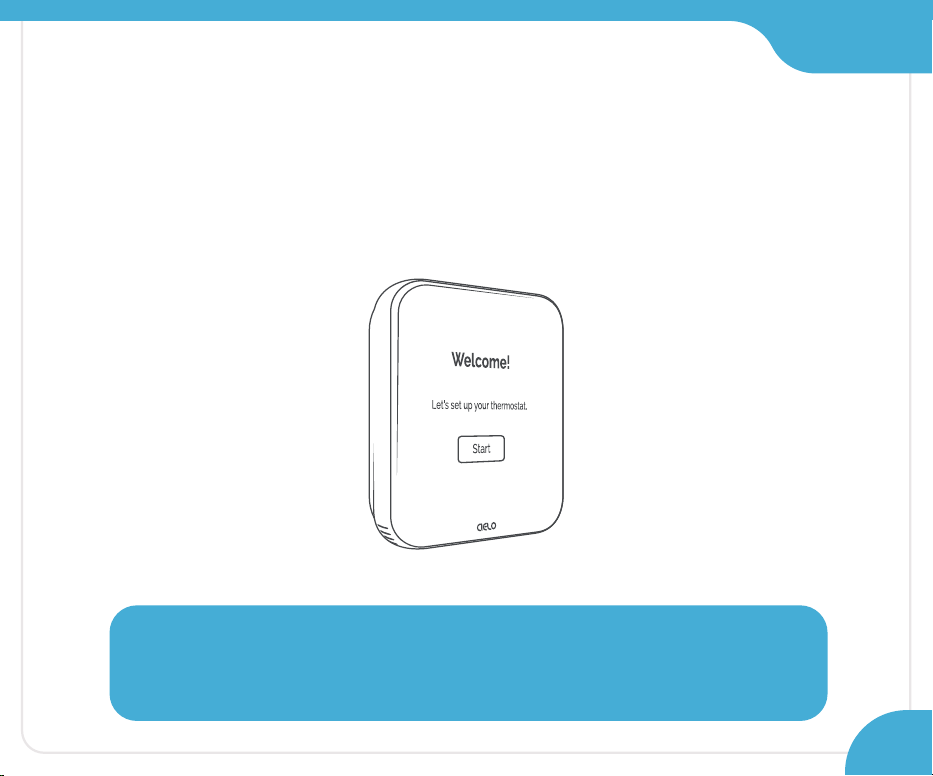
Section 2
Step 23:
Welcome screen is displayed on Cielo Smart Thermostat!
Follow the on-screen instructions to register your thermostat.
Need Help?
Call: +1 (425) 529-5775 Email: [email protected]
41

All Done!
Enjoy your smart home
climate control
42
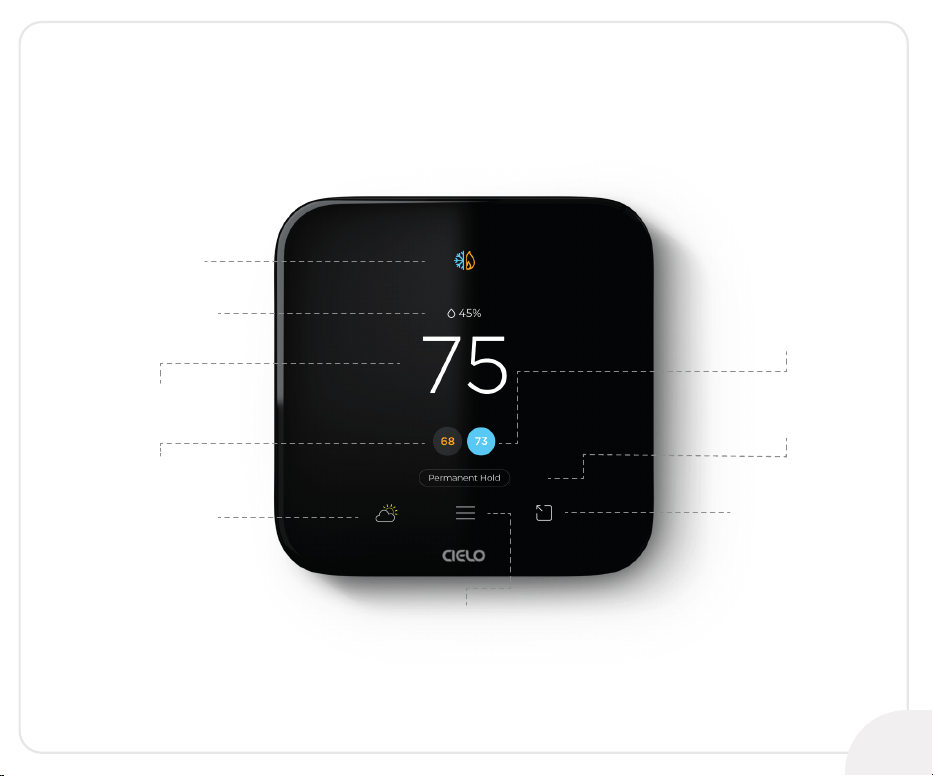
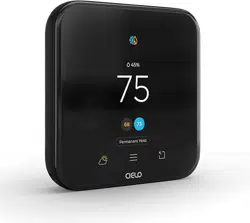
Know Your Thermostat
Mode
Humidity
Indoor
Temperature
Cooling Set Point
Heating Set Point
Menu
Weather
Presets
Hold Settings
43

Know Your Thermostat
Mode
Indicates your current thermostat
settings (Heat/Cool/Auto/AUX/Off)
Humidity
Displays humidity levels in
your home
Indoor Temperature
Displays your current home
temperature
Presets
Gives you quick access to Home
& Away settings
Set Point
Select your preferred temperature
Hold Settings
Holds your current thermostat
settings
Weather
Shows current weather plus
a 7-day forecast
Menu
Allows you to adjust all system
settings, device preferences,
and more
44
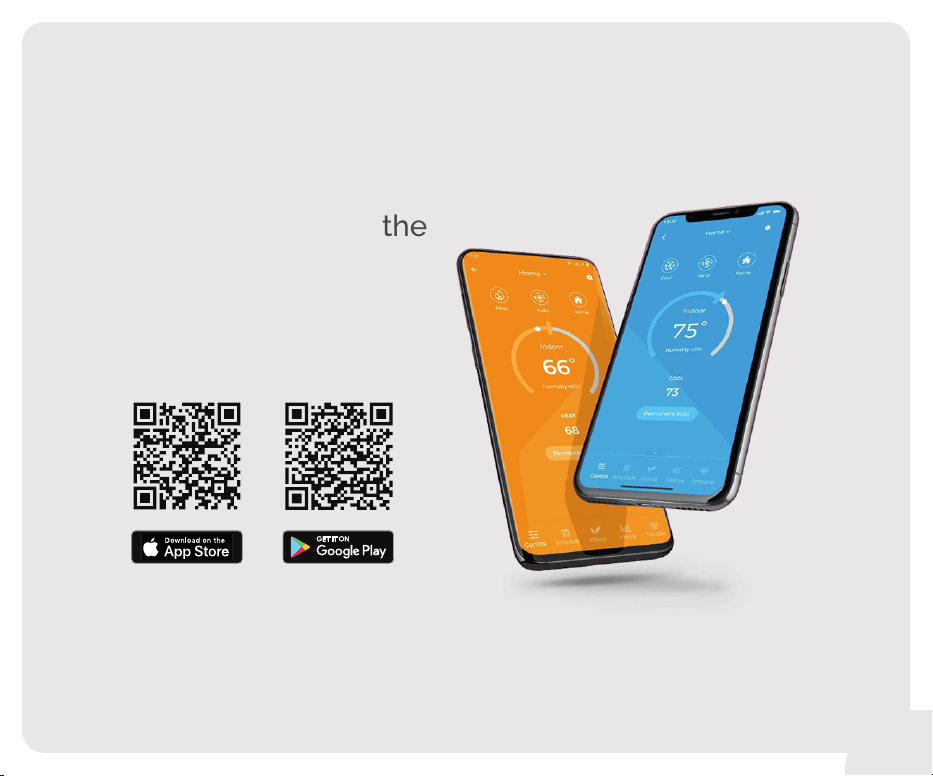
QR code to install the
Cielo Home app
45
Troubleshooting
If your Cielo Smart Thermostat doesn’t turn on,
please try these steps:
Close your HVAC panel properly, as some systems may not
work if the panel isn’t fully closed.
Check the backplate wire connections and ensure they are
inserted properly into the terminals.
1.
2.
In the case of one R-Wire, make sure it is inserted into the R
C terminal.
R or R
C or RH RC
In case of more than one R-Wire, make sure RH is inserted into
the R
H terminal and RC or R is inserted into the RC terminal.
If you installed the C-Wire Adapter, ensure all wires are
connected to the correct terminals on your thermostat.
R or R
C RC
G C
Y/Y1
CWA
3.
4.
46
Need Help?
Call: +1 (425) 529-5775
Email: [email protected]

LIMITED WARRANTY & END USER LICENSE AGREEMENT
1. WHAT IS COVERED?
Cielo WiGle, Inc. (“Cielo”), warrants to the owner of the Cielo product contained in this box (the “Product”) that the Product will be free from defects in
materials and workmanship for a period of three years from the date of delivery following the original retail purchase (the “Warranty Period”). If the Product
fails to conform to this Limited Warranty during the Warranty Period, Cielo will, at its sole discretion, either (a) repair or replace the defective Product or
component; or (b) accept the return of the Product and refund the money actually paid by the original purchaser for the Product. Repair or replacement may
be made with a new or refurbished product or components, at Cielo’s sole discretion. If the Product or a component incorporated within it is no longer
available, Cielo may, at Cielo’s sole discretion, replace the Product with a similar product having similar functions. This is your sole and exclusive remedy for
breach of this Limited Warranty. Any Product that has either been repaired or replaced under this Limited Warranty will be covered by the terms of this
Limited Warranty for the longer of (a) ninety (90) days from the date of delivery of the repaired Product or replacement Product, or (b) the remaining
Warranty Period. This Limited Warranty is transferable from the original purchaser to subsequent owners, but the Warranty Period will not be extended in
duration or expanded in coverage for any such transfer.
2. RETURN POLICY
If you are the original purchaser of the Product and you are not satisfied with this Product, you may return it in its original condition within thirty (30) days of
the original purchase and receive a full refund.
3. WARRANTY CONDITIONS
Before making a claim under this Limited Warranty, the owner of the Product must (a) visit cielowigle.com/support during the Warranty Period to provide
notice of your warranty claim and describe the alleged failure, and (b) comply with Cielo’s (or its authorized distributor's) return shipping instructions. Cielo
will have no warranty obligations with respect to a returned Product if it determines, in its reasonable discretion after examination of the returned Product,
that the Product is an Ineligible Product (defined below).
4. WHAT THIS LIMITED WARRANTY DOES NOT COVER
This Limited Warranty does not cover the following (collectively “Ineligible Products”): (i) Products marked as “sample” or “Not for Sale”, or sold “AS IS”; (ii)
Products that have been subject to: (a) modifications, alterations, tampering, or improper maintenance or repairs, except if performed by Cielo; (b) handling,
storage, installation, testing, or use not in accordance with any User’s Guide, Placement Guidelines, or other instructions provided by Cielo; (c) abuse or
misuse of the Product; (d) breakdowns, fluctuations, or interruptions in electric power or the telecommunications network; or (e) Acts of God, including but
not limited to lightning, flood, tornado, earthquake, or hurricane; or (iii) any non- Cielo branded hardware products, even if packaged or sold with Cielo
hardware. This Limited Warranty does not cover consumable parts, including batteries, unless damage is due to defects in materials or workmanship of the
Product, or software (even if packaged or sold with the product). Cielo recommends that you use only authorized service providers for maintenance or
repair. Unauthorized use of the Product or software can impair the Product’s performance and may invalidate this Limited Warranty.......
For detailed information on warranty, please visit:
cielowigle.com/legal

For any queries visit:
cielowigle.com
OR
Call: +1 (425) 529-5775
Email: support@cielowigle.com
Cielo WiGle, Inc. Redmond, WA, USA
All rights reserved.