封面封底 12345678
910
5. Do not shake violently or drop wrench .
2. Do not use this wrench as a hammer.
6. Do not leave this wrench in any place
exposed to excessive heat, humidity or direct
sunlight.
3. Do not use this apparatus in water. (Not
waterproof.)
4. If the wrench gets wet, wipe it with a dry towel
as soon as possible. The salt in seawater can
be especially damaging .
7. Do not use organic solvents, such as alcohol
or paint thinner, when cleaning the wrench.
Battery Maintenance
Battery Maintenance
1. When this product has not been used for a
long time, please remove the battery.
2. Please do not mix battery types (or brands)
or combine used batteries with new ones.
3. Dispose of batteries in a designated disposal
area. Do not throw batteries into a re.
4. Oil, water and sweat can prevent the battery
terminal from making electrical contact.
To avoid this, wipe both terminals before
loading a battery .
5. Keep spare batteries on hand when on a long
trip or in a cold area .
Notices
Notices
1. Over-torque (110% of max. torque range),
could cause breakage or loss of accuracy
accuracy.
8. Do not apply excessive force to the LCD panel.
9. Do not expose this wrench to dust or sand, as
this could cause serious damage.
10. Keep this wrench away from magnets.
11. Apply torque slowly and grasp the center
of the handle. Do not apply load to the end
of handle.
USER MANUAL
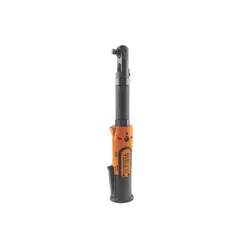
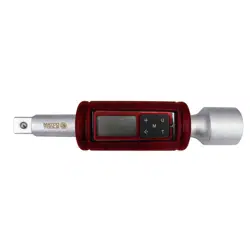
Digital Torque Extension
Dear User :
Thank you for choosing our digital torque
how to use the features of your new digital
torque wrench. Before using, please read
this manual carefully.
wrench. This manual will help you understand
Digital Torque Value Readout
+/- 1 % or +/- 2 % Accuracy
CW and CCW operation (on the display)
Peak Hold Mode and Track Mode selection
White LED backlight.
MAIN FEATURES
MAIN FEATURES
Engineering units (kg-cm, kg-m, ft-lb,
in-lb, N-m) selection.
Reversible LCD display.
The percentage by comparison of
the
applied torque and the target torque
can be shown on the display.
When no inactive for 3 minutes, the unit
will automatically enter sleep mode to
save battery power.
Buzzer, LED and vibration alarm with red
target torque.
LED backlight indicator for presetting
kg-cm
1
2
3
4
5
6
8
9
10
LCD display
Keyboard
Buzzer
Red LED
Unit
Peakhold/Track
Digit Shift
Add Value
7
LCD with backlight
M
Mode
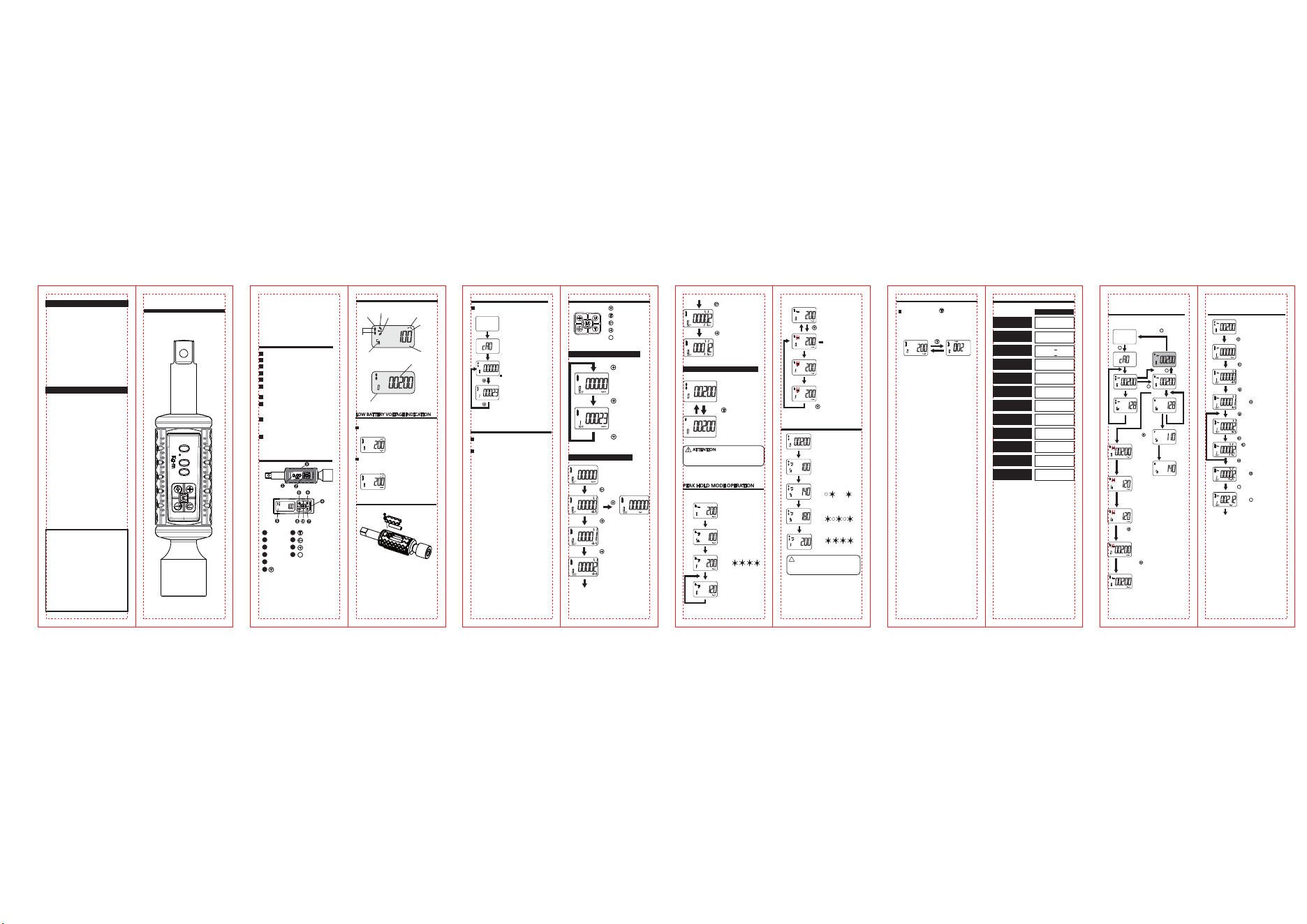
PART DESCRIPTIONS
PART DESCRIPTIONS
kg-cm
SET
Low Battery Icon
Torque Value
Unit
CCW
CW
Peak Hold
Track
Percentage
%
kg-cm
Preset Target Torque
Preset Number
BATTERY REPLACEMENT
BATTERY REPLACEMENT
SET
SET
DISPLAY INDICATION
DISPLAY INDICATION
When battery voltage is under 2.6V, a low
battery icon appears on the display.
When battery voltage is under 2.4V, a low
battery icon blinks on the display. Please
replace with a new battery.
Battery voltage under 2.6V
Battery voltage under 2.4V
Please make sure the applied torque is zero
when in the process of auto-zero period,
otherwise an oset will be included.
POWER ON THE TORQUE EXTENSION
POWER ON THE TORQUE EXTENSION
Press the Mode Button to turn on Digital Torque
Wrench and an auto-zeroing process occurs.
Press and hold the Mode Button for 2
seconds to turn o the adapter.
When no activity has been detected for
3 minutes, this unit will automatically
enter sleep mode to save battery power.
Auto-zeroing Process
kg-cm
SET
Normal Mode
Select 1 of 10 presetting
Select 1 of 10 presetting
Presetting: No 0
kg-cm
SET
Press
Press
POWER OFF THE TORQUE EXTENSION
POWER OFF THE TORQUE EXTENSION
Unit
Peakhold/Track
Digit Shift
Add Value
M
Mode Button
kg-cm
SET
kg-cm
SET
Track Mode
Press
Peak Hold Mode
SETTINGS
SETTINGS
Selection of 1 of 10 presettings
Peak Hold/Track Mode Selection
Adjusting presetting value
Press
Press
Press
Press
Press
Press
Press
Change unit
Press
Press
Next Page
Presetting: No 0
TRACK MODE OPERATION
TRACK MODE OPERATION
kg-cm
SET
%
kg-cm
%
kg-cm
%
kg-cm
Normal Mode (Track Mode)
Select presetting: 200kg-cm
Normal Mode (Peak Hold)
Select presetting: 200kg-cm
Apply torque
Apply torque
Apply torque
50% of Target Torque
50% of Target Torque
Reach 70% of Target Torque
Reach 90% of Target Torque
Buzzer sound: (Bi---Bi---Bi---)
Red LED: ( ------------- )
Buzzer sound: (Bi-Bi-Bi-Bi)
Red LED: ( )
kg-cm
Reach Target Torque
Release to zero torque and then
apply torque again.
Buzzer sound: (BiBiBiBiBiBiBi)
Red LED: ( )
!
ATTENTION
ATTENTION
Motor vibrating
Buzzer sound: (BiBiBiBiBiBi)
Red LED: ( )
Motor on
Red LED backlight on
SET
Release torque
Auto clear and update to
new peak value
AUTO MODE :
AUTO MODE :
SET
Do not auto clear the old
peak value
Release to zero torque and then
apply torque again
MANUAL MODE :
MANUAL MODE :
SET
Auto Mode
Press & hold for 2 sec.
Manual Mode
icon blinking
Press
Manually clear the old peak value
If the value of the selected presetting is zero, a default
value equal to the 120% of the maximum torque for this
torque wrench will be loaded as the target torque.
If the adjusted value of the presetting is more than 120%
of the maximum torque for this adapter, the value will be
reset to zero.
Apply torque
SET
SET
CHANGE DISPLAY DIRECTION
CHANGE DISPLAY DIRECTION
Press and hold the button for 2
seconds to toggle the direction of the
display. It’s for users to read torque
information easily.
2sec.
MODEL
Model
Model
Accuracy
Accuracy
Torque Range
Torque Range
Resolution
Resolution
Presetting no.
Presetting no.
LED Type
LED Type
Unit
Unit
Ratchet size
Ratchet size
Battery Type
Battery Type
Operating Temp.
Operating Temp.
Storge Temp.
Storge Temp.
Model A
Model A
CW:
+
1%
CCW:
+
2%
40~200 Nm
0.1 Nm
10 sets
Red color
Kg-cm, Kg-m, ft-lb
in-lb, N-m
1/2”
DC 3V, AAA TYPE
-10°C~ 60°C
-20°C~ 70°C
Specication
Specication
1/2 inch
TET01
QUICK USER GUIDE
Torque Measurement
Torque Measurement
Auto
zero
Trac k Mode
Apply
Torque
M
Press
Power On
kg-cm
SET
%
kg-cm
Release
Torque
kg-cm
SET
%
kg-cm
Apply
Torque
Release
Torque
T
Press
M
Press
Press
Press
Press
Press
Press
Press
kg-cm
SET
Backlight
On
M
Press and hold for 2 seconds
Presetting the Target Torque
Presetting the Target Torque
kg-cm
SET
T
Press
Press
Begin measurement
1st presetting
2nd presetting
Adjust 2nd presetting
from 1
Press to increase the value
Shift to next digit until
nished presetting target
value adjustment
Press to change unit
Press to conrm setting
T
Peak Hold
Mode
%
kg-cm
%
kg-cm
Release and
Apply Torque
to 110kg-cm
again
Apply
Tor qu e
Auto clear
old peak
value
SET
Apply
Tor qu e
%
%
Release and apply Torque
to 110kg-cm
Manual Clear
Mode
Do not clear
old peak value
SET
to clear
old peak value
SET
Press and hold
for 2 seconds
Auto clear the
old peak value mode
Press and hold
for 2 seconds