- 1 -
Item No. 209821
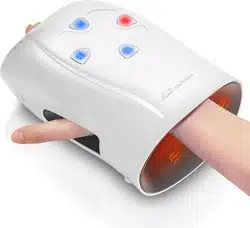
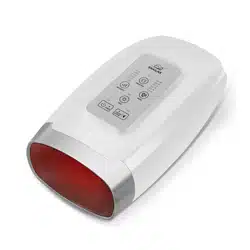
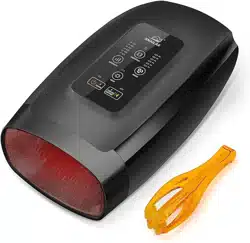
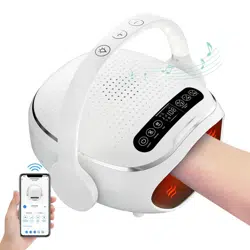
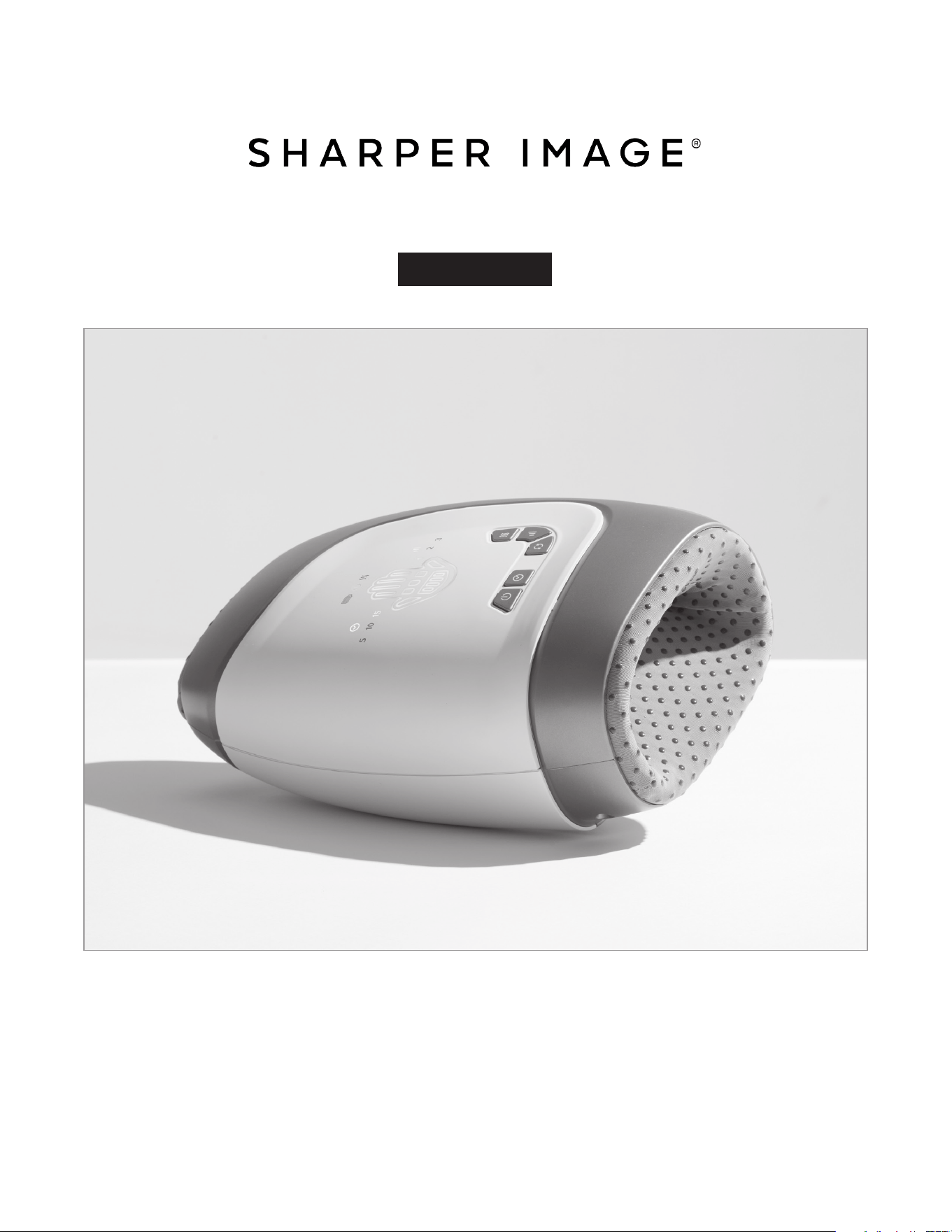
TOTAL HAND COMPRESSION MASSAGER BY SHARPER IMAGE
User Guide
Thank you for purchasing the Total Hand Compression Massager by Sharper Image. Please read
this manual thoroughly before operating this device.

- 2 -
SAFETY WARNINGS
• Do not put any foreign objects into the device.
• Do not allow this device to come into contact with water or any other liquid.
• Use only the charging cable that came with this device.
• Do not attempt to open, modify, or repair this device. There are no user-serviceable parts.
• Do not use this device for anything other than its intended purpose.
• Do not use or charge this device in a very humid environment, like a bathroom.
• Keep this product away from water, fire, and corrosive environments.
• Do not use this device if the power cable appears frayed or damaged. Contact Sharper Image
Customer Service immediately.
• Do not use this device if you are under the influence of drugs or alcohol, or if you are not
feeling well.
• To avoid overheating, do not use this device for more than 15 minutes consecutively.
• Do not use this device when you are wet.
• Consult your doctor before using any at-home massage device.
• Do not scratch or puncture the product with sharp objects.
ADDITIONAL SAFETY WARNING
Do not use this device if you fall into any of the following categories:
• People with contagious skin conditions.
• People with osteoporosis.
• People with heart disease or an electronic medical implant (e.g., pacemaker).
• People with a high fever.
• People who have undergone surgery on the hand.
• People who are injured or suffering from any skin disease.
• Children aged 6-12 should use it under the guidance and supervision of their parents or
persons with the ability to supervise.
• Those who need rest according to a doctor’s advice.
• Those who do not feel well.
• Do not use if there are any discomfort symptoms such as swelling and inflammation on the
massage site.
• If you feel uncomfortable during use, please stop using it.
Note: This device has a heated surface. Persons insensitive to heat must be careful when using
this device.
SAFETY PRECAUTIONS
• Keep Out of Reach: Keep out of reach of children at all times.
• Damaged Power Cable: If the power cable appears frayed or damaged, do not use this device.
Contact Sharper Image Customer Service immediately.
• Wet Hands: Do not plug in or unplug this device when your hands are wet.
• Power Outage: Cease using this device in case of a power outage to avoid bodily injury upon
sudden power resumption.
• Heated Surface: This device has a heated surface. Persons insensitive to heat must be careful
when using this device.
• Unplugging: Do not pull out the power cable by holding the wire. Always grasp the plug when
disconnecting this device.

- 3 -
• No Sitting or Stepping: Do not sit on or step on this device.
• Avoid Damp Areas: Do not use this device in damp areas. Avoid fire and water.
• Household Use Only: This product is a household electronic healthcare product, not a medical
device, and should not be used for diagnosis, treatment, and other commercial purposes.
• CLEANING: For area cleaning, use alcoholic cotton to clean and avoid water.
Note: Any individual who is pregnant, has a pacemaker, suffers from diabetes, phlebitis, and/
or thrombosis, or is at an increased risk of developing blood clots due to recent surgery should
consult their physician before using any massaging device designed for home use.
MAINTENANCE AND STORAGE
1. Cleaning
• Power Off:
- Disconnect the device from the power source before cleaning.
• Wipe Down:
- Use a dry microfiber cloth to wipe down the surface of the device. Do not use
abrasive cleaning tools as they may scratch the matte finish.
• Avoid Corrosive Cleaners:
- Do not use corrosive cleaners as they may damage the finish.
• Avoid Moisture:
- Do not use wet or moist materials to wipe the unit as it may cause water
damage.
• No Submersion:
- Do not submerge in water or attempt to wash underwater.
2. Storage
• Dry and Ventilated Place:
- When the product is not in use, store it in a dry and ventilated place to avoid
sunlight.
• Avoid High Temperatures:
- Do not place the device near high temperatures or flames.
• Unplug Before Storage:
- Ensure the device is unplugged before storing.
- 4 -
BUTTONS AND FUNCTIONS
OPERATION
The product can be used when charging, please full charge before use.
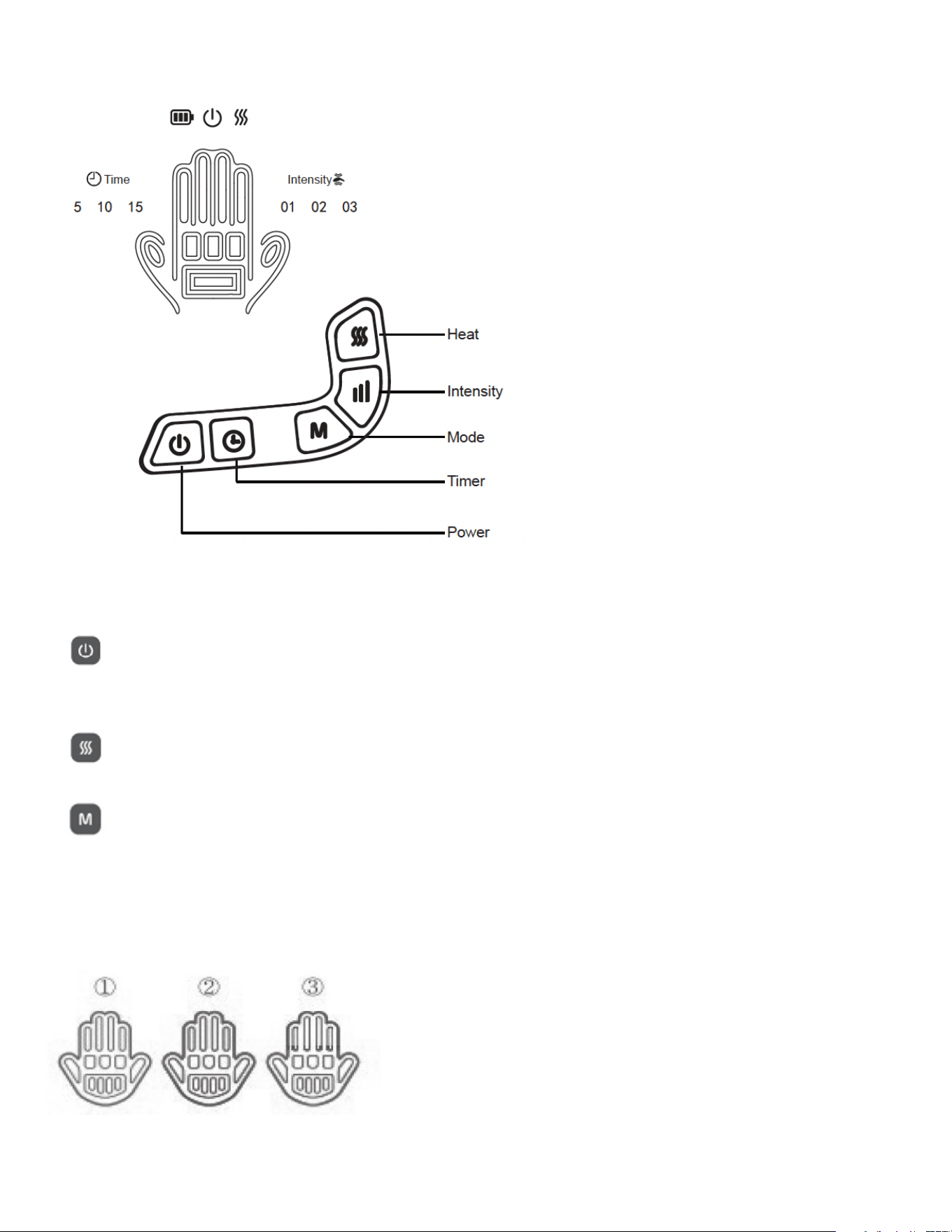
POWER BUTTON
• Function: Press to power on the hand massager.
• Default Setting: Starts on the lowest intensity and Mode I.
HEAT BUTTON
• Press to turn on the heating function. Press again to turn off.
MODE BUTTON
• Function: Press to toggle between the three modes.
- Mode I: Covers the whole hand – fingers, palm, and wrist.
- Mode II: Covers only the fingers and palm.
- Mode III: Covers only the palm and wrist.

- 5 -
INTENSITY BUTTON
• Function: Press to toggle between three levels of intensity – Low, Medium, High.
TIME BUTTON
• Function: Press to toggle between three preset timers – 15 / 10 / 5 minutes.
• Default Setting: 15 minutes for all programs.
SHUTDOWN OPTIONS
• Automatic Shutdown
- The product shuts down automatically after a certain time.
• Manual Shutdown
- Press the power button. The machine will shut down, and the indicator light will turn
off.
CHARGING
1. Inspect Product and Accessories:
- Check whether the product and accessories are complete. If there is any damage, do
not use the product.
2. Check Battery Power:
- Ensure the battery power is sufficient. If the power is low, the machine will
automatically shut down. Please charge before use.
3. Connect Charging Cable:
- Connect the charging cable to the product and the power supply. The charging time is
about 3-4 hours.
4. Charging Indicator:
- While charging, the indicator shows red. When the battery is fully charged, the
indicator shows green.
5. Extended Charging:
- If the indicator remains red after more than 8 hours of continuous charging,
disconnect the charging line and contact after-sales support.
6. Usage After Full Charge:
- After a full charge, the device can be used 6 times, for 15 minutes each session.
(There may be differences due to varying massage intensity.)
7. Unplug After Charging:
- After charging, unplug the power cord from the machine.
8. Heat During Charging:
- It is normal for the machine to heat up a little while charging.
- 6 -
OPERATION
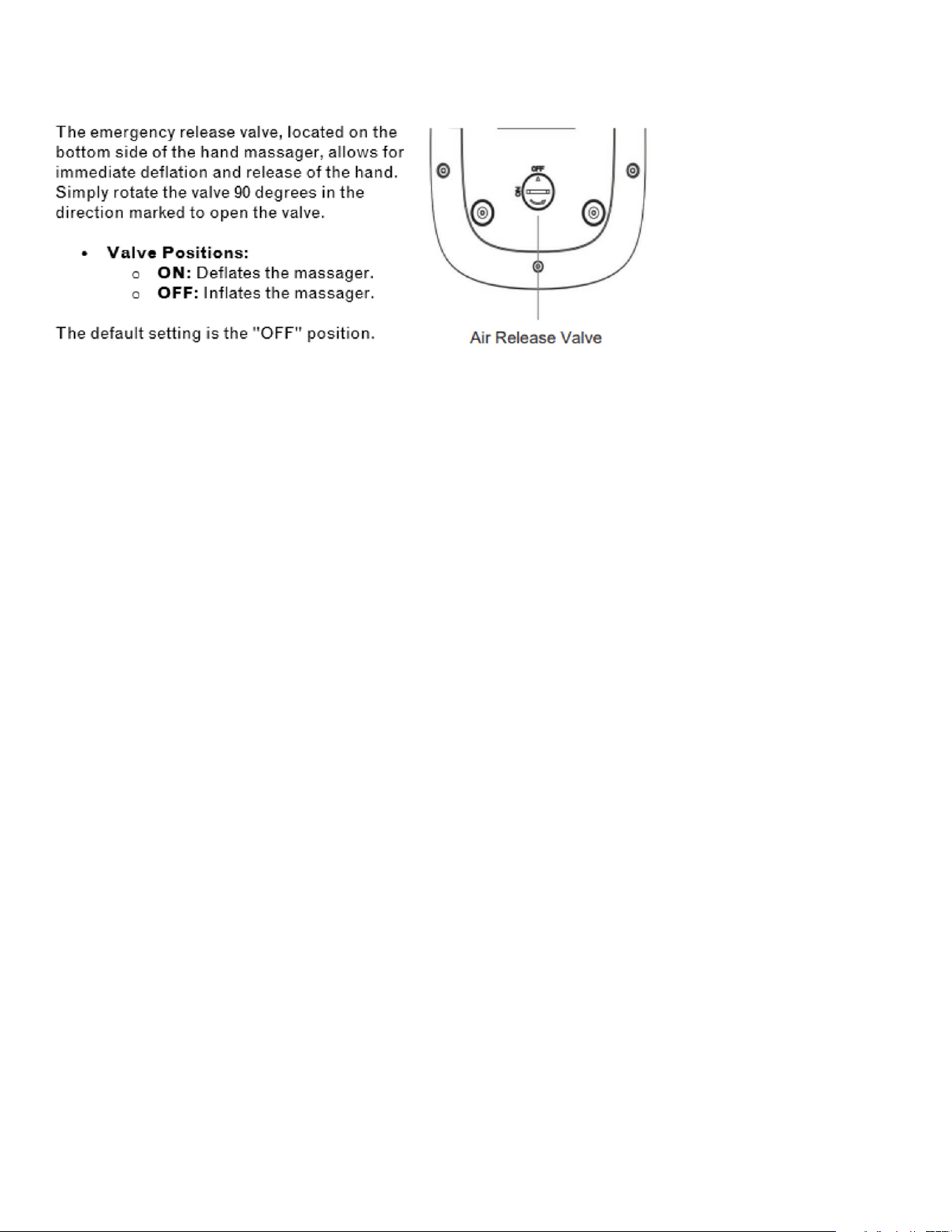
Air Release Valve
TIPS
Frequency of Use:
• Recommended Use:
- Use the device once a day in the morning and evening.
- Each session should be controlled within 15 minutes.
Note Before Use:
• Remove Accessories:
- Before use, please remove jewelry or accessories to avoid discomfort during the
massage.
• Discomfort:
- If you feel pain or burning, stop using the device immediately and consult a physician.
After Use:
• Skin Reaction:
- The massage area may turn red for a short time, but it will return to its original state
after a period.
- Indentations may also be left on the massaged area, but they will return to their
original state after a while.
- 7 -
The SHARPER IMAGE® name and logo are registered trademarks.
©Sharper Image. All Rights Reserved.
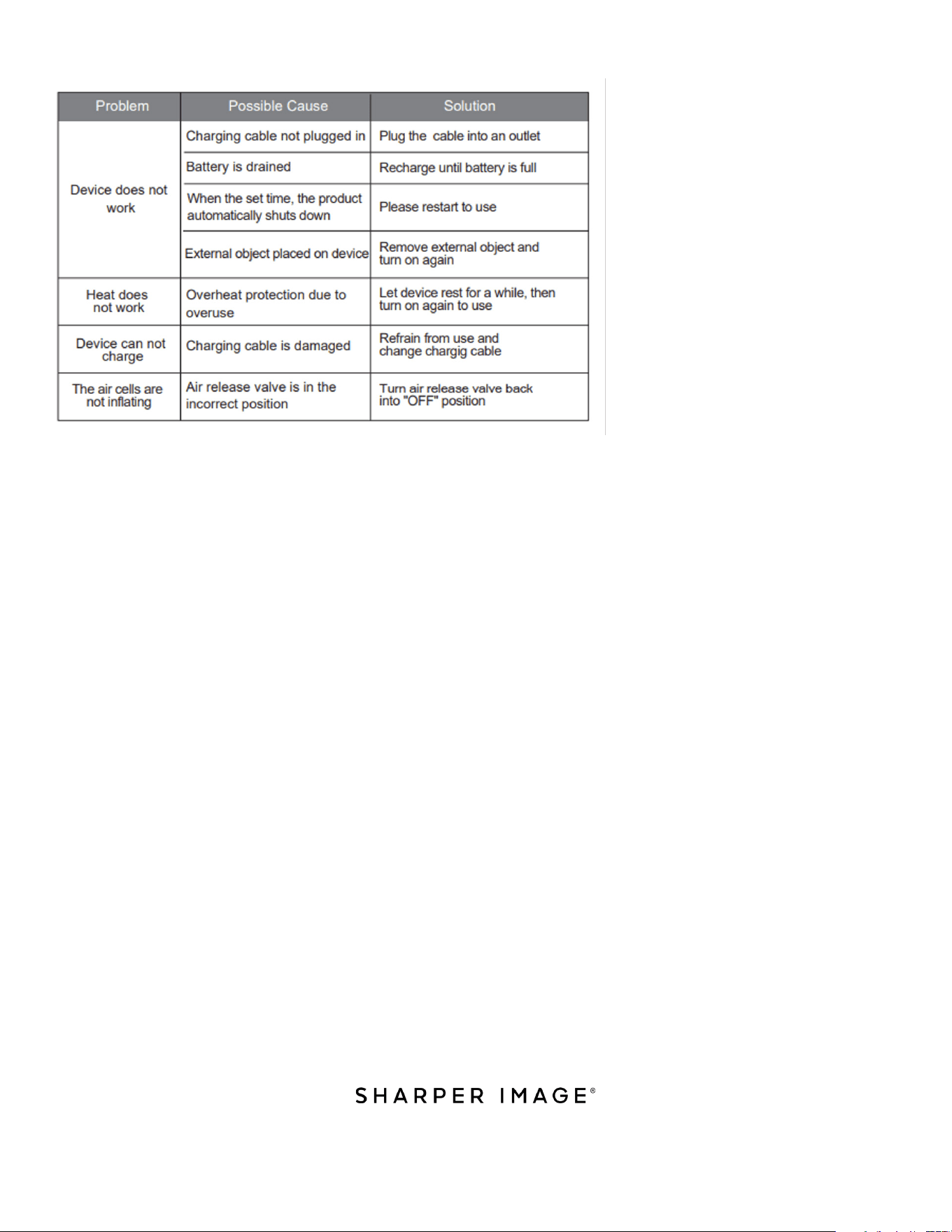
TROUBLESHOOTING
WARRANTY AND CUSTOMER SERVICE
This item from SharperImage.com includes a 1-year limited replacement warranty. If you have
any questions not covered in this guide, please call our Customer Service department at 1
(877) 210-3449. Customer Service agents are available Monday through Friday, 9:00 a.m. to
6:00 p.m. ET.