Date Purchased _______________________
Questions, problems, missing parts? Before returning to your retailer, call our customer service
department at 1-855-571-1044 9 a.m. - 5 p.m., EST, Monday - Friday.
www.greentouchhome.com
ASSEMBLY, CARE & USE INSTRUCTIONS
Sound System
MODEL # SM-0809L-0316; SM-0809L-0304
2
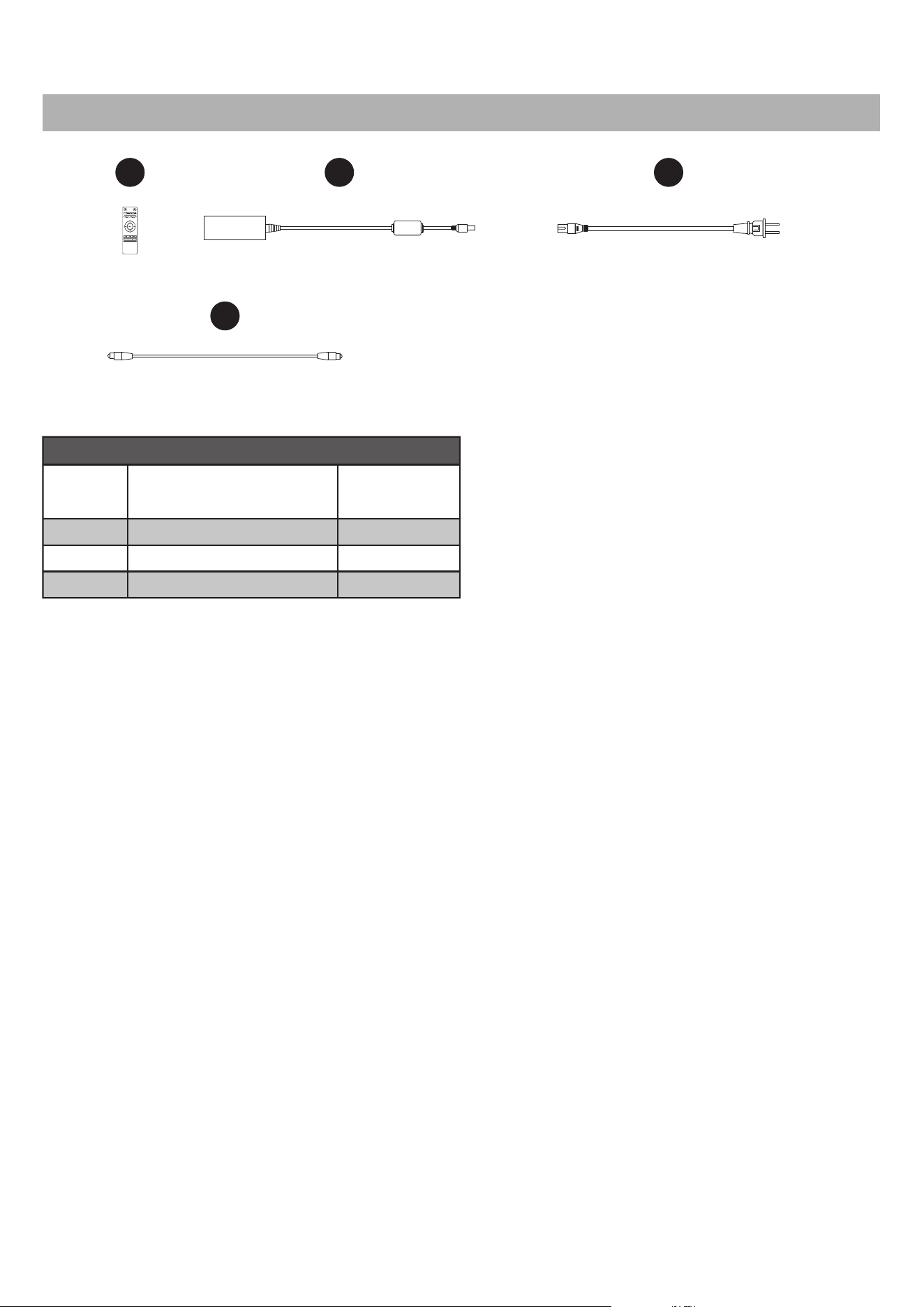
T DC Adaptor 1
U Power Cable 1
V Optical Cable 1
S
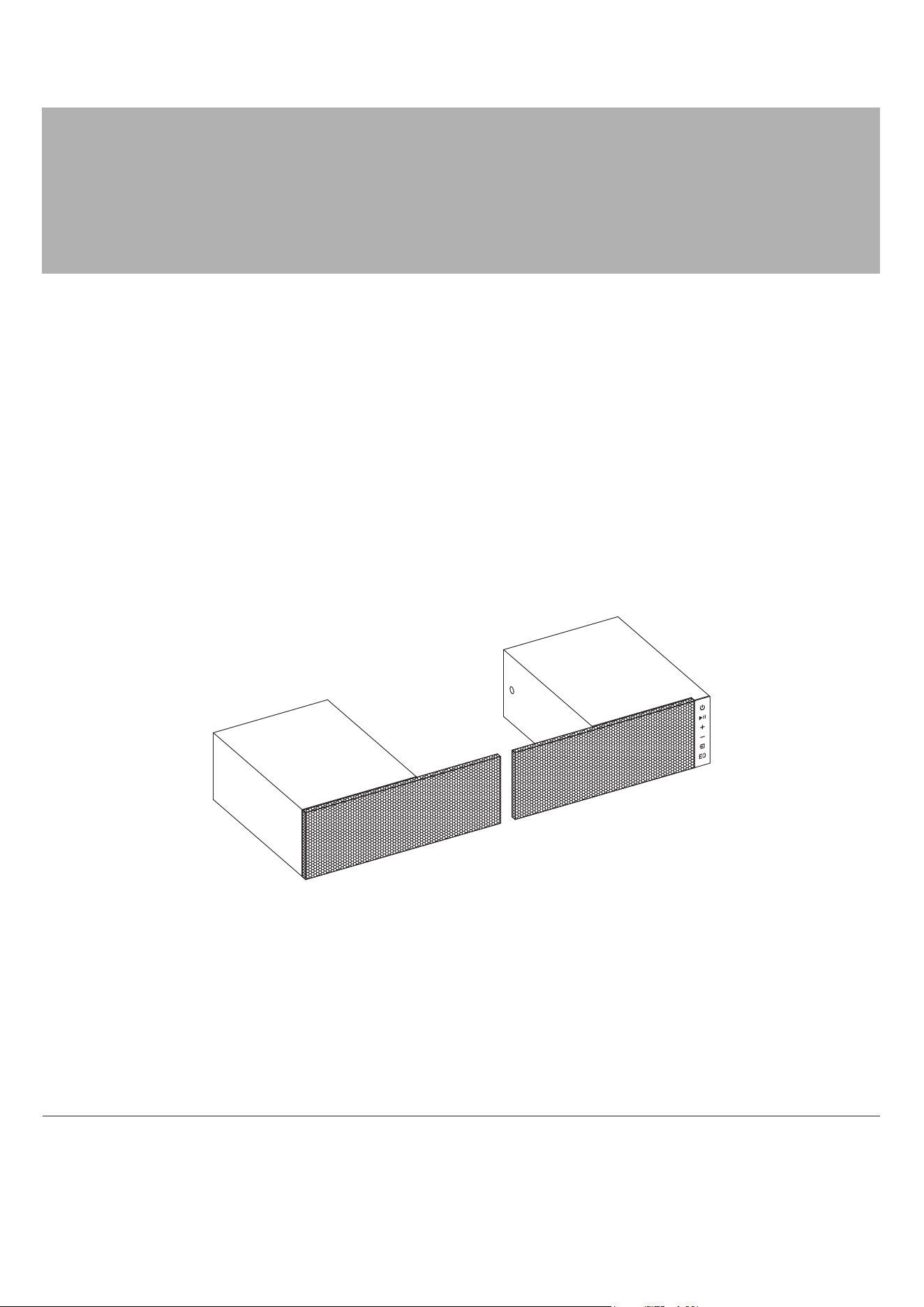
Sound System
Remote Control
1
PART DESCRIPTION QUANTITY
PACKAGE CONTENTS
S T U
V
PAIR
EQ
UPLIGHT
ON/OFF
LIGHT-
LIGHT+
3
WARNING
WARNING
Adaptor Input AC100-240V, 50/60Hz
Adaptor Output DC15V 2.5A
Power Consumption 30 Watts
SAFETY INFORMATION
PRODUCT SPECIFICATIONS
• Read and keep all instructions.
• To reduce the risk of electric shock do not remove cover or back panel. No user-serviceable parts
inside. Refer servicing to qualified service personnel.
• For Indoor use only. DO NOT expose this product to rain, moisture, dripping or splashing.
• DO NOT try to bypass the safety function of the polarized plug. A polarized plug has two blades with
one wider than the other. The wideblade is a safety feature. When the provided plug does not fit
into your outlet, consult an electrician for replacement of the obsolete outlet.
• Use this product as described in the manual only. Any other use may cause fire, electric shock, or injury.
• Refer all servicing to qualified service personnel. Servicing is required when the product has been
damaged in any way, such as power-supply cord or plug is damaged, liquid has been spilled or
objects have fallen into the product, the product has been exposed to rain or moisture, does not
operate normally, or has been dropped.
Changes or modifications to this unit not expressly approved by the party responsible
for compliance could void the user’s authority to operate the equipment.
Note: This equipment has been tested and found the comply with the limits for a Class B digital
device, pursuant to Part 15 of the FCC Rules. These limits are designed to provide reasonable
protection against harmful interference in a residential installation. This equipment generates,
uses, and can radiate radio frequency energy and, if not installed and used in accordance with
the instructions, may cause harmful interference to radio communications. However, there is
no guarantee that interference will not occur in a particular installation. If this equipment does
cause harmful interference to radio or television reception which can be determined by turning
the equipment off and on, the user is encouraged to try to correct the interference by one or
more of the following measures:
• Reorient or relocate the receiving antenna
• Increase the separation between the equipment and receiver.
•
Connect the equipment into an outlet on a circuit different for that to which the receiver is connected.
• Consult the dealer or an experienced radio/TV technician
FCC COMPLIANCE STATEMENT:
This device complies with part 15 of the FCC Rules.
Operation is subject to the following two conditions:
(1) This device may not cause harmful interference, and
(2) this device must accept any interference received, including interference that may
cause undesired operation.
FCC Radiation Exposure Statement
The device has been evaluated to meet general RF exposure requirement.
The device can be used in mobile(min20cm) exposure condition.
4
DISPLAY
When scrolling through source options, selections will be indicated as follows:
When scrolling through EQ options, selections will be indicated as follows:
A numerical display will illuminate on the front mesh to indicate the settings
(Volume Level, Bass Level, Treble Level, EQ and Source Selection).
OP: OPTICAL : Optical Cable Input (Included)
L1: LINE IN : 3.5 mm Audio Cable Input (Not Included)
AU: R AUX IN L: RCA Cable Input Left and Right (Not Included)
BL: Device pairing
1: EQ optimized for music
2: EQ optimized for movies
3: EQ optimized for dialogue
When scrolling Uplight options. selections will be indicated as follows:
1: On/Off for Light On/Off
2: Light - for Light brightness -
3: Light + for Light brightness +
SOUND SYSTEM ASSEMBLY INSTRUCTIONS (CONT’D)
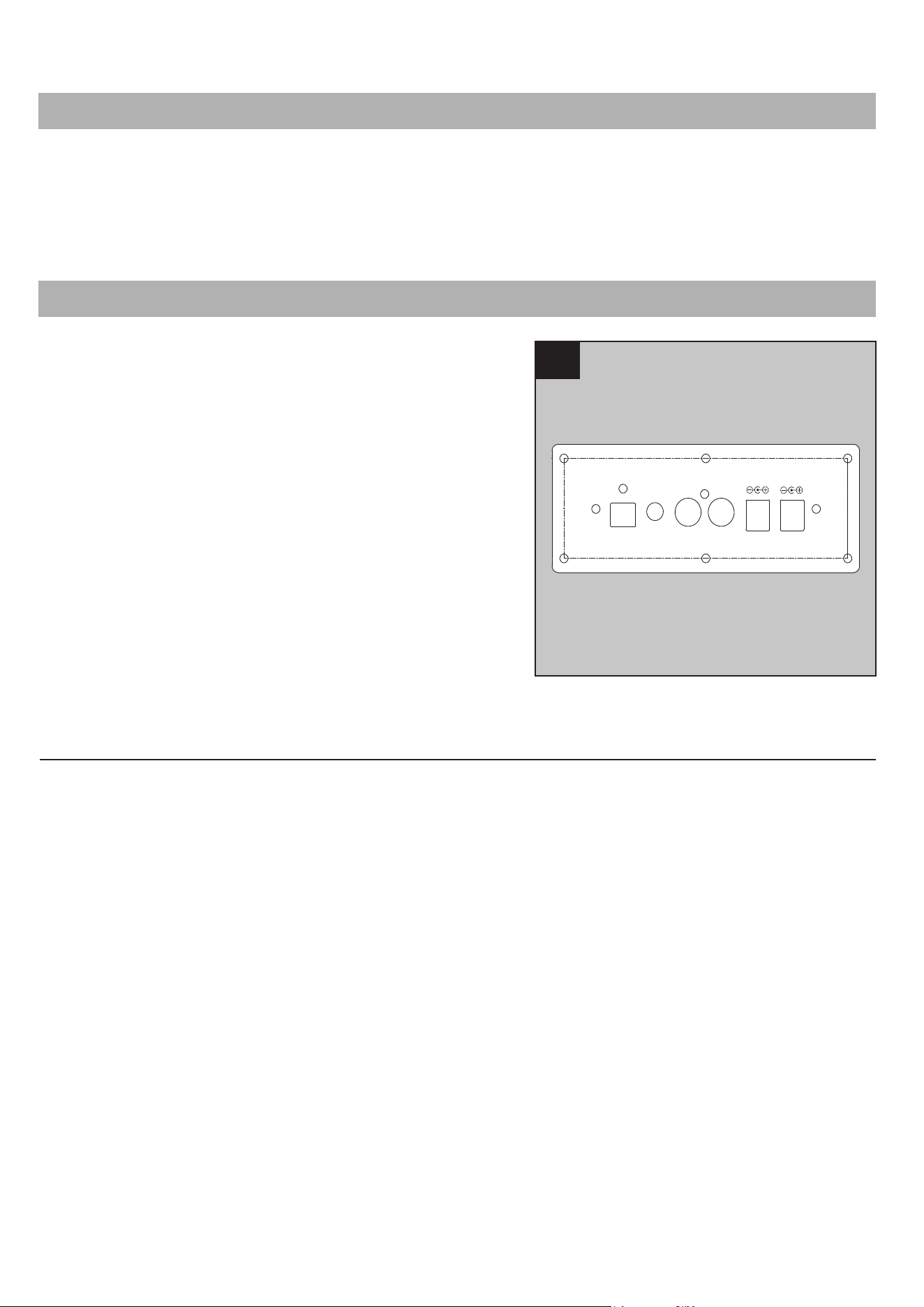
1. Multiple sources can be wired to the sound system
using the inputs located at the back of the unit.
An optical cable is provided and we recommend using
this option to wire your television to the system for
best digital sound.
To supply power to the system:
1. Connect the small end of the Power Cable into the
DC Adaptor.
2. Connect the DC Adaptor into the DC 15V IN input
located on the back panel.
3. Connect the LED light cable into the DC 12V
OUT Light.
Assembly is now complete, with the help of another
person, move the assembly to the final desired location.
Once in final position you plug the sound system into
the power outlet.
1
OPTICAL LINE IN R AUX IN L DC 12V OUT DC 15V IN
LIGHT
PREPARATION
Before beginning assembly of product, make sure
all parts are present. Compare parts with
package contents list and hardware contents list.
If any part is missing or damaged, do not attempt
to assemble the product.
Estimated Assembly Time: 5 minutes
Tools Required for Assembly (not included):
Phillips screwdriver
5
OPERATING INSTRUCTIONS
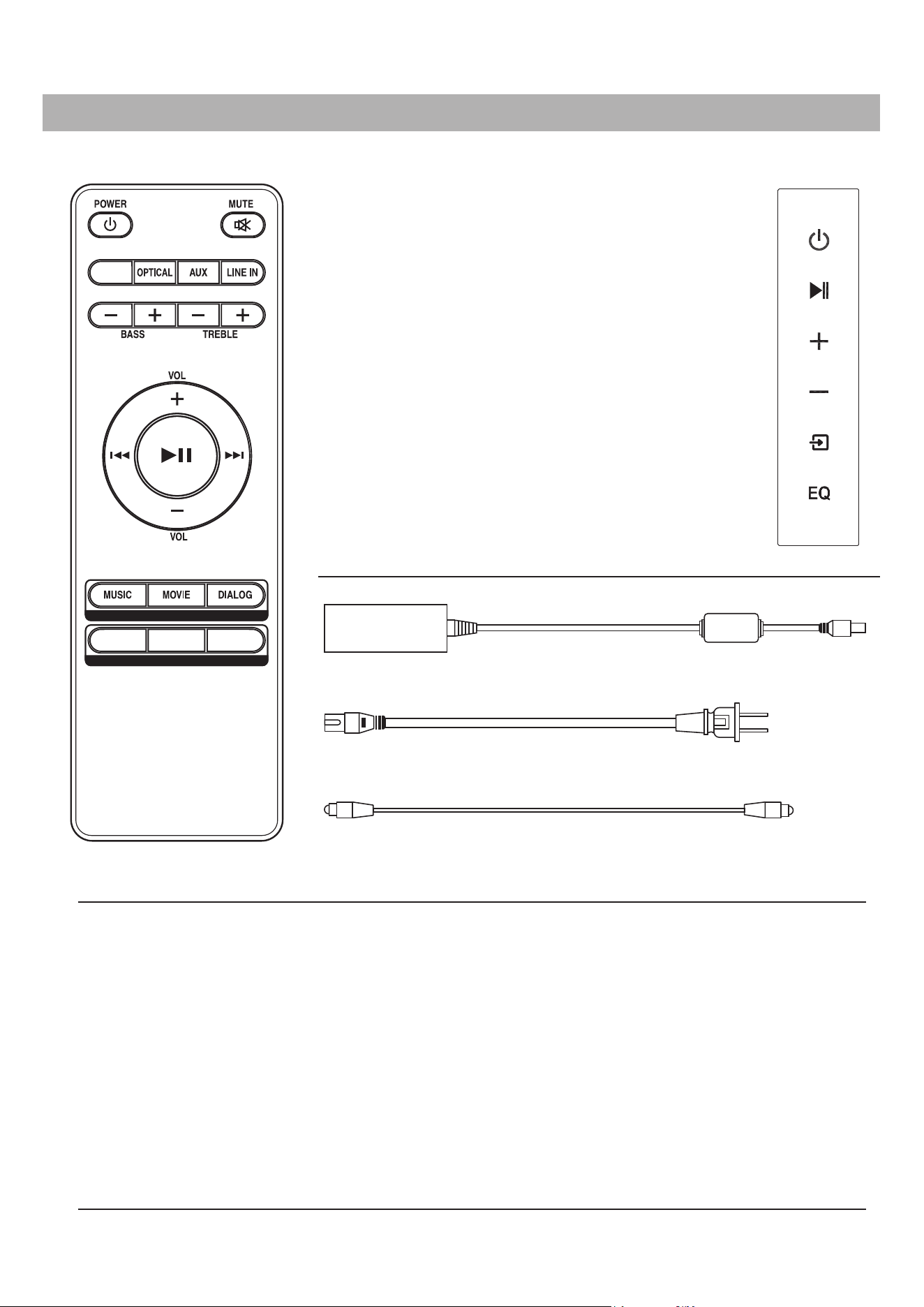
Control Panel
ON/OFF
PLAY/PAUSE
VOLUME UP
VOLUME DOWN
DC Adaptor
Power Cable
Optical Cable
ACCESSORIES
PAIRING YOUR DEVICE FOR THE FIRST TIME
SCROLL SOURCE OPTIONS
SCROLL EQ SETTINGS
CONTROL PANEL
AND REMOTE CONTROL:
The sound system settings
can be adjusted with the
control panel and/or the
sound system remote control:
1. Power on the unit by pressing the Power button.
2. Set the indicator to BL by either scrolling the source selection button on the panel or pressing the PAIR
button on the remote control.
The pairing indicator will flash blue quickly. When pairing, remain within 3 feet of the unit.
3. Use the controls of your device to select "Fireplace" bluetooth name to pair the devices.
4. If your device requests a password, enter the default password 0 0 0 0.
5. When successfully paired and connected, a beep will issue from the sound system and the Pairing
Indicator will display a solid blue light.
After initial pairing, the unit will stay paired unless unpaired manually by the user or erased due to a
reset of the device. The devices may also unpair if devices are too far apart.
6. If your device should become unpaired or you find it is unable to connect, repeat the above steps.
POWER ON/OFF THE LED LIGHT FOR USING CONTROL PANEL
Hold and pressing the Power button, LED light On/Off.
Sound system
Remote Control
PAIR
EQ
UPLIGHT
ON/OFF
LIGHT-
LIGHT+
6
Replacing the Remote Control Batteries
AAA 1.5V
AAA 1.5V
Disposal of Used Batteries
A battery may contain hazardous substances that could be
endangering the environment and human health.
CARE AND MAINTENANCE
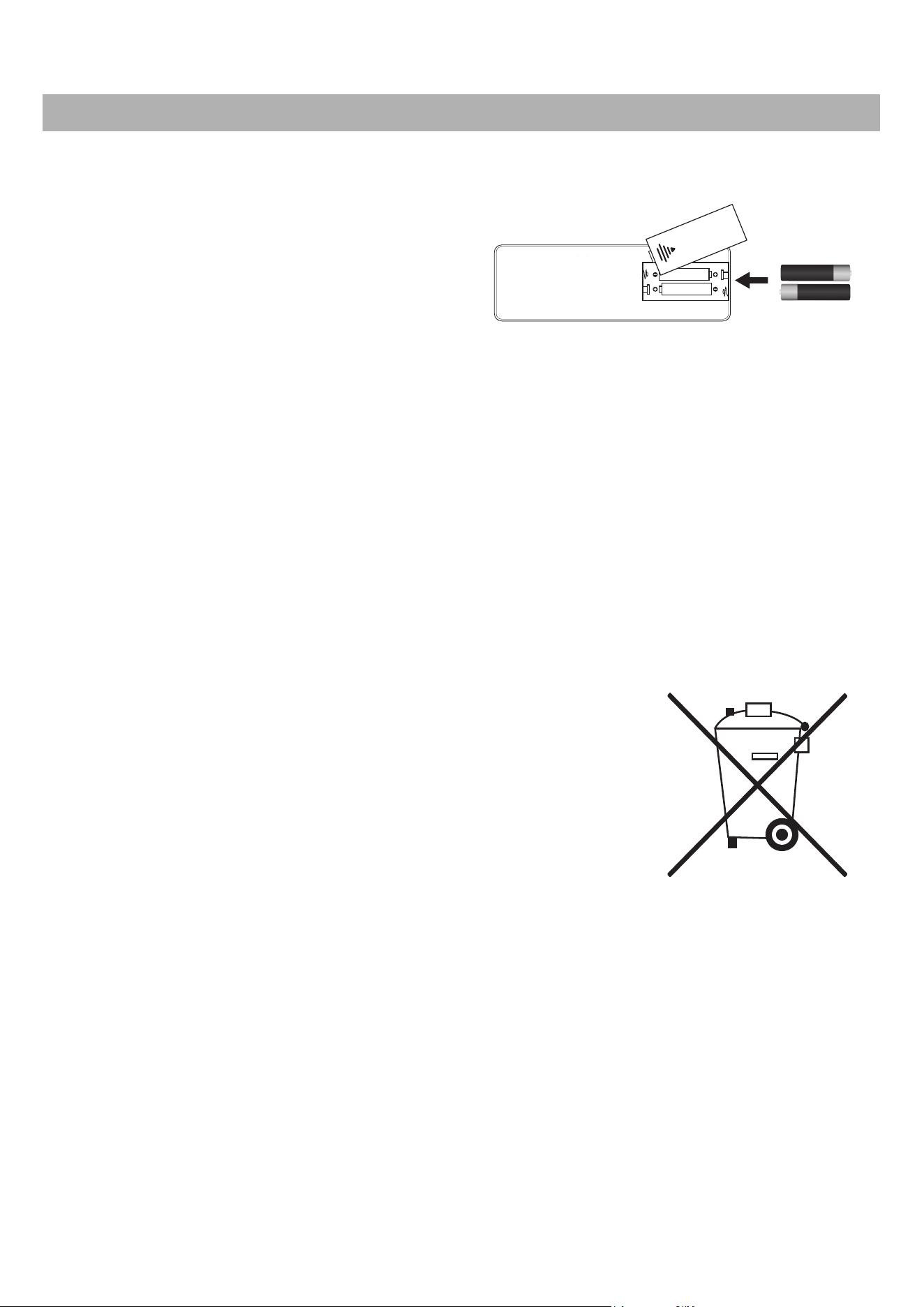
When the sound system remote control (S) stops
operating or its range seems reduced, it is time to replace
the batteries. Note:The batteries should be removed if
the product is to be left unused for a long time.
1. The battery compartment is located on the back
of the sound system remote control (S).
2. Remove battery cover from the back of sound system
remote control (S) and remove the old batteries.
3. Insert 2pcs AAA batteries, ensuring the polarities of
the battery match the inside of the battery
compartment.
4. Re-insert the battery door.
Note: Do not mix old and new batteries.
Do not mix alkaline, standard (carbon zinc), or rechargeable (nicad, nimh, etc) batteries.
Non-rechargeable batteries are not to be recharged. Exhausted batteries are to be removed from
the product.
Harmful if swallowed.
• This symbol marked on the battery and/or packaging indicates that
used battery shall not be treated as municipal waste. Instead it shall
be left at the appropriate collection point for recycling.
• By ensuring the used battery is disposed of correctly, you will help
prevent potential negative consequences for the environment and
human health. The recycling of materials will help to conserve
natural resources.
• Do not dispose of batteries in fire. batteries may explode or leak.
For more information about collection and recycling of used batteries,
please contact your local municipality, your waste disposal service or
the point-of-sale where you purchased this battery.
7
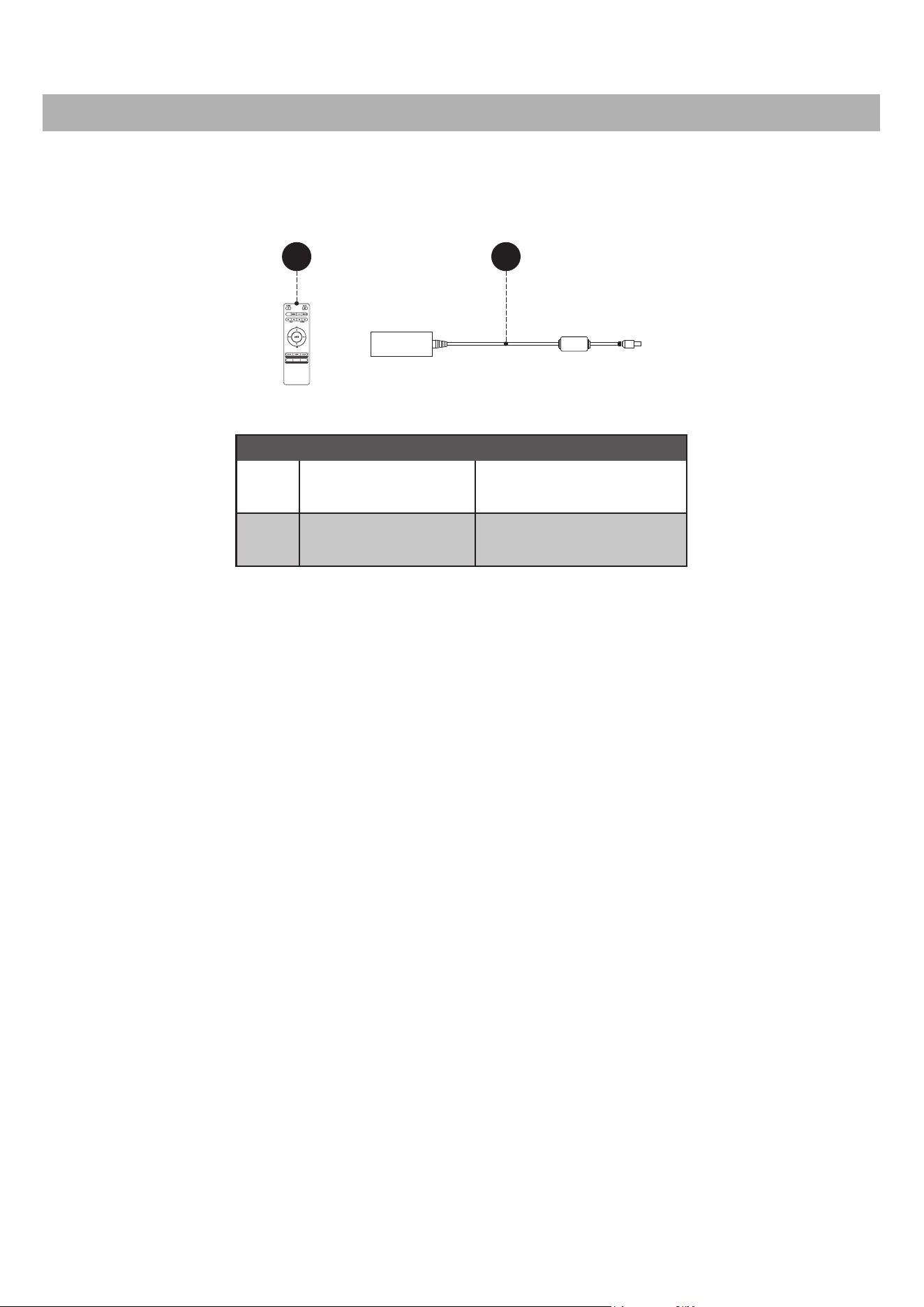
REPLACEMENT PARTS
For replacement parts, call our customer service department at 1-855-571-1044, 9 a.m. - 5 p.m., EST,
Monday - Friday.
PART DESCRIPTION PART #
T
PH-SOUNDSYS-
CABLE KIT
DC Adaptor
S
PH-SOUNDSYS-
REMOTE-0809L
Sound System
Remote Control
S
T
PAIR
EQ
UPLIGHT
ON/OFF
LIGHT-
LIGHT+