STOP
DO NOT RETURN TO STORE!
HAVE QUESTIONS OR NEED SERVICE?
1-800-776-3538
Read the instructions carefully and keep for
future reference. Information maybe updated
from time to time so please refer to the
website for the latest version of the manual.
Chat-AI
1. Scan Chat-AI
Open Smart Phone
Open Camera
Click the Link
2. Register online at ApplianceDesk.com/Warranty
3. Chat-AI is also used to obtain Product Information, Manuals and Updates
This warranty is given by:
10
Note: The washer is designed to be used with a full and balanced load. If a small or half load
of clothes is put in the washer, it will be unbalanced causing the drum to rotate slowly during
the spin cycle and will not extract sufficient water. This will result in wet clothes at the end of
the cycle and will not be ready to put in the dryer.
Load clothes of the selected type loosely into the drum. Ensure to put in a full load of clothes.
For small items use a mesh bag.
CONTROL PANEL
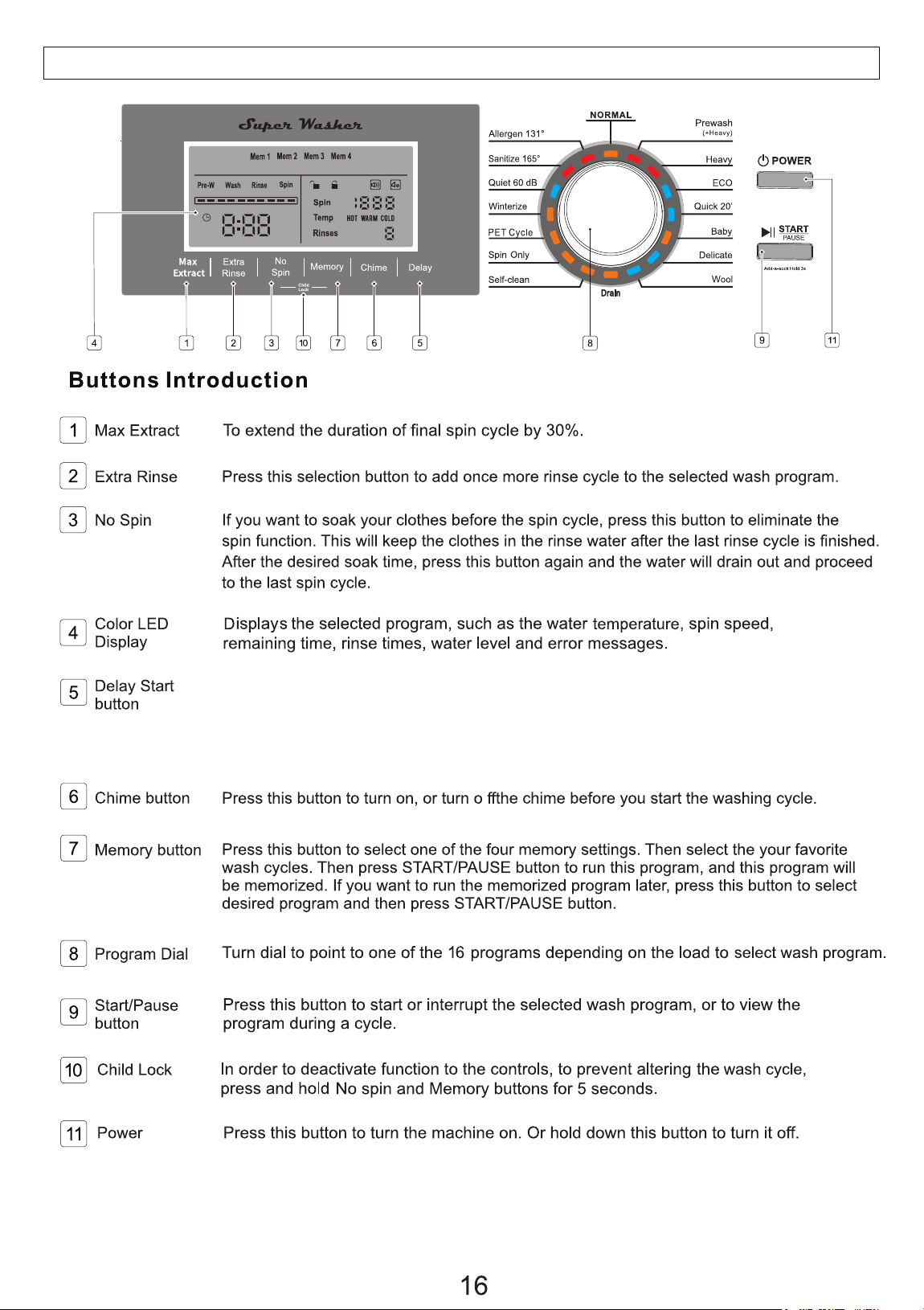
To delay the start of the wash cycle, touch this button to select the delay time from
1 to 24 hours. Each time the Delay button is pressed, the time increases in one-hour
increments. The delay time will show on the Display Panel. Then press Start and the
cycle will start after the selected delay time has elapsed.
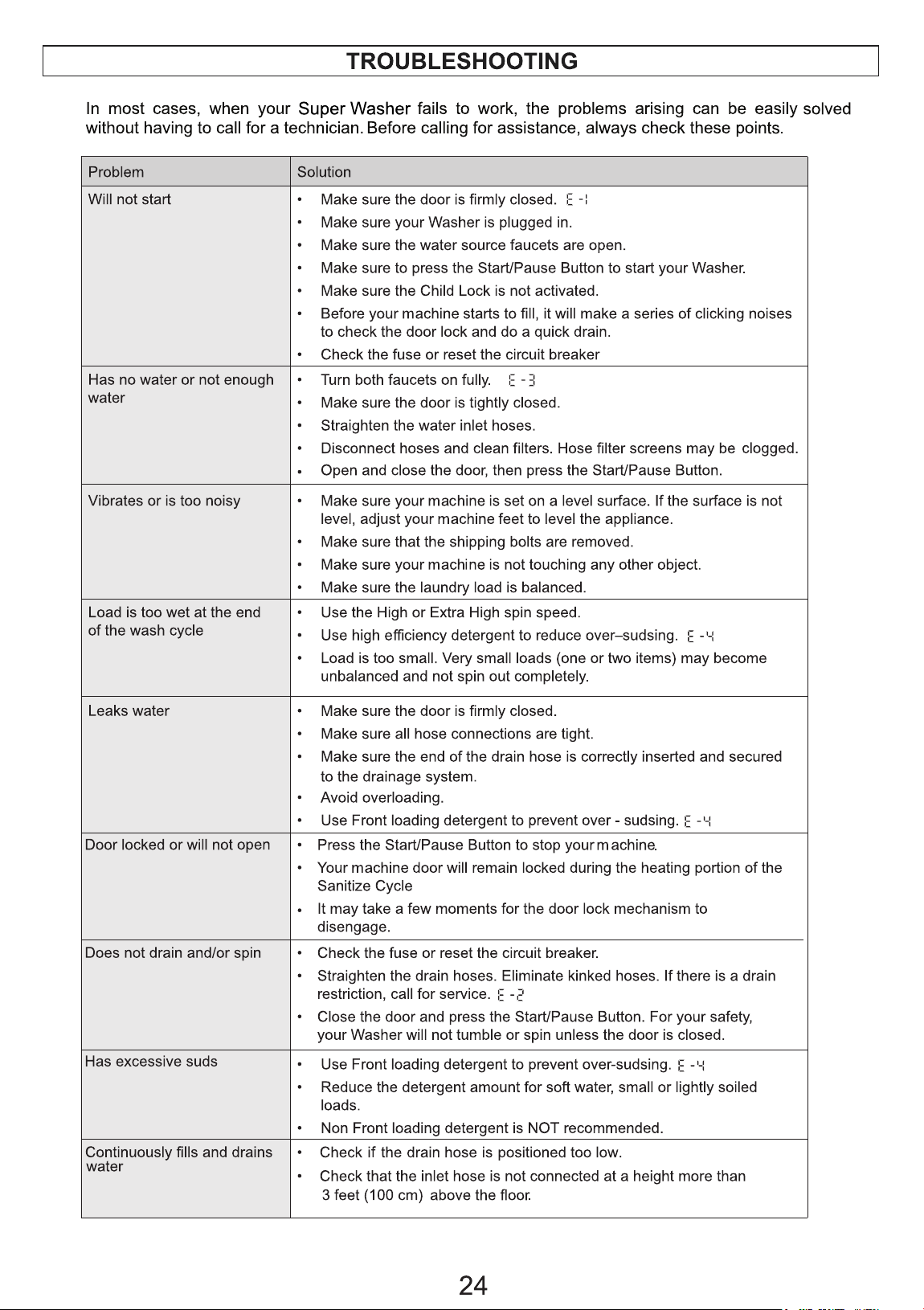
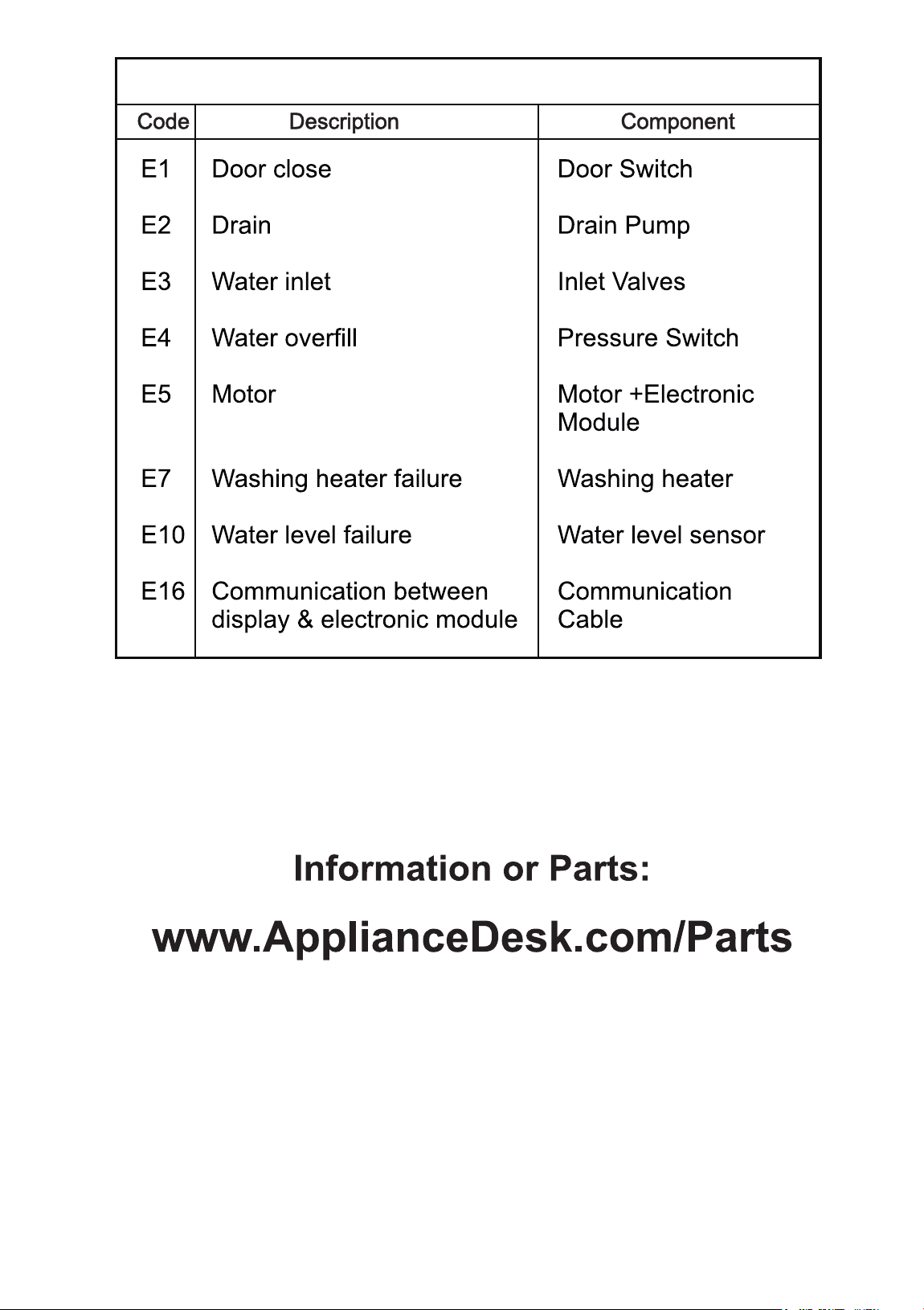
ERROR CODES
25