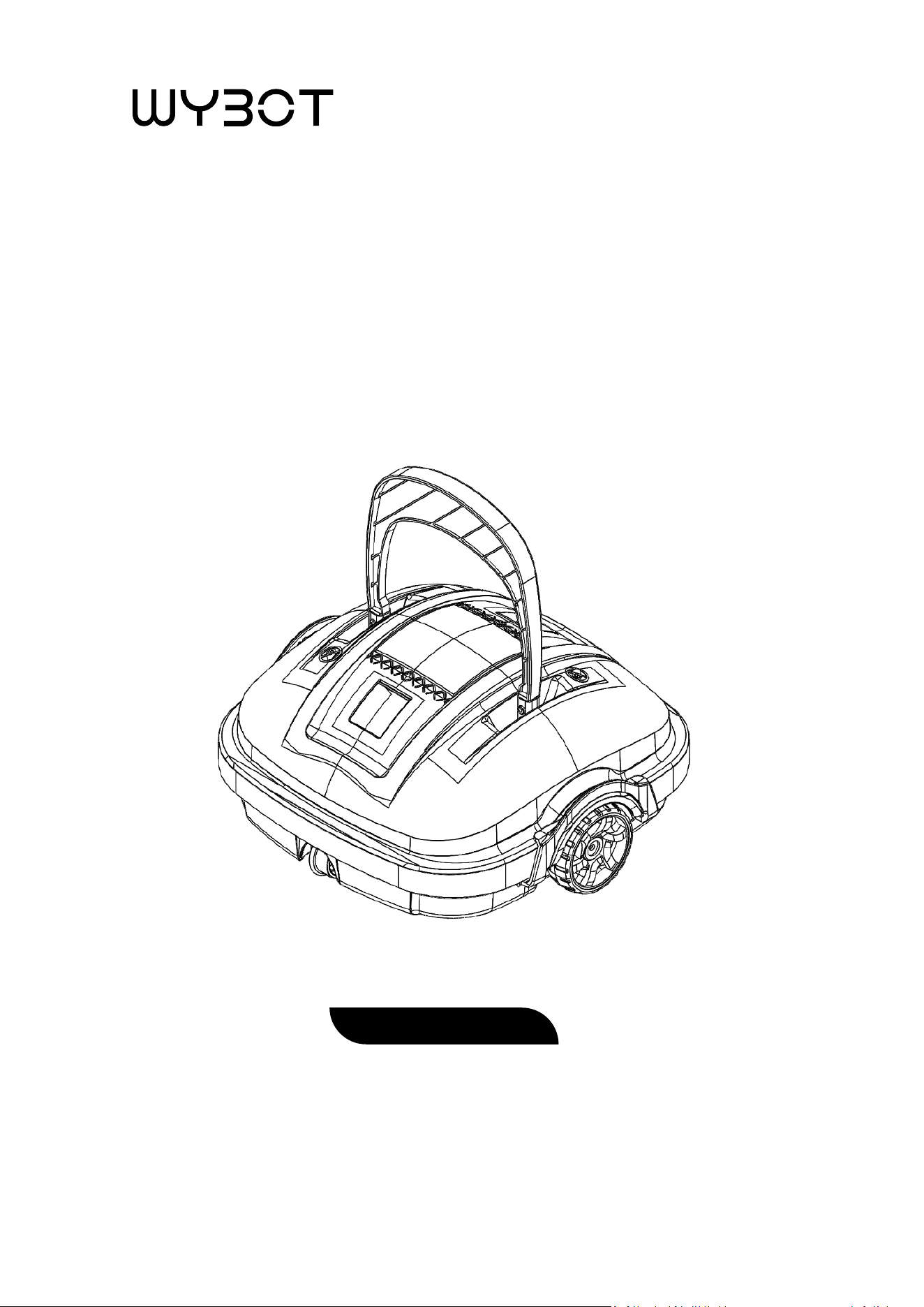
User Manual
ROBOTIC POOL CLEANER
Osprey 200


CONTENTS
LIMITED WARRANTY .................................................................................................. 1
IMPORTANT SAFETY INSTRUCTIONS ........................................................................... 2
1. Introduc�on ........................................................................................................... 3
2. Packing List ............................................................................................................. 3
3. Product Diagram .................................................................................................... 3
4. Specifica�ons ......................................................................................................... 4
5. Opera�on Instruc�ons ........................................................................................... 5
5.1 Assembly before use ..................................................................................... 5
5.2 To use the robo�c cleaner ............................................................................ 6
5.3 Clean a�er use .............................................................................................. 8
5.4 To adjust the running pa�ern ....................................................................... 9
6. Buzzer Note .......................................................................................................... 10
7. Trouble Shoo�ng
................................................................................................. 10

TM
®
LIMITED WARRANTY
S
LIMITED WARRANTY
WYBOT, owned by WYBOTICS CO., LTD, makes products at the best quality we can offer. All WYBOT
products have been inspected against defects in materials and workmanship prior to leaving factory.
WYBOT is happy to offer warranty for the repair or replacement of pool products for one (1) year, only
covering ba�ery, motor and PCB from the date of purchase. The provisions of this Limited Warranty
only apply to the original purchaser. Please keep your original sales receipt, as this proof of purchase will
be required and must accompany warranty claims to WYBOT or its designated agents. This Limited War-
ranty does not apply without proof of purchase; or should the purchaser modify or repair the product
themselves or by unauthorized people; use non-WYBOT parts or accessories with the product; use the
product in contraven�on of the manufacturer’s instruc�ons; use improper voltage; abuse the product
in any way; or through accident or negligence. This Limited Warranty will not cover consequen�al dam-
ages, including claims for normal wear-and-tear or any Act of God outside the control of WYBOT.
Non-manufacturing defects, such as grasses that may grow through the ground cloth and/or pool liner
are examples of which WYBOT cannot hold responsible for.
IN NO EVENT SHALL WYBOT, ITS AUTHORIZED AGENTS, RELATED ENTITIES, OR EMPLOYEES BE
LIABLE TO THE BUYER OR ANY OTHER PARTY FOR DIRECT OR CONSEQUENTIAL DAMAGES. Some states
or countries, or other jurisdic�ons, do not allow the exclusion or limita�on of incidental or consequen-
�al damages, so the above limita�on or exclusion may not apply to you.
This Limited Warranty is not extended to close-outs, factory seconds, or resold products (i.e.,
garage sales, online auc�ons, or online retailers not purchased directly from WYBOT). Any issue with
items purchased from these types of vendors/sellers will need to be addressed through these stores.
S
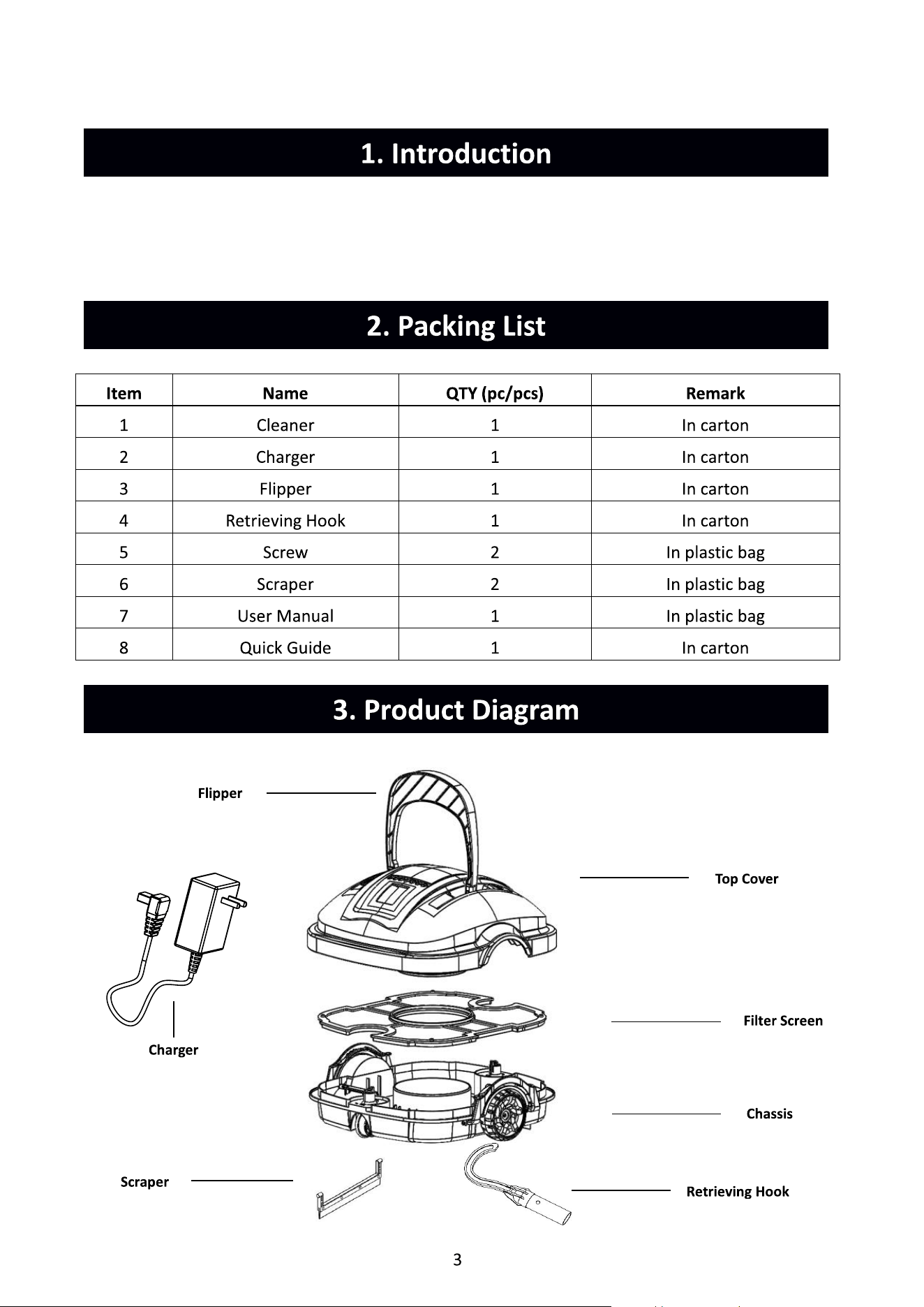
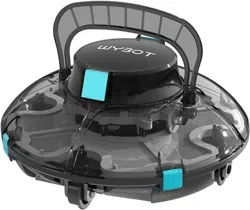
The environmentally-friendly robo�c pool cleaner Osprey 200 is a new type of rechargeable
automa�c cleaner that filters the pool water and gets rid of par�cles without replacing the pool
water.
4
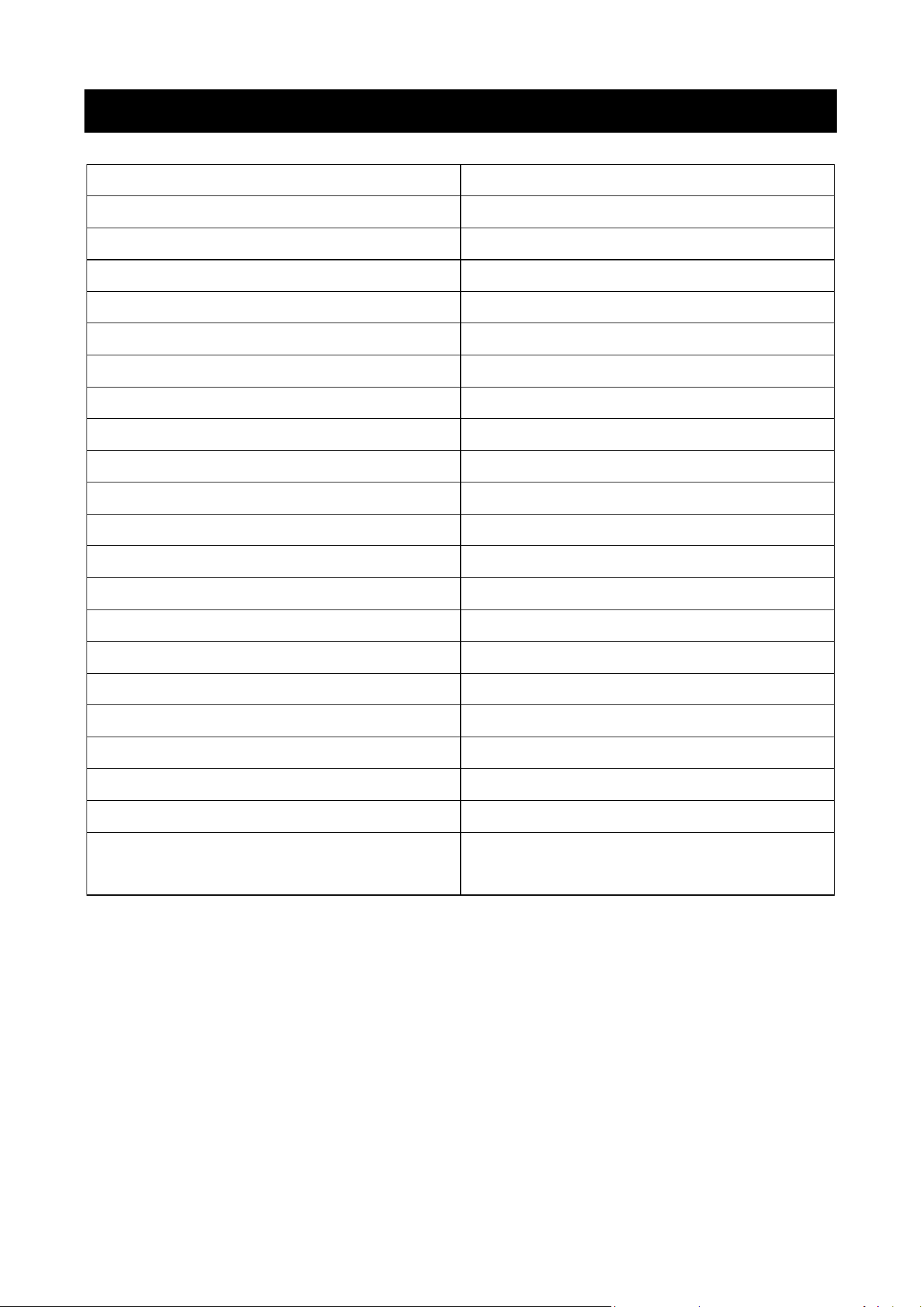
4. Specifica�ons
Product Name WYBOT Robo�c Pool Cleaner
Model
Osprey 200
Rated Working Voltage
11.1V
Power
approx. 30W
Working Cycle max. 50mins
Rated Input Voltage of Adapter
100Vac-240Vac
Rated Input Frequency of Adapter 47Hz-63Hz
Rated Output Voltage of Adapter
12.6Vdc
Rated Output Current of Adapter
1A
Ba�ery Capacity
2600mAh
Charging Time 3-4 H
Cleaning Surface
max. 525�² / 50m²
Filter Capability
approx. 32gal/min (120L/min)
Filter Density
180μm
Moving Speed
approx. 52.5�/min (16m/min)
Water Depth
max. 8.2 � / 2.5m
IP Grade IPX8
Pool Water Temperature
50°F-95°F / 10°C-35°C
Charging Environment Temperature
41°F-95°F / 5°C-35°C
Storage Temperature
41°F-95°F / 5°C-35°C
Product Weight
7.9 lb / 3.6kg
Product Size
13.4 (L) * 13.8 (W) * 13.0 (H) in /
340 (L) * 350 (W) * 330 (H) mm
5
5. Opera�on Instruc�ons
5.1 Assembly before use
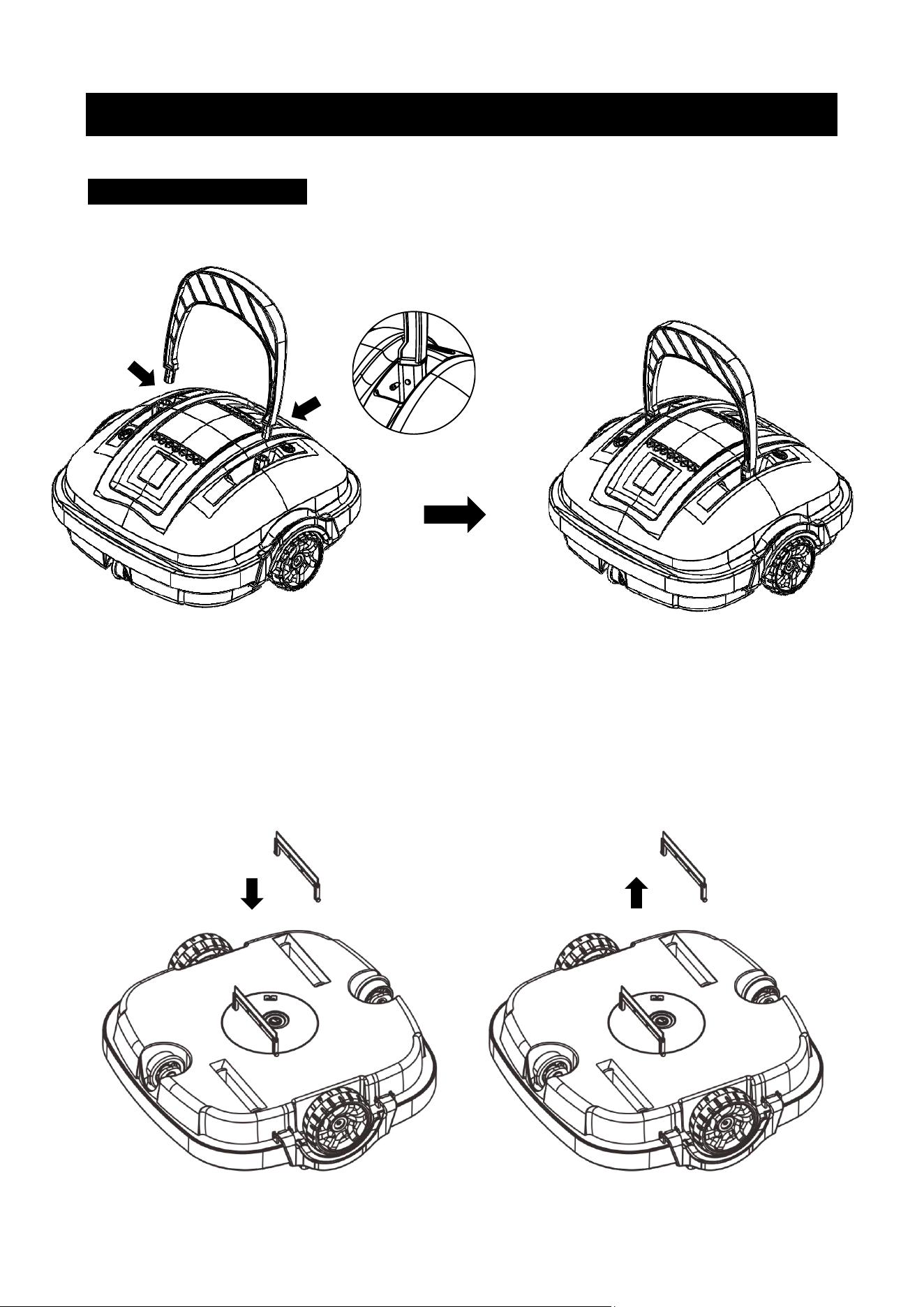
1. A�ach the flipper and fix it with the screws provided.
2. Install the scrapers to enhance s
Note: The installa�on direc�on of 2 screws is opposite.
2. Install the scrapers to enhance suc�on effect if the pool floor is full of debris or par�cles. It is not
recommended to install the scrapers if the pool bo�om is uneven or full of pits, which avoids the
cleaner from ge�ng stuck by the rough floor.
6
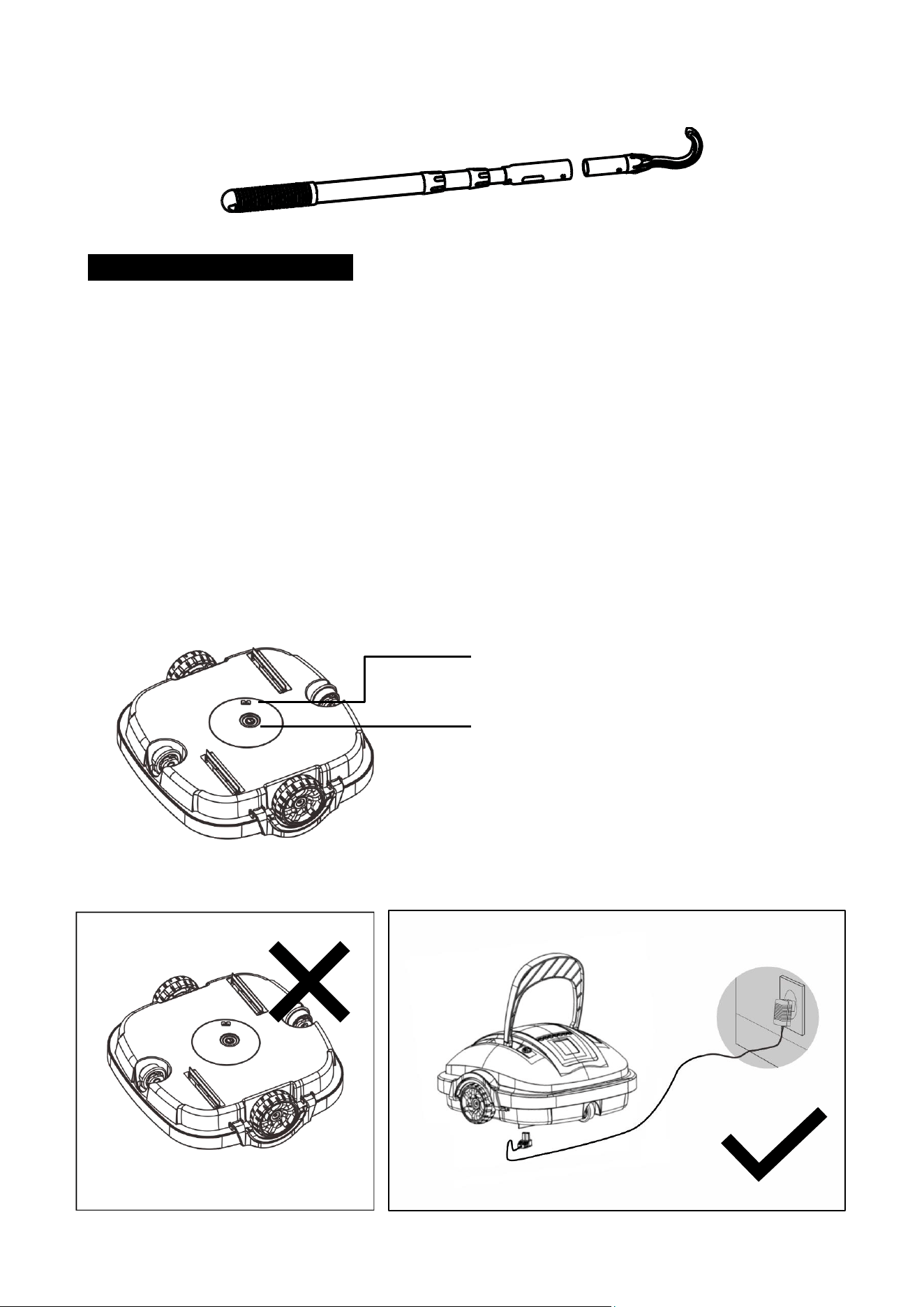
3. A�ach the retrieving hook to a standard pool pole (not included).
5.2 To use the robo�c cleaner
1. Charge the ba�ery
Fully charge the cleaner before each use. A�ach the charging connector to the charging socket at
the bo�om of the cleaner. Place the cleaner in its upright posi�on and, then plug the charger into
the main electrical outlet. The indicator lamp on the charger shall turn red when charging. It
should turn green once fully charged.
NOTE: The robo�c cleaner must be charged indoor.
NOTE: It is strictly forbid
den to face the bo�om up to prevent the swing plate from being crushed
when charging.
NOTE: Clean and dry the charging socket before charging.
Charging Socket
Power Bu�on
7
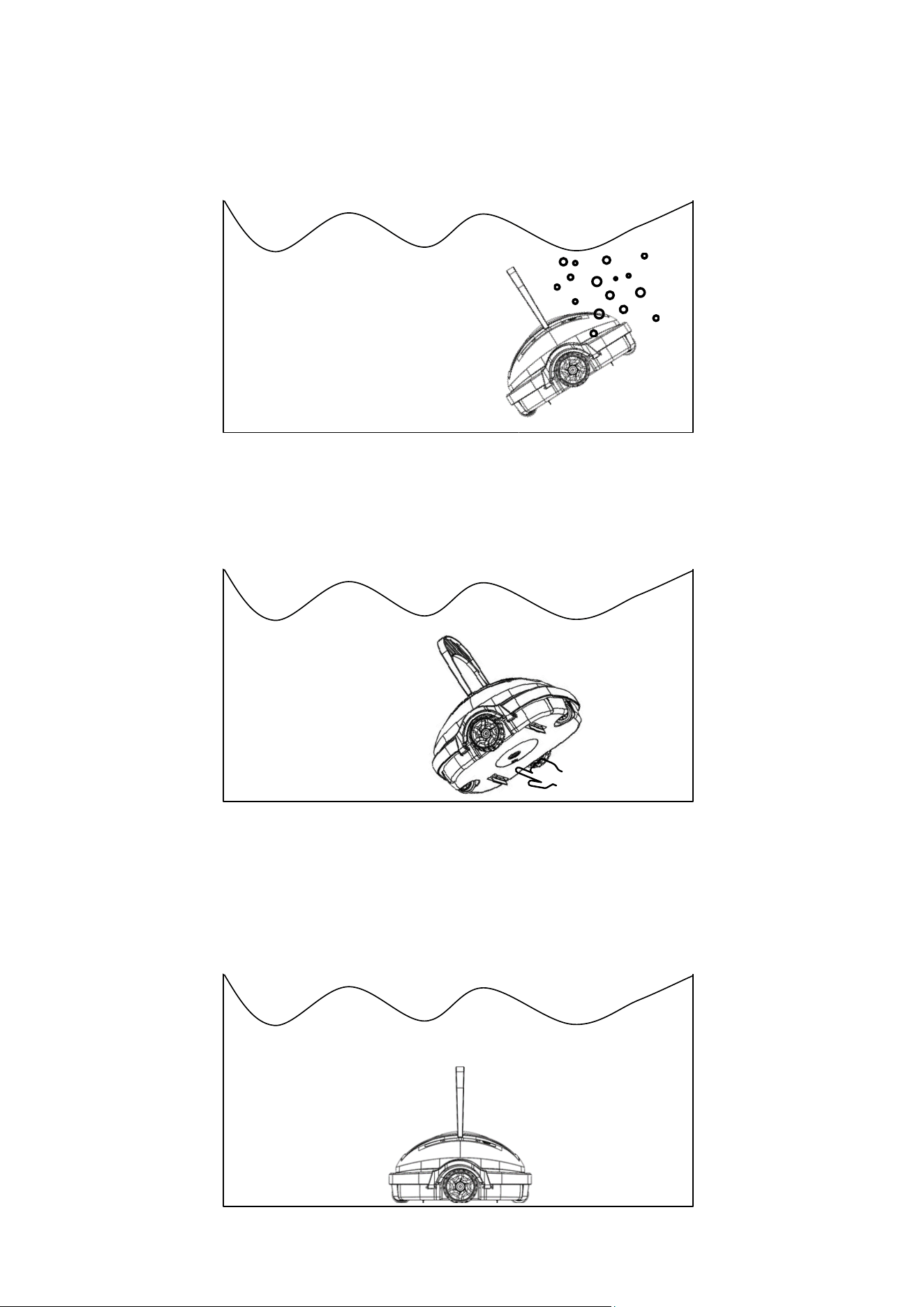
2. Purge out the air
Hold the robo�c cleaner with two hands and submerge it into the pool. Rotate the cleaner un�l
no air bubble is coming out.
3. Turn on the power
While keeping the en�re robo�c cleaner underwater, switch on the product by pressing the power
bu�on located at the bo�om. Water will begin to flow out from the nozzle a�er 5 seconds.
4. Release the cleaner
Hold the robo�c cleaner in its upright posi�on and slowly rel
ease the product. The product shall
slowly sink to the pool floor. In case the cleaner is flipped upside down, use the floa�ng handle to
correct its orienta�on.
8
5. Let it clean
The robo�c cleaner shall run around the pool floor and vacuum the debris automa�cally for max.
60 minutes. It will automa�cally reverse when it touches the wall. The cleaner will move to the
pool wall automa�cally and stop running when it runs out of ba�ery.
6. Retrieve the cleaner
To retrieve the robot, grasp the flipper and pull it out of the water and away from the pool. Power
off the robot. Use the retrieving hook if needed.
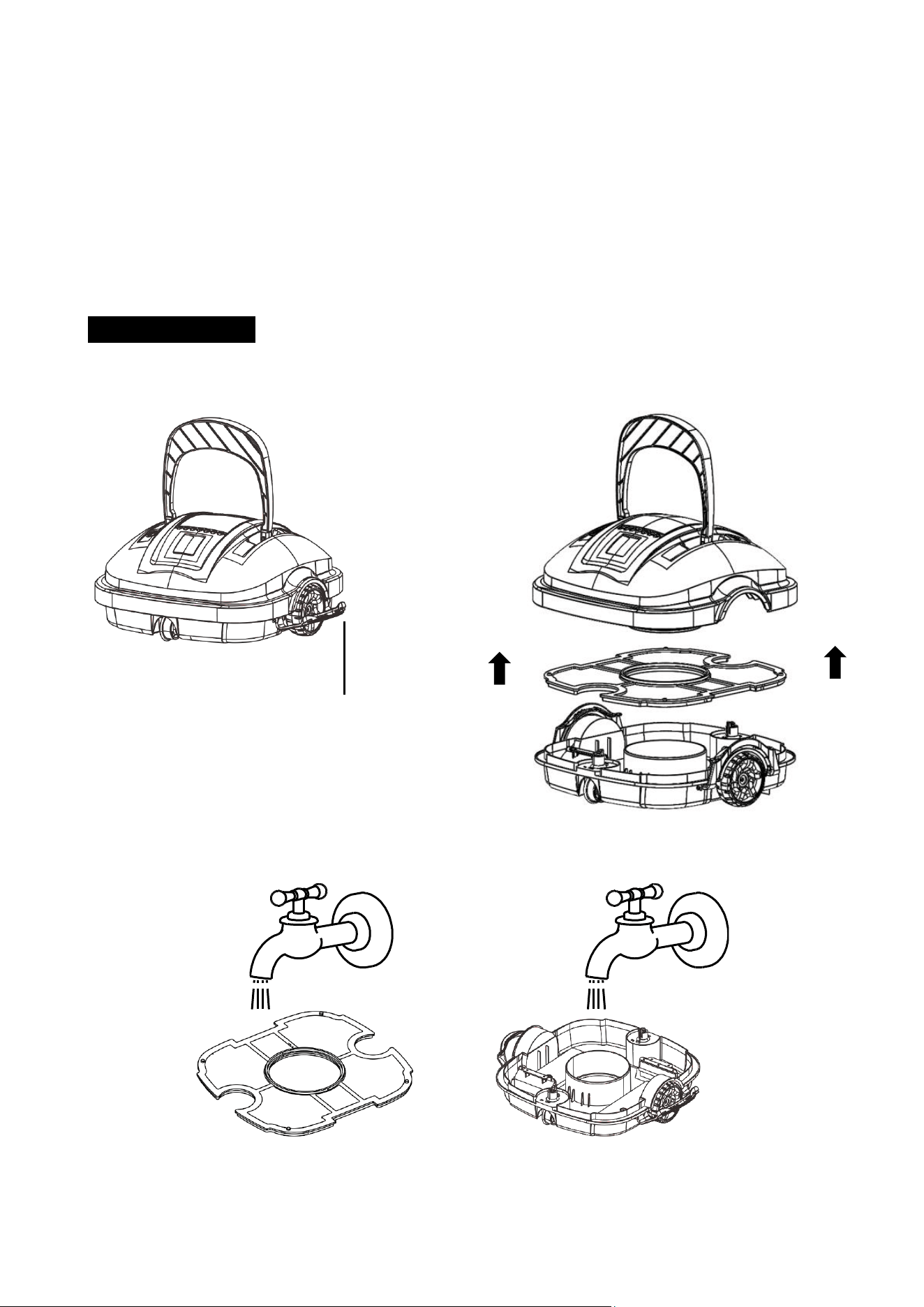
5.3 Clean a�er use
1. Open all lock buckles, detach the top cover, and remove the filter screen.
2. Rinse off all the dirt and debris with running water.
3. Wipe the robo�c cleaner with a clean cloth and let it air dry.
Lock Buckle
9
5.4 To adjust the running pa�ern
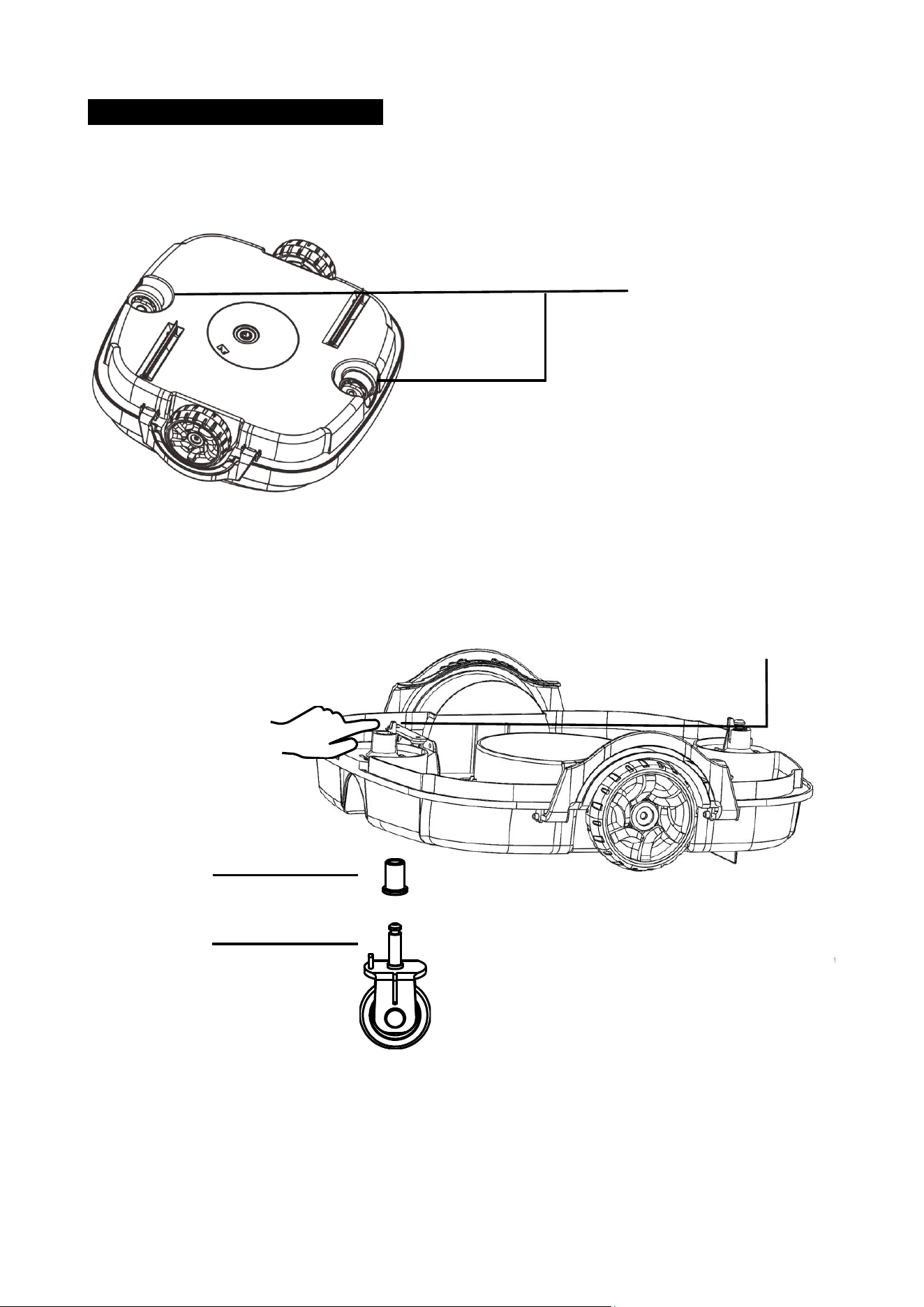
1. This robo�c cleaner comes with 2 adjustable wheels. By modifying the combina�on of these 2
adjustable wheels, it will change the running pa�ern of the cleaner.
2. To adjust the wheel, open the lock buckles and remove the top cover. Locate the 2 adjustable
wheels. Detach the wheel by pushing the wheel stem catch. Select the correct combina�on and
insert the wheel un�l the catch clicks.
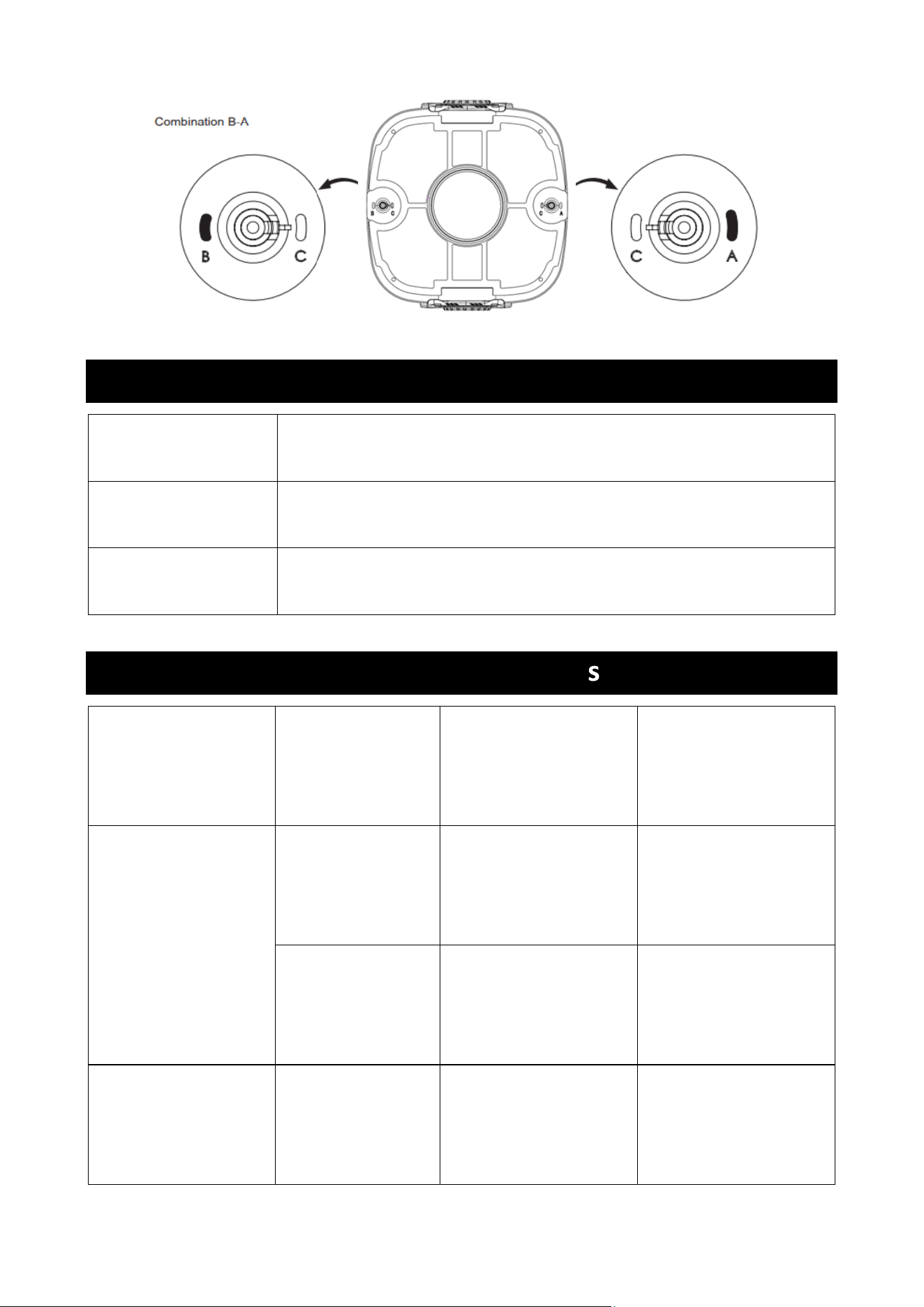
3. Combina�ons:
A – C for most types of pool (factory se�ng)
B – C Smaller rebounding angle than A – C
C – C Minimum maneuvering (For rectangular or longer pool)
A – B For round pools
Adjustable Wheels
Wheel Stem Catch
Sleeve
Wheel Stem
10
6. Buzzer Note
7. Trouble Shoo�ng
Status Descrip�on
Power on
Beep before not fully immersed in the water; Stop beeping a�er fully
immersed in the water
Power off Stop beeping
Issue Scenario Possible reason Solu�on
The buzzer does not
beep, or the impeller
does not work when
the cleaner is out of
water.
-------- Ba�ery level is low. Recharge the ba�ery.
-------- Internal fault Call customer service
The buzzer s�ll beeps,
or the impeller does
not work when the
cleaner is in the water.
Internal fault Internal fault Call customer service

11
The cleaner does not
change direc�on
when hi�ng the pool
wall.
The flipper does
not flip forward
when approaching
the pool wall
The flipper is stuck and
does not turn freely.
Hose off the dirt
around the hinge of the
flipper. Make sure the
flipper turns freely.
The LED indicator
does not light up
when the charger is
plugged in.
-------- Faulty charger
Call customer service
and request for a
replacement charger.
The cleaner does not
vacuum the en�re
pool floor.
The cleaner keeps
bouncing at the
same direc�on,
some areas are
always missed.
Improper running
pa�ern se�ng
Try different running
pa�erns. Refer to the
“To adjust the running
pa�ern” sec�on of the
manual.
Irregular pool shape
The pool filter is
on.
Water current inside
the pool affects the
running of the cleaner.
Turn off the pool’s filter
pump when using this
product.