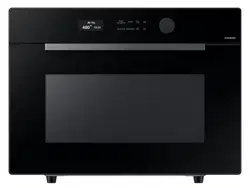
Microwave Oven
User manual
MC12DB8700**
2 English
Contents
Contents
Operations 15
Control panel 15
System Settings 16
Smart control 17
Voice control 17
Amazon Alexa & Google Assistant 18
Manual mode 19
Auto mode 23
Special functions 24
Cooking Smart 25
Auto Mode 25
Manual cooking 28
Quick & Easy 35
Troubleshooting 36
Checkpoints 36
Information codes 39
Technical specications 39
Warranty 40
Important safety instructions 3
What You Need To Know About Safety Instructions 3
Precautions To Avoid Possible Exposure To Excessive Microwave Energy 3
Important Safety Symbols And Precautions 4
California Proposition 65 Warning 5
Grounding Instructions 6
Use Of Extension Cords 6
C
ritical Installation Warnings 6
Installation Cautions 7
Critical Usage Warnings 7
Usage Cautions 8
Critical Cleaning Instructions 9
Installing Your Microwave Oven 9
Cleaning The Turntable And Roller Rings 10
Storing And Repairing Your Microwave Oven 10
Installation 10
What’s included 10
Accessories 11
Turntable 11
Maintenance 12
Cleaning 12
Replacement (repair) 12
Care during an extended period of disuse 12
Before you start 13
Set Date & Time 13
Door Auto Lock 13
To open the door 13
Control Lock 14
About microwave energy 14
Cookware for microwave mode 14
Contents
English 3
Important safety instructions
SAVE THESE INSTRUCTIONS
Important safety instructions
When using any electrical appliance, basic safety precautions should be followed, including
the following:
WARNING
To reduce risk of burns, electric shock, re, personal injury or exposure to excessive
microwave energy:
1. Read all safety instructions before using the appliance.
2. Read and follow the specic "Grounding Instructions" on page 6 of this manual.
3. "Precautions To Avoid Possible Exposure To Excessive Microwave Energy" on page 3.
4. This appliance must be grounded. Connect only to properly grounded outlets. See
Important "Grounding Instructions" on page 6 of this manual.
5. Install or locate this appliance only in accordance with the provided installation
instructions.
6. Some products such as whole eggs and sealed containers (for example, closed glass jars)
can explode if heated rapidly. Never heat them in a microwave oven.
7. Do not use this appliance for other purposes than cooking. Drying of clothing and
heating of warming pads, slippers, sponges, damp cloth and similar may lead to risk of
injury, ignition or re. Use this appliance only for its intended use as described in the
manual. Do not put corrosive chemicals or vapors in or on this appliance. This type of
oven is specically designed to heat, cook, or dry food. It is not designed for industrial or
laboratory use.
8. HOT CONTENTS CAN CAUSE SEVERE BURNS. DO NOT ALLOW CHILDREN TO USE THE
MICROWAVE.
9. Do not operate this appliance if it has a damaged cord or plug, if it is not working properly,
or if it has been damaged or dropped.
10. This appliance should be repaired or serviced only by qualied service personnel.
Contact the nearest authorized service facility for examination, repair, or adjustment.
11. Do not cover or block any openings on the appliance.
12. Do not tamper with or make any adjustments or repairs to the door.
13. Do not store this appliance outdoors. Do not use this product near water, for example, near
a kitchen sink, in a wet basement, near a swimming pool, or similar locations.
14. Do not immerse the cord or plug in water.
15. Keep the cord away from heated surfaces. (including the back of the oven).
Congratulations on your new Samsung microwave oven. This manual contains important
information on the installation, use and care of your appliance. Please take time to read this
manual to take full advantage of your microwave oven’s many benets and features.
WHAT YOU NEED TO KNOW ABOUT
SAFETY INSTRUCTIONS
Warnings and Important Safety Instructions in this manual do not cover all possible
conditions and situations that may occur. It is your responsibility to use common sense,
caution, and care when installing, maintaining, and operating your microwave oven.
PRECAUTIONS TO AVOID POSSIBLE
EXPOSURE TO EXCESSIVE MICROWAVE
ENERGY
A. Do not attempt to operate this oven with the door open since open-door operation can
result in harmful exposure to microwave energy. It is important not to defeat or tamper
with the safety interlocks.
B. Do not place any object between the oven front face and the door or allow soil or cleaner
residue to accumulate on the sealing surface.
C. Do not operate the oven if it is damaged. It is particularly important that the oven door
close properly and that there is no damage to the:
1) Door (bent),
2) Hinges and latches, (broken or loosened),
3) Door seals and sealing surface.
D. The oven should not be adjusted or repaired by anyone except properly qualied service
personnel.
4 English
Important safety instructions
SAVE THESE INSTRUCTIONS
IMPORTANT SAFETY SYMBOLS AND
PRECAUTIONS
What the icons and signs in this user manual mean:
WARNING
Hazards or unsafe practices that may result in severe personal injury or death.
CAUTION
Hazards or unsafe practices that may result in minor personal injury or property damage.
CAUTION
To reduce the risk of re, explosion, electric shock, or personal injury when using your
microwave oven, follow these basic safety precautions.
These warning signs are here to prevent injury to you and others. Please follow them
explicitly. After reading this section, keep it in a safe place for future reference.
16. Do not let the cord hang over edge of table or counter.
17. When cleaning surfaces of the door and oven that come together when the door closes,
use only mild, nonabrasive soaps, or detergents applied with a sponge or soft cloth.
Unplug the plug before cleaning.
18. To reduce the risk of re in the oven cavity:
A. Do not overcook food. Carefully attend appliance when paper, plastic, or other
combustible materials are placed inside the oven to facilitate cooking.
B. Remove wire twist-ties from paper or plastic bags before placing the bags in the oven.
C. If materials inside the oven ignite, keep the oven door closed, turn the oven off, and
disconnect the power cord, or shut off the power at the fuse or circuit breaker panel.
If the door is opened, the re may spread.
D. Do not use the cavity for storage purposes. Do not leave paper products, cooking
utensils, or food in the cavity when not in use.
19. Liquids, such as water, milk, coffee, or tea can be overheated beyond the boiling point
without appearing to be boiling. Visible bubbling or boiling when the container is removed
from the microwave oven is not always present. THIS COULD RESULT IN VERY HOT
LIQUIDS SUDDENLY BOILING OVER WHEN THE CONTAINER IS DISTURBED OR A SPOON
OR OTHER UTENSIL IS INSERTED INTO THE LIQUID. To reduce the risk of injury:
A. Do not overheat liquid.
B. Stir liquid both before and halfway through heating it.
C. Do not use straight-sided containers with narrow necks.
D. After heating, allow the container to stand in the microwave oven for a short time
before removing the container.
E. Use extreme care when inserting a spoon or other utensil into the container.
20. Oversized foods or oversized metal utensils should not inserted in microwave / toaster
oven as they may create a re of electric shock.
21. Do not clean with metal scouring pads. Piece can burn off the pad and touch electrical
parts involving a risk of electric shock.
22. Do not use paper products when appliance is operated in the toaster mode.
23. Do not store any materials, other than manufacturer’s recommended accessories, in this
oven when not in use.
24. Do not cover racks or any other part of the oven with metal foil. This will cause overheating
of the oven.
Important safety instructions
English 5
Important safety instructions
SAVE THESE INSTRUCTIONS
FCC RF Exposure Requirements
This device complies with FCC RF radiation exposure limits set forth for an uncontrolled
environment. The antenna(s) used for this transmitter must not be co-located or operating
in conjunction with any other antenna or transmitter and must be installed to provide a
separation distance of at least 8 inches (20 cm) from all persons.
WARNING : Any changes or modications to this unit not expressly approved by the party
responsible for compliance could void the user›s authority to operate the equipment.
2. IC Notice
This device contains licence-exempt transmitter(s)/receiver(s) that comply with Innovation,
Science and Economic Development Canada's licence-exempt RSS(s). Operation is subject to
the following two conditions.
1. This device may not cause interference.
2. This device must accept any interference, including interference that may undesired
operation of the device.
• CAN ICES (B)/NMB (B).
IC RADIATION EXPOSURE STATEMENT:
This equipment complies with IC RSS-102 radiation exposure limits set forth for an
uncontrolled environment. This equipment should be installed and operated so there is at
least 8 inches (20 cm) between the radiator and your body. This device and its antenna(s)
must not be co-located or operated in conjunction with any other antenna or transmitter.
CALIFORNIA PROPOSITION 65 WARNING
WARNING
Cancer and Reproductive Harm - www.P65Warnings.ca.gov.
1. FCC Notice
FCC STATEMENT:
This equipment generates and uses ISM frequency energy and if not installed and used
properly, that is in strict accordance with the manufacturer’s instructions, may cause
interference to radio and television reception. It has been type tested and found to comply
with limits for ISM Equipment pursuant to part 18 of FCC Rules, which are designed to part 18
of FCC Rules, which are designed to provide residential installation.
However, there is no guarantee that interference will not occur in a particular installation.
If this equipment does cause interference to radio or television reception, which can be
determined by turning the equipment off and on, the user is encouraged to try to correct the
interference by one or more of the following:
• Reorient the receiving antenna of the radio or television.
• Relocate the Microwave Oven with respect to the receiver.
• Move the microwave oven away from the receiver.
• Plug the microwave oven into a different outlet so that the microwave oven and the
receiver are on different branch codes.
The manufacturer is not responsible for any radio of TV interference caused by unauthorized
modication to this microwave oven. It is the responsibility of the user to correct such
interference.
This equipment has been tested and found to comply with the limits for a Class B digital
device, pursuant to part 15 of the FCC Rules. These limits are designed to provide reasonable
protection against harmful interference in a residential installation. This equipment
generates, uses and can radiate radio frequency energy and, if not installed and used in
accordance with the instructions, may cause harmful interference to radio communications.
However, there is no guarantee that interference will not occur in a particular installation. If
this equipment does cause harmful interference to radio or television reception, which can be
determined by turning the equipment off and on, the user is encouraged to try to correct the
interference by one or more of the following measures:
• Reorient or relocate the receiving antenna.
• Increase the separation between the equipment and receiver.
• Connect the equipment into an outlet on a circuit different from that to which the receiver
is connected.
• Consult the dealer or an experienced radio/TV technician for help.
6 English
Important safety instructions
SAVE THESE INSTRUCTIONS
USE OF EXTENSION CORDS
A short power-supply cord is provided to reduce the risk of your becoming entangled in or
tripping over a longer cord. Longer cord sets or extension cords are available and you can use
them if you exercise care. If you use a long cord or extension cord:
1. The marked electrical rating of the cord set or extension cord should be at least as great
as the electrical rating of the appliance.
2. The extension cord must be a grounding-type 3-wire cord and it must be plugged into a
3-slot outlet.
3. The longer cord should be arranged so that it will not drape over the counter top or
tabletop where it can be pulled on by children or tripped over accidentally. If you use an
extension cord, the interior light may icker and the speed of the blower may vary when
the microwave oven is on. Cooking times may be longer too.
C
RITICAL INSTALLATION WARNINGS
The installation of this appliance must be performed by a qualied technician or service company.
• Failing to have a qualied technician install the oven may result in electric shock, re, an
explosion, problems with the product, or injury.
Unpack the oven, remove all packaging material and examine the oven for any damage such as
dents on the interior or exterior of the oven, broken door latches, cracks in the door, or a door that
is not lined up correctly. If there is any damage, do not operate the oven and notify your dealer
immediately.
Make sure to install your oven in a location with adequate space.
Remove all foreign substances such as dust or water from the power plug terminals and contact
points using a dry cloth on a regular basis.
• Unplug the power plug and clean it with a dry cloth.
• Failing to do so may result in electric shock or re.
Plug the power cord into a properly grounded 3 pronged outlet. Your oven should be the only
appliance connected to this circuit.
• Sharing a wall socket with other appliances, using a power strip, or extending the power cord
may result in electric shock or re.
• Do not use an electric transformer. It may result in electric shock or re.
• Ensure that the voltage, frequency and current provided match the product’s specications.
Failing to do so may result in electric shock or re.
CAUTION
Push button type model only
• Pre-caution for safe use to avoid possible exposure to excessive micro oven energy :
Do not attempt to pull any part of the door by hand to open the door. Open the door only
utilizing the push button located at front-right-bottom side.
GROUNDING INSTRUCTIONS
This appliance must be grounded. In the event of an electrical short circuit, grounding
reduces the risk of electric shock by providing an escape wire for the electrical current.
This appliance is equipped with a cord that includes a grounding wire and a grounding plug.
The plug must be plugged into an outlet that is properly installed and grounded.
WARNING
Improper use of the grounding plug can result in a risk of electric shock.
• Plug into a grounded 3 prong outlet. Do not remove the third (grounding) prong.
Do not use an adaptor or otherwise defeat the grounding plug.
• Consult a qualied electrician or service person if you do not understand the grounding
instructions or if you are not sure if the appliance is properly grounded.
• We do not recommend using an extension cord with this appliance. If the power-supply
cord is too short, have a qualied electrician or serviceman install an outlet near the
appliance. However, if it is necessary to use an extension cord, read and follow the "Use of
Extension Cords" section below.
Important safety instructions
English 7
Important safety instructions
SAVE THESE INSTRUCTIONS
CRITICAL USAGE WARNINGS
If the microwave appliance is ooded, please contact your nearest service center. Failing to do
so may result in electric shock or re.
Read and follow the specic "Precautions to Avoid Possible Exposure to Excessive Mic rowave
Energy", found in the beginning of this Safety Information Section.
If the microwave generates a strange noise, a burning smell or smoke, unplug it immediately
and contact your nearest service center.
• Failing to do so may result in electric shock or re.
In the event of a gas leak (propane gas, LP gas, etc.), ventilate the room immediately. Do not
touch the microwave, power cord, or plug.
• Do not use a ventilating fan.
• A spark may result in an explosion or re.
Take care that the door or any of the other parts do not come into contact with your body
while cooking or just after cooking.
• Failing to do so may result in burns.
In the event of a grease re on the surface units below the oven, smother the aming pan on
the surface unit by covering the pan completely with a lid, a cookie sheet, or a at tray.
Never leave surface units beneath your oven unattended at high heat settings.
Boil overs cause smoking and greasy spillovers that may ignite and spread if the vent fan is
operating. To minimize automatic fan operation, use adequate sized cookware and use high
heat on surface units only when necessary.
If materials inside the oven should ignite, keep the oven door closed, turn the oven off and
disconnect the power cord, or shut off power at the fuse or circuit breaker panel. If the door is
opened, the re may spread.
• Always observe Safety Precautions when using your oven. Never try to repair the oven on
your own. There is dangerous voltage inside. If the oven needs to be repaired, contact an
authorized service center near you.
Do not attempt to repair, disassemble, or modify the appliance yourself.
• Because a high voltage current enters the product chassis during operation, opening the
chassis can result in electric shock or re.
• You may be exposed to electromagnetic waves.
• When the oven requires repair, contact your nearest service center.
If any foreign substance such as water enters the microwave, unplug it and contact your
nearest service center.
Keep all packaging materials out of the reach of children. Children may use them for play.
Do not install this appliance in a humid, oily, or dusty location, or in a location exposed to
direct sunlight or water (rain drops).
• This may result in electric shock or re.
Plug the power plug into the wall socket rmly. Do not use a damaged power plug, damaged
power cord, or loose wall socket.
• This may result in electric shock or re.
Do not mount over a sink.
Do not pull or excessively bend the power cord.
Do not twist or tie the power cord.
Do not hook the power cord over a metal object, place a heavy object on the power cord,
insert the power cord between objects, or push the power cord into the space behind the
appliance.
• This may result in electric shock or re.
Do not pull the power cord when you unplug the oven.
• Unplug the oven by pulling the plug only.
• Failing to do so may result in electric shock or re.
When the power plug or power cord is damaged, contact your nearest service center for a
replacement or repair.
INSTALLATION CAUTIONS
Position the oven so that the plug is easily accessible.
• Failing to do so may result in electric shock or re due to electric leakage.
Unplug the oven when it is not being used for long periods of time or during a thunder/
lightning storm.
• Failing to do so may result in electric shock or re.
8 English
Important safety instructions
SAVE THESE INSTRUCTIONS
• Failing to do so may result in electric shock or re.
Do not touch the power plug with wet hands.
• This may result in electric shock.
Do not turn the appliance off by unplugging the power plug while the appliance is in
operation.
• Plugging the power plug into the wall socket again may cause a spark and result in
electric shock or re.
Keep all packaging materials well out of the reach of children. Packaging materials can be
dangerous to children.
• If a child places a bag over its head, the child can suffocate.
Do not let children or any person with reduced physical, sensory or mental capabilities use
this appliance unsupervised. Make sure that the appliance is out of the reach of children.
• Failing to do so may result in electric shock, burns or injury.
Do not touch the inside of the appliance immediately after cooking. The inside of the
appliance will be hot.
• The heat on the inside of the oven can cause burns.
Do not put aluminum foil (except as specically directed in this manual), metal objects (such
as containers, forks, etc.) or containers with golden or silver rims into the microwave.
• These objects can cause sparks or a re.
Do not use or place ammable sprays or objects near the oven.
• Heat from the microwave can cause ammable sprays to explode or burn.
• Failing to do so may result in electric shock or injury.
Do not tamper with or make any adjustments or repairs to the door. Under no circumstances
should you remove the outer cabinet.
Do not store or use the oven outdoors.
USAGE CAUTIONS
If the surface of the microwave is cracked, turn it off.
• Failing to do so may result in electric shock.
Dishes and containers can become hot. Handle with care.
Hot foods and steam can cause burns. Carefully remove container coverings, directing steam
away from your hands and face.
Remove lids from baby food before heating. After heating baby food, stir well to distribute the
heat evenly. Always test the temperature by tasting before feeding the baby. The glass jar or
surface of the food may appear to be cooler than the food in the interior, which can be so hot
that it will burn the infant’s mouth.
Make sure all cookware used in the oven is suitable for microwaving.
Use microwavable cookware in strict compliance with such manufacturer’s
recommendations.
Do not stand on top of the microwave or place objects (such as laundry, oven covers, lighted
candles, lighted cigarettes, dishes, chemicals, metal objects, etc.) on the appliance.
• Items, such as a cloth, may get caught in the door.
• This may result in electric shock, re, problems with the product, or injury.
Do not operate the appliance with wet hands.
• This may result in electric shock.
Do not spray volatile material such as insecticide onto the surface of the appliance.
• As well as being harmful to humans, it may also result in electric shock, re or problems
with the product.
Do not place the appliance over a fragile object such as a sink or glass object.
• This may result in damage to the sink or glass object.
Do not put your face or body close to the appliance while cooking or when opening the door
just after cooking.
• Take care that children do not come too close to the appliance.
• Failing to do so may result in children burning themselves.
Do not place food or heavy objects over the door when opening the door.
• The food or object may fall and this may result in burns or injury.
Important safety instructions
English 9
Important safety instructions
SAVE THESE INSTRUCTIONS
Do not abruptly cool the door, the inside of the appliance, or the dish by pouring water over it
during or just after cooking.
• This may result in damage to the appliance. The steam or water spray may result in burns
or injury.
Do not cook without the glass tray in place on the oven oor. Food will not cook properly
without the tray.
Do not defrost frozen beverages in narrow-necked bottles. The containers can break.
Do not scratch the glass of the oven door with a sharp object.
• This may result in the glass being damaged or broken.
Do not store anything directly on top of the appliance when it is in operation.
Do not use sealed containers. Remove seals and lids before use. Sealed containers can
explode due to buildup of pressure even after the oven has been turned off.
CRITICAL CLEANING INSTRUCTIONS
Do not clean the appliance by spraying water directly onto it.
Do not use benzene, thinner, or alcohol to clean the appliance.
• This may result in discoloration, deformation, damage, electric shock, or re.
Before cleaning or performing maintenance, unplug the appliance from the wall socket and
remove food waste from the door and cooking compartment.
• Failing to do so may result in electric shock or re.
Take care not to hurt yourself when cleaning the appliance. (external/internal)
• You may hurt yourself on the sharp edges of the appliance.
Do not clean the appliance with a steam cleaner.
• This may result in corrosion.
Keep the inside of the oven clean. Food particles or spattered oils stuck to the oven walls or
oor can cause paint damage and reduce the efciency of the oven.
INSTALLING YOUR MICROWAVE OVEN
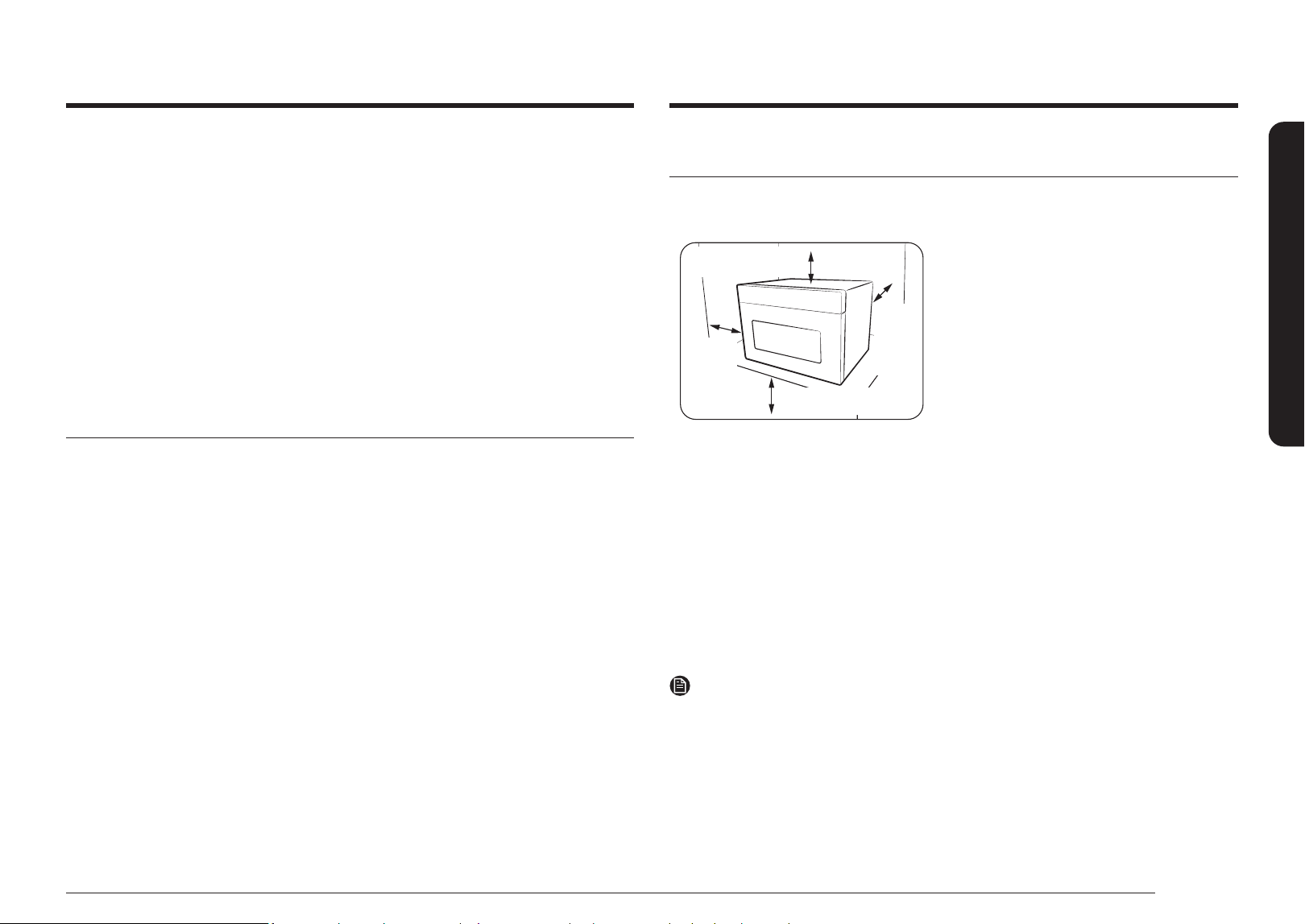
Place the oven on a at level surface 33.5 inches (85 cm) above the oor. The surface should
be strong enough to safety bear the weight of the oven.
33.5 inches (85 cm)
from the oor
7.875 inches (20 cm)
from above
4 inches
(10 cm)
from the
rear wall
4 inches
(10 cm)
from the
side
Trim kit(MA-TK3080CT/AA) is required in order to
be installed in a built-in application.
1. When you install your oven, make sure there is
adequate ventilation for your oven by leaving
at least 4 inches (10 cm) of space behind and,
on the sides of the oven and 7.875 inches
(20 cm) of space above.
2. Remove all packing materials inside the oven.
3. Install the roller ring and turntable. Check that
the turntable rotates freely. (Turntable type
model only)
4. This microwave oven has to be positioned so
that plug is accessible.
5. This microwave oven has to be positioned so that plug is accessible.
• If the supply cord is damaged, it must be replaced by the manufacturer, a service agent, or
a similarly qualied person in order to avoid a hazard. For your personal safety, plug the
cable into a proper AC earthed socket.
• Do not install the microwave oven in hot or damp surroundings like next to a traditional
oven or radiator. The power supply specications of the oven must be respected and any
extension cable used must be of the same standard as the power cable supplied with the
oven. Wipe the interior and the door seal with a damp cloth before using your microwave
oven for the rst time.
NOTE
• A trim kit is available for select models (MC12DB8700**). The trim kit allows you to install
this microwave in a cabinet or any other built-in application. For complete installation
instructions, see the trim kit installation manual. To purchase trim kit visit our online
store.
• When using the trim kit, make sure to turn off the Door Auto Lock function before using it.
Please refer to the Door Auto Lock guide on page 13.
10 English
Installation
Installation
What’s included
Make sure all parts and accessories listed on this page and the next page are included in the
product package. If you have a problem with the oven or accessories, contact a local Samsung
customer center or the retailer.
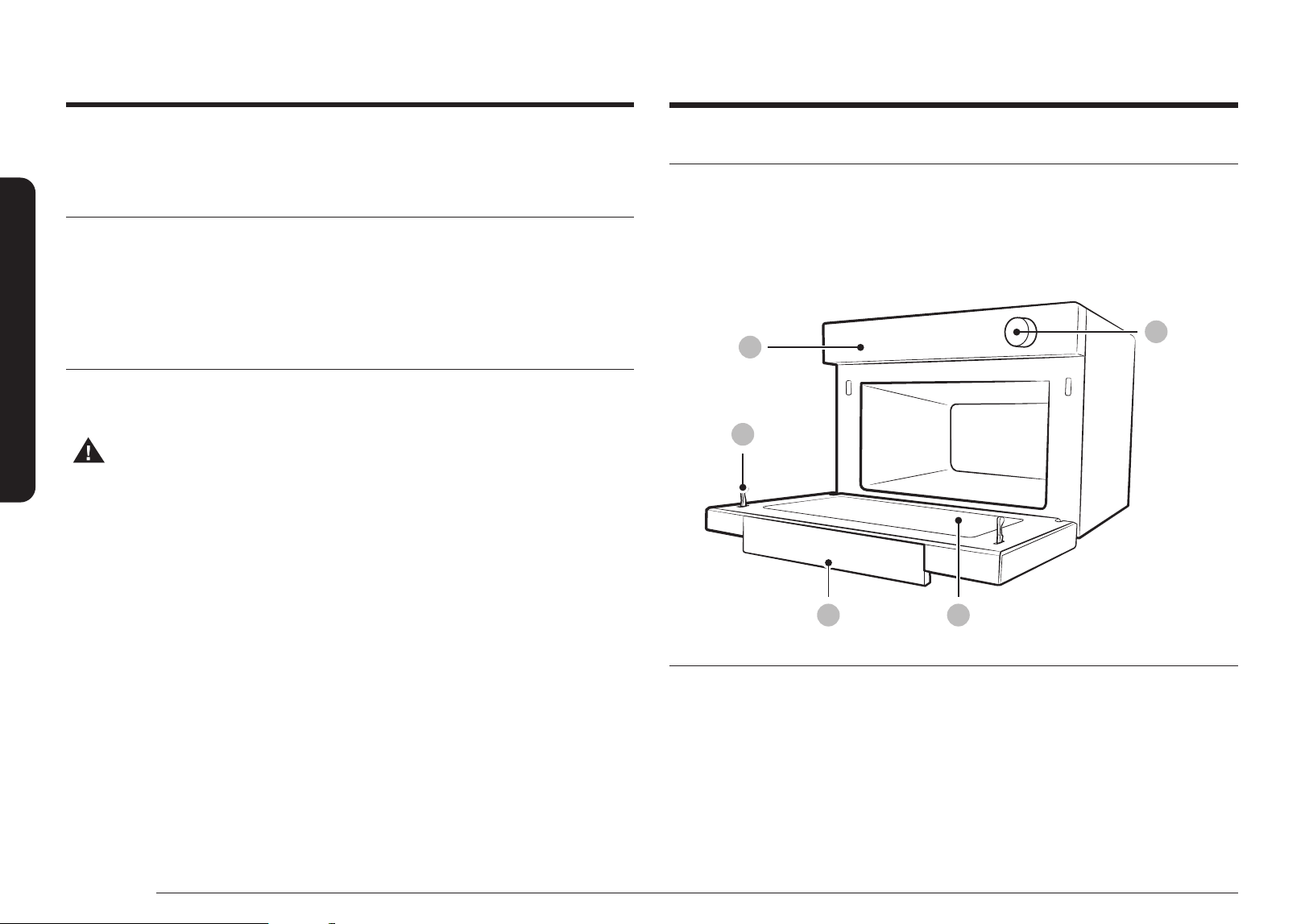
Oven at a glance
01
05
02
03 04
01 Control panel 02 Safety Door Lock 03 Door Handle
04 Door 05 Dial
Important safety instructions
CLEANING THE TURNTABLE AND
ROLLER RINGS
Clean the roller rings periodically and wash the turntable as required. You can wash the
turntable safely in your dishwasher.
STORING AND REPAIRING YOUR
MICROWAVE OVEN
If you need to store your microwave oven for a short or extended period of time, choose a
dust-free, dry location. Dust and dampness may adversely affect the microwave parts.
• Do not repair, replace or service any part of your microwave oven yourself.
Allow only a qualied service technician to perform repairs. If the oven is faulty
and needs servicing, or you are in doubt about its condition, unplug the oven
from the power outlet and contact your nearest service center.
• Do not use the oven if it is damaged, in particular, if the door or door seals are
damaged. Door damage includes a broken hinge, a worn out seal, or distorted/
bent casing.
• Do not remove the oven from its casing.
• This microwave oven is for home use only and is not intended for commercial use.
English 11
Installation
Accessories
The oven comes with different accessories that help you prepare different types of food.
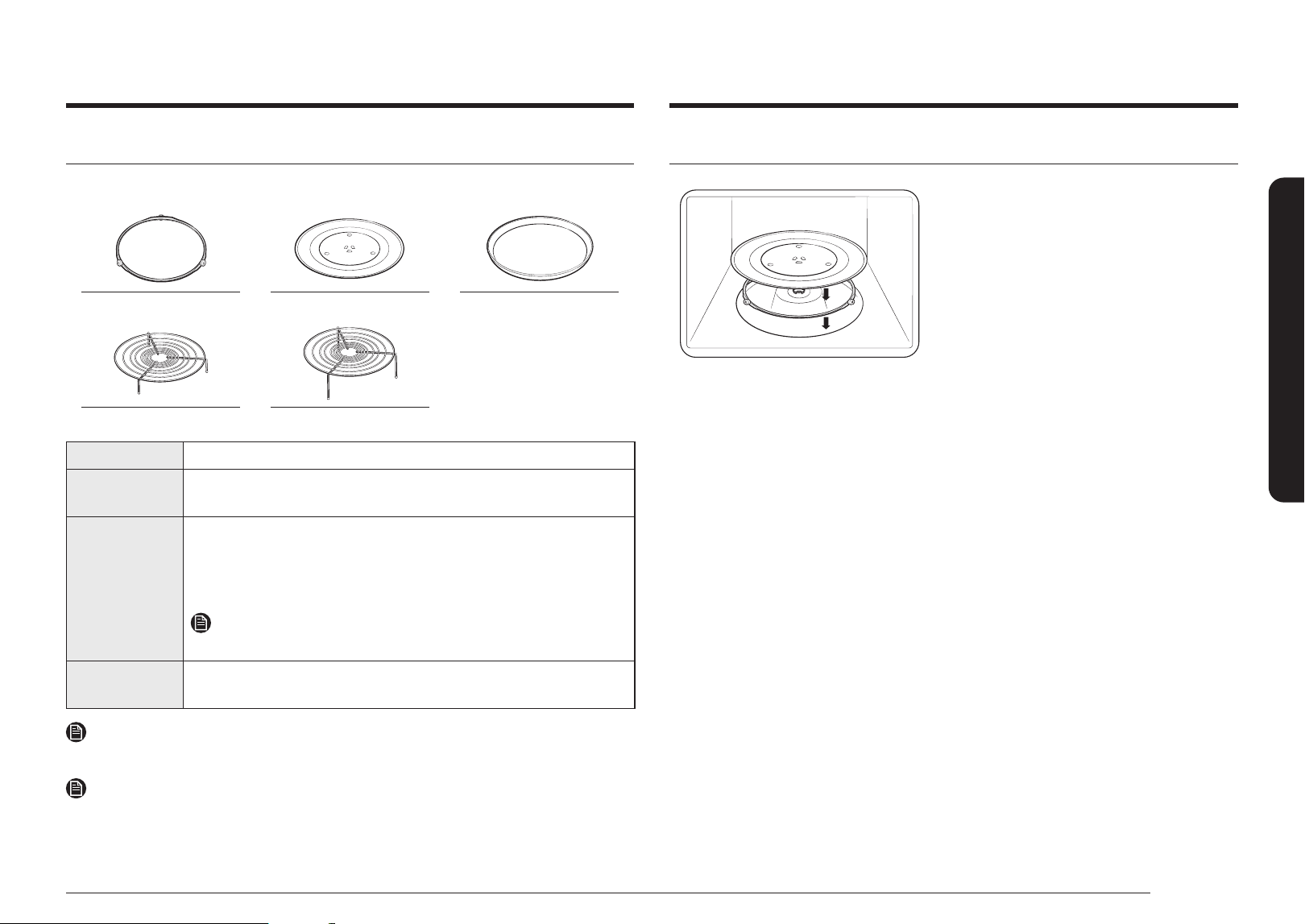
Roller ring Turntable Crusty plate
Low rack High rack
Roller ring Put in the center of the base. It supports the turntable.
Turntable Put on the roller ring with the center tting the coupler. It serves as a
cooking base.
Racks Use one of these racks as appropriate to cook two dishes
simultaneously. A smaller dish on the turntable, and the other on
the selected rack. You can use these racks with Grill Convection or
Combination Cooking.
NOTE
Do not use wire racks with Microwave mode.
Crusty plate Put on the turntable. Use this to brown food, or to keep pastries or pizza
crisp.
IMPORTANT
DO NOT operate the oven without the turntable on the roller ring.
NOTE
If you need an accessory, please contact the Samsung Call Center using the phone number
listed on the last page of this manual or visit our online parts web site at
www.samsungparts.com.
Turntable
• Remove all packing materials inside the oven.
• Install the roller ring and turntable.
• Check that the turntable rotates freely.
12 English
Maintenance
Maintenance
Replacement (repair)
WARNING
This oven has no user-removable parts inside. Do not try to replace or repair the oven yourself.
• If you encounter a problem with hinges, seal and/or the door, contact a qualied
technician or a local Samsung service center for technical assistance.
• If you want to replace the light bulb, contact a local Samsung service center.
Do not replace it yourself.
• If you encounter a problem with the outer housing of the oven, rst unplug the power cord
from the power source, and then contact a local Samsung service center.
Care during an extended period of disuse
If you don’t use the oven for an extended period of time, unplug the power cord and move the
oven to a dry, dust-free location. Dust and moisture that builds up inside the oven may affect
the performance of the oven.
Cleaning
Clean the oven regularly to prevent impurities from building up on or inside the oven.
Also pay special attention to the door, door seal, and turntable and roller ring (applicable
models only).
If the door won’t open or close smoothly, rst check if the door seals have built up impurities.
Use a soft cloth in soapy water to clean both the inner and outer sides of the oven.
Rinse and dry well.
To remove stubborn impurities from inside the oven
1. With an empty oven, put a cup of diluted lemon juice on the center of the turntable.
2. Heat the oven for 10 minutes at max power.
3. When the cycle is complete, wait until the oven cools down. Then, open the door and clean
the cooking cavity.
CAUTION
• Keep the door and door seal clean and ensure the door opens and closes smoothly.
Otherwise, the oven’s lifecycle may be shortened.
• Take caution not to spill water into the oven vents.
• Do not use any abrasive or chemical substances for cleaning.
• After each use of the oven, use a mild detergent to clean the cooking cavity after waiting
for the oven to cool down.
Maintenance
English 13
Before you start
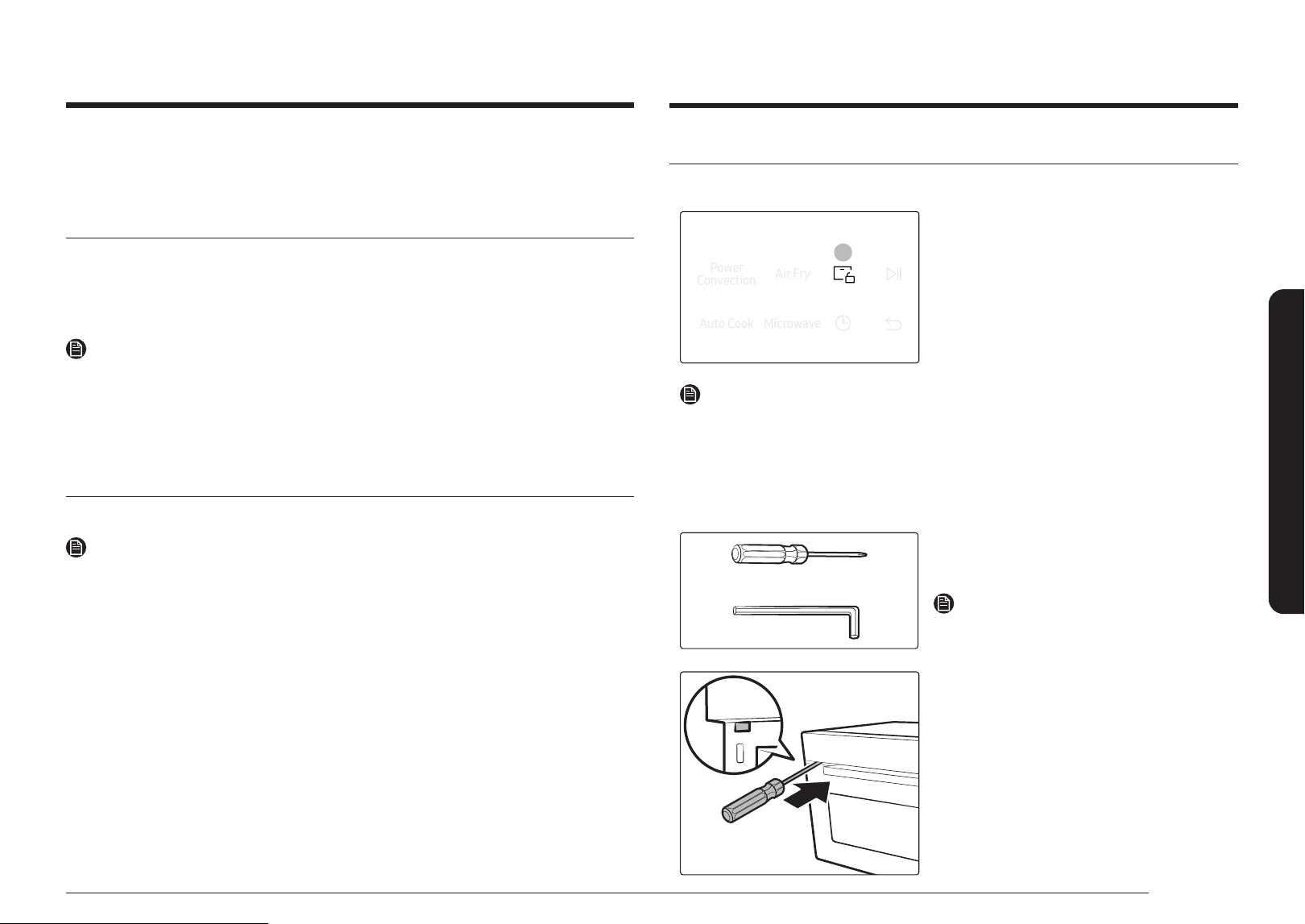
To open the door
Touch Door Unlock to open the door.
01
1. Touch Door Unlock.
2. Open the door.
NOTE
When the microwave oven stops while working due to a power outage or malfunction,
force the door open through the following steps.
1. Before you force the door open, unplug your oven.
2. Find forced open hole located on the front.
3. Insert the following tool into the forced open hole and pull the door while pressing it.
Required tool for service
Use the commercial tools less than 2 mm in
diameter, longer than 100 mm.
NOTE
Tools for service is not included.
4. When error codes occurs for the Door Unlock
function, the service must be received.
Before you start
There are a two microwave components that you should know about before going directly to a
recipe. Before or during any cooking mode, you can set/change the clock or the kitchen timer
to your needs.
Set Date & Time
It is important to set the correct clock time to ensure correct automatic operations.
1. Use the Dial to nd and select Setting.
2. Use the Dial to nd and select Date & Time.
3. Use the Dial to select Manual Mode.
NOTE
This guide is for manual mode. If you connect your microwave to SmartThings, the date & time
can be updated automatically.
4. Use the Dial to enter month, day, year, hour and minute.
5. For 12 hour display mode, use the Dial to set AM or PM.
Door Auto Lock
When Door Auto Lock function is on, the door will be locked automatically for safety reasons.
NOTE
• When oven is powered up at rst, it will not lock until it is operate in any mode.
• If nothing is operated for 30 minutes after cooking, door will be unlocked and can be
opened without touching Door Unlock button.
• The door is not locked in standby mode other than cooking operation.
To turn Door Auto Lock function on or off.
1. Use the Dial to nd Door Auto Lock at Setting.
2. Select on or off, then press the Dial.
14 English
Before you start
Cookware for microwave mode
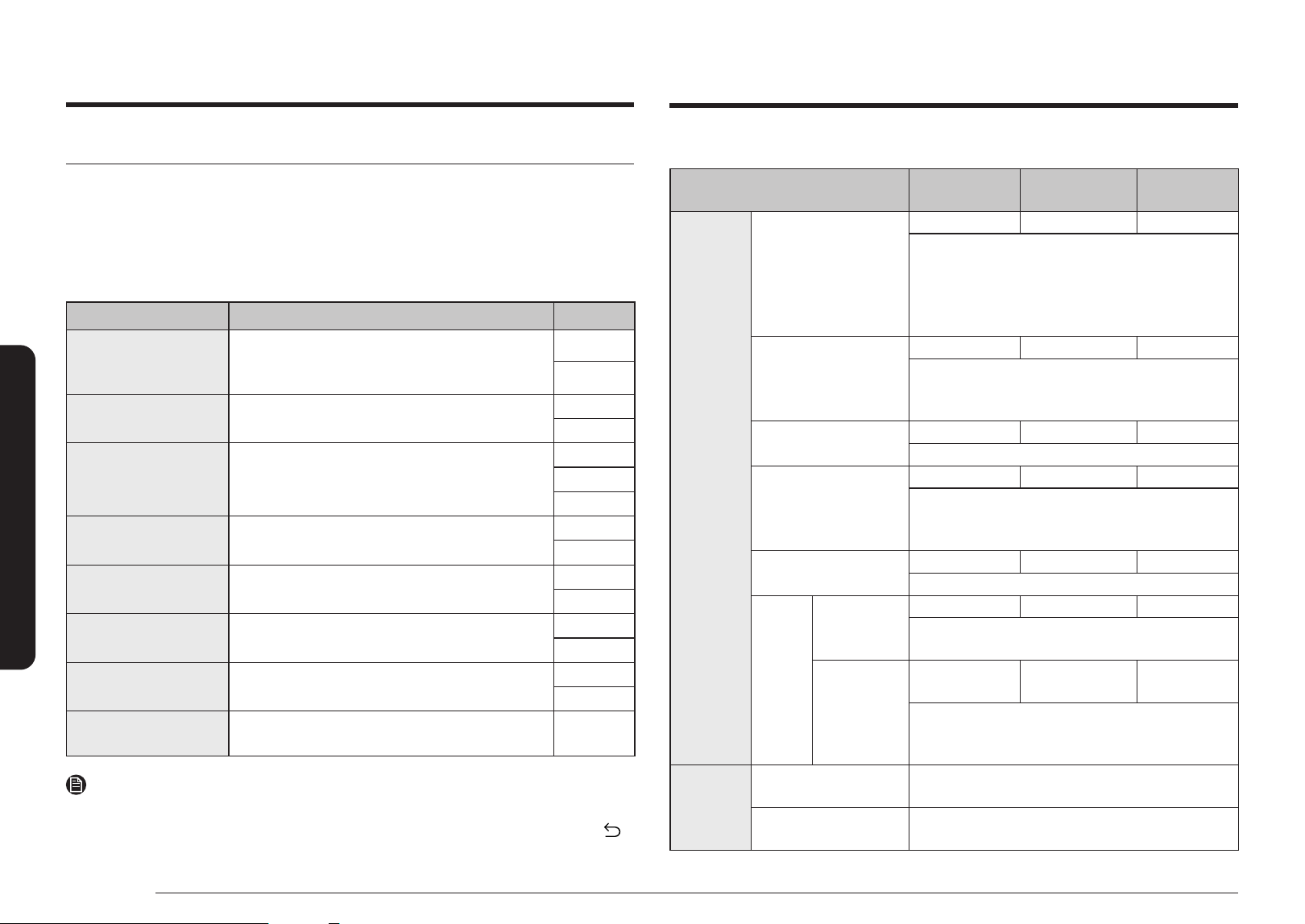
Cookware used for Microwave Mode must allow microwaves to pass through and penetrate
food. Metals such as stainless steel, aluminum, and copper reect microwaves. Therefore, do
not use cookware made of metallic materials. Cookware marked Microwave safe is always
safe for use. For additional information on appropriate cookware, refer to the following guide.
Requirements:
• Flat bottom and straight sides
• Tight-tting lid
• Well-balanced pan with handles that weigh less than the main pan
Material
Microwave-
safe
Description
Aluminium foil
Use for a small serving size to
protect against overcooking.
Arcing can occur if the foil is near
the oven wall or if using an excessive
amount of foil.
Crusty plate
Do not use for preheating for more
than 8 minutes.
Bone china or earthenware
Porcelain, pottery, glazed
earthenware and bone china are
usually microwave-safe, unless
decorated with a metal trim.
Disposable polyester cardboard
dishes
Some frozen foods are packaged in
these dishes.
Fast-food
packaging
Polystyrene cups or
containers
Overheating may cause these to
melt.
Paper bags or
newspaper
These may catch re.
Recycled paper or
metal trims
These may cause arcing
Control Lock
To prevent accidents, Control Lock disables all controls except
.
To turn Control Lock function on, use Dial to nd Control Lock at Setting.
Hold down
button for 3 sec to turn Control Lock off.
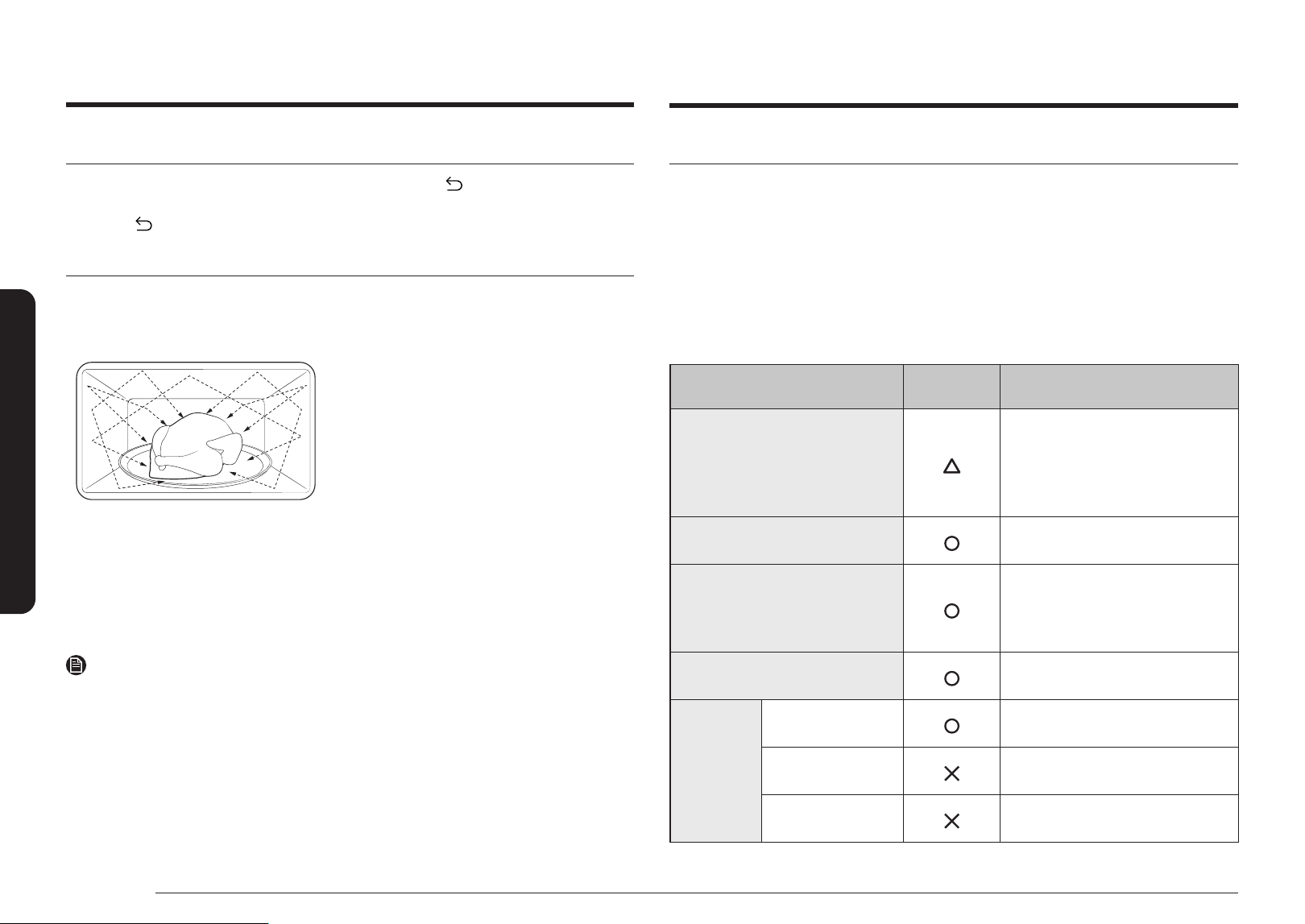
About microwave energy
Microwaves are high-frequency electromagnetic waves. The oven uses its built-in magnetron
to generate microwaves which cook or reheat food without deforming or discolouring the
food.
1. The microwaves generated by the magnetron
are distributed uniformly by the whirling
distribution system. This is why the food is
cooked evenly.
2. The microwaves are absorbed into the food
up to a depth of approximately 1 inch (2.5 cm).
Then, the microwaves are dissipated inside the
food as cooking continues.
3. The cooking time is affected by the following
conditions of the food:
• Quantity and density
• Moisture content
• Initial temperature (especially, when
frozen)
NOTE
The cooked food keeps heat in its core after cooking is complete. This is why you must observe
the standing times specied in this manual, which ensure that the food is cooked evenly
down to the core.
Before you start
English 15
Operations
Operations
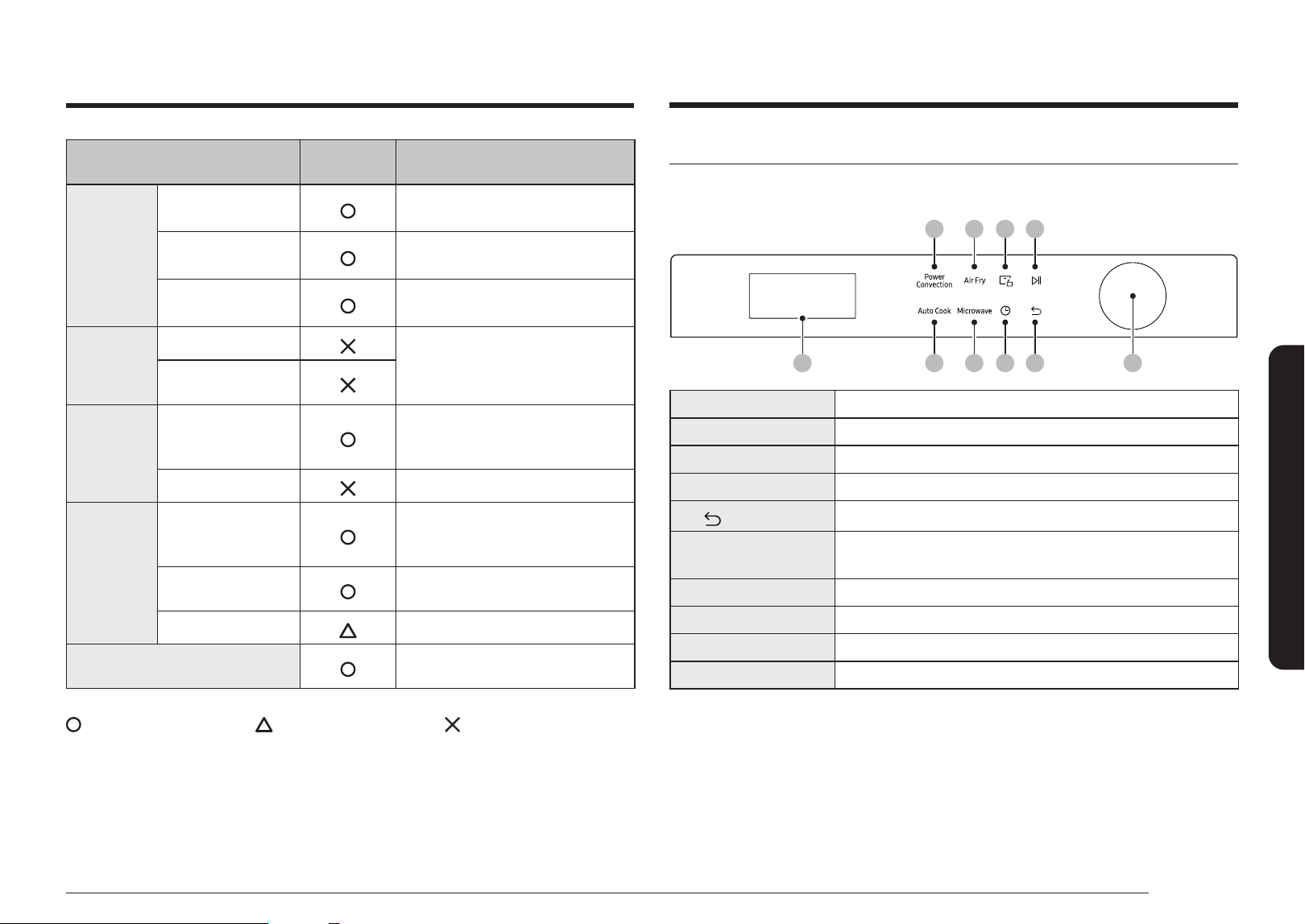
Control panel
The front panel comes in a wide range of materials and colors. For improved quality, the
actual appearance of the oven is subject to change without notice.
8=8<8;8:
988A8@8?
898>
01 Display Shows necessary information for selected function or settings.
02 Auto Cook To select custom dishes.
03 Microwave To select microwave mode.
04 Cook Time To set change cooking times during cooking.
05
Button
To return to previous stage or default mode.
06 Dial
To set the mode or adjust auto cook, time, weight, temp, etc.
You can turn left of right, and press to select.
07 Power Convection
To select Power Convection mode.
08 Air Fry To select Air Fry mode.
09 Door Unlock To open the Door.
10 Start/Stop Button To start or stop cooking.
Material
Microwave-
safe
Description
Glassware
Oven-to-table ware
Microwave-safe unless decorated
with metal trims.
Fine glassware
Delicate glassware may break or
crack if heated rapidly.
Glass jars
Appropriate for warming only.
Remove the lid before cooking.
Metal
Dishes
These may cause arcing or re.
Freezer bag with
twist-ties
Paper
Plates, cups,
napkins, and kitchen
paper
Use to cook for a short time.
These absorb excess moisture.
Recycled paper
Causes arcing.
Plastic
Containers
Use thermoplastic containers only.
Some plastics may warp or discolour
at high temperatures.
Cling lm
Use to maintain moisture after
cooking.
Freezer bags
Use boilable or ovenproof bags only.
Wax or grease-proof paper
Use to maintain moisture and
prevent spattering.
: Microwave safe : Use caution : Microwave unsafe
16 English
Operations
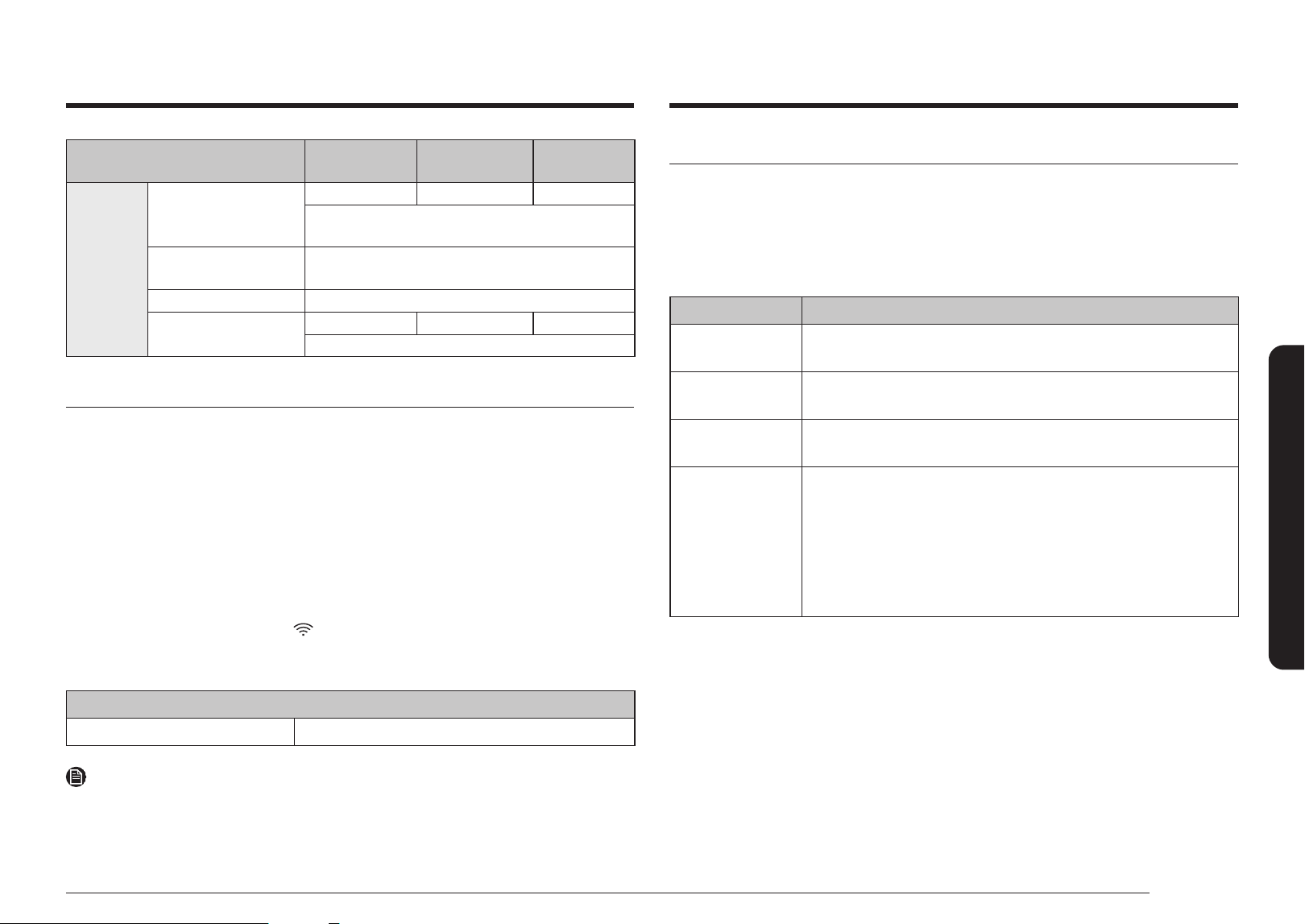
Feature overview
Feature
Temp./
Power range
Default Temp./
Power
Max. time
Manual
mode
Power Convection
300 - 450 °F 400 °F 60 min.
Power Convection is similar to Convection mode.
However, the heating elements generate stronger
heat and distribute stronger air current inside the
oven. This is designed to cook food faster while
keeping or improving the taste.
Convection
100 - 450 °F 350 °F 60 min.
The heating elements generate heat, which is
evenly distributed inside the oven by the convection
fan. Use this mode for frozen food or baking.
Air Fry
300 - 450 °F 400 °F 60 min.
You can cook using air fry mode.
Microwave
10 - 100 % 100 % 90 min.
The microwave energy enables food to be cooked
or reheated without changing either the form or the
color.
Grill
- - 60 min.
Use this for grilling food such as meat.
Combi
Grill Combi
10 - 70 % 70 % 60 min.
The heating elements generate heat, which is
reinforced by microwave energy.
Convection
Combi
100 - 400 °F
10 - 70 %
350 °F
70 %
60 min.
The heating elements generate heat and the
convection fan distributes the heat inside the oven,
which is reinforced by microwave energy.
Auto
mode
Auto Cook
For cooking beginners, the oven offers a total of
44 auto cooking programs.
Defrost
The oven offers 4 defrosting programs for your
convenience.
System Settings
You can customize your new microwave oven to suit your preferences.
To customize:
1. Use the Dial to nd and select Setting.
2. Use the Dial to select a function you want to customize.
3. Use the Dial to select desired option.
The functions and options are listed in the table below.
Function Description Options
My Pattern
The My Pattern function can be turned on or off.
It will let you see the most used cooking mode rst
on the display.
On
Off
Sounds The Sound can be turned on or off.
On
Off
Screen Saver Screen Saver options are 5 min, 10 min, and 15 min.
5 min.
10 min.
15 min.
Use 24-hour Format
The clock can display in either the 12 hr or 24 hr
time mode.
12 hr
24 hr
Language
You can choose the Language of your microwave
oven.
English
French
Smart Control
You can use the SmartThings app to make the
most out of smarter living.
On
Off
Wi-Fi The Wi-Fi function can be turned on or off.
On
Off
Factory Reset
You can reset to factory default settings. All of the
data will be erased permanently.
-
NOTE
Standby state: After 3 minutes of inactivity on the control panel, the oven enters the Standby
state where only the current time is displayed. After 10 more minutes of inactivity or touch ,
the oven enters the Stop state.
Operations
English 17
Operations
Feature
Temp./
Power range
Default Temp./
Power
Max. time
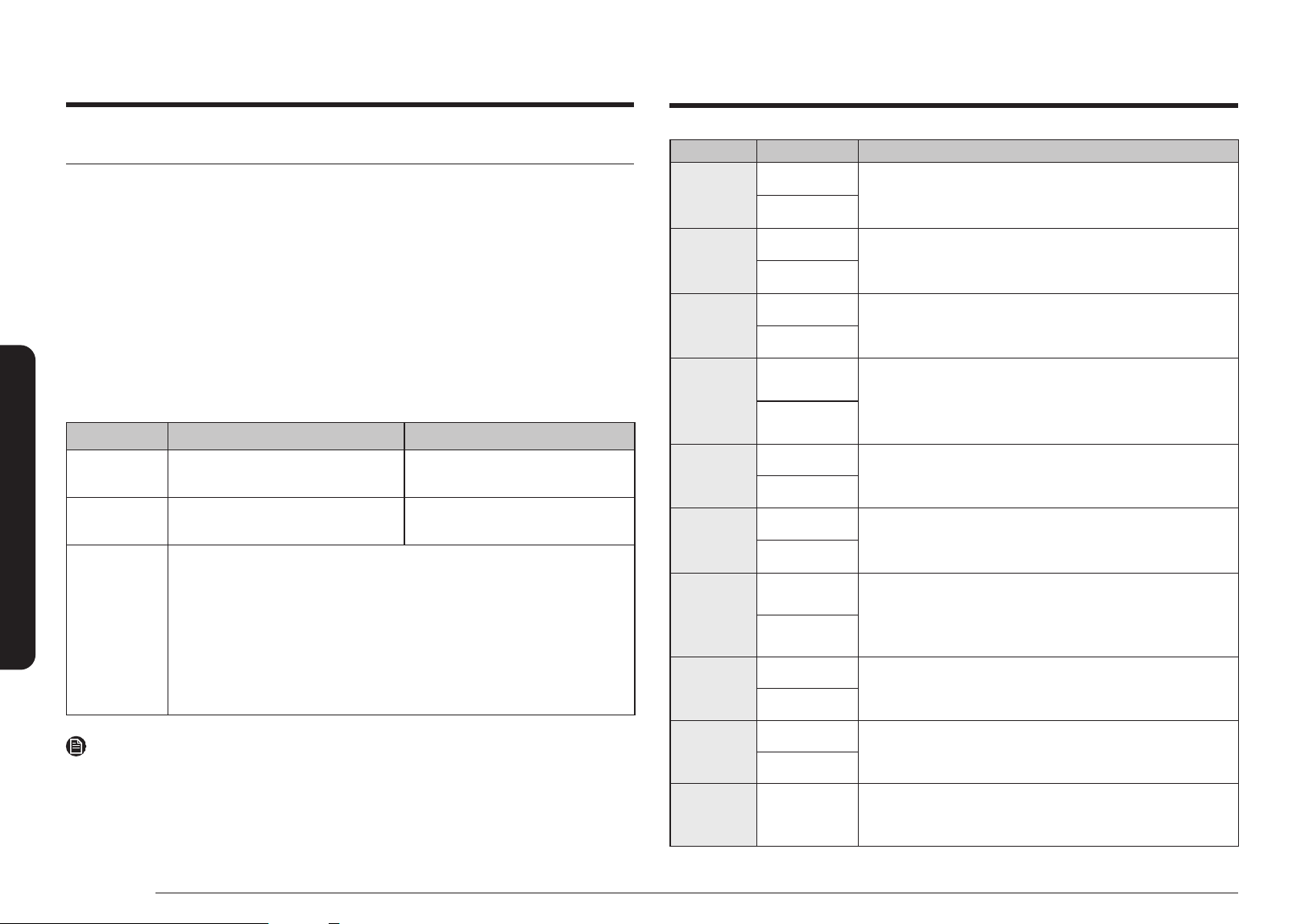
Special
functions
Keep Warm
125 - 175 °F 150 °F 3 hrs.
Use this only for keeping food you have just cooked
warm.
Recent Recipes
Up to 10 recently cooked custom cooking lists and
detailed options are saved.
Favorites You can save your favorite recipies.
Deordorization
- - 15 min.
Use to reduce the smell of food inside after cooking.
Smart control
To use the microwave oven’s Smart Control, you must download the SmartThings app to a
mobile device.
Functions operated by the SmartThings app may not work smoothly if communication
conditions are poor or the microwave oven is installed in a place with a weak Wi-Fi signal.
How to connect the microwave oven
1. Download and open the SmartThings app on your smart device.
2. Follow the app’s on-screen instructions to connect your microwave oven.
3. To operate smart control function from the microwave oven, use the Dial to turn Smart
Control function on.
4. Once the process is complete, the
icon appears on your microwave oven display and
the app will conrm you are connected.
5. If the connection icon does not turn on, follow the instruction on the app to reconnect.
Microwave Oven remote control using the SmartThings app
Microwave Oven Monitoring Check the status of the microwave oven
NOTE
• For safety reasons, you cannot turn on the microwave oven remotely and you must specify
the cooking time to enable remote control.
• Smart Control will not work properly if the Wi-Fi Connection is unstable.
Voice control
To use the microwave oven’s Voice Control function, you need Bixby / Amazon Alexa App /
Google Assistant App on your mobile device.
Bixby
Start conversation with Bixby on SAMSUNG mobile by saying “Hi Bixby” or by pressing the
side key.
Function Bixby Command
Turn Off/Stop
• Cancel the microwave
• Turn off the microwave
Check Time
• Check the remaining time of the microwave
• How much time is left on the microwave timer?
Check Status
• Check the microwave status
• Check the status of the microwave
Send Auto Cook
Recipe
• Cook pizza • Cook pizza for 2 • Cook 2 slices of pizza
• Heat pizza • Heat pizza for 2 • Heat 2 slices of pizza
• I want to cook
pizza
• I want to cook
pizza for 2
• I want to cook 2 slices
of pizza
• Can you cook
pizza?
• Can you cook pizza
for 2?
• Can you cook 2 slices
of pizza?
18 English
Operations
Amazon Alexa & Google Assistant
Samsung smart home appliances are supported by SmartThings skill in Alexa & action in
Google Assistant.
Installation Guide
Here’s how to link SmartThings account into Amazon Alexa or Google Assistant. SmartThings
App and Alexa App (or Google Assistant App) Should be installed on your phone.
1. Setup the supported devices to SmartThings.
2. After device setup, tap + button on the screen.
3. Tap Voice assistant and link your Samsung account to Amazon Alexa. (or Google Assistant)
4. Check the devices are visible on Amazon Alexa app. Then account linking is complete.
(Check the devices are visible and set the location(home&room) of devices in Google home
app. Then account linking is complete.)
Function ‘Alexa’ ‘OK Google’
Turn Off/Stop
• Turn off the microwave
• Stop the microwave
• Turn off the microwave
• Stop the microwave
Check Status
• Is the microwave running?
• Is the microwave on?
• Is the microwave running?
• Is the microwave on?
Send Auto
Cook Recipe
• Cook pizza • Cook pizza for 2 • Cook 2 slices of
pizza
• Heat pizza • Heat pizza for 2 • Heat 2 slices of pizza
• I want to cook
pizza
• I want to cook pizza for 2 • I want to cook
2 slices of pizza
• Can you cook
pizza?
• Can you cook pizza for 2? • Can you cook 2 slices
of pizza?
NOTE
• For safety reasons, you cannot turn on the microwave oven remotely.
• Below table is available menu for Send Auto Cook Recipe function.
Food Amount Instructions
Popcorn
3.0 oz
Use oven popcorn. Follow the instructions on the packaging.
Place the pack on the center of the turntable. Be careful
when removing the heated bag from the oven and opening it.
3.5 oz
Potatoes
2 potatoes
Pierce the potatoes 3 times with a fork. Place the potatoes
around the plate or turntable in a spoke-like fashion. After
cooking, let the potatoes stand for 3 - 5 minutes.
4 potatoes
Pizza
2 slices
Place the pizza slices on a oven-safe plate with the wide ends of
the slices towards the outside edge of the plate. Do not let the
slices overlap. Do not cover.
4 slices
Spinach
2 servings
Wash and clean the spinach. Place the spinach in a oven
safe bowl. Add 1 - 4 tablespoons of water (1 Tbsp per
serving). Cover with vented (1 inch vent) plastic wrap while
cooking. stir afterwards.
4 servings
Brown Rice
1 serving
Place
1
/
2
cup brown rice and 1 cup water for 1 serving in
a oven safe bowl. Stir well before and uff with a fork
afterwards. Let stand 5 minutes before serving.
2 servings
Fresh Fish
Fillets
1 serving
Place the sh llets on the oven safe dish. Cover with
vented(1 inch vent) plastic wrap while cooking and stir before
letting stand. Place the dish on the center of the turntable.
2 servings
Chicken
Nuggets
1 serving
Distribute frozen chicken nuggets evenly on the crusty
plate. Place food on a crusty plate and place it on the high
rack. Serve with Dijon mustard, ranch dressing or your
favorite dipping sauce.
2 servings
French
Fries
1 serving
Distribute frozen thick french fries evenly on the crusty
plate. Place food on a crusty plate and place it on the high
rack. Serve with Ketchup or Dijon mustard.
2 servings
Melt Butter
1 stick
Remove the wrapping and cut the butter in half vertically.
Place the butter in a dish and cover with wax paper. Stir well
after nishing and let stand for 1 - 2 minutes.
2 sticks
Soften
Cream
Cheese
1 pack
Unwrap the cream cheese and place on a oven-safe container.
Operations
English 19
Operations
Manual mode
Step 1. Select mode
Use the Dial to select mode. For example, Convection.
If you select Combi mode, one of these indicators is displayed:
• Grill Combi (Microwave + Grill)
• Convection Combi (Microwave + Convection)
Step 2. Set temperaure or Power level
Use the Dial to adjust the default temperature (or power level). When done, press Dial to
move to the time elements.
Step 3. Set cooking time
Use the Dial to set the cooking time. When done, press Dial or touch
button.
NOTE
• For Microwave mode, step 3 proceeds before step 2.
• You can set cooking time after preheating is done.
Step 4. Preheat
The oven starts preheating until it reaches the set temperature.
CAUTION
• Always use oven gloves while taking out food.
• The microwave fan may continue to operate for 5 minutes after cooking if the temperature
in the oven cavity is too hot.
To change the cooking time during cooking
• For Microwave mode, turn the Dial to adjust the cooking time.
• For Oven modes, use the Dial to select cooking time on display and adjust the cooking
time. Press the Dial again to conrm the change and the oven will resume cooking with
the new settings.
To change the temperature during cooking
• Use the Dial to select temperature on display and adjust the temperature. Press the Dial
again to conrm the change.
• Power level can not be changed during cooking.
To pause or cancel operation
Press Dial or touch
button once to pause operation, and twice to resume.
To cancel the operation, touch and select yes.
Power Convection
Power Convection is similar to the Convection mode. However, the heating elements generate
higher temperature heat and the fan generates stronger air currents inside the oven.
This mode is designed to cook faster while keeping or improving the taste. You can use the
Low rack or a combination of the Low rack and Crusty plate on the turntable.
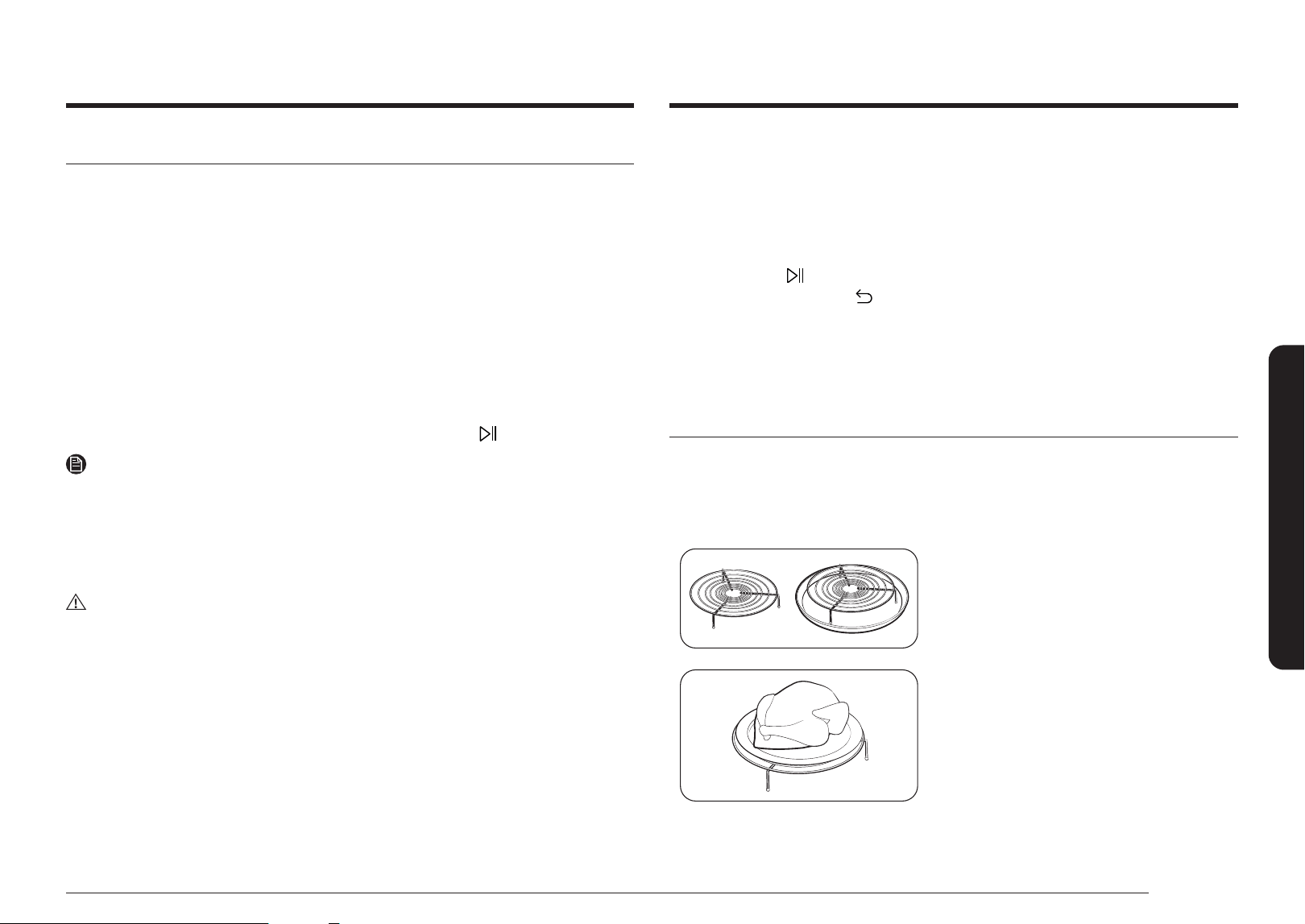
Step 1
>
Step 2
>
Step 3
>
Step 4
Power
Convection
Temperature Cooking time Preheating
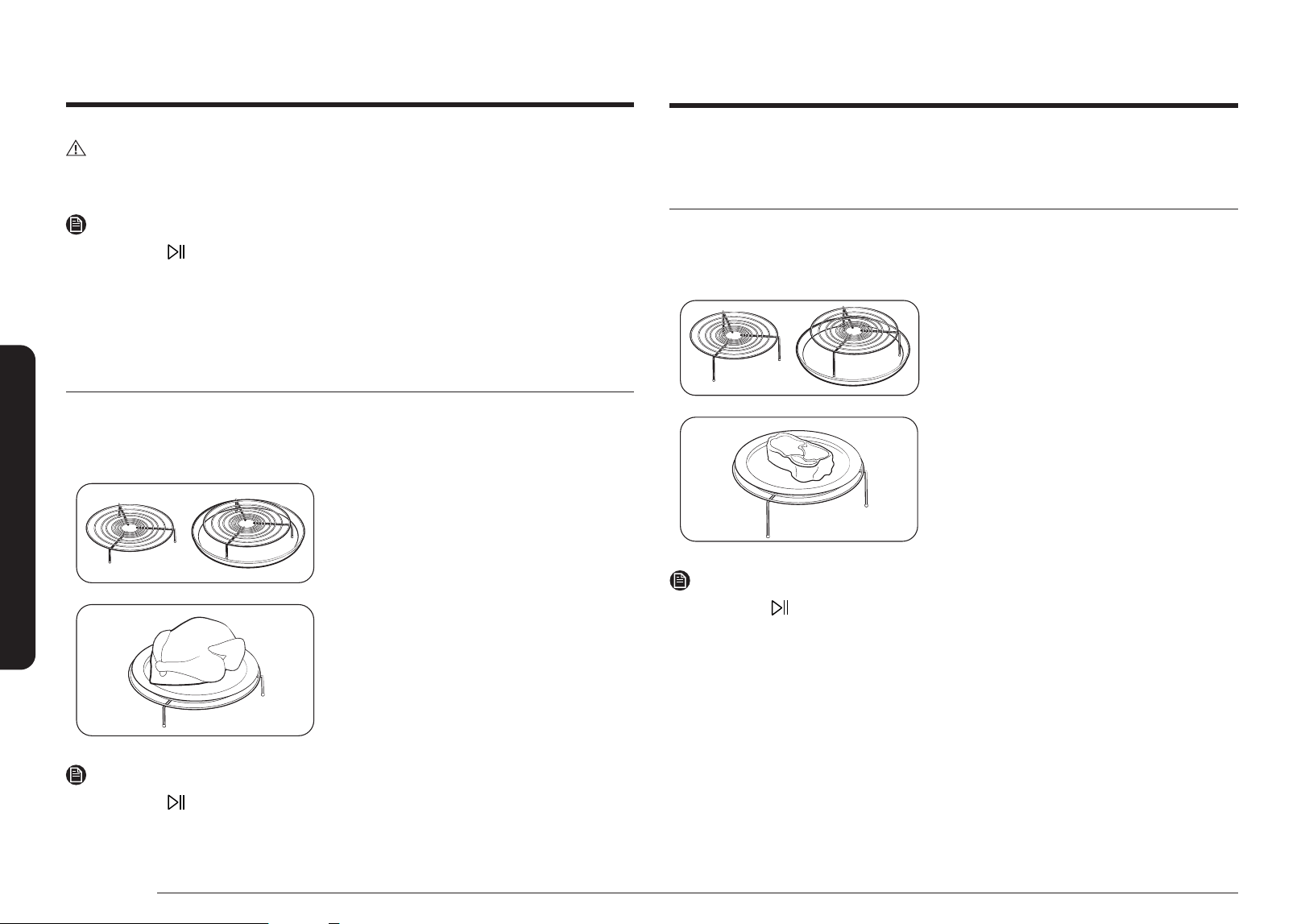
1. Put the Low rack or the combination of the
Low rack and Crusty plate on the turntable.
2. Put food in suitable cookware, then put the
cookware on the rack and close the door.
3. Follow steps 1 - 4 in Manual mode on page 19.
4. When cooking is complete, "Cooking nished!"
appears. Use oven gloves to take out food.
20 English
Operations
CAUTION
Do not use this mode for baking breads, or cooking confectionery. The stronger heat can burn
the tops of food.
NOTE
When you touch
to start after setting the temperature, preheating will start.
Convection
The heating elements generate heat, which is evenly distributed inside the oven by the
convection fan. You can use the Low rack or a combination of the Low rack and Crusty plate
on the turntable. Use this mode for biscuits, individual scones, rolls, and cakes as well as fruit
cakes, choux pastries, and soufés.
Step 1
>
Step 2
>
Step 3
>
Step 4
Convection Temperature Cooking time Preheating
1. Put the Low rack or the combination of the
Low rack and Crusty plate on the turntable.
2. Put food in suitable cookware, then put the
cookware on the rack and close the door.
3. Follow steps 1 - 4 in Manual mode on page 19.
4. When cooking is complete, "Cooking nished!"
appears. Use oven gloves to take out food.
NOTE
When you touch
to start after setting the temperature, preheating will start.
Air Fry
The Air Fry function allows you to fry food crispy without oil. Use a high rack for thin dishes
and a low rack for thick dishes.
Step 1
>
Step 2
>
Step 3
>
Step 4
Air Fry Temperature Cooking time Preheating
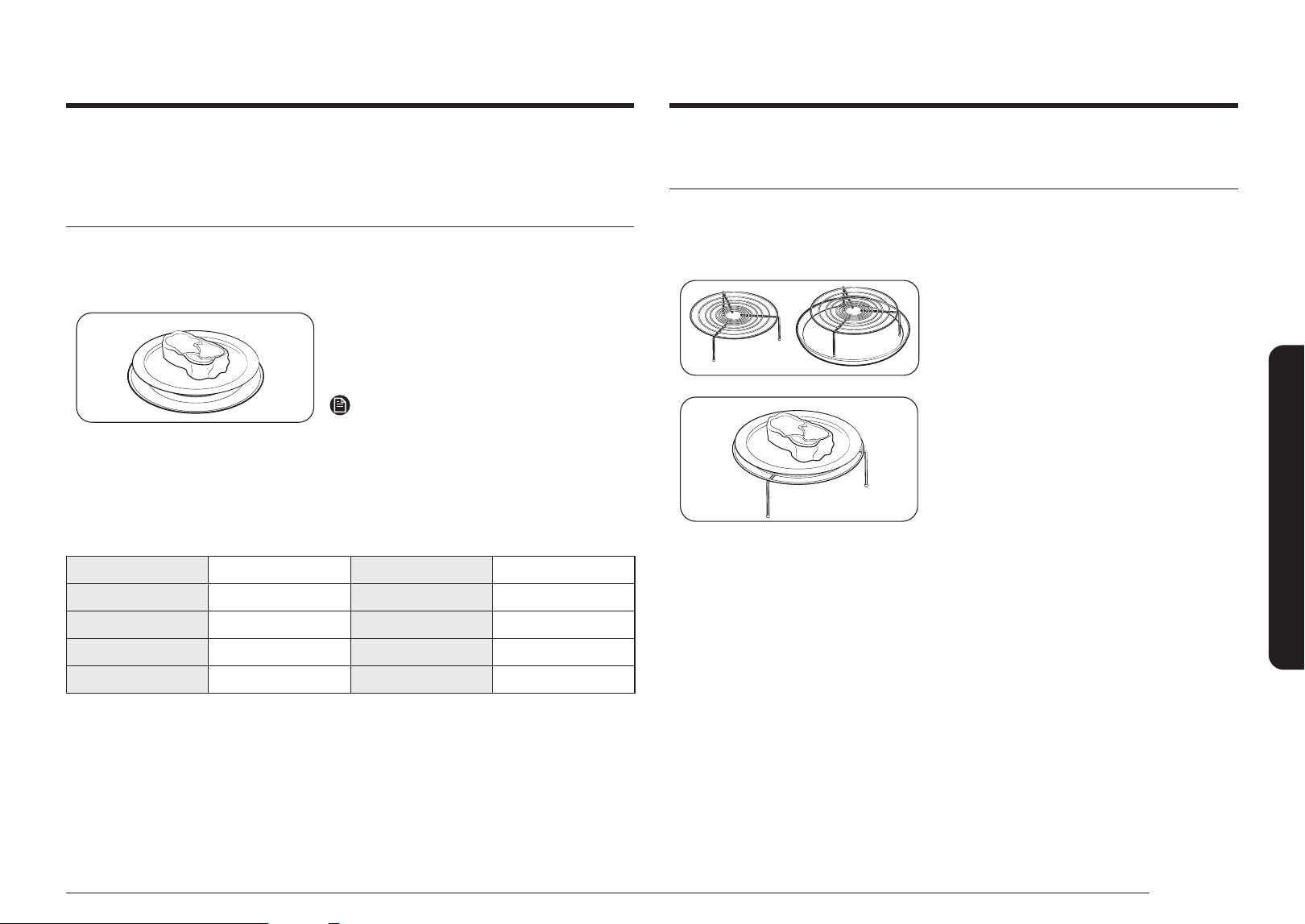
1. Put the High, Low rack or the combination of
the High, Low rack and Crusty plate on the
turntable.
2. Put food in suitable cookware, then put the
cookware on the rack and close the door.
3. Follow steps 1 - 4 in Manual mode on page 19.
4. When cooking is complete, "Cooking nished!"
appears. Use oven gloves to take out food.
NOTE
When you touch
to start after setting the temperature, preheating will start.
Operations
English 21
Operations
Microwave
Microwaves are high-frequency electromagnetic waves. The microwave energy cooks or
reheats food without changing either the form or the color.
• Use only microwave-safe cookware.
Step 1
>
Step 3
>
Step 2
>
Step 4
Microwave Cooking time Power level -
1. Put food in a microwave-safe container, and
then place the container in the center of the
turntable. Close the door.
2. Follow steps 1 - 3 in Manual mode on page 19.
NOTE
For Microwave mode, step 3 proceeds before
step 2.
3. When cooking is complete, "Cooking nished!"
appears. Use oven gloves to take out food.
Power level
100 % High 50 % Medium
90 % Sauté 40 % Medium low
80 % Reheat 30 % Low
70 % Medium high 20 % Defrost
60 % Simmer 10 % Warm
Grill
The heating elements generate heat. Make sure they are in the horizontal position.
Step 1
>
Step 2
>
Step 3
>
Step 4
Grill - Cooking time -
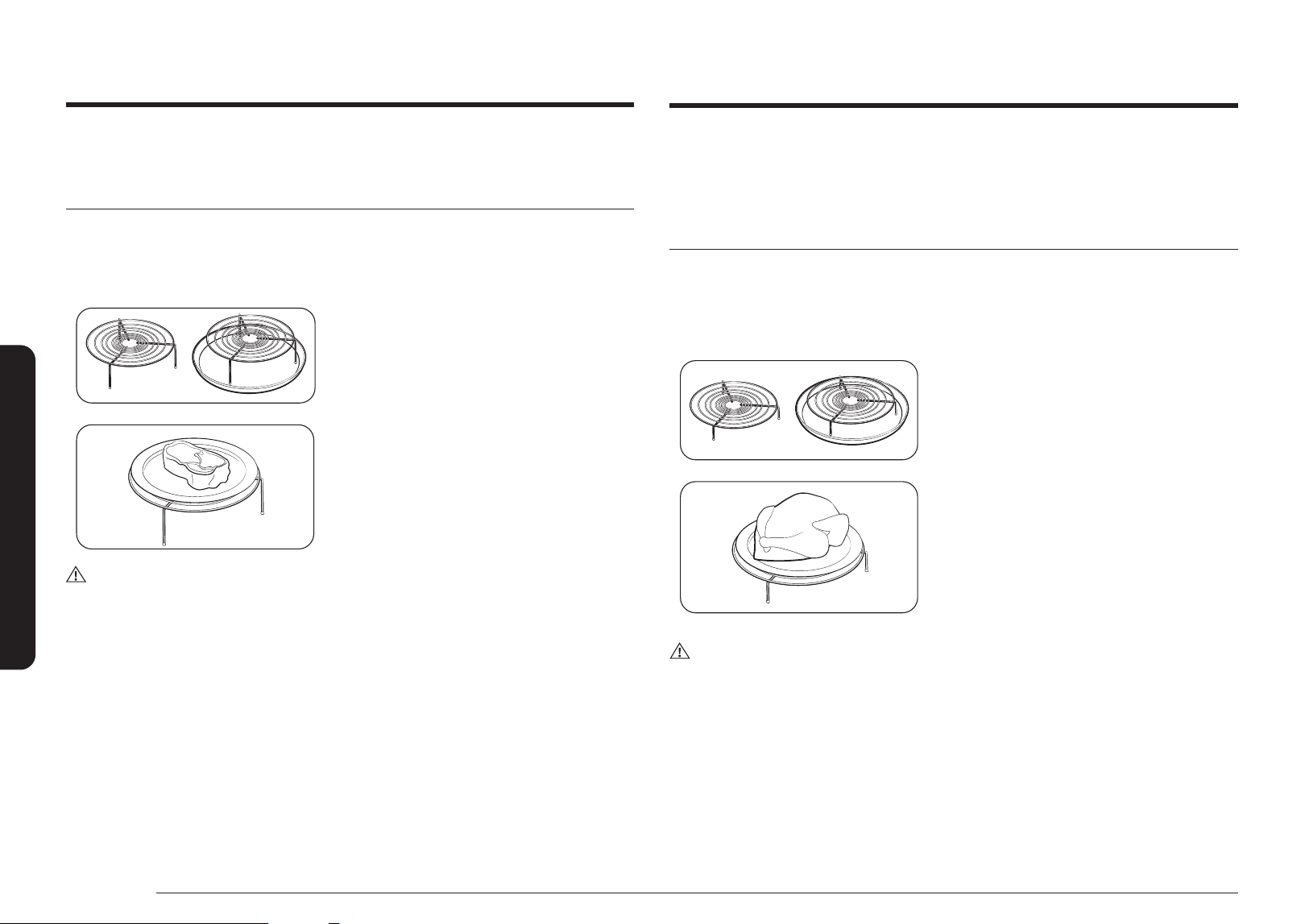
1. Put the High rack or the combination of High
rack and Crusty plate on the turntable.
2. Put food in suitable cookware, then put the
cookware on the rack and close the door.
3. Follow steps 1 and 3 in Manual mode on
page 19.
4. When cooking is complete, "Cooking nished!"
appears. Use oven gloves to take out food.
22 English
Operations
Combi - Convection Combi
This combination mode combines microwave energy with hot air, resulting in reduced cooking
time and producing a brown, crispy surface on the food. Use this mode for all kinds of meat
and poultry as well as casseroles and gratin dishes, sponge cakes and light fruit cakes, pies
and crumbles, roast vegetables, scones, and breads.
Step 1
>
Step 2
>
Step 3
>
Step 4
Combi >
Convection Combi
Temperature and
Power Level
Cooking Time Preheating
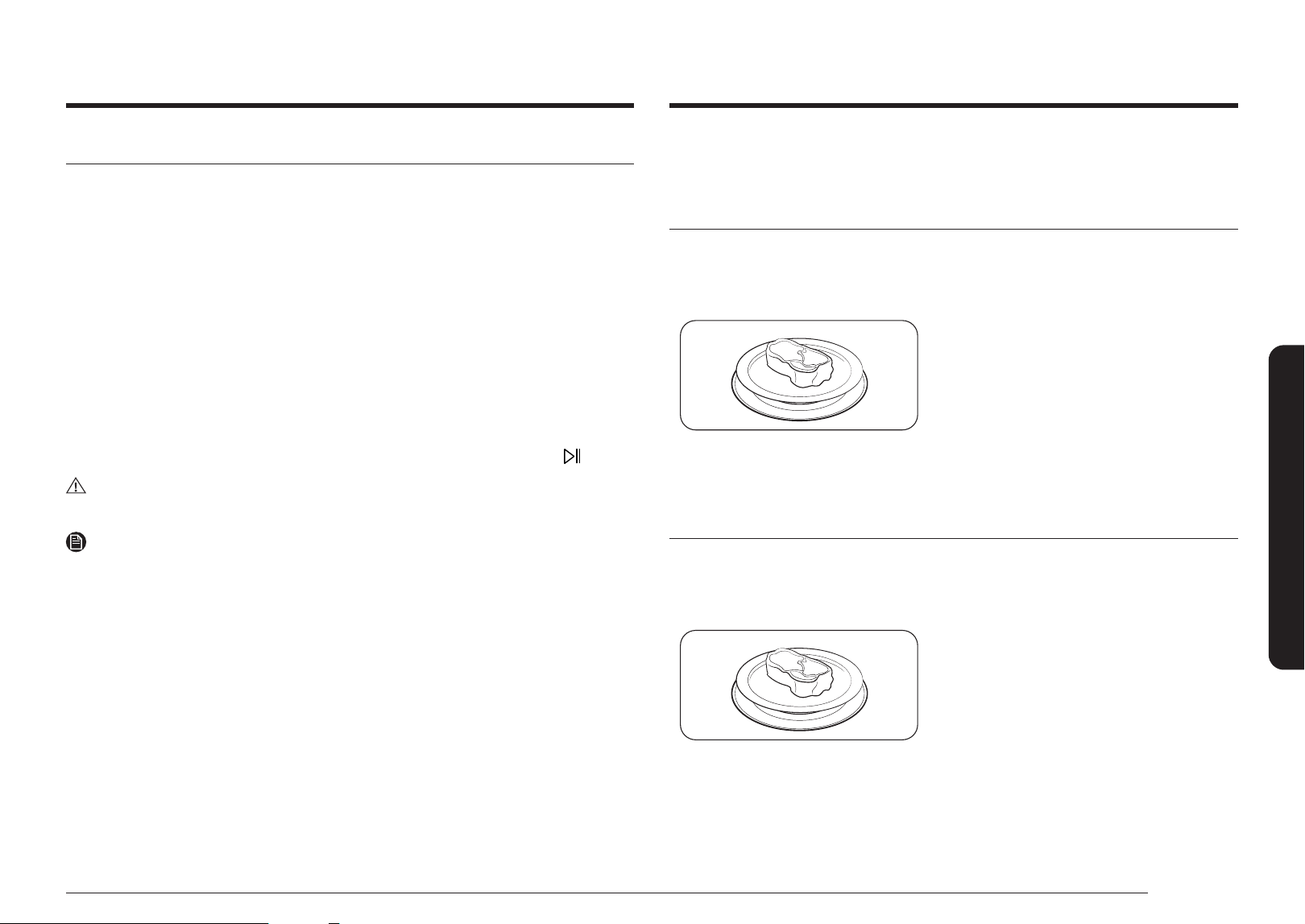
1. Put the Low rack or the combination of the
Low rack and Crusty plate on the turntable.
2. Put food in suitable cookware, then put the
cookware on the rack and close the door.
3. Follow steps 1 - 4 in Manual mode on page 19.
4. When cooking is complete, "Cooking nished!"
appears. Use oven gloves to take out food.
CAUTION
Use only ovenproof cookware, such as cookware made out of glass, pottery, or bone china
without metal trim.
Combi - Grill Combi
The heating elements generate heat, which is reinforced by the microwave energy.
Use only microwave-safe cookware, such as glass or ceramic cookware.
Step 1
>
Step 2
>
Step 3
>
Step 4
Combi > Grill Combi Power Level Cooking Time -
1. Put the High rack or the combination of High
rack and Crusty plate on the turntable.
2. Put food in suitable cookware, then put the
cookware on the rack and close the door.
3. Follow steps 1 - 3 in Manual mode on page 19.
4. When cooking is complete, "Cooking nished!"
appears. Use oven gloves to take out food.
CAUTION
Use only ovenproof cookware, such as cookware made out of glass, pottery, or bone china
without metal trim.
Operations
English 23
Operations
Auto Cook
For cooking beginners, the oven offers a total of 44 auto cooking programs. Take advantage
of this feature to save time or shorten your learning curve. The cooking time and temperature
will be adjusted according to the selected recipe.
Step 1
>
Step 2
>
Step 3
>
Step 4
Auto Cook Category Food Serving Size
1. Put food in suitable cookware, then put the
cookware on the turntable and close the door.
2. Follow steps 1 - 4 in Auto mode on page 23.
3. When cooking is complete, "Cooking nished!"
appears. Use oven gloves to take out food.
Defrost
The oven offers 4 defrosting programs for your convenience. The time and power levels are
automatically adjusted according to the selected program.
Step 1
>
Step 2
>
Step 3
>
Step 4
Defrost Category - Weight
1. Put food in suitable cookware, then put the
cookware on the turntable and close the door.
2. Follow steps 1, 2 and 4 in Auto mode on
page 23.
3. When defrosting is complete, "Cooking
nished!" appears. Use oven gloves to take
out food.
Auto mode
The oven offers 2 different auto modes for your convenience: Auto Cook and Defrost.
Select one that best ts your needs.
Step 1. Select mode
Use the Dial to nd and select mode. For example, Auto Cook.
Step 2. Select category
Use the Dial to select category. For example Auto Air Fry.
Step 3. Select food
Use the Dial to select a preferred program, and then press the Dial.
Step 4. Set serving size or weight
Use the Dial to set the serving size (or weight). When done, press the Dial or touch
button.
CAUTION
Always use oven gloves when taking out food.
NOTE
The cooking time is pre-programmed according to the auto mode and cannot be changed.
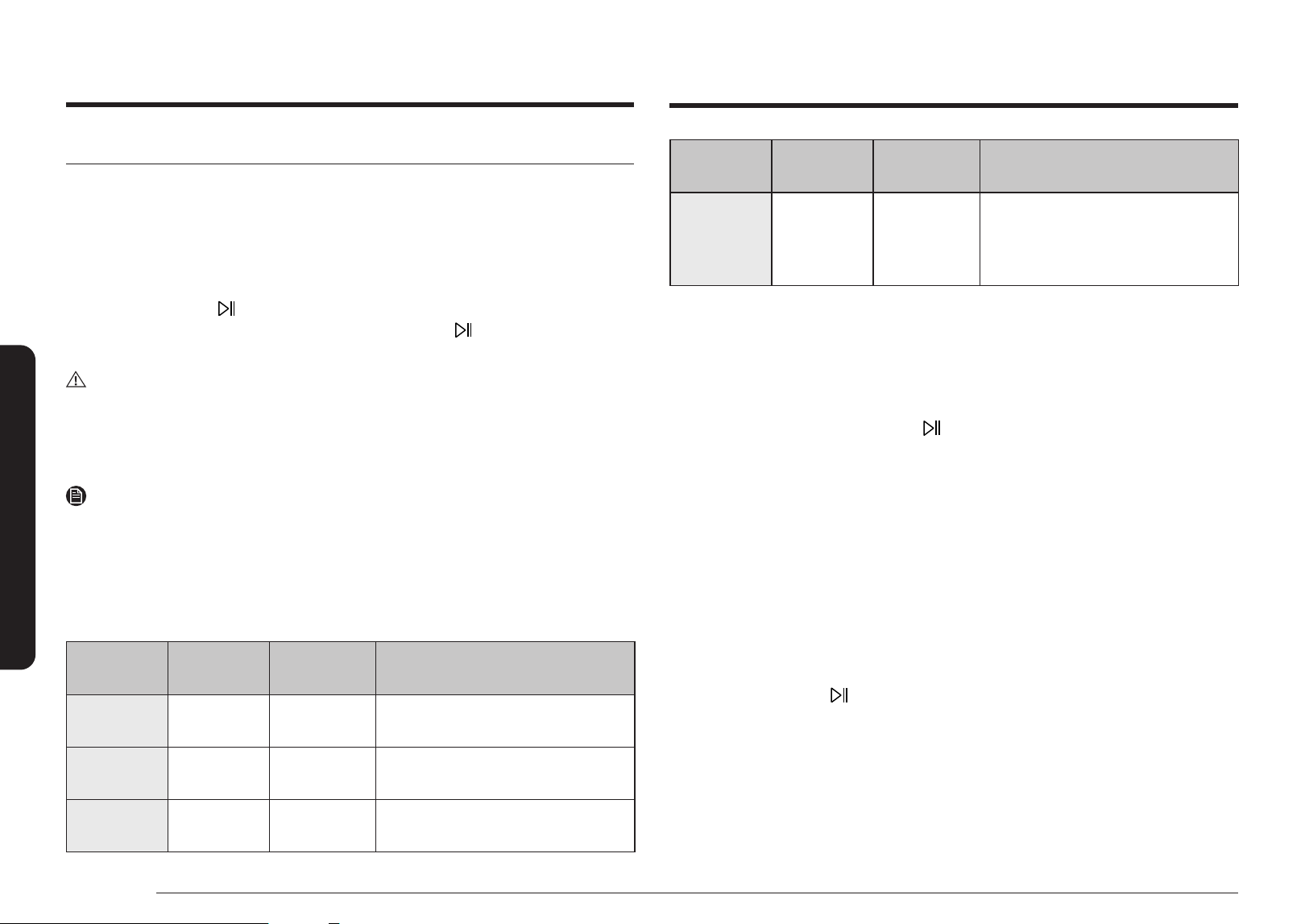
24 English
Operations
Food
Temperature
(°F)
Standing time
(min.)
Directions
Dishes/
Crockery
150 30
For preheating dishes and crockery.
Arrange the dishes over the turntable.
Do not overload. (Maximum load: 15 lbs.
/ 7 kg)
Recent Recipes
Up to 10 recently cooked custom cooking lists and detailed options are saved.
The Recent Recipes appear only when customized cooks are used in the product or app.
1. Use the Dial to nd and select Recent Recipes.
2. Use the Dial to choose desired cook from saved list.
• If you want a quick start, touch the
button. Cooking starts right away.
Favorites
You can save your favorite recipes.
1. Use the Dial to nd and select Favorites.
2. You can add, edit or delete favorite recipes. To add a new recipe, select cooking mode,
temperature or power level and cooking time and then save it.
3. Use the Dial to choose desired cook from saved list.
Deodorization
Deodorization helps remove bad smells from inside the oven after cooking.
1. Use the Dial to nd and select Deodorization at Setting.
2. Use the Dial to set time. The default time is 5 minutes. (max: 15 min)
3. Press the Dial or touch
button to start Deodorization.
Special functions
Keep Warm
With this function, only the convection heating element operates, and it cycles on and off to
keep food warm.
1. Use the Dial to select Keep Warm. The default temperature (150 °F) appears.
2. Use the Dial to adjust the temperature, and then press the Dial to move to the time
element. If you touch
, oven will start warming with 30 minutes setting.
3. Use the Dial to set the time, and then press the Dial or touch button. The oven starts
warming.
CAUTION
• Always use oven gloves while taking out food.
• Do not use this function to reheat cold foods. Use this only to keep food that has been
cooked warm.
• To keep food crispy, do not cover the food.
NOTE
• To change the temperature or cooking time during the cycle, use the Dial to select
temperature or cooking time on display and adjust. Press the Dial again to conrm the
change.
• See the table for Keep Warm temperature settings.
Keep Warm guide
Food
Temperature
(°F)
Standing time
(min.)
Directions
Meals 175 30
For keeping meat, chicken, gratin, pizza,
potatoes, and plated meals warm.
Drinks 175 30
For keeping water, milk, and coffee
warm.
Breads/
Pastries
150 30
For keeping bread, toast, rolls, mufns,
and cake warm.
Operations
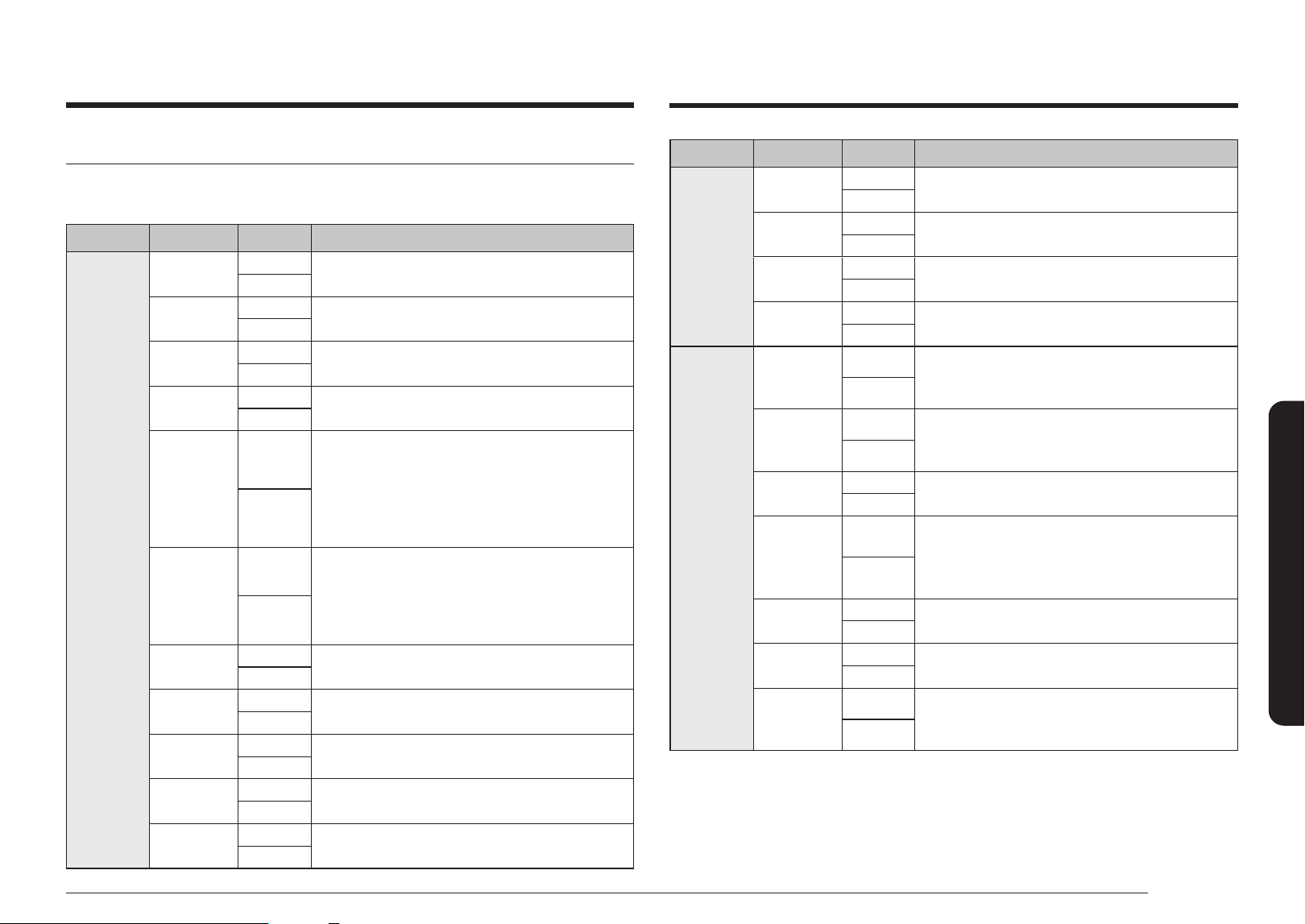
English 25
Cooking Smart
Cooking Smart
Auto Mode
Auto Cook guide
Category Food Amount Instructions
Auto Air
Fry
Frozen Thin
French Fries
6 oz
Distribute frozen thin french fries evenly on the crusty plate.
Place food on a crusty plate and place it on the high rack.
12 oz
Frozen Thick
French Fries
8 oz
Distribute frozen thick french fries evenly on the crusty plate.
Place food on a crusty plate and place it on the high rack.
16 oz
Frozen Potato
Wedges
8 oz
Distribute frozen potato wedges evenly on the crusty plate.
Place food on a crusty plate and place it on the high rack.
16 oz
Frozen Tator
Tots
8 oz
Distribute frozen tator tots evenly on the crusty plate.
Place food on a crusty plate and place it on the high rack.
16 oz
Homemade
French Fries
8 oz
Use hard to medium type of potatoes and wash them.
Peel potatoes and cut into sticks with a thickness of
10 x 10 mm. Soak in cold water (for 30 min.). Dry them with
a towel, weigh them and brush with 5 g olive oil and spices.
Distribute homemade fries evenly on the crusty plate. Place
food on a crusty plate and place it on the high rack.
16 oz
Homemade
Wedge
Potatoes
10 oz
Wash normal sized potatoes and cut them into wedges.
Brush with olive oil and spices. Weigh them and brush with
5 g olive oil and spices. Put them with the cut side on the
crusty plate. Place food on a crusty plate and place it on the
high rack.
20 oz
Frozen Chicken
Nuggets
8 oz
Distribute frozen chicken nuggets evenly on the crusty plate.
Place food on a crusty plate and place it on the high rack.
16 oz
Frozen Chicken
Wings
8 oz
Distribute frozen chicken wings evenly on the crusty plate.
Place food on a crusty plate and place it on the high rack.
16 oz
Frozen Chicken
Tenders
8 oz
Distribute frozen chicken tenders evenly on the crusty plate.
Place food on a crusty plate and place it on the high rack.
16 oz
Chicken Wings
10 oz
Weigh the chicken wings and brush them with oil and spices.
Place food on a crusty plate and place it on the high rack.
20 oz
Chicken
Drumsticks
12 oz
Weigh the drumsticks and brush them with oil and spices.
Place food on a crusty plate and place it on the high rack.
24 oz
Category Food Amount Instructions
Auto Air
Fry
Frozen Cheese
Sticks
8 oz
Distribute frozen cheese sticks evenly on the crusty plate.
Place food on a crusty plate and place it on the low rack.
16 oz
Frozen Onion
Rings
7 oz
Distribute frozen onion rings evenly on the crusty plate.
Place food on a crusty plate and place it on the high rack.
14 oz
Frozen Prawns
8 oz
Distribute frozen breaded prawns evenly on the crusty plate.
Place food on a crusty plate and place it on the high rack.
16 oz
Frozen Soft
Pretzels
2 ea
Distribute frozen soft pretzels evenly on the crusty plate.
Place food on a crusty plate and place it on the low rack.
4 ea
Cook
Bone-In
Chicken Pieces
18 oz
Brush the chicken pieces with oil and seasonings. Place the
pieces skin side down on the high rack. When the oven beeps,
turn over chicken pieces and press start to continue.
36 oz
Boneless Pork
Chops
2 ea
Brush the boneless pork chops with oil and seasonings.
Place the pork chops on the high rack. When the oven beeps,
turn over pork chops and press start to continue.
4 ea
Hamburger
2 ea
Place the hamburgers on the high rack. When the oven
beeps, turn over the hamburgers and press start to continue.
4 ea
Sirloin Steak
Medium
Brush the Steaks with oil and seasonings. Place the steak
on the high rack. When the oven beeps, turn over the steak
and press start to continue. Let the steak rest for 5 minutes
before slicing. As your taste.
Welldone
Salmon Fillets
1 ea
Brush the salmon llets with oil and seasonings. Place the
salmon llets on the high rack.
2 ea
Frozen Pizza
6 inch
Place the pizza on the high rack.
12 inch
Roasted
Vegetables
8 oz
Cut vegetables 0.5 inch thick and brush them with oil and
seasonings. Place vegetables on the crusty plate and place it
on the high rack.
16 oz
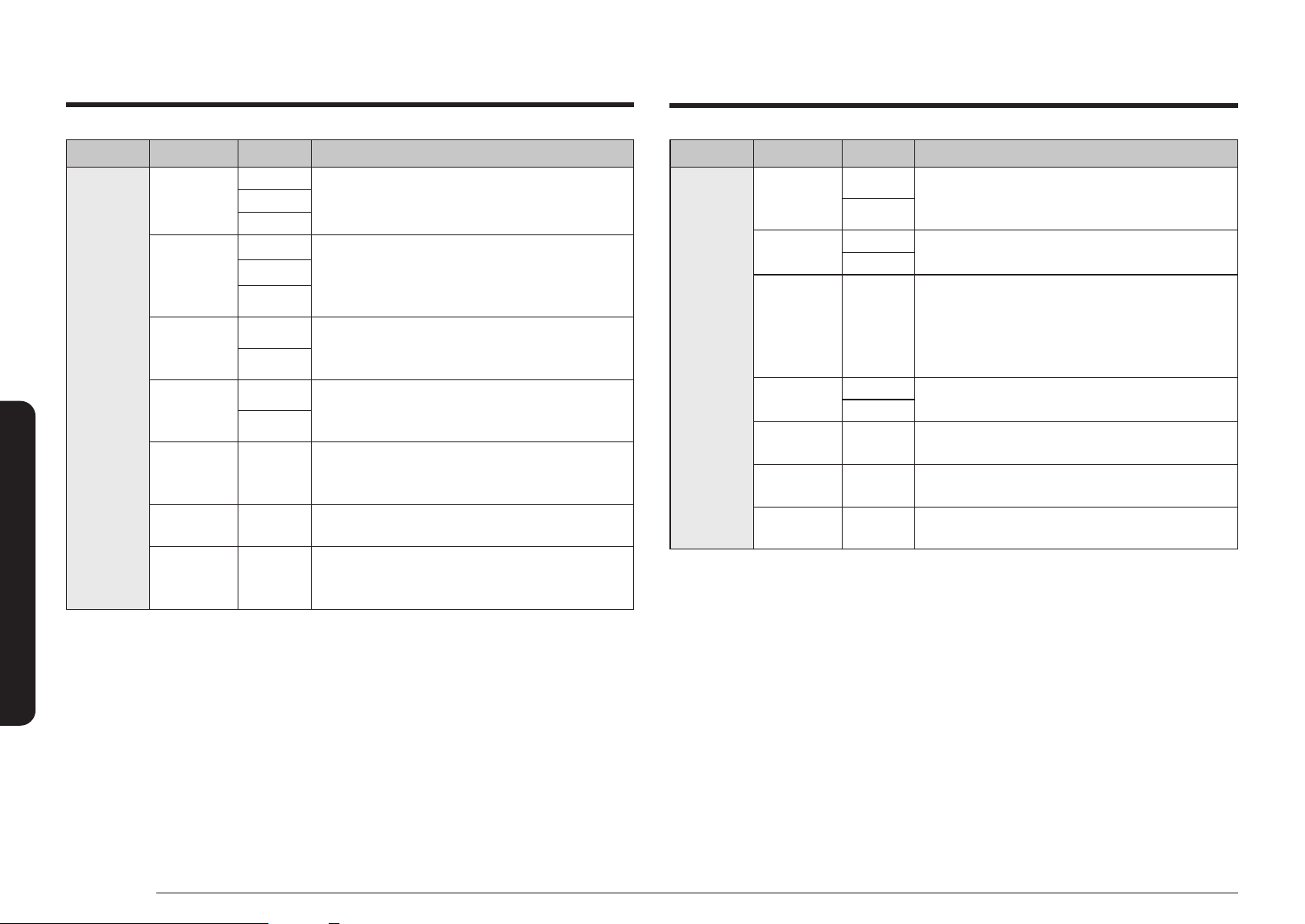
26 English
Cooking Smart
Category Food Amount Instructions
Snacks
Popcorn
1.5 oz
Heat only one microwave popcorn bag at a time. Place the
popcorn in the center of the turntable. Be careful when
removing the heated bag from the oven and opening it.
3.0 oz
3.5 oz
Bacon
2 ea
Layer paper towels on the plate and arrange bacon on the
towels. Place bacon on the microwave safe dish. Do not
overlap bacon. Cover with an additional paper towel. Remove
the paper towel immediately after cooking.
4 ea
6 ea
Hot Dogs
2 ea
Pierce the hot dogs 3 times with a fork. Place hot dogs on the
microwave safe dish. When the oven beeps, add the buns and
press start to continue.
4 ea
Oatmeal
1 pack
Follow the package directions for the recommended amount
of water needed. Place the oatmeal in the microwave safe
bowl. Stir afterwards.
2 packs
Nachos
1 serving
Arrange the tortilla chips uniformly on a crusty plate and
sprinkle cheese evenly. Place chips on the crusty plate and
place it on the high rack.
Brownie mix
1 pack
Pour the batter into an 8 * 8 inch pan. Place the pan on the
lower rack.
Cookie Dough
8 ea
Preheat the oven. Place 8 cookies on the crusty plate, then
place it on the low rack. When the oven beeps, put the
cookies and press start to continue.
Category Food Amount Instructions
Soften/
Melt
Melt Butter
1 stick
Remove the wrapping and cut the butter in half vertically.
Place the butter in a dish and cover with wax paper. Stir well
after nishing and let stand for 1 - 2 minutes.
2 sticks
Soften Butter
1 stick
Remove the butter from the packaging and place on a
microwave safe dish.
2 sticks
Melt Chocolate
1 cup
Place the chocolate chips or squares in a micowave safe
bowl. When the oven beeps, stir well and press start
to continue. Stir well after nishing and let stand for
1 - 2 minutes. Unless stirred, the chocolate chips will keep
their shape even when the heating time is over.
Soften Ice
Cream
1 pint
Remove the lid of the carton. Place the carton in the center
of the oven.
Half Gallon
Soften Cream
Cheese
8 oz
Unwrap the cream cheese and place on a microwave-safe
container.
Melt Cheese
1 cup
Place the cheese in a microwave safe bowl and cover with
wax paper. Stir well afterwards.
Melt
Marshmallows
10 oz
Place the marshmallows in a large microwave safe dish.
Stir well afterwards.
Cooking Smart
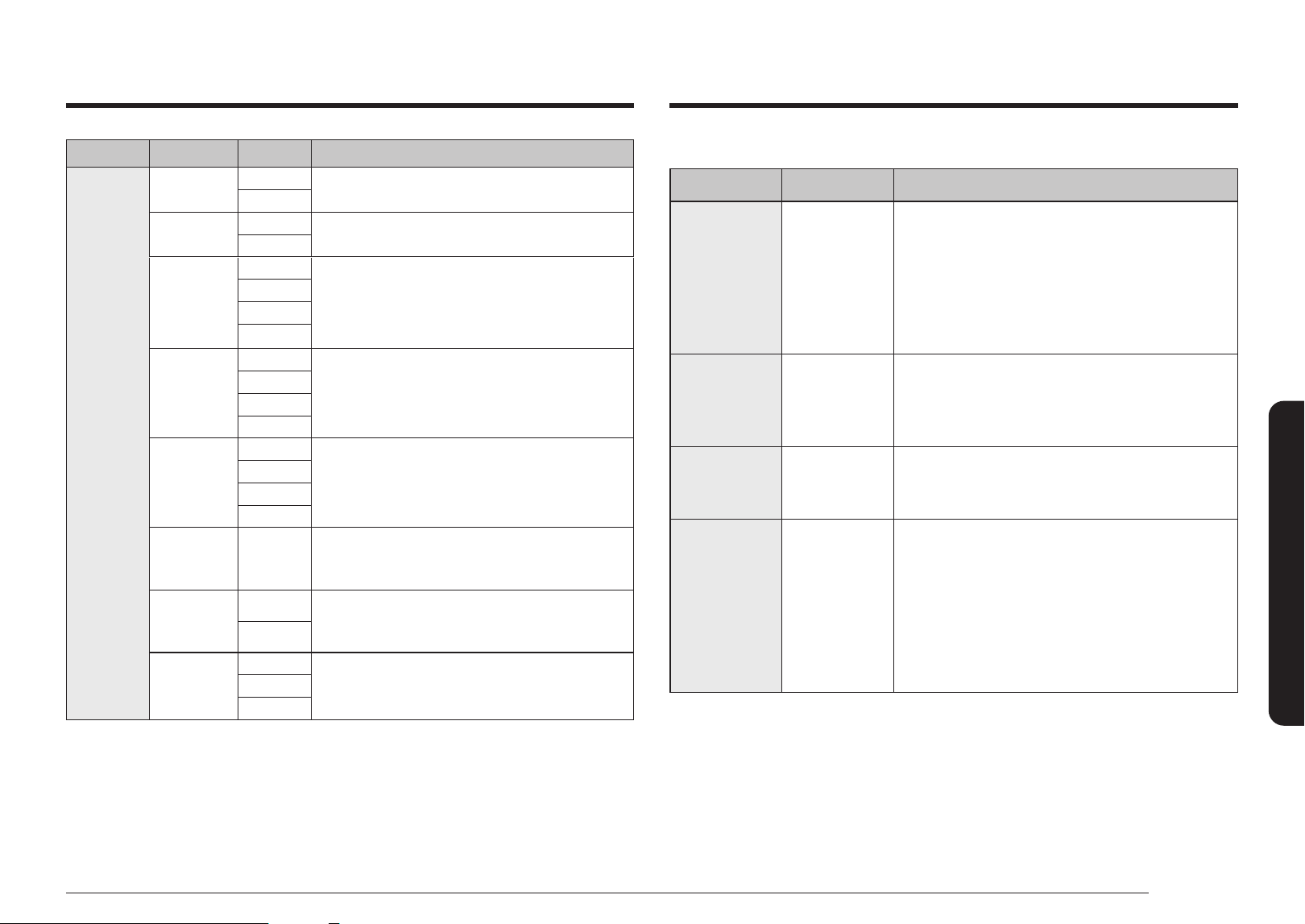
English 27
Cooking Smart
Defrost guide
Food Amount (lbs.) Directions
Meat 0.1 - 3.5
Shield the edges with aluminium foil. Turn the meat
over when the oven beeps. This program is suitable for
lamb, pork, steaks, chops, and ground meat.
For ground meat, place the meat directly on the
turntable tray on wax paper.
Do not use an extra tray. Let stand, covered with foil,
for 5 - 10 minutes.
Poultry 0.1 - 3.5
Shield the leg and wing tips with aluminium foil.
Turn the poultry over when the oven beeps.
This program is suitable for whole chicken as well as
for chicken portions.
Fish 0.1 - 3.5
Shield the tail of a whole sh with aluminium foil.
Turn the sh over when the oven beeps. This program
is suitable for whole sh as well as for sh llets.
Bread/Cake 0.1 - 2.0
Put bread on a piece of paper towel. Turn over as soon
as the oven beeps. Place cake on a ceramic plate and
if possible, turn over as soon as the oven beeps. (The
oven keeps operating and stops only when you open
the door.)
This program is suitable for all kinds of bread, sliced
or whole, as well as for bread rolls and baguettes.
Arrange bread rolls in a circle.
Category Food Amount Instructions
Reheat
Beverage
1 cup
Use a measuring cup or mug and do not cover. Put the cup in
the center of the turntable. Stir well afterwards.
2 cups
Pizza Reheat
2 ea
Place the pizza on a microwave safe plate. Do not overlap the
slices or cover. Let stand 1 - 2 minutes before serving.
4 ea
Soup
8 oz
Pour the refrigerated soup into a mircrowave safe bowl.
Cover with a lid or vented plastic wrap. Let stand 1 - 2 minutes
before serving.
16 oz
24 oz
32 oz
Pasta
8 oz
Pour the refrigerated pasta into a mircrowave safe bowl.
Cover with a lid or vented plastic wrap. Let stand 1 - 2 minutes
before serving.
16 oz
24 oz
32 oz
Casserole
8 oz
Pour the refrigerated casserole into a mircrowave safe bowl.
16 oz
24 oz
32 oz
Dinner plate
1 serving
Use only precooked, refrigerated foods. Place dinner plate
on the turntable. Cover with vented(1 inch vent) plastic wrap
while cooking. Let stand 1 - 2 minutes before serving.
Frozen
Breakfast
5 oz
Remove the outer wrapping and follow the package
directions for covering. When oven beeps, stir and press start
to continue. Let stand 1 - 2 minutes before serving.
8 oz
Frozen Dinner
8 oz
Remove the outer wrapping and follow the package
directions for covering. Let stand 1 - 2 minutes before serving.
12 oz
16 oz
28 English
Cooking Smart
Fresh vegetables
• Use a glass Pyrex container with a lid.
• Add 30 - 45 ml of cold water (2 - 3 tbsp.) for every 0.6 lbs.
• Stir once during cooking, and once after cooking.
• Add seasoning after cooking.
• For faster cooking, it is recommended to cut into smaller, even sizes.
• Cook all fresh vegetables using full microwave power (900 W).
Food Amount Power (%)
Cooking time
(min.)
Standing time
(min.)
Broccoli
0.6 lb.
1.0 lbs.
100
3 - 4
5 - 6
3
Prepare even sized orets. Arrange the stems so they point to the
center.
Brussels Sprouts
1.0 lbs. 100 4½ - 5 3
Let stand 60-75 ml (5-6 tbsp.) water.
Carrots
1.0 lbs. 100 6 - 7 3
Cut carrots into even sized slices.
Cauliower
0.6 lb.
1.0 lbs.
100
3 ½ - 4
6 - 7
3
Prepare even sized orets. Cut big orets in half.
Arrange stems so they point to the center.
Zucchini
0.6 lb. 100 4 - 5 3
Cut zucchini into slices. Add 30 ml (2 tbsp.) water or a knob of butter.
Cook until just tender.
Eggplant
0.6 lb. 100 2 ½ - 3 3
Cut eggplant into small slices and sprinkle with 1 tbsp.
lemon juice.
Manual cooking
Microwave cooking guide
• Do not use metal containers with Microwave mode.
Always put food containers on the turntable.
• It is recommended to cover the food for best results.
• After cooking is complete, let the food settle in its own steam.
Frozen vegetables
• Use a glass Pyrex container with a lid.
• Stir vegetables twice during cooking, and once after cooking.
• Add seasoning after cooking.
Food Amount ( lb.) Power (%)
Cooking time
(min.)
Standing time
(min.)
Spinach
0.3 60 5 - 6 2 - 3
Add 15 ml (1 tbsp.) of cold water.
Broccoli
0.7 60 8 - 9 2 - 3
Add 30 ml (2 tbsp.) of cold water.
Peas
0.7 60 7 - 8 2 - 3
Add 15 ml (1 tbsp.) of cold water.
Green Beans
0.7 60 7 ½ - 8 ½ 2 - 3
Add 30 ml (2 tbsp.) of cold water.
Mixed Vegetables
(Carrots, Peas,
Corn)
0.7 60 7 - 8 2 - 3
Add 15 ml (1 tbsp.) of cold water.
Mixed Vegetables
(Chinese Style)
0.7 60 7 ½ - 8 ½ 2 - 3
Add 15 ml (1 tbsp.) of cold water.
Cooking Smart
English 29
Cooking Smart
Rice and Pasta
Stir from time to time during and after cooking.
Cook uncovered, and close the lid during settling. Then, drain water thoroughly.
• Rice: Use a large glass Pyrex container with a lid against the rice doubling in volume.
• Pasta: Use a large glass Pyrex container.
Food Amount Power (%)
Cooking time
(min.)
Standing time
(min.)
White Rice
(Parboiled)
1 cup 60 19 - 21 5
Add 2 cups of cold water for 1 cup of rice.
1 ½ cups 60 21 - 23 5
Add 3 cups of cold water for 1 ½ cups of rice.
Brown Rice
(Parboiled)
1 cup 60 22 - 24 5
Add 2 cups of cold water for 1 cup of rice.
1 ½ cups 60 24 - 26 5
Add 3 cups of cold water for 1 ½ cups of rice.
Mixed Rice
(Rice + Wild Rice)
1 cup 80 16 - 17 5
Add 2 cups of cold water for 1 cup of rice/wild rice mix.
Mixed Corn
(Rice + Grain)
1 cup 80 17 - 18 5
Add 1¾ cups of cold water to 1 cup of mixed rice/grain.
Pasta
1 cup 80 10 - 11 5
Add 4 ¼ cups of water.
Food Amount Power (%)
Cooking time
(min.)
Standing time
(min.)
Leeks
0.6 lb. 100 3 ½ - 4 3
Cut leeks into thick slices.
Mushrooms
0.25 lb.
0.6 lb.
100
1 ½ - 2
2 ½ - 3
3
Prepare small whole or sliced mushrooms. Do not add any water.
Sprinkle with lemon juice. Spice with salt and pepper. Drain before
serving.
Onions
0.6 lb. 100 5 - 5 ½ 3
Cut onions into slices or halves. Add only 15 ml (1 tbsp.) water.
Pepper
0.6 lb. 100 4 ½ - 5 3
Cut pepper into small slices.
Potatoes
0.6 lb.
1.0 lbs.
100
5 - 6
8 - 9
3
Weigh the peeled potatoes and cut them into similar sized halves or
quarters.
Turnip Cabbage
0.6 lb. 100 5 ½ - 6 3
Cut turnip into small cubes.
30 English
Cooking Smart
Food Amount Power (%)
Cooking time
(min.)
Standing time
(min.)
Pasta With Sauce
(Chilled)
0.8 lb. 70 3 ½ - 4 ½ 3
Put pasta (e.g. spaghetti or egg noodles) on a at ceramic plate.
Cover with microwave cling lm. Stir before serving.
Filled Pasta With
Sauce
(Chilled)
0.8 lb. 70 4 - 5 3
Put lled pasta (e.g. ravioli, tortellini) in a deep ceramic plate.
Cover with a plastic lid. Stir occasionally during reheating and again
before standing and serving.
Plated Meal
(Chilled)
0.8 lb.
1.0 lbs.
1.2 lbs.
60
4 ½ - 5 ½
5 ½ - 6 ½
6 ½ - 7 ½
3
Plate a meal of 2-3 chilled components on a ceramic dish.
Cover with microwave cling-lm.
Cheese Fondue
Ready-to-Serve
(Chilled)
0.8 lb. 60 6 - 7 1 - 2
Put the ready-to-serve cheese fondue in a suitable sized glass Pyrex
bowl with lid. Stir occasionally during and after reheating.
Stir well before serving.
Reheating
• Do not reheat large-sized foods such as joints of meat, which easily overcook.
• It is safer to reheat foods at lower power levels.
• Stir well or turn over during and after cooking.
• Use caution for liquids or baby foods. Stir well before, during, and after cooking with a
plastic spoon or glass stirring stick to prevent eruptive boiling and scalding. Keep them
inside the oven during the standing time. Allow a longer reheating time than other food
types.
• Recommended standing time after reheating is 2 - 4 minutes. See the table below for
reference.
Liquids
Food Amount Power (%)
Cooking time
(min.)
Standing time
(min.)
Drinks
(Coffee, Tea,
Water)
150 ml (1 cup)
300 ml (2 cups)
450 ml (3 cups)
600 ml (4 cups)
100
1 - 1 ½
2 - 2 ½
3 - 3 ½
4 - 4 ½
1 - 2
Pour into cups and reheat uncovered: 1 cup in the center, 2 cups
opposite of each other, 3 cups in a circle. Keep in microwave oven
during standing time and stir well.
Soup
(Chilled)
0.6 lb.
0.8 lb.
1.0 lbs.
1.2 lbs.
70
3 ½ - 4
4 ½ - 5
6 - 6 ½
7 - 7 ½
2 - 3
Pour into a deep ceramic plate or deep ceramic bowl. Cover with a
plastic lid. Stir well after reheating. Stir again before serving.
Stew
(Chilled)
0.8 lb. 70 4 ½ - 5 ½ 2 - 3
Put stew in a deep ceramic plate. Cover with a plastic lid. Stir
occasionally during reheating and again before standing and serving.
Cooking Smart
English 31
Cooking Smart
Defrost
Put frozen food in a microwave-safe container without a cover. Turn over during defrosting,
and drain off liquid and remove giblets after defrosting. For faster defrosting, cut the food into
small pieces, and wrap them with aluminum foil before defrosting. When the outer surface of
frozen foods begins to melt, stop defrosting and let stand as instructed in the table below.
Do not change the default power level (20 %) for defrosting.
Food Amount
Power
(%)
Defrosting
time
(min.)
Standing
time
(min.)
Meat
Minced Beef 0.6 lb.
1.1 lbs.
20
6 - 7
8 - 13
15 - 30
Pork Steaks 0.6 lb. 7 - 8
Place the meat on the turntable. Shield thinner edges with aluminium foil.
Turn over after half of defrosting time!
Poultry
Chicken Pieces 1.1 lbs. (2 pcs)
20
14 - 15
15 - 60
Whole Chicken 2.7 lbs. 32 - 34
First, put chicken pieces rst skin-side down, whole chicken rst breast-side-
down on a at ceramic plate. Shield the thinner parts like wings and ends with
aluminium foil. Turn over after half of defrosting time!
Fish
Fish Fillets 0.4 lb.
20
6 - 7
10 - 25
Whole Fish 0.9 lb. 11 - 13
Put frozen sh in the middle of a at ceramic plate. Arrange the thinner parts
under the thicker parts. Shield narrow ends of llets and tail of whole sh with
aluminium foil. Turn over after half of defrosting time!
Fruit
Berries 0.7 lb. 20 6 - 7 5 - 10
Spread fruit on a at, round glass dish (with a large diameter).
Baby foods & Milk
Food Amount Power (%)
Cooking time
(sec.)
Standing time
(min.)
Baby Food
(Vegetables +
Meat)
0.4 lb. 70 30 2 - 3
Empty into ceramic deep plate. Cook covered. Stir after cooking time.
Before serving, stir well and check the temperature carefully.
Baby Porridge
(Grain + Milk +
Fruit)
0.4 lb. 70 20 2 - 3
Empty into ceramic deep plate. Cook covered. Stir after cooking time.
Before serving, stir well and check the temperature carefully.
Baby Milk
100 ml
200 ml
30
30 - 40
60 - 70
2 - 3
Stir or shake well and pour into a sterilized glass bottle.
Place in the center of turntable. Cook uncovered. Shake well and let
stand for at least 3 minutes. Before serving, shake well and check the
temperature carefully.
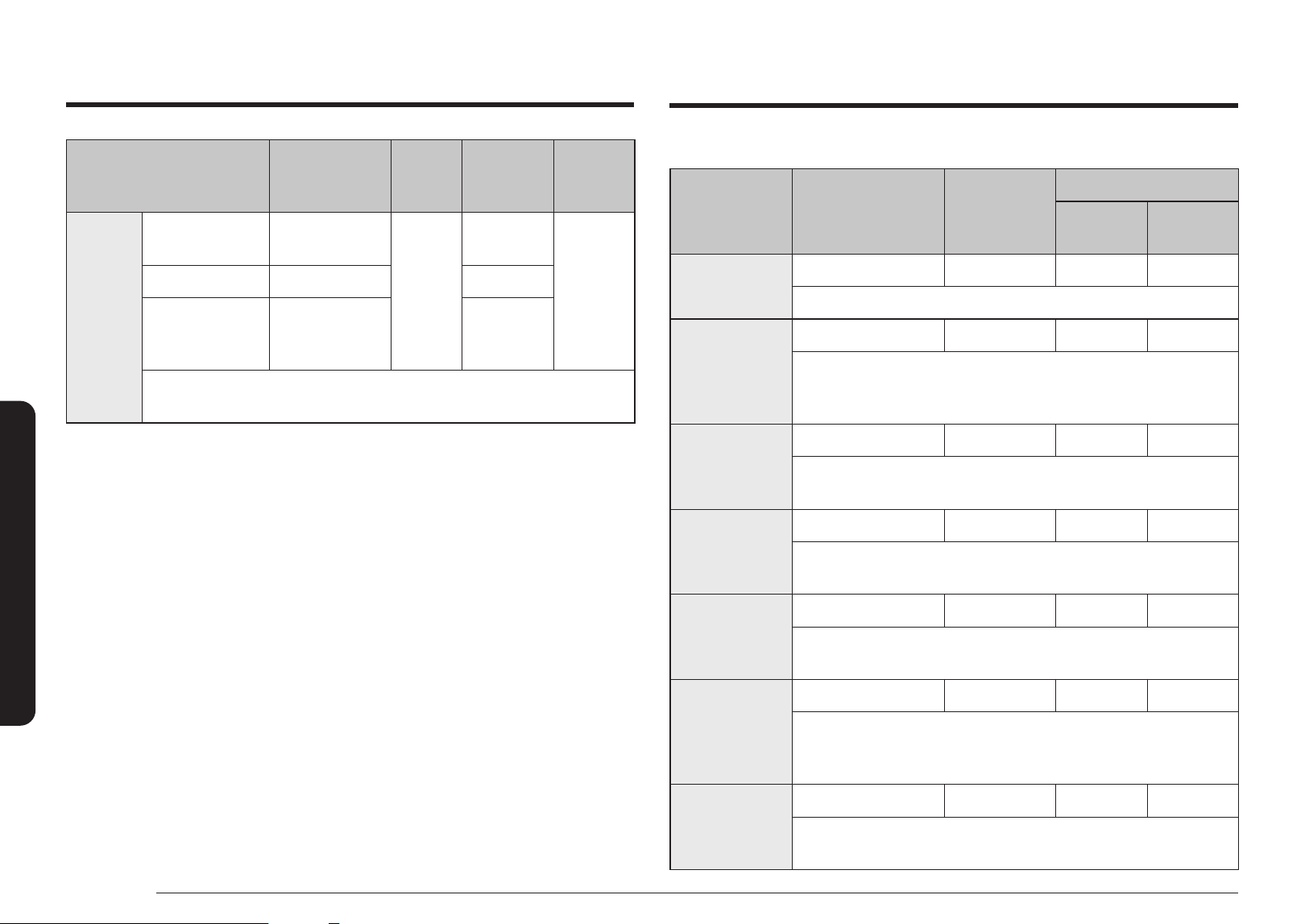
32 English
Cooking Smart
Grilling
Food Amount Mode
Cooking time
1
st
side
(min.)
2
nd
side
(min.)
Toast Slices
4 pcs (each 25 g) Grill only 5 ½ - 6 ½ -
Put toast slices side by side on the high rack.
Grilled Tomatoes
2 pcs (0.9 lb.) 30 % + Grill 7 - 8 -
Cut tomatoes into halves. Put some cheese on top. Arrange in a circle
in a at glass Pyrex dish. Place it on the high rack.
Stand for 2 - 3 minutes.
Tomato + Cheese
Toast
4 pcs (0.7 lb.) 20 % + Grill 5 - 6 -
Toast the bread slices rst. Put the toast with topping on the high rack.
Stand for 2 - 3 minutes
Toast Hawaii
4 pcs (1.1 lbs.) 30 % + Grill 5 - 6 -
Toast the bread slices rst. Put the toast with topping on the high rack.
Stand for 2 - 3 minutes.
Baked Potatoes
1.1 lbs. 50 % + Grill 15 - 17 -
Cut potatoes into halves. Brush potatoes with oil and parsley. Put them
in a circle on the high rack with the cut side to the grill.
Baked Apples
2 apples 30 % + Grill 6 - 7 -
Core the apples and ll them with raisins and jam. Put some almond
slices on top. Put apples on a at glass Pyrex dish. Place the dish
directly on the low rack.
Chicken Pieces
1.1 lbs. (2 pcs) 30 % + Grill 12 - 14 9 - 11
Brush chicken pieces with oil and spices. Put them in a circle on the
high rack. After grilling stand for 2 - 3 minutes.
Food Amount
Power
(%)
Defrosting
time
(min.)
Standing
time
(min.)
Bread
Bread Rolls
(each ca. 50 g)
2 pcs
4 pcs
20
1 - 1 ½
2 ½ - 3
5 - 20
Toast/Sandwich 0.6 lb. 4 - 4½
German Bread
(Wheat + Rye
Flour)
1.1 lbs. 7 - 9
Arrange rolls in a circle or bread horizontally on kitchen paper in the middle of
turntable. Turn over after half of defrosting time!
Grilling guide
The grill-heating elements are located on the ceiling of the cooking chamber. These elements
operate only when the door is closed and the turntable is rotating.
When grilling food, put the food on the high rack unless otherwise instructed.
Preheat the grill for 3 minutes with Grill mode, and, unless otherwise instructed below, grill
food on the high rack. When grilling is complete, use oven gloves to take out the food.
Cookware
Grill: Use ameproof containers, which may include metal parts. Do not use plastic cookware
of any kind.
Microwave+Grill: Do not use cookware that is made of metal or plastic substances.
Food type
Chops, sausages, steaks, hamburgers, bacon and gammon rashers, thin sh portions,
sandwiches, and all kinds of toast with toppings.
Cooking Smart
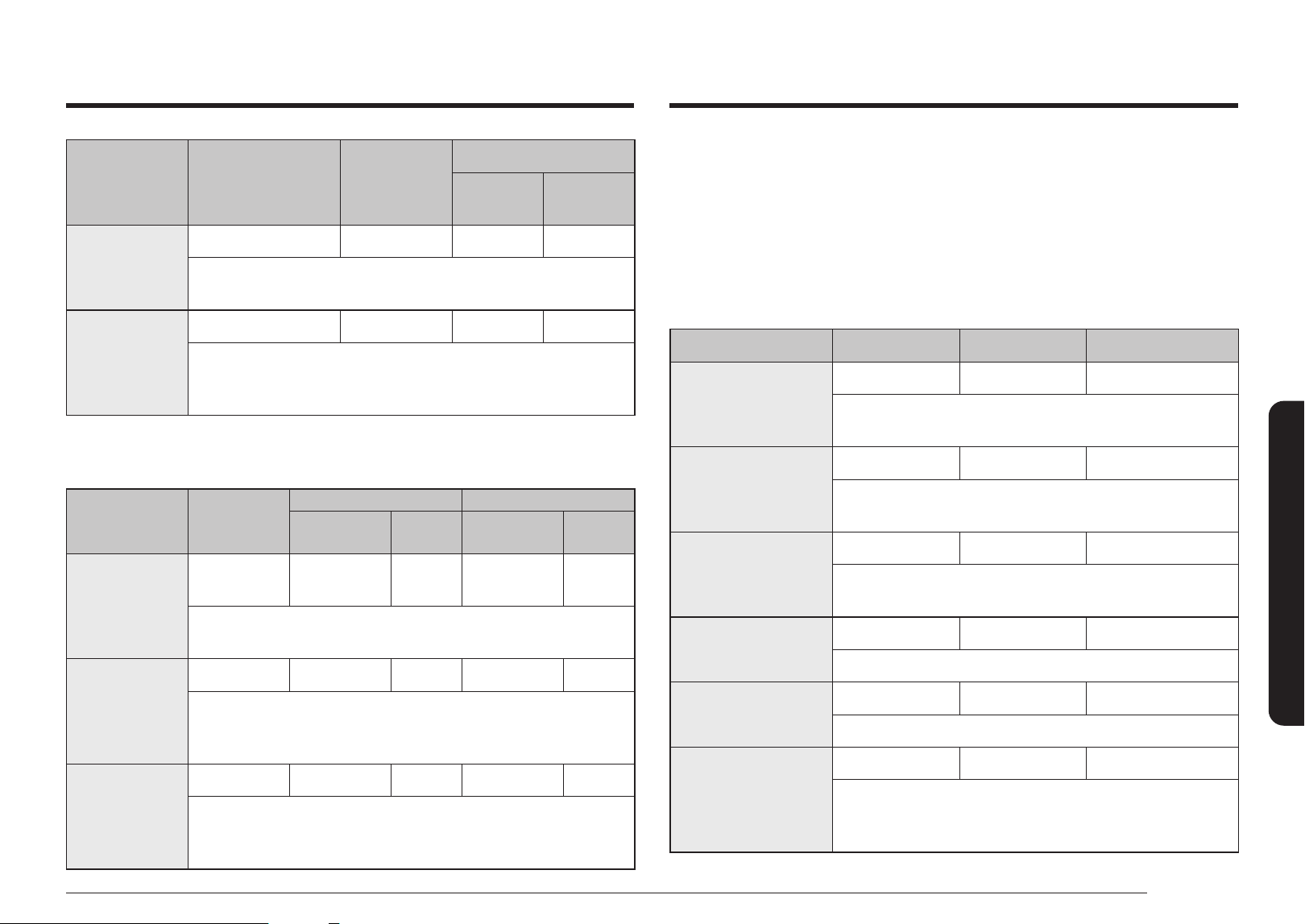
English 33
Cooking Smart
Power Convection guide
Cooking with Power Convection is a powerful combination of the inner grill heater and the
convection ring heater with fan at side. The hot air blows from the top of the cavity through
holes into the oven. The heating element at top and side and the fan at the side-wall, keeps
the hot air circulating evenly.
Use this mode for biscuits, individual scones, rolls, and cakes as well as fruit cakes, choux, and
soufés. Before cooking, preheat with guided temperatures.
All conventional ovenproof cookware, baking tins and sheets – anything you would normally
use in a traditional convection oven – can be used.
Food Amount Temperature ( °F) Cooking time (min.)
Frozen Mini Tartes/
Pizza Snacks
0.6 lb. 400 9 - 12
Put pizza snacks on the crusty plate.
Put plate on low rack.
Frozen Oven Chips
0.7 lb. 400 14 - 16
Distribute frozen oven chips on crusty plate.
Put plate on high rack.
Frozen Chicken
Nuggets
0.7 lb. 400 7 - 9
Put frozen nuggets on crusty plate.
Put plate on the high rack.
Frozen Pizza
0.7 lb. 400 11 - 13
Put frozen Pizza on the low rack.
Homemade Lasagna/
Pasta Gratin
1.1 lbs. 350 25 - 30
Put pasta in ovenproof dish. Put dish on low rack.
Roast Vegetables
0.7 lb. 400 10 - 12
Rinse and prepare vegetables in slices (e.g. courgette, egg
plants, pepper, pumpkin). Brush with olive oil and add spices.
Put on crusty plate on high rack.
Food Amount Mode
Cooking time
1
st
side
(min.)
2
nd
side
(min.)
Beef Steaks
(Medium)
0.9 lb. (2 pcs) Grill only 8 - 10 6 - 8
Brush the beef steaks with oil. Lay them in a circle on the high rack.
After grilling stand for 2 - 3 minutes.
Roast Fish
0.9 - 1.1 lbs. 30 % + Grill 9 - 11 5 - 7
Brush skin of whole sh with oil and add herbs and spices.
Put two sh side by side (head to tail) on the high rack.
After grilling stand for 2 - 3 minutes.
Crusty plate
We recommend you to preheat the crusty plate while it’s on the turntable for 3 - 4 minutes.
Food Amount (lb.)
Preheat Cooking
Mode
Time
(min.)
Mode
Time
(min.)
Bacon
0.2
(4 - 6 slices)
60 % + Grill 3 60 % + Grill 3 - 4
Preheat crusty plate. Put slices side by side on crusty plate.
Put plate on high rack.
Potato Wedges
0.6 60 % + Grill 4 50 % + Grill 9 - 11
Rinse and clean potatoes. Cut into wedges or cubes. Brush with olive
oil, herbs and spices. Distribute cubes evenly on plate. Put plate on
high rack. Turn over after 5 - 7 minutes.
Frozen Chicken
Nuggets
0.7 60 % + Grill 4 60 % + Grill 6 - 8
Preheat crusty plate. Brush plate with 1 tbsp. oil. Put chicken nuggets
on crusty plate. Put plate on the high rack.
Turn over after 4 - 5 minutes.
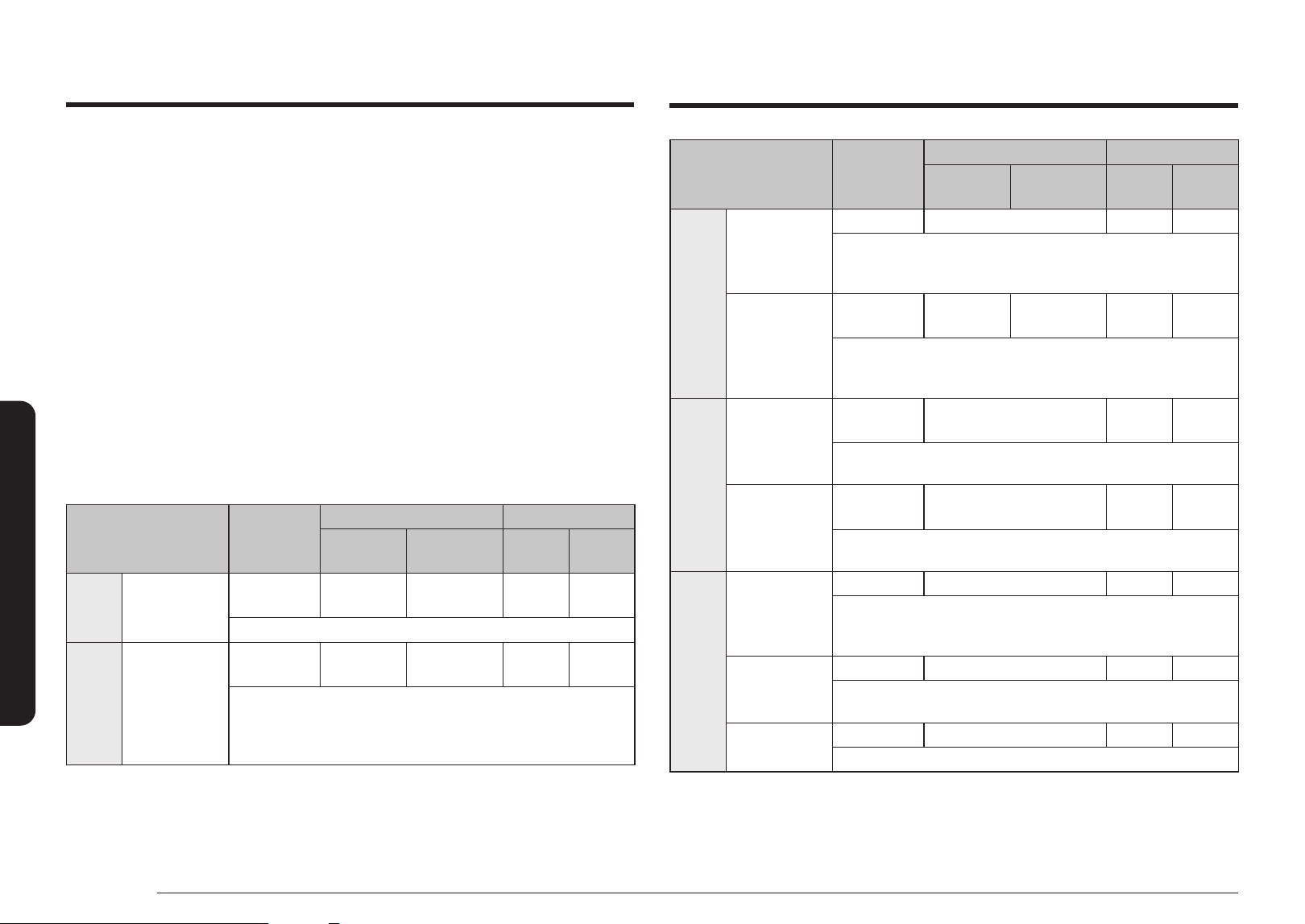
34 English
Cooking Smart
Food Amount
Power Cooking time
1
st
Step 2
nd
Step
1
st
Step
(min.)
2
nd
Step
(min.)
Meat
Roast Beef/
Lamb
(Medium)
2.7 - 2.9 lbs. 30 % + 350 °F 22 - 25 14 - 16
Brush beef/lamb with oil and spice it with pepper, salt and paprika.
Put it on the low rack, rst with the fat side down. After cooking, wrap
in aluminium foil and let stand for 10 - 15 minutes.
Roast Chicken
2.6 - 2.8 lbs.
30 % +
400 °F
30 % +
400 °F
24 - 26 23 - 25
Brush chicken with oil and spices. For the rst step, put the chicken
breast side down on the low rack. For the second step, turn the chicken
breast side up. Let stand for 5 minutes.
Bread
Frozen Bread
Rolls
0.8 lb.
(6 pcs)
30 % + 350 °F 7 - 9 -
Put bread rolls in a circle on the crusty plate, then on the low rack.
Let stand for 2 - 3 minutes.
Garlic Bread
(Chilled,
Prebaked)
0.45 lb.
(1 pc)
30 % + 400 °F 7 - 9 -
Put the chilled baguette on baking paper on the low rack. After baking,
let stand for 2 - 3 minutes.
Cake
Marble Cake
(Fresh Dough)
1.1 lbs. Only 350 °F 38 - 43 -
Put the fresh dough in a small rectangular black metal baking dish
(length 25 cm). Put the cake on the low rack. After baking, let stand for
5 - 10 minutes.
Small Cakes
(Fresh Dough)
12 x 0.06 lb. Only 325 °F 25 - 28 -
Fill the fresh dough evenly in paper cups and set on crusty plate on the
low rack. After baking, let stand for 5 minutes.
Cookies
(Fresh Dough)
0.45 - 0.6 lb. Only 400 °F 13 - 17 -
Put the chilled croissants on baking paper on the low rack.
Convection guide
Convection
In Convection mode, both the heating element and the side-wall fan operate together to
circulate the heat inside the cooking chamber. Use this mode for biscuits, individual scones,
rolls, and cakes as well as fruit cakes, choux, and soufés. All conventional ovenproof
cookware, baking tins and sheets – anything you would normally use in a traditional
convection oven – can be used.
Microwaves+Convection
This combination mode combines the microwave energy with hot air, resulting in reduced
cooking time and producing a brown, crispy surface of the food. The oven offers 5 different
combination modes for your convenience. Use this for all kinds of meat and poultry as well
as casseroles and gratin dishes, sponge cakes and light fruit cakes, pies and crumbles, roast
vegetables, scones, and breads. Use only ovenproof cookware, such as glasses, potteries, or
bone china without metal trim.
Before cooking, preheat with guided temperatures, and wait until the cycle is complete. Set
the power level and cooking time as instructed below. Use oven gloves when taking out food.
Food Amount
Power Cooking time
1
st
Step 2
nd
Step
1
st
Step
(min.)
2
nd
Step
(min.)
Pizza
Frozen Pizza
(Ready Baked)
0.7 - 0.9 lb.
30 % +
400 °F
Conv. 350 °F 9 - 11 4 - 6
Place the pizza on the low rack. After baking, let stand for 2 - 3 minutes.
Pasta Frozen Lasagne
0.9 lb.
30 % +
400 °F
Conv. 400 °F 16 - 18 3 - 4
Put into a suitable sized glass pyrex dish or leave in the original
packaging (take care that this is suitable for microwaves and oven
heat). Put frozen pasta gratin on the low rack. After cooking, let stand
for 2 - 3 minutes.
Cooking Smart
English 35
Cooking Smart
Quick & Easy
Melting butter
Put about 3 tbsp. butter into a small deep glass dish. Cover with plastic lid.
Heat for 30 - 40 seconds using 90 %, until butter is melted.
Melting chocolate
Put about a half cup (¼ lb.) chocolate into a small deep glass dish. Heat for 3 - 5 minutes,
using 50 % until chocolate is melted. Stir once or twice during melting.
Use oven gloves while taking out!
Meltng crystallized honey
Put ¾ oz. (20 g) crystallized honey into a small deep glass dish.
Heat for 20 - 30 seconds using 30 %, until honey is melted.
Melting gelatine
Lay dry gelatine sheets ⅓ oz. (10 g) for 5 minutes in cold water. Put drained gelatine into a
small glass Pyrex bowl. Heat for 1 minute using 30 %.
Stir after melting.
Cooking glaze/icing (for cake and gateaux)
Mix instant glaze (approximately 3 tbsp.) with 2 ⅔ tbsp. (40 g) sugar and 1 cup (250 ml) cold
water. Cook uncovered in a glass Pyrex bowl for 3 ½ to 4 ½ minutes using 90 %, until glaze/
icing is transparent. Stir twice during cooking.
Cooking jam
Put 21 oz. of fruit (600 g or about 2 ½ cups) (for example mixed berries) in a suitable sized
glass Pyrex bowl with lid. Add 1 ½ cups (300 g) preserving sugar and stir well.
Cook covered for 10 - 12 minutes using 90 %. Stir several times during cooking.
Empty directly into small jam glasses with twist-off lids. Let stand with the lid on for
5 minutes.
Cooking pudding
Mix the pudding mix with milk following the manufacturer’s instructions.
Add sugar if instructed. Stir well. Use a suitable sized glass Pyrex bowl with lid.
Cook covered for 6 ½ to 7 ½ minutes using 90 %. Stir several times well during cooking.
Browning almond slices
Spread about 1 oz. (30 g) of sliced almonds evenly on a medium sized ceramic plate.
Stir several times during browning for 3 ½ to 4 ½ minutes using 60 %.
Let it stand for 2 - 3 minutes in the oven.
Use oven gloves when taking out!
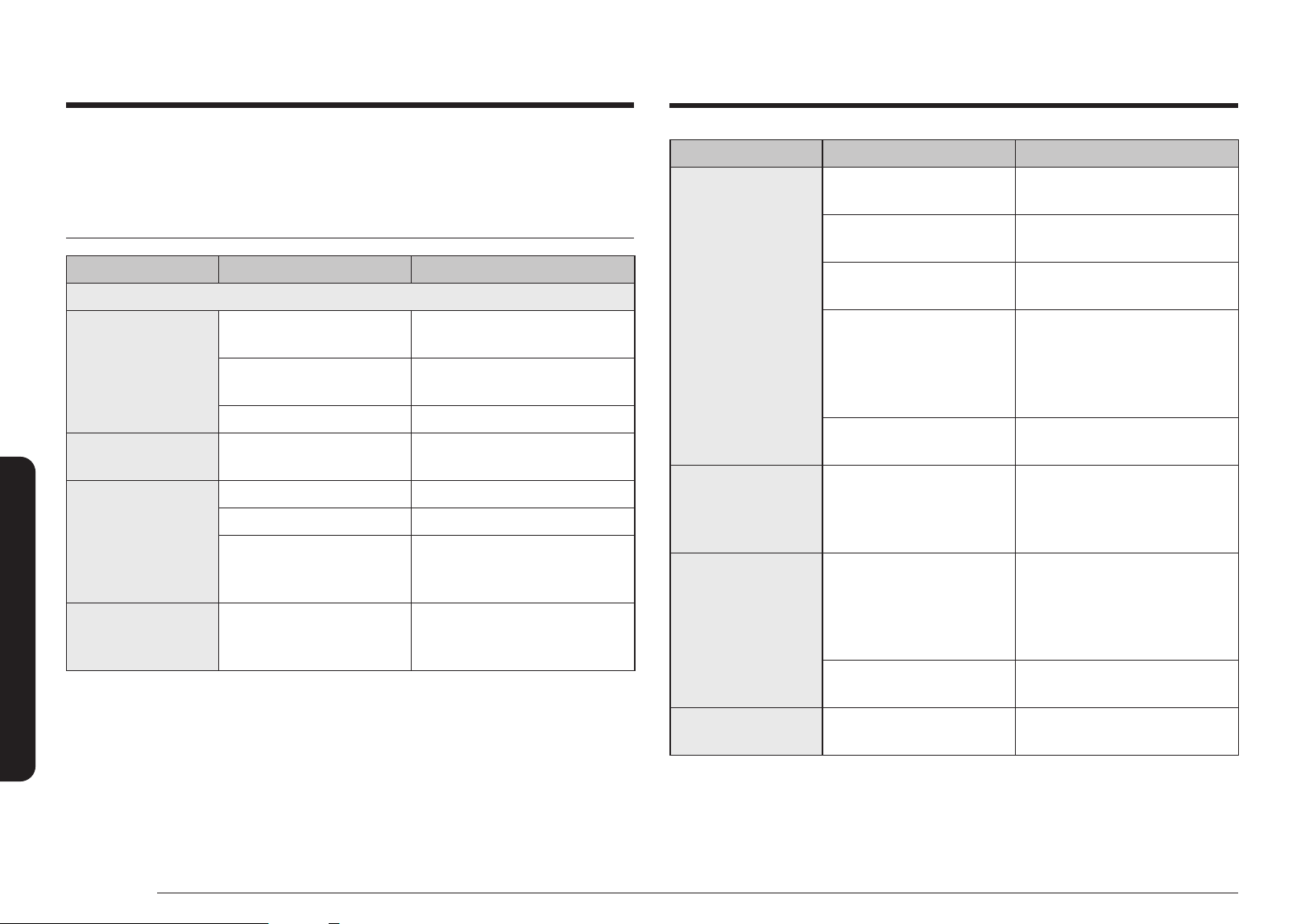
36 English
Troubleshooting
Troubleshooting
Problem Cause Action
The power turns off
during operation.
The oven has been cooking for
an extended period of time.
After cooking for an extended
period of time, let the oven cool.
The cooling fan is not
working.
Listen for the sound of the cooling
fan.
Trying to operate the oven
without food inside.
Put food in the oven.
There is not sufcient
ventilation space for the oven.
There are intake/exhaust outlets
on the front and rear of the oven
for ventilation.
Keep the gaps specied in the
product installation guide.
Several power plugs are being
used in the same socket.
Designate only one socket to be
used for the oven.
There is a popping
sound during
operation, and the
oven doesn't work.
Cooking sealed food or using
a container with a lid may
causes popping sounds.
Do not use sealed containers as
they may burst during cooking due
to expansion of the contents.
The oven exterior is too
hot during operation.
There is not sufcient
ventilation space for the oven.
There are intake/exhaust outlets
on the front and rear of the
oven for ventilation. Keep the
gaps specied in the product
installation guide.
Objects are on top of the
oven.
Remove all objects on the top of
the oven.
The door cannot be
opened properly.
Food residue is stuck between
the door and oven interior.
Clean the oven and then open the
door.
If you encounter a problem using your microwave, rst check the table below and try the
recommendations. If a problem persists, or if an information code keeps appearing on the
display, contact a local Samsung service center.
Checkpoints
Problem Cause Action
General
The buttons cannot be
touched properly.
Foreign matter may be caught
between the buttons.
Remove the foreign matter and try
again.
For touch models: Moisture is
on the exterior.
Wipe the moisture from the
exterior.
Control lock is activated. Deactivate Control lock.
The time is not
displayed.
The Screen Saver is set. Turn off the Screen Saver.
The oven does not
work.
Power is not supplied. Make sure power is supplied.
The door is open. Close the door and try again.
The door open safety
mechanisms are covered in
foreign matter.
Remove the foreign matter and try
again.
The oven stops while
in operation.
The user has opened the door
to turn food over.
After turning over the food, touch
the Start button again to start
operation.
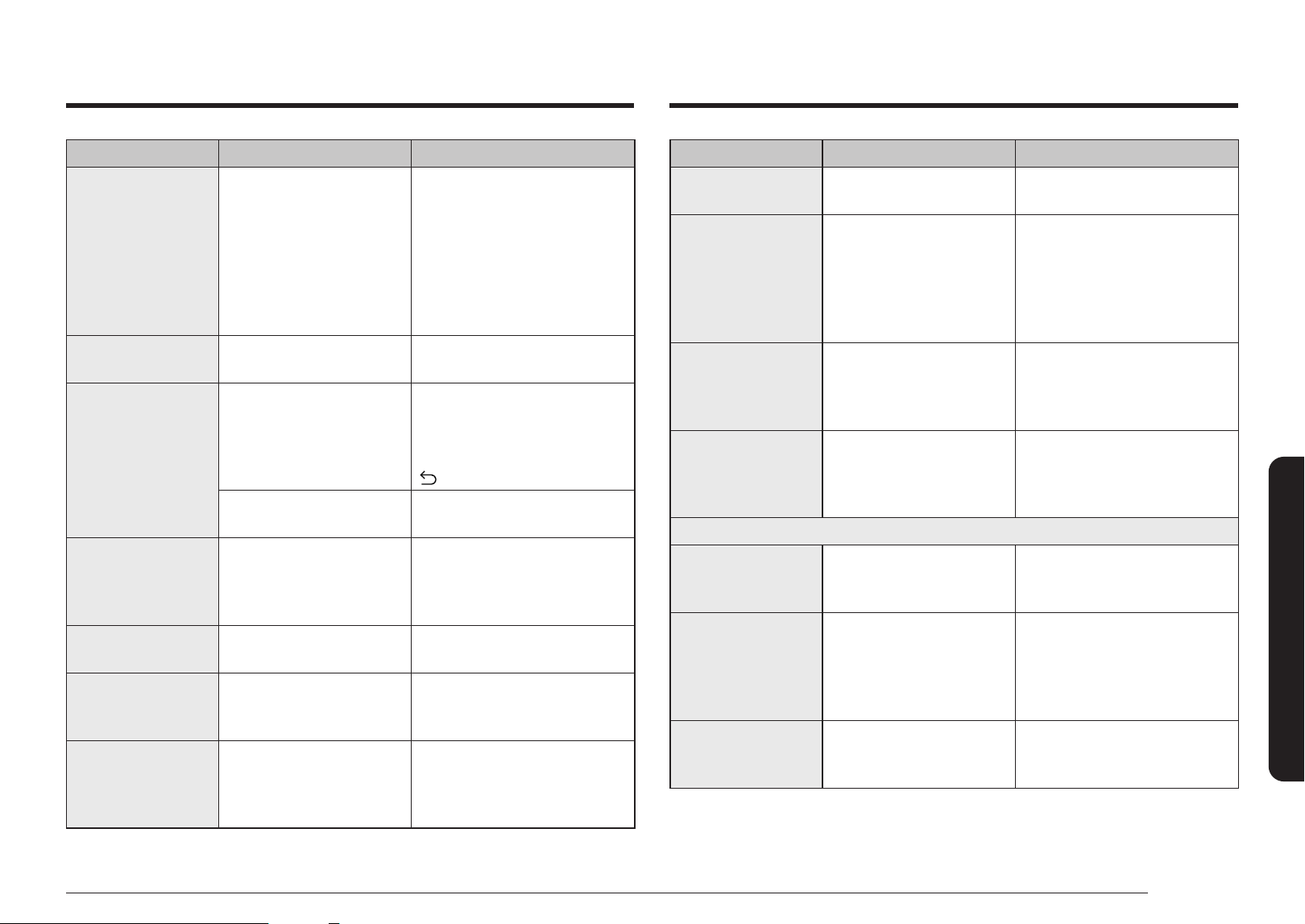
English 37
Troubleshooting
Problem Cause Action
Heating including the
Warm function does
not work properly.
The oven may not work, too
much food is being cooked, or
improper cookware is being
used.
Put one cup of water in a
microwave-safe container and run
the microwave for 1 - 2 minutes
to check whether the water is
heated. Reduce the amount of
food and start the function again.
Use a cooking container with a at
bottom.
The thaw function
does not work.
Too much food is being
cooked.
Reduce the amount of food and
start the function again.
The interior light is
dim or does not turn
on.
The door has been left open
for a long time.
The interior light may
automatically turn off when the
Eco function operates. Close and
reopen the door or touch the
button or press the Dial.
The interior light is covered by
foreign matter.
Clean the inside of the oven and
check again.
A beeping sound
occurs during cooking.
If the Auto Cook function
is being used, this beeping
sound means it's time to turn
over the food during thawing.
After turning over the food, touch
the Start button again to restart
operation.
The oven is not level. The oven is installed on an
uneven surface.
Make sure the oven is installed on
at, stable surface.
There are sparks
during cooking.
Metal containers are used
during the oven/thawing
functions.
Do not use metal containers.
When power is
connected, the oven
immediately starts to
work.
The door is not properly
closed.
Close the door and check again.
Problem Cause Action
There is electricity
coming from the oven.
The power or power socket is
not properly grounded.
Make sure the power and power
socket are properly grounded.
1. Water drips.
2. Steam emits
through a door
crack.
3. Water remains in
the oven.
There may be water or steam
in some cases depending on
the food. This is not an oven
malfunction.
Let the oven cool and then wipe
with a dry dish towel.
The brightness inside
the oven varies.
Brightness changes
depending on power output
changes according to
function.
Power output changes during
cooking are not malfunctions. This
is not an oven malfunction.
Cooking is nished,
but the cooling fan is
still running.
To ventilate the oven, the
cooling fan continues to run
for about 3 minutes after
cooking is complete.
This is not an oven malfunction.
Turntable
While turning, the
turntable comes out of
place or stops turning.
There is no roller ring, or the
roller ring is not properly in
place.
Install the roller ring and then try
again.
The turn table drags
while turning.
The roller ring is not properly
in place, there is too much
food, or the container is too
large and touches the inside
of the microwave.
Adjust the amount of food and do
not use containers that are too
large.
The turn table rattles
while turning and is
noisy.
Food residue is stuck to the
bottom of the oven.
Remove any food residue stuck to
the bottom of the oven.
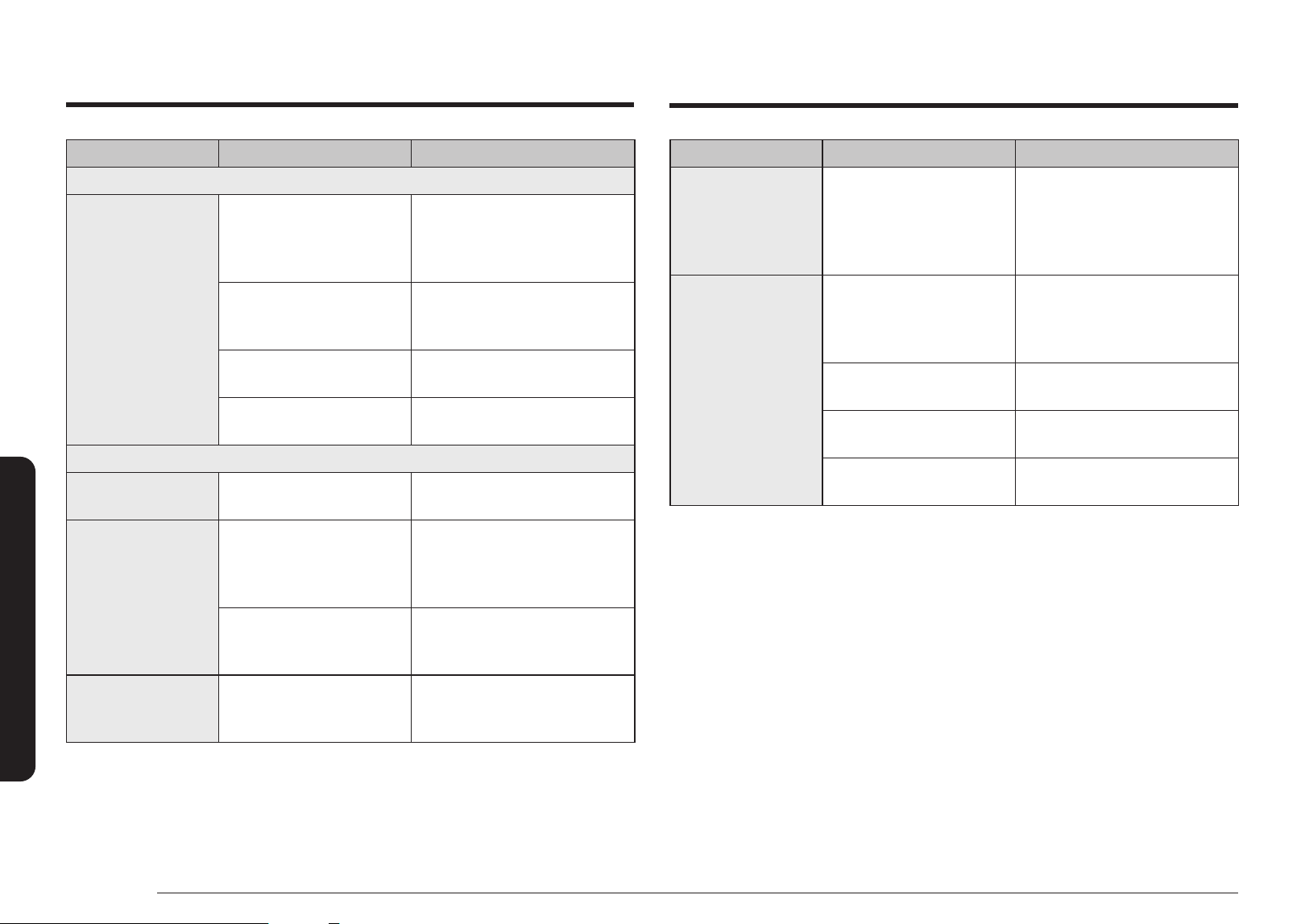
38 English
Troubleshooting
Problem Cause Action
Grill
Smoke comes out
during operation.
During initial operation,
smoke may come from the
heating elements when you
rst use the oven.
This is not a malfunction, and if you
run the oven 2 - 3 times, it should
stop.
Food is on the heating
elements.
Let the oven cool and then
remove the food from the heating
elements.
Food is too close to the grill. Put the food a suitable distance
away while cooking.
Food is not properly prepared
and/or arranged.
Make sure food is properly
prepared and arranged.
Oven
The oven does not
heat.
The door is open. Close the door and try again.
Smoke comes out
during preheating.
During initial operation,
smoke may come from the
heating elements when you
rst use the oven.
This is not a malfunction, and if you
run the oven 2 - 3 times, it should
stop.
Food is on the heating
elements.
Let the oven cool and then
remove the food from the heating
elements.
There is a burning or
plastic smell when
using the oven.
Plastic or non heat-resistant
cookware is used.
Use glass cookware suitable for
high temperatures.
Problem Cause Action
There is a bad smell
coming from inside the
oven.
Food residue or plastic has
melted and stuck to the
interior.
Use the steam function and then
wipe with a dry cloth.
You can put a lemon slice inside
and run the oven to remove the
odour more quickly.
The oven does not
cook properly.
The oven door is frequently
opened during cooking.
If you open the door often, the
interior temperature will be
lowered and this may affect the
results of your cooking.
The oven controls are not
correctly set.
Correctly set the oven controls and
try again.
The grill or other accessories
are not correctly inserted.
Correctly insert the accessories.
The wrong type or size of
cookware is used.
Use suitable cookware with at
bottoms.
Troubleshooting
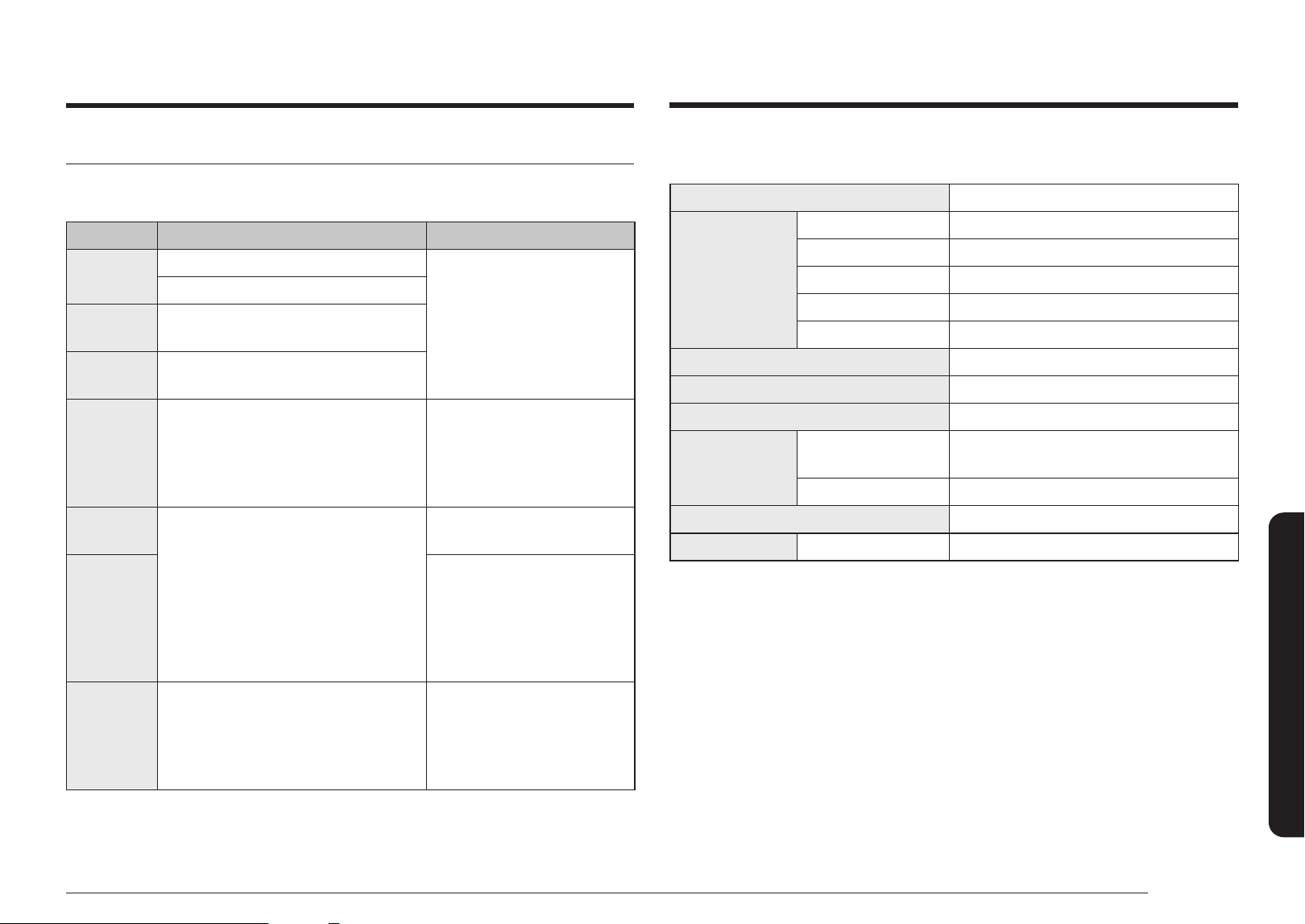
English 39
Technical specifcations
Technical specifcations
SAMSUNG strives to improve its products at all times. Both the design specications and the
user instructions are thus subject to change without notice.
Power Source 120 V ~ 60 Hz
Power
Consumption
Maximum Power 1650 W
Microwave 1600 W
Grill 1600 W
Convection 1650 W
Power Convection 1650 W
Output Power 100 W / 900 W (IEC - 705)
Operating Frequency 2450 MHz
Cooling Method Cooling fan motor
Dimensions
(W x H x D)
Main Unit
(Include Handle)
20
13
⁄
16
X 15
15
⁄
16
X 18
15
⁄
16
(in)
Cooking Chamber 15 X 8 X 15 (in)
Volume 1.2 cu.ft
Weight Net Approx. 61.95 lb. (28.1 kg)
Information codes
If the oven fails to operate, you may see an information code on the display. Check the table
below and try the suggestions.
Code Description Action
C-20
The temperature sensor is open.
Unplug the power cord of
the oven, and contact a local
Samsung service center.
The temperature sensor is shorted.
C-A1
The oven has failed to sense the opening
or closing of the damper for 1 minute.
C-F0
The microwave has sensed an internal
communications failure.
C-21
Temperature sensor has detected a
temperature that exceeds the allowable
temperature for an operation.
Turn off the microwave oven,
unplug it, and let it cool, then
try the setting again.
If this code re-appears, call your
local Samsung service center.
C-F2
The touch key malfunction.
Touch Stop or press the Dial to
try again.
C-d0
Turn off the microwave oven,
unplug it, and let it cool. Clean
the button and area around the
button.
If this code re-appears, call your
local Samsung service center.
C-d1
When door lock motor cannot nd its
position.
Check door lock operation
when re-applying power.
If this code appears again, call
your local Samsung service
center.
40 English
Warranty
This limited warranty covers manufacturing defects in materials or workmanship
encountered in normal household, noncommercial use of this product and shall not cover
the following: damage that occurs in shipment, delivery, installation, and uses for which
this product was not intended; damage caused by unauthorized modication or alteration
of the product; product where the original factory serial numbers have been removed,
defaced, changed in any way, or cannot be readily determined; cosmetic damage including
scratches, dents, chips, and other damage to the product’s nishes; damage caused by
abuse, misuse, overheating due to overcooking, glass tray or turntable, pest infestations,
accident, re, oods, or other acts of nature or God; damage caused by use of equipment,
utilities, services, parts, supplies, accessories, applications, installations, repairs, external
wiring or connectors not supplied or authorized by SAMSUNG; damage caused by incorrect
electrical line current, voltage, uctuations and surges; damage caused by failure to
operate and maintain the product according to instructions; in-home instruction on how
to use your product; service to correct installation not in accordance with electrical or
plumbing codes or correction of household electrical or plumbing (i.e., house wiring, fuses,
or water inlet hoses); and reduced magnetron power output related to normal aging.
The cost of repair or replacement under these excluded circumstances shall be the
customer’s responsibility.
Visits by an authorized servicer to explain product functions, maintenance or installation
are not covered by this limited warranty. Please contact SAMSUNG at the number below
for assistance with any of these issues.
Samsung will charge a repair fee for replacing an accessory or repairing cosmetic damage
if the damage to the unit and/or damage to or loss of the accessory was caused by the
customer. Items this covers include:
• Dented, scratched, or broken door, handle, out-panel, or control panel
• Broken or lost tray, guide roller, coupler, lter, or wire rack
Parts that SAMSUNG has determined can be replaced by the user may be sent to the
customer for installation. In SAMSUNG’s discretion, an authorized servicer can be
dispatched to perform such installation.
Warranty
SAMSUNG MICROWAVE OVEN
LIMITED WARRANTY TO ORIGINAL PURCHASER WITH PROOF OF PURCHASE
This SAMSUNG brand product, as supplied and distributed by SAMSUNG ELECTRONICS
AMERICA, INC. (SAMSUNG) and delivered new, in the original carton to the original
consumer purchaser, is warranted by SAMSUNG against manufacturing defects in
materials or workmanship for the limited warranty period, starting on the date of delivery
to the original consumer purchaser, of:
One (1) Year Parts and Labor
Ten (10) Years Magnetron Part (Part Only)
This limited warranty is valid only on products purchased and used in the United States
that have been installed, operated, and maintained according to the instructions attached
to or furnished with the product. To receive warranty service, the purchaser must contact
SAMSUNG at the address or phone number provided below for problem determination and
service procedures. Warranty service can only be performed by a SAMSUNG authorized
service center. The original dated bill of sale and/or proof of delivery must be presented
upon request as proof of purchase to SAMSUNG or SAMSUNG’s authorized service center
to receive warranty service.
SAMSUNG will provide in-home service within the contiguous United States during the
warranty period at no charge, subject to availability of SAMSUNG authorized servicers
within the customer’s geographic area. If in-home service is not available, SAMSUNG may
elect, at its option, to provide transportation of the product to and from an authorized
service center. If the product is located in an area where service by a SAMSUNG authorized
servicer is not available, you may be responsible for a trip charge or required to bring the
product to a SAMSUNG authorized service center for service.
To receive in-home service, product must be unobstructed and accessible to the service
agent.
During the applicable warranty period, a product will be repaired, replaced, or the
purchase price refunded, at the sole option of SAMSUNG. SAMSUNG may use new
or reconditioned parts in repairing a product, or replace the product with a new or
reconditioned product. Replacement parts and products are warranted for the remaining
portion of the original product’s warranty or ninety (90) days, whichever is longer.
All replaced parts and products are the property of SAMSUNG and you must return them
to SAMSUNG.
Warranty
English 41
Warranty
EXCLUSION OF IMPLIED WARRANTIES
IMPLIED WARRANTIES, INCLUDING THE IMPLIED WARRANTIES OF MERCHANTABILITY OR
FITNESS FOR A PARTICULAR PURPOSE, ARE LIMITED TO ONE YEAR OR THE SHORTEST
PERIOD ALLOWED BY LAW. Some states do not allow limitations on how long an implied
warranty lasts, so the above limitations or exclusions may not apply to you. This warranty
gives you specic rights, and you may also have other rights, which vary from state to
state.
LIMITATION OF REMEDIES
YOUR SOLE AND EXCLUSIVE REMEDY IS PRODUCT REPAIR, PRODUCT REPLACEMENT,
OR REFUND OF THE PURCHASE PRICE AT SAMSUNG’S OPTION, AS PROVIDED IN THIS
LIMITED WARRANTY. SAMSUNG SHALL NOT BE LIABLE FOR SPECIAL, INCIDENTAL OR
CONSEQUENTIAL DAMAGES, INCLUDING BUT NOT LIMITED TO TIME WAY FROM WORK,
HOTELS AND/OR RESTAURANT MEALS, REMODELING EXPENSES, LOSS OF REVENUE OR
PROFITS, FAILURE TO REALIZE SAVINGS OR OTHER BENEFITS REGARDLESS OF THE LEGAL
THEORY ON WHICH THE CLAIM IS BASED, AND EVEN IF SAMSUNG HAS BEEN ADVISED OF
THE POSSIBILITY OF SUCH DAMAGES. Some states do not allow exclusion or limitation of
incidental or consequential damages, so the above limitations or exclusions may not apply
to you. This warranty gives you specic rights, and you may also have other rights, which
vary from state to state.
SAMSUNG does not warrant uninterrupted or error-free operation of the product.
No warranty or guarantee given by any other person, rm, or corporation with respect to
this product shall be binding on SAMSUNG.
To obtain warranty service, please contact SAMSUNG at:
Samsung Electronics America, Inc.
85 Challenger Road
Ridgeeld Park, NJ 07660
1-800-SAMSUNG (726-7864) and www.samsung.com/us/support
Please be advised that the Samsung warranty does NOT cover service calls to explain product operation, correct improper installation, or perform normal cleaning or maintenance.
QUESTIONS OR COMMENTS?
COUNTRY CALL OR VISIT US ONLINE AT
U.S.A
Consumer Electronics
1-800-SAMSUNG (726-7864) www.samsung.com/us/support
CANADA 1-800-SAMSUNG (726-7864)
www.samsung.com/ca/support (English)
www.samsung.com/ca_fr/support (French)
MC12DB8700**AA-00
Scan the QR code* or visit
www.samsung.com/spsn
to view our helpful
How-to Videos and Live Shows
* Requires reader to be installed on your
smartphone
Scan this with your smart phone