1
Smart Control 5
Universal Remote Control
URC7956
1
43
4x AAA
2
ENGLISH 2
DEUTSCH 12
FRANÇAIS 22
ESPAÑOL 32
ITALIANO 42
PORTUGUÊS 52
NEDERLANDS 53
DANSK 54
NORSK 55
SVERIGE 56
SUOMI 57
ΕΛΛΗΝΙΚΆ 58
РУССКИЙ 59
TÜRKÇE 60
POLSKI 61
ČESKY 62
MAGYAR 63
БЪЛГАРСКИ 64
ROMÂNĂ 65
SLOVENSKY 66
HRVATSKI 67
CODELIST 68
2
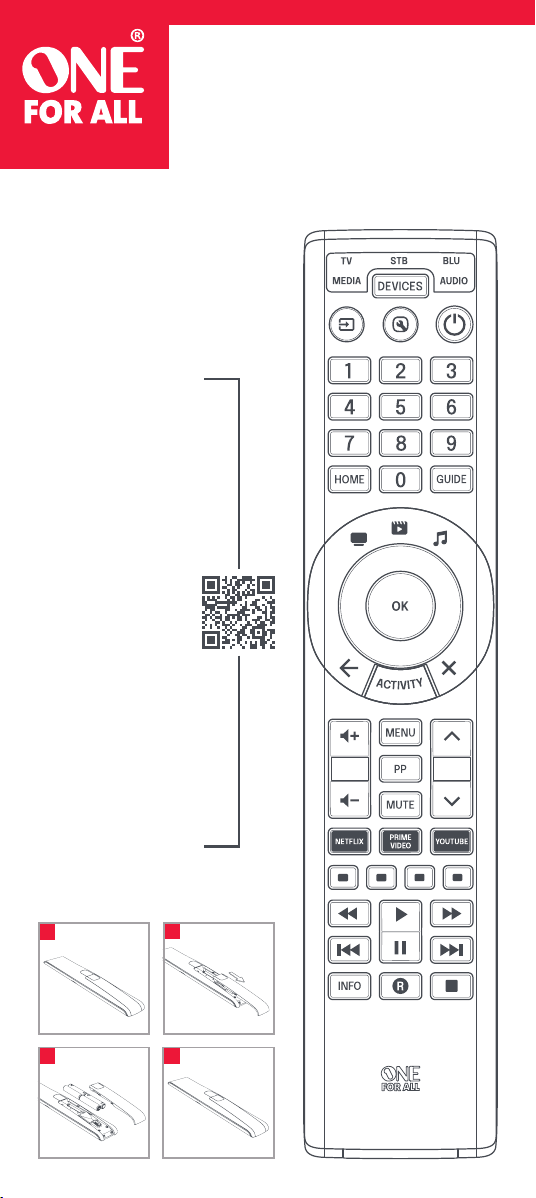
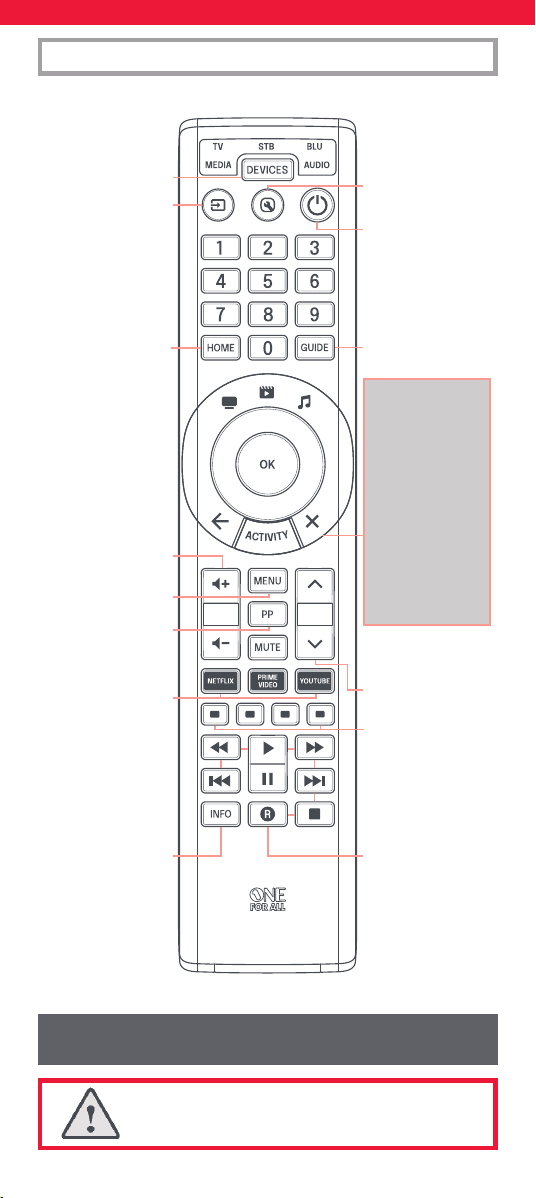
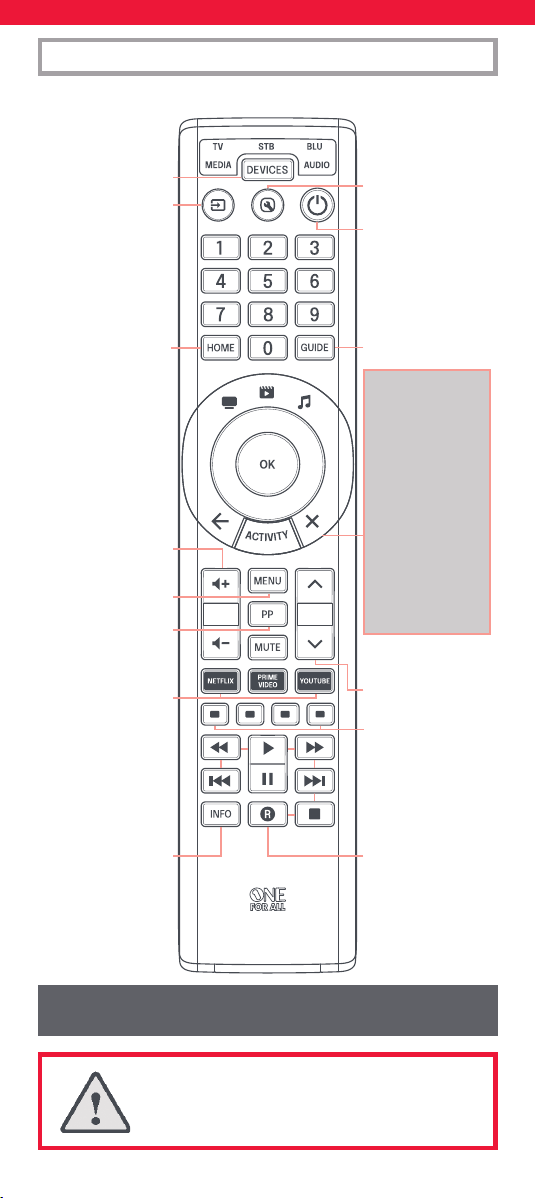
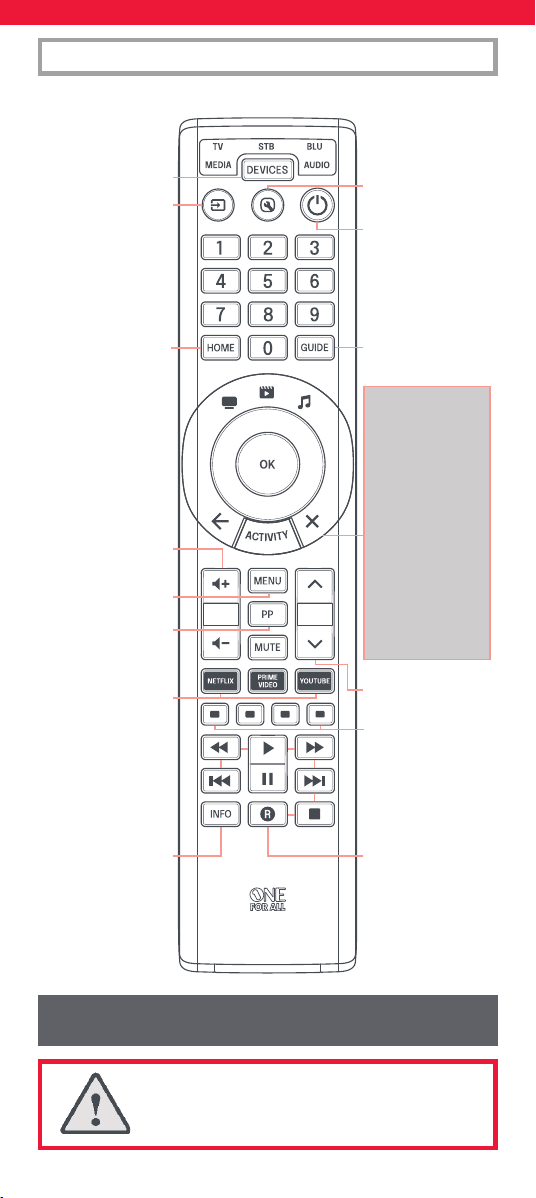
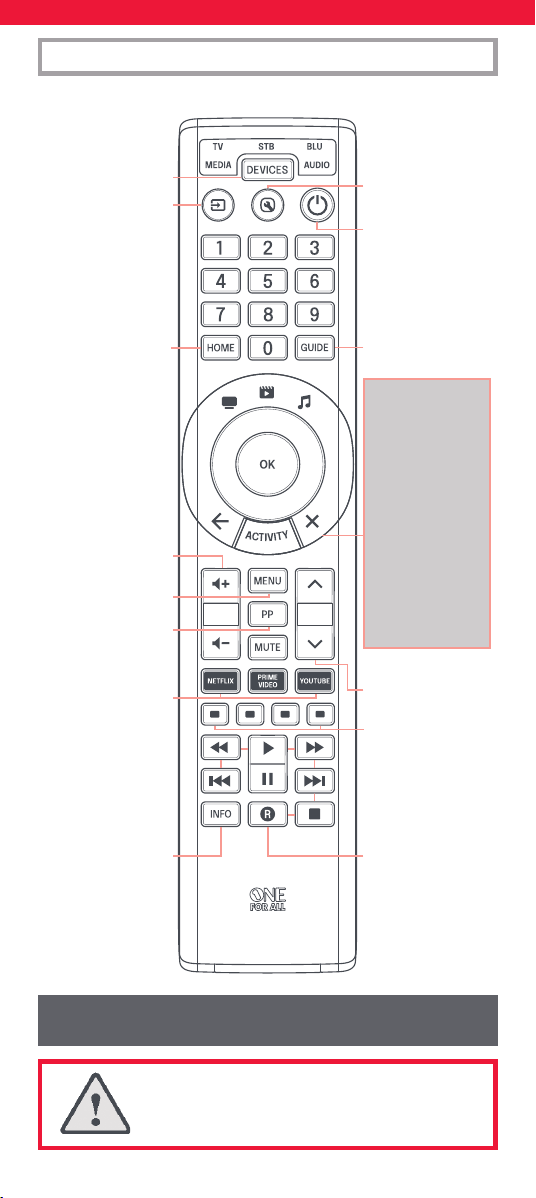
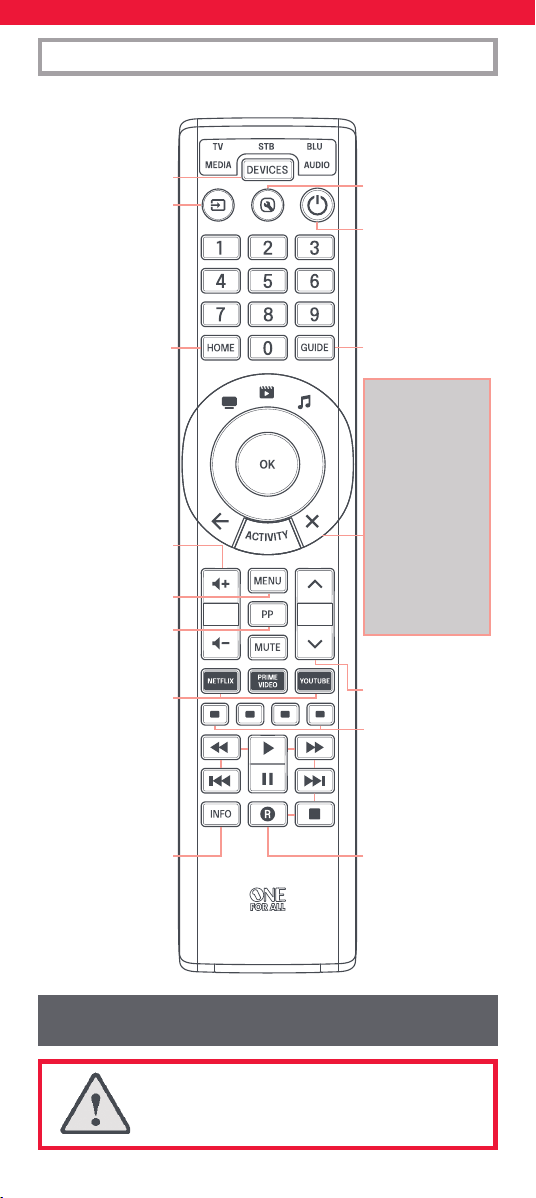
ENGLISH KEY DESCRIPTIONS | URC7956
DEVICES – Scroll through
the devices your remote
is set up to control
SETUP – Used to set up
your remote
POWER – Power on/off
HOME – Home, Menu
GUIDE – TV Guide, EPG
BACK – Back one step
in the Menu of the
current device
ACTIVITY – Scrolls
through up to 3 Activity
Modes – Watch TV,
Watch Movie and Listen
to Music. See Activities
for details.
EXIT – Exit from the
Menu of the current
device
VOL – Volume Up, Down
and Mute
PP – Previous Program,
Last Channel
MENU – Shows the menu of
the current device
Netflix, Amazon Prime
Video & YouTube
+/- – Channel Up and
Down
Red, Green, Yellow,
access keys
PLAYBACK – Playback keys
for the current device
INFO – Displays info of
current playback
AV – Select the input on
the current device
CAUTION: Risk of explosion if battery is replaced
by an incorrect type. Use quality Alkaline batteries.
Max output power: -3.05 dBm
Operation frequency range: 2402 MHz ~ 2480 MHz
3
Devices can also be set up without using the app. If you would
prefer to set up your devices that way, please see the section “On
Remote Setup”. Please note that the devices that can be set up on
remote is limited, so if you are unable to get one or more devices
programmed, the app has the latest database.
Once you start the app, you will be asked to pair the remote to the
phone – this is done by holding down the Devices and the Activity keys
for a few seconds until the TV LED start ashing. Once the remote is
paired, the app is divided into sections. These are as follows:
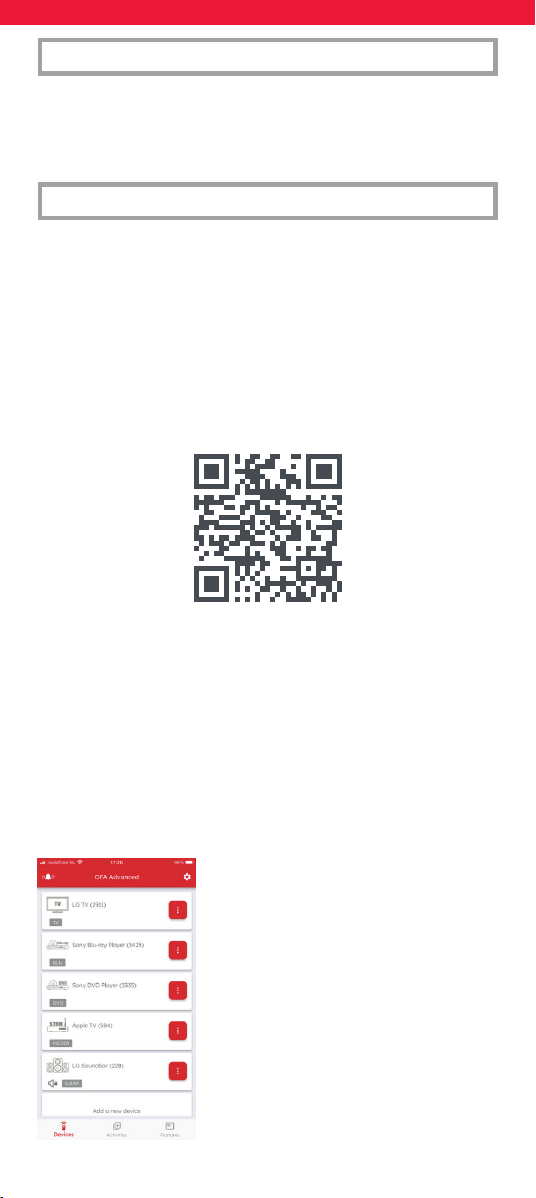
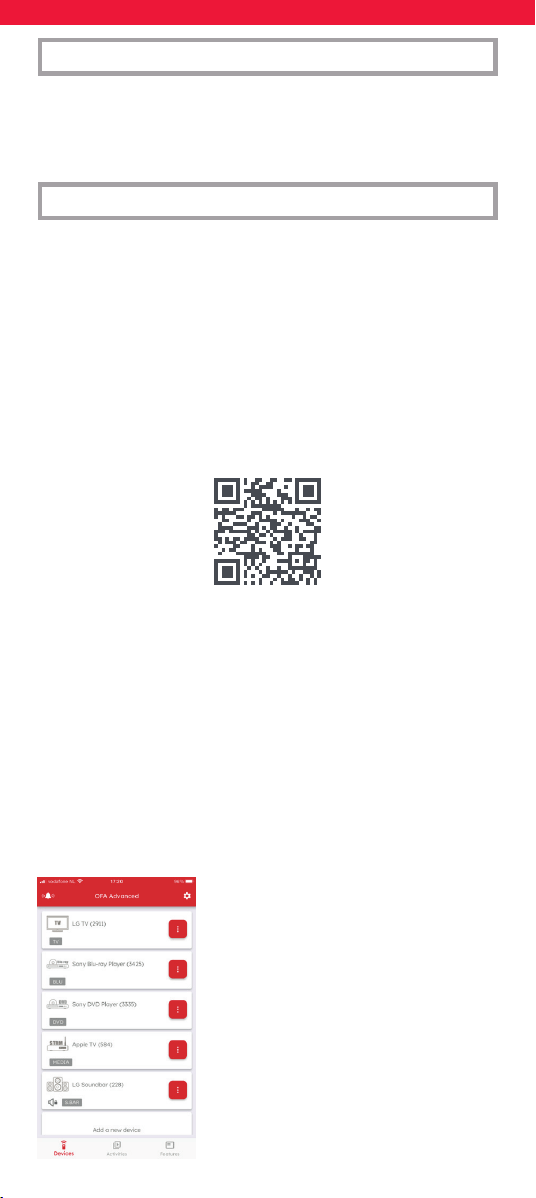
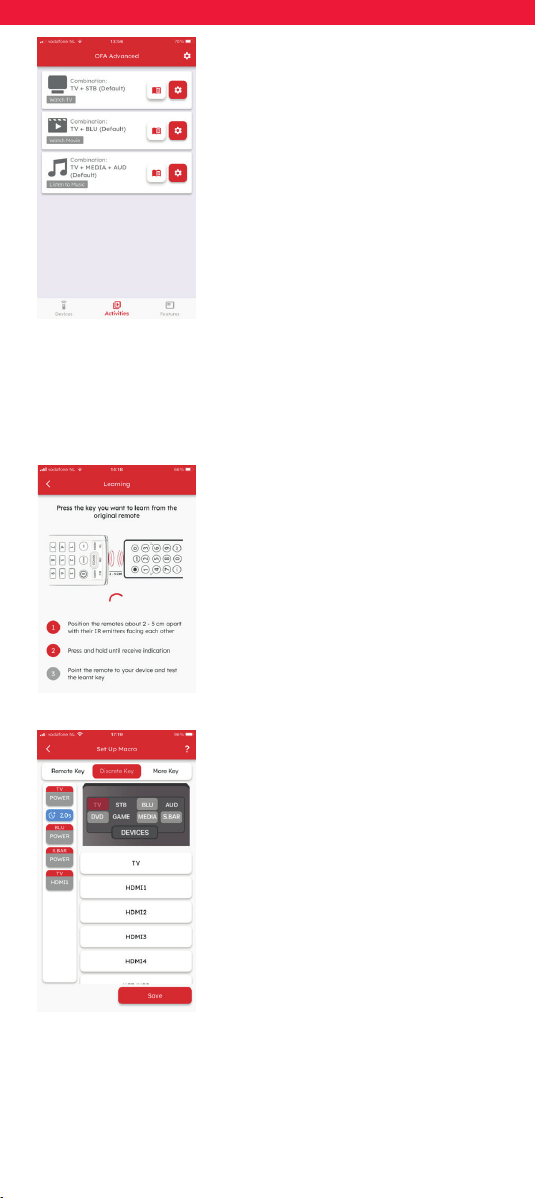
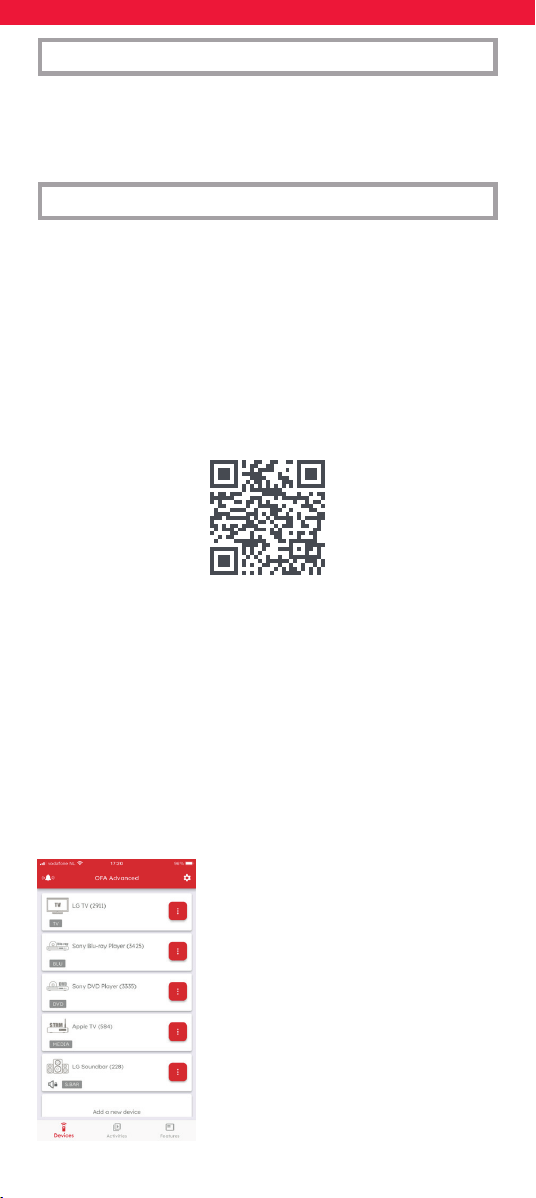
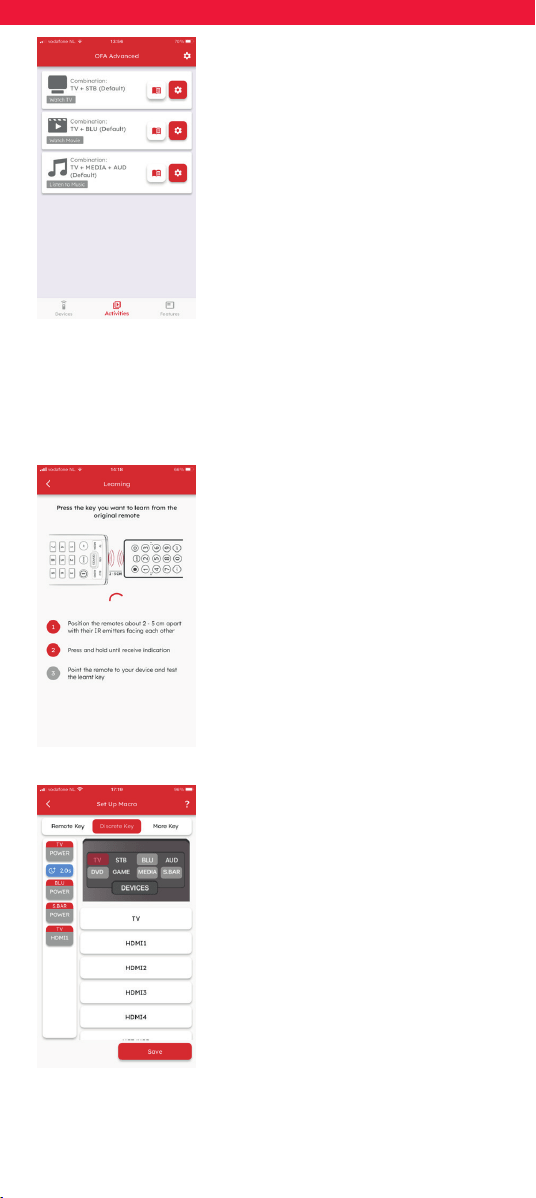
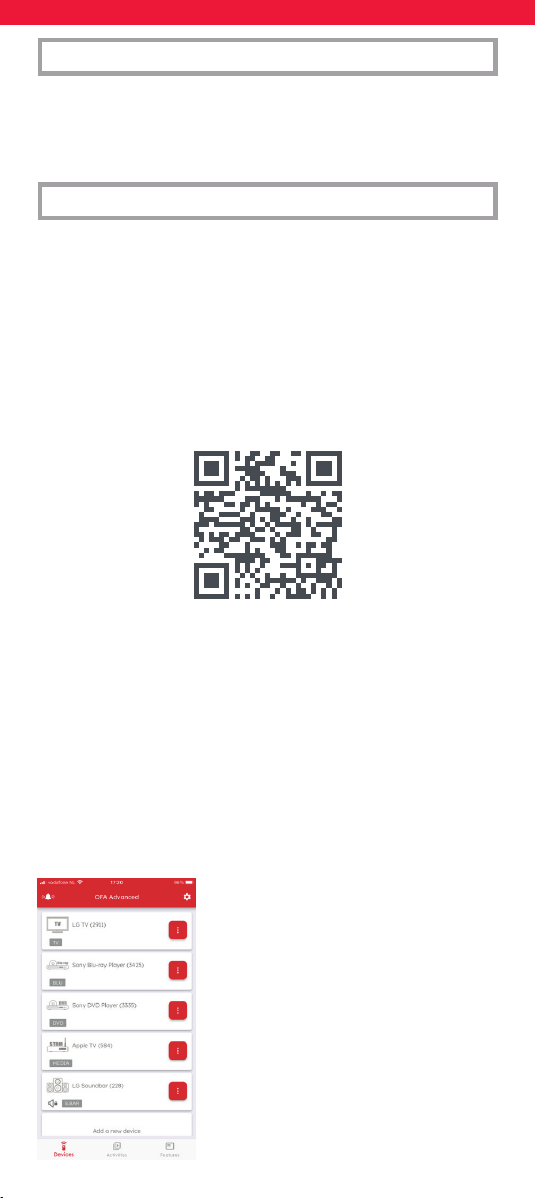
Devices
Your One For All remote can control up to 5
Audio Video devices by infrared. Setting up
these devices should be your rst step. The
app will help you easily set up the remote
to control your devices, all you need is the
brand of your device.
INTRODUCTION
ONE FOR ALL ADVANCED APP
Thank you for purchasing the One For All Smart Control 5. This remote
can control up to 5 Audio/Video devices using infrared, and features
Activities and Macros to help automate your viewing and listening.
To experience the full benets of the advanced features of the Smart
Control, we recommend that you download the One For All Advanced
App. This will guide you through setting up the remote to control
your devices and give you access to all the latest brands and devices
by connecting to our online database of infrared codes. It can also
help you set up Activities, create Macros to automate your viewing,
reprogram individual keys for your device and learn functions from
your original remote controls.
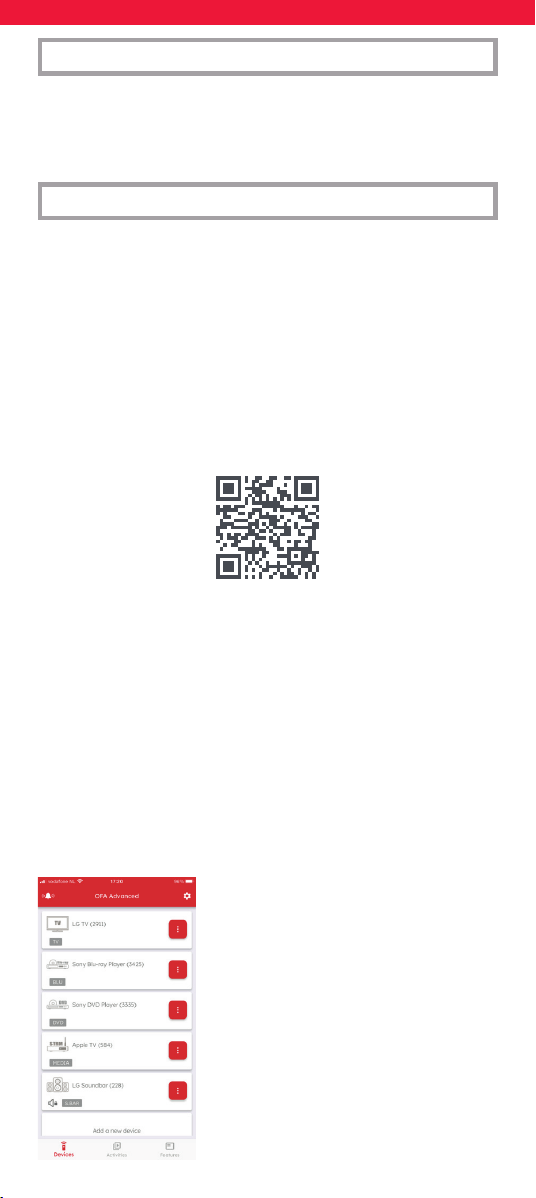
The app is compatible with Android and iOS and can be downloaded
by scanning the QR code below, or going to
www.ofa.com/smartcontrol5pro on your phone.
4
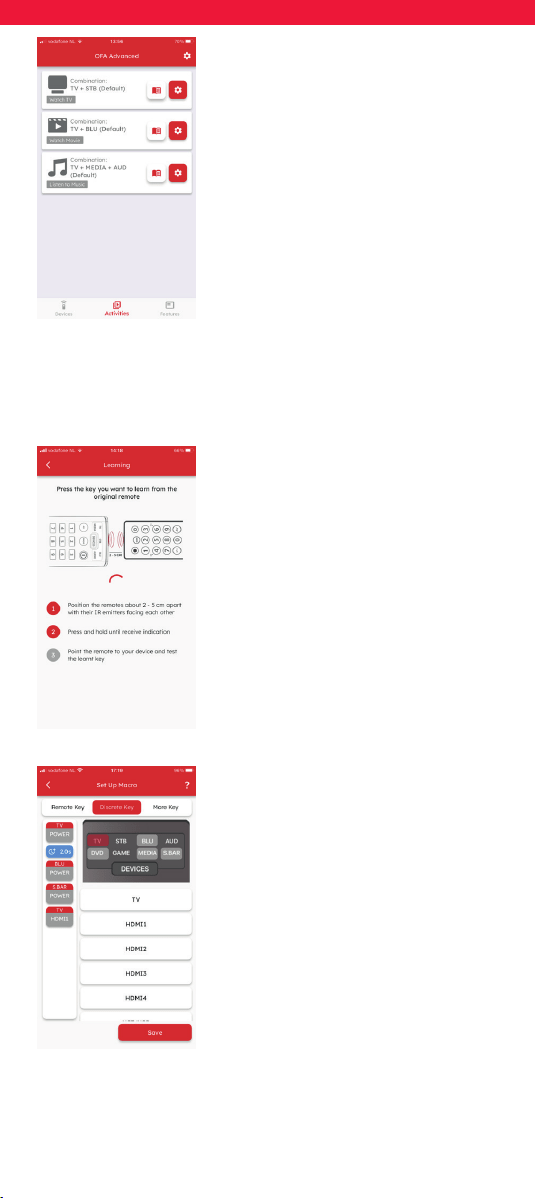
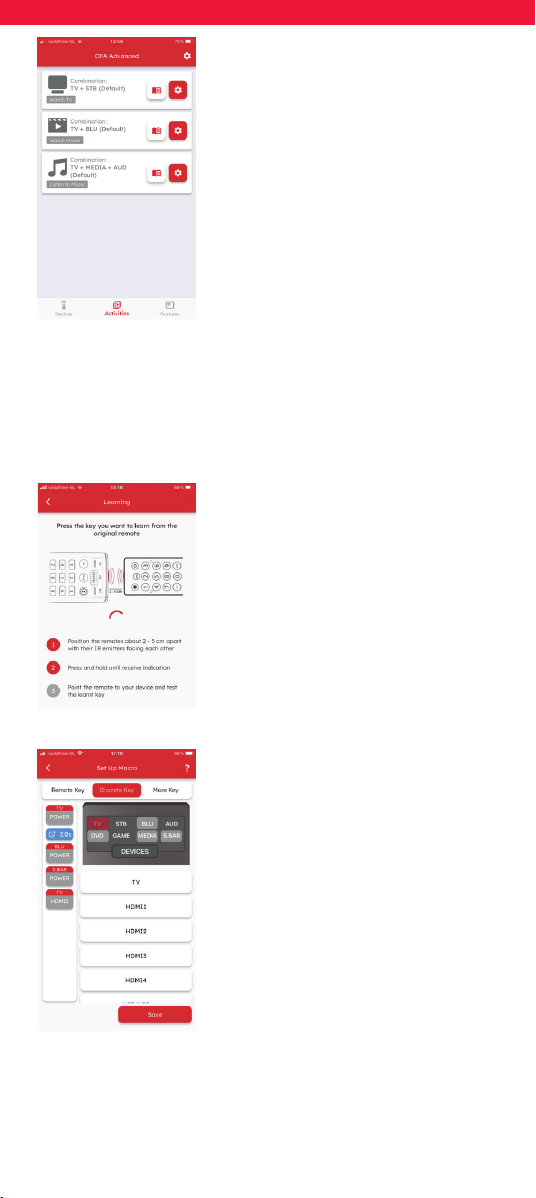
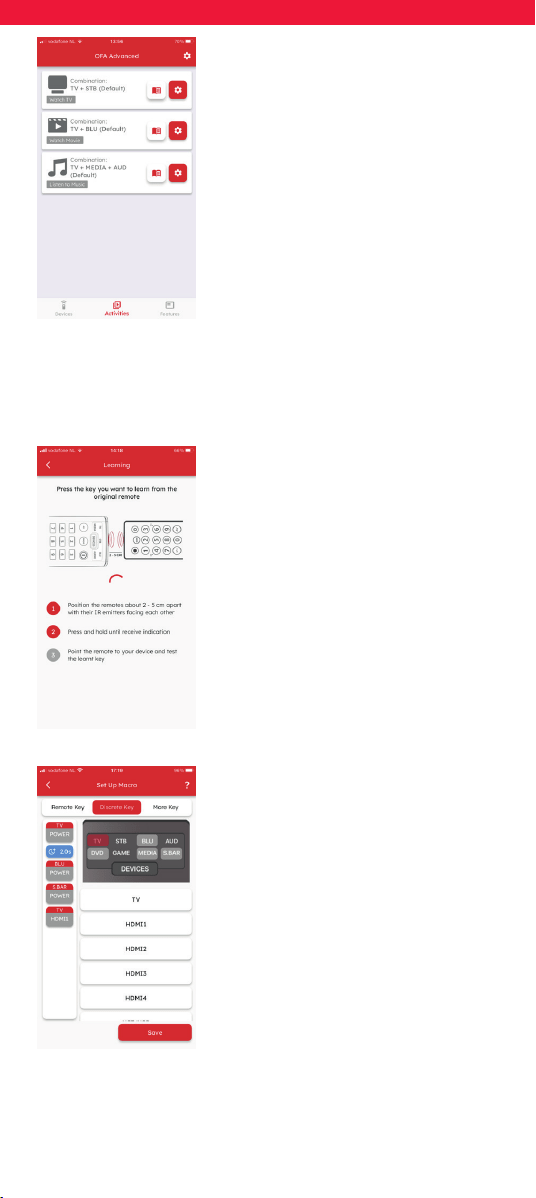
Activities
Once you have set up the remote to control
your devices, you can combine them into
up to 3 Activities. For example if you use
a combination of your TV, Set Top Box
and Sound Bar to watch live TV, you can
combine this into the Watch TV activity,
and the remote will control the appropriate
devices when the keys are pressed (e.g.
Sound Bar for Volume, STB for channels
etc.). The app will allow you to make any
combination of the devices you have set
up, and explain which key will control each
device in the Activity mode.
Features
On top of Devices and Activities, the Smart Control has a number of
features to enhance the control of your entertainment devices.
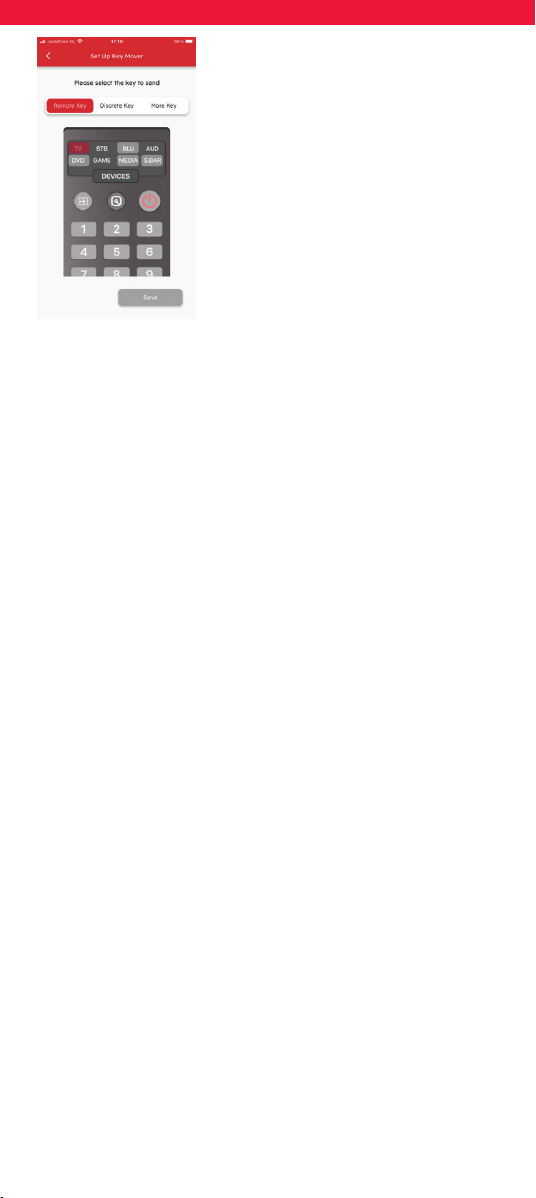
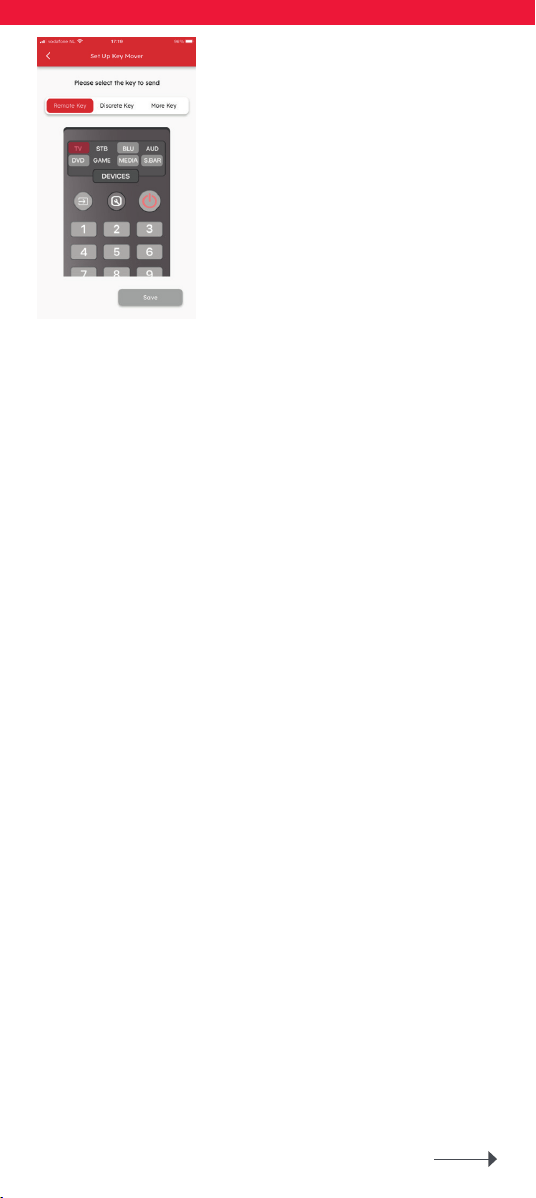
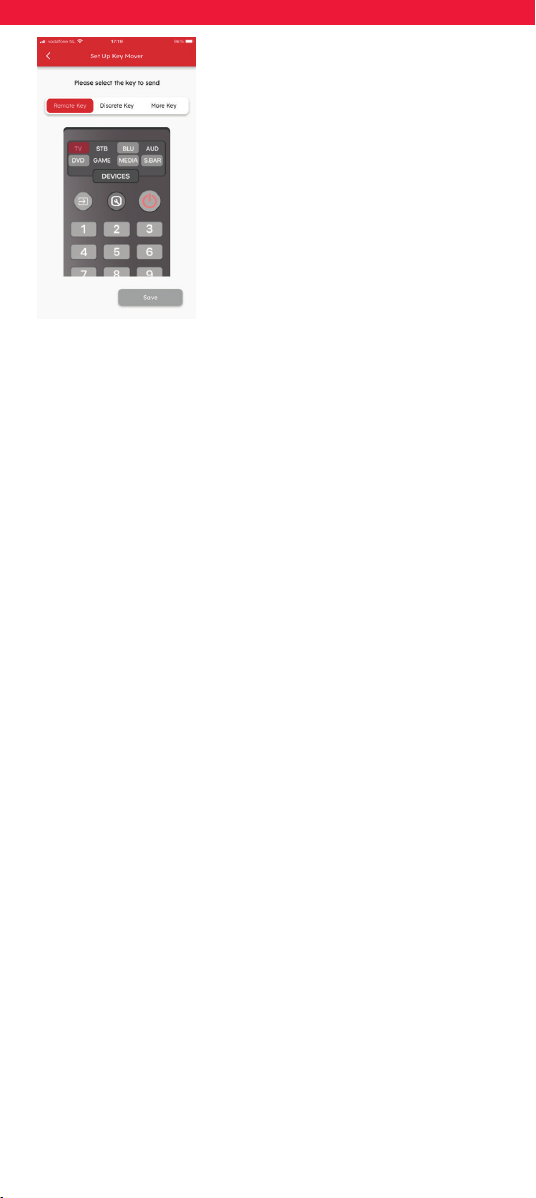
Learning
If you nd that you need an extra key from
your original remote that does not feature
on the Smart Control keypad, you can teach
the Smart Control the function using your
original (working) remote control. The app
will lead you through the process – you can
even learn a whole remote control.
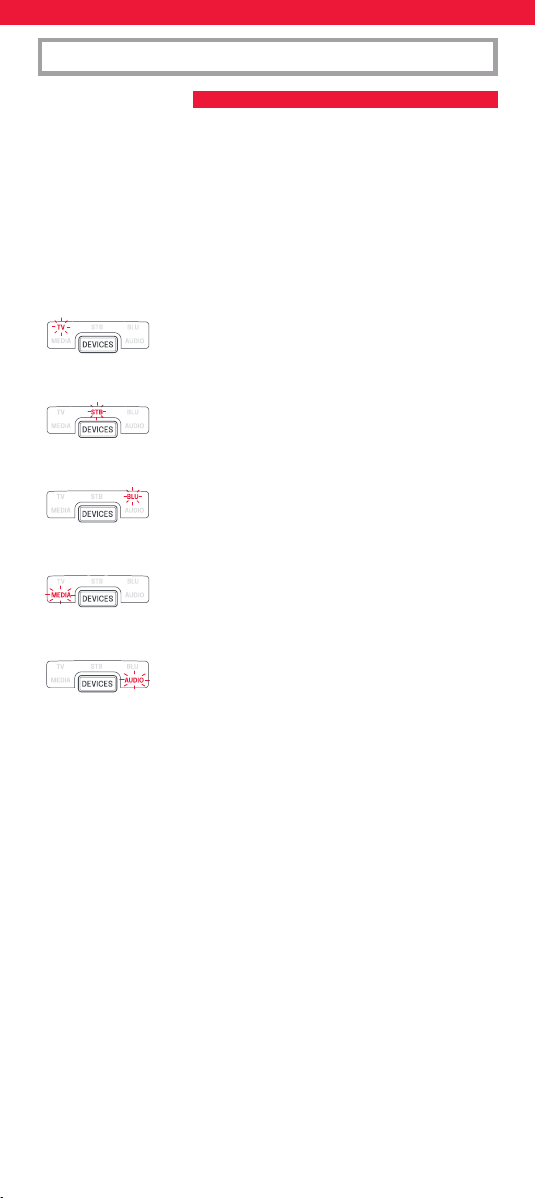
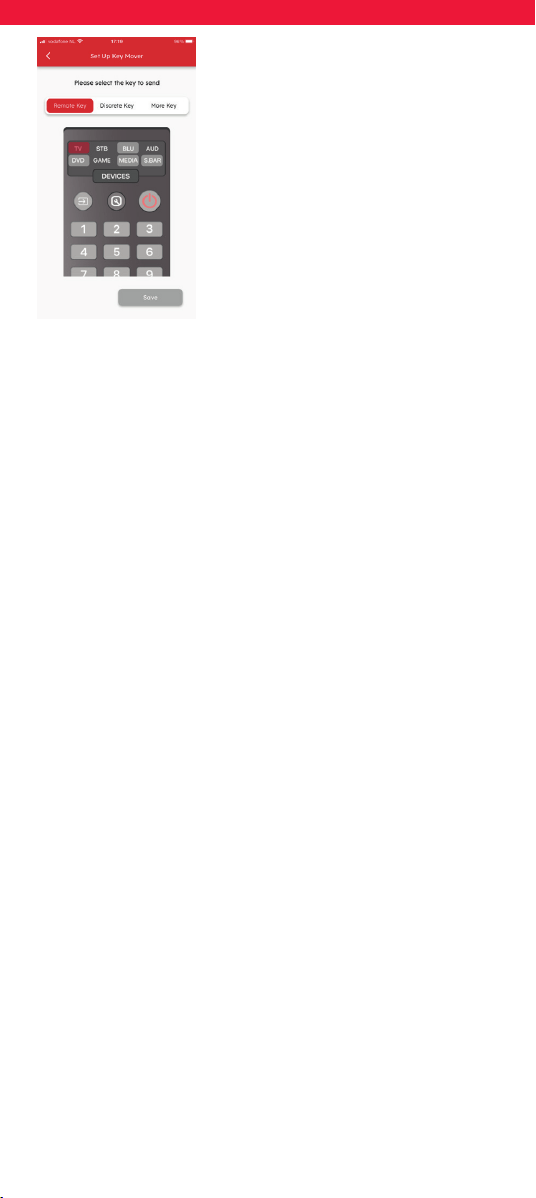
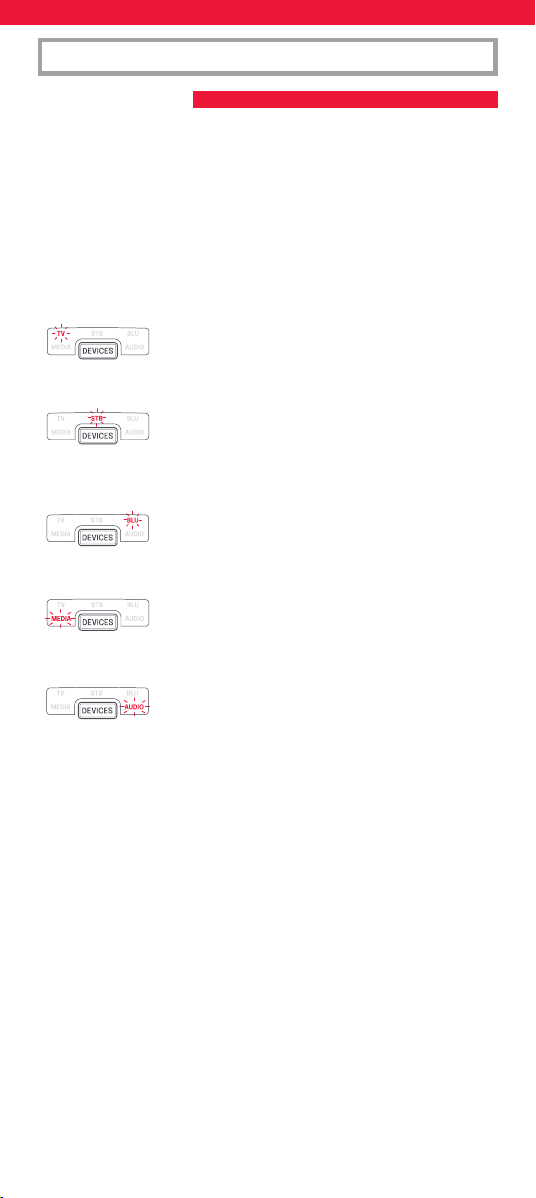
Macros
A macro is a series of commands sent with
a single button press. For example you
could turn on your TV, Sound Bar and Set
Top Box and then select the correct HDMI
input of your TV, all with one key press. You
can even assign the macro to an Activity,
ensuring your devices are all on the right
settings to control the Activity. The macro
will be sent 2 seconds after selecting the
Activity.
Using the app, you can create the exact
macro you need, including pauses between
keys (to allow devices like the TV to Power
on), and “discrete commands”, such as selec-
ting an HDMI input, or always powering the
TV on or o rather than toggling between
on and o.
5
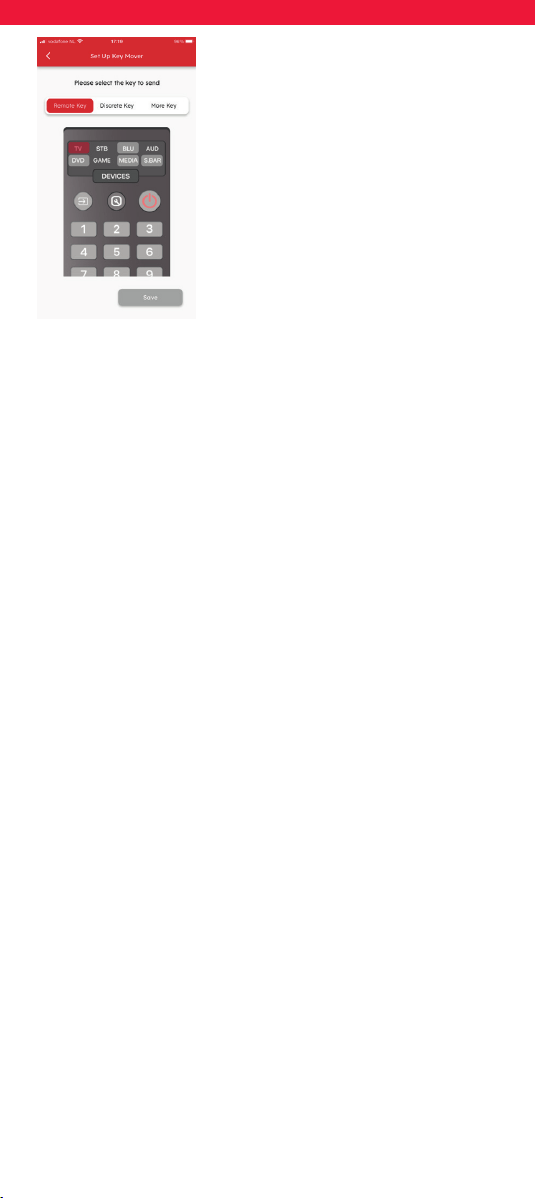
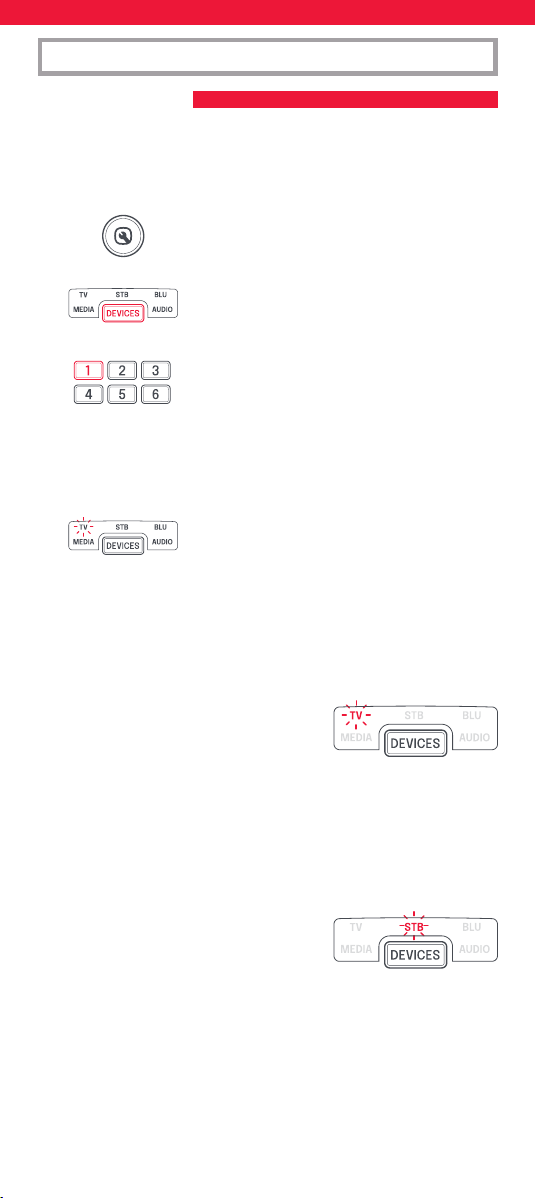
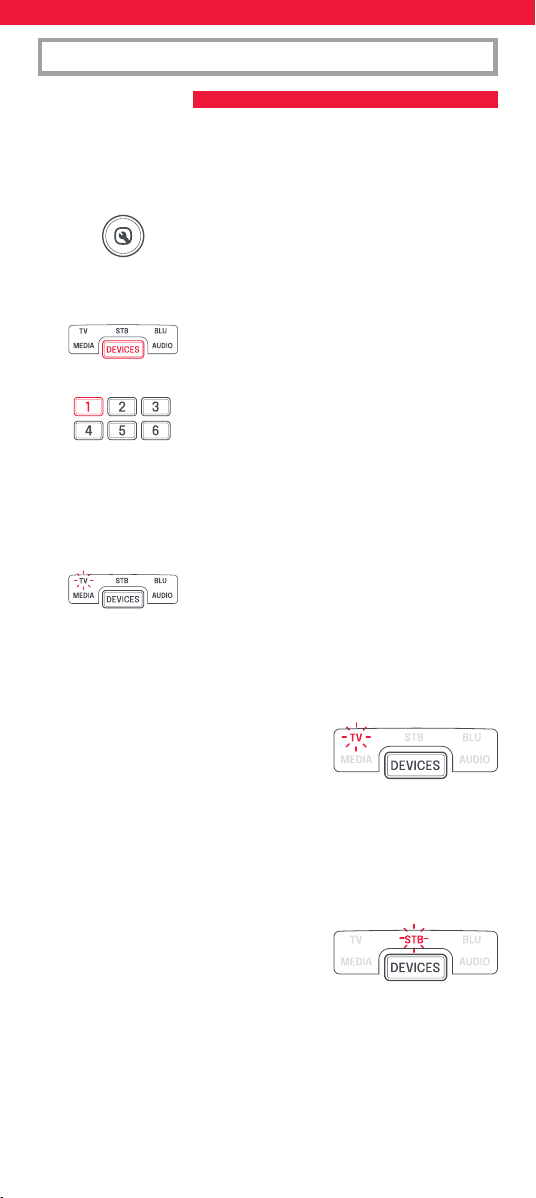
Key Mover
Using the Key Mover feature you can
change the functionality of one or more
of the keys on the remote, changing its
position or even duplicating it in a dierent
device. You may also nd that there are
extra commands available for your device
which do not yet have a key on the Smart
Control.
Volume Lock
Do you use only one device to control the volume of your devices? For
example you may want to always control the volume of your sound bar
even when controlling another device like TV or Blu-ray. The Volume
Lock feature allows you to lock the volume up, down and mute keys so
they always control the same device.
6
SimpleSet is a quick and easy way of setting up the remote to control
the most popular brands of each device type with only a few key
presses, typically in under a minute per device. The rst step is to select
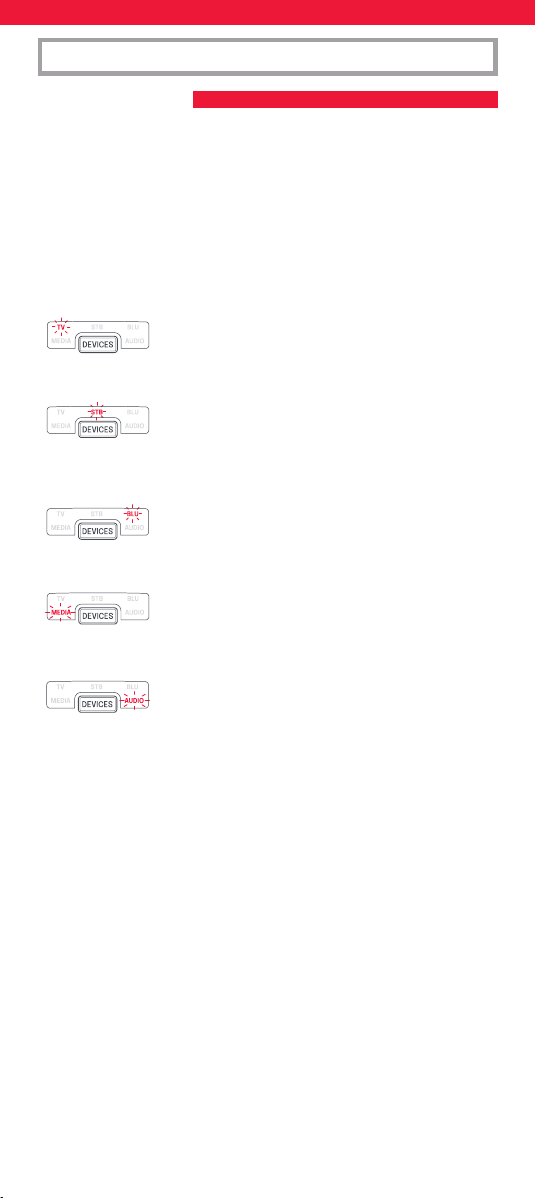
which device you are going to set up. The following is a list of Device
Modes on the remote control, and the Device types that can be set up
on that mode:
Device Mode Type of device
TV TV, HDTV, LED, LCD, Plasma, Projector
STB Set Top Box, Satellite Receiver, Cable
Converter, Freeview, DVB-T, IPTV
BLU Blu-ray, DVD, DVD Home Cinema, VCR,
Laser Disk
MEDIA Digital Media Receiver, Streamer, Game
Console*
AUD Audio, AV Receiver, Amplier, Tuner,
Soundbar
* The One For All remote can only control games consoles operated
by Infra-Red, either directly or via an adapter. Consoles that are
controlled by Bluetooth only cannot be operated.
For each Device type, there is a list of the top brands, each with a
number assigned to it, for example 1 for a Samsung TV. Locate your
device and brand in the list that follows:
ON-REMOTE SETUP
A – SIMPLESET
7
ON-REMOTE SETUP
A – SIMPLESET
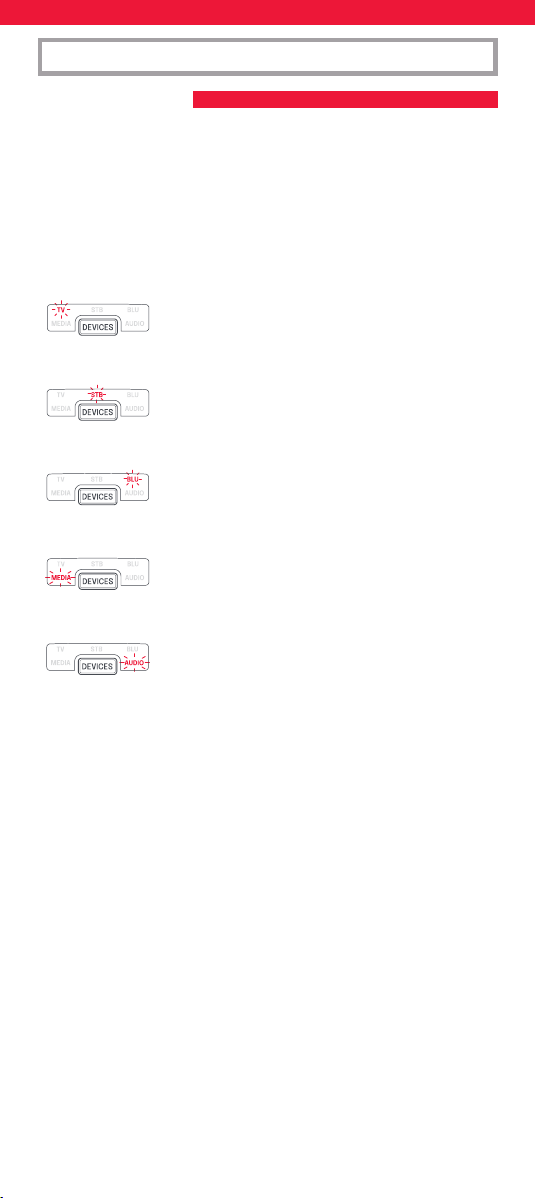
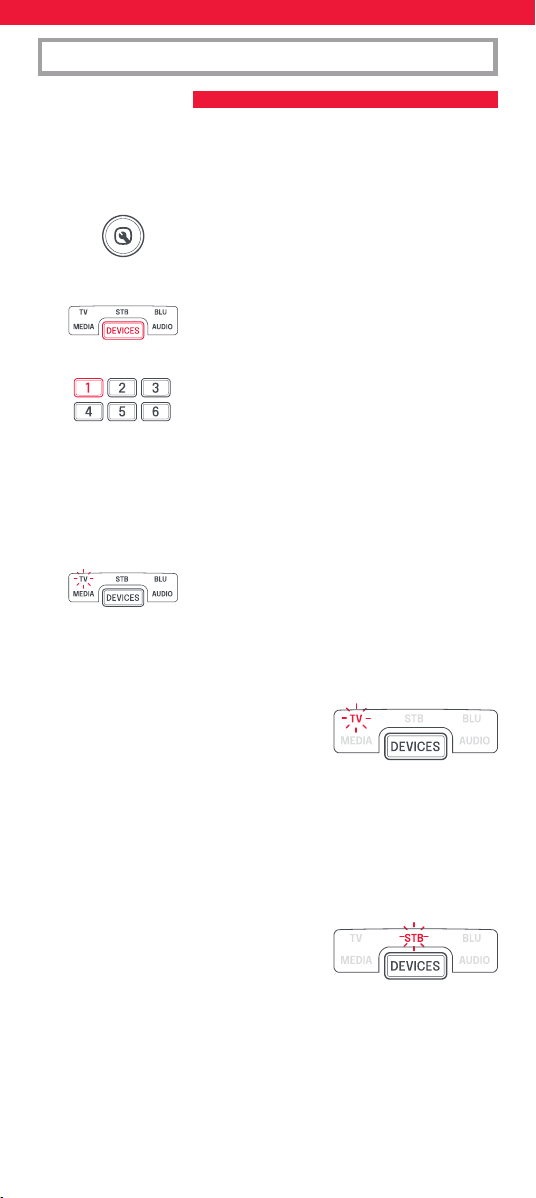
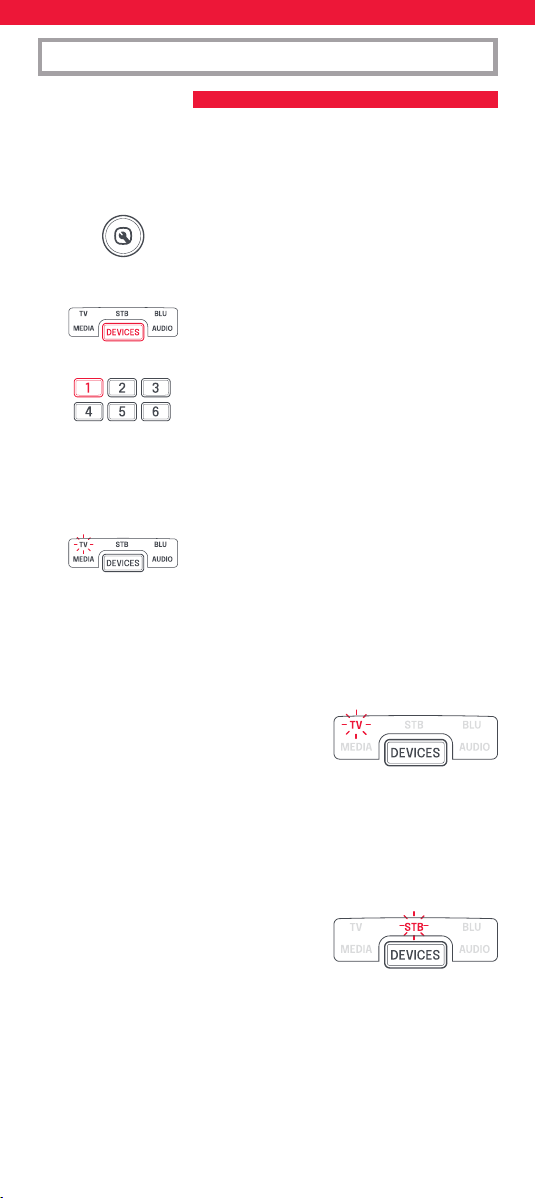
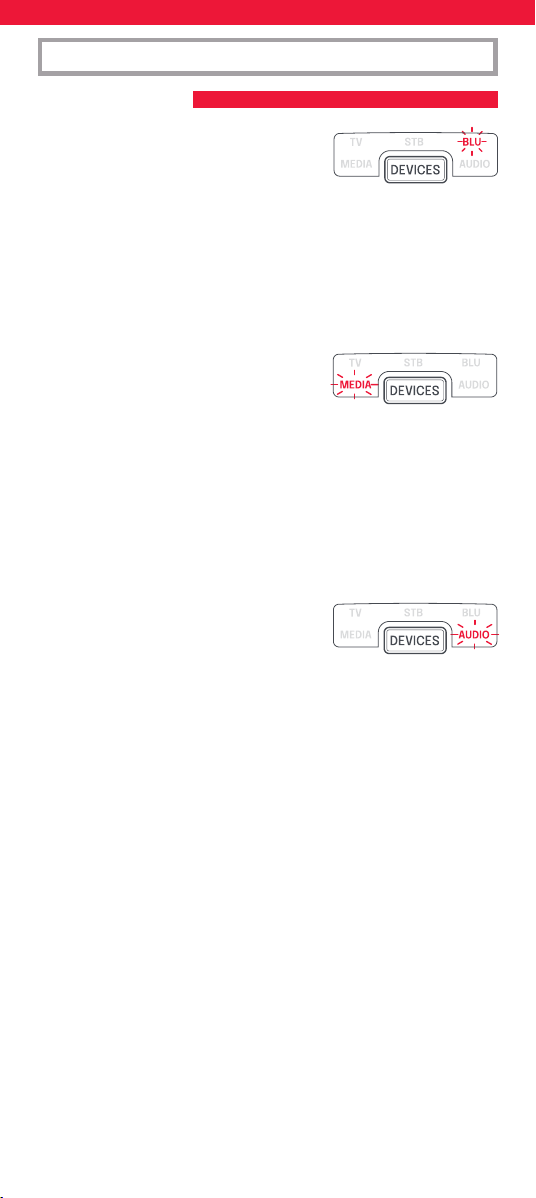
To set up your device
1. Turn on your device (not on standby) and point the OFA remote
towards it.
2. Hold down SETUP until the LED under the
device blinks twice.
The LED under the current mode key will
stay lit.
3. Press the DEVICES key repeatedly until the
LED for the device you want to set up is lit.
4. Hold down the digit for your brand and device
as listed above (e.g. 1 for Samsung TV).
5. The remote will send Power every 3 seconds until your device
switches o.
6. As soon as your device switches o, release the digit.
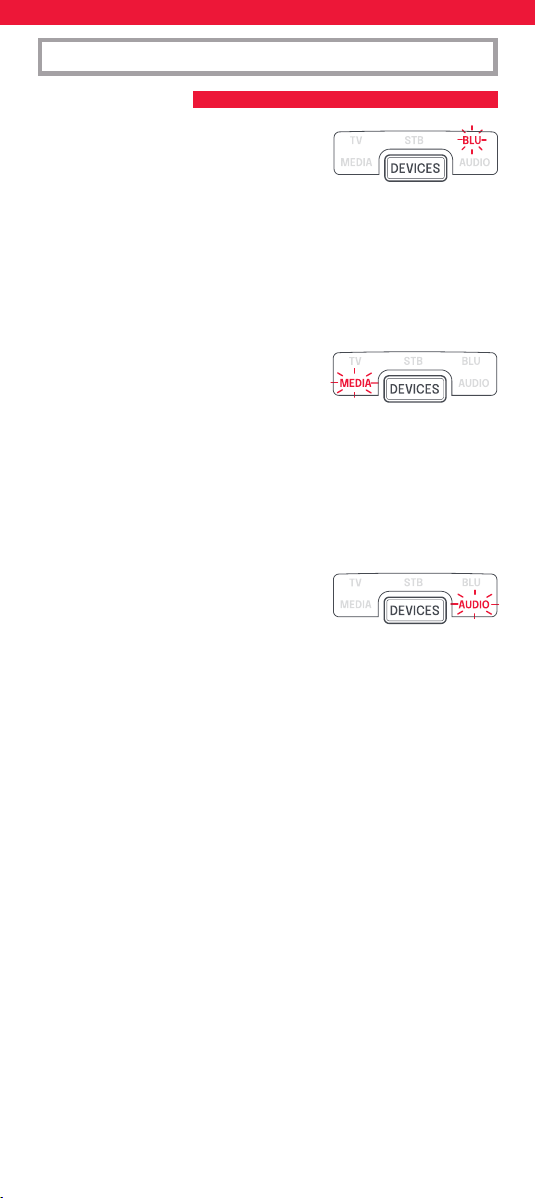
7. The LED will blink twice and go out. The
remote should now operate your device.
* If you nd one or more keys do not work as you expect, start again
at step 1 – the remote will start with the next code in the memory.
1 Samsung
2 LG
3 Sony
4 Philips
5 Panasonic
6 Hisense
7 TCL
8 Sharp
9 Grundig
0 Metz
1 Sky/Orange
2 Canal+/Canal+ Canalsat/
Canal Digital
3 UPC/UPC Cablecom/Virgin
Media
4 Deutsche Telekom
5 BT/BT Vision
6 DSTV/Multichoice/Foxtel/
Sky (NZ)
7 Telefonica
8 Sky Italy/Neuf Telec.
9 Technisat
0 Freebox/VU+
TV
STB – Sat, Cable, DVB-T
8
ON-REMOTE SETUP
A – SIMPLESET
1 Philips
2 Sony
3 Pioneer
4 Panasonic
5 Samsung
6 LG
7 Sharp
8 Toshiba
9 JVC
0 Teac
1 Yamaha
2 Onkyo
3 Denon
4 Pioneer
5 Sony
6 Marantz
7 Harman/Kardon
8 Philips
9 Teac
0 Bose
1 Apple TV
2 Roku
3 Foxtel
4 Digital Stream
5 Humax
6 RCA
7 Philips
8 Sony/Xbox
9 Vudu
0 Xiaomi
BLU –
DVD, Blu-ray
AUD – AV Receiver,
Amp, Tuner, Soundbar
MEDIA – Games
Consoles, Media Players
9
ON-REMOTE SETUP
B – SET UP BY CODE
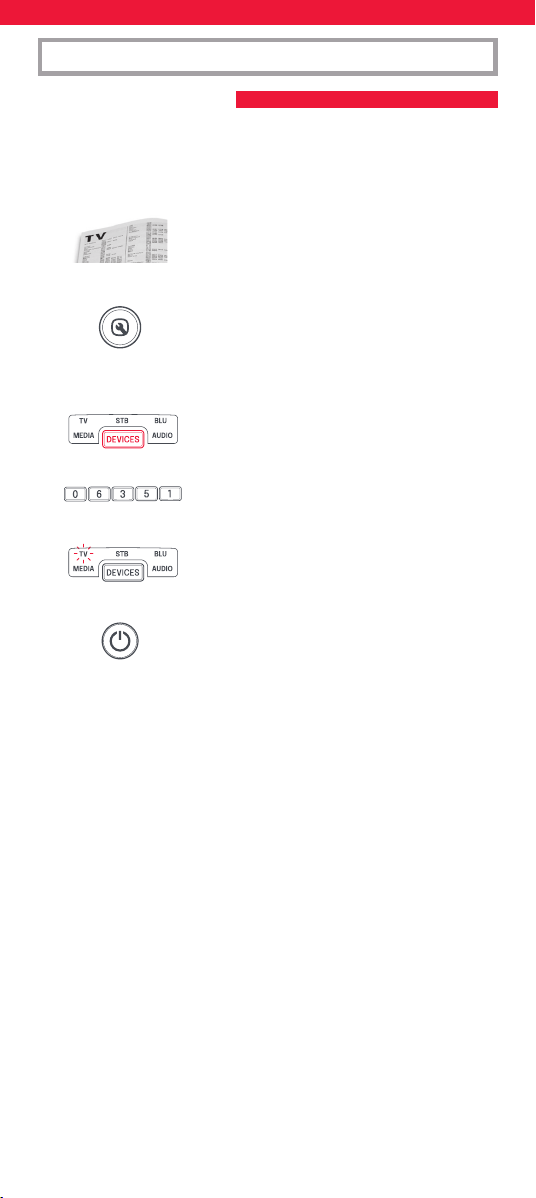
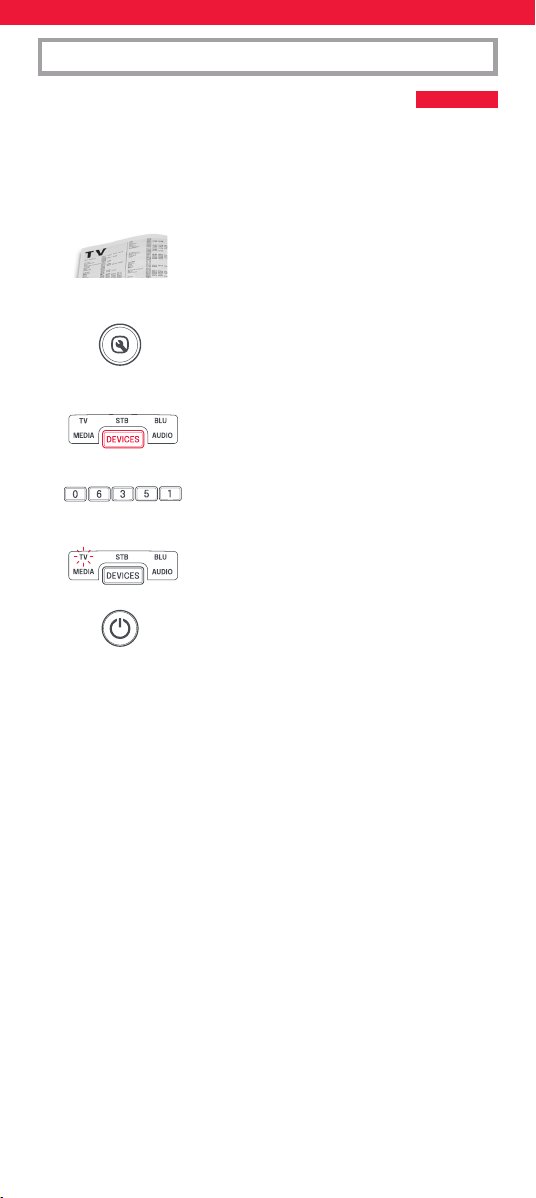
If your brand is not listed in section A, you can set up your device by
trying codes individually. To do this:
1. Turn your device on (not on standby).
2. Locate the brand of your device in the code
list. Codes are listed by Device Type and
Brand.
3. Hold down SETUP until the LED under the
device blinks twice.
The LED under the current mode key will
stay lit.
4. Press the DEVICES key repeatedly until the
LED for the device you want to set up is lit.
5. Enter the rst 5 digit code listed for your
brand (e.g. 06351 for a Blue Sky TV).
6. The LED will blink twice and go out.
7. Now aim the remote towards your device and
press the POWER key.
8. If the device turns o, your remote is ready to use. If not, repeat
steps 3-7 with the next code in the list.
* Some codes are quite similar. If you nd that one or more keys
do not operate as you expect, try again from step 3 with the next
code in the list.
10
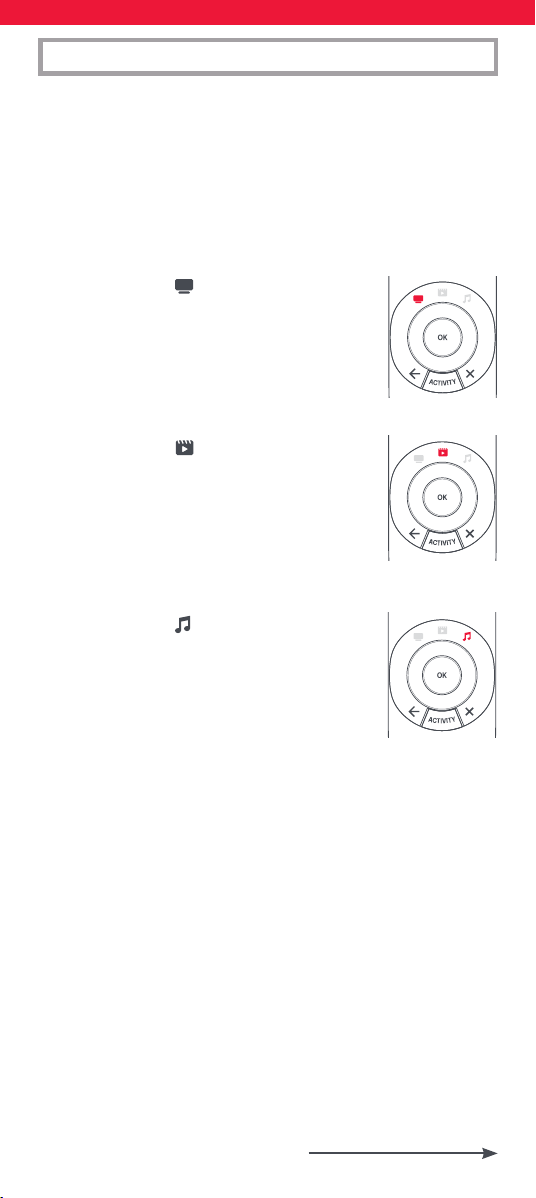
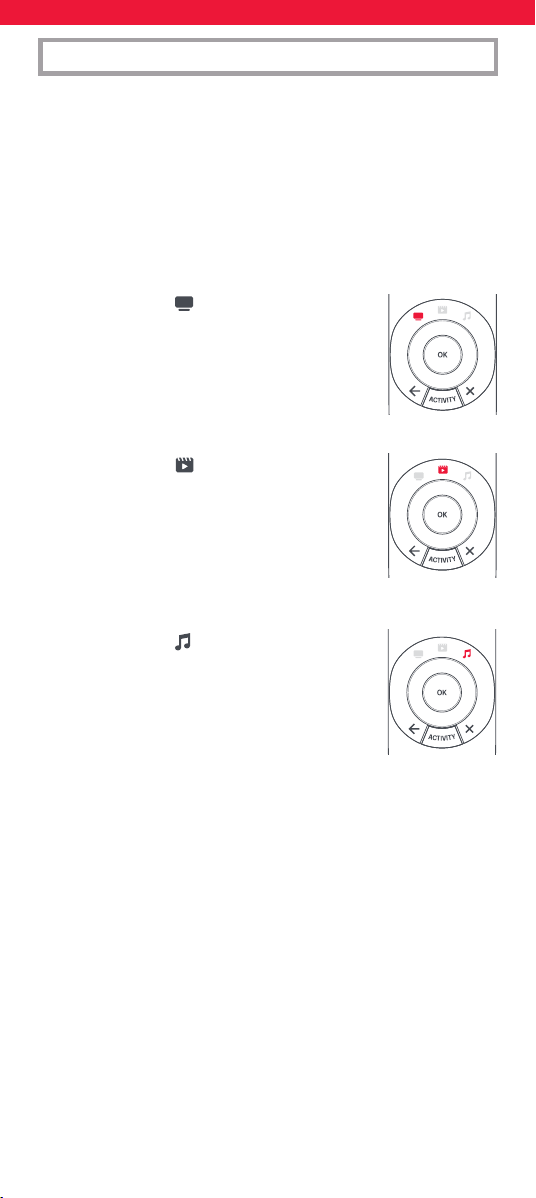
ACTIVITIES
An Activity is a grouping of two or more devices into a single mode
based upon what you’re doing while using your remote - for example
TV and Set Top Box can be combined together into a Watch TV mode.
In this mode keys will control only the relevant device, so in this
example the Volume keys would control the TV, but the channel keys
would control the Set Top Box.
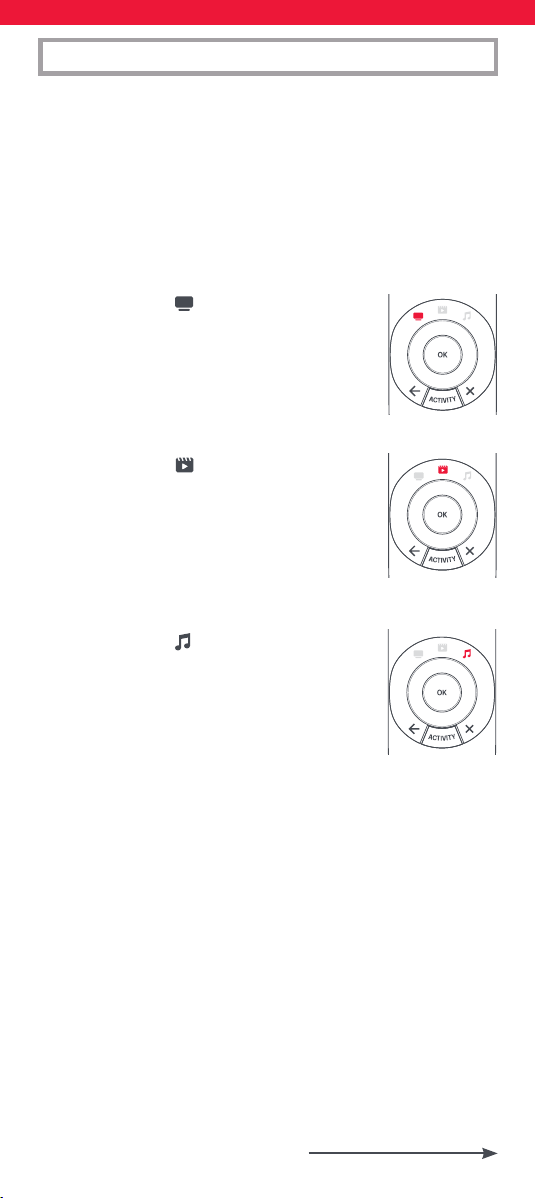
The OFA Smart Control features 5 Activity Modes; Watch TV, Watch
Movie, Listen To Music, Play Game and Custom. Each of these modes
has a choice of devices to combine.
These are:
WATCH TV
Combination 1: TV + STB (Default)
Combination 2: TV + STB + AUD
Combination 3: TV + AUD
WATCH MOVIE
Combination 1: TV + BLU (Default)
Combination 2: TV + BLU + AUD
Combination 3: TV + MEDIA
Combination 4: TV + MEDIA + AUD
LISTEN TO MUSIC
Combination 1: TV + AUD + MEDIA (Default)
Combination 2: AUD + BLU
Combination 3: AUD only
11
ACTIVITIES
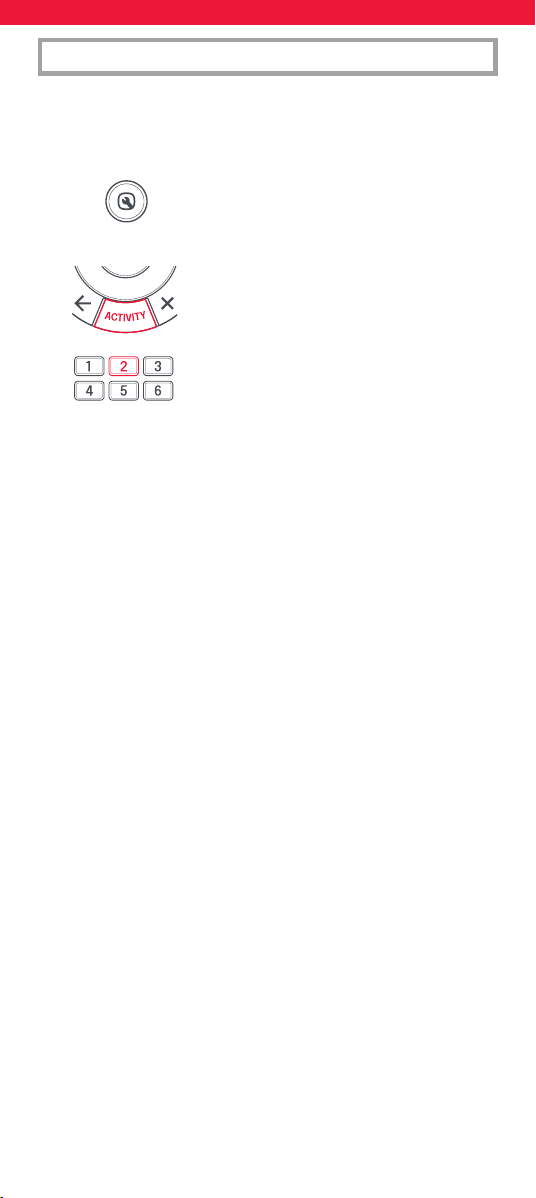
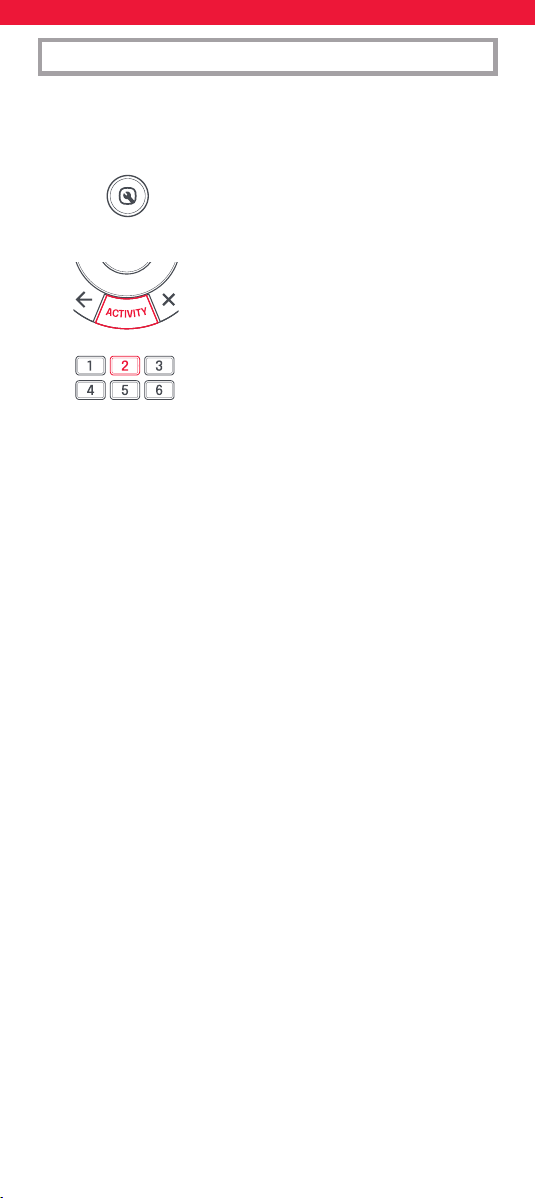
If you set up the default devices for any Activity on the remote (for
example a TV and STB for Watch TV) that Activity will be set up
automatically on the remote. If you would like to change to a dierent
combination, the procedure is as follows:
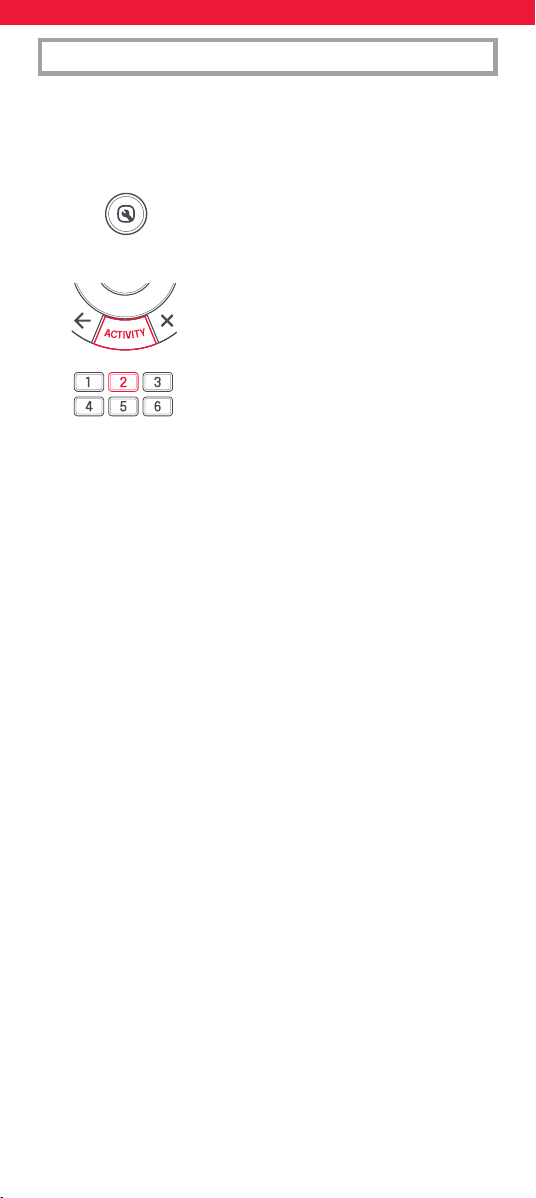
1. Hold down SETUP until the LED under the
device blinks twice.
The LED under the current mode key will
stay lit.
2. Use the ACTIVITY key to scroll through the
Activities until the one you want to set is
ashing.
3. Press the number of the combination you
want to set – e.g. 2
for TV + STB + AUD in Watch TV.
4. The LED will blink twice and go out.
To access the Activities, simply press the ACTIVITY key to scroll through
until the desired one is lit. You can return to controlling by device by
using the DEVICES key.
AV Shift
As the AV key is intended to select the input on your TV and most TVs
use a menu to select from a list of inputs, when the AV key is pressed
in an Activity, the Menu Up, Down, Left, Right and OK keys temporarily
control the TV. If the OK key is pressed, or no key is pressed for ten
seconds, these keys will revert to controlling the relevant device for the
Activity (e.g. STB in Watch TV Mode).
Power Macro
If you hold down the Power key for 2 seconds in any Activity, the
remote will send the Power function for each device contained within
that Activity. So for example, holding Power in the default setting for
Watch TV will turn both the TV and Set Top Box on or o.
Radio Equipment Directive (RED)
Hereby, Universal Electronics BV declares that the radio equipment
type URC7956 is in compliance with Directive 2014/53/EU.
The full text of the EU declaration of conformity is available
at the following internet address:
http://www.oneforall.com/doc_smartcontrol
12
DEUTSCH TASTENBESCHREIBUNG | URC7956
VORSICHT: Wenn die Batterie durch eine Batterie
eines anderen Typs ausgetauscht wird, besteht
Explosionsgefahr. Verwenden Sie hochwertige
Alkalibatterien.
Maximale Signalstärke: -3.05 dBm
Betriebsfrequenzbereich: 2402 MHz ~ 2480 MHz
DEVICES – Blättern
durch die Geräte,
für deren Steuerung
Ihre Fernbedienung
eingerichtet ist
SETUP – Einrichtung
der Fernbedienung
POWER – Ein/Aus
HOME - Startseite, Menü
GUIDE – TV-Guide, EPG
BACK – Einen Schritt
zurück im Menü Ihres
aktuellen Geräts
ACTIVITY – Blättern
durch bis zu 3
Aktivitätsmodi: TV
sehen, Film ansehen
und Musik hören.
Weitere Einzelheiten
finden Sie unter
„Aktivitäten“.
EXIT – Verlassen
des Menüs
des aktuellen Geräts
VOL – Lauter, Leiser und
Stumm schalten
PP – Vorherige Sendung,
zuletzt gesehener Kanal
MENU –
Anzeige des Menüs
des aktuellen Geräts
Netflix, Amazon Prime
Video & YouTube
+/- – Kanal aufwärts/
abwärts
Rot, Grün, Gelb,
Blau – Fastext-/
Schnellzugriffstasten
PLAYBACK –
Wiedergabetasten für
das aktuelle Gerät
INFO – Anzeige von
Infos zur aktuellen
Wiedergabe
AV – Auswahl
des Eingangs für
das aktuelle Gerät
13
Geräte können auch ohne Verwendung der App eingerichtet
werden. Wenn Sie Ihre Geräte lieber auf diese Weise einrichten
möchten, lesen Sie bitte den Abschnitt „Geräteeinrichtung
über die Fernbedienung“. Bitte beachten Sie, dass die Anzahl
der Geräte, die über die Fernbedienung eingerichtet werden
können, begrenzt ist. Wenn Sie also ein oder mehrere Geräte
nicht programmieren können, verfügt die App über die neueste
Datenbank.
Nachdem Sie die App gestartet haben, werden Sie aufgefordert, die
Fernbedienung mit dem Telefon zu koppeln. Dazu halten Sie die Geräte
und die Aktivitäts Taste einige Sekunden lang gedrückt, bis die TV-LED
zu blinken beginnt. Sobald die Fernbedienung gekoppelt ist, ist die
App in Abschnitte unterteilt. Diese lauten wie folgt:
Geräte
Ihre One For All-Fernbedienung kann bis zu
5 Audio-/Videogeräte per Infrarot steuern.
Das Einrichten dieser Geräte sollte Ihr erster
Schritt sein. Die App hilft Ihnen dabei, die
Fernbedienung zur Steuerung Ihrer Geräte
ganz einfach einzurichten. Sie benötigen
lediglich die Marke Ihres Geräts.
EINLEITUNG
ONE FOR ALL ADVANCED APP
Vielen Dank für den Kauf der One For All Smart Control 5. Diese
Fernbedienung kann bis zu 5 Audio-/Videogeräte über Infrarot steuern
und verfügt über Aktivitäten und Makros, die Ihnen helfen, Ihr
Seh- und Hörerlebnis zu automatisieren.
Um die erweiterten Funktionen der Smart Control voll auszunutzen,
empfehlen wir Ihnen, die One For All Advanced App herunterzuladen.
Diese führt Sie durch die Einrichtung der Fernbedienung zur
Steuerung Ihrer Geräte und ermöglicht Ihnen den Zugri auf alle
neuesten Marken und Geräte, indem sie eine Verbindung zu unserer
Online-Datenbank mit Infrarotcodes herstellt. Sie kann Ihnen auch
dabei helfen, Aktivitäten einzurichten, Makros zur Automatisierung
Ihres Seherlebnisses zu erstellen, einzelne Tasten für Ihr Gerät neu zu
programmieren und Funktionen Ihrer Originalfernbedienungen zu
erlernen.
Die App ist mit Android und iOS kompatibel und kann heruntergela-
den werden, indem Sie den untenstehenden QR-Code scannen oder
www.ofa.com/smartcontrol5pro auf Ihrem Telefon aufrufen.
14
Aktivitäten
Nachdem Sie die Fernbedienung zur
Steuerung Ihrer Geräte eingerichtet haben,
können Sie sie in bis zu 3 Aktivitäten
kombinieren. Wenn Sie beispielsweise
eine Kombination aus Fernseher,
Set-Top-Box und Soundbar verwenden,
um Live-TV zu schauen, können Sie dies
in die Aktivität „Fernsehen“ integrieren.
Die Fernbedienung steuert dann die
entsprechenden Geräte, wenn die Tasten
gedrückt werden (z. B. Soundbar für
Lautstärke, STB für Kanäle usw.). Die
App ermöglicht Ihnen, jede beliebige
Kombination der eingerichteten Geräte zu
erstellen, und erklärt, welche Taste jedes
Gerät im Aktivitätsmodus steuert.
Funktionen
Zusätzlich zu Geräten und Aktivitäten verfügt die Smart Control über
eine Reihe von Funktionen, mit denen Sie Ihre Entertainment Geräte
besser steuern können.
Lernen
Wenn Sie feststellen, dass Sie eine zusät-
zliche Taste Ihrer Originalfernbedienung
benötigen, die nicht auf der Smart Control-
Tastatur vorhanden ist, können Sie der
Smart Control die Funktion mithilfe Ihrer
(funktionierenden) Originalfernbedienung
beibringen. Die App führt Sie durch den
Vorgang – Sie können sogar eine ganze
Fernbedienung lernen.
Makros
Ein Makro ist eine Reihe von Befehlen, die
mit einem einzigen Tastendruck gesendet
werden. Sie können beispielsweise Ihren
Fernseher, Ihre Soundbar und Ihre
Set-Top-Box einschalten und dann den
richtigen HDMI-Eingang Ihres Fernsehers
auswählen – alles mit einem Tastendruck.
Sie können das Makro sogar einer Aktivität
zuweisen, um sicherzustellen, dass alle Ihre
Geräte die richtigen Einstellungen haben,
um die Aktivität zu steuern. Das Makro wird
2 Sekunden nach Auswahl der Aktivität
gesendet.
Mit der App können Sie genau das Makro
erstellen, das Sie benötigen, einschließlich
Pausen zwischen den Tasten (damit Geräte
wie der Fernseher eingeschaltet werden
können) und „diskrete Befehle“, wie z. B.
die Auswahl eines HDMI-Eingangs oder
das ständige Ein- und Ausschalten des
Fernsehers, anstatt zwischen Ein und Aus
umzuschalten.
15
Key Mover
Mit der Key Mover-Funktion können Sie
die Funktionalität einer oder mehrerer
Tasten auf der Fernbedienung ändern, ihre
Position ändern oder sie sogar auf einem
anderen Gerät duplizieren. Möglicherweise
stellen Sie auch fest, dass für Ihr Gerät
zusätzliche Befehle verfügbar sind, für die
es noch keine Taste auf der Smart Control
gibt.
Lautstärkesperre
Verwenden Sie nur ein Gerät, um die Lautstärke Ihrer Geräte zu regeln?
Beispielsweise möchten Sie vielleicht immer die Lautstärke Ihrer
Soundbar regeln, auch wenn Sie ein anderes Gerät wie einen Fernseher
oder einen Blu-ray-Player steuern. Mit der Lautstärkesperre können Sie
die Tasten für Lautstärke hoch, runter und Stumm sperren, sodass sie
immer dasselbe Gerät steuern.
16
SimpleSet ist eine schnelle und einfache Methode, um die
Fernbedienung zur Steuerung der bekanntesten Marken jedes
Gerätetyps mit dem Drücken nur weniger Tasten einzurichten.
Üblicherweise nimmt diese Methode für jedes Gerät weniger als eine
Minute in Anspruch. Der erste Schritt besteht in der Auswahl der
Geräte, die Sie einrichten möchten. Es folgt eine Liste der Gerätemodi
auf der Fernbedienung sowie der Gerätetypen, die in diesem Modus
eingerichtet werden können:
Gerätemodus Gerätetyp
TV TV, HDTV, LED, LCD, Plasma, Beamer
STB Set-Top-Box, Satelliten-Receiver,
Kabelkonverter, Freeview, DVB-T, IPTV
BLU Blue-ray, DVD, DVD-Heimkino,
Videorecorder, Laser Disk
MEDIA Digitaler Medienempfänger, Streamer,
Spielkonsole*
AUD Audio, AV-Receiver, Verstärker, Tuner,
Soundbar
* Die One For All-Fernbedienung kann ausschließlich Spielkonsolen
steuern, die per Infrarot bedient werden, entweder direkt oder über
einen Adapter. Konsolen, die nur per Bluetooth bedient werden
können, lassen sich mit der Fernbedienung nicht steuern.
Für jeden Gerätetyp gibt es eine Liste der bekanntesten Marken,
denen jeweils eine Nummer zugeordnet ist, z. B. 1 für ein TV-Gerät
von Samsung. Suchen Sie in der folgenden Liste nach
dem Gerätetyp und Ihrer Marke“.
EINRICHTUNG ÜBER DIE FERNBEDIENUNG
A – SIMPLESET
17
EINRICHTUNG ÜBER DIE FERNBEDIENUNG
A – SIMPLESET
So richten Sie Ihr Gerät ein
1. Schalten Sie das Gerät ein (kein Standby) und richten Sie die
OFA-Fernbedienung auf das Gerät.
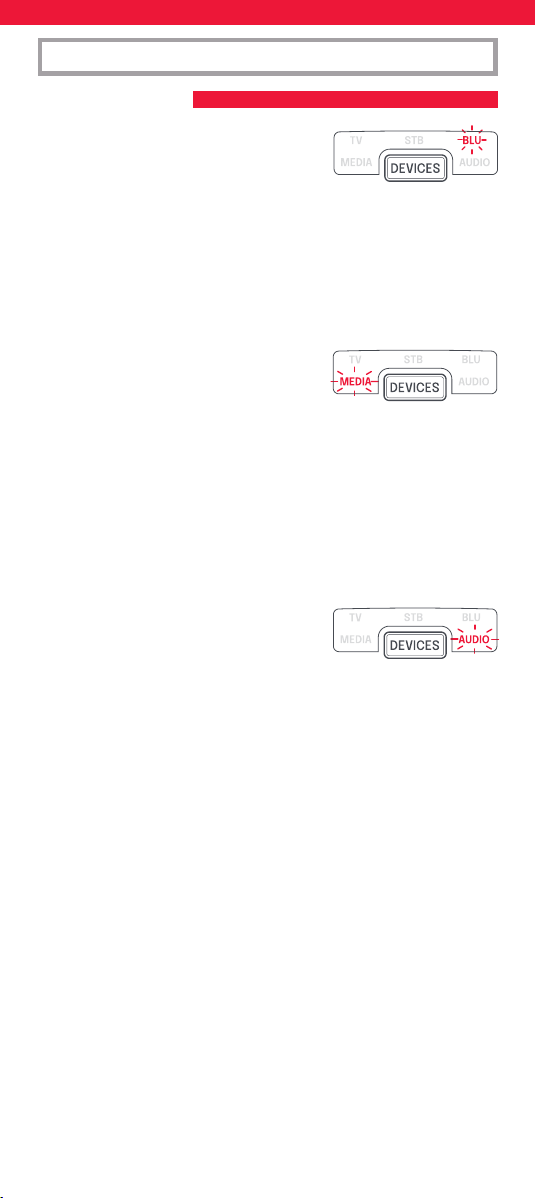
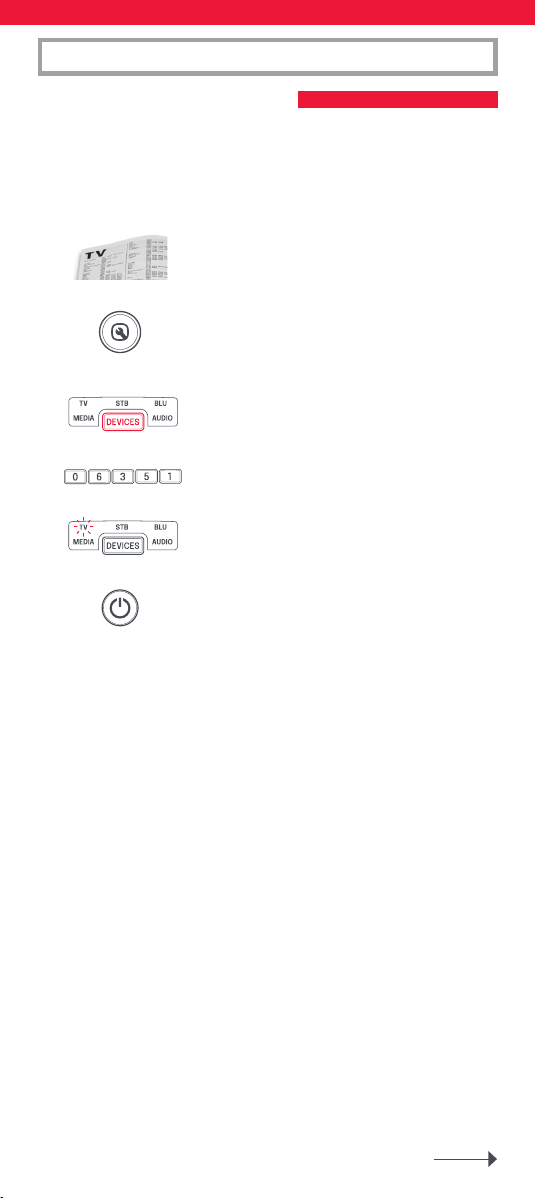
2. Halten Sie SETUP gedrückt, bis die LED unter
der aktuellen Modus Taste zweimal blinkt. Die
LED unter der Modus Taste leuchtet weiterhin.
3. Drücken Sie wiederholt DEVICES, bis die LED
für das Gerät leuchtet, das Sie einrichten
möchten.
4. Halten Sie die Taste mit der für Ihre Marke und
Ihr Gerät oben aufgeführten Zier gedrückt
(z. B. 1 für Samsung TV).
5. Die Fernbedienung sendet alle 3 Sekunden ein Ein/Aus-Signal,
bis das Gerät ausgeschaltet wird.
6. Sobald das Gerät ausgeschaltet wird, lassen Sie die Zierntaste los.
7. Die LED leuchtet zweimal auf und erlischt
danach. Die Fernbedienung sollte nun Ihr
Gerät steuern können.
* Wenn Sie feststellen, dass eine oder mehrere Tasten nicht wie
erwartet funktionieren, beginnen Sie erneut von Schritt 1 an. Die
Fernbedienung beginnt mit dem nächsten Code im Speicher.
1 Samsung
2 LG
3 Sony
4 Philips
5 Panasonic
6 Hisense
7 TCL
8 Sharp
9 Grundig
0 Metz
1 Sky/Orange
2 Canal+/Canal+ Canalsat/
Canal Digital
3 UPC/UPC Cablecom/Virgin
Media
4 Deutsche Telekom
5 BT/BT Vision
6 DSTV/Multichoice/Foxtel/
Sky (NZ)
7 Telefonica
8 Sky Italy/Neuf Telec.
9 Technisat
0 Freebox/VU+
TV
STB – Sat, Cable, DVB-T
18
EINRICHTUNG ÜBER DIE FERNBEDIENUNG
A – SIMPLESET
1 Philips
2 Sony
3 Pioneer
4 Panasonic
5 Samsung
6 LG
7 Sharp
8 Toshiba
9 JVC
0 Teac
1 Yamaha
2 Onkyo
3 Denon
4 Pioneer
5 Sony
6 Marantz
7 Harman/Kardon
8 Philips
9 Teac
0 Bose
1 Apple TV
2 Roku
3 Foxtel
4 Digital Stream
5 Humax
6 RCA
7 Philips
8 Sony/Xbox
9 Vudu
0 Xiaomi
BLU –
DVD, Blu-ray
AUD – AV Receiver, Amp,
Tuner, Sound Bar
MEDIA – Games
Consoles
(5 & 8), Media Players
19
EINRICHTUNG ÜBER DIE FERNBEDIENUNG
B – EINRICHTEN MIT CODE
Wenn Ihre Marke in Abschnitt A nicht aufgeführt ist, können Sie
Ihr Gerät einrichten, indem Sie einzelne Codes ausprobieren.
Vorgehensweise:
1. Schalten Sie Ihr Gerät ein (kein Standby).
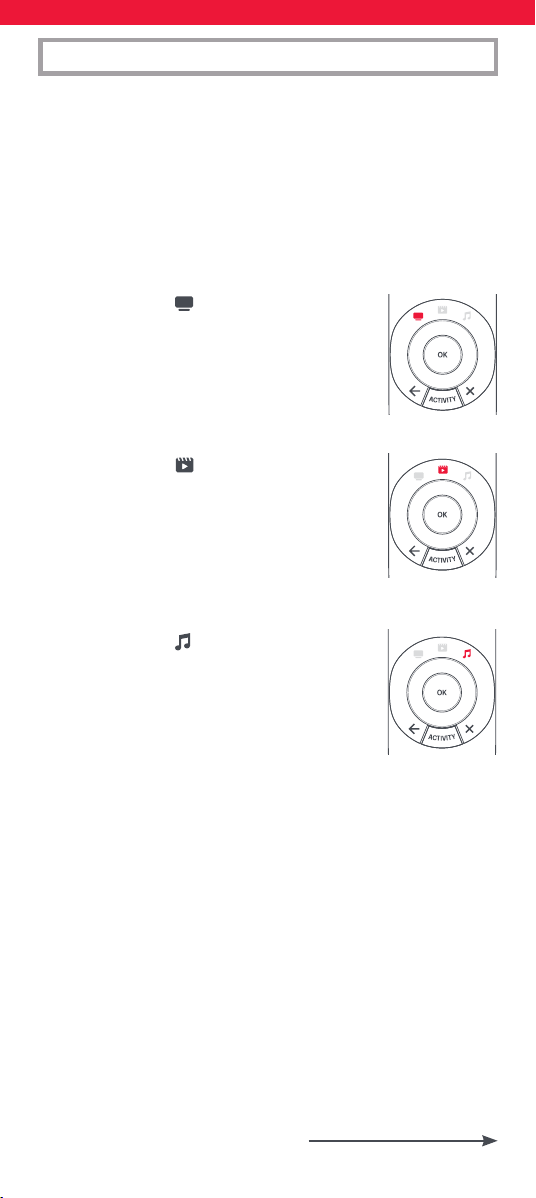
2. Suchen Sie die Marke Ihres Geräts in der
Codeliste. Die Codes sind nach Gerätetyp und
Marke aufgeführt.
3. Halten Sie SETUP gedrückt, bis die LED unter
der aktuellen Modus Taste zweimal blinkt. Die
LED unter der aktuellen Modus Taste leuchtet
weiterhin.
4. Drücken Sie wiederholt DEVICES, bis die LED
für das Gerät leuchtet, das Sie einrichten
möchten.
5. Geben Sie den ersten 5-stelligen Code für Ihre
Marke ein (z. B. 06351 für Blue Sky TV).
6. Die LED leuchtet zweimal auf und erlischt
danach.
7. Halten Sie die Fernbedienung nun in Richtung
Ihres Geräts und drücken Sie die POWER-Taste.
8. Wenn das Gerät ausgeschaltet wird, ist Ihre Fernbedienung
einsatzbereit. Falls nicht, wiederholen Sie die Schritte 3–7 mit dem
nächsten Code in der Liste.
* Einige Codes ähneln sich stark. Wenn Sie feststellen, dass eine
oder mehrere Tasten nicht wie erwartet funktionieren, beginnen
Sie erneut von Schritt 3 an, und wählen Sie den nächsten
Code aus der Liste.
20
AKTIVITÄTEN
Unter einer Aktivität versteht man die Gruppierung von mindestens
zwei Geräten zu einem gemeinsamen Modus, in dem Sie die
Fernbedienung nutzen möchten. Beispielsweise können TV-Gerät und
die Set-Top-Box zum Modus „TV sehen“ kombiniert werden. In diesem
Modus steuern die Tasten lediglich das relevante Gerät. In unserem
Beispiel würden die Lautstärketasten das TV-Gerät steuern, während
die Kanaltasten die Set-Top-Box steuern. Die OFA Smart Control
verfügt über 5 Aktivitätsmodi: TV sehen, Film ansehen, Musik hören,
Spiel spielen und Benutzerdeniert. In jedem dieser Modi können
verschiedene Geräte miteinander kombiniert werden:
Diese sind:
TV SEHEN
Kombination 1: TV + STB (Default)
Kombination 2: TV + STB + AUD
Kombination 3: TV + AUD
FILM ANSEHEN
Kombination 1: TV + BLU (Default)
Kombination 2: TV + BLU + AUD
Kombination 3: TV + MEDIA
Kombination 4: TV + MEDIA + AUD
MUSIK HÖREN
Kombination 1: TV + AUD + MEDIA (Default)
Kombination 2: TV + BLU
Kombination 3: AUD only
21
AKTIVITÄTEN
Wenn Sie die Standardgeräte für eine Aktivität auf der Fernbedienung
eingerichtet haben (z. B. TV + STB = ein TV-Gerät und eine Set-Top-Box
für „TV sehen“), wird diese Aktivität automatisch auf der Fernbedienung
eingerichtet. Wenn Sie zu einer anderen Kombination wechseln
möchten, gehen Sie folgendermaßen vor:
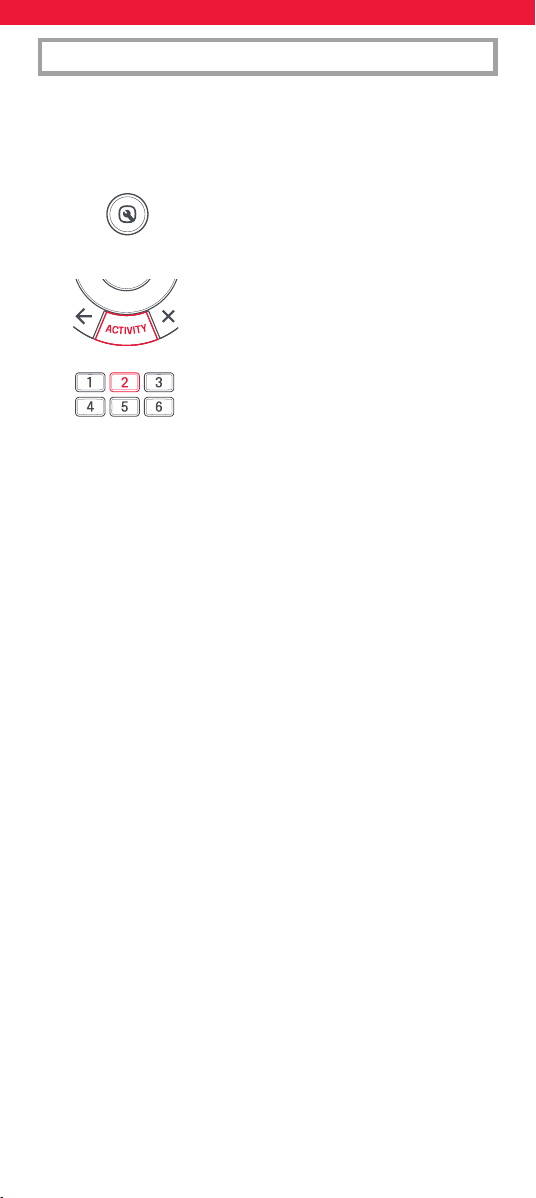
1. Halten Sie SETUP gedrückt, bis die LED unter
der aktuellen Modus Taste zweimal blinkt. Die
LED unter der aktuellen Modus Taste leuchtet
weiterhin.
2. Drücken Sie wiederholt ACTIVITY, um durch
die Aktivitäten zu blättern, bis die Aktivität
blinkt, die Sie einstellen möchten.
3. Drücken Sie die Nummer der Kombination,
die Sie einstellen möchten,
z. B. 2 für TV + STB + AUD in „TV sehen“.
4. Die LED leuchtet zweimal auf und erlischt danach.
Um auf die Aktivitäten zuzugreifen, drücken Sie einfach die ACTIVITY-
Taste, um durch die Aktivitäten zu blättern, bis die gewünschte
aueuchtet. Sie können wieder zur Gerätesteuerung zurückkehren,
indem Sie die DEVICES-Taste drücken.
AV-Verstellung
Da die AV-Taste für die Auswahl des Eingangs an Ihrem Fernseher
vorgesehen ist und bei den meisten Fernsehern ein Menü für die
Auswahl aus einer Liste mit Eingängen verwendet wird, werden beim
Drücken der AV-Taste in einer Aktivität die Menütasten „Nach oben“,
„Nach unten“, „Nach links“, „Nach rechts“ und „OK“ vorübergehend zum
Steuern des TV-Geräts verwendet. Wenn die OK-Taste gedrückt oder
10 Sekunden lang keine Taste gedrückt wird, kann mit diesen Tasten
wieder das relevante Gerät für die Aktivität (z. B. die Set-Top-Box im
Modus „TV sehen“) gesteuert werden.
Ein/Aus-Makro
Wenn Sie die POWER-Taste in jeder Aktivität für 2 Sekunden gedrückt
halten, sendet die Fernbedienung das Ein-/Aus-Signal an jedes Gerät,
das in der Aktivität enthalten ist. Wenn Sie also beispielsweise im
Modus „TV sehen“ die POWER-Taste gedrückt halten, wird sowohl das
TV-Gerät als auch die Set-Top-Box ein- bzw. ausgeschaltet.
Radio Equipment Directive (RED)
Hiermit erklärt Universal Electronics BV, dass der Funkanlagentyp
URC7956 der Richtlinie 2014/53/EU entspricht.
Der vollständige Text der EU-Konformitätserklärung ist unter der
folgenden Internetadresse verfügbar:
http://www.oneforall.com/doc_smartcontrol
22
FRANÇAIS LISTE DES BOUTONS | URC7956
ATTENTION : il existe des risques d’explosion si
les piles ne sont pas remplacées par le type
approprié. Utilisez des piles alcalines de qualité.
Puissance de sortie max. : -3.05 dBm
Plage de fréquences de fonctionnement : 2402 MHz ~ 2480 MHz
DEVICES: permet de
parcourir les appareils
contrôlables par votre
télécommande.
SETUP: permet
de configurer votre
télécommande.
POWER: permet
d’allumer ou d’éteindre
votre appareil.
HOME - Accueil, Menu
GUIDE: permet
de consulter le programme
TV ou le guide
électronique
des programmes.
BACK: permet de revenir
à l’étape précédente,
dans le menu
correspondant
à l’appareil actuel.
ACTIVITY : permet de
parcourir les 3 modes
dans lesquels il est
possible de grouper des
appareils (notamment
Watch TV, Watch Movie et
Listen to Music. Consultez
la section Groupes pour
en savoir plus.
EXIT : permet de quitter
le menu correspondant
à l’appareil actuel.
VOL: permet
d’augmenter ou
de réduire le volume, ou
de désactiver ce dernier.
PP: permet d’accéder au
programme ou à la chaîne
précédent(e).
MENU: permet d’afficher
le menu correspondant à
l’appareil actuel.
Netflix, Amazon Prime
Video & YouTube
+/-: permet de
parcourir a
Bouton rouge, vert,
jaune ou bleu: fait
office de bouton de
raccourci.
PLAYBACK : il s’agit
des boutons de lecture
correspondant à
l’appareil actuel.
INFO: permet d’afficher
les informations relatives
à la lecture en cours.
AV: permet
de sélectionner l’entrée
correspondant à l’appareil
actuel.
23
Les appareils peuvent également être configurés sans utiliser
l’application. Si vous préférez configurer vos appareils de cette
façon, veuillez consulter la section « Configuration ON-remote».
Veuillez noter que les appareils pouvant être configurés sur
la télécommande sont limités, donc si vous ne parvenez pas à
programmer un ou plusieurs appareils, l’application dispose de la
dernière base de données.
Une fois l’application démarrée, il vous sera demandé d’associer
la télécommande au téléphone. Pour cela, maintenez les touches
Appareils et Activité enfoncées pendant quelques secondes jusqu’à
ce que le voyant du téléviseur commence à clignoter. Une fois la
télécommande appairée, l’application est divisée en sections. Celles-ci
sont les suivantes :
Appareils
Votre télécommande One For All peut
contrôler jusqu’à 5 appareils audio vidéo
par infrarouge. La conguration de ces
appareils doit être votre première étape.
L’application vous aidera à congurer
facilement la télécommande pour contrôler
vos appareils, tout ce dont vous avez besoin
est la marque de votre appareil.
INTRODUCTION
APPLICATION ONE FOR ALL ADVANCED
Merci d’avoir acheté la télécommande One For All Smart Control 5.
Cette télécommande peut contrôler jusqu’à 5 appareils audio/vidéo
par infrarouge et propose des activités et des macros pour vous aider à
automatiser votre visionnage et votre écoute.
Pour proter pleinement des avantages des fonctionnalités avancées
de la télécommande Smart Control, nous vous recommandons de
télécharger l’application One For All Advanced. Elle vous guidera dans
la conguration de la télécommande pour contrôler vos appareils et
vous donnera accès à toutes les dernières marques et appareils en vous
connectant à notre base de données en ligne de codes infrarouges.
Elle peut également vous aider à congurer des activités, à créer
des macros pour automatiser votre visionnage, à reprogrammer des
touches individuelles pour votre appareil et à apprendre les fonctions
de vos télécommandes d’origine.
L’application est compatible avec Android et iOS et peut être
téléchargée en scannant le code QR ci-dessous ou en vous rendant sur
www.ofa.com/smartcontrol5pro sur votre téléphone.
24
Activités
Une fois que vous avez conguré la télé-
commande pour contrôler vos appareils,
vous pouvez les combiner en 3 activités
maximum. Par exemple, si vous utilisez une
combinaison de votre téléviseur, de votre
décodeur et de votre barre de son pour
regarder la télévision en direct, vous pouvez
combiner cela dans l’activité Regarder la
télévision, et la télécommande contrôlera
les appareils appropriés lorsque les touches
sont enfoncées (par exemple, la barre de
son pour le volume, le décodeur pour les
chaînes, etc.). L’application vous permettra
de créer n’importe quelle combinaison des
appareils que vous avez congurés et vous
expliquera quelle touche contrôlera chaque
appareil dans le mode Activité.
Fonctionnalités
En plus des appareils et des activités, le Smart Control dispose d’un
certain nombre de fonctionnalités pour améliorer le contrôle de vos
appareils de divertissement.
Apprentissage
Si vous constatez que vous avez besoin
d’une touche supplémentaire de votre
télécommande d’origine qui ne gure pas
sur le clavier de la Smart Control, vous
pouvez apprendre la fonction à la Smart
Control à l’aide de votre télécommande
d’origine (en état de marche). L’application
vous guidera tout au long du processus
- vous pouvez même apprendre une
télécommande entière.
Macros
Une macro est une série de commandes
envoyées par une simple pression sur un
bouton. Par exemple, vous pouvez allumer
votre téléviseur, votre barre de son et
votre décodeur, puis sélectionner l’entrée
HDMI appropriée de votre téléviseur, le
tout en appuyant sur une seule touche.
Vous pouvez même aecter la macro à une
activité, en vous assurant que vos appareils
sont tous réglés correctement pour
contrôler l’activité. La macro sera envoyée 2
secondes après la sélection de l’activité.
À l’aide de l’application, vous pouvez créer
la macro exacte dont vous avez besoin,
y compris les pauses entre les touches
(pour permettre à des appareils comme le
téléviseur de s’allumer) et les « commandes
discrètes », telles que la sélection d’une
entrée HDMI ou la mise sous tension ou
hors tension permanente du téléviseur
plutôt que de basculer entre marche et
arrêt.
25
Key Mover
À l’aide de la fonction Key Mover, vous
pouvez modier la fonctionnalité d’une
ou plusieurs touches de la télécommande,
en changeant sa position ou même en
la dupliquant sur un autre appareil. Vous
pouvez également constater qu’il existe des
commandes supplémentaires disponibles
pour votre appareil qui n’ont pas encore de
touche sur le Smart Control.
Verrouillage du volume
Vous n’utilisez qu’un seul appareil pour contrôler le volume de vos
appareils ? Par exemple, vous souhaiterez peut-être toujours contrôler
le volume de votre barre de son même lorsque vous contrôlez un
autre appareil comme un téléviseur ou un lecteur Blu-ray. La fonction
de verrouillage du volume vous permet de verrouiller les touches de
volume haut, bas et muet an qu’elles contrôlent toujours le même
appareil.
26
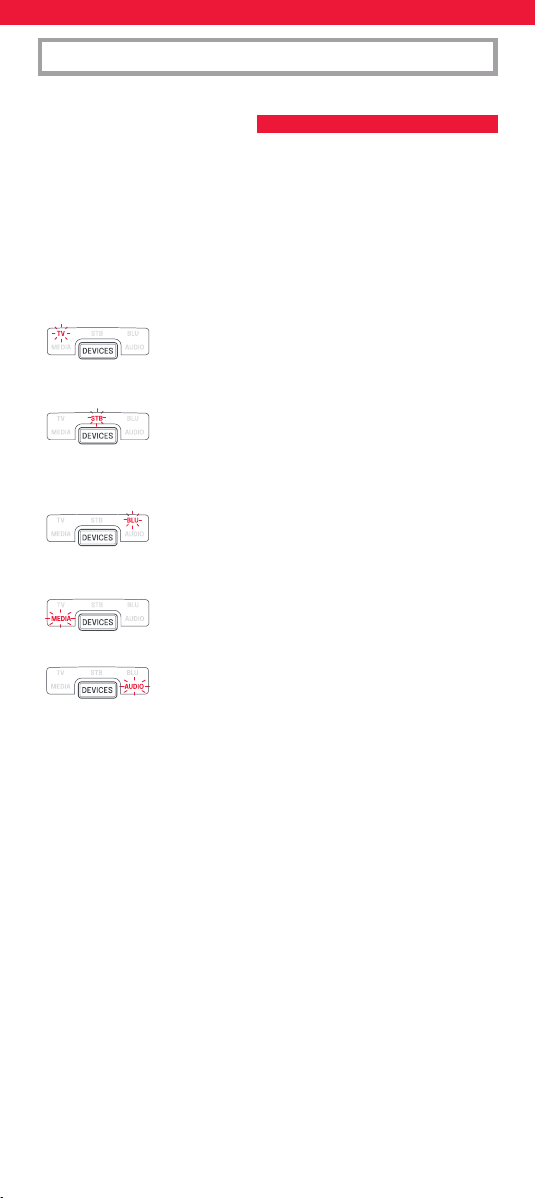
L’option SimpleSet vous permet de congurer votre télécommande
rapidement et facilement, an de pouvoir contrôler de nombreux
types d’appareils en quelques gestes seulement. Généralement, cette
opération ne prend pas plus d’une minute avec chaque équipement.
Tout d’abord, il est nécessaire de sélectionner l’appareil que vous
souhaitez congurer. Les modes et types d’appareil exploitables via la
télécommande sont indiqués ci-dessous :
Mode Type d’appareil
TV Téléviseur standard, téléviseur HD,
téléviseur LED, téléviseur LCD, téléviseur
plasma, projecteur
STB Décodeur standard, récepteur satellite,
décodeur pour chaînes câblées,
décodeur Freeview, décodeur DVB-T,
décodeur IP
BLU Lecteur Blu-ray, lecteur DVD, lecteur
DVD Home Cinema, magnétoscope,
lecteur de vidéodisque
MEDIA Récepteur multimédia numérique,
streamer, console de jeux*
AUD Périphérique audio, récepteur AV,
amplicateur, tuner, Barre de son
* La télécommande One For All permet uniquement de contrôler
les consoles de jeux à commande infra-rouge, directement ou via
un adaptateur. Les consoles à commande Bluetooth ne sont pas
compatibles.
À chaque type d’appareil correspond une liste de fabricants, auxquels
un numéro est associé (par exemple, le chire 1 pour un téléviseur
Samsung). Recherchez votre appareil et sa marque dans la liste
suivante :
CONFIGURATION ON-REMOTE
A – CONFIGURATION SIMPLE
(OPTION SIMPLESET)
27
CONFIGURATION ON-REMOTE
A – SIMPLESET
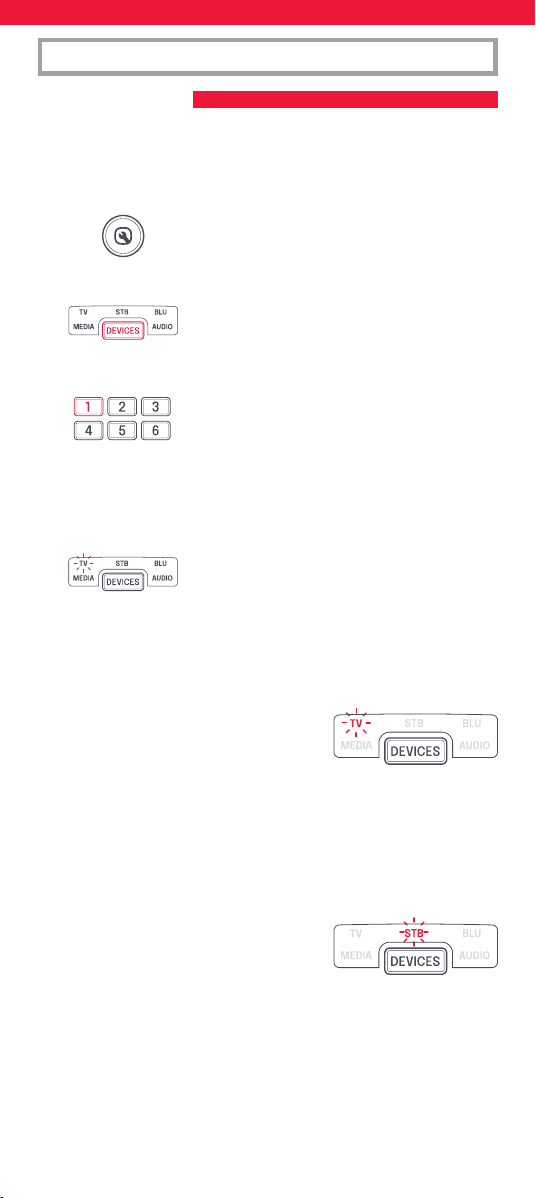
Pour configurer votre appareil:
1. Allumez votre appareil, puis pointez la télécommande en
direction de ce dernier (celui-ci ne doit pas être en veille).
2. Maintenez le bouton SETUP enfoncé, jusqu’à
ce que le voyant situé sous l’appareil clignote
deux fois. Le voyant associé au mode en
question reste allumé.
3. Appuyez plusieurs fois sur le bouton DEVICES,
jusqu’à ce que le voyant correspondant à
l’appareil que vous souhaitez congurer
s’allume.
4. Sélectionnez le chire et l’appareil désirés
(par exemple, le chire 1 avec un téléviseur
Samsung, comme mentionné plus haut).
5. La télécommande envoie un signal toutes les 3 secondes, jusqu’à
ce que l’appareil s’éteigne.
6. Dès que votre appareil s’éteint, relâchez le bouton applicable.
7. Le voyant clignote deux fois, puis s’éteint.
La télécommande devrait désormais être
jumelée avec votre appareil.
* Si un ou plusieurs boutons ne fonctionnent pas comme prévu,
reprenez la procédure à partir de l’étape 1 ; le dernier code enregistré
sera utilisé.
1 Samsung
2 LG
3 Sony
4 Philips
5 Panasonic
6 Hisense
7 TCL
8 Sharp
9 Grundig
0 Metz
1 Sky/Orange
2 Canal+/Canal+ Canalsat/
Canal Digital
3 UPC/UPC Cablecom/Virgin
Media
4 Deutsche Telekom
5 BT/BT Vision
6 DSTV/Multichoice/Foxtel/
Sky (NZ)
7 Telefonica
8 Sky Italy/Neuf Telec.
9 Technisat
0 Freebox/VU+
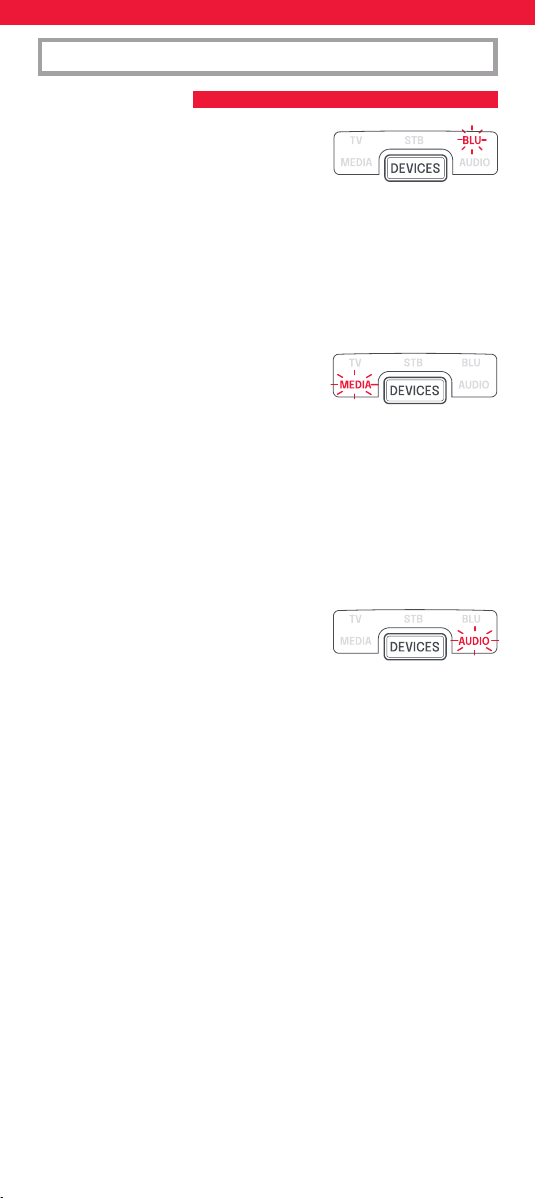
TV
STB – Sat, Cable, DVB-T
28
CONFIGURATION ON-REMOTE
A – SIMPLESET
1 Philips
2 Sony
3 Pioneer
4 Panasonic
5 Samsung
6 LG
7 Sharp
8 Toshiba
9 JVC
0 Teac
1 Yamaha
2 Onkyo
3 Denon
4 Pioneer
5 Sony
6 Marantz
7 Harman/Kardon
8 Philips
9 Teac
0 Bose
1 Apple TV
2 Roku
3 Foxtel
4 Digital Stream
5 Humax
6 RCA
7 Philips
8 Sony/Xbox
9 Vudu
0 Xiaomi
BLU –
DVD, Blu-ray
AUD – AV Receiver, Amp,
Tuner, Sound Bar
MEDIA – Games
Consoles, Media
Players
29
CONFIGURATION ON-REMOTE
B – CONFIGURATION A L’AIDE D’UN CODE
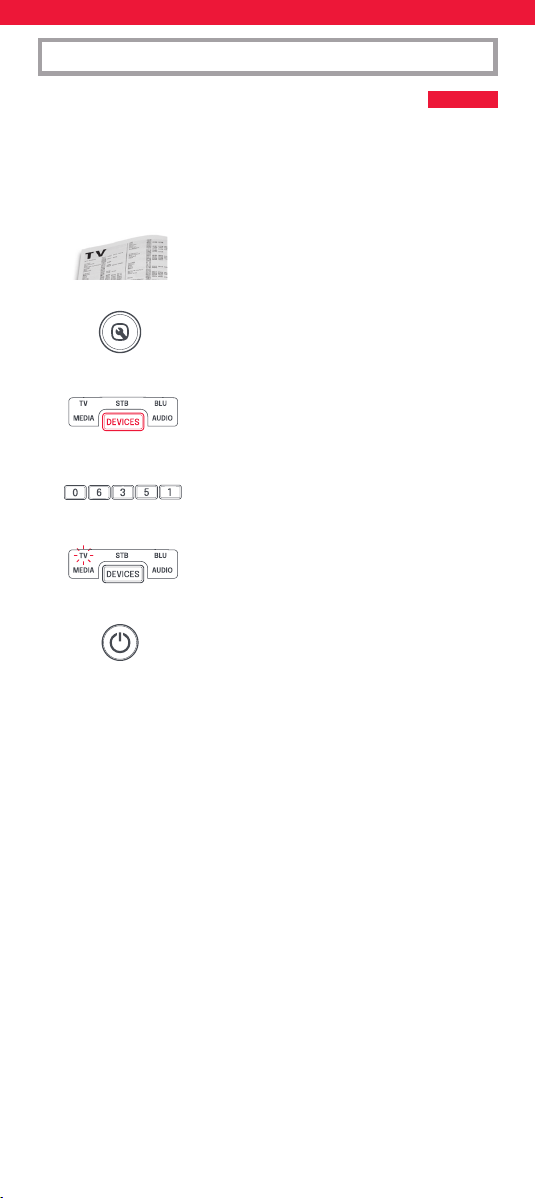
Si la marque de votre appareil n’est pas répertoriée dans la section A,
vous pouvez congurer ce dernier à l’aide de codes. Procédez comme
suit:
1. Allumez votre appareil (celui-ci ne doit pas être en veille).
2. Dans la liste des codes, recherchez la marque
de votre appareil. Les codes sont achés en
fonction du type d’appareil et de la marque.
3. Maintenez le bouton SETUP enfoncé, jusqu’à
ce que le voyant situé sous l’appareil clignote
deux fois. Le voyant associé au mode en
question reste allumé.
4. Appuyez plusieurs fois sur le bouton DEVICES,
jusqu’à ce que le voyant correspondant à
l’appareil que vous souhaitez congurer
s’allume.
5. Entrez le premier code à 5 chires répertorié
pour votre marque (par exemple, 06351 pour
un téléviseur Blue Sky).
6. Le voyant clignote deux fois, puis s’éteint.
7. Dirigez la télécommande vers l’appareil et
appuyez sur le bouton d’alimentation.
8. Si l’appareil s’éteint, votre télécommande est prête à l’emploi.
Sinon, répétez les étapes 3 à 7 avec le code suivant dans la liste.
* Certains codes sont similaires. Si un ou plusieurs boutons ne
fonctionnent pas comme prévu, reprenez la procédure à partir
de l’étape 3, avec le code suivant dans la liste.
30
GROUPES
Il est possible de regrouper deux appareils ou plus, dans un mode
donné, en fonction de l’action réalisée. Par exemple, vous pouvez
combiner un téléviseur et un décodeur et les associer au mode Watch
TV. Avec ce mode, seul l’appareil approprié peut être contrôlé via
les boutons. Ainsi, dans une telle situation, les boutons de volume
permettront de contrôler le téléviseur, alors que les boutons associés
aux chaînes permettront de contrôler le décodeur.
La télécommande Smart Control propose 5 modes dans lesquels il est
possible de grouper des appareils : le mode Watch TV, Watch Movie,
Listen To Music, Play Game et Custom. À chacun de ces modes sont
associés des appareils combinables
WATCH TV
Combinaison 1: TV + STB (Default)
Combinaison 2: TV + STB + AUD
Combinaison 3: TV + AUD
WATCH MOVIE
Combinaison 1: TV + BLU (Default)
Combinaison 2: TV + BLU + AUD
Combinaison 3: TV + MEDIA
Combinaison 4: TV + MEDIA + AUD
LISTEN TO MUSIC
Combinaison 1: TV + AUD + MEDIA (Default)
Combinaison 2: TV + BLU
Combinaison 3: AUD only
31
GROUPES
Lorsque vous congurez les appareils par défaut d’un groupe via
la télécommande (par exemple, si vous associez le téléviseur et le
décodeur au mode Watch TV), ce dernier est automatiquement activé.
Si vous souhaitez passer à une autre combinaison, procédez comme
suit :
1. Maintenez le bouton SETUP enfoncé, jusqu’à
ce que le voyant situé sous l’appareil clignote
deux fois. Le voyant associé au mode en
question reste allumé.
2. Utilisez le bouton ACTIVITY, jusqu’à ce que le
groupe désiré clignote.
3. Saisissez le chire correspondant à la
combinaison (par exemple, 2 pour
le groupe incluant un téléviseur, un décodeur
et un périphérique audio
en mode Watch TV).
4. Le voyant clignote deux fois, puis s’éteint.
Pour accéder aux divers groupes, appuyez sur le bouton ACTIVITY et
parcourez-les jusqu’à ce que celui désiré soit sélectionné. Utilisez le
bouton DEVICES si vous souhaitez revenir au mode de contrôle par
appareil.
Changement de l’assignation du bouton AV
Le bouton AV permet de sélectionner l’entrée appropriée. La plupart
des téléviseurs comprennent un menu permettant de parcourir
les diverses entrées proposées. Ainsi, lorsque ce même bouton est
actionné dans la section Activity, les boutons Haut, Bas, Gauche et
Droite permettent de contrôler temporairement le téléviseur. Si vous
appuyez sur le bouton OK, ou sur aucun pendant dix secondes, ces
boutons sont à nouveau associés à l’appareil applicable (par exemple,
le décodeur en mode Watch TV).
Macro associée au bouton d’alimentation
Si vous maintenez le bouton d’alimentation enfoncé pendant 2
secondes, alors que vous vous trouvez dans un groupe, un signal est
émis par la télécommande, en direction de chaque appareil constituant
ce dernier. Ainsi, le fait d’appuyer sur le bouton d’alimentation avec le
groupe Watch TV permet d’activer ou de désactiver le téléviseur et le
décodeur.
Radio Equipment Directive (RED)
Le soussigné, Universal Electronics BV, déclare que l’équipement
radioélectrique du type URC7956
est conforme à la directive 2014/53/UE.
Le texte complet de la déclaration UE de conformité est
disponible à l’adresse internet suivante:
http://www.oneforall.com/doc_smartcontrol
32
ESPAÑOL TABLA DE BOTONES | URC7956
PRECAUCIÓN: Existe un riesgo de explosión si se
sustituyen las pilas por otras que no sean del tipo
adecuado. Utilice pilas alcalinas de calidad.
Potencia máxima de salida. : -3.05 dBm
Rango de frecuencia de funcionamiento: 2402 MHz ~ 2480 MHz
DEVICES – Le permite
desplazarse por los
dispositivos que controla
su mando a distancia.
SETUP – Se utiliza para
configurar el mando.
POWER – Enciende
y apaga.
HOME - Inicio, Menú
GUIDE –Guía de televisión,
EPG.
BACK – Vuelve atrás un
paso en el menú de su
dispositivo actual.
ACTIVITY – Le permite
desplazarse por un
máximo de 3 modos
de actividad; Ver
televisión, Ver película
y Escuchar música.
Consulte Actividades
para obtener más
detalles.
EXIT – Sale del menú del
dispositivo actual.
VOL – Sube, baja o silencia
el volumen.
PP – Programa anterior,
último canal.
MENU – Muestra el menú
del dispositivo actual.
Netflix, Amazon Prime
Video & YouTube
+/- – Cambia de canal.
Rojo, verde, amarillo y
azul: Botones de acceso
rápido/Fastext.
PLAYBACK – Botones
de reproducción para el
dispositivo actual.
INFO – Muestra
información sobre el
programa actual.
AV – Selecciona la entrada
en el dispositivo que desea
controlar.
33
Los dispositivos también se pueden configurar sin usar la
aplicación. Si prefiere configurar sus dispositivos de esa manera,
consulte la sección “Configuración del control remoto on”. Tenga en
cuenta que los dispositivos que se pueden configurar en el control
remoto son limitados, por lo que si no puede programar uno o más
dispositivos, la aplicación tiene la base de datos más reciente.
Una vez que inicie la aplicación, se le solicitará que empareje el control
remoto con el teléfono; para ello, mantenga presionadas las teclas
Dispositivos y Actividad durante unos segundos hasta que el LED
del televisor comience a parpadear. Una vez que el control remoto
esté emparejado, la aplicación se dividirá en secciones. Estas son las
siguientes:
Dispositivos
Su control remoto One For All puede
controlar hasta 5 dispositivos de audio
y video por infrarrojos. Congurar estos
dispositivos debe ser su primer paso.
La aplicación lo ayudará a congurar
fácilmente el control remoto para controlar
sus dispositivos, todo lo que necesita es la
marca de su dispositivo.
INTRODUCCIÓN
APLICACIÓN ONE FOR ALL ADVANCED
Gracias por adquirir el control remoto One For All Smart Control 5. Este
control remoto puede controlar hasta 5 dispositivos de audio y video
mediante infrarrojos y cuenta con actividades y macros para ayudar a
automatizar la visualización y la escucha.
Para experimentar todos los benecios de las funciones avanzadas del
control inteligente, le recomendamos que descargue la aplicación One
For All Advanced. Esta lo guiará en la conguración del control remoto
para controlar sus dispositivos y le dará acceso a todas las marcas
y dispositivos más recientes mediante la conexión a nuestra base
de datos en línea de códigos infrarrojos. También puede ayudarlo a
congurar actividades, crear macros para automatizar la visualización,
reprogramar teclas individuales para su dispositivo y aprender
funciones de sus controles remotos originales.
La aplicación es compatible con Android e iOS y se puede descargar
escaneando el código QR a continuación o ingresando a
www.ofa.com/smartcontrol5pro en su teléfono.
34
Actividades
Una vez que haya congurado el control
remoto para controlar sus dispositivos,
puede combinarlos en hasta 3 actividades.
Por ejemplo, si utiliza una combinación
de su televisor, decodicador y barra de
sonido para ver televisión en vivo, puede
combinar esto en la actividad Ver TV y el
control remoto controlará los dispositivos
apropiados cuando se presionen las
teclas (por ejemplo, barra de sonido para
volumen, decodicador para canales, etc.).
La aplicación le permitirá realizar cualquier
combinación de los dispositivos que
haya congurado y le explicará qué tecla
controlará cada dispositivo en el modo
Actividad.
Características
Además de Dispositivos y Actividades, el Smart Control tiene una
serie de funciones para mejorar el control de sus dispositivos de
entretenimiento.
Aprendizaje
Si descubre que necesita una tecla
adicional de su control remoto original que
no aparece en el teclado del Smart Control,
puede enseñarle la función al Smart Control
usando su control remoto original (que
funciona). La aplicación lo guiará a través
del proceso; incluso puede aprender un
control remoto completo.
Macros
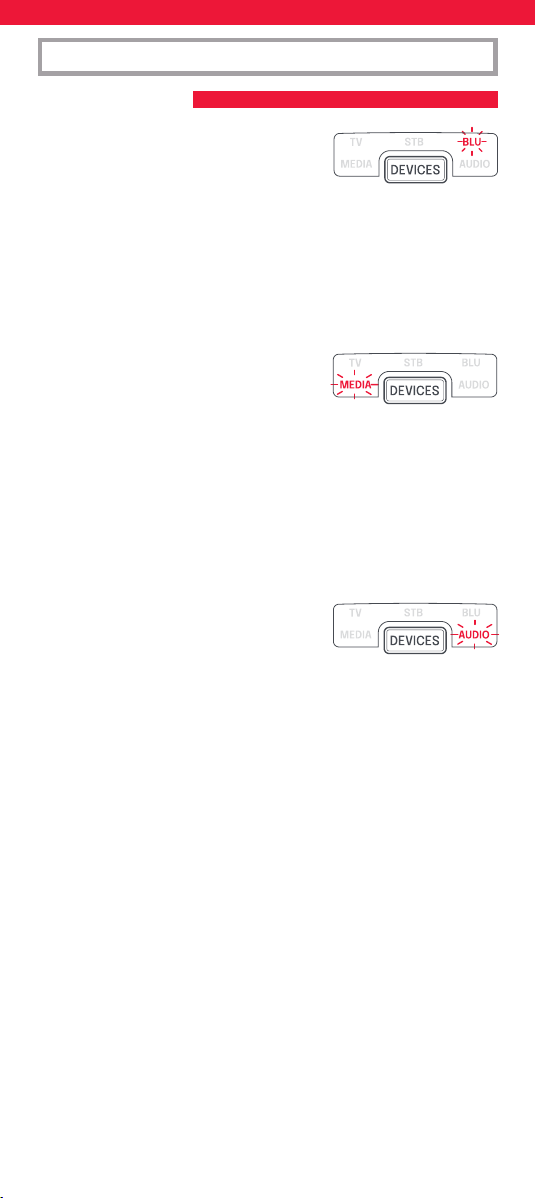
Una macro es una serie de comandos
enviados con solo presionar un botón.
Por ejemplo, puede encender su televisor,
barra de sonido y decodicador y luego
seleccionar la entrada HDMI correcta de
su televisor, todo con solo presionar una
tecla. Incluso puedes asignar la macro
a una Actividad, asegurándote de que
todos tus dispositivos estén congurados
correctamente para controlar la Actividad.
La macro se enviará 2 segundos después de
seleccionar la Actividad.
Con la aplicación, puedes crear la macro
exacta que necesitas, incluidas pausas entre
teclas (para permitir que dispositivos como
el televisor se enciendan) y “comandos
discretos”, como seleccionar una entrada
HDMI o encender o apagar siempre
el televisor en lugar de alternar entre
35
encendido y apagado.
Mover teclas
Con la función Mover teclas puedes
cambiar la funcionalidad de una o más
teclas del control remoto, cambiar su
posición o incluso duplicarla en un
dispositivo diferente. También puedes
encontrar que hay comandos adicionales
disponibles para tu dispositivo que aún no
tienen una tecla en el Smart Control.
Bloqueo de volumen
¿Usas solo un dispositivo para controlar el volumen de tus dispositivos?
Por ejemplo, es posible que quieras controlar siempre el volumen de
tu barra de sonido incluso cuando controlas otro dispositivo como el
televisor o el Blu-ray. La función de bloqueo de volumen le permite
bloquear las teclas para subir, bajar y silenciar el volumen para que
siempre controlen el mismo dispositivo.
36
SimpleSet es una manera rápida y sencilla de congurar el mando
a distancia para que controle las marcas más comunes de cada tipo
de dispositivo con solo pulsar un par de botones y, por lo general, en
menos de un minuto por dispositivo. El primer paso es seleccionar qué
dispositivo quiere congurar. La siguiente es una lista de modos de
dispositivo en el mando a distancia y los tipos de dispositivo que se
pueden congurar en ese modo:
Modo de dispositivo Tipo de dispositivo
TV
TV, HDTV, LED, LCD, Plasma, Proyector
STB Descodicador, receptor satélite,
televisión por cable, TDT, DVB-T, IPTV
BLU Blu-ray, DVD, DVD Home Cinema, VCR,
Laser Disk
MEDIA Receptor multimedia digital, unidad
de cinta, videoconsola*
AUD Audio, receptor de AV, amplicador,
recibidor, Barra de sonido
* El mando One For All solo puede controlar consolas de
videojuegos que funcionan por infrarrojos, de forma directa o por
medio de un adaptador.
No es posible operar las consolas que solo se controlan a través de
Bluetooth. Para cada tipo de dispositivo hay una lista de las marcas más
extendidas, cada una con un número asignado. El 1, por ejemplo, es
para un televisor Samsung. Localice su dispositivo y marca en
la siguiente lista:
CONFIGURACIÓN DEL CONTROL REMOTO ON
A – SIMPLESET
37
CONFIGURACIÓN DEL CONTROL REMOTO ON
A – SIMPLESET
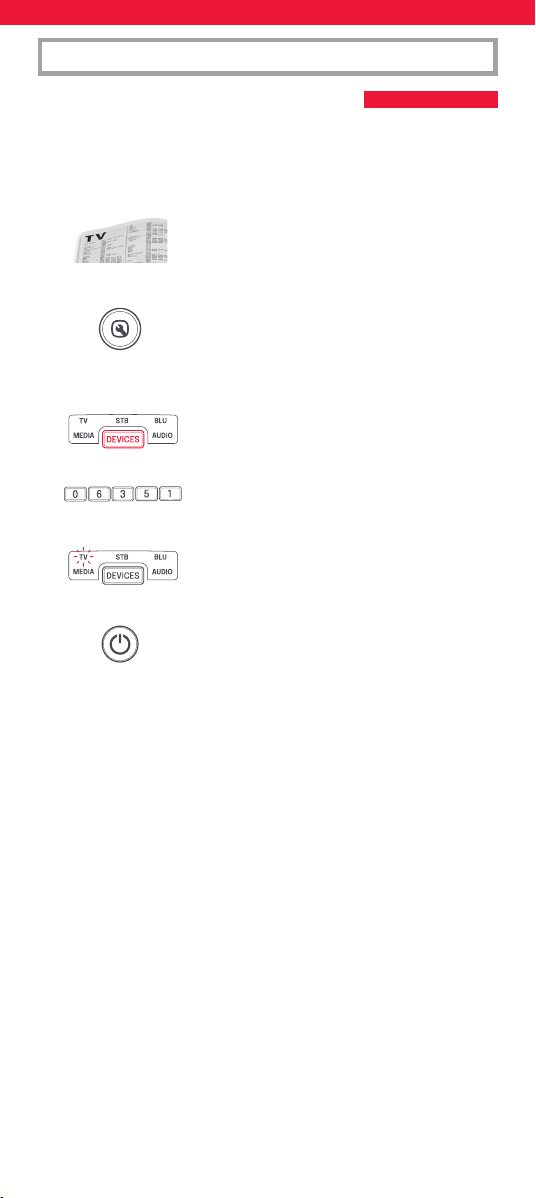
Cómo configurar su dispositivo
1. Encienda el dispositivo (no en modo de espera) y apunte el
mando OFA hacia el mismo.
2. Mantenga pulsado el botón SETUP hasta que
el LED situado bajo el dispositivo parpadee
dos veces. El LED que se encuentra bajo
el botón del modo activo se mantendrá
encendido.
3. Pulse el botón DEVICES varias veces hasta que
el indicador LED del dispositivo que desea
congurar se encienda.
4. Mantenga pulsado el dígito correspondiente
a su marca y dispositivo de acuerdo con la
lista anterior (p. ej., (1 para un televisor
Samsung).
5. El mando a distancia enviará una señal de encendido cada 3
segundos hasta que el dispositivo se apague.
6. Deje de pulsar el dígito cuando se apague el dispositivo.
7. El LED parpadeará dos veces y se apagará.
El mando a distancia controlará ahora su
dispositivo.
* Si observa que uno o más botones no funcionan como es debido,
repita el proceso desde el paso 1; el mando empezará a buscar
por el siguiente código de la memoria.
1 Samsung
2 LG
3 Sony
4 Philips
5 Panasonic
6 Hisense
7 TCL
8 Sharp
9 Grundig
0 Metz
1 Sky/Orange
2 Canal+/Canal+ Canalsat/
Canal Digital
3 UPC/UPC Cablecom/Virgin
Media
4 Deutsche Telekom
5 BT/BT Vision
6 DSTV/Multichoice/Foxtel/
Sky (NZ)
7 Telefonica
8 Sky Italy/Neuf Telec.
9 Technisat
0 Freebox/VU+
TV
STB – Sat, Cable, DVB-T
38
CONFIGURACIÓN DEL CONTROL REMOTO ON
A – SIMPLESET
1 Philips
2 Sony
3 Pioneer
4 Panasonic
5 Samsung
6 LG
7 Sharp
8 Toshiba
9 JVC
0 Teac
1 Yamaha
2 Onkyo
3 Denon
4 Pioneer
5 Sony
6 Marantz
7 Harman/Kardon
8 Philips
9 Teac
0 Bose
1 Apple TV
2 Roku
3 Foxtel
4 Digital Stream
5 Humax
6 RCA
7 Philips
8 Sony/Xbox
9 Vudu
0 Xiaomi
BLU –
DVD, Blu-ray
AUD – AV Receiver, Amp,
Tuner, Sound Bar
MEDIA – Games
Consoles, Media
Players
39
CONFIGURACIÓN DEL CONTROL REMOTO ON
B – CONFIGURACIÓN POR CÓDIGO
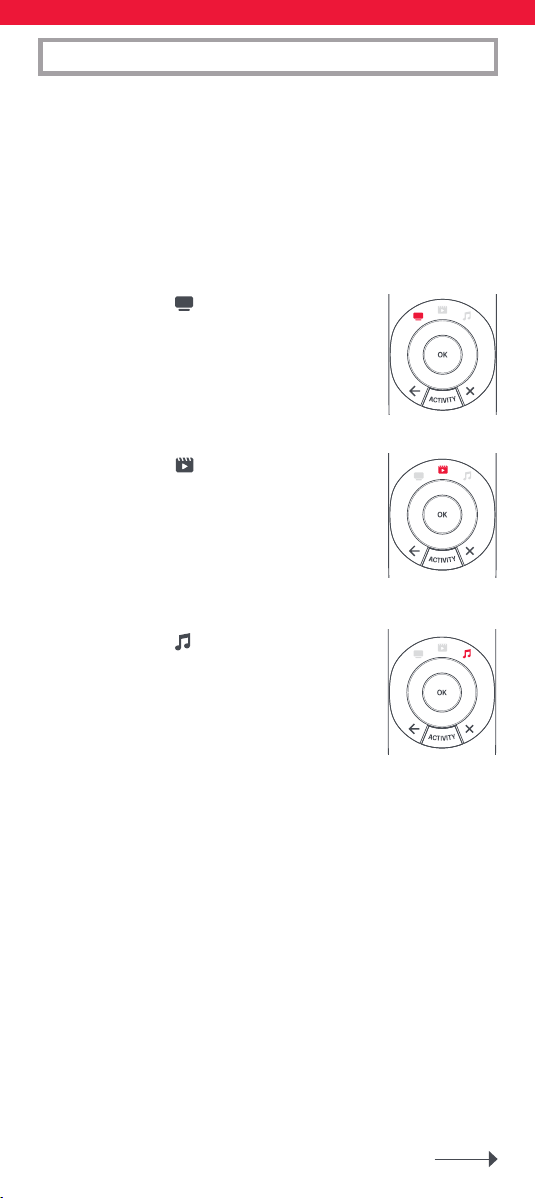
Si no encuentra la marca de su dispositivo en la sección A, puede
congurar su dispositivo probando códigos individuales. Para ello:
1. Encienda su dispositivo (no lo deje en modo de espera).
2. Busque la marca de su dispositivo en
la lista de códigos.
Los códigos se muestran por tipo de
dispositivo y marca.
3. Mantenga pulsado el botón SETUP hasta que
el LED situado bajo el dispositivo parpadee
dos veces. El LED que se encuentra bajo
el botón del modo activo se mantendrá
encendido.
4. Pulse el botón DEVICES varias veces hasta que
el indicador LED del dispositivo que desea
congurar se encienda.
5. Ingrese el primer código de 5 dígitos que
aparece para su marca (por ej. 06351 para un
televisor Blue Sky).
6. El LED parpadeará dos veces y se apagará.
7. Oriente el mando hacia su dispositivo y pulse
el botón de encendido (POWER).
8. Si el dispositivo se apaga, ya puede usar el mando.
De lo contrario, repita los pasos 3-7 con el siguiente código
de la lista.
* Algunos códigos son muy similares. Si observa que uno o más
botones no funcionan como es debido, repita el proceso desde
el paso 3 con el siguiente código de la lista.
40
ACTIVIDADES
Una actividad es la agrupación de dos o más dispositivos en un único
modo según lo que desea hacer cuando esté utilizando el mando, por
ejemplo, el televisor y el descodicador pueden estar combinados
juntos en el modo Ver televisión. En este modo, los botones
controlarán solo el dispositivo relevante, por lo que en este ejemplo;
los botones de volumen controlarán el televisor y los botones de canal
controlarán el descodicador. El mando One For All Smart Control
ofrece 5 modos de actividad: Ver televisión, Ver película, Escuchar
música, Jugar y Personalizado.
Cada uno de estos modos tiene una combinación de dispositivos para
combinar. Estos son:
VER LA TELEVISIÓN
Combination 1: TV + STB (Default)
Combination 2: TV + STB + AUD
Combination 3: TV + AUD
VER PELÍCULA
Combination 1: TV + BLU (Default)
Combination 2: TV + BLU + AUD
Combination 3: TV + MEDIA
Combination 4: TV + MEDIA + AUD
ESCUCHAR MÚSICA
Combination 1: TV + AUD + MEDIA (Default)
Combination 2: TV + BLU
Combination 3: AUD only
41
ACTIVIDADES
Si congura los dispositivos predeterminados para cualquier actividad
en el mando a distancia (por ejemplo un televisor y un STB para el
modo Ver televisión), esa actividad se congurará de forma automática
en el mando. Para cambiar a una combinación distinta, realice los
siguientes pasos:
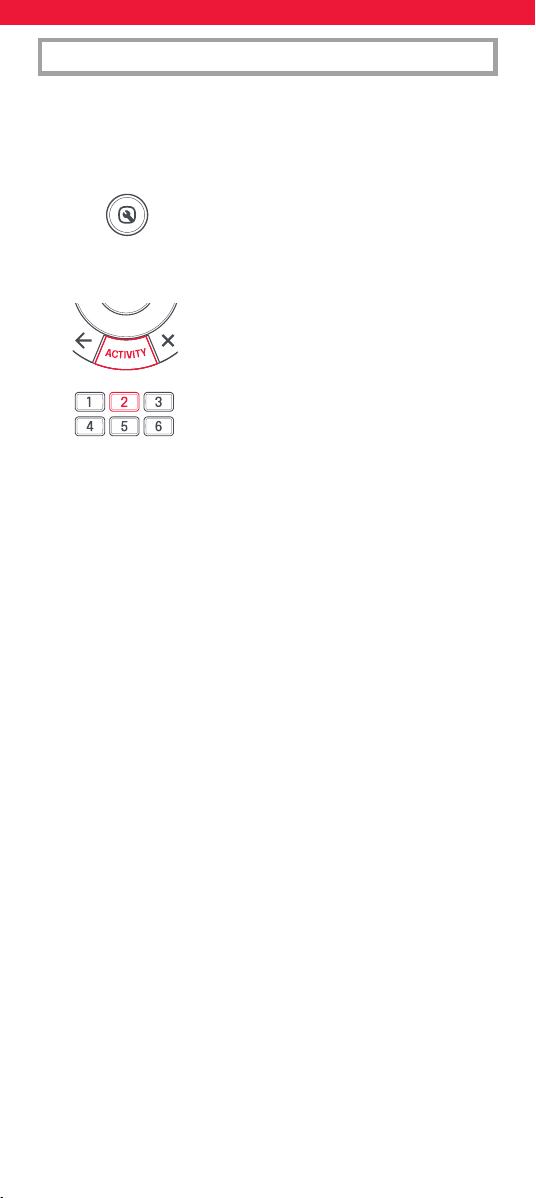
1. Mantenga pulsado el botón SETUP hasta que
el LED situado bajo el dispositivo parpadee
dos veces. El LED que se encuentra bajo
el botón del modo activo se mantendrá
encendido.
2. Use el botón ACTIVITY para desplazarse por
las actividades hasta que parpadee la que
desea denir.
3. Pulse el número de la combinación que desea
denir, por ejemplo, 2 para TV+STB+AUD en
Ver televisión.
4. El indicador LED parpadeará dos veces y se apagará.
Si desea acceder a las actividades, basta con pulsar el botón ACTIVITY
para desplazarse hasta que se enciende la que desea. Use el botón
DEVICES para volver a controlar según dispositivo.
Cambio de AV
Dado que el botón AV sirve para seleccionar la entrada de su televisor,
y que la mayoría de televisores usan un menú para seleccionar en
una lista las entradas, cuando pulsa el botón AV en una actividad, los
botones del menú Arriba, Abajo, Izquierda, Derecha y OK controlarán
el televisor de manera temporal. Si pulsa el botón OK, o si no pulsa
ningún botón durante 10 segundos, estos botones volverán a controlar
el dispositivo relevante de acuerdo con la actividad (por ejemplo, STB
en modo Ver televisión).
Macro de encendido
Si mantiene pulsado el botón de encendido Power durante dos
segundos en cualquier actividad, el mando enviará la función de
encendido a todos los dispositivos que formen parte de la actividad.
Es decir, si mantiene pulsada el botón de encendido en el modo
predeterminado Ver televisión,
este apagará o encenderá tanto el televisor como el descodicador.
Radio Equipment Directive (RED)
Por la presente, Universal Electronics BV declara que el tipo
de equipo radioeléctrico URC7956
es conforme con la Directiva 2014/53/UE.
El texto completo de la declaración UE de conformidad
está disponible en la dirección Internet siguiente
http://www.oneforall.com/doc_smartcontrol
42
ITALIANO TABELLA DEI TASTI | URC7956
ATTENZIONE: Rischio di esplosione se la batteria
viene sostituita con un tipo non corretto. Utilizzare
batterie alcaline di qualità.
Potenza massima in uscita. : -3.05 dBm
Gamma di frequenza operativa: 2402MHz~2480MHz
DEVICES – per scorrere
tra i dispositivi che il
telecomando è impostato
per controllare
SETUP – per configurare
il telecomando
POWER – accensione/
spegnimento
HOME - Home, Menù
GUIDE – guida TV, EPG
BACK – per tornare
indietro di un
passaggio nel menu del
dispositivo corrente
ACTIVITY: per scorrere
tra 3 modalità di
attività, ovvero Guarda
TV, Guarda film e
Ascolta musica. Per
i dettagli relativi,
vedere Attività.
EXIT – per uscire dal
menu del dispositivo
corrente
VOL – volume su, giù
e muto
PP – programma
precedente, ultimo canale
MENU –per visualizzare
il menu del dispositivo
corrente
Netflix, Amazon Prime
Video & YouTube
+/- – canale successivo
e precedente
Rosso, verde, giallo,
blu: Fastext/tasti di
accesso rapido
PLAYBACK – tasti di
riproduzione per il
dispositivo corrente
INFO – per visualizzare
informazioni relative alla
riproduzione attuale
AV – per selezionare
l’ingresso sul dispositivo
corrente
43
I dispositivi possono anche essere configurati senza utilizzare
l’app. Se preferisci configurare i tuoi dispositivi in questo modo,
consulta la sezione “Configurazione ON-remote”. Si prega di notare
che i dispositivi che possono essere impostati sul telecomando
sono limitati, quindi se non si riesce a programmare uno o più
dispositivi, l’app ha il database più recente.
Una volta avviata l’app, ti verrà chiesto di associare il telecomando al
telefono: questo si fa tenendo premuti i tasti Dispositivi e Attività per
alcuni secondi nché il LED TV non inizia a lampeggiare. Una volta
associato il telecomando, l’app è divisa in sezioni. Queste sono le
seguenti:
Dispositivi
Il tuo telecomando One For All può
controllare no a 5 dispositivi audio video
tramite infrarossi. La congurazione di
questi dispositivi dovrebbe essere il tuo
primo passo. L’app ti aiuterà a congurare
facilmente il telecomando per controllare i
tuoi dispositivi, tutto ciò di cui hai bisogno
è la marca del tuo dispositivo.
INTRODUZIONE
APP ONE FOR ALL ADVANCED
Grazie per aver acquistato One For All Smart Control 5. Questo
telecomando può controllare no a 5 dispositivi audio/video tramite
infrarossi e dispone di attività e macro per aiutarti ad automatizzare
la visione e l’ascolto.
Per sfruttare tutti i vantaggi delle funzionalità avanzate di Smart
Control, ti consigliamo di scaricare l’app One For All Advanced. Ti
guiderà nella congurazione del telecomando per controllare i tuoi
dispositivi e ti darà accesso a tutti gli ultimi marchi e dispositivi tramite
la connessione al nostro database online di codici a infrarossi. Può
anche aiutarti a congurare attività, creare macro per automatizzare
la visione, riprogrammare singoli tasti per il tuo dispositivo e
apprendere funzioni dai tuoi telecomandi originali.
L’app è compatibile con Android e iOS e può essere scaricata
scansionando il codice QR qui sotto o andando su
www.ofa.com/smartcontrol5pro sul tuo telefono.
44
Attività
Una volta congurato il telecomando
per controllare i tuoi dispositivi, puoi
combinarli no a 3 attività. Ad esempio, se
utilizzi una combinazione di TV, decoder
e sound bar per guardare la TV in diretta,
puoi combinarla nell’attività Guarda TV
e il telecomando controllerà i dispositivi
appropriati quando vengono premuti i
tasti (ad esempio sound bar per il volume,
STB per i canali, ecc.). L’app ti consentirà
di creare qualsiasi combinazione dei
dispositivi che hai congurato e spiegherà
quale tasto controllerà ciascun dispositivo
nella modalità Attività.
Caratteristiche
Oltre a Dispositivi e Attività, Smart Control ore numerose funzionalità
per migliorare il controllo dei tuoi dispositivi di intrattenimento.
Apprendimento
Se scopri di aver bisogno di un tasto extra
dal tuo telecomando originale che non è
presente sulla tastiera Smart Control, puoi
insegnare a Smart Control la funzione
utilizzando il tuo telecomando originale
(funzionante). L’app ti guiderà attraverso il
processo: puoi persino imparare un intero
telecomando.
Macro
Una macro è una serie di comandi inviati
con la pressione di un singolo pulsante. Ad
esempio, potresti accendere la tua TV, la
sound bar e il decoder e quindi selezionare
l’ingresso HDMI corretto della tua TV, il
tutto con la pressione di un tasto. Puoi
anche assegnare la macro a un’Attività,
assicurandoti che tutti i tuoi dispositivi
siano impostati correttamente per
controllare l’Attività. La macro verrà inviata
2 secondi dopo aver selezionato l’Attività.
Utilizzando l’app, puoi creare la macro
esatta di cui hai bisogno, incluse pause tra
i tasti (per consentire a dispositivi come
la TV di accendersi) e “comandi discreti”,
come la selezione di un ingresso HDMI
o l’accensione o lo spegnimento della
TV anziché alternare tra accensione e
spegnimento.
45
Key Mover
Utilizzando la funzione Key Mover puoi
modicare la funzionalità di uno o più
tasti sul telecomando, cambiandone la
posizione o persino duplicandola in un
dispositivo diverso. Potresti anche scoprire
che sono disponibili comandi extra per il
tuo dispositivo che non hanno ancora un
tasto sullo Smart Control.
Blocco volume
Utilizzi un solo dispositivo per controllare il volume dei tuoi dispositivi?
Ad esempio, potresti voler controllare sempre il volume della tua
soundbar anche quando controlli un altro dispositivo come la TV o
il Blu-ray. La funzione Blocco volume ti consente di bloccare i tasti
volume su, giù e muto in modo che controllino sempre lo stesso
dispositivo.
46
SimpleSet è un modo rapido e semplice per congurare il telecomando
in modo che controlli le marche più famose di ogni tipo di dispositivo
con pochi tasti. In genere la congurazione richiede meno di un
minuto per dispositivo. Il primo passo consiste nel selezionare il
dispositivo da congurare. Segue un elenco di modalità dei dispositivi
sul telecomando e dei tipi di dispositivi che possono essere congurati
in tale modalità:
Modalità dispositivo Tipo di dispositivo
TV TV, HDTV, LED, LCD, plasma, proiettore
STB Set-Top-Box, ricevitore satellitare,
convertitore a cavo, Freeview, DVB-T,
IPTV
BLU Blu-ray, DVD, DVD Home Cinema, VCR,
disco laser
MEDIA Ricevitore supporti multimediali,
streamer, console di gioco*
AUD Audio, ricevitore AV, amplicatore,
sintonizzatore, Barra audio
* Il telecomando One For All può controllare solo le console di gioco
operate tramite infrarossi, sia direttamente che attraverso un
adattatore. Non è in grado di controllare le console operate tramite
Bluetooth.
Per ogni tipo di dispositivo sono elencate le marche principali, ciascuna
con un numero assegnato, ad esempio 1 per un televisore Samsung.
Trovare il proprio dispositivo e marca nell’elenco seguente:
CONFIGURAZIONE ON-REMOTE
A – SIMPLESET
47
CONFIGURAZIONE ON-REMOTE
A – SIMPLESET
Per configurare il dispositivo
1. Rivolgere il telecomando OFA verso il dispositivo attivo (non in
standby).
2. Tenere premuto il tasto SETUP nché il LED
posizionato sotto il dispositivo non lampeggia
2 volte. Il LED sotto il tasto della modalità
corrente resterà illuminato.
3. Premere ripetutamente il tasto DEVICES nché
il LED corrispondente al
dispositivo desiderato non si illumina.
4. Tenere premuto il numero corrispondente alla
marca e al dispositivo come sopra elencati (ad
esempio 1 per un televisore Samsung).
5. Il telecomando invierà il segnale di alimentazione ogni 3 secondi
nché il dispositivo non si spegne.
6. N on appena il dispositivo si spegne, rilasciare il numero.
7. Il LED lampeggerà due volte e si spegnerà.
Il telecomando ora dovrebbe controllare il
dispositivo.
* Se uno o più tasti non funzionano come previsto, iniziare
nuovamente la procedura a partire dal passaggio 1. Il
telecomando utilizzerà il codice successivo presente in memoria.
1 Samsung
2 LG
3 Sony
4 Philips
5 Panasonic
6 Hisense
7 TCL
8 Sharp
9 Grundig
0 Metz
1 Sky/Orange
2 Canal+/Canal+ Canalsat/
Canal Digital
3 UPC/UPC Cablecom/Virgin
Media
4 Deutsche Telekom
5 BT/BT Vision
6 DSTV/Multichoice/Foxtel/
Sky (NZ)
7 Telefonica
8 Sky Italy/Neuf Telec.
9 Technisat
0 Freebox/VU+
TV
STB – Sat, Cable, DVB-T
48
CONFIGURAZIONE ON-REMOTE
A – SIMPLESET
1 Philips
2 Sony
3 Pioneer
4 Panasonic
5 Samsung
6 LG
7 Sharp
8 Toshiba
9 JVC
0 Teac
1 Yamaha
2 Onkyo
3 Denon
4 Pioneer
5 Sony
6 Marantz
7 Harman/Kardon
8 Philips
9 Teac
0 Bose
1 Apple TV
2 Roku
3 Foxtel
4 Digital Stream
5 Humax
6 RCA
7 Philips
8 Sony/Xbox
9 Vudu
0 Xiaomi
BLU –
DVD, Blu-ray
AUD – AV Receiver, Amp,
Tuner, Sound Bar
GAME, MEDIA –
Games Consoles,
Media Players
49
CONFIGURAZIONE ON-REMOTE
B – CONFIGURAZIONE TRAMITE CODICE
Se la marca non è elencata nella sezione A, è possibile congurare
il dispositivo provando i codici singolarmente. Per svolgere questa
operazione:
1. Accendere il dispositivo (non in standby).
2. Individuare la marca del dispositivo
nell’elenco dei codici.
I codici vengono elencati in base al tipo e alla
marca del dispositivo.
3. Tenere premuto il tasto SETUP nché il LED
posizionato sotto il dispositivo non lampeggia
2 volte. Il LED sotto il tasto della modalità
corrente resterà illuminato.
4. Premere ripetutamente il tasto DEVICES nché
il LED corrispondente al dispositivo desiderato
non si illumina.
5. Inserisci il primo codice a 5 cifre elencato
per il tuo marchio (ad esempio 06351 per
un televisore Blue Sky).
6. Il LED lampeggerà due volte e si spegnerà.
7. Rivolgere adesso il telecomando verso il
dispositivo e premere il tasto POWER.
8. Se il dispositivo si spegne, il telecomando è pronto all’uso.
In caso contrario, ripetere i passaggi dal 3 al 7 con il codice
successivo presente nell’elenco.
* Alcuni codici sono molto simili. Se uno o più tasti non funzionano
come previsto, iniziare nuovamente la procedura a partire
dal passaggio 3 con il codice successivo dell’elenco.
50
ATTIVITÀ
Un’attività è il raggruppamento di due o più dispositivi in un’unica
modalità, sulla base di ciò che si sta facendo mentre si usa il
telecomando. Ad esempio, TV e Set-Top-Box possono essere combinati
in una modalità Guarda TV. In questa modalità i tasti controlleranno
solo il dispositivo corrispondente, quindi in questo esempio i tasti
del volume controllano il televisore, ma i tasti dei canali controllano il
Set-Top-Box. Lo Smart Control OFA dispone di 5 modalità di attività:
Guarda TV, Guarda lm, Ascolta musica, Gioca e Personalizzato.
A ciascuna di queste modalità possono essere combinati diversi
dispositivi. Queste sono le modalità:
GUARDA TV
Combinazione 1: TV + STB (Default)
Combinazione 2: TV + STB + AUD
Combinazione 3: TV + AUD
GUARDA FILM
Combinazione 1: TV + BLU (Default)
Combinazione 2: TV + BLU + AUD
Combinazione 3: TV + MEDIA
Combinazione 4: TV + MEDIA + AUD
ASCOLTA MUSICA
Combinazione 1: TV + AUD + MEDIA (Default)
Combinazione 2: TV + BLU
Combinazione 3: AUD only
51
ATTIVITÀ
Se si congurano i dispositivi predeniti per qualsiasi attività sul
telecomando (ad esempio un televisore e STB per Guarda TV), tale
attività sarà congurata automaticamente sul telecomando. Questa è
la procedura per cambiare la combinazione:
1. Tenere premuto il tasto SETUP nché il LED
posizionato sotto il dispositivo non lampeggia
2 volte. Il LED sotto il tasto della modalità
corrente resterà illuminato.
2. Usare il tasto ACTIVITY per scorrere tra
le attività nché quella desiderata non
lampeggia.
3. Premere il numero corrispondente alla
combinazione da impostare, ad esempio 2 per
TV + STB + AUD in Guarda TV.
4. Il LED lampeggerà due volte e si spegnerà.
Per accedere alle attività è suciente premere il tasto ACTIVITY per
scorrere al loro interno nché quella desiderata non si illumina.
Per tornare al controllo del dispositivo, utilizzare il tasto DEVICES.
AV in modalità shift
Dal momento che il tasto AV è destinato alla selezione dell’ingresso sul
televisore e che la maggior parte dei televisori fornisce un menu per la
selezione da un elenco di ingressi, quando il tasto AV viene premuto
in un’attività, i tasti del menu Su, Giù, Sinistra, Destra e OK controllano
temporaneamente il televisore. Se viene premuto il tasto OK oppure
se non viene premuto alcun tasto per dieci secondi, questi tasti
torneranno a controllare il dispositivo corrispondente all’attività (ad
esempio STB in modalità Guarda TV).
Macro Power
Se si tiene premuto il tasto Power per 2 secondi in qualsiasi attività, il
telecomando invierà la funzione di accensione/spegnimento a tutti i
dispositivi contenuti in tale attività. Ad esempio, tenendo premuto il
tasto Power nell’impostazione predenita per Guarda TV, si accendono
o si spengono sia il televisore che il Set-Top-Box. the default setting for
Watch TV will turn both the TV and Set Top Box on or o.
Direttiva sulle apparecchiature radio (RED)
Con la presente, Universal Electronics BV dichiara che il tipo di
apparecchiatura radio URC7956 è conforme alla direttiva 2014/53/UE.
Il testo completo della dichiarazione di conformità UE è disponibile
al seguente indirizzo Internet:
http://www.oneforall.com/doc_smartcontrol
52
Os dispositivos também podem ser configurados sem utilizar a
aplicação. Se preferir configurar os seus dispositivos desta forma,
consulte a secção “On Remote Setup”. Note que os dispositivos que
podem ser configurados remotamente são limitados, pelo que, se
não conseguir programar um ou mais dispositivos, a aplicação tem
a base de dados mais recente.
A aplicação está disponível em inglês, alemão, francês, italiano e
espanhol. Para congurar o seu telecomando via SIMPLESET ou por
CODE, consulte as instruções em inglês, alemão, francês, italiano e
espanhol ou siga o código QR abaixo, onde encontrará as instruções de
conguração do dispositivo no seu idioma.
https://bit.ly/smart5_manual
PORTUGUÊS INTRODUÇÃO
APLICAÇÃO AVANÇADA ONE FOR ALL
Obrigado por ter adquirido o One For All Smart Control 5. Este
comando pode controlar até 5 dispositivos de áudio/vídeo utilizando
infravermelhos e tem atividades e macros para ajudar a automatizar a
sua visualização e audição.
Para experimentar todos os benefícios das funcionalidades avançadas
do Smart Control. Recomendamos que descarregue a aplicação
One For All Advanced. Este irá guiá-lo na conguração do controlo
remoto para controlar os seus dispositivos e dar-lhe-á acesso a todas
as marcas e dispositivos mais recentes, conectando-se à nossa base
de dados online de códigos infravermelhos. Também pode ajudá-lo a
congurar atividades, criar macros para automatizar a sua visualização,
reprogramar teclas individuais para o seu dispositivo e aprender
funções a partir dos seus controlos remotos originais.
A aplicação é compatível com Android e iOS e pode ser descarregada
digitalizando o código QR abaixo ou acedendo
www.ofa.com/smartcontrol5pro no seu telefone.
53
Apparaten kunnen ook worden ingesteld zonder de app te
gebruiken. Als u uw apparaten liever op die manier instelt,
raadpleeg dan het gedeelte ‘On Remote Setup’. Houd er rekening
mee dat de apparaten die op afstand kunnen worden ingesteld
beperkt zijn, dus als u er niet in slaagt om een of meer apparaten
te programmeren, heeft de app de nieuwste database.
De app is beschikbaar in het Engels, Duits, Frans, Italiaans en Spaans.
Om uw afstandsbediening in te stellen via SIMPLESET of via CODE,
raadpleegt u de Engelse, Duitse, Franse, Italiaanse en Spaanse
instructies of volgt u de onderstaande QR-code waar u de installatie-in-
structies op het apparaat in uw taal vindt.
https://bit.ly/smart5_manual
NEDERLANDS INLEIDING
GEAVANCEERDE ONE FOR ALL-APP
Bedankt voor de aanschaf van de One For All Smart Control 5. Deze
afstandsbediening kan tot 5 audio-/videoapparaten bedienen met
behulp van infrarood en beschikt over activiteiten en macro’s om uw
kijk- en luisterervaring te automatiseren.
Om de volledige voordelen van de geavanceerde functies van de
Smart Control te ervaren, raden we u aan de One For All Advanced-
app te downloaden. Deze begeleidt u bij het instellen van de
afstandsbediening om uw apparaten te bedienen en geeft u toegang
tot alle nieuwste merken en apparaten door verbinding te maken
met onze online database met infraroodcodes. Het kan u ook helpen
bij het instellen van activiteiten, het maken van macro’s om uw
kijkervaring te automatiseren, het herprogrammeren van individuele
toetsen voor uw apparaat en het leren van functies van uw originele
afstandsbedieningen.
De app is compatibel met Android en iOS en kan worden gedownload
door de onderstaande QR-code te scannen of door naar
www.ofa.com/smartcontrol5pro op uw telefoon te gaan.
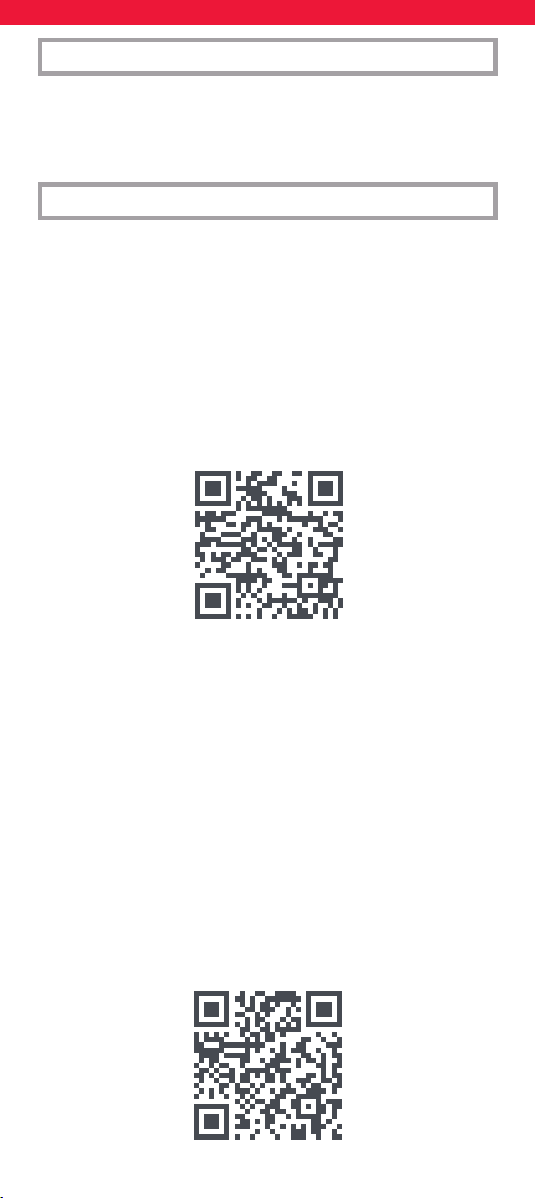
54
Enheder kan også konfigureres uden at bruge appen. Hvis du
foretrækker at konfigurere dine enheder på den måde, se venligst
afsnittet “On Remote Setup”. Bemærk venligst, at enheder, der
kan opsættes på ernbetjening, er begrænset, så hvis du ikke kan
få programmeret en eller flere enheder, har appen den nyeste
database.
Appen er tilgængelig på engelsk, tysk, fransk, italiensk og spansk. For
at kongurere din ernbetjening via SIMPLESET eller med KODE, se
venligst de engelske, tyske, franske, italienske og spanske instruktioner
eller følg QR-koden nedenfor, hvor du nder instruktionerne til
opsætning på enheden på dit sprog.
https://bit.ly/smart5_manual
DANSK INDLEDNING
ONE FOR ALL AVANCERET APP
Tak, fordi du købte One For All Smart Control 5. Denne ernbetjening
kan styre op til 5 lyd-/videoenheder ved hjælp af infrarød og har
aktiviteter og makroer for at hjælpe med at automatisere din visning
og lytning.
For at opleve de fulde fordele ved de avancerede funktioner i Smart
Control. Vi anbefaler, at du downloader One For All Advanced-appen.
Dette vil guide dig gennem opsætning af ernbetjeningen til at styre
dine enheder og give dig adgang til alle de nyeste mærker og enheder
ved at oprette forbindelse til vores online database med infrarøde
koder. Det kan også hjælpe dig med at kongurere aktiviteter,
oprette makroer for at automatisere din visning, omprogrammere
individuelle taster til din enhed og lære funktioner fra dine originale
ernbetjeninger.
Appen er kompatibel med Android og iOS og kan downloades ved at
scanne QR-koden nedenfor eller gå til
www.ofa.com/smartcontrol5pro på din telefon.
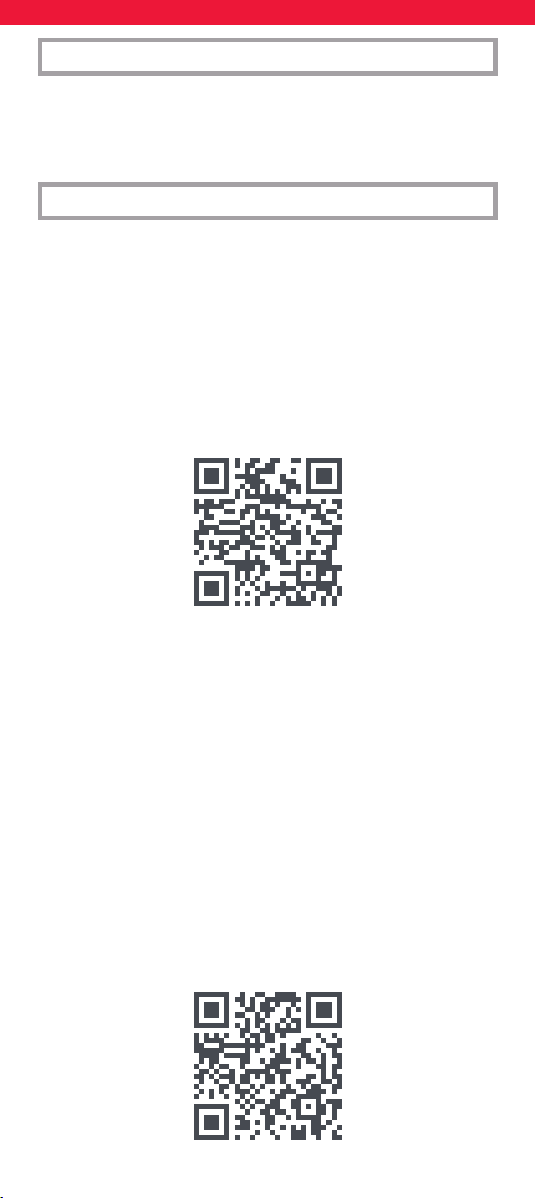
55
Enheter kan også settes opp uten å bruke appen. Hvis du
foretrekker å konfigurere enhetene dine på den måten, se
avsnittet “On Remote Setup”. Vær oppmerksom på at enhetene
som kan settes opp på ernkontrollen er begrenset, så hvis du
ikke klarer å få programmert en eller flere enheter, har appen den
nyeste databasen.
Appen er tilgjengelig på engelsk, tysk, fransk, italiensk og spansk. For
å sette opp ernkontrollen via SIMPLESET eller med KODE, vennligst
se instruksjonene på engelsk, tysk, fransk, italiensk og spansk eller følg
QR-koden nedenfor der du nner instruksjonene på enheten på ditt
språk.
https://bit.ly/smart5_manual
NORSK INTRODUKSJON
ONE FOR ALL AVANSERT APP
Takk for at du kjøpte One For All Smart Control 5. Denne ernkontrol-
len kan kontrollere opptil 5 lyd-/videoenheter ved hjelp av infrarød, og
har aktiviteter og makroer for å automatisere visning og lytting.
For å oppleve de fulle fordelene med de avanserte funksjonene til
Smart Control. Vi anbefaler at du laster ned One For All Advanced-
appen. Dette vil veilede deg gjennom å sette opp ernkontrollen for å
kontrollere enhetene dine og gi deg tilgang til alle de nyeste merkene
og enhetene ved å koble til vår online database med infrarøde koder.
Den kan også hjelpe deg med å sette opp aktiviteter, lage makroer
for å automatisere visningen, omprogrammere individuelle nøkler for
enheten din og lære funksjoner fra de originale ernkontrollene.
Appen er kompatibel med Android og iOS og kan lastes ned ved å
skanne QR-koden nedenfor, eller gå til
www.ofa.com/smartcontrol5pro på telefonen.
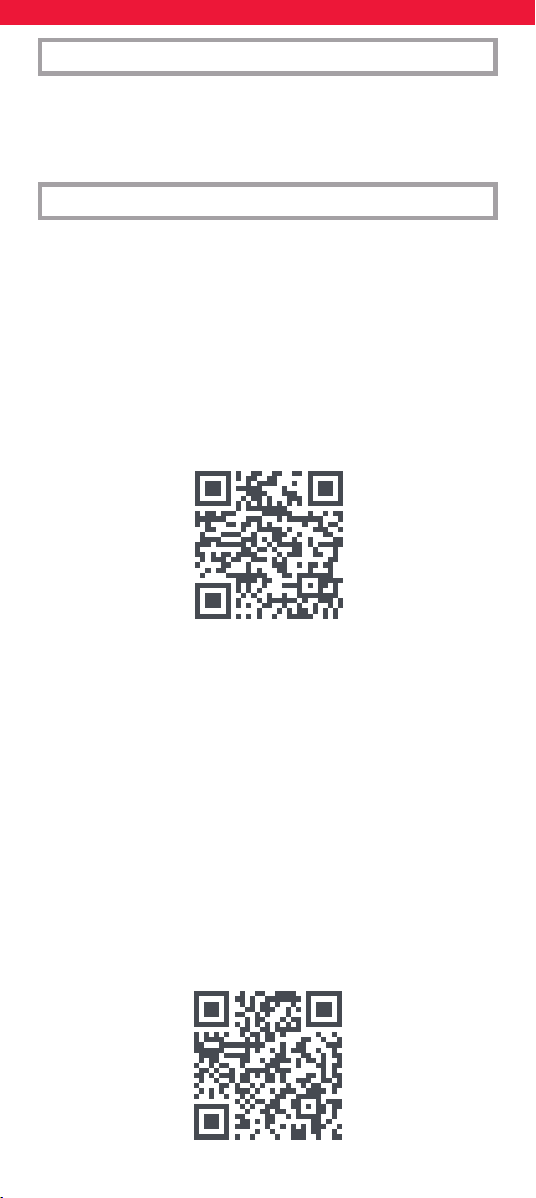
56
Enheter kan också ställas in utan att använda appen. Om du före-
drar att ställa in dina enheter på det sättet, vänligen se avsnittet
“On Remote Setup”. Observera att enheterna som kan ställas in på
ärrkontrollen är begränsade, så om du inte kan få en eller flera
enheter programmerade har appen den senaste databasen.
Appen nns på engelska, tyska, franska, italienska och spanska.
För att ställa in din ärrkontroll via SIMPLESET eller med KOD, se
instruktionerna på engelska, tyska, franska, italienska och spanska
eller följ QR-koden nedan där du hittar installationsinstruktionerna på
enheten på ditt språk.
https://bit.ly/smart5_manual
SVERIGE INTRODUKTION
EN FÖR ALLA AVANCERAD APP
Tack för att du köpte One For All Smart Control 5. Den här ärrkon-
trollen kan styra upp till 5 ljud-/videoenheter med infraröd och har
aktiviteter och makron för att automatisera ditt tittande och lyssnande.
För att uppleva alla fördelar med de avancerade funktionerna i Smart
Control. Vi rekommenderar att du laddar ner One For All Advanced-
appen. Detta guidar dig genom att ställa in ärrkontrollen för att
styra dina enheter och ger dig tillgång till alla de senaste märkena
och enheterna genom att ansluta till vår onlinedatabas med infraröda
koder. Det kan också hjälpa dig att ställa in aktiviteter, skapa makron
för att automatisera din visning, programmera om individuella
nycklar för din enhet och lära dig funktioner från dina ursprungliga
ärrkontroller.
Appen är kompatibel med Android och iOS och kan laddas ner genom
att skanna QR-koden nedan, eller gå till
www.ofa.com/smartcontrol5pro på din telefon.
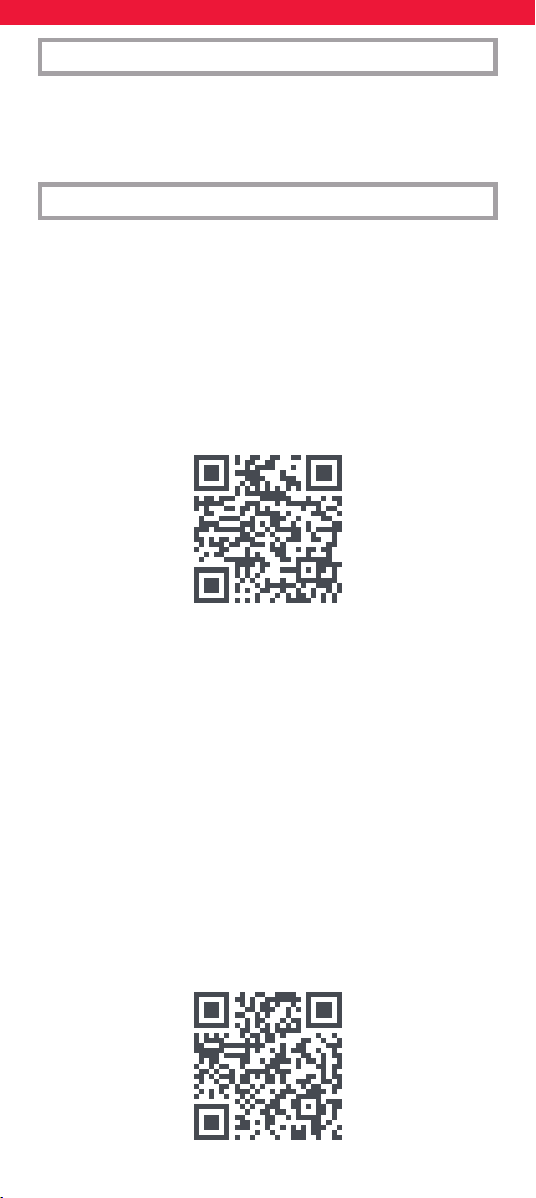
57
Laitteet voidaan asentaa myös ilman sovellusta. Jos haluat
mieluummin määrittää laitteesi tällä tavalla, katso kohta “On
Remote Setup”. Huomaa, että kaukosäätimellä asennettavia
laitteita on rajoitetusti, joten jos et saa ohjelmoitua yhtä tai
useampaa laitetta, sovelluksessa on uusin tietokanta.
Sovellus on saatavilla englanniksi, saksaksi, ranskaksi, italiaksi ja espan-
jaksi. Jos haluat määrittää kaukosäätimen SIMPLESET:in tai CODE:n
avulla, katso englannin, saksan, ranskan, italian ja espanjan ohjeita
tai seuraa alla olevaa QR-koodia, josta löydät laitteen asennusohjeet
omalla kielelläsi.
https://bit.ly/smart5_manual
SUOMI JOHDANTO
ONE FOR ALL EDISTYNYT SOVELLUS
Kiitos, että ostit One For All Smart Control 5:n. Tällä kaukosäätimellä
voidaan ohjata jopa viittä audio-/videolaitetta infrapunalla, ja siinä
on toimintoja ja makroja, jotka auttavat automatisoimaan katselua ja
kuuntelua.
Koe Smart Controlin edistyneiden ominaisuuksien kaikki edut.
Suosittelemme, että lataat One For All Advanced -sovelluksen. Tämä
opastaa sinua määrittämään kaukosäätimen ohjaamaan laitteitasi ja
antaa sinulle pääsyn uusimpiin merkkeihin ja laitteisiin muodostamalla
yhteyden infrapunakoodien online-tietokantaamme. Se voi myös
auttaa sinua määrittämään toimintoja, luomaan makroja katselun
automatisoimiseksi, ohjelmoimaan uudelleen laitteen yksittäisiä
näppäimiä ja oppimaan toimintoja alkuperäisistä kaukosäätimistäsi.
Sovellus on yhteensopiva Androidin ja iOS:n kanssa ja sen voi ladata
skannaamalla alla oleva QR-koodi tai siirtymällä osoitteeseen
www.ofa.com/smartcontrol5pro puhelimessasi.
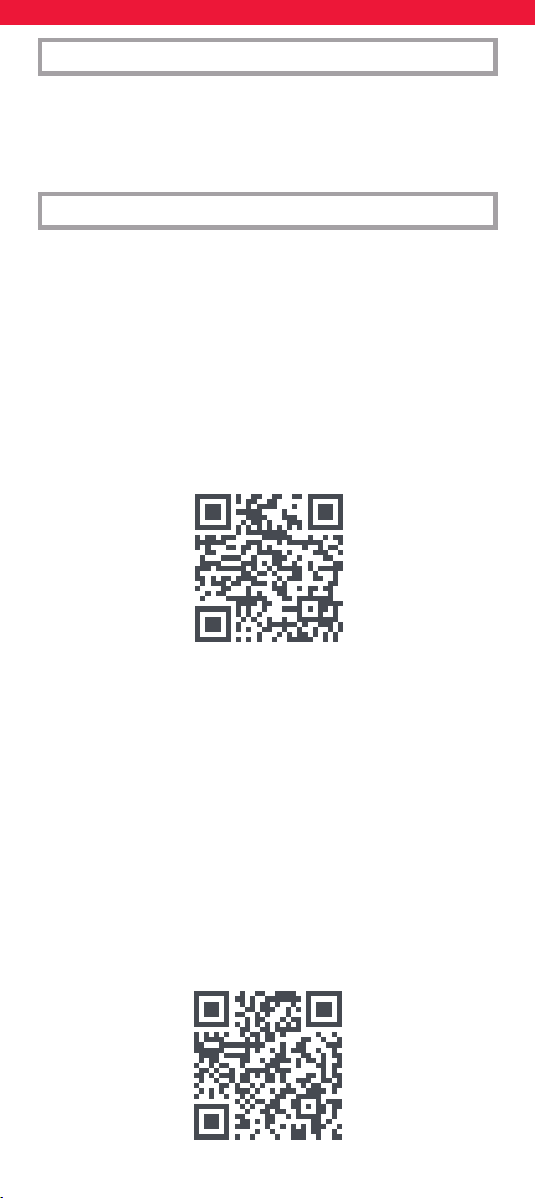
58
Οι συσκευές μπορούν επίσης να ρυθμιστούν χωρίς τη χρήση της
εφαρμογής. Εάν προτιμάτε να ρυθμίσετε τις συσκευές σας με
αυτόν τον τρόπο, ανατρέξτε στην ενότητα «On Remote Setup».
Λάβετε υπόψη ότι οι συσκευές που μπορούν να ρυθμιστούν στο
τηλεχειριστήριο είναι περιορισμένες, επομένως εάν δεν μπορείτε
να προγραμματίσετε μία ή περισσότερες συσκευές, η εφαρμογή
διαθέτει την πιο πρόσφατη βάση δεδομένων.
Η εφαρμογή είναι διαθέσιμη στα Αγγλικά, Γερμανικά, Γαλλικά, Ιταλικά
και Ισπανικά. Για να ρυθμίσετε το τηλεχειριστήριό σας μέσω SIMPLESET
ή με CODE, ανατρέξτε στις Οδηγίες Αγγλικών, Γερμανικών, Γαλλικών,
Ιταλικών και Ισπανικών ή ακολουθήστε τον κωδικό QR παρακάτω όπου
θα βρείτε τις οδηγίες ρύθμισης της συσκευής στη γλώσσα σας.
https://bit.ly/smart5_manual
ΕΛΛΗΝΙΚΆ ΕΙΣΆΓΩΓΗ
ΠΡΟΗΓΜΕΝΗ ΕΦΆΡΜΟΓΗ ONE FOR ALL
Σας ευχαριστούμε που αγοράσατε το One For All Smart Control 5.
Αυτό το τηλεχειριστήριο μπορεί να ελέγχει έως και 5 συσκευές ήχου/
εικόνας χρησιμοποιώντας υπέρυθρες και διαθέτει Δραστηριότητες και
Μακροεντολές που βοηθούν στην αυτοματοποίηση της προβολής και
της ακρόασής σας.
Για να απολαύσετε τα πλήρη οφέλη των προηγμένων λειτουργιών
του Smart Control. Σας συνιστούμε να κατεβάσετε την εφαρμογή
One For All Advanced. Αυτό θα σας καθοδηγήσει στη ρύθμιση του
τηλεχειριστηρίου για τον έλεγχο των συσκευών σας και θα σας δώσει
πρόσβαση σε όλες τις πιο πρόσφατες μάρκες και συσκευές, συνδέοντας
την ηλεκτρονική μας βάση δεδομένων υπερύθρων κωδικών.
Μπορεί επίσης να σας βοηθήσει να ρυθμίσετε Δραστηριότητες, να
δημιουργήσετε μακροεντολές για να αυτοματοποιήσετε την προβολή
σας, να επαναπρογραμματίσετε μεμονωμένα κλειδιά για τη συσκευή
σας και να μάθετε λειτουργίες από τα αρχικά σας τηλεχειριστήρια.
Η εφαρμογή είναι συμβατή με Android και iOS και μπορείτε να την
κατεβάσετε σαρώνοντας τον κωδικό QR παρακάτω ή μεταβαίνοντας
στο www.ofa.com/smartcontrol5pro στο τηλέφωνό σας.
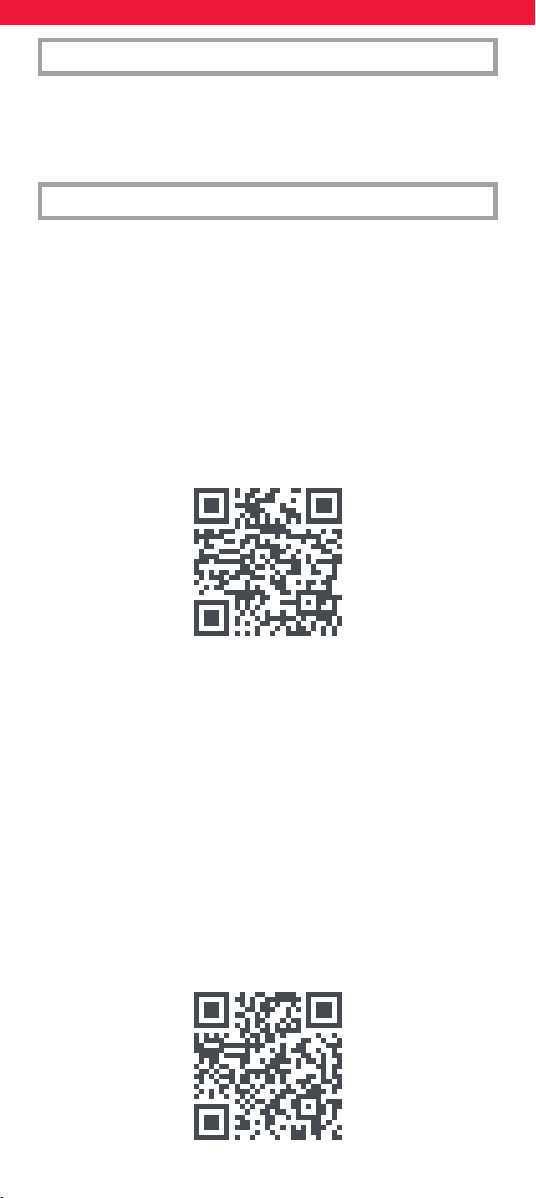
59
Устройства также можно настроить без использования
приложения. Если вы предпочитаете настраивать свои
устройства таким образом, см. раздел «On Remote Setup».
Обратите внимание, что устройства, которые можно настроить
на пульте дистанционного управления, ограничены, поэтому,
если вы не можете запрограммировать одно или несколько
устройств, в приложении есть последняя база данных.
Приложение доступно на английском, немецком, французском,
итальянском и испанском языках. Чтобы настроить пульт
дистанционного управления через SIMPLESET или с помощью
CODE, ознакомьтесь с инструкциями на английском, немецком,
французском, итальянском и испанском языках или следуйте
QR-коду ниже, где вы найдете инструкции по настройке на
устройстве на вашем языке.
https://bit.ly/smart5_manual
РУССКИЙ ВВЕДЕНИЕ
ONE FOR ALL ADVANCED APP
Благодарим вас за покупку One For All Smart Control 5. Этот пульт
дистанционного управления может управлять до 5 аудио-/
видеоустройствами с помощью инфракрасного порта, а также
имеет функции и макросы для автоматизации просмотра и
прослушивания.
Чтобы ощутить все преимущества расширенных функций Smart
Control, мы рекомендуем вам загрузить One For All Advanced
App. Это поможет вам настроить пульт для управления вашими
устройствами и предоставит доступ ко всем новейшим брендам
и устройствам, подключившись к нашей онлайн-базе данных
инфракрасных кодов. Оно также поможет вам настроить
действия, создать макросы для автоматизации просмотра,
перепрограммировать отдельные клавиши для вашего устройства
и изучить функции с ваших оригинальных пультов дистанционного
управления.
Приложение совместимо с Android и iOS и может быть загружено
путем сканирования QR-кода ниже или перехода на сайт
www.ofa.com/smartcontrol5pro на вашем телефоне.
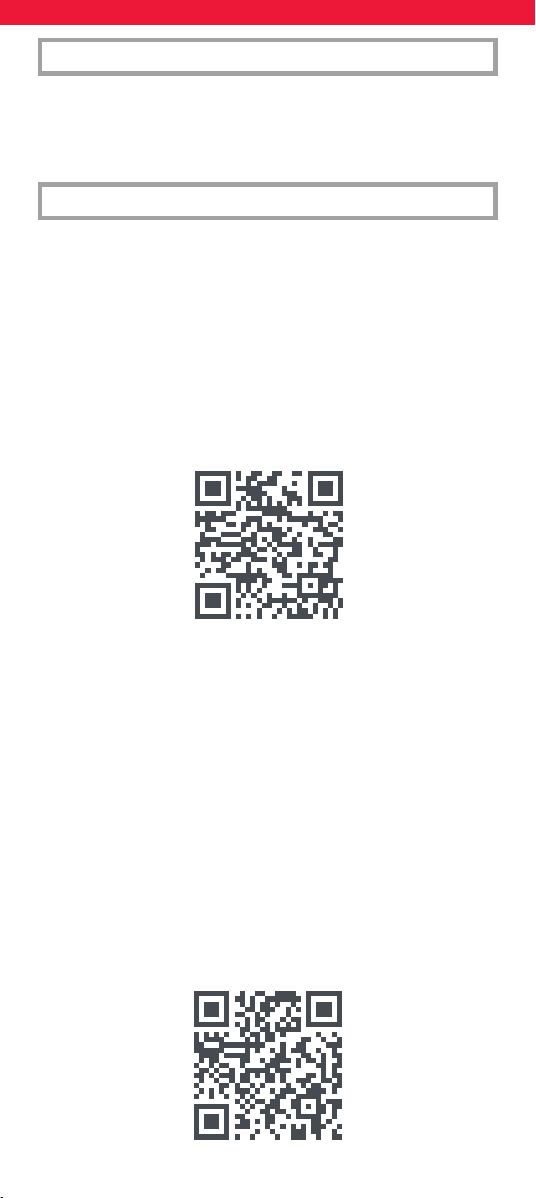
60
Aynı zamanda cihazlar uygulamayı kullanmadan da ayarlanabilir.
Cihazlarınızı bu şekilde ayarlamayı tercih ederseniz lütfen “On
Remote Setup” bölümüne bakın. Uzaktan kumandada kurulabilen
cihazların sınırlı olduğunu lütfen unutmayın, bu nedenle bir
veya daha fazla cihazı programlayamıyorsanız, uygulama en son
veritabanına sahiptir.
Uygulama İngilizce, Almanca, Fransızca, İtalyanca ve İspanyolca
dillerinde mevcuttur. Uzaktan kumandanızı SIMPLESET veya KOD ile
kurmak için lütfen İngilizce, Almanca, Fransızca, İtalyanca ve İspanyolca
Talimatlara bakın veya aşağıdaki QR kodunu takip edin, burada cihaz
üzerindeki kurulum talimatlarını kendi dilinizde bulabilirsiniz.
https://bit.ly/smart5_manual
TÜRKÇE GIRIŞ
ONE FOR ALL GELIŞMIŞ UYGULAMASI
One For All Smart Control 5’i satın aldığınız için teşekkür ederiz. Bu
uzaktan kumanda kızılötesi kullanarak 5’e kadar Ses/Video cihazını
kontrol edebilir ve görüntüleme ve dinlemenizi otomatikleştirmenize
yardımcı olmak için Etkinlikler ve Makrolar içerir.
Akıllı Kontrolün gelişmiş özelliklerinin tüm avantajlarından yararlanmak
için. One For All Gelişmiş Uygulamasını indirmenizi öneririz. Bu, uzaktan
kumandayı cihazlarınızı kontrol edecek şekilde ayarlamanızda size
rehberlik edecek ve kızılötesi kodlarımızın çevrimiçi veritabanına
bağlanarak tüm en son markalara ve cihazlara erişmenizi sağlayacaktır.
Ayrıca Etkinlikleri ayarlamanıza, görüntülemenizi otomatikleştirmek
için Makrolar oluşturmanıza, cihazınız için tek tek tuşları yeniden
programlamanıza ve orijinal uzaktan kumandalarınızdan işlevleri
öğrenmenize yardımcı olabilir.
Uygulama Android ve iOS ile uyumludur ve aşağıdaki QR kodunu
tarayarak veya telefonunuzda
www.ofa.com/smartcontrol5pro adresine giderek indirilebilir.
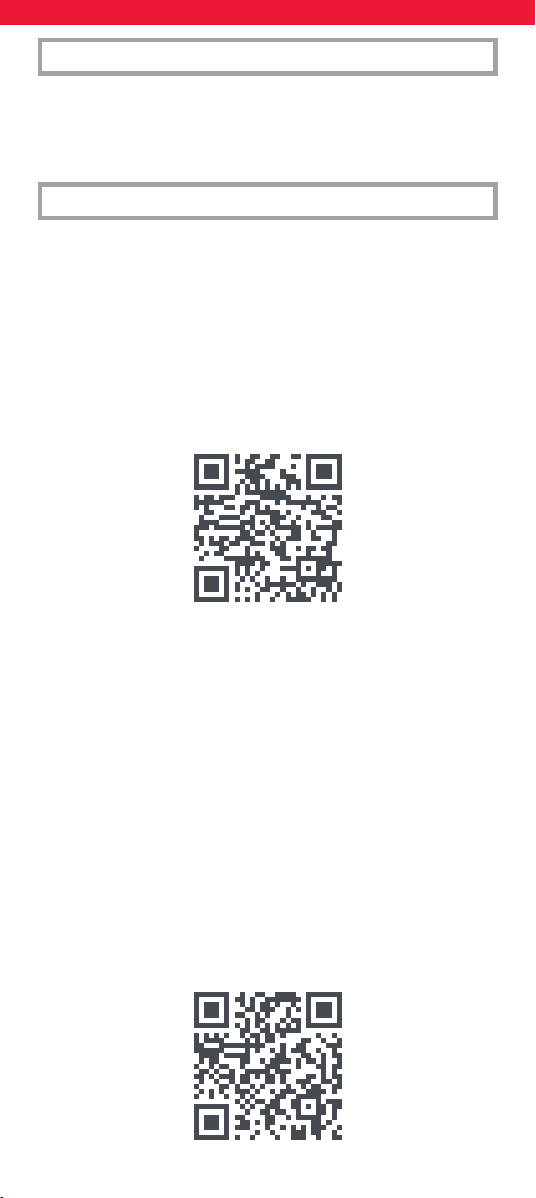
61
Urządzenia można również skonfigurować bez użycia aplikacji.
Jeśli wolisz skonfigurować urządzenia w ten sposób, zapoznaj się
z sekcją „On Remote Setup”. Należy pamiętać, że liczba urządzeń,
które można skonfigurować na pilocie, jest ograniczona, więc
jeśli nie możesz zaprogramować jednego lub więcej urządzeń,
aplikacja ma najnowszą bazę danych.
Aplikacja jest dostępna w języku angielskim, niemieckim, francuskim,
włoskim i hiszpańskim. Aby skongurować pilota za pomocą
SIMPLESET lub za pomocą KODU, zapoznaj się z instrukcjami w języku
angielskim, niemieckim, francuskim, włoskim i hiszpańskim lub
postępuj zgodnie z poniższym kodem QR, gdzie znajdziesz instrukcje
konguracji na urządzeniu w swoim języku.
https://bit.ly/smart5_manual
POLSKI WPROWADZENIE
APLIKACJA ONE FOR ALL ADVANCED
Dziękujemy za zakup One For All Smart Control 5. Ten pilot może
sterować maksymalnie 5 urządzeniami audio/wideo za pomocą
podczerwieni i oferuje funkcje Aktywności i Makra, które pomagają
zautomatyzować oglądanie i słuchanie.
Aby w pełni korzystać z zaawansowanych funkcji Smart Control,
zalecamy pobranie aplikacji One For All Advanced. Poprowadzi Cię ona
przez proces konguracji pilota do sterowania urządzeniami i zapewni
dostęp do wszystkich najnowszych marek i urządzeń poprzez połąc-
zenie z naszą internetową bazą danych kodów podczerwieni. Może
również pomóc w skongurowaniu Aktywności, tworzeniu Makr w celu
zautomatyzowania oglądania, przeprogramowaniu poszczególnych
klawiszy urządzenia i nauczeniu się funkcji z oryginalnych pilotów.
Aplikacja jest zgodna z systemami Android i iOS i można ją pobrać,
skanując poniższy kod QR lub przechodząc na stronę
www.ofa.com/smartcontrol5pro na telefonie.
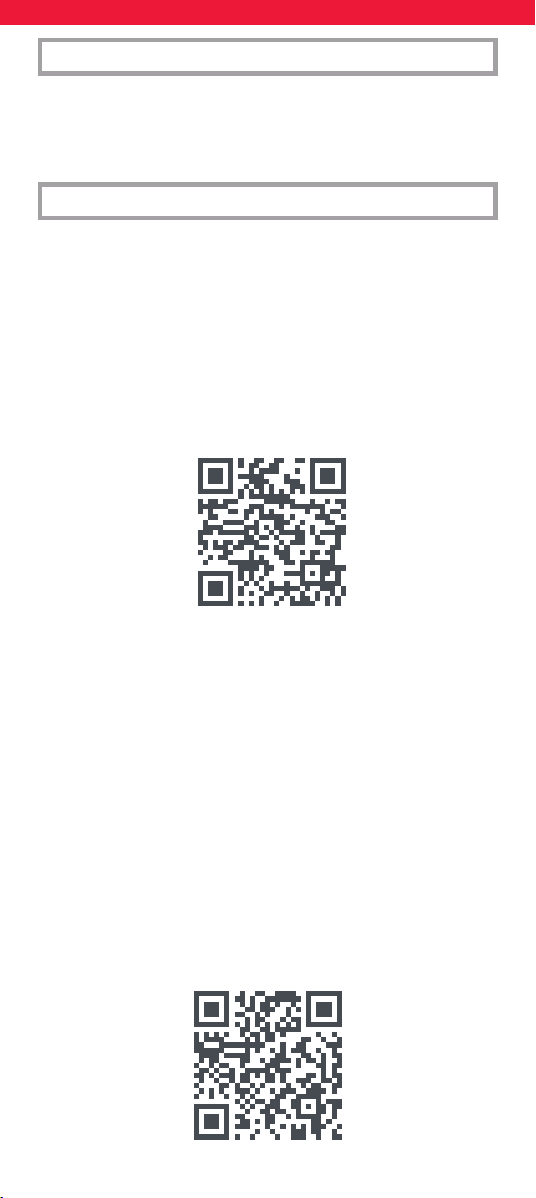
62
Zařízení lze také nastavit bez použití aplikace. Pokud chcete svá
zařízení nastavit tímto způsobem, přečtěte si prosím část „On
Remote Setup“. Vezměte prosím na vědomí, že zařízení, která
lze nastavit na dálkovém ovládání, je omezená, takže pokud
nemůžete naprogramovat jedno nebo více zařízení, aplikace má
nejnovější databázi.
Aplikace je k dispozici v angličtině, němčině, francouzštině, italštině
a španělštině. Chcete-li nastavit dálkový ovladač pomocí SIMPLESET
nebo KÓDU, přečtěte si prosím pokyny v angličtině, němčině,
francouzštině, italštině a španělštině nebo postupujte podle níže
uvedeného QR kódu, kde najdete pokyny k nastavení zařízení ve vašem
jazyce. https://bit.ly/smart5_manual
ČESKY ZAVEDENÍ
POKROČILÁ APLIKACE ONE FOR ALL
Děkujeme, že jste si zakoupili One For All Smart Control 5. Tento
dálkový ovladač dokáže ovládat až 5 audio/video zařízení pomocí
infračerveného portu a obsahuje funkce Activities a Macros, které
pomáhají automatizovat vaše sledování a poslech.
Chcete-li využít všech výhod pokročilých funkcí Smart Control.
Doporučujeme, abyste si stáhli aplikaci One For All Advanced. To vás
provede nastavením dálkového ovladače pro ovládání vašich zařízení
a umožní vám přístup ke všem nejnovějším značkám a zařízením
připojením k naší online databázi infračervených kódů. Může vám také
pomoci nastavit Aktivity, vytvořit makra pro automatizaci sledování,
přeprogramovat jednotlivé klávesy pro vaše zařízení a naučit se funkce
z vašich původních dálkových ovladačů.
Aplikace je kompatibilní s Androidem a iOS a lze ji stáhnout
naskenováním QR kódu níže nebo na
www.ofa.com/smartcontrol5pro na vašem telefonu.
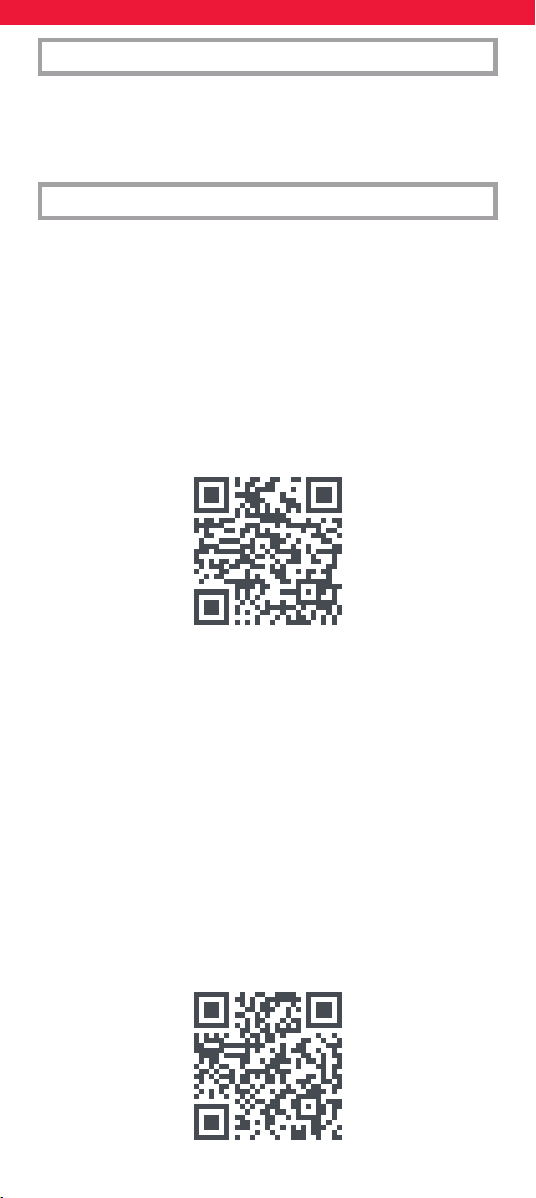
63
Az eszközök az alkalmazás használata nélkül is beállíthatók.
Ha inkább így szeretné beállítani eszközeit, kérjük, olvassa el
a „On Remote Setup” című részt. Felhívjuk figyelmét, hogy a
távirányítóval beállítható eszközök száma korlátozott, így ha egy
vagy több eszközt nem tud programozni, az alkalmazás a legújabb
adatbázissal rendelkezik.
Az alkalmazás angol, német, francia, olasz és spanyol nyelven érhető el.
A távirányító SIMPLESET vagy CODE segítségével történő beállításához
olvassa el az angol, német, francia, olasz és spanyol utasításokat, vagy
kövesse az alábbi QR-kódot, ahol megtalálja az eszközön lévő beállítási
utasításokat az Ön nyelvén.
https://bit.ly/smart5_manual
MAGYAR BEVEZETÉS
ONE FOR ALL FEJLETT ALKALMAZÁS
Köszönjük, hogy megvásárolta a One For All Smart Control 5-at. Ezzel
a távirányítóval akár 5 audio/video eszközt is vezérelhet infravörös
kapcsolaton keresztül, és a tevékenységek és makrók funkcióival
automatizálható a megtekintés és a zenehallgatás.
Hogy megtapasztalhassa a Smart Control fejlett funkcióinak teljes
előnyeit. Javasoljuk, hogy töltse le a One For All Advanced alkalmazást.
Ez végigvezeti Önt a távirányító beállításán, hogy vezérelje eszközeit,
és hozzáférést biztosít az összes legújabb márkához és eszközhöz
az infravörös kódokat tartalmazó online adatbázisunkhoz való
csatlakozással. Segíthet a tevékenységek beállításában, makrók
létrehozásában a megtekintés automatizálásához, az egyes gombok
átprogramozásában az eszközön, és megtanulhatja a funkciókat az
eredeti távirányítókról.
Az alkalmazás Android és iOS rendszerrel kompatibilis, és az alábbi
QR-kód beolvasásával vagy a címre kattintva tölthető le
www.ofa.com/smartcontrol5pro.
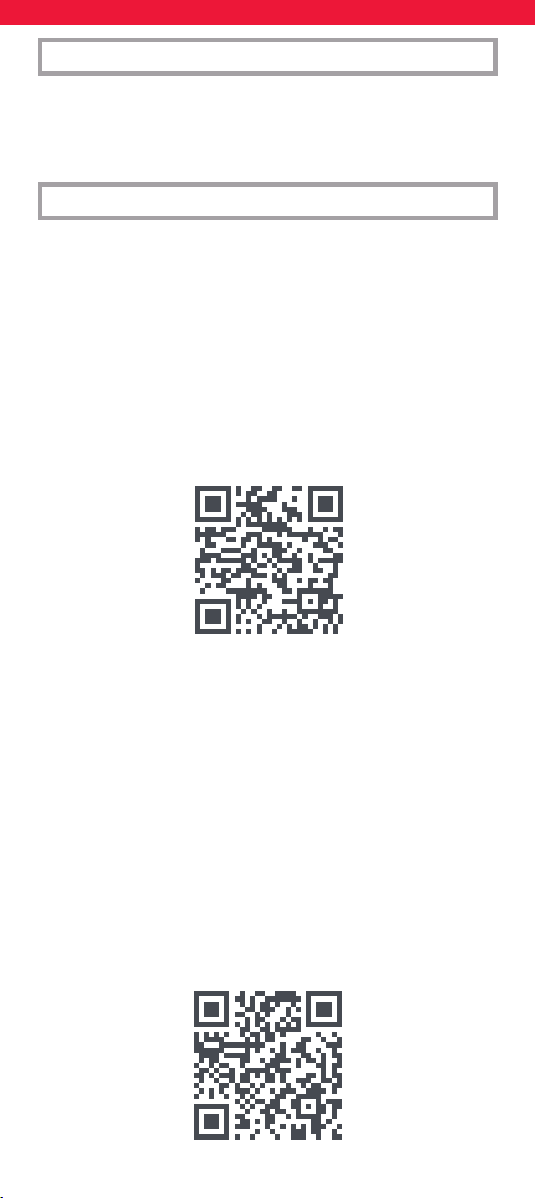
64
Устройствата могат да се настройват и без използване на
приложението. Ако предпочитате да настроите устройствата
си по този начин, моля, вижте раздела „On Remote Setup“.
Моля, обърнете внимание, че устройствата, които могат да
бъдат настроени отдалечено, са ограничени, така че ако
не можете да програмирате едно или повече устройства,
приложението разполага с най-новата база данни.
Приложението е достъпно на английски, немски, френски,
италиански и испански. За да настроите вашето дистанционно чрез
SIMPLESET или чрез КОД, моля, вижте инструкциите на английски,
немски, френски, италиански и испански или следвайте QR кода
по-долу, където ще намерите инструкциите за настройка на
устройството на вашия език.
https://bit.ly/smart5_manual
БЪЛГАРСКИ ВЪВЕДЕНИЕ
ЕДНО ЗА ВСИЧКИ РАЗШИРЕНО ПРИЛОЖЕНИЕ
Благодарим ви, че закупихте One For All Smart Control 5. Това
дистанционно управление може да управлява до 5 аудио/видео
устройства чрез инфрачервена връзка и разполага с дейности
и макроси, за да ви помогне да автоматизирате гледането и
слушането.
За да изпитате пълните предимства на разширените функции
на Smart Control. Препоръчваме ви да изтеглите разширеното
приложение One For All. Това ще ви преведе през настройването на
дистанционното за управление на вашите устройства и ще ви даде
достъп до всички най-нови марки и устройства чрез свързване към
нашата онлайн база данни с инфрачервени кодове. Може също
така да ви помогне да настроите дейности, да създадете макроси
за автоматизиране на гледането, да препрограмирате отделни
клавиши за вашето устройство и да научите функции от вашите
оригинални дистанционни управления.
Приложението е съвместимо с Android и iOS и може да бъде
изтеглено, като сканирате QR кода по-долу или отидете на
www.ofa.com/smartcontrol5pro на вашия телефон.
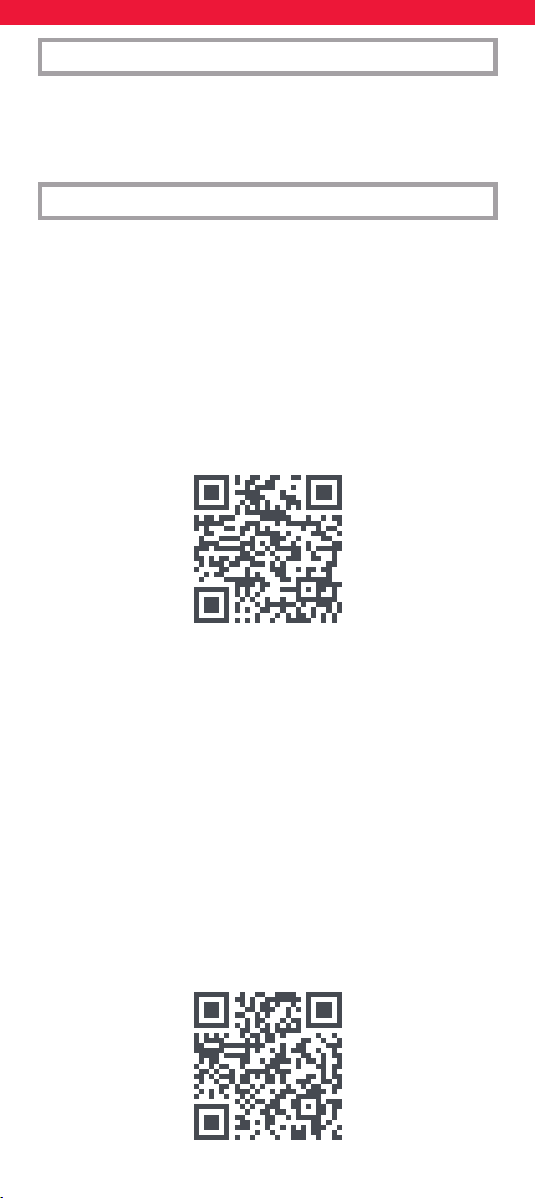
65
Dispozitivele pot fi configurate și fără a utiliza aplicația. Dacă pre-
ferați să vă configurați dispozitivele astfel, vă rugăm să consultați
secțiunea „On Remote Setup”. Vă rugăm să rețineți că dispozitivele
care pot fi configurate de la distanță sunt limitate, așa că dacă nu
puteți să programați unul sau mai multe dispozitive, aplicația are
cea mai recentă bază de date.
Aplicația este disponibilă în engleză, germană, franceză, italiană și
spaniolă. Pentru a congura telecomanda prin SIMPLESET sau prin
COD, consultați instrucțiunile în engleză, germană, franceză, italiană și
spaniolă sau urmați codul QR de mai jos, unde găsiți instrucțiunile de
congurare a dispozitivului în limba dvs.
https://bit.ly/smart5_manual
ROMÂNĂ INTRODUCERE
APLICAȚIE AVANSATĂ ONE FOR ALL
Vă mulțumim pentru achiziționarea One For All Smart Control 5.
Această telecomandă poate controla până la 5 dispozitive audio/
video utilizând infraroșu și oferă Activități și macrocomenzi pentru a vă
automatiza vizionarea și ascultarea.
Pentru a experimenta beneciile complete ale caracteristicilor avansate
ale Smart Control. Vă recomandăm să descărcați aplicația avansată One
For All. Acest lucru vă va ghida prin congurarea telecomenzii pentru a
vă controla dispozitivele și vă va oferi acces la cele mai recente mărci și
dispozitive, conectându-vă la baza noastră de date online de coduri în
infraroșu. De asemenea, vă poate ajuta să congurați activități, să creați
macrocomenzi pentru a vă automatiza vizualizarea, să reprogramați
tastele individuale pentru dispozitiv și să învățați funcții de la
telecomenzile originale.
Aplicația este compatibilă cu Android și iOS și poate descărcată prin
scanarea codului QR de mai jos sau accesând
www.ofa.com/smartcontrol5pro pe telefonul dvs.
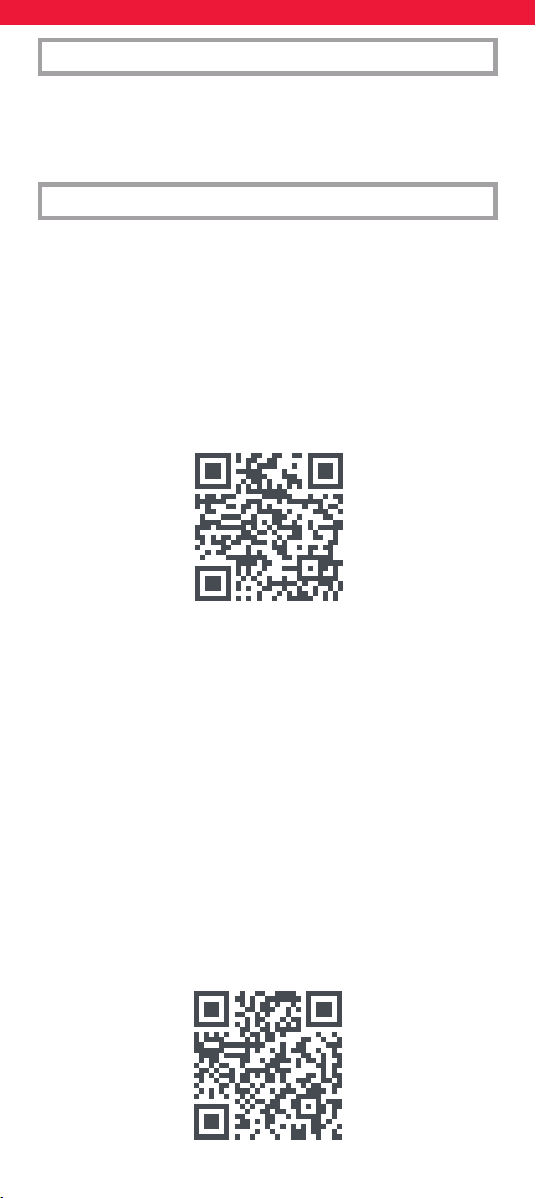
66
Zariadenia je možné nastaviť aj bez použitia aplikácie. Ak chcete
svoje zariadenia nastaviť týmto spôsobom, pozrite si časť „On
Remote Setup“. Upozorňujeme, že zariadenia, ktoré je možné
nastaviť na diaľkovom ovládači, sú obmedzené, takže ak nemôžete
naprogramovať jedno alebo viac zariadení, aplikácia má najnovšiu
databázu.
Aplikácia je dostupná v angličtine, nemčine, francúzštine, taliančine
a španielčine. Ak chcete diaľkové ovládanie nastaviť pomocou
SIMPLESET alebo KÓDU, pozrite si anglické, nemecké, francúzske,
talianske a španielske pokyny alebo postupujte podľa nižšie
uvedeného QR kódu, kde nájdete pokyny na nastavenie zariadenia vo
svojom jazyku.
https://bit.ly/smart5_manual
SLOVENSKY ÚVOD
POKROČILÁ APLIKÁCIA ONE FOR ALL
Ďakujeme, že ste si zakúpili One For All Smart Control 5. Toto diaľkové
ovládanie dokáže ovládať až 5 audio/video zariadení pomocou
infračerveného rozhrania a obsahuje funkcie Aktivity a makrá, ktoré
vám pomôžu zautomatizovať sledovanie a počúvanie.
Aby ste naplno využili výhody pokročilých funkcií Smart Control.
Odporúčame vám stiahnuť si aplikáciu One For All Advanced. To
vás prevedie nastavením diaľkového ovládania na ovládanie vašich
zariadení a umožní vám prístup ku všetkým najnovším značkám a
zariadeniam pripojením k našej online databáze infračervených kódov.
Môže vám tiež pomôcť nastaviť aktivity, vytvárať makrá na automatizá-
ciu sledovania, preprogramovať jednotlivé klávesy pre vaše zariadenie
a naučiť sa funkcie z vašich pôvodných diaľkových ovládačov.
Aplikácia je kompatibilná so systémami Android a iOS a môžete si ju
stiahnuť naskenovaním QR kódu nižšie alebo prejdením na
www.ofa.com/smartcontrol5pro na vašom telefóne.
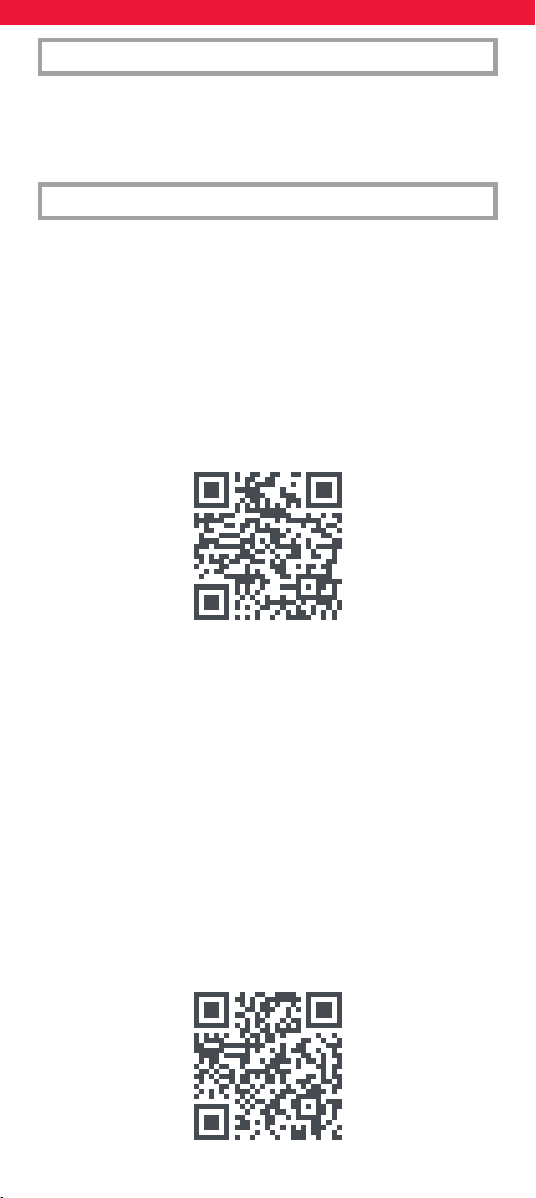
67
Uređaji se također mogu postaviti bez upotrebe aplikacije.
Ako biste radije postavili svoje uređaje na taj način, pogledajte
odjeljak “On Remote Setup”. Imajte na umu da je broj uređaja
koji se mogu postaviti na daljinskom upravljaču ograničen, pa
ako ne možete programirati jedan ili više uređaja, aplikacija ima
najnoviju bazu podataka.
Aplikacija je dostupna na engleskom, njemačkom, francuskom, talijans-
kom i španjolskom jeziku. Za postavljanje daljinskog upravljača putem
SIMPLESET-a ili pomoću KOD-a, pogledajte upute na engleskom,
njemačkom, francuskom, talijanskom i španjolskom jeziku ili slijedite
QR kod u nastavku gdje ćete pronaći upute za postavljanje uređaja na
svom jeziku.
https://bit.ly/smart5_manual
HRVATSKI UVOD
NAPREDNA APLIKACIJA ONE FOR ALL
Zahvaljujemo vam što ste kupili One For All Smart Control 5. Ovaj
daljinski može kontrolirati do 5 audio/video uređaja pomoću
infracrvene veze i sadrži aktivnosti i makronaredbe za automatizaciju
vašeg gledanja i slušanja.
Kako biste iskusili sve prednosti naprednih značajki Smart Controla.
Preporučujemo da preuzmete naprednu aplikaciju One For All. Ovo
će vas voditi kroz postavljanje daljinskog upravljača za upravljanje
vašim uređajima i omogućiti vam pristup svim najnovijim markama
i uređajima povezivanjem s našom internetskom bazom podataka
infracrvenih kodova. Također vam može pomoći u postavljanju
aktivnosti, stvaranju makronaredbi za automatiziranje gledanja,
reprogramiranju pojedinačnih tipki za vaš uređaj i učenju funkcija s
vaših originalnih daljinskih upravljača.
Aplikacija je kompatibilna s Androidom i iOS-om i može se preuzeti
skeniranjem QR koda u nastavku ili odlaskom na
www.ofa.com/smartcontrol5pro na svom telefonu.
68
TV - (Projector | TV)
PROJECTOR
3M 01452 01312 01282
01252 00972 00882
00742 00732
AAXA 00452
ADJ 01832
Acer 00162 00392 01872
01842 01642 01612
01132 01122
AverMedia 00432
Avio 00592 00562
Barco 01682
BenQ 00242 00212 00182
00122 00012 01802
01792 01182 01172
01162 01072 00642
Boxlight 00552
Canon 00082 00492 00622
01882 01862 01852
Casio 00402 01302 01232
01222
Coolux 00312
DBPower 02192
Dell 00232 00112 00072
00582 00522 02172
02162 01332
EIKI 01602 01532
Epson 00292 00022 00612
02132 01622 01092
01082 01062 01052
01042 01032 01022
01012 01002 00992
HP (Hewlett Packard)
00202
Hitachi 01652 01542 01502
01492 01462 00882
InFocus 00102 00422 00412
JMGO 02222
JVC 01782 01772 01762
01722 01402 01292
00922
LG 00252 00062 00912
00902 00872 00862
00852 00842
Lenovo 00572
Mitsubishi
Electric 00272 00032 01892
01752 01742 01732
01422 00932 00822
00812 00802 00792
00782 00772 00762
00752
NEC 00282 00142 02122
02112 02102 02092
02082
Optoma 00302 01262 00832
00722 00712 00702
00692 00682 00382
00372 00362 00352
00342 00332 00322
Panasonic 00092 00262 00662
02242 02212 02072
02062 02052 01632
01412 01392 01372
01362 01352 01152
01142
Philips 02012 01482 00942
Pioneer 00602
Promethean 02252
Proxima 00512 00482
Ricoh 00152 02182
Runco 00472 02032 02022
01472 01272
SIM2 00672
Samsung 00192
Sanyo 00442 02262 02232
02002 01942 01932
01922 01702 01692
01672 01662 01602
01532 01522 01432
00982
Sharp 00222 00172 01972
01962 01952 01592
01582 01572 01562
01552 01512 01442
01382 01342
Smart 02042
Sonnoc 02182
Sony 01242 01102 00892
Toshiba 00052 00042 00502
00632 01992 01982
01912 01902 01712
01322 00962 00952
ViewSonic 00132 00462 01822
01812 01212 01202
01192 01112 00652
Vimgo 02222
Vivitek 02202 02152
Wallis Universal 00002
Yamaha 00542 00532
Zutest 02142
TV
AEA 01501 01291 00151
AEG 02281 01971 01881
00151
AGB 01051
AIM 02061 02011 01971
01501 01291
ANGA 02631 00151
AOC 05141 05091 08131
04471 04461 04451
02311 01211 00011
AR System 02601 01501 01291
00801
ASA 02531 02521 02091
01591 01311 00591
00581 00411
ATD 02061
ATVio 04761
ATVio (Roku TV) 04761
CODE LIST
69
AWA 03471 03131 02291
02131 02051 01971
01941 01271 01231
01551
Accent 01941 01501 01291
00081
Accuphase 01501
Acer 05931 04861 01461
Acoustic
Solutions 08101 07981 07971
07961
Action 02041 01211 01011
00081 00011
Acura 03381 03371
Adcom 01431
Adler 09911 08551
Admiral 03311 02531 02091
02051 01961 01311
00431 00081 00011
Advent 04391
Adventura 00151
Adyson 02571 02131 02121
01211 01051 00011
Agashi 02131 02121 02051
Agath 04411 04401
Agef 01311
Aiko 02131 02101 02051
01941 01501 01471
Airis 09451 08731 08721
08711 04421
Aiwa 08251 08241 06611
06571 05961 05951
05941 04021
Akai 07711 06611 03501
07741 06631 05581
05541 05011 04741
03611 02141 02131
02111 02051 02011
02001 01971 01941
01891 01471 01211
01191 01181 01161
01051 00631 00541
00521 00041
Akashi 01941
Akiba 01501 01291 01181
Akira 03251
Akito 01501 01291
Akura 06351 02051 01941
01891 01501 01291
01181 00081 00011
Alaron 02121
Alba 09811 08021 08011
08001 05481 05201
02141 02121 02091
01941 01891 01281
01191 01181 01051
00751 00471 00041
Albiral 00761
Alden 08741
Alfa 00011
Alien 00041
Allorgan 02131 01251 01051
00901
Allstar 01501 01291 00011
Allview 05281
Alpha 09911 09671 08761
Alpha Digital 09471 09461
Alphatronics 08751
Altek 04431
Altius 07511 05581
Altus 05441
Ambassador 02631 00151
American High 02041
Amitech 04441
Amoi 03961
Amplivision 02131 01051 00471
Amstrad 02051 01941 01501
01291 01201 00831
00541 00351 00081
Anam National 01951 01941 01501
01291
Andersson 01881
Anglo 02051 01941 00081
Anitech 02571 02051 01941
01501 01321 01211
01181 00421
Ansonic 02091 01941 01501
01461 01361 01321
01291 00471 00081
00041
Antarion 07461
Arc En Ciel 01401 01371 01331
01171 01011 00951
00941
Arcam 02131 02121 01371
01051
Arcelik 05441
Arcon 01881
Arctic 05441
Ardem 01891 01501 01291
Arena 02141
Arielli 05901 05881
Aristona 01501 01461 01291
01241 00011
Arstil 05441
Art Tech 00011
Artel 03671
Arthur-Martin 02091 00261 00221
Asano 09441 09431 09421
Asberg 01501 01321 01291
00671 00421 00011
Asora 01941 00081
Aston 02321
Astra 01501 01291 00081
Astrell 02791
Asuka 02131 02121 02051
01181 01051
Atashii 04021
Atec 04481
Atlantic 02121 01701 01501
01291 00901 00011
Atori 01941 00081
Atoro 00081
Auchan 02091 00261 00221
TV
70
Audiosonic 04741 02131 02051
01941 01891 01801
01501 01361 01331
01181 01051 00471
Audioton 02131 02051 01051
00471 00081
Audiovox 00011
Audioworld 02061
Aumark 02041
Autovox 02531 02131 01491
01311 01251 01081
01051 00901 00041
Avol 04961
Avtex 07721
Axen 08771
Axion 04491
Axitronic 02771
Axxent 01941
Axxon 01891
BBK 07421 06591 04201
03111 01761 01751
01741 01731
BEC 01051 00011
BLU:Sens 09711
BPL 01821 01501 01291
BSR 02101 02091 01251
00241 00221 00171
BTC 01181
Baird 02131 02011 01971
01351 01331
Bang &
Olufsen 02861 02531 01311
01141 00891
Barco 02091
Basic Line 02131 02091 01941
01361 01181 00041
Bastide 02131 01051
Bauer 02061 02051 01941
00541
Bauhn 10831 08271 07511
05581
Baur 02101 01941 01501
01491 01471 01441
01411 01291 00581
00541 00531 00161
Bazin 02131
Beaumark 02001
Becrese 01211 01161 01011
00581 00151 00011
Beko 05441 04741 01971
01891 01801 00991
00571 00471
Bell & Howell 00011
Belson 02071
Belstar 00041
BenQ 08161 07911 03901
03721
Benchmark-
Beaumark 02041 01211 00081
00011
Beon 01501 01291 00671
00011
Berlin 05441
Best 00471
Best Buy 08801 08791 08781
Bestar 01501 01361 01291
00471 00271 00221
00011
Bestar-Daewoo 01361
Bexa 10641 02391
Bigston 00081
Binatone 02131
Black Diamond 01881 01501 00041
Black Panther 01321
Blackstripe 02041 01161 00581
Blauberg 04021
Blaupunkt 05481 07641 05651
01991 01471 01191
01181 00561 00541
00531 00521 00501
00281
Blomberg 05441
Bloom 00041
Blue 08811
Blue Sky 06351 02071 01891
01801 01501 01291
01181 00041 00011
Bogo 05901
Bolva 09801
Bondstec 02131 01941 01251
01081
Bose 03481
Brandt 08191 08111 07891
05581 01431 01401
01381 01371 01341
01171 01011 00951
00941 00861 00851
00841
Braun 01771
Bravo 02141
Brendstar 00081
Brigmton 08831 08821
Brimax 05681
Brinkmann 01501 01291 00671
00011
Brionvega 01881 01501 01311
01291 00351 00011
Briorryega 02531 00011
Britannia 02131 02121
Brockwood 02631 01211 01161
00151
Broksonic 01211 01161 00151
Brother 02051
Bruns 02531 01311
Bush 04081 02141 10631
08841 07861 07691
07271 05181 05171
05011 04741 03601
02581 02131 02101
02061 02051 02011
01941 01891 01501
01361 01281 01261
01191 01181 01051
00751 00041
CCE 02131 01501 01291
CCI 00551
TV
71
CGE 02091 01371 01091
01081 00671 00471
00421 00231 00081
CGM 01181 00081
CGV 02761
CHiQ 10471 10441 09841
08851
CIE 01361 00541 00081
CME 00511
CMS 02121
CMS Hightec 02131
CMX 04521 04511
CS Electronics 02121
CTC 01081
CTC Clatronic 00671
Cameron 01661 01631 01621
Cample 02631 01211 01161
00151
Canal 02801
Canca 09691
Candle 01211
Capehart 01211 01161 00011
Capsonic 02051
Carad 01501 01291
Carena 01501 01291
Carrefour 01501 01291 01281
00011
Carver 01991 00011
Cascade 01941 01501 01291
Casio 02091 01501 01491
01291
Cathay 01501 01291 00011
Celcus 02141
Cello 03201 10461 10451
05521 05511 04501
04281
Centurion 03291 01501 01291
00011
Century 02531 01481 01311
01091 01081
Cetomer 02841
Changhong 09841 07561 07411
06621 06541 06281
06261 06241 06231
06221 05751 05691
03671 03581 02291
06271 06251
Cihan 00011
Cimline 01941 01191 00081
CineX 00061
Circuit City 02631 01211 01161
00151
Citizen 02041 01211 00011
City 01941 00081
Clairtone 02141
Clarivox 01501 01321 01291
01081 01071 00701
Class HD 06651
Clatronic 02131 02051 01971
01941 01891 01501
01321 01181 01091
01081 01051 00471
00421 00221
Clayton 06291 06041 00041
02141
Coby 02941
Colortyme 02041 00011
Colossus 08861
Comgenius 03821
Computron 00081
Concorde 01941 00081
Condor 02121 02091 02051
01941 01501 01321
01081 00471
Conia 04531
Conic 01211 01161 00011
Conrac 00741
Conrad 01501 01291
Contec 02121 02051 01941
01501 01281 01271
01181
Contex 09951
Continental
Edison 01401 01371 01171
01011 00951 00941
00851 00841 00111
Coocaa 04521
Corfug 03641
Coronado 01211
Cosmel 01941 01501 01291
00081
Craig 03171 00011
Crosley 02531 01311 01161
01091 01081 00421
00241
Crosswood 00041
Crown 03211 02011 01981
01971 01941 01891
01801 01211 00471
00421 00221 00041
Crystal 03581 00011
Curtis Mathes 02041 01961 01211
01161 00011
Cybertron 01051
D-Vision 01501 01291
DCE 00041
DEC 05011
DEXP 07121 07111 06541
05451
DGM 08091
DGTEC 09821
DIK 01501 01291
DL 05011 00031
DMTECH 05191 10081 00041
02141
DNS 10701
DSC 02301 02291
DSE 03471 03461 02901
02891 02871 01571
01561 01551 01541
DVICO 02381
Daenyx 03611
Daewoo 09981 08081 08071
07441 02131 02061
01941 01891 01501
01361 01211 01051
00811 00091
TV
72
Daewoo
Electronics 08221 08041
Daichi 00081
Dainichi 02121 01181
Dansai 02131 02121 02051
02011 01941 01501
01291 01281 01211
Dantax 01971 01891 01801
00471
Darling 03121
Datsura 02011
Dawa 01941 01501 01291
00011
Daytek 02061 02051
Daytron 01941 01501 01361
01291 01211 00581
00081
De Graaf 02111 02091 02011
Decca 02131 01501 01291
01271 01131 01051
00741 00681 00011
Deitron 01501 01361 01291
Delton 00041
Denko 02051
Denver 09481 09291 09281
06351 03791 01971
01501 01291 00081
00031
Desmet 01941 01501 01311
01291 00081 00011
Diamant 01501 01291
Diamond 02121 02061 02051
01941 00081
Diboss 05981 05971
Dick Smith 03971 03471 03461
Digihome 03761 02141 00041
Digiline 01501 01291
Digilogic 03071 02141
Digimate 04541 03571
Digiquest 09781 08881 08871
05901 02141
Digistar 03701
Digital 03621 03591
Digitalbox 03291
Digitor 02881 02101 01531
01501 01291
Dikom 04551
Disney 04561
Distar 01651
Dixi 02131 01941 01501
01311 01291 00081
00011
Doric 01491 00381
Dual 08141 05701 03801
02141 02131 01941
01701 01491 01371
01351 01181 01051
00451 00041
Duinamai 02331
Dumont 02531 02131 01591
01321 01311 01211
01161 01051 00761
00151
Dunai 02091
Durabrand 00041
Dux 01501 01461 01291
Dynamic 00081
Dynatech 02631 01211 01161
01051 00151
Dynatron 01501 01461 01291
Dynex 05081 05071 05061
05051 05041 05031
05021 05011 05001
04991 04981
Dyon 07991
E-Motion 06351 04881
E:Max 09881 01971
ECG 09491 08901 08891
06441 02291
ECR 01161
ELG 01501 01291
EPC 02591 00741
ESC 02131 01501 01291
Eaton 02041
Ecco 02061
Edison 01331 02141
EduK 02141
Eksperten Vest 00511
Elbe 02141 02131 02101
01501 01481 01471
01451 01071 00521
00471
Elbit 00011
Elcit 02531 02091 01321
01311 01081
Elecs 00011
Electratune 01211
ElectriQ 07711 05181
Electro 00151
Electro Tech 00081
Electrohome 02631 01211 01161
00151
Electron 03671
Electronics 01181 01081
Electronika 00011
Elekta 03591 02051 01941
01501 01291 00081
Elektra 05901
Elektrabregenz 05441
Element 09801 06601 04761
Element (Roku TV)
04761
Elenberg 01651 01611 01601
Elfunk 02141
Elin 02121 02111 01941
01591 01501 00581
Elit 04021
Elite 02041 01501 01291
01211 01181 01161
00011
Elkos 08921 08911
Elmak 01671
Elman 01321 00991 00971
00761 00221
Elta 02121 02051 01941
00271 00221 00081
TV
73
Emerson 02101 01891 01501
01311 01211 01161
00471 00151
Energy Sistem 01521 01511
Engel 05431
Enie 09701
Enox 08431
Eon 02041 01161
Ergo 07121
Erisson 07431 05241 04001
Erres 01501 01461 01291
01241 00011
Estar 05401 05261
Estele 02091
Eternity 04881
Etron 02091 01941 01931
01501 01291 00311
00241 00081
Eurofeel 02131 02051
Euroline 08441 08381 03761
02921
Euroman 02131 02121 02051
01501 01291 01051
00471 00011
Europa 01501 01291
Europhon 02131 02091 01501
01321 01081 01061
00761
Eurosky 00041
Excel 01501 01291
Expert 02091 01701 00901
00661 00261 00221
Exquisit 01501 01291
Eye TV 02231
F&U 06441 05901 04001
FFalcon 04901 04001
FNR 01321
Fairtec 02071
Family Life 01501 01291
Favorit 03761
Fenner 01941 01361 00081
Ferguson 08061 08051 07941
07931 02241 02141
02111 01501 01431
01421 01381 01071
00911 00691
Fidelis 00081
Fidelity 02121 02101 02091
02051 01501 01291
00291 00221 00171
Filsai 02131 00081
Finlandia 02111 02101 02091
02011 01351 00861
00841 00391 00371
Finlux 06511 05181 05171
04591 04581 04571
02141 02131 01891
01801 01591 01321
01051 00651 00591
Fire TV 10381
Firstline 04741 02131 02101
02071 02011 01941
01891 01481 01361
01321 01251 01081
01051 00041
Fisher 02531 02131 02101
02011 01591 01161
01111 01051 00471
00071
Flavel 05441
Flint 02051 01501 01291
00011
Formenti 02531 02121 02091
01671 01501 01311
01291 01051 00281
00011
Fortress 02531 01961 01311
01211 01161 01151
Fox 09921 09911 06091
06081 06071 06061
06051 05911 05901
05891 05881 02441
Fraba 01501 01291 00471
Friac 01941 01501 01321
01291 00471
Frontech 02131 02091 02051
01941 01491 01221
01081 01051 00271
00081
Fuba 00731
Fuji 03391 01291
Fujicom 06731
Fujitsu 02131 02101 01941
01701 01501 01321
01211 01161 01051
00901 00151
Fujitsu
Siemens 01881
Funai 02141 00041 02051
01251 01211 01161
00151 00081
Furrion 05671 05661
Fusion 07461
Futronic 02061 02051
Future 01501 01291
GBC 02091 01941 01361
01061 00241 00221
00171 00081
GE (General Electric)
01421 01341
GEC 02131 02101 01501
01301 01051 00741
GM 00081
GMG 00671 00081
GPM 01181 00081
GTMedia 08351
GTT 00671 00081
GVA 10021 09621 09611
02291
GZE Unimor 00441
Gaba 09411 08931
Galaxis 02101 02091 01501
01321 01291 01171
00671 00471
TV
74
Galeria 01941 00081
Gelhard 09681
Geloso 02091 01941 01361
01181 01091 01081
00221 00081
Gemsound 00081
General 01381 01331 00841
00081
General Deluxe 03091
General Technic 01941 00081
Genesis 01941
Genexxa 02091 01941 01501
01291 01181 00011
Giant 02131 01941
Gitem 01011 00861 00531
00011
Globalstar 08411
Gogen 10171 02141
Goldhand 02121 00081
Goldstar 09661 02131 02101
02041 01971 01941
01931 01891 01501
01331 01291 01251
01211 01081 01051
00721 00531 00521
00471 00431
Goodmans 04071 05521 04741
03181 03051 02141
02131 02051 01941
01891 01431 01421
01361 01341 01281
01051 00751 00041
Gorenje 05201 03761 00471
Gradiente 01991 01981 01501
01291
Graetz 02141 02101 02091
01891 01881 01501
01291 00391
Granada 02131 02111 02011
01501 01461 01431
01341 01281 01051
00601 00151 00141
Grandin 03671 02091 01941
01921 01911 01901
01891 01871 01851
01841 01831 01821
01811 01801 01791
01781 01501 01411
01361 01181 00801
00661 00081 00011
Grenadier 00081
Gronic 02131 02091 01321
Grundig 07491 05441 10381
07501 06501 05831
04741 02221 02141
Grunkel 05901 01881
Géant Casino 02091 00261 00221
HCM 02131 02051 01941
01501 01291 01181
01051 00081
HIT 01311
HKC 04061 04021 05781
04601
HMV 01311
Haier 05871 04761 05471
08661 08651 08581
07071 07061 07031
07021 06961 06951
06941 06931 06911
06871 06841 06521
06231 05181 02271
02141 00031 07101
07091 07081 07011
07001 06991 06901
06861 06851 06771
05491 03161 02061
02051
Haier (Roku TV) 04761
Halifax 02131 02121 02051
Hallmark 02631 01211 01161
00581 00151
Hamburg 05441
Hammerstein 02051 02041
Hampton 01051
Hannspree 03221 06671 05611
Hanseatic 02131 02101 01941
01891 01671 01311
01251 00531 00471
00451
Hanspree 08971 08961 08951
08941
Hantarex 01941 01501 01321
01291 01061 00081
00011
Hantor 01501 01291
Harley Davidson 02631 02041 01301
01211 01161 00151
Harper 08281
Harrad 02631 01211 01161
00151
Harvard 02631 01211 01161
00151
Harwood 01941 01501 01291
Hauppauge 02341 01501 01291
Heathkit 00151 00011
Hedzon 01501 01291
Hema 02131 01941 01051
Hemmermann 01491 00171
Hifivox 01401 01371 01331
01171 01011 00951
00941
Higashi 02121
High 02041
Highline 02051 01501 01291
Hiline 00081
Hinari 02091 02051 02011
01501 01281 01181
00081
Hisawa 01891 01181
TV
75
Hisense 10541 07201 07241
05451 04761 04911
10841 10661 10551
10531 10111 09801
08391 08151 07251
07221 07211 07051
07031 06981 06971
06921 06891 06881
06831 06821 06811
06801 06791 06781
06761 06751 06741
06231 06001 02011
Hisense
(Fire TV) 09801
Hisense
(Roku TV) 04761 08681
Hitachi 07751 03951 03841
03351 10341 07701
05181 04761 03761
03211 02141 00041
02131 02111 02001
01331 01281 01231
01071 00951 00581
00151
Hitachi
(Roku TV) 04761
Hitachi Fujian 01231
Hitech 02891
Hitsu 01941
Home
Electronics 01971
Horizon 09631 05571
Horizont 06341 01721 01691
01681 00381 00011
Hornyphon 01501 01461 01291
00011
Hoshai 01181
Hot 06761
Huanyu 02121 01361
Humax 06711 02211 02201
02191 02181 02171
02161 02151
Huspi
Elektronik 00671
Hygashi 02131 02121 01051
Hyper 02131 02121 01941
01251 01081 01051
00081
Hypersonic 02101
Hypervision 02661
Hypson 02131 02051 01891
01801 01501 01481
01291 01051 00081
00011
Hyundai 04131 08701 07391
06731 05181 05011
04021 03321 02141
02061
Höher 03671 01891 01881
00041 02141
I-Joy 08611 05901
ICE 02131 02121 02051
01941 01501 01291
01181 01051 00081
00011
ICT 01501 01291
ICos 01461
IKEA 09641 08991 08981
04611
ILike 10151
IMA 02631 01211 01161
00151
IST 01181 01051 00011
ITC 02131 01051 00221
ITL 00081
ITS 02121 02051 01941
01501 01291 01181
01051 00081
ITT 02141
ITT Nokia 02111 02101 02091
02011 01971 01491
00581 00321 00221
00171
ITV 02051 01501 01361
01291
Iberia 01501 01291
Ibervisao 00221
Iffalcon 10421
Iiyama 05991
Imperial 02101 01501 01091
01081 00471 00421
InFocus 04251
Indiana 01501 01291 00011
Infiniton 09001
Infinity 00011
Ingelen 02101 02091 01891
01801
Ingersoll 01941 00081
Inno Hit 02131 01941 01501
01321 01181 01061
01051 00431 00081
00041 00011
Innova 02341
Innovation 01501 01291 00011
Insignia 03651 05071 05011
05081 04761 05051
05021 05031 05001
04991
Insignia
(Fire TV) 09801
Insignia
(Roku TV) 04761 08691
Inter 04311
Interactive 02101 02091 01501
01461 01401 01331
01311 01291 00471
Interbuy 02571 02051 01941
01501 01291 01081
00081
Interdiscount 01011 00861 00841
00011
Interfunk 02531 02521 02101
01951 01501 01461
01401 01331 01121
01081 00471
TV
76
Internal 01501 01361 01291
International 02121
Intervision 02571 02131 02091
02051 01941 01501
01471 01321 01181
01081 01051 00471
Inves 05901
Irbis 04901
Iris 07901
Irradio 01941 01501 01291
01251 01181 01081
00431 00401 00081
00011
Isis 02141
Isukai 01501 01291 01181
00011
Izumi 04241
JBL 00011
JCB 00151
JEC 06001
JMB 02141 01501 01361
01291
JTC 05581
JVC 03271 03711 06721
10771 10381 09871
09861 09021 09011
07681 07671 07661
07451 07411 05241
04761 03261 02141
01981 01971 01961
01951 01281 00011
JVC (Fire TV) 10381
JVC (Roku TV) 04761
JWF 03281
Jacson 02561 00741
Jay-Tech 06441 04621
Jean 01281
Jetpoint 02041 00011
Jinlipu 00081
Jocel 02851 02061 00121
00061 00031 00021
00011
John Lewis 03761
Julibee 01501
Jumbotronic 00011
KB Aristocrat 02091
KC 07281
KIC 02131
KLH 02631 01211 01161
00151
KTC 05411
KTV 02131 01211 01161
01051 00151
Kaido 00271
Kaiser 00011
Kaisui 02131 02121 01941
01501 01291 01181
01051 00081 00011
Kambrook 00841
Kamp 02121 01051
Kapsch 02101 02091 01701
00901 00381 00211
Karcher 04741 02091 02051
01971 01891 01501
01321 01291 00471
00081 00011
Kathrein 01501 01291
Kawasho 02121
Kendo 02141 01501 01411
01321 01191 00901
00471 00351 00081
00041
Kenmark 03301 02351
Kennedy 02091 01701 00901
00351
Kennex 00041
Kenstar 08601
Kenwood 01211
King 03421 03401
Kingsley 02121
Kiota 01931 00081
Kiton 01501 01291 00041
Kivi 08121
Kloss 02041
Kneissel 01501 01481 01361
01291 00521 00471
00451 00441
Kobic 00081
Kogan 10821 10811 08561
07361 07351 07341
03941 03931 03921
03911 03891 03881
03871 03861 03851
03671 03131
Kolster 01501 01491 01321
01291 00011
Konichi 01941 00081
Konka 10191 10181 02461
00031 03241 01891
01181
Kontech 07261
Korpel 01501 01291 00011
Koscom 10131
Kosmos 01501 01291
Kotron 02051
Koyoda 01941
Kraking 01481
Kreisen 03161
Kriesler 01461
Krüger & Matz 02291
Kuasho 01211 00011
Kuba 02091 01491 00171
Kubo 02141
Kunft 09031 08861
Kyoshu 02051
Kyoto 02131 02121 02091
König 00941 00931
Körting 02531 01311 01121
01101 00471
Küppersbusch 05301
L&S Electronic 01891
LETV 04031
LG 02911 10741 10651
10401 10241 09661
04761 07041 03071
TV
77
LG (Roku TV) 04761
LXI 02001 00011
Lamont 01051
Lasat 00471
Lavis 02091 02141
Leader 01941 00081
Lecson 01501 01291
Legend 01941 00081
Leisure 05441
Lenco 07611 02441 02091
01941 01501 01361
01291 00101 00081
00041 00031 00011
Lenoir 01941 00081
Lenson 04181 02921
Lesa 01081
Level 09501 05231 05221
05211
Levis Austria 01501 01291
Leyco 02051 01501 01291
01251 00011
Liesenkötter 01501 01461 01291
00011
Life 00081
Lifetec 02051 01941 01891
01501 01361 01291
00081 00041 00021
00011
Linden 08361
Linitron 01211 01161 01151
Linsar 05181 07731 05541
05501 05201 05171
02141 00041
Listo 05171
Lloyd 06681 10101 10031
10011 09991 02631
01211 01161 00381
00151 00081
Lloyd’s 01941 01931 00081
Lobod 08861
Loewe 07191 04151 10201
03081 02541 02531
01311 01051 00471
Logik 04331 03271 10711
07841 05921 05621
05551 05531 05491
05201 05181 03751
02281 02051 02041
01941 01931 01621
01271
Logix 00011
Lowry 05641
Luma 01941 01701 01501
01361 00901 00351
Lumatron 02131 02101 02091
02051 01501 01291
00041
Lux May 01941 01501 01291
00011
Luxor 02141 02131 02111
02011 00651 00641
00431
Luxor Salora 00961
Luxor/Skantic 00361
MCE 01941 00081
MGA 01501 00151
MIDI 05901
MPMan 08491 04021
MTC 03971 03461 02121
02101 02041 01211
00471 00061
MTLogic 04741 01891
Macys 01211 01161
Madison 01501 01291
Magic Queen 07301
Magnadyne 02531 01321 01311
01091 01081 01061
00241 00081 00011
Magnafon 02121 01321 01061
00761
Magnasonic 01211 00081 00011
Magnavox 04761 01281
Magnavox
(Roku TV) 04761
Magnum 01891 01801 01501
01291 00051
Majestic 07921
Mandor 02051
Manesth 02131 02091 02051
01501 01291 01191
01051 00011
Manhattan 03451 02091 01501
01291 00041
Manta 06401
Marantz 01501 01291 00011
Marcy’s 01161
Marelli 02531 01311
Mark 02131 02121 01941
01891 01801 01501
01361 01291 00011
Marks &
Spencer 05521 05511
Marq 05451
Mascot 01081
Masimo 07161 07151 02441
Masuda 02131 02051 01941
01501 01291
Matsui 03771 02581 02131
02011 01941 01891
01491 01471 01401
01341 01281 01271
01261 01191 01051
00791 00541 00521
00111 00091 02141
Matsushita 01951
Matsuviama 00031
Mava 01211
Maxam 02051 00081
Maxdorf 02061 02051
Maxell 00081
Maxess 10321 02511
McMichael 01301
Mediasonic 03371
Mediator 01501 01461 01291
01241 00011
TV
78
Medion 10351 09971 09961
07541 07531 07481
07471 03211 02141
02061 01901 01891
00041
Megasat 05381 05371
Megatron 02001
Melectronic 02131 02101 01941
01891 01591 01501
01471 01361 01331
01051 01011 00991
00971 00641 00601
00581 00081 00011
Memorex 02041 01951 01941
00151
Memphis 01941 00081
Mercury 02061 02051 02041
01941 01931 01501
01291 00081
Merritt 02111 02101 02091
Metronic 09751 02811
Metz 09791 04761 02691
02651 02641 02531
02521 02021 01951
01901 01471 00541
00531 00521 00501
00481 00041
Metz (Roku TV) 04761
Mi 04041
Micromax 07311 07301 07291
05791 04631
Micromaxx 01501 01291
Microtek 02061 02051
Microvision 05271
Midland 01211
Mikomi 04741 01881
Minato 01501 01291
Minerva 01471 01231 00551
00541 00531 00521
00501
Minoka 02361 01501 01291
00011
Mirai 09831 09301 04641
Mitashi 05901 05571
Mitchell & Brown
05181 02141
Mitsai 09571 09041 08911
08851 04651
Mitsubishi
Electric 08341 08331 08321
02531 02011 02001
01961 01311 01161
00151 00081 00041
Mitsuri General 02091
Mivar 02131 00711 00471
00451 00441 00431
Mobile TV 05181 02141
Monaco 01941
Monitor 02041
Morava 00041
Morgan’s 01501 01291
Motorola 08631 01961 00011
Multimedia 02621
Multistandard 01321
Multitech 02131 02051 01941
01501 01491 01321
01211 01161 01051
00471 00421 00151
00041
Murphy 03981 02121 02091
01591 00381 03441
03431 03361 02141
Muse 09051
Musikland 01501 01291
Mycom 02001
Myryad 01501 01291
Mystery 09511 07881 02291
Müller 05401
NAD 02101 02091 02001
01161
NAP 00011
NEC 06581 06571 03661
02131 02041 01981
01941 01361 01281
01271 00031
NEI 02091 01501 01291
01181 00781 00011
NPG 09071 08851 03671
Nabo 08911
Naiko 03331 02371 01971
01501 01291
Nakamichi 09931 04021
Nakimura 01501 01361 01291
Namsunc 00081
Naonis 02091 00221 00171
National 00141 00131 00011
Navon 10061 10051 09681
05181
Nebula (Fire TV) 09801
Neckermann 02531 02131 01501
01491 01441 01411
01311 00531 00471
00281 00201 00161
Neo 09061 05901 05571
02141
Neon 04281 04271 04261
Nesco 01081
Net TV 09521
Netsat 01501 01291
Neufunk 01941 01891 01501
01291 00041
Nevir 08181 08171 08031
03761
New Tech 02131 01941 01501
01351 01291 00081
00011
New World 01181
Newsat 02731
Next 02141
Nicamagic 02121
Nikai 01651
Nikkai 02131 02121 02051
01941 01501 01291
01281 01211 01181
00011
Nikkei 01891
Nikko 02001 00771
Nissan 02041
TV
79
Nobel 07301
Noblex 00081 00071
Nobliko 02121 01321 01051
00761 00421 00401
Nodis 08911 08861
Nogamatic 01401 01371 01331
01171 01011 00951
00941
Nokia 02681 02111 02041
02011 01971 01361
01331 01181 00651
00621 00611 00081
Nokia Akai 00301
Noname 02581 02551 01581
00271 00021 00011
Nordic 02131
Nordmende 09761 04741 02531
02141 02091 01891
01501 01421 01401
01381 01371 01341
01171 00951 00941
00921
Norfolk 02091
Normande 05291
Normerel 01501 01291
Nova 01591
Novabeam 00011
Novak 01461
Novatronic 01501 01361 01291
00081 00011
Nu-Tec 02061
Nucleonic 00271 00221
Nurnberg 02101 02091
OK 03671 09541 09531
09311 09081 05751
05721 05711 05481
05181 03261 02141
OKI 04371 04361 03761
02401 02141
ONN 06351 04761 02141
ONN (Roku TV) 04761 10211
OTF 00081
Oceanic 02111 02011 01251
00661 00651 00641
Odeon 02051
Odys 08481 08471 08421
03971
Okano 10271 02411 02401
02051 01941 01501
01291 00471 00081
Olimpo 08671
Olto 10041
Olympic 00081
Omega 02061 02051
Onceas 00081
Onida 07331 04171
Onwa 01321 01181 01051
Onyx 06351
Opera 04741 01501 01291
00011
Opticum 09341 09331 09321
Optimus 01951
Optonica 01961
Orange 06661
Orava 09781 06431 02141
00041
Orbit 01501 01291 00011
Orient 00081
Orima 08911 02141
Orion 10611 04191 09871
07231 00041 01891
01321 01271 00221
00151
Orline 01501 01291
Ormond 01501 01291
Osaki 02131 02051 01501
01361 01291 01181
Osio 01501 01291
Oso 01181
Osume 01501 01291 01281
01151
Otake 01191
Otto Versand 02131 02101 01501
01331 01281 01251
01051 01011 00281
PCE/PEC 02631 02041 01211
01161 00581 00151
PDP 02451
PEAQ 09891 09091
PVision 02071
PYE 01501 01491 01461
01361 01311 01291
00011
PYMI 01941 00081
Pacific 01891 01501 01291
00041
Packard Bell 03141
Pael 02121 00401
Palladium 02531 02131 01891
01501 01491 01471
01441 01311 01051
00541 00531 00521
00471
Palsonic 03691 03661 10851
10281 10251 10231
04681 04671 04661
02441 02431 02421
02131 02061 02051
01931 01501
Panama 02131 02121 02051
01941 01501 01291
01081 01051 00081
Panashiba 01931 00081
Panasonic 03011 05461 02971
02981 10721 10371
10071 04301 03191
02991
Panavision 01501 01291
Panavox 00081
Panda 09651
Panorama 00081
Panoramic 01011
Pasomins 05011 00081
Passion-Electro 10161
Pathe Cinema 02121 02091 01491
01481 00471 00451
00441 00221
TV
80
Pathe Marconi 01401 01371 01331
01171 01011 00951
00941
Pausa 01941 00081
Peerless 07141 07131
Pendo 05751 05741 05731
04691
Penney 02041 01211
Perdio 02121 02091 01501
01291
Perfekt 01501 01291 00011
Performance 01161 00151
Philco 02531 02091 01501
01311 01291 01161
01081 00671 00471
00421 00081
Philex 02091
Philharmonic 02131 01051
Philips 04851 03021 05851
05841 01501 10511
10501 04761 03211
Philips
(Roku TV) 04761 10731
Phocus 04741 01891
Phoenix 02531 02121 02091
01501 01311 01291
00471 00011
Phonola 02531 02121 01501
01461 01311 01291
01241 00011
Pilot 02041 01501 01291
Pioneer 04141 08311 02221
02101 02081 01501
01331 01011 00471
Pixel 03001
Plantron 02051 01941 01501
01291 00081 00011
Playsonic 02131 01891 01801
Polar 04231 01671
Polaroid 07601 04761 02141
01621
Polaroid
(Roku TV) 04761
Policom 02101 02091 01481
01401 01331 01321
01311 01011
Poppy 01941 00081
Portland 01361 01211 00151
Powerpoint 02061
Prandoni-
Prince 02101 01081 01061
00401 00221 00171
Precision 02131 01051
Premier 02051 01941
Prestigio 04701
Prima 04111 03681 08671
04021 02051 02041
01941 01211 01161
Princess 02061 00081
Princeton 08911 05181
Prinz 02101 01491
ProScan 02041
Proelco 00011
Profex 02101 02091 01941
00421 00271 00221
00081
Profi 01941
Profitronic 01501 01321 01291
00011
Proline 09851 08141 07931
07871 04721 04711
03671 03211 01881
01501 01461 01431
01291 00041 02141
Prosonic 06351 04741 02131
02121 01891 01501
01361 01291 00471
Protec 01081 01051 00081
00011
Protech 02131 02091 02051
01941 01501 01491
01321 01291 00041
Proton 02001 01211 00081
Provision 01891 01501 01291
Pulser 02041 01211 01011
00081 00011
QMax 04021
QTY1 00171
Qilive 09721 09101 08861
02141
Quadro 05011 00041
Quasar 04961 01951 01941
01081
Quelle 02131 02101 02051
01701 01591 01501
01271 00431 00411
00201
Questa 01281 01161
Quiero 01441
R Line 01501 01291 00011
R-Line 02091
RCA 04951 04761 02041
01961 01431 01341
RCA (Roku TV) 04761
RFT 02531 02051 01501
01311 01291 00471
00461 00451 00441
RM-U301 01411
RMB 01211
Radialva 02091 01501 01331
01291 01011 00841
Radio Shack 01501
Radiola 02131 01501 01461
01291 01241 00011
Radiomarelli 02531 01501 01311
01291 01081 01061
Radionette 00381 00221
Radiotone 02051 01941 01501
01291 00471 00081
00041 00011
Radix 03831
Raduga 00381
Rank 00381
Rank Arena 01281
Rasonic 08401
Realistic 02001
TV
81
Realme 05251
Recco 08131 04901
Recor 01501 01291
Rectiligne 01501 01291
Red Star 01501 01291
Rediffusion 02111 02101 01281
00381
Reflex 01501 01291
Reflexion 06531 05701 04731
04681
Regente 00081
Relisys 06031 06021 06011
Reoc 01891
Revox 01501 01291 00471
00061 00011
Rex 02051 01701 01091
01081 00901 00451
00441
Rhapsody 02121 01051
Rice Club 02041
Ricoh 01501 01291
Rinex 02061 02051
Roadstar 05011 02251 02051
01941 01891 01501
01291 01181 00081
00041
Robotron 01311
Rodex 01501 01291
Roku TV 04761
Rolsen 04221
Rosita 00081
Rosner 01051
Rowa 02061 02131 02121
02051 01941 00081
00031
Royal 01971 00081
Royal Lux 01341 00471
Rubin 01691 00381 00011
Rukopir 01501 01291
Runco 02041
SACCS 01481
SBR 01501 01461 01301
01291 01241 00011
SEG 02741 02131 02051
01941 01891 01321
01281 01211 01081
01051 00421 00041
SEI 02091 01501 01491
01441 01411 01321
01311 01291
SEI-Sinudyne 02531 01501 01441
01411 01321 01311
01251 01191 00541
00351 00151
SICE 00491
SLX 02711 02701
SVA 02061 02051 02011
Saba 05481 03671 02531
02141 02111 01401
01381 01371 01311
01061 00951 00941
00851 00041
Sadko 00381
Sagem 02751 02031 01411
Saisho 02131 02091 02051
01941 01271 01191
01051 00541 00011
Saivod 01881 01501 01291
Sakai 02091
Sakio 00081
Salora 10781 10761 10751
10361 05901 05761
02141 02111 02011
00871 00651 00641
00631 00431 00041
Salsa 01341
Sambers 01321 01061 01051
00761 00431 00421
00401
Sampo 01211
Samsung 02951 10521 10391
10301
Samsux 01211
Samus 05251
Sandra 02131 02121
Sanela 01481
Sang 09131 09121 09111
05571
Sanky 01211
Sansui 06631 02041 01501
01211 00081
Santon 01941
Sany 00841
Sanyo 05131 03661 04761
02141 02131 01991
01941 01591 01501
01271 01161 00741
00561 00471 00451
00441
Sanyo
(Roku TV) 04761
Saso 01011
Save 01501 01291
Sceptre 07281
Schaub Lorenz 08261 03741 02441
02141 02111 02071
01971 01891 01361
Schneider 07711 06341 06161
05901 02131 02101
01891 01701 01461
01351 01251 01181
01081 01071 00451
00081 00051 00041
02141
Schontech 03761
Scotland 02091
Scott 02631 02261 02001
01211 01161 00151
Sedea 05421
Seeview 09141
Seiki 05601 05361
Seizo 05361 05331 05311
Selecline 08911 08861
Seleco 02051 01701 00961
00901 00881 00861
00441 00041
TV
82
Semua 01211
Sencor 04741 06551
Sencora 01941 00081
Sentra 01941 01541 01491
01181 00311 00241
Serino 02121 01961
Sharp 07521 06461 05151
05121 04081 03341
03061 10691 10681
10671 10491 10431
07831 07821 07811
07801 07791 06481
05481 04761 02141
01281
Sharp (Roku TV) 04761 08681
Sharp Aquos 10681
Shintom 00151
Shintoshi 01501 01291
Shivaki 04211 02611 02001
01501 01361 01291
00041 00011
Shorai 01251
Show 02061 02051 01941
00081
Siarem 02531 02091 01321
01311 01061 01051
00761 00241 00221
Sicatel 00661 00471
Siemens 02101 01501 01471
01291 01211 01151
00551 00541 00531
00521 00511 00281
Siera 01501 01461 01291
01241 00471 00031
00011
Sigmatek 02721
Sigmax 02041
Signature 00151
Silva 02121 02101 01501
01291 00081
Silva Schneider 09961
Silver 02101 02091 01801
01501 01291 01281
01181 01161
Silvercrest 02141 00041
Simply 04021
Singer 02531 01941 01501
01341 01321 01311
01091 01081 00761
00661 00331
Sinodyne 00061
Sinotec 02061 01971
Sinudyne 03621 02101 01971
01441 01411 01321
01311
Siragon 04751
Sky 02001 01501 01291
Sky Glass 10561 06561
Skymaster 09371 09361 09351
Skytech 09151 08911
Skyworth 08571 07551 05161
04521 03041
Smaragd 00111
Smart 09401 09391 09381
Smart Tech 05571
Snyder 00011
Soaiy 04321
Sogo 08861 02441
Sokol 01701 00381
Solavox 02111 02101 02091
01501 01291 00311
00241 00221
Sonic 03531
Soniko 01501 01291
Soniq 03541 10601 10591
10581 10571 10331
10311 10291 10261
10221 03561 03551
03521 03511 03501
03491 02501 02491
02481 02471 02461
Sonitron 02131 02011 00581
00471
Sonneclair 01501 01291
Sonoko 05901 02131 02051
01941 01501 01291
01051 00081 00011
Sonolor 02111 02011 01441
01411 00661
Sontec 01941 01501 01291
00471 00011
Sony 05861 04341 02961
Sound & Vision 01501 01361 01321
01291 01181
Soundesign 02631 02041 02001
01211 01161 00151
Soundmaster 00081
Soundwave 01801 01501 01291
Soyo 06351
Spectra 01941 01361
Spectrician 01211 00011
Ssangyong 01941
Staksonic 01941
Standard 06351 02131 01941
01501 01361 01291
01181 01051 00081
Star 01081
Star Sat 06641
Starlight 02891 09161
Starlite 02091 02051 01941
01501 01291 00081
Starlux 00081
Stella 09901 09201 09191
09181 09171
Stern 02091 02051 01701
00901 00451 00441
00351 00251 00241
00171
Strato 02051 01941 01501
01291
Stream System 05411
Strong 08621 08531 07591
07581 07571 04901
01881
Strrview 02831
Stylandia 02131
TV
83
Sungoo 05771
Sunic Line 01501 01291
Suniya 07401
Sunkai 01501 01291 01251
01191 01181
Sunny 09841 06341
Sunrise 01781
Sunstar 02051 01941 01501
01291 00081
Sunstech 05901 02281 02141
Sunwood 01941 01501 01291
00081 00011
Super General 01651
Superior 08591
Superla 02131 02121
Supersonic 02061 02051 02011
01941
Supertech 02121 01941 01501
01291 00181 00081
Supervision 02061 02051
Supra 09581 09561 09551
07561 07401 07381
03621 03581 03101
02001 01941 01361
00081
Supremacy 01211 01161
Supreme 00151
Sure 01081
Susumu 01341 00841
Sutron 01941 00081
Svan 09211
Swisstec 08451
Syc Line 00081
Sydney 02131 02121 01051
Sylvania 01151
Symphonic 01211 01161 00151
Sysline 01501 01291
Sytong 02121
Séura 10621
TCL 04001 04761 02931
04011 01661 10791
TCL (Roku TV) 04761
TCM 04741 01891
TD 02141
TD Systems 02141 10481 10091
09231 09221
TMK 02041 02001
TRC 01181 00081
TVText 95 01501
Tandberg 02101 02091 01331
01011 00491 00481
00351
Tandy 02131 02091 01961
01181 01081 01051
Tashiko 02131 02121 02091
01991 01301 01281
01161 01051
Tatung 04121 04101 02131
02071 01501 01271
01051
Teac 10001 02131 02061
02051 02001 01991
01941 01891 01501
01491 01291
Teak 00081
Tec 02131 02101 01941
01701 01501 01381
01361 01341 01081
01051 00781
Techline 02141 01881 01501
01291 00041
Technical 00041
Technics 01951 00141 00131
00011
Technika 04881 04871 08301
08291 08211 08201
05481 05201 03151
02271 02141
Techniland 00011
Technisat 10141 06411 02091
01501 01291 00821
00741
Technisson 01891
Technol 00081
Technol Ace 02121 02061 02051
Technosonic 05011
Techwood 07651 03761 03211
02141 02041 01881
01861 00151 00041
Tecnimagen 01891
Tecnison 00081 00041
Teco 06691
Tedelex 06351 02131 02061
02011 01971 01941
01501 01291 00081
00031
Teiron 01941
Tek 02061 01941
Teknant 00081 00011
Teknika 02041 01211 00151
Tekon 02041 00081
Tele System 09251 09241 07631
07621 04781 04771
Teleavia 01401 01371 01331
01171 01031 00951
00941
Telecor 02131 02091 01501
01291
Telefac 00081
Telefunken 02141 03781 07271
06611 08701 05171
03761 03731 05011
02061 01381 01341
00981 00151 00031
Telefusion 02141 01501 01291
Telegazi 02091 02051 01501
01291
Teleka 02141
Telemeister 01501 01291
Teleopta 00081
Telerent 00061
Telesonic 01501 01291
TV
84
Telestar 01941 01501 01291
00081
Teletech 02741 01941 01501
01291 01081 00081
00041 02141
Teleton 02131 02091 01701
01491 01281 01051
00901 00241 00171
Televideon 02121 02091
Teleview 01501 01291
Televiso 00661
Telexa 01321
Teliva 01011
Tempest 02051 01941 01501
01291 00081
Tennessee 01501 01291
Tensai 02131 02091 01941
01801 01591 01361
01251 01181 01051
00721 00581 00041
Tenson 01941
Tesla 08541 08531 08501
06331 06321 06311
06301 06291 06271
06161 06151 06141
06131 06121 06111
06101 06041 05981
05971 03211 02671
01891 01411 00041
00011
Tevion 01891 01501 01291
00041 00011
Texet 02131 02121 01941
01361 01051
Thomas 02041 01211 01011
00151 00081 00011
Thomson 04001 07851 07781
07771 07761 07371
06471 04011 03991
03431 02121 01641
01381 01371 01021
Thorn 02101 01721 01591
01541 01501 01481
01441 01411 01361
01341 01241 01231
01161 01071 01041
00741 00691 00591
00581 00561 00531
00401 00151 00001
Thorn-Ferguson 02101 01481 01341
01231 01071 01041
00691 00011
Tobo 00081
Tokai 02131 02091 01941
01501 01361 01291
00011
Tokyo 02121 02041 01781
Tongtel 00031
Topline 00041
Toshiba 03031 04971 05101
10801 10411 10361
08641 08521 08511
06491 06221 02141
00041 02061 02031
01891
Toshiba
(Fire TV) 09801
Tosonic 02041 01211
Tosumi 07951 07931
Totevision 01211
Towada 02131 01491 01321
00221
Toyoda 02051 01941
Trakton 02131 02051 01941
Trans
Continents 02131 01501 01291
Transonic 02061 02051 01941
01501 01291 00031
Transtec 02121
Trevi 05261 00081
Triad 01941 01501 01291
00011
Triax 05631 02921
Trident 02131 01051
Trilux 00011
Tristar 02051 01181
Triumph 01501 01291 00541
Trivision 00081
Tucson 01861
Turbo-X 08861
UMA 01011 00841 00381
00221 00011
UPC 06701
UTax 02091
Uher 01701 01501 01361
01291 00901 00471
00191 00181 00061
00011
Ultravox 02531 02121 01501
01361 01321 01311
01091 01081 01051
00241
Unic Line 01501 01491 01291
Uniden 05391 05351 05341
05321 05241 05201
03761
Unimade 02781
Unimor 00011
United 02141 01891 01801
01501 01291 01261
00031
Universal 01891
Universum 03811 02131 02101
02051 02031 01991
01941 01591 01441
01411 01401 01331
01281 01271 01081
00901 00751 00601
00581 00531 00471
00041 02141
Univox 02091 01501 01481
01311 01291 00221
TV
85
Upstar 05111 04931
Uranya 00081
V7 VideoSeven 02001
VD Tech 08111
VDigi 04891
VU 07321 06441 05451
04841
Vanguard 00081 02141
Veco 00081
Vega 03411
Veltech 10351
Venturer 08231
Veon 09601 09591 05591
05581 05571 05561
05381 04801 04791
Vestel 07661 05201 04351
03211 02141 00041
Vexa 01941 01501 01291
00081 00011
Victor 01981
Video System 01501 01291 00011
Videocon 04291
Videologic 02121
Videologique 02131 01181 01051
Videosat 01081
Videotechnic 02131 02121 01361
Videoton 01031 01001 00341
00041
Vidikron 01321
Vidion 00081
Vidtech 02001 01281
ViewSonic 04051 09941
Viewpia 08591 08461 03161
Vinchi 05901
Visiola 02121
Vision 05441 04021 02131
02051 01501 01291
00081
Vision Plus 10121
Visivo 08671
Vistar 02101
Vistron 04161
Vityaz 01711 00381
Vivax 08551 06421 06351
06341 06201 06191
06181 06171 05971
05901 05011 04811
04741 04001
Vivid 04741
Vivo 05821 05811 05801
04831 04821
Vizio 04381 04091 03231
Vortec 01501 01291 00011
Vortex 09261 09061 05901
Vox 02141
Voxson 02531 02091 02001
01501 01311 01291
00221 00171 00011
Walker 03211 02141
Walkie 01701
Waltham 02131 01501 01391
01051 01031 00841
00391 00341 02141
Walton 02901
Wansa 06731
Watson 02091 01941 01501
01291 01181 00081
00041 00011 02141
Watt Radio 02121 02091 01491
01321 01051 00761
00671 00241 00221
00171
Wega 02531 01501 01311
01291 01281 01161
01111
Wegavox 01941 01501 01291
01081 00671 00081
00011
Wellington 09101 05541
Welltech 01891
Weltblick 02131 01501 01291
00011
Westinghouse 04941 04761 04921
04961
Westinghouse (Roku TV)
04761
Weston 01501 01291
Wharfedale 03151 02061 01501
01291 01111 00011
White-Westinghouse
02121 01501 01051
Wilson 00041
Windsor 00041 02141
Winston 00081 00011
Wintel 01891
Winternitz 00081
World-Tech 01361
Worldview 00081 00011
X-View 02071
XLogic 02061
XMS 02061
Xiaomi 04041
Xiaomi (Fire TV) 10381
Xoceco 03631
Xoro 07181 07171 06451
06391 06381 06371
06361 06211 05991
05031 03281
Xrypton 01501 01291
Yamaha 01951
Yamishi 02131 01501 01291
Yokan 01501 01291
Yoko 02121 02051 01361
01181 01091 01081
01051 01011 00471
00271 00081 00011
York 00581 00011
Yorx 01181
Zanussi 02131 00901 00221
00171
Zehnder 02741
Zenith 00151 00011
Zephir 09771 09741 09731
09271
Zeta 02821
Zutest 08371
TV
86
STB - (Sat/Cable | DVB-T)
SAT/CABLE
4Geek 03217
A1 08107 08017
AB SAT 00747
ABCOM 04327 03967 02207
00827
ABOX42 06187 06177 06167
ACT 06907
ADB 07827 04467 03777
01817
AITECH 01817
AMTC 03487
AN-Link 02447
AT&T 05667 05287
ATSAT 00827
AWA 08927
AX 08327
AXAS 08337
AZ-America 01317
AZBox 07127 06817 02597
02387
Access Media 04097
Aciko 02127
Admiral 05327
Airis 03737
Airtel 06897
Akai 04097 02127 00237
Aktis 03697
Alba 04757 03997 03807
00917 00237
Albis 06197
Alcad 01317
Alden 04337 03547
Alma 04077 01267 01257
Altec Lansing 05467
Altice 08797 08097 08087
08077 08067 08057
07927 07017
Amiko 06217 06207
Amino 07837 07137
Amlogic 07777
Amstrad 03777 03757 01627
00457 00447 00247
Anadol 08367 08357 08347
Anam National 05567
Ankaro 03877
Antares 04007
Anvimur 01547 01247
Apex 01627
Arcelik 04007
Arcon 04247 04237 03877
03167
Ariasat 04007 03907 03767
03697 03677 03667
03567 03507 03457
01407 01387 01317
00917 00827 00817
Arion 03877 03167
Arris 07337 07327 08777
08597 07367 06997
06237 06227
Arrox 03137
Asahi 04247
Asianet 06967 06907
Aston 05497 05337 04737
04197 03987
Astra 05237 01627
Astratec 03997
Astrell 04557 04377 03487
Astro 02887 01577 01547
01247 00507
Astrovox 02347
Atlanta 04527 03747 03737
03487 02127
Atlas 08307
Atom 01317
Audiola 03487 02417
August 06047
Auna 03637
Auriga 04507 04247 03777
02997 02357 01817
Austar 00567 07357 05377
02257
Autovox 03487 02367
Auxstar 03877
Avandis 00777
Avanit 02397
Avion 03877
Axil 04597 04517 04507
04447 03757 03717
03487 02077 01347
Axis 03997
Axitronic 05447 03727
BEC 04127
BLU:Sens 04517
BT 07637
BT Vision 06867 06857 06247
02317 00817 00487
00257
Baff 04227 03697 02907
00787
Balmet 03827 03467 03457
02127
Bazeport 07607 07597 07587
07577 07567 07557
07547
BeIN 07477
Beko 04567 04007
Belson 03267 02377
Benjamin 04127 02767
Benzex 02427
Best 03877 03447
Best Buy 03757 03737 03487
02447
Besttel 02127
BeyonWiz 07317 07007
Big Sat 02617 01337
Big TV 06917
Black Widow 02907 02207
Blazer 02217
Bluetinum 04427
STB
87
Boca 03917 02887 02787
01547 01247
Boshmann 03967 01317
Boston 05027 03917 03487
Botech 03877 03477 02397
02247 00827
Box 03137
Boxsam 02437
Brain Wave 04317
Brigmton 04517
British Telecom 00237
Bulsatcom 04587 03607 03477
Bush 07757 07067 05207
04757 04567 03997
Bware 08377
CDV 04287 03757 03487
CGV 08297 08287 08277
05507 02857 01547
01247
CGV Freeview 01547 01537 01527
01367 01257 01247
01237
CTC Clatronic 03247 01527
CVS 04247 04227
Cable One 07807 07797 06877
Cabletime 01987 01967 01957
Cabovisao 03347 00827
Cale 04507 03147 03117
Cambridge 00237
Camex 00787
Can 04467 03777 01817
Canal +
‘Mediasat’ 00307
Canal +
‘Syster+’ 01837
Canal Digitaal 00637
Canal Digital 05407 05397 02097
01867 01747 01147
Canal Sat
Pilotime 01847
Canal+ 08957 05487 03167
03157 01827 01767
01227 01217 00307
Canal+
Canalsat 05477 05317 03157
02267 01857 01657
Carrefour 01547 01247
Cello 05227 01187 01177
Cert 04017
Cetomer 04817
Challenger 04247
Charter
Communications
05547
Cherokee 04257 03727
Chess 04227 02207
Cisco 07897 06907
Citizen 03877
Citycom 00817
Clarions 01317
Clarke-Tech 05427 03767 03667
02277
Claro 05707
Clear View 00827
Clyde
Cablevision 01937
Cobra 04517 04007 03777
03467 02447 01317
Cole 04507
Columbia 03727
Columbus 04257 03727
Comag 08227 02887 02787
02157 01597 01287
Commander 04587 03477
Comsat 01267 01257
Comtrend 03937
Comwell 04247
Conax 04247
Concord 04167
Condor 04437
Conrad 03767 03507 03397
02817 01457 01447
01437 01427 00817
Coolstream 06267
Coship 07017 03467
Crea 03877
Cristor 04167
D-Box 02307 00697 00127
D-Color 06057
D-Sat 03517
D-Smart 00827
DDC 00917
DEN 06907
DGStation 02747
DGTEC 08137 03467 01317
DMT 01317
DSE 01357
DSN 00827 00787
DSR 04247 03877 02127
DSTV 03107
DTM 03877
DVB 02957
DVC 00747
Daewoo 03997
Dak 03757
Dark Box 02117
Datcom 04167
Denver 08317 03487 02927
02847
Deutsche
Telekom 08897
Dick Smith 05697
Dievo 02997
Digenius 04137
Digi 04517 02507
Digicag 00827
Digicom 00817
Digifox 03237
Digifree 03997
Digifusion 05217 03997
Digihome 06927 03877
Digiline 02907 00827
Digimaster 04007 03967 03877
Digimax 02907
STB
88
Digiquest 04507 04347 04087
03927 03777 03767
03467 03067 02997
01317 00827 00817
Digisat 03467
Digit Alb 03467
Digital 04227 03877 02907
02207 01317 00817
Digitalbox 08417 08407 08387
03237 01317
Digitronic 03877 03097
Digitsat 03467
Digitstar 01317
Digiturk 05797 05777 05757
Digiwave 01317
Digix 00827
Digizap 03997
Digtal-SVR 02127
Dikom 04517 02717
Dilog 06847 06837 06827
03767 03437
Dipro 04507 04247 03777
03467 02997 02737
02357 01817
Discovery 03727
Dish TV 06107 06087 07497
05247
Distratel 01797 01577 00767
00747
Diunamai 04517
Dongwon 01317
Dr.HD 05427 02277
Drake 03607 03367 03317
03257 01327
Dreambox 05417 05087 03907
03877 02127
Dreamvision 03877
Dune 07907 07377 05117
04427 02167 06157
Dyon 03487
E-Space 03877 02337
Eagle 04427
Easyone 05917 05907 05897
05857 05837 05817
05807
Easyteck 03017
Eccor 02907
Echolink 04437
Echosat 03137 01627 00827
Echostar 04217 04167 04037
03967 03777 00077
Edision 08207 07697 04327
03417 01317
Einhell 03717
Ekosat 01627
Elap 03207 02817 01367
00787
Elbe 04507 03487
Elco 04527
Electron 03877
Ellies 03977 03887 03107
02807 02637 01317
Elma 02787
Elsat 04527
Emu-Box 02247
Energy Sistem 01317
Engel 04597 04517 04507
04447 03927 03917
03907 03757 03747
03717 03707 03487
02077
Entone 06277 07847
Envision 03907
Esse 01817
Euro 03257
Eurobox 03787
Eurodec 00207 00197 00187
Europhon 04577 02667 02207
01407
Europlus 04257
Eurosat 03927 03227 03057
Eurostar 03767
Eurovox 02287
Euskaltel 08187
Evolution 06037 06287 01337
Eycos 05607 03877
FCE 04277
FMD 03907
FPE 04727
Falcon 03727 00747
Faval 04397
Fenner 03997 03607
Ferguson 08837 08617 03997
03877 03467 02247
00887 00007
Fetch 08727 07457 07437
Filmnet 01907
Finepass 04647
Finest 03617 00827
Finnsat 07087
Flycom 03767
Focus 01627
Fonestar 04607 01267 01257
Force 03527 03127 00847
Formuler 08487 06317 06307
06297
Fortec Star 05307
Foxtel 08917 08717 07537
07487 06357 06347
06337 02027 01517
00617 00577 00387
00377 06327
Foxtel (AU) 01467
Fracarro 04207 04157 03777
03657 03277 01817
00747
France Telecom 01897
Fransat 04007
Freebox 04347 01737 01687
01677
Freesat 07267 07297
Fuba 08427 03837 03367
03027 02987 02977
02577 00827
G.I. 03877
GBC 00817
STB
89
GIEC 05987
GS 00817
GTD 07867 07857 07847
07837 07827
GTPL 06967 06957 06907
Galaxis 04327 04247 04007
03997 03127 02737
01407 00787
Gecco 01407
Geniatech 06537 06527 06377
06367
Geser 01317
Gigablue 07747
Global 04227 02997 02527
Globalteq 04347 02887
Globo 04227 03487 02947
02907 02207
Golden
Interstar 08237
Goldmaster 04327 04007 03967
03877 00827 00787
Goldsat 02177
Goldtech 04427
Goldtop 03997
Goodmans 07757 07507 06927
05967 03997
Gosat 08747 06387
Gospell 08097 08087 08077
Greentech 03727
Grocos 03727
Grundig 05967 04567 02647
02587 00887 00537
00527 00517
Guestlink 04457
HB 04567 03407 02767
01577 01527
HD 02277
HR 03597
HYD 00827
Hantarex 02357
Harman/
Kardon 04857
Harvard 01627
Hathway 06977 06947 06907
06887
He@d 04497 03877 03567
Heitech 05587
Hemco 00827
Herz 01627
Hikvision 08707
Hilton 07167
Hirschmann 03997 03257 02887
02787 02677 01597
01547 01287 01247
00357 00347
Hitachi 01287 04817
Hivion 02247
Homecast 04307 03507 03177
01337
Horizon 06657
Hornet 00827
Hot 08027 07287 05637
Hotchip 03257 00827
Houston 00767
Huawei 07277 08857 07677
06937
Hubtech 07387
Humax 08847 08827 08787
08217 07717 07707
07637 07467 07297
05097 03997 03957
03927 03557 03447
03397 03237 01457
01437 01417
Hydra 00787
Hyro 04627 03767 03467
Hyundai 04057 03657 01627
01317
Höher 03247
ICE 04007
ICT 04517
ICan 08447
ID Sat 08397 04507 02337
01317
IDTE 03697 02907 02207
Icecrypt 05307 05177 02187
02147
Iconq 08677
Ikusi 02347
Illusion Sat 04327 04167 01317
Imperial 08417 08407 08387
InFocus 06077 06067
Inetbox 03907
Infomir 07647 07407 07397
Innovative 03617
Inpax 01317
Insignia 05437
Integra 02347
Interstar 03927 02617 00917
00827 00787
Intronic 01267 01257
Inverto 03807 02667 02327
Inves 03997
Invion 03487
Iotronic 01317 01267 01257
Ipremium 07777
Irco 01317
Iris 08457 06397
Irradio 03607 02997 02987
02377 01817 01627
00747
Itgate 03197
Iview 06427 06417 06407
JVC 00237
Jepssen 04247 03767 03337
02247
Jerrold 01927
Jimex 04227
Joy 02877 02487
Jupiter 04147
K-Vision 01317
KPN 07447 04007 08127
08117
Kabel
Deutschland 06577
Kabel Digital 07477
STB
90
Kamosonic 04527
Kaon 00827
Karson 01627
Katelco 03997
Kathrein 08467 08437 05617
05517 04367 04297
04177 03947 03647
03497 02937 02657
01877 01137 00337
Kerman 03807
Kiatel 00827
Kiowa 03607
Konka 01627
Kooltek 04507
Korax 03877
Koscom 04247
Kreiling 03807 03727
Krieselmey 00917
Kyostar 03077 01317 00057
Kyoto 04227 01627
König 05597 04427 04237
04147 03877 01367
01317
LG 01337
Lauson 04517 04507 01527
Lava 01317
Lazer 03487
Lechpol 03877
Ledcomx 01317
Legend 04217 04037 03967
03777 01327
Lemon 03807 02667
Lenson 04937 01647 01617
01607 01577 01567
01557 01127
Lenuss 06437
Leon 01317
Liberty Global 06997
Lifesat 00277
Lodos 03997
Loewe 05997
Logik 08497 03997
Logix 00827
Lorenzen 04007 03807 02947
02667 01407
Luxor 04017 03837
Lyonnaise Cable 02067 00727 00717
M7 06447
MAG 06127
MTC 07217 07207 07197
07187 07177 05697
MTS 07237 07217 07207
07197 07187 07177
MVision 02787 01317
MXQ 07767
Mactep 03877
Maestro 04257
Magic 03877
Magic Box 00827
Magnum 04007
Majestic 03487 02417
Manhattan 07967 07957 07947
07937 07727 07147
06667 04637 03927
03227 03067 00827
Marned 03407 02397 02247
Mascom 06147
Mate 02917 01317
Matsui 04747 03997
Max 03057
Maxi-Tech 03667
Maximal 04437 04317 04277
03847 02787 01317
Maximum 04007 03487 02207
01577
Maxplus 03667
Maxtronics 00817
Media 00827
Mediabox 07917 03337
Mediacom 01317
Medialink 08257 06477 06467
06457
Mediaprice 04557 04377 03487
01577
Mediaset 03777 01817
Medion 00297 00277
Megasat 08647 08637 08627
08537 08247 06147
04507 03567 02907
02787 01317
Megastar 00827
Melchioni 04517 04427 04247
03877 03827 03787
03467 03167 02997
02547 01627 01527
01267 01257
Melectronic 03837
Metabox 02127
Metaware 02127
Metro - BE 04007 01387
Metronic 08527 08517 08507
04717 04707 04697
04687 04677 04667
04657 04557 04417
04407 04297 04007
03487 02997 02397
01797 01787 01717
01317 00797 00767
00757 00747
Micro 06507 06497 06487
01317
Micromaxx 01577 00277
Microsky 03877
Microstar 04247
Mindtech 02417
Minerva 01317
Miyota 03247
Mogen 05057
Monterey 04257 03727
Morgan’s 03917
Mostar 08197
Motorola 07337 07327 08597
07367 06877 06787
03777 05957
STB
91
Movie Time 01977
Movistar 07097 07107
Multichoice 03887 01817
Mustek 04507 01317
Mutant 08357
MyGica 06537 06527 06517
MyStar 02257
NESX 01317
NITV 03227
NPG 01317
NSC 01977
NSE 05367
Nagravision 03237
Nanoxx 03767 01627 01317
Nekkasat 03657
Neom 03487
Neotion 05627
Net Digital 05737
Net TV 08667
Neta 03547
Neta Blue 03547
Netgem 05647
Neuf Telec. 04387
Neufbox 04387
Neuling 04307 04007 03807
03767 03507 02787
02667 01407 00827
Neveling 00917
Nevir 04597 03247
New Star 04317 03877 03847
New Wave 03817
Newsat 01367 00787
Nexpro 02997 01317
Next 07247 03657 03477
01317 00827 00787
Next Vision 04247 03877 00827
Next Wave 04227 03827
Nextkey 04247 01317
Nextstar 08237 03477 01317
00827 00787
Nextwave+ 01297
Nikko 00117 00107
Nimo 01317
Niva 03697
Noda 01797 01577
Nokia 04847 00597 04037
04017 03837 03577
00907 00897 00877
00737 00707 00687
00677 00607
Nordmende 00917
Not Only TV 02627
Nova 06017
Now TV 07657 07227 02047
Numericable 05977
Nvision 04227 00827
Nytro 03907
O2 08157 08147 07977
ONO 05297 03897
OTETV 06027
Oceanic 04017 03837
Ocilion 08007
Octagon 08587 08487 08477
06307 05137 02587
02197 02137
Olimpia 03877
Omax 00827
Ondial 04117
Ondigital 01507 01487 01477
01057 01047 00707
00657 00647 00407
Onkyo 01317
Onwa 00827
Onyx 03567
Openbox 07667 04247 03877
03427 02587
Opensat 04247 02387
Optex 04067 03877 03827
03817 03807 02477
02127 01527 01407
01267 01257 00787
Optibox 08547 02587
Opticum 08567 05157 04227
03487 02907 02247
02207
OptusVision 02037
Ora 00827
Orange 05357 01727 01707
01697 01667 00867
00317
Orbisat 03877
Orda 00787
Oriel 06047
Orient 01317
Ouralis 00807
PMB 03727 01817 01317
Pace 05257 06567 06557
06547 02087 01547
00667 00607 00477
Packard Bell 03997
Palcom 04137 03877 02817
Panasonic 04267 02327 05007
01907
Panda 04017
Pansat 02887 00047
Pasomins 01627
Patrick 04517
Peekton 02867
Philips 04447 03917 03577
00607 00597 00587
00507 00417 00167
00157 00147 00097
00087
Phoenix 04247
Phonotrend 03817 03087
Pinnacle 03387
Pioneer 05937 05947 00637
Pisat Austria 03797
Pixx 02887
Planet 03777
Point Sky 03927 03877 03167
Pollin 04647 04487 04247
03807 03567 03447
02667 02247 02207
Polsat 08887
STB
92
Praxis 03837 03087
Preisner 03127
Premier 03577 01577
Premium 02587
Pro Basic 04547 04537 04527
04517 04507 03757
02337 01527
ProSat 00137
Prodx 03087
Promax 01317
Pronext 00827
Protek 04487 03817 03297
Pyxis 03817
QVision 04327
Quadral 01627 00917
Quadro 03657 03477 02457
02447 00897
Quali-TV 03257
Quantum 04577
Qviart 08267
REC 01317
RSF 00747
Radix 03817 02787 01577
Red Flower 00787
Redline 08607 03477 02397
Rex Digital 04227 03697
Rimax 03597
Ritar 04017 01317
SAB 07527 04247 01317
00827
SEG 03757 03487
SER 01317
SET 04007
SIST 01317
SKT 04317 03847 02957
SL 04137
SLX 04997 01177
STS 01977
Sagem 05197 01667 05107
04917 03577 03007
02407 02057 01787
01557 01067 00857
00217
Sagemcom 01667 06647 06637
06627 06617 06607
06597 06587 06577
05107 03007 02407
01787
Saivod 03737 03487
Salora 04017 03837
Salzburg AG 08007
Samsat 04437
Samsung 07887 07117 06657
05047 04487 04477
04047 04027 03707
03457 03437 02087
02077 02007 01997
01407 00437
Sandstrom 08907
Sanyosat 00827
Sasa 00787
Sat Cruiser 01627
Sat Industr 02817
Sat-Star 03877
Satconn 04437
Satellite 04247 02397 00427
Satking 08737
Satycon 01317
Schaub Lorenz 04567 03487 03407
02847 02767 02587
02127 01527 00827
Schneider 03467
Schwaiger 05577 03997 03927
03917 03817 03227
01577 01317 00827
Scientific
Atlanta 02017 01997
Seabird 01527
Sector 00227
Sedea 03877 03547 03097
02127 01407 00787
00767 00067
Seeltech 03737
Seleco 04227 03697
Sencor 03487
Seoul 01627 01317
Septimo 00787 00767
Servimat 04397 04007
SetOne 05847
Setar 08697 08687
Setplex 07997
Sezam 04007 03447 02747
01407 01387
Shadowchne 03467
Shark 04247 00827
Shinelco 03307 03047 02997
Siemens 04097 03187
Sigmatek 03487
Silvercrest 03077 02887 01597
01287
Skardin 02817
Sky 05227 08767 07027
05267 04997 03627
01177
Sky (NZ) 01167 01157 01087
01037
Sky
(Sky Digital) 01187 01177 01087
01037 00367
Sky HD 05747 05227
Sky Italy 01187
Sky Protect 04427
Sky Q 07157
Sky Vision 02897
Sky+ 01177 05227
Skybox 04107 03857
Skymaster 04837 01127 08177
04827 04807 04797
04787 04777 04767
03867 02827 01637
01587 01107 01097
01027 01017
Skypex 04187
Skyplus 05227 03687 03587
03537 03377 02967
02157
STB
93
Skytech 03357
Skyworth 01317
Smart 05147 03977 03127
02687 02677 02217
01577 01547 01317
01247
Smartbox 04437 02397 01377
01317
Sogo 03487
Solaris 03877 00817 00767
Sonashi 02127
Sonicview 06677
Sonstige 03807 03577
Speed Sound 04427
Sprejemnik 02497 02487 02437
Stabo 02127 01317
Star 04617 04587 03927
03677 03617 03477
03407 03227 03067
Star Box 04437 03057
Star Port 03657
Star Sat 04497 03877 03657
02837 02797 02757
02397
Star Track 03877
Starcom 01927
Starlight 03067
Stream 00827
Strom 03477
Strong 05277 07347 04507
04397 03997 03777
03717 03657 02997
02817 01817 01347
01007 00997 00987
00977 00967 00957
00947 00937 00927
00057
Stylus 01527
Styx 03817
Sumin 02887
Sun Direct 06117 08817
Sun Moon Star 01817
Sunkai 03877
Sunny 00827 00787
Sunrise 06997
Sunstech 03737 03487 02447
Super Gen. 02397
Supex 01317
Supratech 02557
Synaps 08577 08557
Syncro 01317
Systec 04557
Sytech 03737
TCM 05557 02567
TIM 07787
TM Electron 04517 01317
TMX 04157 04087 01407
TPS 05457 01727 01667
01207 01197 01067
00317
TV Cabo 00817
TV Max 03907 01367
TV Num 03037
TVA 05727
TVIX 02537
Taco 01317
Tahnon 01797 01577
Talk Talk 08857 07677 06937
Tandberg 00087
Taplin 01317
Targa 02887
Tata Sky 06097 04997 00667
Tboston 04597 04507 03907
03487
Teac 03757 01347
Tec 01527
Technicolor 06787
Technika 05187 02227 01527
Technisat 05127 08947 08937
08657 08427 05167
03327 02237
Technisson 01527
Technoit 02997
Technomate 06767 06757 06747
06737 06727 06717
06707 06697 06687
05077 05067
Technosat 03137 01627 00827
Techstar 03477 01627
Tecsat 04007
Tehnikus 01317
Tek Sat 03817
Teknikal 07517
Teko 03127
Tele+ 01947 00637
Telecable 07257
Telefonica 05717
Telefunken 05927 05877 05867
05827 02357 00747
Telemach 07077
Telenet 06997
Teleservice 01987 01917
Telesystem 04507 04307 03367
03257 03027 02987
02977 02817 02607
02577
Telethek 03697
Televes 04897 04887 04877
04867 01567 01287
04607 02277 01597
01317 01277 01117
01077 00627 00557
00547 00497 00397
00267 00037 00027
00017
Teleview 04227 01317
Telewire 02977
Telkom 03877
Telpas 01317
Telsey 04507
Telus 06787
Teon 03697
Termal 03877
Terminal
Numerique 03727
STB
94
Texas
Instruments 03997
Thomson 07057 04257 01817
00887
Thorn 03997 03877
Thorn-Ferguson 00007
Threestar 04437
Thundermax 04157 04087
TiVo 07817 07807
Titan 05887 03567 02787
Tividi 04477 04307 00817
Tivu Box 03237
Tivusat 08447
Tokiwa 02297
Tonbury 04147
Tonna 03207 02817 01527
00787
Top 04097 03997
TopTV 02637
Topfield 05657 04007 02517
01407 01397 01387
Topway 01777
Totalplay 07987
Traton 03607
Trevi 03487 02467
Triad 00887
Triax 01127 06007 05537
04987 04977 04967
04957 04947 04927
04917 04907 03907
02787 01647 01627
01597 01577 01547
00827
Trio 03977
Truman 02907
Tudi 01887
Twinner 01317
Twinsat 04257
UEC 08757
UPC 06657 01807 01757
01497 00647
UPC Cablecom 05347
USBBox 02777
UTek 04427
Ultrawave 02397
Unibox 03907
Uninova 01527
United 03487 02997
United Cable 01927
Univers 04437 04277 02787
Univision 08047 08037
Usual 03877
VIA 04037
VU+ 05677 03287
Vantage 03767
Vaova 03757
Vectra 08167
Vega 02397
Velsat 04517 01317
Vestel 07417 06147 05787
05767 04507 03757
03097 02357 01317
Viavideo 03137 02127 00827
Victory 03877
Videocon 05017 06987
Virgin Media 05037 08877 08867
07047 07037 06997
06657 06257 06237
05257 02107
Vision 04437 03877 02787
02317
Visionic 03877 03547 03097
03077 02127 01407
00787 00767
Visionnet 01317
Visiosat 03077 02887 02707
01597 01327 01317
01287
Vitecom 04517 04427
Vivax 03487
Vivid 04357
Vizyon 00827
Vmade 07737
Vodafone 07877 06777
Vortec 00047
WNC 07857
WOW 08807
Wavelength 03877
Winbox 04507
Winner 04427
Winstec 02697
Wintal 01307
Wisi 04147 04007 02687
02677
Wodex 01317
Wolfsat 02697
Worldsat 04257 03727 01817
00747 00467
Woxter 03757 03487
X-Term 00827
XCom 00747
XCruiser 05387
XSat 06137 00747 00327
Xanadu 03917
Xavi 07867
Xdome 01317 00817
Xfinity 06797 06787
Xoro 07307 02887
Xtreme 02727 00827
Yamada 04597 03487
YouView 07677 07637 06937
Yumatu 04227 03657 02907
ZTE 05687 06807
Zapper 04517
Zehnder 08387 01317 00287
00177
Zenith 01917
Zeta 05527
Zgemma 07627 07617
Ziggo 07897 07887 06997
Zinwell 03257 00837
Zodiac 04517 04427 04247
03877 03827 03787
03607 03517 03467
02987 01527 01267
STB
95
Zunyi
Telecom IPTV 06807
Zutest 07687
Zyxel 07427
DVB-T
Akura 00353
Alba 00133 00103 00043
Apple 00573
Bush 00043
Coby 00303
Conn-X 00483
Crypto 00523 00493
Crystal
Audiovideo 00513
Cybermaxx 00243 00163
DAZN 00673
DGTEC 00273
Digifusion 00343 00143
Dion 00653
Echostar 00203
Engel 00433
Eye TV 00333
F&U 00503 00493
Freeview 00233 00223 00213
00173 00153 00143
00133 00113 00103
00093 00083 00073
00053 00043 00033
Gericon 00023
Goodmans 00103 00043
Grundig 00083
Hauppauge 00073
Hitachi 00103
Humax 00173
Insignia 00403
Intelbras 00643
JVC 00103
Labgear 00093
Lidcom 00043
MEO 00673
Magic TV 00443
Marmitek
Octopus 00183
Matsui 00153 00103 00043
Metronic 00283 00263 00253
00123
Minix 00633
MyGica 00663
Nagravision 00413
Neom 00423
Onyx 00393
Optex 00193
Pace 00373 00363 00053
Panasonic 00013 00313
Philips 00453 00323 00233
Pioneer 00213
Premiere 00233 00223
RCA 00543
Rebox 00063
SDMC 00553
Sagemcom 00673
Sharp 00593 00003
Skymaster 00613
Sony 00033
TIM 00673
Thomson 00113
Triax 00473 00293
VU+ 00623
Vestel 00533
Vistron 00463
Vivax 00563
Waoo 00673
XCruiser 00583 00383
Xoro 00603
BLU-RAY
Denon 03435 03245 01865
Dune 03355 03345
Funai 03255
HP 03635
Hitachi 03265
Kogan 02925
LG 03105 03645 03625
Laser 03485
Logik 02685
Magnavox 03255
Majestic 03445
Oppo 03055 03045 03035
Panasonic 03495 03325 02665
Philips 03015 03315
Pioneer 03225
Popcorn Hour 03415
RCA 03275
Samsung 02505 03475 03455
03395 03385 03375
Sharp 03285 02365
Sony 03425 03555 03025
02495
TCL 02535
Toshiba 03545 02595 02525
Vizio 03145 03295 02705
Xbox 03465
Yamaha 03305
Zutest 03575
DVD
A-Trend 00535
ACL 02645
AEG 00485
AWA 00365
Acoustic
Solutions 00525
Aiwa 02605 00545 00525
Akai 02085 01395 00485
00425 00035
Akura 02455 01765
Alba 02445 01155 00565
00505 00495
Amstrad 00565
Amuseer 01295
Ansonic 00345
Apex Digital 00395
STB | BLU-RAY - DVD
96
Ascomtec 01775
Autosonik 01305
Auvio 03235
BBK 01085 01075 01065
01055 01045 01035
01025 01015 01005
Bellagio 02845
Black Diamond 00565
Blue Sky 01685 00565 00505
00395
Boman 02555 00385
Boxford 01815 01655 00805
Brandt 03605 00665
Bush 02435 01165 00615
00565 00505 00495
00415 00345
CGV 00685 00675 00405
00315
Cambridge
Audio 00475
Cameron 00985
Cello 02385
Centrum 00565
CineUltra 00505
Clas Ohlson 00785 00775
Classic 02765 00525
Clatronic 00485
Coby 02075 02065 02055
02045 02035 02025
03365
Conia 00395
Cortland 00975 00965
Crown 00665 00335
Cybercom 00345
Cyberhome 00535 00255
Cyberlink 03125
Cytron 01495 00665 00355
DIK 00345
DK Digital 02805
DMTECH 00385
DSE 01965 02005 01985
01975 00935 00925
00915 00905 00895
00885 00875 00865
00855 00845 00835
00825 00815 00805
Daewoo 00355 00335
Dansai 00385 00335
Decca 00335
Denon 03435 03245 01865
01445 00025
Denver 01945 01955 01525
00755 00745 00735
00505 00485
Denzel 00375
Diamond 00665 00515
Dick Smith 02945
Digired 00495
Digitor 01995 00765
Digitrex 00395
Diplomatic 02395
Divido 00355
Dual 00665 00565 00525
00385 00375
Dune 03355 03345
Dynamic 02865
Electron 02575
Elenberg 01925 02015 00995
00955 00945
Elta 02765 01795 00415
Emerson 00355
Energy Sistem 00695 01935 00725
00715 00705
Enzer 00375
Ferguson 01175 00665
Finlux 00555 00385 00335
Funai 03255
GE (General Electric)
00495
Galaxis 02415
Game 01635
Global Sphere 00515
Go Video 00385
Goldstar 01555 00555 00125
Goodmans 00665 00425 00415
00385
Graetz 00375
Grand Prix 01525
Grundig 02335 01485 00665
00565 00425 00355
00245 00155
Grunkel 00335
HDT 00355
HP 03635
Halcro 01185
Hanseatic 01325 00555
Harman/Kardon
00195
Himage 01315
Hitachi 03265 00375 00265
00215 00185 00095
Hiteker 00395
Hyundai 02405 00385
Ikasu 02545
Insignia 02585
JVC 03115 02625 01455
00465 00155 00145
00135 00015
JWF 02515
JWIN 02765
Jamo 00585 00575
Jocel 00595 00305
Karcher 00385
Kendo 02775 00505
Kenwood 01735 01465 00085
00025
Kiss 01625 00375
Kogan 02935 02925 02915
02905 02895
LG 03105 03645 03625
03515 02265 02195
00795 00555 00125
Labwave 01065
Laser 02485 03485
Lasonic 00115
Lawson 00355
DVD
97
Lecson 00605
Lenco 02715 01875 00665
00505 00345 00335
Lenoxx 00415
Lexia 00505
Lifetec 00665 00345
Limit 00515
Linn 01405 00235
Loewe 00245 00155
Logiclab 00515
Logik 02685 02345 01905
Logix 00385 00355
Loomax 01665
Lumatron 02835 00355
Luxman 00095
MBO 00415
MBYN 01615 01605
MTC 02945
MX Onda 00665
Magnavox 03255 01265 00465
00435 00055 00015
Majestic 03445
Manhattan 00355
Marantz 00245 00155
Matsui 01895 01855 00665
Medion 01825 00665 00385
00345
Megatone 01675
Metz 00645 00565 00175
Mico 01325
Micro DVR 02885
Micromedia 00465 00155 00015
Micromega 00155
Microsoft 00635
Microstar 00345
Minax 00565
Mitsubishi
Electric 00565 00005
Monyka 00375
Mustek 01545 01535 00805
00525
Myryad 01595
NAD 00555 00205
Naiko 00335
Neufunk 00375
Nikkai 01335
Nordmende 00345
OKI 00155
Odys 03595
Onida 03215
Onkyo 01435 00465 00105
00055 00015
Oppo 03055 03045 03035
03135
Optimus 00645 00175
Oritron 00665
Pacific 02805 00515 00425
00345 00325 00295
Packard Bell 03155
Palsonic 00615 00395
Panasonic 03495 03325 02665
02675 02465 02115
02615 02255 02245
01835 01705 01585
00025 02635 02325
02305 02155 02145
02135 02125 02105
02095
Philips 03095 03175 03015
03615 03565 03405
03315 02475 02375
01475 01375 01365
00465 00245 00155
00055 00015
Phonotrend 00505
Pioneer 03005 02995 02985
02215 02185 01515
01505 01235 01125
01115 00645 00175
03225
Polaroid 03075 03065
Popcorn Hour 03415
ProScan 00635
Proline 02745 01575 01345
00665 00595
Promac 03185
Prosonic 02785 00505
Provision 01785 00805 00505
03205 03195
RCA 03275 00635
REC 00615 00025
Radionette 00555
Raite 00375
Red Star 00485 00335
Reoc 00515
Revoy 00505
Roadstar 00615 00505 00415
Rotel 00145
Rowa 02655
Ruwido 01725
SEG 00565 00515 00375
SM Electronic 00525 00515 00415
SVA 00395
Saba 00665
Salora 00555
Samsung 02505 02165 03535
03525 03475 03455
03395 03385 03375
02295 02275 02235
01915 01715 01355
01195 01105 01095
00215 00095
Sansui 00485
Sanyo 02735
Scan 00355
Schaub Lorenz 02835 01525 00485
Schneider 00665 00425 00385
00355
Scientific Labs 00515
Scott 01295 00665 00395
Sharp 03285 02365 01235
01225 01215 01205
00625
DVD
98
Sherwood 01425 00555
Shinco 00495
Shinsonic 00075
Sichler-Pearl 00495
Silva 00485
Silva Schneider 00345
Singer 00415
Skymaster 00525
Slim Art 00335
Sonic Blue 02795
Sony 03335 02285 03425
03555 03025 02495
02225 02205 02175
01845 01565 01385
01145 01135 00655
00275 00225 00095
00045
Sony-PS2 00165
Soundmaster 00515
Soundwave 00385
Standard 00665 00515
Sunwood 00485
TCL 02535 01275
Targa 02855
Tatung 00335
Teac 00555 00515 00495
00425 00175
Technics 01745 01415 00025
Technika 02425 01245 00335
Techwood 00565
Telesystem 02405
Teletech 02695
Tensai 00665 00415
Terratec 01885 01645
Tevion 01695 00665
Theta Digital 00175
Thomson 03605 03505 02975
02965 02955 00635
00135 00015
Tokai 00485 00375
Tokiwa 00355
Toshiba 02315 03545 02595
02565 02525 02355
01285 00465 00455
00445 00055 00015
Umax 02825
United 01805 01525 00805
00485
Universum 00565 00555 00125
Venturer 00425
Vieta 00355
Vistron 03165
Vivax 01935
Vizio 03145 03295 02705
Voxson 00525 00345
Walkvision 00495
Wesder 00505
Wharfedale 01255 00605 00595
XMS 00615 00485
Xbox 00285 03465
Xoro 01755
Yakumo 02755
Yamada 02815 02725
Yamaha 03305 00245 00155
00065 00025
Yamakawa 02875 00375
Yukai 00525
Zenith 03085 00555 00465
00125 00055 00015
Zutest 03585 03575
MEDIA
ABCOM 00364
Altice 00534
Amlogic 00404
Apple TV 00584 00074 00594
Beelink 00464
CGV 00564
D-Link 00214
DVICO 00064
Digital Stream 00004
Dinobot TV 00574
Dune 00484
Easyone 00114
Ematic 00314
Engel 00314
Flow 00604
Formuler 00544
Foxtel 00614
G-Box 00194
Hot 00344
Humax 00554
ION 00044 00034 00024
Incredisonic 00154
Iomega 00524 00514 00504
00494 00224
Ipremium 00434
Kartina TV 00484
LeTV 00124
MEO 00344
Mecool 00334 00324
Mi 00134 00304
NVIDIA 00264
Netgear 00354 00104 00084
Orange 00344
Philips 00234
RCA 00244
Rare 00014
Roku 00184 00474
SFR 00344
Seagate 00294
Sony 00144
Sumvision 00164 00044 00034
00024
TVB Anywhere 00424
Tanix 00454
Unblock Tech 00254
Vudu 00094
WD
(Western Digital)
00174
WeTek 00394 00384 00374
XBMC 00194 00204
Xbox 00284 00444 00274
00054
DVD | MEDIA
99
Xiaomi 00134
Zutest 00414
AUDIO/AMP
Accuphase 00036
Aiwa 02896 02336 02076
01916 01346 01336
00326
Akai 00216 00106 00096
Alba 00926 00286
Amstrad 00926 00836 00816
00666 00396
Anthem 04126 04186 03256
03246 03236 03226
03216 03206 03196
03186 03176
Apple 03096
Arcam 03836 03946
Ash 00316
Aswo 00476
Audica 02946
Audiolab 03726 03746 03136
00506
AverMedia 02756
Azatom 04616
Behringer 03766
Bose 03116
Boxford 00146
Braun 01116
Bush 00366 00046
Cambridge 04306
Cambridge
Audio 04076 04236 04216
04206 04196 04176
04166 04066 03986
03976 03956 03936
03896 03866 03756
00016
Carver 01496
Creative 03146
DVICO 02846
Daewoo 00256
Denon 04476 04446 02166
02086 01646 01356
00706 00456 00446
00436 00076
Diora 00876
Dual 01296 01036
Egreat 04536
Exposure 01496
Fischer 00916 00066
Fisher 01996 01366
Focal 02916
Global 03656
Goldstar 01516 00346
Goodmans 00366 00216 00056
Google 04276
Grundig 01246 00586 00496
00486
Harman/Kardon 02546 02536 02766
02556 02526 01746
00756 00156
Hitachi 00076
Humax 04486
ISymphony 02836
ITT Nokia 00796
JBL 04546 00736
JVC 04556 01856 00726
00696 00616 00466
Kenwood 02776 04626 02506
02396 02116 02066
01796 01736 00716
00266 00116
LG 04436 02966 04416
Linn 00496 00486
Logik 02726
Luxman 02736 01066 01056
00976 00636
Magnavox 02296 01606 01536
01506 01366
Marantz 00486 03306 03296
03286 03276 03266
03036 03016 01756
01376 00526 00496
03076 03066 03056
03046 03026 03006
02996
McIntosh 04046
McLntosh 03796 00946
Medion 00396 00336
Meridian 03126 00496
Minowa 01266
Mission 00536
Musical Fidelity 03776 04336 03966
03906 03886 03876
03856 03826 03806
03786 00586
NAD 03446 03436 03426
03416 03406 03396
03386 03376 03366
03356 03346 03336
03326 03316 02126
01946 00866
Naim 03996 04346 04256
04136 04056 04036
04026 04016 04006
03926 03816 03756
03736 03726 01376
00586 00486
Nakamichi 00746
Neo 01416
Niam 03846 00496
Nokia 00786
Noname 00366
Okano 00206 00186
Onkyo 04596 02376 02286
02276 02226 02096
02056 01986 01306
00276 00026
Optimus 02446 02416 02036
01956 01706 01656
01136 00986 00136
00126
Palladium 00376 00196 00166
AUDIO
100
Panasonic 02826 02786 02566
00596 02686 02676
02436 02366 02236
02136 02026 01936
01436 01396 00626
00606 02886 02876
02666 02596 02586
02576 00886
Philips 02796 02616 02606
01506 00526 04586
04576 04566 04406
03156 02816 02806
02486 02296 02136
01566 01496 01376
01366 00576 00516
00506 00496 00486
00476
Pioneer 04426 02976 02636
02516 02466 02456
02416 02386 02156
02036 01956 01776
01716 01696 01576
00496 00136 00126
Polaroid 02986 02866
Pro-Ject 04116 04106 04096
04086
Pro-Logic 01086
Pure 04326
Pure Acoustics 04146
Quad 00496
RCA 02466 02386 02356
02346 02326 02316
02246 02196 02016
01966 01926 01786
01776 01696 01666
01586 01576 01486
01476 01446 00216
Radio Shack 02466 02446 02416
02386 02346 01806
01776 01696 01576
01556 01546 01476
01466 00216 00136
00126
Radiotone 00936
Radmor 00576 00566 00556
Revox 01256 00956 00526
00516 00506
Rio 01596
Roksan 04366 04356
Roku 04526 03456
Rotel 03166 03716 03706
03696 03686 03676
03666 03646 03636
03626 03616 03606
03596 03586 03576
03566 03556 03546
03536 03526 03516
03506 03496 03486
03476 03466 01326
01316
Saba 00646
Samsung 02696 04266 02716
00986 00966 00896
00806
Sansui 04496
Sanyo 02216 02206 02186
00066
Schneider 01266 01236 01226
01216 01206 01196
01186 01176 01166
01156 01146 01136
01126 01076 01046
01026 00946 00926
00796 00686 00676
00666 00656 00486
00406 00396 00386
00376 00366 00346
00236 00196 00186
00016
Sharp 02706 04606 02306
02256 01846 00716
Sherwood 01556 01546 00856
00846 00776
Siemens 01016 01006 00546
00486 00396 00386
00356 00346 00306
00256 00246 00236
00226 00216 00186
00176
Silva Schneider 00996
Sinotec 00406
Sinotec (Pepsi-Dose)
00406
Sirius 02306
Skyfi 01416
Sony 04396 04316 02656
02646 02626 02496
02426 02406 02266
02146 02106 01876
01836 01826 01726
01616 01386 00426
00416 00006
Supertech 00366
T+A 01106 00296
Tao 01416
Teac 00216 01886 01686
01636 01626 01456
Technics 02746 02136 01436
01396 00886 00606
00596
Tensai 01096
Thomson 04296 04516 04506
04286 01286 01166
Tongtel 02906
Ultech 02926
Universum 01136 00966 00906
00216 00186
Vincent 04156 04376 04246
04226 03916
XM Radio 01416
Xoro 04386
AUDIO
101
Yamaha 03106 03086 02936
02856 02476 02176
02046 02006 01976
01896 01866 01766
01676 01416 01276
00826 00766 00086
02956
Zenith 01906 01816 01596
01526 01516 01426
01406 01366 00986
00346
Zutest 04466 04456
AV RECEIVER
Anthem 03256 03246 03236
03226 03216 03206
03196 03186 03176
Cambridge 04306
Denon 04476 04446
Global 03656
Harman/Kardon 02546 02556
Humax 04486
Kenwood 04626
Marantz 03306 03296 03286
03276 03266 03036
03016
NAD 03446 03436 03426
03416 03406 03396
03386 03376 03366
03356 03346 03336
Onkyo 04596
Panasonic 02786 00886 00606
Pioneer 04426 02976
Rotel 03716 03706 03696
03686 03676 03666
03646 03636 03626
03616 03606 03596
03586 03576 03566
03556 03546 03536
03526 03516 03506
03496 03486 03476
03466
Sansui 04496
Sony 04316
Xoro 04386
Yamaha 03086 02936
Zutest 04456
SOUNDBAR
Aiwa 02508
Alco 01248
Apex Digital 00468
Arcam 00478
Arvani 02358
Audiosource 00518 00508 00498
00488
Auvio 00528
Azatom 02478 02468
B&W 00538 01388 00118
00548 00108
Bestisan 02558
Black Web 01848
Blaupunkt 02458
Bluesound 02138
Bohm 00558
Bomaker 02548 02048
Bose 00088 00318 00098
02368 01898 00578
00568
Boston 00588
Boston
Acoustics 00588
CAV 01378
Cabasse 02408
Cambridge 01918 01658
Cambridge
Audio 00598
Canton 02348 02128
Cello 01538
Coby 00618 00608
Conxeasy 02028
Craig 00628
Creative 02798 01398
Definitive
Technology 00248 00178
Denon 02428 02388 02378
00658 00638 00648
Dynex 00048
Edifier 02398 02208 02198
01668 01358
Element 02708 02698
Energy 02308 02298 01128
00748
Focal 00668
Furrion 02538
Gogroove 02528
Goodmans 01328 01338 02018
Haier 01908
Hama 02718 01318
Harman/
Kardon 01218 00688 00438
00678
Harper 02118
HiVi 02038
Hisense 02578 01628
Hitachi 00698
ILive 00258 01278 01268
01258
Innovative
Technology 00708
Insignia 00048 00428 00038
Integra 00718
JBL 00438 02808 02788
02418 02268 02258
00738 00728 00688
JVC 01208 01298 02448
02008 01998 01988
JY Audio 01648
Jamo 01128
Jensen 01718 01708
Klipsch 01128 01458 02328
02318 02298 01778
01698 01468 00748
AUDIO
102
LG 00228 00768 02598
02248 02238 02228
00778 00758
Leji 01608
Leon 01478
Logik 00458 00998 02338
Logitech 02158
Magnavox 00798 00788 00308
Majority 01408
Marantz 00808
Martin Logan 00828 00818
Maxell 00398
Memorex 00028
Mint 00838
Nakamichi 02188 01768
Nebula (Fire TV) 02748
Onkyo 00848
Onn 02738 02728 02668
02658 02648 02638
02178 01868 01858
01838 01828 01818
01808 01518 01508
01498 01488
Onn (Roku) 02678 02178
Orbitsound 00858
Otone 02488
Outlaw 00868 02288
PPTV 01798
Panasonic 00198 02438
Paradigm 02498 00898 00888
00878
Peerless 01528
Pheanoo 02758 02518
Philips 00348 00338 00328
00308 00298 02108
02098 02088 01928
01738 01618 01418
00948 00938 00928
00918 00908 00378
00368 00358 00188
Pinnacle 00958 00128
Pioneer 01588 00968
Polk Audio 00408 02778 02628
01728 01688 01678
01558 00018 00138
ProScan 02148 00708
Proficient 00978
Pyle 01018 01008 00998
00988
Q Acoustics 01028
Qisheng 01598
RCA 01038 01968 01248
RIF6 02278
RSR 01758 01748
Roku 01878 00078 01888
Sakobs 02568
Samsung 00388 00218 02218
01578 01048
Sandstrom 01308 00448
Sansui 01978 01638
Sanwo 02168
Sanyo 00788 02608 01068
01058
Sennheiser 02768 02688 01078
Sharp 00008 01098 01088
Sherwood 01108
Sonos 01118
Sony 00418 01228 01288
02818 01568 01348
00268 00148
Speakercraft 00978
Sunfire 01148 01138
Supersonic 01158
TCL 01438 01428
Taotronics 01168
Thonet & Vander
01448
Toshiba 02588 01178
Truaudio 01188
Venturer 01248
Vifa 02488
Vinoil 02058
Vizio 00278 01238 00208
02358
Vmai 02078 02068
Watson 00448
Wohome 02618 01958 01948
01938
Yamaha 00068 01368 02828
01198 00288 00238
00158 00058
Zutest 01548
Zvox 00168 01788
AUDIO
103
ONE FOR ALL DOCUMENTS
https://www.oneforall.com/documents
ENGLISH - For safety precautions , product
disposal , recycling and warranty information
please see the separate sheet included.
DEUTSCH „Informationen zu
Sicherheitsvorkehrungen, Produktentsorgung,
Recycling und Garantie nden Sie auf dem
beigefügten separaten Blatt.
FRANCAIS - Pour les précautions de sécurité,
l’élimination du produit, le recyclage et les
informations sur la garantie, veuillez consulter
la feuille séparée incluse.
ESPANOL - Para conocer las precauciones de
seguridad, la eliminación del producto,
el reciclaje y la información sobre la garantía,
consulte la hoja separada incluida.
PORTUGUES - Para precauções de segurança,
descarte de produtos, reciclagem e informações
de garantia, consulte a folha separada incluída.
ITALIANO - Per le precauzioni di sicurezza,
lo smaltimento del prodotto, il riciclaggio e
le informazioni sulla garanzia, consultare il foglio
separato incluso.
NEDERLANDS - Voor veiligheidsvoorzorgs-
maatregelen, productverwijdering, recycling
en garantie-informatie kunt u het afzonderlijke
bijgevoegde blad raadplegen.
DANSK - For sikkerhedsforanstaltninger,
produktbortskaelse, genbrug og garanti-
oplysninger, se venligst det separate ark
medfølgende.
NORSK - For sikkerhetsforholdsregler, produk-
tavhending, resirkulering og garantiinformasjon,
se det separate arket som følger med.
SVERIGE - För säkerhetsåtgärder, produktavfall,
återvinning och garantiinformation, se det
separata bladet som medföljer.
SUOMI - Turvallisuusvarotoimenpiteet, tuotteen
hävittäminen, kierrätys ja takuutiedot ovat
mukana toimitetussa erillisessä lomakkeessa.
ΕΛΛΗΝΙΚΆ - Για τις προφυλάξεις ασφαλείας,
την απόρριψη του προϊόντος, την ανακύκλωση
και τις πληροφορίες εγγύησης, ανατρέξτε στο
ξεχωριστό φύλλο που περιλαμβάνεται.
РУССКИЙ - Информацию о мерах
безопасности, утилизации, переработке и
гарантии см. на отдельном листе, прилагаемом
к устройству.
TURKCE - Güvenlik önlemleri, ürünün imhası, geri
dönüşümü ve garanti bilgileri için lütfen birlikte
verilen ayrı sayfaya bakın.
POLSKI - Informacje dotyczące środków
bezpieczeństwa, utylizacji produktu, recyklingu i
gwarancji znajdują się na osobnej karcie.
ČESKY - Bezpečnostní opatření, informace o
likvidaci produktu, recyklaci a záruce naleznete
na samostatném přiloženém listu.
MAGYAR - A biztonsági óvintézkedésekről, a
termék ártalmatlanításáról, az újrahasznosításról
és a garanciális információkról lásd a mellékelt
külön lapot.
БЪЛГАРСКИ - За предпазни мерки, изхвърляне
на продукта, рециклиране и гаранционна
информация, моля, вижте приложения
отделен лист.
ROMANĂ - Pentru măsuri de siguranță,
eliminarea produsului, reciclare și informații
despre garanție, consultați șa separată inclusă.
SLOVENSKY - Bezpečnostné opatrenia,
informácie o likvidácii produktu, recyklácii a
záruke nájdete na samostatnom hárku, ktorý je
súčasťou dodávky.
HRVATSKI - Za sigurnosne mjere opreza,
odlaganje proizvoda, recikliranje i informacije o
jamstvu pogledajte priloženu posebnu stranicu.
104
713877
RDN1100225
Universal Electronics BV –
Europe & International
P.O. Box 3332, 7500 DH Enschede
The Netherlands
facebook.com/ @oneforall.worldwide linkedin.com/ youtube.com/
oneforallworldwide company/one-for-all-worldwide/ user/oneforallproducts
Connect with us