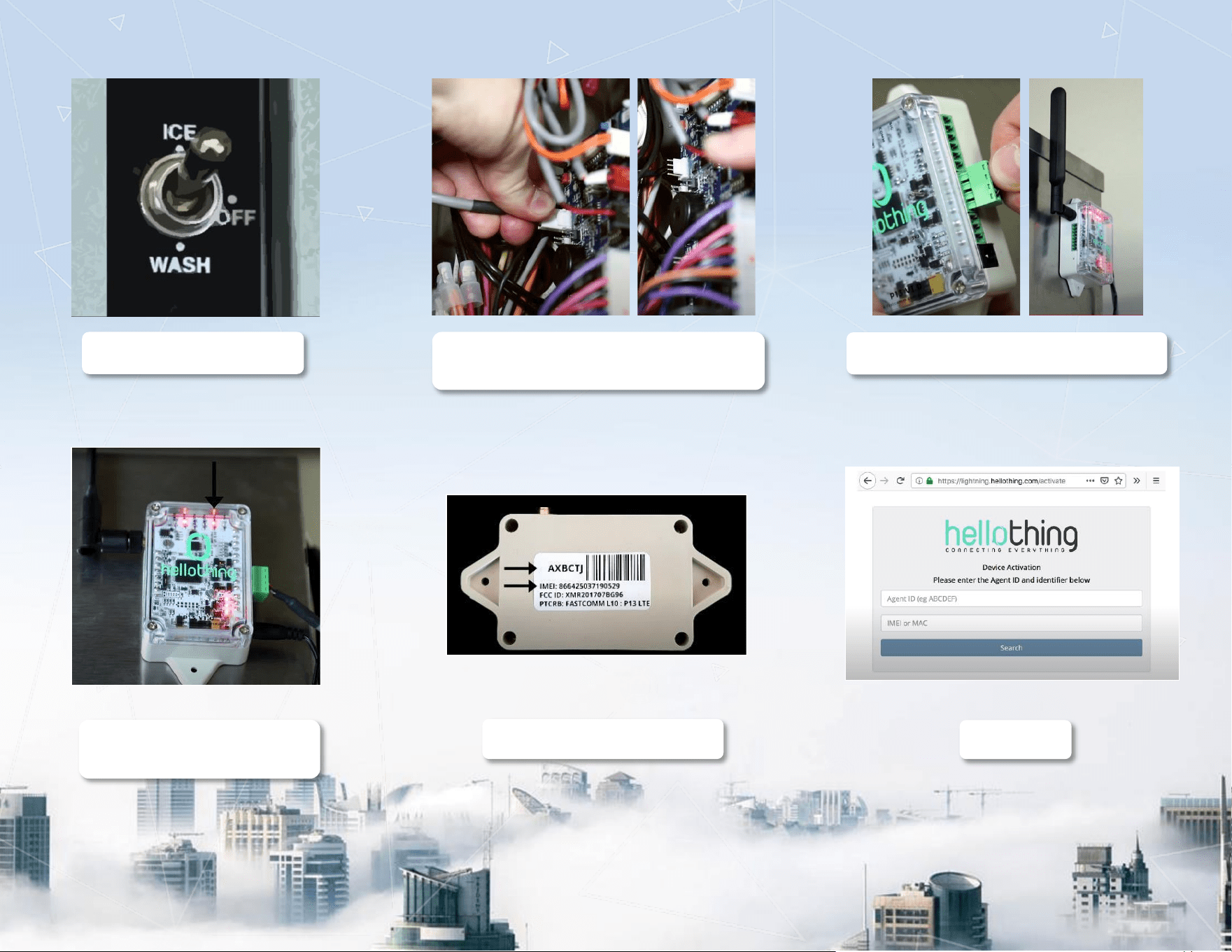
1. Turn Power OFF
2. Open Control Box; Plug into White-4-Pin
Connector
3. Plug 4-pin connector into gateway
4. Power On; Ensure comm
LED is lit.
5. Capture AgentID and IMEI
6. Activate
This is the main product document for model HS-5562. Additionally, the document applies to other Hoshizaki models: HS5562
The file format is pdf, 1 pages, you can download this manual here .
