IVA0787OR / IVA0787YE
Introduction
IVATION™ isn’t about products, it’s about passions and the people driven by them. In our world, trite is non-existent
because we believe our customers are insightful and will recognize and appreciate the authenticity of our talent displayed
in our products. We’re not about technical jargon or phrases, rather we’re about the products and ideas which inspired
people to create them. We take innovation into all of our designs; no existing word or phrase can communicate the
uniqueness of our products.
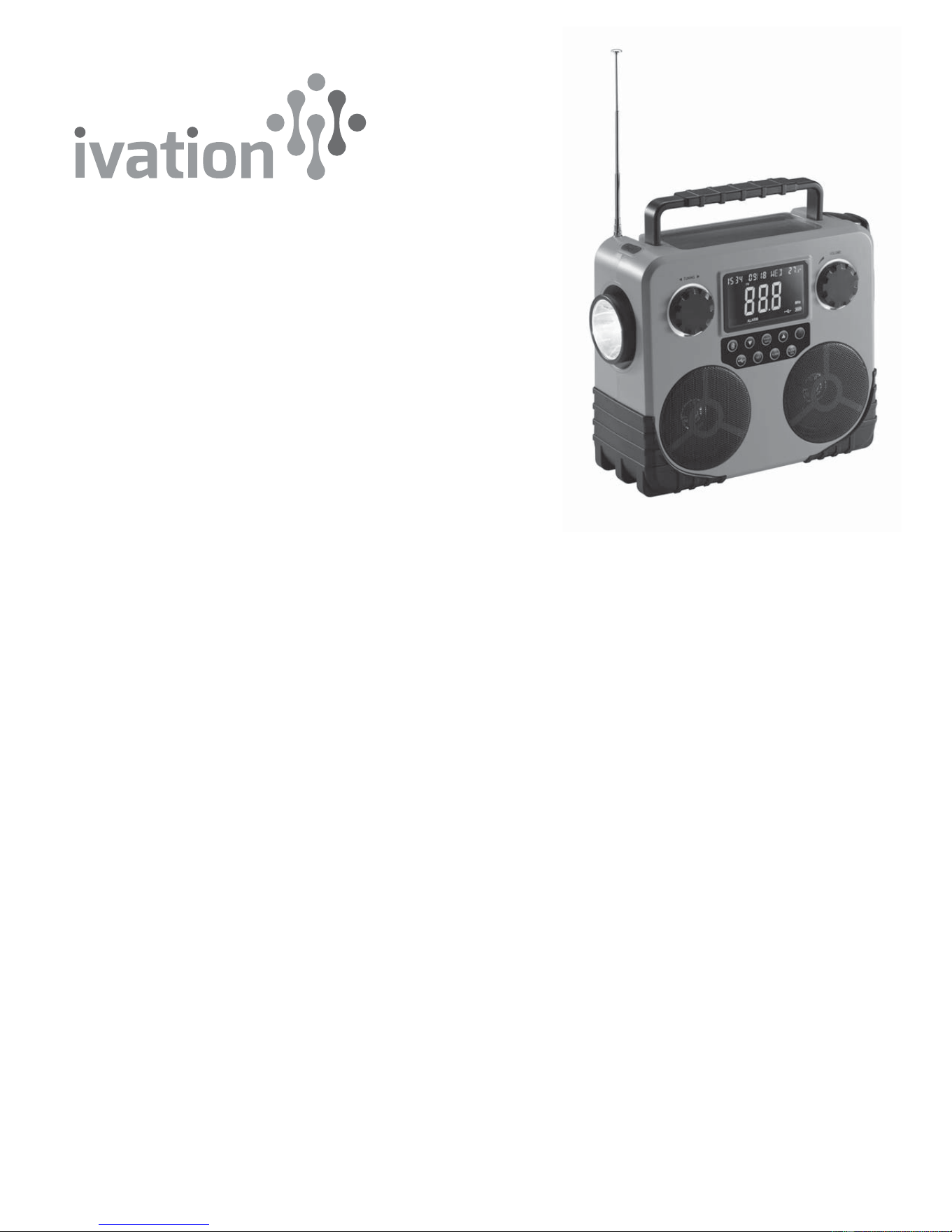
Camping? Hiking? Boating? Hanging out at the park? Your Ivation Solar and Dynamo AM/FM/NOAA (National Oceanic and
Atmospheric Administration, for weather information) Radio makes sure you are safe and entertained no matter where you
roam. Get the latest weather updates, charge your phone, enjoy your favorite broadcasts and signal for help if needed all in
one attractive stereo. You will never be bored or out of touch with this little gem in your backpack.
Safety Information
• Do not touch the plug or electrical cord with moist hands.
• This unit is not waterproof; do not expose it to rain or water.
Product Features/highlights
• Charge by USB cable, expose solar panel to sunlight to charge the battery by the sun, or use the convenient hand crank
to charge the battery the old fashioned way
• USB to micro USB Cable
• Clear, bright LCD displays time, date, charge level and special information
• AM/FM/WB (weather) frequencies
• Rechargeable battery
• Complete alarm clock and calendar functions
• Thermometer
• Bluetooth
• SOS and alert functions
• Stereo
• Headset port
• Cell phone port
• Emergency light
• FM antenna; internal AM antenna
• Attractive and portable
• No batteries needed
• Easy-read LCD screen with backlight
Solar and Dynamo AM/FM/NOAA
Radio, Phone Charger, Bluetooth
Stereo Speaker
User Guide
Downloaded from www.ManualsFile.com manuals search engine

Box Contents
• Ivation Solar and Dynamo AM/FM/NOAA Radio
• USB to micro USB Cable
• User Guide
Parts/Controls
Operation First Use
• Unpack your new Ivation Solar and Dynamo AM/FM/NOAA Radio.
• Fully charge the battery using the included USB cable.
- To charge, unscrew the battery panel located on the back of the radio.
- Plug the battery into the battery port inside the compartment. Replace the cover and screw it back in.
- Open the black flap on the back of the unit. Plug the USB cable into the micro USB port to fully charge.
• Do not use the USB cable if the cord or plug is damaged.
• On/Off Switch; Sleep Mode • LCD display
Switch; alarm-off button
• FM/AM/Weather band/transition
• Previous station button
• Forward station button
• Alarm
• Alert/Snooze
• USB output switch
• Bluetooth switch
• SET switch
• Channel knob
• Volume knob
• Hand-crank
• LEDs
• USB-out
• Light Switch
• Earphone plug
• Reset
• Battery Plug
• Antenna
• Solar Panel
• Radio playing indicator/
Alert LED
• Handle
• Battery Door
• USB to micro USB Cable.
Downloaded from www.ManualsFile.com manuals search engine

Regular Use/Settings
Operation Instruction Notes LCD Display
On
Off
FM Antenna
AM Antenna
Alert Mode
Press the on/off button. The radio playing indicator
goes on.
The LCD displays channel and
frequency.
The radio playing indicator
goes off.
• Time and temperature are
displayed for 30 seconds.
• After 5 minutes the backlight
turns off.
Gently pull out the antenna
from its locked position on
top of the unit and adjust the
length and angle for best
reception.
• The radio has a built-in AM
antenna.
• Swivel the radio to adjust
for best reception.
Manual Volume
and Tuning
Use the volume and tuning
knobs for adjustment.
Auto Channel
Search
With the radio on, long
press the previous/forward
button for 4 seconds.
You may need to relocate
the radio for improved
reception.
Stereo/Mono When the signal is less
than 25dB, the unit
switches to mono for a
clearer broadcast.
STEREO is displayed in
stereo mode.
• In WB mode, press the
on/off button.
• Select channel WB1-7.
• Press the alert button for
3 seconds.
• When the radio receives an
NOAA alert signal, it
automatically switches on
and plays the information.
• ALE for alert is displayed in
large letters; the word ‘alert’
is displayed in smaller letters.
• When the radio receives an
alert, the ALE is replaced by
the address of the channel
from which it was broadcast;
the word ‘alert’ is switched off.
• The Alert LED on top of the
unit is illuminated.
Downloaded from www.ManualsFile.com manuals search engine

Operation Instruction Notes LCD Display
• To exit alert mode, long
press the alert button for 3
seconds.
• The alert indicators turn off
when you exit alert mode.
• Press the Bluetooth button
to enter or exit Bluetooth
mode.
• Use the volume knob as
needed.
Bluetooth
Setting
BLUE is displayed and the radio
playing indicator flashes
indicating the connection to
your device.
Phone
Charging
• Press the USB output
switch.
• Connect the USB
charging cable to the USB
out located on back of unit.
• Press the USB output
switch again to deactivate.
• This function draws
current even when no
phone is connected so
be sure to turn this
function off when not
charging a phone.
• You can not charge
while AM frequency or
Bluetooth are engaged.
Phone charger icon is displayed
Clock Mode:
Hour
• With unit off, press the
alarm function to disable
the alarm if set.
• Press the set button.
• The hour digit flashes.
• Press the
previous/forward
button to set correct
hour.
Clock displays correct hour.
Clock Mode:
Minute
Press the ‘set’ button twice. • The minute digits flash.
• Press the
previous/forward button
to set correct minute.
Clock displays correct minute.
Calendar:
Year
• With unit off, press the
alarm function to disable
the alarm if set.
• Press the ‘set’ button 3
times.
Press the
previous/forward button
to set correct year.
Calendar:
Month
Press ‘set’ 4 times. Press the
previous/forward button
to set correct month.
Calendar:
Day
Press ‘set’ 5 times. Press the
previous/forward button
to set correct day.
Downloaded from www.ManualsFile.com manuals search engine

Lighting
Operation Instruction Notes LCD Display
Clock Mode Press ‘set’ 6 times. • Press the previous/for
ward button to select 12
or 24 hour clock mode.
• The week displayed is
triggered by the selected
date.
Press the alarm button to
enable or disable the alarm
function.
Alarm • Long press the alarm
and press
previous/forward to set
the alarm time.
• When the hour is
flashing, set the alarm
hour; when the minute
is flashing, set the
minute.
• After each selection,
press the set button to
save.
Snooze When the alarm is sounding,
press the snooze button to
stop the alarm and sound
again in 5 minutes.
Sleeping
Mode
• With the unit off, long
press the sleep mode
button.
• The default setting is for
90 minutes. Press the
sleep mode button to
reduce the time by 10
minutes for each press.
• Press sleep once to
terminate sleep mode.
• You may listen to the
radio or play in Bluetooth
mode until sleep mode is
engaged.
• The unit turns off
automatically at the set
time.
‘90’ or the selected radio off
time is displayed.
Headphones Plug the headset into the
headphone jack located on
the back of the unit.
The unit automatically
switches from the
speakers to the headset.
Back Light Activate the back light for 5
minutes for each press.
Buzzer Press the buzz button.
• Press the light on/off
button to activate.
The 3 LEDs flash at 1Hz.
Downloaded from www.ManualsFile.com manuals search engine
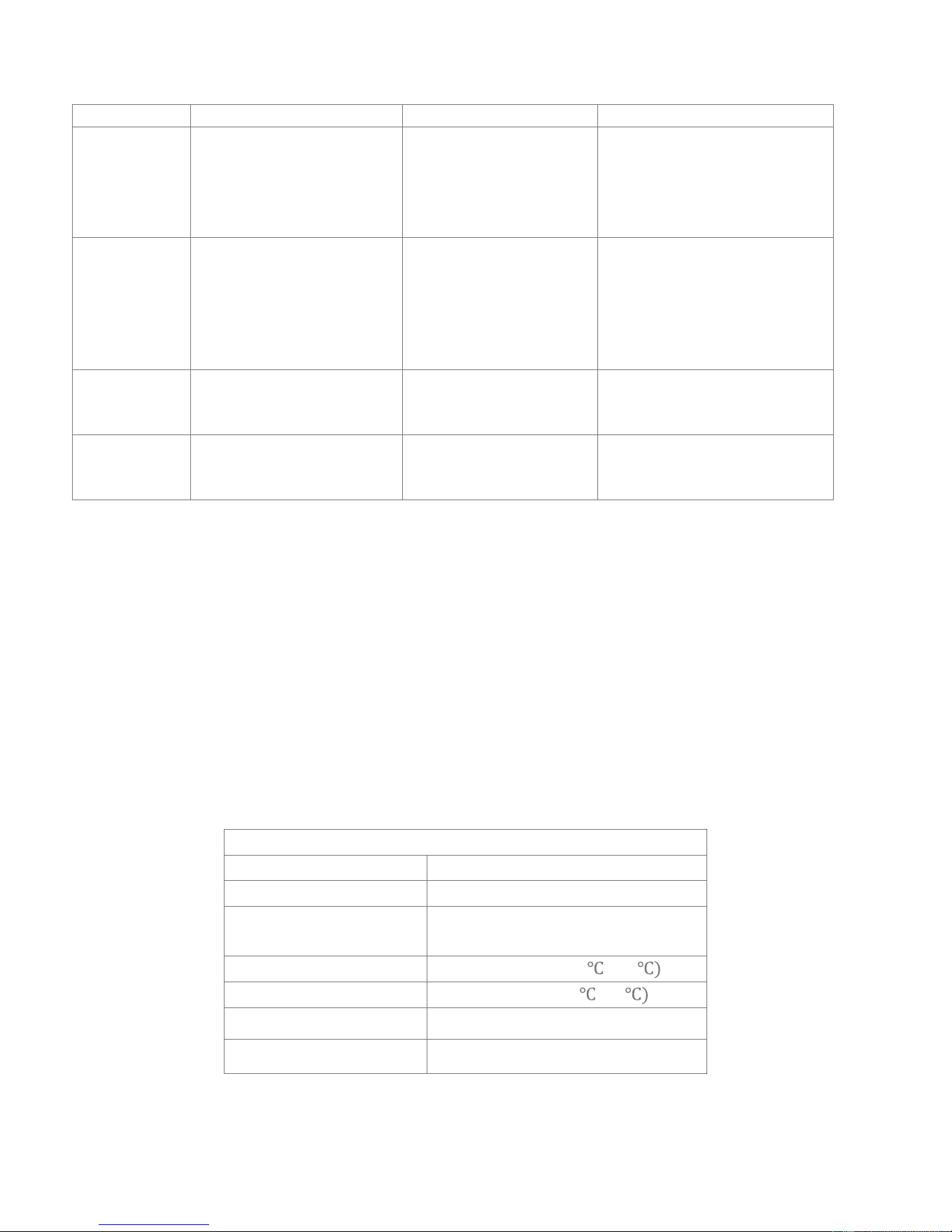
Operation Instruction Notes LCD Display
• Press the light on/off
button again for SOS
emergency lighting.
• Press the light on/off a
third time to deactivate.
Charging:
Hand Crank
• Unlock the hand crank and
crank at a steady
moderate rate.
• Return the crank to the
locked position when done.
The charge icon is displayed.
Charging:
Solar
Expose the solar panel to
strong sunlight.
The charging icon is displayed
until the charge reaches 4V.
Charging:
DC
Use the included adapter to
charge the unit from an
electrical outlet.
The charging icon is displayed
until the charge reaches 4V.
Tips
• Hand-crank the radio for 3-5 minutes to re-activate the battery if you are using it for the first time or after a lapse of
many days.
• Preserve the battery by switching to standby mode when not in use.
• Keep the cell phone port cover closed when not in use to protect from dirt and moisture.
• Clean exterior with a dry or moist non-abrasive cloth as needed.
• Do not shine the light in your own or anyone else’s eyes.
• Keep the battery cover securely fastened in place.
• The unit has a built-in AM antenna; for best results, gently turn the unit until you find the best placement.
• Extend and adjust the FM antenna as needed for optimal reception.
Specifications
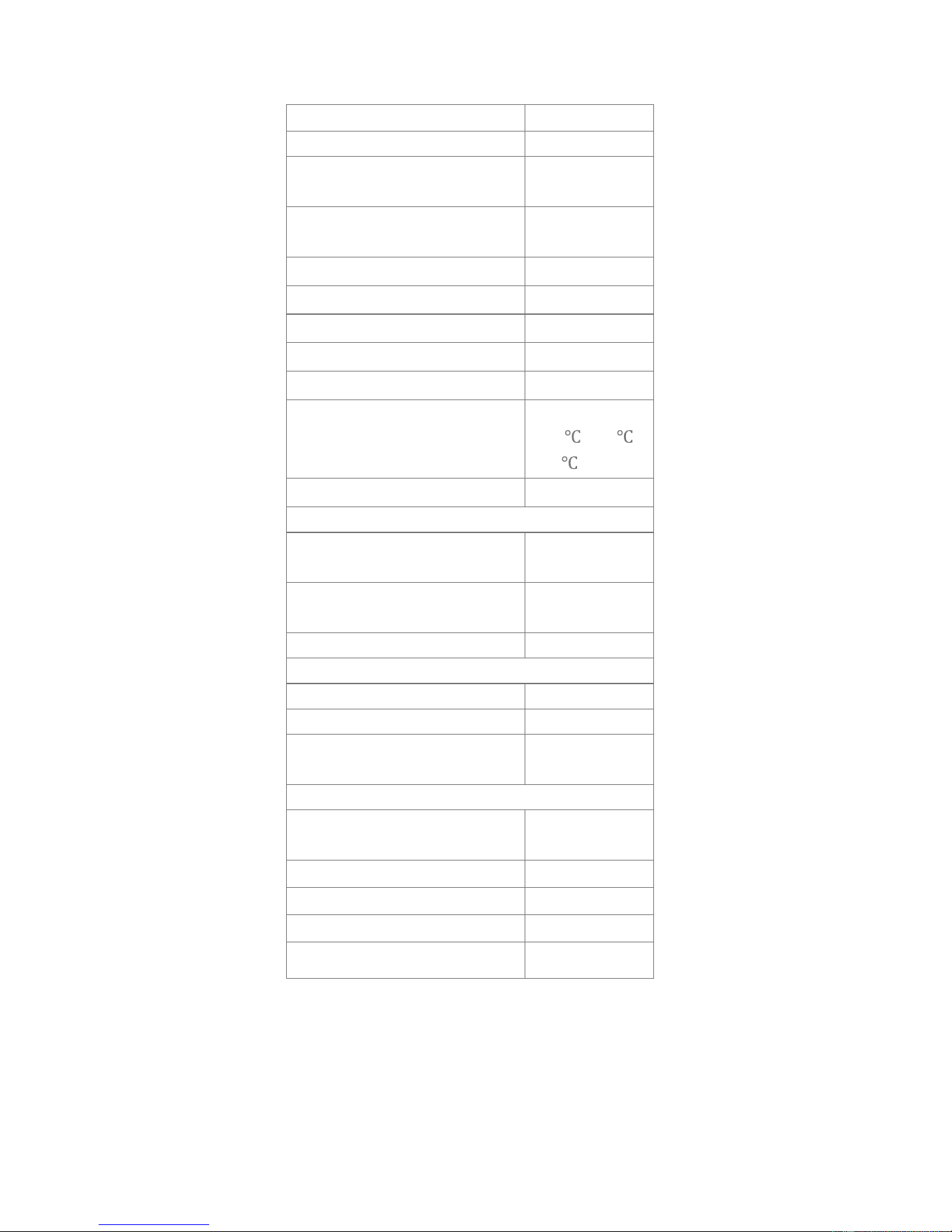
Technical Specifications
Dimensions L x W x D
Net weight
Maximum Power
(whole unit)
7W
Working Temperature
14
° F ~ 104° F (-10 ~40
Storage Temperature
-4
° F ~ 113° F (-20 ~45
Speaker
4
Ω/5W
Earphone
¢3.5mm/32
Ω
8.9” x 3” x 7” (22.5 × 7.8 × 18) cm
41.6 oz. (1180 G)
Downloaded from www.ManualsFile.com manuals search engine
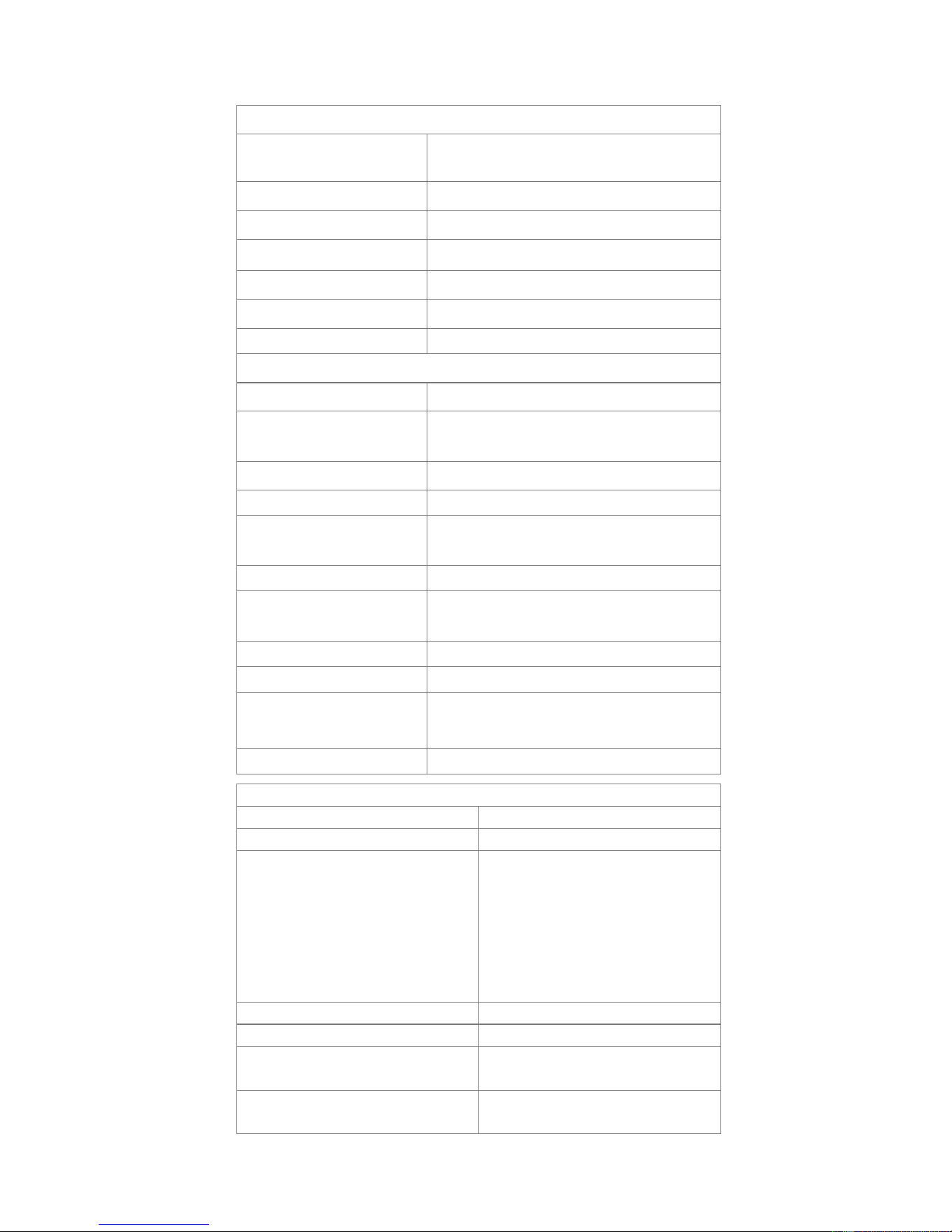
Power
Stand-by current (mA)
1W LED working current
(mA)
320
Red LED working current
(mA)
80
Back light LED current (mA)
±3
Adaptor output voltage (V)
±0.5
Adaptor output current (mA)
±50
USB output voltage(V)
±0.25
USB output current (mA)
±200
temperature variance (range)
(-10
-+75 )
±1
daily time variance (s)
±2
Hand-crank for 1 minute
1 W LED lighting intensity
(LUX)
9000
Red LED lighting intensity
(LUX)
150
1 W LED lighting time 4 mins.
Hand-crank for 3 minutes
1 W LED lighting time 13 mins.
iPhone talking time 10 mins.
Radio playing time
(moderate volume)
20 mins.
Fully-charged
1W LED 1 W LED lighting
time
5 hr.
Lighting Time
Radio playing time
Bluetooth playing time
iPhone charging time
Maximum
14° F
~ 167° F
8
28 hr.
3.5 hr.
3.5 hr.
1 hr.
Downloaded from www.ManualsFile.com manuals search engine
Distance
≥164’ (50m)
LED life >10000 hr
Working Voltage
3.0
~3.3V.
Working Current ≤320mA
Maximum Consumption 1W
Warning LEDs 3PCS red LEDs flashing rate 1Hz
Charging
Hand-cranking Power
5W (130 rpm)
Hand Crank time to
charge fully the radio
3.5 hr (130 rpm)
Battery Specification
Lithium battery: 3.7V/1800mAH
Battery Life ≥ 1year
Battery charging
cycles
≥ 500cycles
Adaptor Specifications
Charging Time
through adaptor
about 6 hours
Stand-by current ≤ 5mA
Stand-by time ≥90days
Solar panel
specifications
Solar charging time
Radio Specifications
Frequency AM 520 ~ 1710KHz
Frequency FM 87.5 ~ 108MHz
Frequency WB 1CH 162.400MHz
2CH 162.425MHz
3CH 162.450MHz
4CH 162.475MHz
5CH 162.500MHz
6CH 162.525MHz
7CH 162.550MHz
Sensitivity(FM) 4μV; Sensitivity(AM): 4mV
Stereophonic separation ≥20dB
Signal-to-Noise
SNR(FM)
≥45dB
Signal-to-Noise SNR
(AM)≥40dB
Standby-current RADIO(Time mode)≤80μA;
MP3
≤80mA
9V/100mA (sunlight intensity 38000LUX)
about 45 hours
5V 1.2A
LED Lighting
Light intensity
1W/LED 10000 Lux (distance 4.7”)
(120mm)
Distributed by
C & A Marketing
2 Bergen Turnpike
Ridgefield Park, NJ 07660
Made in China
Ivation is a trademark of
C&A IP Holdings, LLC
©2015 All rights reserved
Downloaded from www.ManualsFile.com manuals search engine