Anker Innovations Limited. All rights reserved. eufy Security and eufy Security Logo are
trademarks of Anker Innovations Limited, registered in the United States and other
countries. All other trademarks are the property of their respective owners.
51005002837 V01
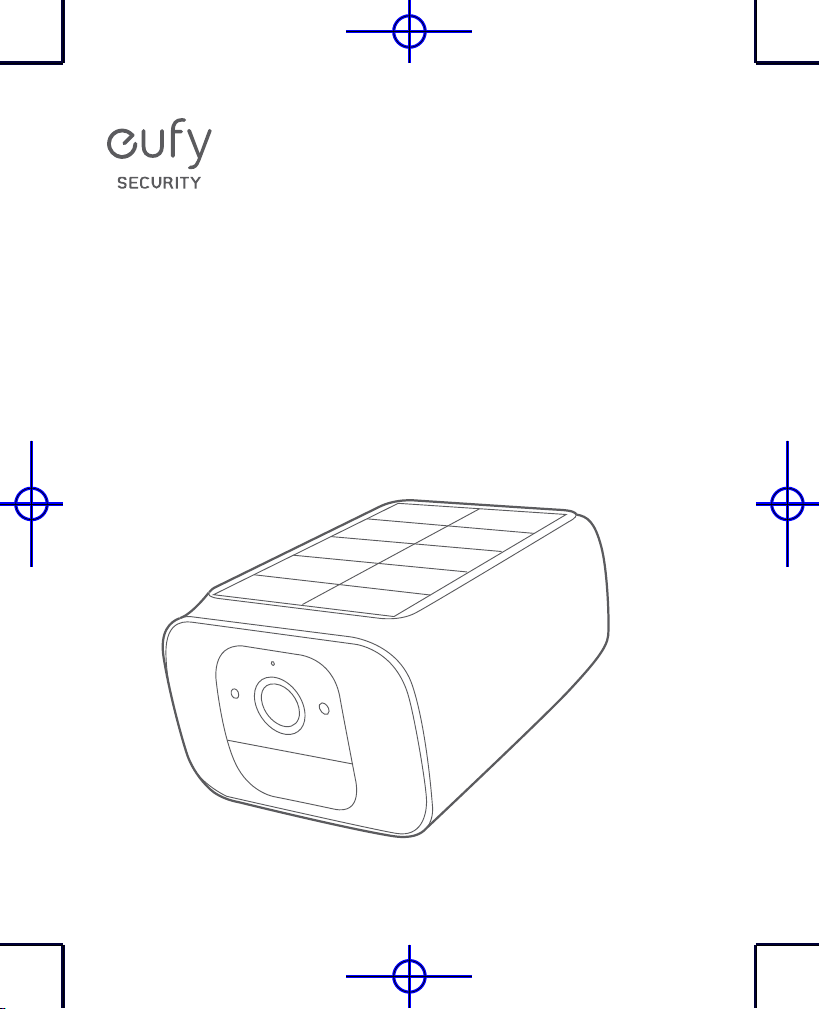
QUICK
START GUIDE
SoloCam S40
EN
01
TABLE OF
CONTENTS
PRODUCT OVERVIEW
02
CHARGING SOLOCAM
03
SETTING UP SOLOCAM
04
05
MOUNTING SOLOCAM
08
NOTICE
02
EN
PRODUCT
OVERVIEW
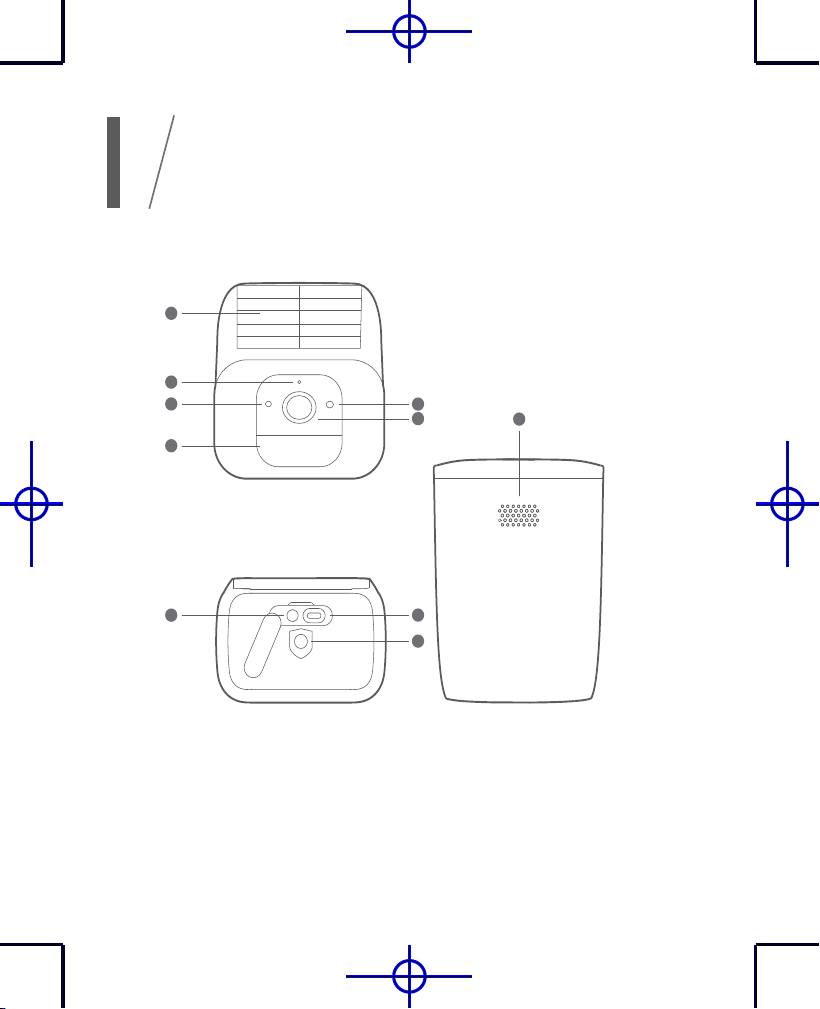
1.
Solar Panel
6.
LED Indicator
2.
Camera Lens
7.
SYNC Button
3.
Motion Sensor
8.
Type-C Charging Port
4.
Photosensitive Sensor
9.
Mounting Hole
5.
Microphone
10.
Speaker
1
4
3
7
2
10
6
9
8
5
EN
03
CHARGING
SOLOCAM
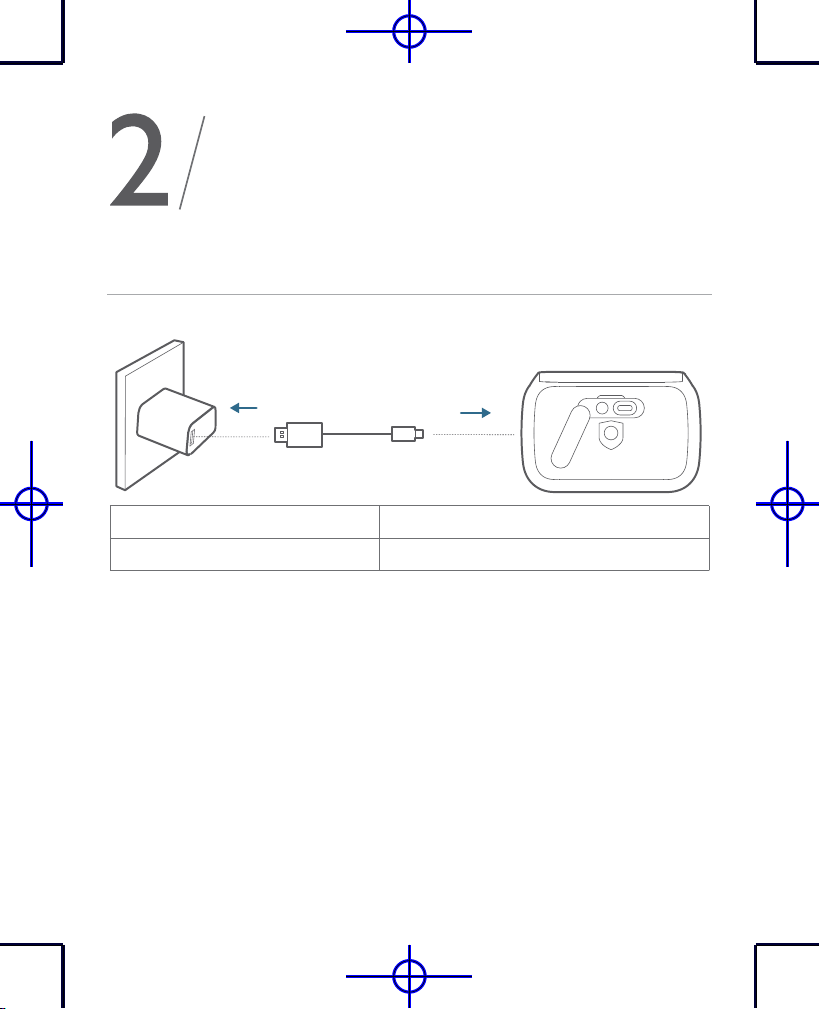
Battery-powered
Charging Solid blue
Fully charged Off
04
EN
SETTING UP
SOLOCAM
Download the App and Set up the System
1. Download and install the eufy Security app, and sign up for an account.
2. Follow on-screen instructions to add your SoloCam .
EN
05
MOUNTING
SOLOCAM
Select a Location
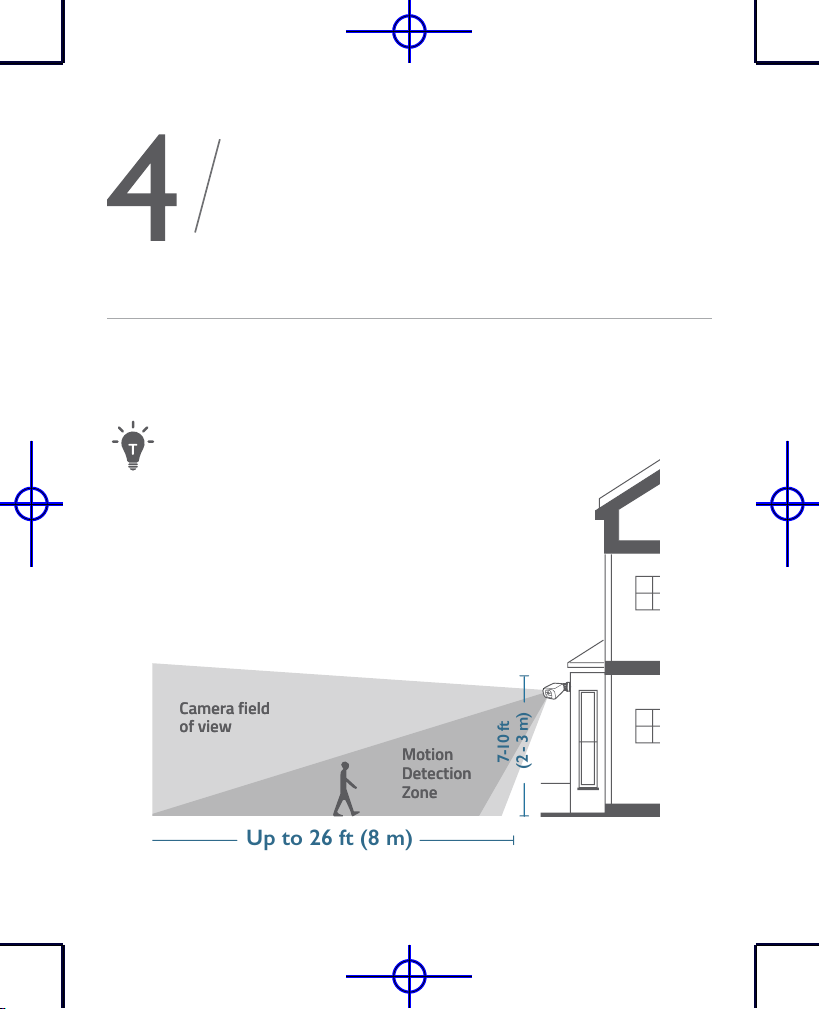
SoloCam S40 can be mounted on a wall. Select a location where you can
get the desired view. We recommend hanging it 7-10 ft (2-3 m) above
the ground.
Motion
Detection
Zone
Camera field
of view
Up to 26 ft (8 m)
7-10 ft
(2 - 3 m)
Motion
Detection
Zone
Camera field
of view
To maximize the solar panel efficiency, select a location where
SoloCam S40 can receive more sunlight.
06
EN
Mount SoloCam S40
SoloCam S40 can be mounted both outdoors and indoors.
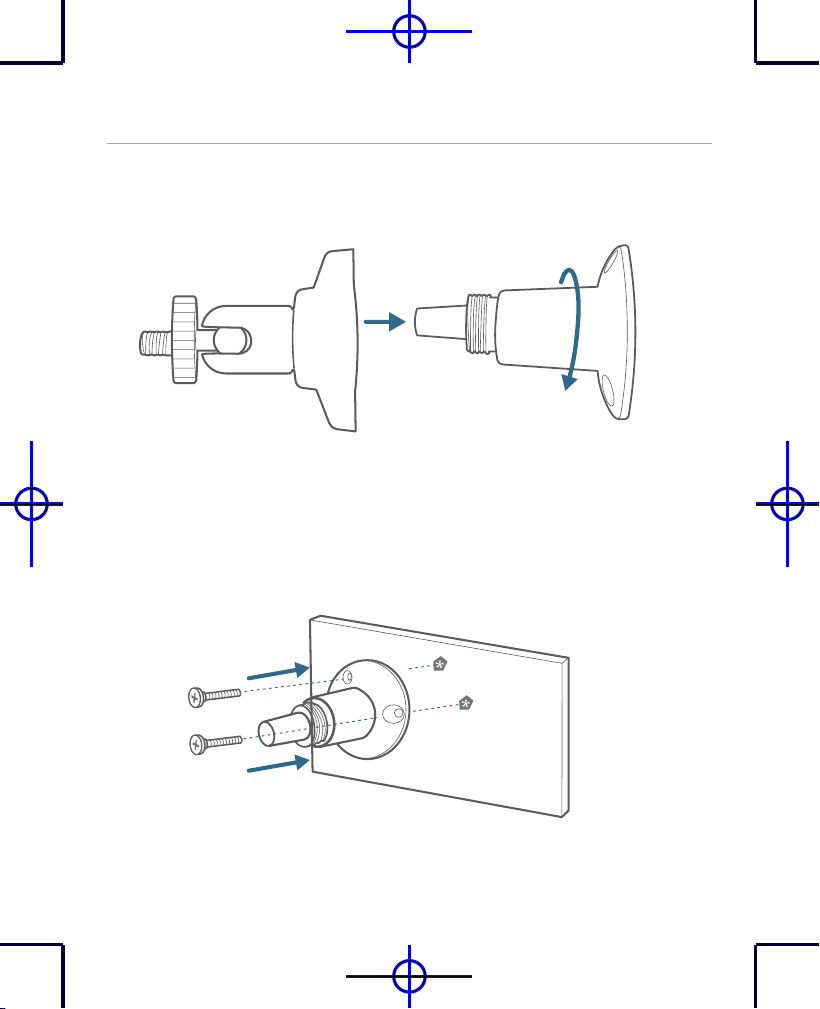
1. Turn the knob of the mounting bracket counterclockwise to loosen
and disassemble it.
2.Place the mounting bracket against the wall. Drill holes with a 15/64
inch (6 mm) drill bit, then insert the anchors into the holes; anchors
are necessary for walls that are made out of hard materials such as
concrete, brick, or stucco.
EN
07
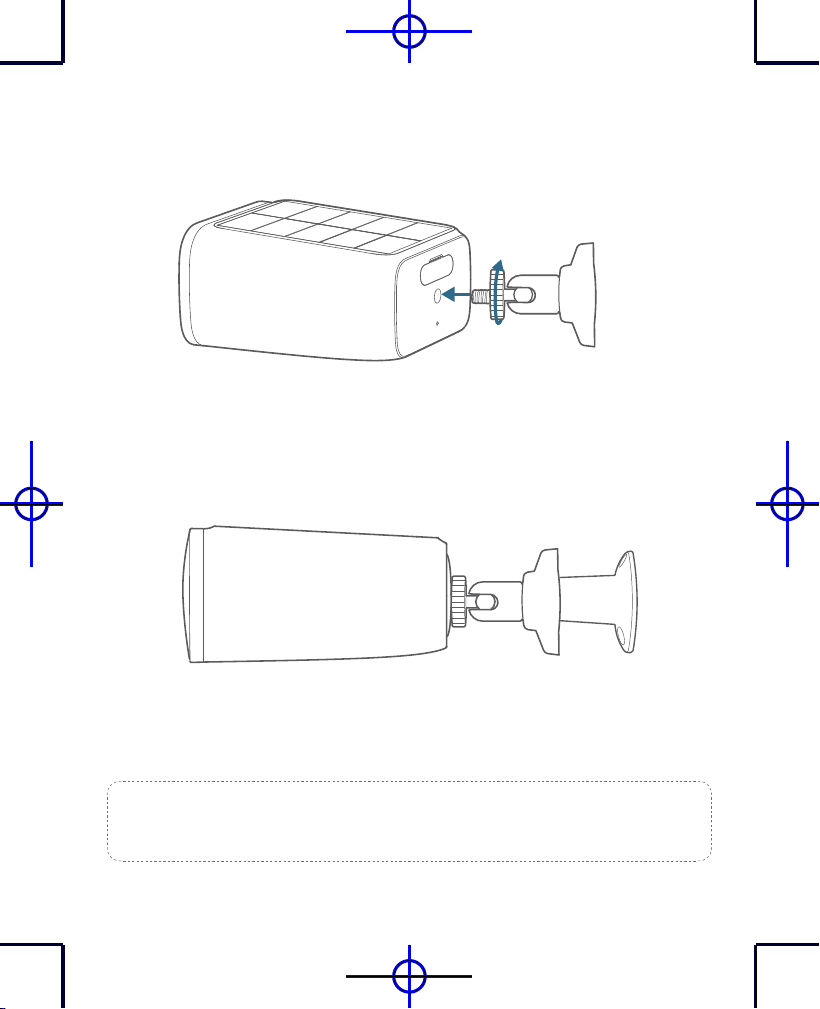
3. Firmly screw the knob of the mounting bracket into the mounting hole
of SoloCam.
4. Hold and screw SoloCam to the mounting bracket. Rotate SoloCam
to adjust the view and check it using the live stream which you can
access in the eufy Security app.
SoloCam S40 can be also installed on the ceiling. Follow the steps 1-4
mentioned above to install it.
Tips:
For troubleshooting, check Help on the eufy Security app. Refer to the
app page for LED indicator status.
08
EN
NOTICE
FCC Statement
This device complies with Part 15 of the FCC Rules. Operation is subject to the following two
conditions: (1) this device may not cause harmful interference, and (2) this device must accept any
interference received, including interference that may cause undesired operation.
Warning:
Changes or modifications not expressly approved by the party responsible for compliance
could void the user's authority to operate the equipment.
Note:
This equipment has been tested and found to comply with the limits for a Class B digital device,
pursuant to Part 15 of the FCC Rules. These limits are designed to provide reasonable protection
against harmful interference in a residential installation.
FCC Radio Frequency Exposure Statement
The device has been evaluated to meet general RF exposure requirements. The device can be used in
fixed/mobile exposure condition. The min separation distance is 20 cm.
Notice:
Shielded cables
All connections to other computing devices must be made using shielded cables to maintain
compliance with FCC regulations.
The following importer is the responsible party.
Company Name: POWER MOBILE LIFE, LLC
Address: 10900 NE 8TH ST, STE 501, BELLEVUE, WA 98004
Telephone: 1-800-988-7973
IC Statement
This device complies with Industry Canada licence-exempt RSS standard(s). Operation is subject to
the following two conditions:
(1) this device may not cause interference, and
(2) this device must accept any interference, including interference that may cause undesired
operation of the device.
Le présent appareil est conforme aux CNR d'Industrie Canada applicables aux appareils radio exempts
de licence. L'exploitation est autorisée aux deux conditions suivantes:
(1) l'appareil nedoit pas produire de brouillage, et
EN
09
(2) l'utilisateur de l'appareil doit accepter tout brouillage radioélectrique subi, même si le brouillage
est susceptible d'en compromettre le fonctionnement.
This Class B digital apparatus complies with Canadian ICES-003.
Cet appareil numérique de la classe B est conforme à la norme NMB-003 du Canada.
IC RF Statement
When using the product, maintain a distance of 20cm from the body to ensure compliance with RF
exposure requirements.
Lors de l'utilisation du produit, maintenez une distance de 20 cm du corps afin de vous conformer aux
exigences en matière d'exposition RF
10
EN
Customer Service
Warranty
12-month limited warranty
Call Us
United States
+1 (800) 988 7973 Mon-Fri 9AM-5PM (PT)
United Kingdom
+44 (0) 1604 936 200 Mon-Fri 6AM-11AM (GMT)
Germany
+49 (0) 69 9579 7960 Mon-Fri 6:00-11:00
Email Us
Customer Support: [email protected]
Anker Innovations Limited
Room 1318-19, Hollywood Plaza, 610 Nathan Road, Mongkok,
Kowloon, Hong Kong
@EufyOfficial
@EufyOfficial
@EufyOfficial