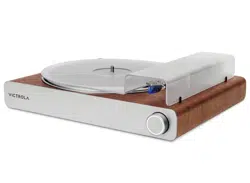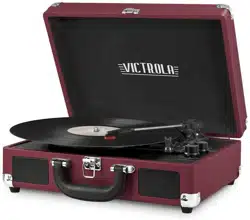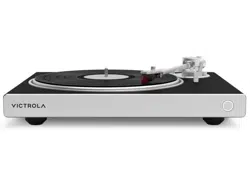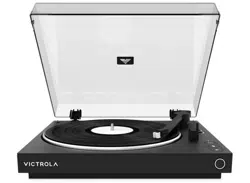
INSTRUCTION MANUAL
VPT-800
AUTOMATIC
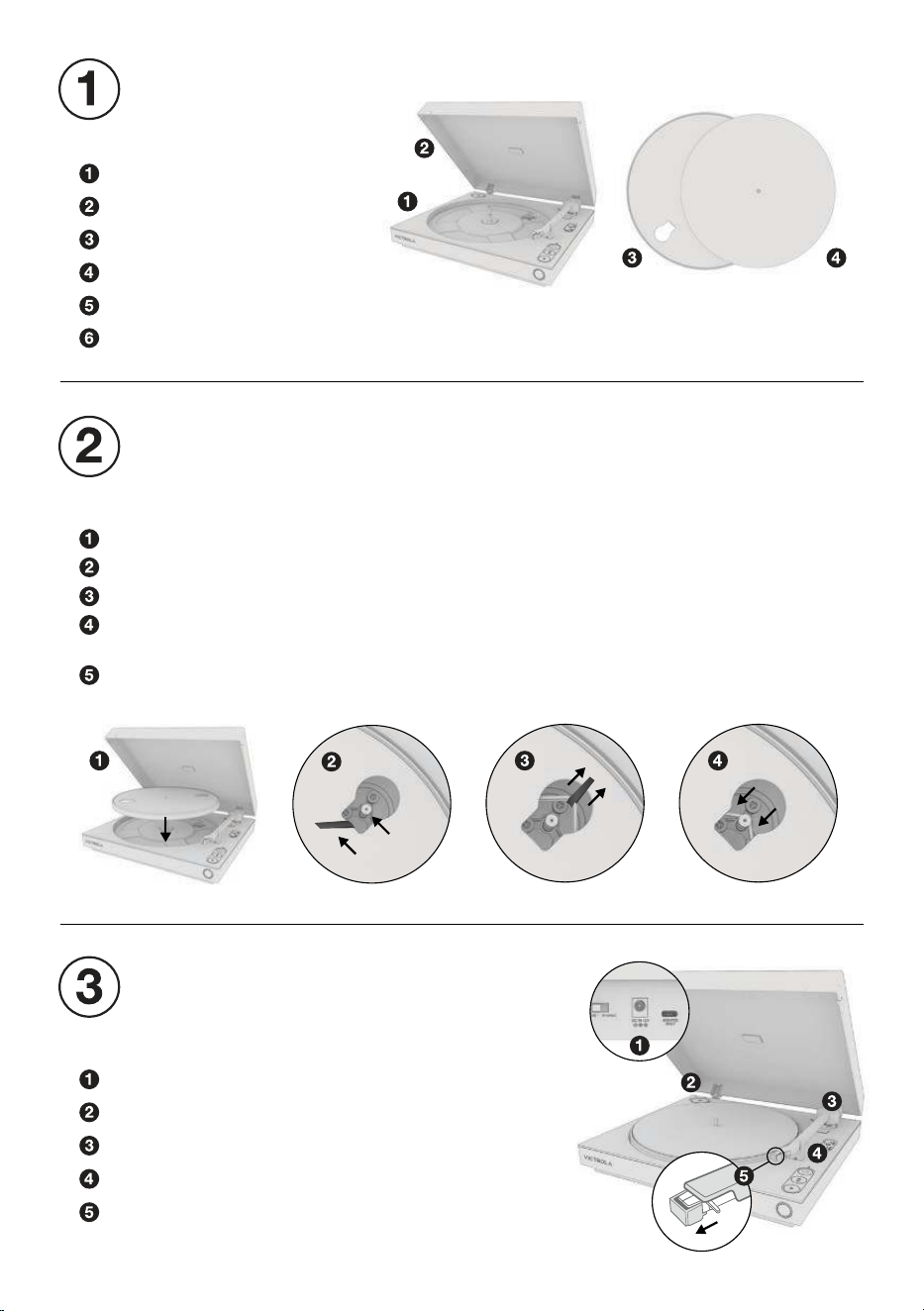
Turntable
Dust cover
Platter with belt
Slipmat
45 RPM adapter
Power adapter / RCA cable
UNPACK
Plug in power adapter.
Place 45 RPM adapter in corner compartment.
Remove foam support from back of tonearm.
Remove tonearm twist tie.
Remove tape and clear stylus cover.
Note: Gently pull stylus cover forward to remove.
PREPARE TURNTABLE
LOCATE THE FOLLOWING ITEMS
Lower the platter on to the turntable.
Rotate the platter until the hole with the white ribbon is directly over the gold motor.
Pull both ends of the ribbon outward until the belt is extended past the motor.
Slowly release the belt until it is secured around the motor, then remove the ribbon.
Note: Ensure the belt is flat against the motor and not twisted.
Place the slipmat on the platter.
INSTALL PLATTER
PLACE TURNTABLE ON A FLAT AND LEVEL SURFACE
COMPLETE ALL STEPS BEFORE USE
CONNECT TO SPEAKERS
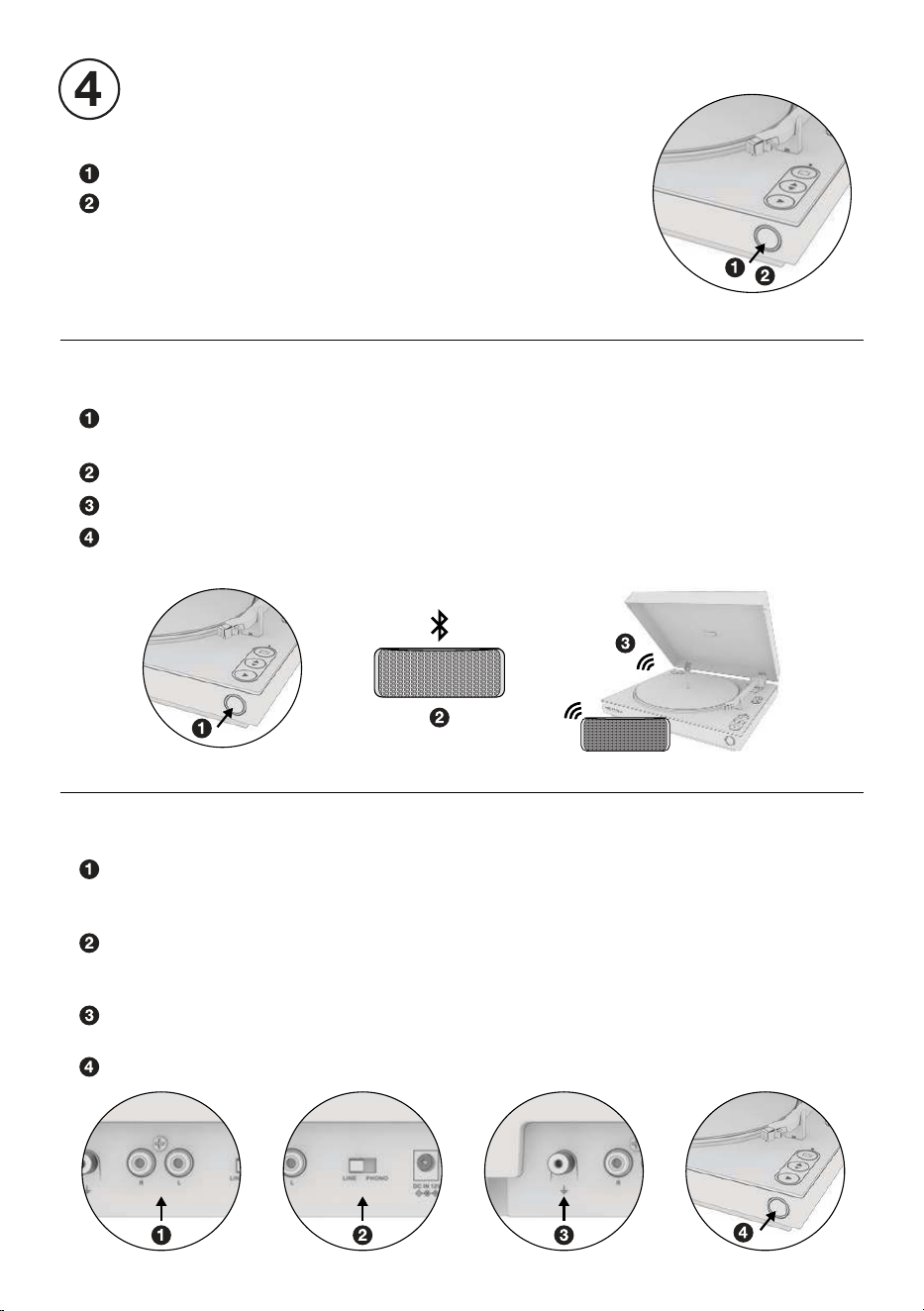
Press and hold to power ON / OFF.
Single press to switch output modes:
RCA OUTPUT - LED: Flashes white, then solid white.
VINYLSTREAM
™
(BLUETOOTH OUTPUT) - LED: Flashes blue.
Note: When powering back ON, the turntable will return to the
last used output mode.
MULTI-FUNCTION BUTTON
Enter VINYLSTREAM (Bluetooth output) mode and turntable will
automatically enter pairing mode. LED: Flashes blue.
Make sure your Bluetooth device is in pairing mode.
Turntable will automatically pair to your Bluetooth device.
Once paired, LED will turn solid blue for one second, then turn solid white.
Note: Volume is controlled by Bluetooth device.
PAIR BLUETOOTH SPEAKER OR HEADPHONES
CONNECT RCA OUTPUT
Connect the turntable to external speakers or receiver using the included RCA cable.
RED PLUG - Insert into the RED (RIGHT) JACK
WHITE PLUG - Insert into the WHITE (LEFT) JACK
Set pre-amplifier switch to the correct output:
LINE - If connecting to a line-level input.
PHONO - If connecting to an phono-level input.
For PHONO output, it is recommended to use a grounding wire (not included)
to connect the ground pin between the turntable and the external component.
Enter wired (RCA) output mode. LED: Flashes white, the solid white.
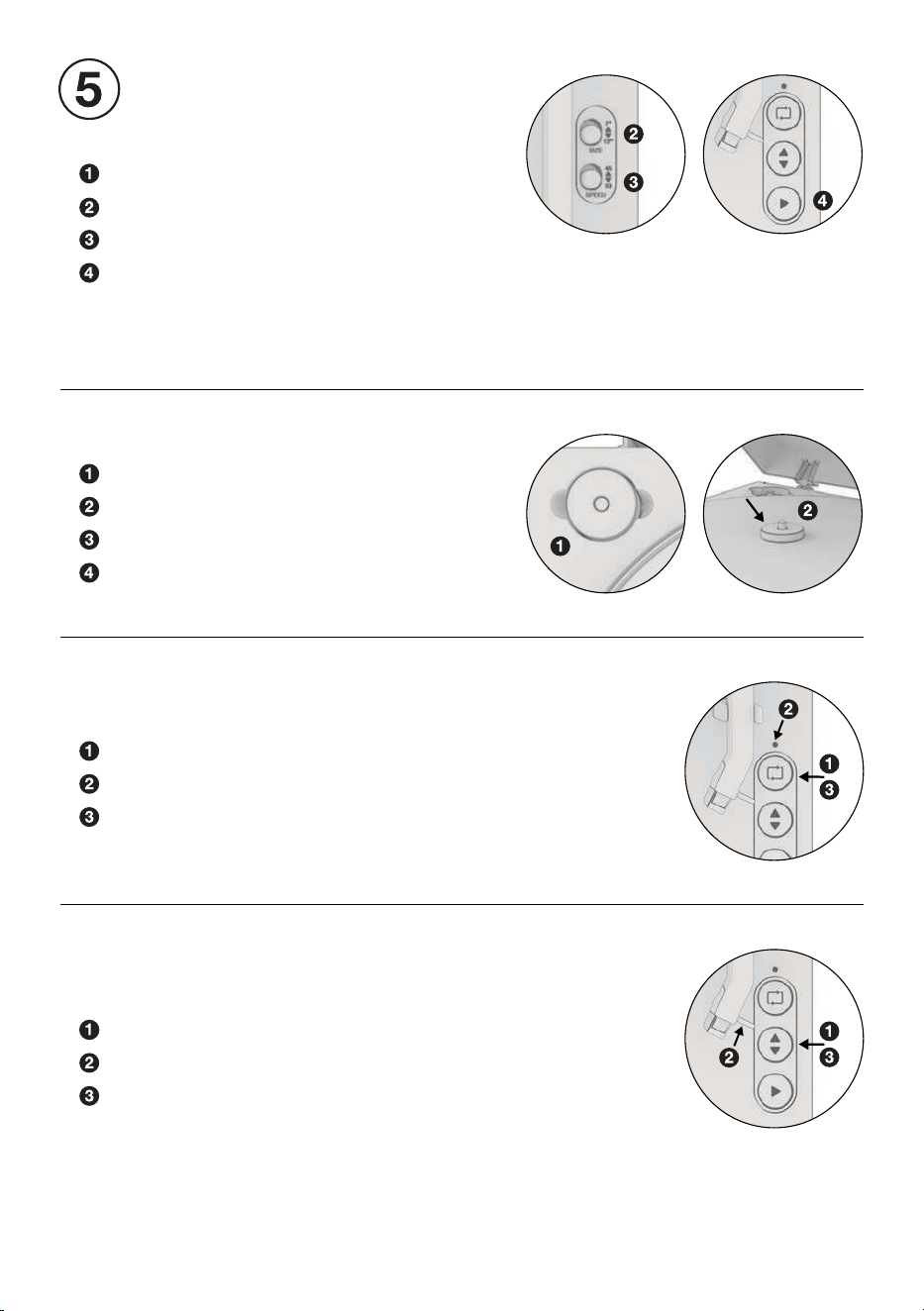
Place record on platter.
Select record size (preset to 12”).
Select record speed (preset to 33 RPM).
Press the PLAY button to automatically begin playing.
The turntable will automatically begin playing. At the end of
the record, the tonearm will auto-return to the resting position.
To manually stop, press the PLAY button again.
PLAYING A RECORD
AUTOMATIC OPERATION
Locate the 45 RPM adapter.
Place the adapter over the center spindle.
Select correct record size and speed.
Place record over adapter, begin playback.
PLAYING A 7” RECORD
Press the UP / DOWN button to raise the tonearm.
Use the finger lift to align the stylus over the record.
Press the UP / DOWN button again to lower tonearm.
MANUAL OPERATION
For manually adjusting playback location.
Press the REPEAT button to activate.
When activated, the repeat LED will turn on.
Press the REPEAT button again to disable.
USING REPEAT MODE
Repeat mode will continuously replay the record until disabled.
FACTORY RESET
Quickly press the multi-function button 3 times to factory reset the turntable. This will remove any
previously paired Bluetooth devices. The LED will flash blue and turntable will power off.
TROUBLESHOOTING
BLUETOOTH WILL NOT PAIR:
- Place your Bluetooth device closer to the turntable during initial pairing.
- Ensure your Bluetooth device has not paired to its maximum number of devices.
TURNTABLE WILL NOT SPIN OR SPINNING IS INCONSISTENT:
- Ensure the belt is properly installed around the motor spindle.
- Ensure the belt is not twisted.
CAN’T HEAR AUDIO:
- If using Bluetooth, ensure the volume is turned up on your Bluetooth device.
- If using RCA output, ensure you are using the correct pre-amp output setting.
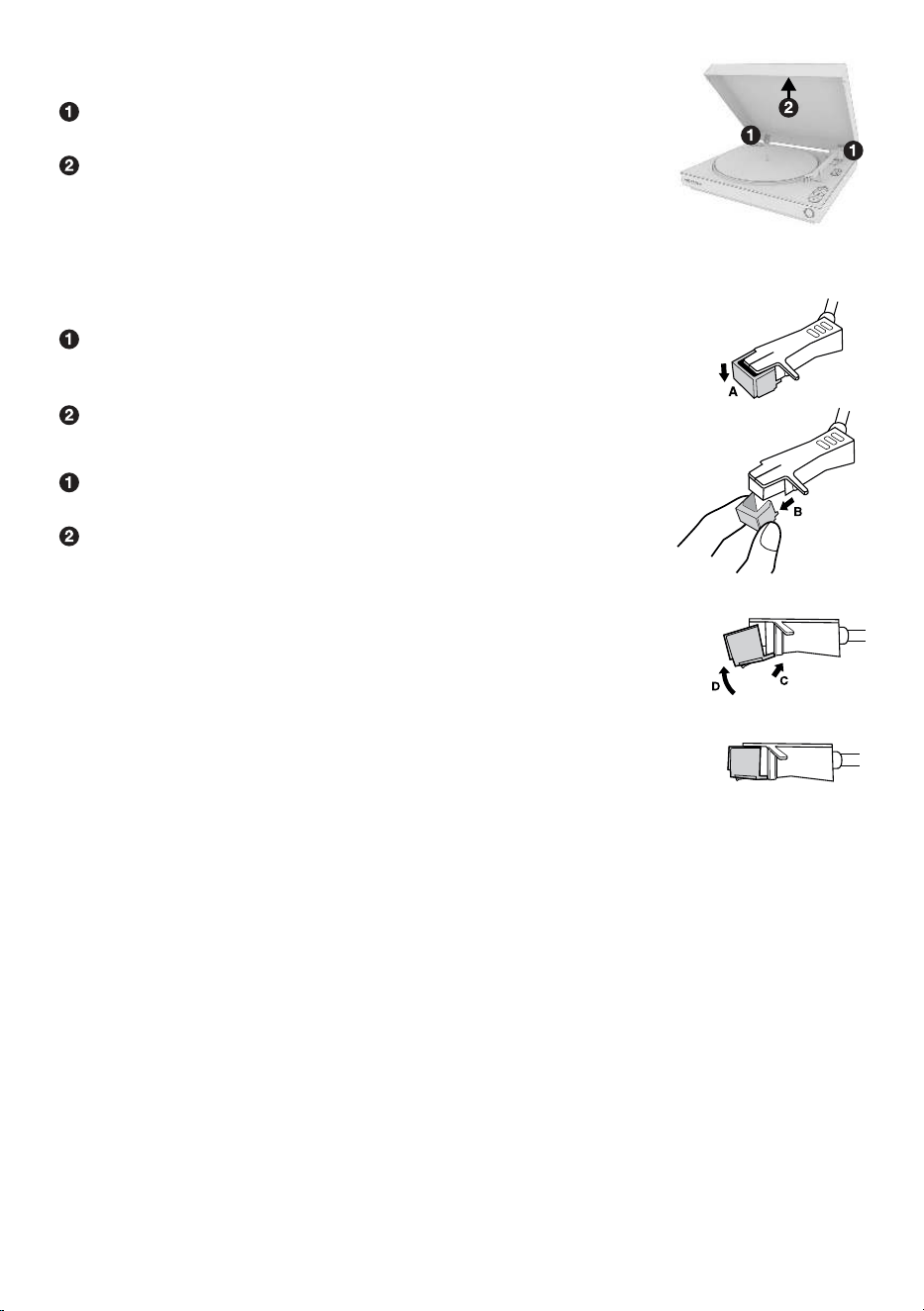
REMOVING THE STYLUS FROM THE TONEARM:
Place your fingers at the tip of the stylus and push down to the direction “A”.
WARNING: When applying force to stylus, too much may damage
or break the cartridge.
Pull the stylus out toward the direction “B”.
INSTALLING THE STYLUS: (Replacement Stylus # ATN3600L)
Hold the tip of the stylus and insert the other edge by pressing
toward direction “C”.
Push the stylus up toward direction “D” until it locks at the tip.
CAUTION:
-Do not bend or force the stylus into the cartridge.
-Do not touch the stylus needle to avoid injury to your hand.
-Turn off the unit’s power before you replace the stylus.
-Keep out of reach of children.
NOTE: The stylus should last about 300 hours under normal use.
It is recommended that the stylus be replaced as soon as you notice
a change in sound quality. 78 RPM records may accelerate stylus wear
and may have to be changed sooner.
REPLACING THE STYLUS
With the dust cover open, firmly grasp both sides of the
dust cover near the hinges.
Pull the dust cover straight up and away from the turntable,
hinges will come off with dust cover.
REMOVING THE DUST COVER

SPECIFICATIONS
GENERAL
DIMENSIONS . . . . . . . . . . . . . . . . . . . . . . . . . . . . . . . . . . . . . . . 4.01" H x 14.96" W x 13.77" D
102mm H x 380mm W x 350mm D
WEIGHT . . . . . . . . . . . . . . . . . . . . . . . . . . . . . . . . . . . . . . . . . . . 5.95 lbs / 2.7 kg
POWER
INPUT . . . . . . . . . . . . . . . . . . . . . . . . . . . . . . . . . . . . . . . . . . . . . 100-240V ~ 50/60Hz
OUTPUT . . . . . . . . . . . . . . . . . . . . . . . . . . . . . . . . . . . . . . . . . . .12V/0.5A
CONSUMPTION . . . . . . . . . . . . . . . . . . . . . . . . . . . . . . . . . . . . . 6.0W
TURNTABLE
SPEEDS . . . . . . . . . . . . . . . . . . . . . . . . . . . . . . . . . . . . . . . . . . . 33-1/3 & 45 RPM
REPLACEMENT ST YLUS . . . . . . . . . . . . . . . . . . . . . . . . . . . . . ATN3600L
BLUETOOTH
BLUETOOTH VERSION . . . . . . . . . . . . . . . . . . . . . . . . . . . . . . . Bluetooth V5.0
SUPPORTED PROFILES . . . . . . . . . . . . . . . . . . . . . . . . . . . . . . A2DP, AVRCP
OPERATING DISTANCE . . . . . . . . . . . . . . . . . . . . . . . . . . . . . . 10 meters (33 ft.)
INCLUDED:
Automatic, Dust cover, Platter, Slipmat, 45 RPM adapter,
Power adapter, RCA cable, Instruction manual
Please note: As a result of continual improvements, the design and
specifications of this product are subject to change without notice.
Bluetooth is a registered trademark of Bluetooth SIG, Inc.
Other trademarks and trade names are those of their respective owners.
Made in China.
This product has been manufactured and sold under the responsibility of Innovative Technology
Electronics, LLC. Victrolais a trademark used under license by Innovative Technology Electronics,
LLC.–further information atvictrola-brand.com.All other products, services, companies,
trademarks, trade or product names and logos referenced herein are theproperty of their
respective owners.
SAFETY WARNINGS
Please read safety instructions and respect the following warnings before the appliance is operated:
TO PREVENT FIRE OR SHOCK HAZARD, DO NOT USE THIS PLUG WITH AN EXTENSION CORD,
RECEPTACLE OR OTHER OUTLET UNLESS THE BLADES CAN BE FULLY INSERTED TO PREVENT
BLADE EXPOSURE. TO PREVENT FIRE OR SHOCK HAZARD, DO NOT EXPOSE THIS APPLIANCE
TO RAIN OR MOISTURE.
• Always follow basic safety precautions when using this appliance, especially when children are
present.
• Children should be supervised to ensure that they do not play with the appliance.
• Do not damage the power cord, neither do not place any heavy objects on it, do not stretch it or
bend it. Also do not attach extension cables. Damage to the power cord may occur fire or electric
shock.
• If the supply cord is damaged, it must be replaced by the manufacturer, a service agent or similarly
qualified persons in order to avoid a hazard.
• Ensure that the unit plugged into an AC 100-240v 50/60Hz power outlet. Using higher voltage may
cause the unit to malfunction or even catch fire.
• If the power plug does not fit into your outlet, do not force the plug into an electrical socket if it
does not fit.
• Turn off the unit before unplugging it from the power source to completely switch it off.
• Do not disconnect or connect the power cord with wet hands. It may cause an electrical shock.
• Ensure that the main plug is always easily accessible.
• This product does not contain any parts that are serviceable by the user. In case of a fault, contact
the manufacturer or authorized service department. Exposing the internal parts inside the device
may endanger your life. The manufacturers guarantee does not extend to faults caused by repairs
carried out by the unauthorized third parties.
• Ensure this product is used in moderate climates only (not in tropical/subtropical climates).
• Place product on a flat, stable surface that is not subject to vibrations.
• Ensure the product and its parts are not overhanging the edge of the
supporting furniture.
• To reduce the risk of fire, electric shock or damage to this product, do not expose
it to direct sunlight, dust, rain and moisture. Never expose it to dripping or splashing
and do not place objects filled with liquids on or near the product.
• Do not place objects filled with liquids, such as vases, on the apparatus.
•
Do not install near any heat sources such as radiators,
heat registers, stoves or other apparatus
(including amplifiers) that produce heat.
• Do not place the product where the humidity is high and ventilation is poor
• Do not mount this product on a wall or ceiling.
• Do not place the unit near TV’s, speakers and other objects that generate strong magnetic fields.
• Do not leave the unit unattended when in use.
• Allow at least 30cm clearance from the rear and the top of the unit and 5cm from each side.
Always ensure that the ventilation openings are not covered with items such as newspapers,
tablecloths, curtains, etc.
• NEVER let anyone, especially children, push anything into holes, slots or any other openings in the
unit’s casing as this could result in a fatal electric shock.
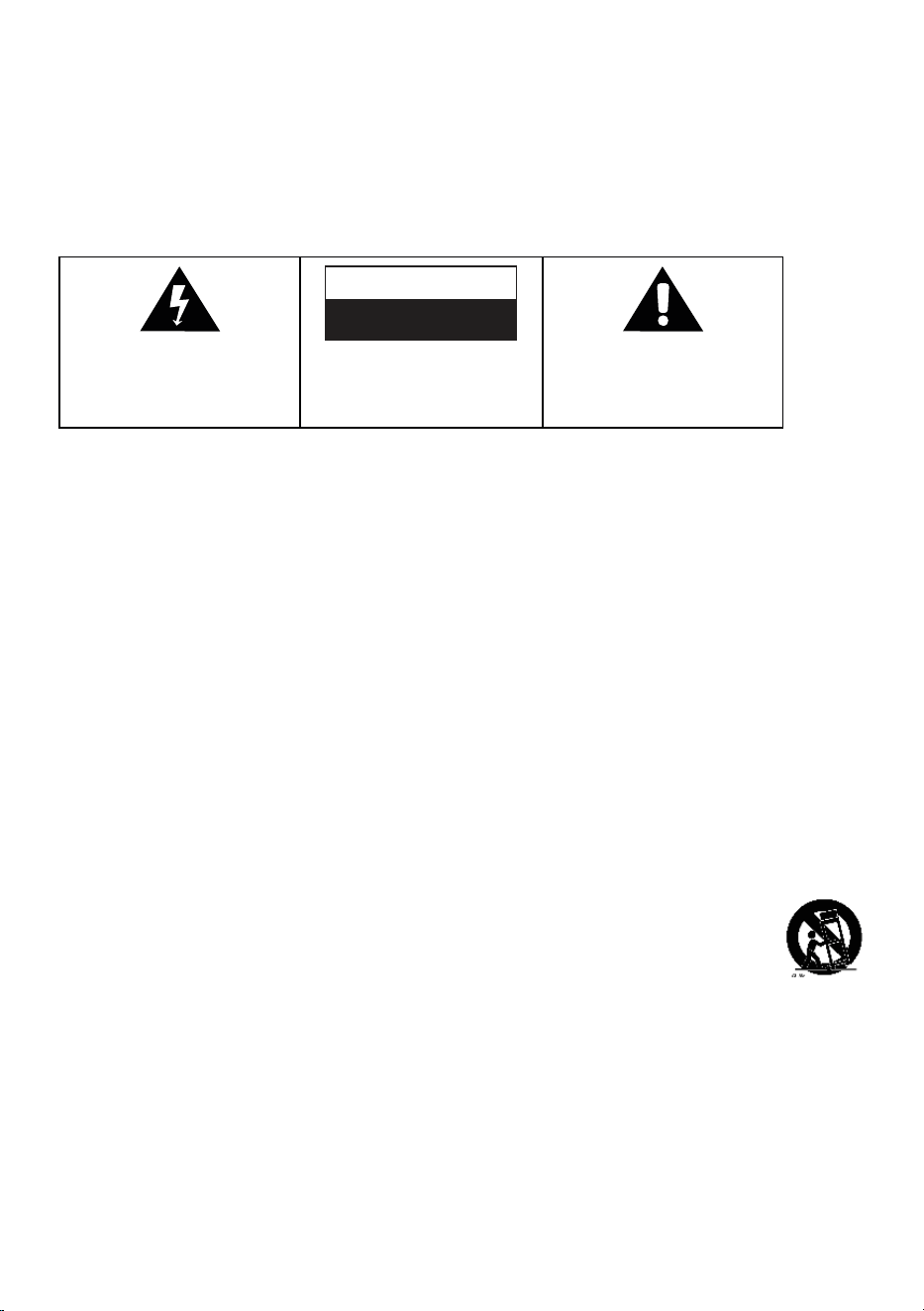
CAUTION
RISK OF ELECTRIC SHOCK.
DO NOT OPEN.
CAUTION: TO PREVENT RISK OF
ELECTRIC SHOCK, DO NOT
REMOVE COVER (OR BACK). NO
USER-SERVICEABLE PARTS INSIDE.
REFER SERVICING TO QUALIFIED
SERVICE PROFESSIONAL.
The lightning flash with arrowhead within
an equilateral triangle is intended to alert
the user to the presence of uninsulated
“dangerous voltage” within the product’s
enclosure that may be sufficient magnitude
to constitute a risk of electric shock.
The exclamation point within an
equilateral triangle is intended to alert the
user to the presence of important
operating and maintenance (servicing)
instructions in the literature accompanying
this appliance.
SAFETY WARNINGS
• Storms are dangerous for all electric appliances. If the main or aerial wiring is struck by lighting,
the appliance might get damaged, even if it turned off. You should disconnect all the cables and
connectors of the appliance before a storm.
• Excessive sound pressure from headphones can cause hearing loss.
• Do not cover ventilation openings, this is not intended to be used on soft support.
MAINTENANCE:
• Unplug the power cable from the power source before cleaning the appliance.
• Use a soft clean rag to clean the outside of the unit. Never clean it with chemicals or detergent.
POWER ADAPTER:
• To disconnect the unit from the main supply, unplug the lead from the main socket.
• Only use the supplied main adapter, as failure to do this may result in a safety risk and/or damage
to the unit. The main plug of power adapter is used as the disconnect device. The socket-outlet
shall be installed near the equipment and shall be easily accessible.
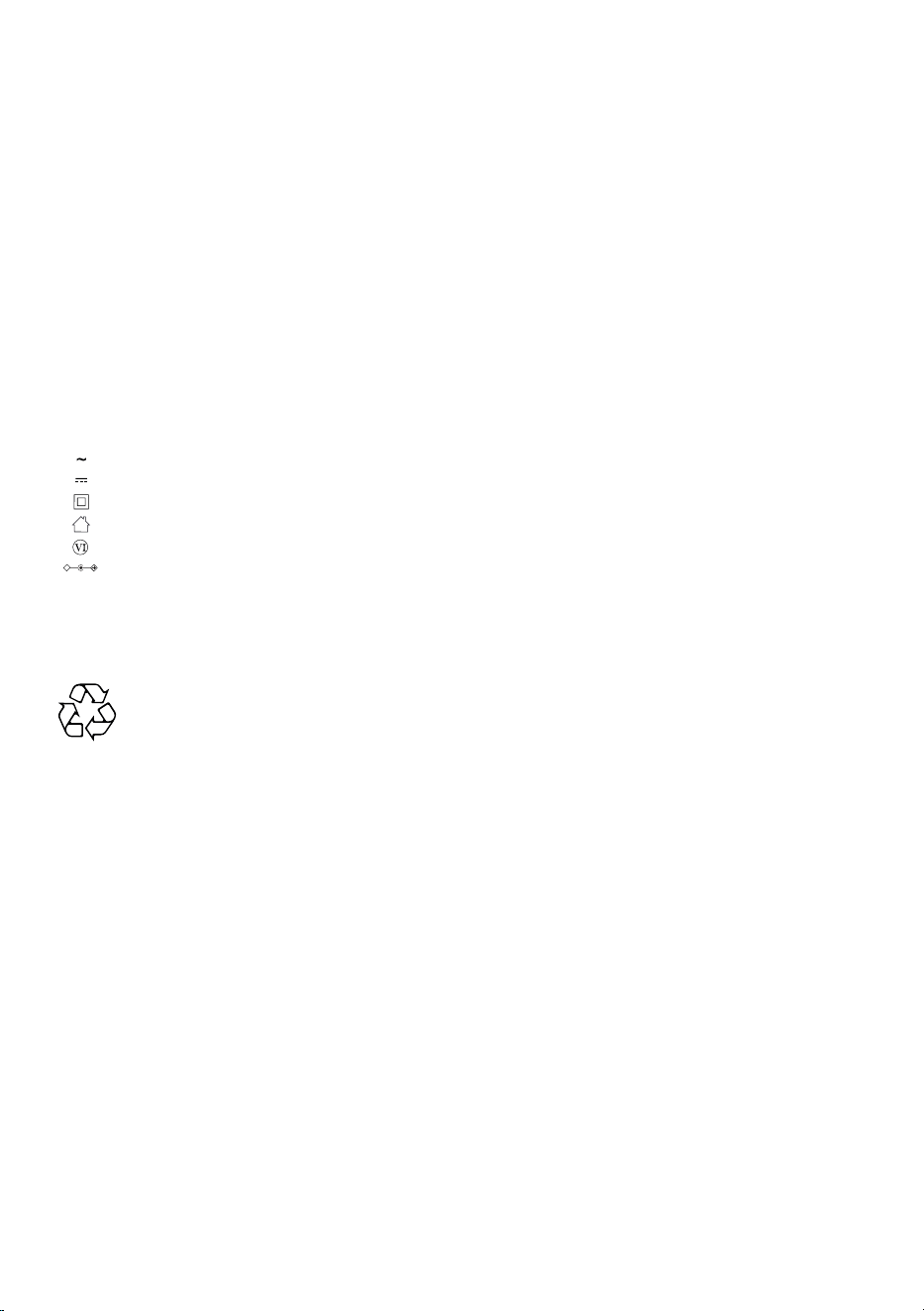
AC Voltage
DC Voltage
Class II equipment
For indoor use only
Energy Efficiency marking with level VI
Polarity of D.C. power connector
• The shown above appears on electrical and electronic equipment (or the packaging)
to remind users of this.
• Users are requested to use existing return facilities for used equipment and batteries.

FCC STATEMENTS
Caution: the user is cautioned that changes or modifications not expressly approved by the party
responsible for compliance could void the user’s authority to operate the equipment.
This device complies with part 15 of the FCC rules and Innovation, Science and Economic
Development Canada’s license-exempt RSS standard(s). Operation is subject to the following
two conditions:
(1) This device may not cause harmful interference, and
(2) This device must accept any interference received, including interference that may cause
undesired operation.
Le présent appareil est conforme aux CNR d’Innovation, Sciences et Développement économique
Canada applicables aux appareils radio exempts de license. L’exploitation est autorisée aux deux
conditions suivantes:
(1) l’appareil ne doit pas produire de brouillage, et
(2) L’utilisateur de l’appareil doit accepter tout brouillage radioélectrique subi, même si le
brouillage est susceptible d’en compromettre le fonctionnement.
NOTE:
This equipment has been tested and found to comply with the limits for a Class B digital device,
pursuant to Part 15 of the FCC Rules. These limits are designed to provide reasonable protection
against harmful interference to radio communications. However, there is no guarantee that
interference will not occur in a particular installation.
If this equipment does cause harmful interference to radio or television reception, which can be
determined by turning the equipment off and on, the user is encouraged to try to correct the
interference by one of more of the following measures:
- Reorient or relocate the receiving antenna.
- Increase the separation between the equipment and receiver.
- Connect the equipment into an outlet on a circuit different from that to which the
receiver is connected.
- Consult the dealer or an experienced radio/TV technician for help.
FCC & IC WARNINGS
FCC & IC RADIATION EXPOSURE STATEMENT:
This equipment complies with FCC and Canada radiation exposure limits set forth for an uncontrolled
environment. This device complies with RSS247 of Industry Canada. This equipment should be
installed and operated with a minimum distance of 20cm between the radiator and your body. This
transmitter must not be co-located or operating in conjunction with any other antenna or transmitter.
DÉCLARATION D’IC SUR L’EXPOSITION AUX RADIATIONS:
Cet équipement est conforme aux limites d’exposition aux radiations définies par le Canada pour
des environnements non contrôlés. Cet appareil se conforme à RSS247 de Canada d'Industrie.
Cet équipement doit être installé et utilisé á une distance minimum de 20cm entre l’antenne
et votre corps. Cet émetteur ne doit pas être installé au même endroit ni utilisé avec une autre
antenne ou un autre émetteur.

Canada and US Territories
The Warranty on this product shall comply
with applicable law when sold to a consumer
in Canada or a US Territory. To obtain any
applicable warranty service, please contact
the dealer from which you purchased the
product, or the distributor that supplied the
product, with your original receipt.
If assistance from the dealer from which it was
purchased is not possible, you may contact
our customer service for warranty assistance
at victrola.com/contact.
LIMITED WARRANTY
CUSTOMER SUPPORT
United States
For detailed information about our
warranty policy and limitations visit
victrola.com/pages/warra nt y
Outside the U.S., Canada, and US Territories
The Warranty on this product shall comply with
applicable law when sold to a consumer outside
of the United States, Canada, and US Territories.
To obtain any applicable warranty service, please
contact the dealer from which you purchased the
product, or the distributor that supplied the
product, with your original receipt.
Victrola is a registered trademark of Innovative Technology Electronics, LLC.
VICTROLA.COM/PAGES/CUSTOMER-CARE
support@victrola.com
(877)483-2497