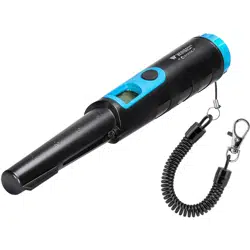
User’s Manual for Surveyor 300
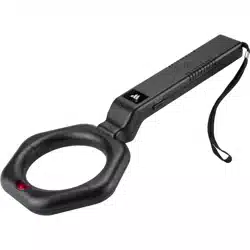
Hand Held Metal Detector
Read all instructions before using this metal detector
See reverse side for more information
BC814
Features
Vibration, Sound & Light
When a target is located the detector alarms with pulses
of vibration or sounds from buzzer, or both sound and
vibration.
LCD
Displays the detected target signal and battery condition.
Target Distancing
As you get closer to the target, the target signal on LCD,
vibration, sound will increase in quantity.
Target Indication
There are four types of target indication: LCD, sound,
vibration, sound & vibration.
LED Light
In dark places you can turn on the light for better
detection. With two short presses on power button you
can turn on or off the light.
Automatic Tuning
Requires no adjustment.
Memory
The detector memorizes the current setting when power
turns off.
Waterproof
Sealed design allows hunting in the rain or up to 3
meters under water.
Battery Installation
To open the battery
compartment, rotate the
battery cover
counter-clockwise.
Connect a standard 9volt
alkaline battery to the
battery connector and
insert the battery into the
detector making sure the
polarity is matched correctly. Then turn the battery cover
clockwise until hand tight to assure a water-tight seal.
Thank you for choosing this pinpoint metal detector. The
unique sealed design allows detecting in any
environment including grass, mud, dirt, sand,
black sand, or even 3 meters under water.
Operating Instructions
Turn On The Detector
Press power button to turn on the detector. Then, the
detector sounds and vibrates, LED lights. A steady light
indicates unit is ready for operation.
Turn Off The Detector
After use, press the power button holding for about two
seconds to turn off the detector.
Note:
- If no button is pressed or no metal is detected within
about 10 minutes, the detector will automatically
turn off.
- The detector memorizes the current setting when power
turns off.
Low Battery Indication
If the unit sounds and vibrates, also LED flashes
continuously for about 10 seconds, this indicates that the
battery is low. You have to replace the battery.
Detecting A Target
After turning on the detector, you can start detection.
First you can select one type of target indication by
pressing power button. Press power button first time to
get sound indication. When target is located, the detector
indicates with sound and LCD display.
Press power button the second time to get vibration
indication. When target is located, the detector indicates
with vibration and LCD display.
Press power button the third time to get both sound and
vibration indication. When target is located, the detector
indicates with both sound and vibration. Meanwhile LCD
displays the target signal. Signal on LCD, sound and
pulses of vibration increase in quantity as the closer the
detector is to a detected target. The quantity of pulses is
proportional to the target size and distance. The bigger
the target, or the closer the detector is to the target, the
higher the pulse counts.
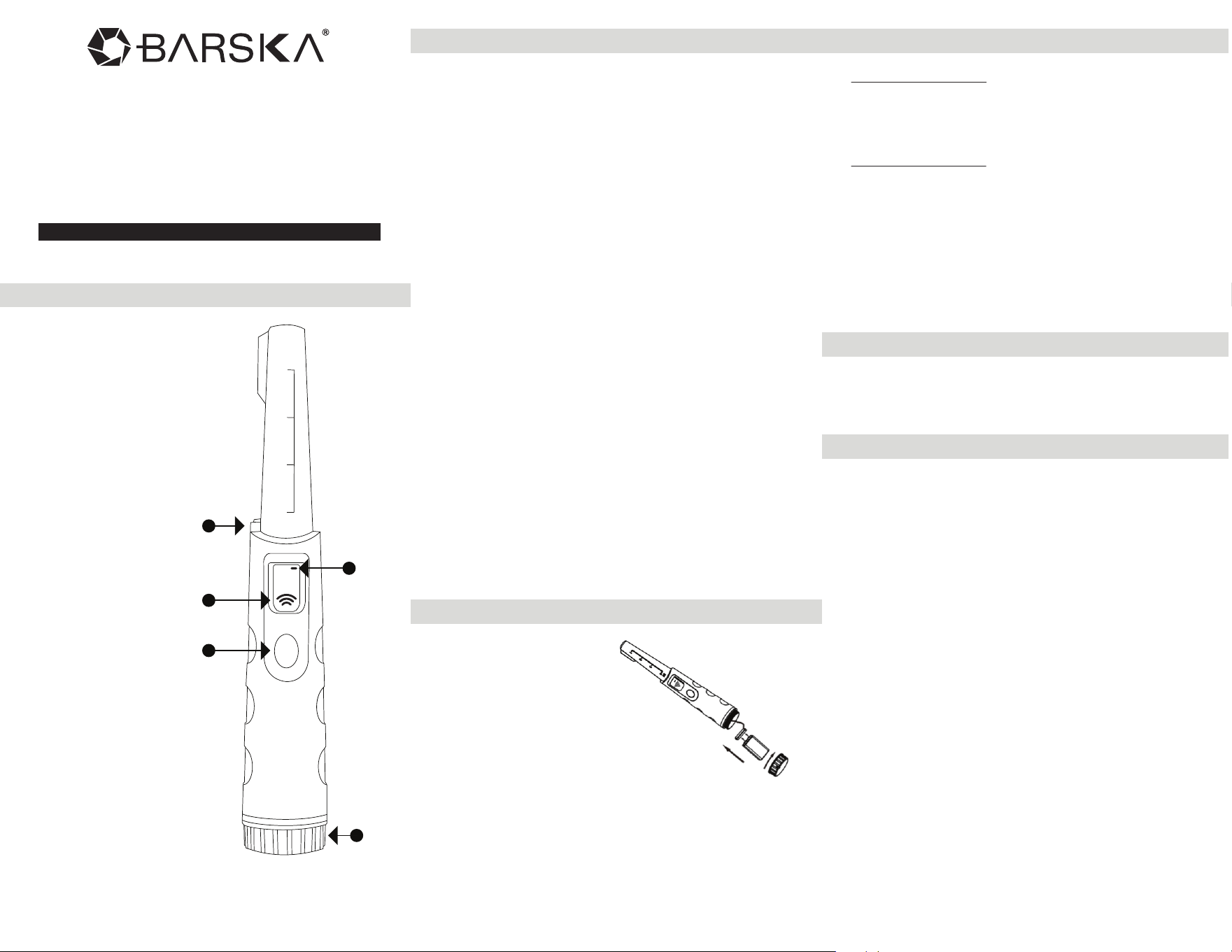
A. LED Light
B. Low Battery Indicator
C. LCD
D. Power Button
E. Battery Compartment
Parts Of The Metal Detector
A
C
D
B
E

Metal Detector
BC815 02/25
1 YEAR LIMITED WARRANTY
WINBEST
®
by BARSKA
®
, as manufacturer, warrants this new
product to be free of original defects in materials and/or
workmanship for the length of time specified by this warranty.
This warranty does not include damage caused by abuse,
improper handling, installation, maintenance, normal
wear-and-tear, unauthorized repairs or modifications and
tampering in anyway.
This warranty is limited to the original purchaser and is not
transferable. This warranty applies only to products purchased in
the United States of America, excludes the Hawaiian Island and
all U.S. territories in the Caribbean, Alaska and the Pacific
In the event of a defect within 30 days, the consumer must return
the defective unit to the WINBEST
®
by BARSKA
®
dealer (the
place of purchase) at his/her own expense.
Beyond 30 days, WINBEST
®
by BARSKA
®
products should be
sent to the following address for warranty repairs. Products must
be packed carefully and sturdily to prevent damage in transit,
and returned freight prepaid to:
WINBEST
®
by BARSKA
®
855 Towne Center Drive
Pomona, CA 91767
For additional and updated information
please visit www.barska.com
Please email [email protected] or call 1.909.445.8168 for Return
Merchandise Number (RMA#) before any returns.
NOTE: All merchandise received without a valid RMA# will be
returned to shipper at his/her own expense.
Please include all of the following when returning WINBEST
®
by
BARSKA
®
products for service and/or replacement:
1. Please write your complete details (Name, Address,
Telephone #, E-mail address, RMA#, etc.)
2. Purchase receipt or Proof of Purchase. (Original/Copy)
3. A brief explanation of the defect
*Please allow 6-8 weeks for delivery
This product will either be replaced or repaired at the discretion
of the warrantor. If it's a discontinued item, we will replace the
product with an equivalent product. Should the repair not be
covered by this warranty, an estimate will be sent for your
approval. Non-warranty repairs or refurbishing are always
provided at a reasonable cost.
WINBEST
®
by BARSKA
®
shall not be liable for any
consequential, incidental and/or contingent damages
whatsoever. We will not pay shipping, insurance or
transportation charges from you to us, or any import fees, duties
and or taxes.This warranty supersedes all previous Winbest
®
by
BARSKA warranties.
©2025 BARSKA
®
| Pomona, CA 91767, USA
Helpful Hints
- You can secure the detector to your wrist using the
attached wrist strap.
- Before submerging the detector make sure the battery
compartment seal is secure.
- Always use high quality batteries such as alkaline or
nickel metal hydride (NiMH).
by