by
1 YEAR LIMITED WARRANTY
Metal Detector
WINBEST® by BARSKA®, as manufacturer, warrants this new product to be
free of original defects in materials and/or workmanship for the length of time
specied by this warranty. This warranty does not include damage caused by
abuse, improper handling, installation, maintenance, normal wear-and-tear,
unauthorized repairs or modications and tampering in anyway.
This warranty is limited to the original purchaser and is not transferable. This
warranty applies only to products purchased in the United States of America,
excludes the Hawaiian Island and all U.S. territories in the Caribbean, Alaska
and the Pacic
In the event of a defect within 30 days, the consumer must return the
defective unit to the WINBEST® by BARSKA® dealer (the place of purchase)
at his/her own expense.
Beyond 30 days, WINBEST® by BARSKA® products should be sent to the
following address for warranty repairs. Products must be packed carefully and
sturdily to prevent damage in transit, and returned freight prepaid to:
WINBEST® by BARSKA®
855 Towne Center Drive
Pomona, CA 91767
For additional and updated information
please visit www.barska.com
Please email [email protected] or call 1.909.445.8168 for Return
Merchandise Number (RMA#) before any returns.
NOTE: All merchandise received without a valid RMA# will be returned to
shipper at his/her own expense.
Please include all of the following when returning WINBEST® by BARSKA®
products for service and/or replacement:
1. Please write your complete details (Name, Address, Telephone #,
E-mail address, RMA#, etc.)
2. Purchase receipt or Proof of Purchase. (Original/Copy)
3. A brief explanation of the defect
4. A Check/Money Order of $20.00 to cover inspection, shipping and handling
*Please allow 6-8 weeks for delivery
This product will either be replaced or repaired at the discretion of the
warrantor. If it’s a discontinued item, we will replace the product with an
equivalent product. Should the repair not be covered by this warranty, an
estimate will be sent for your approval. Non-warranty repairs or refurbishing
are always provided at a reasonable cost.
WINBEST® by BARSKA® shall not be liable for any consequential, incidental
and/or contingent damages whatsoever. We will not pay shipping, insurance
or transportation charges from you to us, or any import fees, duties and
or taxes.This warranty supersedes all previous Winbest® by BARSKA
warranties.
©2024 BARSKA® BC7917/24
©2024 BARSKA® | Pomona, CA 91767
www.barska.com
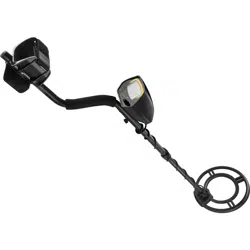
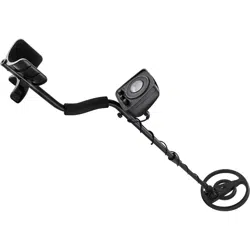
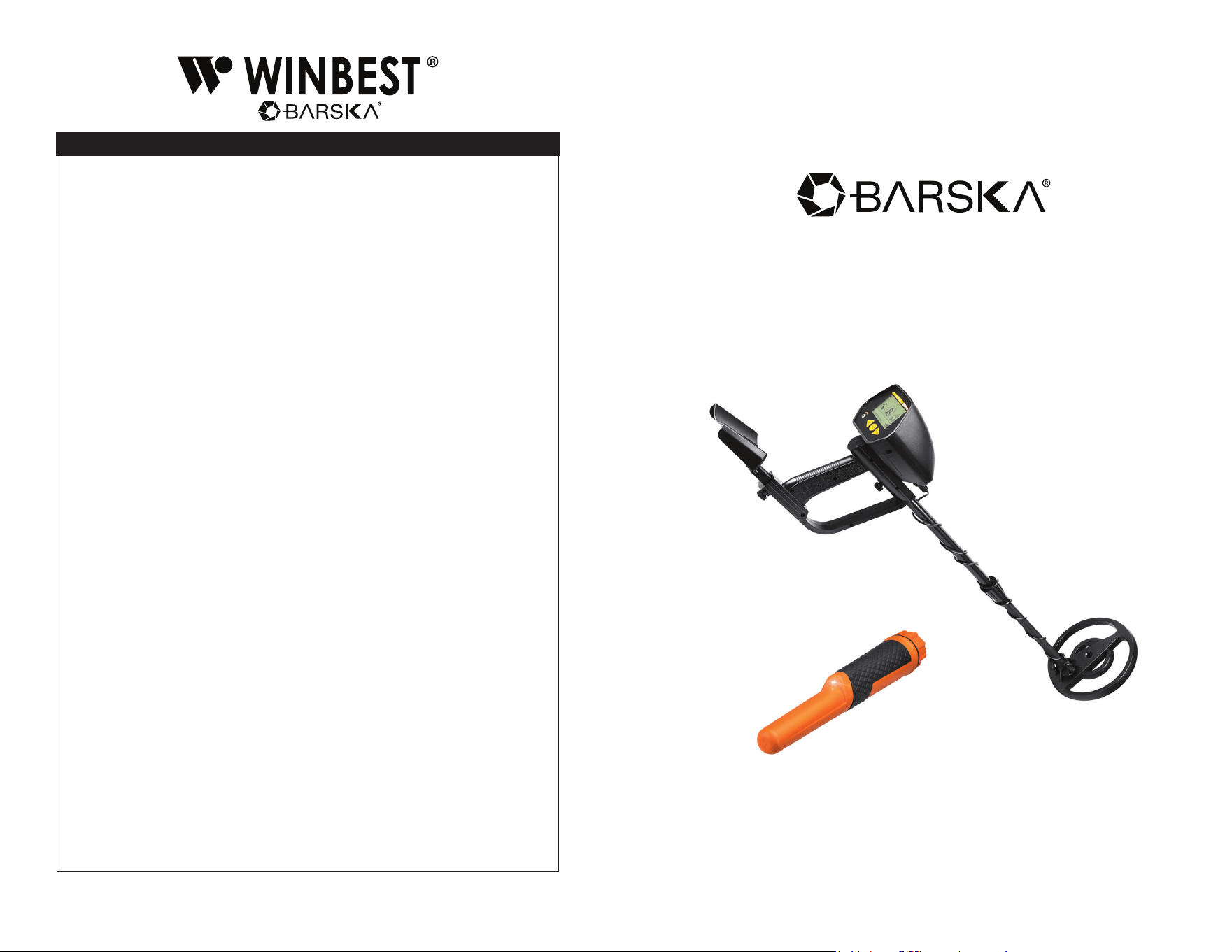
Pro-100R Metal Detector
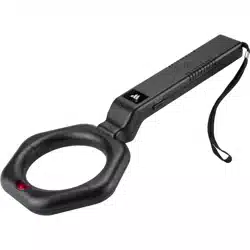
And Handheld Pinpointing Metal Detector
7/24
BC801
www.barska.com www.barska.com
2 3
Note: All information, feature, and specication displayed herein are based on the
data available at the time of publishing, thus they are subject to change without
notice. All product pictures displayed herein are for illustration purposes only. The
actual product may vary due to different circumstances.
Metal Detector
Please read before using this equipment
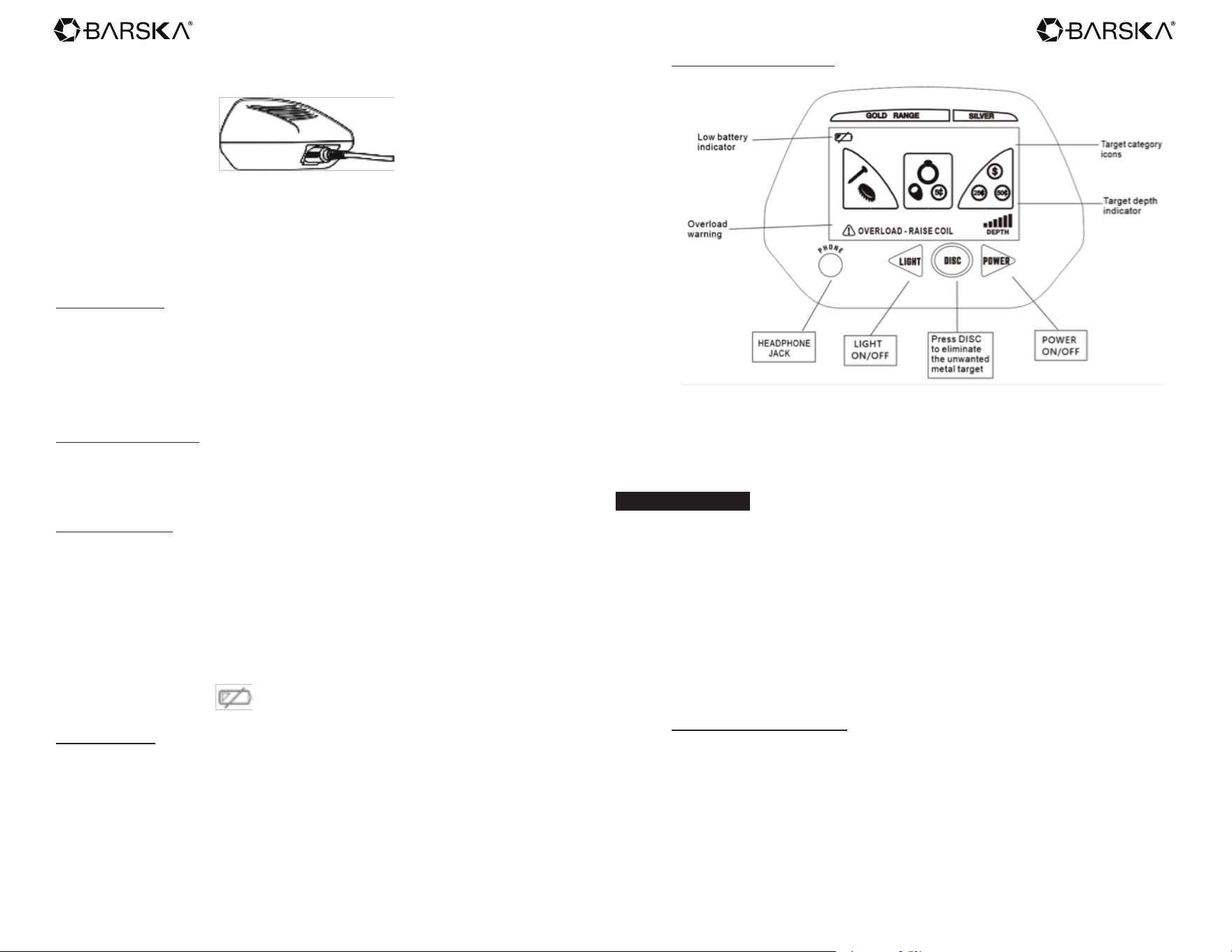
Thanks for choosing this metal detector. With this detector, you can hunt for coins, relics,
jewelry, gold, and silver just about anywhere, including lawns, snows, mountains and etc.
The detector is versatile and easy to use.
Features
- Two operating modes:
DISC - This mode can facilitate you to search for and discriminate the
target type or eliminate the metal type you don’t want.
ALL METAL - It is used to search for all kinds of metal object.
- LCD - LCD displays the type of the metal being detected, the probable target depth, as
well as the battery condition.
- POWER - Used to power on or power off the detector.
- PHONE (Headphone) Jack (3.5mm)—lets you connect stereo headphones (not supplied)
and operate without trouble.
- Waterproof Search Coil - lets you use the detector even if you must put it in shallow water.
- Adjustable Shaft - lets you adjust the detector’s length for comfortable use.
- Power - The metal detector requires two 9-volt alkaline batteries (not supplied).
Preparation
Assembling The Detector
1. Assembling the detector is easy and requires no special tools. Just follow these steps.
2. Unscrew the knobs on the search coil and remove the knobs and the connector. Insert
the smaller stem and align the holes on the search coil bracket and the stem. Push the
connector through the holes, then replace and tighten the knobs.
3. Slightly loosen the lock nut on the bigger stem. Insert the smaller stem into the bigger
one and tighten the lock nut.
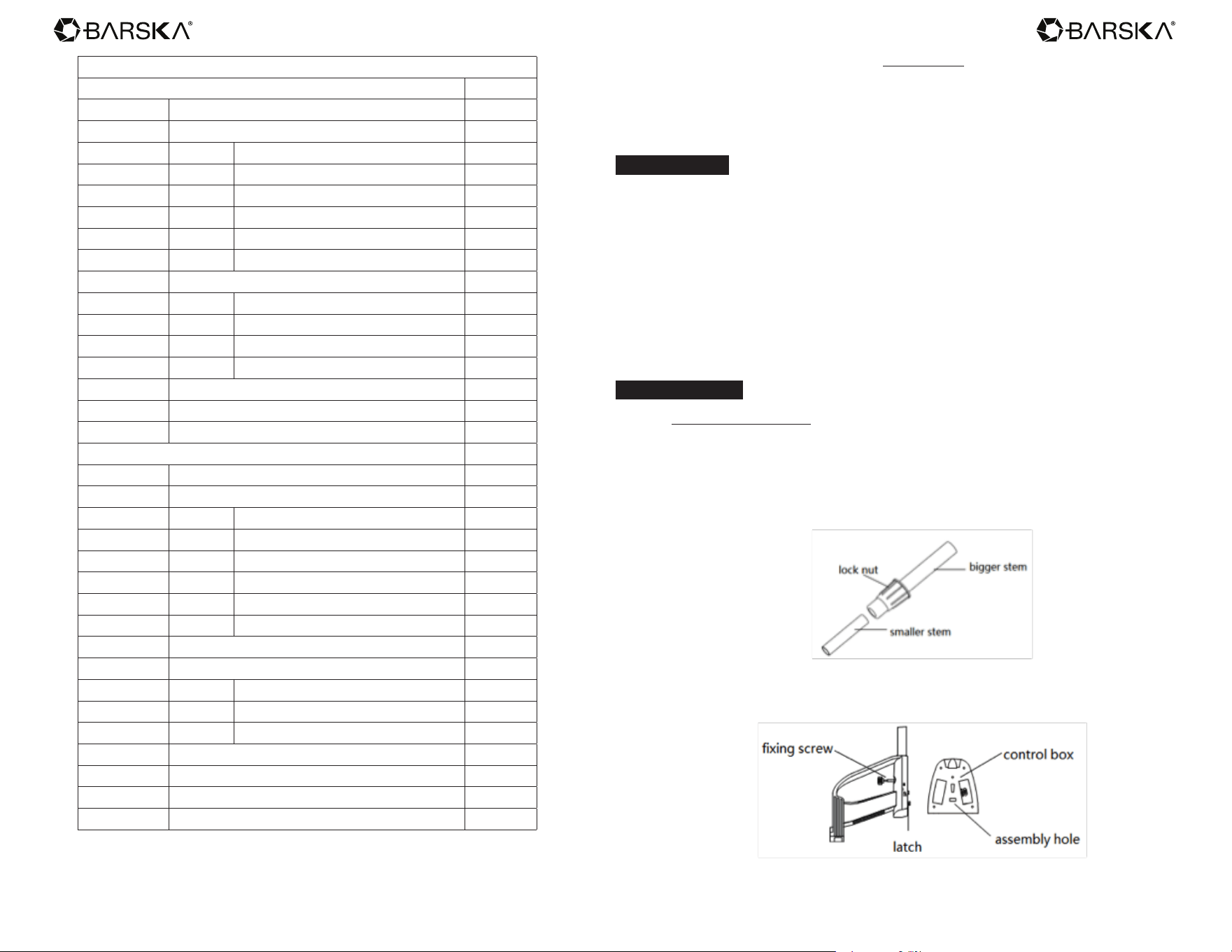
1. Insert the latch on the top of the handle into the assembly hole on the bottom of the
control box. Then slightly push the control box in the direction of IN on the handle to x
the latch in place.
Table Of Contents
Metal Detector 3
Features 3
Preparation 3
Assembling the Detector 3
Adjusting The Stem 4
Adjusting The Search Coil 4
Installing The Battery 4
Using Headphone 4
A Quick Look At The Detector 5
Operation 5
Setting of DISC (Discriminating) 5
Audio Tone And LCD Target Indications 6
Overload Warning 7
Outdoor Testing And Using 7
Factors That Affect The Detecting 7
Troubleshooting 8
Care And Maintenance 8
Handheld Pinpointing Metal Detector 9
Parts Of The Handheld Pinpointing Metal Detector 9
Product Features 9
Target Indication 9
Target Distancing 9
Mini LED Light 9
Automatic Tuning 9
Memory 9
Unique Sealed Design 9
Battery Installation 9
Operation Instructions 10
Turn On The Detector 10
Change The Mode 10
Turn Off The Detector 10
Detecting A Target 10
Low Battery Indication 10
Specications 11
Warranty 12
www.barska.com www.barska.com
4 5
4. Tighten the xing screw properly.
5 Insert the search coil cable plug into the ve-pin jack on the back control box’s housing.
6. Lengthen or shorten the stem, so when you stand upright with the detector in your hand,
the search coil is level with and about 1~5cm above the ground. After that tighten the
lock nut.
Caution:
- The search coil cable plug ts into the connector only one way. Do not force the plug or
you could damage it.
Adjusting The Stem
Follow these steps to adjust the metal detector’s stem.
1. Turn the stem’s lock nut clockwise until it loosens.
2. Lengthen or shorten the stem so when you stand upright with the detector in your hand,
the search coil is level with and about 1/2 to 2 inches above the ground with your arm
relaxed at your side.
3. Turn the stem’s lock nut counter clockwise to lock it in place.
Adjusting The Search Coil
Loosen the knobs at the search coil’s end, then adjust the search coil to the desired angle.
(The search coil should be parallel to the ground.) Tighten the knobs just enough to keep
the search coil away from rotating or wobbling.
Installing The Battery
1. Check the power to make sure it is in the “OFF” state.
2. Take off the battery cover in the direction of arrow.
3. Place two 9V batteries into the battery compartment matching the polarity symbols
(+ and -) marked inside and reinstall the battery cover.
Caution:
- If you don’t plan to use the unit for a week or more, remove the batteries. Batteries can
leak chemicals that can destroy electronic parts.
- Dispose old batteries promptly and properly. Never bury or burn them.
- When low battery indicator displays on LCD, replace the battery.
Using Headphone
Insert the stereo headphone’s 3.5mm plug into the PHONE jack at the front panel. At this
time the internal speaker is disconnected.
A Quick Look At The Detector
1. POWER - Power ON/OFF switch button. Press the button to power on the detector.
Press it again to power off the detector.
2. DISC - Used to discriminate the target type or eliminate the metal target you don’t want.
3. LCD - displays the type of metal being detected, the probable target depth, as well as the
battery condition.
OPERATION
Your metal detector has two operation modes: DISC, ALL METAL. These are motion
modes. You have to move the search coil to nd the target. Please follow the steps below:
1. Press POWER button to power on the detector. LCD will display all symbols. After about
two seconds, LCD will display three blank frames. At this time, you can start operation.
In this case, you can detect all kinds of metal. When the detector nds metal object, it
sounds and LCD displays the black frame with target icon. Target depth would also
be displayed on LCD.
Note: The depth is reference only. Actual target depth may be varied.
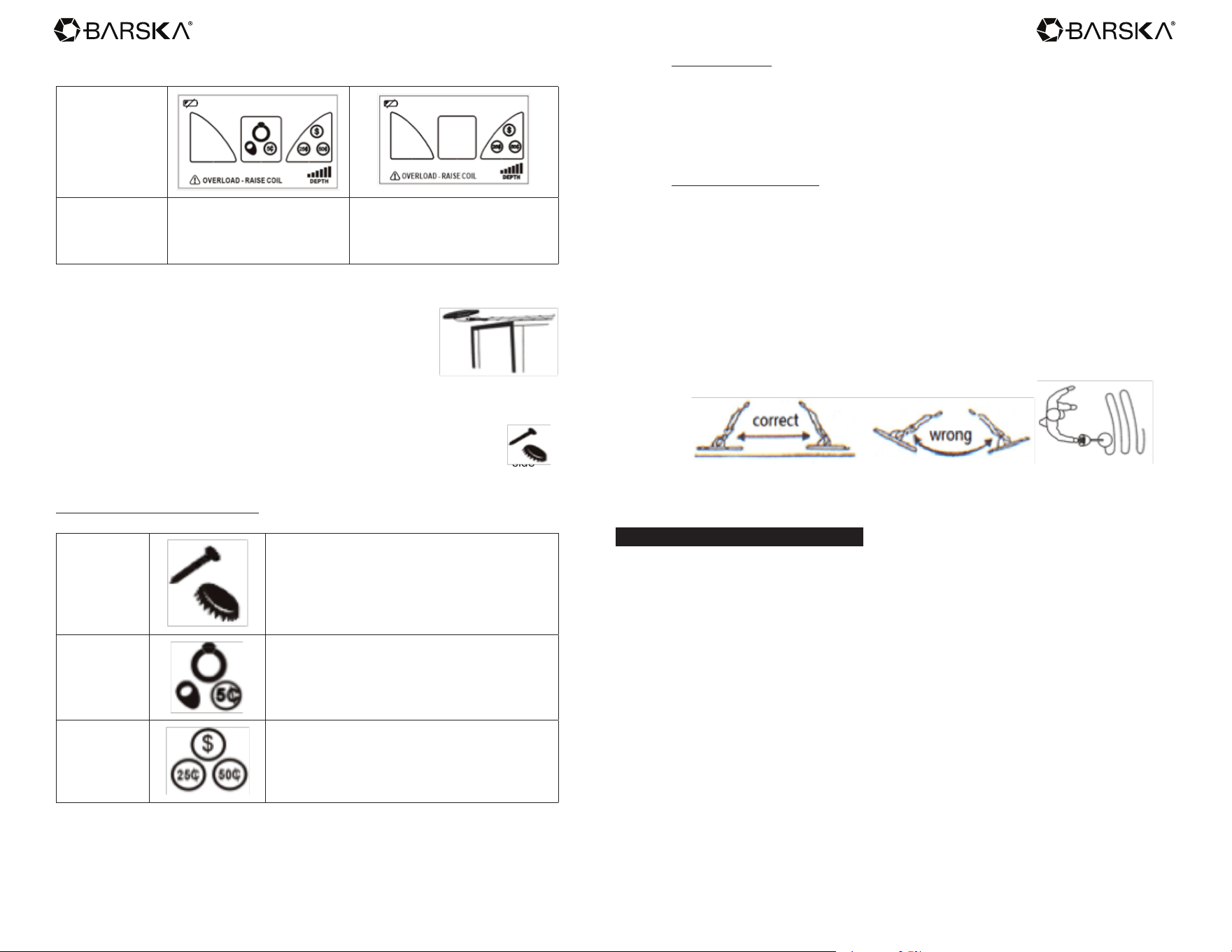
2. You can use DISC control button to eliminate the unwanted metal type. Two kinds of
metal (the rst and second category) can be eliminated. But 25¢ can’t be eliminated.
To eliminated category, the detector will not have response.
Setting of DISC (Discriminating)
If DISC is not pressed, the detector is available for ALL METAL mode. You can detect all
kinds of metal.
Press DISC once to eliminate ferrous (iron) targets. The rst frame will not display on the
LCD. Iron will not be detected. Press DISC again to eliminate iron, 5 cent, nickels, small
jewelry, pull tabs, screw caps, bottle caps. The rst and second frames will not display
on the LCD. In this case, only US quarter, silver targets, some of copper items can be
detected.
www.barska.com www.barska.com
6 7
The table below is a reference for you to set the discriminating range.
Setting Range
Target Eliminated Iron /nail, bottle cap, screw
Iron / nail, bottle cap, screw,
5¢ / pull tabs, screw caps, some
gold ring, bottle caps, zinc objects,
some copper items.
3. Place the detector on a wooden or plastic table, remove any watches, rings, or metal
jewelry you are wearing.
4. Adjust the search coil so the at part points towards the ceiling.
Note: Never test the detector on a oor inside a building. Most
buildings have metal of some kind in the oor, which might interfere
with the objects you’re testing or mask the signal completely.
5. Slowly sweep a sample of the material you want the detector to
nd (such as a gold ring or a coin) 2-3 inches above the face of the
search coil. When the detector nds the sample, it sounds a tone and the
corresponding
target icon would be displayed on LCD.
For example, when nail or iron target is found, icons would be displayed on LCD.
Note: If you are using a coin, the detector will detect it more easily if you hold a at side
parallel with the at side of the search coil.
Audio Tone & LCD Target Indications
Low Tone
Indicates that the target is probably iron or
nail, screw, bottle cap.
Some oxidized iron might register somewhere
within the range of 25¢.
Medium Tone
Indicates that the target is probably 5¢, aluminum
can, pull tab, nickel or some small gold ring. 1¢ or
zinc penny or a copper coin would also fall in this
category.
High Tone
Indicates that the target is probably silver coin,
25¢. Some large aluminum coin and copper items
might register within this category.
Overload Warning
If a large metal object or highly magnetic soil is too close to the search coil, the detector will
“overload”. LCD will blank and display blinking “OVERLOAD-RAISE COIL”. The detector
will also alert with a special sound. Overload will not be harmful to the detector, but will
affect the function under these conditions. If overload occurs, raise search coil to detect the
metal target, or change a searching place.
Outdoor Testing And Using
- Find an area on the ground outside where there is no metal.
- Place a sample of the material you want the detector to nd (such as a gold ring or a coin)
on the ground. If you are using a valuable metal such as gold to test the detector, mark
the area where you placed the item, to help you nd it later. Do not place it in tall grass
or weeds.
- Follow the steps described in OPERATION and refer to the setting of DISC.
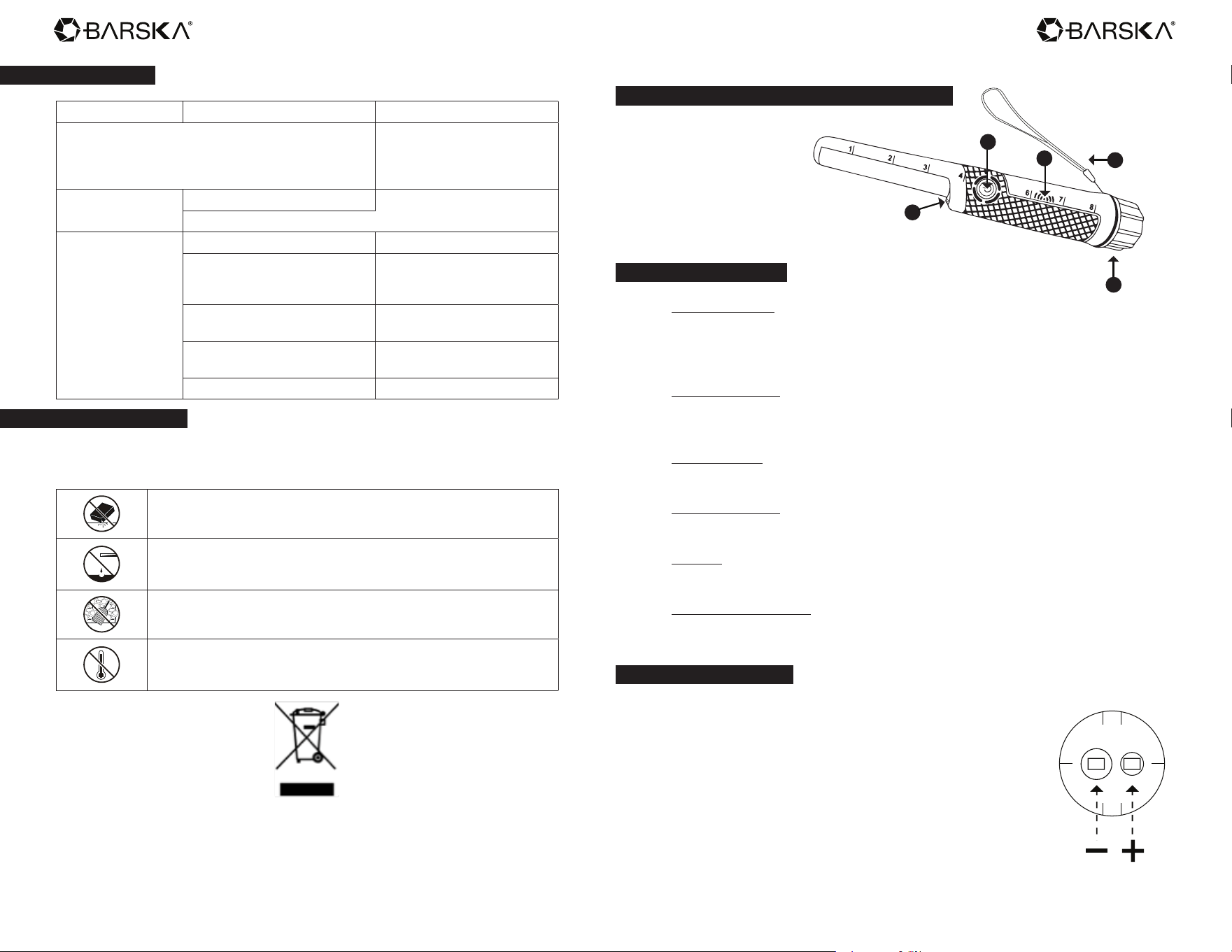
- Sweep your search coil as following picture, move the search coil right and left in an arc
line. For not missing any target, it is better to keep the distance from search coil to the
ground about 1 – 5cm (closer to the earth for smaller target) and the distance between
two neighboring arcs is about 10 – 15cm.
Never sweep the search coil as if it were a pendulum. Raising the search coil while
sweeping or at the end of a sweep will cause false readings.
When the detector nds the sample, it sounds a tone and the corresponding target icon will
be displayed on LCD.
Factors That Affect The Detecting
It’s difcult to have an accurate detecting result. Sometimes the detecting may be restricted
by some factors:
- The angle of the target buried in the soil.
- The depth of the target.
- The level of oxidization of the target.
- The size of the target.
- Electro-magnetic and electrical interference surrounding the target.
In area of highly mineralized ground or wet sand, the detector will sound even if there is no
metal. In this case, you can enhance the distance between the search coil and the ground
or change the searching place.
Metallic digging tools will also affect the detection if they are near the search coil. So it’s
better place them a little far away.
www.barska.com www.barska.com
8 9
Troubleshooting
Problem Reason Suggestion
Sounds without
detecting any metal
The detector may receive
interference and false signal
from broadcast antenna and
other electronic lines
Change searching place
Sounds false signal
Maybe the target is oxidized
Enhance the height between
the search coil and the ground
The target is extremely large
The detector does
not detect anything
Sweep the search coil too fast Sweep the search coil slowly.
Search coil is not parallel with
the ground
Adjust the angle of search
coil and make it parallel to the
ground.
The surface of the buried is too
narrow
Test the at surface of the
target
Target range is eliminated when
setting DISC.
Recover the DISC setting
range
Low battery power Change the battery
Care And Maintenance
Your metal detector is an example of superior design and craftsmanship. The following
suggestions will help you care for your metal detector so you can enjoy it for years.
Handle the detector gently and carefully. Dropping it can damage circuit
boards and cases and can cause the detector to work improperly.
Use the detector only in normal temperature environments.
Temperature extremes can shorten the life of electronic devices,
damage the cases of the detector.
Keep the detector away from dust and dirt, which can cause premature
wear of parts.
Wipe the detector with a damp cloth occasionally to keep it looking new.
Do not use harsh chemicals, cleaning solvents, or strong detergents to
clean the detector.
Read all instructions before using this handheld pinpointing metal detector
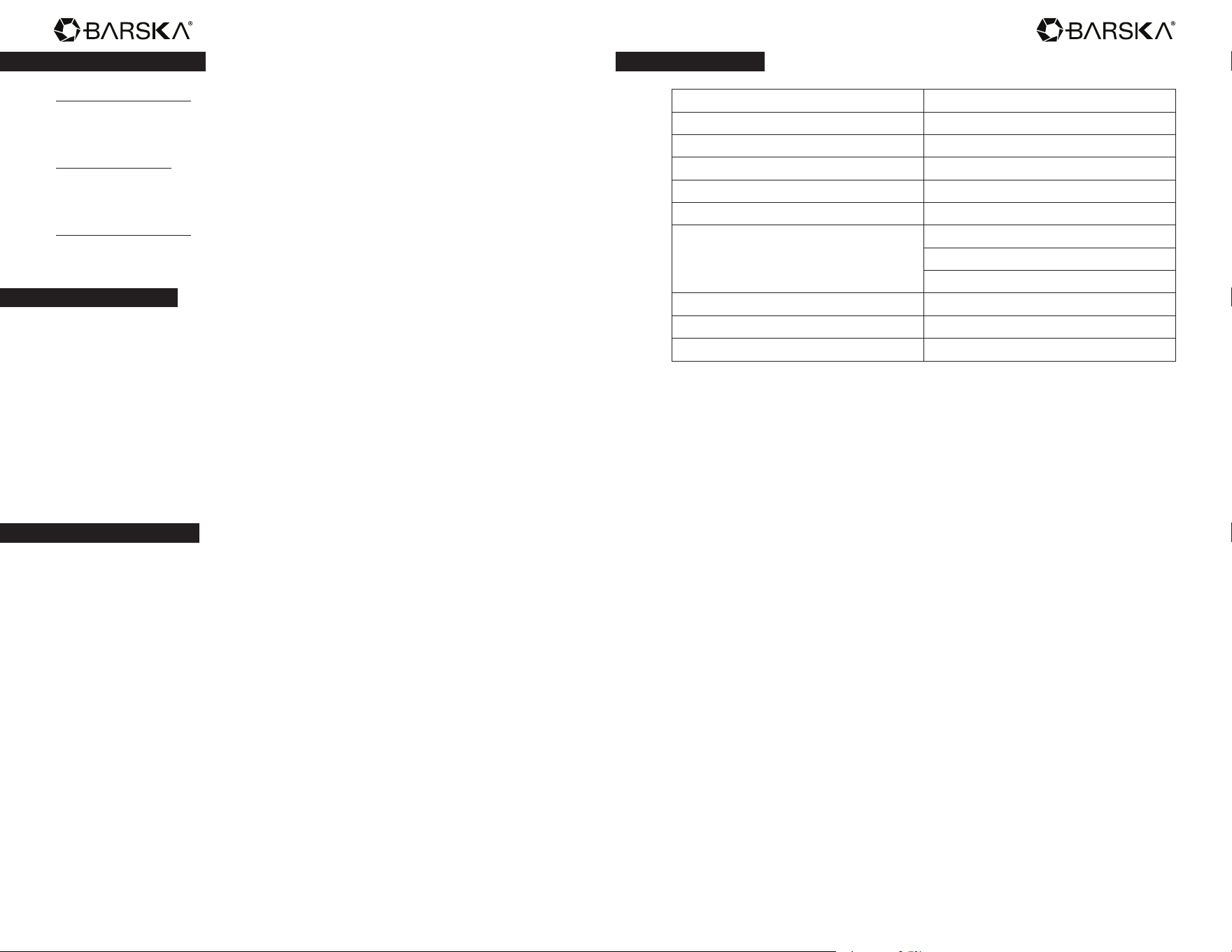
Parts Of The Handheld Pinpointing Metal Detector
A. LED Light
B. Power Button
C. Buzzer
D. Wrist Strap
E. Battery Cover
A
B
C
D
E
Product Features
Target Indication
There are three types of target indication: sound, vibration, sound & vibration.
When a target is located the detector alarms with pulses of vibration or audible
sound, or both audible sound and vibration.
Target Distancing
As you get closer to the target the vibration, the rate of the pulsing audio and/or
vibrations will increase proportionally.
Mini LED Light
LED light is useful in dark area.
Automatic Tuning
Requires no adjustment.
Memory
The detector memorizes the current setting when power turns off.
Unique Sealed Design
Allows detecting in any environment including grass, mud, dirt, sand, and black
sand.
Battery Installation
To open the battery compartment, rotate the battery cover
counter-clockwise.
Connect a standard 9 volt alkaline battery to the battery
connector and insert the battery into the detector making
sure the polarity is matched correctly. Then turn the battery
cover clockwise until hand tight to assure a water-tight
seal. Please remove battery when detector is to be stored
for more than 1 month.
Inside of Battery
Compartment
www.barska.com www.barska.com
10 11
Operation Instructions
Turn On The Detector
Press power button to turn on the detector while holding the detector away from
any metallic objects. A steady light indicates unit is ready for operation.
Change The Mode
Press power button once to change the mode. 3 modes Vibration, Sound,
Vibration and Sound
Turn Off The Detector
After use, press the power button holding for about two seconds to turn off the
detector.
Detecting A Target
After turning on the detector, you can start detection. First you can select one
type of target indication by pressing power button. Sound and pulses of vibration
increase in quantity as the closer the detector is to a detected target. The
quantity of pulses is proportional to the target size and distance. The bigger the
target, or the closer the detector is to the target, the higher the pulse counts.
Note:
The pinpointer will suspend the operation after continuous detection above
same target for about 10 seconds in order to save battery power. At this time
the ashlight keeps light. Will recover the detection for new target after about 1
second.
Low Battery Indication
If the unit sounds and vibrates, also LED ashes continuously for about 15
seconds, this indicates that the battery is low. Please replace the battery.
NOTE
- If no metal is detected within twenty minutes, the detector will automatically
turn off.
- The detector memorizes the current setting when power turns off.
- You can secure the detector to your wrist using the attached wrist strap.
- Before submerging the detector make sure the battery compartment seal
is secure.
- Always use high quality batteries such as alkaline or nickel metal
hydride (NiMH).
Specications
Ground Balance Auto-balance
Audio Identication Yes
LED Indication Yes
360 Degree Detection Yes
Sensitivity (in) for U.S. Quarter 1.38 inch (3.5cm)
Waterproof No
3 Operating Modes
Audio
Vibration
Audio and vibration
Battery 1x9V (not included)
Low Battery Indicator Yes
Accessory Wrist strap and holster