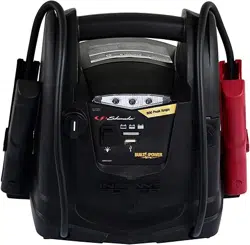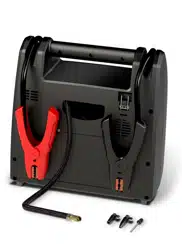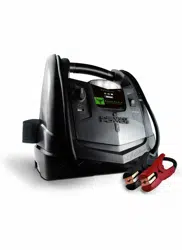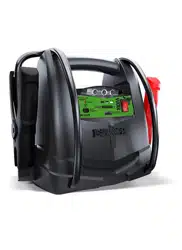
CONTAINS SEALED, NON-SPILLABLE LEAD-ACID BATTERY. MUST BE DISPOSED OF PROPERLY.
WARNING: Possible explosion hazard. Contact with battery acid may cause severe burns and blindness.
Keep out of reach of children.
1. IMPORTANT SAFETY INSTRUCTIONS
WARNING – When using this product, basic precautions should always be followed, including the following:
1.1
Read all the instructions before using the product. Failure to do so could result in serious injury or death.
1.2
To reduce the risk of injury, close supervision is necessary when the product is used near children.
1.3
Do not put ngers or hands into the product.
1.4
Do not expose the power pack to rain or snow.
1.5
Use of an attachment not recommended or sold by the power pack manufacturer may result in a risk of
re, electric shock, or injury to persons.
1.6
To reduce risk of damage to the electric plug and cord, pull the plug rather than the cord when
disconnecting the power pack.
1.7
Do not use a battery pack or appliance that is damaged or modied. Damaged or modied batteries may
exhibit unpredictable behavior resulting in re, explosion or risk of injury.
1.8
Do not operate the power pack with a damaged cord or plug, or a damaged output cable.
1.9
Do not disassemble the power pack, take it to a qualied service person when service or repair is required.
Incorrect reassembly may result in a risk of re or electric shock.
1.10
To reduce the risk of electric shock, unplug the power pack from the outlet before attempting any
instructed servicing.
1.11
WARNING – RISK OF EXPLOSIVE GASES.
a.
WORKING IN VICINITY OF A LEAD ACID BATTERY IS DANGEROUS. BATTERIES GENERATE
EXPLOSIVE GASES DURING NORMAL BATTERY OPERATION. FOR THIS REASON, IT IS OF
THE UTMOST IMPORTANCE THAT YOU FOLLOW THE INSTRUCTIONS EACH TIME YOU USE
THE POWER PACK.
b.
To reduce risk of battery explosion, follow these instructions and those published by battery manufacturer
and manufacturer of any equipment you intend to use in vicinity of the battery. Review cautionary markings
on these products and on engine.
2. PERSONAL PRECAUTIONS
2.1
Consider having someone close enough by to come to your aid when you work near a lead-acid battery.
2.2
Have plenty of fresh water and soap nearby in case battery acid contacts skin, clothing, or eyes.
2.3
Wear complete eye protection and clothing protection. Avoid touching eyes while working near battery.
2.4
If battery acid contacts skin or clothing, wash immediately with soap and water. If acid enters eye,
immediately ood eye with running cold water for at least 10 minutes and get medical attention immediately.
2.5
NEVER smoke or allow a spark or ame in vicinity of battery or engine.
2.6
Be extra cautious to reduce risk of dropping a metal tool onto battery. It might spark or short-circuit
battery or other electrical part that may cause explosion.
2.7
Remove personal metal items such as rings, bracelets, necklaces, and watches when working with a
lead-acid battery. A lead-acid battery can produce a short-circuit current high enough to weld a ring or
the like to metal, causing a severe burn.
2.8
When charging the internal battery, work in a well ventilated area and do not restrict ventilation in any way.
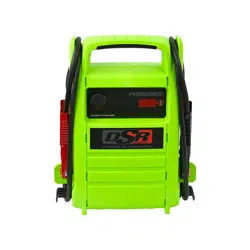
Jump Starter and DC Power Source
OWNERS MANUAL
PLEASE SAVE THIS OWNERS MANUAL AND READ BEFORE EACH USE.
This manual will explain how to use the jump starter safely and effectively. Please
read and follow these instructions and precautions carefully.
0099002478-00
FOR MODELS
DSR168
DSR168G
0099002478-R0_DSR168_168G_EN_1023.indd 10099002478-R0_DSR168_168G_EN_1023.indd 1 11/1/23 12:03 PM11/1/23 12:03 PM

• 2 •
2.9
Under abusive conditions, liquid may be ejected from the battery; avoid contact. If contact accidentally
occurs, ush with water. If liquid contacts eyes, additionally seek medical help. Liquid ejected from the
battery may cause irritation or burns.
2.10
Do not expose a power pack to re or excessive temperature. Exposure to re or temperature above
265°F (130°C) may cause explosion.
2.11
Have servicing performed by a qualied repair person using only identical replacement parts. This will
ensure that the safety of the product is maintained.
2.12
Attach output cables to a battery and chassis as indicated below. Never allow the output clamps to touch
one another.
2.13
Changes or modications not expressly approved by Schumacher Electric could void the user's authority
to operate this device.
2.14
NOTE: This equipment has been tested and found to comply with the limits for a Class B digital device,
pursuant to part 15 of the FCC Rules. These limits are designed to provide reasonable protection against
harmful interference in a residential installation. This equipment generates, uses, and can radiate radio
frequency energy and, if not installed and used in accordance with the instructions, may cause harmful
interference to radio communications. However, there is no guarantee that interference will not occur in a
particular installation. If this equipment does cause harmful interference to radio or television reception,
which can be determined by turning the equipment off and on, the user is encouraged to try to correct
the interference by one or more of the following measures:
• Reorient or relocate the receiving antenna.
• Increase the separation between the equipment and receiver.
• Connect the equipment into an outlet on a circuit different from that to which the receiver is connected.
• Consult the dealer or an experienced radio/TV technician for help.
3. CONNECTING THE JUMP STARTER
WARNING! A SPARK NEAR THE BATTERY MAY CAUSE A BATTERY EXPLOSION.
TO REDUCE THE RISK OF A SPARK NEAR THE BATTERY:
3.1
Attach the output cables to the battery and chassis as indicated below. Never allow the output clips to
touch each other.
3.2
Position the DC cables to reduce the risk of damage by the hood, door and moving or hot engine parts.
NOTE: If it is necessary to close the hood during the jump starting process, ensure that the hood does not
touch the metal part of the battery clips or cut the insulation of the cables.
3.3
Stay clear of fan blades, belts, pulleys and other parts that can cause injury.
3.4
Check the polarity of the battery posts. The POSITIVE (POS, P, +) battery post usually has a larger
diameter than the NEGATIVE (NEG, N, -) post.
3.5
Determine which post of the battery is grounded (connected) to the chassis. If the negative post is
grounded to the chassis (as in most vehicles), see step 3.6. If the positive post is grounded to the
chassis, see step 3.7.
3.6
For a negative-grounded vehicle, connect the POSITIVE (RED) clip from the jump starter to the
POSITIVE (POS, P, +) ungrounded post of the battery. Connect the NEGATIVE (BLACK) clip to the
vehicle chassis or engine block away from the battery. Do not connect the clip to the carburetor, fuel
lines or sheet-metal body parts. Connect to a heavy gauge metal part of the frame or engine block.
3.7
For a positive-grounded vehicle, connect the NEGATIVE (BLACK) clip from the jump starter to the
NEGATIVE (NEG, N, -) ungrounded post of the battery. Connect the POSITIVE (RED) clip to the vehicle
chassis or engine block away from the battery. Do not connect the clip to the carburetor, fuel lines or
sheet-metal body parts. Connect to a heavy gauge metal part of the frame or engine block.
3.8
When disconnecting the jump starter, turn all switches to off (if applicable), remove the clip from the
vehicle chassis, then remove the clip from the battery terminal.
0099002478-R0_DSR168_168G_EN_1023.indd 20099002478-R0_DSR168_168G_EN_1023.indd 2 11/1/23 12:03 PM11/1/23 12:03 PM
• 3 •
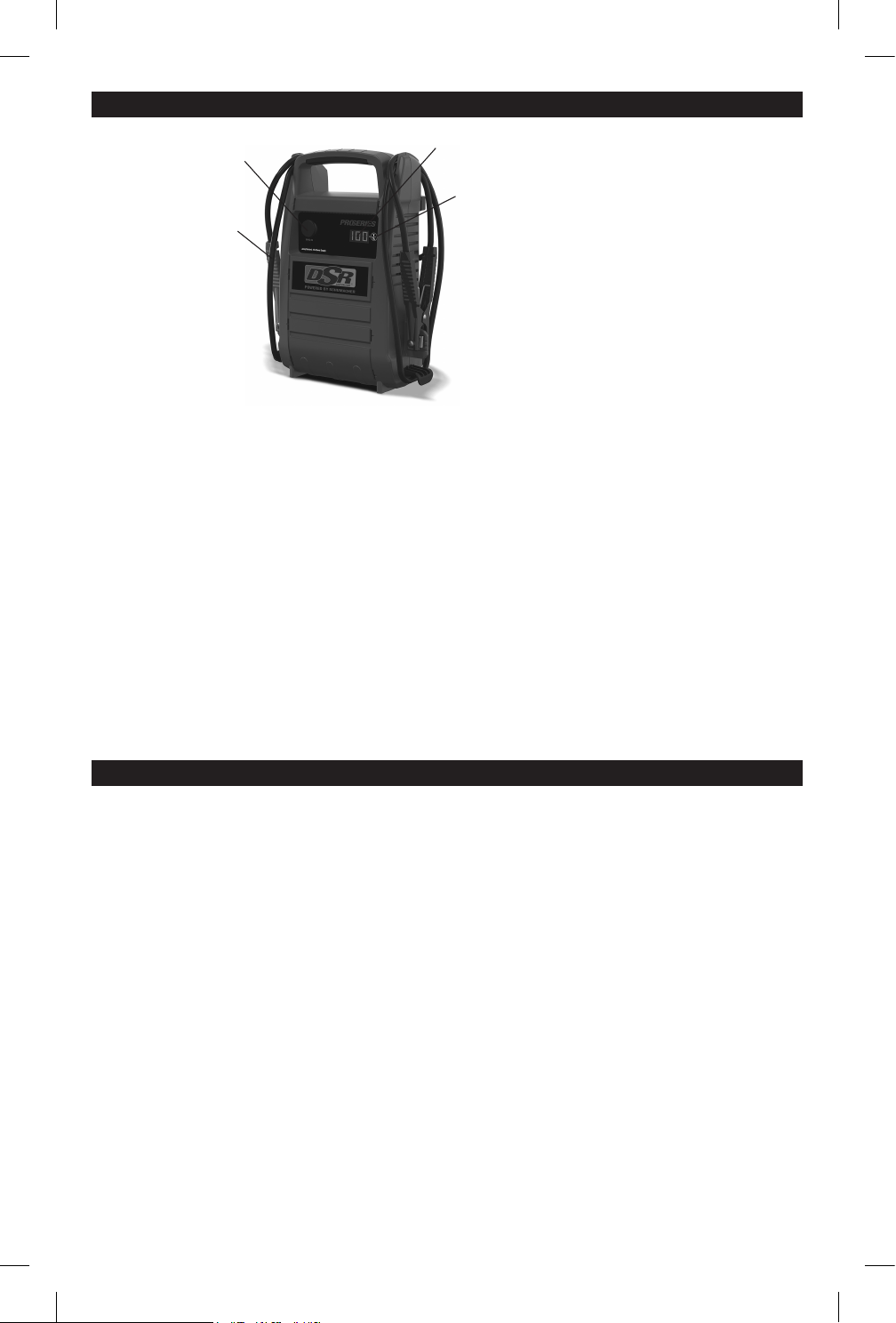
4. FEATURES
4.1
DIGITAL DISPLAY
The digital display can be used to indicate the percent of charge or the voltage and percentage of the
jump starter’s internal battery.
• To check the voltage level of the jump starter’s internal battery, make sure the clips are attached to
their plastic storage holders and not touching each other, and then press the Display button on the front
of the jump starter. The display will indicate the battery’s voltage. Press the Display button a second
time to show the battery's percentage. Charge the internal battery if the display shows it is under 100%.
• While charging, press the Display button to check the internal battery’s charging status. The digital
display will show the battery’s percent of charge. A fully charged battery will read 100%.
NOTE: The internal battery’s percent of charge is most accurate when the jump starter has been
disconnected from all devices and charging sources for a few hours.
• To check the voltage level of the vehicle’s battery, connect the clips to the vehicle’s battery and then
press the Display button. The display will indicate the combined voltage of the jump starter's internal
battery and the vehicle battery.
• To check the connected vehicle's battery status, press the Display button a second time. The digital
display will show the combined percentage of the jump starter's internal battery and the vehicle battery.
5. CHARGING THE INTERNAL BATTERY OF THE JUMP STARTER
IMPORTANT! CHARGE IMMEDIATELY AFTER PURCHASE, AFTER EACH USE AND EVERY 30 DAYS,
TO KEEP THE UNIT’S INTERNAL BATTERY FULLY CHARGED AND PROLONG BATTERY LIFE.
5.1
CHECKING THE LEVEL OF THE INTERNAL BATTERY
To check the status of charge for internal battery:
1. Make sure the rotary switch is in the OFF position
2. Press the display button in the front of the jump starter.
3. The digital display will show the percent of charge of the internal battery. A fully charged battery will
read “100%”.
If the displayed number is below 100%, charge the unit as soon as possible. Complete charging may
take up to 48 hours for units equipped with 2 batteries.
5.2
CHARGING THE INTERNAL BATTERY
IMPORTANT! An AC cord 18-AWG or larger is required to charge the unit, but it’s NOT INCLUDED.
An extension cord should not be used unless absolutely necessary. Use of an improper extension cord
could result in a risk of re and electric shock. If an extension cord needs to be used, make sure:
• That the pins on the plug of the extension cord are the same number, size and shape as those of the
plug on the charger.
• That the extension cord is properly wired and in good electrical condition.
Jump Starter
1. Battery clamps
2. 12V DC socket
3. Digital display
4. Display button
1
4
3
2
0099002478-R0_DSR168_168G_EN_1023.indd 30099002478-R0_DSR168_168G_EN_1023.indd 3 11/1/23 12:03 PM11/1/23 12:03 PM
• 4 •
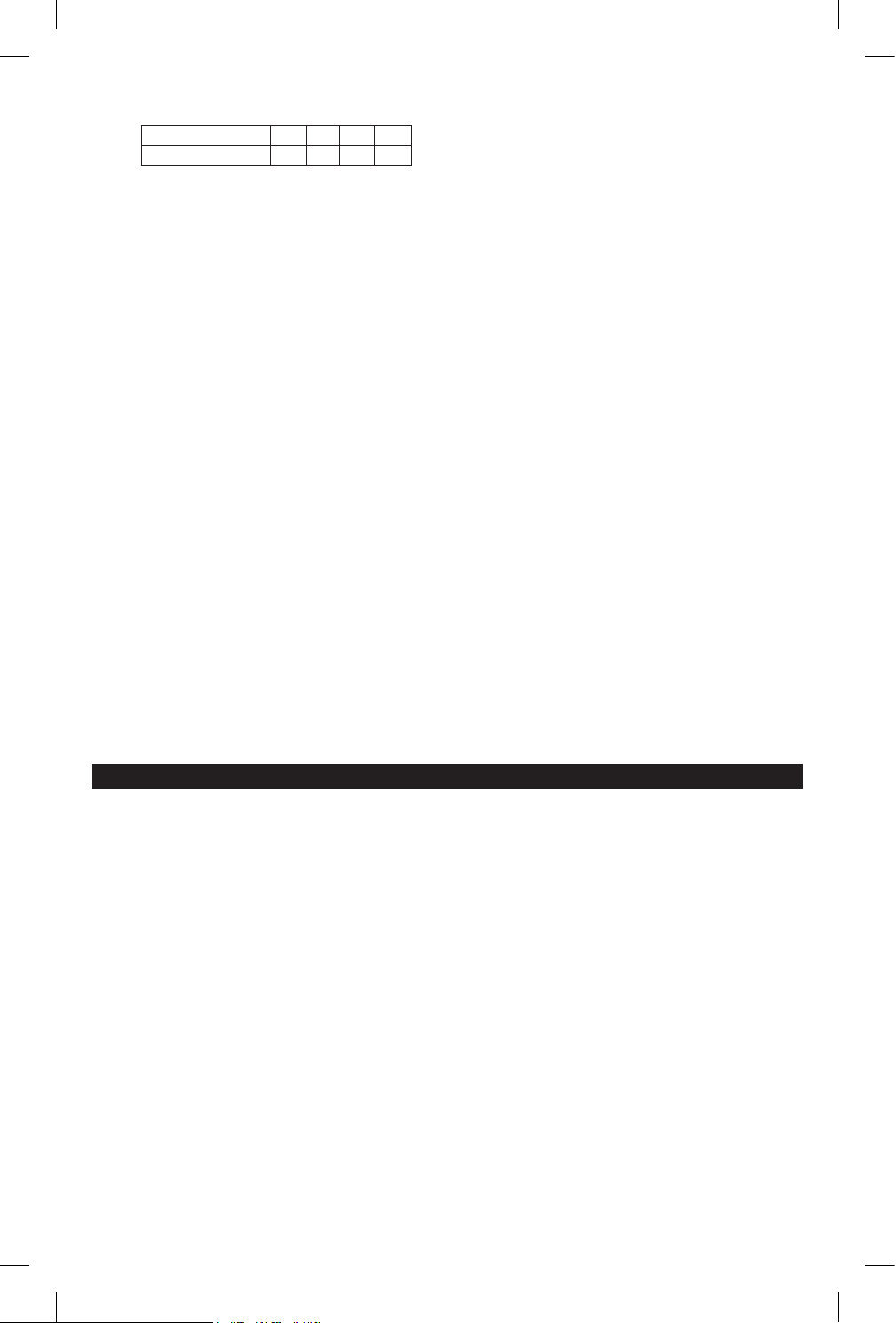
• That the wire size is large enough for the AC ampere rating of the charger, as specied below:
Length of cord (feet) 25 50 100 150
AWG* size of cord 18 18 18 16
*AWG-American Wire Gauge
1. To charge the unit, plug-in an 18-AWG or larger AC cord on the AC connector by the side of the unit.
2. Plug the AC cord into a live 120V AC electrical wall outlet.
3. When unit starts charging, the digital display will show a cycling red dot. Complete charging may take
up to 48 hours for units equipped with 2 batteries.
4. To verify the level of charge while charging, press the display button in the front of unit. The digital
display will show the percent of charge of the battery.
5. When the internal battery is fully charged, the display will show a 100%. The unit will go automatically
into maintain mode, to maintain the battery fully charged without damaging it. When in maintain mode,
the display will show a "100%" fading slowly, until the AC cord is disconnected.
6. Charge the unit as soon as possible after each use.
5.3
CHARGING THE INTERNAL BATTERY WHILE DRIVING
You may also charge the internal battery while driving, using a male-to-male charger cable (part number
94500109 – sold separately).
IMPORTANT: WHEN USING A 12V PORT CHARGING CABLE, DO NOT CHARGE THE INTERNAL
BATTERY FOR MORE THAN 30 MINUTES OR LEAVE THE BATTERY UNATTENDED. IT COULD
EXPLODE, CAUSING PROPERTY DAMAGE OR PERSONAL INJURY.
1. Make sure the car is running.
2. Insert one end of the accessory cable into the 12V DC power outlet.
3. Insert the other end of the accessory cable into the vehicle’s accessory outlet (lighter socket).
NOTE: Using this method to charge the battery overrides the maintain mode and the battery can
be overcharged.
4. Monitor the progress of the charge by pressing the Display button twice. Do not leave the battery
unattended or it could explode, causing property damage and personal injury. When the battery is
fully charged, disconnect the accessory cable from the jump starter, and then from the lighter socket
of the vehicle.
NOTE: Completely disconnect the charger cable when the engine is not running.
6. OPERATING INSTRUCTIONS
6.1
JUMP STARTING A VEHICLE ENGINE
IMPORTANT: Using the jump starter without a battery installed in the vehicle will damage the vehicle’s
electrical system.
IMPORTANT: Do not use the jump starter while charging its internal battery.
1. Turn the vehicle’s ignition OFF before making cable connections.
2. Connect the jump starter to the battery, following the precautions listed in section 3.
WARNING! RISK OF EXPLOSION.
3. Crank the engine. If the engine does not start within 3-8 seconds, stop cranking and wait at least 1
minute before attempting to start the vehicle again. (This permits the battery to cool down.)
4. After the engine starts, disconnect the black clip (-), then the red clip (+) in that order, and clip them
back onto the jump starter storage holders.
5. Recharge the jump starter as soon as possible after use.
NOTE: If the jump starter is connected to a battery for more than ve minutes, four beeps will sound. This is
a reminder to turn the jump starter off and/or disconnect it from the vehicle’s battery when not in use.
WARNING! RISK OF EXPLOSION.
To prevent sparking, NEVER allow the clips to touch together or to contact the same piece of metal.
Never attempt to jump start a frozen battery.
0099002478-R0_DSR168_168G_EN_1023.indd 40099002478-R0_DSR168_168G_EN_1023.indd 4 11/1/23 12:03 PM11/1/23 12:03 PM
• 5 •
6.2
POWERING A 12V DC DEVICE:
The jump starter is a power source for all 12V DC accessories that are equipped with a 12V accessory plug.
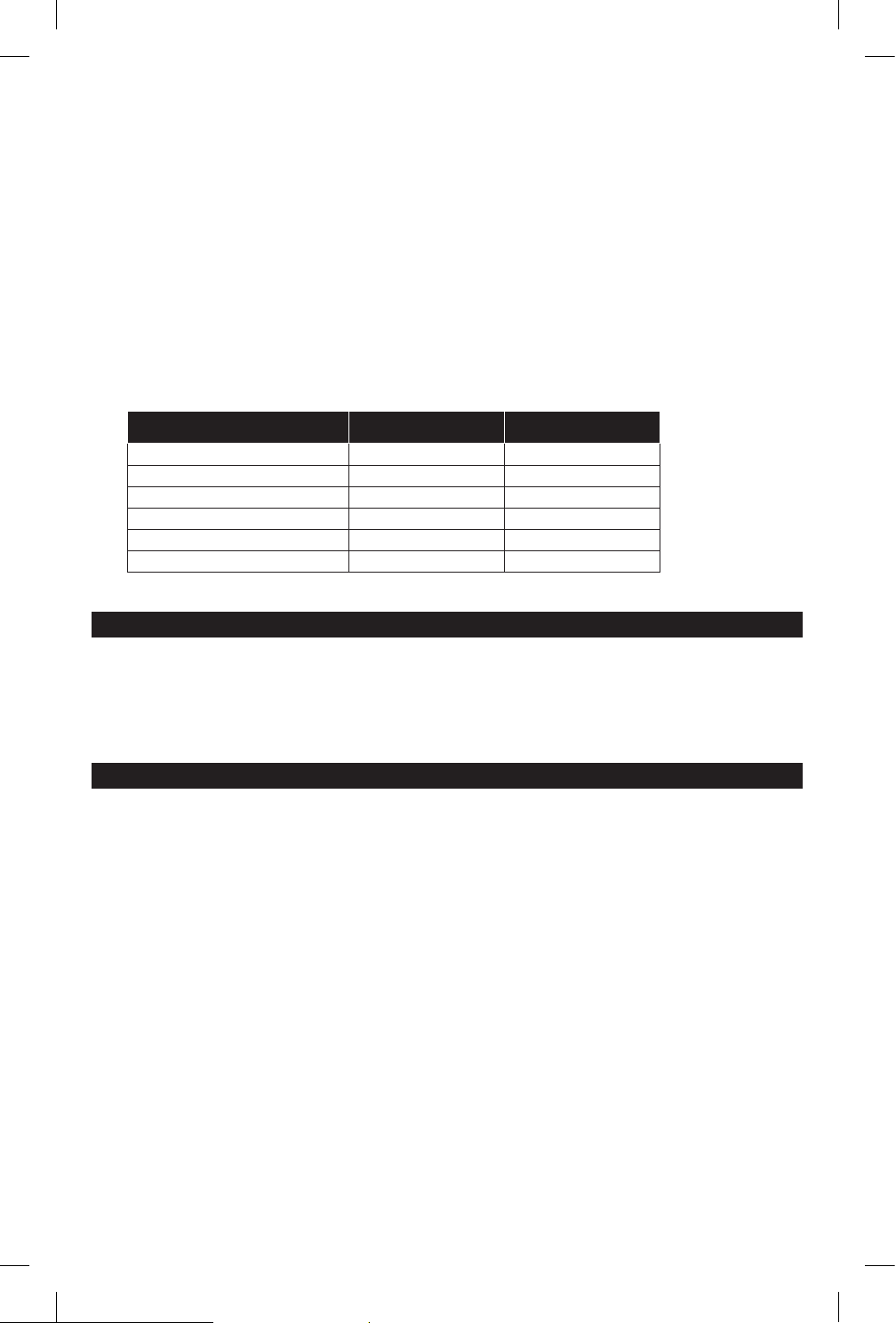
Use it for power outages and shing or camping trips. Estimated usage time is listed in the following chart.
1. Make sure the device to be powered is OFF before inserting a 12V DC accessory plug into the
12V DC socket.
2. Ensure the battery clips are securely clipped on the storage holders.
3. Open the protective cover of the 12V DC power outlet on the front of the jump starter.
4. Plug the 12V DC device into the 12V DC power outlet, and turn on the 12V DC device (if required).
5. If the 12V DC device draws more than 15A or has a short circuit, the internal circuit breaker of the jump
starter will trip and disconnect the power to the device. Disconnect the 12V DC device. The breaker will
automatically reset a short time after an overload is disconnected.
6. Recharge immediately after unplugging the 12V DC device.
NOTE: The DC power outlet is wired directly to the internal battery. Extended operation of a 12V DC
device may result in excessive battery drain.
12V DC ESTIMATED RUN-TIMES
APPLIANCE TYPE EST. WATTAGE EST. RUN TIME
Cell phone, uorescent light 4 watts 66 hrs.
Radio, fan, depth nder 9 watts 29.3 hrs.
Camcorder 15 watts 17.6 hrs.
Electric tool 24 watts 11 hrs.
Electric cooler 48 watts 5.5 hrs.
Car vacuum, air compressor 80 watts 3.3 hrs.
NOTE: Actual time may vary. Times are based on the internal battery being fully charged.
7. MAINTENANCE INSTRUCTIONS
7.1
After use and before performing maintenance, unplug and disconnect the jump starter.
7.2
Use a dry cloth to wipe all battery corrosion and other dirt or oil from the battery clips, cords and the jump
starter case.
7.3
Ensure that all of the jump starter components are in place and in good working condition.
7.4
All servicing should be performed by qualied service personnel.
8. MOVING AND STORAGE INSTRUCTIONS
8.1
Store inside, in a cool, dry place.
8.2
Do not store the clips on the handle, clipped together, on or around metal, or clipped to cables. The clips
on the jump starter are live and will produce arcing or sparking if they come in contact with each other.
To prevent accidental arcing, always keep the clips on the storage holders when not using it to jump start
a vehicle.
8.3
If the jump starter is moved around the shop or transported to another location, take care to avoid/
prevent damage to the cords, clips and jump starter. Failure to do so could result in personal injury or
property damage.
IMPORTANT: Do not use and/or store the jump starter in or on any area or surface where damage could
occur if the internal battery should unexpectedly leak acid.
8.4
IMPORTANT:
• CHARGE IMMEDIATELY AFTER PURCHASE
• KEEP FULLY CHARGED
Charge the jump starter’s internal battery immediately after purchase, after every use and every 30 days.
All batteries are affected by temperature. The ideal storage temperature is at 70°F. The internal
battery will gradually self-discharge (lose power) over time, especially in warm environments. Leaving
the battery in a discharged state may result in permanent battery damage. To ensure satisfactory
performance and avoid permanent damage, charge the internal battery every month.
0099002478-R0_DSR168_168G_EN_1023.indd 50099002478-R0_DSR168_168G_EN_1023.indd 5 11/1/23 12:03 PM11/1/23 12:03 PM
• 6 •
9. TROUBLESHOOTING
PROBLEM POSSIBLE CAUSE SOLUTION
The jump starter won’t jump
start my car.
Clamps are not making a good
connection to the battery.
The jump starter’s battery is not
charged.
The vehicle’s battery is defective.
Check for poor connection to battery
and frame. Make sure connection
points are clean.
Check the battery charge status by
pressing the Display button on the
front of the unit. The display will show
the percentage of charge.
Have the battery checked.
The jump starter won’t power
my 12V device.
The 12V device is not turned on.
The jump starter’s battery is not
charged.
The 12V device draws more than
15A or has a short circuit.
Turn on the 12V device.
Check the battery charge status by
pressing the Display button on the front
of the unit. The display will show the
percentage of charge.
Disconnect the 12V device. The
internal breaker will automatically reset
after a minute or two. Try using the 12V
device again.
The battery in the jump starter
won’t hold a charge.
The battery is bad (will not accept
a charge).
Replace the battery.
The digital display does not
light when the AC cord is
properly connected.
AC outlet is dead
Poor electrical connection.
Check for an open fuse or circuit
breaker at the supplying AC outlet.
Check power cord and extension cord
for a loose-tting plug or a damaged
cord.
0099002478-R0_DSR168_168G_EN_1023.indd 60099002478-R0_DSR168_168G_EN_1023.indd 6 11/1/23 12:03 PM11/1/23 12:03 PM
• 7 •
PROBLEM POSSIBLE CAUSE SOLUTION
Digital display is showing the
following message:
"SUL"
“F02”
"F01"
"F08"
The battery is sulfated.
A sulfated battery couldn’t be
recovered.
The battery voltage is still under
10V after 2 hours of charging.
The battery voltage drops below
12.2V for 2 hours or longer in
Maintain Mode.
The charger is in desulfation mode,
trying to recover internal battery.
Continue charging for up to 10 hours.
If desulfation is successful, charging
process will resume automatically and
digital display will show a cycling red
dot.
Desulfation was not successful. Internal
battery may be defective. Have it
checked or replaced.
Verify that nothing is draining the battery.
Make sure that USB feature is OFF and
there are no external devices connected
to the clamps or the 12VDC port. If
there are any, remove them and try to
charge again.
If there are none, the internal battery
won’t hold a charge, it may be defective.
Have it checked or replaced.
Same as above.
10. BEFORE RETURNING FOR REPAIRS
For REPAIRS OR RETURNS, visit 365rma.com
Visit schumacherelectric.com for Replacement Parts.
11. LIMITED WARRANTY
For information on our-one year limited warranty, please visit schumacherelectric.com or call
1-800-621-5485 to request a copy.
Go to schumacherelectric.com to register your product online.
The Schumacher logo is a registered trademark of Schumacher Electric Corporation.
0099002478-R0_DSR168_168G_EN_1023.indd 70099002478-R0_DSR168_168G_EN_1023.indd 7 11/1/23 12:03 PM11/1/23 12:03 PM