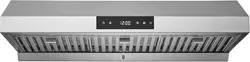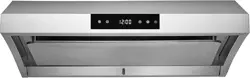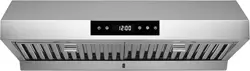
USER MANUAL
PRO500SS Model Series

2001-092424-06 PR500SS USER MANUAL
Table of Contents
Safety Information
Before installing your range hood, read the entire instruction
manual. Installers, leave this manual with the homeowner.
WARNING
SUITABLE FOR USE IN HOUSEHOLD COOKING AREA
ONLY. TO REDUCE THE RISK OF FIRE, ELECTRICAL
SHOCK, OR INJURY, OBSERVE THE FOLLOWING:
1. Use this range hood only in the manner intended by the
manufacturer. If you have the questions, contact Chef
Kitch at 1-800-929-0168 or email at info@hauslane.com.
2. Before servicing or cleaning, switch power o at service
panel and lock service panel to prevent power from being
switched on accidentally. When the service disconnect-
ing means cannot be locked, securely fasten a prominent
warning device, such as a tag, to the service panel.
3. Installation work and electrical wiring must be done by
qualified personnel in accordance with all applicable
codes and standards, including fire-rated construction
codes and standards.
4. Sucient air is needed for proper combustion and
exhausting of gases through the flue (chimney) of
fuel-burning equipment to prevent back drafting. Follow
the heating equipment manufacturer’s guidelines and
safety standards such as those published by the National
Fire Protection Association (NFPA), and the American
Society for Heating, Refrigeration and Air Conditioning
Engineers (ASHRAE), and the local code authorities.
5. When cutting or drilling into wall or ceiling, do not dam-
age electrical wiring and other hidden utilities.
6. Ducted fans must always be vented to the outdoors.
7. Do not use this unit with any solid-state speed control
device.
8. To reduce the risk of fire, use only steel ductwork
9. This unit must be grounded.
TO REDUCE THE RISK OF A RANGE TOP GREASE FIRE:
1. Never leave surface units unattended at high settings. Boil
overs cause smoking and greasy spillovers that may ignite.
Heat oils slowly on low or medium settings.
2. Always turn hood ON when cooking at high heat or when
cooking flaming foods.
3. Clean ventilating fans frequently. Grease should not be
allowed to accumulate on fan or filter.
4. Use proper pan size. Always use cookware appropriate for
the size of the surface element.
WARNING
TO REDUCE THE RISK OF INJURY TO PERSONS IN THE
EVENT OF A RANGE TOP GREASE FIRE, OBSERVE THE
FOLLOWING:
1. SMOTHER FLAMES with a close-fitting lid, cookie sheet
or metal tray, then turn o the burner. BE CAREFUL
TO PREVENT BURNS. IF THE FLAMES DO NOT GO
OUT IMMEDIATELY, EVACUATE AND CALL THE FIRE
DEPARTMENT.
2. NEVER PICK UP A FLAMING PAN as you may be burned.
3. DO NOT USE WATER, including wet dishcloths or towels.
This could cause a violent steam explosion.
4. Use an extinguisher ONLY if:
A. You own a Class ABC extinguisher and you know how
to operate it.
B. The fire is small and contained.
C. The fire department has been called.
D. You can fight the fire with your back to an exit.
*Based on “Kitchen Fire Safety Tips” published by NFPA.
Safety Information............................................... 2
Warranty Information......................................... 3
Specifications........................................................ 4
Package Contents............................................... 4
Tools Needed & Parts Included....................... 4
Preparation: What to do before installation.. 5
Read this manual......................................................................... 5
Gather your tools......................................................................... 5
Inspect the unit............................................................................ 5
Measure, Mark, and Cut the Installation Area...................... 5
Ensure There is Proper Height Clearance for
Wall or UnderCabinet Mounting.............................................. 5
Check Your Power Supply and Ducts...................................... 5
Figure Out Ducting Requirements......................................... 5
How to Install Your Range Hood..................... 7
Under Cabinet Mounting........................................................... 7
Wall Mounting.............................................................................. 9
How to Use Your Range Hood........................ 13
Basic Maintenance Instructions.................... 14
Maintaining the Bae Filter..................................................... 14
Maintining the Lighting............................................................ 14
Cleaning Your Range Hood..................................................... 15
Hauslane App....................................................... 16
Trouble Shooting Tips..................................... 23
Hauslane App Trouble Shooting Tips.......... 24
Contact Hauslane.............................................. 25

3001-092424-06 PR500SS USER MANUAL
CAUTION
1. For general ventilating use only. Do not use to exhaust
hazardous or explosive materials and vapors.
2. To avoid damage and noisy and/or unbalanced impellers,
keep drywall/construction dust, etc. o power unit.
3. Mount your range hood so that the bottom of the hood
is 24” to 30” above the cooking surface. The minimum
hood distance above cooktop must not be less than 24”;
any installation less than 24” may cause overheating and
cause damage to the range hood. For gas ranges, the
required distance is 30”. Do not exceed the maximum
height of 30” while in operation. HAUSLANE does not
warrant this improper installation.
4. Two to three installers are recommended because of the
larger size and weight of this hood.
5. To reduce the risk of fire and to properly exhaust air, be
sure to duct air outside. Do not exhaust air into spaces
within walls and ceiling or into attics, crawl space or
garages.
6. Because of the high exhausting capacity of this hood,
you should make sure enough air is entering the house to
replace exhausted air by opening a window close to or in
the kitchen.
7. Use with approved cord-connection kit only.
8. Please read product specification label on range hood for
further information and requirements.
Warranty Information
This range hood is warranted to the original purchaser to
be free of defects in material and workmanship for two (2)
years from the date of purchase.
Our obligation shall be limited to the repair or replace-
ment of a unit (at our discretion) that may prove, by our
sole examination, to be defective under normal use and
service during the warranty period. We may issue credit in
the amount of the invoice value of the defective product
(or a percentage of it according to use) in lieu of repair or
replacement. Any failure of this product that is not traceable
to a defect in material or workmanship is not covered by this
warranty. These non-warrantable items include, but are not
limited to:
• Any defects or damage to light bulbs
• Change in color or finish due to chemical usage
• Improper installation not in accordance with the
instructions
• Dents, bumps, and scratches incurred during shipping,
handling, or installation
• Damage caused by failure to follow care and cleaning
guidelines, including damage caused by the use of abra-
sive cleaners
• Alterations made to the unit by the purchaser or installer
• Damage caused by accidental impact, fire, flood, freez-
ing, and normal wear
• Bends and warping caused by forced connections,
over-tightened fittings, and inadequate support during
installation
A thorough inspection must be made before installation and
any damage must be promptly reported. We will not be lia-
ble for failures or damage that could have been discovered
or avoided by proper inspection and testing prior to installa-
tion. Incidental repairs that would involve a minimum of time
and eort on behalf of the purchaser will not be considered
warranty work and no compensation will be deemed forth
coming.
This warranty is non-transferable and shall be voided if
the unit is removed from its initial installation or if it is not
installed following the instructions.
Under no circumstance shall we be held liable for personal
injury or property damage resulting from improper instal-
lation or use of this product. We will not be held liable for
inconvenience caused by loss of use of this product, costs
incurred for labor or materials, removal and installation of
replacement units, or any other incidental or consequential
damages. Costs relating to obtaining access for repair or
replacement are the responsibility of the user.
This warranty does not extend to commercial and institu-
tional installation or use.
Warranty Claim Procedure
If a claimable defect occurs, please contact our customer
service team at 1-800-929-0168 (8 a.m.–5 p.m., PST, Monday
–Friday). or email us at info@hauslane.com.
Before you make your claim call, please ensure that you
have:
• Description of the range hood
• Proof of sale
• Details regarding the defect
• Name(s) and address(es) of the owner and installer
Claims must be filled out in writing and returned within six
(6) months of the appearance of a defect. Failure to comply
with this stipulation will make this warranty null and void.
We reserve the right to a thirty-day (30) delay following
the receipt of a claim in which to inspect the product. We
assume no responsibility for labor costs, removing or replac-
ing a previously installed product, transportation, or the
return of a product.
CALIFORNIA RESIDENTS ONLY
WARNING:
Cancer and Reproductive Harm
www.P65Warnings.ca.gov
4001-092424-06 PR500SS USER MANUAL
Specifications
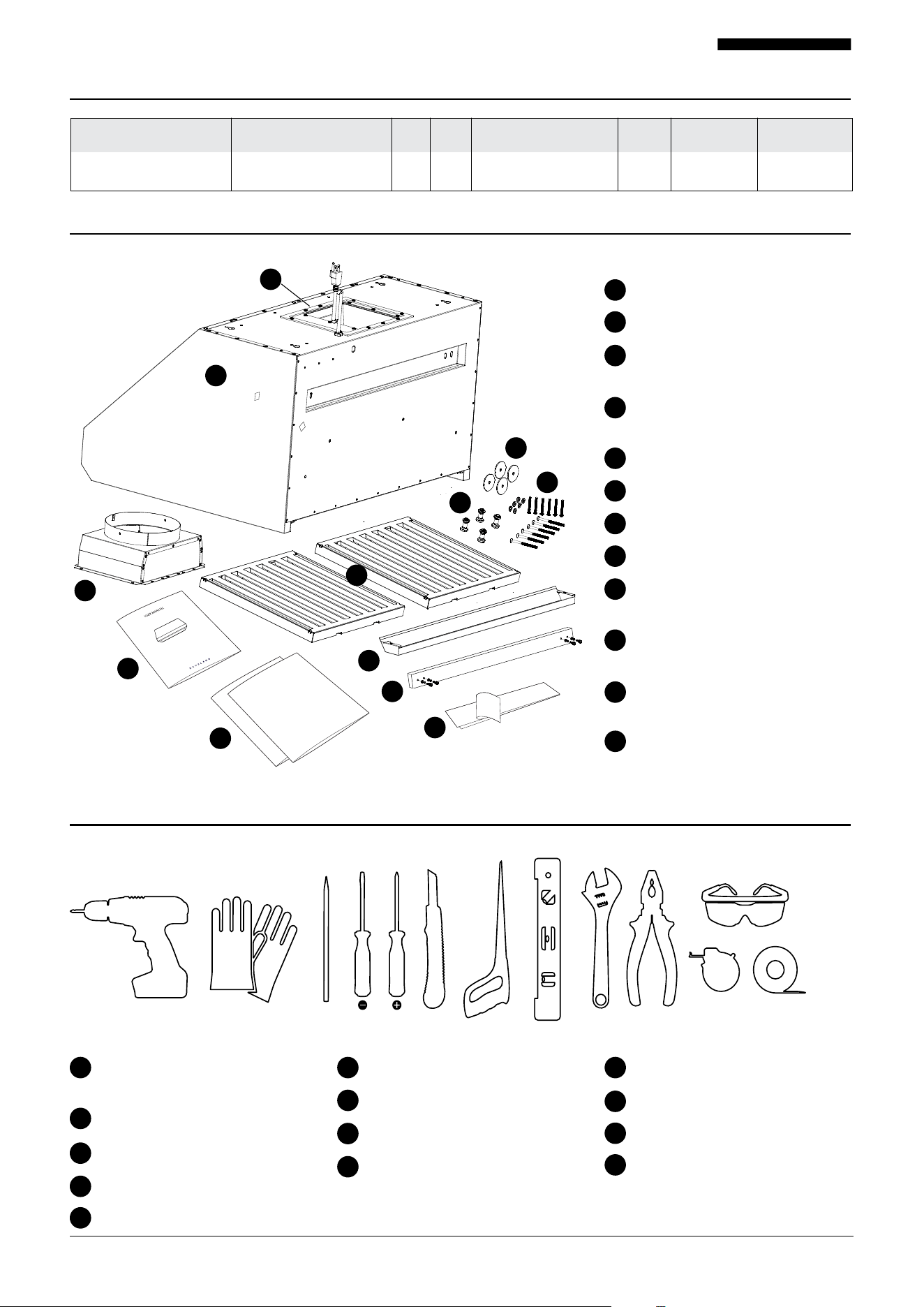
Package Contents
Tools Needed
Dimensions PRO500SS-30 Dimensions PRO500SS-36 Volts Hertz Fan CFM Speeds
Light Watage
Stainless Steel
Grade
29-3/4” W x 25” D x 18”H
35-3/4” W x 25” D x 18”H 120 60
Equivalent Airflow: 1000
Laboratory Airflow: 550
4
12W LED Strip
Range Hood
Duct Adapter
Wood Strip
(for wall mounting assembly)
Adapter Rubber Gasket
(pre-installed)
Bag of Screws
User Manual
Aluminum Tape
Grease Collector
(2) Bae Filter for 30"
(3) Baffle Filter for 36”
(4) Shock Absorbing Sponge
(for wall mounting assembly)
(4) Bae Filter Handles for 30”
(6) Baffle Filter Handles for 36”
Wall Mounting Template
and Under Cabinet Mounting
Template Instructions
1
2
3
4
5
6
7
8
9
10
11
12
Electric Drill & Extended
length head driver bit
Flathead Screwdriver
Keyhole Saw 1”
Needle Nose Pliers
Aluminum Foil Tape
Safety Gloves
Philips Screwdriver
Level
Safety Goggles
Pencil
Utility Knife
Adjustable Wrench
Measuring Tape
1 2 3
4
5
6
7
8
9
10
11
12
13
1
2
3
4
5
7
8
9
10
11
12
1 2
3 4 5 6 7 8 9 10
11
12 13
6
430
5001-092424-06 PR500SS USER MANUAL
Parts Included
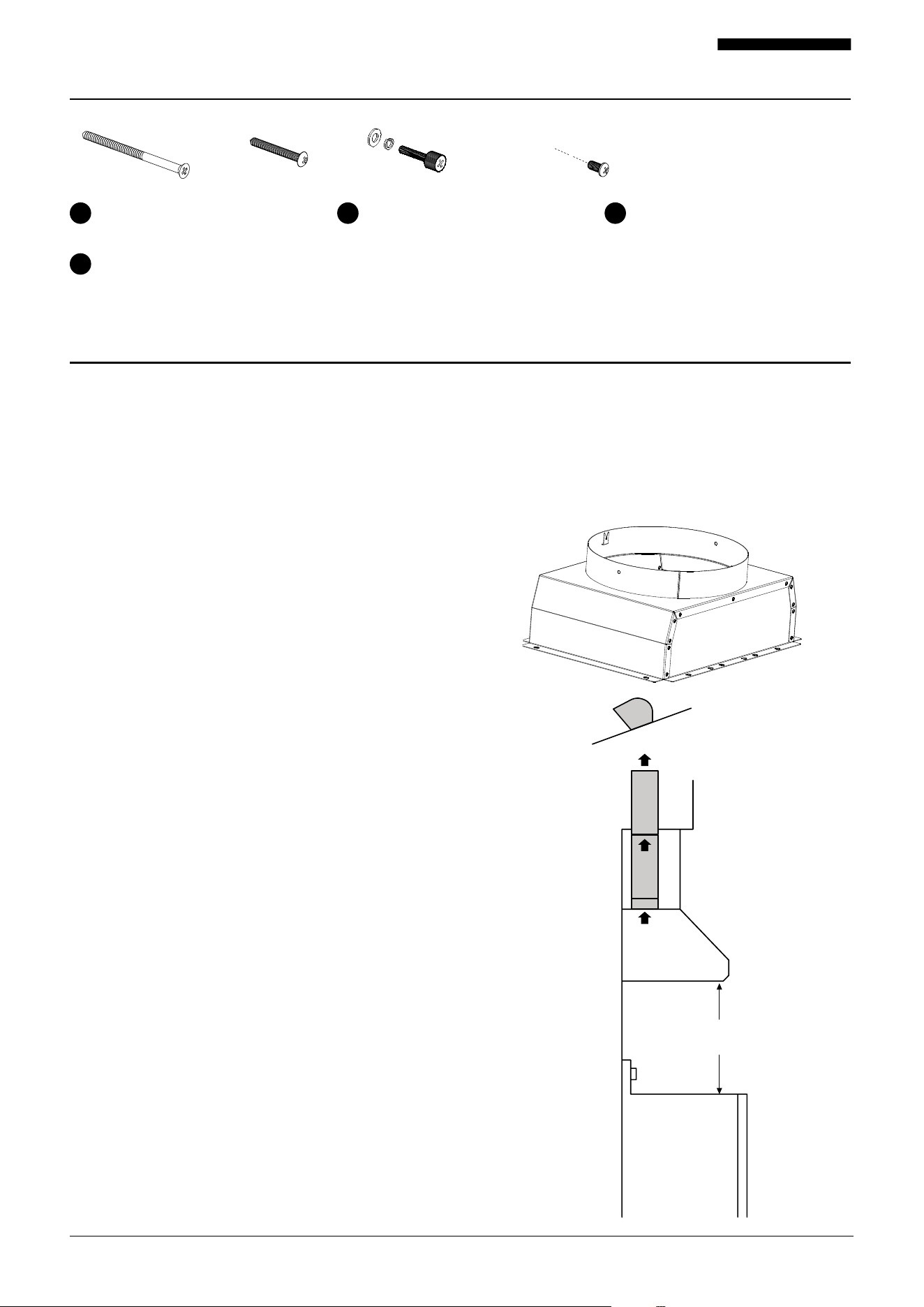
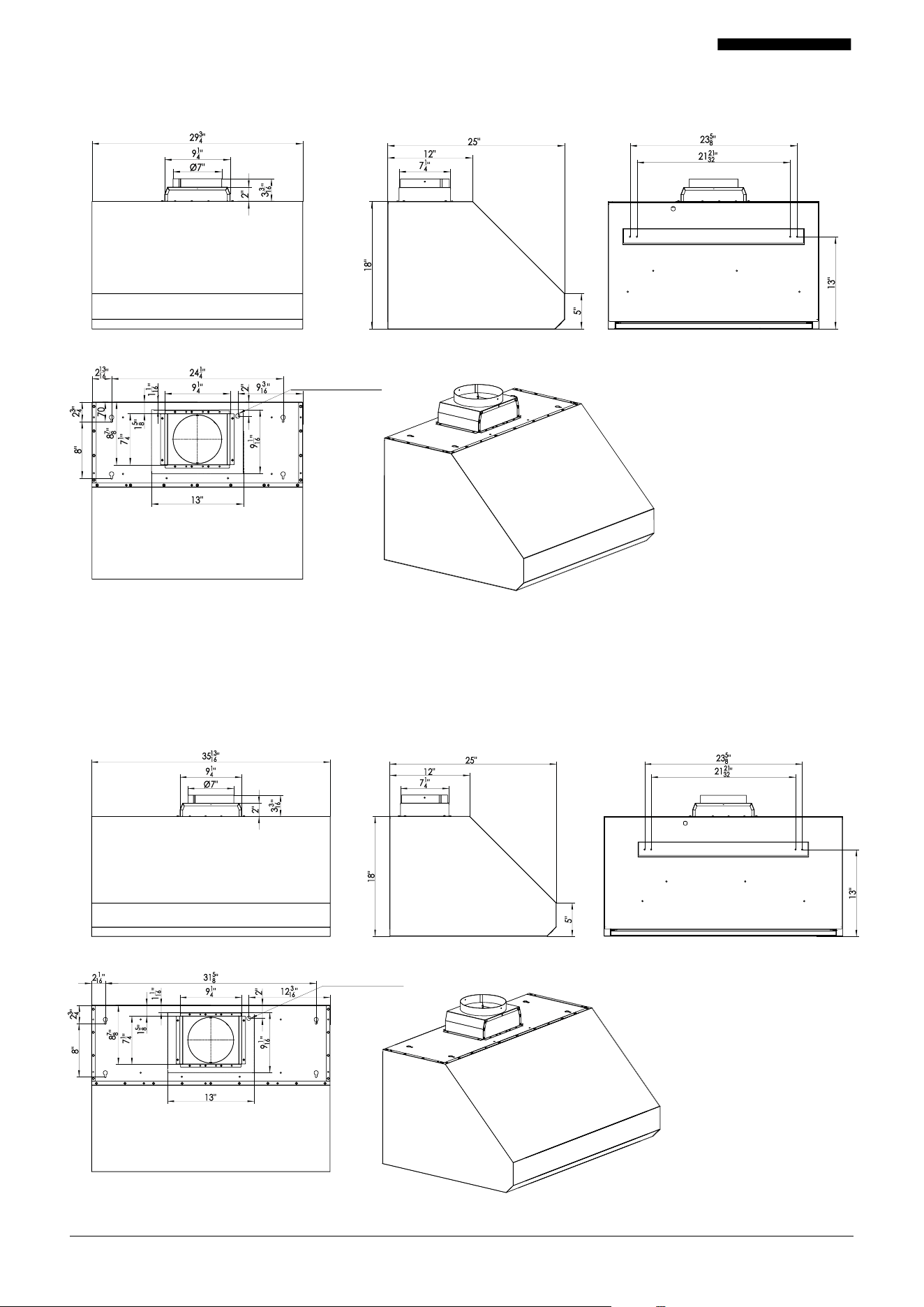
6 x 5*80 Set of wood strip mount-
ing screws (AA) to attach to wall
6 x ST4. 8*40 Hood cabinet mount-
ing screws with washers (BB)
4 x M4*20 Wood strip screws with
washers (CC) (pre-assembled)
1 2 3
4
Preparation: What to Do Before Installation
1 2 3 4
Before installing your range hood, carefully follow these steps:
1. Read This Manual
Read through all the steps. If you fail to read the instruc-
tions carefully, we will not be responsible for damages
incurred on your part. If you’re not confident in your
abilities to install the range hood properly, we recommend
hiring a certified technician to complete the installation.
2. Gather Your Tools
Ensure you have all the necessary tools according to the
previous page.
3. Inspect the Unit
Unpack the unit and check your range hood for damage
or missing parts. Plug it in to an outlet to ensure the fan
and lights work. If anything is damaged or missing, con-
tact the seller to get the issues solved. Don’t throw away
packaging until you’re sure you are fully satisfied with the
product.
4. Measure, Mark, and Prepare the Installation Area
Depending on where the installation would be (under
cabinet or wall mount), follow the instructions of the
mounting template to ensure the proper installation.
5. Ensure There is Proper Height Clearance for Wall or
UnderCabinet Mounting
To ensure the highest performance, the bottom of your
range hood must be between 24" and 30" from the top of
the cooking surface. For gas ranges, the required distance
is 30". Do not exceed the maximum height of 30" while in
operation. This is very important! Installing at the incor-
rect height could lead to drastic reduction in the range’s
performance or even cause a fire.Follow the mounting
template provided to properly mark and installed the
range hood.
6. Check Your Power Supply and Ducts
Check to ensure your main voltage is in line with the
required voltage outlined on the rating plate inside this
hood. Also check the domestic power supply to guarantee
adequate earthing before installation.
This range hood must be ducted to the outside. Don’t con-
nect the range hood to exhaust ducts that carry any type
of combustion fumes like fireplaces, boilers, or any similar
items. The vent should have a short, straight run to
the outside. Avoid any elbows if possible, and if an elbow is
required, a minimum of a 12” straight run is imperative before
the elbow.
7. Figure Out Ducting Requirements
This range hood requires ducting to the outside for venti-
lation. This range hood comes with a vertical 7” round duct
adapter.
External roof
cap by others
7" round vertical
through cabinet
30" maximum
24" minimum
4 x Bae filter handles for 30" (with screws and washers) (DD)
6 x Bae filter handles for 36” (with screws and washers) (DD)
6001-092424-06 PR500SS USER MANUAL
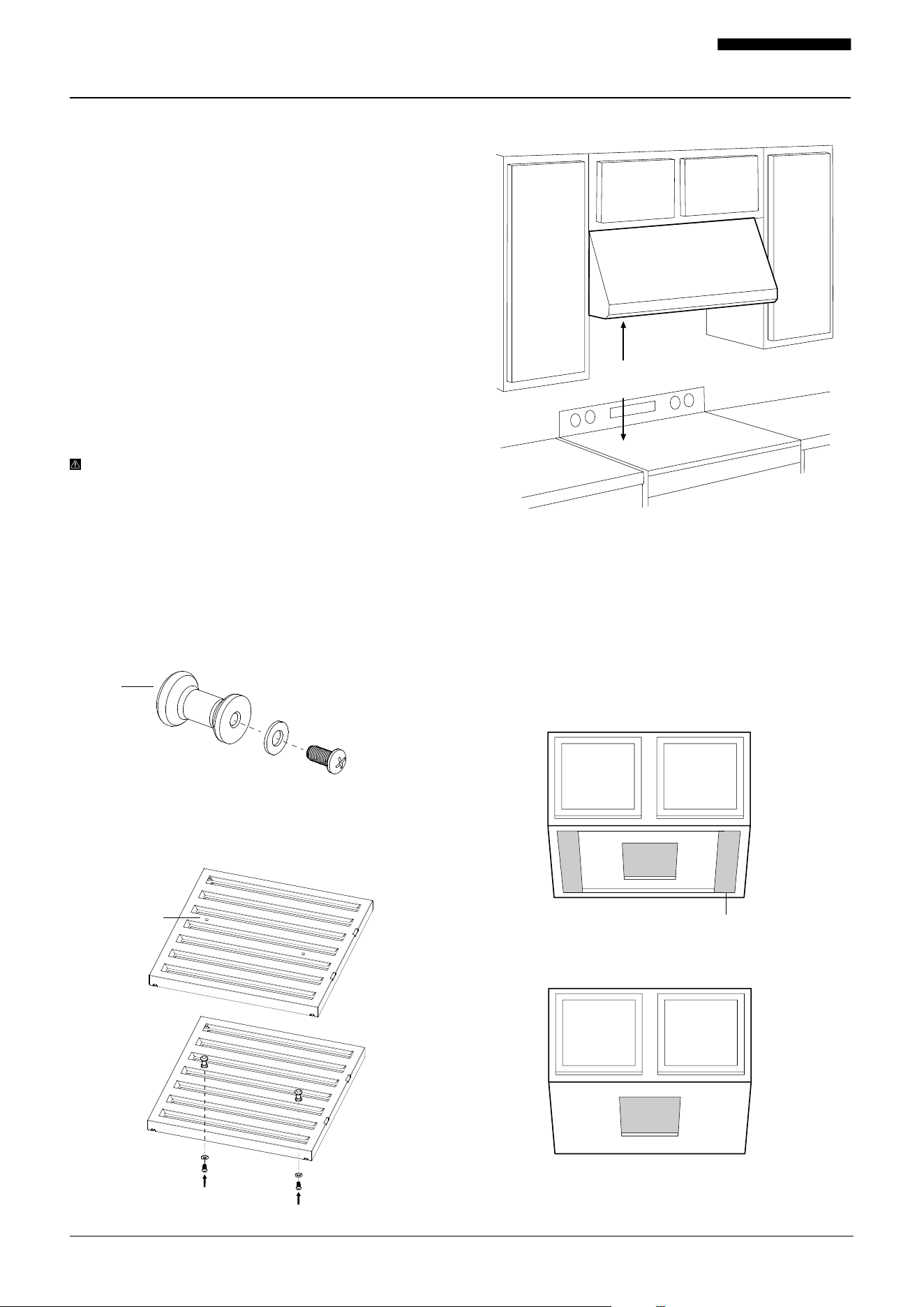
PRO500SS-30
Detailed Drawing
PRO500SS-36
Detailed Drawing
FRONT SIDE BACK
TOP
FRONT SIDE BACK
TOP
Location for wall plug
Location for wall plug
7001-092424-06 PR500SS USER MANUAL
How to Install Your Range Hood
When you’ve completed all the preparation steps, including
the preparation of the mounting location with the mounting
template, you’re ready to install your range hood.
1. Carefully Remove Packaging
Open the box and flip it upside down, then lift the box up
to carefully unbox the range hood. Remove any packag-
ing, including the plastic wrap and protective plastic film,
from the hood. You can use stainless steel cleaner to wipe
down the surface if desired. Keep all packaging materials
until you are satisfied with our product.
2. Test the Unit and Ensure You Are Satisfied With It
Check your range hood for damaged or missing parts.
Plug it in to an outlet to ensure the fan and lights work. If
anything is damaged or missing, contact the seller to get
the issues solved. Don’t throw away packaging until you’re
sure you are fully satisfied with the product.
IMPORTANT: Over the range hood and test all func-
tions before proceeding with the installation. If the range
hood is not working properly, please contact us at (1-800-
929-0168 / in[email protected]om).
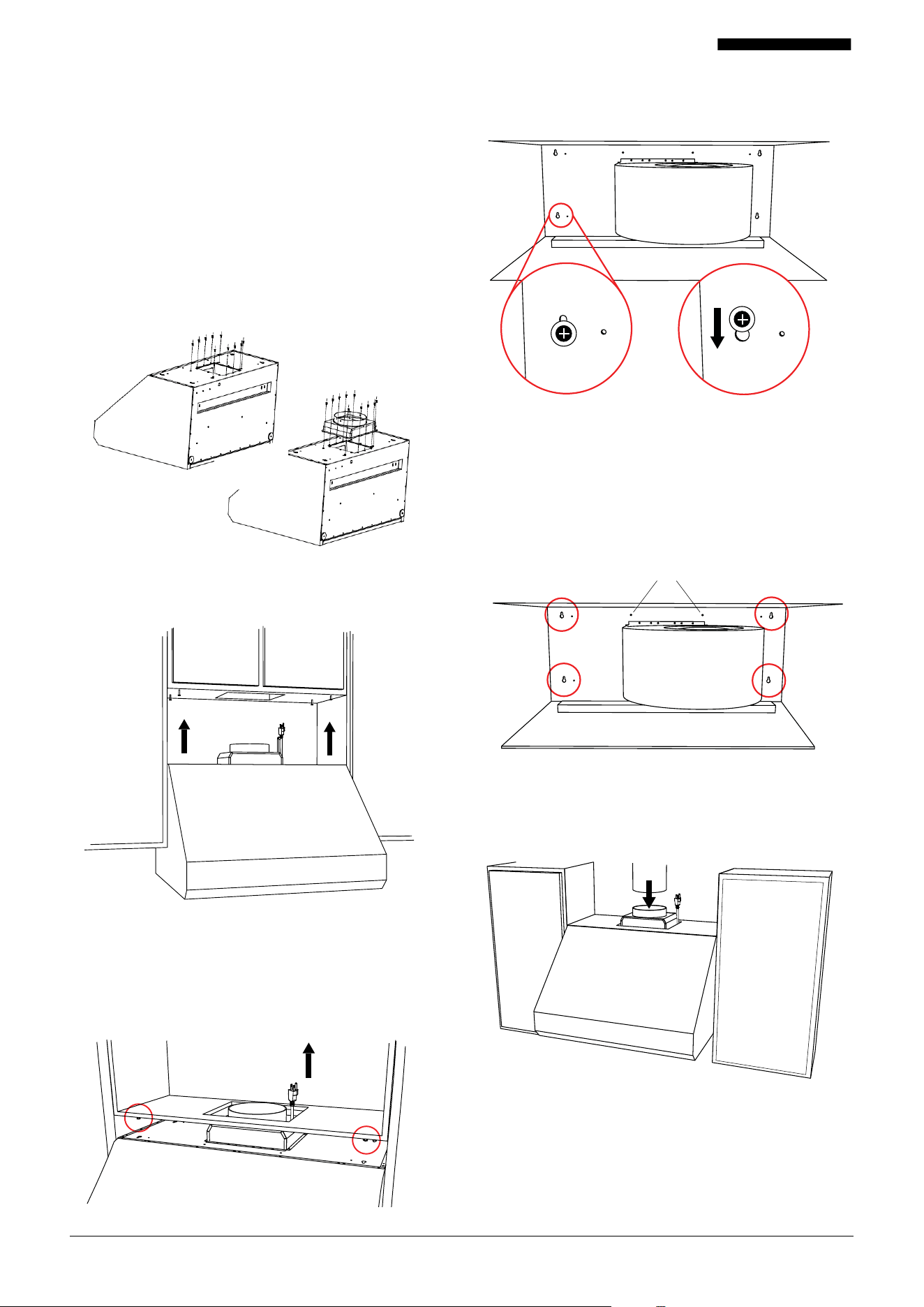
Fig. A
Fig. B
Bae Assembly
1. Locate the bae filters, handles, screws, and washers
for assembly.
2. Assemble screws and washers with the Bae Filter handles.
3. Use the pre-made round holes on the bae filters.
Assemble the screws with washers so the handles are to
the outside of the bae filter.
4. There are two handles per bae filter assembly.
Under Cabinet Mounting
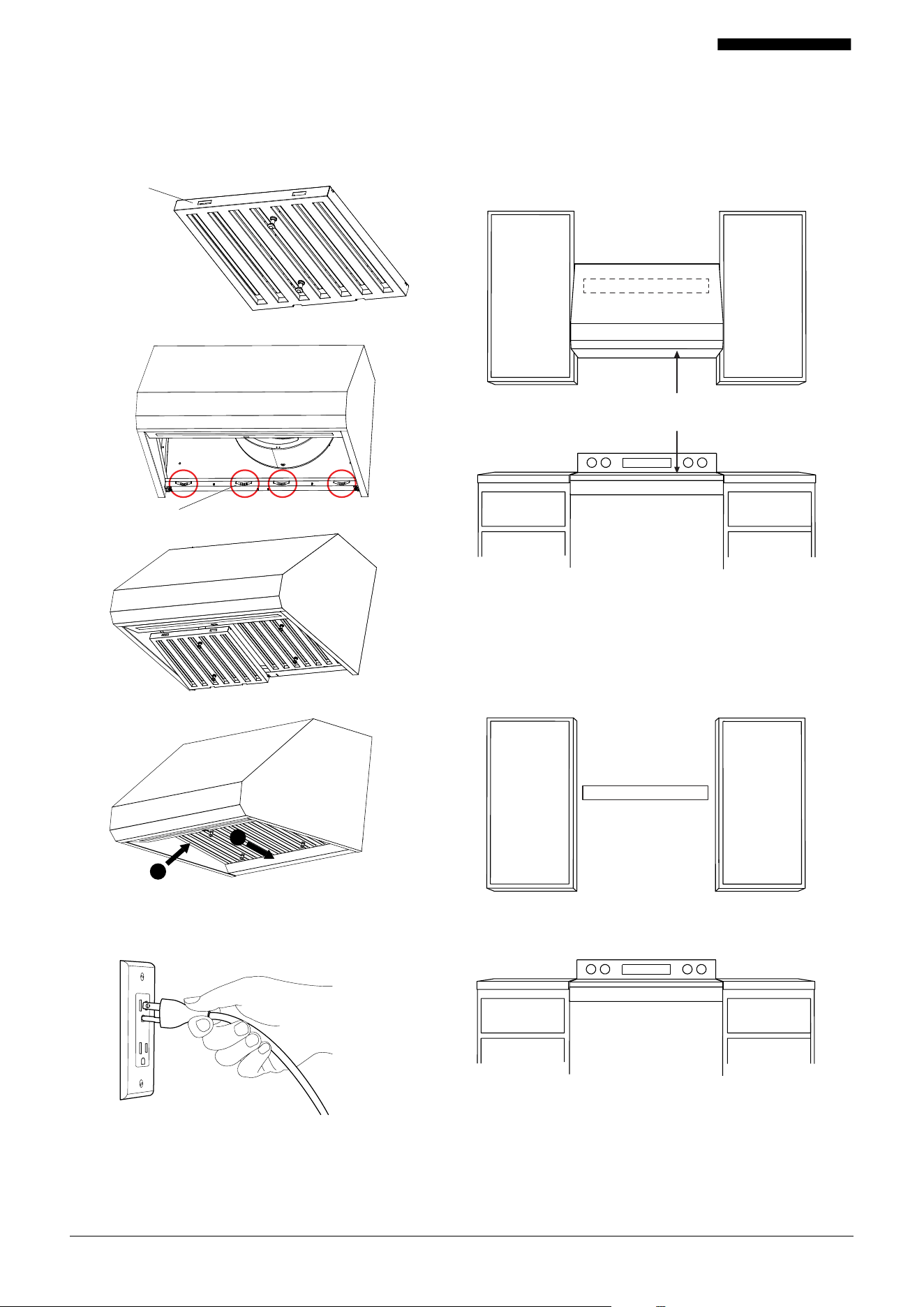
Note: Minimum distance between the top of the range and
the bottom of the hood is 24" for electric ranges and 30"
for gas ranges.
1. There are two types of cabinet bottoms.
One has a recessed bottom (fig. A) and the other one is a
flush bottom (fig. B). We recommend to add a wood filler
to make up the gap of the recessed area for fig. A.
24"
minimum
We recommend to add wood
filler along front and sides.
Handle
Pre-made holes
8001-092424-06 PR500SS USER MANUAL
3. Bring the range hood under the cabinet as prepared by
the under cabinet mounting template instructions.
4. Run the power cord and duct adapter from the bottom
of the cabinet through the pre-cut hole. Align the hood’s
slotted holes with the 4 screw (BB). Then slide the hood
towards the wall ensuring the 4 screws on the cabinet are
engaged on the hood slotted holes.
2. Duct Adapter Assembly.
a. Remove the securing tape from the duct adapter flapper.
Failure to do this will inhibit the proper airflow through
the range hood.
b. Remove the screws holding the pre-assembled rubber
seal to the top of the hood.
c. Make sure the rubber seal remains in place. Please the
duct adapter on top of the seal ensuring the screw holes
match the holes on the seal and hood.
d. Re-attach and tighten screws ensuring the duct adapter
is pressing tightly on the rubber seal.
The screws must be in position as described on the Under
Cabinet Mounting Template.
5. Once in place, remove each of the 4 (BB) screws and
re-attach the screw with a washer (BB) at a time. You
will have 2 additional (BB) screws and washers to attach
to properly install the hood under the cabinet. This will
improve the mounting security of the hood to the bottom
of the cabinet.
Two additional screws.
6. Connect the duct to the duct adapter. Then use the alumi-
num tape to seal and hold in place the duct and adapter.
9001-092424-06 PR500SS USER MANUAL
Wall Mounting
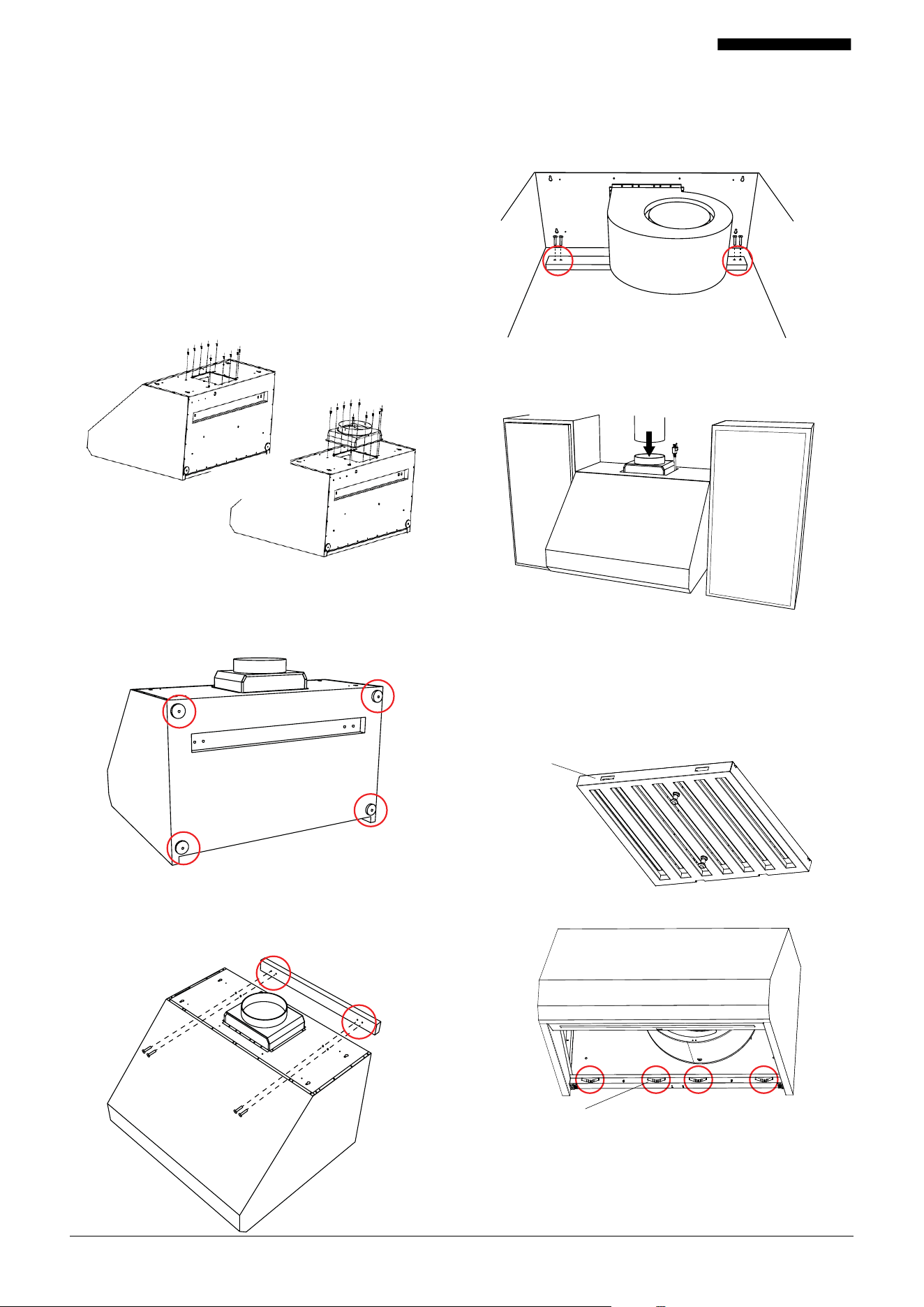
Note: Minimum distance between the top of the range and
the bottom of the hood is 24" for electric ranges and 30"
for gas ranges.
1. Pre-mounted the wood strip on the wall using the screws
(AA) per the wall mounting template. The wood strip
comes with 4 pre-assembled screws to installed the range
hood against the wood.
9. Test your new range hood to ensure it is secure and
working properly.
10. Keep this manual. Put this manual in a safe place and
keep for further reference.
24"
minimum
wood strip
7. Install the bae filter by ensuring the handles are on the
bottom and the engagement holes is towards the front
of the hood. Then push the back of the bae filter against
the springs and swing the front to lock in place.
8. Plug in the power cable.
wood strip
Engagement Holes towards the front.
Push Back
Swing the Frront
Springs
1
2
10001-092424-06 PR500SS USER MANUAL
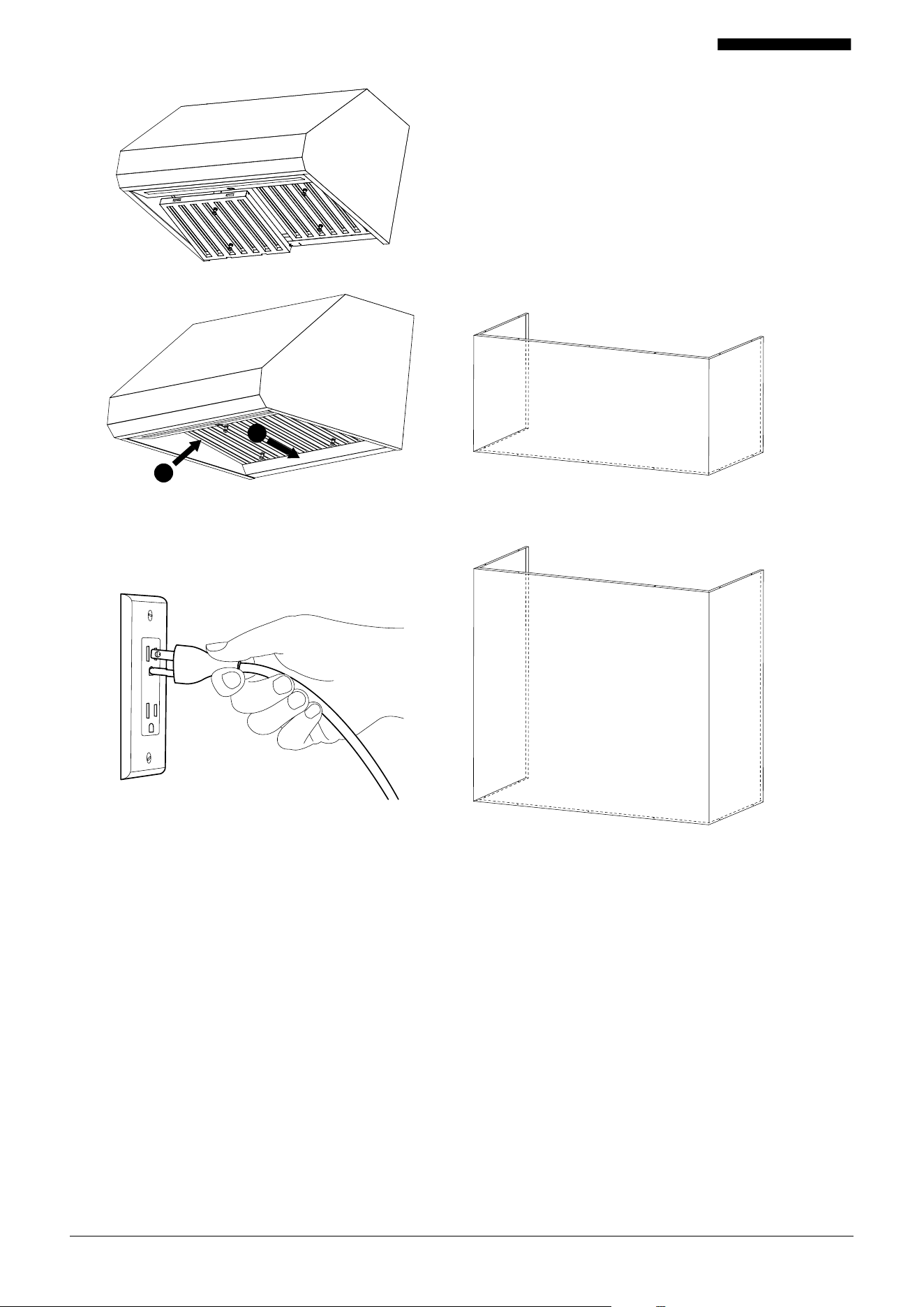
6. Connect the duct to the duct adapter. Then use the alumi-
num tape to seal and hold in place the duct and adapter.
3. Add the shock absorbing sponges to the back of the 4
corners of the hood. One side of the sponge has an adhe-
sive to easily stick to the hood.
4. Remove the 4 pre-assembled screws from the wood strip.
Align the hood’s back cavity with the wood strip mounted
on the wall.
5. Re-attach the 4 pre-assembled screws to properly
install the range hood on the wall. Ensure screws are
tighten and secured in place.
2. Duct Adapter Assembly.
a. Remove the securing tape from the duct adapter flapper.
Failure to do this will inhibit the proper airflow through
the range hood.
b. Remove the screws holding the pre-assembled rubber
seal to the top of the hood.
c. Make sure the rubber seal remains in place. Please the
duct adapter on top of the seal ensuring the screw holes
match the holes on the seal and hood.
d. Re-attach and tighten screws ensuring the duct adapter
is pressing tightly on the rubber seal.
7. Install the bae filter by ensuring the handles are on the
bottom and the engagement holes is towards the front
of the hood. Then push the back of the bae filter against
the springs and swing the front to lock in place.
Engagement holes towards the front.
Springs
11001-092424-06 PR500SS USER MANUAL
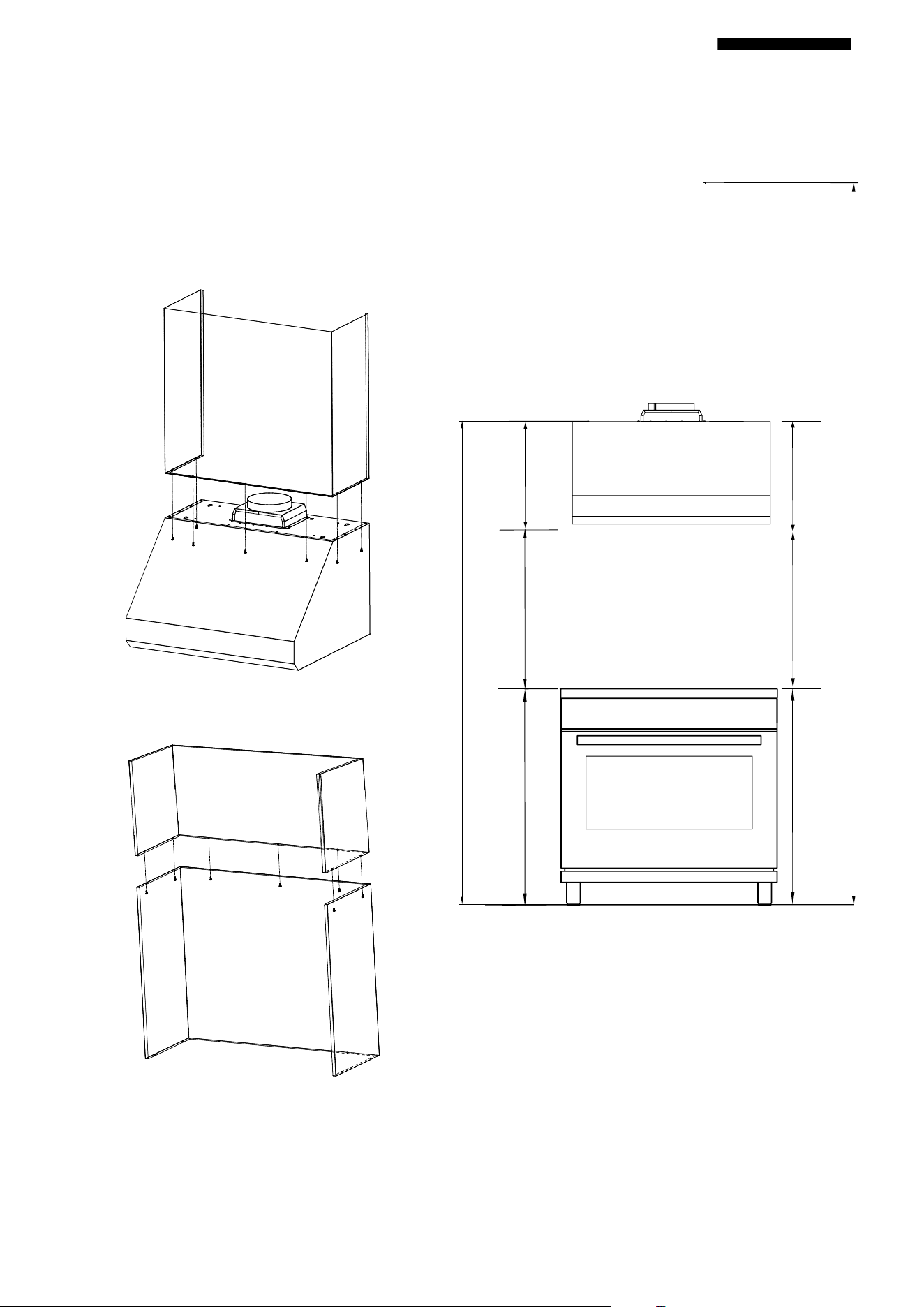
Chimney Kit
*For wall mount installation.
If a chimney kit is needed, these are sold separately. Please
call 1-800-929-0168 or visit us online at www.hauslane.com.
Chimney Kit Options
8. Plug in the power cable.
9. Test your new range hood to ensure it is secure and
working properly.
10. If installation requires chimney kit, there are optional.
See how to install the chimney for parts numbers and
instructions.
11. Keep this manual. Put this manual in a safe place and
keep for further reference.
Push Back
Swing the Front
CHK-007 12" x 30"
CHK-008 12" x 36"
CHK-009 24" x 30"
CHK-010 24" x 36"
Depending on your required height the chimney kit can be
used in combinations.
Screws will be provide when the chimney kit are ordered.
1
2
12001-092424-06 PR500SS USER MANUAL
Fig. A
Fig. B
Max Installation
Range Hood Clearance
Electrci range: 24"–30"
Gas range: 30"
Maximum and Minimum Installation Height
132"
18"
24"
36"
30"
If installing one chimney kit, align the screw holes over
hood screw holes. Then attach the provided screw from
the inside of the hood (fig. A).
If installing multiple chimney kits, assemble the kits first
(fig. B), then proceed to mount over the hood (fig. A)
Min Installation
78"
36"
18"
13001-092424-06 PR500SS USER MANUAL
How to Use Your Range Hood
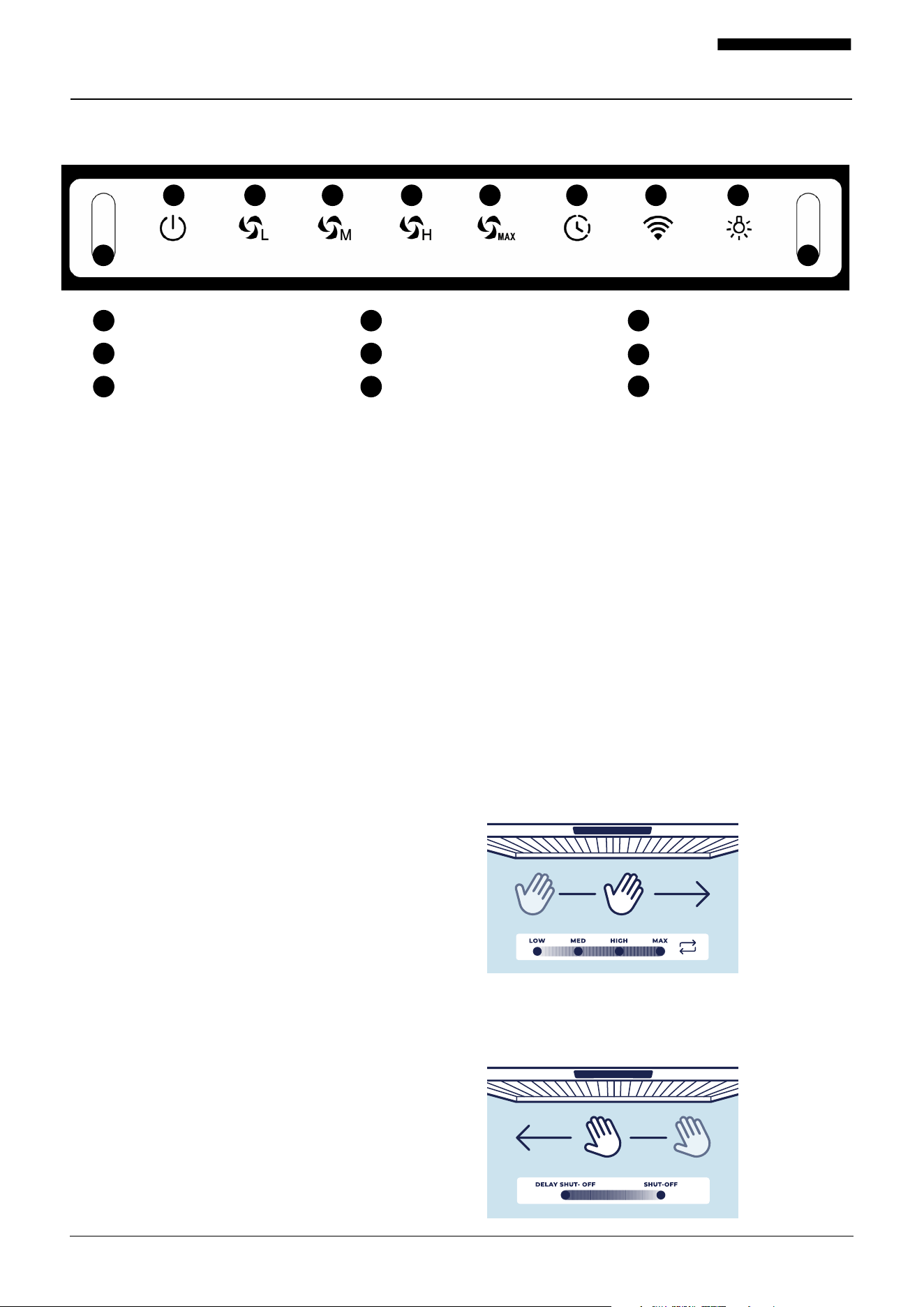
Now that your range hood is installed, it’s time to learn how to use it. It is very
simple to use and is operated entirely using the front control panel.
1. How to power On/O
Press the power icon (1) to turn On the range hood.
The icon will turn light blue in color.
Note: If the power is turned On and no function is selected,
after 60 seconds the range hood will automatically turn O.
2. How to set the fan speed
Press the power icon (1) to turn the range hood On. This
will illuminate in white the icon functions available in the
control panel. Then select the desire fan speed icon setting
between (2, 3, 4, 5). The fan speed icon selection will then
illuminate in blue.
3. How to Turn On the Delay Function
While the range hood is turned On and the fan is oper-
ating, press the delay function icon (6) and it will
automatically start a default 5 minute count down. The
delay function icon (6) will turn blue and will be blinking
to note it is active. When the delay function is turned
On, the range hood will automatically change fan speed
to Low. While in this operation, the fan speeds can be
changed by pressing the (2, 3, 4, 5) icons and the light can
be turn On/O (8). If the fan is turned O, this will cancel
the delay function.
Note: Delay function can only be initiated when the fan is
operating.
4. WIFI
The WIFI icon will start searching for a connection as soon
as the range hood is powered ON.
Connecting your range hood
To initiate the pairing mode, power On the range hood.
Then, press and hold the WIFI icon for 3 seconds. The
icon will turn blue and it will be blinking. The WIFI icon is
now in the discovery mode. You have 3 minutes to estab-
lish the connection.
Note: If the connection is not established, the WIFI icon
will turn white. You can try connecting again by pressing
the WIFI icon for 3 seconds.
Power On/O
High Fan Speed
Wifi
Low Fan Speed
Max Fan Speed
Light
Medium Fan Speed
Delay Function
Gesture Control Sensors
1 2 3
4
5
6
7
8
9
1 2 3 4 5 6 7 8
9 9
5. How to Turn the Lights On/O
This range hood has one light setting. Press the light icon
(8) to turn the light On/O. When the light is On, the icon
will be in blue color.
6. Gesture Control Sensors
This range hood is equipped with sensors to manage
some functions by hand gestures. By waving you hand
from left to right in front of the control panel, you can
change the fan speeds. For example:
Waving hand from left to right
• With the range powered On, first time, the range hood
will start in low speed and turn light On
• Second time, it would go to medium speed
• Third time, it would go to High speed
• Fourth time, it would go to Max speed
• If the hand is waved six times, the fan speed will start
again at low speed
Waving hand from right to left
• While the range hood is turned On, first time wave will
initiate the delay function
• Second time, it will power O range hood
14001-092424-06 PR500SS USER MANUAL
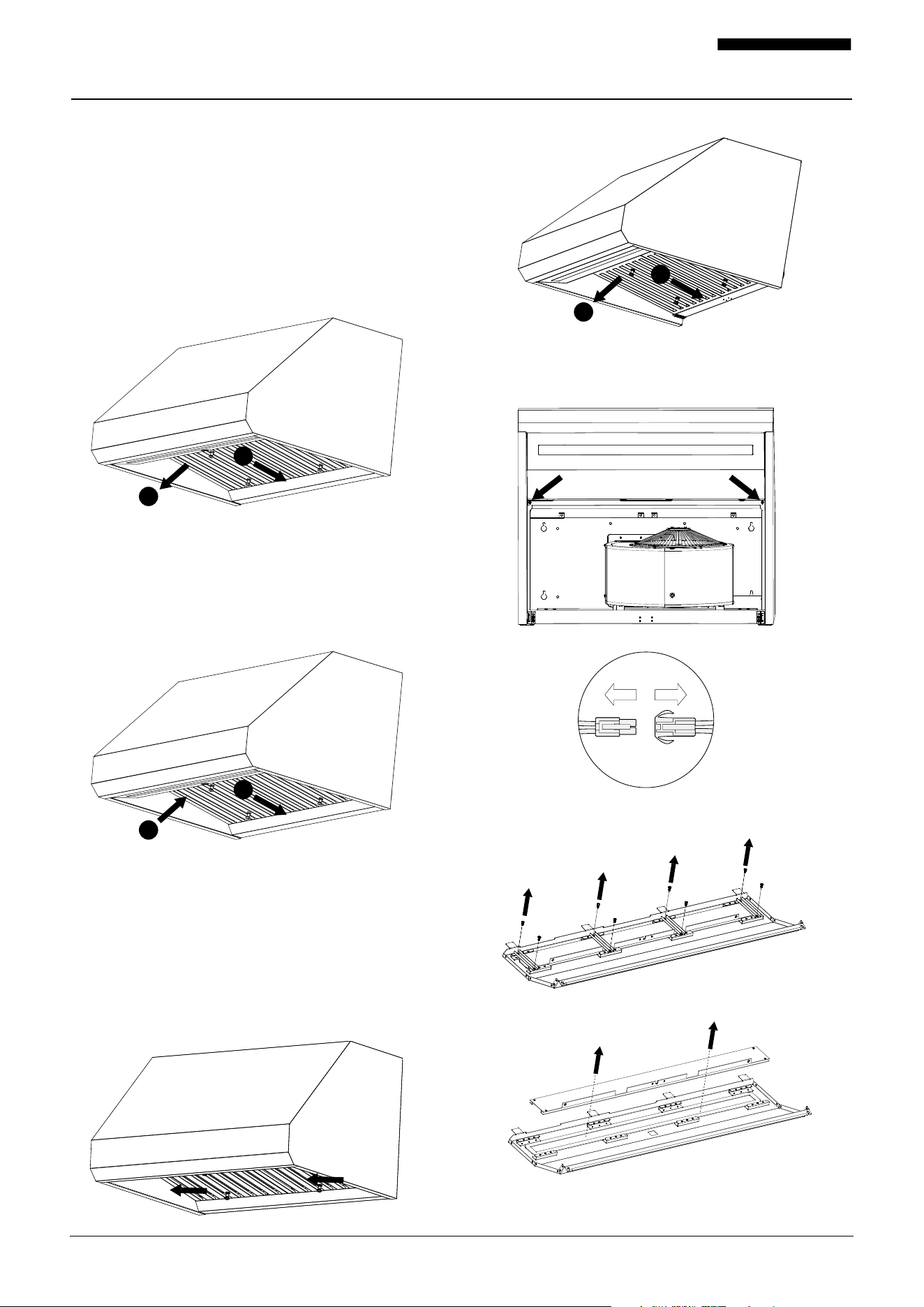
3. Remove bae filter to access the light panel screws.
4. Remove the two screws pointed by the arrows and remove
the light panel. Carefully dis-engage the electrical wires.
5. Remove the screws that hold the LED light in place.
6. Take out the LED.
Basic Maintenance Instructions
Maintaining the Bae Filter
Clean the grease filters frequently—we suggest cleaning
every 2 weeks. For your convenience, the filters are dish-
washer safe!
1. Remove the bae filters from the hood by pushing the fil-
ter knob inward. Then, carefully pull the bae filter down
and remove it gently.
2. Clean the bae filters with warm water and detergent,
or place them in the dishwasher. Be careful with the filters
to avoid damage.
3. Let the bae filters dry completely.
4. Reinstall the bae filters.
Maintaining the Lighting
This range hodd uses one lamp.
1. Turn o power. Allow light panel to cool completely before
removing, if needed (about 5 minutes).
2. To remove the oil cup, pull the cup with both hands
towards you to dis-engage it from the bottom of the hood.
Your range hood requires some easy routine maintenance
to keep it running eciently.
1
2
2
1
1
2
15001-092424-06 PR500SS USER MANUAL
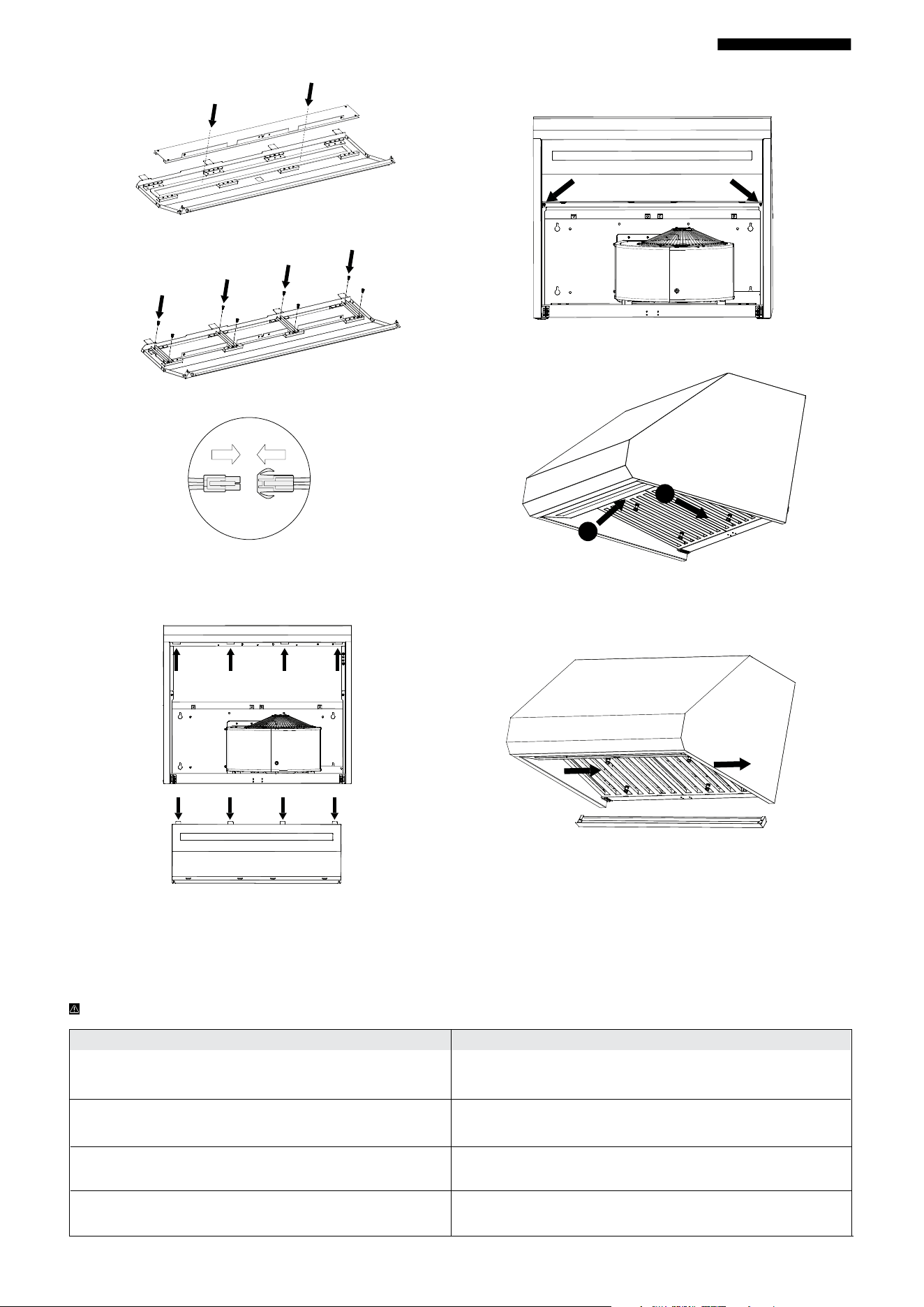
8. Secure LED light with screws and strips.
9. Reconnect the lamp wiring connector.
10. Align the light panel latch with the rectangular holes
on the hood and install the panel. Carefully engaged the
electrical wires.
11. Secure the light panel by re-attaching the 2 screws removed
earlier.
12. Reinstall the bae filters.
13. Reinstall the oil cup. To re-install the oil cup, align the cup
ends with the hood bottom clips and slide in towards the wall.
Cleaning the Range Hood
This range hood will look great and function correctly for a long time with proper care.
Here are a few do’s and dont’s when caring for your range hood.
WARNING: Failure to maintain basic standards of care and cleaning will increase the risk of fire.
DO’S DONT’S
Clean the range hood with warm, soapy cloth or a
stainless-steel polish.
Don’t use cleaners or cloths that are corrosive or abrasive.
Don’t use detergents with ingredients like chloride, iodide, or fluoride.
Clean the hood in line with the grain of the stainless steel. Don’t leave dirt or soap residue on the hood. This can damage the sur-
face. Wash the hood’s surface and rinse immediately with clean water.
After cleaning with soap, rinse with clean water and wipe
with a clean, dry cloth.
Don’t let particles, especially construction particles (from sanding,
etc.) enter the hood. Cover the hood during room renovations.
Check the ducts and vents regularly to make sure they
are not clogged.
Don’t use flammable agents near the stove, as these can cause
explosions.
2
1
7. Replace with new lamp.
16001-092424-06 PR500SS USER MANUAL
Hauslane App
1. Welcome to the Hauslane App
Our app is fully compatible with your range hood, requiring
only a reliable 2.4 GHz frequency and a Wi-Fi connection
within range of your appliance.
By utilizing the Hauslane app, you can conveniently control
your hood remotely with user-friendly controls:
2. Setting Up Your Range Hood
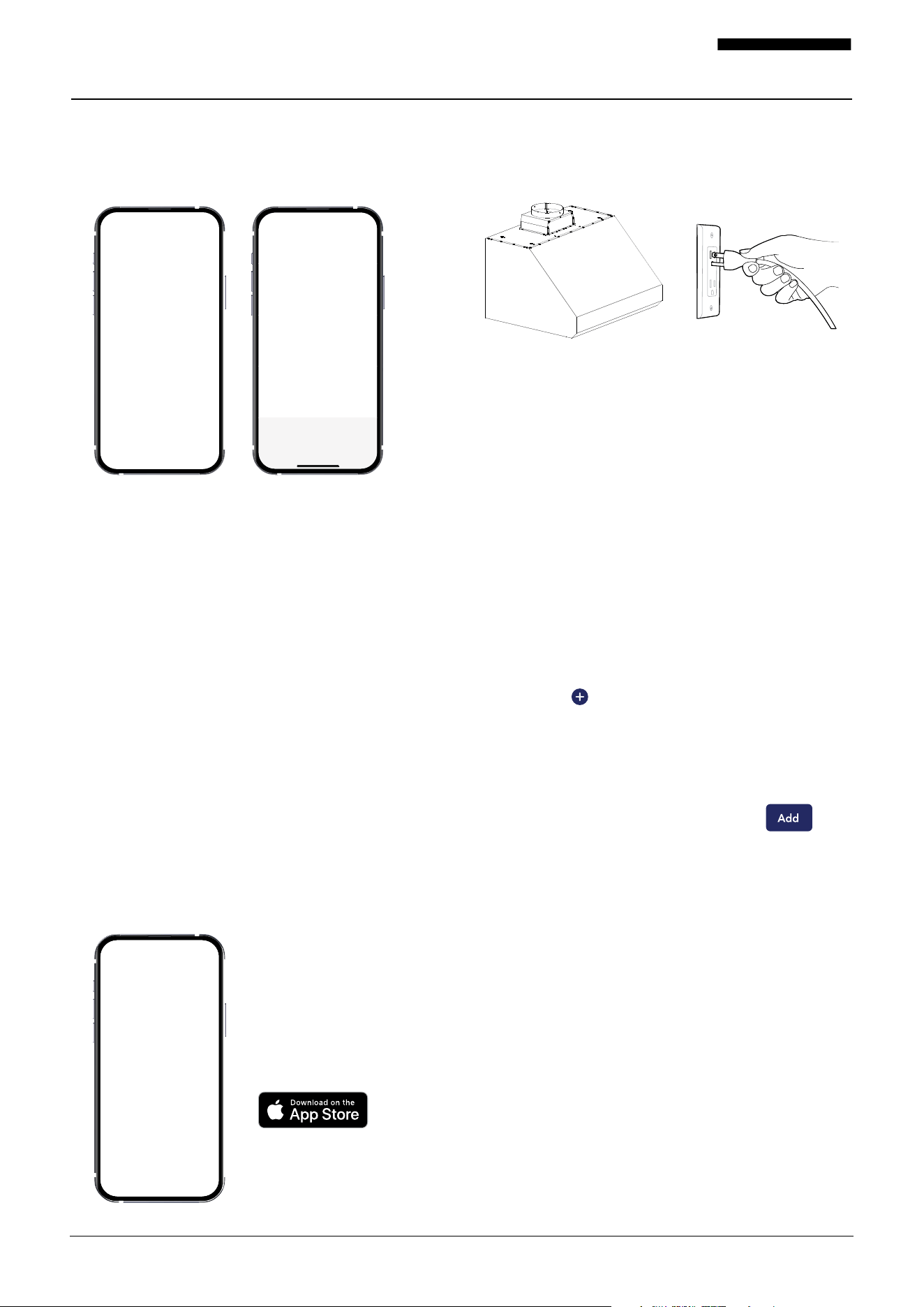
2.1 Install the Hauslane App
To download the Hauslane app, ensure you have a compat-
ible device with access to either the Google Play Store or
Apple App Store. Here are the steps:
1. QR Code: Scan one of the provided QR codes to initiate
the Hauslane app download. Or visit our website to
obtain the latest application(https://hauslane.com/)
2. App Store Search: Alternatively, open the app store on
your device and type “Hauslane” in the search bar to
locate the app.
3. Install or Get: Once you find the Hauslane app, tap the
“Install” or “Get” button to begin the download process.
• Gesture control
• Fan speed
• Delay shut-o timer
• Lighting
• Bae filter monitoring
2.2 Prepare your range hood
Ensure that your range hood is connected to a power
source and positioned within the range of your Wi-Fi network’s
coverage area.
3.1 Connecting your Range Hood
To pair the Hauslane app with your range hood, you need
to follow the steps below:
1. Make sure your range hood is installed and connected
to a power source.
2. Ensure the WIFI light button indicator of your range
hood is flashing. If not, press and hold the WIFI button
for 3s to activate. The WIFI light button indicator will
be flashing for 3 minutes. Once the WIFI button indicator
is connected, the WIFI light button indicator will stay
ON steadily.
3. Ensure that your mobile device is connected to the same
Wi-Fi network that your range hood is connected to.
4. Open the Hauslane app on your mobile device.
5. Tap the “Add Device” button located on the center of
screen or ( ) on the top right corner of the app’s
home screen.
6. The app will search for nearby devices.
7. Select “Add” under Discovering Devices...
8. Enter your Wi-Fi Information.
9. After your range hood has been added tap “Done”.
Troubleshooting for your Range Hood Connection Issues
If your range hood fails to connect to the Hauslane app, there
are several troubleshooting tips you can try to fix
the issue and connect your range hood to the app. Here are
some steps you can take:
1. Wi-Fi Network Check: Make sure that your range hood
is positioned within the coverage area of your Wi-Fi
network.
2. Restart Range Hood and App: Restart both the range
hood and the app to refresh their connections and ensure
smooth communication.
3. Update the App: Ensure that you have the latest ver- sion
of the app installed on your device to access the most
up-to-date features and functionality.
4. Manual Addition: If the range hood is not automatically
detected, you can try adding it manually. Select your
range hood’s model from the app’s menu and follow the
on-screen instructions to complete the setup process.
17001-092424-06 PR500SS USER MANUAL
Hauslane App Controls
Hauslane App Control & Interface
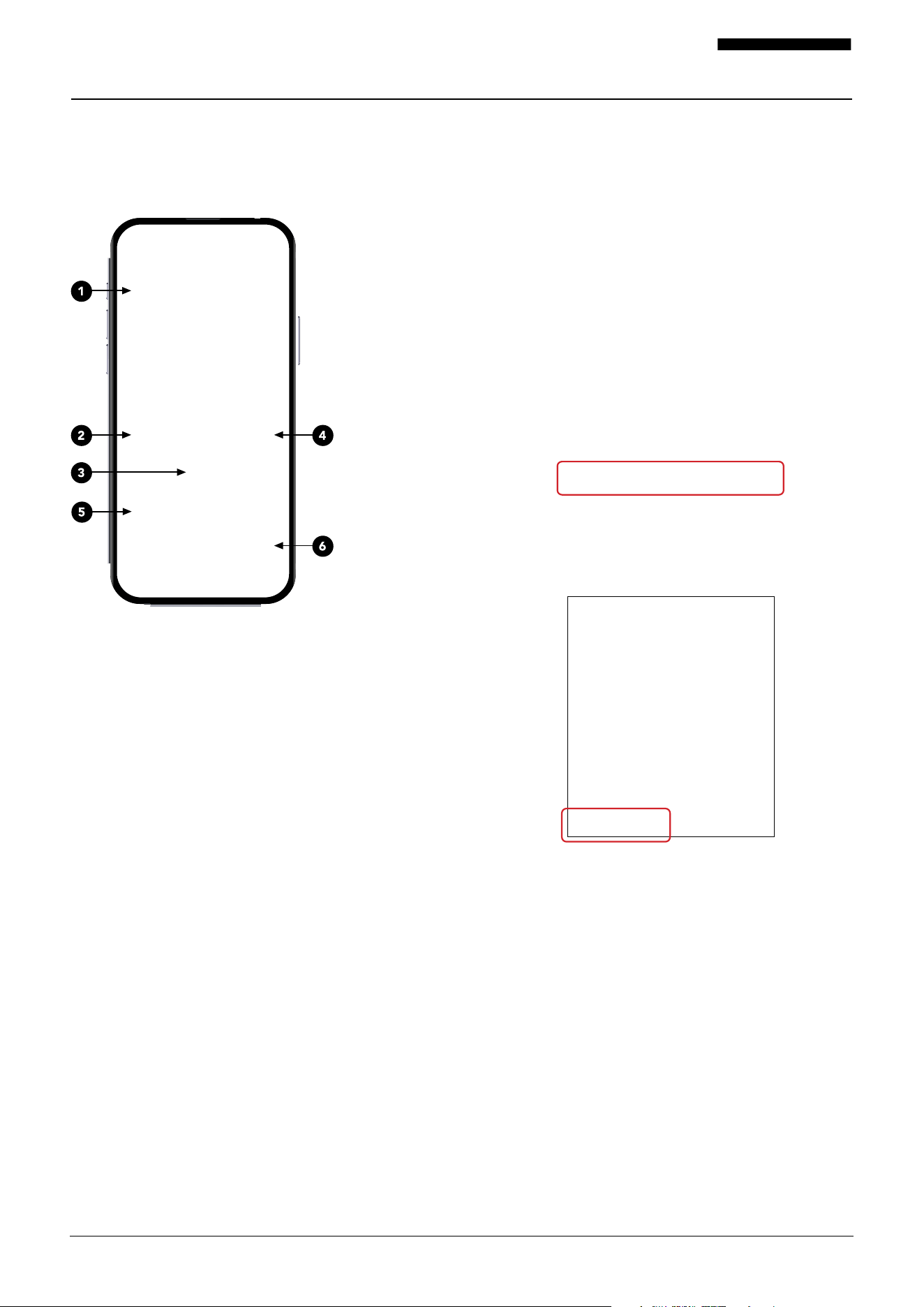
The main control panel of the Hauslane app has several UI
elements that allow you to control your range hood. Here’s
a brief overview of these UI elements:
1. Gesture Control
The range hood comes with built-in sensors that allow
you to control certain functions using hand gestures. By
simply waving your hand from left to right in front of the
control panel, you can adjust the fan speeds eortlessly.
2. Delay Shut-O
Will automatically turn o the range hood after 5 minutes.
This function operates only when the fan is ON.
3. Light Switch Button
The light button turns the range hood’s lights on and o.
4. Bae Filter Button
The Bae Filter Button on the app’s interface allows you
to reset the Bae Filter Cleaning Reminder indicator. 14
hour count down timer is the only time available to ensure
best performance.
5. Power Button
The power button turns your range hood on and o.
A. Sleep Mode: If the power button is activted but no
other functions are enganged, the range hood will go
to a sleep mode after 1 minute.
6. Fan Speed Buttons
Adjusting the fan speed of your range hood is made
eortless through the app’s Fan Speed Buttons. These
buttons provide you with the flexibility to choose from
multiple fan speeds, allowing you to customize the airflow
based on your specific cooking requirements.
Hauslane App Features
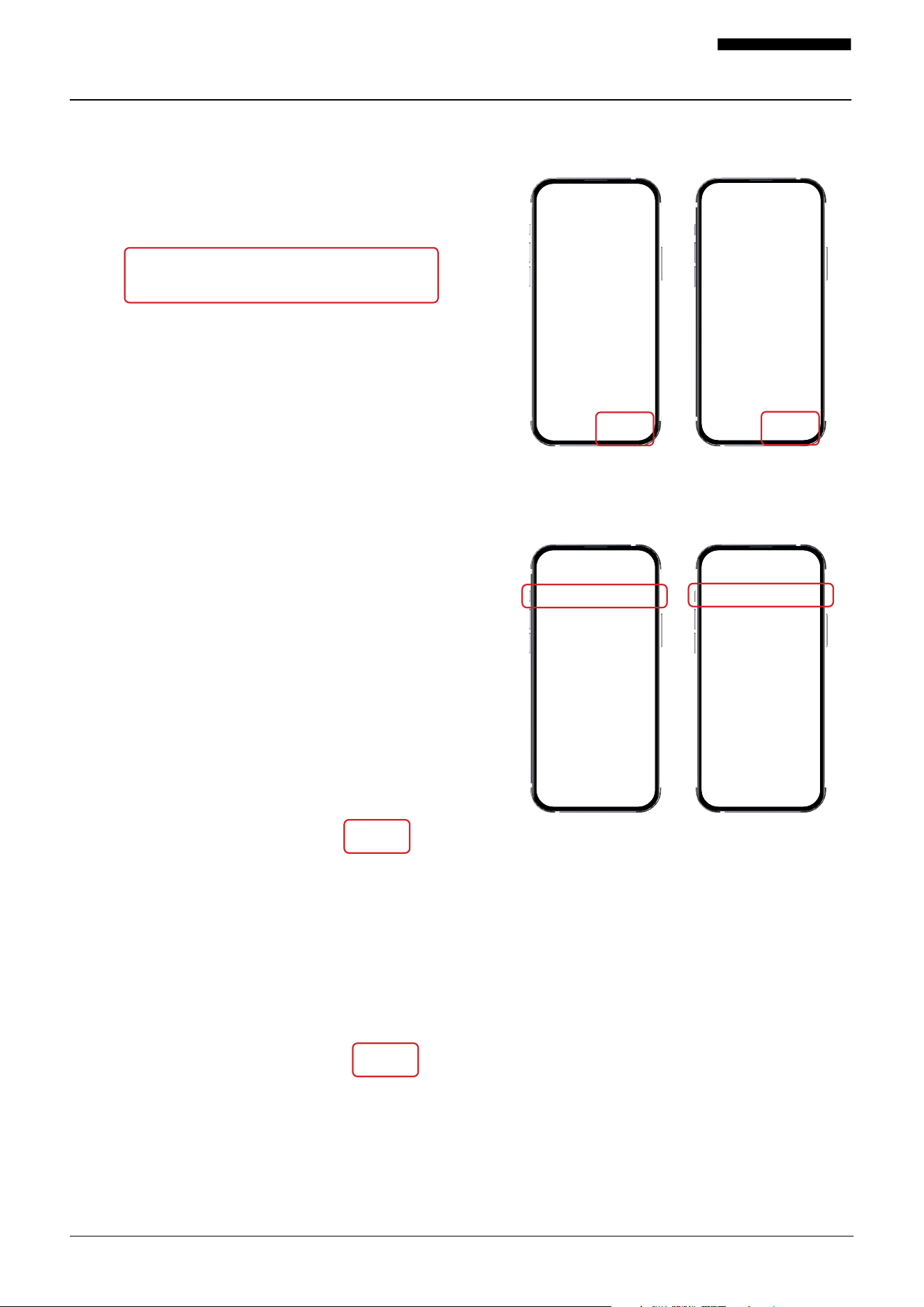
1. Bae Filer
1. Press the bae filter reminder icon. This will bring up a
pop-up related to the filter reminder function.
2. Select “Reset Reminder” to proceed with resetting.
3. You will be presented with the option to choose
between resetting the reminder or delaying it for later.
In this case, select the “Reset Reminder” option if you
want to clear the reminder immediately.
4. If you prefer to be reminded later, select the “Remind
Me Later” option. This will postpone the reminder and
allow you to address it at a more convenient time.
5. After selecting your desired option (reset or remind
later), the reminder should be cleared or rescheduled
accordingly. You can now proceed with using your
appliance or system as usual.
18001-092424-06 PR500SS USER MANUAL
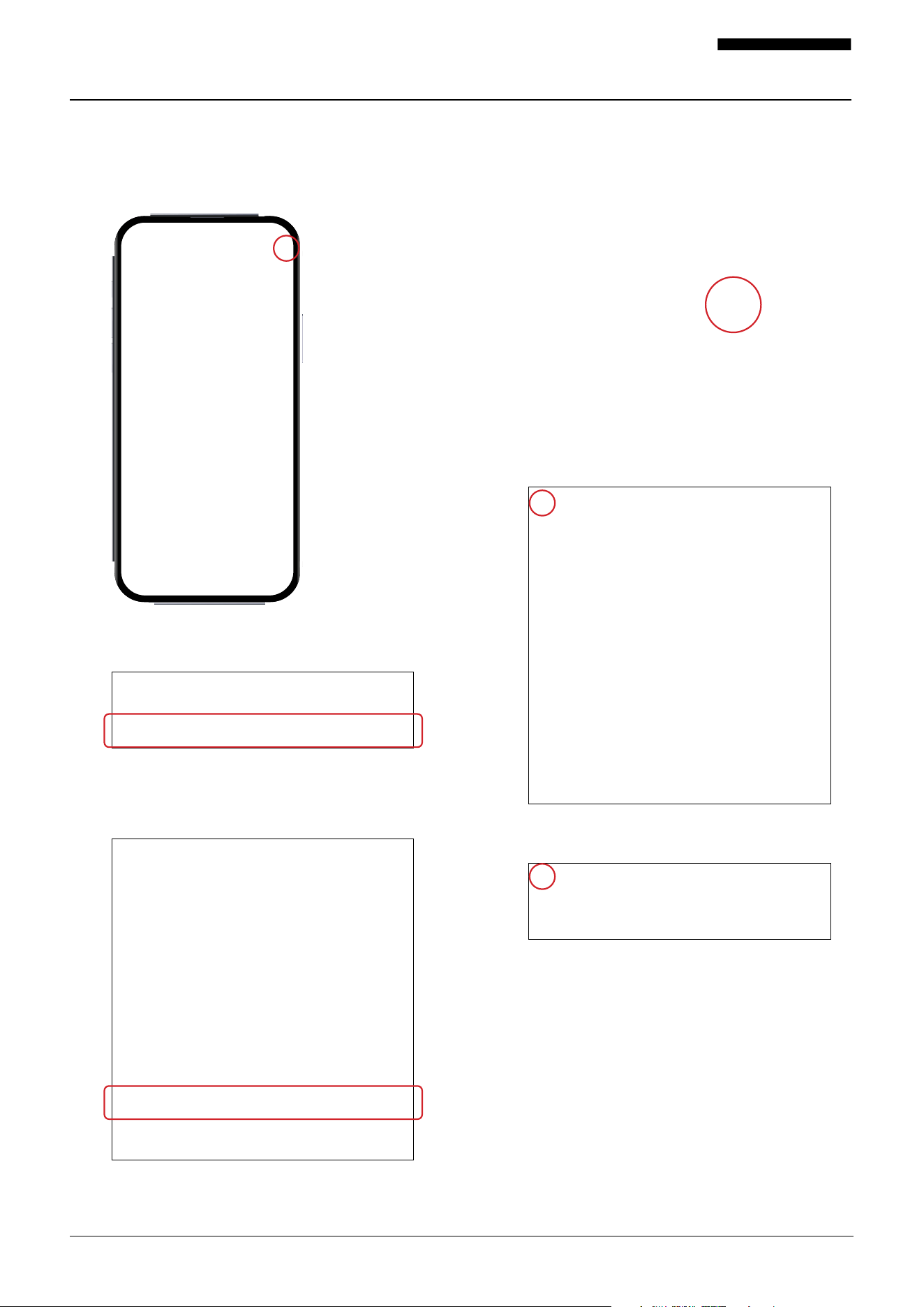
2. Gesture Controls
1. Here you have the option to activate or deactivate the
gesture control feature.
2. To enable this function, please ensure that the hood is
powered on.
3. After powering on the hood, you can toggle the func-
tion on or o.
Note: If the function is not activated in the app, it will
be disabled from the control panel. We highly recom-
mend keeping it in the “On” position for optimal use.
4. There are two pages dedicated to showcasing the
gesture control operation. If you click the “X” on
the app, it will take you back to the homepage.
5. Please take note of the gesture control icon. Even
if the power is turned o in the app, the Gesture
control will remain “On.”
19001-092424-06 PR500SS USER MANUAL
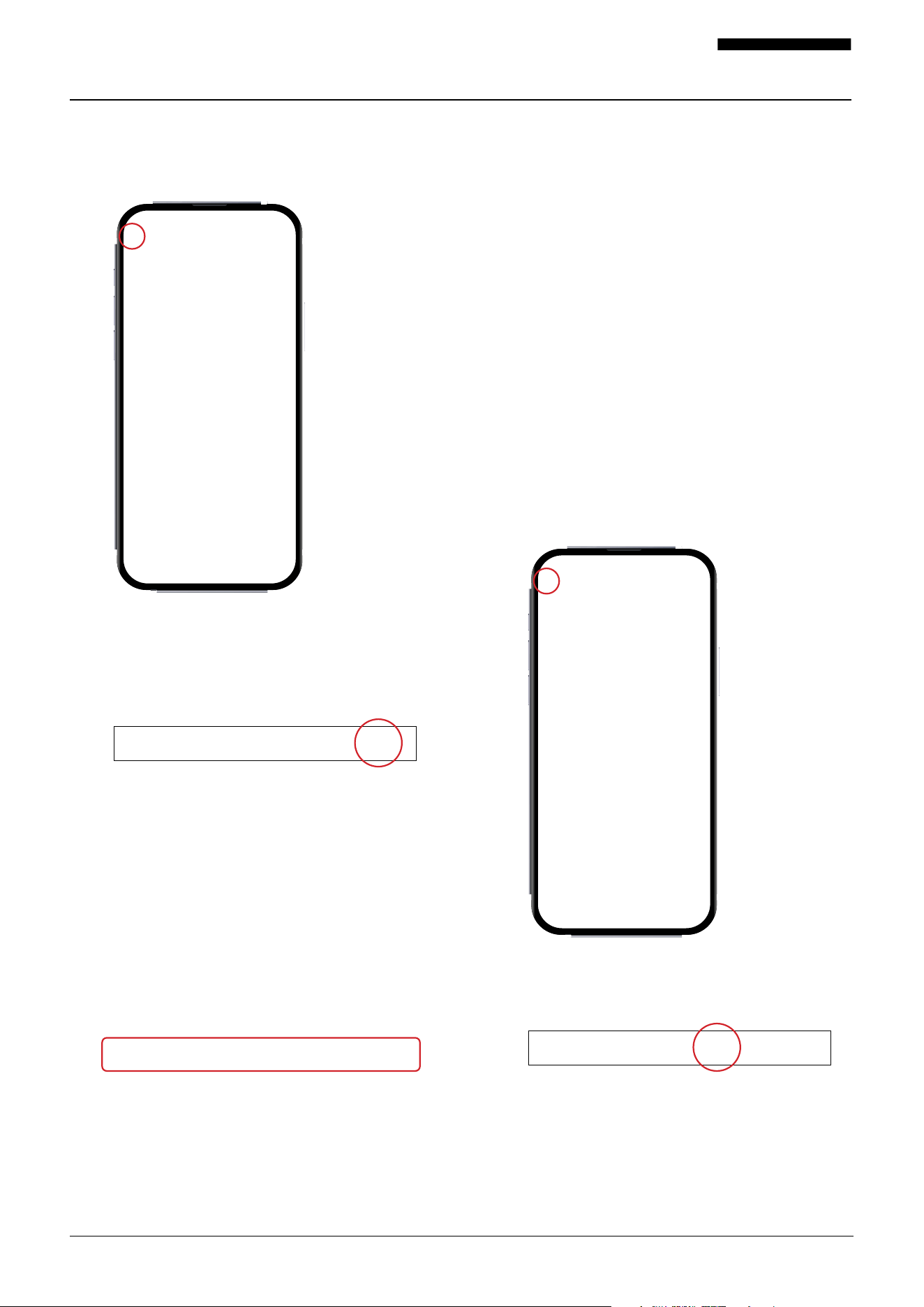
3. Change Product Name
1. Locate the top right corner icon on your screen.
2. Press the top right corner icon to access the menu
associated with it.
3. Look for the name icon at the top of screen repre-
sented by text and a pencil icon and press it.
4. Press the name icon to enter the name editing mode,
where you can modify the name of your range or
device.
5. Once you have entered the new name, click on the
“Confirm” button to save the new name.
6. After confirming the name change, click on the
back arrow icon in the top left corner to navigate
back to the previous screen.
7. Look for the back arrow icon, located in the top
left corner of the screen.
8. Click on the back arrow icon to go back to the
main app you were on before accessing the name
editing mode. The top of the screen should reflect
the newly changed name for your range or device.
20001-092424-06 PR500SS USER MANUAL
4. Change Profile Picture
1. Locate and press the back arrow icon in the top left
corner of the screen to navigate to the main screen of
the app.
2. Once on the main screen, look for the “me” icon in
the bottom right-hand corner. It is represented by a
silhouette.
3. Tap on the “me” icon to access your profile settings
and information.
4. Within the profile settings, locate and press the pro-
file information section near the top of the screen.
5. Look for the option to change your profile picture.
It will be labeled as “Profile Photo”.
6. Select the “Profile Photo” option to proceed with
modifying your profile picture.
7. Follow the prompts or instructions provided on the
screen to choose a new profile picture from your
gallery.
8. Once you have selected a new profile picture,
confirm your choice by following the prompts on
the screen.
9. If you also want to change your nickname or time
zone, select the corresponding option and follow
the prompts to make the desired changes.
10. Once the changes are made, press the back arrow
icon in the top left corner of the screen to navigate
to the main screen of the app.
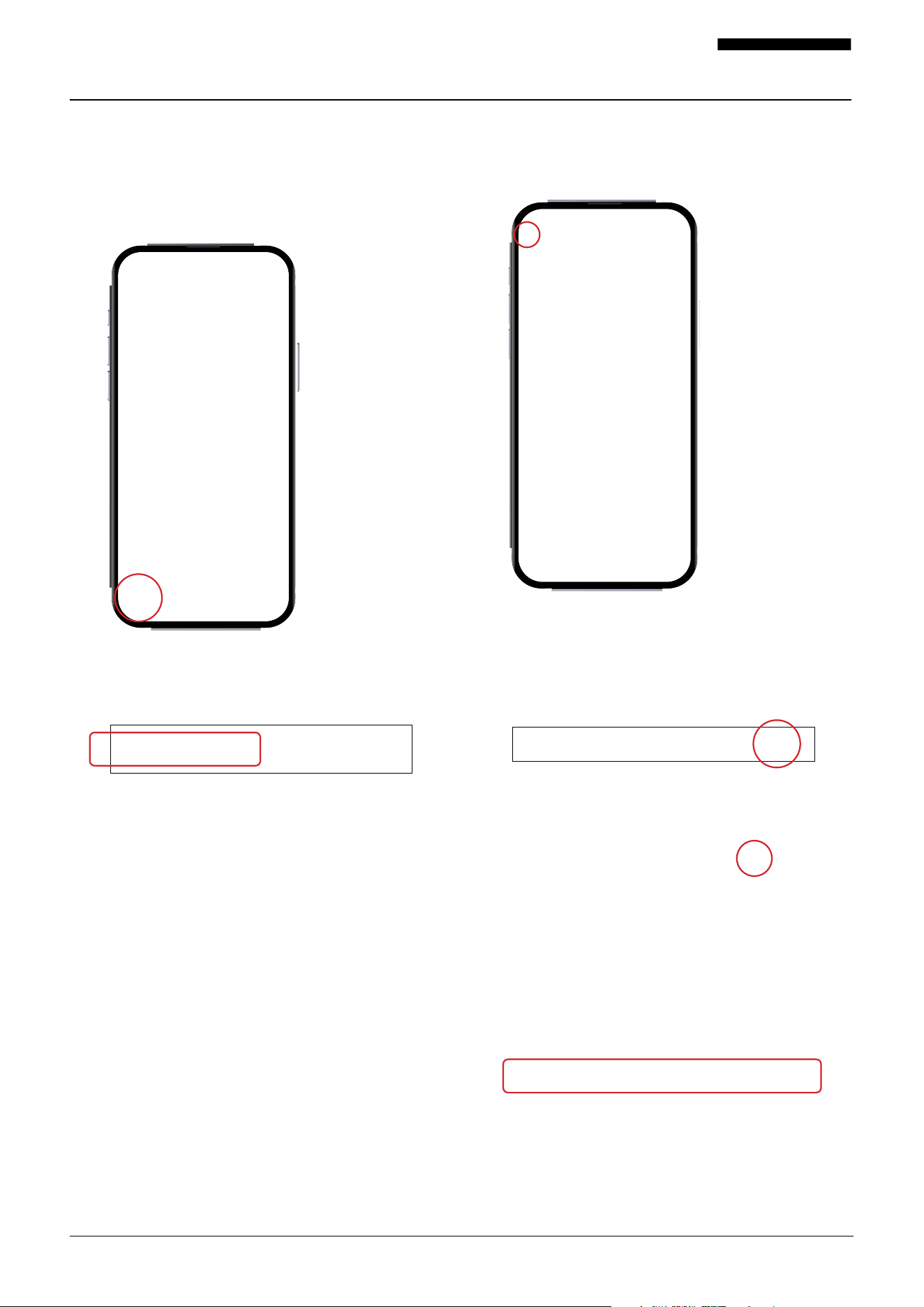
5. App Mall
1. Locate and press the back arrow icon in the top left
corner of the screen to navigate to the main screen
of the app.
2. Once on the main screen, locate and tap on the
Mall icon at the bottom of the screen. The Mall icon
is represented by a shopping bag.
3. Tapping the Mall icon will direct you to the
Hauslane website where you can browse and shop
for products.
21001-092424-06 PR500SS USER MANUAL
4. To return to the Hauslane app from the website, look
for the home icon located in the bottom left-hand
corner of the screen. The home icon is represented by
a house.
5. Tap on the home icon to go back to the app’s main
screen.
6. After returning to the main screen, locate and press
the device icon. The device icon is represented by an
image and name related to your specific range.
7. Tapping the device icon will take you back to the
range control center within the Hauslane app, where
you can manage and control your range hood.
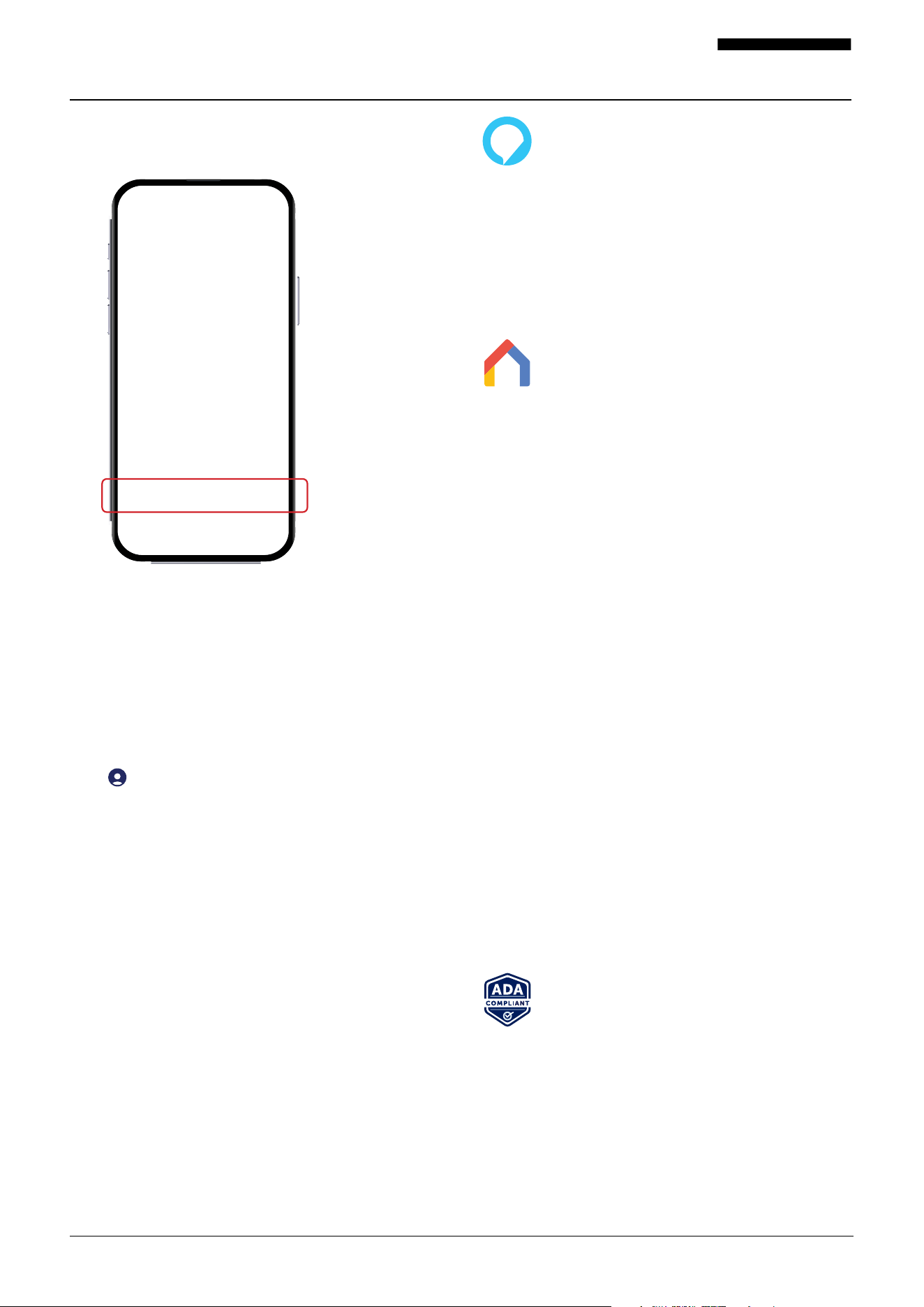
6. Clear Cache
1. In the app, locate and press the back arrow icon in the
top left corner of the screen. This will take you to the
main screen of the app.
2. Once on the main screen, look for the “me” icon in
the bottom right-hand corner of the screen. The “me”
icon is represented by a silhouette.
3. Tap on the “me” icon to access your profile settings
and information.
4. Within your profile settings, locate and press the
diamond shape icon in the top right-hand corner of
the screen.
5. Look for the “Clear Cache” icon at the bottom of
the screen.
22001-092424-06 PR500SS USER MANUAL
6. Tap on the “Clear Cache” icon to initiate the process
of clearing the app’s cache. This will remove tempo-
rary data and files stored by the app.
7. Once the cache is cleared, press the back arrow icon
in the top left corner of the screen. This will navigate
you back to the main screen of the app.
Voice Controls with Alexa and Google Home
To establish a connection between your hood and Amazon
Alexa and/or Google Home, follow these steps within the app:
1. On the home screen of the app, locate the profile icon
( ) in the lower right-hand corner and tap on it.
2. On the screen that appears, near the top, you will find
the section for third-party voice services. Tap on the
respective options for Alexa and/or Google Assistant
to proceed.
3. Follow the provided instructions to complete the connec-
tion process with Amazon Alexa and/or Google Home.
Amazon Alexa Commands
Turn hood on or o
Alexa, turn [On, O] (device name)
Set a specific fan speed
Alexa, set fan speed to O, low, medium, high on
(device name)
Turn hood light on or o
Alexa, turn (device name) lights [On, O]
Google Home Commands
Turn hood on or o
OK Google, turn [On, O] (device name)
Set a specific fan speed
OK Google, set fan speed to O, low, medium,
high on (device name)
Turn hood light on or o
OK Google, turn (device name) lights [On, O]
Contact Hauslane Support
If you have tried the troubleshooting steps and are still expe-
riencing issues, you can contact Hauslane customer support
for further assistance. Hauslane oers customer support
through email, phone, and live chat, and their support team
can provide you with additional troubleshooting tips or help
you schedule a service appointment if needed.
For more help, please contact us via our website at
hauslane.com/pages/support
Bluetooth® is a registered trademark of Bluetooth SIG, Inc. Worldwide.
App Store® and other Apple trademarks are property of Apple Inc.
Amazon, Alexa and all related logos are trademarks of Amazon.com, Inc.
The “Android” name, Google Home, the “Google Play” brand, and other
Google trademarks, are property of Google LLC.
American with Disabilities Act Compliant
Product
This ADA-compliant range hood can be oper-
ated via smart device, enhancing safety for
users of all abilities.
23001-092424-06 PR500SS USER MANUAL
Troubleshooting Tips
WARNING: Please turn o the power circuit or power breaker panel before troubleshooting this range hood.
Failure to do so can cause death or serious injury.
PROBLEM SOLUTION
My range hood won’t work. 1. Make sure the power supply and wiring are connected securely.
2. Double-check to see that the power breaker is on and the power
supply is live.
3. Check to see that the control panel cables are connected correctly
to the switchboards.
The fan is operating weakly.
1. Check to ensure the hood is firmly secured to the cabinet/wall.
Tighten or add screws if necessary.
2. Confirm that the motor is firmly in place and secured safely. If it is
not, tighten it.
3. If those steps haven’t resolved the issue, your fan may be damaged. If
it is damaged, you may need to replace it.
The fan is not working properly even though the lights are
working.
1. Double-check to ensure the duct size is correct.
2. Clean ducts or filters if they’re dirty. Also, check to make sure the
mesh enclosure on the hood is receiving proper air ventilation.
3. If possible, check to see that the damper is functioning properly
regarding the opening.
My range hood vibrates while the fan is operating.
1. Double-check that the fan is not jammed /that it isn’t scraping any
of the surfaces of the hood.
2. If this doesn’t work, you may need to replace the motor as it may
be defective.
1. The minimum distance between the cooking area and the appli-
ance should be 24” or 30” maximum. Check to see if this is correct.
2. Make sure that the duct is not susceptible to easy wind opening.
3. Make sure the fan speed is at the appropriate rate. The heavier the
cooking, the greater the speed of the hood should be set.
4. Closing the windows and doors in the room will allow the vent to
work much better.
5. As noted during the installation process, all ductwork must be
done correctly. You may need to reduce the length of ductwork or
reduce elbows.
6. Make sure all joinery in ductwork is sealed and secured properly.
1. Check to see if lightbulb is loose and needs to be tightened.
2. If tightening doesn’t fix the problem, replace bulb with a new one and
see if that solves the issue.
3. If replacement and/or tightening does not solve, you may need to
replace the lighting service system on the hood.
1. Perform a power cycle reset by unplug the power cord, wait 10
seconds, and plug the power cord back.
2. If Step 1 doesn’t resolve the issue, please contact us immediately
for a control panel replacement.
The vent hood is not working eciently.
The light is not working.
The touch panel is not responding.
Still experiencing problems after following these steps?
Contact a technician to assist. Contact us at 1-800-929-0168 or info@hauslane.com.

24001-092424-06 PR500SS USER MANUAL
Hauslane App Troubleshooting Tips
If you’re experiencing issues with the Hauslane app or your range hood, here are some troubleshooting steps you can follow:
PROBLEM SOLUTION
Range hood has no power.
Check the power supply: Ensure that your range hood is properly
connected to a power source. Make sure the power switch is on, and
if the range hood has a power cord, check if it’s securely plugged
into an outlet.
Hauslane app is unresponsive.
Verify the app connection: If you’re having trouble with the Hauslane
app, ensure that your smartphone or device is connected to the inter-
net. Check your Wi-Fi settings and make sure you’re connected to the
correct network. Restarting your device and relaunching the app can
also help.
Hauslane app or range hood behaving unexpectedly.
Reset the app: If the app is unresponsive or behaving unexpectedly,
try resetting it. Go to the settings of your smartphone or device, find
the Hauslane app, and clear its cache and data. Then, reopen the
app and try connecting to your range hood again.
Hauslane app won’t connect to range hood.
Update the app or firmware: If using the Hauslane app, make sure
you have the latest version installed on your smartphone or device.
Similarly, check if there are any available firmware updates for your
range hood. Keeping both the app and firmware up to date can
address known issues and improve compatibility.
Check for interference: If you’re experiencing connectivity issues
with the app or range hood, consider whether there may be inter-
ference from other devices. Wireless signals, such as Wi-Fi routers
or Bluetooth devices, can sometimes disrupt the connection. Try
moving these devices away from the range hood or adjusting their
placement to minimize interference.
Restart the range hood: If the range hood isn’t functioning as expected,
try turning it o and unplugging it from the power source. Wait for
a few minutes, then plug it back in and turn it on again. This simple
reboot can often resolve minor issues.
Hauslane app connection issues.
Range hood isn’t functioning as expected.
Still experiencing problems after following these steps?
Contact a technician to assist. Contact us at 1-800-929-0168 or info@hauslane.com.

Extended Warranties
If you are interested in an extended warranty,
sign up on our website at www.hauslane.com
Parts and Accessories
If you need replacement parts or accessories,
visit www.hauslane.com
Contact Us
We’d be happy to answer your questions or
resolve any issues you may have.
Phone: 1-800-929-0168
Email: info@hauslane.com
Find Us and Connect with Us
@HauslaneOcial
American with Disabilities
Act Compliant Product
This ADA-compliant range hood can be operated via
smart device, enhancing safety for users of all abilities.