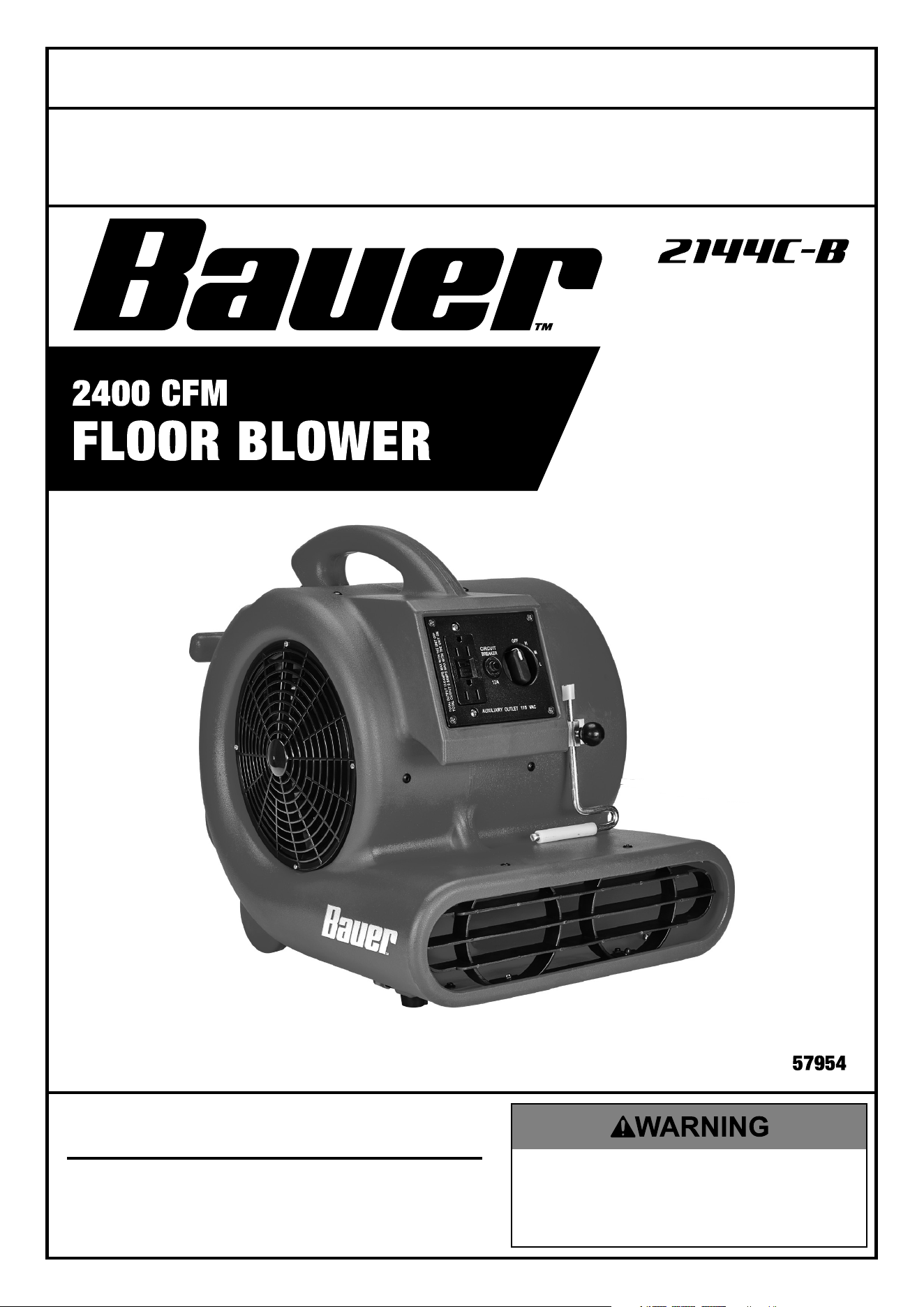
Visit our website at: http://www.harborfreight.com
Email our technical support at: [email protected]
Owner’s Manual & Safety Instructions
Save This Manual Keep this manual for the safety warnings and precautions, assembly,
operating, inspection, maintenance and cleaning procedures. Write the product’s serial number in the
back of the manual (or month and year of purchase if product has no number). Keep this manual and the
receipt in a safe and dry place for future reference. 22g
When unpacking, make sure that the product is intact
and undamaged. If any parts are missing or broken,
please call 1-888-866-5797 as soon as possible.
Copyright
©
2022 by Harbor Freight Tools
®
. All rights reserved.
No portion of this manual or any artwork contained herein may be reproduced in
any shape or form without the express written consent of Harbor Freight Tools.
Diagrams within this manual may not be drawn proportionally. Due to continuing
improvements, actual product may differ slightly from the product described herein.
Tools required for assembly and service may not be included.
Read this material before using this product.
Failure to do so can result in serious injury.
SAVE THIS MANUAL.
Page 2 For technical questions, please call 1-888-866-5797. Item 57954
READ AND SAVE THESE INSTRUCTIONS.
RULES FOR SAFE OPERATION
1. WARNING! To reduce the risk of fire or
electric shock, do not use this Blower with
any solid-state speed control device.
2. This appliance has a polarized plug (one blade
is wider than the other). To reduce the risk of
electric shock, this plug is intended to fit into a
polarized outlet only one way. If the plug does
not fit fully in the outlet, reverse the plug. If it
still does not fit, contact a qualified electrician.
Do not attempt to defeat this safety feature.
3. Do not leave Blower running while unattended.
4. Do not operate any blower with a damaged cord
or plug. Discard blower or return to an authorized
service facility for examination and/or repair.
5. Do not run cord under carpeting. Do not cover
cord with throw rugs, runners, or similar
coverings. Do not route cord under furniture
or appliances. Arrange cord away from traffic
area and where it will not be tripped over.
6. Never insert fingers, pencils, or any other
object through Front or Rear Blade Guards.
7. Disconnect Blower when moving it
from one location to another.
8. Disconnect Blower before removing grills for cleaning.
9. Be sure blower is on a stable surface
when operating to avoid overturning.
10. DO NOT use blower in window.
Rain may create electrical hazard.
11. Complete the assembly of the blower
before switching on the blower.
12. Maintain labels and nameplates on the Blower.
If unreadable or missing, contact
Harbor Freight Tools for a replacement.
13. Use only in dry areas.
Do not use in bathrooms, laundry area,
near sinks or other sources of water.
14. This Blower is not a toy.
Keep it out of reach of children.
15. People with pacemakers should consult their
physician(s) before use. Electromagnetic fields in
close proximity to heart pacemaker could cause
pacemaker interference or pacemaker failure.
16. The warnings, precautions, and instructions
discussed in this instruction manual cannot cover
all conditions and situations that may occur. It must
be understood by operator that common sense
and caution are factors which cannot be built into
this Blower, but must be supplied by operator.
Page 3For technical questions, please call 1-888-866-5797.Item 57954
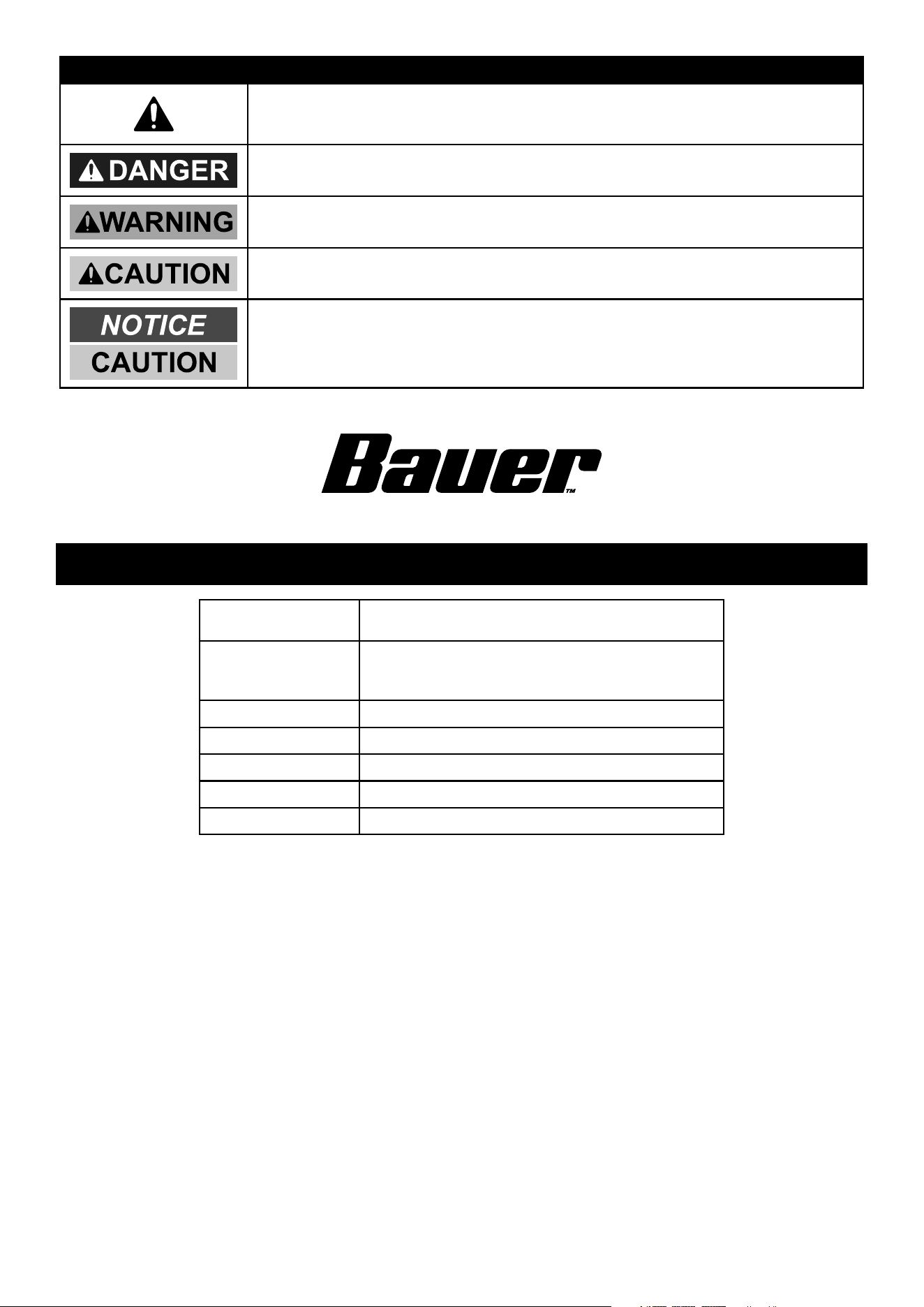
WARNING SYMBOLS AND DEFINITIONS
This is the safety alert symbol. It is used to alert you to potential
personal injury hazards. Obey all safety messages that follow
this symbol to avoid possible injury or death.
Indicates a hazardous situation which, if not avoided,
will result in death or serious injury.
Indicates a hazardous situation which, if not avoided,
could result in death or serious injury.
Indicates a hazardous situation which, if not avoided,
could result in minor or moderate injury.
Addresses practices not related to personal injury.
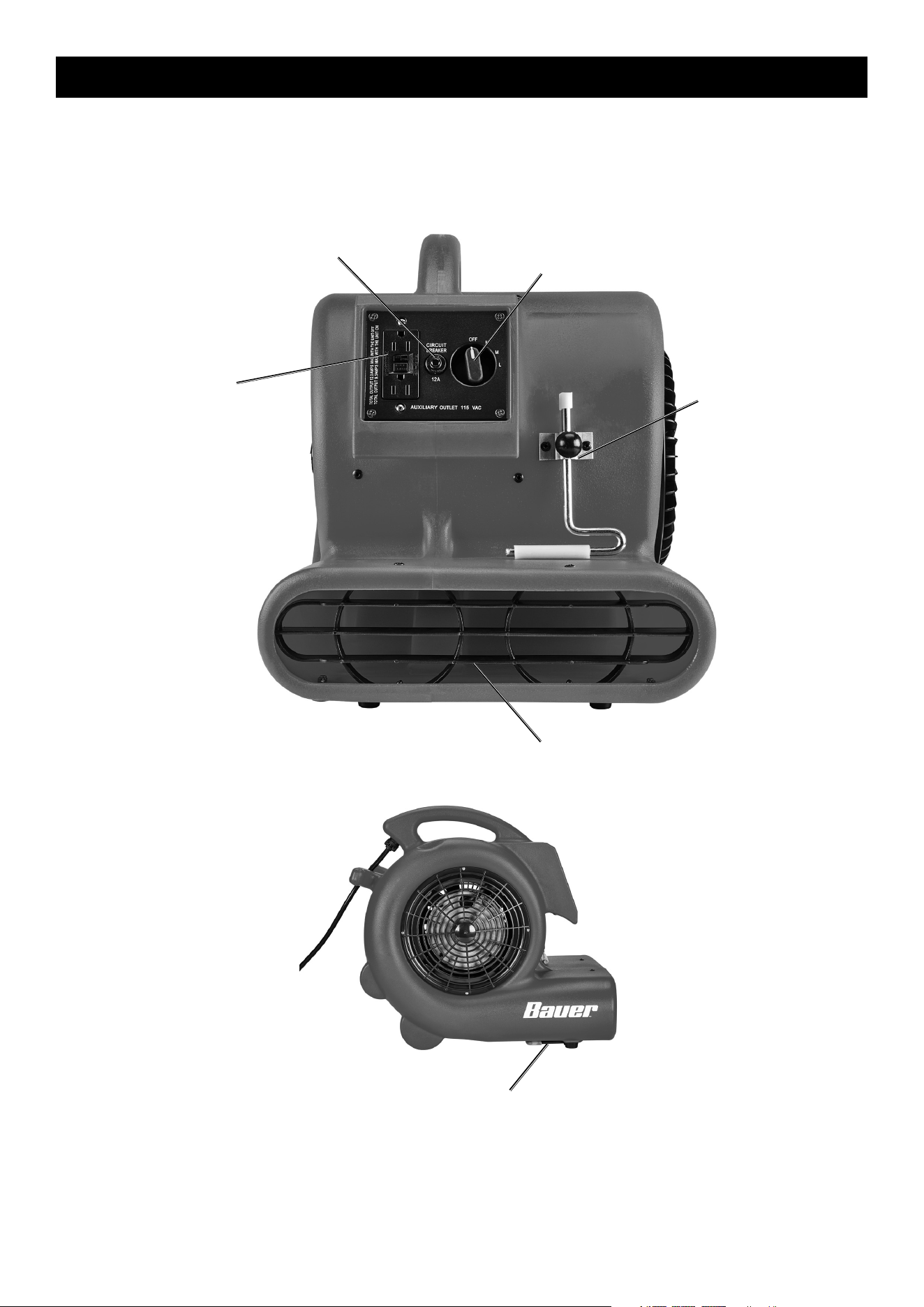
Specifications
Electrical Rating
115VAC / 60Hz / 3.3A
GFCI Receptacle Max. Load Current Rating: 20 A
Linkable Outlets
Two 115 VAC / 60Hz
12A Max combined when unit OFF
8.0A Max combined when unit ON
Horse Power 1/3
CFM 2400
3-Speed High, Medium, Low
Power Cord Length 25ft.
Fan Type Centrifugal
HOUSEHOLD USE ONLY
Page 4 For technical questions, please call 1-888-866-5797. Item 57954
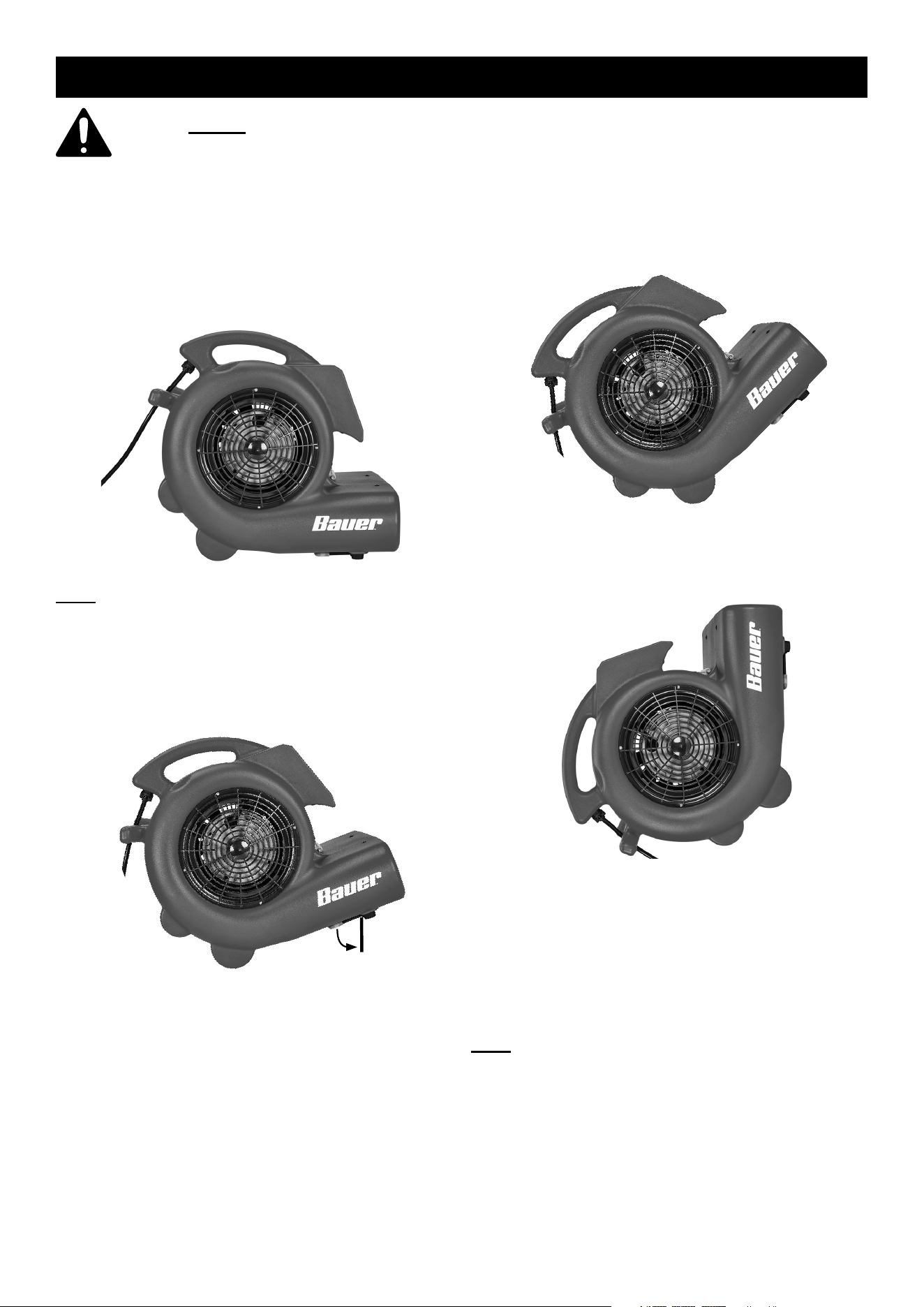
Functions
Carpet
Clamp
Air
Outlet
Two Linkable
115 VAC
Outlets
Power/
Switch
Circuit
Breaker
Reset Button
Kickstand
Page 5For technical questions, please call 1-888-866-5797.Item 57954
Operation
Read the ENTIRE RULES FOR SAFE OPERATION section at the beginning of this manual
including all text under subheadings therein before set up or use of this Blower.
1. Set the Power Switch to the ″OFF″ position.
2. Plug the Power Cord into a grounded
GFCI-protected outlet.
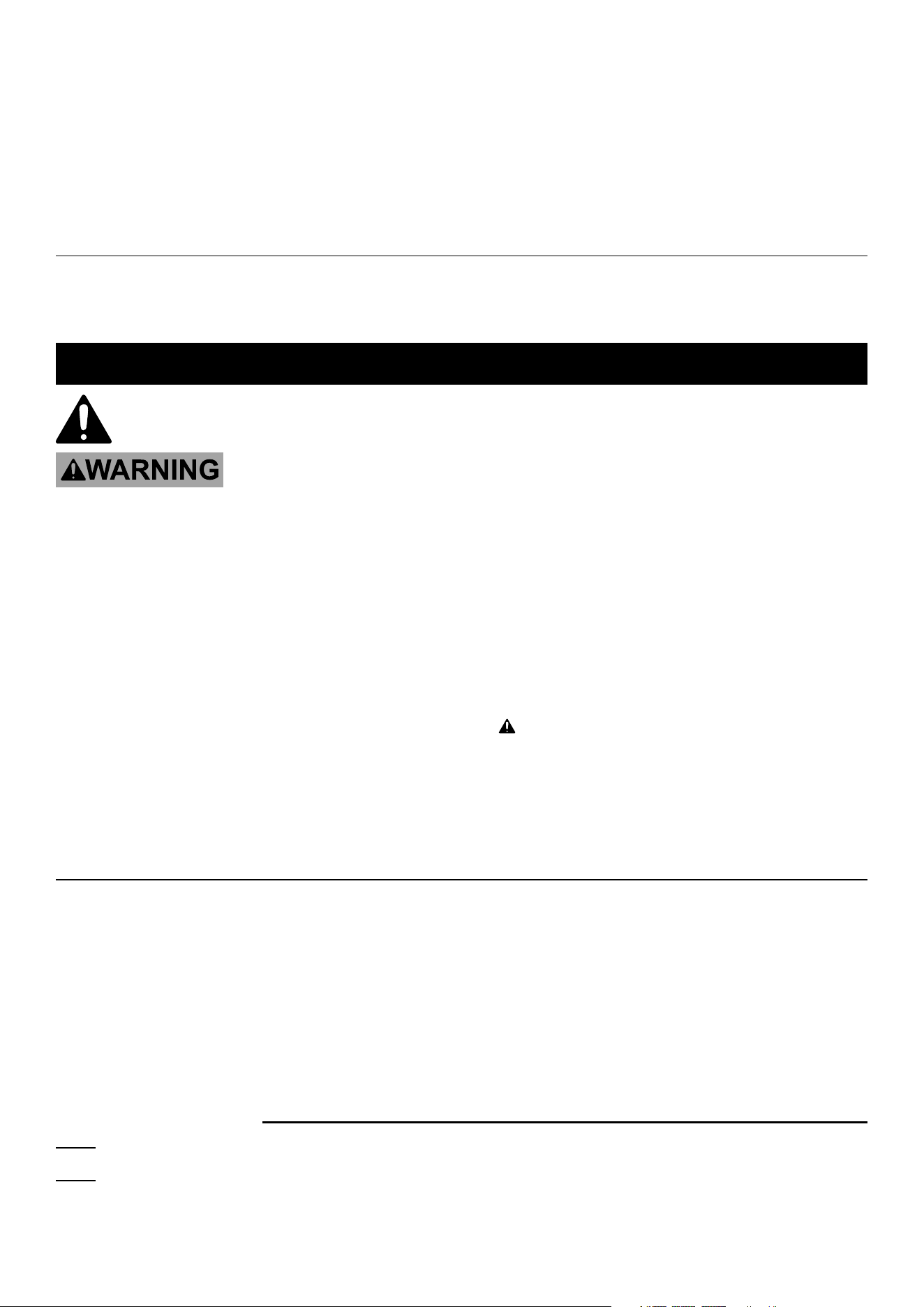
3. Place the Blower on a level, firm base
and position it as needed:
a. Horizontal
Note: The Kickstand may be pulled down to lift
the front end of Blower. Return the Kickstand
to its resting position when not in use.
b. Tilted 20°
c. Tilted 45°
d. Vertical 90°
4. Leave adequate space around the Blower
for unimpeded air flow. Air flows in at both
sides of the Blower. Do not allow dirt or
debris to be drawn into in the Blower.
5. Rotate the Power/Speed Knob to the desired
speed setting. To turn the blower off, rotate the
blower’s Power/Speed Knob to the ″OFF″ position.
Note: If the Blower suddenly stops operating,
the Overload Protection may have tripped.
Make sure that the Blower is dry, that the air
inlets/outlet are not obstructed, and that the
Blower has cooled completely before pressing
the Circuit Breaker Reset Button on the side of
the unit and continuing to use the Blower.
Page 6 For technical questions, please call 1-888-866-5797. Item 57954
6. Additional powered devices can be
plugged into the two Auxiliary 115 VAC
outlets on the side of the blower.
• Do not exceed 12A combined current draw
across the two outlets when the unit is OFF.
• Do not exceed 8.0A combined current draw
across the two outlets when the unit is ON.
7. To prevent accidents, turn off the Blower and
unplug it after use. Clean, then store the
Blower indoors out of children’s reach.
Carpet Clamp
1. Lift carpet edge and slide air outlet underneath. 2. Push Carpet Clamp down onto carpet
and turn knob to lock in place.
User Servicing Instructions
Procedures not specifically explained in this manual
must be performed only by a qualified technician.
TO PREVENT SERIOUS INJURY FROM ACCIDENTAL OPERATION OR ELECTRIC SHOCK:
Turn the Power/Speed Switch of the Blower off, unplug the Blower from its electrical outlet, and allow the
Blower to cool completely before performing any inspection, maintenance, or cleaning procedures.
TO PREVENT SERIOUS INJURY FROM BLOWER FAILURE:
Do not use damaged equipment. If abnormal noise or vibration occurs,
have the problem corrected before further use.
1. BEFORE EACH USE, inspect the general
condition of the Blower. Check for:
• loose hardware,
• misalignment or binding of moving parts,
• cracked or broken parts,
• damaged electrical wiring, and
• any other condition that may
affect its safe operation.
2. Clean outside housing regularly to prevent dust
from accumulating in the air inlets/outlet. Use damp
cloth during cleaning and dry before use. Do not
open housing for cleaning or any other reason.
3. WARNING! TO PREVENT SERIOUS
INJURY: If the supply cord of this Blower
is damaged, it must be replaced only
by a qualified service technician.
If Blower suddenly stops operating
The Overload Protection may have tripped.
Before pressing the Circuit Breaker Reset Button
and continuing to use the Blower, make sure:
• that the Blower is dry,
• that the air inlets/outlet are not obstructed, and
• that the Blower has cooled completely.
Record Serial Number Here:
Note: If Blower has no serial number, record month and year of purchase instead.
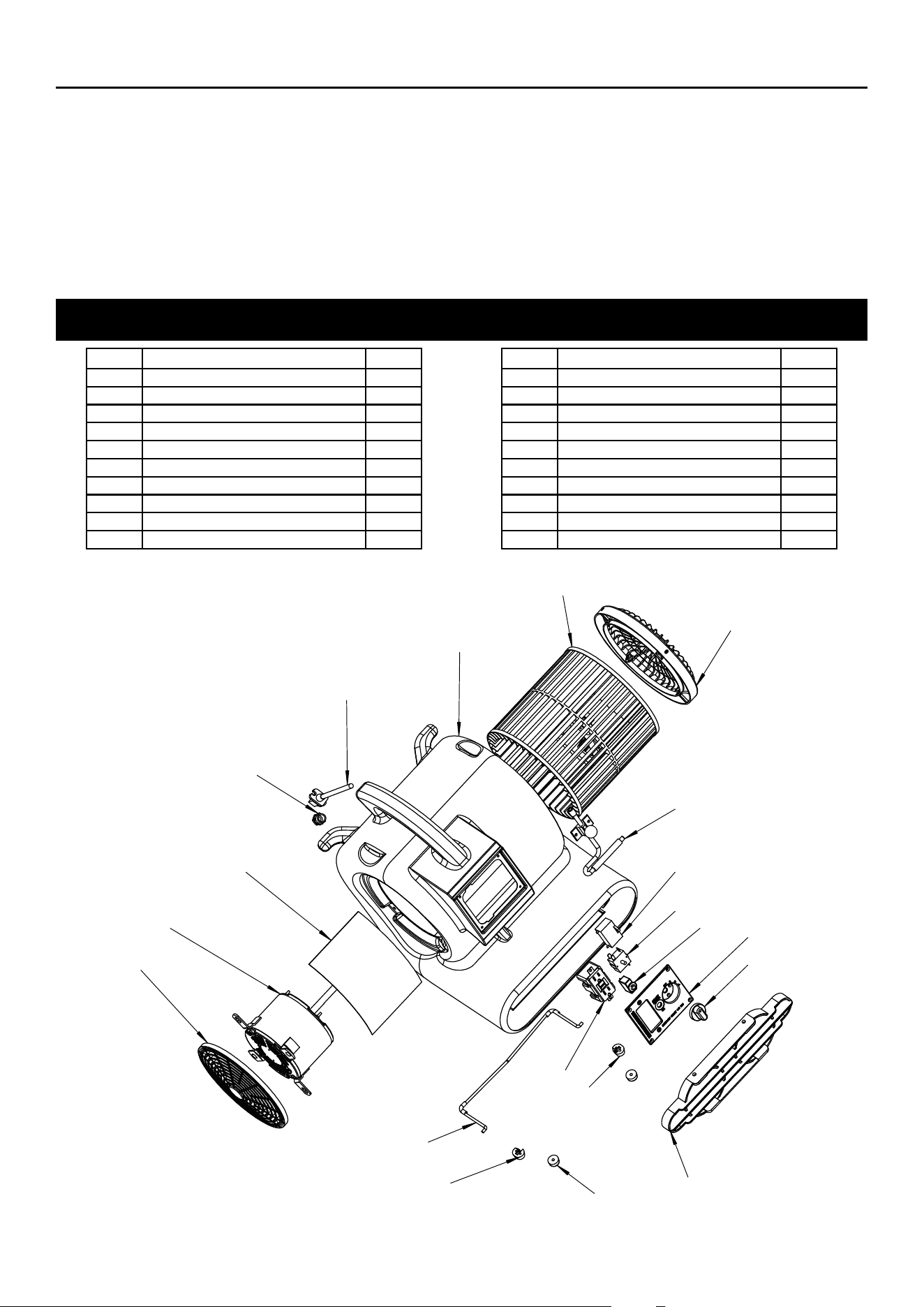
Note: Some parts are listed and shown for illustration purposes only, and are not available
individually as replacement parts. Specify UPC 193175428226 when ordering parts.
Page 7For technical questions, please call 1-888-866-5797.Item 57954
PLEASE READ THE FOLLOWING CAREFULLY
THE MANUFACTURER AND/OR DISTRIBUTOR HAS PROVIDED THE PARTS LIST AND ASSEMBLY DIAGRAM
IN THIS MANUAL AS A REFERENCE TOOL ONLY. NEITHER THE MANUFACTURER OR DISTRIBUTOR
MAKES ANY REPRESENTATION OR WARRANTY OF ANY KIND TO THE BUYER THAT HE OR SHE IS
QUALIFIED TO MAKE ANY REPAIRS TO THE PRODUCT, OR THAT HE OR SHE IS QUALIFIED TO REPLACE
ANY PARTS OF THE PRODUCT. IN FACT, THE MANUFACTURER AND/OR DISTRIBUTOR EXPRESSLY
STATES THAT ALL REPAIRS AND PARTS REPLACEMENTS SHOULD BE UNDERTAKEN BY CERTIFIED AND
LICENSED TECHNICIANS, AND NOT BY THE BUYER. THE BUYER ASSUMES ALL RISK AND LIABILITY
ARISING OUT OF HIS OR HER REPAIRS TO THE ORIGINAL PRODUCT OR REPLACEMENT PARTS
THERETO, OR ARISING OUT OF HIS OR HER INSTALLATION OF REPLACEMENT PARTS THERETO.
Parts List and Diagram
Part Description Qty
1 Right Inlet Grill 1
2 Fan Wheel 1
3 Fan Housing 1
4 Power Cord 1
5 Water Connector 1
6 Plastic Cover 1
7 Motor 1
8 Left Inlet Grill 1
9 Kickstand 1
10 Left Bracket Support 1
Part Description Qty
11 Knob 2
12 Right Bracket Support 1
13 Outlet Grill 1
14 Switch Knob 1
15 Switch Panel 1
16 Circuit Breaker 1
17 Switch 1
18 Capacitor 1
19 GFCI outlet 1
20 Carpet Clamp 1
18
17
1
2
3
4
5
6
7
8
9
10
11
12
13
14
15
16
19
20

26677 Agoura Road • Calabasas, CA 91302 • 1-888-866-5797
Limited 90 Day Warranty
Harbor Freight Tools Co. makes every effort to assure that its products meet high quality and durability standards,
and warrants to the original purchaser that this product is free from defects in materials and workmanship for the
period of 90 days from the date of purchase. This warranty does not apply to damage due directly or indirectly,
to misuse, abuse, negligence or accidents, repairs or alterations outside our facilities, criminal activity, improper
installation, normal wear and tear, or to lack of maintenance. We shall in no event be liable for death, injuries
to persons or property, or for incidental, contingent, special or consequential damages arising from the use of
our product. Some states do not allow the exclusion or limitation of incidental or consequential damages, so the
above limitation of exclusion may not apply to you. THIS WARRANTY IS EXPRESSLY IN LIEU OF ALL OTHER
WARRANTIES, EXPRESS OR IMPLIED, INCLUDING THE WARRANTIES OF MERCHANTABILITY AND FITNESS.
To take advantage of this warranty, the product or part must be returned to us with transportation charges
prepaid. Proof of purchase date and an explanation of the complaint must accompany the merchandise.
If our inspection verifies the defect, we will either repair or replace the product at our election or we may
elect to refund the purchase price if we cannot readily and quickly provide you with a replacement. We will
return repaired products at our expense, but if we determine there is no defect, or that the defect resulted
from causes not within the scope of our warranty, then you must bear the cost of returning the product.
This warranty gives you specific legal rights and you may also have other rights which vary from state to state.