www.philips.com/welcome
User manual
Always there to help you
Register your product and get support at
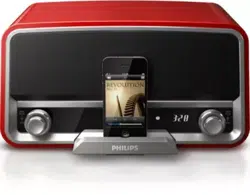
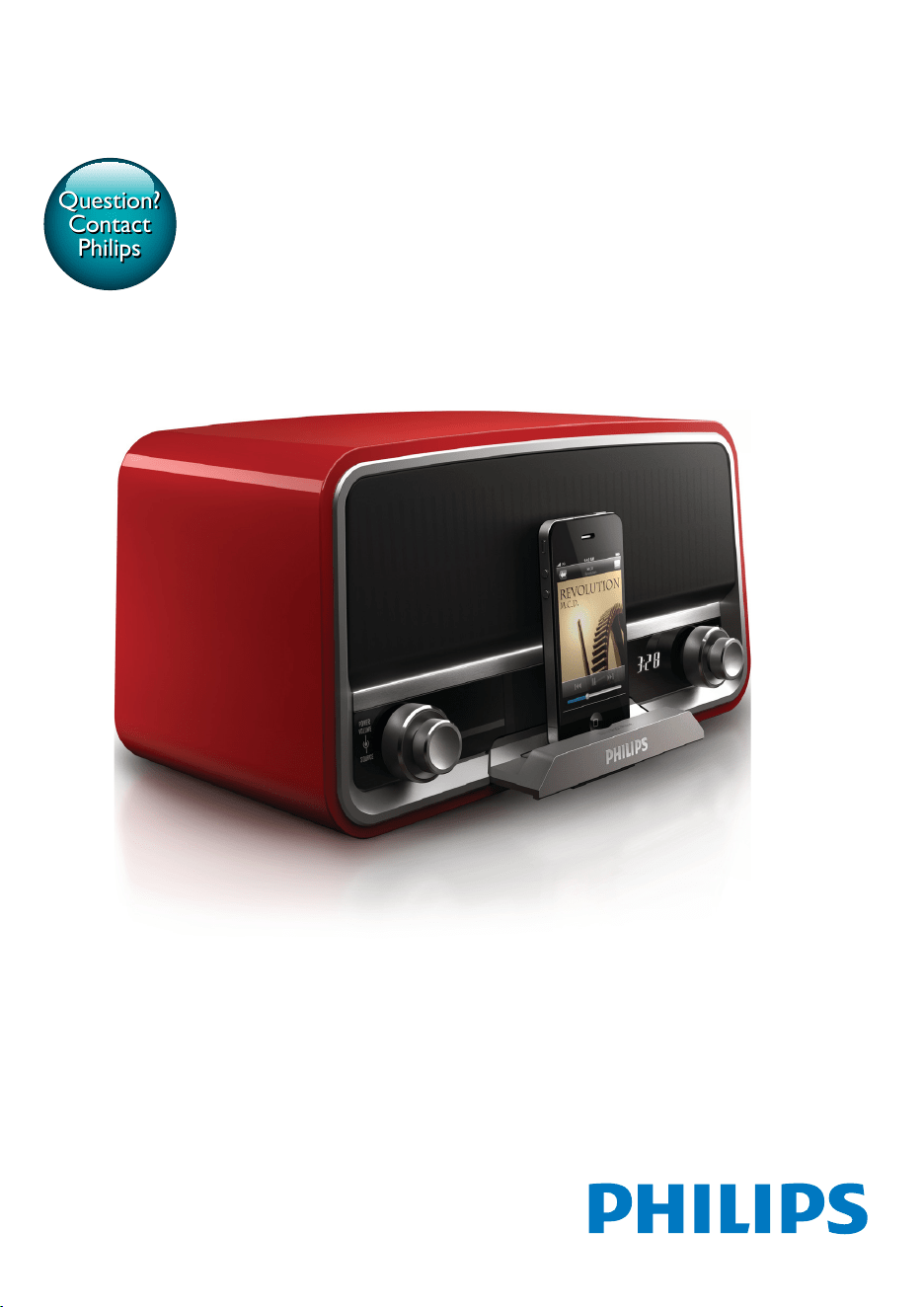
ORD7100R
Question?
Contact
Philips


1EN
Contents
1 Safety 2
Know these safety symbols 2
Important Safety Instructions 2
2 Your docking system 4
Introduction 4
What's in the box 4
Overview of the system 5
3 Connect the FM antenna and
power cord 6
4 Power on and select a source 7
5 Set the clock 7
6 Use the dock 8
Compatible iPod/iPhone models 8
Enjoy audio through the dock 8
Charge your iPod/iPhone 9
Undock your iPod/iPhone 9
7 Listen to FM radio 9
Search for a radio station automatically 9
Search for a radio station manually 9
Store radio stations automatically 9
Store radio stations manually 10
8 Listen to an external device 10
9 Adjust the volume 11
10 Use the remote control 11
Activate the battery 11
Control play 11
Replace the battery 12
11 Troubleshooting 13
12 Product information 14
Amplier 14
FM Tuner 14
Speakers 14
General information 14
13 Notice 15
Compliance 15
Care of the environment 15
Trademark notice 15
Copyright 15
Contents
2 EN
1 Safety
Read and understand all instructions before you
use this product. If damage is caused by failure
to follow the instructions, the warranty does
not apply.
Know these safety symbols
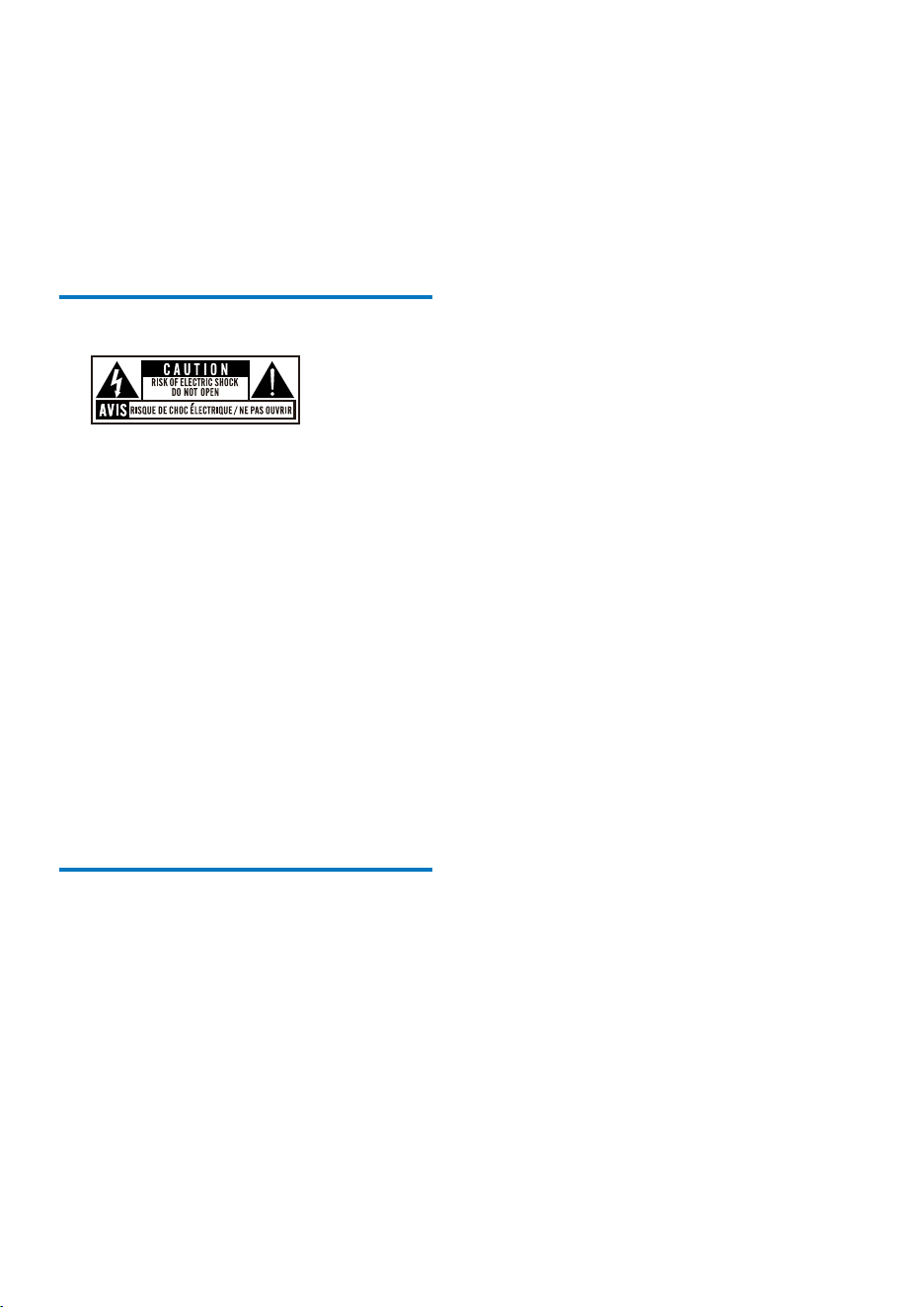
This 'bolt of lightning' indicates uninsulated
material within your unit may cause an electrical
shock. For the safety of everyone in your
household, please do not remove product
covering.
The 'exclamation mark' calls attention to
features for which you should read the enclosed
literature closely to prevent operating and
maintenance problems.
WARNING:Toreducetheriskofreor
electric shock, this apparatus should not be
exposedtorainormoistureandobjectslled
with liquids, such as vases, should not be placed
on this apparatus.
CAUTION: To prevent electric shock, fully
insert the plug.
Important Safety Instructions
a Read these instructions.
b Keep these instructions.
c Heed all warnings.
d Follow all instructions.
e Do not use this apparatus near water.
f Clean only with dry cloth.
g Do not block any ventilation openings.
Install in accordance with the
manufacturer's instructions.
h Do not install near any heat sources such
as radiators, heat registers, stoves, or
other apparatus (including ampliers) that
produce heat.
i Protect the power cord from being
walked on or pinched, particularly at
plugs, convenience receptacles, and the
point where they exit from the apparatus.
j Only use attachments/accessories
specied by the manufacturer.
k Unplug this apparatus during lightning
storms or when unused for long periods
of time.
l Refer all servicing to qualied service
personnel. Servicing is required when
the apparatus has been damaged in any
way, such as power-supply cord or plug
is damaged, liquid has been spilled or
objects have fallen into the apparatus, the
apparatus has been exposed to rain or
moisture, does not operate normally, or
has been dropped.
m Battery usage CAUTION – To prevent
battery leakage which may result in bodily
injury, property damage, or damage to
the unit:
• Install the battery correctly, + and - as
marked on the unit.
• Remove the battery when the unit is
not used for a long time.
n Apparatus shall not be exposed to
dripping or splashing, keep it away from
direct sunlight, naked ames or heat.
o Where the mains plug or an appliance
coupler is used as the disconnect device,
the disconnect device shall remain readily
operable.
p Risk of swallowing coin battery!
3EN
• The device may contain a coin/button
type battery, which can potentially
be swallowed. Keep the battery out
of reach of children at all times! If
swallowed, the battery can cause
serious injury or death. Severe internal
burns can occur within two hours of
ingestion.
• If you suspect that a battery has been
swallowed or placed inside any part
of the body, seek immediate medical
attention.
• When you change the batteries, always
keep all new and used batteries out of
reach of children. Make sure that the
battery compartment is completely
secure after you replace the battery.
• If the battery compartment cannot be
completely secured, discontinue use
of the product. Keep out of reach of
children and contact the manufacturer.
Warning
•
Never remove the casing of this apparatus.
• Never lubricate any part of this apparatus.
• Never place this apparatus on other electrical
equipment.
• Ensure that you always have easy access to the power
cord, plug or adaptor to disconnect this apparatus from
the power.
Risk of overheating! Never install this apparatus
inaconnedspace.Alwaysleaveaspaceof
at least four inches around this apparatus for
ventilation. Ensure curtains or other objects
never cover the ventilation slots on this
apparatus.
Information about the use of batteries:
Caution
•
Riskofleakage:Onlyusethespeciedtypeofbatteries.
Observe correct polarity. Remove the battery from
products that are not in use for a longer period of time.
Store batteries in a dry place.
• Risk of injury: Wear gloves when handling leaking
batteries. Keep batteries out of reach of children and
pets.
• Risk of explosion: Do not short circuit batteries. Do not
expose batteries to excessive heat such as sunshine,
reorthelike.Donotthrowbatteriesintothere.Do
not damage or disassemble batteries. Do not recharge
non-rechargeable batteries.
• Danger of explosion if battery is incorrectly replaced.
Replace only with the same or equivalent type.
Note
•
The type plate is located on the back of the product.
4 EN
2 Your docking
system
Congratulations on your purchase, and
welcometoPhilips!Tofullybenetfromthe
support that Philips offers, register your product
at www.philips.com/welcome.
Introduction
With this system, you can:
• enjoy audio from an iPod/iPhone or
external device,
• charge your iPod/iPhone, and
• listen to FM radio stations.
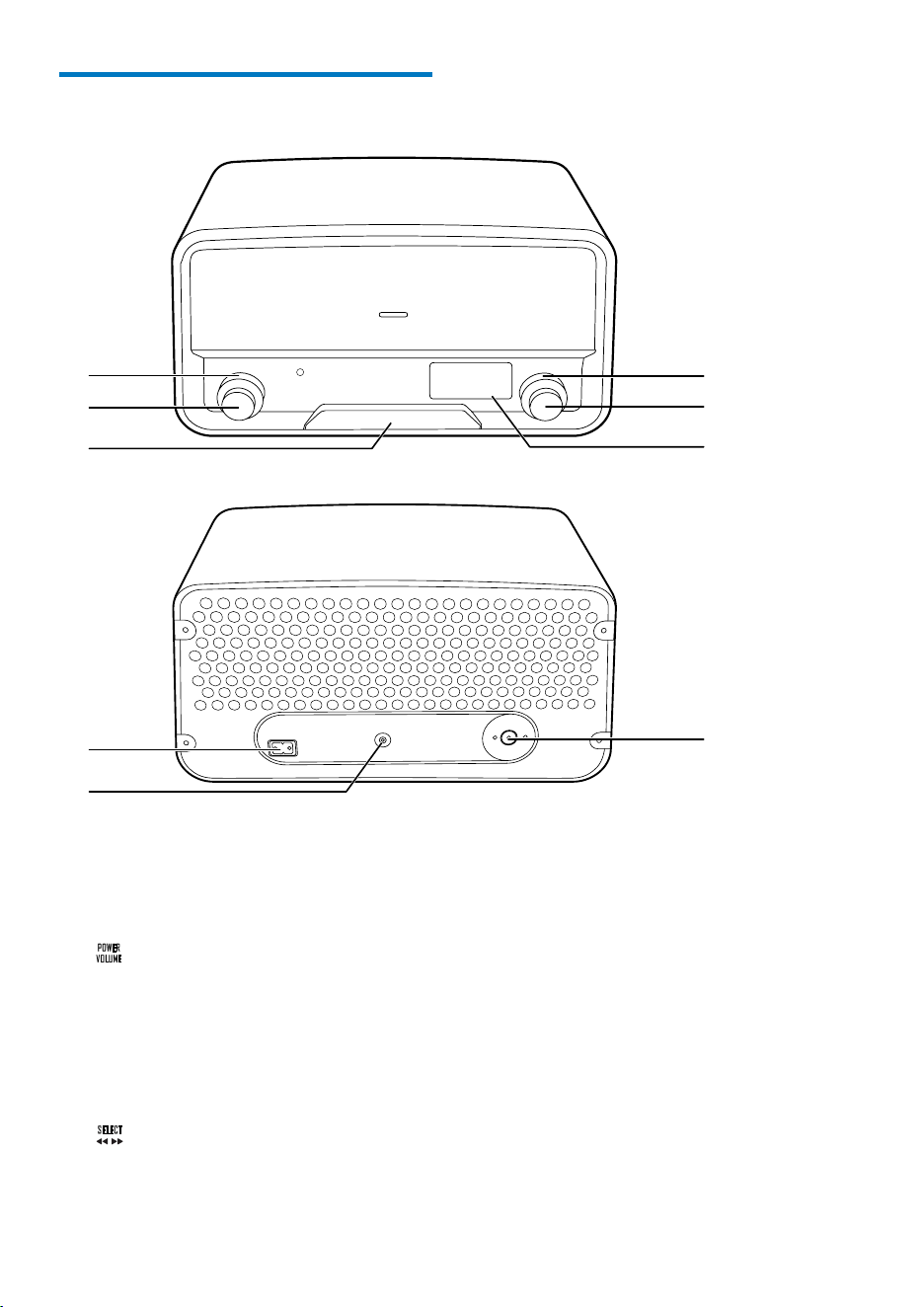
What's in the box
Check and identify the contents of the package:
a Docking speaker
b Remote control
c User manual
d AC power cord
e MP3 link cable
f FM antenna
a
c de
f
b
User Manual
ORD7100
5EN
Overview of the system
a SOURCE
• Turn to select a source.
• Turn to switch the system from
standby mode to normal mode.
b
• Press to switch the system between
standby mode and normal mode.
• Turn to adjust the volume.
c Dock for iPod/iPhone
d LCD screen
e
• In radio mode, turn to search for a
radio station manually.
a
b
c
g
h
f
e
d
i
• In radio mode, press and hold to
activate the automatic search for and
storage of radio stations.
• For a compatible iPod/iPhone, press to
pause or resume music play.
• For a compatible iPod/iPhone, press
and hold to switch it to sleep mode, or
press to wake it up.
f PRESET
• Turn to select a preset radio station.
g AC MAIN~
• Connect to the AC power cord.
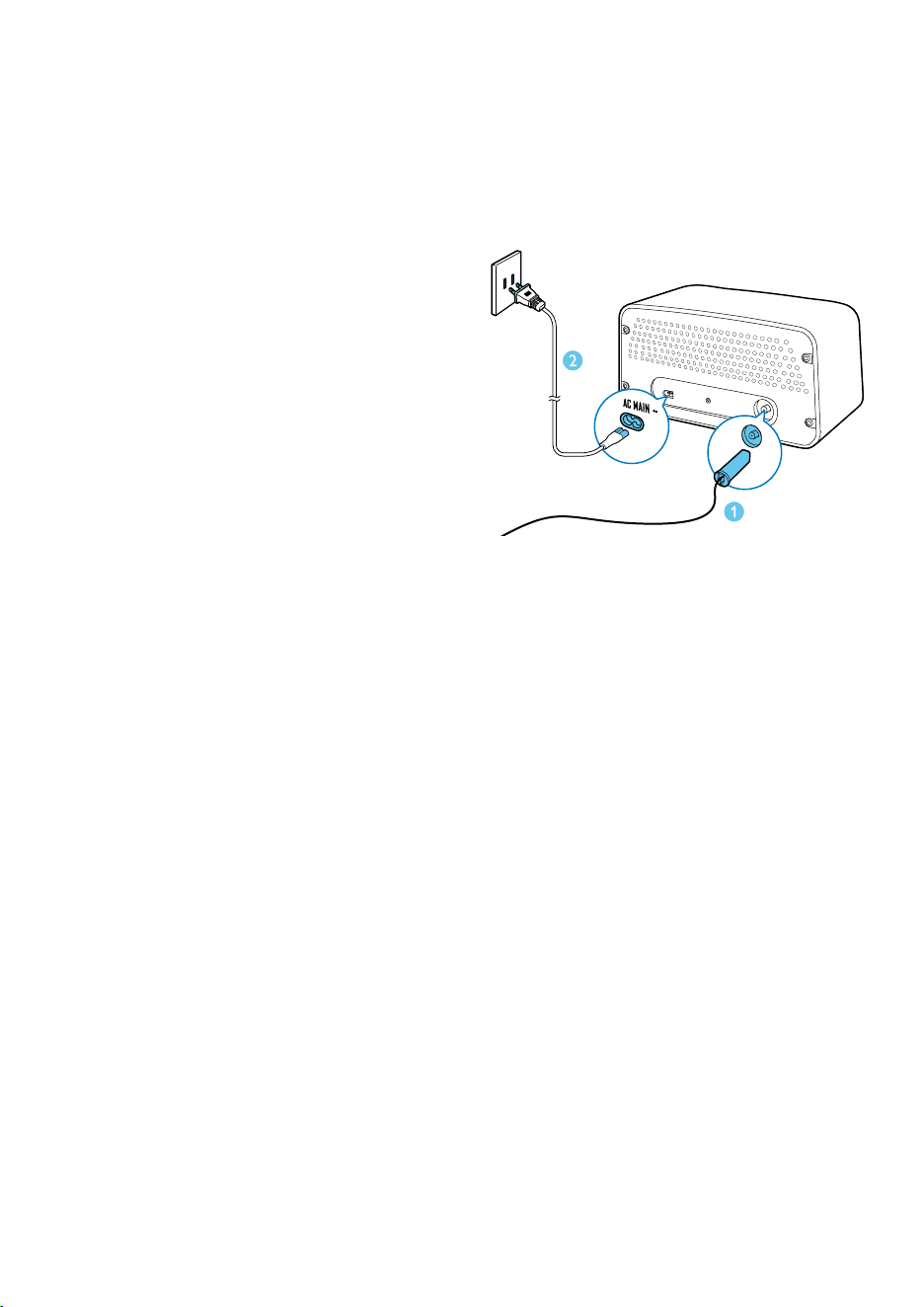
6 EN
h MP3-LINK
• Connect to an external player by an
MP3 link cable.
i Socket for FM antenna
• Connect to an FM antenna.
3 Connect the
FM antenna and
power cord
1 Connect the FM antenna to the product.
2 Connect the AC power cord to the AC
MAIN~ socket and then to the wall outlet.
7EN
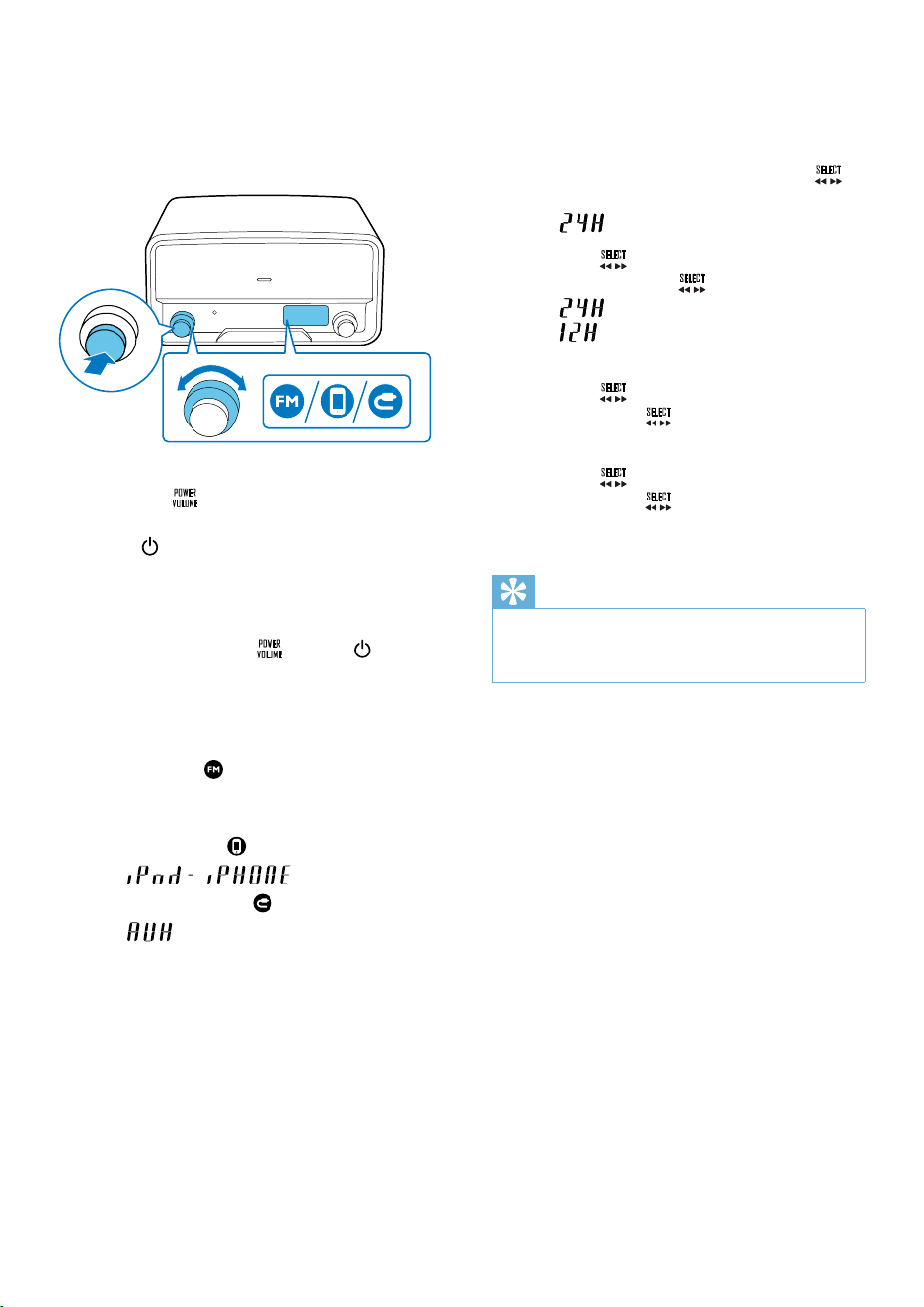
4 Power on and
select a source
To power on the product,
• press the
knob,
• turn the SOURCE knob on the product, or
• press
on the remote control.
» The product switches to the last
selected source.
• To switch the product to standby
mode, press the
knob or again.
To select a source,
• turn the SOURCE knob on the product, or
• press the SRC button on the remote
control repeatedly.
• FM radio:
is highlighted, and the
frequency of the current FM radio
station is displayed.
• iPod/iPhone:
is highlighted, and
scrolls.
• External device:
is highlighted, and
is displayed.
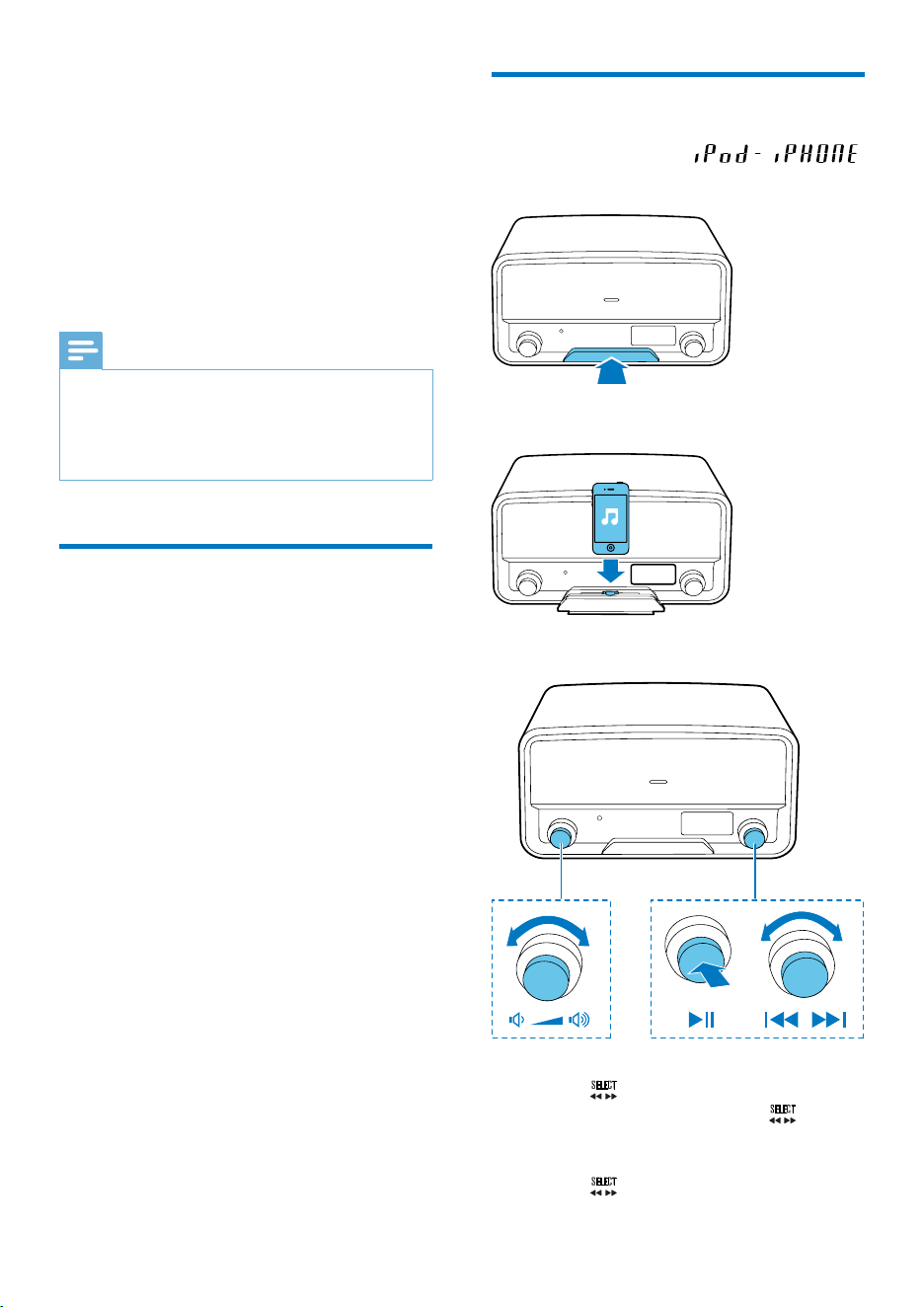
5 Set the clock
1 In standby mode, press and hold the
knob for two seconds.
»
is displayed with 24 blinking.
2 Turn the knob to select a time format,
and then press the
knobtoconrm.
•
: 24-hour time format
•
: 12-hour time format
» The hour digits blink.
3 Turn the knob to set the hour, and
then press the
knobtoconrm.
» The minute digits blink.
4 Turn the knob to set the minute, and
then press the
knobtoconrm.
» The set time is displayed.
Tip
•
Once your iPod/iPhone is connected and recognized,
the clock on the product is synchronized with the iPod/
iPhone.
8 EN
6 Use the dock
You can enjoy audio from a compatible iPod/
iPhone through this product.
An application Philips HomeStudio is available
on Apple App Store for this product. To enjoy
full features, download and install the application
to your iPod/iPhone.
Note
•
During play, no audio signals are transferred through
the headphone socket of your iPod/iPhone.
• Once your iPod/iPhone is connected and recognized,
the product synchronizes its clock with the iPod/iPhone
automatically.
Compatible iPod/iPhone
models
This product supports the following iPod and
iPhone models.
Made for
• iPod touch (2nd, 3rd, and 4th generation)
• iPod classic
• iPod nano (2nd, 3rd, 4th, 5th, and 6th
generation)
• iPhone 4S
• iPhone 4
• iPhone 3GS
• iPhone 3G
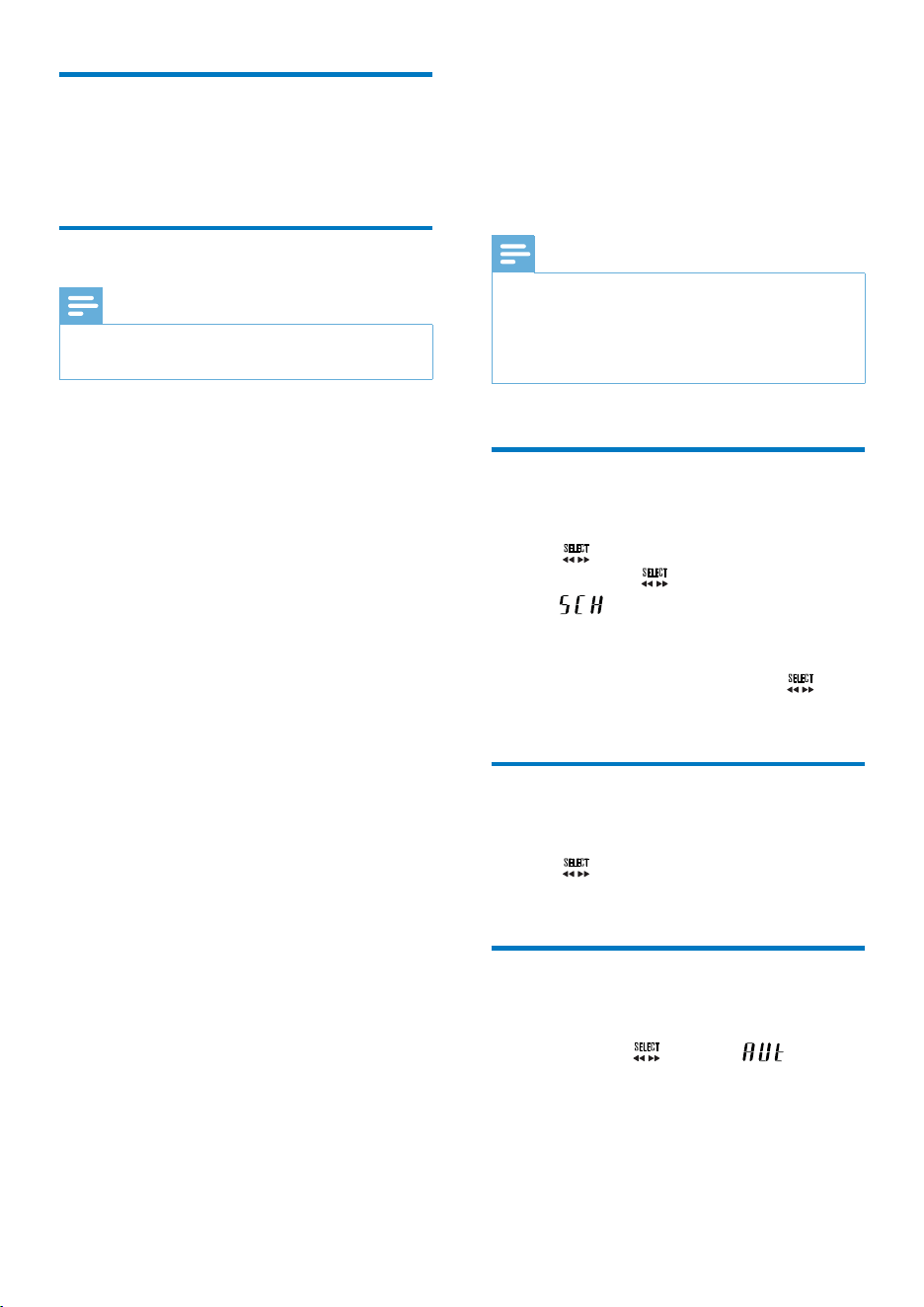
Enjoy audio through the dock
1
Switch the source to .
2 Push the dock tray to eject it.
3 Connect your iPod/iPhone to the dock.
4 Play a track on your iPod/iPhone.
• To start, pause. or resume play, press
the
knob.
• To skip to a track, turn the
knob.
• To switch the iPod/iPhone to sleep
mode or wake it up, press and hold
the
knob.
9EN
Charge your iPod/iPhone
Once the iPod/iPhone is docked and
recognized, the charging starts.
Undock your iPod/iPhone
Note
•
Risk of damage to the dock or your iPod/iPhone: Do
not twist or shake your iPod/iPhone.
1 Disconnect the iPod/iPhone from the dock.
2 Push the dock tray inwards until you hear a
"click" to store it.
7 Listen to FM
radio
Note
•
For optimal reception, fully extend the antenna and
adjust its position, or connect an outdoor antenna.
• This system does not support MW (medium wave)
radio reception.
• You can store up to 20 stations for each band.
Search for a radio station
automatically
Turn the knob clockwise or anti-clockwise,
and then press the
knob in two seconds.
»
is displayed, and then the radio
frequency changes until a strong
station is detected.
• To stop the search, press the
knob
again.
Search for a radio station
manually
Turn the knob until the frequency of target
radio station is displayed.
Store radio stations
automatically
Press and hold the knob until is
displayed.
» Afterthesearchiscomplete,therst
stored radio station is broadcast.
• To tune to a stored radio station, turn the
PRESET knob until its sequence number is
displayed.
10 EN
Store radio stations manually
1
Tune to the target radio station.
2 After two seconds, press the knob.
» PXX is displayed with XX blinking (XX
indicates the sequence number).
3 Turn the PRESET knob to select a
sequence number.
4 Press the knobtoconrm.
5 Repeat steps 1-4 to store more radio
stations.
• To overwrite a preset radio station,
store another station with its sequence
number.
• To tune to a stored radio station, turn the
PRESET knob until its sequence number is
displayed.
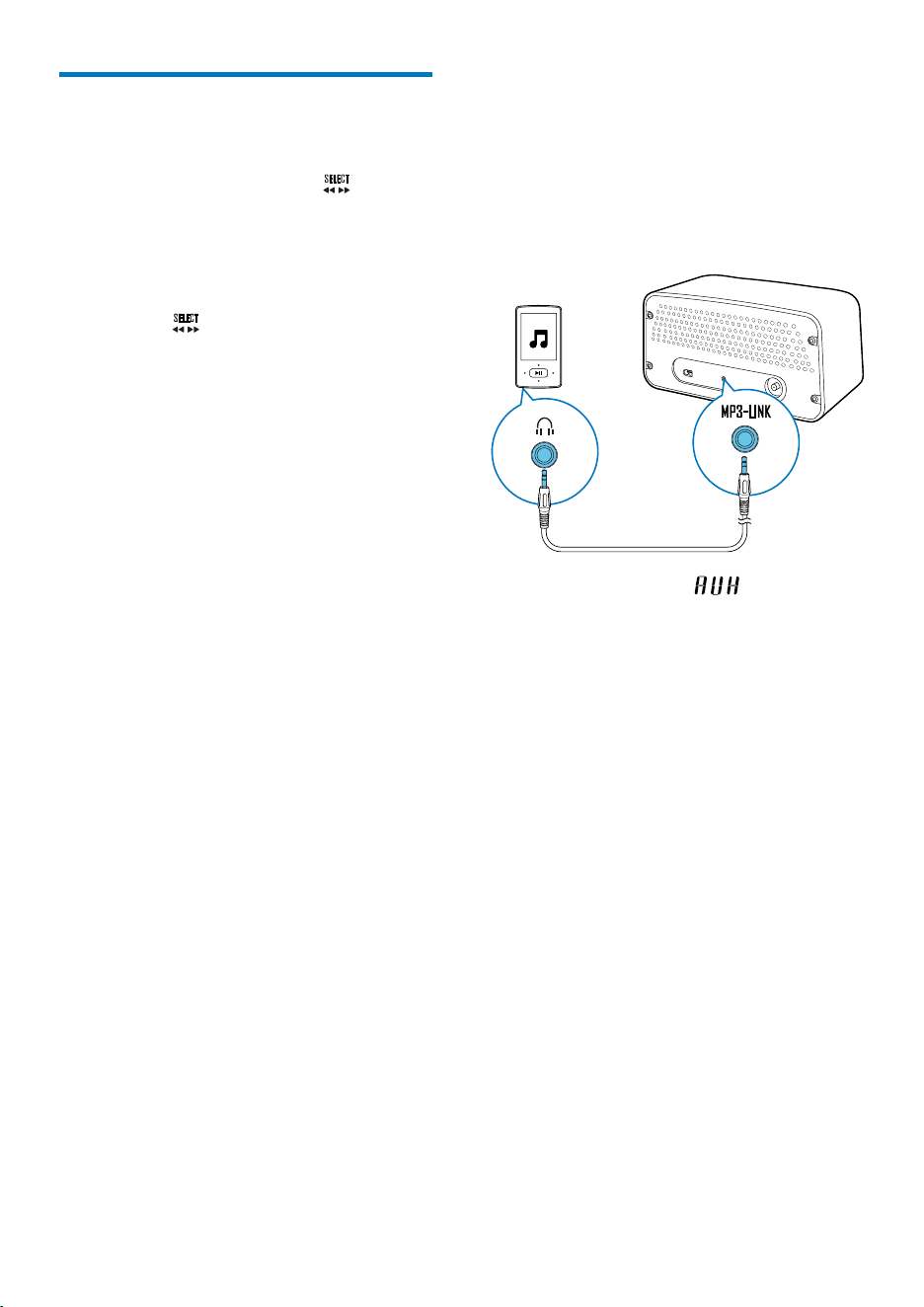
8 Listen to an
external device
You can also listen to an external audio device,
for example, MP3 player, through this product.
1 Switch the source to .
2 Connect the MP3 link cable between
• the MP3-LINK socket on the back
panel of this product, and
• the headphone jack on the external
device.
3 Play audio on the external device (refer to
its user manual).
11EN
9 Adjust the
volume
Turn the knob.
10 Use the remote
control
During use, you can use the remote control to
control play.
Activate the battery
Forthersttimeuse,pulltheprotectivetab
out from the battery compartment.
Control play
During play, follow the instructions below to
control play.
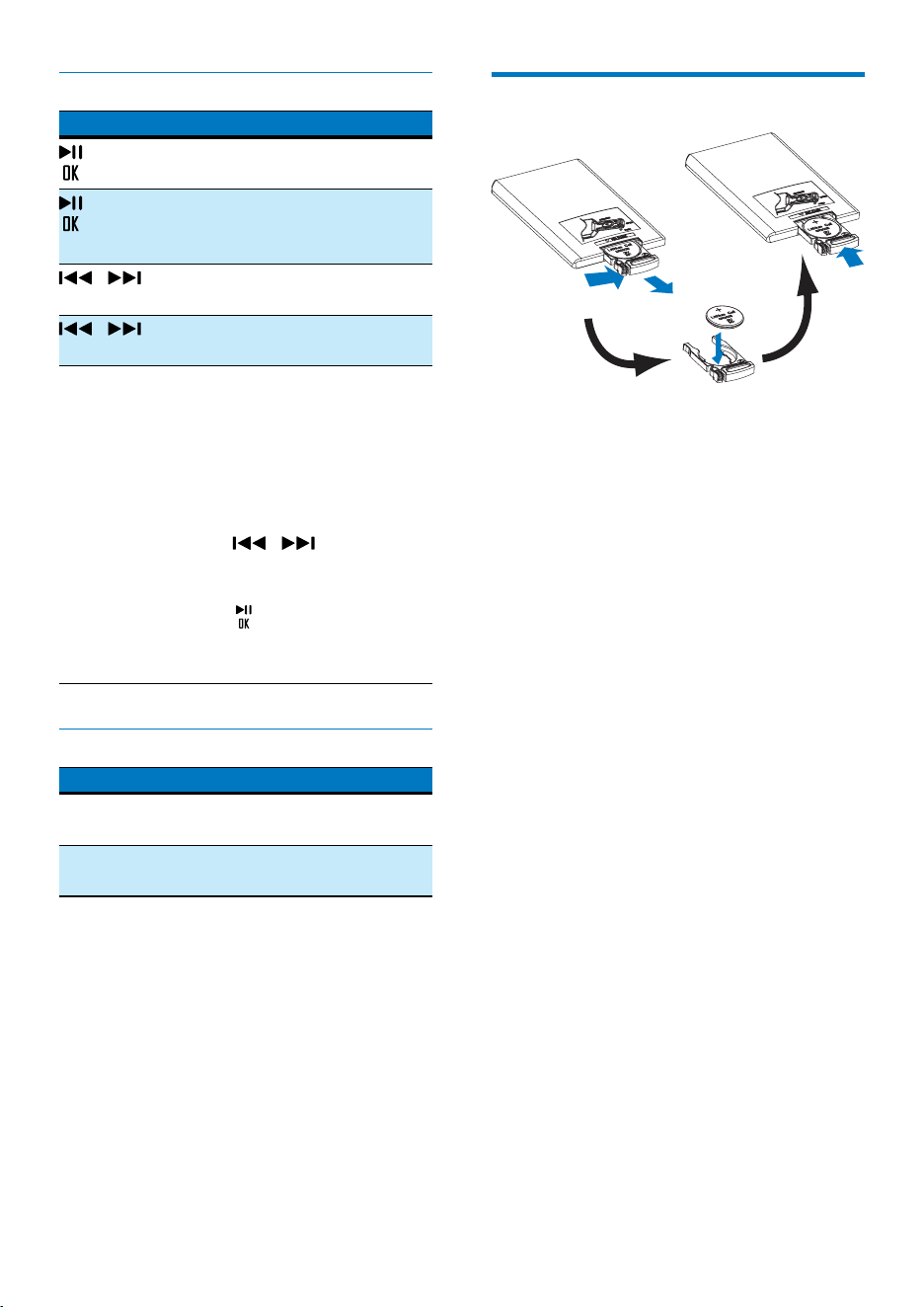
FM mode
Buttons Functions
/ Totunetoaspecicradio
station, press repeatedly until its
frequency is displayed.
/ To tune to the previous or next
strong radio station, press and
hold to start scanning.
PRESET +/- To tune to a preset radio
station, press repeatedly until its
sequence number and frequency
are displayed.
PROG To program radio stations,
1 Tune to the radio station that
your want to store.
2 Press PROG to activate the
programming.
3 Press PRESET +/- to select a
sequence number.
4 Press PROGtoconrm.
5 Repeat the steps 1-4 to pro-
gram more radio stations.
DISP To display the clock or current
frequency, press it.
12 EN
DOCK mode
Buttons Functions
To start, pause, or resume play,
press it.
To switch the iPod/iPhone to
sleep mode or wake it up, press
and hold it.
/ To skip to a track, press
repeatedly.
/ To rewind a track or search
forward fast, press and hold.
MENU To select a track from the library,
1 Press MENU to access the
iPod/Music (iPod/Music) menu
of your iPod/iPhone.
2 Press MENU repeatedly to
toggle through the categories.
3 Press / to toggle
through sub-categories or
select a track.
4 Press to enter lower-level
menu or start the selected
track.
Volume
Buttons Functions
VOL+/
VOL-
To increase or decrease the volume,
press repeatedly.
MUTE To mute the product or release it
from mute status, press the button.
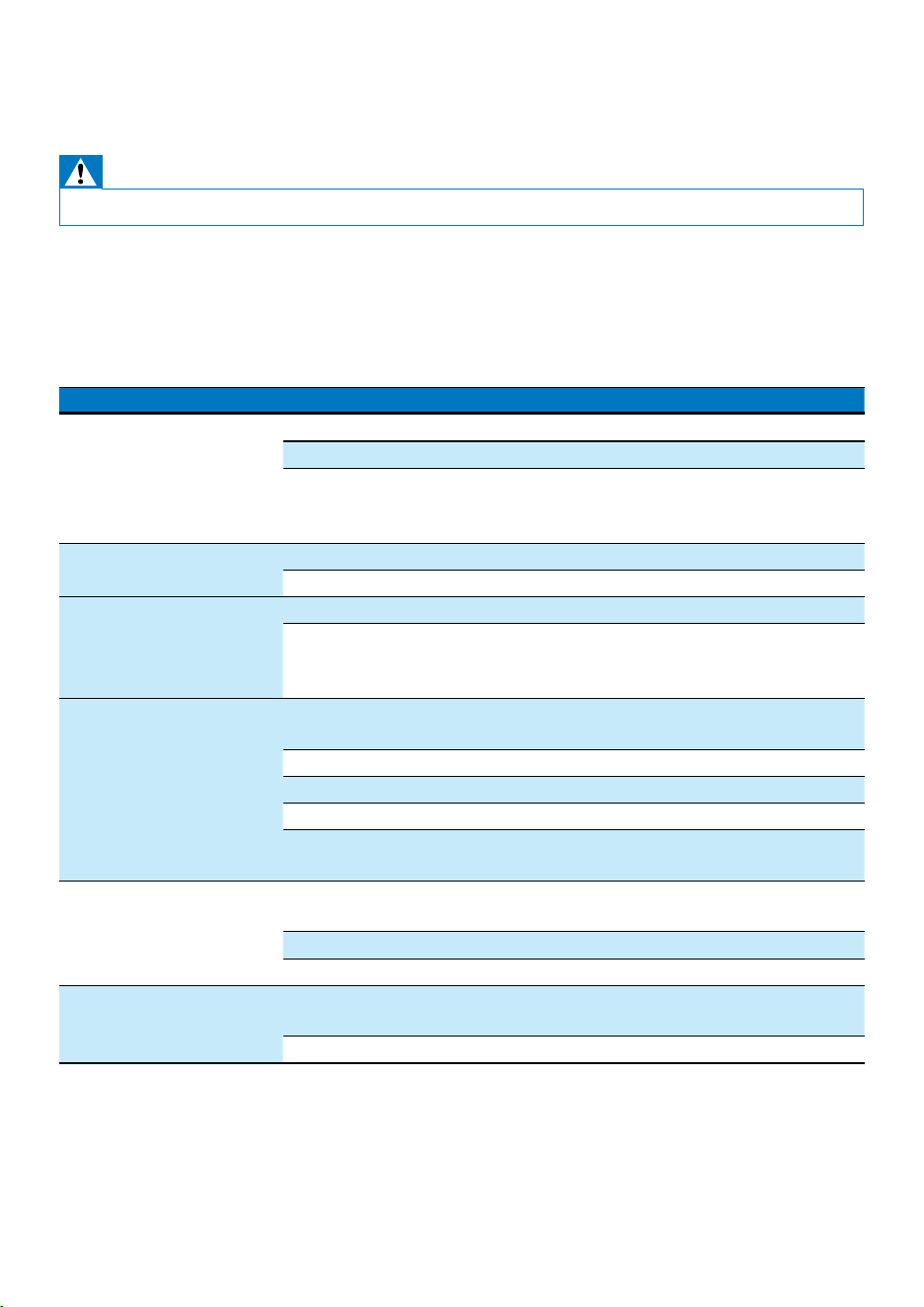
Replace the battery
1 Pull out the battery tray and then remove
theatbattery.
2 Insert one CR2025 battery with correct
polarity (+/-) as indicated.
3 Insert the battery tray.
13EN
11 Troubleshooting
Warning
•
Never remove the casing of this product.
To keep the warranty valid, never try to repair the product yourself.
If you encounter problems when using this product, check the following points before requesting
service. If the problem remains unsolved, go to the Philips Web page (www.philips.com/support). When
you contact Philips, make sure that the product is nearby and the model number and serial number are
available.
Problem Solution
No power Make sure that the AC power cord is connected properly.
Make sure that there is power at the AC power outlet.
If a connected iPod/iPhone stays inactive for 15 minutes when it
is selected as the source, the system switches to standby mode
automatically.
No sound or poor sound Adjust the volume.
Press MUTE to release the speakers from mute status.
No response from the
product
Reconnect the AC power cord, and then turn on the product again.
If a connected iPod/iPhone stays inactive for 15 minutes when it
is selected as the source, the system switches to standby mode
automatically.
Remote control does not
work
Before you press any function button, select the correct source with the
remote control instead of the system.
Reduce the distance between the remote control and the system.
Insert the battery with its polarity (+/– signs) aligned as indicated.
Replace the battery.
Aim the remote control at the iR sensor on the front panel of the
system.
Poor radio reception Increase the distance between the product and other electrical
appliances.
Fully extend the antenna.
Connect an outdoor FM antenna instead.
Clock is erased Power has been interrupted or the AC power cord has been
disconnected.
Reset the clock.

14 EN
12 Product
information
Note
•
Product information is subject to change without prior
notice.
Amplier
Frequency Response 60 Hz - 16 kHz,
±3 dB
Signal to Noise Ratio > 70 dBA
Aux Input 0.5 V RMS 10
kOhm
FM Tuner
Tuning Range 87.50 - 108.00 MHz
Tuning grid 100 kHz
Total Harmonic
Distortion
< 2%
Signal to Noise Ratio > 50 dBA
Number of preset radio
stations
20
Speakers
Speaker Impedance 6 Ohm
Speaker Driver 2 X 3" full range
Sensitivity > 82 dB/m/W
General information
AC Power Rating 100-240 V~,
50/60 Hz
Operation Power
Consumption
15 W
Dimensions
(Main Unit)
325 x 175 x 167 mm
Weight (Main Unit) 3.5 kg
15EN
13 Notice
Anychangesormodicationsmadetothis
device that are not expressly approved by
Philips Consumer Lifestyle may void the user’s
authority to operate the equipment.
Compliance
Class II equipment symbol:
CLASS II apparatus with double insulation, and
no protective earth provided.
Care of the environment
Your product is designed and manufactured
with high quality materials and components,
which can be recycled and reused.
Never dispose of your product with other
household waste. Please inform yourself about
the local rules on the separate collection of
electrical and electronic products and batteries.
The correct disposal of these products helps
prevent potentially negative consequences on
the environment and human health.
Your product contains batteries, which cannot
be disposed of with normal household waste.
Please inform yourself about the local rules on
separate collection of batteries. The correct
disposal of batteries helps prevent potentially
negative consequences on the environment and
human health.
Please visit www.recycle.philips.com for
additional information on a recycling center in
your area.
Environmental information
All unnecessary packaging has been omitted.
We have tried to make the packaging easy to
separate into three materials: cardboard (box),
polystyrene foam (buffer) and polyethylene
(bags, protective foam sheet.)
Your system consists of materials which can
be recycled and reused if disassembled by
a specialized company. Please observe the
local regulations regarding the disposal of
packaging materials, exhausted batteries and old
equipment.
Trademark notice
“Made for iPod” and “Made for iPhone”
mean that an electronic accessory has been
designedtoconnectspecicallytoiPodor
iPhonerespectively,andhasbeencertiedby
the developer to meet Apple performance
standards. Apple is not responsible for the
operation of this device or its compliance with
safety and regulatory standards. Please note that
the use of this accessory with iPod or iPhone
may affect wireless performance.
iPod and iPhone are trademarks of Apple Inc.,
registered in the U.S. and other countries.
Copyright
2013 © Koninklijke Philips Electronics N.V.
Specicationsaresubjecttochangewithout
notice. Trademarks are the property of
Koninklijke Philips Electronics N.V or their
respective owners. Philips reserves the right
to change products at any time without being
obliged to adjust earlier supplies accordingly.

Specifications are subject to change without notice
© 2013 Koninklijke Philips Electronics N.V.
All rights reserved.
ORD7100R_85_UM_V1.0