33100 / 33101
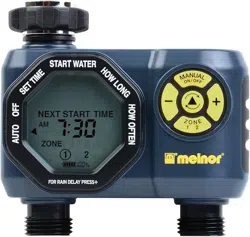
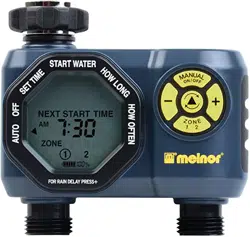
Two-Zone Electronic Water Timer
User Instructions
n
English
33100_INS_ENG_00
DELAY
FOR
EVERY
RESET
MANUAL
MIN
HRS
DAY
PM
AM
ZONE
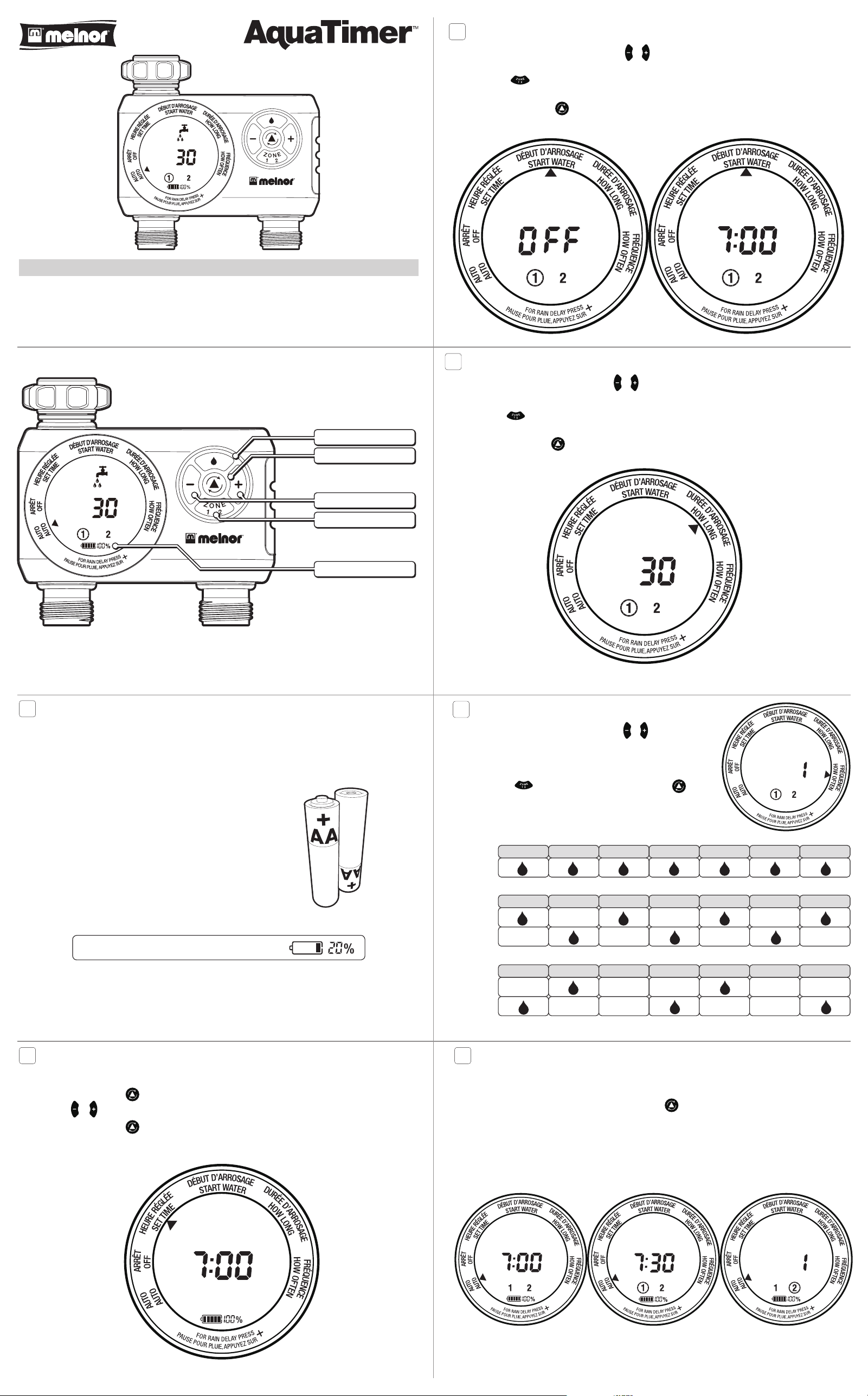
Cursor Button
+/- Buttons
Manual Watering Button
Zone 1 2 Button
Battery Indicator
DELAY
FOR
EVERY
RESET
MANUAL
MIN
HRS
DAY
PM
AM
ZONE
1
Battery Installation & Assembly
Batteries
■n Install 2 × AA alkaline batteries by removing the battery holder from the back of the timer and inserting the
batteries as indicated. Replace the battery holder.
■n Note: Do not use rechargeable batteries. Recycle batteries after use.
Installation
■n Attach the timer to an outside faucet and turn on the water. Leave the faucet on
while the timer is attached.
■n Note: You may program the timer before attaching it to the faucet.
We recommend replacing batteries when the indicator reaches
■n
■n
2
Setting the Clock
■n Touch any button to wake the timer.
■n Using the Cursor Button , move the arrow to Set Time.
■n Press the & buttons to adjust the clock to the current time.
■n Press the Cursor Button
again to set the time and move to the next setting, Start Water.
3
Select when to water
■n With the arrow pointing to Start Water, use the & buttons to select the first time of the day you want to water.
All remaining watering cycles during the day will be based on this time.
■n Press ZONE to change the zone. You must first enter a start time for each zone you are programming before
any other settings for a zone.
■n Press the Cursor Button
to move to the next setting.
4
How Long to Water
■n With the arrow pointing to How Long use the & buttons to select the length of each watering cycle.
■n Cycles can be up to 360 minutes (6 hours) in duration.
■n Press ZONE to change the zone. You must set How Long for each zone you are programming before
proceeding.
■n Press the Cursor Button
to move to the next setting.
DELAY
FOR
EVERY
ZONE
RESET
MANUAL
MIN
HRS
DAY
NEXT START TIME
PM
AM
DELAY
FOR
EVERY
ZONE RESET
MANUAL
MIN
HRS
DAY
NEXT START TIME
PM
AM
DELAY
FOR
EVERY
ZONE RESET
MANUAL
MIN
HRS
DAY
NEXT START TIME
PM
AM
DELAY
FOR
EVERY
ZONE
RESET
MANUAL
MIN
HRS
DAY
NEXT START TIME
PM
AM
EVERY
ZONE RESET
MANUAL
MIN
HRS
DAY
START TIME
PM
AM
5
How Often to Water
■n With the arrow pointing to How Often use the & buttons to select the
watering frequency.
■n You will be able to water as often as every 1 hour, every day or as
infrequently as once every 7 days.
■n Press ZONE to change the zone or the Cursor Button
to
move to the next setting. You must set How Often for each zone you are
programming before proceeding.
SUNDAY MONDAY TUESDAY WEDNESDAY THURSDAY FRIDAY SATURDAY
SUNDAY MONDAY TUESDAY WEDNESDAY THURSDAY FRIDAY SATURDAY
SUNDAY MONDAY TUESDAY WEDNESDAY THURSDAY FRIDAY SATURDAY
EVERY 2 DAY
EVERY 1 DAY
EVER
Y
WEEK
WEEK
ONE
WEEK
TWO
WEEK
ONE
WEEK
TWO
EVERY 3 DAY
6
Auto Mode
■n After programming, the timer will be in Auto mode. Your watering programs will only operate when the timer is in
Auto mode.
■n If the timer is not in Auto mode, press the Cursor Button to switch to Auto.
■n The screen display will alternate between the current TIME and the NEXT START TIME for each zone. This will allow
you to see at a glance what will happen next.
■n If the next watering cycle is more than 12 hours away, the NEXT START TIME will be displayed in days instead
showing a time.
DELAY
FOR
EVERY
ZONE
RESET
MANUAL
MIN
HRS
DAY
NEXT START TIME
PM
AM
DELAY
FOR
EVERY
ZONE
RESET
MANUAL
MIN
HRS
DAY
NEXT START TIME
PM
AM
FOR
EVERY
ZONE
RESET
MANUAL
MIN
HRS
DAY
NEXT START TIME
PM
AM
9
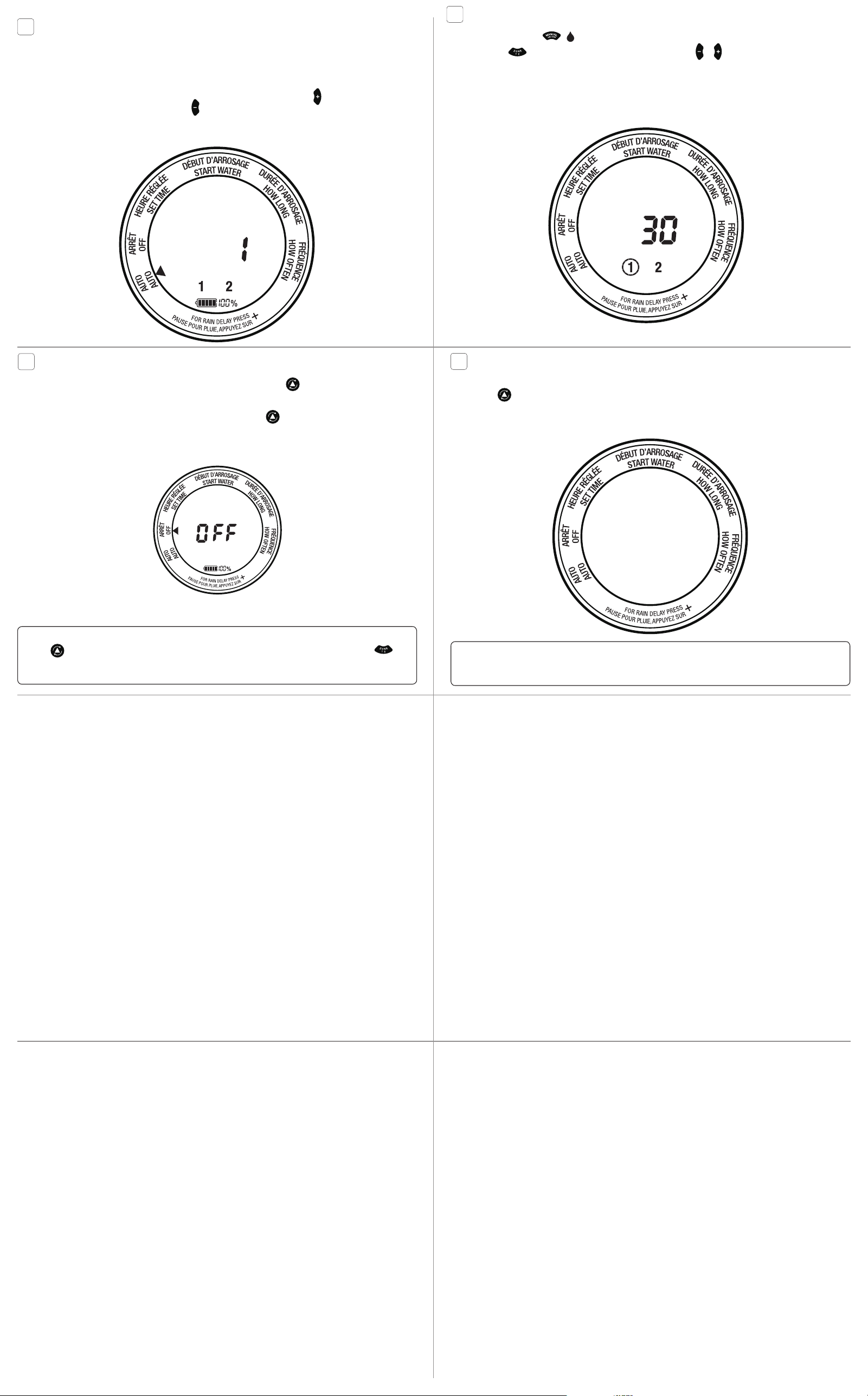
Manual Watering
■n Press Manual On/Off ( on multi-language models)
■n Press ZONE to select the zone you want to open. Then press the or button to adjust the amount of time
you want the valve to be open.
■n The valve will open after a few seconds and automatically close after the selected time.
10
Timer Reset
■n If you need to completely erase all settings in the timer and return it to it’s original state, press and hold the Cursor
Button for 7 seconds.
■n The screen will display RESET to confirm the action.
■n NOTE: All programming will be lost when the timer is RESET.
FOR
EVERY
ZONE
RESET
MANUAL
MIN
HRS
DAY
NEXT START TIME
PM
AM
FOR
EVERY
ZONE
RESET MANUAL
MIN
HRS
DAY
NEXT START TIME
PM
AM
Warning: Intended for outdoor use only. Severe electrical shock could result if water is sprayed into outlets or sources of
electrical current. Do not use water more than 115°F (46°C). Do not use when the ambient air temperature is less 40°F
(4.5°C). When not in use, remove batteries, drain and store indoors away from freezing temperatures.
7
Rain Delay Mode
■n If there is rain in the forecast and you wish to temporarily stop watering, you can use Rain Delay.
■n Rain Delay Mode will stop all watering for up to 7 days.
■n After the delay period, the watering program will begin running automatically.
■n To activate Rain Delay Mode, make certain the arrow is pointing to AUTO. Press the key to select the delay
period. You can reduce the delay period with the key.
■n In Rain Delay Mode, the screen will toggle between the current TIME and the remaining DELAY time. If the delay is
greater than 12 hours, the DELAY will be shown in DAYS.
8
Off Mode
■n If you wish to stop watering for an extended period, push the Cursor Button
until the arrow is pointing to OFF.
■n The timer will not water automatically while in this mode. The screen will display the word OFF in large letters.
■n To start watering automatically again, simply press the Cursor Button
until the arrow is pointing to AUTO. The
program will begin watering at the next available Start Time.
DELAY
FOR
EVERY
ZONE
RESET
MANUAL
MIN
HRS
DAY
START TIME
PM
AM
FOR
EVERY
ZONE
RESET
MANUAL
MIN
HRS
DAY
NEXT START TIME
PM
AM
Note: Setting the timer to OFF disables all watering zones. In order to disable a specific zone (or zones), use the Cursor
Button to move to HOW LONG. Ensure you are adjusting the desired watering zone by using the ZONE
button. Adjust the HOW LONG setting to “0”. To reactivate the zone, adjust the HOW LONG setting back to the desired
watering duration.